
MPS-409C - Mp3 player DENVER - Free user manual and instructions
Find the device manual for free MPS-409C DENVER in PDF.


| Product Type | MP3 Player |
| Brand | Denver |
| Model | MPS-409C |
| Dimensions | 90 x 40 x 10 mm (approx.) |
| Weight | 40 g (approx.) |
| Power Supply | Built-in rechargeable Li-ion battery (200 mAh) |
| Charging | Via USB cable (DC 5V) |
| Storage Capacity | 8 GB internal memory, expandable via microSD up to 32 GB |
| Display | 1.5-inch LCD screen |
| Supported Audio Formats | MP3, WMA, WAV, FLAC |
| Supported Video Formats | AMV, AVI (converted) |
| Supported Image Formats | JPEG, BMP |
| Controls | Buttons: play/pause, volume, next/previous, menu |
| Connectivity | USB 2.0 (for charging and data transfer), 3.5mm headphone jack |
| Main Functions | Music playback, FM radio, voice recording, e-book reader, photo viewer |
| FM Radio | Yes, with preset stations |
| Voice Recording | Built-in microphone, WAV format |
| Battery Life | Up to 10 hours of music playback |
| Operating System Compatibility | Windows, macOS, Linux (mass storage class) |
| Maintenance and Cleaning | Wipe with a soft dry cloth. Do not use liquids or solvents. |
| Safety Precautions | Do not expose to extreme temperatures or moisture. Keep away from children under 3 years. |
| Spare Parts and Repairability | Battery replacement possible by qualified technician. USB port and headphone jack soldered on board. |
| General Information | Device for personal entertainment. Not for professional use. |
Frequently Asked Questions - MPS-409C DENVER
User questions about MPS-409C DENVER
0 question about this device. Answer the ones you know or ask your own.
Ask a new question about this device
Download the instructions for your Mp3 player in PDF format for free! Find your manual MPS-409C - DENVER and take your electronic device back in hand. On this page are published all the documents necessary for the use of your device. MPS-409C by DENVER.
USER MANUAL MPS-409C DENVER
Thank you for purchasing our digital MP3 player. Before you use this player, please read through this manual book, so you can operate it correctly.
Before you start please make sure that you have switched the player to ON position.
A. Shuffle function introduction
Long pressVol-, the unit turns on shuffle, music playing is in random by pressing key.
Long pressVol + , the unit turns off shuffle, music playing is in sequence by pressing ≈ ≈ key
B. Key function and operating method
1. Key function:
| Telephone jack | |
| LED | |
| Switch on/switch off the player. | |
| Next song, fast forward | |
| Play/Stop | |
| Volume down | |
| Previous song, fast backward | |
| Volume up | |
| USB connecting port |
2. Operating method:
Power on:
Please insert earphone, press PLAY key for 3 seconds, the LED will light up and the player enter the playing status.
Music playing:
When playing music, the LED will be flashing. Mp3 player will keep playing the song that unfinished last time if without pressing any key. when finishing playback of the last track, it will play from the first track again.
Pause playing:
In playing status, press PLAY key, player stop temporarily (LED light on), pressing PLAY key again, it continues playing music (LED flashing).
Power off:
In standby status, long press PLAY key for 3 seconds (or more than 3 Seconds), this player will be powered off.
When you press PLAY key to pause playing and without pressing any keys, this player will be powered off automatically after 90 seconds.
C. Connect with computer
- Connect USB jack of this MP3 player with your computer USB socket, the LED
Will be flashing continually, you can find the removable disk on your computer.
- Copy your files from the computer into this MP3 player, this MP3 player also can be used as flash disk.
D. How to charge
Turn ON the unit and connect it to PC, MP3 will be automatically charged. When the unit is fully recharged the LED bulb will long light. Suggest charge for three hours around.
Instructions on environment protection
natural_image
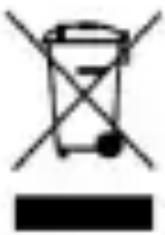
Simple line drawing of a trash bin with no text or symbolsElectric and electronic equipment and included batteries contains materials, components and substances that can be hazardous to your health and the environment, if the waste material (discarded electric and electronic equipment and batteries) is not handled correctly.
Electric and electronic equipment and batteries is marked with the crossed out trash can symbol, seen below. This symbol signifies that electric and electronic equipment and batteries should not be disposed of with other household waste, but should be disposed of separately.
As the end user it is important that you submit your used batteries to the appropriate and designated facility. In this manner you make sure that the batteries are recycled in accordance with legislature and will not harm the environment.
All cities have established collection points, where electric and electronic equipment and batteries can either be submitted free of charge at recycling stations and other collection sites, or be collected from the households. Additional information is available at the technical department of your city.
ALL RIGHTS RESERVED
DENVER ELECTRONICS A/S

www.facebook.com/denverelectronics
Importer: DENVER ELECTRONICS A/S Stavneagervej 22 DK-8250 EGAA DENMARK

Brand : DENVER
Model : MPS-409C
Category : Mp3 player