
MP-4014 - Mp3 player DENVER - Free user manual and instructions
Find the device manual for free MP-4014 DENVER in PDF.


| Product Type | MP3 Player |
| Brand | Denver |
| Model | MP-4014 |
| Display | LCD Screen |
| Power Source | AAA Battery (not included) |
| Control Buttons | Volume (+/-), Pause, Power, Mode (rotary switch and push button) |
| Main Functions | Music playback, voice recording, text reading, system settings |
| Playback Modes | Normal playback, pause, fast forward/rewind, menu navigation |
| Connectivity | Headphone jack (3.5 mm), USB port (under cap) |
| Built-in Microphone | Yes, for voice recording |
| Supported Audio Formats | MP3 (not specified, but likely) |
| Available Languages | Multilingual (selectable in settings) |
| Auto Shutdown | Yes, after inactivity in pause |
| Care and Cleaning | Wipe with a soft, dry cloth. Do not use chemicals. |
| Safety | Do not expose to moisture. Observe battery polarity. Dispose of according to local regulations (crossed-out bin symbol). |
| Spare Parts and Repairability | Replaceable battery. No other spare parts available. Contact DENVER after-sales service. |
| General Information | Imported by DENVER ELECTRONICS A/S, Denmark. Copyright DENVER®. |
Frequently Asked Questions - MP-4014 DENVER
User questions about MP-4014 DENVER
0 question about this device. Answer the ones you know or ask your own.
Ask a new question about this device
Download the instructions for your Mp3 player in PDF format for free! Find your manual MP-4014 - DENVER and take your electronic device back in hand. On this page are published all the documents necessary for the use of your device. MP-4014 by DENVER.
USER MANUAL MP-4014 DENVER
You can adjust the settings and choose the song through the display.
- VOL +/- button
You can increase or decrease the volume when listening music.
- HOLD button
There will be no any response of button-operation when this hold button is locked.
- MODE switch
Rotate to find the beginning of a song, or fast-rewinds/forwards.
When a menu appears on the display, rotate to select a menu item.
- ▶ button
Turning ON/OFF the unit, Starts/pauses song playback, or pauses/restarts.
-
Earphone jack
-
MIC (Microphone)
For voice recording by the player.
- USB cap
When connecting with USB, remove the USB cap.
Turning the Player On and Off
Press and hold the ▶ button to turn ON, Press and hold the ▶ button again to turn OFF.

Hint
If song playback is paused and there is no operation for a certain period of time, the player turns off automatically to save power.
How to Use the Player via 'MODE' switch
To display the Home menu Press and hold the MODE switch.
To select an item Rotate the MODE switch to select an item, To confirm any operation Press the MODE switch.
Playing Music
In Home menu, rotate the MODE switch to select the music menu Press MODE switch again to enter MSC music playing mode.
Rotate the MODE switch to select a song file.
Press button to start playing the music.
While music is playing...
Rotate the MODE switch to select the last track or the next track.
Rotate and hold the MODE switch to fast forward or backward.
Press to pause.
Press [+/-] to adjust the volume.
Press MODE switch to enter music sub-menu.
Press and hold MODE switch to exit main home menu.
Recording
In the Home menu, rotate the MODE switch to select the Record menu REC.
Press MODE switch to enter REC mode.
Press button to start recording, press it again to pause recording.
Press and hold MODE to automatically save the recording file and return to home menu.
To play a recording...
In Home menu, rotate the MODE switch to select the Voice menu RPL. Press MODE switch to enter RPL mode.
Rotate the MODE switch to select the recorded file.
Press ▶ button to start playing the voice file (refer to "playing music" instructions).
Press and hold MODE switch to return to home menu.
System Setting
Select system setting under the main interface, Press MODE switch to enter, and the options include system time, backlight time, language selection, shutdown setting, comparison adjustment, storage condition, firmware version and exit.
Menu and Operation
Press MODE switch to enter all the options, after setting, press M key to exit to the main interface of system setting, if operation is not done within 5 s after entering, the system will exit to the main interface automatically.
Text Reading
Select text reading under the main interface and Press MODE switch to enter catalog list.
Menu 1
Press MODE switch to enter main menu under the catalog list, and the menu items include local folder, play setting, delete file and delete all. Then Press MODE switch to exit to the catalog list.
Menu 2
Select a file, press ▶ key to start reading, and then Press MODE switch to exit to the catalog list. During reading, mode key can be pressed to enter menu 2, and the menu items are in the order of bookmark selection, bookmark adding, bookmark deleting and exit.
Troubleshooting
If the player does not function as expected, try the following steps to resolve the issue.
No Power
*Check whether the AAA battery has been inserted properly, or change a new battery, may resolve some issues.
No Sound
*Check whether Volume is set "0" and connect the headphone plugs firmly.
*Check whether the headphone plug is dirty.
*Make sure that the music files are not corrupted.
Characters in LCM are corrupted
*Check whether the right language has been selected.
ALL RIGHTS RESERVED, COPYRIGHT DENVER ELECTRONICS A/S
DENVER®
www.denver-electronics.com
natural_image
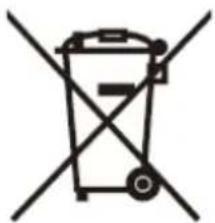
Symbol of a trash bin crossed with a diagonal line, representing no waste or discharge (no text or labels)
Electric and electronic equipment contains materials, components and substances that can be hazardous to your health and the environment, if the waste material (discarded electric and electronic equipment) is not handled correctly.
Electric and electronic equipment is marked with the crossed out trash can symbol, seen below. This symbol signifies that electric and electronic equipment should not be disposed of with other household waste, but should be disposed of separately.
All cities have established collection points, where electric and electronic equipment can either be submitted free of charge at recycling stations and other collection sites, or be collected from the households. Additional information is available at the technical department of your city.
Imported by:
DENVER ELECTRONICS A/S
Stavneagervej 22
DK-8250 Egaa
Denmark
www.facebook.com/denverelectronics
natural_image
Symbol of a trash bin crossed out by two diagonal lines (no text or numbers present)
natural_image
Symbol of a trash bin crossed with a diagonal line, representing no waste or discharge (no text or labels)
natural_image
Symbol of a trash bin crossed with a diagonal line, representing no waste or discharge (no text or labels)
natural_image
Symbol of a trash bin crossed with a diagonal line, representing no waste or discharge (no text or labels)
Caratteri in LCM corrotti
natural_image
Symbol of a trash bin crossed with a diagonal line, representing no waste or discharge (no text or labels)
natural_image
Symbol of a trash bin crossed with a diagonal line, representing no waste or discharge (no text or labels)
natural_image
Symbol of a trash bin crossed with a diagonal line, representing no waste or discharge (no text or labels)
natural_image
Symbol of a trash bin crossed with a diagonal line, representing no waste or discharge (no text or labels)
natural_image
Symbol of a trash bin crossed with no text or labels




Brand : DENVER
Model : MP-4014
Category : Mp3 player