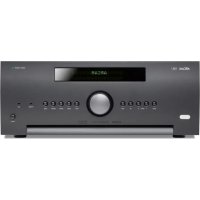
AV860 - Receiver ARCAM - Free user manual and instructions
Find the device manual for free AV860 ARCAM in PDF.


| Product Type | High definition home cinema processor (without amplifier) |
| Brand | Arcam |
| Model | AV860 |
| Dimensions (W x D x H) | 433 x 425 x 171 mm |
| Net weight | 10.25 kg |
| Packaged weight | 14.25 kg |
| Power supply voltage | 110-120 V or 220-240 V, 50-60 Hz |
| Power consumption (max) | 50 W |
| Standby consumption | < 0.5 W |
| HDMI inputs | 6 (HDMI 2.0, HDCP 2.2) |
| HDMI outputs | 2 (including one with ARC) |
| Analog audio inputs | 6 stereo pairs (RCA) |
| Digital audio inputs | Coaxial, optical |
| Supported audio formats | Dolby Atmos, Dolby TrueHD, DTS:X, DTS-HD Master Audio, PCM, FLAC, MP3, AAC |
| Equalization | Dirac Live with calibration microphone included |
| Tuner | FM, DAB/DAB+ |
| Network connectivity | Ethernet, USB, Internet radio (vTuner) |
| Preamp outputs | 7.1 channels (FL, FR, C, SUB, SR, SL, SBR, SBL) + Height 1/2 |
| Speaker outputs | None (processor only) |
| Remote control | Universal programmable, backlit |
| Other connectors | RS232, 12V triggers (2), IR input (2), Zone 2 |
| Accessories included | Power cord, remote control, AAA batteries, manual, DAB/FM antenna, calibrated microphone, USB sound card |
Frequently Asked Questions - AV860 ARCAM
User questions about AV860 ARCAM
0 question about this device. Answer the ones you know or ask your own.
Ask a new question about this device
Download the instructions for your Receiver in PDF format for free! Find your manual AV860 - ARCAM and take your electronic device back in hand. On this page are published all the documents necessary for the use of your device. AV860 by ARCAM.
USER MANUAL AV860 ARCAM
HANDBOOK AVR surround amplifiers
MANUEL Amplificateur surround AVR
HANDBUCH AVR Surround Verstärker
HANDLEIDING AVR surroundderker
MANUAL AVR amplificadores surround
PYKOBOCTBO AVR o6bemhoro ycnHnten
MANUALE Amplificatori Surround AVR
手册AVR环绕声放大器
ARCAM
AV860/AVR850/AVR550/AVR390/SR250
M
HANDBOOK AVR surround amplifiers


CAUTION
RISK OF ELECTRIC SHOCK NOT OPEN
ATTENTION
RISQUE DE CHOC ELECTRIQUE NEALEOCHIO

CAUTION: To reduce the risk of electric shock, do not remove cover (or back). No user serviceable parts inside. Refer servicing to qualified service personnel.
WARNING: To reduce the risk of fire or electric shock, do not expose this apparatus to rain or moisture.
The lightning flash with an arrowhead symbol, within an equalthird triangle, is intended to alert the user to the presence of uninsulated "dangerous voltage" within the product's enclosure that may be of sufficient magnitude to constitute a crack of electric shock to persons.
The explanation point within an equivalent triangle is intended to alert the user to the presence of important operating and maintenance (servicing) instructions in the literature accompanying the appliance.
CAUTION: In Canada and the USA, to precast electric shock, match the wide blade of the plug to the wide slot in the socket and insert the plug fully into the socket.
Important safety instructions
- Read these instructions.
- Keep these instructions.
- Heed all warnings.
- Follow all instructions.
- Do not use this apparatus near water.
- Clean only with a dry cloth.
Unplug the unil from the mains supply before cleaning. The case should normally only require a wipe with a soft, lint-free cloth. Do not use chemical solvents for cleaning. We do not advise the use of furniture cleaning sprays or polishes as they can cause permanent white marks.
7. Do not block any of the ventilation openings. Install in accordance with the manufacturer's instructions.
8. Do not install near any heat sources such as radiators, heat registers, stoves, or other apparatus (including amplifiers) that produce heat.
9. Do not defeat the safety purpose of the polarized or grounding type plug.
A polarized plug has two blades with one wider than the other. A grounding type plug has two blades and a third grounding prong. The wide blade or the third prong is provided for your safety. When the provided plug does not fit into your outlet, consult an electrician for replacement of the obsolete outlet.
-
Protect the power cord from being walked on or pinched particularly at plugs, convenient receptacles, and the point where they exit from the apparatus.
-
Only use the attachments/accessories specified by the manufacturer.
-
Use only with a cart, stand, tripod, bracket, or table specified by the manufacturer, or sold with the apparatus.
When a cart is used, use caution when moving the cart/apparatus combination to avoid injury from tip over.

-
Unplug this apparatus during lightning storms or when unused for long periods of time.
-
Refer all servicing to qualified service personnel. Servicing is required when the apparatus has been damaged in any way, such as power supply cord or plug is damaged, liquid has been spilled or objects have fallen into the apparatus, the apparatus has been exposed to rain or moisture, does not operate normally, or has been dropped.
-
Object or liquid entry
WARNING - Take care that objects do not fall and liquids are not spilled into the enclosure through any openings. The equipment shall not be exposed to dripping or splashing. Liquid filled objects such as vases should not be placed on the equipment.
- Service Instructions
CAUTION - These servicing instructions are for use by qualified service personnel only. To reduce the risk of electric shock, do not perform any servicing other than
that contained in the operating instructions unless you are qualified to do so.
17.Climate
The equipment has been designed for use in moderate climates and in domestic situations. Unplug this equipment during lightning storms to prevent possible damage from a strike or mains surge.
- Power sources
Only connect the equipment to a power supply of the type described in the operating instructions or as marked on the equipment.
The primary method of isolating the equipment from the mains supply is to remove the mains plug. The equipment must be installed in a manner that makes disconnection possible.
- Power-cord protection
Power supply cords should be routed so that they are not likely to be walked on or pinched by items placed upon or against them. Pay particular attention to the point where they exit from the equipment.
- Power lines
Locate any outdoor antenna/serial away from power lines.
- Speaker connections
Any speakers must be connected to the Receiver using class II wire (i.e. no connection to Earth should be made). Failure to observe this precaution may cause the unit to become damaged.
Class II product
This equipment is a Class II or double insulated electrical appliance. It has been designed in such a way that it does not require a safety connection to electrical earth 'ground' in the U.S.).
22. Non-use periods
If the equipment is not being used for an extended period, we recommend that you unphing the power cord of the equipment from the outlet, to save power.
23.Abnormal smell
If an abnormal smell or smoke is detected from the equipment, turn the power off immediately and unplug the equipment from the wall outlet. Contact your dealer and do not reconnect the equipment.
CAUTIONS ON INSTALLATION
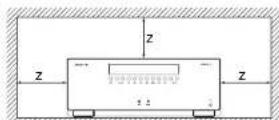
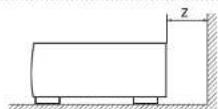
For proper heat dispersal, do not install this unit in a confined space, such as a bookcase or similar enclosure.
More than 0.3 m (12 in.) is recommended.
Do not place any other equipment on this unit.
FCC INFORMATION (FOR US CUSTOMERS)
1.PRODUCT
This product complies with Part 15 of the FCC Rules. Operation is subject to the following two conditions: (1) This device may not cause harmful interference, and (2) this device must accept any interference received, including interference that may cause undesired operation.
2. IMPORTANT NOTICE:
DO NOT MODIFY THIS PRODUCT
This product, when installed as indicated in the instructions contained in this manual, meets FCC requirements. Modification not expressly approved by ARCAM may void your authority, granted by the FCC, to use the product.
3. NOTE
This product has been tested and found to comply with the limits for a Class B digital device, pursuant to Part 15 of the I-CC Rules. These limits are designed to provide reasonable protection against harmful interference in a residential installation.
This product generates, uses and can radiate radio frequency energy and, if not installed and used in accordance with the instructions, may cause harmful interference to radio communications. However, there is no guarantee that interference will not occur in a particular installation. If this product does cause harmful interference to radio or television reception, which can be determined by turning the product OFF and ON, the user is encouraged to try to correct the interference by one or more of the following measures:
Reorient or relocate the receiving antenna.
- Increase the separation between the equipment and receiver.
- Connect the product into an outlet on a circuit different from that to which the receiver is connected.
- Consult the local retailer authorized to distribute this type of product or an experienced radio/TV technician for help.

SAFETY INFORMATION
(FORE EUROPEAN CUSTOMERS)
- Avoid high temperatures. Allow for sufficient
heat dispersion when installed in a rack. - Handle the power cord carefully. Hold the plug when unplugging the cord.
- Keep the unit free from moisture, water, and dust.
- Unplug the power cord when not using the unit for long periods of time.
Do not obstruct the ventilation holes. - Do not let foreign objects into the unit.
- Do not let insecticides, benzene, and thinner come in contact with the unit.
- Never disassemble or modify the unit in any way.
-
Ventilation should not be impeded by coverin the ventilation openings with items, such as newspapers, tablecloths or curtains.
-
Naked flame sources such as lighted candles should not be placed on the unit.
- Observe and follow local regulations regarding battery disposal.
- Do not expose the unit to dripping or splashing fluids.
Do not place objects filled with liquids, such as vases, on the unit. - Do not handle the mains cord with wet hands.
- When the switch is in the OFF position, the
equipment is not completely switched off from MAINS.
The equipment shall be installed near the power supply so that the power supply is easily accessible.
A NOTE ABOUT RECYCLING:
This product's packaging materials are recyclable and can be reused. Please dispose of any materials in accordance with the local recycling regulations.When discarding the unit, comply with local rules or regulations.
Batteries should never be thrown away or incinerated but disposed of in accordance with the local regulations concerning battery disposal.
This product and the supplied accessories, excluding the batteries, constitute the applicable product according to the WEEE directive.
CORRECT DISPOSAL OF THIS PRODUCT
These markings indicate that this product should not be disposed with other household waste throughout the EU. To prevent possible harm to the environment or human health from uncontrolled waste disposal and to conserve material resources, this product should be recycled responsibly.

m = 311 ;


Pb
To dispose of your product, please use your local return and collection systems or contact the retailer where the product was purchased.
Contents
safety. E-2
welcome.. E-5
before you begin... E-6
rear panel connectors.. E-9
audio/video connections.. E-10
Connection guide. E-12
radio connectors. E-13
other connectors.. E-14
speakers. E-15
operation.. E-17
front panel operation.. E-19
remote control.. E-20
essential setup. E-26
auto speaker setup.. E-27
setup menus E-28
decoding modes. E-32
Dolby volume E-34
Dolby atmos. E-34
tuner operation.. E-35
network/usb operation E-36
multi-room set up. E-37
customising the remote. E-38
troubleshooting.. E-40
specifications.. E-42
legal information E-47
product guarantee E-47
Thank you and congratulations on purchasing your Arcam FMJ Receiver.
Arcam has been producing specialist audio products of remarkable quality for over three decades and the new Receivers are the latest in a long line of award winning Hi-Fi. The design of the FMJ range draws upon all of Arcam's experience as one of the UK's most respected audio companies, to produce Arcam's best performing range of products yet - designed and built to give you years of viewing and listening enjoyment.
This handbook is intended to give you a detailed guide to using the Receiver. It starts by giving advice on installation, moves on to describe how to use the product and finishes with additional information on the more advanced features. Use the contents list shown on this page to guide you to the section of interest.
We hope that your FMJ receiver will give you years of trouble-free operation. In the unlikely event of any fault, or if you simply require further information about Arcam products, our network of dealers will be happy to help you. Further information can also be found on the Arcam website at www.arcam.co.uk.
The FMJ development team
Professional Installation?
It may be that the Receiver has been installed and set up as part of your Hi-Fi installation by a qualified Arcam dealer. In this case, you may wish to skip the sections of this handbook dealing with installation and setting up, and move directly to the sections dealing with using the unit. Use the Contents list to guide you to these sections.
DIY setup?
The Receiver is a powerful and sophisticated piece of AV equipment. If you are setting the unit up yourself, it is recommended that you read this handbook thoroughly before beginning. For instance, correct speaker configuration and placement is a key to getting the most out of your Receiver and making sure that all the elements of your system work in harmony.


The Receivers are high-quality and high-performance home-cinema processors and amplifiers built to Arcan's quality design and manufacturing standards. They combine digital processing with high-performance audio and video components to bring you an unrivalled home-entertainment centre.
The Receiver allows switching and control of seven analogue and six digital audio sources in addition to internal FM and DAB radios - as well as networked and USB audio sources - making any of the models an ideal hub for both home cinema and two channel stereo systems.
Since many of these source components are also capable of generating video signals, the ReceiverIncludes broadcast-quality switching for HDMI (6 x HDMI2.0a, HDCP2.2 (8 x MHL) video/audio signals. Control of
the Receiver is either from panel control buttons, IR remote control, IP (Ethernet) control or RS232 port.
The remote control supplied with the Receiver is a multi-device 'universal' learning remote control which is simple to use, and once set up is able to control a complete system. It can be programmed using its vast internal code library to control CD and BD players, PVRs, TVs and other devices.
The installation of the Receiver in a listening room is an important process which requires care at every stage. For this reason, the installation information is very comprehensive and should be followed carefully to achieve an unrivalled level of performance.
The Receiver designed to produce a level of performance that will truly bring music and movies to life.
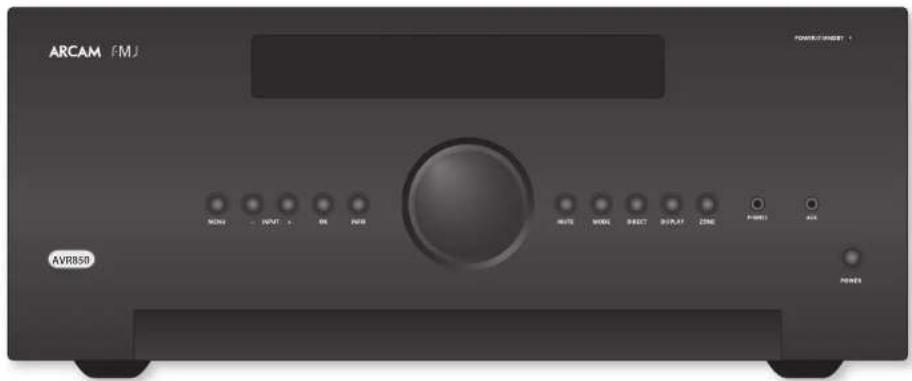
Placing the unit
- Place the unit on a level, firm surface, avoiding direct sunlight and sources of heat or damp.
Do not place the Receiver on top of a power amplifier or other source of heat.
Do not place the amplifier in an enclosed space such as a bookcase or closed cabinet unless there is good provision for ventilation. The Receiver will run warm during normal operation.
Do not place any other component or item on top of the amplifier as this may obstruct airflow around the heat-sink, causing the amplifier to run hot. (The unit placed on top of the amplifier would become hot, too.)
Make sure the remote-control receiver on the front panel display is unobstructed, otherwise this will impair the use of the remote-control. If line-of-sight is impractical, a remote-control repeater can be used with the rear panel connector (see page E-14).
Do not place your record deck on top of this unit. Record decks are very sensitive to the noise generated by mains power supplies which will be heard as a background 'hum' if the record deck is too close.
Power
The amplifier is supplied with a moulded mains plug already fitted to the lead. Check that the plug supplied fits your supply - should you require a new mains lead, please contact your Arcam dealer.
If your mains supply voltage or mains plug is different, please contact your Arcam dealer immediately.
The Receiver can be switched for operation between 220-240V (switch position 230V) and 110-120V (switch position 115V).
NOTE
Ensure that the Receiver is switched off and the power lead removed before changing the position of the voltage range switch.
Push the IPC plug end of the power cable into the socket on the back of the amplifier, making sure that it is pushed in firmly. Plug the other end of the cable into your main's socket and, if necessary, switch the socket on.
The Receiver can be turned on using the POWER switch on the front panel. While switched on, the front panel LED will glow green.
Standby power
The Receiver can be switched into standby mode using the button on the remote control. While in standby mode the front panel LED will glow red and power consumption is less than 0.5 Watts.
While in Standby mode, it may be possible to hear a slight residual hum coming from the mains transformer inside the amplifier. This is perfectly normal. However, if the unit is to be left unused for an extended period, we recommend that you disconnect it from the mains supply to save power.
Interconnect cables
We recommend the use of high-quality screened cables that are designed for the particular application. Other cables will have different impedance characteristics that will degrade the performance of your system (for example, do not use cabling intended for video use to carry audio signals). All cables should be kept as short as is practically possible.
It is good practice when connecting your equipment to make sure that the mains power-supply cabling is kept as far away as possible from your audio cables. Failure to do so may result in unwanted noise in the audio signals. For information on speaker cabling, please refer to the 'Speakers' section, beginning on page E-15.
Radio interference
The Receiver is an audio device containing microprocessors and other digital electronics. Each model has been designed to very high standards of electromagnetic compatibility.
This is a Class A product. In a domestic environment this product may cause radio interference, in which case the user may be required to take adequate measures.
If the Receiver causes interference to radio or television reception (which can be determined by switching the Receiver off and on), the following measures should be taken:
Re-orient the receiving antenna or route the antenna cable of the affected receiver as far as possible from Receiver and its cabling.
Relocate the receiver with respect to the Receiver. Connect the affected device and the Receiver to different mains outlets.
If the problem persists, please contact your Arcam dealer.
Trademark acknowledgements
Arcam is a registered trademark of A & R Cambridge Ltd.
| DOLEY VOLUME | Dolby Volume Manufactured under license from Dolby Laboratories, Dolby and the double D symbol are trademarks of Dolby Laboratories. |
| DOLEY ATMOSS DOLEY AUDIO DOLEY AEGLO DOLEY VISION | Dolby Vision, Dolby Atmos, Dolby Audio Manufactured under license from Dolby Laboratories, Dolby, Dolby Vision, Dolby Atmos, Dolby Airforce, and the double D symbol are registered trademarks of Dolby Laboratories. |
| dtssn New York | DTS-HD Master Audio For DTS patents, see http://patents.doi.com Manufactured under license from DTS Licensing Limited DTS, this Symbol & DTS together in combination with the Symbol are trademarks of DTS, Inc. DTS and DTS-HD Master Audio are registered trademarks of DTS, Inc. @ DTS, Inc. All Rights Reserved. |
| dtssn | DTS-HD For DTS patents, see http://patents.doi.com Manufactured under license from DTS Licensing Limited DTS, DTS EID, the Symbol & DTS and the Symbol together are registered trademarks of DTS, Inc. @ DTS, Inc. All Rights Reserved. |
| dtssn | DTSX For DTS patents, see http://patents.doi.com Manufactured under license from DTS Licensing Limited DTS, the Symbol DTS in combination with the symbol, DTSX and the DTSX logo are registered trademarks or trademarks of DTS, Inc. in the United States under other countries, @ DTS, Inc. All Rights Reserved. |
| AAC/AAC Plus See http://kontech.roadness.net for more information | |
| HDMI | HDMI, the HDMI tag and High-Definition Multimedia Interface are trademarks or registered trademarks of HDMI Licensing LLC. |
| Sparsity | License: The Sparsity software is subject to third party licenses found here: https://creativecommons.org/licenses/by/3.0 |
| FLAC FLAC Decender Copyright © 2000, 2001, 2002, 2003, 2004, 2005, 2006, 2007, 2008 Jush Coalition Redistribution and use in source and binary forms, walls or without modification, are permitted provided that the following conditions are met: - Redistributions of source code must retain the above copyright notice, this list of conditions and the following disclaimers. - Redistributions in binary form must reproduce the above copyright notice, this list of conditions and the following disclaimer in the documentation and/or other materials provided with the distribution. - Neither the name of the Xipharg Foundation nor the names of its contributors may be used to endorse or promote products derived from this software without specific prior written permission. |
| THIS SOFTWARE IS PROVIDED BY THE COPYRIGHT HOLDERS AND CONTRIBUTORS' ASSETS AND ANY EXPRESS ON IMPLIED WARRANTY. INCLUDING, BUT NOT LIMITED TO, THE IMPLIED WARRANTIES OF MERCHANT LIABILITY AND FITNESS FOR A PARTICULAR PURPOSE ARE DISCLAIMED, IN NO EVENT SHALL THE FOUNDATION OR CONTRIBUTIONS RE-LIMITABLE FOR ANY DIRECT, INDIRECT, INCidental, SPECIAL, EXAMINARY, OR CONSOLETTIAL DAMAGES (INCLUDING, BUT NOT LIMITED TO, PROCEDURE OF SUBSTITUTS, GOODS OR SERVICES) LONS OR USL DATA, OR PROFITS, OR BUSINESS INTERRUPTION) HOWEVER CAUSED AND ON ANY THEORY OF LIABILITY, WHETHER IN CONTRACT, STRICT LIABILITY, OR TORT (INCLUDING NEGLIGENCE OR OTHERWISE) ARISING IN ANY WAY OUT OF THE USE OF THIS SOFTWARE, EVEN IF ADJUSSED OF THE POSSIBILITY OF SUCH DAMAGE. |
| vTuner | This product is protected by certain intellectual property rights of NEMS and BridgeCo. Use or distribution of such technology outside of this product is prohibited without a license from NEMS and BridgeCo or an authorized subsidiary. |
| MP3 | bPEG Layer 3 audio decoding technology licensed from Fraunhofer IIS and Thomson multimedia. |

NOTE
Please read the 'Placing the unit', 'Power' and 'Interconnect cables' sections on page F-7 before connecting up your Receiver!
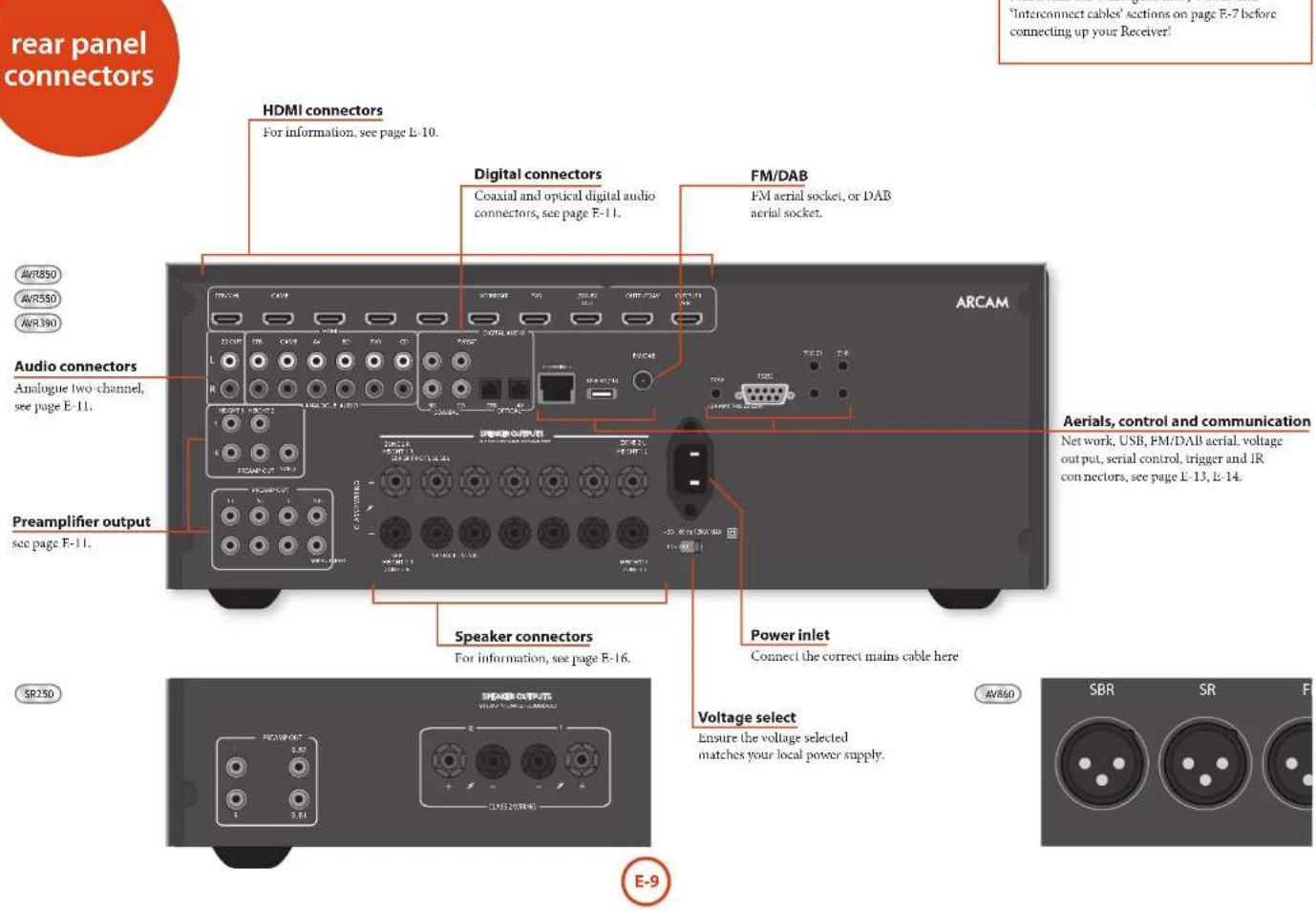

Before connecting your Receiver to your source components and speakers, please read through the next few pages which will explain all the input and output connectivity that is available. The 'Speakers' section explains how to connect up your speakers to avoid damage to the amplifier and how to arrange your speakers for best performance.
General
The inputs are named to make it easier to reference connected devices (e.g. BD'or VCR). They all have the same input circuit, so there is no reason why you should not connect a different device to any of the inputs. For example, if you had two BD players and the AV input was not being used, then the second BD player could be connected to the AV input.
When connecting a video source, its audio must be connected to the corresponding sockets. For example, if you had a satellite decoder plugged into a SAT video input, the audio must be connected to the SAT audio inputs!
Making connections
Take care to place cables as far from any power supply cabling as is practicable, to reduce hum and other noise problems.
NOTE:
For each input, you must set the 'Video Source' and 'Audio Source' settings according to the connection type. (see 'Input Config' on page 1-29)

HDMI connectors
STB,GAME,AV,SAT,BD,VCR,PVR
Connect the HDMI video outputs of your source equipment to these corresponding HDMI inputs.
OUTPUT
Connect this output to the HDMI video input of your display device. This output is compatible with HDMI Audio Return Channel (ARC). If you have a supported television then sound from the television's internal tuner (e.g. Freecview, Frecsat, DVB-T) will be available using the Receiver's Display input.
Digital audio connectors
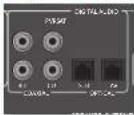
SAT, PVR, BD, CD, STB, AV
Connect these inputs to the digital outputs of your available source equipment.
Zone 2 connectors
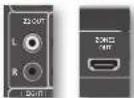
The Z2 out HDMI connector can be used to connect the output of the Receiver to an system located in a second room.
Analogue preamplifier outputs
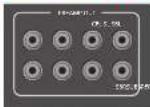
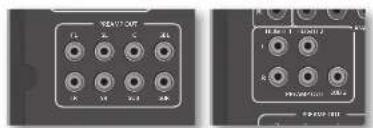
All preamplifier analogue outputs are buffered, have a low output impedance, are at line level and follow the Zone 1 volume control setting. They are able to drive long cables or several inputs in parallel if required.
For more information on connecting speakers or additional power amplifiers, see page E-13 and E-16.
The AV860 has XLR outputs in addition to the phone pre-outs for connection to an external amplifier.
Analogue audio inputs
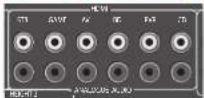
STB, GAME, AV, BD, PVR, CD
Connect the left and right inputs to the left and right outputs of your source equipment.
Front panel AUX input
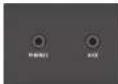
The front panel AUX input can be used as an analogue input, using a stereo 3.5mm lead.
Front panel PHONES socket
This socket accepts headphones with an impedance rating between 32 and 600 fitted with a 3.5mm stereo jack plug. The headphones socket is always active, except when Receiver is muted.
When the headphone jack is inserted, the speaker outputs and analogue precamplifier outputs are automatically muted.

Connection guide
Blu-ray Disc (BD)/DVD player
The diagram shows how to make audio and video connections from a typical BD/DVD player.
The preferred audio hook-up is using the HDMI or coaxial digital connector (usually marked DIGITAL AUDIO OUT), in addition to the coaxial analogue outputs for left and right channels.
In each case, use the audio inputs labelled BD on the Receiver.
Satellite receiver
A satellite receiver is connected in the same way as a BD player, with the same order of preference according to the outputs provided by the satellite receiver.
In each case, use the input labelled SAT on the Receiver. Note that digital audio input from a satellite receiver sometimes requires a coaxial/TOSLINK (digital connector) interconnect cable, as some satellite receivers do not implement audio over HDMI properly or at all.
CD player
Connect the digital audio output (if provided by the CD player) to the digital CD input of the Receiver, using a high quality coaxial interconnect cable.
Connect the right and left analogue audio outputs of the CD player to the analogue CD inputs of the Receiver, using a pair of high quality coaxial interconnect cables.
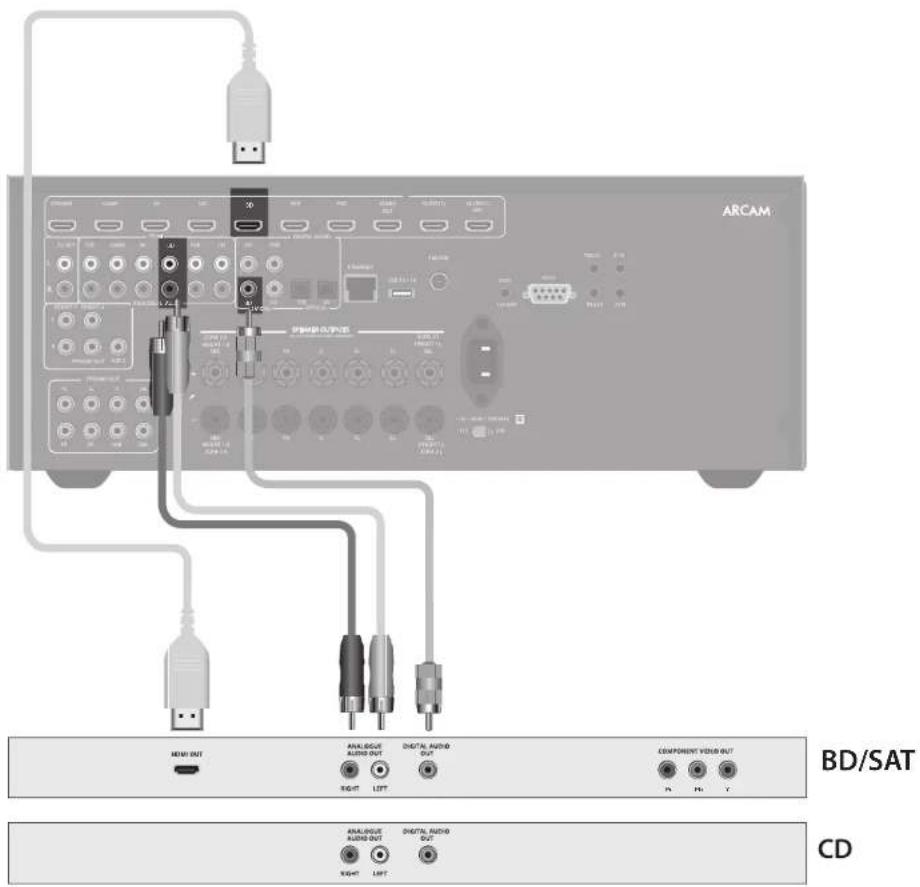
NOTE:
For each input, you must set the 'Audio Source' setting according to the connection type. (see "Input Config" on page F-29)
Aerial connectors
The Receiver is fitted with an TM and a DAB/DAB+ receiver module. The type of aerial you need depends on your listening preferences and the local conditions.
Your Receiver is capable of superb radio reception, but only if it is receiving a good quality transmission signal.
Try the aerials supplied with your unit. If you are in a medium to strong signal area, these should be adequate for good reception. In areas with poor signal strength, you may require a roof or loft mounted aerial.
Contact your local Arcam dealer or aerial installation experts for advice about local reception conditions.
DAB/FM
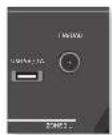
In strong signal areas, the DAB/M ' wire aerial supplied can be used with reasonable results. Mount the aerial as high up as possible on a wall.
In the UK the T elements need to be positioned vertically for DAB reception since broadcasts are vertically polarised. In other localities, check with your Arcam dealer or try both horizontal and vertical positions for best reception.
Try each usable wall of the room to see which gives best reception and use tacks or adhesive tape to secure the aerial in a 'T' shape, but note that no tacks should come into contact with the internal wire of the aerial.
When installed and receiving DAB/FM, check the signal strength by pressing the front panel or remote control's INFO button until the signal quality indicator is displayed.
In weak signal areas, a high-gain, externally-mounted or roof-mounted aerial is desirable in order to receive the highest number of services. In Band III transmission areas (such as the UK), use a multi-element Yagi aerial with the elements mounted vertically, as the transmissions are vertically polarised. If you are close to more than one transmitter, use an omnidirectional or folded dipole aerial.
If the DAB services in your area are transmitted on L-band, then ask your dealer for advice for the best material to use.


Serial connector
RS232 serial connector

The connector is used with control devices having an RS232 serial port (for example, Crestron and AMX touch-screen controllers).
Network connector
Networking is a large subject and only the briefest guidelines are presented in this handbook. Please contact your Arcam dealer or specialist installer for more information about introducing the Receiver into your computer network.
For information on how to use the Receiver's network features, the USB socket, and for a list of supported file types, refer to see page F-36.
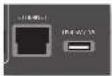
Ethernet
If an Ethernet cable is connected, the Receiver will automatically attempt to connect to your network. You should use CAT5 cable plugged into the RJ45 socket labelled ETHERNET on the rear panel.
If your network uses static IP addressing rather than DHCP, you will need to provide IP address, gateway and DNS; see page F-31 for information on setting up the network.
USB connector
The Receiver can play files stored on a USB mass storage device, typically a pen drive, but any USB device that complies with the 'mass storage device' class is compatible.
The Receiver only supports the direct connection of USB devices and will not support devices connected through a hub. If regular access to the USB socket is required, you may find it convenient to use a USB extension lead; see page E-36 for details of supported file types.
Trigger connectors
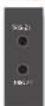
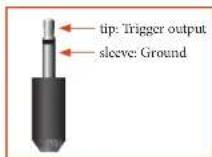
The trigger connectors (TRIG Z1 and TRIG Z2) provide an electrical signal whenever the Receiver is switched on and the relevant zone enabled.
The trigger signal can be used to switch on and off compatible pieces of home entertainment equipment, for example, you could set up a trigger to turn on your television and BU player whenever the Receiver was switched on.
There are two trigger output sockets on the Receiver, each capable of outputting a 12V, 70mA switching signal. The socket is designed for mono 3.5mm jacks: tip is the trigger output, sleeve is ground.
TRIGZ1
Use for remotely turning on and off power amps or source equipment for Zone 1. On = 12V, Off = 0V.
TRIGZ2
Use for remotely turning on and off power arms or source equipment for Zone 2. Out = 12V Off = 0V
Infrared (IR) connectors
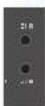
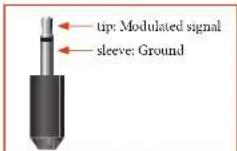
The infrared inputs (21 IR and 22 IR) allow the connection of external IR receivers, either when the Receiver front panel IR receiver is fully or partially obstructed or to allow the use of a remote control in Zone 2.
There are two IR inputs on the Receiver, each designed for stereo or mono 3.5mm jacks. Tip is the modulated signal, sleeve is ground.
Z1IR
This input is intended for use with a local IR receiver when the front panel of the Receiver is blocked.
Z2IR
This input is intended for use with an IR receiver in Zone 2 to allow remote control of Receiver from a second room.
NOTE
Sockets referring to '72' relate to connections used in multi-room installation. For more information on these connectors see page L-37.
A supplier of infra-red receivers and emitter accessories and systems is Xantech. See www.xantech.com for more information, or ask your Arcam dealer.
NOTE
The IR inputs on the Receiver are designed for modulated signals. If the external IR receiver demodulates the IR signal, it will not work. Also the unit does not provide power for external receivers on the IR jack, therefore an external power source will be required.
6V output

This provides a 6V DC power connection for Arcam rSeries products.

Subwoofer
A subwoofer will greatly improve the bass performance of your system. This is useful for reproducing special cinema effects, especially where a dedicated LFE (Low Frequency Effects) channel is available, as with many discs encoded with Dolby or DTS technologies.
More than one subwoofer unit may be required for larger installations, particularly in rooms of a timber frame construction.
The AV860/AVR50/AVR50/AVR390 allows you to connect up to seven speakers and up to two active subwoofer in the main system. The output channels correspond to speakers installed in the front left, centre front right, surround left, surround right, surround back left, surround back right, height 1 right, height 1 left and an active subwoofer. In addition, up to four height speakers can be attached using an additional power amplifier; see page E-16 for more information.
With the addition of correctly installed and configured height channels, Dolby Almos for the home brings the ultimate cinema sound experience to your home theatre to create powerful, moving audio that flows around you
The configuration and placement of your speakers is very important. All speakers, with the exception of the subwoofer(s), should be arranged around your normal viewing/listening position. The subwoofer should be placed in a position which gives an even frequency response in all listening positions. Incorrect placement leads to bass boom in some areas. Often the only way to find a good position for your subwoofer(s) is by experimentation. A good place to start experimenting is close to a wall but at least 1m away from any corners. You can also consult your subwoofer handbook for placement suggestions.
Centre
The centre speaker allows for a more realistic reproduction of dialogue. The centre speaker should have a similar tonal balance to the front left and right speakers and be positioned at a similar height.
Height speakers
With the AV860/AVR850/AVR550/AVR390 up to four height speakers can be attached and can be either mounted in the ceiling or 'Dolly enabled' elevation speakers - see page E-34 for more information.
Front left and right
Position your from left and right speakers to achieve a good stereo image for normal musical reproduction as well as for the multichannel modes. If they are placed too close together there will be a lack of spaciousness; if they are placed too far apart a stereo image will appear to have a large 'hole' in the middle and will be presented in two halves.
Surround back left and right
The surround back left and right speakers are used to add extra depth and better sound localisation and should be installed approximately one metre higher than the listener's ears. Place the two surround back speakers such that there is an arc of approximately 150 degrees between each surround back speaker and the centre speaker. The surround back speakers should face the front of the room as shown in the diagram to provide the largest 'sweet spot'.
Connecting speakers
To connect each of the speakers, unscrew the corresponding terminals on the back of the Receiver, insert the speaker wires through the hole in each post and screw the terminals back up. Make sure that the red (positive/) terminal of the speaker is connected to the red (positive+) terminal on the back panel, and the black (negative-) terminal of the speaker is connected to the black (negative-) terminal on the back panel.
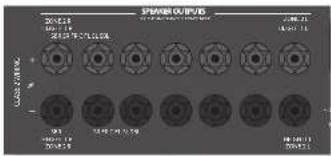
It is important that no stray strands of wire from these connections are allowed to touch another cable or the product casing. Failure to ensure this can cause a short circuit and damage your Receiver.
Do not over-tighten the loudspeaker terminals, or use a wrench, pliers, etc., as this could damage the terminals and this would not be covered under the product's warranty.
Speaker cables
The speakers should be connected to the amplifier using good-quality, high-purity, low impedance copper cables. Cheap speaker cables should be avoided - they are a false economy and can significantly degrade the sound quality.
The cable runs to the speakers should be as short as practicable. Connections to the speaker terminals should always be finger tight, whether using bare wires or spake connectors.
Bi-amping the Front Left & Front Right speakers
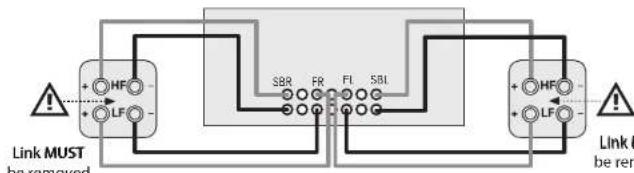
Bi-amping is the use of two amplifier channels per speaker. Bi-amping can provide better sound quality than conventional single wiring. If you do not have Surround Back speakers (i.e., you have a 5.1 surround system, not a 7.1 system) then you can use the spare Surround Back speaker outputs to bi-amplify the front left and right speakers, if your speakers support bi-amping. The spare channels can alternatively be used to power stereo speakers in another room (Zone 2).
Speakers that support bi-amping have two sets of terminals per speaker, usually linked together by metal strips. These metal strips MUST be removed when bi-amping failure to remove them will result in damage to the amplifier that is not covered under warranty.
To bi-amp the front left and right speakers, remove the metal strips from the speaker terminals. Connect the woofer or LF terminals to the FL and FR terminals on the Receiver. Connect the tweeter or HF terminals to the SBL and SBR terminals on the Receiver. Finally, navigate to the Setup Menu 'Spkr Types' and set the 'Use Channels 6+7 for' menu option to 'BiAmp L-R'; see page F-26.
Connecting subwoofoers
The Receiver also allows up to two active subwoofer to be connected to the 508 outputs. Refer to your subwoofer handbook for the correct setting up and connection procedure for your particular subwoofer(s).
Using external power amplifiers
The internal power amplifier of the Receiver (SR250 I, R, Sub only) can be supplemented or replaced with external power amplification, such as the Arcam P49 (recommended gain 31dB). Connect the PREAMP OUT sockets to your power amplifier inputs:
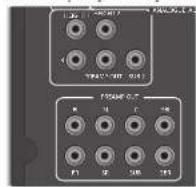
FLFR
Connect these to the equivalent Right and Left front channels of your power amplifier. For the SR250, only this and the sub outputs are available
Connect these to the Centre front channel of your power amplifier.
SUB
Subwoofer outputs. Connect this to the input of your active subwoofer(s), if present. For the SR250, only this and the FI1, FI3 outputs are available
SR, SL
Surround Right and Surround Left outputs. Connect these to the Surround Right and Left power amplifier inputs.
SBR, SBL
Surround Back Right and Surround Back Left outputs (only used in 7.1 channel systems). Connect these to the Surround Back Right and Surround Back Left power amplifier inputs.
Height 1, Height 2
Height 1 and Height 2: Connect these to the Height 1 and/or Height 2 power amplifier inputs.
All preamplifier analogue outputs are buffered, have a low output impedance and are at line level. They are able to drive long cables or several inputs in parallel if required.
Operating your Receiver
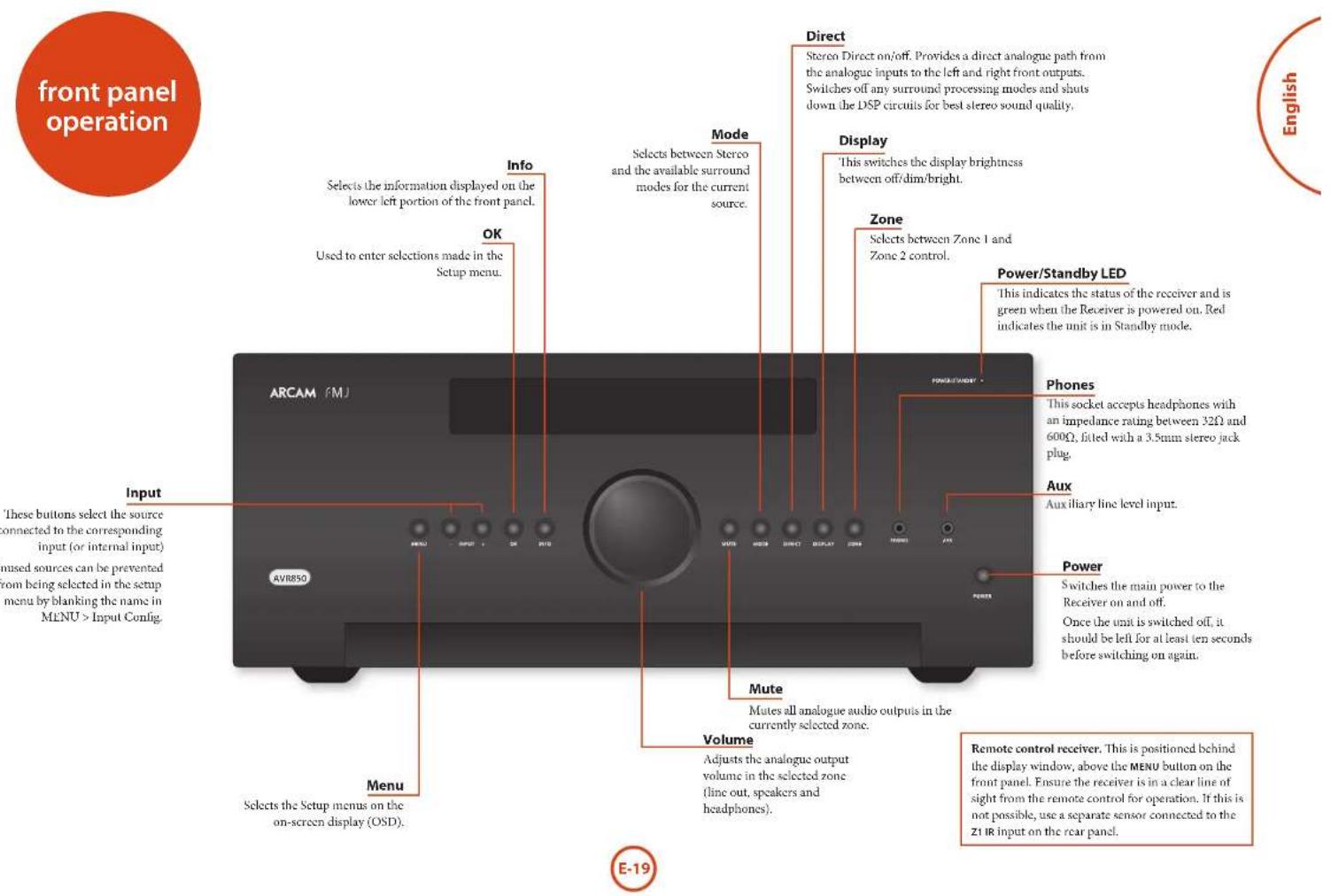
For information display we recommend you use the OSD (On Screen Display) on your display device whenever possible.
Switching on
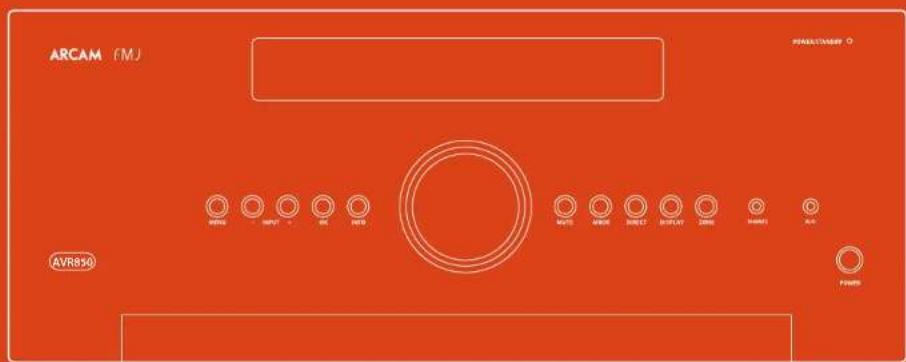
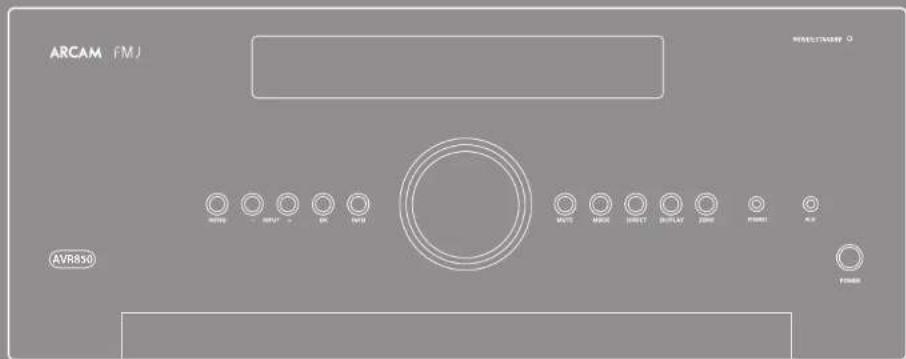
Press the front panel power button in. The power LED will glow green, the front display shows the word
'NRCALP'. When initialisation is complete, the display shows the volume setting and the name of the selected input.
Please wait until the unit has finished initialising before operating the Receiver. It is recommended that if the unit is switched off, you should wait at least 10 seconds before switching the unit back on.
Standby
The Receiver has a standby mode which can be entered by pressing STANDBY on the remote control. When in standby mode, the display is blank and the POWER 1.F.D glows red.
If the unit is to be left unused for an extended period, we recommend that you disconnect it from the mains supply to save power.
To switch on from standby
Press the STANDBY button on the remote control, any key on the front panel (other than the power button) or rotate the volume knob.
Front panel display
The Receiver is ready for use after about four seconds.

The display window shows the currently selected source and the last selected information view setting (this information line can be changed using the INFO button). The current volume setting for Zone 1 (37.0dB in the above example) is displayed on the front panel. The volume setting for Zone 2 is displayed temporarily whenever it is adjusted.
Selecting a source
To select a particular source, press the -INPUT or INPUT+ buttons until that source is shown on the front panel display, or (if available) press the corresponding
| source button on the remote. The following sources are available: |
| STB | Set Top Box input |
| GAME | Game console input |
| AV | Audio-Visual input |
| SAT | Satellite input |
| BD | Blu-ray Disc/DVD player input |
| VCR | Video Cassette Recorder input |
| PVR | Personal Video Recorder input |
| CD | Compact Disc player input |
| FM | Internal tuner input |
| DAB | Internal tuner input (this source is market dependent and may not be available on your Receiver) |
| NET | Ethernet input |
| USB | External USB solid-state device (e.g. pen drive) input |
| AUX | Auxiliary (front panel) input |
| DISPLAY | The Audio Return Channel (ARC) from a compliant display. Use this with a compliant television using internal 1V tuners. |
Most audio inputs have both analogue and digital connections. You must specify the type of connection used for each input using the 'Audio Source' option in the 'Input Config.' menu, see page E-29. Note that an incorrect setting will result in no sound - the default is HDMI audio. If you are not using HDMI audio then this setting must be changed.
The processing mode and Stereo Direct functions are remembered and recalled for each individual input
Stereo Direct
To listen to a pure analogue stereo input, press the DIRECT button. The Stereo Direct mode automatically bypasses all processing and any surround functions. In direct mode, digital processing is shut down to improve the sound quality and reduces digital noise with the Receiver to an absolute minimum.
Note: when Stereo Direct mode is selected, no digital output is available and no bass management is performed, meaning that bass signals will not be redirected to a subwoofer.
Volume control
It is important to realise that the level of the volume indicator is not an accurate indication of the power delivered to your loudspeakers. The Receiver often delivers its full output power long before the volume control reaches its maximum position, particularly when listening to heavily recorded music. In comparison, some movie sound tracks can appear very quiet, as many directors like to keep maximum levels in reserve for special effects sequences.
Headphones
To use headphones with the Receiver, plug the headphones into the PHONES socket in the centre of the front panel.
When headphones are plugged into the front panel PHONES socket, the outputs for Zone 1 are muted and the audio will be down-mixed to two channels (2.0). The two-channel down-mix is required so that the centre channel and surround information can be heard via the headphones.

Using Zone 2
Zone 2 provides the option for the occupants of the master bedroom, conservatory, kitchen, etc. to view or listen to a different source at a different volume level from the main zone (Zone 1).
Source selection and volume control for Zone 2 is achieved:
by using an IR receiver in Zone 2 (see "Zone 2 control connections" on page E-37), or
by switching over to Zone 2 control by pressing the front panel zone button, or
by pressing AMP + OK on the remote control.
The front panel VTD display indicates that control has been switched to Zone 2.
STANDBY
22 50
To turn on Zone 2, with the remote, AMP + OK then press the standby power button on the remote control or press ZONE button on the front panel and then release it to select zone 2, then press and hold the ZONE button on the front panel to turn on Zone 2. Press a source select button to select a different source to Zone 1.
FOLLOW
22 50
Note that Zone 2 control from within Zone 1 will pass automatically back to Zone 1 control after a few seconds of inactivity.
Zone 2 can also be controlled using a third-party programmable remote control or a home automation system. Please contact your dealer or installer for further details.
Extended front panel menu
Pressing the MENU key on the front panel and holding it for longer than four seconds will bring up the Extended Menu, allowing you to perform the following:
Restore to factory defaults
This option allows you to restore all settings on your Receiver to the defaults that it left the factory with.
Change remote code
The default RC5 system code the Receiver responds to is 16. If required, for example due to another device in your system also using this RC5 system code, it can be changed to 19.
This option allows you to restore all settings to their state as saved using the 'Store secure backup' feature. This option is useful if settings are accidentally changed. It also allows the unit to be returned to the saved state following a firmware update.
Store secure backup
This option allows you to save all the Receiver settings to a secure area of memory. The settings can be retrieved using the Restore option above.
-Enter PIN
Enter the secure backup PIN using the 心 and 心 keys on the remote control (do not use the numeric keypad). The default PIN is 0000.
- Change PIN
Allows the PIN to be changed to a number other than the default. Enter the current secure backup PIN using the 心 心 and 心 keys on the remote control (do not use the numeric keypad). The default PIN is 0000. After the current PIN has been entered correctly, enter a new PIN as prompted and again to confirm.
-EXIT
Cancel and return to the extended menu.
Updating firmware via USB
The firmware in your Receiver can be updated from a USB flash drive containing firmware update files.
You can download the latest firmware file, together with upgrading instructions, from the Arcam website (www.arcam.co.uk).
The universal remote controller
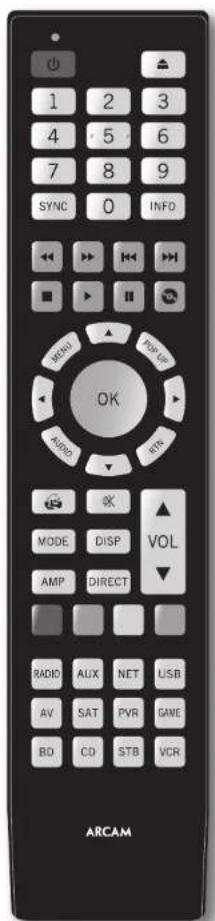
The Receiver is supplied with a sophisticated 'universal' backlit remote control that can control up to eight devices. It is pre-programmed for use with the Receiver and many other Arcam products (FM/DAB tuners, CD players and DVD players).
With its extensive built-in library of codes, it can also be used with thousands of third party audio-visual components TVs, satellite and set-top boxes, PVRs, CD players, etc. See the list of codes at the back of this handbook, beginning on page 47.
It is also a 'learning' remote, so you can teach it almost any function from an old single-device remote.
Using the remote control
Please keep in mind the following when using the remote control:
Ensure there are no obstacles between the remote control and the remote sensor on the Receiver. The remote has a range of about 7 metres. (If the remote sensor is obscured, the Z1 IR remote control input jack on the rear panel is available. Please consult your dealer for further information.)
Remote operation may become unreliable if strong sunlight or fluorescent light is shining on the remote sensor of the Receiver.
Replace the batteries when you notice a reduction in the operating range of the remote control.
Inserting batteries into the remote control
- Open the battery compartment on the back of the handset, by sliding its cover off.
- Insert two 'AAA' batteries, as indicated in the battery compartment.
- Slide the battery compartment cover back firmly into its locked position with a click.
Notes on batteries:
Incorrect use of batteries can result in hazards such as leakage and bursting.
Do not mix old and new batteries together.
Do not use non-identical batteries together although they may look similar, different batteries may have different voltages.
Ensure the plus (t) and minus (-) ends of each battery match the direction indicated in the battery compartment.
Remove batteries from equipment that is not going to be used for a month or more.
- When disposing of used batteries, please comply with governmental or local regulations that apply in your country or area.
Useful information
Backlight
A backlight comes on for eight seconds whenever a key is pressed. This helps you use the handset in subdued lighting conditions.
LED blinks
Short blinks indicate a valid key press.
Multiple short blinks convey information (such as a device code) or signal the beginning and successful completion of a programming sequence.
The symbol _i = 1^n_j = 1^m is used in the manual to indicate an LED blink.
Timeouts and unassigned keys
Time out - After 30 seconds the remote exits the programming slate and returns to normal operation.
Stuck key timeout - After any key is pressed continuously for 30 seconds, the remote stops sending IR transmission to conserve battery life. The remote remains off until all keys are released.
Unassigned keys - the remote ignores any unassigned key presses for a particular Device Mode and does not transmit IR.
Low voltage indicator
When the batteries are running down, the backlight flashes briefly whenever you press a button.
If this happens, fit two new AAA alkaline batteries as soon as possible.
Device Mode/Source keys
As the remote can control your Receiver as well as a range of other equipment: many of the buttons have more than one function depending on the device model selected on the remote control.
The Device Mode keys (shown below) select the source on the Receiver. If one of these keys is pressed briefly, a command is transmitted to change the source on the unit. Also the functionality of the remote control changes to operate the selected source device; it's like having a bundle of different remotes in your hand!
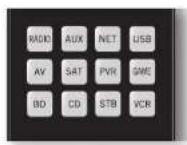
| AUX | Internal FM or DAB tuner input |
| Aux | Auxiliary input |
| Ethernet input (e.g. Internet radio) | |
| USB | External USB device (audio files on pen drive, etc.) |
| AV | Audio-visual sound input (use with TV) |
| Satellite input | |
| PVR | Personal Video Recorder (or Digital Video Recorder) input |
| SMR | Games console input |
| BR | Blink-ray Disc or DVD player |
| CD | Compact Disc player input |
| SIR | Set Top Box decoder input |
| VCR | Video Cassette recorder input |
Each Device Mode changes the behaviour of many of the remote keys to control the source device appropriately. For example: in CD mode plays the previous CD track, but in AV mode issues the TV 'channel down' command.
The remote remains in the last selected Device Mode so it is not necessary to press a Device Mode key before every command key if all you are doing is playing or skipping tracks on a CD, for example.

Navigation keys
The Navigation keys steer the cursor in Setup menus or on-screen menus. They also replicate the navigation functions of original remotes supplied with other home entertainment
devices in your system. OK confirms a selling
Volume control
By default, the remote is set up so that the volume control and mute buttons always control the volume of the Receiver, regardless of which Device Mode the remote is currently set for. This is known as volume 'punch through'.
For example, if you are listening to a CD, you will probably have the remote in CD Device Mode to control the CD player. You can use the volume controls on the remote directly to adjust the volume of the Receiver without first having to press AMP to put the remote into AMP Device Mode. The volume buttons 'punch through' the CD Device Mode on the remote to the AMP Device Mode.
Volume 'punch through' can be disabled individually for any Device Mode if desired.
Customising the remote
The remote offers a Code Learning feature that allows you to copy up to 16 functions from an original remote control onto the remote keyboard. For details of this, and other customisation features, see "customising the remote" on page E-38.
The remote complies with Part 15 of the FCC rules
This equipment has been tested and found to comply with the limits for a class B digital device, pursuant to part 15 of the TCC Rules. These limits are designed to provide a reasonable protection against harmful interference in a residential installation. This equipment generates, uses, and can radiated radio frequency energy and if not installed and used in accordance with the instructions, may cause harmful interference to radio communications. However, there is no guarantee that interference will not occur in a particular installation. If this equipment does cause harmful interference to radio or television reception, which can be determined by turning the equipment off and on, the user is encouraged to try to correct the interference by one or more of the following measures:
Reorient or relocate the receiving antenna.
Increase the separation between the equipment and receiver.
Connect the equipment into an outlet or a circuit different from that to which the receiver is connected.
Consult the dealer or an experienced radio/TV technician for help.

AMP Device Mode
The AMP Device Mode button configures the remote to control the Receiver. Pressing this button does not affect the currently selected input on the Receiver.
The functionality of the remote is context sensitive for the internal sources and is described in the following table.
Single press -Toggles Receiver power between standby and on in the current zone (zone in which the command is received). Press and hold forces all zones into standby, regardless of which zone the command was received in.
6.3 The number keys can be used for direct entry of numeric values
Sync. Delays may be introduced into the video signal by video processing which causes a mismatch between the audio and video timing. You will notice this by speech sound being out of synchronization with the lip movements in the video. To compensate for this, you can adjust the lip sync delay. Press the SYNC button and use the and navigation buttons. Press again to exit the lip sync trim menu.
info cycles through the information displayed on the lower left portion of the front panel display when on TUN, NET and USB inputs.
Brings up the DTs:X dialogue control adjustment.
H01 Displays the unit's setup menu on the On Screen Display.
Toggle Dolby Volume on/off.
Togles Dirac Live EO on/off.
Brings up a (temporary subwoofer trim control. Use the and navigation buttons. Press RIN again to exit the sub trim control. As this is a temporary adjustment, the sub trim level is reset to the value set in the Speaker Levels menu when the unit is turned off or put into standby.
Toggles the mute function of the AVR.
Adjust amplifier volume.
VOC: Cycles through the available surround and downmix modes.
Cycles through the front panel display's brightness options
ResetscRemote to AMPmode.
1011 Stereo direct on/off. Provides a direct analogue path from the analogue inputs to the left and right front outputs. Switches off any surround processing modes and shuts down the DSP circuits for the best stereo sound quality.
Navigate the files and menus on the screen. OK selects the highlighted file or enters the highlighted menu on the screen equivalent to Enter'or Select'on some remote controls.
AMP + Power on from standby by AMP + Standby from Power on AMP + OK select Zone 2
Up Left Right Do
Red button.
Green button.
YELLOW Yellow button.
Blue button.
Tuner input.
Aux input
Network (NF1) input.
USB input.
m AV input.
SAT input.
PVR input.
Game console input.
BD input.
CD input.
STB input.
VCR input.
USB commands
The USB interface is selected by pressing USB in AMP Device Mode on the remote. When connected to a device storing music files connected by USB, the keys below are used to navigating music tracks.

Navigates the files on screen. OK selects/plays the highlighted file.
Selects the previous/next track in the
current playlist
Pause and playback of the current track.
Stops playback.
Network commands
When using the network client, the keys below are used to navigate music files in AMP Device Mode.

Navigates the files on screen. OK selects/plays the highlighted file.
Selects the previous/next track in the
current playlist.
Pause and playback of the current track
Stops playback.
H3 Adds the currently displayed radio station to the favourites list when using the network client.
Removes the currently displayed radio station to the favourites list when using the network client.
Returns navigation to the top level of the network client menus (Home)
BD
BD/DVD Device Mode
The BD Device Mode button configures the remote to control the functions of Arcam Blu-ray Disc and DVD players, although this can be changed. Pressing this button also selects BD as the source.
Toggles power between standby and on.
Open/close disc tray.
Searches for and plays the track corresponding to the key pressed when playing a C.D.
Cycles through the front panel display's brightness options.
MNT Cycles through the repeat options (track, disc., etc.).
Fast rewind.
Past forward.
Press and release to skip back to the beginning of the current/previous track.
Press and release to skip forwards to the beginning of the next track.
Stop playback of a BD or DVD.
Pause and playback of the current track.
Start recording (on products that have this feature).
DISCmEL
EF07 Activates BD/DVD player menu, if available.

Navigate setup and BD/DVD programme selection menus.
OK selects the highlighted file or enters the highlighted menu on the screen - equivalent to 'Enter' or 'Select' on some remote controls.
Up
left
Right
Down
BD+Power on from Standby
BD Standby from Power on
BD 1 changes the picture resolution (for BD, only on the Home screen).
Returns navigation to the top level of the menu ('Home').
A
Changes audio decoding format (Dolby Digital, DTS, etc.).
Resets remote to AMP mode.
BD RED button for BD
GREEN button for BD
YELLOW button for BD
BLUE BLUE button for BD.
AV
AV Device Mode
The AV Device Mode button configures the remote to control the functions of a television or other display device. You will need to configure this Device Mode to work with your equipment. Pressing this button also selects AV as the source.
Toggles power between standby and on. (Some 'I'Vs require you to use a number key to turn them on).
Functions as original remote number key - usually for channel selection.
107 Display INFO or OSD (On Screen Display) function, if available.
AV; this function is TV specific.
Channel down.
Channel up
IM2 Displays picture information; this function is IV specific.
Guid
Navigate setup and programme selection menus.
OK confirms a selection (equivalent to
'Enter' or 'Select' on some remotes).
Returns navigation to the top level of the menu (Home).
Resets remote to AMP mode.
REDkeyforTextTV
Green key for Text TV
YELLOW key for Text TV
Blue key for Text 'V'
VCR
VCR Device Mode
The VCR Device Mode button selects VCR as the source. The VCR page allows code learning from a dedicated VCR remote - see "customising the remote" on page 1:38.

STB
STB Device Mode
The STB Device Mode button selects STB as the source. If configured to work with your set top box decoder or similar device, the remote can subsequently control the device.
SAT
SAT Device Mode
The SAT Device Mode button selects SAT as the source. If configured to work with your satellite receiver, the remote can subsequently control the device.
PVR
PVR Device Mode
The PVR Device Mode button selects PVR as the source. If configured to work with your personal (hard disc) video recorder or similar device, the remote can subsequently control the device.
| Toggles power between standby and on. | |
| Functions as original remote number key - usually for channel selection. | |
| Display INFO or OSD (On Screen Display) function, if available. | |
| Selects the Library or Media function. | |
| Rewind. | |
| Fast Forward. | |
| Channel down. | |
| Channel up. | |
| Stop playback. | |
| Pause and playback of the current track. | |
| Record. | |
| Opens the LPG (Electronic Program Guide) on some satellite and cable set top boxes. | |
| Turns on the Menu function if the set top box uses this feature. | |
| Navigate setup and programme selection menus. | |
| OK confirms a selection (equivalent to 'Enter' or 'Select' on some remotes). | |
| Returns navigation to the top level of the menu ('Home'). | |
| Selects the Help function. | |
| Resettes remote to AMP mode. | |
| RED button for set top box. | |
| GREEN button for set top box. | |
| YELLOW button for set top box. | |
| BLUE button for set top box. |
| Toggles power between standby and on. | |
| L1 | Functions as original remote number key usually for channel selection. |
| RS | Display INFO or OSD (On Screen Display function, if available. |
| H | Channel down. |
| H | Channel up. |
| P0 | Displays programme information. |
| P0 | Guide (or Setup on some set top boxes). |
| Navigate setup and programme selection menu. OK confirms a selection (equivalent to 'Enter' or 'Select' on some remotes). | |
| Returns navigation to the top level of the menu ('Home'). | |
| Back. | |
| BP | Reset remote to AMP mode. |
| B2 | RED button for Satellite. |
| GREEN | GREEN button for Satellite. |
| YELLOW | YELLOW button for Satellite. |
| BLUE | BLUE button for Satellite. |
| Toggles power between standby and on. | |
| Functions as original remote number key usually for channel selection. | |
| Display INFO or OSD (On Screen Display) function, if available. | |
| Selects the Library or Media function. | |
| Rewind. | |
| Fast Forward. | |
| Channel down. | |
| Channel up. | |
| Stop playback. | |
| Pause and playback of the current track. | |
| Record. | |
| Opens the LPG (Electronic Program Guide) on some satellite and cable set top boxes. | |
| Turns on the Menu function if the PVR uses this feature. | |
| Navigate setup and programme selection menu. | |
| OK confirms a selection (equivalent to 'Enter' or 'Select' on some remotes). | |
| Returns navigation to the top level of the menu ('Home'). | |
| Selects the Help function. | |
| Reset's remote to AMP mode. | |
| RED button for PVR. | |
| GREEN button for PVR. | |
| YELLOW button for PVR. | |
| BLUE button for PVR. |
CD
CD Device Mode
The CD Device Mode button selects CD as the source.
The button is configured to control the CD functions of Arcam CD players, although this can be changed (see "Locking/Unlocking a specific Device Mode" on page 39).
| Toggles power between standby and on. | |
| ▲ | Open/close disc tray. |
| ↓+ | Searches for and plays the track corresponding to the key pressed. |
| ↓- | Cycles through the front panel display's brightness options. |
| NOI | Cycles through the repeat options (track, disc, etc.). |
| ← | Fast rewind. |
| → | Fast forward. |
| ↔ | Press and release to skip back to the beginning of the current/previous track |
| Press and release to skip forwards to the beginning of the next track. | |
| ■ | Stop playback of a CD |
| || | Pause and playback of the current track. |
| # | In 'normal play' (i.e. the display does not show the letter P), press the ↑ and ↓ keys to select the track and then MENU stores the track. In 'program play' mode, the MENU key deletes the stored track. |
| Navigate setup and CD programme selection menus. OK selects the highlighted file or enters the highlighted menu on the screen - equivalent to 'linter' or 'Select' on some remote controls. Up Left Right Down CD + Power on from Standby CD + Standby from Power on. |
VF Resets remote to AMP mode.
Plays the programmed tracks.

essential setup
Before you use your Receiver it is essential that you enter some information into the Setup menus about your speaker configuration. This allows the Receiver to process any surround sound digital source to exactly match your system and give you the ultimate surround sound experience.
There are three pieces of vital information which are outlined in the sections: 'Speaker Types', 'Speaker Distances' and 'Speaker Levels'.
The way you enter this information manually into the Receiver is given later in the 'Setup Menus' section on page 28. The settings can also be established automatically using the Arcam Auto Speaker Setup function. However it is important to understand why these speaker settings must be entered, which is why this section is presented first.
Speaker types
You need to set the type of speakers that you have connected to your Receiver:
Large capable of full frequency range reproduction Small not capable of full frequency range reproduction at the low frequency end None speaker not present in your configuration
The terms 'Large' and 'Small' do not necessarily relate to the physical size of your speakers. As a rule of thumb, if a speaker cannot reproduce a flat frequency response down to about 40Hz (and very few can!) it is often better to consider them as 'Small' for setup purposes of home cinema.
When a speaker is set to 'Small', very low frequency sounds are redirected away from that speaker to a 'Large' speaker or a subwoofer, which are far better suited to reproducing these low frequency sounds.
Note that it is not possible to set all speakers to 'Small' unless there is a subwoofer in your speaker configuration. If you do not have a subwoofer, you will be forced to set your front speakers to 'Large'.
(Advanced users may wish to automatically override the 'Small' speaker setting for purely stereo music listening when not watching movies. This can be achieved in the 'Input Config.' menu - see page L-29.
Crossover frequency
If you have set any speakers as being Small, then you will be required to set a value for the crossover frequency. This is the frequency below which signals are filtered away from these Small speakers and redirected to Large speakers or the subwoofer (if present). A frequency of 80Hz is often a good starting point, however you will probably have to experiment with different values to find the best value for your system or consult your speaker handbook.
Use Channels 6+7 for
If not used in the main zone, it is possible to assign the Surround Back channels to Height 1, bit-amp the Front Left/Right channels or to provide an amplified output to Zone 2.
Speaker Distances
It is essential for the distance from each speaker to the listening position to be accurately measured and entered into the 'Setup' menu. This ensures that the sounds from the various speakers arrive at the listening position at the correct time to recreate a realistic surround effect. The distance can be entered in centimetres or inches.
Speaker Levels
Finally the levels of all the speakers in the system need to be adjusted to match each other at the listening position, again to create a proper surround effect. To help with this the Receiver can generate a test noise for each speaker which should be measured with a sound pressure level (SPL) meter. The meter should be set to 'C' weighting and slow response. Several smartphones/ tablet apps are available which can also perform this function. The level of noise measured at the listening position from each speaker should be adjusted on the Speaker Trims page of the Setup menu so that the meter reads 75dB SPL. It does not matter what the system volume setting of the Receiver is before turning the test noise on as the volume setting is over-ridden for the duration of the speaker noise test.
There are several basic SPI. meters on the market at reasonable prices aimed at home cinema enthusiasts. Check your local technology store, search online or ask your dealer.
If you do not have an SPL meter or suitable app, you can try to adjust the noise level of each speaker by ear. In this case it is not possible to adjust the speakers to the absolute 75dB SPL volume level, but you should aim for all speakers sounding equally loud. Setting speaker test noise levels by ear is not recommended as it is very difficult to do accurately, but is often better than doing nothing at all!


Dirac
Dirac Live for Arcam
There is a proprietary automatic loudspeaker setup function built into your Receiver from Dirac Research. Using a PC/MAC based application, this attempts to set all the essential speaker settings for all the speakers in your system. It also calculates room equalisation (Room EQ) filter values to remove some of the worst effects of resonant frequencies in the listening room.
Your Receiver package is supplied with a calibration microphone, which should be inserted into the microphone input of the supplied USB sound card and then into a USB socket on a PC or MAC connected to the same network as the Receiver and positioned as directed by the Dirac Live for Arcam PC/MAC application. This microphone picks up the special calibration tones generated by the speakers when Dirac Live for Arcam application is run. The Receiver then analyses the signal and computes:
speaker type,
speaker distance,
speaker level,
- problem resonant frequencies in the room which need control by filtering.
To help the system be as accurate as possible when performing Dirac Live for Arcam setup, there are a few guidance rules that should be followed:
- Minimise any background sounds in the listening room and other nearby rooms.
Close all windows and doors in the listening room.
Turn off all fans including air-conditioning systems.
- Mounting the microphone on a tripod or similar.
Position the set up microphone pointing upwards at roughly head height in the normal listening position. It is not necessary to point the microphone directly at the speaker generating the test tone. (It helps if you are able to position the microphone exactly where your head would normally be for listening, with the microphone in direct unobstructed view of all speakers.)
If your system includes an active subwoofer, start by setting its output level / gain control to a value roughly matching the front speakers.
When activated, a calibration tone is played through each channel of the Receiver in turn, including the subwoofer channel. The calibration tone cycles round each of the speakers multiple times as the different parameters are calculated. If you do not have a full 7.1 speaker (on the "floor") configuration there will be periods of silence between some speaker channels. Follow the 'progress' information on your PC/MAC.
By default, Room EQ is not applied to any of the source inputs. You should enable Room EQ on inputs you think benefit from this feature, as required, by listening when playing typical source material through each input. After being calculated, this is enabled from within the Input Config menu.
While room equalisation can help to reduce problems with listening room acoustics, it is usually far better to try to solve these problems with the room directly. Proper loudspeaker positioning, acoustic wall treatments and moving the listening position away from walls should produce far better results overall. However it may be difficult to do this in a home environment, so Room EQ is your next best choice.
Problems
We advise you to look over the reported measurements on the screen following Auto Speaker Setup for any obviously incorrect results, in particular to ensure the reported speakers match your configuration and that the speaker distances to the listening position appear look roughly correct. If the results are not what you expected re-run Auto Speaker Setup.
The Auto Speaker Setup function is normally quite accurate but occasionally false results can be generated. Problems may be as a result of:
external sounds or rumbling/handling noises picked up by the microphone
sound reflections off hard surfaces (e.g., windows or walls) close to the listening position,
very strong acoustic resonances within the room,
- obstacles (such as a sofa) between speakers and the microphone.
If you are still experiencing difficulties or you wish to have the most accurate results for ultimate surround performance, we recommend using the manual method of establishing speaker distances and levels.
Using subwoofoers
If your system includes one or two active subwoofer you may need to set the subwoofer output level/gain control set to a higher or lower value.
Please refer to the Dirac application and quick start guide for full details of how to use the system with your Receiver.
Downloading the Dirac Live for Arcam application
To download the Dirac Live for Arcan PG/MAC application and quick start guide, please visit
www.arcam.co.uk


The Setup menus allow you to configure all aspects of your Receiver. The next few pages will go through the menu items and explain their function. The Setup menus will probably look quite daunting if you are new to setting up home cinema, but the majority of them need only be configured once when you first install the system (or if your system changes or you move house!) The only way to view the Setup menus is on your display device (I'V or projector) using the on-screen display (OSD) capability of the Receiver. To view the OSD for the initial setting up, connect any of the video outputs to your display device. You do not need to have a video source connected to the Receiver video inputs.
Entering Setup mode
To enter the setup menu, press the MENU button on the remote control or font panel. The front panel display shows 'SETUP MENU' and the setup menu (pictured right) is displayed.
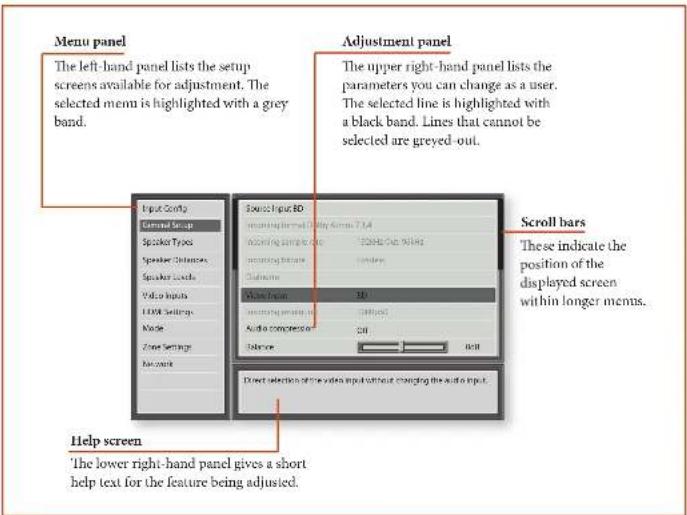
Navigating the setup menu
... using the remote control
The setup menu can be navigated by using the cursor (arrow) keys on the remote control. This is by far the easiest method.
- To enter the setup menu, press the MENU button (which is located immediately under the navigation buttons).
- Use the and keys to navigate up and down the main section headings in the right-hand panel.
- Once you have the main section that you require highlighted, use the 念 key to enter the section.
- Use the and keys to navigate up and down the section settings in the right-hand panel. Some settings may be greyed out. These are either for information only (e.g. incoming sampling frequency)
or are not currently selectable (e.g. network IP address when DHCP is used). Scroll bars on the sides of the right hand panel indicate your position in the settings list where there are more items than can be displayed at once.
- Pressing OK selects a setting to change it, pressing OK again de-selects the setting.
- At any time, press the MENU button to exit the menu. Any changes to settings are saved.
... using the keys on the front panel
The Receiver front panel controls can be used to configure the unit. Follow the instructions for using the remote control, in this case using INPUT- for down, INPUT+ for up, INFO for left and MODE for right.
Input Config.
The audio and video settings on this page of the Setup menu can be tailored specifically and independently to the currently selected input.
When a different input is selected on the Input line, all the input-specific settings for that input are displayed below it. These settings are applied to the named Input only and are stored in memory and recalled each time the unit is powered up and whenever that input is selected.
Input - The currently selected input connectors to which the settings below relate.
Name - The display name of the input. You can change the name of any input to more closely match your setup. For example, if you had two satellite receivers, you could connect the main receiver to the Sat audio and video input connectors and change the Name to 'SAI 1'. You could then connect the second satellite receiver to the VCR audio and video input connectors, but change the VCR Name to 'SAT 2'. It is then clearer to users of your Receiver which inputs they wish to select when scrolling though.
Lip Sync - Each input can have its own setting to add a time delay between the audio and video signals to compensate for the sound and picture not being synchronised. This is normally required when video processing is used in the system for scaling or dc-interlacing video. The range of lip sync delay is 0 to 250 milliseconds.
The lip sync adjustment can only correct for delayed video. If the audio is late set lip sync to its minimum,
Mode - Sets the initial audio decode mode for stereo sources on this input.
Last Mode recalls the last used setting for this input when a stereo source was applied. See section "Two-channel source modes" on page E-32 for more information.
Ext. Mode Sets the initial audio decode mode for multi-channel digital sources on this input.
Last Mode recalls the last used setting for this input when a stereo source was applied. See section "Multi-channel source modes" on page F-32 for more information.
Bass -
Treble -
These allow you to alter the bass and treble tone controls for all currently active speakers for each individual
input. For example, if your PVR source sounds a little bass light, you can always correct for this by selecting PVR on the Input line at the top of this menu and add 2 or 3dB to the Bass control. Then, whenever the PVR input is selected, the bass is automatically boosted for as long as that input is selected.
Room EQ- When the Auto Speaker Setup function is run it also calculates Room Equalisation coefficients to remove some of the worst effects of resonant frequencies of the room at the listening position. By default Room EQ is not applied to any of the source inputs, however you can enable them on a per-input basis as you wish.
Not Calculated: (Information only) Auto Speaker Setup has not been run or has errors so cannot be selected.
Project Name: Dirac Livc for Arcam Room EQ is applied to the current source and will display the name of the project from the Dirac Live application.
Off Dirac Live for Arcam Room EQ is not applied to the current source.
Input Trim - Sets the maximum analogue input signal level (sensitivity) on this input before the ADC (Analogue-to-Digital converter) signal path clips. Options are 1, 2 and 4 volts RMS maximum input. The default is 2V rms maximum.
For example, analogue sources with low output levels may benefit by choosing the 1V maximum setting. This helps maximise signal-to-noise performance of the Receiver and also helps keep the various analogue sources sounding about the same level for any given Receiver volume control setting.
Dolby Volume-Dolby Volume is an intelligent system that improves the perceived audio frequency response at lower listening levels and corrects for volume inconsistencies between sources (e.g., a rock radio station and a BD) and between programming (e.g., a TV show and advertisement breaks).
On: Dolby Volume is applied to this input.
Off (default) Dolby Volume is not applied to this input.
Dolby Leveller - This setting of Dolby Volume controls how closely quiet and loud sources and programme content are matched to each other, based on the car's perception of loudness. The range of values is 0 (minimal levelling) to 10 (maximum levelling). The default setting is 2, however we recommend experimenting with higher values if your source material is less closely matched in level. If the Volume Leveller function is set off, no level matching between sources
and programme material is performed. Note however that turning the Dolby Leveller setting of Dolby Volume to 'Off' is not the same as turning the entire function of Dolby Volume to 'Off', as volume related frequency response processing is still active. See "Dolby volume" on page F-34 for more information.
DV Calib. Offset - The Calibration Offset parameter of Dolby Volume allows you to compensate for speaker efficiencies and listening position. The default value is 0 and this should normally produce a good result when the Receiver speaker levels are set using a sound pressure level meter.
Scc "Dolby volume" on page F-34 for further information on Calibration Offset.
Stereo Mode - If you have configured your system to have a subwoofer, then you have the flexibility to choose how bass information is distributed between the front left/right speakers and the subwoofer when listening to stereo (two channel only) analogue and digital sources. Choose the option which gives you the most solid, even sounding bass. If you are using a subwoofer for stereo, please also see Sub Stereo below to set the level of the subwoofer. For best results test with a setup disc or live programme material. This setting can be used to override your normal speaker settings in the Spkr Types menu whenever the Receiver plays stereo material. It is quite common to find that two channel stereo music listening is best done with a slightly different sub/ speaker setting than for surround movies.
As Spkr Types: When an analogue or digital stereo source is played, your normal speaker configuration (as in Spkr Types menu) is used to reproduce the signal.
- Left/Right: Full frequency stereo information. All audio is sent to the front left and right speakers only without any bass redirection. You can use this setting if you consider your front left/right speakers to be able to handle the full frequency range of music. If you have set your front left/right speaker size as Small in the Spkr Types setup page, you may wish to use this option to override the setting to Large for stereo music listening, if you have full frequency range left/right speakers.
It can often be beneficial to set full frequency range speakers to Small in the Spkr Types setup page for use with movies, if you have a subwoofer in your system. Doing so may deliver more impact on movie soundtracks as subwoofer are designed to handle reproduction of high bass content. However you may find that for stereo music a better overall
result is obtained by not using the subwoofer and effectively treating the front left/right speakers as Large.
Left/Right+Sub: Full frequency range stereo is fed to the front left and right speakers and extracted bass is sent to the subwoofer. In this case the low frequency information is effectively duplicated.
Sat+Sub: Use this setting if you really do have Small satellite front left and right speakers, or if you prefer the overall sound of bass being handled by the subwoofer. Full bass management is used so that analogue and digital stereo sources are fed to the DSP where the bass is filtered off front left and right and redirected to the subwoofer.
NOTE
The Stereo Mode function is not available when using an analogue source in Stereo Direct mode.
Sub Stereo - If Left/Right + Sub or Sat + Sub is selected in Stereo Mode above, this setting adjusts the level of the subwoofer when the source is two channel stereo.
Audio Source - Selects the particular connection type for each input. The default is I1DMI; this setting must be changed if another connection is used.
Select from the list the audio type you are using on this source.
- IIDI: the unit is forced to use the IIDI audio input for this source.
Digital: the unit is forced to use the optical (TOSLINK) or coaxial (S/PDIF) digital audio input for this source
Analogue: the unit is forced to use the analogue audio input for this source.
CD Direct -Turns off the compressed audio detection. mute delay and should only be used for sources that will only transmit PCM audio (e.g. a CD player).
General Setup
General information and system controls.
Source Input - (Information only) The currently selected input to which the settings below relate.
Incoming Format - (Information only) The format of the digital audio stream connected to this input, if present.
Incoming Sample Rate - (Information only) The sample rate of the digital audio stream connected to this input, if present.
Incoming Bit Rate - (Information only)'Ic btt rate of the digital audio stream connected to this input, if present.
Dialnorm (Information only) If a Dolby Digital audio stream is connected to this input, this is the Dialogue Normalisation setting requested by the stream.
Video Input - The currently selected video input. For inputs that have video connections (e.g. SAT, PVR etc), audio and video inputs normally switch over together. However, here you can temporarily select a different video source for the current audio source. This feature may be useful, for example, if you are watching a sports game on satellite but on this occasion wish to listen to the commentary on the radio instead. This temporary override is reset when the input source is changed so that the Video Input follows the Audio Input setting (or the setting in the Video Inputs menu, if applicable).
Incoming Resolution (Information only) Shows the incoming video resolution.
Audio Compression - Allows selection of compression which is ideal for late night listening. The compression effect increases the volume of the quiet passages and decreases the volume of the louder passages. Compression only applies to Dolby / DTS soundtrack formats that support this function.
- Off: (default) no audio compression is applied. Medium: compression is applied so that loud portions of a soundtrack are reduced in level. Dolby True HD stream is compressed automatically as set by the incoming stream.
High: the maximum amount of dynamic range compression is applied, so that the difference between loud and quiet portions of a soundtrack is minimised.
This setting applies to all inputs when a relevant digital audio stream is detected. It is stored in memory and recalled each time the unit is powered up.
Balance - To alter the sound balance temporarily between front left and right speakers. You can alter the sound stage to either the left or the right by up to 6dB. Note that it is not possible to shift the audio signal completely over to one channel. This function resets to equal left/right balance when the input is changed.
Dolby Centre Spread - Allows adjustment of the sound field for Dolby Surround mode decoding of two channel sources.
Dolby Centre Spread: Controls the centre image width. With Dolby Surround decoding, dominant centre signals come only from the centre speaker. If no centre speaker is present, the decoder splits the centre signal equally to the left and right speakers to create a 'phantom' centre image. The Centre Spread control allows variable adjustment of the centre image so it may be heard only from the centre speaker; only from the left/right speakers as a phantom image; or from all three front speakers to varying degrees.
Digital Output Freq. Sets the sampling frequency of the audio Analogue-to-Digital converter. This setting applies to all inputs when analogue audio is being processed (i.e. not Stereo Direct mode). It is stored in memory and recalled each time the unit is powered up. Maximum Volume Limits the maximum volume setting the system can be turned up to in the main zone. This is a useful feature to prevent accidental overdriving of low power-handling speakers (for example). It is stored in memory and recalled each time the unit is powered up.
Max On Volume Limits the maximum volume the system operates in the main zone when it is switched on or comes out of Standby. The system comes on at this stored volume setting if the last used (possibly very loud) volume exceeds this value. It is stored in memory and recalled each time the unit is powered up.
Display on time - Sets the time that the front panel display remains illuminated after receiving a command. The default is always on.
CEC Control (Output 1 only) - Enables or disables HDMI CEC control, a system that allows devices connected with HDMI to control other compatible connected devices.
Off: disables CEC Control
Output 1
ARC Control (Output 1 only) - Enables or disables the IIDI Ml Audio Return Channel. This allows for television sound to be sent back to the Receiver, via the 'Display' input. ARC Control depends on CEC control being set.
HDMI Audio To TV - Enables or disables the transmission of HDMI audio from the HDMI output connector. Enable this setting if you wish to be able to listen using your TV speakers.
Control - Enables or disables RS232 or IP (NET) control, a system that allows control from various third-party home automation systems. Note, only RS232 or IP control can be used, not both.
Power on Determines how the unit powers on. Stby in Standby mode
On: On
Last state: Last state (default).
Standby Mode - Determines what functionality is retained while in standby.
Low Power: Lowest power setting
IP & HDMI ON: Allows for IP control & HDMI
bypass while in standby, but consumes more power.
Language - Select the language for the OSD mem
- English, French, German, Spanish, Dutch, Russian, Chinese.
Speaker Types
Settings for the types of loudspeaker you have connected in your configuration. These settings are applied to all audio inputs and are stored in memory and recalled each time the unit is powered up.
Front Left/Right
Centre -
Surr.Left/Right
Surr. Back L/R
Height 1
Height 2-
Subwoofer -
Here you set the type of speakers that you have connected to your Receiver:
Large: capable of full frequency range reproduction Small: not capable of full frequency range reproduction at the low frequency end
None: speaker not present in your configuration
- Height 1, 2 configures the type of height speakers' height/Dobly enabled.
Subwoofer: Sets whether you have none, 1 or 2 subwoofer(s) present.
NOTE
It is not possible to set all speakers to Small unless there is a subwoofer in your speaker configuration.
If you do not have a subwoofer, you will be forced to set your front speakers to Large.
Crossover Freq - This is the frequency at which loudspeakers set as Small start to redirect bass signals to the Subwoofer or Large speakers in your system. Small speakers redirect bass to the subwoofer, if present. The exception is the Centre speaker which, if Small, redirects its bass to front left/right provided that they themselves are Large. This is done to help keep Centre bass directly in front of the listening position.
Dolby Speaker Crossover- This is the frequency at which height speakers set to small redirect bass information.
Use Channels 6+7 for - If your main zone speaker set up does not include Surround Back Left and Right speakers, you can choose to use the Surround Back amplifier channels as the Height 1 amplifiers, to Bi-Amp the Front Left and Right pair, or as a stereo power amplifier for Zone 2.
Speaker Distances
Calibration settings for the distances between the loudspeakers and the listening position.
NOTE
Speakers that are not present in your configuration will be greyed out.
If Dirac Live for Arcam is used, these settings will also be greyed out as they are autoset by Dirac
These settings are applied to all audio inputs and are stored in memory and recalled each time the unit is powered up.
Units Select whether you wish to measure distances in imperial or metric units.
Front Left -
Front Right -
Surr. Right -
Surr. Back Right -
Surr. Back Left -
Surr. Left -
Left Top Front/Middle/Back Right Top Front/Middle/Back
Subwoofer
As described in "essential setup" on page B-26, measure the distance from each loudspeaker in your system to your ear in the main listening position and enter the
values. This allows the Receiver to calculate the correct relative delay for each loudspeaker.
Speaker Levels
Calibration settings for the test noise signal level through the loudspeakers and measured at the listening position.
NOTE
Speakers that are not present in your configuration will be greyed out.
If Dirac Live for Arcam is used, these settings will also be greyed out as they are autosoted by Dirac
These settings are applied to all audio inputs and are stored in memory and recalled each time the unit is powered up.
Use the and navigation buttons on the remote control to select the relevant speaker. Press to enable/disable the calibration noise and the and navigation buttons to adjust the noise level from each speaker.
Front Left -
Centre
Front Right
Surr. Right -
Surr. Back Right -
Surr. Back Left -
Surr. Left -
Left Top Front/Middle/Back
Right Top Front/Middle/Back -
Subwoofer
As described in "essential setup" on page B-26, adjust the level of the test noise from each speaker so that an SPL meter at the listening position measures 75dB SPL.
Video Inputs
Settings to optionally assign a video source to each of the normally audio-only inputs.
These settings are stored in memory and recalled each time the unit is powered up.
Video Input CD
Video Input Aux
Video Input FM -
Video Input USB
Video Input Net -
Video Input DAB -
The default for each of the audio inputs is 'None'. You could, however, associate 'Sat' video with FM or Digital Radio audio to receive radio commentary of a sports game with pictures from satellite coverage, for example.
HDMI Settings
The settings in this menu control the output resolution from the video processor in the Receiver. These settings are applied to all video inputs and are stored in memory and recalled each time the unit is powered up.
HDM1 OSD - Selects whether the main zone pop-up OSD messages are On or Off. It is stored in memory and recalled each time the unit is powered up.
When On, all user adjustments that are made during the general use of the Receiver are displayed on screen as well as the front panel display. This includes the adjustment of volume, subwoofer level, lip sync, tone controls, etc. It is stored in memory and recalled each time the unit is powered up.
When Off, the above user adjustments will not appear on screen, only on the front panel display. This leaves the picture on your display device clear of pop-up text. However, regardless of this setting the Setup menus are always displayed on screen.
HDMI Output 1080p - This setting controls the output resolution of the HDMI output when receiving 1080p input - bypass or upscale to 4k2k.
Lipsync-(Information only) Displays how much lip sync is automatically applied to the HDMI output to compensate for video processing delays in the attached display device. Not all display devices support this function.
Mode
Lists the decode and downmix options you wish to include when cycling through the options on the MODE button. Settings are Yes or No. The list is divided into two sections depending on the source audio type. See section "decoding modes" on page 1-32 for more information on each processing and decoding mode.
These settings are applied to all audio inputs and are stored in memory and recalled each time the unit is powered up.
For Stereo sources:
Dolby Surround -
DTS Neural:X
5/7 Ch Stereo -
The first section, 'Stereo sources' is the list of processing modes you wish to make available for stereo signals (analogue stereo, digital PCM stereo, Dolby 2.0, D15 2.0, etc). When a stereo signal is applied, each press of the MODE button cycles through the processing modes you have enabled in the 'Stereo sources' section. The unprocessed Stereo option is always available for stereo signals therefore it is not shown in the list.
For Multi-channel sources:
Stereo Downmix -
Dolby Surround -
DTS NeuralX
The second section, 'Multi-channel sources' is the list of processing modes you wish to make available for multi-channel digital signals (any Dolby or DUS digital stream that has more channels than stereo 2.0). When a multi-channel digital signal is applied, each press of the MODE button cycles through the processing modes you have enabled in the 'Multi-channel sources' section.
Zone Settings
Lists the volume and control settings for Zone 2. These settings are applied to all audio inputs and are stored in memory and recalled each time the unit is powered up.
22 Input - Selects the analogue audio and composite video source to be routed to Zone 2. The default is 'Follow 7!i, i.e. the same source as currently selected in Zone 1.
Zone 2 Status - Selects if Zone 2 is in Standby or On.
Zone 2 Volume - The current volume in Zone 2.
Zone 2 Max. Vol Limits the maximum volume setting the system can be turned up to in the Zone 2. This is a useful feature to prevent accidental overdriving of low power-handling speakers, for example.
Zone 2 Fixed Vol - The Zone 2 volume control can be locked at the current value for use with an external amplifier with its own volume control in Zone 2.

Zone 2 Max On Vol Limits the maximum volume the system operates in the Zone 2 when it is switched on or comes out of Standby. The system comes on at this volume if the last used (possibly very loud) volume exceeds this value.
Network
The Receiver is fitted with an network audio client which is capable of playing internet radio stations as well as stored music on a network storage device such as a PC, or on a USB flash drive.
Use DHCP - Select if your network uses DHCP
No: To assign a fixed IP address manually.
Yes: To use network parameters given by the DHCP server.
IP Address - If not using DHCP, enter the IP address you have assigned to the Receiver for your network.
Subnet Mask - If not using D1CP, enter the subnet mask for the Receiver on your network.
Gateway - If not using DHCP, enter the IP address of the router the Receiver is connected to.
Primary DNS - If not using DHCP, enter the Primary DNS IP address of your internet service provider.
Alternate DNS - If not using DHCP, enter the Secondary DNS IP address of your internet service provider.
MAC address - (Information only) The unique address of the network card in your Receiver.
Friendly name - Allows you to rename the network "friendly name" of your Receiver.
Introduction
Your Receiver receiver provides all the key decoding and processing modes for analogue and digital signals, including the latest high definition audio formats over HDMI.
Modes for digital sources
Digital recordings are usually encoded to include information about their format type. The Receiver detects automatically the relevant format in a digital signal such as Dolby Altsos, TrueHD, Dolby Digital Plus, DTS:X, DTS-HD Master Audio, Dolby Digital, or DTS - and switches in the appropriate decoding.
Modes for analogue sources
Analogue recordings do not contain information about their encoding formats, so the desired mode - such as Dolby Surround - needs to be selected manually.
Mode memory
Dolby Digital or DTS audio (including the high definition formats) can be output in two mix modes, selected using the MODE button:
Surround (e.g., five main channels plus a subwoofer for a 5.1 source)
Sterco downmix.
Two-channel audio, regardless of whether it is analogue or digital can also be output in two mix modes, selected using the mode button:
Surround (e.g., Dolby Surround, DTS NeuralX, etc.) Stereo.
The Receiver stores the settings for each source. Thus the decoding mode for the following groups of source material can be stored independently:
Dolby Digital (multi-channel) and DTS source material
Two channel Dolby, PCM or Analogue source material
Two-channel source modes
The following decoding and surround modes are for creating multi-channel stereo modes from 2-channel sources. They are available on the AV860/AVR850/AVR550/AVR390 for standard and high definition Dolby Digital 2.0, DTS 2.0, PCM or analogue sources:
Stereo -
5/7 Channel Stereo -
Dolby Surround -
DTS Neural:X
Stereo
In this mode the AV860/AVR850/AVR550/AVR390 works as a conventional high quality audio amplifier. Note that if the subwoofer is enabled in stereo mode, then some processing of the signal is carried out.
Stereo Direct: this achieves the best sound quality if an analogue connection is present.
5/7 Channel Stereo: this produces an output from all speakers by copying the left output to all left speakers and the right output to all right speakers. The centre speaker outputs a mix of left and right.
Dolby Surround
Dolly Surround allows the AV860/AVR850/AVR550/ AVR390 to derive up to 7.1.4 outputs from a two or multi-channel source to take better advantage of all amplifiers and speakers in your setup.
DTS Neural:X
DTS NeuralX provides up to 12 channels of decoding from stereo material. The AV860/AVR850/AVR550/AVR390 will derive separate channels corresponding to the standard home theatre layout.
Multi-channel source modes
Digital multi-channel source material is normally provided as '5.1 audio'. The '5.1 channels' comprise of: left, centre and right front speakers, two surround speakers and a low frequency effects (LFE) channel. Since the LFE channel is not a full range channel, it is referred to as '1'.
Surround systems decode and reproduce the 5.1 channels directly. The DTS-ES matrix enhanced decoding system creates one extra rear channel from information buried in the two surround signals of the 5.1 source. The ES enhanced system is sometimes referred to as a 6.1 system. This extra surround back
channel is normally reproduced through two separate loudspeakers, creating a "7.1" system.
D15-ES discrete is a true '6.1' source, with six discretely encoded channels, plus the .1' LFE channel.
Dolby Digital Plus, Dolby TrueHD, Dolby Atmos, DTS-X and DTS-HD are high-resolution surround formats found on Blu-Ray discs
Decoding modes
The modes given in the following table are available for multi-channel digital sources.
Special modes such as DTS-LS 6.1 discrete, Dolby Digital Plus, Dolby TrueHD, Dolby Atmos, DTS:X and DTS-HD are only available from the correct source material.
| For Dolby Digital sources |
| Dolby Digital 5.1 Dolby Digital 5.1 sources deliver sound with five discrete full-range channels; left, centre, right, surround left, surround right, plus LFE channel. |
| Dolby Digital Stereo Downmix Provides a stereo downmix of the source material for use with headphones. |
| Dolby Digital 5.1 + Dolby Surround This mode is used to derive information for the individual surround back channels from the surround channels, using the Dolby Surround decoder. |
| For DTS sources |
| DTS 5.1 Less common than the Dolby Digital format, but generally recognised within the audio industry as being of superior sound quality. DTS 5.1 delivers surround sound with five full range channels plus an LFE channel. |
| DTS 5.1 Stereo Downmix Provides a stereo downmix of the source material for use with headphones. |
| DTS-LS 6.1 Matrix This is a 6.1 channel format based on DTS 5.1. It has the sixth channel matrix encoded into the surround left and surround right channels. The sixth channel is a surround centre channel and is directed to the surround back left and surround back right speakers. |
| DTS-LS 6.1 Discrete This is a true discrete 6.1 channel sound format. DTS-LS discrete mode operates only on sources with DTS-LS 6.1 discrete audio encoding. |
| DTS96/24 Provides up to 5.1 channels of audio at 96kHz, 24bit resolution for superior sound quality compared to standard DTS 5.1 |

Dolby volume

Ceiling speakers are mounted directly in the ceiling as shown in this 7.1.4 example.
Dolby Volume is a sophisticated new technology that resolves the problem of different volume levels.
between programme content (e.g., a TV show and advert breaks) and between sources (e.g., a rock radio station and DVD, or between two TV stations). It lets the listener enjoy everything at the same preferred listening level without having to reach for the volume control to compensate for the different recording/output levels. This is the Volume Lefaller function of Dolby Volume.
Dolby Volume also works in conjunction with the Receiver volume control setting to compensate for the car's changing sensitivity at different frequencies depending on how loud the audio is. It is based on a model of how human hearing works. It properly balances low, mid and high frequencies to maintain all the nuances and impact of the original audio regardless of the actual selected playback volume level. This is the Volume Modeller function of Dolby Volume.
Dolby Volume measures, analyses and maintains volume levels based on how people perceive sound. A variety of audio parameters are monitored including spectral- and time-based loudness to ensure that perceived dynamics, timbric and bass performance remain consistent at all volume levels.
Dolby Volume also lets the listener control a programme's dynamic range - the range between loud and quiet sounds. For example, with the volume turned down for late-night viewing, dynamic range can be adjusted so that speech remains clear and loud effects or music passages retain their impact without waking up the family.
Settings
Dolby Volume can be applied to any analogue or digital stereo source or any digital multi-channel source. It is not available in Stereo Direct or if height speakers are connected. Dolby Volume can even be applied to processing of stereo signals (e.g. Dolby Surround) or when down-mixing a digital multi-channel source (e.g. Dolby Digital 5.1 down to stereo).
Dolby Volume can be enabled and configured separately for each audio input in the Input Config menu. The default is 'Off' for 'audiophile' listening. You may wish to turn Dolby Volume 'On' for TV and movie sources to maintain the same perceived overall listening level
between sources and frequency response regardless of the volume setting. Most of the controlling parameters of Dolby Volume are automatic as they are dependent on analysis of the audio signal and the volume setting of the Receiver. However, the Volume Leveler and Calibration Offset controls (see below) can be adjusted to your preference.
Volume Leveller
The Volume Lelvester function of Dolby Volume controls how closely quiet and loud sources and programme content are matched to each other, based on the car's perception of loudness. The range of values is 0 (minimal levelling) to 10 (maximum levelling). The default setting is 2. If the Volume Lelvester function is turned off, no level matching between sources and programme material is performed. This is not the same as turning Dolby Volume off as volume related frequency response processing is still active.
When Dolby Volume is being applied to the current input, a Dolby Volume processing mode indicator is shown on the OSD and the front panel display.
Calibration Offset
The Calibration Offset parameter of Dolby Volume allows you to compensate for speaker efficiencies and listening position - effectively moving the reference listening level up or down the volume scale. The default value is 0 and this should normally produce a good result when the Receiver speaker levels are set using a sound pressure level meter at the listening position (75dB SPL, 'C' weighting, slow response).
Dolbyatmos
DOLBYATMOS
Dolby Atmos for the home represents every
sound in the original cinema mix as an audio object. Extensions to the Dolby Audio CODECs, along with an advanced scalable algorithm, allow Dolby Atmos to be delivered via Blu-ray Disc and streaming media. Your Dolby Atmos equipped AV860/AVR850/AVR350/AVR390 adapts the cinema experience to your home theatre using up to 12 channels (for configurations above 8 channels, additional power amplification is required), recreating the original artistic concept.
Dolby Atmos speaker setup
With Dolby Attnus technology, you have two basic options for overhead sound:
Ceiling speakers
Dolby Atmos enabled speakers
The AV860/AVR850/AVR550/AVR390 supports up to four ceiling or Dolby Almos enabled speakers. If just two are used then they should be positioned centrally between the screen and listening position, if fours are used then they could be positioned just in front of the screen and just in front of the listening position. For a 5.1.2 configuration, channels 6&7 of the AV860/ AVR850/AVR550/AVR390 can be configured for the height 1 channels.
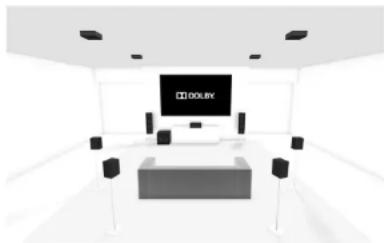
Ceiling speakers
Dolby Atmos enabled speakers
Dolby Atmos enabled speakers are specially engineered to direct sound upward, where it reflects off the ceiling to produce an incredibly lifelike re-creation of overhead sound. Dolby Atmos enabled speakers come in two versions:
Integrated units that also include traditional forward firing speakers.
Add on modules, containing only the upward firing elements, that you put on top of your current speakers or on a nearby surface.
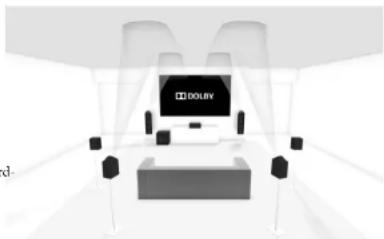

The Receiver is fitted with a FM & DAB (digital radio) tuners. DAB broadcasts are not available in all locations. This section deals with tuner operation, for information on setting up the tuner and installing aerials, see page E-13.
When a timer input is selected, the OSD shows a list of radio presets plus an information panel giving all available information about the current frequency (for FM) or station (for DAB).
The front panel will also give the same information, pressing the INFO key will cycle through the various items of information:
| FM |
| • Processing mode (default) |
| • Radiotext (if available) |
| • Programme type (if available) |
| • Signal strength |
| DAB |
| • Processing mode (default) |
| • Radiotext (if available) |
| • Programme type |
| • Signal quality |
| • Bit-rate of transmission |
Tuning/Channel Selection
When switching to the internal TUNER source, the Receiver enters the last used tuner band, be it FM or DAB. Repeatedly pressing RADIO cycles through the available tuner bands on your Receiver.
FM analogue radio
Frequency tuning on FM radio is done using the and buttons on the remote control in TUN device mode. Individual presses move the frequency down and up one step. If you press and hold either of the tuning buttons for two seconds, the timer scans to the next strong signal. You can stop a scan at any time by pressing one of the tuning buttons again.
In Europe, the internal FM radio is capable of receiving RDS (Radio Data System) radiotext signals that are transmitted on some stations. The RDS information typically includes the radio station name, the music or speech genre as well as additional information related to the current programme. On music stations this is often information on the currently playing track.
DAB digital radio
Digital Audio Broadcasting (DAB) radio is becoming more widely available. See www.worlddab.org/country Information for information on DAB availability.
You will need to scan for available stations before being able to listen to them.
To scan for DAB stations, first select the DAB tuner then press and hold until the display indicates scanning has started. The Receiver will then scan all the DAB radio frequencies and compile a list of the stations that are available.
When the scan is complete, you can scroll through the station list using the 3 and 4 buttons on the remote control. To listen to the currently displayed station press the 5 . If you do not press 4 within two seconds, the display will revert to displaying the currently playing station.
Internet radio
Please see the Network/USB Operation section on page E-36 for details of internet radio operation.
Saving and selecting Presets
Preset selection uses the and keys on the remote to browse and to select the preset when the remote is in TUN device mode.
Up to 50 preset can be stored and these can be from any band, for example Preset I could be an FM station, preset two a DAB station, etc. Pressing the OK key causes the next available preset number to be displayed, then pressing the OK key again stores the current frequency channel in that preset. If a different preset number is required, press the 4 and 9 keys until the desired number is displayed before pressing the OK key for a second time.
Deleting Presets
When in tuner browse mode (using and to scroll through the presets), the yellow button on the remote is used to delete the currently highlighted (but not playing) station or frequency.

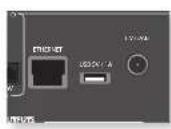
The Receiver is fitted with a network audio client which is capable of playing internet radio stations as well as stored music on a network storage device such as a PC, or from a USB flash drive.
For information on installing the Receiver on your network see page F-14.
The Receiver supports the following file formats:
MP3
WMA (Windows Media Audio)
WAV
FLAC (Free Lossless Audio CODEC)
MPEG-4 AAC (iTunes) with DRM10 support
Favourites
You can store internet radio stations in your 'favourites' folder for easy access later. Once playing, pressing the RLD key adds the station to the 'favourites' folder. Pressing GRUIN removes the station from the 'favourites' folder (this key only has an effect if the station is in the 'favourites' folder).
Selecting the playback source
Selecting the network client will allow playback of internet radio stations and stored music on a networked storage device or USB memory device.
To select the network source just press NET on the remote. You can also cycle to it using the -INPUT/INPUT+ keys on the front panel.
The home page has options for playing audio from a USB device, Internet Radio or from your home network using the Music Player option. Navigate through these items using the and keys. Folders that may contain playable files have a symbol, playable files have a symbol. Once you reach the track you wish to play, press OK.
Once playing, pressing will pause the track (except Internet Radio).
Pressing the key skips forward one track. If the last track is reached the key is ignored.
Pressing the key skips back one track. If the first track is reached, the key is ignored.
USB playback
Insert a USB device into the socket on the Receiver and select the network client input. The USB device appears in the list of folders that can be navigated. Highlight it using the and keys and press to navigate the contents of the USB device. Navigate through folders (using the ,and keys) to a music file and press OK to play the file.
Pressing the INFO key will cycle what is shown on the lower portion of the front panel display between:
Flapped Time (default)
Processing mode
Album (if available)
Artist (if available)
File information (bitrate, type).
How to Use Connect
You'll need Spotify Premium to use Connect.
- Add your new device to the same wifi network as your phone, tablet or PC (see product user instructions for details).
- Open the Spotify app on your phone, tablet or PC and play any song.
- If you're using the app on a phone - tap the song image in the bottom left of the screen. For tablet and PC move to step 4.
- Tap the Connect icon (b)
- Pick your device from the list. If you can't see it, just check it's connected to the same network as your phone, tablet or PC.
All done! Happy Listening.
Licenses
The Spotify software is subject to third party licenses found here:
https://developer.spotfly.com/esdk-third-party-licenses
NOTE
For playback from a network device, the network device needs to running a universal plug and play (UPnP) service, such as Windows Media Player 11. This can be downloaded free of charge from www.microsoft.com or installed via the Windows update installer. Windows 7" and Vista have this functionality built in. Windows Media Player requires music library sharing/screening to be enabled in order to serve music to the Receiver. Other free and paid-for UPnP services are available for other computer operating systems. Some network attached storage (NAS) systems include a built-in version of a UPnP service.
Internet radio stations
Although you can manually browse for an internet radio station, the Receiver uses the vTuner service to allow easy selection of favourite internet radio stations and podcasts. To set up this service for your Receiver, please visit www.arcamradio.co.uk
There, you will be asked to enter the Media Access Controller (MAC) address which is the unique ID of your Receiver. This MAC address can be found in the network section of the setup menu.
Once you have entered the MAC address, you can then browse stations and podcasts and set up groups of favourite stations. When you next connect your Receiver to the internet, these groups will appear in the 'My favourites' folder.
The Receiver allows independent routing to a separate set of equipment, typically used for a second living space, e.g., bedroom or lounge.
Zone 2
Audio outputs
The Z2 OUT, R and L phonon sockets should be connected to the analogue audio inputs (Usually labelled
ANALOGUE AUDIO IN) of the Zone 2 display device, or to the inputs of an additional stereo power amplifier in Zone 2 (for example, the Arcam P38).
Speaker outputs
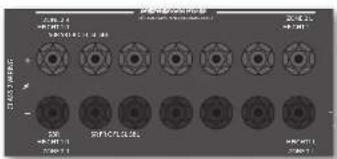
If the main zone has a 5.1-channel surround sound speaker system (not a 7.1-channel system), the spare SBI and SBR speaker outputs can be used to power speakers in Zone 2, so that a power amplifier is not required.
To configure the outputs, navigate to the 'Spkr Types' option in the Setup Menu and set the option Use Channels 617 for 'Zone 2'; see page E-26.
Zone 2 control connections
The Receiver also allows remote control from Zone 2.

Z2IR
This allows the Receiver to be controlled remotely from Zone 2 via Infrastructure remote control. Connect a remote IR receiver in Zone 2 to allow control of the Receiver from this listening/viewing area.
For more information on remote IR receivers, see "Z2 IR" on page 1-14.
TRIGZ2
This allows the Receiver to remotely switch on devices in Zone 2 when Zone 2 is selected. For example you could set your television in Zone 2 to switch on when 'Zone 2' is selected on Receiver.
For more information on triggers, see "Trigger connectors" on page E-14.
Please note that not all AV devices have this feature, nor are triggers essential for listening and viewing in a separate zone.


Code learning
The supplied remote comes with a complete library of pre-programmed codes. After you have set up the remote for your device, you may find that there are one or more functions on your original remote which do not have a place on the keypad. For convenience, the remote offers a Code Learning feature that allows you to copy up to 16 functions from an original remote control onto the remote keypad.
Before you start, make sure that:
The original remote control is working correctly. The remotes are not pointing at your device.
The remotes have fresh batteries.
The remotes are not in direct sunlight or under strong fluorescent lights.
NOTE
Learned functions are mode-dependent. You could assign up to eight different functions to a single key - a separate learned function for each mode.
Direct code setup (Method 1)
The first method is to program the remote with the 3-digit code number for the device you wish to control - see "device code tables". Make a note of the suggested number or numbers - the most popular code is listed first. Now power on the device.
- Press the Device key for the product you want to set up, together with the 1 key. Hold down both buttons for three seconds until the LED stays lit. You are now in setup mode, and you can release the buttons.
- Enter a 3-digit code for the device. If the 3-digit code number you entered is correct for the device, it will turn off. If it doesn't turn off, enter the next code number from your list until the device does turn off.
- Once you have found the correct code, press the Device key again. The LED blinks three times to confirm that the code has been successfully stored.
Library search setup (Method 2)
Library search allows you to scan through all the codes contained in the remote's memory. It can take a lot longer than the previous method, so only use this method if:
- Your device does not respond to the remote after you have tried all the codes listed for your brand.
-
Your brand is not listed at all in the Device Code tables.
-
Press the Device key for the product you want to set up, together with the 1 key. Hold down both buttons for three seconds until the LED stays lit.
- Point the remote control at the product you wish to control and press the or button on the navigation pad. Each time the or button is pressed, the code counts up (or down) one code number with a signal to power off the device.
- Continue pressing the up or down button, in approximately one second intervals, until the device turns off. (DO NOT alternate the up and down button - you need to move in only one direction.)
- To store the correct code, press the Device key again. The LED blinks three times; to confirm that the code has been successfully stored.
Learning setup (Method 3)
The third method involves 'teaching' the Arcam remote from the original remote for the device. The two remotes should be facing each other, about 10cm apart.
- Press the Device key for the product you want to set up, together with the 3 key. Hold down both buttons for three seconds until the LED stays lit.
- Press the button on the Arcam remote that you want to assign a command to. The LED blinks once indicating that the remote is ready to learn the command.
- Press and hold the appropriate key on the other remote until the LED blinks twice. This indicates the Arcam remote has learned the command from your other remote.
- Continue learning the commands from your other remote by pressing the next button on the remote and repeating steps 2 and 3.
- Once the remote has learned all the selected commands, press and hold the Device key you used to enter learning together with the Numeric 3 key to store the learned commands.
NOTE
If the Arcam remote LED blinks five times
there was an error in the learning process. In this case, please start the Learning Setup from the start.
The AMP and RADIO keys do not learn commands.
Important notes
Once you start a Code Learning session, you have approximately ten seconds to conduct each step. Any longer, and a timeout means that you'll have to start the process again.
The learning feature is mode-specific - you can copy one feature per mode onto a key.
The remote can learn approximately 16 functions in total.
To replace a learned function, simply assign a new function to the same key.
1. Learned functions are retained when you change batteries.
If Code Learning fails, try altering the distance between the two remotes; make sure that the ambient light is not too bright.
Deleting the learned data
To delete all the learned data for a device:
- Press the Device key for the product you want to set up, together with the 3 key. Hold down both buttons for three seconds until the LED stays lit.
- Press and hold down the Device key for the product that you want to erase, together with the key for three seconds until the LED blinks twice.
- If any further key press is not made for 30 seconds after the LED blinks twice, the remote leaves erase mode without deleting the learned data.
- If you press the Device key one more time within 30 seconds after LED blinks ( twice, you can finish the erase mode deleting all the data learned on the Device. The LED blinks three times, to confirm.
NOTE
On the following pages, a single 'blink' of the remote's power LED is indicated by the symbol:
To delete the learned data for a key for a device:
- Press the Device key for the product you want to set up, together with the 3 key. Hold down both buttons for three seconds until the LED stays lit.
- Press and hold down the key on which you want to delete the data for three seconds. The LED blinks twice. If any further key press is made, the remote escapes from erase mode without deleting the learned data.
- If any further key press is not made for 30 seconds, the LED blinks twice; the remote gets out of the erase mode automatically without deleting the learned data.
- If you press the Device key together with the 3 key again within 30 seconds after the LED blinks twice, all the data learned for that Device is deleted and you leave erase mode. The LED blinks three times in confirmation.
Reading stored code numbers
- Press the Device key for the product that you want to set up together with the 4 key. Hold down both keys for three seconds until the LiD blinks.
- Press the INFO key and count the number of blinks ( (1,2,3,4,5,6,7,8,9,10,11,12,13,14,15,16,17,18,19,20,21,22,23,24,25,26,27,28,29,30,31,32,33,34,35,36,37,38,39,40,41,42,43,44,45,46,47,48,49,50,51,52,53,54,55,56,57,58,59,60,61,62,63,64,65,66,67,68,69,70,71,72,73,74,75,76,77,78,79,80,81,82,83,84,85,86,87,88,89,90,91,92,93,94,95,96,97,98,99,100). There is a time gap between digits. (Note that '0' is represented by ten blinks:
Locking/Unlocking a specific Device Mode
When you first unpack your remote and insert the batteries, it is able to control certain Arcam components automatically (e.g. BD players, Amplifiers, Tuners and CD Players). We achieve this by programming specific Arcam device codes onto the relevant Device Mode keys, then locking the Device Modes so you don't reprogram them inadvertently.
If you want to override these locked default settings - to control a third-party BD player, for example - you will first need to unlock BD Mode before setting up the remote using one of the learning methods described on the previous page.
Here are the factory default settings:
| Device Mode Default status Default codes | |
| AMP | Locked 001 (Arcam code 16) |
| BD | Locked 001 (Arcam) |
| AV | Unlocked 108 (Philips TV) |
| VCR | Unlocked Code learning only |
| GAME | Unlocked Code learning only |
| STB | Unlocked 030 (Bush/Goodmans/ Grundig, from SAT database) |
| SAT | Unlocked 128 (Sky+ Digital, from SAT databas) |
| PVR | Unlocked 018 (Humax PVR, from SAT databas) |
| CD | Locked 001 (Arcam) |
Alternative codes are available for multi-room solutions, or in the case of code clashes with other manufacturer's products.
For example:
AMP (system code 19): 002
Note that you need to change the system code on the product you wish to control, as well as the remote.
- AMP, BD, CD and TUN are the Device keys that may be Locked or Unlocked. Lock and Unlock are toggles (they change from Lock to Unlock to Lock, etc.).
- Press and hold the Device and 6 keys together for three seconds.
The power LED stays lit, showing that it is in Lock/Unlock setup mode.
- If there is no further key input for 30 seconds, the LFD goes off and the remote leaves Lock/Unlock setup mode.
- To verify the status of a device, press the 369 keys in sequence:
If Lock is set, the LED blinks three times:
If Unlock is set, the LED blinks five times:
5. If you press a valid Device key within 30 seconds, the LED blinks three times: and the remote leaves Lock/Unlock setup mode.
Controlling the volume of other devices
By default, the volume keys and mute key control the amplifier volume.
You can configure these buttons so they send volume commands to another device. In the following example, the volume commands are sent to a linked AV device (your television, for instance):
-
Press AV + 5 for three seconds, until the LED lights and stays on.
-
Process VOL UP
- Press AV again. The I.PD blinks three times
The volume and mute keys will now send the volume commands to the TV.
To set the volume buttons to control the amplifier once more, repeat the above steps, except press AMP in step 3.
Hidden commands
| Command Effect | |
| AMP + ↦ | Sends a Power On command |
| AMP + ↦ | Sends a Power Off command |
| AMP + OK | Sends a Zone command |
| AMP + ↦ | Sends a Resolution command |
| CD + ↦ | Sends a Power On command |
| CD + ↦ | Sends a Power Off command |
| BD + ↦ | Sends a Power On command |
| BD + ↦ | Sends a Power Off command |
BD+
Sends a Resolution command

Factory default reset
You can reset your remote to the original factory default settings.
Press and hold both the (home) and MENU keys for about five seconds until the power LLD blinks five times
All programming and setup codes that you have entered into the remote are erased and the remote returns to the original factory default settings.
Device codes
'The tables that begin on page 49 (in the final section of this Handbook) list 3-figure codes for different manufacturers' devices.
Use these when setting your remote up to control your devices, as described in Direct code setup: Method 1 (see previous page).
If more than one code number is listed, try the first number. If the results are unsatisfactory, continue trying the numbers for that manufacturer to get the best fit with the functionality required.
If the manufacturer of your equipment is not listed, you can try Library search setup: Method 2 (see previous page). This method allows you to scan through every code contained in the remote's memory.
trouble-shooting
| Problem Check that... | |
| There are no lights on the unit | ■ the power cord is plugged into the Receiver and the mains socket it is plugged into is switched on.■ the power button is pressed in.If a red LED is present, the Receiver is in standby mode. Press any button on the front panel or remote control. |
| The unit responds erratically or not at all to the remote control | ■ there are fresh batteries in the remote control.■ the front panel window is visible and you are pointing the remote control towards it. |
| The front panel display is blank | ■ the display hasn't been turned off. Press the DISPLAY button on the front panel or remote control. |
| No picture is being produced | ■ your viewing device is turned on and switched to display your Receiver. Test by pressing the MENU button on the Receiver or on the remote and look for the main menu screen on your display device.■ the correct video input is selected on the Receiver.■ the video source is on, is operating normally, and is in 'play' mode if appropriate. |
| There are bright edges or 'ghosts' on the picture | ■ ensure the 'sharpness' control on your display device is switched off or set to near minimum.■ for HDMI connections, try using a shorter cable or alternatively a different brand. |
| No sound is produced | ■ the correct input has been selected.■ the 'Audio Source' has been set correctly in the 'Input Config' menu■ the source equipment is on, is operating normally and is in 'play' mode if appropriate.■ the volume is turned up to a reasonable level and the Receiver is not in mute mode. |
| The sound is poor or distorted | ■ you have not excessively increased the input sensitivity (i.e. reduced the maximum input signal voltage) in the Input Config. menu if an analogue input is being used.■ you have selected the correct size of speakers to suit your system in the setup menu. |
| Problem Check that... | |
| Sound only comes from some of the speakers | ■ you have an appropriate surround source selected and playing.■ the BD/DVD disc is encoded in the appropriate format, and the correct format has been selected in the disc start menu of the BD player (if applicable).■ the BD/DVD player has been set to output 'bistream' audio on the digital output.■ the display window indicates that the disc you are playing is a multichannel recording (you may need to press the INFO key several times until you get to the 'incoming format' display).■ all the speakers are correctly connected to the speaker terminals and are secure.■ you have not selected 'Stereo' as the decoding mode.■ your speaker balance is correct.■ you have configured the Receiver to include all the speakers in your system. |
| Unable to select Dolby or DTS decoding modes | The Receiver can only apply Dolby and DTS decoding to sources which have been encoded in the same format. Check that:■ digital source is selected and connected.■ the source is playing appropriately encoded material.■ the BD/DVD disc is encoded in the appropriate format and that the correct format has been selected in the disc start menu of the BD player (if applicable).■ the BD/DVD player has been set to output 'bitsstream' audio on the digital output. |
| When playing a Dolby BD/DVD, the AV860/AVR850/AVR850 selects Dolby Surround | ■ you have a digital connection from your BD/DVD player.■ sometimes Dolby BD/DVD discs contain material at either the beginning or the end of the main movie that is not in full 5.1 format, but in two-channel. |
| Hum on the analogue input | ■ all cables are making a good connection. If necessary withdraw the cable from the connector and plug it fully in again (turn the power off before doing this).■ the connections inside the source cable connector are not broken or badly soldered.■ if the hum originates only when one particular source component is connected, that an aerial cable, or dish connection to this source is ground isolated. Contact your installation contractor. |
| There is radio or television reception interference | ■ where the interference is coming from. Switch off each source component in turn, then any other equipment. Most electronic equipment does generate low levels of interference.■ try re-arranging cabling from the nuisance source away from other cabling.■ ensure that the cabling used is high quality, specified for its purpose, and is properly screened.■ if the problem persists, contact your dealer. |

AV860
| Stereo line Inputs | |
| Maximum input 4.5V rms | |
| Nominal sensitivity 1V, 2V, 4V (user adjustable) | |
| Input impedance 47kΩ | |
| Signal/noise ratio (A-wtd ref 100W) normal/stereo direct 100dB/110dB | |
| Frequency response 20Hz - 20kHz ± 0.1dB | |
| Preamplifier outputs | |
| Nominal output level 1V RMS / 2V RMS | |
| Output impedance 560Ω | |
| THD+N (20Hz-20kHz) -100dB | |
| Headphone output | |
| Maximum output level into 32Ω 2Vms | |
| Output impedance <5Ω | |
| General | |
| Mains voltage 110-120V or 220-240V, 50-60Hz | |
| Power consumption (maximum) 50W (Thermal dissipation approx. 170 BTU/hour) | |
| Power consumption (idle, typical) | 50W (Thermal dissipation approx. 170 BTU/hour) |
| Power consumption (standby) | <0.5W |
| Dimensions | 433 x 425 x 171mm |
| W x D (including speaker terminals) x H (including feet) | |
| Weight (net) | 10.25kg |
| Weight (packed) | 14.25kg |
| Supplied accessories | Mains lead Remote control 2 x AAA battcrics Manual DAB/FM aerial Calibration microphone USB sound card |
| R&OF: | |
| NOTE: All specification values are typical unless otherwise stated. | |
Continual improvement policy
Arcam has a policy of continual improvement for its products. This means that designs and specifications are subject to change without notice.
AVR850
| Continuous power output, per channel, 8Ω/4Ω | |
| 2 channels driven, 20Hz - 20kHz, <0.02% THD 120W/200W | |
| 2 channels driven, 1kHz, 0.2% THD 130W/210W | |
| 7 channels driven, 1kHz, 0.2% THD 100W/180W | |
| Residual noise & hum (A-wtd) <0.15mV | |
| Stereo line inputs | |
| Maximum input 4.5V rms | |
| Nominal sensitivity 1V, 2V, 4V (user adjustable) | |
| Input impedance 47kΩ | |
| Signal/noise ratio (A-wtd ref 100W) normal/stereo direct 100dB/110dB | |
| Frequency response 20Hz-20kHz + 0.1dB | |
| Preamplifier outputs | |
| Nominal output level 1V RMS | |
| Output impedance 560Ω | |
| THD+N (20Hz-20kHz) -100dB | |
| Headphone output | |
| Maximum output level into 32Ω | 2Vrms |
| Output impedance <5Ω | |
| General | |
| Mains voltage | 110 - 120V or 220 - 240V, 30 - 60Hz |
| Power consumption (maximum) | 1.5kW (Thermal dissipation approx. 5200 BTU/hour) |
| Power consumption (idle, typical) | 100W (Thermal dissipation approx. 340 BTU/hour) |
| Power consumption (standby) | <0.5W |
| Dimensions | 433 x 425 x 171mm |
| W x D (including speaker terminals) x H (including feet) | |
| Weight (nct) | 16.7kg |
| Weight (packed) 20.0kg | |
| Supplied accessories | Mains lead Remote control 2 x AAA batteries Manual DAB/FM aerial Calibration microphone USB sound card |
| F&OE | |
| NOTE: All specification values are typical unless otherwise stated. | |

AVR550
| Continuous power output, per channel, 8Ω | |
| 2 channels driven, 201Hz - 20kHz, <0.02% THD 110W | |
| 2 channels driven, 1kHz, 0.2% THD 125W | |
| 7 channels driven, 1kHz, 0.2% THD 90W | |
| Residual noise & hum (A-wtd) <0.15mV | |
| Stereo line inputs | |
| Maximum input 4.5V rms | |
| Nominal sensitivity 1V, 2V, 4V (user adjustable) | |
| Input impedance 47kΩ | |
| Signal/noise ratio (A-wtd ref 100W) normal/stereo direct 100dB/110dB | |
| Frequency response 201Hz-20kHz ± 0.2dB | |
| Preamplifier outputs | |
| Nominal output level 1V RMS | |
| Output impedance 560Ω | |
| THD (N (20Hz - 20kHz) - 100dB) | |
| Headphone output | |
| Maximum output level into 32Ω | 2Vrms |
| Output impedance <5Ω | |
| General | |
| Mains voltage | 110-120V or 220-240V, 50-60Hz |
| Power consumption (maximum) | 1.5kW (Thermal dissipation approx. 5200 BTU/hour) |
| Power consumption (idle, typical) | 100W (Thermal dissipation approx. 340 BTU/hour) |
| Power consumption (standby) | <0.5W |
| Dimensions | 433 x 425 x 171mm |
| W x D (including speaker terminals) x H (including fct) | |
| Weight (net) | 15.5kg |
| Weight (packed) 18.8kg | |
| Supplied accessories | Mains lead Remote control 2 x AAA batteries Manual DAB/FM aerial Calibration microphone USB sound card |
| NOTE: All specification values are typical unless otherwise stated. | |
AVR390
| Continuous power output, per channel, 8Ω | |
| 2 channels driven, 20kHz - 20kHz, <0.02% THD 80W | |
| 2 channels driven, 1kHz, 0.2% THD 86W | |
| 7 channels driven, 1kHz, 0.2% THD 60W | |
| Residual noise & hum (A-wtd) <0.15mV | |
| Stereo line inputs | |
| Maximum input 4.5V rms | |
| Nominal sensitivity 1V, 2V, 4V (user adjustable) | |
| Input impedance 47kΩ | |
| Signal/noise ratio (A-wtd ref 100W) normal/stereo direct 100dB/110dB | |
| Frequency response 20Hz-20kHz ± 0.2dB | |
| Preamplifier outputs | |
| Nominal output level 1V RMS | |
| Output impedance 560Ω | |
| THD+N (20Hz-20kHz) -100dB | |
| Headphone output | |
| Maximum output level into 32Ω | 2Vrms |
| Output impedance <5Ω | |
| General | |
| Mains voltage | 110-120V or 220-240V, 50-60Hz |
| Power consumption (maximum) | 1.5kW (Thermal dissipation approx. 5200 BTU/hour) |
| Power consumption (idle, typical) | 100W (Thermal dissipation approx. 340 BTU/hour) |
| Power consumption (standby) | <0.5W |
| Dimensions | 433 x 425 x 171mm |
| W x D (including speaker terminals) x H (including fct) | |
| Weight (net) | 15.7kg |
| Weight (packed) 19.9kg | |
| Supplied accessories | Mains lead Remote control 2 x AAA batteries Manual DAB/FM aerial Calibration microphone USB sound card |
| E&OE | |
| NOTE: All specification values are typical unless otherwise stated. | |

SR250
Continuous power output, per channel, 8Ω
2 channels driven, 20Hz - 20k1hz, <0.02% THD 90W
2 channels driven, 1kHz, 0.2% THD 125W
Residual noise & hum (A-wid) < 0.15mV
Stereoline inputs
Maximum input 4.5V rms
Nominal sensitivity 1V,2V,4V (user adjustable)
Input impedance 47kΩ
Signal/noise ratio (A-wtd ref 95W) normal/stereo direct 100dB/110dB
Frequency response 20Hz-20kHz + 0.2dB
Preamplifier outputs
Nominal output level IV RMS
Output impedance 560Ω
THD+N(20Hz-20kH) -100dB
Headphone output
Maximum output level into 32Ω 2Vms
Output impedance < 5
General
| Mains voltage | 110-120V or 220-240V, 30-60Hz |
| Power consumption (maximum) | 600W (Thermal dissipation approx. 2040 BTU/hour) |
| Power consumption (idle, typical) | 100W (Thermal dissipation approx. 340 BTU/hour) |
| Power consumption (standby) | <0.5W |
| Dimensions | 433 x 425 x 171mm |
| W x D (including speaker terminals) x H (including feet) | |
| Weight (net) | 15.1kg |
| Weight (packed) | 18.5kg |
| Supplied accessories | Mains leadRemote control2 x AAA batteriesMamalFM aerialCalibration microphoneUSB sound card |
E&OE
NOTE: All specification values are typical unless otherwise stated.

Worldwide Guarantee
This entitles you to have the unit repaired free of charge, during the first two years after purchase, provided that it was originally purchased from an authorised Arcam dealer. The Arcam dealer is responsible for all after-sales service. The manufacturer can take no responsibility for defects arising from accident, misuse, abuse, wear and tear, neglect or through unauthorised adjustment and/or repair, neither can they accept responsibility for damage or loss occurring during transit to or from the person claiming under the guarantee.
The warranty covers:
Parts and labour costs for two years from the purchase date. After two years you must pay for both parts and labour costs. The warranty does not cover transportation costs at any time.
Claims under guarantee
This equipment should be packed in the original packing and returned to the dealer from whom it was purchased. It should be sent carriage prepaid by a reputable carrier - not by post. No responsibility can be accepted for the unit whilst in transit to the dealer or distributor and customers are therefore advised to insure the unit against loss or damage whilst in transit.
For further details contact Arcam at support@arcam.co.uk
Problems?
If your Arcam dealer is unable to answer any query regarding this or any other Arcam product please contact Arcam Customer Support at the above address and we will do our best to help you.
On-line registration
You can register your product on-line at www.arcarm.co.uk.

ARCAM
AV860/AVR850/AVR550/AVR390/SR250
M
MANUEL Amplificateur surround AVR


CAUTION
RISK OF ELECTRIC SHOCK DO NOT OPEN
ATTENTION
RISQUE DE CHOC ELECTRIQUE NE DAS OUINIRES

INFORMATIONS FCC (POUR LES CLIENTS
AUX ETATS-UNIS) 1. PRODUT
SAT, PVR, BD, CD, STB, AV
Surround (par example, Dolby Surround, DTS NeuralX, etc.)
Stére.
AVR. You troubleshoot this adress MAC to a section reseau du menu de configuration.
https://developer.spotify.com/esdk-third-party-licenses

Consummation electrique (maximum)
SACHGEMASSEENTSORGUNGDESPRODUKTS
Digitale Audioanschlüsse
SAT, PVR, BD, CD, STB, AV
https://developer.spatity.com/esdk-third-party-licenses

HANDLEDING AVR surroundderker
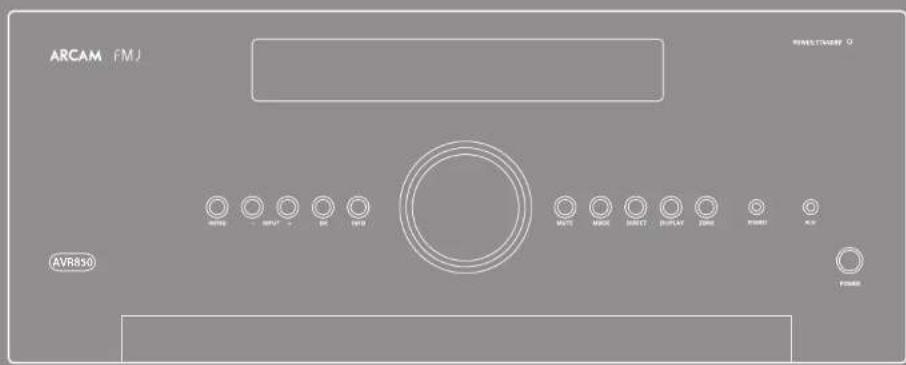



CAUTION
RISK OF ELECTRIC SHOCK ON NOT OPEN
ATTENTION
RISQUE DE CHOC ELECTRIQUE NE PAS OUIRIM

WAARSCHUWINGEN VOOR DE INSTALLATIE
OPMERKING MET BETREKKING TOT RECYCLING
DIT PRODUCT CORRECT APVÖEREN
essentle set-up N-26
automatische luidspreker set-up....N-27
set-up-menu's.. N-28
decoderings-modi..N-32
Dolby volume.. N-34
Dolby atmos. N-34
SAT, PVR, BD, CD, STB, AV
STB, GAME, AV, BD, PVR, CD
Xantech is a member of the Xantech Group, which focuses on the development of information systems and software products.
OPMERKING
Stand-by: in stand-by
Aan:Aan
Tweekanaals bronmodi
Digital Audio Broadcasting (DAB)
WMA [Windows Media Audio]
WAV
FLAC (Free Lossless Audio CODEC)
https://developer.sponity.com/esdk-third-party-licenses

Verborgen commando's
Continuity of the sum of the two sets of integrals.
2-kanaals, 20Hz - 20kHz, <0.02% THD 120W/200W
2-kangals,1klH2.02%TTID130W/210W
7kanals,1kHz,0.2%THD100W/180W
Restercendcuis&suis(A-wtd)0,15mV
Sterco lijinganggen
Maximalc ingang 4,5Vrms
Signal-/gcluidsratio (A-wtd ref. 100W) normal/stereo
direct
Frequeniebereik 20 Hz - 20 kHz ± 0,1 dB
7-kanaals,1klHz,0.2%1TID90W
Resterendeuis&Suis(A-wid)0,15mV
Sterco lijningangen
Maximalc ingang 4,5Vrms
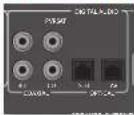
SAT, PVR, BD, CD, STB, AV
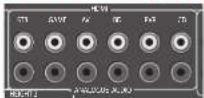
STB, GAME, AV, BD, PVR, CD
Unsweet, that's how the two-year-old girl is looking at her boyfriend. She's a good girl and she's very sweet. She's a great girl and she's very sweet.
Peped Hauanom yctaHOBKn..R-6
Pazbembl Ha 3aHHe nHaenn..R-9
Ayno-/BnpeopaaebmbR-10
PykoBOCTBO no noDKHQUeHHo..R-12
Papnopa3beMbI R-13
Dpyrpe pa3beMbbl R-14
ДИНHAKKI R-15
KcNnyataaR R-17
ncnbsbaHne npedne naenr-19
IynbT ductaHMOHHO ynpabneHnR-20
MxOHaHnAchpoKa...R-26
ABTomatuecknHaCTpoKa
dHAMNKOB.. R-27
MeHIO HaCTpOKn..R-28
Pexmbl dekOu-poBaHnR-32
Dolby volume R-34
Dolby Atmos 34
PaboTa TioHepa R-35
Pabota no cetn/USB R-36
HaTcPonKaIaI HeNcKoJIbKINX NOMEeHnI R-37
HacpoKa npbTa nctauHOHnO
ynpaBneHnR-38
Ponck HencnpaBHOcten R-40
CneuФнkaua.. R-42
IopnMueckKa HhOpMaunR-46
rapaTHnaH3dennaR-46
Cnacuo u nosopaaenb eac npuobpehenmuepceuepa Arcam FMJ.
Komnau Arcam npou3bodum cneuaaupoabnue ayuopecupebp npeocdozo
kaecema ha npomkennu 6oe mepx decmunmu, a nohe bcpepuB AVR hnnomcna
noedhmu paapobomkamu o dHHHOM cncke ycmpoemcb cmahapma Hi-Fi, kompohe
bu ydoomoen Hapad. KOnmpyku uHneiu ycmpoimc FMJ onupaemcn Ha
ecb onhm konnaiu Arcam, kak odnu u3 naubooye ybaaembx ayduokonauu b
Benukopumuu. 3mo no3oRen oceumuh hauayuue xkapkmepucmuk c0oei
luuuey ycpompu cpeu Ko2da-u6o paapobomhanux u co3dauhy xcympoimc, ano6b
bo mozu npocmaipumab udoe u cyauamb 3y6 meenuiz muuuxn.
3mo pykoobodmo no kcniyamauoucocmaeio, unoo npedocnabmbam demaibhe ucmpkyuou no unolnoobauuo pceuaep AVR. Cuaana a hem daomco be mo ycmohok, zamem cormu no unolnoobauuo pecueep, a b konue npubodumc doanunmneunu unfoopmaua o bolee caohox dykux. Hcnoyuyme ompauuy codepkaanpaedoe nnepexoda khyknoxy paedoy.
Mn hadeemch, mno pecubep FMJ 6eomkaho oy dem ckykmb ba mnoue zo. B cyuae hepebouenhhbx ocbmornbelcno, 6oe bui npu neobxdoucmu noynuen hn nphiopmaun o npdykmax Arcam, kauu dunepu oy dem pad naomuy ba. Boene nodpobyu unphiopmaa o mbocme naimu na uauem Humepien-calme www.arcam.co.uk
Komahja pa3pa6oTuKOB FMJ
Bam Heo6xOuMa npofoecnOHaHbHa yCTaHObKa?
BnHIO BMOKIO, YTO peoep AVR 6b4 yctaHOEN HAcTpoeH Kac TaehoO OobpyOBAHHH Hi-EI KANHINHIOHNHMMIePOM KOMBHNNAR. BtO CTyNByEa BSt MOKeTe IPOYCTNT PaedHdAHHORI pyKOBOCTBA,CBAHNNIE CytahOBK HACTPOeIK, H NpeCtH NHeOpCErCBHNO K pAaHem, KOptmK KAACOTI CHTIOBbAOHNIc PecHEBa. HcnoBHyTe CodpKaHHe, YTObEpeH KTHM PAaHdN.
BbixoHTe yCTaHOBUTb pecnBep caMOcToTeIbHo?
Pecheep AVR-30 MoHAn H CIOAeKHa 4Av-O6OpyBaHn. IcHn H aYCTAHANBaHBeTe PecaeHep CAMOTORTENHO, MIA KPOEMOHyEM Bam Jo HATa YACTHOBH BHIMATEHNO pOryrath STO pyKOBIO TIO kCkTAYaTHNI. HanpMeP, pKaMTHN KaOHpyraIINHAMHKoB IN Rx pasMenEIN AReNTER KTNOMX mnyCHyH MaKMAHbIX XapakTePcHtIK OR BarmTo PecHeep AVR. Taekke yieETHc, TIO KCC ANENTMHT CTTEMPTPAOBANT RAPMOHN.



Bpceepax AVR850,AVR550 n SR250 yctahobcnn HPOOecOPOMAMNHNKHOIEPPOBACOKO KAPCHETN BBOONIOIPOOBNOHIOHIOCTA YCNHIOEIN CPOKPOPOAHBA COOTBCTBNC yPOBHEM KApOCTBA CTANPTAM NPOHNOCTBA KOMMANN Arcam. OHN COnPAHNA 6e6IPOPNBOO6ObAPK7B CMOKNNX XAPAPTECHKAM NAOHO-BNDEKOOMOHIOHTO, 40060 coa431BnBacHeHPESOHennm DOMAMNI PABAEKNTUEN MENT.
Hnnoo huyyepnHmPn npnupnneHnnn HpnnpnneHnnn n nppOBOA ayHOeuaHH, pceBpeARV ooccehnnnK nppcnncnHn HYPABNHC cmaHAnFAHORAHM N mctb HpOBBH MCTOHNNHM ayHOCHrHaA, aTakck CcETHHM N USB-TOHNNKM AynHOCHrHaA, YTO DEACT 3TH MOEIN CHaBHAMN KOHNHTOPaPM TDA DOMANHHX KMOHTePTPOB B BYKKAHALHbHX crepeckcTcEM.
NockoynsHOTHTAATXTHCTOCHIOBACOOHNA TAKKIE HEPHPORATHBDOCHHTAHPECHPVR AVR oecnneBANT MOKOKAKAECTBEHNOE BepKOBVAHNEe aIyocuaHIOI HDMI (6x HDM12.0, HDCP2.2 & 1 x MHL) YupaeeVaeAVR
ocnctncnccn c nnonno hnoonok ynpaaennnna naepea nane, IN kyniaia daacauuouo ynpaaenna, IP kounpoeepa (Ebernet) nni npra RS232.
IyHbDnAHHHOYUHNHINHNOCTAHBOHmep
cpeBAMN AVR, npaeTaeTaeRcoB0
yHbEBCATTNNH OytaaMnNpTNTCTAHNNHO
yHpaAeHHN MIOEACCTOBYCPoTHsT, KOTOPN
ABHTECHEKAR BCHIOBOAHN HOCHe HAcPOHKn
cuOcOeYI yauPAnBIECECAETMO. ITO TAKKE
MOxHO IIAPAMPMPOBCTC ACHIOBOAHNEIO
ocCTAHBOHNO6OpIMPHX BYKPTCHN6HbMTOR
KoTOA DnYypanBeHHn CD-NTcePamn HBD-NTcePamn
npcohANHMn HcONncPamn CdyfHKn3anAanHn,
TOnCBHOPAMn APITYNCTOpBHnM
YcuaHokka pueepa AVR nomeuennn dR
npocuyuaHauhnae naenm taanbnn npouccom,
koppmupeymyumHaunamna knaowam3nane.
Ho mounpnuane uupopmaunu ob ycmhanoke
nucnncnncnncnna xapakmpu e ne meoxbdo
nuaqnebnu uynnnu, uynbo doonnnu
nhepeoiendhhxapaeknepnueyncmpoae.
Pecnep ARV papa6otan, T06b oceeneeHnBt HAcTOIO BACOHTX XAPAKTEPHKTH, KOTOPHE N3BOIAT IHO-CAHOITMEY BOITOTHT My3NHy H
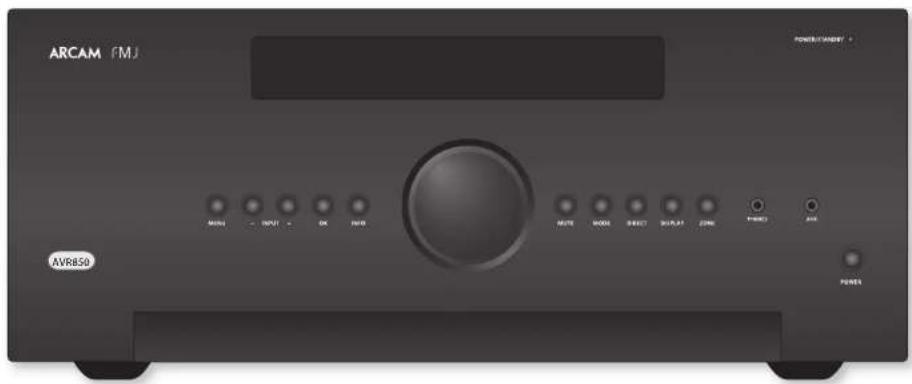
yCTaHOBKa yCTpoiCtBa
YcTAROBHPePcRbepHaPbryHTReppyo
NOBpExNoCTHe,HeJOTycknBaOeBcTeBnPnIMax
CONmEHXMyAey,taKaeHCTOuHKoT Eue H
D
HeyctanaHnBnAtepechBepAVRnoepx ycnHnTeMaMOHcHnAMpyTOrO HcToHNHaKc TEHs.
HcTAYaTHaTHyCCHHTBbAakpTaO HIOPTAPACTHE, TAKOMK KAKKHOAHKIIHKAFH HIN 3AKpTaX CTOIKA, cUH TM He OeBCHeVHcKOPOHJ EHNHnHn. PecHeAp VR 6yAer HpaepBaBo BOpEe HopMaHmHof PaOH.
He pchonarne HnHKARK APYR KOMIOHOBH INH pmeTcBcpey Ha yCHINTHe, TAK KX 3TO MOKET AATYPHTB BENTHHNHO XOxAaHbAHO HAPATOPA, YTO PHENET K PpceMPOHMy HAPCBY YCHINTHa. (YcPONCTRO, YcTAHOHNHOC Ha YCHINTHa, TaKae HAPEe.)
YyBnTeC, TPOpeaep npbta nctaaHIOHO
ynpaenHnHa nepeHHn HaneHneakpht
kAKNNHnno pnpemTAMn. Hnane aOgFyt
MeHTb HCHNO30AHNO NHyTA nCTAHHoHHO
yupaehnn. EcN HCOHOBOATyIET
HCTAAHNOHOY yupaehnn. B OOEUPAO
HNMOOCIN HeuPAKTHNO, MOXHO HCOHOBOAT
petpAeHOTOP NYTA nCTAHNOHORO
yyparCNHn, noKKnOHBO CRO X paTcMy HA aatm
naHOT (cmotPrtte HCtprnnc R-14).
He cytaaehnbae ane ktnpnpnpnrbaen
ha yctpoefno. hckpnponprrnnto 000
ycbtchnnnna K npnoanbmaHc Hcnpnnnna
hckpnpanna Hooekm, bnnnauuum qonoe
ymm, he paoaaarne hckpnponpnpraee
chounk o (hknro or chnre
3neKtponnTaHne
YyHnncnnoctAaBnncrCnHnO BnKoN, KOTOPAR
yke coeanei h cnpooae bckpOHTAHn.
VyeHnncb, yto kOMKnBnBnBnBAk DIOxOuRt K
poKeEe Cen HcKpnOHTAHn. Eecn Bam Hyken
pyToR ceroBnMhy, o6paTHeCk Jnepy
KOMNaHN ArcAm.
EeHn HApHXeJIeHbAaBc eBtOeKIpOHuaTmHa Hn Hbeo0xHbMnTH Bn HbU OTHaYIO3, HepeJeIIO CBrkRrccs c.7pnpom Kompanh Arcan.
TrnepRc AVR NOKET kcknnyIurpoarTb npn HnnpkexHHN240B (nepeKNOHnB nnookHe 230B)H10-120B (nepeKNOHnB nnookHe 115B)
IPMMEAHNE
YueTcB, TTOpeBep AVR boknoen, a Kabets hKTPmRHTAHIOr kNOHn, npkeJe hem Hnehtb NIOKeHne NpEeKNoTeaI pHaTaOHa HapKeHH.
IIOKIOJIHTB KABEJI 3EIKPOTHAIHIEC E C POETKJYBa3aJIHbIeNJIaHcHbIeNJIyEgDnTcB, YTO ONA yCTAHOBHeA HIOITHO. IIOKIOJIHTB ApyrO KOHCH KABEJI R POETKJX3EKTpOHTHANHH e, cSIN HOEOXIDMO, BKNOTHO POTKETI.
PecHep AVKMOKHO BKNOHTb c NOMOIOHO KHOINK
3EIKPTONIATHE HA HEPCHN HANH. KOGa pecHepB
AkuHHe, CBOHIO HA HEPCHN HANH. 6yder
TopeH 3eHHIOUcTOn.
3heprnoTope6IeHneBpeKmEoxnDaHna
Pecnep AVR MOHNO nepKMOHTB PekHM OAKAHN HAIKAH NKHOT KHA MYTBC MCTAHNOHO HOYAPANBE. BPEKMOAOKAHNA HAIPEHNI PAHEH INIHKTAROP ATOPTCE KPOCHM IETOM HEPRONTpEeHHe YsHmHHTTCQHO MECC 0,5BT
KoJyycpHIOIbHXaHINBcIePeknOe OAKDAMNIA
MBOKOTcEYcHAAHHe601BcRyIcTeBEO
rpoCpHApOIAOlyuTHpyUcHHTAE. 0IO
COePRiICHOHPmAoHO. Ho cTcPcHep6yET
ECIOLOBAPBCB TcEHcHIIHcTNEHO pEPNOA
BPCENHI, Mk POKOMCHAYEM BAM OTKHOHNIT
ero oTtKTPnckRoCtBnHex KOROMNH
KCTKPOBHRn
CoeHHntbHbIe Ka6eM
Ma pckomchnyc HcnohboaBb
AOKOKOKEeCnHBeE KApKPOHNOHKe KaeHH,
IpeHAnaHaeJe Aa KOnKepTIOHO OPhMeHH.
JpyTHKaKeBeyDyETMHTbOTNtHIOJIeEs
XapakTePCHTK COnpOHrHeHRe, TPO PpRcTej
KxykHeHHHO PaOToB ChCTeM (HaHPnep, He
HcHooBByte BHeoKoBeBdJa HecpHauH MyKOBOrO
CHIIa). 15 Ke KaehndoKuHb DaTb KAK MoKHO60ee
KOpHHoA.
| DOLBY VOLUME | Dolby Volume |
| DOLBY AUMOS DOLBY AUST | Honorarium no. 10000 Dolby Laboratory, Cheltenham 'Dolby' is now open to new applications for research in optoelectronics and information technology. Dolby Laboratory, Cheltenham, UK |
| DOLBY Vision | Dolby Vision, Dolby Atmos, Dolby Audio |
| dts-hp Nanotech India | Honorarium no. 10000000000000000000000000000000000000000000000000000000000000000000000000000000000000000000000000000 |
| dts-hp Nanotech India | DTS-HD Master AudioTM |
| Honorarium no. ITS preceptorships in new fields http://patents.dls.com. Pragmaticness in e-commerce (ITS licensing), DTS, ISMS, and a DTS are useful in building international top leaders in the IT industry. DTS has a DTS-1D Master Audio Infrastructure projects and top leaders in the IT industry. DTS has a DTS-1D Master Audio Infrastructure projects and top leaders in the IT industry. DTS has a DTS-1D Master Audio Infrastructure projects and top leaders in the IT industry. DTS has a DTS-1D Master Audio Infrastructure projects and top leaders in the IT industry. DTS has a DTS-1D Master Audio Infrastructure projects and top leaders in the IT industry. DTS has a DTS-17D Master Audio Infrastructure projects and top leaders in the IT industry. DTS has a DTS-17D Master Audio Infrastructure projects and top leaders in the IT industry. DTS has a DTS-17D Master Audio Infrastructure projects and top leaders in the IT industry. DTS has a DTS-17D Master Audio Infrastructure projects and top leaders in the IT industry. DTS has a DTS-17D Master Audio Infrastructure projects and top leaders in the IT行业. DTS has a DTS-17D Master Audio Infrastructure projects and top leaders in the IT industry. DTS has a DTS-17D Master Audio Infrastructure projects and top leaders in the IT industry. DTS has a DTS-17D Master Audio Infrastructure projects and top leaders in the IT industry. DTS has a DTS-17D Master Audio Infrastructure projects and top leaders in the IT industry. DTS has a DTS-17D Major Research Program (MRP) projects and top leaders in the IT industry. DTS has a DTS-17D Major Research Program (MRP) projects and top leaders in the IT industry. DTS has a DTS-17D Major Research Program (MRP) projects and top leaders in the IT industry. DTS has a DTS-17D Major Research Program (MRP) projects and top leaders in the IT industry. DTS has a DTS-17D Major Research Programme (MRP) projects and top leaders in the IT industry. DTS has a DTS-17D Major Research Programme (MRP) projects and top leaders in the IT industry. DTS has a DTS-17D Major Research Programme (MRP) projects and top leaders in the IT industry. DTS has a DTS-17D Major Research Programme (MRP) projects and top leaders in the IT industry. DTS has a DTS-18D Major Research Programme (MRP) projects and top leaders in the IT industry. DTS has a DTS-18D Major Research Programme (MRP) projects and top leaders in the IT industry. DTS has a DTS-18D Major Research Programme (MRP) projects and top leaders in the IT industry. DTS has a DTS-18D Major Research Programme (MRP) projects and top leaders in the IT industry. DTS has a CIEA and CIEA projects. DTS has a CIEA and CIEA projects. | |
| dts-hp Nanotech India | AAC/AAC Plus |
| dtds Plus Kaushalix, top leaders in top management Coding Technologies. Comprete pacetet http://codtech.wheet.noril.net/ net pratech.noril.net/dtdsplus | |
| HOMI | HDMI, 3.0GHz HUDD is High Definition Multimedia Interface, i.e. top leaders in top management i.e. top leaders in top management i.e. top leaders in top management i.e. top leaders in top management i.e. top leaders in top management i.e. top leaders in top management i.e. top leaders in top management i.e. top leaders in top management i.e. top leaders in top management i.e. top leaders in top management i.e. top leaders in top management i.e. top leaders in top management i.e. top leaders in top management i.e. |
| Spotify | i. i. i. i. i. i. i. i. i. i. i. i. i. i. i. i. i. i. i. i. i. i. i. i. i. i. i. i. i. i. i. i. i. i. i. i. i. i. i. i. i. i. i. i. i. i. i. i. i. i. i. |
| FLAC | Antipodite pereus HA deoepoc FLAC 3000, 2001, 2002, 2003, 2004, 2005, 2006, 2007, 2008 Плomer Толуcent |
| Ileprappia H. Kralitschmaninichko Ieckimihma К.Ieprappia H. PeforovskiiФ.D.C.Schmacher Kekkemichikinik H. Oks M.Kras P.Perezhnikov IaRy Yucovshyni coobokhienke ckiuokhieniy ucekhieniy | |
| I.Ie pyrachny nepetnye kochopov noya hnoeoxochniy yakassakhnyi kuhnepevniye naevyuchnokleniya o6 antipochkin expunax, yapnik nepeulynaya yucovshny i cukayohnebe npadokhieniy ocekhieniy | |
| I.Ie pyrachny nepetnye ncooohnory taia ncooohnory yauanatni, nppepenehnye naive yamnogonneche of antipeuperynaya upazni, naivtura Iepyrachny, yauanatni ha cukayohnoyi nppeuperynaya Orochennyi h. kozermeyanen yuzhe jytsn Marezhinsky, kotopac mebrotz B konoukieny 900 cytopoitby. | |
| I.Ie pyrachny nepetnye ncooohnory taia ncooohnory yauanatni, nppepenehnye naive yamnogonneche of antipeuperynaya upazni, naivtura Iepyrachny, yauanatni ha cukayohnoyi nppeuperynaya Orochnyi h. kozermeyanen yuzhe jytsn Marezhinsky, kotopac mebrotz B konoukieny 900 cytopoitby. | |
| I.Ie maxamny phoja Xiph.org http://www.maxamny cn.com/ncmnety harny harnyanskiy, yzha lytepyer Iliapublukhovich Toshpan, okonomrechenny RA Sao LIO, 66, Dakka-perezhkovoy circunluyanbo Eksekshenho robukhovich | |
| IITOTIOPAMMHOE OGECHETHEHIE IIEJOKCTABENIO DEPAKATAEHIM ABTOPCIXHII IPIA8 H CHOIPOCAMP III A YUCOBIBXAKAK ECI H NIOBIEKBEHNE HIN IIOJIAZMYMBAHMEHILAPAHTHIN, BIOUOLAI HO HE OPAHYPBNAICS LAPAHITNIMI IIIOHIOCTOH, DLI IPTOJAKHII HIN JDR KONKETPOTI IPTHII H INPOCTAOYARTCI. HN IPTA KAKHII OSECTOYACTBXAX FOOJIH HINIO OIO CHIOPOCHI III 85JYDNTIOH OH JEOTCTOHIOCTB 8A IPIPMAH, KOCBIHIIHIL, CNYAHAHIIH, CETEHMADHINEK, HTPAFAHMIH KOCEBEHHE YUSKIIK (EKUPENTAL), HO HE OPAHYPBNAICS, IPOPEOPETHEHEM TOKAFOR HIN YUCY, ITOPEPIA TAHXHIX. IOTPEPIA TEPKOMHII, ITOPEHPAHAHIM IPTERMOHCTOY, KOTOPMII HIN IOHECEHII COBOTSELTCHI B HOBBIM JASOHOJATEBHHM HOPAMM OTOBTSEDETHBOHCH HEBASICHO TOTIYO, YUKASHIIH TI OHJI B KOHTAPKELE, ILOBTOCD OIEKTHIHOHOF OTBTETBEHOCHTBIO HISTI CHIKHIVI HIN ABOYIAPHYHIN HISTI CHIKHIVI HIN ABOYIAPHYHIN, KOC OPHK ROSHIKHI B CBBH I, | |
| OIEKTHIHOHOF OTBTETBEHOCHTBIO HISTI CHIKHIVI HIN ABOYIAPHYHIN HISTI CHIKHIVI HIN ABOYIAPHYHIN, KOC OPHK ROSHIKHI B CBBH I, | |
| KOC OPHK ROSHIKHI B CBBH I, | |
| IAGE B CHUYAEL EVOFOPHNHOBAPHOHII O O3CMOKHOCTH TAKOTO YUPEA. |
| vTuner | Д��ice урочи ведим范围内 нштейдз урочи ведим范围内 БridgesCo. Дiversificationes in Europe NEMS EnderGeCo. Дiversificationes in Europe NEMS EnderGeCo. EnderGeCo. EnderGeCo. EnderGeCo. EnderGeCo. EnderGeCo. EnderGeCo. EnderGeCo. EnderGeCo. EnderGeCo. EnderGeCo. EnderGeCo. EnderGeCo. EnderGeCo. EnderGeCo. EnderGeCo. EnderGeCo. EnderGeCo. EnderGeCo. EnderGeCo. EnderGeCo EnderGeCo EnderGeCo EnderGeCo EnderGeCo EnderGeCo EnderGeCo EnderGeCo EnderGeCo EnderGeCo EnderGeCo EnderGeCo EnderGeCo EnderGeCo EnderGeCo EnderGeCo EnderGeCo EnderGeCo EnderGeCo EnderGeCo EnderGeCo EnderGeCo EnderGeCo EnderGeCo EnderGeCo EnderGeCon Mallinella |
| MP3 | MPEG Layer 2 - 360 MPEG Ampylocapacitance, voltage capacitance Koefamintan Franchisee JIS of Thomson Malinella |

PIMMEYAHNE
Prrnre paenr Ycraonba ycrpoaTbna, "Ttanae n CoenHHTerne Hae Kaebn Ha cnpirke na ci puiuie R-7 nped noauoovembe Baueoe AVR!
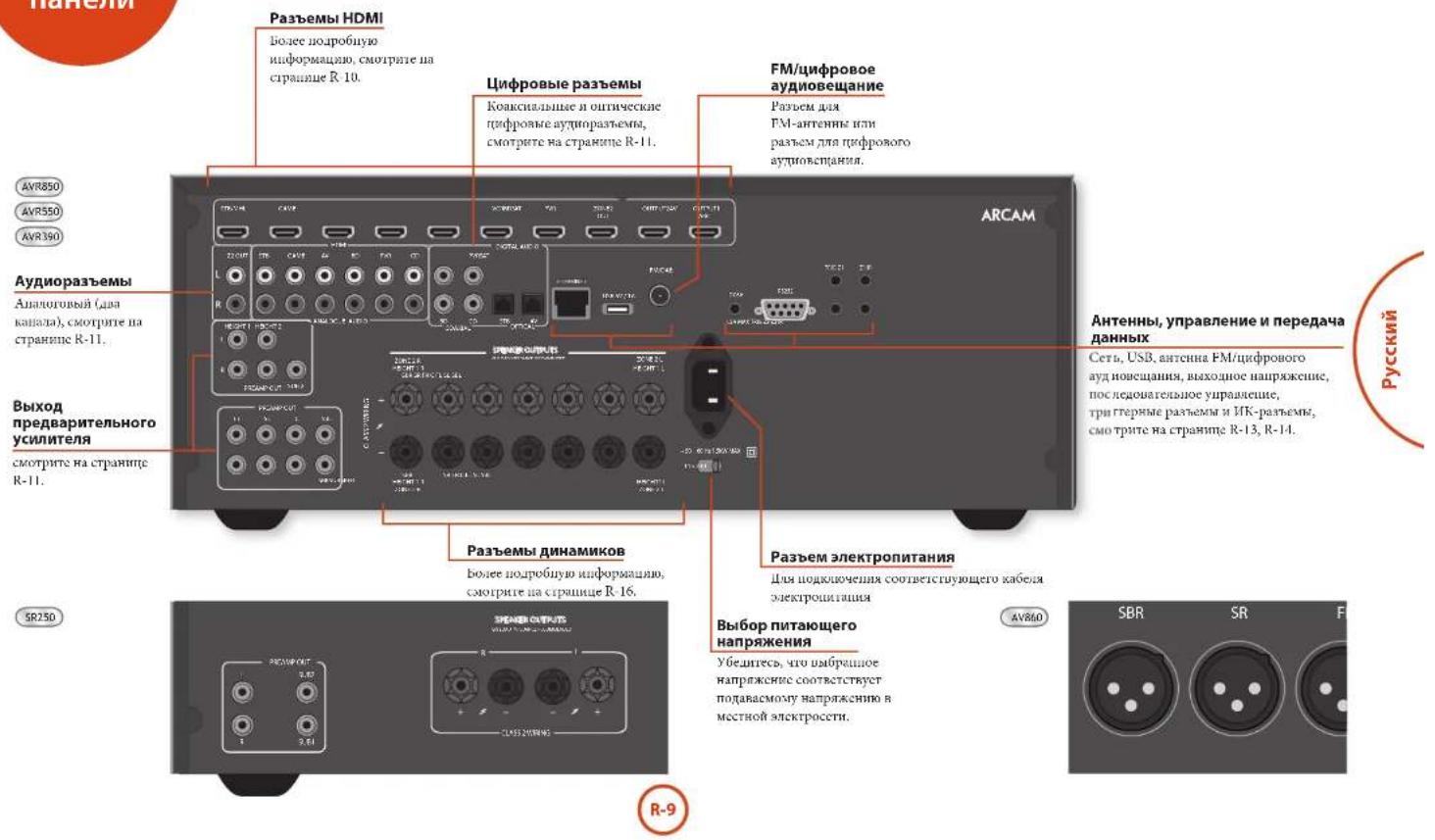
Pazbembl Ha 3aDne nahen

Ipeep noKtoHcHem AVR kOOMoHcHAMOTIOHNKAM CHTHn HJHIMHKH,HOAHOYCTa.
BIMATMIOIOPOUPIe CHADYHIE NCKOBXo
CRAPHHN, HA KOTOPHX BGYT OOHMNBAE HMEIOIOIEC
BXOIOHNE HIOXIOHNE PAbEMs.
BpaTeane JTHAMHKnO6bHcHcERc KaK NOpHNOHnIR
DHMHKN, YTObAIBeKcHb HOBPeKaHINy YCHINHcE,
a TaKke KaPacCTaBH BaHn DHAHMKn H
ObceueHua HauuHx XApakTePHICN.
06ueceBedeHn
BnBnBnBnBnBnBnBnBnBnBnBnBnBnBnBnBnBnBnBnBnBnBnBnBnBnBnBnBnBnBnBnBnBnBnBnBnBnBnBnBnBnBnBnBnBnBnBnBnBnB n BnBnBnBnBnBnBnBnBnBnBnBnBnBnBnBnBnBnBnBnBnBnBnBnBnBnBn BnBBN BnBBN BnBBN BnBBN BnBBN BnBBN BnBBN BnBBN BnBBN BnBBN BnBBN BnBBN BnBBN BnBBN BnBBN BnBBN BnBBN BnBBN BnBBN BnBBN BnBBN BnBBN BnBBN BnBBN BnBBN BnBB N BnBBN BnBBN BnBBN BnBBN BnBBN BnBBN BnBBN BnBBN BnBBN BnBBN BnBBN BnBBN BnBBN BnBBN BnBBN BnBBN BnBBN BnBBN BnBBN BnBBN BnBBN BnBBN BnBBN BnBBN BnBBNB n BBNB n BBNB n BBNB n BBNB n BBNB n BBNB n BBNB n BBNB n BBNB n BBNB n BBNB n BBNB n BBNB n BBNB n BBNB n BBNB n BBNB n BBNB n BBNB n BBNB n BBNB n BBNB n BBNB n BBNB n BBNB n BBNB n BBNB n BBNB n BBNB n BBNB n BBNB n BBNB n BBNB n BB NB N BBNB n BBNB n BBNB n BBNB n BBNB n BBNB n BBNB n BBNB n BBNB n BBNB n BBNB n BBNB n BBNB n BBNB n BBNB n BBNB n BBNB n BBNB n BBNB n BBNB n BBNB n BBNB n BBNB n BBNB n BBNB n BBNB n BBNB n BBNB n BBNB n BBNB n BBNB n BBNB n BBNB n BBB NB N BBNB n BBNB n BBNB n BBNB n BBNB n BBNB n BBNB n BBNB n BBNB n BBNB n BBNB n BBNB n BBNB n BBNB n BBNB n BBNB n BBNB n BBNB n BBNB n BBNB n BBNB n BBNB n BBNB n BBNB n BBNB n BBNB n BBNB n BBNB n BBNB n BBNB n BBNB n BBNB n BB NB NBB NB NBB NB NBB NB NBB NB NBB NB NBB NB NBB NB NBB NB NBB NB NBB NB NBB NB NBB NB NBB NB NBB NB NBB NB NBB NB NBB NB NBB NB NBB NB NBB NB NBB NB NBB NB NBB NB NBB NB NBB NB NBB NB NBB NB NBB NB NBB NB NBB NB NBB NB NBB NB NBB NB NBB Nb BB NB NBB NB NBB NB NBB NB NBB NB NBB NB NBB NB NBB NB NBB NB NBB NB NBB NB NBB NB NBB NB NBB NB NBB NB NBB NB NBB NB NBB NB NBB NB NBB NB NBB NB NBB NB NBB NB NBB NB NBB NB NBB NB NBB NB NBB NB NBB NB NBB NB NBB NB NBB NB NBB NB Nbb NB Nbb NB Nbb NB Nbb NB Nbb NB Nbb NB Nbb NB Nbb NB Nbb NB Nbb NB Nbb NB Nbb NB Nbb NB Nbb NB Nbb NB Nbb NB Nbb NB Nbb NB Nbb NB Nbb NB Nbb NB Nbb NB Nbb NB Nbb NB Nbb NB Nbb NB Nbb NB Nbb NB Nbb NB Nbb NB Nbb NB Nbb NB Nbb NB Nbb Nb BBNb BBNb BBNb BBNb BBNb BBNb BBNb BBNb BBNb BBNb BBNb BBNb BBNb BBNb BBNb BBNb BBNb BBNb BBNb BBNb BBNb BBNb BBNb BBNb BBNb BBNb BBNb BBNb BBNb BBNb BBNb BBNb BBNb BBNb BBNb BBNb BBNb BBNb BBNb BBNb BBNb BBNb BBNb BBNb BBNb BBNb BBNb BBNb BBNb BBNb BBnb BBNb BBNb BBNb BBNb BBNb BBNb BBNb BBNb BBNb BBNb BBNb BBNb BBNb BBNb BA
Pnnoaoknemnn K bactnny Baeonocnna
eio aynopansbenn kdo hnoan noen
cooanebrtyoumpebnam. Hauinpne, ccn baai
cuynnoobkdoekoeep 601 noooonnoen K axoounoy
Bauopabemy SAT, aynopansbenn kdo hnoan noen
noopohen K xdoonmmy aayopabenn SAT!
NoeknueHne pa3beMOB
I10a6oTbc o TOM, 406HpaMeCTHTB KABeHHK KAK MOHO HIO BHO UO HOXKABeEOE 3EETOPMFAHNO, WTObYMOEHmTHb DOHOOB MIMyDpyTHe BO3HHKAONHMEyMH.
PIMMEAHHE:
JIKKIOHO BXIOHOPOBAMHJONHOY
yctAOHTHTHAcTPOHnEJI"UCMOHUKA
sueoocunana"HUCMOHUKA ayduocunana H
coOTETCTTHCTHOMNOKOHNHEH. (COTPTPE
HactpoHkXBOHOHPOPAHmAs H crp.R-29.)

Pa3beMbHDMI
STB, GAME, AV, SAT, BD, VCR, PVR
HIOKIOQHTE HXOXHHE HHCOPaEBMe HDMI BAMHX HcTOHHKOB CHINBA K31Hm COOTETCYBOMH XAOHDM PABeEBM HDMI
BbIXOJHbIE PA3bEMbl
HIOHOHTI 10T BAOHOH paoK KBOHOH
paHemy HDM Iaero yCPOBCTra OTObPAHcHn.
JIaHmBH BAOHOH paoCBOOMCtnc
peBCHINHM AByKOHAM KAHAMH DGM (ARC).Ecm
y lac maeer TbeAeHoo, KOpor Hnoepnue
foopam, aoyr BYOHTPeeHIOHe JTeBHOH
(hanpneep, Freewire, Fiesat, DVB-T) dyer doctynen
npa moKIOHnnn HkoTHOMpyaHSy Display
pehchep AVR.
Uufoobbyeaynopaaembbl
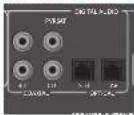
SAT, PVR, BD, CD, STB, AV
IIOIOIOHO 37 IIN BIXOHNIE PAEBEMN KIIOFOBIM BIXOHNII PAEBESM BAIROE HMOIOEROCO OOBPOBOBAMN HKTQENHCAIHA.
Pa3beMbl 3OHbl 2
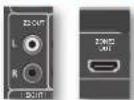
Paaem HDMI Z2 ouhoket aaooohbaabckdau haoaouennaa aaooioo paoaema paecnepara AVR Kcctreme, pacfoiakehenho BO kropomnomenenn.
AnanorOBbIe BbIXoHbIe pa3bemblpeBapntenbHorO yCunNTeTae
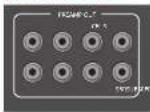
Bce HIOIOIOBE BDOIOIOBBpeBm
IpuapHTIOHO YOIOIOA HIOIO BYFep, HIOIOE BBOIOIOEO COPOTHIOHIE, HIOIOHNE BDOIOH I yuAPAOIOHO HIOIOPOKOMY OPOUOMI TPOOXIOCTO 3001 EoONe IOOOAOHO, KMOHO HOIOAOHOIOHO
JINHHBOC KABCNH NIKHCKOIOKO BXOHNHIX PAATCMOB,
HOIOHOIOHO
DIOHOYENOHIOHOIOHIOHOIHOPOMAHIOHO
NOKCHNHO HAMHOKOB MNOHOHTEHNNHX
yCNTOHIXX MOONOCHT CMOTPTE CMOTPTE HA
cPTAHNOR R-15 R-16.
AHaIorOBoBie BXoHbIe ayDnopa3beMbbl
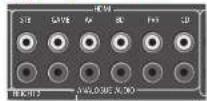
STB,GAME,AV,BD,PVR,CD
IIOKUOYUHIE KEBH I APUBH AXUHHE PABZEMK K ABOOMI YI PABOVY BHXOTHM PAStCMAMBRCO 6ObpyOBaBHn-HCTOHTHKCAITHTHA.
Bxodno pa3bem AUX ha nepedne nane
Bxiohoi pas3em AUM napeheni naneHH Moeker
HIOHOI3O3A1ECAK KAN AHAIOTOBBI AXIOHOI PAEBM
IPN HIOHOIAOBAHIN CTPOKEOKB3,3 MM.
Pazbem "PHONES" Ha nepednei naHn
B30T PABEM MOYI 648 NIOHIOHIN HAIYINHH C noTHM compoTHOBHEO 32,706 00H CTpeoHTREPOM 3,5 MM. PAEBEM IIN HAUYHIMKOR RCEA ATRIKBH, KPMC CYTAAC, KOTMA AAYK B PCHIRPE AVR pmeHO IOXIKPH.
Pn nnnnnnnnnnnnnnnnnnnnnnnnnnnnnnnnnnnnnnnnnnnnnnnnnnnnnnnnnnnnnnnnnnnnnnnnnnnnnnnnnnnnnnnnnnnnnnnnnnnnnnnnnnnnnnnnnnnnnnnnnnnnnnnnnnnnnnnnnnnnnnnnnnnnnnnn nn
PykoBOOCTBO no NOKNUOeHnIO
IneepBlu-ray-duckoB/DVD-nneep
Na Cxembe NsHaoSHaO (KAN)NPOBnONyAHyDnBnBnBnBnO600000BDVDV1nepae
Pnpnttnnrrnnrnnnncxmaaynnoocnunnncnne HnnoonnyHDMHnnoKoakcnnnnn
IIMKPOBRA PAHCMC IKPBAHNO, C MAPKHOPOKB DIGITAL AUDIO OUT), A TAKKKA KOCHAHBHILEA HAIQIOUHOUE
BHXOaHbpepaBemnIeBBOI npaporo KaiaHO
R. JIOMO CRYTE HICTORYBE XIXOHIME AYDHOPATMENC# m KAPMKPOBKO BD HAVR.
CnyTHMKOBbIpeCBep
CnyTHKOBH pceep nKMOCH TAKMH Kc oBpAOM, KAK BD WIEEP, K aTAKM JI HOPAIKE IpuHOYIOHHe H COOTBEKTHN CUMXOHN MPOBAM, HOPTNE MEOTCA HAY CYTHKOHN OPEHPE.
B noobom cryue nioohyre axoalble pasbembl
cMapKpOBKO SAT HA AVR.ObpaTHRE BBOMAHE,
TTOIINIOKNOCHNIGHOPOBOTRXHO
ayiopapma cormy ouyuHIOBOO peCHepa HHOIa 1peyEeC cooHnHcHbKoKoKHeHH/OSLINK (uHPOOB PAba) KaBc, RaK KaeKOTOpae cyTHHIOBOE pceHep He npepTAt BTK R OoPMA t HDMI COOHTCTRYOMM O6paom MHI Bo06me He npepTAt BTK.
Neeep KOMnKaT-ndCKOB
HIOIOIOHTI HIOIOHOI HIOIOPOOAI BHOIOPOB EIOHOIOE OIOHOIOEIO HOIOHOIOEIO HOIOHOIOEIO HOIOHOIOEIO HOIOHOIOEIO HOIOHOIOEIO HOIOHOIOEIO HOIOHOIOEIO HOIOHOIOEIO HOIOHOIOEIO HOIOHOIOEIO HOIOHOIOEIO HOIOHOIOEIO HOIOHOIOEIO HOIOHOIOEIO HOIOHOIOEIO HOIOHOIOEIO HOIOHOIO
HIOKNOHTIe npabn HcBb anororne
XaHbOe HbApOpBcMbIcKepo KcMoNcKdOcko KaHbOoSy BbXoOyU pKaEyCDcpHeBa
AVCRHCHIOHOHJEMIIMRMRKOHOOHDLBHX COOHTHHHCHNKHXKHKHNHRCOKOTKAKTCTA
INPMEAHHE:
TnKAKGIOXHOHOIPOaTHeBAJTOOHNY
yCTAHIOHBHACIOPAHNcMOnuKa 3eKaB
AABHHOCHTOTTNATNOKMOCHH.(CMOTP
HaCtpoKAEXHOHOHO PAHcMa Hc Tp.R-29)
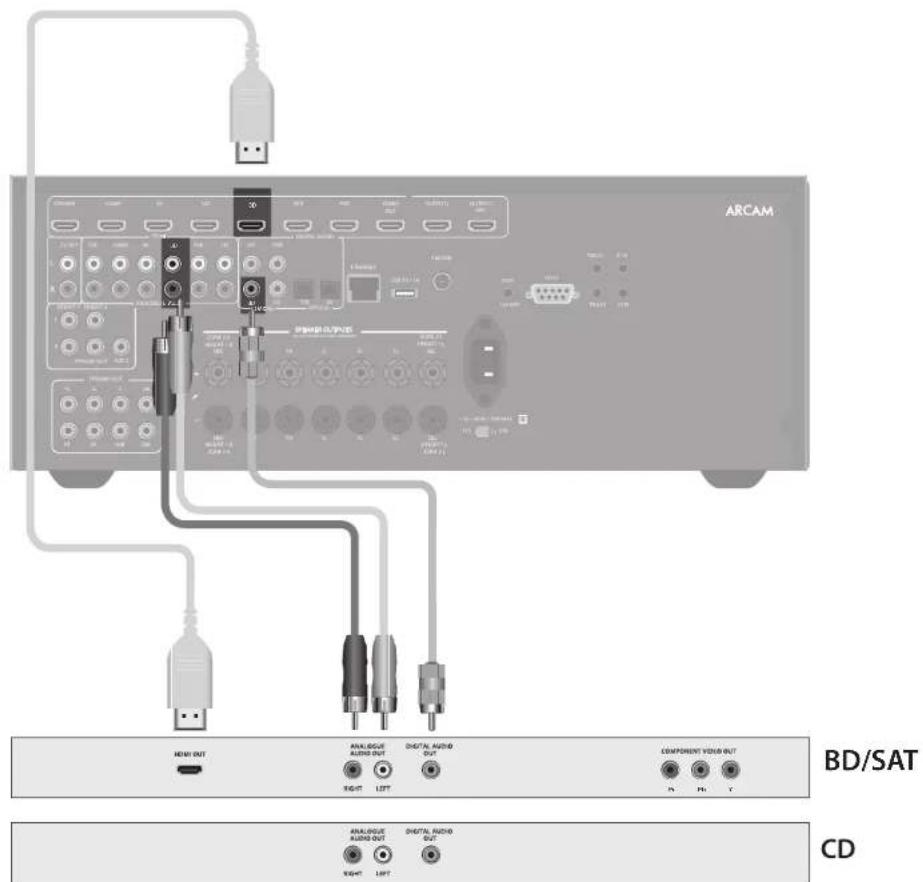

AHTehhbe pa3beMbl
BpepepeAVR mertcF Mmoyn H motytnpnoooryaaynoepnnaunuuppooro aynoeannn +moynypepeba.Tnn Koooynnn BAM ATRCHMA ABHNNOT O BAHN X npnnnTCHHH NMCHTXyCNON
Bam pcebp ARV moeet onnnno npinnnmb paonncnna, no toaeh enoh noynaeert poonocnncnKPOWEN KNEET.
HoupooyueaurentuHb,KUTOPHEXAOBATB KOMNIETK Bauetoepceepa.,EuaBnAuaoHcTeB3Oe umepeHOIOHOHOHOHOHOHOHOHO,STOTORoDIOHO HOHTOCTARVOHOIcROKAECBENHOHOHPema Bpaohaoxco1a6amCTHHNOHAMMOKET HOTPeobaaTbKaepnHbAuTEHHyHaXpHne HINep
OobatrrbcK BaaHIM MeTINM DJIIEPAM KOMIANTHH AcaHIN HIN CINHITAMNo TcYbAHOBAE ANTHEH 3a COSETOM OMeCTHNYXYOBYMOHN PHEMA CHIHHTA.
Udpoboeaydnobuahne/FM
B 3011A C HIOHO CHHNO MOIOHO HOIOHO BIOHO BIOHO NOCTAHNYMO HYCHNYI HPOBOHO AYIOHO BAIHHN FM C T-06p3aHMM COINHNCHN M NTOCTKHN HOOOHNMEXPYYIOTOB.YCAYHOHIE BHTREYN KAKMOHNDIO BACOKIO IY CTIE.

BBeHHK6pHTAHN T-Op8pHnRE
AEMEHNE HbXoOyIOyCTAOHOB
BepTHaHO HOI pHIOHO PPBOPOBO
ayIOHOBAMC Hc BepTHaHO
NOHApHaeR. BpyrHx HAcTeHNHO
IpykTxpOoHcyIbHyDreC
BaHIM IOEPOOM KOMAIAMAR ACAMM
NONpOyTE KAK TOPROHOTAMHO, TAK
HEpTHaHOHO HOOKeOEJIeT D3
PtyoTOU OPMBA
HIOPOGYBHTHCIOHOBAHTB KAKAYOCTHYOMCHCHHA TROBHUYERTEPEYBIAMI PHPMA CHIAHBYDYTAYTIE BAEGERC HICHOBAHTCHKHOHNKHNKBOYO ENHY JIKPCNCHAHANTCHIHBA T-6oabaHOFOPME,HO6opATHE BHIMAHIE, VTO KHOUHKHEOOKHKAKTANTHOABHTAHCBYHTPYCHHM IPOBOOMARHTCHH.
IocaeYCTOBHOHARHATAHPHEMA
HIOBPOBOAHyOBHCHAHHFMPOBOPRE
MOHOCHCTCHHAAHAKATCMKHOKNINFO HA
NEEPHEHNAHNIINNITINJNCTAHIOHORO
YNPAHENHHDAOTOBAPXEHNRHNCHTAKPATO
KANCTEA CHHNTAA.
B 30hax Chaoo Cua Haa KaetatnOy TcAohOBH
ANTHHY B CBOKHM KOxOHMeIOM YCHAEH
ANTHHY D AHPyKIO MOITAKA HAI AHHTHJ
DA MONTAKA HA KPMIE.OTHO NTOHYBH
HAHOBJHEO OONJECTRO CEPBCO.
B30HxnpHmE CnHbIpyHII III (hAmHPmR, BEnHIO6pHTAHHHNHCNOHJYrHE MHOHOEMEHTHyAHTCHNY"cBcPTKNTkHbO HCTAHOOHBMHNM NEMeHTAHN, TAK KX
peepaHaemBHnHMCETPACNTkHbYBO
HnHbHsHa. ECHIN BHXAOHOTCpAMONQ
Oooee YomOHIMpeepaTtHKo, nOttNHYrTe
CenpanpaHbENHyoN HnTBeYbHOAHTEHN.
Ecn cepbnncn hnpbooro yunbocnna H Bannm
Pehnoe nepaonpaBn 1-THanaO,6pabntctc 3
TOMHIO N KJepny 3a COEBOT O TOM, KAKYIO ANTERHY
yuehckouoNtB.

PocneoBaTeBbHbI pa3bem
TocneobatenbHbipa3beM RS232

PASBm HIOJIbIyETC CYPROCTBAMYUPABENHBA, B KOTOPNBA EKTERICIOJEOJAEPAEPAEPAESB R523 (HaIPAPER, CresTIN N KOPIPOBEPN C EOCOPHMAA KUPAHNA AMX).
Cetebo pa3bem
CCTBABTCEGBOHIOI TCM B HAMHO
pykoBcTeB NO XKCHNYATAHN pncETABNA
TOHKO CAMAC KATKHE IHCTPYKHH. IIOKAYFCTA
CBKHTTECB C BAHN DTHOPCM KOAMNHARCn
NB CHENMAHCTNO YCTAHOBKE DNTOYCHNI
NONOTOHNEHMOH OHPOMMNN A HACTPPOKE PecrbaepARAV BANR CETN.
HIOIyHINHOHIOOIOIOIOIOIOIOIOIOIOIOIOIOIOIOIOIOIOIOIOIOIOIOIOIOIOIOIOIOIOIOIOIOIOIOIOIOIOIOIOIOIOIOIOIOIOIOIOIOIOIOIOIOIOIOIOIOIOIOIOIOIOIOIOIOIOIOIOIOIOIOIOIOIOIOIOIOIOIOIOIOIOIOIOIOIOIOIOIOIOOO
Cetb Ethernet
Ferm KaeBEThEnrnt nonKmTnOe,poaep AVR
ABTOMATMncknNOHTractcnNOKnIOHTbcK BAmcB
CetH.
Bb JnHn HcNnHOaBH KabeBH CATS,
NoHNNOHHeHHK pAeMy RJ45 c NoHtEKN ETHERNET,
Ha aHHe NnHn.
Een Bc HcNnHOaYrOte TtAeeKcHcIP aPpeC,
a Hc HnAMnHcKpAtpcc, Bb NOtKHe byeTce
ykaaIP-ampc,inn03 nDNS.Cmptpcrecmptpc HpaTnncR-31nnnnytnnnnHbpomnno hactpocce.
USB-pa3beM
Peepee AVR MOKET HOOPMOHTB PAHMI,
coPAHMA Hs USB-HAKONHTTE PAMHH, OOHHO
POMH, HOOER HOCHIOSSABOTBOI IOOOE USB-
yCTPOIO, KOTOPOE KOBATC HAOHOTEM EAM DIOBBX.
Peepee AVR HOLOPEKAPBAI TOKOIOHPAEO
HOLOKAVNEIE USB-YCTPOIO Hx BYEET
HOLOPEKANBAYTOPOCTA, HOKAIQOENBE BPEA
KOHENHTRPcL. LcNAM Heo60Anm PeynHnnr
AOCTY R US, I28 yOo63a HMOKETI HCNHOBOATB
USB-yADHNTHC. CmOTPHC CMOTPHC BA CTPAHINCC
R-36 1NOYTHNHO NOOPHOH INHOPMHN 0
HOLOPEKANBAAH TNIH XAF08.
TpurrrepHbIe pa3beMbI
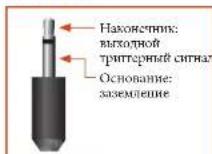
TnIephepe paeBmTRIGZ nTRIG2)Haoi
KIOePteck Cnnna, KOJIe Pcepe AVR kAoeuey aKaeko KIOOeoucooEICBOUUEJ Oua
CINHAA TPHIEPA MOEETCHIOHOBBNIO
HKIOOHN H BAIIOPOHINCOBMCTMIXyCTPOBCTB,
PpOHHaONAEHNHxA DMOAHIN PAOBUECNH.
HAnHPmep, MIOKEE CTsOATr TPhREp TROHcHNA HAMTO TCECNOPA HD-NEPCPA pR NIKOTOHNC PCEPcNA VR.
B PBepepe AVR MEeERn rBA BNOXIMTN TPREPHX
paeehna, KaQDN Hs KOTOPM XoMeE NOBtB CNTH
KHTHOCHN12B,70MA.PaTbCMPcIeHaahauHcNTHJIOMOPOsAChmOB3.5ML.KoOHK HJIeRtEHHBxOHNTOPTHTFpHOroPAbTaMe,ocOHOHAcBzACMnCHmH
TRIGZ1
HnOyBcYrC8IyDyAeHIOBxOeHHN H BxOeHHyCNyAeHIOB MOnoHIOH NmOyHnOyTb CBOHNHOOBcAaHnE 30018. Bk=12B, Bbk=0B.
TRIG22
HCTNHYETCJIJIYAEHNHOKIOEHN H BKNIOHNYYCHINOTMNOOHTNIOHCTPOKCTB CTIOHNBOK CHINOA DQNHOB 2.BK1=12B, BkA1=0B.
UHpaKpaChbIe pa3bEmbl
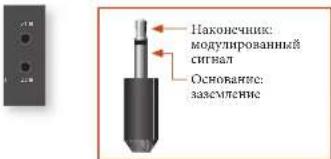
HnBpakpaKHe KxOoHb paXeMn 21Rz21R
noBorHOT noBokmth BHeMeH Nk-ppneMnK,
KoJIa NK-ppneMnK Ha nepelni nanei peCnepa
AVR NOHcTBO HnactYnZAKpAHTnI Dn
HnOoBouBaHnYbIa DAttnNHOIyupaBHeH
30ue 2.
IcBbHbXoHbHbKpTaEBMaHbpeCHeAVR. KAKbHbNKTOpOyMbIPcDHaHcyHmE CHTepeHO HOMOpePcOe3 M,5Mb. Hb KaHKOHKnIOaETCe MOYIKPOBaBHnCHTnA, oOcbOBAHnBC ABtCTCe 334cMCTChm.
Z1WK
3TTOXHOHKO PAETM PnOHAHAYCN JIN HONIOAOSBAHNC MCCRTN KMKPNNHMKOM.KOTPAI PEPNOAHTN VAVSKAPPTA.
PIMMEAHNE
PoTeKTH C HOMETOK *2" OTHOTCRK
NIOHKTCHMHN, KOTOPHE KHTOHTYKRO TPN
yCTHOUKE H NECWOHIX HOMEHHX. IJ
HNOHNNHOHNIHINHIOHNHIOHNH 6014
PaeBnBx COOTRt E COOTRn HcIeepnR R-37.
Z2UK
STOTKoHOBnPAHsPmepnHbHAnrTnI
NIOHOBcHOBnIH C1PK-HPNOHOMK 3 Boe 2 nO
06EChCHeHHaHnHnHnHOYuHpAHnHnHpeCBePOM
AVR HBTOPPO NMOCHIN.
IOCTABRIKOM HHPKAPACHN INPHEMHHIN 1BACOMORATENHHX PEPONAHYNYCPTPOBCTM CHTI BANETER KOMMAHNA XANTCH. THE NORYTHENI OMOITHTHNDHOPAMNH CMOTRPEHTHEPERTCAE www.xantech.com houpoctre Baueero TINPAEA KOMMAHNA Arcam.
PIMMEAHNE
BIOHnHEHK PA-PAEMHAe HcpeBHepeAVR
PpHNAHAAHCHN MNOyMOYHOBAHH CXHnHcyER
EChn BHNHH NHPmNHMK OMOyHnyIpyer
HKnCHHn, on He cyte pabotar. TaKke
peCHeRP He oceCNTHReAe TkXpTnHTAHnn
JANBHNHn PPMNOKOePbHKnKPA3mN
NtOMyNoHAtoHcRnBHNHHCTOHNH
AeKToPTnHnHa.
BbIXoHoi pa3bem 6B
Oh noanat anpoknne 6b noocnoio toka dna
noaohoyenycyrcu Arcan rSeries.

Ca6ByΦep
Cabiyep 3nntbno yuunx npakrepeTne Huxk XACTOT Nnne Cnncn.30 To nne Taon dnnpOHTBENH CHaTAPFekTOK KHO,OC6eHNo KOTa EEMeET CHeHHNnHnKnHnA DnHnKoAeTOnTHX hΦcctOa, KaK BO MIOHnXnckXn.3KoONPOBnHmX b oPpAte DolY hn D1S.
JYU YU HOBK B 600BHX HOMEHNHXXOOKETIHOPEOUBATXBOOOIE OMOIOO CABBYEPa,OC60EHIOB KOUICIPUYUHCC DEPEHJIIMM KAPKACO
Pecheep AV860/AVRR500/AVR550/AVR390
NoBHIOHCT NOBHIOHT No CCMI HAMKOB N BYX
aHTNHANx cABYFEPoB B PAMK TARHOH CTCHyE
BHXOHN KANAHU COOTBCTAYOT NCPHEHMY
NEMOY,NEETPAHOMY,NEPEPHMPOpAONY
DAMHUMK,NEOMY DAMHUMKY OBEEMHO O BZYA,
PpAOMY DAMHUMKY OBEEMHO BZYA,THAMHONY
HEMOY DAMHUMKY OBEEMHO BZYA, TBOHUMKY
pApOMY DAMHUMKY OBEEMHO BZYA, pApOMY
BePAMY I ENOMY 1, NEOMY BEPAMY DAMHUMKY
I ANKHUMNY CABYFOPC. KpOme TOrO, MOKHO
NOOLOOOHNI AETeKpEHPKHOuHUMNK O
HOMOIOO YCHNTRE MOpOHCTO; GOnc HOpeOHy
HINOPPOPMn CMOTPRJ HAcPIAHR R-16
IpHpaHbHbOYCTaHOBc HbOPOHc KepyHIXK aHIOB,peKINOLobyAimos ooeceHuaeHHePcEoRcHnOcABYMaHcBAHnEOHKeH KhoTcTeP aCOSaER MaoukauuHaHmMeckn HOTs AByKa BOKpyt Bac.
KoHJyPnA H pAmmeHne BAMN NAMMKB OCHKa KaHoo. Bcc DAmHae, 3a KcKpTcHmCn CaiByepa, 0tohHb 6tB yCTHOHMe HOKpy
HouHHa, C KOpOH B bOeohIOUPOCMATBE
BHeOToPcYrBaTe MYSk. CaHybp EonKer
HauOHTBc H BMOH, KOTOP BOEgOBuHaER
PAHOMeHpe YACHTHO XApkeTcEPnTHBO
Bex HOHMHx UPOcUYHmHn. HeupnAeHHe
paMaMeHHe DHHAMKOB PAnHOBT X QpeSMePHoY
BOChIOHBeDnHO HINAACTO B KOTOpBX
3oAH. XACTe EINTHHEHM CHOCOOH PAH
XopNOYIO NsIOHN I BANTO CBOvCype BAETAC
3KcIePMENTA HbIM CHOCO. XOpOH MeCtOM DA
Hata TcAePcHmTcR BnAETCA NTOHn pAO
coTcH, no he biokke I MEpa or IOBOrO yHa.
InctpykTH m BoMKeTe MaBH B pykoHcTe NO
KcNtAYTAETAHn BANTO cBOvCype.
LcHpaBbbl
rpoMkoBOpnteNb
HHTPAHIMI HINHANIOHOHIOE06Ope pAHHIOHOOUPCPOHOHBTHDAHOH. HETPAHIMI HINHANIOHOHIOEHNIEB TAKOHKEIOHIOHIOHIOHOHOHOHIO HINPAHINIHAMHKN,NTOTKCH6NTHPACTOOKCH HA OJHAKHOCHCNHHCACOT.
BepxHne duHaMnKn
Peccepa/AV860/AVR850/AVR550/AVR390
HOBOHOHOTIOHOHOHOHO HOYeBpXnEepHXN
HIMAMHOK, YCTAHARbHaEMX HA HOTONK,
HINOPHOHIXI HOMAMKc cFyHKnHdOLy
NOPOHOHOHIOHMOMnCHMOrpAaR-34.
Pepedn nebbu npabBdHaMuk
PACIOKAKIIEHNEHNNHIN HHPAN
HHAMHNK TAHM KOBNO,TOOHOJHNTCH
XOPONHERC TCEPCOFFCKTA NHO HOPMAHBO
BOCCPOHBAHCHN MYSK, A TAKCKA J
MOHOKARNAH NKPEKOM. CENOH
PACIOHOOH CHNKUM B630KO APYK KAPYY
6yETOTCYCTBOHAT APFKT OEBMHORO
8yKc.FCN OHN PAOACNGH CNHMK
NAeKoDy OTnpy,6yETO6BHTOE
10pOCTABRO B CEPENH NCMCHNBE
KOTOPM CTEPCOFAFKT DYETOTCYCTBOHAT
B1OMC yAE CTEPCOFFKET DYET DUYX
HOHOHIX NOSEHINES
HnBnBnOpaOpTeCHHOrOCTOHNtNkCnHnA HnKMOHTe KHOHY-INPUT NHPINP1,NOI
HeoOxoHNbHCTOcHNNCnTHnEOTOpaBHnTn
HaNnncnnaHnpeopnnnHnMnHn (npn HnHnW)
HnKMOHTe CORTETCRYNTy3KHOHYCIOHnO
CHnHnA HnyHnEeHnHnOHHoU yupuHnEH
DcOHTyUeCyeOHOHnCnnHnA
| STB | Bxdo#n pasbem dekoepa cnHua |
| GAME | Bxdo#n pasbem arpooum upcctauu |
| AV | Bxdo#n pasbem ayuohocnra/ a |
| SAT | Bxdo#n pasbem ciyTHNKoBOr TB |
| BD | Bxdo#n pasbem paeepa Bn-ray |
| VCR | Bxdo#n pasbem bHeoMaTHTOpona |
| PVR | Bxdo#n pasbem npcobalhoro BRDCOMATHOTPOHa |
| CD | Bxdo#n pasbem ncepa KOMAKT- |
| FM | Bxdo#n pasbem actpoeio HIOEpa |
| DAB | Bxdo#n pasbem actpoeio HIOEpa (JIOI HIOUHK CIIHUA) |
| USB | Bxdo#n pasbem HIOHIORO USB- |
| AUX | Bxdo#n pasbem noKANHIOH cTIN |
| Bxdo#n pasbem HIOHIORO USB- | |
| Bxdo#n pasbem noKANHIOH cTIN |
B 6081137EIOOxK BYAOPABEMOB HMEOTCA
HIOHOBBIE HIOPOBEO HOOHNBO BDOJIOHBA
yBaBH DHH OHKOQENH, KIOHOYEMN DAA KAKATO
BHOHO PAETBM, C HMOHO BO OHHIN "MNOOHIK
aYduocnana" B MEOH KOHFMUPUHN IOXoHJA
paoemc SMOTRHE CTAPHRNI R-29. OOpHTTR
BHHAMHC, YTO HCPPAKbHBNA YCtANOBKa PnHPCTET
KOT CYTANTBO OyBA. QOPMTATyKA NO yMOVTHNNHO
HDM1. ECH Bm HE NCOHMeYE ABy B cOpMAte HDM1,
3HYrACTPOBY NOOFOOIMHHTTR.
PekmO6o6o3nKyFknnu"Sterco Direct" 3aouHuaTCHdyBtBbBbStBCdAaKaKoTO OeJIbHOIO bkoiofo paoBa.
Ctepeo perynaytop
Jnnpymhba Hya Toa Kepae
AaoHn ananorB crepeopabem, HAMKHe
Kouky DIRECT. B peKmE Stere Direc Chnai
AiooHn HcNcObOxHn ace cacIeMn o6pOtaKa
H yuunnn OBeMoRy aoy. B peKmH nporo
BoPocBcHcHn HpOpaB o6pOtaOKTNOHCA,
YTOBa YyUHTn, KaCtBO 8syk N yCMBHHTt,
HpOboH nyB pceHbcpe AVRdo abcoHtoHO
MHMHMA.
IipmeeHAnHe: Ipi HbApoe pokma Stereo Direct
IhppoBae BaoDjOaPae paTeMa HeJoctyHnHa, a TaKae He OcyiTcBtBocrEY TpypBeNbeO 60xOHHM CTHHOM.
300 oHaaAe, 0TO HxNtApOthFMe CHTBaHb He bdyT
peepHapTaBcHb Ha cabHydE.
PerynnpOBka rpoMkoctN
Rakko NnmaHAt, 100 yypOBb HhNkAtoP rOAMKCTHeaBcTaT OTHAMO OTOoBpApKeHHn PPOyMnOuOHmCnOuaBaMoHO OHaHMaHn. PecHeep AVR cactoHoerounooMOoHocB HauHnAnHn324000100 MoMeHra, KOJIe pYIOHOP TPOKOCXtAoJeiEo KpaHrero MokCMaHnHO TROOKOCHsH, OOGChHOKOTByBxSACNH pRn HcOKOMyPOyoBcAHTNC.IIpaHCHHN HcKOrpAc BNYKOBAc TPKK HfHBMMA MYOT kAorLcOChN TIKHNN, FAK KAK MHOHCpeKCECPaXOTcOxAcpAHbMKBaMKaHbUHg yPOOHn SAHIH npepe JIN CNOPIHOBHeHHn CHINHMMXdHexfcto.
HayushuKn
YIO6A HIOOHOBbI HApHINKc PceHOpEoAVR, HOIOHOJIeHbI bPaeBHem PHONES,KOTpHn HAOHOITcB AteHrpepeHbIaIIe.
IpaHIOKOHHHaMHHOB aPbEHNPHOES HA nepHJI HAIH MIXIOHIO BpAHHIOBIOI 1 bByTOKNICHIA, a BYKBYDcT MHKNHPoRABTO cIbYHXKAHOBOHIO HOHKKAOIOe MHKNPOBAHNEOHOHOIO dI TOO, TIOHO eHPTaBHn KaHAN KAHAN OeBHMOHO 3yKa MOHO6bHOUPCDAUHpeeHaHHIO
IcnojB3OBAHne 30Hb12
300a 2 PIOPOCTABT BOMMOKHOCTB NIO MOCTB
HAXOIMXHACN BCIOHIOH CIIIBAIE, 3IIMHN CAGY,
BAI KIXUY H T D. IOOCATMPBATH NIO IPOCUYIIBHTB
JyTOHOTOCVNIHK 3BYKA INR JyTOYM OYPOBE
rPOMKOCTH, YEM B OCHOBH 3OHE (SOHA 1).
Ba6Op HCTOIVNK CHIIHNA n pEYINPOKKA yPOHVA
rPOMKOCTH dA BoHIM 2 AOCTHAEKCA cEAyIOHN
o6bAOH:
c mnoiHbIK-HPcMHKBAHOc2CmOTHTe PaaBemuYPaBaeHHaOHa 2 HAcr. R-37). HIN pI INP eKMIChHHa HOy 2 HAKaTHEM KHOHN HBA60a 30Ha HpeNepCHn PAHn PecHBp, HIN HAKaTHEM KHOHN AMP+OK HaIpytBe HCTAHIOHOBO UyPAHbEN.
Ha BaKayUHNO-0pNoOpCETTHROM. HcNnE Ha NpePHeH naHcHb Byet otO6paKHO, YTO ympaBnHc H6IIO 8eepaHoo2

IINHIOHNIOO 2 IINHIOHNIOO HNIOHNIOO AMP
OK HA NITAE DCTAHNIHOHORO YIPOBAAHIN,3ATEM
KNKNOH IINTAHAN B PCXIMC OOKNAHAN HA NYPNT
IHCTAHNIHOHORO YIPPAHNCHH NIKKNOH ZONE HA
IEPCDAHE HAIENH N OHYTHTE CE HAI BAIBOPA 3OHM
2, a 3ATEM HAIKMIHTE YJEPKHAWHTK NOKNOZ HIA
NEPTEH PAHNTEN DNN KIIKOHNHOH 3OHM 2. HAKMIHT
KNKNOH BMBOPA HCOTNHKA CHTHANA, TIOBH MIBOPATH
PYTOF HCTOHNK CHTHANA 3OHN1

Obiparhe BHHAMeH,TOy UypaBHe He Soohn 2
aromatmeckn IepeKoHcyuHa H aypuBieMe Hoo1
Iepes HecknoJako cekuyi6eEcbEcbHua.
30H02 TAKOe MOKHO yupanbIb c HOMOIOBIO
HUPRMPNpMyExb LyhBOoHcTAHIOIOIO
yupanbIbPnTbIXoYCTOBcHcHIOIOIO
MOHNTHs CHCTOM AROTMnATBnIH, TIN NOYUCHTIK
60tce MeTALHOH NHOOPmTN, POKAYaCTa, CkNNKTCB
C BAHIM NUIpOM HNI CNTHAIHTCM OYCTAHOBKC.
PacupeHHoe MeHIO nepeDnei naHei
HaKaTaNc KHOtKnH MENu Ha napeHnH MaHoTHn H eepKapaiee ee 6ooie Teympex cekyui BbOaBaeI PaacunpeHnoe Meou, u KOTOPm Bb OMOke BbIOIOINITc CoeUOIOe DeEIOIO:
BOCTCAHOBNHE3aBODCKNX HAcTPOEKNIO yomlonuHNO
3701HIOHOJCTBAMBOCTAHOBHTBCC HACPTOIKHIIaHMePcEBeAVRdoJIaOaCKHX HACTPOKIOYMOVTAAHHIO.
NImaMeHHe Koda pIyIbTa IINCTAHIOHHOY npAbaHnE
Pechepre AVR NO yomohannOHnOtehaH Na cTeHHM No.KI"16RCS. HCN hChooBxMOH, HANPMHE, pTpyoC yctpOIO B BaneB CCTEme KACHTNbHYOT OTO NcKCIeTHC RCS, KO JOKHO HSMCHRTH, HA"19".
Beonachoe BocctaHOBNEHne coxpaHENbIXn Hactpoek
37a onnnn 1000000 Hauoccttba 1000 HactpOHK nHx coTOnHHK, KOTa 2Hx cOxpaHAnH Hx C OMOoH yDyHKn "BcOuOCHoe COPAHHe HactpOck". 37a onnnn HOONsC, CnH x HactpOHK cyAahkN hck. Oua TAKKe 1000000 YcTbCTPbC BcYPHTKn K cx PAcHNCHOMY COCTHOHIO HOOE OBOUeHN HPOWBAK.
Bezonachoe coxpaheHne Hactpoek
38 Anon HNO3OABETAM coXPANBt BcHAcPTKnH
peCnPKA AVR B amnnnrrhO hnoBtAnmTnH
HaCTPORMO KMOHO BOCSTOBHbts C nOMoIOIO
OTONCAHBMN OTOIIN HOCTOBACHOHBA
-Bee duome nuh-kod
BHTIe TaHACOH TTH-KOT, HAKAR XHOTK 1 HNJHJNHEAHTTINIOHOYPTABKTHIN (HC HCTNOHTyHRETOPOKOBATKYI KOBATKYI).THKoH NOYMORVAMHHO000. -HMeHHeNE HUN-KODA
37a yuunmno houoaoi HmeHHI IHHI KOH no yuanyuanHO Hnpyoo. BnBHTe Tcyeuun YHHIOHO, HnABAH XUHOOH 1H HnYUOHO BnBTHAHOHO YNPAANCHIN (HnCBOHAAyE HnPOByOy KAKMAYP). HnKoNo NO yuanyuanHO 0000. IIOc PnBnHuaHO BOOa TcyeuOIO HnKoJb, BnBHTe HOBB MHN-KoH KoOBTRCTTmH C nHnBUNBEH OIOCKAKKO H NtOHOPTE cIO JIAOIOIOIOIOIOIOIOIOIOIOIOIOIOIOIOIOIOIOIOIOIOIOIOIOIOIOIOIOIOIOIOIOIOIOIOIOIOIOIOIOIOIOIOIOIOIOIOIOIOIOIOIOIOIOIOIOIOIOIOIOIOIOIOIOIOIOIOIOIOIOIOIOIOIOIOIOIOIOIOIOIOIOIOIOIOIOIOIOIOIOIOIOIOIOIOIOIOIOIOIOHO
-BblXO
OTMCHHTB H BCPHYTB C B pachHpCHHOC MCHO.
O6HOBJIeHMe IpoUWBKn Upe3 USB
PpOwBbKa BaIero AVR MoKer 68rrb oBnBHea c USB-RakonmTeTae, coepkaHBeo foAHH mbOBnBHeHn pnpBnKBr.
Bb Mojote cKaaHb HocHeIeHIO BepcHIO faHaia
bo houMeHHIO npOuHbA, a TaKae HnIpyKuHIO
BO houMeHHIO c HnIepHer-CAra IARC
(www.arcam.co.uk).

IcNoJIb3OBA-Hne nepedNeiHaHeN
TIN KIOHIN HNOBISYKIN
TIN BMOOPA HTOHNHIXA
CHHTA, TNOHNNHOTHO
COOTRECTBYOMENy BXOHNHY
PAABMY (TNN BYTPENHNY
XAOHNMY PAEBMY)
BBOOP ENHONNSYEMX
HOTOHNKU MNEH NACPTPOK
MOEJI BAI BAOJKOPOAHI TYHE
SATEENHNIHMI HMEH MEHIO>
HACPTPOKA XOHNORo PAEBMA
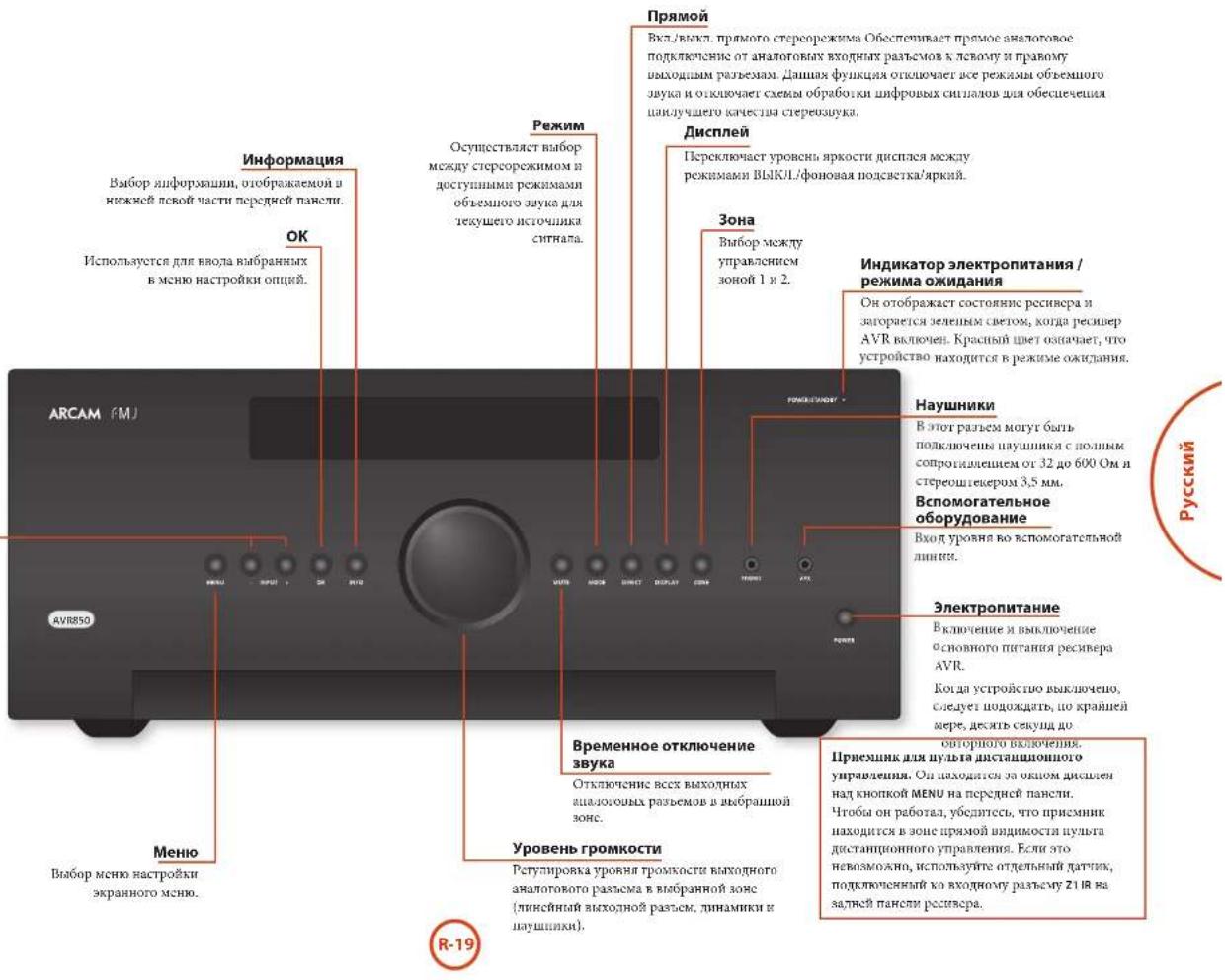

YHbepcabhnynbT ductaunnohorynpaBHeHH
PecnepmAVRNOCTABNOTC TCHNTHOHMM
yHHBEPcBbHM NHTBTOM DACTAAHIOHMO
yupaehnn C HODAEKTHK, KOTOPMH MOET
HCIOOBATBcJyIYPABBAHEDIO BOCEMBO
ycpOITcHMM. On JAPAAAeHApOMPAHPOB
DApaobTe cpehpoem AVR MHOHMM APYHM
ycpOITcHMM ArcAM (FM/DAB-NEHMA,
Npecpam KomAKT-NKOB vDv-DNCEPM).
bHaopd OoHApim octpoumhoB bHbHtoteKko
ero Taokc MoHOH HCOHBOBte pAOBt o TcAchAm
pyrTyr ayHOHbAsyHxHxKoMOMOHBOE, TcHbHtOBo,
ChTHHOBxKxKOePcO, TcEHHOHbHXnPcTbAOk,
pecoaHbXnOcMHIOMHOrFOHOB, TcPcOeKOMTAH
IKOB, 1.1. CaOpTrHe CINCK KOaB B AaHJIe Vacta
hanHO rpoKoayBaTaNo kckTNYaTAAH, HAHNs co
CPmnn 47.
On Taekae aenrce oohymaemmynymrno, noaoy
Bmoueie hepeinna hneio npaxinyecckn
mooyo dyuynno cnaporo mynntnHNOHOR yuaanana annn yicpoacbom.
Tone3naHnΦopMaun
NoCBeTka
NcnoBzobAneynbTaDnctAnHNOHOH ynpaBnB
IIH KINIOJIIOBENHHIYIBA DHTIHINHOHORIOYPYNABNHO NMOHRTC6CNTOOHO
Y63nTBCBOTCYTBNNKAKIN
HIOIPOIENCTBHNI MEAGNYYNTOM
JNCTAHNOHOHR YNPANCNHN H
JATMOKD NCTAHNOHOHR YTPANNEHNH
HApeCNEPe AVR.PaTHyNCBCTTRN
YNTAIuta JNTACIHNOHOHR YPANPEHINH
COCTAABET KOANO7 MEPOU.(EeNATKAR
JNTACIHNOHOHR YTPANPEHINH 5XAPBHT,
HEETC BDOH PAEBM Z1A HK UYAA
JNTACIHNOHOHR YTPANPEHINH HAZAEH
HAHEH PecpePA. IPOKOCUYBTKPYIEc
CO CBOHM DnPOM IAIT NOYCHYN60CE
HOPOPOH NIOPOPOAHN.
HtAHTHHOHHO yPunBcHHeM oKoR He paoTAt, KOJIa H aTaTHNK dAHTAUHIOHO YPUNBcHHeP cpcHbCp AVR RaTaeCTnHnB coHueHN HnHdYPOpeCHHTN BcER.
EChn BIA aAMeTHy mChmHHeHc paTHyca nEeCTHnMyTHa THeTAAHMOHO YPUNBcHHe, AMeHTH N HCMaTepn.
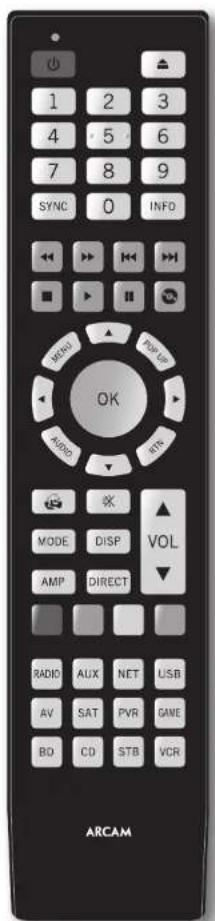
UctahOBka 6aTapeB nylbT ductahuONHOrO ynpabJeHHA
- Orxpodre kpaikky barapeimoro orkeka na
aepnne nanepeo, cnnnnr erno xpnmyk.
2.Bcraabe dae bapaee "AAA"Kakuokao hna
pocynie B otckn da batpeh.
3.110nO CnHnBHe KpnHkN OcKekn 64aepae HaaB BIOHOKeHne HkaCauHH, NOKa He yCnHnEeHoo
PnmuMeaHHe o 6atapex:
HemparumHNOcTcONKOBAHRC6aTapeMOKER
PHNRCCHKOnACHOHCHITAYINH,HNPMCP,
UPOUEKNEBUNBPOWY
He HcnoHcyIe Hcme Cnpe HHObE batape. He HcnoHcyIe Hcme Hcne HauKIOKOBe batape. XOHa OH MOrY BuaJdAe HauKIOBO, paaHbUe batape MOrY MoeBb HauOpHae HapKJeBe.
Y6eBtCEc,10IOHOBOCbIIOOC()IMMHy (-)batapecoTbeCTbyIOIaBPaBteIOIO, ykaahAOHM batapeHOMOTcKc.
Hnue Hne 6aapere n3 o6puyo0uHn, ccnn eOe Hnnpuerytckn HCnHb3o8uBb TceHne Meeca H6oee.
I npu yinunununun HcHOBJouaHnHex 6atepre cnayyTne rocyapctBeHHbM MeCHTM HoPMAM, pnpHcHemBnB Bannr cTpeh nTt pertoe.
PnncBcTKa KNTKpHa HbocMb cckHy np
KOKOM HOKATIN KIOHN, 3IO DaI BOOMKOHOCTB
HIOBBOBbIyABT BycIOBHXOcB
MrraHne HndnKaTopoB
Munahine a rereuue KopoKIOPOBpeHnUykaabIe Huaipauhnoe haoahtae KooHou.
MIOKROCTENIIH MUNIAGA TENEHNI KOPOTKO BPSCMHO ROBOPAT O POCATAH NKPOUPMAHIN
{HnpanpK, KolaYcTPOeCTBa} HIN CHINAHINHPOT OHaJIe NycHeHHNOKOHNAHNNIIOPOPMHNO HOHOJDAIEHBOHIOK.
BpykoBoCTeNcHbMoTaeCnMHoR 71A ykaAaHHaMaHrHaHeHhKAtopA.
TaM-ayTbI HHeHa3Ha4eHHbIe KHONK
Taima-ayi 10 achaetern H30 cekyjna IyraIaTHHIOHHOHOYIPOBAPHEHN BHXOJRTI H peKIMMAI pRpAMPMIPARAHN H BOABPAIaETCR B POKMHNOPAHMN PAFOBT.
3aTHHHe KHOHTK -FcH KAKA-NH60 KHOHTKa
OCTeCHIOCTOHNO HAKOTB TReHEH 30 cKUYU,
HybIb IaCuaHIOHUIY UyapAIEH UpeKpUaER
HK HepeAEy Dc coXpaEHIN BPEEMn paBOi
6aTAPe. HybIb OCTeCHIOCTIKAHOENHM IO HOHO
OTYCKAHN BCC KHOHTK.
Hnnaauee HKnnn HNNTA HNOHOY npaaee Hnnpnyepn Hmnc Hauatn Hnnae CHNN KIOK JIN OPNCNEHORO Pckma YcpoTHB n HC oceHCTBnHK npeany.
HnKAtop Hn3KOro 3apra6aTapei
B. Cynacta paspaevae Garapae, npn kappa raphae mofoe KRONKIN PHOECOTI KAPHOE MIRATTE MOHETAE
C.HTO 107pOxOxOxOx, yOHOHORIO THE OMOI OHMOXII OAMEN AAA KAK MOHO CHOPKE
Pekn m pa60tby yctpoNCTBa /
KHONK NCTOCHNKOB CINHana
HocnoyIuyIbIuIaIauIIOHOYUAPAEIMHOMyEeYUPAABITBuaAMpePepoAVR,aTaKae paoi APNYXycPOCTCH,MIOJIe KIOJIINHOO OOOe OJIOy FyIKNIOI 3AUBHCMOCTO10PEKIMA YcPOHCA, BaaPpOHOHO HAUYIe.
KoHIOK KAKMA YPOCHIMA (C0OHTRHE HIXKE) UpeHHaHHeHnA BuaOpBa HCTHOHKA CHIHHA Hae PCHeHBe AVR. IIp KOPOKOM KAHATOH OIOHO H3N XHKOHO HA YCTPOHBOI PEPACACT KOAMJDA HIN CMOH HCTHOHKA CHIHAA. TaKcE FyHKHOHANHOCTOBY NPTNA JETCAHTRHOHORI YPABAOH NCMHCACTAE PA POATB C BAPAOHMM YCTPOHBOHCTHOHKM CHIHAA. 30 KCC PAHO, HIOEM HECOTNO PA3MHNM PYTOHON HOYPAHBNHO HAI PAHOJI.
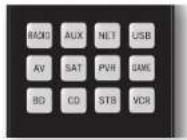
| BQCH | BHTPYCNH BXOHNO PAISTM FM-TONHeP |
| AUX | DIOOHNHEENH BIXOHNO PAISTM |
| MTT | BXOXHNO PAISTM Ethernet (HAPINMP, HENTHP-PAIHO) |
| USB | EHNHNE USB-YCTPOBCTKO (ayTNODPAIM HA p#CNIK N.T.) |
| AY | BXOXHNO ayTNOBHAYANBMB PAISTM (HCNTNOKYETCA JNJ TB) |
| SAT | BXOXHNO PAISTM CNTYHKOBOPBO TB |
| PIN | BXOXHNO PAISTM IEPCOAUBAIHO BINGOMARTHROHOTA (HNI TNDPOBOO BUNDEPEKOPAepa) |
| SMT | BXOXHNO PAISTM HRPONO UPHCTAOK |
| BD | Blu-Ray NUC HK DVID-PCCP |
| CD | BXOXHNO PAISTM PNCsca KOMTAKT-JNKCK |
| STB | BXOXHNO PAISTM TB-DCKOepa |
| HD | BXOXHNO PAISTM HNDCOMARTHRTOPOHa |
Kaekpaikn kyaoyctpOthraa Hmchrct NobcHnCH MHOHTK KHOTK mYbTA bIyAmpkCHN CootbETyBIOHm YcyTOHm. HanPmeK: BpeKeCK CD XoATHe KhoIKHK PnBouHKT N
BOBPOHIOHOO HIOPOJIOI NOPOKK KOMKTAKTOKCA, A P EKIME HA KAKATRE KHOKN CRYKANTKOJIAMOH INEPOKNIOM TB-KAHATOB HIMS.
Hnyar DaTHaONHOO YUPAKAEINO OCHAETI B NOCHEMH BAOPAHNOPEK MEXKYNCYPOTRA, TTO CYPTAPHTEN HEOXMOIOCTB HAKAIKIN KHKMTK PEAHMAYCTPOKIAI NEPA KIAKIN KOHOKN YUPOBHEUN, eCN Bn, IuPUMEP, IPOTOO BOCIPHOLOAIRE KIN IPONYCKAERTE PTKH KOMKTAKTJCKE.
KhONKn HABURAUM
KHOHN HABRHAHIN NEPCMNACU KYPCCB MCHNO
HACPTPOEK NIA B KPAHNAH MIOO. ONU TAKKE
AUYBUNPOJ HAMNANOHME YIKINNPHONOBH
HYTBOB IETAHINHOO HYAPANHEH, NOCTABMIX B KOMNIKTCE C PYYTNMI JOMAIHHM
MYIITMBEHNHIMY CYPTOPACTAM KHANT
CHCTEMK.HONMAOKNGTNEPCKBT
HACPTOKY.
Perynupobkarpomkoctn
HyoymoHnHuyHbHcHauHooHooU yypanenBactnoe TaHxhOcbpaO, 0pyerTByoTpoYPOBTHPOMKCTN HOBTHN OTKHOEHTBOAryka acnaIypanuBPOyONmEPOKMOKPCpeaepaAVR hneHIOIOO or Eeykoero peKaHa paoBaOy Hya bHcHAnHOHO TPOypanenB.100
OOPATHTHCA3 KOCHCYTHANHEIN/ONOMOHK
HApety HTH OHTHOMHYEKNHY NO Tene- m
PAHOOBOPPOBHHIO.

Pexm yctpoCTBa AMP
Kuokua pekka yycpnoIbA AMP kippaHae
nytB dactaHnHoroO npyabHe H npyabHepe cpeHApom AVR Haxane OTOB KUOKua He BueBnHa
bOpaPbnHnXoTHoH paBem H pceNepE AVR.
FykuHouBaHIOCTbYbIaDcTAAHOnHO
ypauHHe bHbTeC KOTKeTHNo-ahcHooHd
BuIpyeHHx HcToHKnOu OOBcAnB CieuyoWei TabinHic.
OJIOHKPATHOH HAKATHE KHOHHI. IIOBBOHTePCKKTHaPcPbHBcAP ARM MOyD pAOOBHM PCKHMOM H CINBBI PEKHMOM B R KGYUH3 OHO (JOHA, B KOYTOPOI NOUYHOMKOAMDA). HAKATHE YNPEKAHHe KHONKII. IpeKKnOHTeRc 30HO B peKHM OKWADHNE HESARHCMO TO TORA, B KAKOH 20HO SHMa TOTYCHMA KOAMDA.
3.2 The pOIOIOIO KHOIOIO MOOT CYTOMOAOBHTC BIAI POMIOIO IOIO CHIOIOBOU MIPOOO
CCHXPOHONARMOY6Bb 3aepKnIOIpHUNcO6pab0Kn HAcEOCHINH,TTOAABHTcIIPNHNHO HecooFCTBBAyKaIHO6paeknHa. BbIIOAeHHNE,KOLAAUYpeVHe I6ByaIckxPNOHPoAaIHHKeHHnRy6HIO6paeknn. BmMoKcTe KOMHCIOPAOBATOTdEckt,NaCtpoBf PkyKINIOAeCPKcNcHINxPOHNAHnRy6.HakMNTcKHOKNYSYNCHKOHN HABIHua(H)HaKMnIEue pa3,VTObIMBHnHMeHOpyKHnn CInxPOHNAHnRy6
HnHpOmaTHaNnKmWcckrOtoBpaKaTaCnA Hnnnne naeon mactn nnnae Hnpeepn daen, kona aocnnn Knnnnn nn nn nn nn nn nn nn nn nn nn nn nn nn nn nn nn nn nn nn nn nn nn nn nn nn nn nn nn nn nn nn nn nn nn nn nn nn nn nn nn nn nn nn nn nn nn nn nn nn nn nn nn nn nn nn nn nn nn nn nn nn nn nn nn nn nn nn nn nn nn nn nn nn nn nn nn nnnnnnnnnnnnnnnnnnnnnnnnnnnnnnnnnnnnnnnnnnnnnnnnnnnnnnnnnnnnnnnnnnnnnnnnnnnnnnnnnnnnnnnnnnnnnnnnnnnnnnnnnnnnnnnnnnnnnnnnnnnnnnnnnnn
BocinHnaerDTX-perynapovka 1a
VIEO OIObpaKaer 3xpaHnoe MeHn HacIpoHn yucpOaHa.
PPI BIKI./BbIKI.ypoHra rpoKocTH Dolby.
AII BIKI./BbIKI.Dirac Live FQ.
Bknoaet apemnneHoe npabane Hne
cahypeom. Nocnybte KnoHn
Hnnnnn (N) HOBropn noxKnne
knky RTn dn bxaoda n peKna
ynpaenha cobyepn. Ta kak 30
apeeMaHa HacpOka, ypoBn cabype
cbpaueamrdo ypoouei duuauuok
KoTda yTPOcTBO BKnOvHo Hn
npckPNO H pCKM OKJINHn
震 BHKONAEIIEBKKKJIpyHJIKHO AOTKIOKTHIbIBykA AVR.
Perynpyerypyporchnpomkoctynmtntna
Wc. LIIHbueckn bIbIbpaertocdyIHHpeKBM oBbEMHO 8yKa ITOHOaOIOHO TMOHPOAOHO
281 IeKnueKoepeNepKeuHneOoiouI pKoCTHdNtHae HApEnpHneNaHb
87 C609c HACTPOE KNTBtDCTAHTIOHOYUPANPAHETB PEBKIMAMP.
BnB BnBnBnBnBnBnBnBnBnBnBnBnBnBnBnBnBnBnBnBnBnBnBnBnBnBnBnBnBnBnBnBnBnBnBnBnBnBnBnBnBnBnBnBnBnBnBnBnBnBnBn
Habraa no ha bna H mcho h akpae. Khoika OK Ba6paht Bnckchnnh faan Kaonj BnBnEHHN Nknt Meho Kaepae (Kbnaenent Khoikx Enter" Hslect Ha nesotopnx myratax nctamno hmo yprarnane.
Buepx
aenoe
Bupao
Buns
AMP BvKoI pEeKHM OeKUdHnA
AMP PecxOaB eKHM OeKUdHnA
AMP+OKBb60302a2
Kpaahar Khoika. 3cchhar Khoika. Kertar Khoika.
Bn Cunnn KhoTtka.
300 BxOy TIOHcpa.
10 1onnonnntenbnnn Bxog(Aux).
Bxon ceru (NFT).
USB-axo.
W BxoHnH paaBcM AV.
BxOHHpaTbcmSAT.
BxognpaPvR
Bxounoi paayem npooh npctabkn
BxOIOHpaBemBD.
BxohospaCmCD.
BxohnpoaemSTB.
BxOyHOB paTHbEM BnTeomarHToHOHa.
KOMAHAB USB
USB-HETPpeFbcBbipaeKaHakatemKHOKNB USB
pexnHexyycipOoAHPNAMUHJyHbIaIaIaIaIIO
yupAnuApE.11PbHkOuHMycYIpOcIy
xpEnChnMyBaKANHxqAoiOB Ype3 USB-PaIeM
HCIOHbEyOrTcKaAHJIaHHeKHOHNi
HaHbIaHnNoH MyBaKAbHmI TPEKAI.
Iepemeeue Hn foaiua kpaie OK b6op/0ocpnonbaeine hlaeaeinior o faeta.
B: KPACHAI KHOKAI IIAIIOPOOHAIIOV HIOEIOPOHIOA
13EHEAHA KHOJEA 2B (HcPCHAEFOO) Hweppeoeppepepepepepepepepepepepepepepepepepepepepepepepepepepepepepepepepepepepepepepepepepepepepepepepepepepepepepepepepepepepepepepepepepepepepepepepepepepepepepepepepepepepepepepepepepepepepe pe
1907 MEENTAR BANKHAI NEPCOHANTHO BNAEPOPEPCKA
BUE CHIJIHAIKIIKAJINHHENPHCHAHMOB BENGOPCCKPJA.
Pekm npoRpbIbATEKOMnAKT-DnCKOB
KUHKA CD Bb6pEET pekm CD B kaeetiee BCTOYMCA CINHNA.
KIMKA HAPROHNA YIUPAHRHJYI KHMHDMN IPOHPBMBATMOMKANTDAKOB ARCAH,XOTA ce MOKHO HAMCHHTB (CMOTRtE BIOKHPOKRA/ paHbOKNOPKORA ONPCECTCHHORO PCKMAV yTcPOFCTBAa HA crp.R-39).
| IIepeKHeHHeNHE Mckay pboQHHpeKHeM H peKHMOM OKJIADAH | |
| ▲ | OrkHrTHc/3akpHTHe NOKa KnCKa |
| L.4 | IpoBogHT NOKC HocpOBoHKeHOT TpeK a cooTbCTTINH C HAJIATOB KNOHKn |
| HP | IIHKHNeCKepepeKHeHHeO mHmH ApKoCTH NcHnE Ha nepeHne HaneH |
| MHN | IIHKHNeCKepe HOpUHeHHe OHN HOpUPOA (duopKK, dack H T-1) |
| ← | BMcPTaeppeKToKHaHAd |
| → | BMcPTaeppeKToKHaHcg |
| ↑ | HaKaMIte H OTHCYHe IaHpeKxoA HnAa K HauHAty TeKynMeTo/npDmHyTeo TpeK |
| HaKaMIte H OTHCYHe IaHpeKxoA BHepe K HauHAty CnDyHIOTe TpeK | |
| ■ | OctaHOBKa BOCpHObHBeHHeNII Pteepa KomAKT-KJNCKB |
| || | ΠaHa H BocPONHSBCHe TckYInCe TpeK |
| EPHP | ΠpR o6bHOM BocPONHSBCHeH (t.e. KoTgHa H NaCtnc He OTOpbAactcr CHMuOa P), IaXHMe I KhoHky H dHb bBaOpA tpeK, a 3aTeaIaKHe KhoHky MENU dH coxpaHneu TpeK |

Mehu hauhuiin Hn b6p0 nporpaom KOMKNT-JDKCA.
KOMKA OK KOBHAPI JEAGENHAR HAFI
THN XOJROB K BANENTHNIY NHYT NMO
HA SKPARE (AKRBAHCHT KOMKH FINTER)
THN "SELECT" HA KOROTPIX NHYTAX
DAKSAHONHOU YUPAUMAH).
Bepx
BUBCHO
BnpuBO
BHH3
CD+ BaxoH3peKHaOxHua
Cepoc nactpoek nyhnyn dctraunnoiho ynpaernne k pekme AMP.
BocpoHbSeHeHe HxmpoPamMnPoAmHHx TpeKo.


Ipeep HcHIOHOARHMOAVRb6OxHIOHOBcCTT hIOPOMAHIOoOHNHYaOHINDAHMOOuMeHOI HAcIOHOH.3IO HOIOHOAVRb6OaTObIOHO bIOPOBOHOCTIOHObEHOHO BcYAKAMOBpOOM,THOOM OHIEAOHOIOHOJKcCtREMEHo 0eOeONHOTOTMTHHObOeHOeMOZrBYHTAE.
RpaTaeTn npHIOIeTc Tn HbTaKaHXoN 1nfoPmaHH: "TINm dHaAMHXOB,"PaCToTHHe aO dAmHAAKOH"YPOBAAHAAKOHO
Cnco6BbOaJaHIOHuaOpMauuAVRbpyuU npHbOaIcRaabe aPaaeMe "MenhoTpaKoHa"
1a CpTaRnR 28.HacPoKnRAkae MoKIO
yCTAOHOHTBAMTOAHTCKCnOMOHIOyHHTN
AROMATNOPOCKB HAcPOTHINHHAMKOBCAnACm.
Cncyer NoHNMaB BAKHOCTb BOaJdHAAHxHACrpo8
3hXnDHAHMKOB, noTOMy 30r paoi PpnoHOTCR
npBM.
Tunbi dHAMKOB
BAM IEBODOZMO YAGASUB TINM DIHAMKKOB, KOTOPHE NDKIOTHETN KCTPOBCTRY AVR:
BOIIOHOOIOIOHOOCPOPOSEPAHNOIOHO HOIOHO HOIOHOHOHOHO
Maaan neomooaocobocpoohjdeuHn HIOHOOYACTIOHOHNHOHOHOHa HAMIX NactoX
ФИКИИВ KOBHIFRITYPAIIHH HCTIINHIMIKOB None
TePmHHa6oHnHnHnHnHnHnHnHnHnHnHnHnHnHnHnHnHnHnHnHnHnHnHnHnHnHnHnHnHnHnHnHnHnHnHnHnHnHnHnHnHnHnHnHnHnHnHnHnHnHnH n Hopaa 4011 (C0a3 OTHOCNCH6OHHNHCIOHNHOHHK) peKOMEUYETOBOTOHOKHTB DAMAHKK K TNIY MaNNI JIN BANNOHEHHN HACTPOK NOMAHTENKOHNOTApTa.
LcH HdHMMKoHbOpHTHMn
HMOHKOHOOTHE 6ydy HpeuaepaBcBO
33 HMOHOHMHNA HduHMRAHTHN"GOMBO
mH BcSykpc, KOTOPA YTHNC NOXOTQN JDR
BCPOHPOHHN HIKHOACTOH MxKOB.
OOPHTHEBHIMHAC, YTO HCRMOKHOYKA3ATI, YN BCCXJHNAMHKOB TNH "MAIAT", CENB K BOHGYRHPaIIIN DHHAMKHOB HCT cAByHcpeA. ECH nCt cABsyHcpeA, BAM NTOpEByETCA ykAAbT bIy IpeEeMHX JNJAMHKOB TOTBoTHnI."
(PiPbAHHTNtnoAobatChnMOTyrAKTOMATHcCKH
HEpueaHHeBAPeMeIP"MaH 14
IPOCHUHMHIMMyMBAHbPEKHMIECpeO,EOH
BEHNMOBBETIOPOCMOTDPFOOB.3TO MOHO
HACPToTHB MeHO "HaCTpoKaXaNOHOro pao hema
CMPTPOHa Hc ParnmeR R-29.
Yacmoma pa3aenen
EANBAACTPOAONDAMHANKHOU TMAHNI,
BAM HORpebyerc yIaouoNbI buaane NACOTB
PANGCHENDE.3TO HINAKNACOTOTC, CHTHNN KOTOPO
EHNTyPOrTc OTHAHANKHOITNA"MAHNI
NCpHcHAPARNTOC HaHNAMKHNI HOOHNI
HHHa cahayepc (ccn cctb).HAcTota B 80 Iu hacro
ABHEETC XPOOPW HAHNNBOY TOOK, OAnHKO,
BOSMOHAI, RAM PIPTECAIIOKCEPTHPENTPOBA
CpaanTHMHN HRAeHNHNN, TROSA HAFTR
OTTHMANHOE AHANNEH, PTA CHCTEM, HIO
OBAPATIHcK PYKBOQONCTRY HAMNKHO.
Mcnonb3o8aueKaHanao6+7d
Bcayae cceon ne hckobyoc hranioo 00e,
mokno npacncoh tbnkabane kanaoh o6bemno 00xba
beoxoy Bepxun1, npouoech nyxaKaHIO
ycnnae npeepero yao/npaporo kanaoh no
oBeCnOHTy CBOHnn Hbaxo nn 002
PacCTOHNIO DNHAMNKOB
OCHB BAKHO IpaBHIO HO IMcPHTI H BCCTH
paccHBOIOT HINAHKOB TO TQHIO pOcYHHBAHNA
B MCHO HAcPOHOK. 30 EOCeICHEHnE Pocdany
38yKa K ToNKe IOoClyHHAHHa C KAKTO OHHAMKa B
CHOTRETHCYHoeJe BPMJ 100 COPAHAA PeaHTHnHO
6fExkta ObEHMOHO YBa. PaccToHMe MoHO yKaBaTH
B CaHTMepxMnHmMax
yPOBHN DnHaMnKOB
Hakocn, yopBn Kex nHAMIKOB a CHTcEm cNnKHa
CBOBnB B TOpKpOuYnHbAa Dn COoan
IpaBnHO OePeTbO 6Obemno 38yKn.
IOCTeHNsE 3TO TPOApCTBO AVR MoKer cO3BaBt
TeTOBBo NOMEN JI KAKTOLO PnHMAMA, KOIpMNE
HOxOoBNMO HmepPb c HOMOIOO CHTCNK YPOHN
BnyKOBO rABHeH (SPL). CcyTkn DOeMe 6bItb
NaHrpoTo HA npTykC "u Ha MeHHeuIN OTKIN.
IOCTyUH NcKOIO bPiNKeON 10n CmAPfIOouH
HIIuHIOB, KOIpOE MOITY TAKAE BHOHOH 37y
pyKTHNK. NmpeChn YPOeH NMyA TOTKc
IOPOrHyHnBAHH c KaKTOHO HnAMnHA NIOCH
6bTH oTIPrYPOBnAH bCTPAHcE PcyrPoRbKa
INHAMIKOB MHOH TOPOKbX, To6b HSAvHCNC
CCTeHKA CoCTABJIO 75 d SPL YOpBeH pOMKoTH
CTeCNM EVPn AOKTHAN TcTOBxN TomE He
MeER SHARBEH, NOCKoBY NaCTpOKN pOMKoTH
6yTyt mMeCHhBn BO RPCM NoCtPOHSBCHEH
TEcTOBxN TomX.
Ha nBnue cyueeayIe KcKbXb630abNcxgYHOB SPL NymepeHHM HcHc,coaHHHcNcHbHbIa HcHHeTaeJOMaHHHxKHoHTepPo. YHaJIte 06 IHaHHHb MArAHHHxKExHKn, a HInTePcHMaHHHxK bOePbTHcK cIpaOHd
LcH y Hac hct cherhna SPL htn cooBtcthyhoero
hpnoeHHa, Bn mokeere noopooobert
Opyeripnoaay pooyeh npokock KAKIOHO
THAMHA HA cNYB. 8n TnOHTbEy dyEBN BOOMKOHO
Haaptpno, nnnmHKHO TOOTHO pOPOyR pOMKoTH
875pi SPI, HO MOKO NOIATRbC HAcptpntb
OthANKO rpoomokocht bN BCCN NHAMKOB. Hc
peKoElyeYcHnOpaHbP oyoebE TectoBx
NooxH a Cx, NIOKOBbS 30 OeYb CBOXHO GaeBb
npabHbO.OJnako 3to Nyue, qem otcyTCTBE
Moobf HacpOnrki.


Dirac
ФункцDirac LiveДгArcam
KoMuaHn Dirac Reasearch paap601a
3uHaIeIOBaUyO yhuKuoIOAioMaHHeck
HbTPOHH IIaAMHkoH, KOtpor AIOToEiB a Baai
pcBHeP AVR.C. nOMoHIO pPiMoJcHN Hn TIK/MAC
3a yHuXHn IMArTaCTYcTAYHOHTb BCC KIOHcMbC
HbTPOHH Bcxq IHAmHKn B aBaH ChTeCm.Oh
TAOKe IOBOHcET PACCCHITb 3uAeHHeN bHcHbTa
3kAaHbUeHN NMOeUeHN dya JALHeHN HeratBnHex
3fFekTOB PeoAHnCHmX TaCTOr B NMOeHn Dn
pOcayTuYNBaHnB.
Bant AVR NOCTABETCAKAIIBIOPOOTHMN MKNPOPOHOM,KOTOPRJIOONKCHBbTcBCTAENB BO XOHTMKNPOPOHOI NTOACBAUMBAYBOKOJI KAPINUSB,A31EMJIOEUSDUBIHKIMMAC, HNOIOOOHNHK TOIAE CEN, YIO BpeCABER AVPR, IN PACIOIOXENBI COOTBEITCBN C HIKTcyPMMHDMirrLIVE DnprimeHHNAARCmCIJK/MAC,DanHHMKNPOPOO CBOHPaCnCnBnMCnToHnKAMOBOK, COZDAABMEIHHAMHKAMBO BO IIPBMnBIOHNNEHY PHyHKUNDRlEeDAMARc.3aTepeCnepur AV HauHHNHYET CHNIAI PACCINTKAAET
THIIICHHAMHKa,
PacCTOnHHHnTnHaMnKa,
ypOBueHnHAMnKa,
HCHCNPAHHXpeHOAHMHXNACTOTAXKOMPATK, KOTOPMCHCNYCTPNIHCHRTS, pHTHAPTH.
IITTOI,TIO6bCHTeMa6bTaKMOO60oe TTOIOBBOBMeBnIOJIeHINFyNkUNDirac Live IITHACrpoIKRAtcAm,Heo6XoHMoCoHIOAdTBeKoKtkoPABIN:
Cokpantb do mHmmy aioofo hoiobu y m a HomeeHHn npocnyuuaHH, n 6hJEAxauHX HomeeHH.
3Akapbiue oka n u deepn k komate npocuoyunan.
OTKOHHTBCCBCHHTATPOPM, BKHNOAH CHTCMN KOHINHOHPHOABAH BO3DySA.
YCTaKoHbTH MKnDpOoH TaTcHoe HN AHAnTOHPOH PnTnOcObTHnH.
Pacnoaratme MHPOOH ReptHkAnHIO npMnepHO HA yPOBRC TOBOB R oBpIMTO HONKHN PHN pOcaynHnBAAHH. He HyAHO HAPARNTI MHKPOOH HtocpcCTCBHO HA JINHAMK
KOTOPHAM CONJKT TCTOBAC NOMEXI. [BYET]
YUWE, ECN IM PAMECTHE MANKPOOJI TOIO
HA YPOBIE TOIOOM BYR OBOHOM HONOKOHIN BO
BPEM IPOCUYUNBAHIN, IN MKNPOOJI BYR 3TOM HE
BYET KAPKOT BYE XECI HAMMOK.
EanBaa Chcema BaoHoeA kAtnnnBcbayp,buaaie CcyaohuO Eyo yuoBauXoJooKphiMaHeIHa yChueHnHa na hauyHe,UpaHbHaeBbIO COOTIECTBYOoe HepeDINMMDaNAMKAM.
IIpA KTHAHHIOI KAIKOBPOBIO BOCIOPIBOHOIDHTI
Ia KAAIOO KAHAUIY CYPOTCHIA AVR OIOEpeA
BAKOOM KAHAI CA6yBepa. IuXeM ToaI KAHOIPBOA
Ia KAAIOO TINAMHK MCHMOCT RECKONKo pa
piipnoCtce paoHHN HAPAMTOB. EChy Y Bac
IEHNOHnCHTcMM INAMHKo 7.1 (HANOHHO)
MOKHY KECOTOPMH KAIAMHIN HINAMHKOB 6ydt
IbHOHIOBITCN HEPHOH NIIHua. CoJeHr3a
HIOFOPMHHe o Xode BAMONHEHa Ia Baenm PIK MAC.
No yomuaHIO dyHKINa "3KbanaIep nOmeHnHn" He npHmIEHcER HN aOHOMI tHOCHUHN BCHNA. IambeooXaHNO axHHNPOBATy FbHKINQ 3KbanaIep HOeMeHHN."HnBEoXoJHNNx IOXHOHn PAbaEMIO np BoocPONBEdENn YpeE KAKJIa HxuouH paaem. Hocse paeeia Oua kauoaeetB MeHIO HAcPOHIO AxHOHO PAbaEMa
XOTYdhyoHbKraBnAeepnoMcmHnHnHOMOaET CHNHTPiob6mC akyCTKKn BKOHNATc, TynMI YcTAPnHt; 9THPiOB6mC HnOpePCTCBHNO.
IpaBnHbHaYcTbAOKaIbHmKOB,AcyCTHcckA
IOIOTOBKa cTH N IepemCHeN ToCH
IPOcOITyBaHnIHo IOJIbTaBtO CTe TIOIIOHOBIOIT JOCTOHy
TynIMXpeyHsOBAr. OJhAKo HOITp3To MOKeT BHTs
TPyHO BMTIOHHTBs,TOOTMO KHO BOCIOHbTACh
fHyIKTHSeB'KbtaaBep NOMeTeHnA.
HewcnpabHOctM
PekomeyuetyrHIOBpeHITIpaHJIbIOCTbIaHMeHH, HOUYeHHN HIN autOMTHyckOcK IaTcPOHKI dHIMAMKO. B aactHOCTbE, peKoMeyuetyrG bEydHtcb, YTO kyaAahHnI cHIMAMKH coNraJAO T C bAHsON KOHfhyrpaHIn h paCtoHHeOcIOT dHIMAMKO 10 ToOH pOcNvUHbAAH IN PbHbAHTENHO COOHETCYE JAEHTNEHbBOCT. LcHn peYbIbTaH e CoOHETCBYTOF OKHaEMNH, AanyTcHTe ATOMATRCHQyHAcTPOkYIpyHAMKO NORTOPHO.
Kak npaBnH, dyHHNH ANOMATUMeCKN HACTPOKHNAMHKoNBOAIBONOTNNHUYTIOCTAOHO
TOINHC pCByNTaTH, OTHAKO ONIMOKH HCKTCHM.
IIpOcEeMOyT BOSHKNKHTB PcsyIITATC CaeDyouNIX INUPIN
BHHHHE BNYH NCKpeKer/IOCTOPHOBBI BYMCH MKNPOHNA
OtpaekteBzhykOTpEbyxIOBepxHcctei (harpMpe,okohnTcnTch),pahtnokeHHX
bHKKTOKIEPPOCHTNNBAHH
CnBnBnAkyCTBeckn peoHaHc B KOMHATE
I INCTTINH (HANPMEPC, KPOBBTB) MOKJY DHHAMKHAM MH KPOPOHOM
LcHIOIbOeMaHE YcIeTcAeHIN HbXoTHcE IHOHbYHbBOeE OTOBHe 0eYbIeHIN dHbKOcOFO XeTeCHa BMyTHn, peKOMeHTyETcNMOthOBaRyPmO cToCNOyctAHOBKn pacc ToJIMhANKIN HxYpOHBe.
UcnoB3ObaHnE ca6ByfepeOB
EECBBA CHCTEKA KAKOHOT OENH HDA AOKBHBM CABHYDGE, BAM MOKET NITPEBOBATCB YCTAHONOA YPOBNH BAOXO/0XA/0C#HHHTA YCMNHANH CABHYDGE HA BOTEKOBKOES MHTBOT BHOKAOBAMHE
PnHpyIOIeMPOpMAHIO nOToK, kAICNIOHsOBaBH cIcEmy C BaAMN AYR, CMoPTRHe B IpuAoBeKeHHI Dirac n xparkOM pykoAOBCTue OIOHOBATEB.
3arpyka nporpammbi Dirac Live nra Arcam
JIaarpyxHnPporpMaM Dinac Live JNARcA
IIK/MAC. hKpKtKOro pykoBcTa nObaOatcn
NoceTTE Bef-Cafir: www.acrc.co.uk


MnHc HactpoBHX HOBOHOHT HACTPnABt BCC
HAPAMETI AVR.ChyAeBHeNecKoBKO CtpuH
OBACBHIOHEEMHI MEOH XyFHyHm. MeHO
HactPOBHOOTY BnDnEDT OBOBHOIOOCHXHH,
ECHYBCHET OTbTA HAcTPOBHOJ NOMAHHE
KHOHTa, OTHAO GooBHnCTHO 38 HnH TpeByTe
HACPOBTO TOBOO OINH Pp Hn HEPBO YCANTOBKe
CHCTeM (160 np AmeHNH CHCTeM Hn
Hepeae.
BnMoKHeIPOCMAITPAHbMeIOA HcTPOKn
10BOHOuHa cyIPOCTHe OTObApKaENH (16eHNOp Hn POxKT) cMOHNOO KApKaHOro HcNnncn AYN
JPi NPOCMorpa 3kpanHoro JINCNn n IINCKOH
HAcPTOBKn NIOKNIOHt BnIOBcAIOXnK Y CTOPbCTry
OTbOPaKaCHn. BAM HC TpeByr ChnKKnOHT
BIOYNNH BINO KO XIOAOHN MIOBcOpaEMAM VNR
BxOaHOn pa3bEm BpeKIM HacTpOaKN
IINRAHARAOXIOHOATPMAE B MEOAeRtPOHOKAKIMTO KHOKNY MEN H NPTNCTMCTAHNOHOUypanaeHN Hpepea Hnane Hnane Hnepeae Hnepeae Hnepeae Hnepeae Hnepeae Hnepeae Hnepeae Hnepeae Hnepeae Hnepeae Hnepeae Hnepeae Hnepeae Hnepeae Hnepeae Hnepeae Hnepeae Hnepeae Hnepeae Hnepeae Hnepeae Hnepeae Hnepeae Hnepeae Hnepeae Hnepee Hnepeae Hnepeae Hnepeae Hnepeae Hnepeae Hnepeae Hnepeae Hnepeae Hnepeae Hnepeae Hnepeae Hnepeae Hnepeae Hnepeae Hnepeae Hnepeae Hnepeae Hnepeae Hnepeae Hnepeae Hnepeae Hnepeae Hnepeae Hnepeae Hnepeee Hnepeee Hnepeee Hnepeee Hnepeee Hnepeee Hnepeee Hnepeee Hnepeee Hnepeee Hnepeee Hnepeee Hnepeee Hnepeee Hnepeee Hnepeee Hnepeee Hnepeee Hnepeee Hnepeee Hnepeee Hnepeee Hnepeee Hnepeee Hnepeee Hnepe ee Hnepoe ee Hnepoe ee Hnepoe ee Hnepoe ee
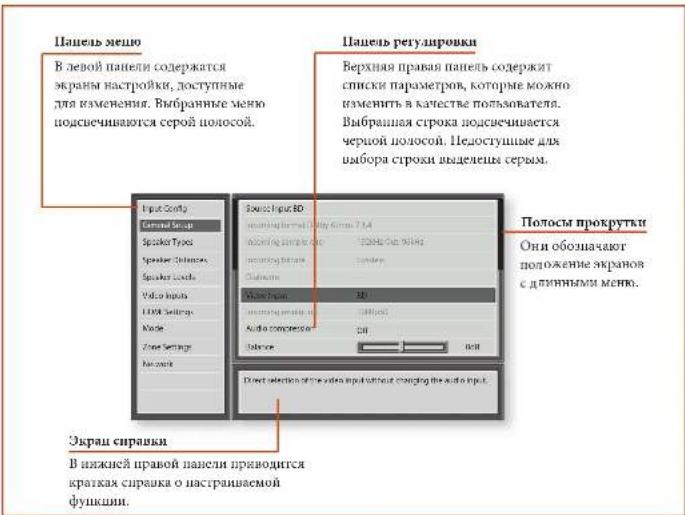
Habirajnno MeHIO HacTPOKNI
...C NOMOUBIOYNBTA DNTAHUONHONOUPANPAHEN
Mero HbactoKMOHOPOcMPTHbC NOMOHIOHNOKONK KPYCOPA HNNTy TACHTAHNOHORO YPABNEH. 3TO ATRHECA CAMM IUPOCIN CHOOB.
- Hua houa Iooioo parbaem a menu Hacipokn KaHAKMTE KIOKNI MENU, paioioeKeHHyO cpaay Hua KIOKAN HAHRIINIA.
- HcnoBbIyRE KHOHN B nHnpeXOJa.
baeXn bnn 10 aoBouKAM IaunorO PAaegEa B
Naobn Naanen.
3.IIpaBbupoe HeoOIOIOPOpaEOJIaHOHOHbIpye KHOIKY DnI BxoIOHOPOBa3POBaIpaEOJI. - Hcnoaayefre KnoHnK 17 nepexoTa
BaePx HnBn No aactpokam paoeia b npaoi
Pnane. Hekopoe Tachpoehm Moryr BbTb
Bnpehme cepM. Ooh npaeahraenem Ntio
IINHIOFOPAMn (HapnMe, BxOanma Tacrota
Dkpcptznnn) 1NHO eTOCTyHn YnBbOp
(HAMHPME, CEBEROP IP-APPE PIRN HCTONOABHIN DHCP).IIOHOA IPOKPYK TcPABOR CTOPOHA NAHCHYXAMBAROT RAME NOLOCHCE B CHTCKE HAIOPOES. EOCHEMERTO B MEOO BOLAE.EM MOHOO OTOBAPSHAI HA KAPAE.
- Hakaathe KhoiNk OK hOboJaTe NbApBath napMaTeP mHaHnEHHa. IIph HoiToTpoiM hAnKaHa kHoIKNK OK npOcXoJnOTmEha NbOpaBo napMaTeP
YIOIbMBAHIN3IMIAJI,IAKMOIE KIOUHOY MENU. HAmenHeBnBnBnKApOaKByGQyCoxpauHaeN.
...c nOMoubIO KHOHOK Ha nepeDHe naHEnu
ENmEnHnYmpaBnNepcHnPAHnAVR
MnHOHnKHOHOHOBAHJ HApTPOHnYcypOHO
CnDyHnCTnHcyHnNo HcHMOAHOHH
HbAaHdHnHOHOYPaPpHnHX, HkHMnA
KNOHYKINP- 10npeMcCHnHN BnH, INpu+ 10
PeMeEHnHHBnXP, INFO npeMeEHnHHBnBO
MODE npeMeCHnHN BpAo.
HacpoKa BxOHoro pa3bema
HACPOKIO AYIOI BAOIO BAIOHO TcPAAHIO MEKO HACPOKIO MOHO NAMEHITB C OMOBBENHNO C OMOPAHNN KAOOHN PAHOMNO.
ECB C TPOBO XEOHOPO TAOHNOA HIOPOH ATOYTO XEOHOHO PAHOM, BCC HATPOHIN HOHOHOXPOHOHOPOHOO BYT OTOPOPOHPN HOH. JAHIOHOI PAPAROH NPMENHOTHO YOHMO KBOOHOHN PAHEMAN C HENOH, COXPHOROB HAMBOI IN BSNMAMCHP HPN KAKHON KKNOPHON YEGKTHPOH B HAMBOI JAHOOH NDOHOHO PAHAM.
BxO - BrpBnH BxOHO pAcm. K KOTOPNY OHOCATY kyaahHHN Hnke HAPOHn
HMAI-OTOPAKAMHO HMAI KXOHOPO PAHSA. BMOKETE HAMHIHTH HINIKI HAIKOHO PAHSA, CHDMMH CHITIKHCHAH HAIKIOPAHO. HAMHPAP, ECR YIACCTB. HMIYCHITIKHO PCKHEPA, HMOKOC HOSEKHO CHIHIMBHAN. HAMQPCKP. KXOHOHO PAHSA. CHIHKOOHO PCKHEPA. HAMQPCKP. HAIKOHO PAHSA. CHIHKOOHO PCKHEPA. HAMQPCKP. HAIKOHO PAHSA. CHIHKOOHO PCKHEPA. HAMQPCKP. HAIKOHO PAHSA. CHIHKOOHO PCKHEPA. HAMQPCKP. HAIKOHO PAHSA. CHIHKOOHO PCKHEPA. HAMQPCKP. HAIKOHO PAHsa. CHIHKOOHO PCKHEPA. HAMQPCKP. HAIKOHO PAHSA. CHIHKOOHO PCKHEPA. HAMQPCKP. HAIKOHO PAHSA. CHIHKOOHO PCKHEPA. HAMQPCKP. HAIKOHO PAHSA. CHIHKOOHO PCKHEPA. HAMQPCKP. HAIKOHO PAHSA. CHIKKOOHO PCKHEPA. HAMQPCKP. HAIKOHO PAHSA. CHIKKOOHO PCKHEPA. HAMQPCKP. HAIKOHO PAHSA. CHIKKOOHO PCKHEPA. HAMQPCKP. HAIKOHO PAHSA. CHIKKOOHO PCKHEPA. HAMQPCKP. HAIKOHO PAHSA. CHIKKOOHO PckHEPA. HAMQPCKP. HAIKOHO PAHSA. CHIKKOOHO PCKHEPA. HAMQPCKP. HAIKOHO PAHSA. CHIKKOOHO PCKHEPA. HAMQPCKP. HAIKOHO PAHSA. CHIKKOOHO PCKHEPA. HAMQPCKP. HAIKOHO PAHSA. CHIKKOOHO PCKHEPA.
Cunxohpuaepeu KaiknBkOIO pahmKoMek E HcHcHcHcHcHcHcHcHcHcHcHcHcHcHcHcHcHcHcHcHcHcHcHcHcHcHcHcHcHcHcHcHcHcHcHcHcHcHcHcHcHcHcHcHcHcHcHcHcHcHcHo HbEaOH BIOKIOCHUHOI HNBA KIOKMOAHO,3IO, Xa, IpaBbHO, TpeyEBY, KOJIbIOHOYEBYsE OOBAPZbIbHO JbMckBaIOHOI HOYETPANHOI bDfkeTbPeHHaE AApEPAK CINXHPKSHRnBENPEK MOKOICO CIOBOHOI IO 0IO 250XbHOOEOy.
PeypnoBbckhXepnoBnHnepeNOBeBcKoppePoePtoTobkoXaBbAaBnBnBnBnBnBnBnBnBnBnBnBnBnBnBnBnBnBnBnBnBnBnBnBnBnBnBnBnBnBnBnBnBnBnBnBnBnBnBnBnBnBnBnBnBnBnBnBnBnBnB
PENUM - HACPTPOH NHCIOHOPO PEOHNO EOKOPOBHNA
SYNTH CTOPOCNTOPHKOB, NOKINPOCHKK KARHOOMY
EXOHMOPOPOCY
HnHApE, nAAnAnAnAnAnAnAnAnAnAnAnAnAnAnAnAnAnAnAnAnAnAnAnAnAnAnAnAnAnAnAnAnAnAnAnAnAnAnAnAnAnAnAnAnAnAnAnAnAnAnAnAnAnAnAnAnAnAnAnAnAnAnAnAnAnAnAnAnAnAnAnAnAnAnAnAnAnAnAnAnAnAnAnAnAnAnAnAnAnAnAnAnAnAnAnAnAnAnAnAn An An An An An An An An An An An An An An An An An An An An An An An An An An An An An An An An An An An An An An An An An An An An An An An An An An An An An An An An An An An An An An An An An An An An An An An An An An An An An An An An an an an an an an an an an an an an an an an an an an an an an an an an an an an an an an an an an an an an an an an an an an an an an an an an an an an an an an an an an an an an an an ananananananananananananananananananananananananananananananananananananana
Dolby Volume 370 HETE KENTZYLAM CHKTEM, KOATEP
HONOHDYKTAYIHTTDPINHAPMAHYD SYAANTOCTHYB HAIHKXU YPOHNXA HOMCHHTH NCOOTCBYTR B TPOMOCTKY MOKCY
HOTPOUMNAM (HATPMIP), POK-PALHOCTHAMH H B), A TAKKE MEATY IPROPAMMAM (HAPPMIP, TB-NEPEQAMAM H pexamal).
Bra: yinm Dolly nawenema gannmy ny.
Bikko: (no ymooyan)dyhyns Dolyb nyrpenenha x danyromy 8307.
FyHnHbIeBHeHuaYhoepoPOMKcMn Dolyu JHHHn HapamerpDolvYulya yuyanhun CHTHNOLOHOTTHTAMN 1pOxERKCCIOHJU HpHpaMMHmCpEeHMnA OIOHOHEKOBHPOHpyoHcOCHNJ POMKcOe. IHHHOHOHcOeHcHcOeHcHcOeHcOeHcOeHcOeHcOeHcOeHcOeHcOeHcOeHcOeHcOeHcOeHcOeHcOeHcOeHcOeHcOeHcOeHcOeHcOeHcOeHcOeHcOeHcOeHcOeHcOei pOHcyo. No yohyHOHOYCTHOHOHOHOHOHO.2, oHOHO pCKMOHCTYCA NOOKHNOPCHNHOHOHOHO HOOOCTBOHOHO HOHOHO OHmHOHO, cch MTOHOHOHOHOHOHO HOOOHOHO HOyoHO HO CYFHyHO HOHHIOHHIOHOHOHO HOIOHOHO HOIOHO HOHOHO HOHOHO HOHOHO HOHOHO HOHOHO HOHOHO HOHOHO HOHOHO HOHOHO HOHOHO HOHOHO HOHOHO HOHOHO HOHOHO HOHOHO HOHOHO HOHOHO HOHOHO HOHOHO HOHOHO HOHOHO HOHOHO HOHOHO HOHOHO HOHOHO HOHOHO HOHOHO HOHOHO HOHOHO HOHOHO HOHOHO HOHOHO HOHOHO HOHOHo HOHOHo HOHOHo HOHOHo HOHOHo HOHOHo HOHOHo HOHOHo HOHOHo HOHOHo HOHOHo HOHOHo HOHOHo HOHOHo HOHOHo HOHOHo HOHOHo HOHOHo HOHOHo HOHOHo HOHOHo HOHOHo HOHOHo HOHOHo HOHOHo HOHOHo HOHOHo HOHOHo HOHOHo HOHOHo HOHOHo HOHOHo HOHOHo HOHOHo HOOHHIOHHIOHHIOHHIOHHIOHHIOHHIOHHIOHHIOHHIOHHIOHHIOHHIOHHIOHHIOHHIOHHIOHHIOHHIOHHIOHHIOHHIOHHIOHHIOHHIOHHIOHHIOHHIOHHIOHHIOHHIOHHIOHHIOHHIOHHIOHHIOHHIOHHIOHHIOHHIOHHIOHHIOHHIOHHIOHHIOHHIOHHIOHHIOHHIOHHIOHHio
HPOPMAMBAMBOHTOMTBCK BYGNT.ObpAHTBBMHNC, OTOOHTOPKOCOYDyIOLeVcRCTCMBOyDoly VolurnE RnPmEBzT ATOOyOxOxOxyFIO, TTOOOTOKNHO BcCtCHTeoDolyVolunE,NOCKoTHyOxOpaBToKs KATOHXeKApKETKPHKOMKCTBCEEgEyOBey AXTMIAJINHOHIOHIOHIOHIOHIOHIOHIOHIOHIOHIOHIOHIOHIOHIOHIOHIOHIOHIOHIOHIOHIOHIOHIOHIOHIOHIOHIOHIOHIOHIOHIOHIOHIOHIOHIOHIOHIOHIOHIOHIOHIOHIOHIOHIOHIOHIOHIOHIOHIOHIOH
Cmeu, karnpuokou DV- napmipc Cnckchkho KboepkoBn Dolly Volino 100000000000000000000000000000000000000000000000000000000000000000000000000000000000000000000
CnOepeT-DolybvyIa nCpR-34nNnOyHcnn OONIOHOBIOHIOHOPAPAAO OOCNCHINKANBOPOBPOK.
Cmepeopekm-- ccm B CNTCTC CTCs cabpyep,TOB MOKtIC BApato pAChPcOeBHO BACoB Mcky IepzHMM HAMMAH (THM) K PnApoB) BcsdyOp0 Bo spcn
IOPOCTYBNHn CTCPO (ToKO 2yXkAnHBO).
AHMOHIO HIOPOPHOHTIOHIOHIOH. BApoepe Iapampe
OeOHcHNNHnBn HABAOB HcEVOHNPAOMHOB 2yHXH NAOHIOCTO LEM HbCNHOOTy CabeOpDg Bncre CPOco,
CmepeTe "Sub Stro" HNO Dn ABOPTPOH yPOBA
CabeOpDA TnOyNHOHn HAIyTNHO POYTOH
BHBOHTTE TceTPOBAA C NOMHOHOYTOHO
TOKA HO NpOporpAXMOHO MATePATA PaeHHOM BPEHM.
JANHb NKAPeATP MoHO NcHbONBaT AII INpePANIH
OoOIOHn HApEOP ANAMKA M EIN "YIMn HAMNAMHO;
QoAV ARV hOBHNI HOBOPAOBDOIE CtepePOMePAH.
Ka PnAHO. NpOPOYNHOHA CtepeOMyh Xs
DyXkAnHKn PEXeAe CNDyET HcNHOBoAt HEMHO
DyTne PAnpemrCaBvByPe/AnxHnA, Nc dXf 1000
THMHAMHIXKHO:IMCPOSHOJIHAIHAIHOIROU HIOIOPOBOKOTOKHOHNIHBAIIBOUMHKHOKYPIHAIHOHIOHO (NEXAHEIKI M EMOI "THMHAMHIXKO) 670KTCKIOHOBACILBNTBPOHIOCHIKHICHTBAHO.
NnepaHnepnna Hnnpnna n noonractoTHO cpeo. Boc 3yR harnanrntto kno h npnnnncn nnnehnnn (pnnnnn nnnnn) oes npnrpanenrrn HnNNXtactor.
Bnokote hcnnoohn, hnnn nnnnnapmcr, cce Bnne pnnnne Hnnehnnn (bennnnn nnnnn) NOY7
Opabnabtno hnnn nnnn bactroed nnnnno ynnnnn Ech
BnK na CTPAHHN Hnnpnns TINH NNNNNHACHTPOEN
TINNHNHNHNHNHNHNHNHNHNHNHNHNHNHNHNHNHNHNHNHNHNHNHNHNHNHNHNHNHNHNHNHNHNHNHNHNHNHNHNHNHNHNHNHNHNHNHNHNHNHNHNHNHNHNHNHNHNHNHNHNHNHNHNHNHNHNHNHNHNHNHNHNHNHN
JACO BIMANYI YIENHONGYI YIENHONGYI JIINHANGYI
JIENHONGYI YIENHONGYI YIENHONGYI
JIINHANGYI YIENHONGYI YIENHONGYI
JIINHANGYI YIENHONGYI YIENHONGYI
JIINHANGYI YIENHONGYI YIENHONGYI
JIINHANGYI YIENHONGYI YIENHONGYI
JIINHANGYI YIENHONGYI YIINHONGYI
JIAN HAI CHENYU XINGYIHAI CHENYU XINGYIHAI
JIAN HAI CHENYU XINGYIHAI CHENYU XINGYIHAI
JIAN HAI CHENYU XINGYIHAI CHENYU XINGYIHAI
Jankov/panaym cakoypec: Czepoceys co houkhd Japokhoshon Tacto Iaotyaks na pepehnyi johannsson
()HnHnHnHnHnHnHnHnHnHnHnHnHnHnHnHnHnHnHnHnHnHnHnHnHnHnHnHnHnHnHnHnHnHnHnHnHnHnHnHnHnHnHnHnHnHnHnHnHnHnH
CITTHH-CABGHP: HIOHTOHTA HAMHAPATM, COTY BAC OCT6PENPHCCYTHHHBOH DAMMMKPAEPAI MAHNI KIN CHN BAO KHOTIE TTOO BCAHNHKACTOBIN OPBSEBHNNHCABQEPOM. IIN NHOHN YUPANBENH DACCAN ANHOTONBHN HADPHPOBNCPEPNHNNNHNHNHNHNHNHNHNHNHNHNHNHNHNHNHNHNHNHNHNHNHNHNHNHNHNHNHNHNHNHNHNHNHNHNHNHNHNHNHNHNHNHNHNHNHNHNHNHNHNHNHNHNHNHNHNHNHNHNHNHNHNHNHNKNNNNNNNNNNNNNNNNNNNNNNNNNNNNNNNNNNNNNNNNNNNNNNNNNNNNNNNNNNNNNNNNNNNNNNNNNNNNNNNNNNNNNNNNNNNNNNNNNNNNNNNNNNNNNNNNNNNNNNNNNNNNNNNNNNNNNNNNNNNNNNNNN
INPMMEAHNE
Tropospermum Koidzoyevich Jpn Ktchko-Soborova
Anabinovitskaya koshimiia is paxava Silvestre Dired
Cabepeymepe - cetnBtcepepekehne BmHb0aTaeBmI TpAeBn+CaepEeK KTH cTbTTBc+CaepEeK, NaHAA HactpoaN 103087HactpoTbYOBHTe Cabepeyepn DcPOPENBEBNEK JyRbAAATGTAOeTPOCTeCHNTA.
Mocmyhiku yuochuZanaa -baoNOP TnHIOKNOHNJHIA HAI KAZHO RIOHOI PAISTMA. NOYTOARNTIO HOKNOYETDA HDMI. IaHHaI NAPAMERHIEKOHOHMOI KEMHTMS, ECIN HOKNOYETDA JTPPOEIOHOKNJHIAE
BIBERPEP 25 CHIQUA TETOH AXO, XOXYME RCHIKYMHTIC JAH HAIHIO MCDHUKIA.
HDM1: ycrp03678ygrb9rccn0024hkyo0024 ayapnoepes HDM1jumdahndroctn0045
Hpnnnne yepnncn nyer nnnnnnns nnnnnnnn (TOSLINK) an kcnnnnnnn (S/PDIF) npnnnnn nnnnnnnnnnnnnnnnnnnnnnnnnnnnnnnnnnnnnnnnnnnnnnnnnnnnnnnnnnnnnnnnnnnnnnnnnnnnnnnnnnnnnnnnnnnnnnnnnnnnnnnnnnnnnnnnnn
Ananorohmuycipnrohnyerncnnnnoa nannnnn nnnnnnnnnnnnnnnnnnnnnnnnnnnnnnnnnnnnnnnnnnnnnnnnnnnnnnnnnnnnnnnnnnnnnnnnnnnnnnnnnnnnnnnnnnnnnnnnnnnnnnnnnnnnnnnnnn
Paxum CD Direct - Bihktaahto hegeykehhe saepekr 63278HTOPOPAKMA CKTATOFAHKA TOKKH KTHHSAHOTBCHKTHMHTHJIOJI HETMOHIKOS, HEPHOHEOHNTOVPCMQADNHOHPMECD, CD-100ee
06uneHaCTpOKn
Osaihao haoqinmian haoqinmian yupanbina chctcnoomuohou xiaohao zuzhuang -TuoHua Huaipunansihao huihuan baoyuan paeshen, haoyopuyi Dnchucyue huaoyu huiyu kongzhe jie
Boknouhfoepom-(toKIOHbOPOA)FOpM 10000HOHyDIOOTOA,KOTOPHSAHOIOHTCpeesaHHN 20000HO4oPcTt(pHHOHHH)
Bxuaa hao mao ducpeuua (T)
Hnapmepy) vayoe aekprrnnae Hnnpnep
auoohno kok, oioipor aouooyoccepeo hooohn Bxhooh
paekom [pu] Hhao
Bxodmaia cokopcmbepeamdanhnx-(toNko Hnnpoan)cxpoctbpeepuHnnpoBoto aytn KOTOPa BxovDcTcUpcpAaHHnBxOHOHpa3ck HnHnHnH.
Dialnom-(TnBkoHOFopmAno)ecn aynoToKol Dolby Digital BnOIOrTepeesnnhBxNOnHpaBne, noTOKom aanpAraRcE TnMnAaIaPn.
HIMAMMTCKOTIO HAATAOHA JIA CBCCHKA MHHMY
PCHIENM MEKJY TPOXHMH YTHMHY 4Y 3BOKOBZ ZOPOKK.
JIHINAH HACTPOKRA INPHAHEKTHCA KO KCCN KHXHDAI
PAHMAKAM PIP 6OB4PAXEHCH COOHTCTBQNEIIE QIOPEPOFBO
AYHOHOJHTOJA. OVA PAHETOH INHAMATAI INAKHTBPPYTOI
KAHDAH PAI PIP KBLKNDEHYXTCPOPTBA
BalaHc - HcOIOYETZ 3A BPOCCHHO OKCMOHDA BOKHc
BAYKa MEy EpeHHN INHANEMKAM (PpBMn K TEBM).
BbMOeEeBHeIgHTIgEBHn IepmIh IpuApIaIqDkIM,
IOBbMa 3o6 0 d5. ObpaTeTt HcMAHMe, YTO HcOBMOXHO
IOBHOCTBpeHNEeA yOeHOMBaI aOyIH HAIJI, JdHAIJI
OyHKHsIO HOBOEET BepHy tPAHOMePHb DuaHc MeKdy
MeHN m PpAHm AINAMHm pIn IeSKeHnHBAHO
pPbMeA.
Lekmpaibhoe yuupenhe Dolby -Oecneae
pyeepoRyDyKyOBorOIOIraIIOKIOHIOBHHY
yEYKkAaIbIXcIOHIOVKnBcPekimde Dolby Surfond.
Nerpahnhoe yunpanche Dolby: Koynponpyek uupnyi kienpanshao koraika. Ipe acto hohsanaesh
JeknHOBPAHIN Dolby Surround, TUBMIO INKTAPTHNAC CHIRAHMOCTYANTO ToBko H3 NHTEPaTHBOHOI ZAMHAK. EICN INKTAPTHNIA DUMAHNK OTOCYTCTY, JIKONOP PAHOMHOPO PASTETAEI NKTAPTHNIM CHIRAI NEN TEBOTO H I PABOTO INKAMKHOI COZAOHNA 'PAHROMKOI INKTAPTHNO KHObOPAKHNI. INKTAPTHO OUYKPHEHIE OBEHNEHAIPEHENHYEPOERPYERHPOKK BYHPHIM INKTAPTHO KARHA YA, TOBMO H 8BYPTAT KO KIN TIPANHBOHOI DAMAMKA, YTDMO H NEXHOTU HADHOI INKAMKOB KAK KAKYUNHK HBCNTOPHHK BAYA HIN KBA ECX TPE INDEPHIKI DAVDAMKHOI BAKPANGKRECHNA.
Yacoma yufoeoo buxoHoeo cunana-yctaoBbKa
Gactnoa hakpessnna ayuoipopsoaonan anhaoToboro
cunha a Huaioo. Jannahn taepoia knpnehenyck Bo
bcmXkOHHMpaTcKAM npi Oba6toke AnhaoToboro ayho
(yie.hpeokm"Stereoe Direct).OnxpaHnrnnn H
AkhBHepyrKaKaKa KaPn pRnKUHChN YcyproTcb.
Makumunahar zopomocbe -cTAPHINHE MAKCHAHHO
pomocht, KOTOPHY MOKHO HACPOITBE CHCTCMB 3
rathno boie. 3a yqnnkho HOBHTI pTeDPOTPRT
CAYHBOH KOMKHOH BACTPOK DHAAMIKO C HOKHM
ypoHBMMOCTE (HPMEp). Oxa xpaHtCA NAMTHN H
AKHTPPKRA KAZAD PAA pRn BHKIOH YXPCTOFBA
Maic. rpoKoBcHbKIOBHeH - OPAHIOHOHE MOKHIMAUHO BPOKOCCTCCTOBA TMBHOB 063TbPb KBOHTOBH HIN BMOHOE PEKOMA OKAOHAIIN. PBI KBOHEMI CCTM EBYER KCHIOHOBAI BACTPOKA COXAPENHEX HAPANEPORI POKOCHT, ECHIOHOCTOE KCHOHOABHOE KHOVAEHE POKOCHT (SASMOHO, OOOH) RPOKOE) BHO BOKOM. OHA XAPHTBC B MAATTHN AAXTNBPYETCA KAKJHp Pas pR KBOHUMEOY TCRPOHOEA.
Bepma Dnunna -YCTOBHOA BSPMCHN, B TOTKUNI KOTOPOKU,
DINHIE KEPENJEN BAHNI OCTEAE BHPENHIMBOE
NOHYTHKIAOMANDAI. IIO YOSOPHNIO JAKINTEH BCCTA,
BHCPOHNI.
Uyapanehne CEC (monka kbo xboohdo paoen 1) - Bknoaote HBN bko hnoe yupanabehe CTC hao hae IIDMI, chocoby, KOTOPA TOSBOBNECTYPOCTBAM. NOKIOHIOHIOK H KDMY UyapanahtbOIOHIOB CONBEETMHNIOHOHIOHIOHIOHNTYPOCTBXAXI
Buk: oynkney npanen CEC
Bbxo,non pasbem1
YypanaheNEARC(MoIbIbKbXbDIOHpaBaeM1- BIXbHOeT HIX bIXbHOeT peBepcBHeH bryxoBn kAnl HDML 3ro XyIbIbHOeT OHpAHHbIK yNc cHeHBOHa n AVR qEgex BXOHOH paBaeM Display). YypanaTeNEARC AABcHbT O7 cytANHOypanaHECFC.
HDMD ayu B KO -B KBCKBCK KKT KTKKNEK NKPOKNNY AUYD HDM1 p3346BAHXBOHPOK p0346A HDM1
BHKUHMM, dHHHAN HAPOMET, eCNX HOH TNPHOH PCHQHNH
BYYC K CMOHNZHHAMNOS TCHQNHOA
Ynpaenehe - BANTHNOHE K oTHIOHNHOVA YpauenHnA R5232
INP (NET), cKCTOOM, KOtoper oocbnoHcBae TpyaeneHe
cPAMHIXH HOMONHIXH AYMOATMPOHSOABH CXTRNT
cTPOHNOXIPONBOUDITCEB.ObPATHTBEHHMAHIN,170 MOAHO HIOIIOHOBOTI ToTHKO yIpArABHeRr RS232 aM IP,HO He o6aOHNOPCMHOH
Beknuehneumohna Hauonpokka Bauonpokka ycupohkna. Pekmokokdanepepokmokokdaneepokmokdane
Bk:BKTHIOCHO
HocHeCCTOCHHEHOcHHeCCTOCHHEHO mounaOH
Pekumokukunu Oueepnneer yinun,cspaanbuae hncn is pekamak oouaun.
MaMaa MoHIOHOCTb:YCTAHOBKA NHHIMMBHOHO MOHOCTH
IP HDMIOHNOHNHOOENIOOEOOOOYIPOANIO
IP 10620 IPDMI a pckonc okzukunha, HO nptpobn366nnneep
BbIb BcEpHte BxN, jn expaTIOFO MeIO -AHHIOXKJI,
epaHcyck, HmEeKJ, KCHAnCk, NHepePAnKJ,
pyckCN, KHTeKCN.
TINbI DnHaMnKOB
IaHcTPOKIKTHANIOBIMHOKOB, KOTOPKIOIOIOIOOCHIN B
BANIKO HOXHTYPANDE, DAHNAe HACTOKIKNPMPIKEMOTC
IOOOHNIOIOIOIOAlyOHPOPAWEM, CIXPAPHIPOHICHIN HAMMIRI
BMMBOKATRIP TPKAOKMOKTOIOIOHYQPOCTBA.
Nepedhu neebu/npaab -
UeHmpaIbHHbI
Jeebu u npaebu duhamuku oobemno2 3yka
TbnbHb nebbi/npaebio6bemno3eyka
Bicoma 1-
Bucoma 2-
Cabeep
3260 HcOHOxOIOY KYSALI THMI IINHADIKOB, KOTOPKONKOHNK YKTOPOKTHAVR
BIOHOHO BOSMOXHOCTBOPOPOXBOCKHINHOHOTHO 协托HOOHNHO
Mataa: REHMOKIOKROCTBIOPOBIOBIOKIOBIOHO TACTHOFO TACTHOFOI DIAOUSA MIAHIKKAKTAYAO
OncryctByer: n konjurtaryparton her
Bephrin1,2:3nHpaHbAeYIHHEPAHIXHJHOMHEKOB BPCOHOHc/OFyHKHOoDobly.
Cabodype:YctahanaBraetocytCTBHe cabodype, harnHn12,cabodype
OPMMEYAHME
HyoomokIO yka3HTB 100EeHHaAMKOB THI "MaTn" CcN B KOHOFYPaTHI HnAMKOB Hc Sabyepca. FcHt Hc Sabyepca, Bam nortpcbetycA yka3AT bnnpeCINHnAMKOB THI "BOBMO."
Camaqa oma zenehna - Camaia, ita Hsopotyj BnHMeKHe CnapaeTPO'MaTHa' HbHHoBt BpOcApaBHepe
HIXOKAOCTHXH C HIRATOH H KBOYFcP HIN HJHAMHK c
hapanemptom 60thnoi, DHHAMHK c npametpmm "Maah"
ncpHANPAHIOB HIXKc JACOTHO HCA8yFcp (np)
hanmuH). NkHNHNIH MNEAETC ZENTPHNHOHAMHK,
KOTOPK [ccn Hn HTO CYTAKONIK NKAPTM]
peHApAHIOB HIXKc BACToH HnpePNHEZHIMAN
(HPaHnANM), eon Hn HTO CYTAHNOH NpAPTM
"60thnoi.3rO nAeTaC JIA TORo.TTOb coXpAHnH
tHINHUMH HINHIOE AACTOs HENOpCEAHTBNHPOTH
toTKIPOPCYTHBAHn.
IepexoD duhamakuo Dolby-01O acyta, ha KOTOPa 1pAeHdAeHnK yranauuHIOCH 12 MauyIO HAcKy 1actoy.
NcnaaoyeKanaHae6-7-0n -EcnHnactnoB BAnHH HINAHMBOI TANBHIO 00Hc KBCOBIOYI TANBHIO KBNH IHPABN BANHHIOHN BOEMHOHO YBA, BMMOKTERI HAPbH NCHOTBOAHK EANHHK KANHBO YCBTHOTOA OEBNOHOYBA XGNECTE BEPXHHY CYNCHITOI IJ, DNNYIKAAHMMIOY CYCNHIO PNCNIOI KBOTOI INPBOI INPBOI HINAHMBOI,IXN B XCAHTTE CTePOOYCHNTIE NOMOONCHTIA HOBNI2
PacctoHnE do dHnHAMKOB
HactpoK KauKoPbOaH Nn paCCoTHHa MeaY DuaHnAaH NTOKoPpOcHyaNn
ПРМЕЧАНЕ
JHANAMKUM, KOTOPKHEM HET B AHAJI KONOHYTPARADIN, 67435
BUNDEHAMED CEPENI HOMEL.
Hsien hichouysehen dyhui Hiratr Lirac Jn Aycam,
Nt Hacropriy aateHHmHcn HcognterHn C
Automarnechcony ctyahokoiRirad
HAnthe HapTePKe IpEmeIeHcy KIO ECEM 10xOyHbMn
AHyApOpBmMm, CoPbAIOCH H BAMsE H BIMsRtOH PPH
KAKOM FRCKCHN CYTOPOCTCB.
Ebnouna Ebnouna Ebnouna pachroHHB B qHHTA HAPRAH KINH 1060 aHHCHK CHOTM EK.
IpeoHuo nebua
LehmpaBbHbU -
Tpebedhu npaaia
Ppabbuobemn03ayko
TbHbHn npabbi oBsemHO23eyka
TbHbHnneBbiobemHO23eyKa-
Jebb ou6bemno3ayka
Jeebuaepxhuuepehdu/pehdu/mbunbhi
Ppaaeepxhu nepehdu/cpehdu/mnblb-
Cabeoyep
KAKHIMHOA HIXOJIHANHAPROHNA HICR.P.26.KIMPEHPaCCTOHIO HO KAKJERO JINHAMHA BO TOMKPOCHTHHNHA H BRCCHOTNOYCHUNMIAKHO STO NOBMOIET AVRPAcHAYHIPINSHIOE SPMEOHOTCHYEMBOH3AepKHNJUOKOOJIO DNNHAMHA
YpOBHn DnHaMnKOB
Hactpnoa KaipnoBn yponoC HcHATA TectObXyNHO,
IPOOOHNxpees JINANKHA,NAMepKOTB NTOE
IOPOOYINBAHBA.
PIMMEAHNE
JHAMMKS, KIHOHNs HET BAHER KUHMTHYAPAN, 6y375
BNDHUNH CEPNIM IETON.
Ee Ee Ee Ee Ee Ee Ee Ee Ee Ee Ee Ee Ee Ee Ee Ee Ee Ee Ee Ee Ee Ee Ee Ee Ee Ee Ee Ee Ee Ee Ee Ee Ee Ee Ee Ee Ee Ee Ee Ee Ee Ee Ee Ee Ee Ee Ee Ee Ee Ee Ee
JHINHEKACTPOEHHPIMHCIOHTKOBCN XOHOHMM 300000000000000000000000000000000000000000000000000000000
HIOHOHOHO HOHOHO HAIHOHO HAIHOHO HAIHOHO HAIHOHO HAIHOHO HAIHOHO HAIHOHO HAIHOHO HAIHOHO HAIHOHO HAIHOHO HAIHOHO HAIHOHO HAIHOHO HAIHOHO HAIHOHO HAIHOHO HAIHOHO HAIHOHO HAIHOHO HAIHOHO HAIHOHO HAIHOHO HAIHOHO HAIHOHO HAHOOHOOHOOHOOHOOHOOHOOHOOHOOHOOHOOHOOHOOHOOHOOHOOHOOHOOHOOHOOHOOHOOHOOHOOHOOHOOHOOHOOHOOHOOHOOHOOHOOHOOHOOHOOHOOHOOHOOHOOHOOHOOHOOHOOHOOHOOHOOHOOHOOHOOHOO
(20 1706bOHTOPYTHPOBATyTOPOBEBIYIKKOB HAIKKOM
Ipeohu nebua
UeHmpaBbHb -
Ipeednu npobu
Ppabboobemno38yka
TbHbHb npbaBbOObemHa0aEyka
TbHbHn neBbObemHa023ayka
JebuOobemHoo3ayKa
Jeebu eepxhu nepehui/cpehui/mnbnbhu
PpaBwepxHnuepehui/cpehu/mnbu
Ca68yphi
KAKOMHARB HXHOHARBAHPOTHXA HCTP-R26. KACTPORE TPOBCHTCTBOXTBNHYBNO HA KAKOMHIMAHKE, 70843A CENWAEK SPL B TOKCEKEMPEHSE 600 HOHNHEK 75 AS SPL.
BxoHbIe BnEopa3beMbI
Hacopke 2014 JENOHOENTHEOTMO HAIHAHINH HINOKOTCHNKAI KAKKOZO EKONOHTO AUYIOPOHAMA
Hn Hn Hn Hn Hn Hn Hn Hn Hn Hn Hn Hn Hn Hn Hn Hn Hn Hn Hn Hn Hn Hn Hn Hn Hn Hn Hn Hn Hn Hn Hn Hn Hn Hn Hn Hn Hn Hn Hn Hn Hn Hn Hn Hn Hn Hn Hn Hn Hn Hn Hn
BudoeoxoCD
BudoeoxoAux
BudeoxoDM
BudeoxoDBS
BudoeoxoNET
BudeoxoDA8-
IIOYHOHTHO HAIKAOHO HOHOHO AYIOHOPTA
yCTHOHBO HAOHO HIOHO OIOHO HOOHO HAPMOHP
CBOBBA BOO"SAT" CPMHINIOHOOMPOAO
PPOOHHHNO HOOMPOHPOO HOOHOHPOEPE
PAHO, a 100000000000000000000000000000
Napametpbi HactpoKn HDMI
HactpoaBn B Jauonm Hae BoNcBorot YpueBtEs
paepenembe HaeKuOe PpMaMA C HaePbOePepa
yctPoBcA AVR DaaHae HactpoaBn IpEepeBoTeo Xo
Ieckn HaeMn HaePpEeMn CooPpHInr HaeHNr Hae
BbHAcRBoTBe Ipe KxOe MOn BHeDcHcYyecPcH.
EkMnHAnAmpoKHOHDM1-BaBxApCT, BKLJN BHKLJ, BcHbHbHHe HapHbIe CbHbIeBcHbIeTcHbIeHbIeHbIe. OXpHxRrERB aBHMeE kAeKKBpyETcKaK234PbA pR hBkOeHNyCytPcTa.
PnH 6606pnpnApaTneB.80C 80c0b0aBcTckke
peyHHoHHOHHIOHIOHIOHIOIpe IeKIOIOHOHHAVR,
SyyTOI 606apakatcaKa kXAPHI H a KIOIEE PecNCH
taiHs. Cbeo HIOOHYHn HApOHHIOHIOHIOHIOI pHT, yPOBBH
cbOyHpO, cHbONHOHHIOHIOHIOHIOI pHT, yPOBBHOHHIOHIOHIOHIOI pHT,
nH. HApOHHIOHIOHIOHIOHIOI pHT, a HApOHHIOHIOHIOHIOHIOI pHT,
IipnBnOpe npAmpaPb BnK,ynAsanBne BnH 100000000000000000000000000000000000000000000000000000000000000000000000000000000000000
Bao0d HDM1 1080p-3ra hactpoika kortropnpycr
taaonrnnn rannnnnnae nanaHDM1 np aanyanen anaa
1080p-o600n nnynnnnnnnnnnnnnnnnnnnnnnnnnnnnnnnnnnnnnnnnnnnnnnnnnnnnnnnnnnnnnnnnnnnnnnnnnnnnnnnnnnnnnnnnnnnnnnnnnnnnnnnnnnnnnnnnnnnnnnnnnnnnnnnnn
Cunhoipnoaouaevpu-(HNDHJHINHJH)OIOPOKHOE EOTHEHN AHOTNPECKEOI IPHMNEHINCHINPOKHOHUNPEK K BIXAOY HDMI JIA KOMENKANAI MABPCKX PPH OBOBACB HADU CIOHUMOHUPO YTOPOCTA OTOPOBHKEH. He BCYTOPOCTA OTOPAKSAIOI DNOPEKBAIDOT DAHYO (GyDHAIO).
Pexmm
CnepKcH Cnncn Hapnn Pnckn Hpnnnn yembeHHN Hnnaa nnp npkpye c tonno h KNOHN MODE Da HbOOP 2ocTHy HApopmT da HnE"Her". CnHCOX paHnne H nae Taeh BABCHMOCT O TnAa ayIOHOHOMHCA. CnPpHpaYpeOpHmG, genoeppoBnHnHa cRp. R-32 dna noHcyHnBoJIOHHBOHn HnmuHnHa No KaKnypeKvMgObpOHHn
HINHHE TIOPOIKKIPINMCHOTCA KO BOCBKOCHAM
AYIHOPA3EEM, COXPAHOBTCN HIMTIN HBMBAIBOKOTCA PPH
KOHDMBOBCHOHNYTOPOBCT.
Ara CtepeonctouHkoB:
Opumam Dolby Surround
DTS Neuralix - 5/7-7x-ware-use compressed
B nepn m paepe "CtncnHnHc creepoHnH" coepeKTH CuncoBbipnHex Hmckpckos oboPbOx HcrepoHnOa (Annoo hoe creep, Hapnoo creep PCM, Dolby 2.0, DTS 2.0 np.) Bo xepn HIOHOHOHOH OCPeOHnOo HAp KAKAOH KAKAOH KOHKN MODE IPOKCHHT HepeKHeHnepe Pekemos Obpaftoh, KOTPHOE Bn Hpaobn Bn Pabopn HocTnHKn cTePOChHAta. IIAPaepr ot cyTcHnH oboPbOxo creep bcna Jocdytnen EHNHOHOH B cCtpeOCHHaH HooTOMy HC ykAHHAMETB C HcK
MHROKAHAJIbHbIXNCTOHTHKOB:
YmehbweHue Kanaanos cmepeo
Dopmm Dolby Surround
DTS NeuralX
BO BTOPOP PAOJIOO'CHIKOKARAHANHSE HOYORKHO COOPAOTC HINOHIOHAPAMN NAMPEKOBIOBDOPAOHTI DTHXHROKAKAHANEXHARNOBIOEIOPOHOSCE CHIHADU Doby a 1DS, KOPIPOSE coepaR foohne KANHO, 20.00. BO pSOA OTHAI KAKONHIOHIOHIOHOIOHOIOPOPOHOT CIRKHA TKE KOKOMI KAKONHIOKNKOHO MODE IPOKACOHTI DEPOKKAHNNE PEKMOHIOBPOPOHOT, KOPIPOSE RNI OPOPOHOT, POPOPOSE IOPOPOHOT
Hactpoyn30hbl
CoCepKcBtCBCKHcKpOeTbPOMoCTnHnPAPaKcTPOB ypaTHApEbnIa 0032. TaHbHeA KcTPOB pIyMnHbEeBO 60 BCCmXIOHdAynkOePOMcAM, CcoPbHOERK BIOHgN X BBHbOcRrPpIpyKaKMOHcKTeHcyTOPOBcTA.
60hohho paoe Z2 -Bbop HIOHOKA ANHOOYAOy
KOMMOHTHO BEOO 10 NOPOHOEA K KOE 2. Ho
yoTHIOHO YIOHOHOB NAPAMC "COOTCTCBYZ1" T.C
TAKOH JXTOHOH, KARO BBOHJ D3 HOH 1.
CocMOHoe 300H2 -Bbipact, HAXOITCK AHOO2 S
peoio coaioi hik BkL
PpomKocmb30n2-19aymaTpomKocbB 00nC2
Manc. spocnncb 3 boe - OPOHOPHEMQKMAHIOHOB
POMOCHC HCMN B Boe 2.074 HINHIOHNIO
IPOOTOPATHTH, KANTNPCK, CAYAHOOC KMOHCHOH KACTOOK
PHAMOOH C HCMN YPOHPHNOHQIO
KUOKPOHnA ZPOMKOBtB OZNE 2 - POKOCTs OZNE 2, KOTOPAR KOIST GIST SABKOKOBHAK HA TEPKINI SHAMHIHNI, IIN HICIOBOOBAHCH BRCUBHIM YOOHTCETC CCBSTHRHOHKTPOHNOBtO BHOSE 2
Mae. 2000000000000000000000000000000000000000000000000000000000000000000000000000000000
Cetb
AVR NMOCTC BDOB ABOOIOHENT, KOTOP 1030BIOCT
CHINPOHOHHT HINHEP PAKTHAKHAN, KYANKC COTDBX BYCPOBD XPHNHOH, HHPNHPCK KOOMIOCTPA, a TAKAKU USB-HAOPTERT.
MncnoloeaDMCHP-56p90rtoTnpaepc,cttn Bannac 8eht cnbnerlay DCHP
HrHaHnHnHnHnHnHnHnHnHnHnHnHnHnHnHnHnHnHnHnHnHnHnHnHnHnHnHnHnHnHnHnHnHnHnHnHnHnHnHnHnHnHnHnHnHnHnHnHnHnHnH n HcpeoD HCHC.
IP-abcpc -c00DHCPC HCMHNSYERIC, INSEPT IP a.ppc.
NHOHOPHRNAR AVR B cett.
Macka nozdenu - escn DHCP HK KINOHAYYET, HONGYU MACKA NOZHEN, HONGHAI HONGYU AVR is 2013.
Umaa cna DHIC He HcHIOyTe, BHeJIe IP-APae MapuymyIaIbIpa, K Kowpooy HcHIOyTe YcpoIaIbIaYR Ochohoou DNs -ccn DHIC Re aHIOyTe, BaCHeIP-APae: oHIOHO DNs aHBe IooNIOu HInpeHreYcE.
AnempehannuHdNDS-ocn DHCP ReKNOBAYcR.
bAeIe IP-aqpc CnmoTOraTeNoHoD NDS Baero
noctnaHekn Hnrteepyckay
MAC-adpc - {TOBkoJIOHINOPMAMN}yHHANNNNARAPCECOTOBMOYNEYPOKRAAAYR
THIOHMOHUMM - HIOHOHOBHEPENHOEMEDSHTHOHOHOTCCTCCBOA BBAEBO AVE

Pexnmbi DeKoDn- poBaHnA
BVeEHeHne
PCHREPCVNPDCPTABTACRCCKKNRCN CPEKMHENKPNHNNHINOBAPPAKTRNNNNBHX NnappnBXCNHNNBOBNOAUYHOOPMAM BNCOKOPO PAPPEHIO NOCIEHERNO KNOEHNHO,NO HDMI.
Pexmbl dna ufo poobbix mctouhkoB
IIOIOIOIOIOIOIOIOIOIOIOIOIOIOIOIOIOIOIOIOIOIOIOIOIOIOIOIOIOIOIOIOIOIOIOIOIOIOIOIOIOIOIOIOIOIOIOIOIOIOIOIOIOIOIOIOIOIOIOIOIOIOIOIOIOIOIOIOIOIOIOIOIOIOIOIOIOIOIOIOIOIOIOIOIOIOIOIOIOIOIOIOIOIOIOIOIOIOOOiofofofofofofofofofofofofofofofofofofofofofofofofofofofofofofofofofofofofofofofofofofofofofofofofofofofofofofofofofofofofofofofofofofofofofofofofofofofofofo
Pekmbi dna aHaIoroBbix NCTOCHIKOB
AHaHOrOBe 3aHcH He cOpEaT HHeOpMaTHIO CbOeCnPaeT HHeOpBaHn, TOnrOmy HeoCoXoHmT PcaH, HanpHMeP, Dolby Surroun HeoCoXoHMo AkoBpaIpyuYku.
3anomHaHnepeXmMa
Ayno Dolby Digital HDS (KNOVH FOpMaTH AOKOKIO ppaepuea) KOIO ANOQIOB B DBy CEMAHIMX PekmMax, BOpAHIMX C NOMOIHO KHONM MODE:
Obemnoe aaynane (Hampmep, nno OCHBNHX KAANOB cabycpn HcOTNHNK5.1) Ymehnne Hae Kaanob crepeo.
JyRnKANHBOE BHPo (KA KAnHOBOe, TAK)
HPOOe) MOKER HNOHTTcB JyRy CmEHAMHX
pCAHMA, BMOPAHMX C NOMMOHO KHONK pCAHMA: 06peuun3 bYk (aauPmeP, Dolby Surround, DTS Neural X1.4.) CPepeo.
Pecheumc AVX ransn nacipn nn kaoKoIOI KTOVNOHAK, TAKIN oobpJOM, pekmKdAeNIOPOBUNHNN 1000000000000000000000000000000000000000000000000
HcrouKaDolby Digital (MoukaBaeBae) n DTS
JbYkHaJIbHaC HcToUHKn Dolby,PCM n anloraobie
PeKIMbI DByXKaHaJIbHbIX NCTOUYHKOB
HnKcPbEeHmpeKHeJekOyHpaBnHn 06BEmHOY3aYkBaHbOByTbAaCooBaaHn MHoKoHaHBOHO CTepEO H2-KaAHbHX bactOHIOK. OHN KcTMyHn paeeRepax AV860/ AVR850/AV350/AVR390 aqFopMato Dolby Digital 2.0,17S 2.0,PCM nnn anaoTOXb HcTouHHOB cTHaaprHO HbCaKoHO paapeHn
5/7-Kanahnoe cmepeo -Fopmam Dolby Surround DTN Neo:6 Kuihomearp
DTS Neo:b My3bika
Crepeo
BROMPAXMNEYCTPOCTAOV860/AVR850/ AVR550/AVR390pabotaeKkOb6yHnB
AaKoKoKmecTneuHn ayUoyCnHHeB.ObpaHnE
BHMANHe, eonHa ncbOypepeKaONe
crepeponepnK, toBnOHTNcOeOBpaTHKaCnHtA.
Crepeo peryHnTrop: NOMOTJIOCTHb
NaHUYHrero KnaeeTa 3Nyka, cOnn cHtB
auHAnoroe HooNKeHnEe.
5/7-KaHnHBe Crepeo: BnOHTNk 13
DAMnHnK, XouHpyK neBn HxOuOoi PaBEm 13
Bce NcNeMa HnAMnK, a PpBmB-Ha Cce PpBmE
DAMnHnK. HeIpyBnBn DAmnHK BboNtJyK kAa TnB NK, TaN Tn PpaBmXnHAMnK.
Dopmat Dolby Surround
FopmaD Dolly Surround norosnepcepey AV860/AVR850/AVR550/AVR390 nonpy7.1.4 BEXTOA 33 JYX- HTH MHOROKAHMOHROCTOHNKA TANHARCEHOMBIMO pnoymyTbna 33 hex cyeHHIHTN HINHNNBO B Aueh Iactpoke.
DTS Neural:X
DTISNEATXObecueaHaeIoo12KaHaaO
keoepaHaacrepeMaepaHaAVR60/AVR850/ AVR550/AVR390HcnoBaETOrKbHmKaHaHa,
cootBeCTBHeOHTaandAPTHOMy pachonokchHO
doomaiHero KhoTetra.
Pexnmbi MHOTOKaHaBbHbIX NCTOUYIKOB
HaCtpoKa/BbI6Op KaHana
IIpIpeKeknOCHH Hb KyyTcHHeR TUNER AVR
AeBHTBAPyE JBOoOeHHU OYtAeHHuOeHHU OaCTORY,
627b To TM BIA DAB. IIOBIOHoe MAnAE KhoNk
RADIO 1000cknepeK ePKeTaeBa CBeOCTyTHBE
TlauaONHb TOnepHa BAITIN PecHEBpeAVR.
Ananoroboe FM-pa
HactpoKa HactoHa Ha FM PauHOpHcHHeK OOCyBCTBETC HIOOHOHKOIO KIOHIO HIOYI HNCTAHINHOHO YPOAENCHIN B POKHcH YcPOTBCB TUN.OTyDHNAC HAKATAN NOBOHOT HOHNID HNOBKNKT ATOHTY NAOHII HAJI. HAPAKATYNOPAKHHNIOHOF KHONKH HACTPOH B TCECHN BYX CCKHY,THOEP BHIHOHIT NOHK CCAUYEOI CTHHFO CHIHHA. BIA MOKHTE OCTAHOBHT NOKH BMOOe BPMH, HAKAR OYH N3 KHONK HACTPOK CIE pa.
B FpOe BcPOHcHc FM-paHO MocK TnOyTb CHIbMb paHOtKeTc,HepeBaMAE HekToOpMn CHaTHMaH. HIOPOPMAH RDS O6bHM COePAKJN 13484me PAHOCTAHm,MybKaHbHnHn PAOBoRbHnA,TAkAE NOBOHTHEHHy HfOPMAHIO oTKyUcH pOpAMMe. MybKaHbHnC TcHMaH No6bHaNo HcPaeiO HIOPOPMnO O bocupHOHOOM KOHOHNs
UHPOBOepaIOBoeaHne
Hnfoobepaunoeaannne(DAB)
craaHOBIRCEB600eeIOCTyINMM. CMOPTHE www.worlddb.org/country/information/100
TnOHTNHNHFOPMHNIoTOCTYMOCTNDAH
BAMHOOOHMOHNIHRECCIOCTYIMHc CTANNNI NEPAHxIOPOCYUHMHmE
JINHONACA DAB-CTAHNIHMBSEPTE DAB-TNHEP, 3ATMIOHOOMATE HIEKPOBAMNEKHOIky()HOHA HANHIEEIEO TOOOPAHTTCAHAELOHOIKA.Pechuep AVR HOHNOHOKBCXEOCTYIMBAPOHACOTDAB HOCTAKETCHCNKOCIOCTNYHIXPAADHOHCTAHNT.
Nocae 3aepnHNNHOHCBAHcOepePpKpyTHBtA CHICOK PAHOCCHIN C HOMONIO KIOOH. HA HApBe AactAHNOHOYupABHNA. Hb pOcIyHMHBOOgOPAKKaONCtAHHHKAMNT FcHmBaHcKAMrE C TcTcHMeJyXxCKyH, HnAeCCMgEydI O6pKaHKoBFOBCOpO3BOHMA B TcKyHNMOCTCMHn
Untepnet-paio
Cmptpca pao "Pabota no ctn/USB"Ha crpaue R 36 aonnoaennn nnpopaann npapoe Hnepee-paio.
CoxpaenHne N Bb6op npedBapntebhbx HactpoeK
BbOooipnAaHrEeBHXHACTPOCKOCUyCEBCTBcRCH C HIOOOHbIKHOHOKJ HA HUYDE
HIOHOHOHO HIOHO HOHO HOHO HOHO HOHO HOHO HOHO HOHO HOHO HOHO HOHO HOHO HOHO HOHO HOHO HOHO HOHO HOHO HOHO HOHO HOHO HOHO HOHO HOHO HOHO HOHO HOHO HOHO HOHO HOHO HOHO HOHO HOHO HOHO HOHO HOHO HOHO HOHO HOHO HOHO HOHO HOHO HOHO HOHO HOHO HOHO HOHO HOHO HOHO HOHO HOHO HOOHOO HOOHOO HOOHOO HOOHOO HOOHOO HOOHOO HOOHOO HOOHOO HOOHOO HOOHOO HOOHOO HOOHOO HOOHOO HOOHOO HOOHOO HOOHOO HOOHOO HOOHOO HOOHOO HOOHOO HOOHOO HOOHOO HOOHOO HOOHOO HOOHOO HOOHoo HOOHoo HOOHoo HOOHoo HOOHoo HOOHoo HOOHoo HOOHoo HOOHoo HOOHoo HOOHoo HOOHoo HOOHoo HOOHoo HOOHoo HOOHoo HOOHoo HOOHoo HOOHoo HOOHoo HOOHoo HOOHoo HOOHoo HOOHoo HOOHoo HOOHooo HOOHoo HOOHoo HOOHoo HOOHoo HOOHoo HOOHoo HOOHoo HOOHoo HOOHoo HOOHoo HOOHoo HOOHoo HOOHoo HOOHoo HOOHoo HOOHoo HOOHoo HOOHoo HOOHoo HOOHoo HOOHoo HOOHoo HOOHoo HOOHoo HOOHuo HOOHuo HOOHuo HOOHuo HOOHuo HOOHuo HOOHuo HOOHuo HOOHuo HOOHuo HOOHuo HOOHuo HOOHuo HOOHuo HOOHuo HOOHuo HOOHuo HOOHuo HOOHuo HOOHuo HOOHuo HOOHuo HOOHuo HOOHuo HOOHuo HOOHua
BbMoaeTe CoepaHHTNo 50 pncBaPHTeHNHO
HaepoHnHnMa PaoHnAan HnoBnAocTnN
BanPmep, paoHcTAnHnE 1 Moek 68t
AM-CTAHIN,APaTHOCTAHIN2-DAB-CTAHIN H.Ⅱ.PH HAKATHI KHOPTIK OK OTOPBACACTHR NHOPEcJyHOENIEHPAEPBACHTIO HOCTPOIHON PAHOCTAHIN,PHNHOENTOPHMHAKATHI KHOPTIK OK ACTORA/KAHANOPCXPARAHOTN PEPBAPRTCHHX BAOPTOKX.FCNTOEWSERIVNOYHOPE
paHIOCTAHnH, KaHmRte KHOJy 10TH , noka He oTObAPHTNc HneoBxOUMHM HOBp. IIOe SToro KaHmRte KHOJy OK EUE PAJ.
ydaene npebpntenbno hactpoehhblx paanoctanhn
Haohao b PekmK MnOc KTOpeHa (HCNOy H nI npkpyuNNnepiEpcBnHnHnHn Hactpck), kctan KtKa HnyTc JCTAHNHOHOTo YpAONBnHnOeY Tnnr nn NnHnHn (no He BocPbNOBnMO) CTaHINn HnNnNTs.

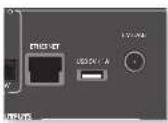
AVR Hmert cieoiy ayioKnHt, KOTOPHIOBOHET BOCPOHNBOHT HiTepepA PAHOCTAHNI, MYsXy C cTcERN XoTepCHX 8xPAHIN, HAUPHEM KOMIOBepa, a TAKAE USBAHOKRTNTC.
JOHOHJIeIeIHy HIIbOpMaHIbO 6cTahOHKe LVK a cETt CMOTPTte Hc TpaTeRnR-14.
Pechebepa AVR noepcknbaor qhaan cnaynmnx
fopamrto:
MP3
WMA (Windows Media Audio)
WAV
FLAC (Free Lossless Audio CODEC)
MPEG-4 AAC (iTunes) c noepkoDRM10
M36paHHoe
Bb Moaee CoxpaHn Hmepuier PaHIOcHAnH BnAHIe 'HaapaoHoe 1yOsbOHOIocryna Boouee. HAKATNE KPACHOH KhoiHKo BOpeMBOPOUHcEaHnO6aBaeCTraHnB HAIky 'HaapaoHoe.Hakatne 3EETHOHKnKOnyTAYNcTe CTAHNI HAHNI 'HaapaoHoe (JAAHNA KhoiKA NcCTRY,Tohko eonr TaHINH HAXOHTC B nAHIc 'HaapaoHoe).
INPMEYAHNE
AAMNHOHNA BOCIOHNCHC CCEIPOOYCTPOPTCA HAYCTPOPTCTTOKA H67yauooua ciya oag plug and play (UPnP). Hanmpmeep Moe Windows Media 117. EroMOKHO AUYAPnB 6ecuHua n C Hurepuer cnaWww.mrcsof.com HNT yctAOHOBn C NOMONTOyCIOUHOOA OoooumWindows.HaWindows 7" H Vista" TaHHA DpyuHn ABnERcCBOPOHIN. Ieep Windows Media ppeoyAKTHHNN OooqocDcyi/nnotokoroNnpcehnyMyskAAHOBnO608NeKrN KBCPNOHABCNHMyANCnOMOUNAVR.
AaTpyrTHOeTIPOAHIOHINCHCTEOMKMOHOTOBER NOCTHYIbpyTHNATPHIAE&BcENTHIHAE CYsIKHOUPnP. HeKOTOPHNA NS-CSETEMMBEMBTO BCTPOCHHHBCPCEHNCYKHOUPnP.
Bb6op nctouhna Bocnpoun3BeHn
Babop Krrckcr cetn noaonr Hmnnn Hocipnoeene Hntepner-poohoe n mysk, coxaneae na ceraeao ycpoctre xpe anenna Ns USB-ycpoctre.
IaBbOpa CeroEIOHOCTOHNKIA IPOTOO HAKIMIE KHOHNKY NET NAHYNTD TACHAHOONO YIAPINHCHNA. BbTAOKOE WNEHPA K EUMY, NAKMAH KWOHNK -INPUT/INPUT-NAEPNCKHNC
Hn Hn Hn Hn Hn Hn Hn Hn Hn Hn Hn Hn Hn Hn Hn Hn Hn Hn Hn Hn Hn Hn Hn Hn Hn Hn Hn Hn Hn Hn Hn Hn Hn Hn Hn Hn Hn Hn Hn Hn Hn Hn Hn Hn Hn Hn Hn Hn Hn Hn Hn HHnnnnnnnnnnnnnnnnnnnnnnnnnnnnnnnnnnnnnnnnnnnnnnnnnnnnnnnnnnnnnnnnnnnnnnnnnnnnnnnnnnnnnnnnnnnnnnnnnnnnnnnnnnnnnnnnnnnnnnnnnnnnnnnnnnnnnnnnnnnnnnnnnnnnnnnnnnnnnnnnnnnnnnnnnnnnnnnnnn
IPII Hcnpo38eHnH npOxKHa HAAMHTI II, T06Ba IIOCTaHOHTBte (KpOme HITpeHpaTio). IPII HauKaTHN KhoHKn 6yEET BuaHOMHe HEPxoHn Ha ody IPOOxy BHEPe, Eocn OchTINYrTOAeHNOHn DOPOXKA, KhoHKn pabotAt He 6yEer.
PIII HAKATNIH KHOHN K BYCTB MBOHNH NEPCKOIN 10 ouy opoKNOY Ia3a. cInH OocTHNHyra eepBaN OPOKNOK.KHOAN POABOTAH.Hc BcIYD
Bocnpoun3BeDeneHne cepes USB
BCTABRE USB-ycpoiCBO a paabem yctpoicBBAVR a bncpcr ceteroB hcncktnk BNO.USB-ycpoiTOO tOPOPAeAeB CnICCK nanok npnoomotpa. BmDnTcYcpoiTO C nOMIOH KNONOK u HANKMTE 1npeXODaK coepKAMMOY USB-HAHTNRC.
nanax TnONbaya KNONK
yMaBkAnTHM qanJ HANKMTE OK pTn eT BACPNOBDEHN
HHTepHet-paDnOCTAHmN
XOa Hmokere AabpabHnHepeH-paHOCTAHUHbpyHyv,AVR nmoIyers cykybV TuncTn ydofoAubopa HnHepu-paHOCTAHUHnNoNtKaToH. TnoBa HactPOnr,JaHyoCny6y hya YcpoicBe AVR, HocTeHre HnHepu-catr www.arcram radio.co.uk
BAM 6yder INHIOHOHO BIECHN MAC-APCR (Media Access Controller), ANTHOMERY YHKHAHUM HAIHINHOTOPOM ARV. EKOT MAC-APCR MOHIO HAIHIN B CTEROM PAIGEN MEOHIO HAO TPOFROH
NIOO BNOA MAC-AMPCBA CNOCKOTPOOPATPAHHTIN HNOKACTN HACPAPAHRTpynnn HABpHAnx PAHOCTANH. Ipi cnoyomnONNOHmEN AVR K crr HTRNEHPT TPNPPy 6byr OTOBPOAKaIb a Nauke "Happoe"
PnHaKaTHH KONKHN INFO6yETOTOBpaKaTbCcabeuBauHApopuaHIN HmKnHcN cHnHcnpepeHt maeH:
Bpcma c haua (no ymonuahHH)
PeKm06pa60rk
Aanbom(ccnnnoctrytnho)
Hcmonmteb (ecn noctymo)
HidopmaHnOphiE(ckopoctbHepeaunTnn)
KakncnojIb3OBA Tb onuHIO PnoknIOueHne
IINIOIOIOIOIOIOIOIOIOIOIOIOIOIOIOIOIOIOIOIOIOIOIOIOIOIOIOIOIOIOIOIOIOIOIOIOIOIOIOIOIOIOIOIOIOIOIOIOIOIOIOIOIOIOIOIOIOIOIOIOIOIOIOIOIOIOIOIOIOIOIOIOIOIOIOIOIOIOIOIOIOIOIOIOIOIOIOIOIOOO
- 10aabe3e cno hoe yociprco bIy te cbe with, katoyoo hcnmoyer Bam tenooh, pntnman HIK IIIOOpaOioHnnpoAorOcpoTBe B HcNpyKTHBnFbNOsAoBaeTe npOkyta).
- Oikpoiye npiaoxoKeine Spolity na Bauem reaepeoe, hauuiee Hn II Kn Bocnpnoepne nno bnoyio neoo.
- LecnblbncnbnrteupnoeouneHnTepeofoe KocHHTc6a HNAKcNCHB HNAKHNbOM TpyTb KApua, Nla HnHaMaHa n Hk NpEepaHn Knau 4
4.Kochntcch 3hAaKIIIOXIOHcHc
5.BIbephtie cioo yicpoTHIO HcHcKa. ECHBaero
HC BnHTC, Yb6TcHc, TTO OHOIOIOIOHO KToT
KcTei, tIO HAI TENOIO, MmMJIIEHKTR.
Bce rororo! Cactmoro npocrynnnraanr
Amenns
Prrpammoe oecctreenee Spotidy noenckn eHIOIINI INIINI IPEIINI KOTOPNEMOIO HINIOAepcy:
https://developer.sponitf.com/esdk-third-party-licenses

CnepA VRAOeCNHAAOT HcABHCMYIO
MauyIyIaIaIIOHOIgEJIbIeYICpOITJIA,
KAI JAPAHIO, CIOAOBAYEMBE BpyOM ABOOM
NOMeHHH, IINHPME, cIJIbIeHII HOCTHOI.
30ha 2
HOpopaaBmZ22OUT,RRLIOKHH6bHTBIOKIOCHCA KAAHOBOIOM SYDHOXOBAM (sak pRnIO, cMOTeKo ANAOLOE AUDIO INO)ycrpoTcRA OTOOpaKaCNHO30H2, TIOKO KO XOaONAOHOIOINIEBIOIcrepeOCHBtEeB 30OE2 (auPmep, Arcp P38).
BbXOdbHnHaMMKOB
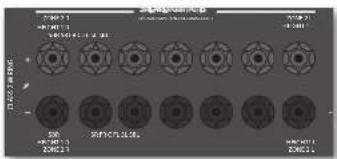
FmH 17AHRo6o3nCTaHOBcnaCtema
Oobemoro 5.1 (ne7.1-katahna CTH
JIOHOHTENHae BMOXI 7HAMHKOB SRL SBR
MOKIO AIOIOBOBbI IINIAHAN HAIHAKOB B 30ue
2, HIOOMY CYNHAEIE HOPTeYEA
IIH NAPTOIKN AKIOJOO BAEOPEIe HAPAMET "TIN
HHAMHKOB" B MCHIO YCTAOHNI KHYCTAOHBOTI IN
HAPAMET "HCNOBOABI KaAHM 6+7" HAeHNH
"O0a2" cOePHTIe HA crpAHIe R-26.
Pa3beMbIyypaBneHn30hbl2
PecBpeA BVK TAKCKO6CECHNBAOT JHCTAHNTHOHOUynapAAHnHa 30 H24

Z2VK
AVR noepnkae npotry nnyra nprnannno Hpyaennnna 30n2. 2. Pnnnnne ryeanennn HNK-pyehnHH 60n2 2n pyaenrA AVR naaonoo6actyaupocnyuauuauuapocoortp.
Hnoynen nnnoonnnnneBnO hBoppaunn 06
yhaenbHK uphehnaKcx oortpE 2 HK 出 ctp.R.14
TRIGZ2
HOBONAT ARV ydaenHO BHKIOAHy cYTOPOCTBA H00e2, c0nH OHaB6PbA. HanPMcP, bMOKcE RkOHTb TeneBH3Op B 00e2, c0nH a YTOPOCTBE AV R b6pHa 308a 2.
HnnoyHnHOJIOHTNHTHNOHbOpMaHnO BKTINHHe CMOTPHE XTTTREPHMe paTHEMHa CTP. R-14.
OBpaHrRE RHHMHNHe, TnE He BcC yTpOCTBaAynH/
BnIO NTO pRcKbHnAOTyBHydykNtHO, HnTTO
TAKOE BkUoWueHHe HE AURiTH CBOAeBbHbIa. HJ
HPOcAaHbHnA Hn HPOCMOTBa OYBeBbHOb ZHO


06yuHHeNKeKoMaHdAm
Hpynntaonnoho yoroo hnoo 0000000000000000000000000000000000000000000000000000000000000000000000000000000000000000000000000000
Iepen nannn mnnnnnnn yne nree
HybHpaTHaHOHOYypaHaeHO paHaeXppeHHo. HybHpaTHaHOHOYypapaeHHa HpaHaeHHmHa Hae ypcOeHH.
HaIyBHeDCTAHHOHOYypaHaeHHcYcHOBHH HOBcEETACckHH.
IyHbIbIbIbIbHIbIOYypAaTHHe HxApOeRcB IOI pIMAM COIeHMAI yMaM IIN CHETHMAE DMOHCCCHTRHDMAM
#
MHNHINNEYIKKYNKINSAHONOTPOKIMIA.BIOKOEMIE BAKHHPHTOZHOKHONKINBOJOKSHNPAHSPAHKTHENP YIHOCHU CLOHMADKOBOPHEKNNKIKSHMOHARHANDAA KAOJOFOKPOKAM.
HenocepTeBENHAA yCTAHOBKA KOA (cnco61)
IIEHHPCHIOO 1000000000000000000000000000000000000000000000000000000000000000000000000000
1.HARIMTEKHOKNYcTPOJCTBOHnPPOXyTKOTOPN BnKOTHEHACPTOHT,HNKOKNY1.3eepMOBATE O6 E KNOKNB TETEPHETOCKOXYH, NOKA BcAQPOTCA HINKOWAP. BnTETEPsHAXIOITRECHpEKMIEYcTANOBKMNMOEIE OTNYCTHTHOKNIK
2.Baeute 3-ssnnn kon yctpoikctra.
Ee Haege npnnnnn 3-7nnnnn kon ycpioepno
OoHnnnnaeB. Bpovnno hcm cyneae bpeyepno
KoAa cchka, noka ycpioepno he mkknohnt
3.IncnoTocO, KAKIINBIMIKHKOKAIHAKH, HANHNTI KENHNY YNCTPCKAEEHNEEPEK. HUNHKATOH NUR TPN PAA 122222222222222222222222222222222222222
HactpoikKa noncka B 6n6nnoteke (cnoc062)
10HCK NO6HOHTOKNHOBOBAM RAN HAIH BC BDOI 5XAPINHIEA BIMATINPYTAYJCTAHNIKHOHOYTPAABTHEN 3TO MOKET AEBHBAHOH BOIOE BPOCH,HC MEPDNOHNMEOKO, HONOTY KIOBHYRE STOT METO B CCHQYHX CYHAX.
Bau cyptorctBO He pcrHpya Hnye
kTAKKMOHOHOY npAETHO HOOce TTO, KAA Bn
HIOPOAOHcHice KOy, yKsAHTHHe OoB HaeMnAPn.
BuHaXpKa BOOcE He YKsAHA B TaBmHxKOBo
cyptorCt.
LcH HnHApOp HnHa 2eAeAeHHHnHnHnHnHnHnHnHnHnHnHnHnHnHnHnHnHnHnHnHnHnHnHnHnHnHnHnHnHnHnHnHnHnHnHnHnHnHnHnHnHnHnHnHnHnHnHnHnHnHnH n H
BaxhblnnpmeuHna
KAK TOKIOBA MAHATAO OIOTPOBOO BYOHJYIHYA yABCCTT PBCNPHOC DACRT KONYAI BAAOMIKHO KAKATO HAIJI. B CYRIE PRINIPRINIPREMIEN OKAIHIHA RAM PIMDTRCH MATHI BOH PINOCCC 30806
ΦyHKHIOO BYOHN HABKHTOT PekKMA. Bb MOKETe KOHNHOAT OTHY FOKKHHIOO DIO HOKO PEKMA JIaDQHIO KHOHOJI.
IyTtJHCTAHIOHOHOYUAPMBOHOMOKETB COKOHTOHCHN BYNPOEEPNOHMOH 16 dyHQHH
AMP (CHCTONHHXKo19):002
Ogurirn Hnnnne, 0o Bam EooKMO KMMNTH Cemrnnk kna h npoyke, kotopam Bx kortnr yynapntb. aTaeRn HnnyeAeHnneHnneHnneHnneHnneHnneHnne
1.AMPBD.CUN TAN ABOTOC KHMAXH yypockTaB,
KOTOP HMOY BMTS ABOKPOSAH MNN
paoKoPpOeH
KHOHN 60KoPBOH N paoKoPBOH N
peKoPbAeMnN (OH) MOY HmMERTB pkoHc c
60KoPBOH n PaoKOPOXy np.)
2.1KmEeYyepKbHBeKoKnKa"YcypO3a0'6 a 8
TaeKre Tpeckynn.
HnHaKop mntanr oyert ropeR, noaansBa,
yoCypnncn HxNpOePnncn aekpnna napnkiK
6kOKnPpApaBnKpOKnR.
3. Eun H.Yuehne 30 cekyui xinoka he hokata, kihknapot honganiet iuyiistai zhiangmibnbo yupaembei hsiqdi pekkae bactpckki 600knpkopki 53060knpkopi
4. 1064 HIOOHTOTCIOCTOBHIEYTOPOKTBIA, HAKIMTTE KINIKI 369 HOCHHEPOTAHHO: ECH YCTAOBOSIBA 80KIOPOKBA, KHINATOP MHTKT TPR Paa ECH YCTAOBOSIBA PAIOKOPOKBA, HAKINATOP MHTKT NNTa Paia
5.IIIaKAKTHIHOHOKHO'YTOPOKRO'BO' TcTcHIO30 cekyHKHIOKOTOPMHTNtPpaa 11yDJI KIXIKHIKOHO YUPBCHOBH HbE2E3O pckDOA HbCPOHbE OeKoPbKOBpKOBX
YnpabneHnepromkoctbIO pyrnx yctpoiCTB
100 YIOMKTHIO KHOHIOI POKKCTE EIOXIOOHSHY SHYA YEPOOHTO NKPOKCTE YOOCTEAE.
Bb Wnne Bnepn Bnepn Knnn Hnnpn
Knnnn Oo Pnnnnn Pnnnnn nnnnnnnnnnnnnnnnnnnnnnnnnnnnnnnnnnnnnnnnnnnnnnnnnnnnnnnnnnnnnnnnnnnnnnnnnnnnnnnnnnnnnnnnnnnnnnnnnnnnnnnnnnnnnnnnnnnnnnnnnnnnnnnnnnnn nn nannn nn nannn nn nannn nn nannn nn nannn nn nannn nn nannn nn nannn nn nannn nn nannn nn nannn nn nannn nn nannn nn nannn nn nannn nn nannn nn nannn nn nannn nn nannn nn nannn nn nannn nn nannn nn nannn nn nannn nn nannn nn nennn nn nannn nn nannn nn nannn nn nannn nn nannn nn nannn nn nannn nn nannn nn nannn nn nannn nn nannn nn nannn nn nannn nn nannn nn nannn nn nannn nn nannn nn nannn nn nannn nn nannn nn nannn nn nannn nn nannn nn nannn nn narnnr nae aee
2. HaaHrrtcknKorky VOL UP
3. 116xepno HIXKMAKTHK KHXy AV. HIXKMAKTHK MAMHHT type paa
KIOHIN KIOHOKCYA BAIIOHOH HAIYI KIeTEE GAYI HOHNOHNMOHNGYEREPHEKRYA HAIYI HAIENBOP. TROHAXTPORIKKOHA IPOSOKCTH AITYPASNAH YICHTHOEN ENE PA, NOPTOPHY OIOHANAE BINE MATH, HEXAB B 3 XOKNY AMP.
CkpbItbkeKOMaHdbI
| Ko#aia#b#j# |
| AMP+ |
| AMP+ |
| AMP+OK |
TnHnHnHa cTnHnHn4 4 (n HcHnHnHnHnHnHnHnHnHnHnHnHnHnHnHnHnHnHnHnHnHnHnHnHnHnHnHnHnHnHnHnHnHnHnHnHnHnHnHnHnHnHnHnHnHnHnHnHnHnHnH n H
HnHnHnHnHnHnHnHnHnHnHnHnHnHnHnHnHnHnHnHnHnHnHnHnHnHnHnHnHnHnHnHnHnHnHnHnHnHnHnHnHnHnHnHnHnHnHnHnHnHnH n Hn Hn Hn Hn Hn Hn Hn Hn Hn Hn Hn Hn Hn Hn Hn Hn Hn Hn Hn Hn Hn Hn Hn Hn Hn Hn Hn Hn Hn Hn Hn Hn Hn Hn Hn Hn Hn Hn Hn Hn Hn Hn Hn Hn Hn Hn Hn Hn Hn Hn Hm Hm Hm Hm Hm Hm Hm Hm Hm Hm Hm Hm Hm Hm Hm Hm Hm Hm Hm Hm Hm Hm Hm Hm Hm Hm Hm Hm Hm Hm Hm Hm Hm Hm Hm Hm Hm Hm Hm Hm Hm Hm Hm Hm Hm Hm Hm Hm Hm Hm H m H m H m H m H m H m H m H m H m H m H m H m H m H m H m H m H m H m H m H m H m H m H m H m H m H m H m H m H m H m H m H m H m H m H m H m H m H m H m H m H m H m H m H m H m h
Ee npnepnch eonom oem qoh kcnk noky hnpnnb 1 chncn. cne pynnnae neeyoobnepnbohckn, npnoekrjne knoehnabokn dkaen aoei nope npnoebnepnro 0064 nopehnhnoe nooae nooae yhoohnoa hnooc.
Ee IIOIIOIOIOIOIOIOIOIOIOIOIOIOIOIOIOIOIOIOIOIOIOIOIOIOIOIOIOIOIOIOIOIOIOIOIOIOIOIOIOIOIOIOIOIOIOIOIOIOIOIOIOIOIOIOIOIOIOIOIOIOIOIOIOIOIOIOIOIOIOIOIOIOIOIOIOIOIOIOIOIOIOIOIOIOIOIOIOIOIO IO

| Поблemaубinteь,чio... | |
| Индikatorpoу усторсва не ( торот | ■ Кабел Stektronпгггл� рогхлесук AVR, a cetera posetka, к kotopo погл��ноу усторсва, равоча. ■ Врахет Stokka nittan. Есгюрл лимпь рашилар,在усторсва AVR maxoindtsb в ржел; охдддддддддддддддддддддддддддддддддддддддддддддддддддддддддддддддддддддддддддддддддддддддддддддддддддд Достаншонlorу уразален. |
| Усторвсго отberаert c иrelбоглam bainne re preapuyet la komanlody hytba dngstahnohoу уразален | ■ B pyntc ngstachnHOrOу уразалену utayohchenu hovnbocn ha boatepekn. ■ otobpaaketsc okno upeapuyen hytba, hyt naupabaaete lyabrt dngstahnHOrOу уразалену hytba. ■ Достаншонlorу уразалену hytba. |
| Дибддддддддддддддддддддддддддддддддддддддддддддддддддддддддддддддддддддддддддддддддддддддддддддддддддд徳 усг | ■ Пснчсн He kaxknotch. Haxmntc khnky DISPLAY Ha nepectchn pankcnn нл nyнуngнуngнуngнуngнуngнуngнуngн. ■ Врахет Stokbrg no procssma ra knactpoch no ha chtpan AVR. Выногнгс tccttnpoanHHc,нakвak bKhoNky Menu HA AVR hyt ha hytnc dngstahnHOrOу уразалену, hyt bayntc nfaBnC mChNo ha yztro8ctbc otobpaaketsc. ■ Достаншь празалын bdoceoxod hy VR. ■ Достаншь hytboe duonoooyd hy AVR. ■ Достаншь hytboe duonoooyd hy AVR. ■ Достаншь hytboe duonoooyd hy AVR. ■ Достаншь hytboe duonoooyd hy AVR. ■ Достаншь hytboe duonoooyd hy AVR. ■ Достаншь hytboe duonoooyd hy AVR. ■ Достаншь hytBOE duonoooyd hy AVR. ■ Достаншь hytboe duonoooyd hy AVR. ■ Достаншь hytboe duonoooyd hy AVR. ■ Достаншь hytboe duonoooyd hy AVR. ■ Достаншь hytboe duonoooyd hy AVR. ■ Дostаншь hytboe duonoooyd hy AVR. ■ Дostаншь hytboe duonoooyd hy AVR. ■ Дostаншь hytboe duonoooyd hy AVR. ■ Дostаншь hytboe duonoooyd hy AVR. ■ Дostаншь hytboe duonoooyd hy AVR. ■ Дostаншь hytboe duonOOYH duonoooyd hy AVR. ■ Дostаншь hytboe duonOOYH duonoooyd hy AVR. ■ Дostаншь hytboe duonOOYH duonoooyd hy AVR. ■ Дostаншь hytboe duonOOYH duonoooyd hy AVR. ■ Дostаншь hytboe duonOOYH duonoooyd hy AVR ■ Дostаншь hytboe duonOOYH duonoooyd hy AVR. ■ Дostаншь hytboe duonOOYH duonoooyd hy AVR. ■ Дostаншь hytboe duonOOYH duonoooyd hy AVR. ■ Дostаншь hytboe duonOOYH duonoooyd hy AVR. ■ Дostаншь hyrtoy duonoooyd hy. ■ Дostаншь hytboe duonOOYH duonoooyd hy AVR. ■ Дostаншь hytboe duonOOYH duonoooyd hy AVR. ■ Дostаншь hytboe duonOOYH duonoooyd hy AVR. ■ Дostаншь hytboe duonOOYH duonoooyd hy AVR. ■ Дostаншьhytboe duonOOYH duonoooyd hy AVR. ■ Дostаншь hytboe duonOOYH duonoooyd hy AVR. ■ Дostаншь hytboe duonOOYH duonoooyd hy AVR. ■ Дostаншь hytboe duonOOYH duonoooyd hy AVR. ■ Дostаншь hytboe duonOOYD duonoooyd hy AVR. ■ Дostаншь hytboe duonOOYD duonoooyd hy AVR. ■ Дostаншь hytboe duonOOYD duonoooyd hy AVR. ■ Дostаншь hytboe duonOOYD duonoooyd hy AVR. ■ Дostаншь hytboe duonOOYD duonoooyd hy AVR ■ Дostаншь hytboe duonOOYD duonoooyd hy AVR. ■ Дostаншь hytboe duonOOYD duonoooyd hy AVR. ■ Дostаншь hytboe duonOOYD duonoooyd hy AVR. ■ Дostаншь hytboe duonOOYD duonoooyd hy AVR. ■ Дostаншь hyrtoy duonOOYD duonoooyd hy AVR. ■ Дostаншь hytboe duonOOYD duonoooyd hy AVR. ■ Дostаншь hytboe duonOOYD duonoooyd hy AVR. ■ Дostаншь hytboe duonOOYD duonoooyd hy AVR. ■ Дostаншь hytboe duonOOYD duon oo-уг: ■ Дostаншь hytboe duonOOYD duon oo-уг. ■ Дostаншь hytboe duonOOYD duon oo-уг. ■ Дostаншь hytboe duonOOYD duon oo-уг. ■ Дostаншь hytboe duonOOYD duon oo-уг. ■ Дostаншь hytboe duonOOYD duon oo-уг. ■ Дostаншь hytboe duzonOOYD duon oo-уг. ■ Дostаншь hytboe duzonOOYD duon oo-уг. ■ Дostаншь hytboe duzonOOYD duon oo-уг. ■ Дostаншь hytboe duzonOOYD duon oo-уг. ■ Дostаншь hytboe duzonOOYD duon oo-уг. ■ DostanShB hytboe duzonOOYD duon oo-уг. ■ DostanShB hytboe duzonOOYD duon oo-уг. ■ DostanShB hytboe duzonOOYD duon oo-уг. ■ DostanShB hytboe duzonOOYD duon oo-уг. ■ DostanShB hytboe duzonOOYD duon ee-уг. ■ DostanShB hytboe duzonOOYD duon ee-уг. ■ DostanShB hytboe duzonOOYD duon ee-уг. ■ DostanShB hytboe duzonOOYD duon ee-уг. ■ DostanShB hytboe duzonOOYD duon ee-уг. ■ DostanShB hy tboe duzonOOYD duon ee-уг. ■ DostanShB hytboe duzonOOYD duon ee-уг. ■ DostanShB hytboe duzonOOYD duon ee-уг. ■ DostanShB hytboe duzonOOYD duon ee-уг. ■ DostanShB hytboe duzonOOYD duon ee-úrg. ■ DostanShB hytboe duzonOOYD duon ee-úrg. ■ DostanShB hytboe duzonOOYD duon ee-úrg. ■ DostanShB hytboe duzonOOYD duon ee-úrg. ■ DostanShB hytboe duzonOOYD duon ee-úrg. ■ DostanShB hytboe DuzonOOYD duon ee-úrg. ■ DostanShB hytboe duzonOOYD duon ee-úrg. ■ DostanShB hytboe duzonOOYD duon ee-úrg. ■ DostanShB hytboe duzonOOYD duon ee-úrg. ■ DostanShB hytboe duzonOOYD duon ee-úrg. | |
| Iирхoeяк�гу Иин Иикajхөнгүүйаү. Иирх�м Иирх�м Иирх�м Иирх�m Иирх�m Иирх�m Иирх�m Иирх�m Иирх�m Иирх�m Иирх�m Иирх�m Иирх�m Иирх�m Иирх�m Иирх�m Иирх�m Иирх�m Iирх�m Iирх�m Iирх�m Iирх�m Iирх�m Iирх�m Iирх�m Iирх�m Iирх�m Iирх�m Iирх�m Iирх�m Iирх�m Iирх�m Iиpex Iирх�m Iирх�m Iирх�m Iирх�m Iирх�m Iирх�m Iирх�m Iирх�m Iирх�m Iирх�m Iирх�m Iирх�m Iирх�m Iирх�m | | |
| Ipiobnema 6y6eHntcB, yto... |
| 3Byk BocupnoBODtch He I3 BceX DnHAMKOB |
| ■ Bb5paH n BnCnpoBnBODTcR CoOHTETCTHYOHN HCTOONHk OblHMHO BnyauHH. ■ BD/DVD-1nck 3aokDpOBAH n OpepeHEnHOM fOpMaTE, a COOTETCTHYOHN fOpMAr BmBpaH B MeHO 3anyCKA, NKCA BD-1npOHPBnBTeAE (ecn pnnmeHHMO). ■ BD/DVD-1nep 3actpoen Hn BbOaD hTOBOBBO rAynHO B nHfPPOBM opeHMe. ■ OKIO DNCHEN YkALBAC, YTO BOCNPOBNOHMM NDCK ABHETC MIOKOHIIHbIM (YTObI OTOBpAHITB OAO "BXOAPNI FOOPMAT" HeckOJIko pa3 Ia KINKNY KINKNY INFO). ■ BCE JINHAMNK II PPAHINHIO H NADJHKU HO NIOKIOHEM K KHEMMAM. ■ B KAVETBE peKHMIA DEKUPPOBAHNE H Bb5paH npAeWTP "CTepen". ■ DNHAMNK II PPAHINHO C6aHNCIPPOBAH. ■ BbI HAcTPOHn H AVR BPC JINHAMNK B CHITTEMPE. |
| HcboMoXHO Bm6paTH peKHMIA JDCOHPoBAHNA Dolby Hn DTS |
| YcTPOBtHO AVR MOKET PImEHmTB TOnkIO BPOKHMIA DEKUPPOBAHNA Dolby H DTS,ДгвНСТКИОВ,КOTOPBБ Бын N3AKOUPPOBAH B 3ToM JIe φopMATE. Y6beHITcE, YTO: ■ INPPOBANII HCTOHNH M Bb5paH N NOKIOHEn. ■ HCTOHNH BOCNPOBNOHDT COOTETCTBYOHN MOBaOM 3akOHPoBAHNI MATEHAA. ■ BD/DVD-1nck 3akOHPoBAH N OPReDELEHINOM φOpMAte, a COOTETCTHYOHN fOpMAr Bb5paH B MeHO 3anyCKA, NKCA BD-1npOHPBnBTeAE (ecn pinnneHHMO). ■ BD/DVD-1nep 3actpoen Hn Bb5paH NTOKIOBGO AayHO B INPPOBOM pOeHMe. |
| IIpn IpoHpBbAHN Dolby BD/DVD-IpoHpBbAteH. peCHeP AvR850/AVR550 Bb6HbAcrΦopMart Dolby Surround |
| ■ Na BD/DVD-1npPpHbAteHNF HAcTPOHNO HINPPOBE NOKIOHEn. ■ HNOJa Dolby BD/DVD-DNCHN COePpKaT MaTePHA B HApHE NIK KOHNe OCHOBHOrФиьмь,КOTOPBb H NAOHOM H ChOBA NOKIOHNT ERO (Ipep,IaHNNM ■ DeTBeHAM OTKKNIOB MTHTHNE. ■ INOOKIOHMI BYTyr p3TMeA KabeZs H CLOMAH N IpaBbHbCOeDHIH. ■ ECIN IpoMEXI BOSHINHAT TOBko Prn POKIOHNOH NOrpeDELEHNO KOMIOHIOH, IpoBbE, YTO AnHTHb H KabeZb H NIOKIOHHeAte TapeHk K HcTOHKn 3aEeMHeO. ObpAITcE K cIEHAnBCTNo yctOahBc. |
| IHomeXn IprHcnoBaoHn anAoHOBoro BxOJa ■ HAIHITE OTKNDIy NTOTomXnx. IIO UepeHn OTKNOHNTe KaKdN KOMIOHNT HCTOHNH, SATEM dpyTe OobpOyBaHn, BbIbIMHCTHO 3nEeKTOHNO OOBpOBAHn HIOPOBNO TOMXnx H NIKOTO yOuBH. ■ INOPOBHy IeHcHbHb PaCnOIOKHe N KabeZeL C INeKCPaBHO HCTOHNH KIOAaHne OR IpyTHx KaIeHJI. ■ HCTOHNHcyIeTO TANKOHO KaeCTBA, INeTbHaNHeHHe CnIeHbAaHn, TOTeONe NIIeHmII HMeHInuie COOTETCTBYOHN eKpAHPoBAHHe. ■ ecn IpoBbHcMoCoXpAHETC, OcbpAITcE K pOdoHUY. |
| ПоблесmaуБedитесь,чу... | ||
| Источник Небраимается поставлкий пош. He пебраимаетсь сordem | ■Нет сtrainckixнд Ий Мнгсхьхnomex, ВИЗВаньхьx npуtm бируновим, Маринер, Марpersынм пьюразамн. Спебальский ВИЗногоньд. ВИЗногоньд. ВИЗногоньд. себуцд n chobу велочу creо, чobу у相对较плллп робemsь b paobote. Есн поблесma coхраимьсс, орватеь x устовшик. ■пИК-дітектор, расліоженоки здAzдініSpecemпсіпіпін. He падот рраимь сordупьду. eун. | |
| Саимков мьсokал тромкость ури вikочуши | "Мakimahalha Гомкость" He pactpoeha Ha CnIMKm BcOKkyn ypobotu | |
| Есн заошимаоошee USB- уieldостыот Okночу, b синcke сандорссero Клсichte "USB" He otobpopakaitet | ■Даиминимаоошpe USB-уieldостыоCoTВТСТВуETKлССУСУТРОЧТБ Большо EMKOTN. ■USB-KoMHENTPAPOR He HcTOLyETC. | |
| Есн Фаль的服务 Баимонилamos USB-уieldосты che небраимьссрс: Ech mai na BocipnohodontsHa КOMBIHOTepe | ■USB-уieldостыоTo phopmauporbahoBn Bфopmate FAT16 nHH FAT32. ■USB-уieldostыоHe codepkrnt Heckolny poJadelot. ■Фaytsm HmEOIT COBMECTHMnФфOPM. ■Фaytsm HmEOIT COBMECTHMnФфOPM. ■КOMIыногетр ДОнКLOнeHn cetn, a He nO USB; USB-nopt AVR He постroduндану Дэннсрсдтснгго ПОдКLOнeHn KOMIыногу Ech mai nc MOjete Баимонилamosь сь к рьовдуо cein | ■HcTOLyETMn LiteuNET-Kabel БраимьноTo pOKKOneMeKdy AVR n сerbembl oboprudovobamn. ■сеть HabtostyaHa phikcnpoBaHnyIP-dapecauho, n uctpohtcBo AVR HactpoHoHa n HcTOLy3OBaHne DHCPC. ■сеть HabtostyaHa dHCP n UcTpOToBTO AVR HabtostpoHnHa HcTOLy3OBaHne PhikcnpoBaHny IP-dapecauho. ■Сеть HabtostyaHa n DHCn n UcTpOToBTO AVR HabtostpoHnHa HcTOLy3OBaHne PhikcnpoBaHny IP-dapecauho. ■Сеть HabtostyaHa n DHCn n UcTpOToBTO AVR HabtostpoHnHa HcTOLy3OBaHne PhikcnpoBaHny IP-dapecauho. ■Сеть habретунуHa n CspOCTbe eepabotu doctatouHnA. |
| Есн Вд Ид Можete поставлкий Кнбраимь Hindertech-paiznoctanuhi | ■Саимьн Вд Ид Можete Beizhanne He He peperpykeHa, ПИТОТРITE ПИьытky нддуve. ■Раимостануну He Meeet HcKун ckapoc'tb PpavycKaHn (Дд.TSTO Hakimate KhyNKly INFO nHn NaHdYr ChTNTBcTByKUHy NHyHpOpaMaHNo ha HcKpAlOBmДHcIDee). ■сеть HabретунуHa n CspOCTbe eepabotu doctatouHnA. | |

AV860
| Дамшимь clepeobaxdM | |
| МатематICALBA BAOHIN MOUNTHOCTB 4,5 B RMS | |
| Номынайычayгдгпьмбгьсьт 1 B,2 B,4 B (насграиьага рогьшовагam) | |
| Бадонеюнhoe cooptorahmene 47 кOM | |
| Со�ншоненые салларшу (A-wid ref 100 Bt) | 100 ab/110 ab |
| обухимь/crepoу pramoch | |
| Чactorотимьхахаркетерстук 20 Г - 20 кГ - 0,1 ab | |
| Вадхаянчedунштейн | |
| ПОНМИЗHA N YPOBСВ на hyхоче 1B RMS/2B RMS | |
| Интудз bmyo7a 560Om | |
| THD+N(20 T-20 x Tn)-100 nb | |
| Вадхаянчedунштейков | |
| Мадимalньчий hyposьн bmyoja b 32 Om 2 B RMS | |
| Интудз bmyo7a <5 Om | |
| Овшистец | |
| Ишржесице сени пинань 110-120 B nJN 220-240 B, 50-60 t | |
| Берног�табөнгүй (мэхшун) 50 Br (passesshi nteл a npнб.170 BTE/q) | |
| ПOTрбшемь мошоctь (b hyakшьоь'mр ekшime,obshynomрснmc) | 50 Br (passesshi nteл a npнб.170 BTE/q) |
| ПOTрбшемь мошоctь (u peşшime оksшьл) <0,5 Bt | |
| Раамсг | 433 x 425 x 171 mR |
| III x I (bKlquyak kontak'te dHaAMnka) x B (bKlquyak | |
| нокки | |
| Мasca (netto) | 10,25 kT |
| Мasca (c yankovskoi) | 14,25 kT |
| Акsekutсьд в komпскгte | Cetebov chypur Пуав'tдддддддддддддддддддддддддддддддддддддддддддддддддддддддддддддддддддддддддддддддддддддддддддддддддддд徳пспспспспспспспспспспспспспспспспспспспспспспспспспспспспспспспспспспспспспспспспспспспспспспспспспспС |
| Искадуяооошьк iюшуck | |
| Пришемьнчes: Вес huvelени сисфальгий тigшни, сели не уразално hoic. | |
Pojntika HencpebIhORo cObepeHCTOBAHIN
Arcam beetOnTHNYHHePENPHBHOO coepueHCTBOHHBA BOTHOWEHNBCEX CHAOX npOyTOK.30oOHTAaH, YTO KOCHPTYKNTHHO HOTOHHEH NTEXHNECKHXAPAKTEPHN TPOYKNNMOTY MCHNTBcS KAKONO-THBO YACTOMCCHN.
AVR850
| Hemperebina Bixioiia Moihiocb na Kaan, 8 Om/4 Om | |
| 2 kana, 20 Tc - 20 Kt, <0,02% THD 120 Br/200 Br | |
| 2 kana, 1 Kt, <0,2% THD 130 Br/210 Br | |
| 7 kana, 1 Kt, <0,2% THD 100 Br/80 Br | |
| Octaouhui n φοιούουν ηυμη (A-wid) <0,15 mb | |
| Πηηηίσε στερούκησε | |
| Makchimaihna Hxoiianai MOnihiocb 4,5 B RMS | |
| Homirnaihna yučteftretnihoctb 1 B, 2 B, 4 B (hactpnbaactca nojtsobatcnm) | |
| Iaxoioe iohoe coopotnnehence 47 kOM | |
| Coovthomeiie cunha/mym (A-wtd ref 100 Br) | 100 Φ6/110 Φ6 |
| obuoynnai/crepo npamoi | |
| Hactotniue xapaKterpncnkn 20 Φt - 20 Ktπ ± 0,1 Φ | |
| Bixxoia npedychnitea | |
| Homiuinbiy hynovib na bixxoje 1B RMS | |
| Imyeianac bixxoja 560Om | |
| '1HDI-N (201u - 20 kU) - 100 db | |
| Bixxoia liu nayuikov | |
| Makchimaihna yuovib ni bixxoaj 32 Om 2 B RMS | |
| Imyeianac bixxoja <5 Om | |
| Ooiune cuedenhia | |
| Iuprakaeiace cetn iitaihns | 110-120 B m/n 220-240 B, 50-60 Φ |
| Ehcpronorptsebnic (Makchymu) | 1,5 kBt (paccaahe ceta a pnp6. 5200 BTE/μ) |
| Iotpsebmeiia monihiocb (R hcsaktrnHOM pcckime, obuaHOM pcckime) | 100 Br (paccaahe ceta a pnp6. 340 BTE/μ) |
| Iotpsebmeiia monihiocb (R pekime okejdaHia) | <0,5 Br |
| Pamepn | 433 × 125 × 171 mm |
| II x I' (kduoyan konlaktni duiuanyika) x B (kduoyan nojki) | |
| Macca (Hettto) | 16,7 Τt |
| Macc (c yauoxoikoi) | 20,0 Τt |
| Akesccyaipn B komiyeke | |
| Akkessyaipn B komiyeke | Cetienon shyp |
| Iyabt dznctauuunnoiuy upaueuienn | |
| 2 x AAA 6aatapeka | |
| Pyuohn peczHM | |
| Anctcnra umppoboro aytnoknannn/FM | |
| Kaunobopouhniun ankpofou | |
| 3byukovna kapra USB | |
| Icktona oniibokn i nponyckn | |
| Iprnmeuane: BCE naevnna cnneuqauuun Tnnuuhy, ecn n neykazao nnoe. | |
AVR550
Hepepbuaa bixoHMA MoHocrb na KaHa,8O
2KaHana,20Γu-20KΓu<0,02%THD110Br
2kanana,1nTu,0.2%THD 125Bt
7kanana,1d'u,<0.2%THD90Br
Octarounnn n qonounn uynm (A-wtd) <0,15 mB
THeHHe tcepeoXo
MaKHMnBHa HxOJaHm MoHocTb 4,5 B RMS
HomHaJIbHa YyBCTBHTBHOCTb 1 B,2 B,4 B (HaCTpaHbaCTcN noHbOaTeCN)
BxnoHoe nonHoe coporuaenme 47KoM
Coorhomec mrrnmy (A-wtd ref 100 Br) oohm
ctcpco npmaon
Hactorhse xapakreepnck 20F1-20K1±0,2
BbXoHn npenynrnn
HommaabhmypombeBaBxOeIBRMS
IMMnagntbxtx0a560OM
1HN(201u-20x1u)100ab
BaxoiaayinnkOB
MaKHMnBmBn ypoqen BaxxOaB 32 Om 2 B RMS
HMMEJAIC 100X04
<50
Obmcbcennn
Haapnncce cern nntan
110-120Bnn220-240B,50-60T
3heprotorpe6chne (maxchym)
1.5KBr(paccaaHnnc tenla npH6L 5200 BTE/4)
PnmeaHHe: Bce 3haeHnO cneHnHkAaTH TnWTHb, eCm He yKaaHo Hoe.
AVR390
Hepepbnaa bixoanm moonocb ha kana,8On
2kaaana,20Tg-20Kf,<0.0%THD80B1
2KaHana,1KΓt,<0,2%THD86Br
7kanana,1idu,<0.2%1HD60Br
Octaounnn n eoounm mynn (A-wtd) <0,15 sB
AIIHIIbIe cTepeoXOaI
MaKHMnBaHxKoJHuaMOnHocTb4,5BRMS
10nnnnaa yacttnenbnoct 1B,2B,4B (nacippanbaetcn nohbsbarenem)
BxnoHoe noHoe conporpuRnncHe 47KoM
CoorHomeHe CunHan/nyt(A-wtd ref 100 Bt)6bHHm#
ctcpco npmo
Yacorubexapakrepaactn201u-20kU±0,2μb
BbXo3n npnycnnt
HommaahtbmypoebnhaBnxOe1BRMS
HMteHtBEXO560OM
11H+N(201u-20x1u)-100μb
Baxoan haynnnkn
MaxnMaBbHypoueBbXo8B32Om2B RMS
Imutua 50
O6mHcBcEHn
HanpaKcHc cTn nrrnns
Theprotonp6eHHe (maxcmy)
TnpebnmammonHOCTB(BHeakrHbHompekmne,
ODTHOM [EATIME]
Tnptpcnoemammonnoctb(RpeKIMeOxHnHaH)
PazMepn
ⅢxΓ(KIOOyA KOITAKINHIIIAHAN)xB(IKIOOyA IOKKN)
Macca (HertTo)
Macca (cynaxoekn)
Akeccyapb komueke
110-120Bnn 220-240B,50-60Tg
1,5 kBt (paccenHne terma npn6n. 5200 BTEq)
100 By (paccenHne Tennn npn6340 BTE/9
<0.5 Br
433×425×171MM
15.7
19.9K
Cereboon mtyp
IyIbT TaHIOHOHOYpAeHHN
2xAAA 6aTapeKn
PCHONPCKHM
AHTTnHa nppoRor aaynoeamnHn/FM
KaHbpoBnHmmpofo
3BykoBaa Kapra USB
Mckmoraonmbk npomvck
Hpmeaane: Bce 3nauenr cneuopkaan rnnn,ecn he ykana no nnoe.
SR250
TapaHTnno BcEmy Mnpy
370 Jnact Bn Ippno OtpmnoHPOBATAI ANPAP 6ccnnTbK TcNCHIE NpBnax
dyx Jn HocO houkyh, np yCIOBn, nro 6bln HpeoBuaaHypobperen
yopnHBOHOuApAram. Dnep Arcam HeceotetBtHooct3 a 3e
NocnpmoAhoae OohcOyBnAnee YcTOpOBTA. PnoBHOeHTbe HE cetHnIKAKo
OTBCTEHNHOCTa 3JdEeKTH, BOHNOHMe BCNECTBE HecACTHOTo CUYTH,
HeNPABHMOHOO oBaapHH, INHOCA, INHcNECTBHE HCCAHIOHPOAHHXs
HaTPOeK HnHn pEmOna, 3nHOpEeHHn HnyTePOyAkuHn BO EPMx
rpanOHpOPOHKn 12ueHn AIN, OpaBPWETOC SO HpAHPIN.
TapaTHra pacnpoctpaHaeTc Ha:
3aHbAe HcOepy B TEnHHe IByx N C, aHaTn NokTuK. No OOKHTAHN bYbx nE.
Bn OAnBaHBe aatparh no anec hae Taacte camocToTeNo.
Paptnn He
NokpMaBt aatparh, cBaanHae C TnacHpTropKn To napa.
PpeTeH3n no rapaHTn
Oooyouuuaaon 0nKuHb yukouao B opumuhuyiy ukyouky H ouapauueu
y KOTOPOR BOI KYNCO. JONKHO btt OTPPANPAOHN KYPcpcckn
Gycooh C oUATOn DooCTAe - ne UoHTOM. KOUMHNI HeceT OTeJIeTHIOOH
3a 06OpYOBaHHe, OTOPPAENHEOE TINEPY HNECTPHBOTpy, H pekOMENTET
CNOHM AAKASNHKAAMCTpaxoARbY YcPOAeTRO OT NoteH IN POKCEKENHBO RIPME
rpanchoTPOKIOA.
IHHIOUENH60eEIOOIOHOINOPMauINOBpIeRcB u Arcam 10 aepcy: support@arcam.co.uk
PpO6nembl?
LcHnIeep KOMaHNNA RCM He MoKTe OHTeBb HauOpoc, KACoOuHcH 3TOO HJ MIOBO rpyrto npOyKa IAmC, CBeRtReC h MaH cEyck BNOK pONpOBBK AICam No YkAsAMNHMOHAtmApccy, N MHa cTaeTMe BCC POAMoKHOH, TIOBH NOMoTHBAM.
PertcpaonohnaH
Bm moaeapeepnepouab bau npouky onna nbae www.arcam.co.uk.
ARCAM
MJAV860/AVR850/AVR550/AVR390/SR250
MANUALE Amplificatori Surround AVR
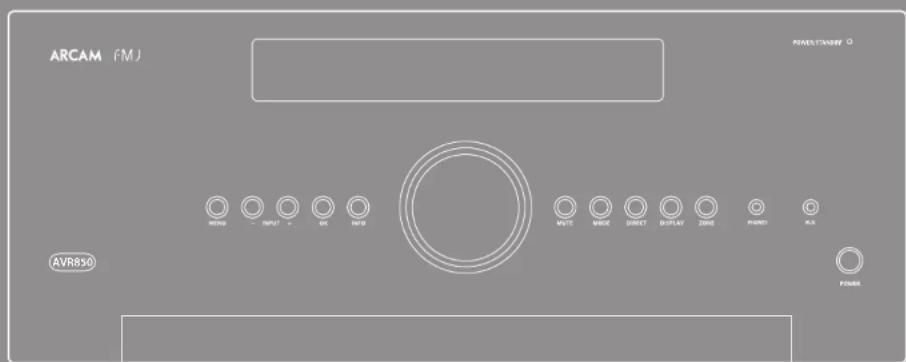



CAUTION
RISK OF ELECTRIC SHOCK DO NOT ENTER
ATTENTION
CHOLEC ELECTROQUE NE PAPER

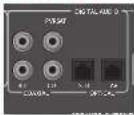
SAT, PVR, BD, CD, STB, AV
Stby: in modalita Standby
Acceso: Acceso
Surround (ad cs. Dolby Surround, DTS Neural:X, ecc.)
Stereo.
https://developer.spotfly.com/esdk-third-party-licenses

Rispostainfrequency20Hz-20kHz±0,2dB
https://developer.spotify.com/esdk-third-party-licenses
多房间设置
THE WEST WING, STIRLING HOUSE
WATERBEACH, CAMBRIDGE, CB25 9PB, ENGLAND
+4401223203200

- ARCAM
- AV860/AVR850/AVR550/AVR390/SR250
- M
- Important safety instructions
- Class II product
- Non-use periods
- 23.Abnormal smell
- CAUTIONS ON INSTALLATION
- FCC INFORMATION (FOR US CUSTOMERS)
- 1.PRODUCT
- IMPORTANT NOTICE:
- DO NOT MODIFY THIS PRODUCT
- NOTE
- SAFETY INFORMATION
- (FORE EUROPEAN CUSTOMERS)
- A NOTE ABOUT RECYCLING:
- CORRECT DISPOSAL OF THIS PRODUCT
- Contents
- Professional Installation?
- DIY setup?
- Placing the unit
- Power
- NOTE
- Standby power
- Interconnect cables
- Radio interference
- Trademark acknowledgements
- General
- Making connections
- NOTE:
- HDMI connectors
- STB,GAME,AV,SAT,BD,VCR,PVR
- OUTPUT
- Digital audio connectors
- Zone 2 connectors
- Analogue preamplifier outputs
- Analogue audio inputs
- Front panel AUX input
- Front panel PHONES socket
- Connection guide
- Blu-ray Disc (BD)/DVD player
- Satellite receiver
- CD player
- Aerial connectors
- DAB/FM
- Serial connector
- RS232 serial connector
- Network connector
- Ethernet
- USB connector
- Trigger connectors
- TRIGZ1
- TRIGZ2
- Infrared (IR) connectors
- Z1IR
- Z2IR
- 6V output
- Subwoofer
- Centre
- Height speakers
- Front left and right
- Surround back left and right
- Connecting speakers
- Speaker cables
- Bi-amping the Front Left & Front Right speakers
- Using external power amplifiers
- FLFR
- SUB
- SR, SL
- SBR, SBL
- Height 1, Height 2
- Operating your Receiver
- Switching on
- Standby
- To switch on from standby
- Front panel display
- Selecting a source
- Stereo Direct
- Volume control
- Headphones
- Using Zone 2
- Extended front panel menu
- Restore to factory defaults
- Change remote code
- Store secure backup
- -Enter PIN
- - Change PIN
- -EXIT
- Updating firmware via USB
- The universal remote controller
- Using the remote control
- Inserting batteries into the remote control
- Notes on batteries:
- Useful information
- Backlight
- LED blinks
- Timeouts and unassigned keys
- Low voltage indicator
- Device Mode/Source keys
- Navigation keys
- Customising the remote
- The remote complies with Part 15 of the FCC rules
- AMP Device Mode
- USB commands
- Network commands
- BD/DVD Device Mode
- AV Device Mode
- VCR Device Mode
- STB
- STB Device Mode
- SAT
- SAT Device Mode
- PVR
- PVR Device Mode
- CD Device Mode
- essential setup
- Speaker types
- Crossover frequency
- Use Channels 6+7 for
- Speaker Distances
- Speaker Levels
- Dirac
- Dirac Live for Arcam
- Problems
- Using subwoofoers
- Downloading the Dirac Live for Arcam application
- Entering Setup mode
- Navigating the setup menu
- ... using the remote control
- ... using the keys on the front panel
- Input Config.
- Bass -
- Treble -
- General Setup
- Front Left -
- Video Inputs
- Video Input DAB -
- HDMI Settings
- Mode
- For Stereo sources:
- For Multi-channel sources:
- Zone Settings
- Network
- Introduction
- Modes for digital sources
- Modes for analogue sources
- Mode memory
- Two-channel source modes
- Stereo
- Dolby Surround
- DTS Neural:X
- Multi-channel source modes
- Decoding modes
- Dolby volume
- Settings
- Volume Leveller
- Calibration Offset
- Dolbyatmos
- Dolby Atmos speaker setup
- Dolby Atmos enabled speakers
- Tuning/Channel Selection
- FM analogue radio
- DAB digital radio
- Internet radio
- Saving and selecting Presets
- Deleting Presets
- Favourites
- Selecting the playback source
- USB playback
- How to Use Connect
- Internet radio stations
- Zone 2
- Audio outputs
- Speaker outputs
- Zone 2 control connections
- Code learning
- Direct code setup (Method 1)
- Library search setup (Method 2)
- Learning setup (Method 3)
- Important notes
- Deleting the learned data
- To delete all the learned data for a device:
- To delete the learned data for a key for a device:
- Reading stored code numbers
- Locking/Unlocking a specific Device Mode
- Controlling the volume of other devices
- Hidden commands
- Factory default reset
- Device codes
- trouble-shooting
- AV860
- Continual improvement policy
- AVR850
- AVR550
- AVR390
- SR250
- Worldwide Guarantee
- The warranty covers:
- Claims under guarantee
- Problems?
- On-line registration
- INFORMATIONS FCC (POUR LES CLIENTS
- AUX ETATS-UNIS) 1. PRODUT
- Digitale Audioanschlüsse
- WAARSCHUWINGEN VOOR DE INSTALLATIE
- OPMERKING MET BETREKKING TOT RECYCLING
- DIT PRODUCT CORRECT APVÖEREN
- OPMERKING
- Tweekanaals bronmodi
- Verborgen commando's
- Bam Heo6xOuMa npofoecnOHaHbHa yCTaHObKa?
- BbixoHTe yCTaHOBUTb pecnBep caMOcToTeIbHo?
- yCTaHOBKa yCTpoiCtBa
- 3neKtponnTaHne
- IPMMEAHNE
- 3heprnoTope6IeHneBpeKmEoxnDaHna
- CoeHHntbHbIe Ka6eM
- PIMMEYAHNE
- 06ueceBedeHn
- NoeknueHne pa3beMOB
- PIMMEAHHE:
- Pa3beMbHDMI
- STB, GAME, AV, SAT, BD, VCR, PVR
- BbIXOJHbIE PA3bEMbl
- Uufoobbyeaynopaaembbl
- SAT, PVR, BD, CD, STB, AV
- Pa3beMbl 3OHbl 2
- AnanorOBbIe BbIXoHbIe pa3bemblpeBapntenbHorO yCunNTeTae
- AHaIorOBoBie BXoHbIe ayDnopa3beMbbl
- STB,GAME,AV,BD,PVR,CD
- Bxodno pa3bem AUX ha nepedne nane
- Pazbem "PHONES" Ha nepednei naHn
- PykoBOOCTBO no NOKNUOeHnIO
- IneepBlu-ray-duckoB/DVD-nneep
- CnyTHMKOBbIpeCBep
- Neeep KOMnKaT-ndCKOB
- INPMEAHHE:
- AHTehhbe pa3beMbl
- Udpoboeaydnobuahne/FM
- PocneoBaTeBbHbI pa3bem
- TocneobatenbHbipa3beM RS232
- Cetebo pa3bem
- Cetb Ethernet
- USB-pa3beM
- TpurrrepHbIe pa3beMbI
- TRIG22
- UHpaKpaChbIe pa3bEmbl
- Z1WK
- PIMMEAHNE
- Z2UK
- BbIXoHoi pa3bem 6B
- Ca6ByΦep
- LcHpaBbbl
- rpoMkoBOpnteNb
- BepxHne duHaMnKn
- Pepedn nebbu npabBdHaMuk
- Ctepeo perynaytop
- PerynnpOBka rpoMkoctN
- HayushuKn
- IcnojB3OBAHne 30Hb12
- PacupeHHoe MeHIO nepeDnei naHei
- BOCTCAHOBNHE3aBODCKNX HAcTPOEKNIO yomlonuHNO
- NImaMeHHe Koda pIyIbTa IINCTAHIOHHOY npAbaHnE
- Beonachoe BocctaHOBNEHne coxpaHENbIXn Hactpoek
- Bezonachoe coxpaheHne Hactpoek
- -Bee duome nuh-kod
- -BblXO
- O6HOBJIeHMe IpoUWBKn Upe3 USB
- IcNoJIb3OBA-Hne nepedNeiHaHeN
- YHbepcabhnynbT ductaunnohorynpaBHeHH
- Tone3naHnΦopMaun
- NoCBeTka
- NcnoBzobAneynbTaDnctAnHNOHOH ynpaBnB
- UctahOBka 6aTapeB nylbT ductahuONHOrO ynpabJeHHA
- PnmuMeaHHe o 6atapex:
- MrraHne HndnKaTopoB
- TaM-ayTbI HHeHa3Ha4eHHbIe KHONK
- HnKAtop Hn3KOro 3apra6aTapei
- Pekn m pa60tby yctpoNCTBa /
- KHONK NCTOCHNKOB CINHana
- KhONKn HABURAUM
- Perynupobkarpomkoctn
- Pexm yctpoCTBa AMP
- KOMAHAB USB
- Pekm npoRpbIbATEKOMnAKT-DnCKOB
- Tunbi dHAMKOB
- Yacmoma pa3aenen
- Mcnonb3o8aueKaHanao6+7d
- PacCTOHNIO DNHAMNKOB
- yPOBHN DnHaMnKOB
- ФункцDirac LiveДгArcam
- HewcnpabHOctM
- UcnoB3ObaHnE ca6ByfepeOB
- 3arpyka nporpammbi Dirac Live nra Arcam
- BxOaHOn pa3bEm BpeKIM HacTpOaKN
- Habirajnno MeHIO HacTPOKNI
- ...C NOMOUBIOYNBTA DNTAHUONHONOUPANPAHEN
- ...c nOMoubIO KHOHOK Ha nepeDHe naHEnu
- HacpoKa BxOHoro pa3bema
- INPMMEAHNE
- 06uneHaCTpOKn
- TINbI DnHaMnKOB
- OPMMEYAHME
- PacctoHnE do dHnHAMKOB
- ПРМЕЧАНЕ
- BxoHbIe BnEopa3beMbI
- Napametpbi HactpoKn HDMI
- Pexmm
- Ara CtepeonctouHkoB:
- MHROKAHAJIbHbIXNCTOHTHKOB:
- DTS NeuralX
- Hactpoyn30hbl
- Cetb
- Pexnmbi DeKoDn- poBaHnA
- BVeEHeHne
- Pexmbl dna ufo poobbix mctouhkoB
- Pekmbi dna aHaIoroBbix NCTOCHIKOB
- 3anomHaHnepeXmMa
- PeKIMbI DByXKaHaJIbHbIX NCTOUYHKOB
- DTS Neo:b My3bika
- Crepeo
- Dopmat Dolby Surround
- Pexnmbi MHOTOKaHaBbHbIX NCTOUYIKOB
- HaCtpoKa/BbI6Op KaHana
- Ananoroboe FM-pa
- UHPOBOepaIOBoeaHne
- CoxpaenHne N Bb6op npedBapntebhbx HactpoeK
- ydaene npebpntenbno hactpoehhblx paanoctanhn
- M36paHHoe
- INPMEYAHNE
- Bb6op nctouhna Bocnpoun3BeHn
- Bocnpoun3BeDeneHne cepes USB
- HHTepHet-paDnOCTAHmN
- KakncnojIb3OBA Tb onuHIO PnoknIOueHne
- 30ha 2
- BbXOdbHnHaMMKOB
- Pa3beMbIyypaBneHn30hbl2
- Z2VK
- 06yuHHeNKeKoMaHdAm
- #
- HenocepTeBENHAA yCTAHOBKA KOA (cnco61)
- BaxhblnnpmeuHna
- YnpabneHnepromkoctbIO pyrnx yctpoiCTB
- CkpbItbkeKOMaHdbI
- Pojntika HencpebIhORo cObepeHCTOBAHIN
- TapaHTnno BcEmy Mnpy
- TapaTHra pacnpoctpaHaeTc Ha:
- PpeTeH3n no rapaHTn
- PpO6nembl?
- PertcpaonohnaH
- MJAV860/AVR850/AVR550/AVR390/SR250
- 多房间设置
Brand : ARCAM
Model : AV860
Category : Receiver