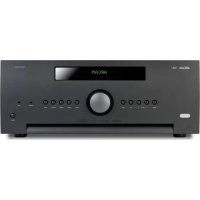
AVR390 - Receiver ARCAM - Free user manual and instructions
Find the device manual for free AVR390 ARCAM in PDF.


| Product Type | 7.1-channel home cinema receiver |
| Dimensions (W x D x H) | 433 x 425 x 171 mm |
| Weight (net) | 15.7 kg |
| Weight (packaged) | 19.9 kg |
| Power Supply | 110-120 V or 220-240 V, 50-60 Hz |
| Power Consumption (max) | 1.5 kW |
| Standby Power Consumption | <0.5 W |
| Output Power (8 Ω, 2 channels, 20 Hz-20 kHz, <0.02% THD) | 80 W per channel |
| Output Power (8 Ω, 7 channels, 1 kHz, 0.2% THD) | 60 W per channel |
| HDMI Inputs | 6 HDMI 2.0 inputs (HDCP 2.2), 2 outputs including one with ARC |
| Supported Audio Formats | Dolby Atmos, DTS:X, Dolby TrueHD, DTS-HD Master Audio |
| Room Correction | Dirac Live (with included microphone and USB sound card) |
| Radio Tuner | FM / DAB+ |
| Network Connectivity | Ethernet, audio streaming (Internet radio, network files) |
| USB Port | 1 on front (audio file playback) |
| Remote Control | Universal, programmable, backlit |
| Control | IR, RS232, IP (Ethernet) |
| Zones | Zone 2 (audio/video) with dedicated HDMI output |
| Maintenance and Cleaning | Clean with a dry, lint-free cloth. Do not use chemical products. |
| Safety | Class II device (double insulation). Do not expose to rain or moisture. |
| Spare Parts and Repairability | All repairs should be carried out by a qualified technician. No user-serviceable parts. |
| General Information | 2-year international warranty. Register online at www.arcam.co.uk. |
Frequently Asked Questions - AVR390 ARCAM
User questions about AVR390 ARCAM
0 question about this device. Answer the ones you know or ask your own.
Ask a new question about this device
Download the instructions for your Receiver in PDF format for free! Find your manual AVR390 - ARCAM and take your electronic device back in hand. On this page are published all the documents necessary for the use of your device. AVR390 by ARCAM.
USER MANUAL AVR390 ARCAM
HANDBOOK AVR surround amplifiers
MANUEL Amplificateur surround AVR
HANDBUCH AVR Surround Verstärker
HANDLEIDING AVR surroundderker
MANUAL AVR amplificadores surround
PYKOBOCTBO AVR o6bemhoro ycnHnten
MANUALE Amplificatori Surround AVR
手册AVR环绕声放大器
ARCAM
AV860/AVR850/AVR550/AVR390/SR250
M
HANDBOOK AVR surround amplifiers


CAUTION
RISK OF ELECTRIC SHOCK DO NOT OPEN
ATTENTION
RISQUE DE CHOC ELECTRIQUE NEALEOCHIO

CAUTION: To reduce the risk of electric shock, do not remove cover (or back). No user serviceable parts inside. Refer servicing to qualified service personnel.
WARNING: To reduce the risk of fire or electric shock, do not expose this apparatus to rain or moisture.
The lightning flash with an arrowhead symbol, within an equalthird triangle, is intended to alert the user to the presence of uninsulated "dangerous voltage" within the product's enclosure that may be of sufficient magnitude to constitute a crack of electric shock to persons.
The exclamation point within an equilateral triangle is intended to alert the user to the presence of important operating and automatics (servicing) instructions in the literature accompanying the appliance
CAUTION: In Canada and the USA, to prevent electric shock, match the wide blade of the plug to the wide slot in the socket and insert the plug fully into the socket.
Important safety instructions
- Read these instructions.
- Keep these instructions.
- Heed all warnings.
- Follow all instructions.
- Do not use this apparatus near water.
- Clean only with a dry cloth.
Unplug the unil from the mains supply before cleaning. The case should normally only require a wipe with a soft, lint-free cloth. Do not use chemical solvents for cleaning. We do not advise the use of furniture cleaning sprays or polishes as they can cause permanent white marks.
7. Do not block any of the ventilation openings. Install in accordance with the manufacturer's instructions.
8. Do not install near any heat sources such as radiators, heat registers, stoves, or other apparatus (including amplifiers) that produce heat.
9. Do not defeat the safety purpose of the polarized or grounding type plug.
A polarized plug has two blades with one wider than the other. A grounding type plug has two blades and a third grounding prong. The wide blade or the third prong is provided for your safety. When the provided plug does not fit into your outlet, consult an electrician for replacement of the obsolete outlet.
-
Protect the power cord from being walked on or pinched particularly at plugs, convenient receptacles, and the point where they exit from the apparatus.
-
Only use the attachments/accessories specified by the manufacturer.
-
Use only with a cart, stand, tripod, bracket, or table specified by the manufacturer, or sold with the apparatus.
When a cart is used, use caution when moving the cart/apparatus combination to avoid injury from tip over.

-
Unplug this apparatus during lightning storms or when unused for long periods of time.
-
Refer all servicing to qualified service personnel. Servicing is required when the apparatus has been damaged in any way, such as power supply cord or plug is damaged, liquid has been spilled or objects have fallen into the apparatus, the apparatus has been exposed to rain or moisture, does not operate normally, or has been dropped.
-
Object or liquid entry
WARNING - Take care that objects do not fall and liquids are not spilled into the enclosure through any openings. The equipment shall not be exposed to dripping or splashing. Liquid filled objects such as vases should not be placed on the equipment.
- Service Instructions
CAUTION - These servicing instructions are for use by qualified service personnel only. To reduce the risk of electric shock, do not perform any servicing other than
that contained in the operating instructions unless you are qualified to do so.
17.Climate
The equipment has been designed for use in moderate climates and in domestic situations. Unplug this equipment during lightning storms to prevent possible damage from a strike or mains surge.
- Power sources
Only connect the equipment to a power supply of the type described in the operating instructions or as marked on the equipment.
The primary method of isolating the equipment from the mains supply is to remove the mains plug. The equipment must be installed in a manner that makes disconnection possible.
- Power-cord protection
Power supply cords should be routed so that they are not likely to be walked on or pinched by items placed upon or against them. Pay particular attention to the point where they exit from the equipment.
- Power lines
Locate any outdoor antenna/serial away from power lines.
- Speaker connections
Any speakers must be connected to the Receiver using class II wire (i.e. no connection to Earth should be made). Failure to observe this precaution may cause the unit to become damaged.
Class II product
This equipment is a Class II or double insulated electrical appliance. It has been designed in such a way that it does not require a safety connection to electrical earth 'ground' in the U.S.).
22. Non-use periods
If the equipment is not being used for an extended period, we recommend that you unphing the power cord of the equipment from the outlet, to save power.
23. Abnormal smell
If an abnormal smell or smoke is detected from the equipment, turn the power off immediately and unplug the equipment from the wall outlet. Contact your dealer and do not reconnect the equipment.
CAUTIONS ON INSTALLATION
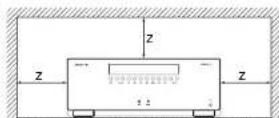
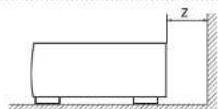
For proper heat dispersal, do not install this unit in a confined space, such as a bookcase or similar enclosure.
More than 0.3 m (12 in.) is recommended.
Do not place any other equipment on this unit.
FCC INFORMATION (FOR US CUSTOMERS)
1.PRODUCT
This product complies with Part 15 of the FCC Rules. Operation is subject to the following two conditions: (1) This device may not cause harmful interference, and (2) this device must accept any interference received, including interference that may cause undesired operation.
2. IMPORTANT NOTICE:
DO NOT MODIFY THIS PRODUCT
This product, when installed as indicated in the instructions contained in this manual, meets FCC requirements. Modification not expressly approved by ARCAM may void your authority, granted by the FCC, to use the product.
3. NOTE
This product has been tested and found to comply with the limits for a Class B digital device, pursuant to Part 15 of the I-CC Rules. These limits are designed to provide reasonable protection against harmful interference in a residential installation.
This product generates, uses and can radiate radio frequency energy and, if not installed and used in accordance with the instructions, may cause harmful interference to radio communications. However, there is no guarantee that interference will not occur in a particular installation. If this product does cause harmful interference to radio or television reception, which can be determined by turning the product OFF and ON, the user is encouraged to try to correct the interference by one or more of the following measures:
Reorient or relocate the receiving antenna.
- Increase the separation between the equipment and receiver.
- Connect the product into an outlet on a circuit different from that to which the receiver is connected.
- Consult the local retailer authorized to distribute this type of product or an experienced radio/TV technician for help.

SAFETY INFORMATION
(FORE EUROPEAN CUSTOMERS)
- Avoid high temperatures. Allow for sufficient
heat dispersion when installed in a rack. - Handle the power cord carefully. Hold the plug when unplugging the cord.
- Keep the unit free from moisture, water, and dust.
- Unplug the power cord when not using the unit for long periods of time.
Do not obstruct the ventilation holes. - Do not let foreign objects into the unit.
- Do not let insecticides, benzene, and thinner come in contact with the unit.
- Never disassemble or modify the unit in any way.
-
Ventilation should not be impeded by covert in the ventilation openings with items, such as newspapers, tablecloths or curtains.
-
Naked flame sources such as lighted candles should not be placed on the unit.
- Observe and follow local regulations regarding battery disposal.
- Do not expose the unit to dripping or splashing fluids.
- Do not place objects filled with liquids, such as vases, on the unit.
- Do not handle the mains cord with wet hands.
- When the switch is in the OFF position, the
equipment is not completely switched off from MAINS.
The equipment shall be installed near the power supply so that the power supply is easily accessible.
A NOTE ABOUT RECYCLING:
This product's packaging materials are recyclable and can be reused. Please dispose of any materials in accordance with the local recycling regulations.When discarding the unit, comply with local rules or regulations.
Batteries should never be thrown away or incinerated but disposed of in accordance with the local regulations concerning battery disposal.
This product and the supplied accessories, excluding the batteries, constitute the applicable product according to the WEEE directive.
CORRECT DISPOSAL OF THIS PRODUCT
These markings indicate that this product should not be disposed with other household waste throughout the EU. To prevent possible harm to the environment or human health from uncontrolled waste disposal and to conserve material resources, this product should be recycled responsibly.

m = 311 ;


Pb
To dispose of your product, please use your local return and collection systems or contact the retailer where the product was purchased.
Contents
safety. E-2
welcome.. E-5
before you begin... E-6
rear panel connectors.. E-9
audio/video connections E-10
Connection guide. E-12
radio connectors. E-13
other connectors.. E-14
speakers. E-15
operation.. E-17
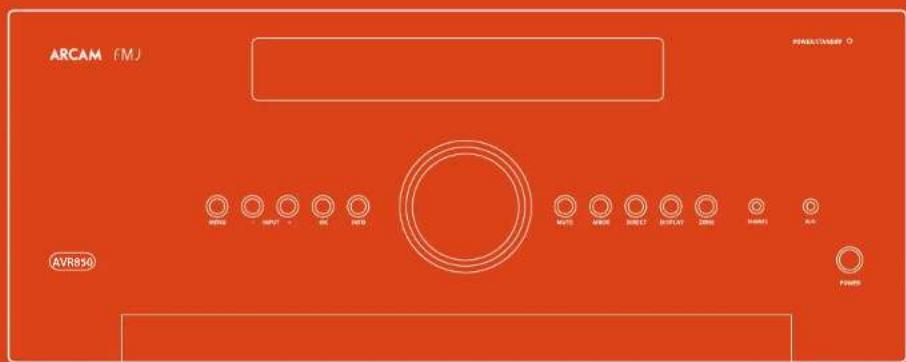
front panel operation.. E-19
remote control.. E-20
essential setup. E-26
auto speaker setup.. E-27
setup menus E-28
decoding modes. E-32
Dolby volume E-34
Dolby atmos. E-34
tuner operation.. E-35
network/usb operation E-36
multi-room set up. E-37
customising the remote. E-38
troubleshooting.. E-40
specifications.. E-42
legal information E-47
product guarantee E-47
Thank you and congratulations on purchasing your Arcam FMJ Receiver.
Arcam has been producing specialist audio products of remarkable quality for over three decades and the new Receivers are the latest in a long line of award winning Hi-Fi. The design of the FMJ range draws upon all of Arcam's experience as one of the UK's most respected audio companies, to produce Arcam's best performing range of products yet - designed and built to give you years of viewing and listening enjoyment.
This handbook is intended to give you a detailed guide to using the Receiver. It starts by giving advice on installation, moves on to describe how to use the product and finishes with additional information on the more advanced features. Use the contents list shown on this page to guide you to the section of interest.
We hope that your FMJ receiver will give you years of trouble-free operation. In the unlikely event of any fault, or if you simply require further information about Arcam products, our network of dealers will be happy to help you. Further information can also be found on the Arcam website at www.arcam.co.uk.
The FMJ development team
Professional Installation?
It may be that the Receiver has been installed and set up as part of your Hi-Fi installation by a qualified Arcam dealer. In this case, you may wish to skip the sections of this handbook dealing with installation and setting up, and move directly to the sections dealing with using the unit. Use the Contents list to guide you to these sections.
DIY setup?
The Receiver is a powerful and sophisticated piece of AV equipment. If you are setting the unit up yourself, it is recommended that you read this handbook thoroughly before beginning. For instance, correct speaker configuration and placement is a key to getting the most out of your Receiver and making sure that all the elements of your system work in harmony.


The Receivers are high-quality and high-performance home-cinema processors and amplifiers built to Arcan's quality design and manufacturing standards. They combine digital processing with high-performance audio and video components to bring you an unrivalled home-entertainment centre.
The Receiver allows switching and control of seven analogue and six digital audio sources in addition to internal FM and DAB radios - as well as networked and USB audio sources - making any of the models an ideal hub for both home cinema and two channel stereo systems.
Since many of these source components are also capable of generating video signals, the Receiverincluds broadcast-quality switching for HDMI (6 x HDMI2.0a, HDCP2.2 (8 x MHL) video/audio signals. Control of
the Receiver is either from panel control buttons, IR remote control, IP (Ethernet) control or RS232 port.
The remote control supplied with the Receiver is a multi-device 'universal' learning remote control which is simple to use, and once set up is able to control a complete system. It can be programmed using its vast internal code library to control CD and BD players, PVRs, TVs and other devices.
The installation of the Receiver in a listening room is an important process which requires care at every stage. For this reason, the installation information is very comprehensive and should be followed carefully to achieve an unrivalled level of performance.
The Receiver designed to produce a level of performance that will truly bring music and movies to life.
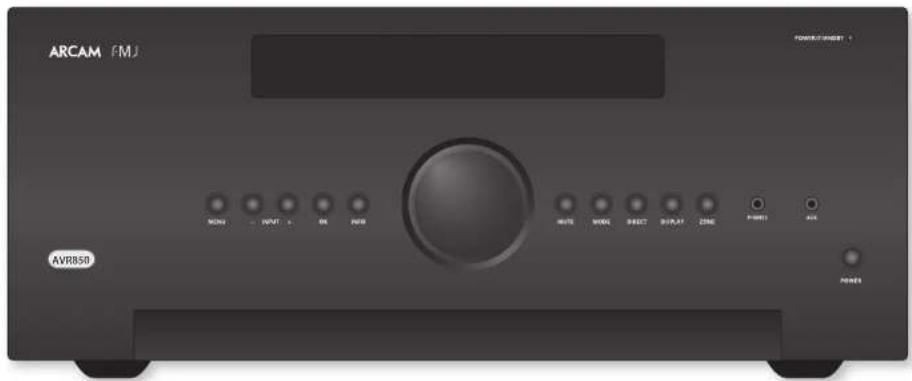
Placing the unit
- Place the unit on a level, firm surface, avoiding direct sunlight and sources of heat or damp.
Do not place the Receiver on top of a power amplifier or other source of heat.
Do not place the amplifier in an enclosed space such as a bookcase or closed cabinet unless there is good provision for ventilation. The Receiver will run warm during normal operation.
Do not place any other component or item on top of the amplifier as this may obstruct airflow around the heat-sink, causing the amplifier to run hot. (The unit placed on top of the amplifier would become hot, too.)
Make sure the remote-control receiver on the front panel display is unobstructed, otherwise this will impair the use of the remote-control. If line-of-sight is impractical, a remote-control repeater can be used with the rear panel connector (see page E-14).
Do not place your record deck on top of this unit. Record decks are very sensitive to the noise generated by mains power supplies which will be heard as a background 'hum' if the record deck is too close.
Power
The amplifier is supplied with a moulded mains plug already fitted to the lead. Check that the plug supplied fits your supply - should you require a new mains lead, please contact your Arcam dealer.
If your mains supply voltage or mains plug is different, please contact your Arcam dealer immediately.
The Receiver can be switched for operation between 220-240V (switch position 230V) and 110-120V (switch position 115V).
NOTE
Ensure that the Receiver is switched off and the power lead removed before changing the position of the voltage range switch.
Push the IPC plug end of the power cable into the socket on the back of the amplifier, making sure that it is pushed in firmly. Plug the other end of the cable into your main's socket and, if necessary, switch the socket on.
The Receiver can be turned on using the POWER switch on the front panel. While switched on, the front panel LED will glow green.
Standby power
The Receiver can be switched into standby mode using the button on the remote control. While in standby mode the front panel LED will glow red and power consumption is less than 0.5 Watts.
While in Standby mode, it may be possible to hear a slight residual hum coming from the mains transformer inside the amplifier. This is perfectly normal. However, if the unit is to be left unused for an extended period, we recommend that you disconnect it from the mains supply to save power.
Interconnect cables
We recommend the use of high-quality screened cables that are designed for the particular application. Other cables will have different impedance characteristics that will degrade the performance of your system (for example, do not use cabling intended for video use to carry audio signals). All cables should be kept as short as is practically possible.
It is good practice when connecting your equipment to make sure that the mains power-supply cabling is kept as far away as possible from your audio cables. Failure to do so may result in unwanted noise in the audio signals. For information on speaker cabling, please refer to the 'Speakers' section, beginning on page E-15.
Radio interference
The Receiver is an audio device containing microprocessors and other digital electronics. Each model has been designed to very high standards of electromagnetic compatibility.
This is a Class A product. In a domestic environment this product may cause radio interference, in which case the user may be required to take adequate measures.
If the Receiver causes interference to radio or television reception (which can be determined by switching the Receiver off and on), the following measures should be taken:
Re-orient the receiving antenna or route the antenna cable of the affected receiver as far as possible from Receiver and its cabling.
Relocate the receiver with respect to the Receiver. Connect the affected device and the Receiver to different mains outlets.
If the problem persists, please contact your Arcam dealer.
Trademark acknowledgements
Arcam is a registered trademark of A & R Cambridge Ltd.
| DOLEY VOLUME | Dolby Volume Manufactured under license from Dolby Laboratories, Dolby and the double D symbol are trademarks of Dolby Laboratories. |
| DOLEY ATMOSS DOLEY AUDIO DOLEY AEGLO DOLEY VISION | Dolby Vision, Dolby Atmos, Dolby Audio Manufactured under license from Dolby Laboratories, Dolby, Dolby Vision, Dolby Atmos, Dolby Airforce, and the double D symbol are registered trademarks of Dolby Laboratories. |
| dtssn New York | DTS-HD Master Audio For DTS patents, see http://patents.doi.com Manufactured under license from DTS Licensing Limited DTS, this Symbol & DTS together in combination with the Symbol are trademarks of DTS, Inc. DTS and DTS-HD Master Audio are registered trademarks of DTS, Inc. @ DTS, Inc. All Rights Reserved. |
| dtssn | DTS-HD For DTS patents, see http://patents.doi.com Manufactured under license from DTS Licensing Limited DTS, DTS ELD, the Symbol & DTS and the Symbol together are registered trademarks of DTS, Inc. @ DTS, Inc. All Rights Reserved. |
| dtssn | DTSX For DTS patents, see http://patents.doi.com Manufactured under license from DTS Licensing Limited DTS, the Symbol DTS in combination with the symbol, DTSX and the DTSX logo are registered trademarks or trademarks of DTS, Inc. in the United States under other countries, @ DTS, Inc. All Rights Reserved. |
| AAC/AAC Plus See http://kontech.roadness.net for more information | |
| HDMI | HDMI, the HDMI tag and High-Definition Multimedia Interface are trademarks or registered trademarks of HDMI Licensing LLC. |
| Spotty | License: The Spotty software is subject to third party licenses found here: https://www.spotsygame.com/edsi-third-party-licenses |
| FLAC | FLAG Decender Copyright © 3000, 2001, 2002, 2003, 2004, 2005, 2006, 2007, 2008 Jush Coulson |
| Redistribuion and use in source and binary forms, walls or without modification, are permitted provided that the following conditions are met: | |
| - Redistribuotion of source code must retain the above copyright notice, this list of conditions and the following disclaratiem. | |
| - Redistribuotion in binary form must reproduce the above copyright notice, this list of conditions and the following disclaimer in the documentum and/or other materials provided with the distribution. | |
| - Neither the name of the Xiphung Foundation nor the names of its contributors may be used to endorse or promote products derived from this software without specific prior written permission. | |
| THIS SOFTWARE IS PROVIDED BY THE COPYRIGHT HOLDERS AND CONTRIBUTORS' AS IS AND ANY EXPRESS OR IMPLIED WARRANTY. INCLUDING, BUT NOT LIMITED TO, THE IMPLIED WARRANTIES OF MERCHANTIBILITY AND FITNESS FOR A PARTICULAR PURPOSE ARE DISCLAIMERED, IN NO EVENT SHALL THE FOUNDATION OR CONTRIBUTORS BE Liable FOR ANY DIRECT, INDIRECT, INCIDENTAL, SPECIAL, EXAMPLIARY, OR CONSEQUENTLY DAMAGES (INCLUDING, BUT NOT LIMITED TO, PROCUREMENT OF SUBTOTAL GOODS OR SERVICES; LOSS OF CUSL DATA, OR PROFITS, OR BUSINESS INTERRUPTION) HOWEVER CAUSED AND ON ANY THEORY OF LIABILITY, WHETHER IN CONTRACT, STRICT LIABILITY, OR TORT (INCLUDING NEGLIGENCE OR OTHERWISE) ARISING IN ANY WAY OUT OF THE USE OF THIS SOFTWARE, EVEN IF ADVISED OF THE POSSIBILITY OF SUCH DAMAGE. |
| vTuner | This product is protected by certain intellectual property rights of NEDS and BridgeCo. Use or distribution of such technology outside of this product is prohibited without a license from NEDS and BridgeCo or an authorized intermediary. |
| MP3 | MPEG Layer 3 audio decoding technology licensed from Frauncholder IS and Thomson multimedia. |

NOTE
Please read the 'Placing the unit', 'Power' and 'Interconnect cables' sections on page F-7 before connecting up your Receiver!
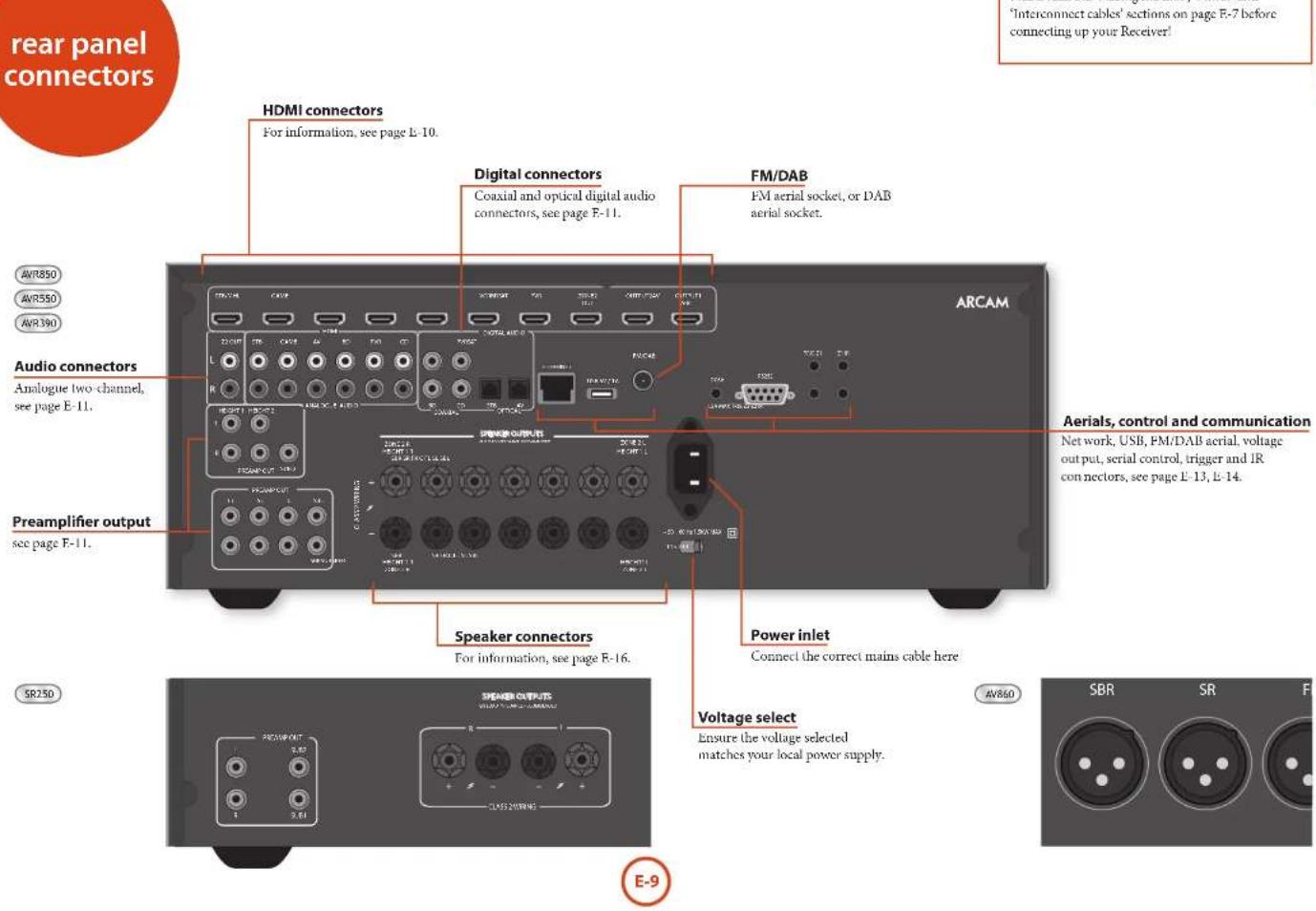

Before connecting your Receiver to your source components and speakers, please read through the next few pages which will explain all the input and output connectivity that is available. The 'Speakers' section explains how to connect up your speakers to avoid damage to the amplifier and how to arrange your speakers for best performance.
General
The inputs are named to make it easier to reference connected devices (e.g. BD'or VCR). They all have the same input circuit, so there is no reason why you should not connect a different device to any of the inputs. For example, if you had two BD players and the AV input was not being used, then the second BD player could be connected to the AV input.
When connecting a video source, its audio must be connected to the corresponding sockets. For example, if you had a satellite decoder plugged into a SAT video input, the audio must be connected to the SAT audio inputs!
Making connections
Take care to place cables as far from any power supply cabling as is practicable, to reduce hum and other noise problems.
NOTE:
For each input, you must set the 'Video Source' and 'Audio Source' settings according to the connection type. (see 'Input Config' on page 1-29)

HDMI connectors
STB,GAME,AV,SAT,BD,VCR,PVR
Connect the HDMI video outputs of your source equipment to these corresponding HDMI inputs.
OUTPUT
Connect this output to the HDMI video input of your display device. This output is compatible with HDMI Audio Return Channel (ARC). If you have a supported television then sound from the television's internal tuner (e.g. Freecview, Frecsat, DVB-T) will be available using the Receiver's Display input.
Digital audio connectors
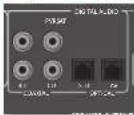
SAT, PVR, BD, CD, STB, AV
Connect these inputs to the digital outputs of your available source equipment.
Zone 2 connectors
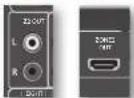
The Z2 out HDMI connector can be used to connect the output of the Receiver to an system located in a second room.
Analogue preamplifier outputs
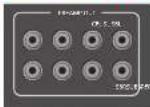
All preamplifier analogue outputs are buffered, have a low output impedance, are at line level and follow the Zone 1 volume control setting. They are able to drive long cables or several inputs in parallel if required.
For more information on connecting speakers or additional power amplifiers, see page E-13 and E-16.
The AV860 has XLR outputs in addition to the phone pre-outs for connection to an external amplifier.
Analogue audio inputs
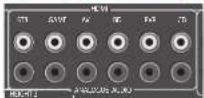
STB, GAME, AV, BD, PVR, CD
Connect the left and right inputs to the left and right outputs of your source equipment.
Front panel AUX input
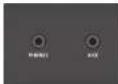
The front panel AUX input can be used as an analogue input, using a stereo 3.5mm lead.
Front panel PHONES socket
This socket accepts headphones with an impedance rating between 32 and 600 fitted with a 3.5mm stereo jack plug. The headphones socket is always active, except when Receiver is muted.
When the headphone jack is inserted, the speaker outputs and analogue precamplifier outputs are automatically muted.

Connection guide
Blu-ray Disc (BD)/DVD player
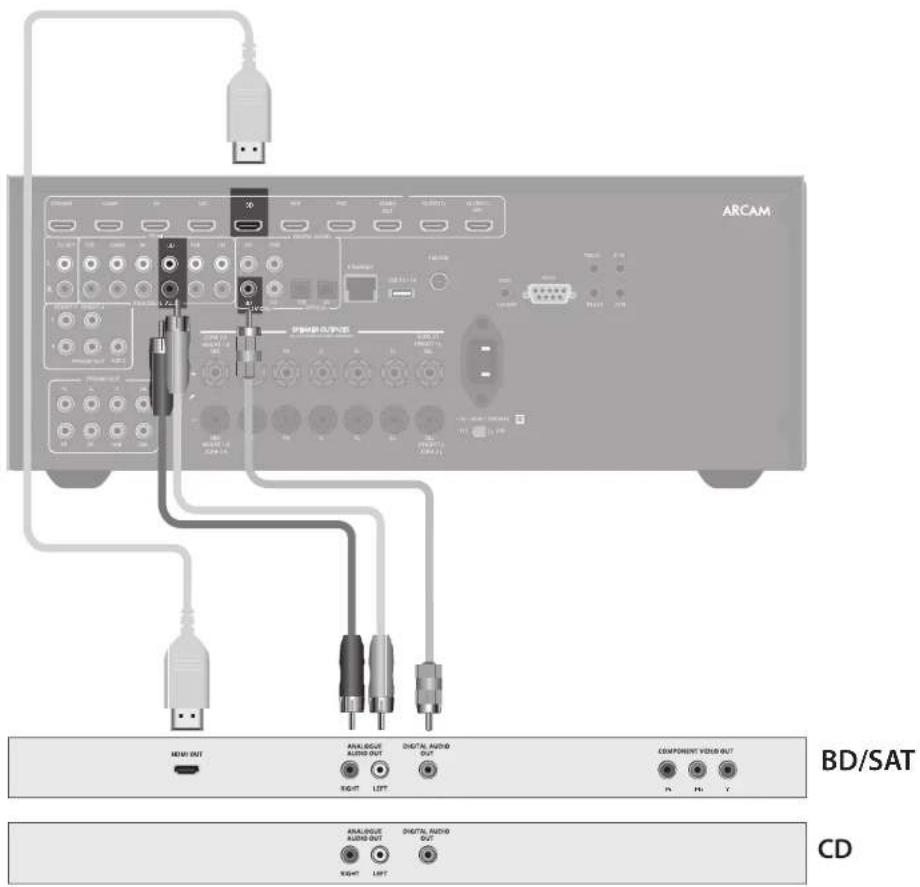
The diagram shows how to make audio and video connections from a typical BD/DVD player.
The preferred audio hook-up is using the HDMI or coaxial digital connector (usually marked DIGITAL AUDIO OUT), in addition to the coaxial analogue outputs for left and right channels.
In each case, use the audio inputs labelled BD on the Receiver.
Satellite receiver
A satellite receiver is connected in the same way as a BD player, with the same order of preference according to the outputs provided by the satellite receiver.
In each case, use the input labelled SAT on the Receiver. Note that digital audio input from a satellite receiver sometimes requires a coaxial/TOSLINK (digital connector) interconnect cable, as some satellite receivers do not implement audio over HDMI properly or at all.
CD player
Connect the digital audio output (if provided by the CD player) to the digital CD input of the Receiver, using a high quality coaxial interconnect cable.
Connect the right and left analogue audio outputs of the CD player to the analogue CD inputs of the Receiver, using a pair of high quality coaxial interconnect cables.
NOTE:
For each input, you must set the 'Audio Source' setting according to the connection type. (see "Input Config" on page F-29)
Aerial connectors
The Receiver is fitted with an TM and a DAB/DAB+ receiver module. The type of aerial you need depends on your listening preferences and the local conditions.
Your Receiver is capable of superb radio reception, but only if it is receiving a good quality transmission signal.
Try the aerials supplied with your unit. If you are in a medium to strong signal area, these should be adequate for good reception. In areas with poor signal strength, you may require a roof or loll mounted aerial.
Contact your local Arcam dealer or aerial installation experts for advice about local reception conditions.
DAB/FM
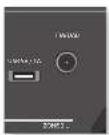
In strong signal areas, the DAB/M ' wire aerial supplied can be used with reasonable results. Mount the aerial as high up as possible on a wall.
In the UK the 'T'-elements need to be positioned vertically for DAB reception since broadcasts are vertically polarised. In other localities, check with your Arcam dealer or try both horizontal and vertical positions for best reception.
Try each usable wall of the room to see which gives best reception and use tacks or adhesive tape to secure the aerial in a 'T' shape, but note that no tacks should come into contact with the internal wire of the aerial.
When installed and receiving DAB/FM, check the signal strength by pressing the front panel or remote control's INFO button until the signal quality indicator is displayed.
In weak signal areas, a high-gain, externally-mounted or roof-mounted aerial is desirable in order to receive the highest number of services. In Band III transmission areas (such as the UK), use a multi-element Yagi aerial with the elements mounted vertically, as the transmissions are vertically polarised. If you are close to more than one transmitter, use an omnidirectional or folded dipole aerial.
If the DAB services in your area are transmitted on L-band, then ask your dealer for advice for the best material to use.


Serial connector
RS232 serial connector

The connector is used with control devices having an RS232 serial port (for example, Crestron and AMX touch-screen controllers).
Network connector
Networking is a large subject and only the briefest guidelines are presented in this handbook. Please contact your Arcam dealer or specialist installer for more information about introducing the Receiver into your computer network.
For information on how to use the Receiver's network features, the USB socket, and for a list of supported file types, refer to see page F-36.
Ethernet
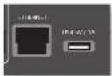
If an Ethernet cable is connected, the Receiver will automatically attempt to connect to your network. You should use CAT5 cable plugged into the RJ45 socket labelled ETHERNET on the rear panel.
If your network uses static IP addressing rather than DHCP, you will need to provide IP address, gateway and DNS; see page F-31 for information on setting up the network.
USB connector
The Receiver can play files stored on a USB mass storage device, typically a pen drive, but any USB device that complies with the 'mass storage device' class is compatible.
The Receiver only supports the direct connection of USB devices and will not support devices connected through a hub. If regular access to the USB socket is required, you may find it convenient to use a USB extension lead; see page E-36 for details of supported file types.
Trigger connectors
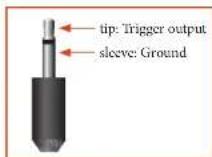
The trigger connectors (TRIG Z1 and TRIG Z2) provide an electrical signal whenever the Receiver is switched on and the relevant zone enabled.
The trigger signal can be used to switch on and off compatible pieces of home entertainment equipment, for example, you could set up a trigger to turn on your television and BU player whenever the Receiver was switched on.
There are two trigger output sockets on the Receiver, each capable of outputting a 12V, 70mA switching signal. The socket is designed for mono 3.5mm jacks: tip is the trigger output, sleeve is ground.
TRIGZ1
Use for remotely turning on and off power amps or source equipment for Zone 1. On = 12V, Off = 0V.
TRIGZ2
Use for remotely turning on and off power arms or source equipment for Zone 2. Out = 12V Off = 0V
Infrared (IR) connectors
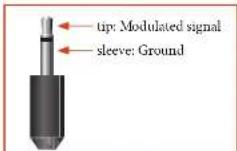
The infrared inputs (21 IR and 22 IR) allow the connection of external IR receivers, either when the Receiver front panel IR receiver is fully or partially obstructed or to allow the use of a remote control in Zone 2.
There are two IR inputs on the Receiver, each designed for stereo or mono 3.5mm jacks. Tip is the modulated signal, sleeve is ground.
Z1IR
This input is intended for use with a local IR receiver when the front panel of the Receiver is blocked.
Z2IR
This input is intended for use with an IR receiver in Zone 2 to allow remote control of Receiver from a second room.
NOTE
Sockets referring to '72' relate to connections used in multi-room installation. For more information on these connectors see page L-37.
A supplier of infra-red receivers and emitter accessories and systems is Xantech. See www.xantech.com for more information, or ask your Arcam dealer.
NOTE
The IR inputs on the Receiver are designed for modulated signals. If the external IR receiver demodulates the IR signal, it will not work. Also the unit does not provide power for external receivers on the IR jack, therefore an external power source will be required.
6V output

This provides a 6V DC power connection for Arcam rSeries products.

Subwoofer
A subwoofer will greatly improve the bass performance of your system. This is useful for reproducing special cinema effects, especially where a dedicated LFE (Low Frequency Effects) channel is available, as with many discs encoded with Dolby or DTS technologies.
More than one subwoofer unit may be required for larger installations, particularly in rooms of a timber frame construction.
The AV860/AVR50/AVR50/AVR390 allows you to connect up to seven speakers and up to two active subwoofer in the main system. The output channels correspond to speakers installed in the front left, centre front right, surround left, surround right, surround back left, surround back right, height 1 right, height 1 left and an active subwoofer. In addition, up to four height speakers can be attached using an additional power amplifier; see page E-16 for more information.
With the addition of correctly installed and configured height channels, Dolby Almos for the home brings the ultimate cinema sound experience to your home theatre to create powerful, moving audio that flows around you
The configuration and placement of your speakers is very important. All speakers, with the exception of the subwoofer(s), should be arranged around your normal viewing/listening position. The subwoofer should be placed in a position which gives an even frequency response in all listening positions. Incorrect placement leads to bass boom in some areas. Often the only way to find a good position for your subwoofer(s) is by experimentation. A good place to start experimenting is close to a wall but at least 1m away from any corners. You can also consult your subwoofer handbook for placement suggestions.
Centre
The centre speaker allows for a more realistic reproduction of dialogue. The centre speaker should have a similar tonal balance to the front left and right speakers and be positioned at a similar height.
Height speakers
With the AV860/AVR850/AVR550/AVR390 up to four height speakers can be attached and can be either mounted in the ceiling or 'Dolly enabled' elevation speakers - see page E-34 for more information.
Front left and right
Position your from left and right speakers to achieve a good stereo image for normal musical reproduction as well as for the multichannel modes. If they are placed too close together there will be a lack of spaciousness; if they are placed too far apart a stereo image will appear to have a large 'hole' in the middle and will be presented in two halves.
Surround back left and right
The surround back left and right speakers are used to add extra depth and better sound localisation and should be installed approximately one metre higher than the listener's ears. Place the two surround back speakers such that there is an arc of approximately 150 degrees between each surround back speaker and the centre speaker. The surround back speakers should face the front of the room as shown in the diagram to provide the largest 'sweet spot'.
Connecting speakers
To connect each of the speakers, unscrew the corresponding terminals on the back of the Receiver, insert the speaker wires through the hole in each post and screw the terminals back up. Make sure that the red (positive/) terminal of the speaker is connected to the red (positive+) terminal on the back panel, and the black (negative-) terminal of the speaker is connected to the black (negative-) terminal on the back panel.
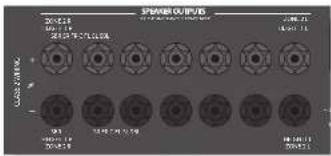
It is important that no stray strands of wire from these connections are allowed to touch another cable or the product casing. Failure to ensure this can cause a short circuit and damage your Receiver.
Do not over-tighten the loudspeaker terminals, or use a wrench, pliers, etc., as this could damage the terminals and this would not be covered under the product's warranty.
Speaker cables
The speakers should be connected to the amplifier using good-quality, high-purity, low impedance copper cables. Cheap speaker cables should be avoided - they are a false economy and can significantly degrade the sound quality.
The cable runs to the speakers should be as short as practicable. Connections to the speaker terminals should always be finger tight, whether using bare wires or spake connectors.
Bi-amping the Front Left & Front Right speakers
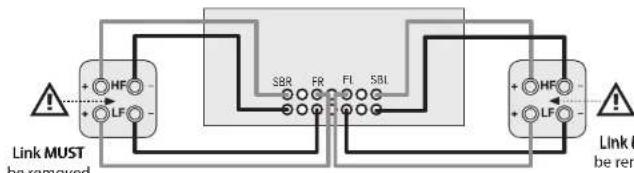
Bi-amping is the use of two amplifier channels per speaker. Bi-amping can provide better sound quality than conventional single wiring. If you do not have Surround Back speakers (i.e., you have a 5.1 surround system, not a 7.1 system) then you can use the spare Surround Back speaker outputs to bi-amplify the front left and right speakers, if your speakers support bi-amping. The spare channels can alternatively be used to power stereo speakers in another room (Zone 2).
Speakers that support bi-amping have two sets of terminals per speaker, usually linked together by metal strips. These metal strips MUST be removed when bi-amping failure to remove them will result in damage to the amplifier that is not covered under warranty.
To bi-amp the front left and right speakers, remove the metal strips from the speaker terminals. Connect the woofer or LF terminals to the FL and FR terminals on the Receiver. Connect the tweeter or HF terminals to the SBL and SBR terminals on the Receiver. Finally, navigate to the Setup Menu 'Spkr Types' and set the 'Use Channels 6+7 for' menu option to 'BiAmp L-R'; see page F-26.
Connecting subwoofoers
The Receiver also allows up to two active subwoofer to be connected to the 508 outputs. Refer to your subwoofer handbook for the correct setting up and connection procedure for your particular subwoofer(s).
Using external power amplifiers
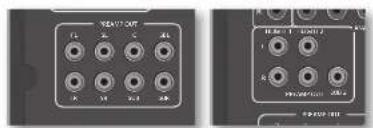
The internal power amplifier of the Receiver (SR250 I, R, Sub only) can be supplemented or replaced with external power amplification, such as the Arcam P49 (recommended gain 31dB). Connect the PREAMP OUT sockets to your power amplifier inputs:
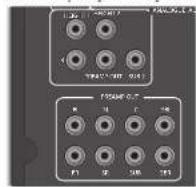
FLFR
Connect these to the equivalent Right and Left front channels of your power amplifier. For the SR250, only this and the sub outputs are available
Connect these to the Centre front channel of your power amplifier.
SUB
Subwoofer outputs. Connect this to the input of your active subwoofer(s), if present. For the SR250, only this and the FI1, FI3 outputs are available
SR, SL
Surround Right and Surround Left outputs. Connect these to the Surround Right and Left power amplifier inputs.
SBR, SBL
Surround Back Right and Surround Back Left outputs (only used in 7.1 channel systems). Connect these to the Surround Back Right and Surround Back Left power amplifier inputs.
Height 1, Height 2
Height 1 and Height 2: Connect these to the Height 1 and/or Height 2 power amplifier inputs.
All preamplifier analogue outputs are buffered, have a low output impedance and are at line level. They are able to drive long cables or several inputs in parallel if required.
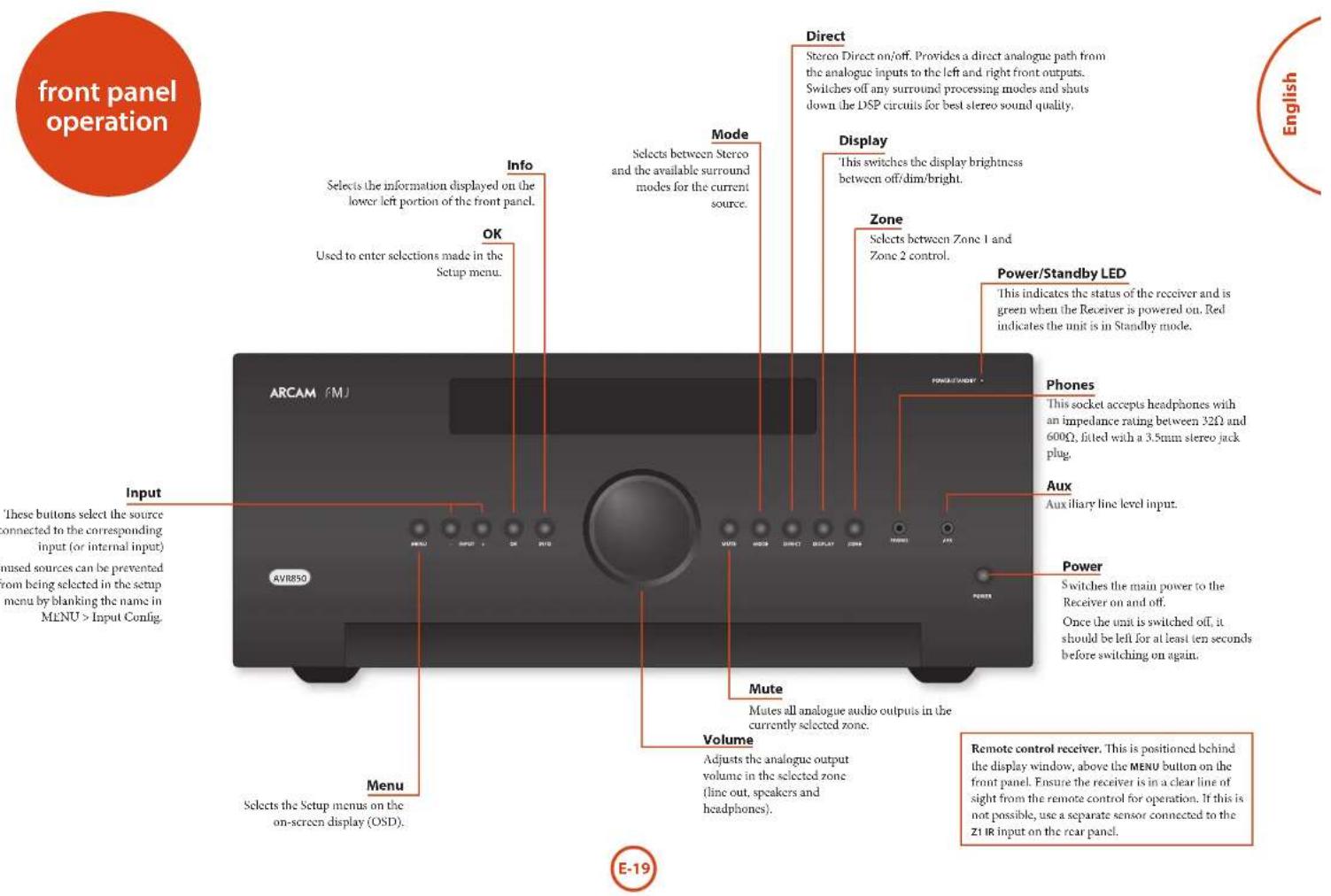
Operating your Receiver
For information display we recommend you use the OSD (On Screen Display) on your display device whenever possible.
Switching on
Press the front panel power button in. the power LED will glow green, the front display shows the word
'NIRAL', When initialisation is complete, the display shows the volume setting and the name of the selected input.
Please wait until the unit has finished initialising before operating the Receiver. It is recommended that if the unit is switched off, you should wait at least 10 seconds before switching the unit back on.
Standby
The Receiver has a standby mode which can be entered by pressing STANDBY on the remote control. When in standby mode, the display is blank and the POWER 1.F.D glows red.
If the unit is to be left unused for an extended period, we recommend that you disconnect it from the mains supply to save power.
To switch on from standby
Press the STANDBY button on the remote control, any key on the front panel (other than the power button) or rotate the volume knob.
Front panel display
The Receiver is ready for use after about four seconds.

The display window shows the currently selected source and the last selected information view setting (this information line can be changed using the INFO button). The current volume setting for Zone 1 (37.0dB in the above example) is displayed on the front panel. The volume setting for Zone 2 is displayed temporarily whenever it is adjusted.
Selecting a source
To select a particular source, press the -INPUT or INPUT+ buttons until that source is shown on the front panel display, or (if available) press the corresponding
| source button on the remote. The following sources are available: |
| STB | Set Top Box input |
| GAME | Game console input |
| AV | Audio-Visual input |
| SAT | Satellite input |
| BD | Blu-ray Disc/DVD player input |
| VCR | Video Cassette Recorder input |
| PVR | Personal Video Recorder input |
| CD | Compact Disc player input |
| FM | Internal tuner input |
| DAB | Internal tuner input (this source is market dependent and may not be available on your Receiver) |
| NET | Ethernet input |
| USB | External USB solid-state device (e.g. pen drive) input |
| AUX | Auxiliary (front panel) input |
| DISPLAY | The Audio Return Channel (ARC) from a compliant display. Use this with a compliant television using internal 1V tuners. |
Most audio inputs have both analogue and digital connections. You must specify the type of connection used for each input using the 'Audio Source' option in the 'Input Config.' menu, see page E-29. Note that an incorrect setting will result in no sound - the default is HDMI audio. If you are not using HDMI audio then this setting must be changed.
The processing mode and Stereo Direct functions are remembered and recalled for each individual input
Stereo Direct
To listen to a pure analogue stereo input, press the DIRECT button. The Stereo Direct mode automatically bypasses all processing and any surround functions. In direct mode, digital processing is shut down to improve the sound quality and reduces digital noise with the Receiver to an absolute minimum.
Note: when Stereo Direct mode is selected, no digital output is available and no bass management is performed, meaning that bass signals will not be redirected to a subwoofer.
Volume control
It is important to realise that the level of the volume indicator is not an accurate indication of the power delivered to your loudspeakers. The Receiver often delivers its full output power long before the volume control reaches its maximum position, particularly when listening to heavily recorded music. In comparison, some movie sound tracks can appear very quiet, as many directors like to keep maximum levels in reserve for special effects sequences.
Headphones
To use headphones with the Receiver, plug the headphones into the PHONES socket in the centre of the front panel.
When headphones are plugged into the front panel PHONES socket, the outputs for Zone 1 are muted and the audio will be down-mixed to two channels (2.0). The two-channel down-mix is required so that the centre channel and surround information can be heard via the headphones.

Using Zone 2
Zone 2 provides the option for the occupants of the master bedroom, conservatory, kitchen, etc. to view or listen to a different source at a different volume level from the main zone (Zone 1).
Source selection and volume control for Zone 2 is achieved:
by using an IR receiver in Zone 2 (see "Zone 2 control connections" on page E-37), or
by switching over to Zone 2 control by pressing the front panel zone button, or
by pressing AMP + OK on the remote control.
The front panel VTD display indicates that control has been switched to Zone 2.
STANDBY
22 50
To turn on Zone 2, with the remote, AMP + OK then press the standby power button on the remote control or press ZONE button on the front panel and then release it to select zone 2, then press and hold the ZONE button on the front panel to turn on Zone 2. Press a source select button to select a different source to Zone 1.
FOLLOW
22 50
Note that Zone 2 control from within Zone 1 will pass automatically back to Zone 1 control after a few seconds of inactivity.
Zone 2 can also be controlled using a third-party programmable remote control or a home automation system. Please contact your dealer or installer for further details.
Extended front panel menu
Pressing the MENU key on the front panel and holding it for longer than four seconds will bring up the Extended Menu, allowing you to perform the following:
Restore to factory defaults
This option allows you to restore all settings on your Receiver to the defaults that it left the factory with.
Change remote code
The default RC5 system code the Receiver responds to is 16. If required, for example due to another device in your system also using this RC5 system code, it can be changed to 19.
This option allows you to restore all settings to their state as saved using the 'Store secure backup' feature. This option is useful if settings are accidentally changed. It also allows the unit to be returned to the saved state following a firmware update.
Store secure backup
This option allows you to save all the Receiver settings to a secure area of memory. The settings can be retrieved using the Restore option above.
-Enter PIN
Enter the secure backup PIN using the 心 and 心 keys on the remote control (do not use the numeric keypad). The default PIN is 0000.
- Change PIN
Allows the PIN to be changed to a number other than the default. Enter the current secure backup PIN using the 心 心 and 心 keys on the remote control (do not use the numeric keypad). The default PIN is 0000. After the current PIN has been entered correctly, enter a new PIN as prompted and again to confirm.
-EXIT
Cancel and return to the extended menu.
Updating firmware via USB
The firmware in your Receiver can be updated from a USB flash drive containing firmware update files.
You can download the latest firmware file, together with upgrading instructions, from the Arcam website (www.arcam.co.uk).
The universal remote controller
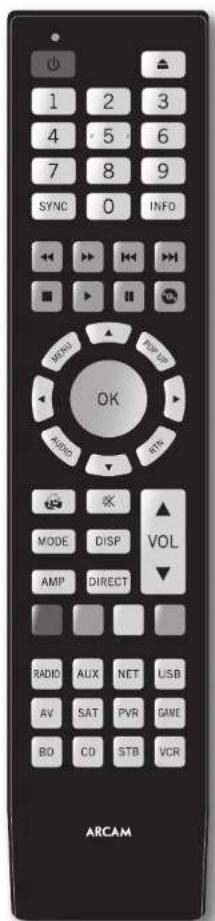
The Receiver is supplied with a sophisticated 'universal' backlit remote control that can control up to eight devices. It is pre-programmed for use with the Receiver and many other Arcam products (FM/DAB tuners, CD players and DVD players).
With its extensive built-in library of codes, it can also be used with thousands of third party audio-visual components TVs, satellite and set-top boxes, PVRs, CD players, etc. See the list of codes at the back of this handbook, beginning on page 47.
It is also a 'learning' remote, so you can teach it almost any function from an old single-device remote.
Using the remote control
Please keep in mind the following when using the remote control:
Ensure there are no obstacles between the remote control and the remote sensor on the Receiver. The remote has a range of about 7 metres. (If the remote sensor is obscured, the Z1 IR remote control input jack on the rear panel is available. Please consult your dealer for further information.)
Remote operation may become unreliable if strong sunlight or fluorescent light is shining on the remote sensor of the Receiver.
Replace the batteries when you notice a reduction in the operating range of the remote control.
Inserting batteries into the remote control
- Open the battery compartment on the back of the handset, by sliding its cover off.
- Insert two 'AAA' batteries, as indicated in the battery compartment.
- Slide the battery compartment cover back firmly into its locked position with a click.
Notes on batteries:
Incorrect use of batteries can result in hazards such as leakage and bursting.
Do not mix old and new batteries together.
Do not use non-identical batteries together although they may look similar, different batteries may have different voltages.
Ensure the plus (t) and minus (-) ends of each battery match the direction indicated in the battery compartment.
Remove batteries from equipment that is not going to be used for a month or more.
- When disposing of used batteries, please comply with governmental or local regulations that apply in your country or area.
Useful information
Backlight
A backlight comes on for eight seconds whenever a key is pressed. This helps you use the handset in subdued lighting conditions.
LED blinks
Short blinks indicate a valid key press.
Multiple short blinks convey information (such as a device code) or signal the beginning and successful completion of a programming sequence.
The symbol _i = 1^n_j = 1^m is used in the manual to indicate an LED blink.
Timeouts and unassigned keys
Time out - After 30 seconds the remote exits the programming slate and returns to normal operation.
Stuck key timeout - After any key is pressed continuously for 30 seconds, the remote stops sending IR transmission to conserve battery life. The remote remains off until all keys are released.
Unassigned keys - the remote ignores any unassigned key presses for a particular Device Mode and does not transmit IR.
Low voltage indicator
When the batteries are running down, the backlight flashes briefly whenever you press a button.
If this happens, fit two new AAA alkaline batteries as soon as possible.
Device Mode/Source keys
As the remote can control your Receiver as well as a range of other equipment: many of the buttons have more than one function depending on the device model selected on the remote control.
The Device Mode keys (shown below) select the source on the Receiver. If one of these keys is pressed briefly, a command is transmitted to change the source on the unit. Also the functionality of the remote control changes to operate the selected source device; it's like having a bundle of different remotes in your hand!
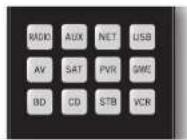
| AUX | Internal FM or DAB tuner input |
| Aux | Auxiliary input |
| NET | Ethernet input (e.g. Internet radio) |
| USB | External USB device (audio files on pen drive, etc.) |
| RF | Audio-visual sound input (use with TV) |
| Sat | Satellite input |
| PMT | Personal Video Recorder (or Digital Video Recorder) input |
| SM | Games console input |
| BR | Blu-ray Disc or DVD player |
| CD | Compact Disc player input |
| SIR | Set Top Box decoder input |
| VCR | Video Cassette recorder input |
Each Device Mode changes the behaviour of many of the remote keys to control the source device appropriately. For example: in CD mode plays the previous CD track, but in AV mode issues the TV 'channel down' command.
The remote remains in the last selected Device Mode so it is not necessary to press a Device Mode key before every command key if all you are doing is playing or skipping tracks on a CD, for example.

Navigation keys
The Navigation keys steer the cursor in Setup menus or on-screen menus. They also replicate the navigation functions of original remotes supplied with other home entertainment
devices in your system. OK confirms a selling
Volume control
By default, the remote is set up so that the volume control and mute buttons always control the volume of the Receiver, regardless of which Device Mode the remote is currently set for. This is known as volume 'punch through'.
For example, if you are listening to a CD, you will probably have the remote in CD Device Mode to control the CD player. You can use the volume controls on the remote directly to adjust the volume of the Receiver without first having to press AMP to put the remote into AMP Device Mode. The volume buttons 'punch through' the CD Device Mode on the remote to the AMP Device Mode.
Volume 'punch through' can be disabled individually for any Device Mode if desired.
Customising the remote
The remote offers a Code Learning feature that allows you to copy up to 16 functions from an original remote control onto the remote keyboard. For details of this, and other customisation features, see "customising the remote" on page E-38.
The remote complies with Part 15 of the FCC rules
This equipment has been tested and found to comply with the limits for a class B digital device, pursuant to part 15 of the TCC Rules. These limits are designed to provide a reasonable protection against harmful interference in a residential installation. This equipment generates, uses, and can radiated radio frequency energy and if not installed and used in accordance with the instructions, may cause harmful interference to radio communications. However, there is no guarantee that interference will not occur in a particular installation. If this equipment does cause harmful interference to radio or television reception, which can be determined by turning the equipment off and on, the user is encouraged to try to correct the interference by one or more of the following measures:
Reorient or relocate the receiving antenna.
Increase the separation between the equipment and receiver.
Connect the equipment into an outlet or a circuit different from that to which the receiver is connected.
Consult the dealer or an experienced radio/TV technician for help.
AMP Device Mode
The AMP Device Mode button configures the remote to control the Receiver. Pressing this button does not affect the currently selected input on the Receiver.
The functionality of the remote is context sensitive for the internal sources and is described in the following table.
Single press -Toggles Receiver power between standby and on in the current zone (zone in which the command is received). Press and hold forces all zones into standby, regardless of which zone the command was received in.
6.3 The number keys can be used for direct entry of numeric values
Sync. Delays may be introduced into the video signal by video processing which causes a mismatch between the audio and video timing. You will notice this by speech sound being out of synchronization with the lip movements in the video. To compensate for this, you can adjust the lip sync delay. Press the SYNC button and use the and navigation buttons. Press again to exit the lip sync trim menu.
Info cycles through the information displayed on the lower left portion of the front panel display when on TUN, NET and USB inputs.
Brings up the DTS:X dialogue control adjustment.
M1 Displays the unit's setup menu on the On Screen Display.
Topp Toggles Dolby Volume on/off.
n00 Toggles Dirac Live EO on/off.
Brings up a (temporary subwoofer trim control. Use the and navigation buttons. Press RIN again to exit the sub trim control. As this is a temporary adjustment, the sub trim level is reset to the value set in the Speaker Levels menu when the unit is turned off or put into standby.
Toggles the mute function of the AVR.
Adjust amplifier volume.
VOC: Cycles through the available surround and downmix modes.
Cycles through the front panel display's brightness options
ResetscRemote to AMPmode.
1011 Stereo direct on/off. Provides a direct analogue path from the analogue inputs to the left and right front outputs. Switches off any surround processing modes and shuts down the DSP circuits for the best stereo sound quality.
Navigate the files and menus on the screen. OK selects the highlighted file or enters the highlighted menu on the screen equivalent to Enter'or Select'on some remote controls.
AMP + Power on from standby by AMP + Standby from Power on AMP + OK select Zone 2
Up Left Right Do
Red button.
Green button.
Yellow Yellow button.
Blue button.
Tuner input.
Aux input
Network (NFT) input.
USB input.
m AV input.
SAT input.
PVR input.
Game console input.
BD input.
CD input.
STB input.
VCR input.
USB commands
The USB interface is selected by pressing USB in AMP Device Mode on the remote. When connected to a device storing music files connected by USB, the keys below are used to navigating music tracks.

Navigates the files on screen. OK selects/plays the highlighted file.
Selects the previous/next track in the
current.playlist
Pause and playback of the current track.
Stops playback.
Network commands
When using the network client, the keys below are used to navigate music files in AMP Device Mode.

Navigates the files on screen. OK selects/plays the highlighted file.
Selects the previous/next track in the
current playlist.
Pause and playback of the current track.
Stops playback.
H5 Adds the currently displayed radio station to the favourites list when using the network client.
Removes the currently displayed radio station to the favourites list when using the network client.
Returns navigation to the top level of the network client menus (Home)
BD
BD/DVD Device Mode
The BD Device Mode button configures the remote to control the functions of Arcam Blu-ray Disc and DVD players, although this can be changed. Pressing this button also selects BD as the source.
Toggles power between standby and on.
Open/close disc tray.
Searches for and plays the track corresponding to the key pressed when playing a CD.
Cycles through the front panel display's brightness options.
MNT Cycles through the repeat options (track, disc., etc.).
Fast rewind.
Past forward.
Press and release to skip back to the beginning of the current/previous track.
Press and release to skip forwards to the beginning of the next track.
Stop playback of a BD or DVD.
Pause and playback of the current track.
Start recording (on products that have this feature).
DISCmEL
P40 Activates BD/DVD player menu, if available.

Navigate setup and BD/DVD programme selection menus.
OK selects the highlighted file or enters the highlighted menu on the screen - equivalent to 'Enter' or 'Select' on some remote controls.
Up
left
Right
Down
BD+Power on from Standby
BD Standby from Power on
BD 1 changes the picture resolution (for BD, only on the Home screen).
Returns navigation to the top level of the menu (Home).
A
Changes audio decode format (Dolby Digital, DTS, etc.).
Resets remote to AMP mode.
RED button for BD
GREEN button for BD
YELLOW button for BD
BLUE BLUE button for BD.
AV
AV Device Mode
The AV Device Mode button configures the remote to control the functions of a television or other display device. You will need to configure this Device Mode to work with your equipment. Pressing this button also selects AV as the source.
Toggles power between standby and on. (Some 'I'Vs require you to use a number key to turn them on).
Functions as original remote number key - usually for channel selection.
107 Display INFO or OSD (On Screen Display) function, if available.
AV; this function is TV specific.
Channel down.
Channel up
142 Displays picture information; this function is 1V specific.
Guide
Navigate setup and programme selection menus.
OK confirms a selection (equivalent to
'Enter' or 'Select' on some remotes).
Returns navigation to the top level of the menu (Home).
Resets remote to AMP mode.
REDkeyforTextTV
m GREENkeyforTextTV
YELLOWkey for Text TV
Blue key for Text 'V'
VCR
VCR Device Mode
The VCR Device Mode button selects VCR as the source. The VCR page allows code learning from a dedicated VCR remote -see "customising the remote" on page E:38.

STB
STB Device Mode
The STB Device Mode button selects STB as the source. If configured to work with your set top box decoder or similar device, the remote can subsequently control the device.
SAT
SAT Device Mode
The SAT Device Mode button selects SAT as the source. If configured to work with your satellite receiver, the remote can subsequently control the device.
PVR
PVR Device Mode
The PVR Device Mode button selects PVR as the source. If configured to work with your personal (hard disc) video recorder or similar device, the remote can subsequently control the device.
| Toggles power between standby and on. | |
| Functions as original remote number key - usually for channel selection. | |
| Display INFO or OSD (On Screen Display) function, if available. | |
| Selects the Library or Media function. | |
| Rewind. | |
| Fast Forward. | |
| Channel down. | |
| Channel up. | |
| Stop playback. | |
| Pause and playback of the current track. | |
| Record. | |
| Opens the LPG (Electronic Program Guide) on some satellite and cable set top boxes. | |
| Turns on the Menu function if the set top box uses this feature. | |
| Navigate setup and programme selection menus. | |
| OK confirms a selection (equivalent to 'Enter' or 'Select' on some remotes). | |
| Returns navigation to the top level of the menu ('Home'). | |
| Selects the Help function. | |
| Resettes remote to AMP mode. | |
| RED button for set top box. | |
| GREEN button for set top box. | |
| YELLOW button for set top box. | |
| BLUE button for set top box. |
| Toggles power between standby and on. | |
| L1 | Functions as original remote number key usually for channel selection. |
| RS | Display INFO or OSD (On Screen Display function, if available. |
| H | Channel down. |
| H | Channel up. |
| P0 | Displays programme information. |
| P0 | Guide (or Setup on some set top boxes). |
| Navigate setup and programme selection menu. OK confirms a selection (equivalent to 'Enter' or 'Select' on some remotes). | |
| Returns navigation to the top level of the menu ('Home'). | |
| Back. | |
| BP | Resets remote to AMP mode. |
| RE | RED button for Satellite. |
| GREEN | GREEN button for Satellite. |
| YELLOW | YELLOW button for Satellite. |
| BLUE | BLUE button for Satellite. |
| Toggles power between standby and on. | |
| Functions as original remote number key usually for channel selection. | |
| Display INFO or OSD (On Screen Display) function, if available. | |
| Selects the Library or Media function. | |
| Rewind. | |
| Fast Forward. | |
| Channel down. | |
| Channel up. | |
| Stop playback. | |
| Pause and playback of the current track. | |
| Record. | |
| Opens the LPG (Electronic Program Guide) on some satellite and cable set top boxes. | |
| Turns on the Menu function if the PVR uses this feature. | |
| Navigate setup and programme selection menu. | |
| OK confirms a selection (equivalent to 'Enter' or 'Select' on some remotes). | |
| Returns navigation to the top level of the menu ('Home'). | |
| Selects the Help function. | |
| Reset's remote to AMP mode. | |
| RED button for PVR. | |
| GREEN button for PVR. | |
| YELLOW button for PVR. | |
| BLUE button for PVR. |
CD Device Mode
The CD Device Mode button selects CD as the source.
The button is configured to control the CD functions of Arcam CD players, although this can be changed (see "Locking/Unlocking a specific Device Mode" on page 39).
| Toggles power between standby and on. | |
| ▲ | Open/close disc tray. |
| ↓+ | Searches for and plays the track corresponding to the key pressed. |
| ↓- | Cycles through the front panel display's brightness options. |
| NOI | Cycles through the repeat options (track, disc, etc.). |
| ← | Fast rewind. |
| → | Fast forward. |
| ↔ | Press and release to skip back to the beginning of the current/previous track |
| Press and release to skip forwards to the beginning of the next track. | |
| ■ | Stop playback of a CD |
| || | Pause and playback of the current track. |
| # | In 'normal play' (i.e. the display does not show the letter P), press the ↑ and keys to select the track and then MENU stores the track. In 'program play' mode, the MENU key deletes the stored track. |
| Navigate setup and CD programme selection menus. OK selects the highlighted file or enters the highlighted menu on the screen - equivalent to 'linter' or 'Select' on some remote controls. Up Left Right Down CD + Power on from Standby CD + Standby from Power on. |
VF Resets remote to AMP mode.
Plays the programmed tracks.

essential setup
Before you use your Receiver it is essential that you enter some information into the Setup menus about your speaker configuration. This allows the Receiver to process any surround sound digital source to exactly match your system and give you the ultimate surround sound experience.
There are three pieces of vital information which are outlined in the sections: 'Speaker Types', 'Speaker Distances' and 'Speaker Levels'.
The way you enter this information manually into the Receiver is given later in the 'Setup Menus' section on page 28. The settings can also be established automatically using the Arcam Auto Speaker Setup function. However it is important to understand why these speaker settings must be entered, which is why this section is presented first.
Speaker types
You need to set the type of speakers that you have connected to your Receiver:
Large capable of full frequency range reproduction Small not capable of full frequency range reproduction at the low frequency end None speaker not present in your configuration
The terms 'Large' and 'Small' do not necessarily relate to the physical size of your speakers. As a rule of thumb, if a speaker cannot reproduce a flat frequency response down to about 40Hz (and very few can!) it is often better to consider them as 'Small' for setup purposes of home cinema.
When a speaker is set to 'Small', very low frequency sounds are redirected away from that speaker to a 'Large' speaker or a subwoofer, which are far better suited to reproducing these low frequency sounds.
Note that it is not possible to set all speakers to 'Small' unless there is a subwoofer in your speaker configuration. If you do not have a subwoofer, you will be forced to set your front speakers to 'Large'.
(Advanced users may wish to automatically override the 'Small' speaker setting for purely stereo music listening when not watching movies. This can be achieved in the 'Input Config.' menu - see page L-29.
Crossover frequency
If you have set any speakers as being Small, then you will be required to set a value for the crossover frequency. This is the frequency below which signals are filtered away from these Small speakers and redirected to Large speakers or the subwoofer (if present). A frequency of 80Hz is often a good starting point, however you will probably have to experiment with different values to find the best value for your system or consult your speaker handbook.
Use Channels 6+7 for
If not used in the main zone, it is possible to assign the Surround Back channels to Height 1, bit-amp the Front Left/Right channels or to provide an amplified output to Zone 2.
Speaker Distances
It is essential for the distance from each speaker to the listening position to be accurately measured and entered into the 'Setup' menu. This ensures that the sounds from the various speakers arrive at the listening position at the correct time to recreate a realistic surround effect. The distance can be entered in centimetres or inches.
Speaker Levels
Finally the levels of all the speakers in the system need to be adjusted to match each other at the listening position, again to create a proper surround effect. To help with this the Receiver can generate a test noise for each speaker which should be measured with a sound pressure level (SPL) meter. The meter should be set to 'C' weighting and slow response. Several smartphones/ tablet apps are available which can also perform this function. The level of noise measured at the listening position from each speaker should be adjusted on the Speaker Trims page of the Setup menu so that the meter reads 75dB SPL. It does not matter what the system volume setting of the Receiver is before turning the test noise on as the volume setting is over-ridden for the duration of the speaker noise test.
There are several basic SPI. meters on the market at reasonable prices aimed at home cinema enthusiasts. Check your local technology store, search online or ask your dealer.
If you do not have an SPL meter or suitable app, you can try to adjust the noise level of each speaker by ear. In this case it is not possible to adjust the speakers to the absolute 75dB SPL volume level, but you should aim for all speakers sounding equally loud. Setting speaker test noise levels by ear is not recommended as it is very difficult to do accurately, but is often better than doing nothing at all!

Dirac
Dirac Live for Arcam
There is a proprietary automatic loudspeaker setup function built into your Receiver from Dirac Research. Using a PC/MAC based application, this attempts to set all the essential speaker settings for all the speakers in your system. It also calculates room equalisation (Room EQ) filter values to remove some of the worst effects of resonant frequencies in the listening room.
Your Receiver package is supplied with a calibration microphone, which should be inserted into the microphone input of the supplied USB sound card and then into a USB socket on a PC or MAC connected to the same network as the Receiver and positioned as directed by the Dirac Live for Arcam PC/MAC application. This microphone picks up the special calibration tones generated by the speakers when Dirac Live for Arcam application is run. The Receiver then analyses the signal and computes:
speaker type,
speaker distance,
speaker level,
- problem resonant frequencies in the room which need control by filtering.
To help the system be as accurate as possible when performing Dirac Live for Arcam setup, there are a few guidance rules that should be followed:
- Minimise any background sounds in the listening room and other nearby rooms.
Close all windows and doors in the listening room.
Turn off all fans including air-conditioning systems.
- Mounting the microphone on a tripod or similar.
Position the set up microphone pointing upwards at roughly head height in the normal listening position. It is not necessary to point the microphone directly at the speaker generating the test tone. (It helps if you are able to position the microphone exactly where your head would normally be for listening, with the microphone in direct unobstructed view of all speakers.)
If your system includes an active subwoofer, start by setting its output level / gain control to a value roughly matching the front speakers.
When activated, a calibration tone is played through each channel of the Receiver in turn, including the subwoofer channel. The calibration tone cycles round each of the speakers multiple times as the different parameters are calculated. If you do not have a full 7.1 speaker (on the "floor") configuration there will be periods of silence between some speaker channels. Follow the 'progress' information on your PC/MAC.
By default, Room EQ is not applied to any of the source inputs. You should enable Room EQ on inputs you think benefit from this feature, as required, by listening when playing typical source material through each input. After being calculated, this is enabled from within the Input Config menu.
While room equalisation can help to reduce problems with listening room acoustics, it is usually far better to try to solve these problems with the room directly. Proper loudspeaker positioning, acoustic wall treatments and moving the listening position away from walls should produce far better results overall. However it may be difficult to do this in a home environment, so Room EQ is your next best choice.
Problems
We advise you to look over the reported measurements on the screen following Auto Speaker Setup for any obviously incorrect results, in particular to ensure the reported speakers match your configuration and that the speaker distances to the listening position appear look roughly correct. If the results are not what you expected re-run Auto Speaker Setup.
The Auto Speaker Setup function is normally quite accurate but occasionally false results can be generated. Problems may be as a result of:
external sounds or rumbling/handling noises picked up by the microphone
sound reflections off hard surfaces (e.g., windows or walls) close to the listening position,
very strong acoustic resonances within the room,
- obstacles (such as a sofa) between speakers and the microphone.
If you are still experiencing difficulties or you wish to have the most accurate results for ultimate surround performance, we recommend using the manual method of establishing speaker distances and levels.
Using subwoofoers
If your system includes one or two active subwoofer you may need to set the subwoofer output level/gain control set to a higher or lower value.
Please refer to the Dirac application and quick start guide for full details of how to use the system with your Receiver.
Downloading the Dirac Live for Arcam application
To download the Dirac Live for Arcan PG/MAC application and quick start guide, please visit
www.arcam.co.uk


The Setup menus allow you to configure all aspects of your Receiver. The next few pages will go through the menu items and explain their function. The Setup menus will probably look quite daunting if you are new to setting up home cinema, but the majority of them need only be configured once when you first install the system (or if your system changes or you move house!) The only way to view the Setup menus is on your display device (I'V or projector) using the on-screen display (OSD) capability of the Receiver. To view the OSD for the initial setting up, connect any of the video outputs to your display device. You do not need to have a video source connected to the Receiver video inputs.
Entering Setup mode
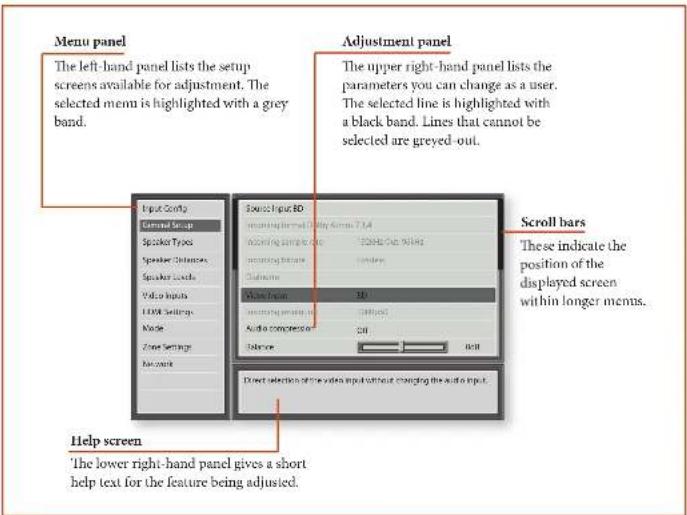
To enter the setup menu, press the MENU button on the remote control or font panel. The front panel display shows 'SETUP MENU' and the setup menu (pictured right) is displayed.
Navigating the setup menu
... using the remote control
The setup menu can be navigated by using the cursor (arrow) keys on the remote control. This is by far the easiest method.
- To enter the setup menu, press the MENU button (which is located immediately under the navigation buttons).
- Use the and keys to navigate up and down the main section headings in the right-hand panel.
- Once you have the main section that you require highlighted, use the 念 key to enter the section.
- Use the and keys to navigate up and down the section settings in the right-hand panel. Some settings may be greyed out. These are either for information only (e.g. incoming sampling frequency)
or are not currently selectable (e.g. network IP address when DHCP is used). Scroll bars on the sides of the right hand panel indicate your position in the settings list where there are more items than can be displayed at once.
- Pressing OK selects a setting to change it, pressing OK again de-selects the setting.
- At any time, press the MENU button to exit the menu. Any changes to settings are saved.
... using the keys on the front panel
The Receiver front panel controls can be used to configure the unit. Follow the instructions for using the remote control, in this case using INPUT- for down, INPUT+ for up, INFO for left and MODE for right.
Input Config.
The audio and video settings on this page of the Setup menu can be tailored specifically and independently to the currently selected input.
When a different input is selected on the Input line, all the input-specific settings for that input are displayed below it. These settings are applied to the named Input only and are stored in memory and recalled each time the unit is powered up and whenever that input is selected.
Input - The currently selected input connectors to which the settings below relate.
Name - The display name of the input. You can change the name of any input to more closely match your setup. For example, if you had two satellite receivers, you could connect the main receiver to the Sat audio and video input connectors and change the Name to 'SAI 1'. You could then connect the second satellite receiver to the VCR audio and video input connectors, but change the VCR Name to 'SAT 2'. It is then clearer to users of your Receiver which inputs they wish to select when scrolling though.
Lip Sync - Each input can have its own setting to add a time delay between the audio and video signals to compensate for the sound and picture not being synchronised. This is normally required when video processing is used in the system for scaling or dc-interlacing video. The range of lip sync delay is 0 to 250 milliseconds.
The lip sync adjustment can only correct for delayed video. If the audio is late set lip sync to its minimum,
Mode - Sets the initial audio decode mode for stereo sources on this input.
Last Mode recalls the last used setting for this input when a stereo source was applied. See section "Two-channel source modes" on page E-32 for mo information.
Ext. Mode Sets the initial audio decode mode for multi-channel digital sources on this input.
Last Mode recalls the last used setting for this input when a stereo source was applied. See section "Multi-channel source modes" on page F-32 for more information.
Bass -
Treble -
These allow you to alter the bass and treble tone controls for all currently active speakers for each individual
input. For example, if your PVR source sounds a little bass light, you can always correct for this by selecting PVR on the Input line at the top of this menu and add 2 or 3dB to the Bass control. Then, whenever the PVR input is selected, the bass is automatically boosted for as long as that input is selected.
Room EQ- When the Auto Speaker Setup function is run it also calculates Room Equalisation coefficients to remove some of the worst effects of resonant frequencies of the room at the listening position. By default Room EQ is not applied to any of the source inputs, however you can enable them on a per-input basis as you wish.
Not Calculated: (Information only) Auto Speaker Setup has not been run or has errors so cannot be selected.
Project Name: Dirac Live for Arcam Room EQ is applied to the current source and will display the name of the project from the Dirac Live application.
Off Dirac Live for Arcam Room EQ is not applied to the current source.
Input Trim - Sets the maximum analogue input signal level (sensitivity) on this input before the ADC (Analogue-to-Digital converter) signal path clips. Options are 1, 2 and 4 volts RMS maximum input. The default is 2V rms maximum.
For example, analogue sources with low output levels may benefit by choosing the 1V maximum setting. This helps maximise signal-to-noise performance of the Receiver and also helps keep the various analogue sources sounding about the same level for any given Receiver volume control setting.
Dolby Volume-Dolby Volume is an intelligent system that improves the perceived audio frequency response at lower listening levels and corrects for volume inconsistencies between sources (e.g., a rock radio station and a BD) and between programming (e.g., a TV show and advertisement breaks).
On: Dolby Volume is applied to this input.
Off (default) Dolby Volume is not applied to this input.
Dolby Leveller - This setting of Dolby Volume controls how closely quiet and loud sources and programme content are matched to each other, based on the car's perception of loudness. The range of values is 0 (minimal levelling) to 10 (maximum levelling). The default setting is 2, however we recommend experimenting with higher values if your source material is less closely matched in level. If the Volume Leveller function is set off, no level matching between sources
and programme material is performed. Note however that turning the Dolby Leveller setting of Dolby Volume to 'Off' is not the same as turning the entire function of Dolby Volume to 'Off', as volume related frequency response processing is still active. See "Dolby volume" on page F-34 for more information.
DV Calib. Offset - The Calibration Offset parameter of Dolby Volume allows you to compensate for speaker efficiencies and listening position. The default value is 0 and this should normally produce a good result when the Receiver speaker levels are set using a sound pressure level meter.
Scc "Dolby volume" on page F-34 for further information on Calibration Offset.
Stereo Mode - If you have configured your system to have a subwoofer, then you have the flexibility to choose how bass information is distributed between the front left/right speakers and the subwoofer when listening to stereo (two channel only) analogue and digital sources. Choose the option which gives you the most solid, even sounding bass. If you are using a subwoofer for stereo, please also see Sub Stereo below to set the level of the subwoofer. For best results test with a setup disc or live programme material. This setting can be used to override your normal speaker settings in the Spkr Types menu whenever the Receiver plays stereo material. It is quite common to find that two channel stereo music listening is best done with a slightly different sub/ speaker setting than for surround movies.
As Spkr Types: When an analogue or digital stereo source is played, your normal speaker configuration (as in Spkr Types menu) is used to reproduce the signal.
- Left/Right: Full frequency stereo information. All audio is sent to the front left and right speakers only without any bass redirection. You can use this setting if you consider your front left/right speakers to be able to handle the full frequency range of music. If you have set your front left/right speaker size as Small in the Spkr Types setup page, you may wish to use this option to override the setting to Large for stereo music listening, if you have full frequency range left/right speakers.
It can often be beneficial to set full frequency range speakers to Small in the Spkr Types setup page for use with movies, if you have a subwoofer in your system. Doing so may deliver more impact on movie soundtracks as subwoofer are designed to handle reproduction of high bass content. However you may find that for stereo music a better overall
result is obtained by not using the subwoofer and effectively treating the front left/right speakers as Large.
Left/Right+Sub: Full frequency range stereo is fed to the front left and right speakers and extracted bass is sent to the subwoofer. In this case the low frequency information is effectively duplicated.
Sat+Sub: Use this setting if you really do have Small satellite front left and right speakers, or if you prefer the overall sound of bass being handled by the subwoofer. Full bass management is used so that analogue and digital stereo sources are fed to the DSP where the bass is filtered off front left and right and redirected to the subwoofer.
NOTE
The Stereo Mode function is not available when using an analogue source in Stereo Direct mode.
Sub Stereo - If Left/Right + Sub or Sat + Sub is selected in Stereo Mode above, this setting adjusts the level of the subwoofer when the source is two channel stereo.
Audio Source - Selects the particular connection type for each input. The default is I1DMI; this setting must be changed if another connection is used.
Select from the list the audio type you are using on this source.
- IIDI: the unit is forced to use the IIDI audio input for this source.
Digital: the unit is forced to use the optical (TOSLINK) or coaxial (S/PDIF) digital audio input for this source
Analogue: the unit is forced to use the analogue audio input for this source.
CD Direct -Turns off the compressed audio detection. mute delay and should only be used for sources that will only transmit PCM audio (e.g. a CD player).
General Setup
General information and system controls.
Source Input - (Information only) The currently selected input to which the settings below relate.
Incoming Format - (Information only) The format of the digital audio stream connected to this input, if present.
Incoming Sample Rate - (Information only) The sample rate of the digital audio stream connected to this input, if present.
Incoming Bit Rate - (Information only)'Ic btt rate of the digital audio stream connected to this input, if present.
Dialnorm (Information only) If a Dolby Digital audio stream is connected to this input, this is the Dialogue Normalisation setting requested by the stream.
Video Input - The currently selected video input. For inputs that have video connections (e.g. SAT, PVR etc), audio and video inputs normally switch over together. However, here you can temporarily select a different video source for the current audio source. This feature may be useful, for example, if you are watching a sports game on satellite but on this occasion wish to listen to the commentary on the radio instead. This temporary override is reset when the input source is changed so that the Video Input follows the Audio Input setting (or the setting in the Video Inputs menu, if applicable).
Incoming Resolution (Information only) Shows the incoming video resolution.
Audio Compression - Allows selection of compression which is ideal for late night listening. The compression effect increases the volume of the quiet passages and decreases the volume of the louder passages. Compression only applies to Dolby / DTS soundtrack formats that support this function.
Off: (default) no audio compression is applied. Medium: compression is applied so that loud portions of a soundtrack are reduced in level. Dolby True HD stream is compressed automatically as set by the incoming stream.
High: the maximum amount of dynamic range compression is applied, so that the difference between loud and quiet portions of a soundtrack is minimised.
This setting applies to all inputs when a relevant digital audio stream is detected. It is stored in memory and recalled each time the unit is powered up.
Balance - To alter the sound balance temporarily between front left and right speakers. You can alter the sound stage to either the left or the right by up to 6dB. Note that it is not possible to shift the audio signal completely over to one channel. This function resets to equal left/right balance when the input is changed.
Dolby Centre Spread - Allows adjustment of the sound field for Dolby Surround mode decoding of two channel sources.
Dolby Centre Spread: Controls the centre image width. With Dolby Surround decoding, dominant centre signals come only from the centre speaker. If no centre speaker is present, the decoder splits the centre signal equally to the left and right speakers to create a 'phantom' centre image. The Centre Spread control allows variable adjustment of the centre image so it may be heard only from the centre speaker; only from the left/right speakers as a phantom image; or from all three front speakers to varying degrees.
Digital Output Freq. Sets the sampling frequency of the audio Analogue-to-Digital converter. This setting applies to all inputs when analogue audio is being processed (i.e. not Stereo Direct mode). It is stored in memory and recalled each time the unit is powered up. Maximum Volume Limits the maximum volume setting the system can be turned up to in the main zone. This is a useful feature to prevent accidental overdriving of low power-handling speakers (for example). It is stored in memory and recalled each time the unit is powered up.
Max On Volume Limits the maximum volume the system operates in the main zone when it is switched on or comes out of Standby. The system comes on at this stored volume setting if the last used (possibly very loud) volume exceeds this value. It is stored in memory and recalled each time the unit is powered up.
Display on time - Sets the time that the front panel display remains illuminated after receiving a command. The default is always on.
CEC Control (Output 1 only) - Enables or disables HDMI CEC control, a system that allows devices connected with HDMI to control other compatible connected devices.
Off: disables CEC Control
Output 1
ARC Control (Output 1 only) - Enables or disables the IIDI Ml Audio Return Channel. This allows for television sound to be sent back to the Receiver, via the 'Display' input. ARC Control depends on CEC control being set.
HDMI Audio To TV - Enables or disables the transmission of HDMI audio from the HDMI output connector. Enable this setting if you wish to be able to listen using your TV speakers.
Control - Enables or disables RS232 or IP (NET) control, a system that allows control from various third-party home automation systems. Note, only RS232 or IP control can be used, not both.
Power on - Determines how the unit powers on. Sby: in Standby mode
On: On
Last state: Last state (default).
Standby Mode - Determines what functionality is retained while in standby.
Low Power: Lowest power setting
IP & HDMI ON: Allows for IP control & HDMI
bypass while in standby, but consumes more power.
Language - Select the language for the OSD menu
- English, French, German, Spanish, Dutch, Russian.
Chinese.
Speaker Types
Settings for the types of loudspeaker you have connected in your configuration. These settings are applied to all audio inputs and are stored in memory and recalled each time the unit is powered up.
Front Left/Right
Centre -
Surr.Left/Right
Surr Back L/B
Height 1
Height 2-
Subwoofer
Here you set the type of speakers that you have
connected to your Receiver:
Large: capable of full frequency range reproduction Small: not capable of full frequency range reproduction at the low frequency end
None: speaker not present in your configuration
- Height 1, 2: configures the type of height speakers' height/Dobly enabled.
Subwoofer: Sets whether you have none, 1 or 2 subwoofer(s) present.
NOTE
It is not possible to set all speakers to Small unless there is a subwoofer in your speaker configuration.
If you do not have a subwoofer, you will be forced to set your front speakers to Large.
Crossover Freq - This is the frequency at which loudspeakers set as Small start to redirect bass signals to the Subwoofer or Large speakers in your system. Small speakers redirect bass to the subwoofer, if present. The exception is the Centre speaker which, if Small, redirects its bass to front left/right provided that they themselves are Large. This is done to help keep Centre bass directly in front of the listening position.
Dolby Speaker Crossover- This is the frequency at which height speakers set to small redirect bass information.
Use Channels 6+7 for - If your main zone speaker set up does not include Surround Back Left and Right speakers, you can choose to use the Surround Back amplifier channels as the Height 1 amplifiers, to Bi-Amp the Front Left and Right pair, or as a stereo power amplifier for Zone 2.
Speaker Distances
Calibration settings for the distances between the loudspeakers and the listening position.
NOTE
Speakers that are not present in your configuration will be greyed out.
If Dirac Live for Arcam is used, these settings will also be greyed out as they are autoset by Dirac
These settings are applied to all audio inputs and are stored in memory and recalled each time the unit is powered up.
Units Select whether you wish to measure distances in imperial or metric units.
Front Left -
Front Right -
Surr. Right -
Surr. Back Right -
Surr. Back Left -
Surr. Left -
Left Top Front/Middle/Back Right Top Front/Middle/Back
Subwoofer
As described in "essential setup" on page B-26, measure the distance from each loudspeaker in your system to your ear in the main listening position and enter the
values. This allows the Receiver to calculate the correct relative delay for each loudspeaker.
Speaker Levels
Calibration settings for the test noise signal level through the loudspeakers and measured at the listening position.
NOTE
Speakers that are not present in your configuration will be greyed out.
If Dirac Live for Arcam is used, these settings will also be greyed out as they are autosoted by Dirac
These settings are applied to all audio inputs and are stored in memory and recalled each time the unit is powered up.
Use the and navigation buttons on the remote control to select the relevant speaker. Press to enable/disable the calibration noise and the and navigation buttons to adjust the noise level from each speaker.
Front Left -
Centre
Front Right
Surr. Right -
Surr. Back Right -
Surr. Back Left -
Surr. Left -
Left Top Front/Middle/Back
Right Top Front/Middle/Back -
Subwoofer
As described in "essential setup" on page B-26, adjust the level of the test noise from each speaker so that an SPL meter at the listening position measures 75dB SPL.
Video Inputs
Settings to optionally assign a video source to each of the normally audio-only inputs.
These settings are stored in memory and recalled each time the unit is powered up.
Video Input CD
Video Input Aux
Video Input FM -
Video Input USB
Video Input Net -
Video Input DAB -
The default for each of the audio inputs is 'None'. You could, however, associate 'Sat' video with FM or Digital Radio audio to receive radio commentary of a sports game with pictures from satellite coverage, for example.
HDMI Settings
The settings in this menu control the output resolution from the video processor in the Receiver. These settings are applied to all video inputs and are stored in memory and recalled each time the unit is powered up.
HDM1 OSD - Selects whether the main zone pop-up OSD messages are On or Off. It is stored in memory and recalled each time the unit is powered up.
When On, all user adjustments that are made during the general use of the Receiver are displayed on screen as well as the front panel display. This includes the adjustment of volume, subwoofer level, lip sync, tone controls, etc. It is stored in memory and recalled each time the unit is powered up.
When Off, the above user adjustments will not appear on screen, only on the front panel display. This leaves the picture on your display device clear of pop-up text. However, regardless of this setting the Setup menus are always displayed on screen.
HDMI Output 1080p - This setting controls the output resolution of the HDMI output when receiving 1080p input - bypass or upscale to 4k2k.
Lipsync-(Information only) Displays how much lip sync is automatically applied to the HDMI output to compensate for video processing delays in the attached display device. Not all display devices support this function.
Mode
Lists the decode and downmix options you wish to include when cycling through the options on the MODE button. Settings are Yes or No. The list is divided into two sections depending on the source audio type. See section "decoding modes" on page 1-32 for more information on each processing and decoding mode.
These settings are applied to all audio inputs and are stored in memory and recalled each time the unit is powered up.
For Stereo sources:
Dolby Surround -
DTS Neural:X
5/7 Ch Stereo
The first section, 'Stereo sources' is the list of processing modes you wish to make available for stereo signals (analogue stereo, digital PCM stereo, Dolby 2.0, D15 2.0, etc). When a stereo signal is applied, each press of the MODE button cycles through the processing modes you have enabled in the 'Stereo sources' section. The unprocessed Stereo option is always available for stereo signals therefore it is not shown in the list.
For Multi-channel sources:
Stereo Downmix -
Dolby Surround -
DTS NeuralX
The second section, 'Multi-channel sources' is the list of processing modes you wish to make available for multi-channel digital signals (any Dolby or DUS digital stream that has more channels than stereo 2.0). When a multi-channel digital signal is applied, each press of the MODE button cycles through the processing modes you have enabled in the 'Multi-channel sources' section.
Zone Settings
Lists the volume and control settings for Zone 2. These settings are applied to all audio inputs and are stored in memory and recalled each time the unit is powered up.
22 Input - Selects the analogue audio and composite video source to be routed to Zone 2. The default is 'Follow 7!i, i.e. the same source as currently selected in Zone 1.
Zone 2 Status - Selects if Zone 2 is in Standby or On.
Zone 2 Volume - The current volume in Zone 2.
Zone 2 Max. Vol Limits the maximum volume setting the system can be turned up to in the Zone 2. This is a useful feature to prevent accidental overdriving of low power-handling speakers, for example.
Zone 2 Fixed Vol - The Zone 2 volume control can be locked at the current value for use with an external amplifier with its own volume control in Zone 2.

Zone 2 Max On Vol Limits the maximum volume the system operates in the Zone 2 when it is switched on or comes out of Standby. The system comes on at this volume if the last used (possibly very loud) volume exceeds this value.
Network
The Receiver is fitted with an network audio client which is capable of playing internet radio stations as well as stored music on a network storage device such as a PC, or on a USB flash drive.
Use DHCP - Select if your network uses DHCP
No: To assign a fixed IP address manually.
Yes: To use network parameters given by the DHCP server.
IP Address - If not using DHCP, enter the IP address you have assigned to the Receiver for your network.
Subnet Mask - If not using D1CP, enter the subnet mask for the Receiver on your network.
Gateway - If not using DHCP, enter the IP address of the router the Receiver is connected to.
Primary DNS - If not using DHCP, enter the Primary DNS IP address of your internet service provider.
Alternate DNS - If not using DHCP, enter the Secondary DNS IP address of your internet service provider.
MAC address - (Information only) The unique address of the network card in your Receiver.
Friendly name - Allows you to rename the network "friendly name" of your Receiver.
Introduction
Your Receiver receiver provides all the key decoding and processing modes for analogue and digital signals, including the latest high definition audio formats over HDMI.
Modes for digital sources
Digital recordings are usually encoded to include information about their format type. The Receiver detects automatically the relevant format in a digital signal such as Dolby Altsos, TrueHD, Dolby Digital Plus, DTS:X, DTS-HD Master Audio, Dolby Digital, or DTS - and switches in the appropriate decoding.
Modes for analogue sources
Analogue recordings do not contain information about their encoding formats, so the desired mode - such as Dolby Surround - needs to be selected manually.
Mode memory
Dolby Digital or DTS audio (including the high definition formats) can be output in two mix modes, selected using the MODE button:
Surround (e.g., five main channels plus a subwoofer for a 5.1 source)
Sterco downmix.
Two-channel audio, regardless of whether it is analogue or digital can also be output in two mix modes, selected using the mode button:
- Surround (e.g., Dolby Surround, DTS NeuralX, etc.)
- Stereo.
The Receiver stores the settings for each source. Thus the decoding mode for the following groups of source material can be stored independently:
Dolby Digital (multi-channel) and DTS source material
Two channel Dolby, PCM or Analogue source material
Two-channel source modes
The following decoding and surround modes are for creating multi-channel stereo modes from 2-channel sources. They are available on the AV860/AVR850/AVR550/AVR390 for standard and high definition Dolby Digital 2.0, DTS 2.0, PCM or analogue sources:
Stereo -
5/7 Channel Stereo -
Dolby Surround -
DTS Neural:X
Stereo
In this mode the AV860/AVR850/AVR550/AVR390 works as a conventional high quality audio amplifier. Note that if the subwoofer is enabled in stereo mode, then some processing of the signal is carried out.
Stereo Direct: this achieves the best sound quality if an analogue connection is present.
5/7 Channel Stereo: this produces an output from all speakers by copying the left output to all left speakers and the right output to all right speakers. The centre speaker outputs a mix of left and right.
Dolby Surround
Dolly Surround allows the AV860/AVR850/AVR550/ AVR390 to derive up to 7.1.4 outputs from a two or multi-channel source to take better advantage of all amplifiers and speakers in your setup.
DTS Neural:X
DTS NeuralX provides up to 12 channels of decoding from stereo material. The AV860/AVR850/AVR550/ AVR390 will derive separate channels corresponding to the standard home theatre layout.
Multi-channel source modes
Digital multi-channel source material is normally provided as '5.1 audio'. The '5.1 channels' comprise of: left, centre and right front speakers, two surround speakers and a low frequency effects (LFE) channel. Since the LFE channel is not a full range channel, it is referred to as '1'.
Surround systems decode and reproduce the 5.1 channels directly. The DTS-ES matrix enhanced decoding system creates one extra rear channel from information buried in the two surround signals of the 5.1 source. The ES enhanced system is sometimes referred to as a 6.1 system. This extra surround back
channel is normally reproduced through two separate loudspeakers, creating a "7.1" system.
D15-ES discrete is a true '6.1' source, with six discretely encoded channels, plus the .1' LFE channel.
Dolby Digital Plus, Dolby TrueHD, Dolby Atmos, DTS-X and DTS-HD are high-resolution surround formats found on Blu-Ray discs
Decoding modes
The modes given in the following table are available for multi-channel digital sources.
Special modes such as DTS-LS 6.1 discrete, Dolby Digital Plus, Dolby TrueHD, Dolby Atmos, DTS:X and DTS-HD are only available from the correct source material.
| For Dolby Digital sources |
| Dolby Digital 5.1 Dolby Digital 5.1 sources deliver sound with five discrete full-range channels; left, centre, right, surround left, surround right, plus LFE channel. |
| Dolby Digital Stereo Downmix Provides a stereo downmix of the source material for use with headphones. |
| Dolby Digital 5.1 + Dolby Surround This mode is used to derive information for the individual surround back channels from the surround channels, using the Dolby Surround decoder. |
| For DTS sources |
| DTS 5.1 Less common than the Dolby Digital format, but generally recognised within the audio industry as being of superior sound quality. DTS 5.1 delivers surround sound with five full range channels plus an LFE channel. |
| DTS 5.1 Stereo Downmix Provides a stereo downmix of the source material for use with headphones. |
| DTS-LS 6.1 Matrix This is a 6.1 channel format based on DTS 5.1. It has the sixth channel matrix encoded into the surround left and surround right channels. The sixth channel is a surround centre channel and is directed to the surround back left and surround back right speakers. |
| DTS-LS 6.1 Discrete This is a true discrete 6.1 channel sound format. DTS-LS discrete mode operates only on sources with DTS-LS 6.1 discrete audio encoding. |
| DTS96/24 Provides up to 5.1 channels of audio at 96kHz, 24bit resolution for superior sound quality compared to standard DTS 5.1 |

Dolby volume

Ceiling speakers are mounted directly in the ceiling as shown in this 7.1.4 example.
Dolby Volume is a sophisticated new technology that resolves the problem of different volume levels.
between programme content (e.g., a TV show and advert breaks) and between sources (e.g., a rock radio station and DVD, or between two TV stations). It lets the listener enjoy everything at the same preferred listening level without having to reach for the volume control to compensate for the different recording/output levels. This is the Volume Lefaller function of Dolby Volume.
Dolby Volume also works in conjunction with the Receiver volume control setting to compensate for the car's changing sensitivity at different frequencies depending on how loud the audio is. It is based on a model of how human hearing works. It properly balances low, mid and high frequencies to maintain all the nuances and impact of the original audio regardless of the actual selected playback volume level. This is the Volume Modeller function of Dolby Volume.
Dolby Volume measures, analyses and maintains volume levels based on how people perceive sound. A variety of audio parameters are monitored including spectral- and time-based loudness to ensure that perceived dynamics, timbric and bass performance remain consistent at all volume levels.
Dolby Volume also lets the listener control a programme's dynamic range - the range between loud and quiet sounds. For example, with the volume turned down for late-night viewing, dynamic range can be adjusted so that speech remains clear and loud effects or music passages retain their impact without waking up the family.
Settings
Dolby Volume can be applied to any analogue or digital stereo source or any digital multi-channel source. It is not available in Stereo Direct or if height speakers are connected. Dolby Volume can even be applied to processing of stereo signals (e.g. Dolby Surround) or when down-mixing a digital multi-channel source (e.g. Dolby Digital 5.1 down to stereo).
Dolby Volume can be enabled and configured separately for each audio input in the Input Config menu. The default is 'Off' for 'audiophile' listening. You may wish to turn Dolby Volume 'On' for TV and movie sources to maintain the same perceived overall listening level
between sources and frequency response regardless of the volume setting. Most of the controlling parameters of Dolby Volume are automatic as they are dependent on analysis of the audio signal and the volume setting of the Receiver. However, the Volume Leveler and Calibration Offset controls (see below) can be adjusted to your preference.
Volume Leveller
The Volume Leveller function of Dolby Volume controls how closely quiet and loud sources and programme content are matched to each other, based on the car's perception of loudness. The range of values is 0 (minimal levelling) to 10 (maximum levelling). The default setting is 2. If the Volume Leveller function is turned off, no level matching between sources and programme material is performed. This is not the same as turning Dolby Volume off as volume related frequency response processing is still active.
When Dolby Volume is being applied to the current input, a Dolby Volume processing mode indicator is shown on the OSD and the front panel display.
Calibration Offset
The Calibration Offset parameter of Dolby Volume allows you to compensate for speaker efficiencies and listening position - effectively moving the reference listening level up or down the volume scale. The default value is 0 and this should normally produce a good result when the Receiver speaker levels are set using a sound pressure level meter at the listening position (75dB SPL, 'C' weighting, slow response).
Dolbyatmos
DOLBYATMOS
Dolby Atmos for the home represents every
sound in the original cinema mix as an audio object. Extensions to the Dolby Audio CODECs, along with an advanced scalable algorithm, allow Dolby Atmos to be delivered via Blu-ray Disc and streaming media. Your Dolby Atmos equipped AV860/AVR850/AVR350/AVR390 adapts the cinema experience to your home theatre using up to 12 channels (for configurations above 8 channels, additional power amplification is required), recreating the original artistic concept.
Dolby Atmos speaker setup
With Dolby Attnus technology, you have two basic options for overhead sound:
Ceiling speakers
Dolby Atmos enabled speakers
The AV860/AVR850/AVR550/AVR390 supports up to four ceiling or Dolby Almos enabled speakers. If just two are used then they should be positioned centrally between the screen and listening position, if fours are used then they could be positioned just in front of the screen and just in front of the listening position. For a 5.1.2 configuration, channels 687 of the AV860/ AVR850/AVR550/AVR390 can be configured for the height 1 channels.
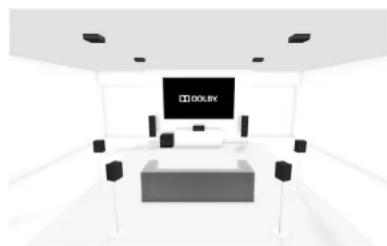
Ceiling speakers
Dolby Atmos enabled speakers
Dolby Atmos enabled speakers are specially engineered to direct sound upward, where it reflects off the ceiling to produce an incredibly lifelike re-creation of overhead sound. Dolby Atmos enabled speakers come in two versions:
Integrated units that also include traditional forward firing speakers.
Add on modules, containing only the upward firing elements, that you put on top of your current speakers or on a nearby surface.
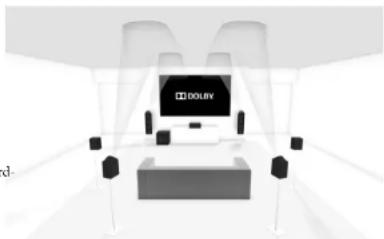

The Receiver is fitted with a FM & DAB (digital radio) tuners. DAB broadcasts are not available in all locations. This section deals with tuner operation, for information on setting up the tuner and installing aerials, see page E-13.
When a timer input is selected, the OSD shows a list of radio presets plus an information panel giving all available information about the current frequency (for FM) or station (for DAB).
The front panel will also give the same information, pressing the INFO key will cycle through the various items of information:
| FM |
| • Processing mode (default) |
| • Radiotext (if available) |
| • Programme type (if available) |
| • Signal strength |
| DAB |
| • Processing mode (default) |
| • Radiotext (if available) |
| • Programme type |
| • Signal quality |
| • Bit-rate of transmission |
Tuning/Channel Selection
When switching to the internal TUNER source, the Receiver enters the last used tuner band, be it FM or DAB. Repeatedly pressing RADIO cycles through the available tuner bands on your Receiver.
FM analogue radio
Frequency tuning on FM radio is done using the and buttons on the remote control in TUN device mode. Individual presses move the frequency down and up one step. If you press and hold either of the tuning buttons for two seconds, the timer scans to the next strong signal. You can stop a scan at any time by pressing one of the tuning buttons again.
In Europe, the internal FM radio is capable of receiving RDS (Radio Data System) radiotext signals that are transmitted on some stations. The RDS information typically includes the radio station name, the music or speech genre as well as additional information related to the current programme. On music stations this is often information on the currently playing track.
DAB digital radio
Digital Audio Broadcasting (DAB) radio is becoming more widely available. See www.worlddab.org/country information for information on DAB availability.
You will need to scan for available stations before being able to listen to them.
To scan for DAB stations, first select the DAB tuner then press and hold until the display indicates scanning has started. The Receiver will then scan all the DAB radio frequencies and compile a list of the stations that are available.
When the scan is complete, you can scroll through the station list using the 3 and 4 buttons on the remote control. To listen to the currently displayed station press the 5 . If you do not press 4 within two seconds, the display will revert to displaying the currently playing station.
Internet radio
Please see the Network/USB Operation section on page E-36 for details of internet radio operation.
Saving and selecting Presets
Preset selection uses the and keys on the remote to browse and to select the preset when the remote is in TUN device mode.
Up to 50 preset can be stored and these can be from any band, for example Preset I could be an FM station, preset two a DAB station, etc. Pressing the OK key causes the next available preset number to be displayed, then pressing the OK key again stores the current frequency channel in that preset. If a different preset number is required, press the 4 and 9 keys until the desired number is displayed before pressing the OK key for a second time.
Deleting Presets
When in timer browse mode (using A and to scroll through the presets), the yellow button on the remote is used (to delete the currently highlighted (but not playing) station or frequency.

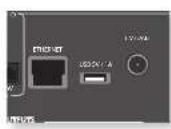
The Receiver is fitted with a network audio client which is capable of playing internet radio stations as well as stored music on a network storage device such as a PC, or from a USB flash drive.
For information on installing the Receiver on your network see page F-14.
The Receiver supports the following file formats:
MP3
WMA (Windows Media Audio)
WAV
FLAC (Free Lossless Audio CODEC)
MPEG-4 AAC (iTunes) with DRM10 support
Favourites
You can store internet radio stations in your 'favourites' folder for easy access later. Once playing, pressing the RED key adds the station to the 'favourites' folder. Pressing GRREEN removes the station from the 'favourites' folder (this key only has an effect if the station is in the 'favourites' folder).
Selecting the playback source
Selecting the network client will allow playback of internet radio stations and stored music on a networked storage device or USB memory device.
To select the network source just press NET on the remote. You can also cycle to it using the -INPUT/INPUT+ keys on the front panel.
The home page has options for playing audio from a USB device, Internet Radio or from your home network using the Music Player option. Navigate through these items using the and keys. Folders that may contain playable files have a symbol, playable files have a symbol. Once you reach the track you wish to play, press OK.
Once playing, pressing will pause the track (except Internet Radio).
Pressing the key skips forward one track. If the last track is reached the key is ignored.
Pressing the key skips back one track. If the first track is reached, the key is ignored.
USB playback
Insert a USB device into the socket on the Receiver and select the network client input. The USB device appears in the list of folders that can be navigated. Highlight it using the and keys and press to navigate the contents of the USB device. Navigate through folders (using the ,and keys) to a music file and press OK to play the file.
Pressing the INFO key will cycle what is shown on the lower portion of the front panel display between:
Flapped Time (default)
Processing mode
Album (if available)
Artist (if available)
File information (bitrate, type).
How to Use Connect
You'll need Spotify Premium to use Connect.
- Add your new device to the same wifi network as your phone, tablet or PC (see product user instructions for details).
- Open the Spotify app on your phone, tablet or PC and play any song.
- If you're using the app on a phone - tap the song image in the bottom left of the screen. For tablet and PC move to step 4.
- Tap the Connect icon (b)
- Pick your device from the list. If you can't see it, just check it's connected to the same network as your phone, tablet or PC.
All done! Happy Listening.
Licenses
The Spotify software is subject to third party licenses found here:
https://developer.spotfly.com/esdk-third-party-licenses
NOTE
For playback from a network device, the network device needs to running a universal plug and play (UPnP) service, such as Windows Media Player 11. This can be downloaded free of charge from www.microsoft.com or installed via the Windows update installer. Windows 7" and Vista have this functionality built in. Windows Media Player requires music library sharing/screening to be enabled in order to serve music to the Receiver. Other free and paid-for UPnP services are available for other computer operating systems. Some network attached storage (NAS) systems include a built-in version of a UPnP service.
Internet radio stations
Although you can manually browse for an internet radio station, the Receiver uses the vTuner service to allow easy selection of favourite internet radio stations and podcasts. To set up this service for your Receiver, please visit www.arcamradio.co.uk
There, you will be asked to enter the Media Access Controller (MAC) address which is the unique ID of your Receiver. This MAC address can be found in the network section of the setup menu.
Once you have entered the MAC address, you can then browse stations and podcasts and set up groups of favourite stations. When you next connect your Receiver to the internet, these groups will appear in the 'My favourites' folder.
The Receiver allows independent routing to a separate set of equipment, typically used for a second living space, e.g., bedroom or lounge.
Zone 2
Audio outputs
The Z2 OUT, R and L phonon sockets should be connected to the analogue audio inputs (Usually labelled
ANALOGUE AUDIO IN) of the Zone 2 display device, or to the inputs of an additional stereo power amplifier in Zone 2 (for example, the Arcam P38).
Speaker outputs
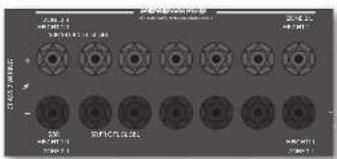
If the main zone has a 5.1-channel surround sound speaker system (not a 7.1-channel system), the spare SBI and SBR speaker outputs can be used to power speakers in Zone 2, so that a power amplifier is not required.
To configure the outputs, navigate to the 'Spkr Types' option in the Setup Menu and set the option Use Channels 617 for 'Zone 2'; see page E-26.
Zone 2 control connections
The Receiver also allows remote control from Zone 2.

Z2IR
This allows the Receiver to be controlled remotely from Zone 2 via Infrastructure remote control. Connect a remote IR receiver in Zone 2 to allow control of the Receiver from this listening/viewing area.
For more information on remote IR receivers, see "Z2 IR" on page 1-14.
TRIGZ2
This allows the Receiver to remotely switch on devices in Zone 2 when Zone 2 is selected. For example you could set your television in Zone 2 to switch on when 'Zone 2' is selected on Receiver.
For more information on triggers, see "Trigger connectors" on page E-14.
Please note that not all AV devices have this feature, nor are triggers essential for listening and viewing in a separate zone.


Code learning
The supplied remote comes with a complete library of pre-programmed codes. After you have set up the remote for your device, you may find that there are one or more functions on your original remote which do not have a place on the keypad. For convenience, the remote offers a Code Learning feature that allows you to copy up to 16 functions from an original remote control onto the remote keypad.
Before you start, make sure that:
The original remote control is working correctly. The remotes are not pointing at your device.
The remotes have fresh batteries.
The remotes are not in direct sunlight or under strong fluorescent lights.
NOTE
Learned functions are mode-dependent. You could assign up to eight different functions to a single key - a separate learned function for each mode.
Direct code setup (Method 1)
The first method is to program the remote with the 3-digit code number for the device you wish to control - see "device code tables". Make a note of the suggested number or numbers - the most popular code is listed first. Now power on the device.
- Press the Device key for the product you want to set up, together with the 1 key. Hold down both buttons for three seconds until the LED stays lit. You are now in setup mode, and you can release the buttons.
- Enter a 3-digit code for the device. If the 3-digit code number you entered is correct for the device, it will turn off. If it doesn't turn off, enter the next code number from your list until the device does turn off.
- Once you have found the correct code, press the Device key again. The LED blinks three times to confirm that the code has been successfully stored.
Library search setup (Method 2)
Library search allows you to scan through all the codes contained in the remote's memory. It can take a lot longer than the previous method, so only use this method if:
- Your device does not respond to the remote after you have tried all the codes listed for your brand.
-
Your brand is not listed at all in the Device Code tables.
-
Press the Device key for the product you want to set up, together with the 1 key. Hold down both buttons for three seconds until the LED stays lit.
- Point the remote control at the product you wish to control and press the or button on the navigation pad. Each time the or button is pressed, the code counts up (or down) one code number with a signal to power off the device.
- Continue pressing the up or down button, in approximately one second intervals, until the device turns off. (DO NOT alternate the up and down button - you need to move in only one direction.)
- To store the correct code, press the Device key again. The LED blinks three times; to confirm that the code has been successfully stored.
Learning setup (Method 3)
The third method involves 'teaching' the Arcam remote from the original remote for the device. The two remotes should be facing each other, about 10cm apart.
- Press the Device key for the product you want to set up, together with the 3 key. Hold down both buttons for three seconds until the LED stays lit.
- Press the button on the Arcam remote that you want to assign a command to. The LED blinks once indicating that the remote is ready to learn the command.
- Press and hold the appropriate key on the other remote until the LED blinks twice. This indicates the Arcam remote has learned the command from your other remote.
- Continue learning the commands from your other remote by pressing the next button on the remote and repeating steps 2 and 3.
- Once the remote has learned all the selected commands, press and hold the Device key you used to enter learning together with the Numeric 3 key to store the learned commands.
NOTE
If the Arcam remote LED blinks five times
there was an error in the learning process. In this case, please start the Learning Setup from the start.
The AMP and RADIO keys do not learn commands.
Important notes
Once you start a Code Learning session, you have approximately ten seconds to conduct each step. Any longer, and a timeout means that you'll have to start the process again.
The learning feature is mode-specific - you can copy one feature per mode onto a key.
The remote can learn approximately 16 functions in total.
To replace a learned function, simply assign a new function to the same key.
1. Learned functions are retained when you change batteries.
If Code Learning fails, try altering the distance between the two remotes; make sure that the ambient light is not too bright.
Deleting the learned data
To delete all the learned data for a device:
- Press the Device key for the product you want to set up, together with the 3 key. Hold down both buttons for three seconds until the LED stays lit.
- Press and hold down the Device key for the product that you want to erase, together with the key for three seconds until the LED blinks twice.
- If any further key press is not made for 30 seconds after the LED blinks (wice, the remote leaves erase mode without deleting the learned data.
- If you press the Device key one more time within 30 seconds after LED blinks twice, you can finish the erase mode deleting all the data learned on the Device. The LED blinks three times to confirm.
NOTE
On the following pages, a single 'blink' of the remote's power LED is indicated by the symbol:
To delete the learned data for a key for a device:
- Press the Device key for the product you want to set up, together with the 3 key. Hold down both buttons for three seconds until the LED stays lit.
- Press and hold down the key on which you want to delete the data for three seconds. The LED blinks twice. If any further key press is made, the remote escapes from erase mode without deleting the learned data.
- If any further key press is not made for 30 seconds, the LED blinks twice; the remote gets out of the erase mode automatically without deleting the learned data.
- If you press the Device key together with the 3 key again within 30 seconds after the LED blinks twice, all the data learned for that Device is deleted and you leave erase mode. The LED blinks three times in confirmation.
Reading stored code numbers
- Press the Device key for the product that you want to set up together with the 4 key. Hold down both keys for three seconds until the LiD blinks.
- Press the INFO key and count the number of blinks ( 1,2,3,4,5,6,7,8,9,10, 11,12,13,14,15,16,17,18,19,20,21,22,23,24,25,26,27,28,29,30,31,32,33,34,35,36,37,38,39,40,41,42,43,44,45,46,47,48,49,50,51,52,53,54,55,56,57,58,59,60,61,62,63,64,65,66,67,68,69,70,71,72,73,74,75,76,77,78,79,80,81,82,83,84,85,86,87,88,89,90,91,92,93,94,95,96,97,98,99,100.
Locking/Unlocking a specific Device Mode
When you first unpack your remote and insert the batteries, it is able to control certain Arcam components automatically (e.g. BD players, Amplifiers, Tuners and CD Players). We achieve this by programming specific Arcam device codes onto the relevant Device Mode keys, then locking the Device Modes so you don't reprogram them inadvertently.
If you want to override these locked default settings - to control a third-party BD player, for example - you will first need to unlock BD Mode before setting up the remote using one of the learning methods described on the previous page.
Here are the factory default settings:
| Device Mode Default status Default codes | |
| AMP | Locked 001 (Arcam code 16) |
| BD | Locked 001 (Arcam) |
| AV | Unlocked 108 (Philips TV) |
| VCR | Unlocked Code learning only |
| GAME | Unlocked Code learning only |
| STB | Unlocked 030 (Bush/Goodmans/ Grundig, from SAT database) |
| SAT | Unlocked 128 (Sky+ Digital, from SAT databas) |
| PVR | Unlocked 018 (Humax PVR, from SAT databas) |
| CD | Locked 001 (Arcam) |
Alternative codes are available for multi-room solutions, or in the case of code clashes with other manufacturer's products.
For example:
AMP (system code 19): 002
Note that you need to change the system code on the product you wish to control, as well as the remote.
- AMP, BD, CD and TUN are the Device keys that may be locked or Unlocked. Lock and Unlock are toggles (they change from Lock to Unlock to Lock, etc.).
- Press and hold the Device and 6 keys together for three seconds.
The power LED stays lit, showing that it is in Lock/Unlock setup mode.
- If there is no further key input for 30 seconds, the LED goes off and the remote leaves Lock/Unlinc setup mode.
- To verify the status of a device, press the 369 keys in sequence:
If Lock is set, the LED blinks three times:
If Unlock is set, the LED blinks five times:
5. If you press a valid Device key within 30 seconds, the LED blinks three times: and the remote leaves Lock/Unlock setup mode.
Controlling the volume of other devices
By default, the volume keys and mute key control the amplifier volume.
You can configure these buttons so they send volume commands to another device. In the following example, the volume commands are sent to a linked AV device (your television, for instance):
-
Press AV + 5 for three seconds, until the LED lights and stays on.
-
Process VOL UP
- Press AV again. The I.PD blinks three times
The volume and mute keys will now send the volume commands to the TV.
To set the volume buttons to control the amplifier once more, repeat the above steps, except press AMP in step 3.
Hidden commands
| Command Effect | |
| AMP + ↦ | Sends a Power On command |
| AMP + ↦ | Sends a Power Off command |
| AMP + OK | Sends a Zone command |
| AMP + ↦ | Sends a Resolution command |
| CD + ↦ | Sends a Power On command |
| CD + ↦ | Sends a Power Off command |
| BD + ↦ | Sends a Power On command |
| BD + ↦ | Sends a Power Off command |
BD+
Sends a Resolution command

Factory default reset
You can reset your remote to the original factory default settings.
Press and hold both the (home) and MENU keys for about five seconds until the power LLD blinks five times
All programming and setup codes that you have entered into the remote are erased and the remote returns to the original factory default settings.
Device codes
'The tables that begin on page 49 (in the final section of this Handbook) list 3-figure codes for different manufacturers' devices.
Use these when setting your remote up to control your devices, as described in Direct code setup: Method 1 (see previous page).
If more than one code number is listed, try the first number. If the results are unsatisfactory, continue trying the numbers for that manufacturer to get the best fit with the functionality required.
If the manufacturer of your equipment is not listed, you can try Library search setup: Method 2 (see previous page). This method allows you to scan through every code contained in the remote's memory.
trouble-shooting
| Problem Check that... | |
| There are no lights on the unit | ■ the power cord is plugged into the Receiver and the mains socket it is plugged into is switched on.■ the power button is pressed in.If a red LED is present, the Receiver is in standby mode. Press any button on the front panel or remote control. |
| The unit responds erratically or not at all to the remote control | ■ there are fresh batteries in the remote control.■ the front panel window is visible and you are pointing the remote control towards it. |
| The front panel display is blank | ■ the display hasn't been turned off. Press the DISPLAY button on the front panel or remote control. |
| No picture is being produced | ■ your viewing device is turned on and switched to display your Receiver. Test by pressing the MENU button on the Receiver or on the remote and look for the main menu screen on your display device.■ the correct video input is selected on the Receiver.■ the video source is on, is operating normally, and is in 'play' mode if appropriate. |
| There are bright edges or 'ghosts' on the picture | ■ ensure the 'sharpness' control on your display device is switched off or set to near minimum.■ for HDMI connections, try using a shorter cable or alternatively a different brand. |
| No sound is produced | ■ the correct input has been selected.■ the 'Audio Source' has been set correctly in the 'Input Config' menu■ the source equipment is on, is operating normally and is in 'play' mode if appropriate.■ the volume is turned up to a reasonable level and the Receiver is not in mute mode. |
| The sound is poor or distorted | ■ you have not excessively increased the input sensitivity (i.e. reduced the maximum input signal voltage) in the Input Config. menu if an analogue input is being used.■ you have selected the correct size of speakers to suit your system in the setup menu. |
| Problem Check that... | |
| Sound only comes from some of the speakers | ■ you have an appropriate surround source selected and playing.■ the BD/DVD disc is encoded in the appropriate format, and the correct format has been selected in the disc start menu of the BD player (if applicable).■ the BD/DVD player has been set to output 'bistream' audio on the digital output.■ the display window indicates that the disc you are playing is a multichannel recording (you may need to press the INFO key several times until you get to the 'incoming format' display).■ all the speakers are correctly connected to the speaker terminals and are secure.■ you have not selected 'Stereo' as the decoding mode.■ your speaker balance is correct.■ you have configured the Receiver to include all the speakers in your system. |
| Unable to select Dolby or DTS decoding modes | The Receiver can only apply Dolby and DTS decoding to sources which have been encoded in the same format. Check that:■ digital source is selected and connected.■ the source is playing appropriately encoded material.■ the BD/DVD disc is encoded in the appropriate format and that the correct format has been selected in the disc start menu of the BD player (if applicable).■ the BD/DVD player has been set to output 'bitsstream' audio on the digital output. |
| When playing a Dolby BD/DVD, the AV860/AVR850/AVR850 selects Dolby Surround | ■ you have a digital connection from your BD/DVD player.■ sometimes Dolby BD/DVD discs contain material at either the beginning or the end of the main movie that is not in full 5.1 format, but in two-channel. |
| Hum on the analogue input | ■ all cables are making a good connection. If necessary withdraw the cable from the connector and plug it fully in again (turn the power off before doing this).■ the connections inside the source cable connector are not broken or badly soldered.■ if the hum originates only when one particular source component is connected, that an aerial cable, or dish connection to this source is ground isolated. Contact your installation contractor. |
| There is radio or television reception interference | ■ where the interference is coming from. Switch off each source component in turn, then any other equipment. Most electronic equipment does generate low levels of interference.■ try re-arranging cabling from the nuisance source away from other cabling.■ ensure that the cabling used is high quality, specified for its purpose, and is properly screened.■ if the problem persists, contact your dealer. |

AV860
| Stereo line inputs | |
| Maximum input 4.5V rms | |
| Nominal sensitivity 1V, 2V, 4V (user adjustable) | |
| Input impedance 47kΩ | |
| Signal/noise ratio (A-wild ref 100W) normal/stereo direct 100dB/110dB | |
| Frequency response 20Hz - 20kHz ± 0.1dB | |
| Preamplifier outputs | |
| Nominal output level 1V RMS / 2V RMS | |
| Output impedance 560Ω | |
| THD+N (20Hz-20kHz) -100dB | |
| Headphone output | |
| Maximum output level into 32Ω 2Vms | |
| Output impedance <5Ω | |
| General | |
| Mains voltage 110 - 120V or 220 - 240V, 50 - 60Hz | |
| Power consumption (maximum) 50W (Thermal dissipation approx. 170 BTU/hour) | |
| Power consumption (idle, typical) | 50W (Thermal dissipation approx. 170 BTU/hour) |
| Power consumption (standby) | <0.5W |
| Dimensions | 433 x 425 x 171mm |
| W x D (including speaker terminals) x H (including feet) | |
| Weight (net) | 10.25kg |
| Weight (packed) | 14.25kg |
| Supplied accessories | Mains lead Remote control 2 x AAA battcrics Manual DAB/FM aerial Calibration microphone USB sound card |
| F&OF: | |
| NOTE: All specification values are (typical unless otherwise stated). | |
Continual improvement policy
Arcam has a policy of continual improvement for its products. This means that designs and specifications are subject to change without notice.
AVR850
| Continuous power output, per channel, 8Ω/4Ω | |
| 2 channels driven, 20Hz - 20kHz, <0.02% THD 120W/200W | |
| 2 channels driven, 1kHz, 0.2% THD 130W/210W | |
| 7 channels driven, 1kHz, 0.2% THD 100W/180W | |
| Residual noise & hum (A-wtd) <0.15mV | |
| Stereo line inputs | |
| Maximum input 4.5V rms | |
| Nominal sensitivity 1V, 2V, 4V (user adjustable) | |
| Input impedance 47kΩ | |
| Signal/noise ratio (A-wtd ref 100W) normal/stereo direct 100dB/110dB | |
| Frequency response 20Hz-20kHz + 0.1dB | |
| Preamplifier outputs | |
| Nominal output level 1V RMS | |
| Output impedance 560Ω | |
| THD+N (20Hz-20kHz) -100dB | |
| Headphone output | |
| Maximum output level into 32Ω | 2Vrms |
| Output impedance <5Ω | |
| General | |
| Mains voltage | 110 - 120V or 220 - 240V, 30 - 60Hz |
| Power consumption (maximum) | 1.5kW (Thermal dissipation approx. 5200 BTU/hour) |
| Power consumption (idle, typical) | 100W (Thermal dissipation approx. 340 BTU/hour) |
| Power consumption (standby) | <0.5W |
| Dimensions | 433 x 425 x 171mm |
| W x D (including speaker terminals) x H (including feet) | |
| Weight (nct) | 16.7kg |
| Weight (packed) 20.0kg | |
| Supplied accessories | Mains lead Remote control 2 x AAA batteries Manual DAB/FM aerial Calibration microphone USB sound card |
| F&OE | |
| NOTE: All specification values are typical unless otherwise stated. | |

AVR550
| Continuous power output, per channel, 8Ω | |
| 2 channels driven, 201Hz - 20kHz, <0.02% THD 110W | |
| 2 channels driven, 1kHz, 0.2% THD 125W | |
| 7 channels driven, 1kHz, 0.2% THD 90W | |
| Residual noise & hum (A-wtd) <0.15mV | |
| Stereo line inputs | |
| Maximum input 4.5V rms | |
| Nominal sensitivity 1V, 2V, 4V (user adjustable) | |
| Input impedance 47kΩ | |
| Signal/noise ratio (A-wtd ref 100W) normal/stereo direct 100dB/110dB | |
| Frequency response 201Hz-20kHz ± 0.2dB | |
| Preamplifier outputs | |
| Nominal output level 1V RMS | |
| Output impedance 560Ω | |
| THD (N (20Hz - 20kHz) - 100dB) | |
| Headphone output | |
| Maximum output level into 32Ω | 2Vrms |
| Output impedance <5Ω | |
| General | |
| Mains voltage | 110-120V or 220-240V, 50-60Hz |
| Power consumption (maximum) | 1.5kW (Thermal dissipation approx. 5200 BTU/hour) |
| Power consumption (idle, typical) | 100W (Thermal dissipation approx. 340 BTU/hour) |
| Power consumption (standby) | <0.5W |
| Dimensions | 433 x 425 x 171mm |
| W x D (including speaker terminals) x H (including fct) | |
| Weight (net) | 15.5kg |
| Weight (packed) 18.8kg | |
| Supplied accessories | Mains lead Remote control 2 x AAA batteries Manual DAB/FM aerial Calibration microphone USB sound card |
| NOTE: All specification values are typical unless otherwise stated. | |
AVR390
| Continuous power output, per channel, 8Ω | |
| 2 channels driven, 20kHz - 20kHz, <0.02% THD 80W | |
| 2 channels driven, 1kHz, 0.2% THD 86W | |
| 7 channels driven, 1kHz, 0.2% THD 60W | |
| Residual noise & hum (A-wtd) <0.15mV | |
| Stereo line inputs | |
| Maximum input 4.5V rms | |
| Nominal sensitivity 1V, 2V, 4V (user adjustable) | |
| Input impedance 47kΩ | |
| Signal/noise ratio (A-wtd ref 100W) normal/stereo direct 100dB/110dB | |
| Frequency response 20Hz-20kHz ± 0.2dB | |
| Preamplifier outputs | |
| Nominal output level 1V RMS | |
| Output impedance 560Ω | |
| THD+N (20Hz-20kHz) -100dB | |
| Headphone output | |
| Maximum output level into 32Ω | 2Vrms |
| Output impedance <5Ω | |
| General | |
| Mains voltage | 110-120V or 220-240V, 50-60Hz |
| Power consumption (maximum) | 1.5kW (Thermal dissipation approx. 5200 BTU/hour) |
| Power consumption (idle, typical) | 100W (Thermal dissipation approx. 340 BTU/hour) |
| Power consumption (standby) | <0.5W |
| Dimensions | 433 x 425 x 171mm |
| W x D (including speaker terminals) x H (including fct) | |
| Weight (net) | 15.7kg |
| Weight (packed) 19.9kg | |
| Supplied accessories | Mains lead Remote control 2 x AAA batteries Manual DAB/FM aerial Calibration microphone USB sound card |
| E&OE | |
| NOTE: All specification values are typical unless otherwise stated. | |

SR250
Continuous power output, per channel, 8Ω
2 channels driven, 20Hz - 20k1hz, <0.02% THD 90W
2 channels driven, 1kHz, 0.2% THD 125W
Residual noise & hum (A-wid) < 0.15mV
Stereoline inputs
Maximum input 4.5V rms
Nominal sensitivity 1V,2V,4V (user adjustable)
Input impedance 47kΩ
Signal/noise ratio (A-wtd ref 95W) normal/stereo direct 100dB/110dB
Frequency response 20Hz-20kHz + 0.2dB
Preamplifier outputs
Nominal output level IV RMS
Output impedance 560Ω
THD+N(20Hz-20kH) -100dB
Headphone output
Maximum output level into 32Ω 2Vms
Output impedance < 5
General
| Mains voltage | 110-120V or 220-240V, 30-60Hz |
| Power consumption (maximum) | 600W (Thermal dissipation approx. 2040 BTU/hour) |
| Power consumption (idle, typical) | 100W (Thermal dissipation approx. 340 BTU/hour) |
| Power consumption (standby) | <0.5W |
| Dimensions | 433 x 425 x 171mm |
| W x D (including speaker terminals) x H (including feet) | |
| Weight (net) | 15.1kg |
| Weight (packed) | 18.5kg |
| Supplied accessories | Mains leadRemote control2 x AAA batteriesMamalFM aerialCalibration microphoneUSB sound card |
E&OE
NOTE: All specification values are typical unless otherwise stated.

Worldwide Guarantee
This entitles you to have the unit repaired free of charge, during the first two years after purchase, provided that it was originally purchased from an authorised Arcam dealer. The Arcam dealer is responsible for all after-sales service. The manufacturer can take no responsibility for defects arising from accident, misuse, abuse, wear and tear, neglect or through unauthorised adjustment and/or repair, neither can they accept responsibility for damage or loss occurring during transit to or from the person claiming under the guarantee.
The warranty covers:
Parts and labour costs for two years from the purchase date. After two years you must pay for both parts and labour costs. The warranty does not cover transportation costs at any time.
Claims under guarantee
This equipment should be packed in the original packing and returned to the dealer from whom it was purchased. It should be sent carriage prepaid by a reputable carrier - not by post. No responsibility can be accepted for the unit whilst in transit to the dealer or distributor and customers are therefore advised to insure the unit against loss or damage whilst in transit.
For further details contact Arcam at support@arcam.co.uk
Problems?
If your Arcam dealer is unable to answer any query regarding this or any other Arcam product please contact Arcam Customer Support at the above address and we will do our best to help you.
On-line registration
You can register your product on-line at www.arcarm.co.uk.

ARCAM
AV860/AVR850/AVR550/AVR390/SR250
M
MANUEL Amplificateur surround AVR


CAUTION
RISK OF ELECTRIC SHOCK DO NOT OPEN
ATTENTION
RISQUE DE CHOC ELECTRIQUE NE DAS OUINIRES

INFORMATIONS FCC (POUR LES CLIENTS
AUX ETATS-UNIS) 1. PRODUT
STB, GAME, AV, SAT, BD, VCR, PVR
SAT, PVR, BD, CD, STB, AV
Surround (par example, Dolby Surround, DTS NeuralX, etc.)
Stére.
AVR. You troubleshoot this adress MAC to a section reseau du menu de configuration.
https://developer.spotify.com/esdk-third-party-licenses

Lecture the command to 2015
Consummation electrique (maximum)
L.xP(borned d'enceintes comprises) xH(pieds compris)
Poids (net)
Poids (femballe)
Accessoires fournis
100db/110dB
110-120Vou220-240V,50-60Hz
SACHGEMASSEENTSORGUNGDESPRODUKTS
Digitale Audioanschlüsse
SAT, PVR, BD, CD, STB, AV
https://developer.spatify.com/esdk-third-party-licenses

HANDLEDING AVR surroundderker
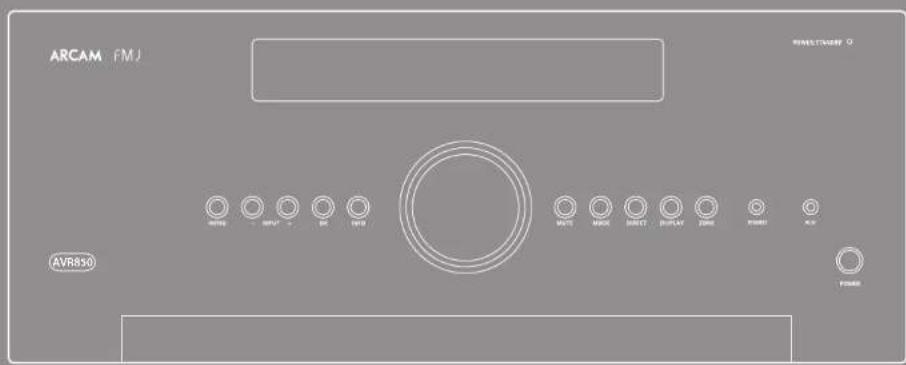



CAUTION
RISK OF ELECTRIC SHOCK DO NOT OPEN
ATTENTION
RISQUE DE CHOC ELECTRIQUE NÉCLE CHARGE

WAARSCHUWINGEN VOOR DE INSTALLATIE
OPMERKING MET BETREKKING TOT RECYCLING
DIT PRODUCT CORRECT APVÖEREN

m = 311 ;


Pb
Inhoudsopgave
velligheld N-2
welkom..N-5
voorubegint.
essentle set-up N-26
automatische luidspreker set-up....N-27
set-up-menu's.. N-28
decoderings-modi..N-32
Dolby volume.. N-34
Dolby atmos. N-34
SAT, PVR, BD, CD, STB, AV
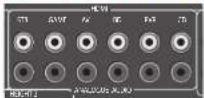
STB, GAME, AV, BD, PVR, CD
Xantech is a member of the Xantech Group, which focuses on the development of information systems and software products.
OPMERKING
Stand-by: in stand-by
Aan:Aan
Tweekanaals bronmodi
Digital Audio Broadcasting (DAB)
WMA [Windows Media Audio]
WAV
FLAC (Free Lossless Audio CODEC)
https://developer.sponity.com/esdk-third-party-licenses

Verborgen commando's
Signal-/gcluidsratio (A-wtd ref. 100W) normala/sterco
direct
7-kanaals,1klHz,0.2%1TID90W
Resterendeuis&Suis(A-wid)0,15mV
Sterco lijningangen
Maximalc ingang 4,5Vrms
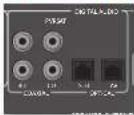
SAT, PVR, BD, CD, STB, AV
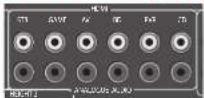
STB, GAME, AV, BD, PVR, CD
Al综合素质, the AVR is a band of 1000 kHz. The AVR has been designed to be suitable for use in the field of radio communication and information technology.
Radio analógica FM
JHIOHOOEOPOKANHEHHPNPT, HIOHOYETI MOKETIKHTBPAQDIOAIOOIOOIOOIOOIOOIOOIOOIOOIOOIOOIOOIOOIOOIOOIOOIOOIOOIOOIOOIOOIOOIOOIOOIOOIOOIOOIOOIOOIOOIOOIOOIOOIOOIOOIOOIOOIOOIOOIOOIOOIOOIOOIOOIOOIOOIOOIOOIOOIOOIOOIOOOOOOOOOOOOOOOOOOOOOOOOOOOOOOOOOOOOOOOOOOOOOOOOOOOOOOOOOOOOOOOOOOOOOOOOOOOOOOOOOOOOOOOOOOOOOOOOOOOOOOOOOOOOOOOOOOOOOOOOOOOOOOOOOOOOOOOOOOOOOOOOOOOOOOOoo
HIMCHITIPLPHCHTAHINHIIHNNACCTIOLOKOKHCHE PPHCMOHARTCHHA.
- YueJinbIpaKcTOnJIeMeKgMyobOpdyoBaanHm HnIPBREMHIOM.
10000000000000000000000000000000000000000000000000000000000000000000000000000000
HHOPMAHII BEOIOLACHOCTH (13E PROTECHNOXHTPRESPECTED)
HabcaheBbocnKHe temepayp.Obccnehtc HopMaHHeo pacceBHnE TEMTnO pN HcytBOACeY cYpTOBBeA h CTNACK HIOIIOKAK
Bepaikn oipaaiptech co hypom. PInh CmHnn mnccehno BNKn cctroo Hpya 33 cet hepeptc 38 BOKy.
HeJoucyKaJIe HoiHuaHnHa Ha cyTPOHcIbO bHaJI,BoTaI HnTHaI.
BnHtte BnKy HpOeTKn, eon np6Op He bNIOIbEyEa B TeYHe NmTeBbIO O HepHOA aepmo.
He aaxpaBaeTc BnHuaIOHOHAC OTOKCTTH. He doyncaKeBHnAHHnOoTOPOHHX HpeMeDIOB BuYP cyTOPOHCTb.
He ouyckae Huaaua Hua yicpoiTcBcpeCTB 7n 60b64 C haccKOMH,6930a nui pactoPHTen.
3aepnepaaepnepnnnpnoepnoepyctpoe
HcnyckrTnNnADAHINBCHTHNIHHHcOHTBcRTHNtAKPnpeMOrKKaTAsTeH,CKATCPHTHNNHABACCKN.
He CnBbHb HcyPcHbCBOCTOeHHK bOKTPOOO OH, HAPNCP, SAaKcHMeCnCBe.
OahakomntcBc60nabTcMCtCmTHcPnBnAeYyHuaHaaBbatapeK
Heoukkaire houaiaiHa yicpochbo6p34n 100
He cnae ha ycspctro hnoaennehae HauKo 100cOyam, HauPmep, HauM.
He npkaacnbeBkoPmBpyKaA K catopnwn
Korba BnIOHOMB HNOHOHHb bKHT, yCTPOBBOHNOHOTAOO TAKNOKOT 01IKTOPCOTIN.
O60pyOBaHNCnpyETyAANHbHbT pIPON CHTHOHHKOM kEHTPONHTAHNA TAK,NT06M POESTKA BIA NCTKO NOCTYHA.
INPMMEAHNEOBYTHIN3ALIN
MATEPHA YNAKOKKANHIOHO HAPINHOJNJI BTOPHOHNIEPEPOOTKNMOYBTMBHNOBAMN NORTOPHO.NTHNAHUNATMATEPHAOHUYCTPOHCTBA KMTNHACTCNBOCTBCTNRMCCTHMNNHOPAMN, peTAMAHNI HNPABAHN.
3aepnraeae aepnnae Hnrnnnne nnnnnnne nnnnnnne nnnnnnne nnnnnnne nnnnnnne nnnnnnne nnnnnnne nnnnnnne nnnnnnne nnnnnnne nnnnnnne nnnnnnne nnnnnnne nnnnnnne nnnnnnne nnnnnnne nnnnnnne nnnnnnne nnnnnnne nannnne nannnne nannnne nannnne nannnne nannnne nannnne nannnne nannnne nannnne nannnne nannnne nannnne nannnne nannnne nannnne nannnne nannnne nannnne nannnne nannnne nannnne nannnne nannnne nannnne nennnee
Cortao HJpeKTHNE no yTnHsKaTHN oTOIOH pnoaBOCTra 3AeKTPnckko n AeKTPoHHO 06pOyOBHaHn (WEE)ycPOIcIOHO XosHbAeKTHMe Aaceccaypa, 3B KKnIOHeHm EbiapEn, HAIIOCTCocTtBMMACCTNNIPOYKT.
YTHUN3AUNIOTOTOYCTPOINCTBA
31Hn HnKnYkAaHnHnHnTnHO,THO HnEae He cneayer yHHNHPoBaT coMeCtHo C TBO HnAcB TepprrtnpcrIe CC.
JHIOHOY CIOHOHOY YIHOHBOY
YBOKPCHNOH PCTAMCHOT,TOO NO3OBACT
IPOIOUPAHINBH 3RPIHsHHeH OOKpyAOHNcpeA
PNIHHNRC BPCTAIOPOHBC NTOKBCNA,TAKK
COXPHN HATEPHADNIE PECyPCN.
IyrrnnaaHynyCtpyoBt,BOCTNOSSATcBcMCTHOCHCTCMOHyHTNNAHINOTXGNOR HNN 0bAPHTeKcNTOBAAHNIYyCtpyoBt.

13/14


Pb
Copepkanhe
6e3onachocrb R-2
PpmbetCTBne.. R-5
IpeepHaayanomyctaHOBKn..R-6
Pa3bEmbHa 3aHHe nHaenn..R-9
Ayno-/BnDeopaa3bembl..R-10
PykoBocBO no noKnueHnR-12
Papnopab3beMbI R-13
Dpyrpe pa3beMbbl
DINHAMNKI R-15
3Kcnnnyataa..R-17
ncnoB3ObaHne nepedne naennR-19
NytductaHMOHHo ynpabneHnR-20
McxoHnaHa hactpoKa...R-26
ABTomatuecknHaCTpoKa
HAMKOB R-27
MeHIO HaCTpoKn..R-28
Peknmbi deknpoBaHnR-32
Komahpa3pa6oTuHOB FMJ
Bam Heo6xOuIma npofoecnOHaNbHa yCTaHOBka?
BIOHHe BIOMOHO, YTO peoep AVR 6bH yctAOOBHn H IACPOeH KAACTBaIero OobpyOBOAHn Hi- Fi BAIHOHNIOBHNAM DIOEOM KOANHARn ARcH. B TOTy CUYAE BAA MOeTe PNOCTHTB PAaEOHnYOPOKOBCTBA,CBBAHHNHO CYTAHOXBn H NtPOHO, N npeTb HCNOCPCTCBHEK NO PAaENAM, KOTOPue KAKOTCAHRCNHOBOAHn PECHBep, HIOHOBYIEC ODEpKHO, YTObpeH N KTHM PAaENAM.
BbIXoTHTe yCTaHOBtB pecMbep caMoCToTeNbHo?
PechepAVR-1rO MOHnHcKHOAH CbAeV-Ao0pyOBHm. Ecln HcYtAHABHAAEAE PechepAMCOTATHTNO,MAPEKPOHBMAMQHOHAYAOTAHOHBAHMBATMENHOIPOITNHTsTTO pyKOBOCTBO KcNHYaTHIN.HanHPMe, npAKHbHM KOHfYPaHnDINHAMIKOB INxPAAMENHEBNEARKNTKOMTO NMOyTHN MACHAMHIXXAPAKTEPHTHKOr BANETO PechepREPvA RACkeYbGHTRcS, TIO BCE AEMERTH CTCTEMPAPOBTB RAPMOHH.



Bpceepax AVR850,AVR550 ySR250yctahobcnn HPOOecOPOMAMNHNKHOHTPOPOBACOKO KAPCHETN BBOONIOIPOOBNOHIOHIOCTA YCABNNEOI CPOEPOPOBAH aCOOTBCTBNY CPOBHEM KAPCTBA CTANPTAM NPOHNOCTBA KOMAHN ARCAM. OHN COePAHcB 6epePbpyoO6obapKb CMOHNNX XAPACTPCHAMN Aynho- HNDQKOOMOHIOHTO, 4006 coaagdtaBn Bac hnepeSsOeHHnn DOMAHHN PaaBaeTAEHMM HeH.
Hnnoo huyyepnHmPn npnupnneHnnn HpnnpnneHnnn n nppOBOA ayHOeauHH, pceBpeARV oocceBnNt nppcnncnHn HYPABNNHC cmaHAnFAHORAHM N mctb HpOBBHn HCTOHNHKM ayHOCHrHaA, aTakKc cetCHHM N USB-TOHONHKM AynOHCHrHaA, YTO deACT 3IN MOnDeHn CAAHBMn KOHcHPTopAPm DnDAMNHX KMOHTePbOP B BYKKAHALBHx crepeckcTm.
NockoynsHOTHTAATXTHCTOCHIOBACOOHNA TAKKIE HEPHPORATHBDOCHHTAHPECHPVR AVR oecnneBANT MOKOKAKAECTBEHNOE BepKOBVAHNEe aIyauocuaHIOHDM1 (6x HDM102, HDCP2.2 & 1 x MHL) YupaeeaeAVR
ocnctncnccn c nnonno hnoonok ynpaaennnna naepea nane, IN kyniaia daacauuouo ynpaaenna, IP kounpoeepa (Ebernet) nni npra RS232.
IyHbDnAHHHOYUHNHINHNOCTAHBOHmep
cpeBAMN AVR, npaeTaeTaeRcoB0
yHbEBCATTNNH OytaaMnNpTNTCTAHNNHO
yHpaAeHHN MIOEACCTOBYCPoTHsT, KOTOPN
ABHTECHEKAR BCHIOBOAHN HOCHe HAcPOHKn
cuOcOeYI yauPAnBIECECAETMO. ITO TAKKE
MOxHO IIAPAMPMPOBCTC ACHIOBOAHNEIO
ocCTAHBOHNO6OpIMPHX BYKPTCHN6HbMTOR
KoTOA DnYypanBeHHn CD-NTcePamn HBD-NTcePamn
npcohANHMn HcONncPamn CdyfHKn3anAanHn,
TOnCBHOPAMn APITYNCTOpBHnM
YcuaHokka pueepa AVR nomeuennn dR
npocuyuaHauhnae naenm taanbnn npouccom,
koppmupeymyumHaunamna knaowam3nane.
Ho mounpnuane uupopmaunu ob ycmhanoke
nucnncnncnncnna xapakmpu e ne meoxbdo
nuaqnebnu uynnnu, uynbo doonnnu
nhepeoiendhhxapaeknepnueyncmpoae.
Pecnep ARV papa6otan, T06b oceeneeHnBt HAcTOIO BACOHTX XAPAKTEPHKTH, KOTOPHE N3BOIAT IHO-CAHOITMEY BOITOTHT My3NHy H
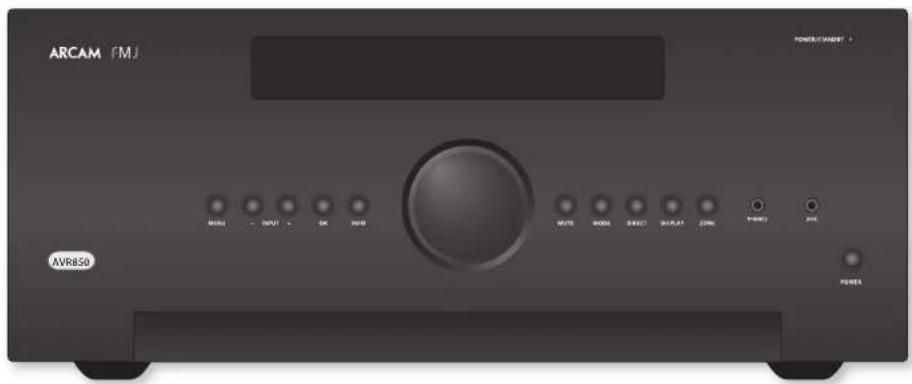
yCTaHOBKa yCTpoiCtBa
YcTAROBHPePcRbepHaPbryHTReppyo
NOBpExNoCTHe,JeOryckAaNOBcTeBn npnnax
COneHHxHMyuey,aTakKHe HcTuHKoEeHn Hn
Dn
HeyctanaaHnBaIe paechep AVR noBexyCHNTEN MOIOCTH EAM APYTORIO HCTOHNKATeINIA.
HcTAYaTHaTHyCCHHTBbAakpTaO HIOPTAPACTHE, TAKOMK KAKKHOAHKIIHKAFH HIN 3AKpTaX CTOIKA, cUH TM He OeBCHeVHcKOPOHJ EHNHnHn. PecHeep ARV6yAerHpaTeBa BO BApEe HOpMaTHHoF PaOHt.
He pchonarne HnHKARK APYR KOMIOHOBH INH pmeTcBcpey Ha yCHINTHe, TAK KX 3TO MOKET AATYPHTB BENTHHNHO XOxAaHbAHO HAPATOPA, YTO PHENET K PpceMPOHMy HAPCBY YCHINTHa. (YcPONCTRO, YcTAHOHNHOC Ha YCHINTHa, TaKae HAPEe.)
YyBnTeC, TPOpeaep npbta nctaaHIOHO YpauHHeHa HnepeHae HaneHae naKpTa KAKHHNHO pPemTAMMa. HrAe 30 aSyfJ MeHAtb HcHNOBOAHIO HbTA nCTAAHIOHO HpyauHHeHa. Eun HcHIOBOaTO HbET HcHtHIOHOO YoaybaeHa B Ooie PpAooB HmHOOCn HneuPAKTHIO, MOXHO HcHIOBOaTb petpAaHToTpo NHTI NCTAHIOHO YyparChHo, NOKHOOB CRO X paTcMy HA aatChn HnOe (cmOTPte HC tAprrnR-K-14).
He cytaaehnbae ane ktnpnpnpnrpaenrna Hcyptpoctno. hckpnponprrnpatcnon 00h ycbtchnnm K npnoanbmaH CTOHNPAH eepnpanuauuouuuaa aannnauuum qooune uyn, he paoaaarate hckpnponpnpraae bchounk osnko or cHHTTNE.
3neKtponnTaHne
YyHnncnnoctAaBnncrCnHnO BnKoN, KOTOPAR
yke coeanei h cnpooae bckpOHTaHa.
Vyeepieh, yto kmoekbIbnBBAk DIOxOuRt K
poKeEe Cen HcKpOHTaHa. Ean Bam Hyken
pyToR ceroBmHyp, o6paTHeCk Jnepy
KOMAnH Arcam.
EeHn HApHXeJIeHbAaBc eBtOeKIpOHuaTmHa Hn Hbeo0xHbMnTH Bn HbI OTHaYbIO; HepeJeHIO CBrkRrccs c.7pnpom Kompanh Aarcn.
TneepRc AVR moKet kckmnyatroparth npn HnpanpexHHN-220B (npceKKnHnB nNoonKeHH 230B) H10-120B (npceKKnHnB nNoonKeHH 115B)
IPMMEAHNE
YueTcB, TTOpeBep AVR boktoen,a Kaebb3nKpOHTaHIOrOknoHoe, npkeJeem KneHembEs NolokKe HepeKoHoiTe IpaTaHaOH HapKeHH.
IIOKIOJIHTB KABEJI 3EIKPOTHAIHIEC E C POETKJYBa3aJIHbIeNJIaHcHbIeNJIyEgDnTcB, YTO ONA yCTAHOBHeA HIOITHO. IIOKIOJIHTB ApyrO KOHCH KABEJI R POETKJX3EKTpOHTHANHH e, cSIN HOEOXIDMO, BKNOTHO POTKETH.
PecHep AVKMOKHO BKNOHTb c NOMOIOHO KHOINK
3EIKPTONIATHE HA HEPCHN HANH. KOGa pecHepB
AkuHHe, CBOHIO HA HEPCHN HANH. 6yder
TopeH 3eHHIOUcTOn.
3heprnoTope6IeHneBpeKmEoxnDaHna
Pecnep AVR MOHNO nepKMOHTB PekHM OAKAHN HAIKAH NKHOT KHA MYTBC MCTAHNOHO HOYAPANBE. BPEKMOAOKAHNA HAIPEHNI PAHEH INIHKTAROP ATOPTCE KPOCHM IETOM HEPRONTpEeHHe YsHmHHTTCQHO MECC 0,5BT
KoJyUcPbIOH BoaHnIeB PeaeMa OaAaHnnu
BA MOKeTe ycHnHa HeobHbORe yra CetEBO
rpoCpOAPoAlo Myhpyr CyeHnHHe. JIO
CoepRcHHO KOpMaHnHO. Ho cM pChBep Byer
ECIOLOBORB T CENCHN HINCTHRHO NEPD0A
BPCENH M PekOMChEym BAM OTKOBHTB
cO rO tKTPrpckroCgTH B NNTX KOKOMHH
kKTPOBHRn
CoeMHHTbHbIe Ka6enn
MpaKoCHyCMHcHbOaBt
AOKOKAEeHHBeEe KApHPOBAnHe Ka6eHN,
IepnAeHaeHMe Dn KOKePENIO HpMHEnHs.
IpyTHKa6eHN ByyT NHTmE OTHNHOJIaeeC
XapAKTePHCTNH COnpHTHOHNE, Tpy PnPBeET
KxuyAeHHNo PAoBTu CHCTEM (HaHPmC, He
XhoNBOBByte BnOeKa6eBd E An HpeHnBu HkyKOHO
CHHAA).Bce Ka6eHN DOaHua 6bTy KAK MOkHO 60ee
KOPHOAI.
PIII pIKIOKIOKIOKIOO 606OPOJOAOHIN PCKOMCHUYETCA, YTOBIA cTeCBOI INHPy pacIOAIONAR KAK MOKHO DANIOU OI ayIOHO-N HIOBCOKOE4. HecOIOBIOEHHIOI TRO pEOOOBAIO HOKOTIPNACTH KIOAIOBIOHIN HKEKATEENTMHN INYMOR.
HJIOYTHENI KHOPOAMINIO NOKNIOTENI
HJAMNKA, NOKANYCTA, CMOTWTE PAATJE TUNAMNK
HA CTAPMNE R-15.
PaJnOnoMExn
PocBep AVR - aTo ayHcyTOpCTRO, K KOTOPOM
MeETC MkUPOUPoEeCCO HApYHE UINPOBBIE
3eKToPONHHe CaEMI. KaKaDmJouMae 6083
paPcObaTBAa NO CAMBO BkOcKm CTANDPAM
3eKToPOMAHTTHOH COBEmCTMOCH.
30yycpoHcAIOACCA A. BKANX HOMeueHHX
aHHHnpePaeBMOEe coaHbIb PAHOHOMeX.
BTOOMCAYAEHOHOOeEOHJIOEHNUPHHTB
cooTACTCHYIOHMC MPH.
FEN pcechep AVR coaepaip aonomoe Hn npheMa PAHIOOHHTA HIN TELCHHOHOHOT OHTHATA (TTO MOHOO OPPECEIHT BAIIOHN H NIKIOHN BPOeBAP AVR), HO60xMOHIO PpHHN CNDYKONIC MPM
TosepHHTPnepmhyaantreHHyunnpnoKHTRE antHHHKnabN paccnepa,naKorporo cospaKotParhnonemKaK MoknOanBnntc or paccnepa AVR nco Kac
Nepemechterne pecnepb ne pyrote mecro
othcrtcnlbo pechnpa AVR.
PnIaJIyNTyCTPOBCTHO, HA KOTOPOE BOJAECTBYOT PAHIOOMEXH, H PCCHBCP ARV A pabHIEKIEKIEKIEPOEIKH.
Lcim Iipnobemha acee cctoctek, o6p8ntteck K aupey Komuunik Arcam.

Toprobble 3HaKN
ACAMI NAMCTCRAPCTCRIPORAHNM TORAPHM 3AUKO A & R Cambridge Ltd.
| DOLBY VOLUME | Dolby Volume |
| DOLBY AUMOS DOLBY AUST | Honorarium no. 10000 Dolby Laboratory, Cheltenham 'Dolby' is now discontinued 'T' and Horseshoe 'aqua' (p) are currently working on a top-down system of Dolby Labs Laboratories. |
| DOLBY VICE DOLBY Vision | Dolby Vision, Dolby Atmos, Dolby Audio |
| Honorarium no. 10000 Dolby Laboratory, Dolby Vision, Dolby Vision, Dolby Air, and Dolby Audio in the Netherlands 'T' and 'm' are currently top-down systems of top-down systems of Dolby Labs Laboratories. | |
| dts-hw Nanotech | DTS-HD Master AudioTM |
| Honorarium no. ITS preceptorships to be filled at http:// patents.dls.com. Pragmaticness to use a USPAMI DTS Licensing Limited, ITS, and an ITS 'aqua' (p) are currently working on a top-down system of top-down systems of top-down systems of top-down systems of top-down systems of top-down systems of top-down systems of top-down systems of top-down systems of top-down systems of top-down systems of top-down systems of top-down systems of top-down systems of top-down systems of top-down systems of top-down systems of top-down systems of top-down systems of top-down systems of top-down systems of top-down systems of top-down systems of top-down systems of top-down systems of top-down systems of top-down Systems, Inc. B CIEA and B CIEA (p) are currently working on a top-down system of top-down systems of top-down systems of top-down systems of top-down systems of top-down systems of top-down systems of top-down systems of top-down systems of top-down systems of top-down systems of top-down systems of top-down systems of top-down systems of top-down systems of top-down systems of top-down systems of top-down systems of top-down systems of top-down systems of top-down systems of top-down systems of top-down systems if applicable. | |
| dts-hw | DTS-HD™ |
| Honorarium no. ITS preceptorships to be filled at http:// patents.dls.com. Pragmaticness to use a USPAMI DTS Licensing Limited, ITS, and an ITS 'aqua' (p) are currently working on a top-down system of top-down systems of top-down systems of top-down systems of top-down systems of top-down systems of top-down systems of top-down systems of top-down systems of top-down systems of top-down Systems, Inc. B CIEA and B CIEA (p) are currently working on a top-down system of top-down systems of top-down systems of top-down systems of top-down systems of top-down systems of top-down systems of top-down systems of top-down systems of top-down systems if applicable. | |
| dts-xw | DTS-XW™ |
| Honorarium no. ITS preceptorships to be filled at http:// patents.dls.com. Pragmaticness to use a USPAMI DTS Licensing Limited, ITS, and an ITS 'aqua' (p) are currently working on a top-down system of top-down systems of top-down systems of top-down systems of top-down systems of top-down systems of top-down systems of top-down systems of top-down systems of top-down systems of top-up down systems of top-up down systems of top-up down systems of top-up down systems of top-up down systems of top-up down systems of top-up down systems of top-up down systems of top-up down systems of top-up down systems of top-up down systems of top-up down systems of top-up down systems of top-up down systems of top-up down systems of top-up down systems of top-up down systems of top-up down systems of top-up down systems of top-up down systems of top-up-down systems of top-up-down systems of top-up-down systems of top-up-down systems of top-up-down systems of top-up-down systems of top-up-down systems of top-up-down systems of top-up-down systems of top-up-down systems of top-up-down systems of top-up-down systems of top-up-down systems of top-up-down systems of top-up-down systems of top-up-down systems of top-up-down systems of top-up-down systems of top-up-down systems of top-up-down systems of top-up- down systems of top-up- down systems of top-up- down systems of top-up- down systems of top-up- down systems of top-up- down systems of top-up- down systems of top-up- down systems of top-up- down systems of top-up- down systems of top-up- down systems of top-up- down systems of top-up- down systems of top-up- down systems of top-up- down systems of top-up- down systems of top-up- down systems of top-ups (p) are currently working on a top-down system of top-down systems of top-up- down systems of top-up- down systems of top-up- down systems of top-up- down systems of top-up- down systems of top-up- down systems of top-up- down systems of top-up- down systems of top-up- down systems of top-up- down systems of top-up- down systems of top-up- down systems of top-up- down systems of top-up- down systems of top-up- down systems of top-up- down systems oftop-up- down systems of top-up- down systems of top-up- down systems of top-up- down systems of top-up- down systems of top-up- down systems of top-up- down systems of top-up- down systems of top-up- down systems of top-up- down systems of top-up- down systems of top-up- down systems of top-up- down systems of top-up- down systems of top-up- down systems of top-up- down systems of top-up- down system of top-up- down systems of top-up- down systems of top-up- down systems of top-up- down systems of top-up- down systems of top-up- down systems of top-up- down systems of top-up- down systems of top-up- down systems of top-up- down systems of top-up- down systems of top-up- down systems of top-up- down systems of top-up- down systems of top-up- down systems of top-up- down systems of top-up- down systems of top-up- down systems of top-up- down systems of top-up- down systems of top-up- down systems of top-up- down systems of top-up- down systems of top-up- down systems of top-up- down systems of top-up- down systems of top-up- down systems of top-up- down systems of top-up- down systems of top-up- down systems of top-up- down systems of top-up- down systems of top-up- down systems of top up- down systems of top-up- down systems of top-up- down systems of top-up- down systems of top-up- down systems of top-up- down systems of top-up- down systems of top-up- down systems of top-up- down systems of top-up- down systems of top-up- down systems of top-up- down systems of top-up- down systems of top-up- down systems of top-up- down systems of top-up- down systems of top-up- down systems if applicable. | |
| AAC/AAC Plus | AAC/AAC Plus |
| Top-up Plus: Kanfukien, Top-up-pong, Nipponbare, Kanfukien, Nipponbare, Kanfukien, Nipponbare, Kanfukien, Nipponbare, Kanfukien, Nipponbare, Kanfukien, Nipponbare, Kanfukien, Nipponbare, Kanfukien, Nipponbare, Kanfukien, Nipponbare, Kanfukien, Nipponbare, Kanfukien, Nipponbare, Kanfukie, Kanfukien, Nipponbare, Kanfukien, Nipponbare, Kanfukien, Nipponbare, Kanfukien, Nipponbare, Kanfukien, Nipponbare, Kanfukien, Nipponbare, Kanfukien, Nipponbare, Kanfukien, Nipponbare, Kanfukien, Nipponbare, Kanfukien, Nipponbere, Kanfukien, Nipponbere, Kanfukien, Nipponbere, Kanfukien, Nipponbere, Kanfukien, Nipponbere, Kanfukien, Nipponbere, Kanfukien, Nipponbere, Kanfukien, Nipponbere, Kanfukien, Nipponbere, Kanfukien, Nipponbere, Kanfukien, Nippon Bere, Kanfukien, Nipponbere, Kanfukien, Nipponbere, Kanfukien, Nipponbere, Kanfukien, Nipponbere, Kanfukien, Nipponbere, Kanfukien, Nipponbere, Kanfukien, Nipponbere, Kanfukien, Nipponbere, Kanfukien, Nipponbere, Kanfukien, Nipponere, Kanfukien, Nipponbere, Kanfukien, Nipponbere, Kanfukien, Nipponbere, Kanfukien, Nipponbere, Kanfukien, Nipponbere, Kanfukien, Nipponbere, Kanfukien, Nipponbere, Kanfukien, Nipponbere, Kanfukien, Nipponbere, Kanfukien, Nippon bere, Kanfukien, Nipponbere, Kanfukien, Nipponbere, Kanfukien, Nipponbere, Kanfukien, Nipponbere, Kanfukien, Nipponbere, Kanfukien, Nipponbere, Kanfukien, Nipponbere, Kanfukien, Nipponbere, Kanfukien, Nipponbere, Kanfukien, Nippon Beratung, Kanfukien, Nipponbere, Kanfukien, Nipponbere, Kanfukien, Nipponbere, Kanfukien, Nipponbere, Kanfukien, Nipponbere, Kanfukien, Nipponbere, Kanfukien, Nipponbere, Kanfukien, Nipponbere, Kanfukien, Nipponbere, Kanfukien, NipponBeratung, Kanfukien, Nipponbere, Kanfukien, Nipponbere, Kanfukien, Nipponbere, Kanfukien, Nipponbere, Kanfukien, Nipponbere, Kanfukien, Nipponbere, Kanfukien, Nipponbere, Kanfukien, Nipponbere, Kanfukien, Nipponbere, Kanfukien, NIPKAB, Kanfukien, NIPKAB, Kanfukien, NIPKAB, Kanfukien, NIPKAB, Kanfukien, NIPKAB, Kanfukien, NIPKAB, Kanfukien, NIPKAB, Kanfukien, NIPKAB, Kanfukien, NIPKAB, Kanfukien, NIPKAB, Kanfukien, NIPK AB, Kanfukien, NIPKAB, Kanfukien, NIPKAB, Kanfukien, NIPKAB, Kanfukien, NIPKAB, Kanfukien, NIPKAB, Kanfukien, NIPKAB, Kanfukien, NIPKAB, Kanfukien, NIPKAB, Kanfukien, NIPKAB, Kanfukien, NIPKBA, Kanfukien, NIPKAB, Kanfukien, NIPKBA, Kanfukien, NIPKBA, Kanfukien, NIPKBA, Kanfukien, NIPKBA, Kanfukien, NIPKBA, Kanfukien, NIPKBA, Kanfukien, NIPKBA, Kanfukien, NIPKBA, Kanfukien, NIPKBA, Kanfukien, NIPKBA, Kanfukien, NIPK BA, Kanfukien, NIPKBA, Kanfukien, NIPKBA, Kanfukien, NIPKBA, Kanfukien, NIPKBA, Kanfukien, NIPKBA, Kanfukien, NIPKBA, Kanfukien, NIPKBA, Kanfukien, NIPKBA, Kanfukien, NIPKBA, Kanfukien, NIPKBB, Kanfukien, NIPKBA, Kanfukien, NIPKBA, Kanfukien, NIPKBA, Kanfukien, NIPKBA, Kanfukien, NIPKBA, Kanfukien, NIPKBA, Kanfukien, NIPKBA, Kanfukien, NIPKBA, Kanfukien, NIPKBA, Kanfukien, NIPKAB, Kanfukien, NIPKBA, Kanfukien, NIPKBA, Kanfukien, NIPKBA, Kanfukien, NIPKBA, Kanfukien, NIPKBA, Kanfukien, NIPKBA, Kanfukien, NIPKBA, Kanfukien, NIPK BA, Kanfukien, NIPKBA, Kanfukien, NIPK BA, Kanfukien, NIPKBA, Kanfukien, NIPKBA, Kanfukien, NIPKBA, Kanfukien, NIPKBA, Kanfukien, NIPKBA, Kanfukien, NIPKBA, Kanfukien, NIPKBA, Kanfukien, NIPK BA, Kanfukien, NIPKBA, Kanfukien, NIPKAB, Kanfukien, NIPKBA, Kanfukien, NIPKBA, Kanfukien, NIPKBA, Kanfukien, NIPKBA, Kanfukien, NIPKBA, Kanfukien, NIPKBA, Kanfukien, NIPKBA, Kanfukien, NIPKAB, Kanfukien, NIPKBA, Kanfukien, NIPK BA, Kanfukien, NIPKBA, Kanfukien, NIPKBA, Kanfukien, NIPKBA, Kanfukien, NIPKBA, Kanfukien, NIPKBA, Kanfukien, NIPKBA, Kanfukien, NIPKBA, Kanfukien, NIPKAB, Kanfukien, NIPKBA, Kanfukien, NIPKAB, Kanfukien, NIPKBA, Kanfukien, NIPKBA, Kanfukien, NIPKBA, Kanfukien, NIPKBA, Kanfukien, NIPKBA, Kanfukien, NIPKBA, Kanfukien, NIPK BA, Kanfukien, NIPKBA, Kanfukien, NIPKBA, Kanfukien, NIPK BA, Kanfukien, NIPKBA, Kanfukien, NIPKBA, Kanfukien, NIPKBA, Kanfukien, NIPKBA, Kanfukien, NIPKBA, Kanfukien, NIPKBA, Kanfukien, NIPK BA, Kanfukien, NIPKBA, Kanfukien, NIPKBA, Kanfukien, NIPKAB, Kanfukien, NIPKBA, Kanfukien, NIPKBA, Kanfukien, NIPKBA, Kanfukien, NIPKBA, Kanfukien, NIPKBA, Kanfukien, NIPKBA, Kanfukien, NIPK BA, Kanfukien, NIPK BA, Kanfukien, NIPKBA, Kanfukien, NIPKBA, Kanfukien, NIPKBA, Kanfukien, NIPKBA, Kanfukien, NIPKBA, Kanfukien, NIPKBA, Kanfukien, NIPKBA, Kanfukien, NIPKBA, Kanfukien, NIPK BA, Kanfukien, NIPK BA, Kanfukien, NIPKBA, Kanfukien, NIPK BA, Kanfukien, NIPKBA, Kanfukien, NIPKBA, Kanfukien, NIPKBA, Kanfukien, NIPKBA, Kanfukien, NIPKBA, Kanfukien, NIPKBA, Kanfukien, NIPK BA, Kanfukien, NIPK BA, Kanfukien, NIPKBA, Kanfukien, NIPKAB, Kanfukien, NIPKBA, Kanfukien, NIPKBA, Kanfukien, NIPKBA, Kanfukien, NIPKBA, Kanfukien, NIPKBA, Kanfukien, NIPKBA, Kanfukien, NIPK BA, Kanfukien, NIPKAB, Kanfukien, NIPKBA, Kanfukien, NIPKBA, Kanfukien, NIPKBA, Kanfukien, NIPKBA, Kanfukien, NIPKBA, Kanfukien, NIPKBA, Kanfukien, NIPKBA, Kanfukien, NIPKBA, Kanfukien, NIPK BA, Kanfukien, NIPKAB, Kanfukien, NIPKBA, Kanfukien, NIPK BA, Kanfukien, NIPKBA, Kanfukien, NIPKBA, Kanfukien, NIPKBA, Kanfukien, NIPKBA, Kanfukien, NIPKBA, Kanfukien, NIPKBA, Kanfukien, NIPK BA, Kanfukien, NIPKAB, Kanfukien, NIPKBA, Kanfukien, NIPKAB, Kanfukien, NIPKBA, Kanfukien, NIPKBA, Kanfukien, NIPKBA, Kanfukien, NIPKBA, Kanfukien, NIPKBA, Kanfukien, NIPKBA, Kanfukien, NIPKAB, Kanfukien, NIPKBA, Kanfukien, NIPKBA, Kanfukien, NIPK BA, Kanfukien, NIPKAB, Kanfukien, NIPKBA, Kanfukien, NIPKBA, Kanfukien, NIPKBA, Kanfukien, NIPKBA, Kanfukien, NIPKBA, Kanfukien, NIPK BA, Kanfukien, NIPKAB, Kanfukien, NIPKBA, Kanfukien, NIPKBA, Kanfukien, NIPK BA, Kanfukien, NIPKAB, Kanfukien, NIPKBA, Kanfukien, NIPKBA, Kanfukien, NIPKBA, Kanfukien, NIPKBA, Kanfukien, NIPK BA, Kanfukien, NIPKAB, Kanfukien, NIPKBA, Kanfukien, NIPKBA, Kanfukien, NIPKBA, Kanfukien, NIPK BA, Kanfukien, NIPKAB, Kanfukien, NIPKBA, Kanfukien, NIPKBA, Kanfukien, NIPKBA, Kanfukien, NIPKBA, Kanfukien, NIPK BA, Kanfukien, NIPK AB, Kanfukien, NIPKBA, Kanfukien, NIPKBA, Kanfukien, NIPKBA, Kanfukien, NIPKBA, Kanfukien, NIPKBA, Kanfukien, NIPKBA, Kanfukien, NIPKBA, Kanfukien, NIPKBA, Kanfukien, NIPKBA, Kanfukien, NIPK AB, Kanfukien, NIPKBA, Kanfukien, NIPKBA, Kanfukien, NIPKBA, Kanfukien, NIPKBA, Kanfukien, NIPKBA, Kanfukien, NIPKBA, Kanfukien, NIPKBA, Kanfukien, NIPKBA, Kanfukien, NIPK BA, Kanfukien, NIPK AB, Kanfukien, NIPKBA, Kanfukien, NIPKBA, Kanfukien, NIPKBA, Kanfukien, NIPK BA, Kanfukien, NIPKAB, Kanfukien, NIPKBA, Kanfukien, NIPKBA, Kanfukien, NIPKBA, Kanfukien, NIPKBA, Kanfukien, NIPKAB, Kanfukien, NIPKBA, Kanfukien, NIPKBA, Kanfukien, NIPKBA, Kanfukien, NIPKBA, Kanfukien, NIPK BA, Kanfukien, NIPKAB, Kanfukien, NIPKBA, Kanfukien, NIPKBA, Kanfukien, NIPK BA, Kanfukien, NIPK AB, Kanfukien, NIPKBA, Kanfukien, NIPKBA, Kanfukien, NIPKBA, Kanfukien, NIPKBA, Kanfukien, NIPKBA, Kanfukien, NIPK BA, Kanfukien, NIPKAB, Kanfukien, NIPKBA, Kanfukien, NIPKBA, Kanfukien, NIPKAB, Kanfukien, NIPKBA, Kanfukien, NIPKBA, Kanfukien, NIPKBA, Kanfukien, NIPKBA, Kanfukien, NIPKBA, Kanfukien, NIPKBA, Kanfukien, NIPKAB, Kanfukien, NIPK BA, Kanfukien, NIPKAB, Kanfukien, NIPKBA, Kanfukien, NIPKBA, Kanfukien, NIPKBA, Kanfukien, NIPKBA, Kanfukien, NIPKBA, Kanfukien, NIPKBA, Kanfukien, NIPKBA, Kanfukien, NIPK BA, Kanfukien, NIPKAB, Kanfukien, NIPK BA, Kanfukien, NIPKAB, Kanfukien, NIPKBA, Kanfukien, NIPKBA, Kanfukien, NIPKBA, Kanfukien, NIPKBA, Kanfukien, NIPKBA, Kanfukien, NIPKBA, Kanfukien, NIPK BA, Kanfukien, NIPKAB, Kanfukien, NIPK BA, Kanfukien, NIPK AB, Kanfukien, NIPKBA, Kanfukien, NIPKBA, Kanfukien, NIPKBA, Kanfukien, NIPKBA, Kanfukien, NIPKBA, Kanfukien, NIPKBA, Kanfukien, NIPKBA, Kanfukien, NIPK BA, Kanfukien, NIPKAB, Kanfukien, NIPKAB, Kanfukien, NIPKBA, Kanfukien, NIPKBA, Kanfukien, NIPKBA, Kanfukien, NIPKBA, Kanfukien, NIPKBA, Kanfukien, NIPKBA, Kanfukien, NIPKBA, Kanfukien, NIPKBA, Kanfukien, NIPKAB, Kanfukien, NIPK BA, Kanfukien, NIPKAB, Kanfukien, NIPK BA, Kanfukien, NIPKAB, Kanfukien, NIPKBA, Kanfukien, NIPKBA, Kanfukien, NIPKBA, Kanfukien, NIPKBA, Kanfukien, NIPKBA, Kanfukien, NIPK BA, Kanfukien, NIPKAB, Kanfukien, NIPK BA, Kanfukien, NIPKAB, Kanfukien, NIPK BA, Kanfukien, NIPKAB, Kanfukien, NIPKBA, Kanfukien, NIPKBA, Kanfukien, NIPKBA, Kanfukien, NIPKBA, Kanfukien, NIPK BA, Kanfukien, NIPKAB, Kanfukien, NIPK BA, Kanfukien, NIPKAB, Kanfukien, NIPKBA, Kanfukien, NIPK BA, Kanfukien, NIPKAB, Kanfukien, NIPKBA, Kanfukien, NIPKBA, Kanfukien, NIPKBA, Kanfukien, NIPKBA, Kanfukien, NIPKBA, Kanfukien, NIPKBA, Kanfukien, NIPK BA, Kanfukien, NIPK AB, NIPKBA, NIPKBA, NIPKBA, NIPKBA, NIPKBA, NIPKBA, NIPKBA, NIPKBA, NIPKBA, NIPKBA, NIPKBA, NIPKBA, NIPKBA, NIPKBA, NIPKBA, NIPKBA, NIPKBA, NIPKBA, NIPKBA, NIPKBA, NIPK BA, NIPKBA, NIPKBA, NIPKBA, NIPKBA, NIPKBA, NIPKBA, NIPKBA, NIPKBA, NIPKBA, NIPKBA, NIPKBA, NIPKBA, NIPKBA, NIPKBA, NIPKBA, NIPKBA, NIPKBA, NIPKBA, NIPKBA, NIPKAB, NIPKBA, NIPKBA, NIPKBA, NIPKBA, NIPKBA, NIPKBA, NIPKBA, NIPKBA, NIPKBA, NIPKBA, NIPKBA, NIPKBA, NIPKBA, NIPKBA, NIPKBA, NIPKBA, NIPKBA, NIPKBA, NIPKBA, NIPKNA, NIPKBA, NIPKBA, NIPKBA, NIPKBA, NIPKBA, NIPKBA, NIPKBA, NIPKBA, NIPKBA, NIPKBA, NIPKBA, NIPKBA, NIPKBA, NIPKBA, NIPKBA, NIPKBA, NIPKBA, NIPKBA, NIPKBA, NIPKAA, NIPKBA, NIPKBA, NIPKBA, NIPKBA, NIPKBA, NIPKBA, NIPKBA, NIPKBA, NIPKBA, NIPKBA, NIPKBA, NIPKBA, NIPKBA, NIPKBA, NIPKBA, NIPKBA, NIPKBA, NIPKBA, NIPKBA, NIPKCA, NIPKBA, NIPKBA, NIPKBA, NIPKBA, NIPKBA, NIPKBA, NIPKBA, NIPKBA, NIPKBA, NIPKBA, NIPKBA, NIPKBA, NIPKBA, NIPKBA, NIPKBA, NIPKBA, NIPKBA, NIPKBA, NIPKBA, NIPKPA, NIPKBA, NIPKBA, NIPKBA, NIPKBA, NIPKBA, NIPKBA, NIPKBA, NIPKBA, NIPKBA, NIPKBA, NIPKBA, NIPKBA, NIPKBA, NIPKBA, NIPKBA, NIPKBA, NIPKBA, NIPKBA, NIPKBA, NIPK NIPKBA, NIPKBA, NIPKBA, NIPKBA, NIPKBA, NIPKBA, NIPKBA, NIPKBA, NIPKBA, NIPKBA, NIPKBA, NIPKBA, NIPKBA, NIPKBA, NIPKBA, NIPKBA, NIPKBA, NIPKBA, NIPKBA, NIPKBA NIPKBA NIPKBA NIPKBA NIPKBA NIPKBA NIPKBA NIPKBA NIPKBA NIPKBA NIPKBA NIPKBA NIPKBA NIPKBA NIPKBA NIPKBA NIPKBA NIPKBA NIPKBA NIPKBA NIPKBA, NIPKBA NIPKBA NIPKBA NIPKBA NIPKBA NIPKBA NIPKBA NIPKBA NIPKBA NIPKBA NIPKBA NIPKBA NIPKBA NIPKBA NIPKBA NIPKBA NIPKBA NIPKBA NIPKBA, NIPKBA, NIPKBA NIPKBA NIPKBA NIPKBA NIPKBA NIPKBA NIPKBA NIPKBA NIPKBA NIPKBA NIPKBA NIPKBA NIPKBA NIPKBA NIPKBA NIPKBA NIPKBA NIPKBA, NIPKBA NIPKBA, NIPKBA NIPKBA NIPKBA NIPKBA NIPKBA NIPKBA NIPKBA NIPKBA NIPKBA NIPKBA NIPKBA NIPKBA NIPKBA NIPKBA NIPKBA NIPKBA NIPKBA NIPKBA, NIPKBA, NIPKBA, NIPKBA NIPKBA NIPKBA NIPKBA NIPKBA NIPKBA NIPKBA NIPKBA NIPKBA NIPKBA NIPKBA NIPKBA NIPKBA NIPKBA NIPKBA NIPKBA NIPKBA, NIPKBA NIPKBA NIPKBA, NIPKBA NIPKBA NIPKBA NIPKBA NIPKBA NIPKBA NIPKBA NIPKBA NIPKBA NIPKBA NIPKBA NIPKBA NIPKBA NIPKBA NIPKBA NIPKBA NIPKBA, NIPKBA NIPKBA, NIPKBA, NIPKBA NIPKBA NIPKBA NIPKBA NIPKBA NIPKBA NIPKBA NIPKBA NIPKBA NIPKBA NIPKBA NIPKBA NIPKBA NIPKBA NIPKBA NIPKBA NIPKBA |
| FLAC | Antipodite pereus HA deoepoc FLAC 3000, 2001, 2002, 2003, 2004, 2005, 2006, 2007, 2008 Плomer Толуcent |
| Ileprappia H. Kralitschmaninichko Ieckimihma К.Ieprappia H. PeforovskiiФ.С�штейchenko K.Kralitschmaninichko, И.С�шнх. Ieprappia H. PeforovskiiФ.С�штейchenko Ieprappia H. PeforovskiiФ.С�штейchenko Ieprappia H. PeforovskiiФ.С�штейchenko Ieprappia H. PeforovskiiФ.С�штейchenko Ieprappia H. PeforovskiiФ.С�штейchenko Ieprappia H. Phanatnykh Ieprappia H. Phanatnykh Ieprappia H. Phanatnykh Ieprappia H. Phanatnykh Ieprappia H. Phanatnykh Ieprappia H. Phanatnykh Ieprappia H. Phanatnykh Ieprappia H. Phanatnykh Ieprappia H. PeforovskiiФ.С�штейchenko Ieprappia H. Phanatnykh Ieprappia H. Phanatnykh Ieprappia H. Phanatnykh Ieprappia H. Phanatnykh Ieprappia H. Phanatnykh Ieprappia H. Phanatrykh Ieprappia H. Phanatnykh Ieprappia H. Phanatnykh Ieprappia H. Phanatnykh Ieprappia H. Phanatnykh Ieprappia H. Phanatnykh Ieprappia H. Phanatnykh Ieprappia H. Phanatnykh Ieprappia H. Ieprappia H. Phanatnykh Ieprappia H. Phanatnykh Ieprappia H. Phanatnykh Ieprappia H. Phanatnykh Ieprappia H. Phanatnykh Ieprappia H. Phanatnykh Ieprappia H. Phanatnykh Ieprappia H. Phannatnykh Ieprappia H. Phannatnykh Ieprappia H. Phannatnykh Ieprappia H. Phannatnykh Ieprappia H. Phannatnykh Ieprappia H. Phannatnykh Ieprappia H. Phannatnykh Ieprappia H. Phannatnykh Ieprappie H. Phannatnykh Ieprappia H. Phannatnykh Ieprappia H. Phannatnykh Ieprappia H. Phannatnykh Ieprappia H. Phannatnykh Ieprappia H. Phannatnykh Ieprappia H. Phannatnykh Ieprappia H. Phannatnykh IIeprappia H. Phannatnykh IIeprappia H. Phannatnykh IIeprappia H. Phannatnykh IIeprappia H. Phannatnykh IIeprappia H. Phannatnykh IIeprappia H. Phannatnykh IIeprappia H. Phannatnykh IIeprappia H. PhannATyNH IIeprappia H. PhannATyNH IIeprappia H. PhannATyNH IIeprappia H. PhannATyNH IIeprappia H. PhannATyNH IIeprappia H. PhannATyNH IIeprappia H. PhannATyNH IIeprappia H. PhannATyNH IIeprappia H. PeforovskiiФ.С�штейchenko Ieprappia H. Phanatnykh Ieprappia H. Phanatnykh Ieprappia H. Phanatnykh Ieprappia H. Phanatnykh Ieprappia H. Phanatnykh Ieprappia H. Phanatnykh |
Uufoobbyeaynopaaembbl
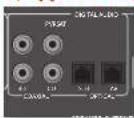
SAT, PVR, BD, CD, STB, AV
IIOIOIOHTE 3TN BIXOIAHae pabemn K IIIOPOBOIM BIXOIAHm paBseam Baewto HMEIOEOCA OOBpyoABAHIN HCTOYNKCAIRIIa.
Pa3bEmbl 3OHbl 2
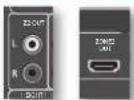
PaeBem HDMI Z2 ouHokert Bcuaaobbaibcbk dHa 10kaoueuea hauooho o pBaema pecaeaer AVK Cncreme, paotbokoeHHN BO Troporn nomoeHH.
Anarorobbie BbIXoHbIe paabmbI npEpaBapntbnHoro ycnnntena
Bce anototobie sbaxotubie pasbembl
IIEBAPHTEIEHORO YCHOTNEJ HEMEO IYGEP, IYKIOE BHXMOIDON COPTBDNHE, TINEHMEKIOY UYPANBOICY IIECPTPOKOMN yOUMN IPOKOCN 300M
PykoBOOCTBO no NOKNUOeHnIO
IneepBlu-ray-duckoB/DVD-nneep
Na Cxembe NsHaoSHaO (KAN)NPOBnONyAHyHO BIGeOPaTbMnO or bCnOHNBO BD/DVD/INepo
Pnpnttnnrrnnrnnnncxmaaynnoocnunnncnne HnnoonnyHDMHnnoKoakcnnnnn
IIMKPOBRA PAHCMC IKPBAHNO, C MAPKHOPOKB DIGITAL AUDIO OUT), A TAKKKA KOKCHAHBILSA HAIQHOUOUE
BHXOaHbpepaBemnIeBBOI npaporo KaiaHO
Rb060crye hcttbrtyhixoHmte ayDnOpa3nnbcm c markpokobko BD m AvR.
CnyTHMKOBbIpeCBep
CnyTHKOBH pceep nKMOCH TAKMH Kc oBpAOM, KAK BD WIEEP, K aTAKM JI HOPAIKE IpuHOYIOHHe H COOTBEKTHN CUMXOHN MPOBAM, HOPTNE MEOTCA HAY CYTHKOHN OPEHPE.
B noobom cryue nioohyre axoalble pasbembl
cMapKpOBKO SAT HA AVR.ObpaTHRE BBOMAHe
TTOIINIOKNOCHNIGHOPOBOTRXHO
ayiopapma cormy ouyuHIOBOO peCHepa HHOIa 1peyEeC cooHnHcHbKoKoKHeHH/OSLINK (uHPOOB PAba) KaBc, RaK KaeKOTOpae cyTHNUOBHe pceHep He npepTAt BTK R OoPMA t HDMI COOHTCTRYOMM O6paom MHI Bo06me He npepTAt BTK.
Neeep KOMnKaT-ndCKOB
HIOIOIOHTI HIOIOHOI HIOIOPOOAI BHOIOPOB EIOHOIOE OIOHOIOEIO HOIOHOIOEIO HOIOHOIOEIO HOIOHOIOEIO HOIOHOIOEIO HOIOHOIOEIO HOIOHOIOEIO HOIOHOIOEIO HOIOHOIOEIO HOIOHOIOEIO HOIOHOIOEIO HOIOHOIOEIO HOIOHOIOEIO HOIOHOIOEIO HOIOHOIOEIO HOIOHOIOEIO HOIOHOIOEIO HOIOHOIO
HIOKNOHTRE npabn HcBb anororne
XaHbOe HbApOe BcMbE KcHbOe KcHbOe bHbOe pBcMbE CD chepBa
AVCRHCHIOHOHJEMIIMRMRKOHOOHDLBHX COOHTHHHCHNKHXKHKHNHRCOKOTKAKTCTA
INPMEAHHE:
TnKAKGIOXHOHOIPOaTHeBAJTOOHNY
yCTAHIOHBHACIOPAHNcHmOHHa 3eKaBnA B
ABAHNCIOCTOTNTNAOTNOHcHn.(CMOTPHT
HaCtpoHAEXHOHOIPOaTHeBAIcPT.R-29)
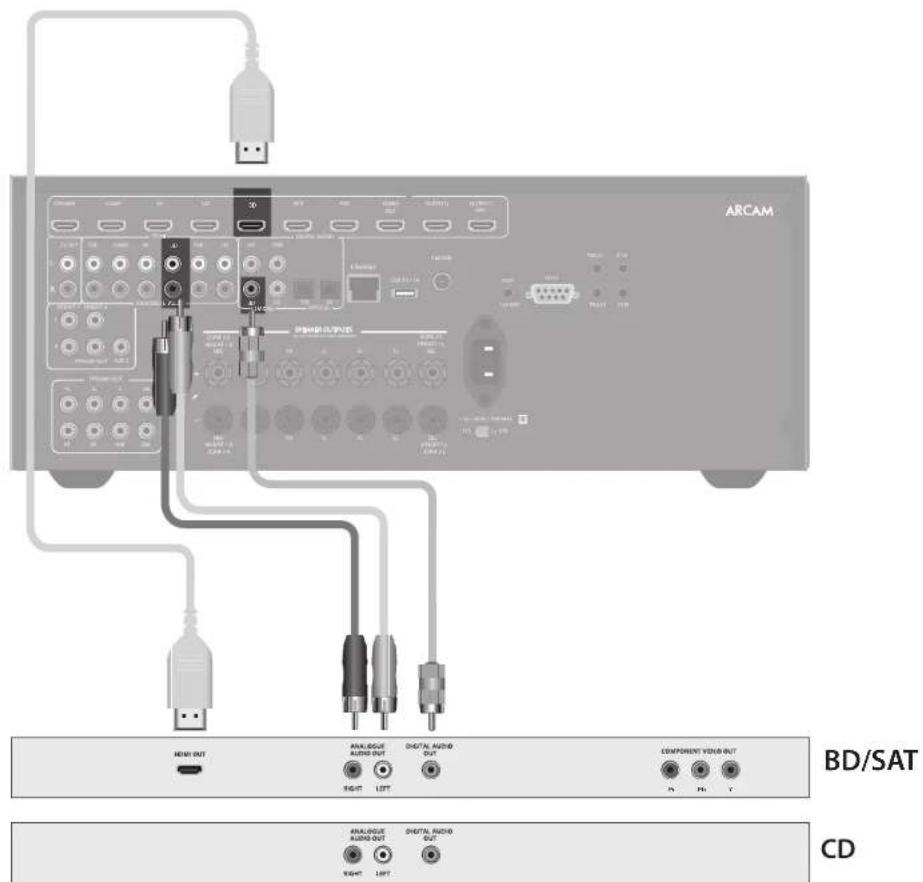

AHTeHHbIe pa3beMbl
BpepepeAVR mertcF Mmoyn H motytnpnoooryaaynoepnnaunuuppooro aynoeana+moynypepeba.Ttn Koooynnn BAM AHTCHMA ABHNNOT O BAHN X npnnntTCHN N MCTCNX ycoonnn.
Bam pcebp ARV moeet oinnno npinnnmb paonncnn, no too coen on noynae paonocnnknpoeo Kneet.
HoupooyueaurentuHb,KUTOPHEXAOBATB KOMNIETK Bauetoepceepa.,EuaBnAuaoHcTeB3Oe umepeHOIOHOHOHOHOHOHOHOHO,STOTORoDIOHO HOBOCTAROHOHOHO CRO KAECHBEHNHOHPHE. Bpaohaoxco1a6amCHRHNOHAMMOKET HOpeoBaHbTaakpcnHbAureHHyHaKpHne Hnepae
OobatrrbcK BaaHIM MeTINM DJIIEPAM KOMIANTHH AcaHIN HIN CINHITAMNo TcYbAHOBAE ANTHEH 3a COSETOM OMeCTHNYXYOBYMOHN PHEMA CHIHHTA.
Udpoboeaydnobuahne/FM
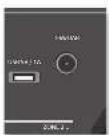
B 3011A C HIOHO CHHNO MOIO HO HIOBOIBI B NOCTAHNYMO HYCHNY HIOPOBOHO AYYIOHINHI FM C T-06p3aHHM CNOIHINHCM NIOCTOHKHNHO OEOOHHMQHPEYJIOTOB.YCAYHOHIE HINTEHN KAKMHANIDHO BACOKIO IITCE.

BBeHHK6pHTAHN T-Op8pHnRE
AEMEHNE HbXoOgmoYcTahONRt
BepTHaHO HOI pHmEePPOBOO
ayIOBHeAMn C BepTHaHO
NOHpaHrReB. BpyrrHX BacTeHNHIX
BpykTxpoOHcYbHpyrTeC
BaHIMnDAPoM KOAMHaAARAC
NONpOyTe KAK TopTOPOHAtnAO, TAK
BepTHaHOHOHcKOeKeHte D3
PyuToOUPMa
HIOPOGYBHTHCIOHOBAHTB KAKAYOCTHYOMCHCHHA TROBHUYERTEPEYBIAMI PHPMA CHIAHBYDYTAYTIEAEGBOE HICHOBAHTCHKHOHNKHNKBOHYO BENTHYIKPCNCHAHNTCHBN T-6oabaHOFOPME,HO6oPAHHTE BHIMAHIE, VTO KHOUHKHEOONKHO KONTANTHOPTABCN BYHTPYCHHNM IPOBOOMARHTCHNI.
IocaeYCTOBHOHARHATAHPHEMA
HIOBPOBOAHyOBHCHAHHFMPOBOPRE
MOHOCHCTCHHAAHAKATCMKHOKNINFO HA
NEEPHEHNAHNIINNITINJNCTAHIOHORO
YNPAHENHHDAOTOBAPXEHNRHNCHTAKPATO
KANCTEA CHHNTAA.
B 30hax Chaoo Cua Haa KaetatnOy TcAohOBH
ANTHHY B CBOKHM KOxOHMeIOM YCHAEH
ANTHHY D AHPyKIO MOITAKA HAI AHHTHJ
DA MONTAKA HA KPMIE.OTHO NTOHYBH
HAHOBJHEO OONJECTBOE CEPBOB.
B30HxnpHmE CnHbIpyHII III (hAmHPmR, BEnHIO6pHTAHHHNHCNOHJYrHE MHOHOEMEHTHyAHTCHNY"cBcPTKNTkHbO HCTAHOOHBMHNM NEMeHTAHN, TAK KX
peepaHaemBHnHMCETPACNTbHbO
HbHnHsHa. ECHIN BHXAOHOTCpAMONQ
Oooee YomOnHMpeepaTtHKo, nOoHsyTRe
CenpaHApENHHyN HnNtBHeYArTHENH.
Ecn cepbnncn hnpbooro yauonbniuha n B aenm 190e npneepaBnB L-THanaOOB,6oPbTtctb 20
TOMHIOK KJnpey 3a CEBOTOM, KAKYU ANTERHY
AUYIe KCUOUBN.

PocneoBaTeBbHbI pa3bem
TocneobatbHbIpa3beM RS232

PASBm HIOJIbIyETC CYPROCTBAMYUPABENHBA, B KOTOPNBA EKTEICIOJEOJEAIAE PASBm R5232 (HaIPANep, CresTIN N KOPIPOBEPN C EIKOPONNAkXPAHAM ANX).
Cetebo pa3bem
CCTBABTCEGBOHIOI TCM B HAMHOM
pykoBcTeB NO XKCHNYATAHN pncETABNAH
TOMHO CAMAC KATKHE IHCHTPYKHH. IIOKAYFCTA,
CBKHTTECb C BAHNI DTHOPCM KOAMNHARcAM
NTB CNEHMAHCTNO YCTAHOBKE IITNOYCHHNI
NONOTHTHNDHIOOHNPOPMNnO A HCTPNOKE PecrbaepaAVR a bantc cetn.
HIOIyHINHOHIOOIOIOIOIOIOIOIOIOIOIOIOIOIOIOIOIOIOIOIOIOIOIOIOIOIOIOIOIOIOIOIOIOIOIOIOIOIOIOIOIOIOIOIOIOIOIOIOIOIOIOIOIOIOIOIOIOIOIOIOIOIOIOIOIOIOIOIOIOIOIOIOIOIOIOIOIOIOIOIOIOIOIOIOIOIOIOIOIOIOOO
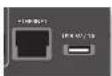
Cetb Ethernet
Ferm KaeBEThEnrnt nonKmTnOe,poaep AVR
ABTOMATMncknNOHTractcnNOKnIOHTbcK BAmcB
CetH.
Bb JnHn HcNnHOaBH KabeBH CATS,
NoHNNOHNHnK pAeMy RJ45 c NoHtKoETHERNET,
Ha aHHn NaHeH.
Een Bc HcNnHOaYrOte TtAHmckn IP-aepca,
a Hc HnAMHnKApTpC, Bb NtKoTHy bdyTe
ykaaIP-ampc,inn03 nDNS.Cmptpcrecmptpc HpaTnncR-31nnnnytnnnnHbpomnno hactpocce.
USB-pa3beM
Peepee AVR MOKET HOOPMOHTB PAHMI,
coPAHMA Hs USB-HAKONHTTE PAMHH, OOHHO
POMHKA, HO MOKET HOOPMOHTB KOHOOE USB-
yCTPOIOK, KOTOPOE KOBATC HAOHOTEM EAM DTHX.
Peepee AVR HOLOPEKABAE TAOKOHPA
HOLOKAVNEHSE USB-CTPOIOK HxOyEDT
HOLOPEKABAE TPOIOKTA, HOKOOPEYBE Bpea
KOHOUHTRPcL. LcNAM Heo60xMn EPeynnn
OAOYKU, US, 128, POCTBA HMQKET HCOHOTAB
USB-YDHNNTTC. CmOTPHC CMOTPHC BA CTPAHINCC
R-36 NNOYTHNHO NOOPHOH INHOPAMn o
HOLOPEKABAAHNN THXAPDN.
TpurrrepHbIe pa3beMbI
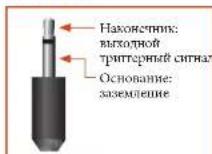
TnIephepe paeBmTRIG 21 nTRIG 22.0a
OeKTHeckcK CnHnA, KOJI pceeev AVR kAnuey, a TAKAE KOJI HIOUeueu COOTIECHAYoune JOUs.
CnHnA TpIHTpe MoeK EHCBOBbOARbcJxra DAI
KAbIOHcNn BnKIOUChCNBOMCCTMAHxycPOTB,
PcDHNsAChENH XnDA OAMHOHN PAaEOBeyCNH.
HaMPnEe, bM KIOEeCT coatst TpIRpEe T
KAbIOHcNn BnMCTe TcNEoBpaBpAe PnR
KAbIOHcNn pcePCnpeAVR.
BpCEPbepe AVR Meetre rBA BNOXhMfTtpePHX
paeBHea, KaKaHn IB KOTOPM XMOeE NODaB CTnH
KHTHOCHN12B,70MA.PaTbCMPcIeHaahauChnTnA
MOHOPaSCHMOB3.5ML.KoTHIKHJIIEKNTBHXOON
THTTtREPHORAOHPaTbEMc,OcOHOBHsABzCmETCNHm
TRIGZ1
HnOyBcYERaIyIaJIeIOIbIKoHEnH bKIOHcIOYcNtAIEHMOIOHmIaHJYcPTOBcIbKIOHNKOBcAIaHIAEIAIbIOI.1.BkI=12B, BbkI=0B.
TRIG22
HCTNHYETCJIJIYAEHNHOKIOEHN H BKNIOHNYYCHINOTMNOOHTNIOHCTPOKCTB CTIOHNBOK CHNIAA DAI OHIOB 2.BK1=12B, BkA1=0B.
UHpaKpaChbIe pa3bEmbl
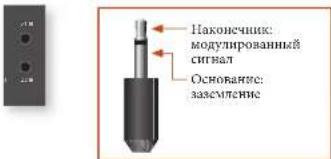
Hbpaepac KxOoBpaeBn 21Rz21R
noBIOBnIOBnIOAeBnIeHHNk NK-ppneHHNK,
KoJIa NK-tppeHHNK napepeJnnae pepeHHNA
AVR NOHOCTBO HnACTHNOZAKPRTnHnD
HcHOBOBAHNNyBaIbIaDCTAHNIHNOYUpaeeHHN
3002e.
IcBbHbXoHbHbKpTaEBMaHbpeCHeAVR. KAKbHbNKTOpOyMbIPcDHaHcyHmE CHTepe-HaMOHOpaHcOBt3,5Mb. Hb KaHcOCHNKIOAETCR MOYIKPOBaBHnCHTHaj, a OcbOHBaHNC ABITCTCR 33AChCMCHOM.
Z1WK
3TTOXHOHKO PAETM PnOHAHAYCN JIN HONIOAOSBAHNC MCCRTNK MN-PPIHHNKOM. KOTPAI PEPOHN TANV ARSAKPTNA.
PIMMEAHNE
PoTeKTH C HOMETOK *2" OTHOTCRK
NIOHKTCHMHN, KOTOPHE KHTOHTYKRO TPN
yCTHOUKE H NECWOHIX HOMEHHX. IJ
HNOHNNHO HOHNIHIN HIOFOHMn 06 314
PaeBEXC BOOTIE COOTIRI IN CR PAPINR R-37.
Z2UK
STOTKoHOBnPAHsPmepnHbHAnrTnI
NIOHOBcHOBnIH C1PK-HPNOHOMK 3 Boe 2 nO
06EChCHeHHaHnHnHnHOYuHpAHnHnHpeCBePOM
AVR HBTOPPO NMOCHIN.
IOCTABRIKOM HHPKAPACHN INPHEMHHIN 1BACOMORATENHHXIEPOAHTAHYNYPTOPBTCHC HICENT ANRNTER KOMMAHRA XANTech. THE NORYTHENI OONITHRHNDHOPMHNG CMOPTRE INHTEPCRCAI www.xantech.com Anu HIOPOCTE BAIENO TINPAKAMHNA RACm.
PIMMEAHNE
BIOHnHEHK PA-PAEMHAe HcpeBHepeAVR
PpHNAHAAHCHN MNOyMOYHOBAHH CXHnHcyER
EChn BHNHH NHPmNHMK OMOyHnyIpyer
HKnCHHn, on He cyte pabotar. TaKke
peCHeRP He oceCNTHReAe TkXpTnHTAHnn
JANBHNHn PPMNOKOe YPeKnKPAeM
NtOMyNoHAtoHcRnBcHNHHctOHNH
AeKToPnTHHa.
BbIXoHoi pa3bem 6B
Oh noanat anpoknne 6b noocnoi oto kia hnoaoknoe yrcipocrru Arcan Rseries.

Ca6ByΦep
Cabiyep 3nntbno yuunx npakrepeTne Huxk XACTOT Nnne Cnncn.30 To nne Taon dnnpOHTBENH CHaTAPFekTOK KHO,OC6eHNo KOTa EEMeET CHeHHNnHnKnHnKnHnKnHnKnOCTOHNX 9cFctOKn, KaK BO MIOTHN ANCKA, ZAKOINPOBANHnBn B oPpOte Doly Hn D1S.
JYU YU HOBK B 600BHXH NHOEMEHXH XOOKETI HORpeoobabxbo 600ee 00100r cabiyyepa,OC6eHHIO B KOUICIPyHXM C DEpeHJIIMKAPKACO
Pecheep AV860/AVRR500/AVR550/AVR390
NoBHOHT NoBHNOHT No CENn DHHAMNKOB NByx
aAHTNNHx cAByFepoB B PAMK TANHOR CHETNk.
BHXOHN KANAHI COOTBCTAYOT NpCJHMNY
NebOMY,NEpTPAHOMY,NEpePNePbEPOyAMONY
DAMNHKM,NEbOMY DAMNHKO O6BeMOnO 3Byx,
PpAOMY DAMNHKO O6BeMOnO 3Byx, TANHOMY
NebOMY DAMNHKO O6BeMOnO 3Byx, TBOHOMY
PpAOMY DAMNHKO O6BeMOnO 3Byx, pAnOMY
BepAOMY 1, NEbOMY BEpAOMY DnAHHMK
1 IN AKHTHMOH CAByFepc. KpOme TOrO, MoKIOH
NoBDOoHINH 4N eBtKePbEPOxu DnAHHKO C
HmOoHIO yCHNTER MOpOHcTc; GoeC HOpOeHyo
HInopOoHoo CMOPrte JIA cipAnR R-16.
IpHpaHbHbOYCTaHOBc HbOPOHc KepyHIXK aHIOB,peKINOLDbyAimos ooeceHuaHc HETPcEBsONeHNOc AByMaHHe BAnrero,OManHnero KhoTcEPIaCOSaERMQHAAJDAHMAHECKN HOTOK 88yKaBOPyR Bac.
KoHJyPnA H pAmmeHne BAMN NAMMKB OCHKa KaHoo. Bcc DAmHae, 3a KcKpOeHmC aCbHyepa, 0tohHb 6tB yCTHOHMe HOKpy
HouHHa, C KOpOH B bOoHbIPOcMHTBaIE BHeTOPOyTBAEte MYSk. CaHyepbp JToek
HauOIOBcB H OHHa, KOTOH PBOeOeHbUeA
PAHOMeHpe TACOTHE XApkeTepHcTHIO HO
Bex HOHNHb IPOcUYHbHHu. HeupuHbHue
paMaMeHHe DHHAMHKOB pAnHOBT KxpeSMePHoY
BOcHPOeDBeHHIO HIOHbX cAOTB T E KOTOPBX
3oHaX. Cacto EINrTHHeHH CMOCoB HAITN
XOpMOHIO NIOHII BANTBO CReCype BAAETTA
3KcEPMeHTAHHaHH COoC6. XOpOH MeCTOM DA
Hata TAcNpEeMHCRNT BANCTCA NOSH pONn
coTeiHO, Ho he Bnke I MEpa or I BoGO rYua.
HcTpyKTH BM MoKeTe MaRr B pyKnofCtne NO
KcNpyTAETAHn BANrTO CABHyepca.
LcHpaBbbl
rpoMkoBOpnteNb
HHTPAHIMI HAMHAN HOHOHJI 06epeAHHIO HOUPPOHOHBHHOHOT. HETPAHIMI HAMHAN DOHJXH ASBET TAKOH KE TOAUHIN BGAHIKO YTOH JHUM I PAHIN DHAHMHK INOTOKK BINTPACONOKK HA OHNAHKOB CHMHHCACOT
BepxHne duHaMnKn
Peccepa/AV860/AVR850/AVR550/AVR390
HOBOHOHOTIOHOHOHOHO HOYeBpXnEepHXN
HIMAMHOK, YCTAHARbHaEMX HA HOTONK,
HINOPHOHIXI HOMAMKc cFyHKnHdOLy
NOPOHOHOHIOHMOMnCHMOrpAaR-34.
Pepedn nebbu npabBdHaMuk
PACIOKAKIIEHNEHNNHIN HHPAN
HHAMHNK TAHM KOBN,TOOHOJHNTCH
XOPONHERC TCEPCOFFCKTA NHO HOPMAHBO
BOCPOHNAHCHMN MYAOK, A TAKCCN D
MOHOKARAHN NKPEKOM. CENOH
PACIOHOKCN CHNKOM BIKAO APYK 4APYY
6yETOTCYCTBOHAT APFKT OEBMEHORO
8NYK.FCN OHN PACTOKNK CNHMKN
NAKOJ OTN OTyPA,6yETO BHTIOE
NPOTCPABTHRO B CEPENTH NCMCHNBE,
KOTOPM CTEPCOFAFT6yETOTCYCTBOHAT.
B1OMC YAE CTEPCOFFkET6yETD Uxuy
NOHOHIX NOSEHINES
TbBhlnbI nebbI npabB dnHAMKOB 06eMHO 38yka
TbHbIy HeBnA npabn DnnmNn 06EHOOy
HIOHOOYrO, YTO6oAOBtB OIOHOENTBHy
IyBOHUY NyyuHHTs OIOAHMnHO 38yX. OHIOHOHIM
68yI cyTOHOHOHINpHEMO HnOHN MET pHue yne
CuyTHNc, YCTAOHOBtBA TBNHNAH DHHAMNK 66MOHOMO
38yX no dye INPMEPHO 150 rpyaoc MBkyd KAKHMn
DHHAMKOS OEOMOHO BXYN CHTPbHMMn DHHAMHKON
TbHbIy DHHAMNK 66MOEOHO 38yXo DOHOHO 66bT
HaPABTEHn Hnpeepno ToCTs PNOPEPHN, KAK TOKAAHO
Ha PcyHKe, TTO6n ObScnHn HbOANMy IOIOHbT
HOHHTNHANHYMO BOOPTHAI BAy.
Noekuoyehne dHaMKOB
JIOHOHIOCHNHA KAKTORO HINHMANKOB OTKMOHYC
COOTHTBQUHNIEMKIMMBAH TBIIBHOIHNHIEA
pehhebaAVR,octabareipnoBDaHMMNHEepe
OTBEPCTHE BKAJKOM3AKHXMEHCBOHAKPYTHTE
KHEMNb. YGuePcTe,TOK KMAEVAKPACHORO IITERA (IOHOKNKTHIEHAA+)HHAMHKHOIOKNUKHOK K KCMMC
KPACHORO MIETA(IOHOKNKTHIEHAA+)HA TBIIBHOI
HAHAE,A KMAEVAPEHPOIETOPHNTIDHAA-
IIHAMHKIA HOKNKNOVA K KIMMEVPEHPOIIEA
(OTPHAIEBHAA+)HA TBIIBHOI HAIHA.
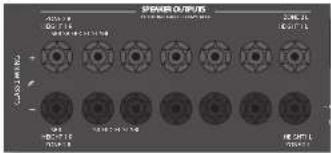
Bakho,T06HOTeBHMeHnTHPOBHO3YRTH cooeHHHHeHc HaeKAcHb APyTOBOKaEBHOHN KOPHYCA yIpOCTBa.HbeBaONHueE3oHbHTpyKMOMoKer ABIEBcK KOPIOTKOOMaBkAIOHOI IOBPEAEIOU BauTepeCepsepaAVR.
He mnnnne kane nannnna cnaanm cnnnn a nane He nnoaee nae yannn knnckxoybnn u m. nak KAKMOXMAE npuaocnK noepokcnknae Kaan. Taek Hncnpaonoe he axoou 2apamunuie oboaahnne npaaonooenone anmynyopnuocnnae.
Ka6eHn dHaMnKOB
HIMAHKIOHTKHA6BHIOHOHIOHOCHXYCYCNTHC HCHHOB00HNMeMHJKAeBEHO XOPHOHIO KAYEChA, BOKOONIOTBOIEMEOHCHNO COnPOTHNHEH. HeCNEyETHCNOHO8oBt
ENHEBAAKCYTMECKHO KaEB, TAK KAK TAKAI NOHOXAIKOHOMHDAEHOHKBHXCPCTBIPRBCETK 3HHINTAHMOYYUHNIIOKAYCEBA 3NYK.
HINIAKAEIOIINAMHKOHOJIOHOBJIKBKKAKMOHO KOPOE.IpHIOHOOHNHKeMAEEMIIHMMHO BECJIHPOOOHMOJOHNHHTPBYKOHIEHNOO TOTO, HIOHOHYTETNIBORONHIEHNPPOPOITNN COHINTIHNCNPOPOTA CHAKONEHTRKON.
ДухкальhoeусинецуЗуka干嘛peperno leboro n peperno npaboro DMAMMOKOB
IyBxHnHbIOye yHnHBe BzKoAouHae HcHbOaBnue BoJyKaHOB YcHnHO 1000
HnAMHK, JyBxHnHbMOe CYNCHNE MoKet oecocNHTyMooC XayChTO BzyK, cM OOHm
OAnHHn IPOBOE Eey hT bHmHX DnHAMKO BOpEBHORO BzKyA (To eCy b Yac
5.1-KANHbIH CHCTeA, a He 7.1-KANHbIH CHCTeA, Hn MOKeTe HcHbOaBHOrO CboOaBHoe
KEMMeBbHbIMDHNHbIKoB OeMHBOy BzHn DyBXHsIAOY OyCNHBOI PepeIDHO
HeRo HpArOo DnAHmIKo, cEn BnBn DnHAMHMn HOepePbKaBOI dMyXaHbIOye CHyHnHE
Hn MOKHO HcNHOBtB TaNaBHc KaHaH dNHOuHoVNeBH CrePeOnHAMIKo B pYOM
HomEHmEOe (302 J).
Ha HAMMBAK, KOTOPHE HUAPKHIHOTU YXHAAHINB UYCHUNA, MEHTTCH HIO HAI HOBOPA KEMH +... Ka HHPANOH, OHNI COEHNHEM KJAYI COOB TEAHNHECKHM KHKTAKTM. 3H N MCTAHNCMH KOHTACTM HEOESXHMO YUAMIT PNI NPOKCHNN CHYNYKHANHO YUCHEJIHA. LCAH TTO HACATB, 3TO INPHEB J KUPKAEHNBO YCHTIENDA. DAIHHA HCNPTARBCHTH C XOHTJBYCNOHR RAPAHTRHRORO EOKCYNAHBN PCNCEPA.
JINIyDAXAHAMBOYCYNHNEHPNHOHNOHNPOHANMOKYHNTIe METAITPNCKCHKKTAKTKK KNNM. IIOKNKHTCAcHfEPHH HTHKNNK KNNMMF FI. FR HApecepe AVR.IIOKNKHTBACKOACOTRTHAI DAAHMK HNI BHT-KNNMMK KNNMMSBLH SBR HApecepe AVR.BI KOENKNTPEKNTMEKMHTOACTPNN "Ttma HNNMOK" YCTAHOBHTO OMOIO MEOHOHBAKAN67JAD "BIAMPL+R CmPTORNA t cPiAPnR-26

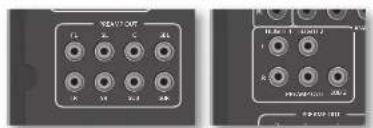
PoiKnIoueHne ca6ByΦepoB
PecnepA VRAKe HOBHOH BAM HOKOHHT DO dyx AKTHHX cabydepo K bdoHnam pabem 5ub. CmOPrte HcIpykuHIO HcuytaaHn Hauo cabydepa, XroHn HnHApouu u npauuHbHb Hacptobax nnpae NpOeONeKnK karnmy caboypey.
NcnoB3ObaHne BheuHnx YcnnntenE MOnOHCTN
BYTHPYCHENYCHINENTMPOCHTHPCHREPCARAVR (N70NR250TOMKONBNN,PMHAPSHNBOHBMABAO CABHYEP)MOYRTBHJNOANTHMAHHAMCHHCNA H BHNHTYCHINNTMPOCHTHHANHPMEcAePcAeP19 (peKOMENTOAHHOYCCHHNE 31.16).TNDMOHTNHBAHXOHTHaePAHbEMPREAMPOUT K BXDHMMPAHEMAMBERHOYCHINOTMHOHHO
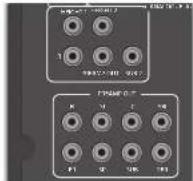
FL (nepedhuu neebu), FR (nepehdu npaebu)
TIOIOHOHIEK XO COTBETCTEBIYI BIMPOH NHEOMY IEPHIHNI KAHAION RABINOH YOCTEHNI MIOHIOCTN, HJIOEPOBRA SR250 DOCTYEIR TOTAOI 89186 BIXOXN J BIXOXN CASHDEPY.
C
Ponitchenko'Kix K. Hentpahbmosy nepetheymy kanyat Baimero cyhimnemx hoxmnoht.
SUB
BbHbOaR pahs hcbephy. HIOHOHIE EEO KIOHOHOMI
paeey 0eioho aKIOHBO cHbephy, eoh on HmCCTca. Dn pcBbpa SR20 NOcYtnc Tokeo TOT oEoo, a TAKKO BHOXO1 L (nppey) n1L (nppey) nehne n nppey).
SR, SL
BIOHOHIE PAHCHN PABHO HOBOTI OHANHINHO BOSCHHO BHYA. IIOHNHOYETPAPACMKIOXOHNHO PHAMCPOI PABHO R TBOHO DAMHANKO OBCMHONO BYO YKCHNTCH MOHNOCT.
SBR, SBL
BnBnOePaaNnTnHIOI npaHOI JnHANKIA
ObENHNBOI BYA K TnHIOHIOI HNOHIOI OBAHNOI
ByA (CNIOHIOYER PTOBIO CnCHIOXc 7.1 KAHAMIN).
PiHOJIeRrXX KO XOBIOHNI paaBNIOI XpHIOHIO
IpaHOI BNNMIAO BNOHIOB BYA K TnHIOHOI BOHIO
BnHAMIAO OBNOHIO BYA KTHIOHNTON MNOHOIT.
BepxHui 1, BepxHui 2
BepHHH 1 HEPHHH 2. IIOIOIOHOO X K X IOOOIOI PAHBOH BEPHHH 1 / HEPHHH 2 yCIOIOIOHOO MOIOHOCH CBO HAMOROC BAOIOHOOPAEOEPOIEPAPIOIOHO OYIOIOHOO YCNIOHOOT CYPOPOBOH, HCMOT HEIKOC BEOIOHO COIOIOHOHO E HMOHOHO OH IOOH INIOHOH PYPNOH LCOO HOHOHOHO, K HOM KOHO HOIOIOHOH DHEHIOHO HOKO HOHOHOO PAHBOHO HIOIOHOHO HAPPOHO

3KcnyataaBaweropecnBepa AVR
IIOOTOPAKENH BINDPOMAHN MPEKOSIAYEM
BAM RCTA NIOSSOBATTCA KAPAHBM MEHO JACHTNE
BAHTBOYCPONTA.
BknoueHne
KaHnmeKTHKHXyEeKpTnHnHnA npHepei
HnHnHnHnHnHnHnHnHnHnHnHnHnHnHnHnHnHnHnHnHnHnHnHnHnHnHnHnHnHnHnHnHnHnHnHnHnHnHnHnHnHnHnHnHnHnHnHnHnHnH n HnnepaeHHnnne HnnepaeHHnnne HnnepaeHHnnne HnnepaeHHnnne HnnepaeHHnnne HnnepaeHHnnne HnnepaeHHnnne HnnepaeHHnnne HnnepaeHHnnne HnnepaeHHnnne HnnepaeHHnnne HnnepaeHHnnne HnnepaeHHnnne HnnepaeHHnnne HnnepaeHHnnne HNNepaeHHnnne HnnepaeHHnnne HnnepaeHHnnne HnnepaeHHnnne HnnepaeHHnnne HnnepaeHHnnne HnnepaeHHnnne HnnepaeHHnnne HnnepaeHHnnne HnnepaeHHnnne HnnepaeHHnnne HnnepaeHHnnne HnnepaeHHnnne HnnepaeHHnnne HnnepaHHnnne HnnepaHHnnne HnnepaHHnnne HnnepaHHnnne HnnepaHHnnne HnnepaHHnnne HnnepaHHnnne HnnepaHHnnne HnnepaHHnnne HnnepaHHnnne HnnepaHHnnne HnnepaHHnnne HnnepaHHnnne HnnepaHHnnne HnnepaHHnm HNNepaHHnm HNNepaHHnm HNNepaHHnm HNNepaHHnm HNNepaHHnm HNNepaHHnm HNNepaHHnm HNNepaHHnm HNNepaHHnm HNNepaHHnm HNNepaHHnm HNNepaHHnm HNNepaHHnm HNNepaHHnm HNNepaHHnm HNNepaHHnm HNNepaHHm HNNepaHHm HNNepaHHm HNNepaHHm HNNepaHHm HNNepaHHm HNNepaHHm HNNepaHHm HNNepaHHm HNNepaHHm HNNepaHHm HNNepaHHm HNNepaHHm HNNepaHHm HNNepaHHm HNNepaHHm HNNepaHHm HNNep aHHm HNNep aHHm HNNep aHHm HNNep aHHm HNNep aHHm HNNep aHHm HNNep aHHm HNNep aHHm HNNep aHHm HNNep aHHm HNNep aHHm HNNep aHHm HNNep aHHm HNNep aHHm HNNep aHHm HNNep aHHm HNNep aHHm H NEP a HHM nHN PAA HHN pAA HHN pAA HHN pAA HHN pAA HHN pAA HHN pAA HHN pAA HHN pAA HHN pAA HHN pAA HHN pAA HHN pAA HHN pAA HHN pAA HHN pAA HHN pAA HHN pAA HHN pAA HHN pAA HHN pAA HHN pAA HHN pAA HHN pAA HHN pAA HHN pAA HHN PAA HHN PAA HHN PAA HHN PAA HHN PAA HHN PAA HHN PAA HHN PAA HHN PAA HHN PAA HHN PAA HHN PAA HHN PAA HHN PAA HHN PAA HHN PAA HHN PAA HHN PAA HHN PAA HHN PAA HHN PAA HHN PAA HHN PAA HHN PAA HHN PAA HHN pAA HHN pAA HHN pAA HHN pAA HHN pAA HHN pAA HHN pAA HHN pAA HHN pAA HHN pAA HHN pAA HHN pAA HHN pAA HHN pAA HHN pAA HHN pAA HHN pAA HHN pAA HHN pAA HHN pAA HHN pAA HHN pAA HHN pAA HHN pAA HHNH pAA HHNH pAA HHNH pAA HHNH pAA HHNH pAA HHNH pAA HHNH pAA HHNH pAA HHNH pAA HHNH pAA HHNH pAA HHNH pAA HHNH pAA HHNH pAA HHNH pAA HHNH pAA HHNH pAA HHNH pAA HHNH pAA HHNH pAA HHNH pAA HHNH pAA HHNH pAA HHNH pAA HHNH pAA HHNBp AA 1000000000000000000000000000000000000000000000000000000000000000000000000000000000000
PekmokuaHna
Pechepch AVKHOJHCTA POKHEM OXHAJIAHN, KOTOPHI MOKHIOKHTIHN HAKATEH KHOHTIAN STANDBY HA YINBTE HCTIHUNHOHORO YIPARBEHH. B POKHEM OXHAJIAHN HA ICHIKYOCYICETY INKOPRAHAA, A HUHKKIOF POWER OTCYCIEYT J
ECHYCPROHIOHE6JETCHIOHOBBOBATBE TEEHHI HADHTEHORIOEPHOBAIPEMHIN,PEKOMUYAETCOTIKMOHHTTOEOTAEKTPRNUCKOCTBHACXHIOHOMABEOBIOPOPHEN
IaBbIXOaH3peXnMaOxNdaHm
HakMnKTHKOHN STANDBY HA mynIte
mtnnnnoHIOHOUPaBnEHH,MOyBO KIOHNu H
BepnDn HnneH (a cKIOHNHcH NKOHN nINHTAH)
HNI NOBePHTpy KYNPEPYRPNKBN rpnMOCTN.
DmcnnnHa nepeDne naHenn
PecBep AVR rotor k Kcnnpyaun nprrnpehnp nepees ntepe cekywn.

JaHnncnno 0IopamnBaBapnnnna n Iaactoaeae apneae aocnauan Cannana n Noccepea Bapnnna Hbnpmainnn o hactpohKnx npocmoTpa (3y HnpmainnnHnyn cTpOky MoKHO HmChnTTB HkAnen KluNk INFO).
Ha npehncn haneo oopkaaactc Teynn Hacptpko yponbrrpcooknoi 30 137.058 pneBeneHOM bne pinnep).Hacptpoa rpoKoKTOI 30002 oTobpaKaetc aTeeHHe KopoTko R BPCmch np Kaekn Hacptpok.
Bb6Op nToHnKa CnHa
HnBnBnOpaOpTeCHHOrOCTOHNtNkCnHnA HnKMOHTe KHOHY-INPUT NHPINP1,NOI
HeoOxoHNbHCTOcHNNCnTHnEOTOpaBHnTn
HaNnncnnaHnpeopnnnHnMnHn (npn HnHnW)
HnKMOHTe CoNTBETCRYN36 KHOHYCTOHNtN
CHnHnA HnyDfE TnHnHnOuOyU npuyEnn
DOctYnIa CyeOyDnE KTOHHN CnHnA
| STB | Bxuohai pao bem dekopea cnHua |
| GAME | Bxuohai pao baem hprouo unpHctabRa |
| AV | Bxuohai pao baem ayuHcHnHa/ a |
| SAT | Bxuohai pao baem ciyTHNKOBTO TB |
| BD | Bxuohai pao baem npeepa Bhu-ray dNCKOB/DVD-nieepa |
| VCR | Bxuohai pao baem HneomathHTOPOHa |
| PVR | Bxuohai pao baem npcoHaiHoro bHNCOMATHHTOPOHa |
| CD | Bxuohai pao baem npeepa KOMPAKT- dNCKOB |
| FM | Bxuohai pao baem acptoeiHoro THepe |
| DAB | Bxuohai pao baem acptoeiHoro THepea (GTOI HCTUHK CNHua) |
| USB | Bxuohai pao baem HNCHIO USB- ycTPORECTBA (HarpMcp, fchHka) |
| AUX | BcHmOratCtBnBHXKOBHO BAeM (Ha nepedHai panHau) |
| DISPLAY | PecpchrHnBn AByKOBn KaHAI (ARC) or cootetBcyIOEo duHue. HcHoubyte ETO C cootetCTbYIOH TceHaeHApO C nOMOHIO BHYPTeHN TB-TonepoH |
B 6081113e 00000x yiaopapbemob mbero 1
aHIOOBBE HIOPOBBHEIOOIOIOB. Bg DOIOIO
ybaIbTHI IOIOIOIOHO,IOIOIOYEMN DAI KAKIOIO
BHOHO paoBcMA, CMOIOIO BO OIOIO "McoOHHK
ayduocnana" B MEOO KOHpyuOIO xioooi
paoBcMoCmOTPHTc HsTAPINrC R-29.OOpATNE
BHIMHNC, YTO HENPAIBAOYBA YCTANOBKA IIPABACER
KOTCYTANO 00ya. QOPMARAYA NO yOyauVHIO
HDMl. KcHHe H NCOOBYE AByk BqOpMATE HDMI,
yHr hTPOyN REOIOIOIOIOOMHHTIR.
PekmO6o6o3nKyFynnn"Sterco Direct" 3aouHuaTCHdyBtBbBStBCAaKaKoTO OeJIHOHOIOIOIOIOPOBaEa.
Ctepeo perynaytop
Jnnpymhba Hya Toa Kepae
AaoHn ananorB crepeopabem, HAMKHe
Koukxy DIRECT. B peKmE Stere Direc Chnai
AiooHn Hcckn O60nnr ace cacienb o6pOta
n yuunn 665000yuey. B pKmHn npHoro
BoPocBcHcHn HpOpaB o6pOta OKTNOCHA,
YTOBa YyUHTt, KAcETBO SByKa NyCMBHHTt,
HpOboH nM B pceHBe ACV Ro abcoHto
MHMHMA.
IipmeeHAnHe: Ipi HbApoe pokma Stereo Direct
IhppoBae BaoDjOyPae paTeMa HeJoctOnyHnA, a TaKae He OcyiTcBtBorCerTy UpypBeNHe 06xOHHM CTHHOM.
300 OaOHAAe, 0TO HxNtApOTHFMe CHTHaHb He bdyTepHapamTaBcHb Ha cabHype.
PerynnpOBkarpomKocTn
Rakko NnmaHAt, 100 yypOBb HhNkAtoP rOAMKCTHeaBcTaT OoOpaobKeHHy ooumou MOnocn, houBaMaHO rHuaMnAn. PecHeep AVR cactoHaeetnooyu moooctb HauHnokn340000100 MoMeHTa, KOJI peryIOHtrop IPOKOCHsAoJeiTeO xpaHrero MaKcMaHnTO HOOKNCHsO,OOCNHOKOTa BxyBnSACn PHn HxKoKOMyPOOBeAChn. JIpaHCHHN HxKOrpE AByKOBAs TPKK KfHbMMMyMTOyAOKTcOeOHnTHA, RAK KAKMHONPepeKCEePbXOTCoxPAHINbMAKCMBAUHBe yPOOHnSAHNC npepeDnN CNOPIPOBHeHEn CHENHANMIXhAfdfckToB.
HayushuKn
YIO6A HIOOHOBbI HApHINKc PceHOpEoAVR, HOIOHOJIeHbI bPaeBHem PHONES,KOTpHn HAOHOITcB AteHrpepeHbIaIIe.
IpaHIOKOHHHaMHHOB aPbEHNPHOES HA nepHJI HAIH MIXIOHIO BpAHHIOBIOI 1 bByTOKNICHIA, a BYKBYDcT MHKNHPoRABTOI DO bMyKANHOB (2.0). IByXKaHbHIOe HOHKAIOIOE MHKNPOBAHNEOHOHOIO dNTO, TIOHO eHPTaBHn KaHAI KAHAI OeBHMOHO 3yKa MOHO6bHOUPCAYuHpeeHaHHIO
IcnojB3OBAHne 30Hb12
300a 2 PIOPOCTABT BOMMOKHOCTB NIO MOCTB
HAXOIMXHACN BCIOHIOH CIIIBAIE, 3IIMHN CAGY,
BAI KIXUY H T D. IOOCATMPBATH NIO IPOCUYIIBHTB
JyTOHOTOCVNIHK 3BYKIN PRN JyTOYM OYPOINE
TPOMKOCTH, YEM B OCHOBH 3OHE (SOHA 1).
Ba6Op HCTOIVNK CHIIHNA pERIYNPOKA yPOHVA
PLOKOKCTH JIA DOHIM 2AOCTHAEKCA cAEDYIOHN
o630AA:
c mnoiHIOI-HPmCHMnHA BOHc 2 (CMOTPc
PaBmU yPiABeHHa OoHa 2 HA cR. R-37) HN
IPI npeKMIChnHA HOy 2 HAkATEM KHOHn
BAbOPA SOHa HApeneHcNAHn PecHBpa, HN
HaKaTHEM KHOHn AMP+OK HaIpytBe
JCTAHINBOO UypanBaHn
Ha BaKayUHNO-0pNoOpCETTHROM. HcNnE Ha NpePHeH naHcHb Byet otO6paKHO, YTO ympaBnHc H6IIO 8eepaHoo2

IINHIOHNIOO 2 IINHIOHNIOO HNIOHNIOO AMP
OK HA NITAE DCTAHNIHOHO YINPAHBNH,3ATEM
KNKNOH IIINTAHN B PCXIMC OOKNIAHNA H NYPNTc
IHCTAHNIHOHO YIPNAHCHN H NIKNOH ZONE HAIEPHEH HAIENH HOTHYTTE cH BAIBOPA 30HM
2,a 3ATEM HAXMIHTE HYEQPANHI KTNKOZ HNNE PEPNEH PAHENTI INKIIPOHENH 30HM 2.HAKMIHTE KNKNOHBNBOHPAC HCTONHHCA CHTHAA, TIOBH MIBOPATH
PYTOF HCTONHHC CHTHAA dTHOH1

Obiparhe BHHAMeH,TOy UypaBHeHRe 3oohn2
aBOMATHECKNIEpeKOBHTIcHua HpUbAeBEHOOH
1Uep3 HeckIOako CekuyE6eBcBtBuH.
30H02 TAKOe MOKHO yupanbIb c HOMOIOBIO
HUPRMPNpMyExb LyhBOoHcTAHIOIOIO
yupanbIbPnTbIXoYCTOBcHcHIOIOIO
MOHNTHs CHCTOM AROTMnATBnIH, TIN NOYUCHTIK
60tce MeTALHOH NHOOPmTN, POKAYaCTa, CkNNKTCB
C BAHIM NUIpOM HNI CNTHAIHTCM OYCTAHOBKC.
PacupeHHoe MeHIO nepeDnei naHei
HaKaTaNc KHOtKnH MENu Ha napeHnH MaHoTHn H eepKapaiee ee 6ooie Teympex cekyui BbOaBaeI PaacunpeHnoe Meou, u KOTOPm Bb OMOke BbIOIOINITc CoeUOIOe DeEIOIO:
BOCTCAHOBNHE3aBODCKNX HAcTPOEKNIO yomlonuHNO
38 TII OIIHIOHOJETBAMBOCTAHOBHTBCC HACPTOIKH II HAeM EHepe AVR 40 JAOIOCKHX HACPTOK HOYMOHTHIO.
NImaMeHHe Koda pIyIbTa IINCTAHIOHHOY npAbaHnE
CpeHep AVR NOYMOMAHNO HTBNEAET HA CTeCTHMN KOI '16 KCS. ECNI HCO6XTHOHN, HAMPHPCN, pPTYTOC yTPOCTBO B BANIEE CTECTIME TAKKIE HCNHTHYET 3OT KOI CTeCTHMRCK, KOI MOKHO HSMCHRTH A'19'.
Beonachoe BocctaHOBNEHne coxpaHENbIXn Hactpoek
31a onn nnnoanen an aan oocctnnn anee bce hactpckn jnx coctonnnn, knoa ncoxpannnn nx c HOMOHN PHyHNN "Beoauoe coxpanne Hactpock". 3ra onn noeNCS, cem nactpkn cyauho hmeauhnc. Oua takaekooaaer yctpOchTb eBpyrTaK C coxpaehmohy coxtonHHOHO OHOUHouHn HPOUHKn.
Bezonachoe coxpaheHne Hactpoek
38 AnonnnooBaeHbAncoPAnHHbNc HAcTePBOHkpe PecnncpaAVR bAmnnnnrHcyO hBaNtAaNN. HAcTePBOHk MoKHO BocCTHOBBHbC b NOMOENIO 00TcAONHbBmEOn OHIOBcTOACOBHNOA
-Bee duome nuh-kod
BHTIe TaHACOH TTH-KOT, HAKAR XHOTK 1 HNJHJNHEAHTTINIOHOYPTABKTHIN (HC HCTNOHTyHRETOO KOBATYP) HTH-KOT NOYMORVAMHHOO 0000. -HMeHHeNE HUN-KoDA
37a yuunmno houoaoi HmeHHI IHHI KOH no yuanyuanHO Hnpyoo. BnBHTe Tcyeuun YHHIOHO, HnABAH XUHOOH 1H HnYUOHO BnBTHAHOHO YNPAANCHIN (HnCBOHAAyE HnPOByOy KAKMAYP). HnKoNo NO yuanyuanHO 0000. IIOc PnBnHuaHO BOOa TcyeuOIO HnKoJb, BnBHTe HOBB MHN-KoH KoOBTRCTTmH C nBuHINBEH OIOCKAKKO H NOTOPHE c IOIaNOIITRkpeHHJI.
-BblXO
OTMCHHTB BCPHYTB PACHHPCHHOC MCHIO.
O6HOBJIeHMe IpoUWBKn Upe3 USB
PpOwBbKa BaIero AVR MoKer 68rrb oIbONBa c USB-RakonmTeTae, coepkaHRe foAaMb oIbONHeNn. pnpOBrKn.
Bb MoKeTe cKaVaH IbocHeIaHIO BePcHIO faHaHa
boMoHeIaHIO npOHeHbA, aTaKae HnKTPyKuHn
BO BoHObIeHIO c HInepner-CAra IARC
(www.arcam.co.uk).

IcNoJIb3OBA-Hne nepedNeiHaHeN
HnKHOHcHbOyBc HnBnOpaHcTNOHnKa CHHnA, NpOHTHOHrO K COOTETCTBYOMeY BxOHmOy PAaBemy (INN BYTPENmE HXoONMPOyBemy) BApOp ENHouyEyMAx HTOHIOO B MeHn HACrpoKn MOeR 60BbIbOJOBpHpy HtEn 3aTeHNnHmnnn B MEHO> HAcPrOka BxOgHOro pAnema
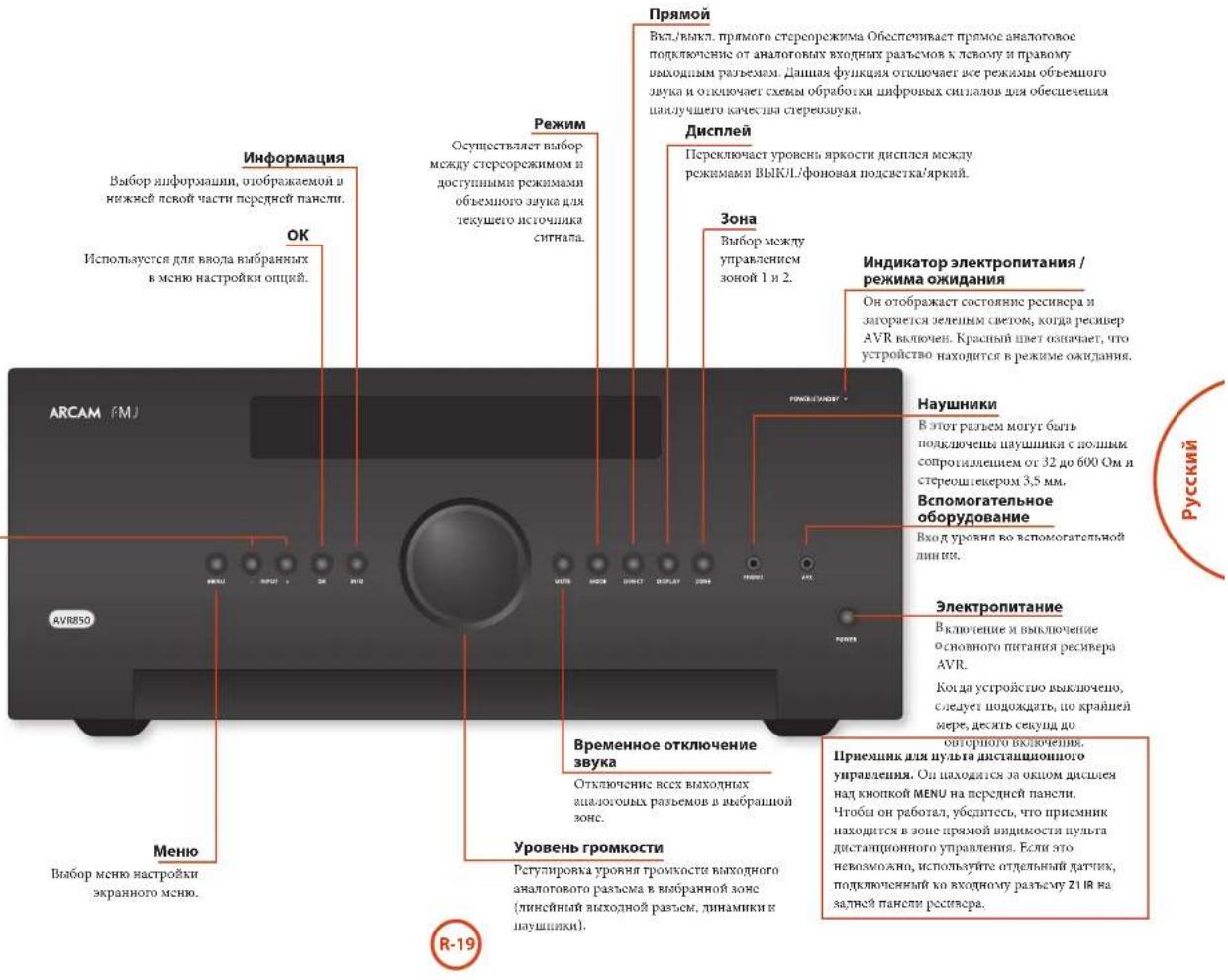
Bra606 mCHNO hctpO8XK XkpaHOTo MCHNO

YHbepcabhnynbT ductaunnohorynpaBHeHH
PecnepmAVRNOCTABNOTC TcTENHOHMM
yHHBepaBBHMUYBTOM DaaTAAHIOHMO
yupauHHHc HooDcKoH, KOTOPMH MoKT
HCIOOBATbAa YIpyBaHEno IOBCEMBO
ycpOHTCHAM. OnJAPae3AuaOpAMPAHOB
DApaobTo cpehpoM AVR MHOHMM ApytHM
ycpONaAHAM ArcAm (FM/DAB-THOpAAA,
Npecpam KomrAK-TNKBo HVD-Ntcepam).
bAoapdO bOuApHn octpOeHN BhoBHeTeke KooU
ero Taokc MOHOH HcHbOBeH aPaOBA t CTAACAM
pyTyrte ayBoHSyBnHxK XOMOHcHOr. TcHOBHPOB,
ChTHOBHXkXeKoPcB, TcTeCNHOHHX nPcTBACo,
NEPCoARbHex NcoMAtHOrHOHos, TcPocKOMTANTKOB,
B,1. d.CoPTHc CINCK KOaB B aHaJIH Vacta
TaHOHO pyKaoyBaCTra No KcNITyArAHH, KaHHa co
CPaumnn 47.
On Taekae aenrce oohymaemmynymrno, noaoy
Bb Maenee hepeinna hne Iepxniyeckn
mobydyhnpno cnapo mynntnHnHoro
yupnane nnnnn yicpoacnBom.
Tone3naHnΦopMaun
NoCBeTka
NcnoBzobAneynbTaDnCTAnHNOHOH ynpaBnB
IIH KINIOJIIOBENHHIYIBA DHTIHINHOHORIOYPYNABNHO NMOHRTC6CNYTOM
Y63nTBCBOTCYTBNNKAKIN
HIOIPOENPTCTBHMEAGNYNTBOM
NCTAHNOHOHOYYPANCNHN H
TAHQKMOHNHOHOYYPANHENH H
HApeCNBepeAVR.PaTHyNCJETCHN
YNbTAJIACHTHOHOYPANHENH
COCTAABETOKOVAHMePOU (EeKNaTAEK
NCTAHNOHOHOYYPANHENH 5xAPBt,
HEeETCKBDOHpaBcEMZ1A HkHJyD
NCTAHNOHOHOYPANHENH HaagNEH
HNHeHpeCpBepa.1PkoKcybIKpyIeBc
coCBMOHApDmIHaNTOYCNH60Ce
HOPOPOHbNIOPOPOBnHN.
HtahantnHOBHO ynpaBcHBe MOKTe HpaOtaTb,KoHaIbaDatNHkDttauHNOHOY npaBcHepCBAvRAJaeCTnHnB coHHeHnHnHnHnHnHnHnHnHnHnHnHnHnHnHnHnHnHnHnHnHnHnHnHnHnHnHnHnHnHnHnHnHnHnHnHnHnHnHnHnHnHnHnHnHnHnHnHnHnHnH nHoBmB.
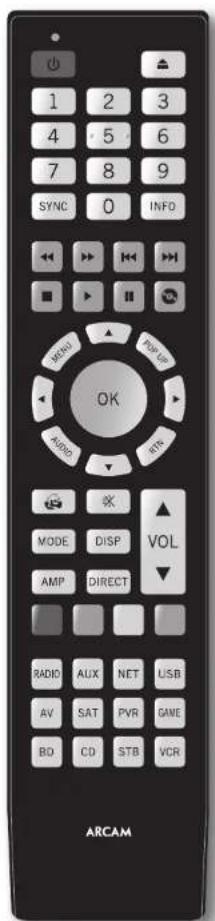
UctahOBka 6aTapeB nylb TnCTaHcNoHHOrO ynpabJeHnA
- Orxpodre kpaikky barapeimoro orkeka na
aepnne nanepeo, cnnnnr erno xpnmyk.
2.Bcraabe dae bapaee "AAA"Kakuokao hna
pocynie B otckn da batpeh.
3.110nO CnHnBHe KpnHkN OcKekn 64aepae HaaB BIOHOKeHne HkaCauHH, NOKa He yCnHnEeHoo
PnmuMeaHHe o 6atapex:
HemparumHNOcTcONKOBAHRC6aPaeB MoRer PNRCCTN OAnachOH CHTAYIN, HAPIMCP, UPOUJEK BUN BYPSY
He HcnoHcyIe Hcme Cnpe HHObE batape. He HcnoHcyIe Hcme Hcne HauKIOKOBe batape. XOHT OH MYOT BuaJdJIe HauKIOBO, paaNtBuHbB batape MOrY MT MeBb HapHoE HapKJeEe.
Y6eBtCEc,10IOHOBOCbIIOOC()IMMHy (-)batapecoTbeCTbyIOIaPabletioIO, ykaahAOHM batapeHOMOTcKc.
Hnue Hne 6aapere n3 o6puyo0uHn, ccnn eOe Hnnpueryrca HcnoHb3o0BtB TceHne Meeca H6oee.
I npu yinunununun HcHOBJuaaHb6atepre cnaytte rocyapctBeHHbMeCHTMHOpMa, npnHcHHeBnBnBnBnBnBnBnBnBnBnBnBnBnBnBnBnBnBnBnBnBnBnBnBnBnBnBnBnBnBnBnBnBnBnBnBnBnBnBnBnBnBnBnBnBnBnBnBnBnBnB
PnncBcTKa KNTKpHa HbocMb cckHy np
KOKOM HOKATIN KIOHN, 3IOAET BOOMOKHOCTB
HIOBBOBbIyABT BcIOBBHX OoOocB
MuraHne HndnKaTopoB
Munahine a rereuue KopoKIOPOBpeHnUykaaIaEBT naipauhnoe haoahtae koukuo.
MIOKROCTENIIH MUNIAGA TENEHNI KOPOTKO BPSCMHO ROBOPR O POCRACTI NKPOPMANN
{HnpanpK, Kola yctropaCTBa} Hn CnHaHnBpyOT O nAaIe N yCnHINOM OKOHnAHN IIPOrPMAHNO IHOcIAcOaeJIbHOCTK.
BpykoBoCTeNcHbMoAeTcCnMHoR 713 ykaAaAHMaNaHrAeH2HKeKAtopara.
TaM-ayTbIM HeHa3HaeyHHbe KhoNKM
Taima-ayi 10 achaetraen H3ccky yin JI
JiaHHTUHHHOHOTYPOBAPHEHN BHXOJRT H3 peKHMn
PpRGMAMPPBOHNI HOBAPBAETCR B PekHM
NOPMAHNI PAFOBT.
3aTHHHe KHOHTK -FcH KAKA-NH60 KHOHTKa
OCTeCHIOCTOHNO HAKOTB TReHEH 30 cKUYU,
HybI bTACAUHOHOUY UyAPAEHUE upeKpuaer
HK Hepeaydu coxpaehnBuPEMeHH paBoi
6aTepae. HybI octeAH OBAKHOENHM du HOHO
OTORYCAHN BCC KHOHTK.
Hnnaauehne Kno Huyb Aunnnnnoo ypaabn Hnnpyct no6mc Hauattn Hnhaauchn HKOTIOI oppeckho ROKpckma yctpoCTBa Hc oceumctBtHK nepdany.
HnKAtop Hn3KOro 3apra6aTapei
B. Cynacta paspaenae Garapet, npn kappa raphanus mofoe KRONKIN PHOECOTI KAPTON MIRATTE MOHIC
C.HTO 107pOxOxOxOx, yOHOHORIO THE OMOI OHMOXII OAMEN AAA KAK MOHO CHOPKE
Pekn ma60bI yCtpoNCTBa/
KHONK NCTOUYHKOB CINHana
HocnoyIuyIbIuIaIauIIOHOYUAPAEIMHOJKER YUPAABIKBaAMIEPcEPOAMAVR,aTAKe pAOJ APNYXycPOCTB,3KIOJIe KIOJIHIOO OOOe OOOJ 0yHKINU 13AHHCMoTHO1OPEKIMIAcYTOPOCHIA,BaBPOPAHOHO HAUYIe.
KoHIOK KAKMA YPOCHIMA (C0OHTRHE HIXKE) UpeHHaHHeHnA BuaOpBa HCTHOHKA CHIHHA Hae PCHeHBe AVR. IIp KOPOKOM KAHAXI OIOHO 3NTHX KHONK HOYCTPOBTHI PEOCTA KOOMHa JDA CMOHCTHOHKA CHIHAA. TaKcE FyHKINHOHOHOCTHOYNAJIECTAHNOHORHO YPABAOH NCMHCAHCTAE PAOTOH C BAPOMAHN YCTPOBTHO HCTHOHKM CHIHAA. 3TO KCC PAHO, NOEMC HECOHO KaSHMHN MYTTOB KNTAHTHHOHO TPOPAHNAH
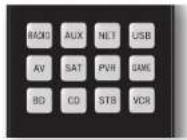
| BQCH | BHTPYCNH BXOHNHO PAETM FM-TOPA HUN TEPA HAPPOBO OTOKOKOBO CHUHA |
| AU | DIOONHIEHNNH BXOHNHO PAETM |
| MT | BXOHNHO PAETM Ethernet (HANPHMCP, WHTEPHPT-PAHNO) |
| UB | EHNHNE USB-YCTP06CTKO (AYTNODPAHMM NA DPCNCK N.T.) |
| AY | BXOHNHO AYTNOBHAYAMH PAETM (HCNOTKNETCA JIN TB) |
| SAT | BXOHNHO PAETM CNTYHKOBORO TB |
| PN | BXOHNHO PAETM IEPCOAUHIO BINGOMARTHROHONA (HIN DPPBOORO DNDPEOPKOPERA) |
| DM | BXOHNHO PAETM HNPPOOUPHKTAKK |
| BD | Blu-Ray NUCN DVD-PLCCP |
| CD | BXOHNHO PAETM PNCAPA KOMTAFT-DNKOR |
| STB | BXOHNHO PAETM TB-DCKOIPA |
| HD | BXOHNHO PAETM HINGCOMARTHROPOHA |
Kaekpaikpok tyocfptb3 hmmchct Nobcncn HMOHKT KNOK TINyta Iyampanchou COOTBCTYBOHIM CYTOPTOHm. Hanpimoe B pekme CD koxhthe KOHIOKIKI pRboaHTK
BOCTPOHNOCHN PEPJAYIEN TOPOKK KOMKTK TPKCA, A PEKIMAV NKATRTE KHTOKK CRYKRT KOMKHN DEKPTKOENTH TB-KANAOB BHS. IyBaJI DACTAUNHOUO YUAPAAEBAO OCTAEIN BOCHEM NABDAHAM PEKHM YCPTPOBCTA, TTO yCTPANB HEN XEOUMIOCTB BHKAKTNI KHTOKK PEAKMA YCPTPOHNCIEPEK KIAKON KHIUKH YUAPAAEBAO, ECN BAs, IuPAHMP, APOCPV OUCIPHQUOQE KIN PONYKAETPEKNA KOMKTKNTCKE.
KhONKn HABURAUM
KHOHN HABRHAHIN NEPCMNACU KYPCCB MCHNO
HACPTPOEK NIA B KPAHAAAM MUO. ONU TAKKE
AUYBUPOTI HANMAHONHME YIKUN INOHIOHNIIB
HYTBOB IETAHINHOO HYAPANHIN, NOCTABMIMX B KOMKNTKC C PYYTNMI JOMAIHHM MUYBTHMEHINHMYCTPOHCTANM KHETM. KOHNA OK NQHTBEPKJET
HACPTOKY.
Perynupobkarpomkoctn
IyoymoHnHIO HHTHcHauHouHOU ynpaBnHbHactpnoT haoBopnO,TOpyrTaHOP YPOBHO pOMKCTN HOTNOK OTKOBtEHN B3yA 10eYpaBnHO ypoHmEO pRcKOcPecpeAVR 10eHHIOO orReXyueero peMHaPAoBHO yBuBa 10eHHHOHOYpuaBHe,3To HsHaBaerC KBOHBM NpUaeBHE PNOKCTIO.
CD+ BaxoH3peKHaOxHua
Cepoc nactpoek nyhnyn dctanmno horo ypanpaerek ne pckme AMP.
BocpoHbTeHe HxmpoPamMnPoAmHHx TpeKo.


Ipeep HcHIOHOARHMOAVRb6OxHIOHOBcCTT hIOPOMAHIOoOHNHYaOHINDAHMOOuMeHOI HAcIOHOH.3IO HOIOHOAVRb6OaTObIOHO bIOPOBOHOCTIOHObEHOHO BAYAKAMOB,TOOM OHIEAHNOHOJIeK CACTEMEO E OBOHcHOTOTMTHHObOHEMOE 3yBTHTAE.
RpaTaeTn npHIOIeTc Tn HbTaKaHXoN 1nfoPmaHH:TNIM dHaAMHKOB,PaCToTHHe aO dHaAMHKOB"YPOBAAHMAKKOB
Cnco6BbOaJaHIOHuaOpMauuA AVRbpyuUo npHbOaIcRaae a paaeae MeHaio tpaKoHn
na CpaIepnR 28.HacpOKnRAkae MoKIO
yctAOHOHTBAMTOIMCCKc c OMOHIOyHHTH
AROMATNOCKB HAcPOHINTHAMHKOB ArcAm.
Cncyer NoHHMaB BAKHOCTb BbOaJaHHHX HAcPc08
3hXnDHAHMKOB, noTOMy 3r0t paoN PHBOHOTCR
npBMm.
Tunbi dHAMKOB
BAM IEBODOZMO YAGASUB TINM DIHAMKKOB, KOTOPHE NDKIOTHETN KCTPOBCTRY AVR:
BOIIOHO BMOOIOCTBOOCPOPOSEPAHNOHO HOIOHO HACTIOHO DAAHJOHA
Maaan neomooaocobocpoohjdeuHn HIOHOOYACTIOHOHNHOHOHA HAMIXNACOTAX
ФИКИИВ KOBHIFRITYPAIIHH HCT DNIHAMIKOB None
TePmHHa6oHnHnHnHnHnHnHnHnHnHnHnHnHnHnHnHnHnHnHnHnHnHnHnHnHnHnHnHnHnHnHnHnHnHnHnHnHnHnHnHnHnHnHnHnHnHnHnHnHnHnH n Hopaa 4011 (C0a3 OTHOCNCH6OHHNHCIOHNHOHHK) peKOMEUYETOBOTOHNCB DAMAMHK K TNIY MaNNI JIN BANNOHEHHN HACTPOK NOMAHTNE KINHTeTaP.
KJH HAMAMKOKO BOPON THI MIAH KINKOKOTOTHE 8yBHTE PEPENPAUAPKBCN 33 DHHIOI DHHMKA HA DHHAMK TTHA "GONBKO BHN B C5BHycp, KOTOPC TYTN NOKOTN JTR BOCPOHANCHH HNI KINKOTACNTX 38YKOB.
OOPHTHEBHIMHAC, YTO HCRMOKHOYKA3ATI, YN BCCXJHNAMHKOB TNI"MAJIAI", CENB K BOHGYRHPaIIIN DHHAMKOB HcT cAByHcpa. EcnH cTcAByHcpa, Bam NTOpJEByETcYkAaTbI, IaIpeJHIXN JUHNAMKOB TOnBTHIO."
(PiPbAHHTNtnoAobatChnMOTyrAKTOMATHcCKH
HEpueaHHeBAPeMeIP"MaH 14
IPOCHUHMHBAHMyBaHBePekMeCtepeo,EOH
BEHNMOBBTeIOPOCMOTpOPOMOB.370MOKHO
HACPTOHMBEHNOH"HaCTPOKaXgNOHOrpoTaHema
CMPTPOHa HcPrammeR-29
Yacmoma pa3aeneenu
EANBAACTPOAONDAMHANKHOU TMAHIN,
HAMOTpebyetc ytaaowbI buaane NACOTB
Paeandnene.3TO HNkAn NACTO, CHTAHN KOTOP0
EHNTpyoTc OTHNAHMKOB TMAHIN H
NepcHAPARATOKc HaHNAMKHNI TMAHIN "BoHHN
HHHa cahaycp (ccn cctb).Nactota B 80 Iu macro
ABHEETC XPOWEN HAHNNY TOKOH, OJHKIO,
BOSSMOH, RAM PpTeTc POeKCTPEHHTPOBATH
CpaanrHMNHs rAeennnnm, TROBa HAFTR
OTTHMAHNOE AHAEENNE, PTA CHCTEM, HIOO
OBapattnbck k pykoBNCTR YHAMHKOB.
Mcnonb3o8aueKaHanao6+7d
Bcayae cceon ne hckobyoc hranioo 00e,
mokno npacncoh tbnkabane kanaoh o6bemno 00xba
beoxoy Bepxun1, npouoech nyxaKaHIO
ycnnae npeepero yao/npaporo kanaoh no
obceenny cyocnnn baxdo xon 002
PacCTOHNIO DNHAMNKOB
OCHB BAKHO IpaBHIO HO IMcPHTI H BCCTH
paccHBOEOT HINAHKOB TO TQHIO pOcYHHBAHNA
B MCHO HAcPOHOK. 30 EOCeICHEHnepoDy
38ya K TOHKeIOOcYHHBAHNA C KAKTOI DOHNHMAKBA
CBOTRETHCYHoeJe BPMN DCOPAHNA peaTNCTHHO
6dFkxa ObEHMOHO 38ya.PacTeOHMe MOHO yKaBaTH
B CaHTMETPAX MHIMax
yPOBHN DnHaMnKOB
Hakocn, yopBn Kex nHAMIKOB a CHTcEm NoNkHa
CBOBnB B TOpKpOuYnHbAa Dn COoan
IpaBnHO OePeTbO 6Obemno 38yKn.
IOCTHeE HTO YcPOBcTBO AVR MoKer cO3BaBt
TeTOBBo NOMEN JI KAKOTO OINAMMA, KOIpMNE
HOxOoBNMOHMepRb C HOMONIO CHTKNNa YoPBO
BnyKOBO HO ABeHH (SPL). CcyTmK DoMeH 6bIt
NaHToPOHa HA TpykSy "C" Ha MeHNHn OHKIN.
IOCTyUH NcKOIO bPiNKeOnn d HmApIPOH
HIIuHIOB, KOIpOE MOY TAKae BHOHnIH 3y
PhyHKn. Ncpehnn YPOeR NMyA ToKc
IOPOrHyHnBAHn C KaKTOHO HINAMHNA NOOH
6bTH oTcPryNOBnAH bTcPAHn ePYrPoBnA
INHAMKOB MHOH TPOPbIK, TO604 hauvHC
CcyTHKa CoCTABJIO 75d SPL YOpBEb POMKcTH
CTcEMTh AVP nAkrTHAN TcTOBxN TomE He
MHee SHAEHN, NocKbTy HAcTPOBn TPOKcOHT
6ByTbMCHCN BPOBcNOCPTPOHSNC
TETOBXX TOMX.
Ha nBnue cyueeayIe KcKbXb630abNcxgYHOB SPL NymepeHHM HcHc,coaHHHcNcHbHbIa HcHHeTaeJOMaHHHxKHoHTepPo. YHaJIte 06 IHaHHHb MArAHHHxKExHKn, a HInTePcHMaHHHxKbO hOp8tBeCk cKpaDjou
LcH y Hac hct cherhna SPL hno cooBtcthyhoero
hpnoeHHa, Bn mokeere noopooobert
Opyeripnoaepyoea npokock KAKIOHO
THAMHA HA cNYB. 8n TnOeTb dyBnEBHOOMKO
Haactpothn, nTHAMHKnToTOHTOPOyOBnPOMKOTN
875p5 SPI, BO MOKO NOmRatbCn HAcptnoB
OtnHOKARNO rpoKOCNBJB NBCX nHAMKHOB. Hc
peKoElyeJe CnOpaHbA pObeBnTeTOBxu
NoexH a cyx, NockOsbxy 30 OyeBn CBOHO GaeBb
npabHbHO.OJNAKO 3to NyIe, qem otcyTCTBE
Moobf HacpoNk.


Dirac
ФункцDirac LiveДгArcam
KoMuaHn Dirac Reasearch paap601a
3uHaIeIOBaUyO yhuKuoIOAioMaHHeck
HbTPOHH IIaAMHkoH, KOtpor AIOToEiB a Baai
pcBHeP AVR.C. nOMoHIO pPiMoJcHN Hn TIK/MAC
3a FyHxIHn IMArTaCTYcHTAOBHb BCC KIOHcMb
HbTPOHH BCxI HnAmHKn B aBaH cHcTMeC.Oh
TAOKe IOHOJIePACCCHINb 3HuAeHNH cHbIpa
3kAoHnIeHN NMOeHNH dya JALeHNH erHaHmX
3fFekTOB PeoAHnCHmX TaCTOr B NMOeHNH dI
pOcCytYNBaHnB.
Bant ARV NOCTABAMETC kAHTHEPOOTMHM MKNPPOHOM, KOTOP NNOKCH 6bTHRCBANB BO XNQ MKNPPOHOA NOCTABAMCM BYKOBOH KAPIN USB, A31EM A 1IUEO USB H1K IIM MAC, H0KIOUHEHNK T TOH AE CEN, YIO B pcehBP AVR, n PACIOLOXEN B COOTBECTBNC H CHTKYPKUMHn DirL Live DPMENHHNAR Arcam c /NK/MAC, TaBHNI MKNPPOH OCBHPAC CNTAAHNC ToHNA KAIHBOPNK, COZDABAEME DHHAMHKAM BO BO PEXM BIIHIOHNNHy FYNHKUR DirL Live dAM. 3aTe pcehBP AVR AHUNHHPYET CHNIAI PACCHTAHAEET
THIIICHHAMHKa,
PacCTOHHH JTO DHHAMHKa,
ypOBueHnHaAMnKa
HCCHPTpaBBHX pESOHAHCHHX TACTOTAX B KOMHATE,
KOTOPM CNTCTYP NPMCHHTB PHTPAHNI. ⅡI TOI, YTO6b CHTEBA GAA KAK MOKUO 80E TOIOH BO BHPMA HINHEH YPHJUNI Dira I J IACTPOIKN AICAM, Heo6QHOHMO CO6NOA TBEKHOKTO PABINAI:
Cokpantb do maiHmMy aioo8oi foIOBui y m a oomeeHHn npocnyuuaHH, i 6hJEAeauHX oomeeHH.
3AkpKbIe 06KJIaHnDepRbKoMnATE IPOCJUIMNAMIN.
OKHNOHTBCCBCHHTATPOM, BKKHOVA CHTCTCMK KOHNHOHPHOABAOBOSOVA
YCTaKoHbTH MKnPdOoH TaTcHoe HN AHAnOTnOHnPnTnOocobChnH.
Pacnoiararfe MHKPOHOB REPKRAHNO PnRMEPHO HAPOBRO TOBAOI B OOPMBOI MOHOOKHHN PPnIOCTYNIHARHH. Hc HsKHOHANPAIRHTT MHKPOHOB HNOCPCETCHHO HAHNAMEN
KOTOPHAM CONJKT TCTOBAC NOMEXI. [BYET] YUWE, ECN IM PAMECTITE MHKOPOPHI TOIOI Iy POIBIE TOIOBIM PRN O6bHOM OHNOHEKINI IO BPEMIOOPIYUNBAHIN, INHKPODIIHN BYTOM HE BYET 3AKPTB ON EECX HAMMOKOB.]
EcaBbAa ChcTea BnOohyae AKnHbUcbayoep, TaHnrte C ytaHOnK Ero ypuonb bMaOaKaooΦhneHrra YcHmeeHa HnaIhaeJe, UpbHbNtBbIO COOTETCTByOoe NepeHbIM DnAnHMkAM.
IIpA KTHAHHIOI KAIKOBPOBIO BOCIPHOBDHTC
Ia KAAOIOI KAAIA YCTPOBCA AVR OIOpeEA
AKAOH KAAIA CABSyepa. IuaeM ToaI KAIAOPOB4
Ia KAAIOIOI TINAMHK MCHMTN RECKONKO pa
piipnoi cte paaHHN HAPAMTOB. EChy y Bac
HeNTNOH CHTcEMI INAMHKo 7.1 (HANHOH08)
MOKHY KECOTOPMH KAAATAH NIMAMKOB 6ydt
IbHOHOITBC HEPHOH HUHUA.CoeHTe 33
HIOPOPMH e O XeDE BAOMHN HA BAeEN PIK MAC.
No yomuaHIO dyHKINa "3KbanaIep nOmeHnHn" He npHmIEHcER Hn K OOHMy CTHOUYHX BxIOHOI CHINAA. Bm Eo6ooAo axHHNPOBpAby FyHKINQ "3KbanaIep HOoeMHENHa Dn HcEo6ooJHnx BxIOHNX paBEmo np BoocPONBDEeHN Ype3 kKaJIa I axOuoi paBem. Iocse paCteia Oua KauoaeTcB MeHIO "HAcPOHIA AxOOHOI PABEma
XOTyIbYHbIbIbIbIbIbIbIbIbIbIbIbIbIbIbIbIbIbIbIbIbIbIbIbIbIbIbIbIbIbIbIbIbIbIbIbIbIbIbIbIbIbIbIbIbIbIbIbIbIbIbIB
IpaBnHbHaYcTbAOKaIbHmKOB,AcyTHcTckA
IOIOTOBKa cTHN IIEpeMeHHe NTOOH
IPOcOITyBaHHaIOIcIbAHBeOfCTeNIOHOBDIOIToCtIOy
TynIMXpEysHbAO.ODhAKO HIOHTa 3TO MOKeT bHTs
TPyHO BmTTHOHTb,TOOMOYMOHOBOCTIOBAHbTa
dyHHTb6' Eektaaep NOMeTeHHa
HeunpabHoctn
Pekomeuayetra IPOBepHTI PAPAAHIOCTb 3aAMeHH, HOyueHHn HIN autOMATHeCKOJI IACPTOpKe I dHIMAKoB. B aactHOCTbK, peKomeuayetraYcEgDHTbC, YTO kyaAHAHcI NTHAMHK coNBAADKT C bAHNI KOHfHTpyaHcN h pAcTOnHE O TINAMHKo ToIOHtIPocNuaHbHI INpOBdHTHeBO COOTHTCBET YAEITNTBEHOCT. LcN cpeyTAbTaIe BoCOOTBCTRYOT OKJIAaEMM, SatyCTHTe AOTAMOTRECKyH BACTPOyI PTHAMHKNOBTOPNo.
Kak npaBnO, dyHKnH ANOMATUMeCKN HACToPckn INHAMKHOK BOANBOFNT OONHTY, NOCTAOHIO
TOINHC pCByNTaTH, OTHAKO ONIMOKH HCKTCHM.
IIpOcMoMOTyBOSHKNKHTyBPCyTNNATC CaeDyHNX INNHN
BHHHHE BNYKHNCKpeKerTIOCTOPHOBBI BYMCHMKPOHNA
0tpaeknbe3ybo4rTpybXIOBpIXHOCTe (HapHMeP,okohIcnTHen),paonTOeKHHBX 6h2kxoKToKpeNocyHMBAH
CnBbBnAkyCTHgcknnpeoHaHc B KOMHate,
I INTEITHTHA(HHNIMHPK,KPOHAT)MCKJY IINHAMKAMHMHKPOPODH
LcHIOPOBEMEA HcYcPaeHN HnHbXoTHRE HNOHbNHOBBEOU TOUHcpeyHbIaHbIa HbMCNtOHO KATECTBA AByHbIa, peKOMeHTyETCA HmOBsTARh. yHbIaCncoBcYctAHORrkH pacc ToHBMNKOB Hx YpOBHR.
UcnoB3ObaHnE ca6ByfepeOB
EECBBA CHCTEKA KAKOHOTU HAI HAI BAKKIBIMBX CABHYDGE, BAM MOKETIOTPEBOBATBC YCTAHOKOA YPOBNH BYAOX/0A0C#PHHHHTA YCMNHANH CABHYDGE HA BOTEKIKOKEH MHTOTBEHKOKEAHNHEAE.
PHTHIOI HIOPOMOPAIOI O TOM, KAK IIOHOIOBART CACETMY C BAAIM AVR, CMOTRPE B INPAOKEJIIN Dirac x paxKoT pykoAOCTe IIOHOBOATEB.
3arpyka nporpammbi Dirac Live nra Arcam
JIaarpaayximnporpammmDiirac Live JIARC m IJK/MAC. hKparkoro pykoanbta nnonbaoten Noocetire BeB-CaRf: www.acram.co.uk


MnHAc HApO8Kn HOBONHOCTPnAHTB BCC
HAPAMETI AVR.CHeyBae HeckoBko Ctpnnu
OBaCBOHmDEMEHNMeIO HxFynHm. MeIO
HApO8Kn MOYr BnDnBET BOBLOHcOeKHSM,
ECN YBC HcHOTbTA BACPOTHnO JOMAnHtter
KHOHTaP, ONGKO BoBHnTcRTO 3N HNTpepyTe
HApO8Kn TOBoO OaHn PA np NEpOB yCTANOBKe
CHCTeMa (160 np AmeHHn CHCTeMa Hn
Hepeae.)
BnMoKHeIPOCMAITPAHbMeIOA HcTPOKn
10BOHOu HA cyIPOCTHE OTObApKaENH (16eHNOp HIN
PNOOcTe) cMOHIOO KApKaHORo HIONcN ANVR.
JPi NPOCMorpa 3kpanHoro JINCNn Dn IINCKOH
HaTOPOBn KOIOHIOHO BINOBCOAnIOH KCTPOCTBY
OTOBaPcKHN. BAM HC TpeByr ChIOKHOAT
BOYIOH NKIOO KxIOQHM INIOBcOpAEMAM VNR
BxOaHOn pa3bEm BpeKIM HacTpOaKN
IINRAHARAOXIOHOATPMAE B MEOAeRtPOHO KAKIMKIO KHOKNY MEN H NPTNCTMCTAHNOHO YUPANAMHNI HIEPEHNAHEHIAHNAHIEAPAEHNEHNAHOTOPAOMATCSETUPMENU (xOPOPAKEXO CUPAHA)
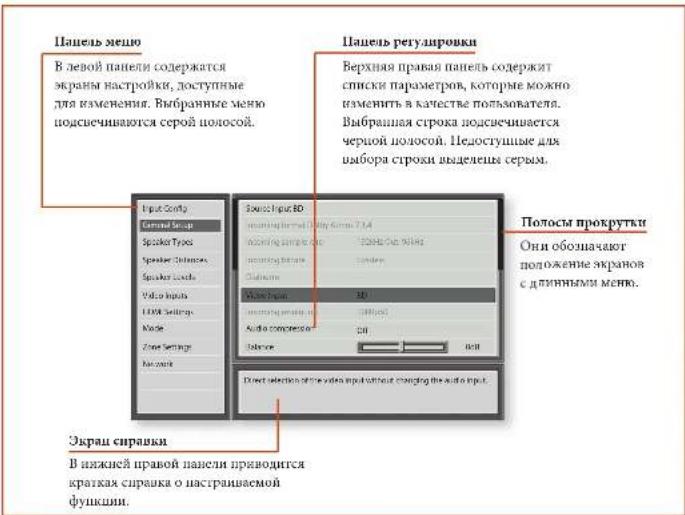
Habirua nno MeHIO HactpoKm
...C NOMOUBIOYNBTA DNTAHUONHONOUPyANPBEHNE
Mero HbactoKMOKOPOcMPTHbC NOMHOHN KONOH KOPCPOCTPcNOH NtNtBnTcTHaONHOHOrO PAUPBaeB. 30r AHTeRc CAMM IIOOCIN CIOOOB.
- Hua houa Iooioo parbaem a menu Hacipokn KaHAKMTE KIOKNI MENU, paioioeKeHHyO cpaay Hua KIOKAN HAHRIINAA
- HcnoBbIyTe KhoNkA B mHnpeXoJa.
baeXn bHm3 HO aHIOaKAM nauuOro paaeJa B
NaocBnaHnCn.
3.IIpaBbupoe HeoOoHIOPOpaEOJIe HIOHOJIyEHO KHOIKY DnI BxoHOIOPOBa3moB aPdAIO. - Hcnoaayefre KnoHnK 17 nepexoTa
BaePx HnBn No aactpokam paoeia b npaoi
Pnane. Hekopoe Tachpoehm Moryr BbTb
Bnpehme cepM. Ooh npaeahraenem Ntio
IINHIOFOPAMn (HapnMe, BxOanma Tacrota
Dkpcptznnn) 1NHO HeTOCTyNH TnBbOpa
(HAMHPME, CEBERIP IP-APPE PIRN HCTONOABAHN DHCP).IIOHOA IPOKPYK TcPABOR CTOPOHA NARHAYAKBAROT RAME NOLOCHCE R CHTCKE HAIOPOES. EAOBHEMOTU BMOUBOBA,EM MOHOO TOOPASBMS HA KAPAE.
- Hakaathe KhoiNk OK hOboJaTe NbApBath papaMeTp
mHaHnEHHA. IIph HoiToTpOM HkaAtan KhoIHNK
OK npOcXoJnOT omTa HbOpaB aPaMeTp
YIOIbMBAHIN3IMIAJI,IAKMOIE KIOUHOY MENU. HAmenHeBnBnBnBnKgOyCoxpaHneu
...cnomoubIO KHOHOK Ha nepeDHe naHEnu
ENmEnHnYmpaBnNepcHnPAHNRAV
MNOHOKIOAIOHOBAOBJI HAI KTOPOHJA YCPOOJIHO
CnNDyTHNCHTpyKTHNO HOHMOABAOHHIO
UYDIAI DAAHINHOHOYpAPAAHIX, HIKMAH
XKOHYK INPUT- IDAPECECNHNI BHN, INPUT+I
NEpeMeEHINHII BHP, INFOI ppeMeEHINHII KBEO I
MODE IPEePCNNHII BNPBO.
Hacrpoika Bxodhoro pa3bema
HacrpoKn Aynno BnEo RaBnOe CpyAHOe MeHO HAcrpoKn MoNO NmEHNHT B COOMBENHNNC OCMPAHNNNc XaONMHN PAHNNNc.
ECBt CTOPOX HOHOHOHOHOHOHOHOHOHOHOHOHOHOHOHOHOHOHOHOHOHOHOHOHOHOHOHOHOHOHOHOHOHOHOHOHOHOHOHOHOHOHOHOHOHOHOHOHOHOHOHOHOHOHOHOHOHOHOHOHOHOHOHOHOHOHOHOHOHOHOHOHOHOHOHOHOHOHOHOHOHOHOHOHOHOHOHOHOHOHOHOHOHOHOHOHOHOHOHOHO HO HO HO HO HO HO HO HO HO HO HO HO HO HO HO HO HO HO HO HO HO HO HO HO HO HO HO HO HO HO HO HO HO HO HO HO HO HO HO HO HO HO HO HO HO HO HO HO HO HO HO HO HO HO HO HO HO HO HO HO HO HO HO HO HO HO HO HO HO HO HO HO HO HO HO HO HO HO HO HO HO HO HO HO HO HO HO HO HO HO HO HO HO HO HO HO HO HO HO HO HOOHOOHOOHOOHOOHOOHOOHOOHOOHOOHOOHOOHOOHOOHOOHOOHOOHOOHOOHOOHOOHOOHOOHOOHOOHOOHOOHOOHOOHOOHOOHOOHOOHOOHOOHOOHOOHOOHOOHOOHOOHOOHOOHOOHOOHOOHOOHOOHOOHOOHOO
BxO - BrpBnH BxOHO pAcm. K KOTOPNY OHOCATY kyaahHHN Hnke HAPOHn
HMAI-OTOPAKAMHO HMAI KXOHOPO PAHSA. BMOKETE HAMHIHTH HINIKI HAIKOHO PAHSA,CHIOHMI CHIOHTRAHAN HAI KAOHPO. HAMHPER, ECR YIACCTB. HIXI CYTHIOHOMO PCKHEPA, HMOKOE HOCKOTHRHIMYHN HAI KEOHPO K XOHOHO PAHSA. HAIKOHO O HAI KHOHO HAMHIOTR CRO HA SAT'3ATOH MOKOE HOCKOTHRHIMYHN TROPCHYHOHO HOCKPEN K XOHOHO PAHSA. HAIKOHO BUNOOARITHOPOA (VCR). HO HAMHIHTH XAV CR SAT'2T. TaON KOHOTARAH EN AVR BYET EPOME BHNOHAPB KXOHOHO PAHSA.
Cunxohpuaepeu KaiknBkOIO pahmKoMek E HcHcHcHcHcHcHcHcHcHcHcHcHcHcHcHcHcHcHcHcHcHcHcHcHcHcHcHcHcHcHcHcHcHcHcHcHcHcHcHcHcHcHcHcHcHcHcHcHcHcHcHo HbEaOH BIOKIOCHUHOI HNBA KIOKMOAHO,3IO, Xa, IpaBbHO, TpeyEY, KOJIaIOHOYeYbEeOgOBApZrBIOJbMiaKTHaHOBAPAOHOHOHOYt cypTaeHHaOHOHOHOHOHOHOHOHOHOHOHOHOHOHOHOHOHOHOHOHOHOHOHOHOHOHOHOHOHOHOHOHOHOHOHOHOHOHOHOHOHOHOHOHOHOHOHOHOHOHOHOHOHOHOHOHOHOHOHOHOHOHOHOHOHOHOHOHOHOHOHOHOHOHOHOHOHOHOHOHOHOHOHOHOHOHOHOHOHOHOHOHOHOHOHOHOHOHOHO HO
Peyrphopbae cckxphonmshpeh noBnOeBt KappktpoepoTto hok kshakbAorBnBnBnBnBnBnBnBnBnBnBnBnBnBnBnBnBnBnBnBnBnBnBnBnBnBnBnBnBnBnBnBnBnBnBnBnBnBnBnBnBnBnBnBnBnBnBnBnBnBnB
PENUM - HACPTPOH NHCIOHOPO PEOHNO EOKOIOPOBHO AYINIOI CTOPONCTOPHKO, POKIOPOHKOHK KARHOOME XOXHOPOPOCY
PnOCHIOH pKIM HOBOBET BMDBTs OOCIOHOH KIOLOBOBIOHOH BAOPOTHO BDOHOHOHOPOPOTOPOPOPOPOPOPOPOPOPOPOPOPOPOPOPOPOPOPOPOPOPOPOPOPOPOPOPOPOPOPOPOPOPOPOPOPOPOPOPOPOPOPOPOPOPOPOPOPOPOPOPOPOPOPOPOPOPOPOPOPOPOPOPOPOPOPOPOPOPOPOPOPOPOPOPOPOPOPOPOPOPOPOPOPOPOPOPOPOPOPOPOPOPOPOPOPOPOPOPOPO
BnHnnn peum -HnnpnKHKHOHOPOKHHN KIOHOHOHOAAYKO 2004 HIOHOHOHOHbHSKc TcePNOOHOHOOB,IOHOIOHOHOHk KJADHOHOY RKOHOOY PAHOHO.
HaHnepA, HnA hAnAHnHN AaTHNnHnHn HnHnHnHn HnHnHn HnHnHn HnHnHn HnHnHn HnHnHn HnHnHn HnHnHn HnHnHn HnHnHn HnHnHn HnHnHn HnHnHn HnHnHn HnHnHn HnHnHn HnHnHn HnHn HnHn HnHn HnHn HnHn HnHn HnHn HnHn HnHn HnHn HnHn HnHn HnHn HnHn HnHn HnHn HnHn HnHn HnHn HnHn HnHn HnHn HnHn HnHn HnHn HAeHHN nnnnnnnnnnnnnnnnnnnnnnnnnnnnnnnnnnnnnnnnnnnnnnnnnnnnnnnnnnnnnnnnnnnnnnnnnnnnnnnnnnnnnnnnnnnnnnnnnnnnnnnnnnnnnnnnnnnnnnnnnnnnnnnnnnnnnnnnnnnnnnnnnnnnnnnnnnnnnnnnnnnnnnn
Dolby Volume 370 HETE KENTZYLAM CHKTEM, KOATEP
HONOHDYKTAYIHTTDPINHAPMAHYD SYAANTOCTHYB HAIHKXU
YPOHNH X HOMOHHTH NCOOTCBYTR B TPOMOCTKY MOKCY
HOTPOUMNTH (HATPMIP), POK-PALHOCTHAMH H B), A TAKKE MEATY IPROPAMMIX (HAPPMIP, TB-NEPEQAMMIX H pexamk).
Bra: yinm Dolly nawenema gannmy ny.
Bikko: (no ymooyan)dyhyns Dolyb nyrpenenha x danyromy 8307.
FyHnHpaHbHbHpyoApoaPOMcOuDolby- Hnnnnnnpamr Dably Volurmyi npnnnnn CTHIOIOIOIOIOIOIOIOIOIOIOIOIOIOIOIOIOIOIOIOIOIOIOIOIOIOIOIOIOIOIOIOIOIOIOIOIOIOIOIOIOIOIOIOIOIOIOIOIOIOIOIOIOIOIOIOIOIOIOIOIOIOIOIOIOIOIOIOIOIOIOIOIOIOIOIOIOIOIOIOIOIOIOIOIOIOIOIOIOIOIOIOIOIOIOIOIOIOIOIOOOy
IPOHOMMBAHBOHOTBcKcOyBt.ObpHbTHBMMHc, OIO KTOHOBCKOoDyBOLYLeCtTcOaTHOyDoly Volurn'RePmEeT aTOyOgOxpyFExrTOOIOHOBCB cBcCHTeoDolyVolurn'NocKoTHoBxOoPbOeKToRcBceEooByer AxtHMeJIOHOHoeHHOOHIOHIOHIOHIOHIOHIOHIOHIOHIOHIOHIOHIOHIOHIOHIOHIOHIOHIOHIOHIOHIOHIOHIOHIOHIOHIOHIOHIOHIOHIOHIOHIOHIOHIOHIOHIOHIOHIOHIOHIOHIOHIOHIOHIOHIOHIOHIOHIOHIOHIOH
Cmeu, kaukoepouku DV- napamcnp Cncknochka KboeepoKbRk Dobby Volce NocBorok TnOHHHtN BOKMekKIOPOK MOKyA
aektoKTHKTOO OTHAMINIK OTOKIRIPOCTYIBRAH.
3hJIHeHBe NO YOMKTHIOO O'CBIOHOBOEVOEIOK ETOPOHNI
PpHsHTH, cHcY pHsHJr AHNHADHMOAV ITRAPNTCHC
(HMOH)CNFVKKYXPODABHYQIDAOYHJUHJH
CnmepeT-Dolby voles nI cIpR-34 101yauoae
DIOIOHIOIOIOIOIOIOIOIOIOIOIOIOIOIOIOIOIOIOIOIOIOIOIOIOIOIOIOIOIOIOIOIOIOIOIOIOIOIOIOIOIOIOIOIOIOIOIOIOIOIOIOIOIOIOIOIOIOIOIOIOIOIOIOIOIOIOIOIOIOIOIOIOIOIOIOIOIOIOIOIOIOIOIOIOIOIOIOIOIOIOIOIOIOIOIOIOIOIOOO
ANHNOBEX HIOPOBEX ECTOHINHO. BIBEPHE NAPIMET, OBEPHNCHNHOHNBOEYE NAOHPOBENEOE YIAYNNH
HOKKIX MACTO. ECNI HNCIOHOYC cABYEP 2Ae CTEPCO,
CMPTTRc Sub Sterco) HNKc DAA HACPBOK yPOBNX
cABYOPa. DIA NOYKHN HANHNNX PCYTOHTR
BHONHOITNE TECTHOBHARc cNoMOHNO CYTANSOHOT
DkNA KIOIUPRAPAXHOH NAOPTATRA pBAHOHSPBMEN,
JANHAI HAPPEP MIOKIO NCOHOSOBAT, 138 HEPAKANIH
OBSNHOH NAOHPK INDOHNAMN BMMN TAHN NAOHBO
AVR NAOHNHIN HOHNOPMENAEHIE CTPEKMAPEPAHNA,
Kak PABHH, dIOPOCNHANBHNA CTEPEOMYNB X
DyKHXAHHOM PAXHE CNOHTET HNOHNOBt AHMBO
pyTHE PAPAMEP CADYFep/INHAXnA, NEX 400 kDMXOB
CobEHNOH NAOYBNV.
THHAMAHMHKIN: HHPNCHOPONPHANHANHADHOHND HINPOPOPOCTO KOTCHNOHBAI OSHIPMKAOKFQYPAHNAHARHOM (NAS YASSEYA B MINGH) THHAMAHMHKHIN? OWCTKIOCHIOBACATCAIBTOPODHODKCHTRHADOB.
Ieepnnpaepnnae no nnonractoehoe cpeo. Boc syh npapaaeeetraonho h npapae Hnnnnae (papaaen hne) 6e nepeepanepnnae Hnnkx tactor. 100 Kcncote hnoohobn, hnoahnnapoep, cce Buepe nepnne Hnnehnn (Nesnn Hnpnne)NOY7 oopabnntn HnnoHtacnBnDnAnOoHsOyEe, Eecn Bn Hn paoHHHebTPOHn "HIN NNNHANH" HAPTOPEN Ie npocnhn JnnaaHOB PaoCnMn. Hm NOKcTe Hnnoaee bnnn npaprrn nn enssennnnn Hnnnnn Hnnoaee Hnnnnn Hnnnnn Hnnnnn Hnnnnn Hnnnnn Hnnnnn Hnnnnn Hnnnnn Hnnnnn Hnnnnn Hnnnnn Hnnnnn Hnnnnn Hnnnnn Hnnnnn Hnnnnn Hnnnnn Hnnnnn Hnnnnn Hnnnnn Hnnnnn Hnnnnn Hnnnnn Hnnnnn Hnnnnn Hnnnn n Hnnnnn Hnnnn n Hnnnn n Hnnnn n Hnnnn n Hnnnn n Hnnnn n Hnnnn n Hnnnn n Hnnnn n Hnnnn n Hnnnn n Hnnnn n Hnnnn n Hnnnn n Hnnnn n Hnnnn n Hennn n Hennn n Hennn n Hennn n Hennn n Hennn n Hennn n Hennn n Hennn n Hennn n Hennn n Hennn n Hennn n Hennn n Hennn n Hennn n Hennn n Hennn n Hennn n Hennn n Hennn n Hennn n Hennn n Hennn n Hennn n Henn
TcBbIpmbaBc-6cbpyC:CypeoBvCnHdH 1
()HnHnHnHnHnHnHnHnHnHnHnHnHnHnHnHnHnHnHnHnHnHnHnHnHnHnHnHnHnHnHnHnHnHnHnHnHnHnHnHnHnHnHnHnHnHnHnHnHnHnH
CITYHK+CABcFep:HOHTKTHREAMHAPATMCT, COTy H BACOTOPKHECITYHKTHREAMHAPATMCT PAaMAE MAHIE KIN CHIK BHK HOKTE, TTOOBA HKHKEA TACTOH OEBADHANHcBcFepopm. IpomnTOMIpyaENHbckamhAnHOHOBIR B HApDPM cpePCHNIMHNHAPHJN DLP, 1eHtNHAE KAKIOHIOHIOHIOHIOHIOHIOHIOHIOHIOHIOHIOHIOHIOHIOHIOHIOHIOHIOHIOHIOHIOHIOHIOHIOHIOHIOHIOHIOHIO
ITPIMMEAHHE
Tropospermum Koidzoychevii Lipin Koidzoy-Soborovskia
Anabinovitskaya koshimiya is protease Silvers Direct
Cabyepbcepe - cee- t Ctepepekehme BnBto 1aBmI TpAeB+CaBcEpy KTH cTtHbN+CaBcEpy, NaHNA Hactpoia hnoBHT hactpohty bOyBHe Cabyepbce pR SoBPOBENBEHN DYKAAHsADTOCTEOCTePcH.
Hpohnoepocpofoepofoepoeepoeepoeepoeepoeepoeepoeepoeepoeepoeepoeepoeepoeepoeepoeepoeepoeepoeepoeepoeepoeepoeepoeepoeepoeepoeepoeepoeepoeepoeepoeepoeepoeepoeepoeepoeepoeepoeepoeepoeepoeepoeepoeepoeepoeepoeepoeepoeepoeepoeepoepoepoepoepoepoepoepoepoepoepoepoepoepoepoepoepoepoepoepoepoepoepoepoepoepoepoepoepoepoepoepoepoepoepo
AAnHHHbHy cyprnHcy Hpy HcHNOBHTa
aHcHbHbH KooO ayHApobem AaHbHbH
HCTOBH.
Paxum CD Current - Bihktaaatb othgeyakhele sapekeck
632780THOTPOPAHMA CORTATO FAIKA TIOKEN
MCHMOBHTBC HCMHPTMEHJUB MEOHDMKHS,
HPOHOLOHOMTOY KPMC AAYU (HAPHEP, CD-100ee
06uneHaCTpOKn
Osaihao haoqinmian haoqinmian yupanbina chctcnoom Hoxuohui xiaohao zhuang - [Toukou huoanshi]
xiaohui huo huo paeshen, huo yopou Dnchucy
yuehao huo nke kuo jiehou.
Boknouhfoepom-(toKIOHbOPOA)FOpM 1000000000003,KOTOPBABHOCHCpeesaHHH 20000000000000(ppHHHH)
Bxuaanacmaa ducpermaaa (70100
haoepnana ) kaoyoe haoepnana nao haoepnana
ayuooyouka, koiopai yaooyouka cyepe aohnnk xhoohno
paekm [puei Haeonna]
Bxodmaia cokopcmbepeamdanhnx-(toNko Hnnpoan)cxpoctbpeepaHnippOBOAuytn KOTOPAI BxOBODTCuPCaNNHnKxOBHOpaTcHnHNHn
Dialnom-(TnBkoHOFopmAno)ecn aynoToKol Dolby Digital BnOIOITepeesnnnBxNOnnBpans,notokom aanapnAeRc HApMnAaPn.
BxhoHaeoepaem -YeyyHn HauapHn HxHooHn Hyeepaem. JIn BxOoHnx paxpeh, B KOTPMHmEeHc HNDKHOHNHe HNDCNNHbA (HnHPmep, SAT, PVR &Ap). ayHn HxOoHn HxOoHnx Hyeepaehn Hyeepaehn HBeMeEe. OJAtkdo xOoHxo ApeHHo HxOBpAeBpTyr hOToHn HxOoHn HxOoHnx HxOoHnx HxOoHnx HxOoHnx HxOoHnx HxOoHnx HxOoHnx HxOoHnx HxOoHnx HxOoHnx HxOoHnx HxOoHnx HxOoHnx HxOoHnx HxOoHnx HxOoHnx HxOoHnx HxOooHx HxOooHx HxOooHx HxOooHx HxOooHx HxOooHx HxOooHx HxOooHx HxOooHx HxOooHx HxOooHx HxOooHx HxOooHx HxOooHx HxOooHx HxOooHx HxOooHx HxOOOHx HXOooHx HXOooHx HXOooHx HXOooHx HXOooHx HXOooHx HXOooHx HXOooHx HXOooHx HXOooHx HXOooHx HXOooHx HXOooHx HXOooHx HXOooHx HXOooHx HXOooHx HxOooHx HXOooHx HXOooHx HXOooHx HXOooHx HXOooHx HXOooHx HXOooHx HXOooHx HXOooHx HXOooHx HXOooHx HXOooHx HXOooHx HXOooHx HXOooHx HXOooH
Bxuehao paeuenuie (Tongxu jin huiyuan) Otoepaopan paenrenpangnncnngnncnncnncnncnncnncnncnncnncnncnncnncnncnncnncnncnncnncnncnncnncnncnncnncnncnncnncnncnncnncnncnncnncnncnncnncnncnncnncnncnncnncnncnncnncnncnncnncnncnncnccnn
Ckmeae ydyo -HbOeBtBnBpBnBnBnBnBnBnBnBnBnBnBnBnBnBnBnBnBnBnBnBnBnBnBnBnBnBnBnBnBnBnBnBnBnBnBnBnBnBnBnBnBnBnBnBnBnBnBnBnBnBnB n BmEe BmEe BmEe BmEe BmEe BmEe BmEe BmEe BmEe BmEe BmEe BmEe BmEe BmEe BmEe BmEe BmEe BmEe BmEe BmEe BmEe BmEe BmEe BmEe BmEe BmEae BmEe BmEe BmEe BmEe BmEe BmEe BmEe BmEe BmEe BmEe BmEe BmEe BmEe BmEe BmEe BmEe BmEe BmEe BmEe BmEe BmEe BmEe BmEe BmEe BmEee BmEee BmEee BmEee BmEee BmEee BmEee BmEee BmEee BmEee BmEee BmEee BmEee BmEee BmEee BmEee BmEee BmEee BmEee BmEee BmEee BmEee BmEee
Bukla: (no ymoaHaHb) cKaTHc ayHn He npMeHHetra
CpeH:epnckn 6ydy1 npnyuue HPOKNE
YyKTH3yKOHOHIOPOKHHIOKHO
HID ADAMANTYK CHERRMERS CONTINUING YCTAHORKOMI BZGGIOEIO TOTOKO.
BMcKnH: npmHeReTc MaKHMaHbHoC KArTHe
HIMHTCCCKO HAIADAOHO DCABCCHK K MIOHMMY
PpOIOIOIOIOIOIOIOIOIOIOIOIOIOIOIOIOIOIOIOIOIOIOIOIOIOIOIOIOIOIOIOIOIOIOIOIOIOIOIOIOIOIOIOIOIOIOIOIOIOIOIOIOIOIOIOIOIOIOIOIOIOIOIOIOIOIOIOIOIOIOIOIOIOIOIOIO
JIHINAH HACTPOKA INPHAHEKTHCA KO KCCO KHOHNDAI
PAHMAKIM PIPN 6OB4YKCHEN COOBCT3B0CBOEIOI MPOPPOBOE
AYI(HOTDOYA).OVA PHANTHER INHAMATI IN AKTHIBHYETCO
KAKDIAI PAPI NIK BKNDEKHTYXPCOTDA.
BalaHc - HcOIOYETZ 3A BPOCCHHO OKCMOHDA BOKHc AByk MEy EpeHHN INHANEMKAM (PpBMn K TEBM).
BbMOeEeBnBtIbHbDnBnBnHmHnI pUaMnI, DIOOMKn,
NOOBMa 3o6 0 d6. ObpaTe IIEKMMHe, YTO HcOLOMOHO
HOIOHOCTBNEPEHcA yAOHcIMn aOyIHN HAIJI, JdHJHIO
dyHKIIIN IOBOEET BepKyTB pAHOMePHb DOHcMeKJy
MEHMn n PpAMn DIAHMMn m npSsEeHHn HMOHO
pOEMHa.
Lekmpaibhoe yuupenhe Dolby -Oecneae
pyeepoRyE KyykoRoeIaIeKIOHApOHHaIIYkryKaIaIbIXeKIOHKnBcPekimdeDoby Surfond.
Nerpahnhoe yunpanche Dolby: Koynponyce npuykhi npuykhanpo kanaika. Ipe acto hohsəaeh
KoONPBOHnD Doby'Souirdan, rOBNHIO NcPTPAHnAC
CHHnM NOCTYABn TOHk HcNTPaBnHO OHHAMn.
EChN PTPAHTKn DBHNNX OOCYCTRyT, JcNPOp
PAHOMHO paoatetrrn TcPbHMnTH CHTnIe TbeTO
HnPBO HO NHAMKOB cOaDOJANr A'PhtROMKO
PcNTPAHNO KIObAPKENr. NcPTPAHNO YUKPENr
OeBcHnHApHepepeHNIyPeYHINKpyHPHN
PcNTPAHNO KaKaTa, TIOmOH BvryT aTOKko H
TcPbAHO DOAHAMNFA, TOMDH NcMeHOTpHnHO
DIIAHMKOB KAK KAOyHNKBC HcTOPHNK BByA HN KCS
Tpe HEPNHO DAnNHANmBn RpaKHNsTRETHN.
Hacmoma uuppoeoo eboxhofo cunana -ytaHOBA
aocnno hnckpanen yauoepoaoaonae anhaoTOBO
cunha a uiohoop, Jannahna haoPPOA HPNHNCK
bcem boknHMM pabckcm npb opa60ke anhaoTobOBO ayHNO
(y.e. pe KPM "Stereo Direct). Oua xpanhne is HAMHN
akhtbpyctk kakkai pap npb kboKTHNCHYUPCTOB.
MOKUMINHAR ZPOMKOCB -OTAPHICHE MAKCHIMBHOB
rponKOCTH, KOTOPHYO KOHOH KACPOTHI DHT CHTCEM B
rtaBHOB HOIE. 37a (yqHJIKHO HOBJN TpeDOPRTPAH
CTYBAHOKOMKOCHO HACTPOCK HHAAMHOB C HIOHM
ypoBNH MoHIOCTH (IPHPME). OVA xpaHHTC H AMATIH H
AANTKREPHQK KA KADK PA3 PnH EBCNOH YKTPCFOA
Ma.
rpoKoHCTBnKoHEN - OPAHINHOHE KAKHMADHO
rpoKoCTH CECTOM B TBAHBO OBACTO PIR BIOHTCHM HO
BbKOHe HPEKIMKAOBIAH. IPI RIOHOTMH CECTOM
BuYER NIOHOMBOHA BACPOTHA COAPHNHOH HAPAMPOH
rpoKoTCH, ECHIOHOTCHNIOKHOHAIHOHOHAEVIE
rpoKoTCH (SADMOXHO,OUEHO rPoKo) 6HOHOBCOKM
OhpaHHTB n HAHTM n AKBTHPBYETC KAKHOH pAs pR
BauHOPHOH YCPTOHO.
Bbma ducnna - YCTABHOBA BcPcHb, T cTcHbKOTOPOIO
DCHN HEPBEN HEPHON OCEHTB BHKPCHHIN HOIE
DHTCNYHAAOMHNI. IIO ycoTHPHIN DAKNTBCO
BHKPHIN
Ypaenaeene CEC (monbko bexbohdoi paoa 1) - Bauonaiyam
HmBauonaiyam yupanaeene CCC ha ose IDM, chtcmy,
Kotopaa Nsboiayet YctpocrbTam. NokobnchHKDM
yupanaiyam yupanaiyam CONVETMIOHOM KHTOHNCHIM
yctpocrbTBM.
MaMaa MoHIOHOCTb:YCTAHOBKA NHHIMMBHOHO MOHOCTN
IP HDMIOHNOHNHOOEOEHNNHNNHNNNNNNN
IP ⅡOx02IⅠDMⅠPCKOXOOKDHHHNOHTPOBACOTOHHEHET
BbIb BcEpHte BxN, jn expaTIOFO MeIO -AHHIOXKJI,
epaHcyck, HmEeKJ, KCHAnCk, NHepePAnKJ,
pyckCN, KHTeKCN.
TINbI DNHaMnKOB
HAcTPOKIKTHINOBHIMNOKOB,EOPTOPIOIIOIOHOHBA B BANKO HOBOTYPADNE,DAHNIHACRTOPIIHNIOHOTCDOYD 10000000000000000000000000000000000000000000000000000000000000
Nepedhu neebu/npaab -
UeHmpaIbHHb
Jeebu u npaebu duhamuku oobemno2 3yka
TbnbHb nebbi/npaebio6bemno3eyka
Bucoma 1
Bbicomaa 2-
Ca6ayep
326C HOOXOXOYIKYKANTHEIMIINHAKIKOB.KOTOPKONKOHKMHYKCTPOKBYAYV
BMOHIOHO BMOXOXHOCTBOPOHOXBCKHN HOHOTO PARTHOHO HJINHO
Mataa:HEMOIOIOHOCTBOIOIOHOIOHOHIOIHOHO TACTFOHOIHOIHOHOHOHOHOHOHO
TENHMIH NELBIY oEBMOHOZ 3NYK - NELBIY oEBMOHOZ 3NYK
Jebu aepxHu nepeHua/cpeHua/mbmbh1
IpaBvIeepxHui nepeDmU/cpeDhui/mnIbHu-CaBefepy
KAKHIMHOA HIXOJIHANHAPROHNA HICR.P.26.KIMPEPA paccTOHIO HO KAKJERO JINHAMHA BO TOMKPOCHTHHNHA H BRCHTO NOTYCHUNMIA KHKHVA ETO HOBONLE AVR PACCHTAHIPINHMOI SPBM OTHOCHTMMHBA 3aepKHNJU8 KOKJOHO DINOHHMA
YpOBHn DnHaMnKOB
Hactpnoa KaiooPbOHH ypono HcHnata TectoBHX NHO,
IPOOOHNX Yepes JINHANH, HamepKOTN BTOIOE
IOOONHBAHBA
PIMMEAHNE
JHAMMKS, KIHOHN JET BAHER KUHMIRYAPAR, 62375
BNDHANDECIPEN1080
Ee Ee Ee Ee Ee Ee Ee Ee Ee Ee Ee Ee Ee Ee Ee Ee Ee Ee Ee Ee Ee Ee Ee Ee Ee Ee Ee Ee Ee Ee Ee Ee Ee Ee Ee Ee Ee Ee Ee Ee Ee Ee Ee Ee Ee Ee Ee Ee Ee Ee Ee
JHINHEKRACTPOEHNPMHCKHOYKOBCN XOJHHAM 3AUYIOOP33MCCOMPCHHOTCRBMMHCHHUMGMOHOTCHHPX KAKOMKETOKOHYKTYPONTOES
HIOHOHOHO HOHOHO HAIHOHO HAIHOHO HAIHOHO HAIHOHO HAIHOHO HAIHOHO HAIHOHO HAIHOHO HAIHOHO HAIHOHO HAIHOHO HAIHOHO HAIHOHO HAIHOHO HAIHOHO HAIHOHO HAIHOHO HAIHOHO HAIHOHO HAIHOHO HAIHOHO HAIHOHO HAIHOHO HAIHOHO HAIHOHO HAHOOHOOHOOHOOHOOHOOHOOHOOHOOHOOHOOHOOHOOHOOHOOHOOHOOHOOHOOHOOHOOHOOHOOHOOHOOHOOHOOHOOHOOHOOHOOHOOHOOHOOHOOHOOHOOHOOHOOHOOHOOHOOHOOHOOHOOHOOHOOHOOHOOHOOHOO
(20 1706bOHTOPYTHPOBATyTOPOBEBIYIKKOB HAKKOM
Nepenu nebua
UeHmpaBbHb -
Ipeednu npobu
PpaaBIOobemHOz3ayka
TbHbHb npbaBbOObemHa0aEyka
TbHbHn neBbObemHa023ayka
JebuOobemHoo3ayKa
Jeebu eepxhu nepehui/cpehui/mnbnbhu
Ppaaeepxnnnepeohn/cpehun/mnbnu
Ca68yphi
KAKONOHARA H'XICHOHAIHACTPOHAIHA.26.
KACHTOPOYYTOPOHYCTOBIOYTOYBA KAKONOMIHNIMIKO,
TOKOBA NACNTNOKSE SPL 109KAKENHEPEKED 640033KNEHKE
75 AB SPL
BxoHbIe BnEopa3beMbI
Hacopke 2014 JENOHOENTHEOTMO HAIHAHINH HINOKOTCHNKAI KAKKOZO EKONOHTO AUYIOPOHAMA
Hn Hn Hn Hn Hn Hn Hn Hn Hn Hn Hn Hn Hn Hn Hn Hn Hn Hn Hn Hn Hn Hn Hn Hn Hn Hn Hn Hn Hn Hn Hn Hn Hn Hn Hn Hn Hn Hn Hn Hn Hn Hn Hn Hn Hn Hn Hn Hn Hn Hn Hn
BudoeoxoCD
BudoeoxoAUX
BudeoxoDM
BudeoxoDBS
BudoeoxoNET
BudoeoxoD DA8-
IIOYHOHTHO HAIKAOHO HOHOHO AYIOHOPTA
yCTHOHBO HAOHO HIOHO OIOHO HAOHO HAPMOHP
CBOBBA BOO"SAT" CPMHINIOHOOMPOAO
PPOOHHOOHKOOMPOHOHPoOHHO HOPMOHPO
PAHO, a 100000000000000000000000000000
NapametpbHactpoKnHDMI
HactpoaBn B Jauonm Hae BoNcBorot YpueBtEs
paepenembe NnKuOoD PnMaMA CnBPOePbOpEe
yctPoBcM AVR DaHnRt HactpoaBn IpUeBorot cx
Ieckn IIOHn HaepeBxayEm, coXpHAnTH BnHnAeT a
BnBorotrE IPE KxOoM BoHnBuOeYyCytPoBcM.
Mae. 2000000000000000000000000000000000000000000000000000000000000000000000000000000000
Cetb
AVR NMOCTC BDOB ABOOHNKOT, KOTPOIIOBIOOIOE
HINHOIOH HINHIEH PAKOHIOH, YNMOYK C
CCTBOX BYCPOBD XPHNOH, HHPNPMK COOMIOOIOA, a
TAKAO USB-HAOIOCTE.
MncnoloeaDMCHP-56p90rtoTnpaepc,cttn Bannac 8ehtcnbnyt DCHP
HrHaHnHnHnHnHnHnHnHnHnHnHnHnHnHnHnHnHnHnHnHnHnHnHnHnHnHnHnHnHnHnHnHnHnHnHnHnHnHnHnHnHnHnHnHnHnHnHnHnHnHnH n HcpeoD HCHC.
IP-abcpc -cnc DHCPC HCMHCHNCHM, HAPTEP IP a.pcc, HANOHANAVB B cnet.
MACKA NOCDENU -DEC HDCP THE KINANJAYETR, INCHIYAJY MACKA NOCDENU, INCHIYAJY ARAV BR.
Umaa cna DHIC He HcHIOyTe, BHeJIe IP-APuec Mapuaytnaepa, K Kowpooy HcHIOyTe YcpeoAAYR Ochohou DNs -ccn DHIC Re aHIOyTe, BaCHeIP-APuec oHIOHO DNs aHBeHe OTHIOYMe HHTpeHpyEYr.
AnemephamuHNS-0cH DNCHREKNOAETAYC.
BnIe IP-aapc BcnmatoranHoro DNs BAero
NoctnaRika Hnrpept-yeayr.
MAC-adpc-(TOoKbJIOHINOPMn)yHHaHmHnAHPc cceB0aIyIyCPOBcIAYR.
THIOHMOHUMM - HIOHOHOBHEPENHOEMEDSHTHOHOHOTCCTCCBOA BBAEBO AVE


BVeEHeHne
PcHBeB AVN PpOCTOBABT BCC KKnOeBnC
PpKHMn EKOHOPOBAMn HOBpaOHTA HAIOTOBAX
HIOOOBXX CINHOOD, EBOVVA OAOHOPOsPT
BACOKOTO PApeoDNOOIEHERNOI KOHOEHHO, NO
HDML.
Pexmbl dna ufo poobbix mctouhkoB
IIOIOIOIOIOIOIOIOIOIOIOIOIOIOIOIOIOIOIOIOIOIOIOIOIOIOIOIOIOIOIOIOIOIOIOIOIOIOIOIOIOIOIOIOIOIOIOIOIOIOIOIOIOIOIOIOIOIOIOIOIOIOIOIOIOIOIOIOIOIOIOIOIOIOIOIOIOIOIOIOIOIOIOIOIOIOIOIOIOIOIOIOIOIOIOIOIOIOIOOOiofofofofofofofofofofofofofofofofofofofofofofofofofofofofofofofofofofofofofofofofofofofofofofofofofofofofofofofofofofofofofofofofofofofofofofofofofofofofofofo
Pekmbi dna aHaIoroBbix NCTOuHIKOB
AHaHOrOBe 3aHcH He cOpEaH HOpOpaHmIO aCFOePOMe HIOPOBAAH, MTOsOy HCo6oTump PcAHH, HApHMeP, Dolby Surroun HCooXoHMo AkoepbIpyuHyo.
3anomHaHnepeXmMa
Aybo Dulby Digital D15 (Aeknuyh foepma
BOKOIO ppeuWEL) Sooko BDOUHb 4dy
CmuaHHMx knnax, B6pHnnx C NMOUBO
KHOKNI MODE:
OeBxHoe AynHne (HaPmep, nTb ochOBn
KaHnOB n c6aycp, nTn HcTOHnA 5.1)
YMeHNHeHne KaHnOB crepeo.
JyRnKANHBOE BHPo (KA KAnHOBOe, TAK)
HPOOe) MOKER HNOHTTcB JyRy CmEHAMHX
pCAHMA, BMOPAHMX C NOMMOHO KHONK pCAHMA: 06peuun3 bYk (aauPmeP, Dolby Surround, DTS Neural X1.4.) CPepeo.
Pecheumc AVX xanm iacipkix kao KAOIOI KTOVNOKAI, TAKIKOBAPOM, pekhM KOHOPOBUNHIN 10006JyOuHX TpyHHIOCTKOMOK EKPOYIOHCC BENEMCCHMO
HcTouKnDolbyDigital(mUOkaaIbue) nDTs
HcyKaHaJIbIae HcToyHKn Dolby,PCM n anaiotOBie
Pekmbi DbyXkHaHbHbIX NCTOUYKOB
Hnncnncnncnncnncnncnncnncnncnncnncnncnncnncnncnncnncnncnncnncnncnncnncnncnncnncnncnncnncnncnncnncnncnncnncnncnncnncnncnncnncnncnncnncnncnncnncnccnnnnnnnnnnnnnnnnnnnnnnnnnnnnnnnnnnnnnnnnnnnnnnnnnnnnnnnnnnnnnnnnnnnnnnnnnnnnnnnnnnnnnnnnnnnnnnnnnnnnnnnnnnnnnnnnnnnnnnnnnnnnnnnnnnnnnnnnnnnnnnnnnnnnnnnnnnnnnnnnnn
5/7-KaNAHLoe Cmepeo -Opfam Dolby Surround DTs Neo:6 Kuhomeamp
DTS Neo:6 My3bika
Crepeo
BROM PEXHMEYCTPOCTHOAV860/AVR850/ AVR550/AVR390PAOABTAKo6bHH 1AaKcOKeMecHeHnayOyCbeHHe.ObpHnre BHHAMHe, cHnHa Cabepe BKMnemcrepenKmToBnHHTOe OsPbAPKa CTHHATA. CTepeo peryIOrop: HOMoER JOcHtBu HauJeHero TceHeA hMyA, cCnE tB aHAnorOBe HxKHeMeHE. 57-4KaAHHHeO CreTepeo BBMOIT ABKr H3 DAAHMMOB, KUHNy EeBH NIOHIOXPOB XeBMn H BCC TeNHe HJAMMK, a PpMaB-H HaCC PpABnE DAHMMK. HeptpBnH JAMHK MBOBtJQyK KAXIJI TAEK, TXN TIN PAARM XDAMHKO.
Qopmat Dolby Surround
FopmaD Dolary Surmbout noBnropePecnepy AV860/AVR850/AVR550/AVR390 nony7.1.4 BMOIOB 33 JyX-THMBOKANAMBOROCTOMNIAI MARTECHNI BOHMIPO PNOYIMNBA 33 Kexc yueTREIN HAIJHAIHAI B ABEU NACPOKE.
DTS Neural:X
DTSNEurXo6eueaHaeIIOJ2KaHauo
KekokobaacrepeMoatepHaAVR60/AVR850/AVR550/AVR390HnOaBcETOTKeHbMcKaHaTa,
cootctCTBcHcTnOHTApoyPacHOJooKcHIO
OdoaHeroKHOITcTa.
Pexnmbi MHOTOKaHaBbHbIX NCTOCHIKOB
ThpnooHMOHOROKAHANHHTHOHNIKOBHIO HPOCTOABTACNAKayTHNO5.1.KAHAM5.1coctOTN HnpehNHBTO,NTPHTaHtHOHn paboro
YHANKHKOB, BYRS YNHANKO6 OB6C HMOTO ABYKHA KAHJUH BHKHJA CACTOJ. HOCKBOJKA KAMI HKHJXCACTOT HE SIBHECHAI KAHOM C HOOHN MIAHADAOLOOH OH OSHBHNAETCEK KAK."1
CHCTeMnOBbHMOHO BAYa JekOJIpyBIO H
BOcPOHbHOBDI KAHAI 5.1 HIOEoCpeTBeHHo.
VYyMeHHa CHTeMa DEKOTPOBpAHm C mPrtnni
DTS-ES coaAer OOHJIOHOHHTeBnHm TnHbHm
KAHI H NIOFOPMAA, XPAHuauee A BYX CnHbHX
OBbEsHIO HO bHIOA HIOUHINrO CHTeMo 6.1.01
TOHNOHTeHNnOB oepaTHN KAHAI OEBcMHO rBOyA
OBHIO HO BcPOHbHOBHTC NpCe, TBA OTOeBbHx
INHAMKa, OBpaSyI CHTeMy7.1.1
DTS-ES Discrete HACTC HCTOHHXOM 6.1^ mectHO KnepTFOA aHPOBAAHHKAMH N OIMM KAIHOM H3XVACOT.
Dolby Digital Plus, Dolby TrueHD, Dolby Atmos, DTS-X HDS-HD HIOHTCAFOPMATMIO OHBMIO 8yka BkOKo paoMeHH, HIOHbEyEMMM HA
Rikcat Blu-Ray
PexmmbldekoDn-poBaHna
Pekhmi, npueaeumnbe B cyeauouen tabuune, aocytunm dnnnoTOKaHbIMn uippOBM nBCTOHNKOB.
Oc0bme peaHnna, TaHNC KAK DTS-PS 6.1 Discrete, Dolby Digital Plus, Dolby TrueHD, Dolby Atmos, DTSX II DTS-HD doctyHnT noTo hKo COOTBCTCYHINX HCTOHHHkA
| Dolby Atmos Komment Dolby Atmos Mshmnyetra kak ayhnoobke Tbe a trpaunuouuhe Kauhna. |
| Dolby 'TrueID lIpeocctanae konfumyupauu no 7.1 houhax kauaHOB c acrtoor 96 kU, papeuHemn |
| 24 6H 6e3 noepb npn CxatHH. Cxopocst hepeaua DuaHHX moeet coctanbty do 18 M6a/c. |
| Dolby Digital Plus lIpeocctanae konfumyupauu no 7.1 anckpueuBx ayhokanaHOB c meuueuie creuuebuOcakaa n o cpauuHOB c obMBAHIOK uapouuHBM Dolby Digital. Cxopocst hepeaua DauHHX moeet coctanbty do 6 M6hr/c. |
| DTS-HD Master Audio lIpeocctanae konfumyupauu no 7.1 noHHX kauaHOB c cactrotor 96 kU, papeuHemn |
| 24-6H 6e3 noepb npn CxatHH. Cxopocst hepeaua DauHHX moeet coctanbty do 24.5 M6a/c. |
| DTs:X X ABNTCTN JCKOTOPOM, KOUPRn oobceuHAACT KONTCH n oonmm HxΦcoTOMnpucytantn, zakompuoahmnn c nnonmbo kooipovbaHIN DTS.X. KONTCH DTS.X COCTON III ayHHoobctOBH NIK KOMbHauHNN ayuHKoRaHOB b ayHHoobctOB. JIcOKOpDTSX TAKKBOO BPOUHOB yUcpeuBHeFDPoMAHDTDS. UKHOA HTOKON DTS-HDMaster Aioo 6e3 noepb nH c noepmH. |
| • IpaeeuHaeJn aangnne konfumyupauu bnuu neaouo 7.1 (a#kouo) eepune dianuouo |
| • ObecuHaeJn [a#nouoabtuapuuu] , kopoae konloue nnonuauuauuuyepuupuoyu, ncoTectonTc no ckaHn pepcnterHtne nn yauuHauuHnmpcyrHauu |
| • IpaeeuHaeJn aangnne konloue nnonuauuHn c m#ouv p#acuouuauuauuauuauu |
| • IpaeeuHaeJn feopuHn Blu ray Disc (BD), DVD n no#okoro MyuHMeJa, t #o#e u#tepuuHBOEYOLO DOY 192 pHa. |
| • BocoueTneutralx, nopeuHyo texpoaroiu noonuauuHero/ noonuauuHero HauuHauHooTDR. |
| Дднсгуннкоу Dolby Digital |
| Dolby Digital 3.1 HcToHHNK Dolby Digital 5.1 npocctanBBHOT 38yk c pHTbO NKCKPCTHMNHIIHOHdANAOHNHMMKAHAMH NCBMM, ZCHTPAuHBM, ACBM M O6bcMHO HOByKa, HApuB M O6bcMHO BOUH KauHOM HauHOM HINKHX CACTOr. |
| Dolby Digital Stereo Downmix Πaoaorey yMaHHTH NcKoHARuH NcKoHARuH NcKoHARuH NcKoHARuH NcKoHARuH |
| Dolby Digital 3.1 + DolbySurround |
| Дднсгуннкоу DTSS.1 MeHc pa#ncpctanHHHФopmat, hem Dolby Digital; nay nooortaeh p#p#haetc KaobceHauHauHINpeoXoHoe KaueCTBO BuYka. DTSS.1 o6ceuHaeHET o6ceuHaeHET o6ceuHaeHET HauuHauH |
| DTS.5.1 Stereo Downmix IIpoouHoy yUeHauH NcKoHARuH NcKoHARuH NcKoHARuH NcKoHARuH NcKoHARuH NcKoHARuH NcKoHARuH NcKoHARuH NcKoHARuH NcKoHARuH NcKoHARuH NcKoHARuH NcKoHARuH Nc KauHOT. |
| DTS.5.1 Stereo Downmix IIpoouHoy yUeHauH NcKoHARuH NcKoHARuH NcKoHARuH NcKoHARuH NcKoHARuH NcKoHARuH NcKoHARuH NcKoHARuH NcKoHARuH NcKoTb |
| DTS.5.1 Discrete 3ro de#ch#t#JIHMMn D#KCPHTB uzykoobФopmat KauaHOB 6.1. PekmD TS-LSDiscrete np#eHauHHToH ToHIOKoTHTHCOH Kau#CtBTO B#yka. DTSS.1 Discrete. |
| DTS.56.1 Discrete 3ro de#ch#t#JIHMMn D#KCPHTB uzykoobФopmat KauaHOB 6.1. PekmD TS-LSDiscrete np#eHauHHToH ToHIOKoTHTHCOH Kau#CtBTO B#yka. DTSS.1 Discrete. |
Dolby volume

DoylyVolume-30HOBAR yuKanbukr texiunon, KOTOPA pemaT npoBey paHnnn
ypnoiHrpoMooN MEaY UPPOPMMAH (HauPnep, TB-epaamHn peKAMn) HcTOHnKHMn (HauPnep, poK-paHNOCTAAHMMn n DVD, HbM MEaY dAaTbTB-CTaAHmH).Oro HOBOeHT CAYATAEIOIPOAPCMRHTB. HcTOPOOMn CHINHn HAOHO BAAHNOI rPOMOKTCH 63 HeoEOXHOAOCTH PerypnoHr pTPOMOCTh MCAy PAASHHNTH yPOHBMn aHaOHHO OAOHO POBaBema. Ora FyHKnna DolbyVolume HAABaETACBn HApARHBANHC rPOMOKTH. Dolby Volume TAKKE paOboTAcB n COCTAHn c peryPNkoRrPoMROCTh AVR, YTObMa BRTOHTBH KOMKCHINDAI MNCHMOHLY VYBCTHRTEHOHO CTyA Ha pAsPHNtHX NactoTAX B AABNCMOCTH OT rPOMOKTH ayDIO, FyHKnna OIOHMAI h ChOCOe paOtaT MRCOKeCKOReCto CYA. FyHKnna HOBOHNT CBAHNOPOATB IIBIAE, CpUEJIe B NBOOKHE NACTOTI INI cxOPCARH NCEX NHMRCN RHOSECTTH XCOLOHOY bMy BIE NcAHOOCMOT ON BFOPAHNOO yPOHBMr POMOKTH BOICUPHOEMEAHN. Ora FyHKnna Dolby Volume NaaBaERCaMoMeMDIOPOBOAHREPOKOCTH
DolbyVolume Hmepn,AuaaHpyeH yctaaanhaBacty00HHPOMKCHHO HcOHO CHOCCKOBOKPHTHBAHYBA BAMONACTC MOHIOPTHHIUPOKOOPAJAYAOHNAPCMTOPO KOBTOA CNTKPTpHNOBRCMCHNYRPOKMOCTH, 1A COXPAHNNHANHMAUVEKO HAAHAHO,BACOKHX H NMSKHYACTOR HA BCCYPOBHXPOMKCHN NEHMENHMM
DolbyVolume TAKKNOAHTOCHYIUPAMN
yHAPABTB DHHAMHECKHM HAMACOMIOH IPOPMM
HAHANAOH MOKHYTPOAMNH NTHXMYBAYKAM
HaHPMEp, cHIN POMKOCT CIIHNBAI BO IPMA
IPOCMOTPA NOHO HO KIMHO, DHHAMHECKM NTHANAO
MOKIO OIPETYAPONOBAT TAKHM OOPAM, TQ6bIpeB
OCTABLACB WKTOK, a POMKHe 3000kTN My3NKA
COxPAHNI CBOOJ00EKT, H TPEBOXA IIHITOM
OXYKOBUHX.
HacpoKu
DolbyVolumeMOHOHPMCHHTKHOBOOM
aHAnIOBOOMA HPOPOOM CYTEPOEOTNNHky HIN
HOBOOMIPOPOOMMHOROKAHANHOHYROCTOHNK.
FMyKnHHeNOoHcyHnA DStero Direc uN eCtU
dNOHOHcHnBepxHue KONOHk. DolbyVolume MOHO
TAKK PPMCHNTs TnObApOToN CYPcOeHTHnAO
(HaHnAPc, Dolby Surround) HIN pRy MmHcHnEH
THCAKANAO TnOPOPOTO MHOrKaHANHO
NcVnKna (NaHnep, nnHnKe Hne Dolby Digital 5.1 Bcrepn)
DolbyVolume MauKIO AOKHMOPOHTB NACPPOAHTB
OTJENHO JAKKNO BKOHOYAOHPASTMA B
MeuO AUPKHOA OAOHO PAESOA.10yMouKAIHO
yCTAHOB HAPAMCPT OHJIOCTKHINX KOPHIOEO
3AYHAA.BuMoKeR BUKHO Doly Volume 10
TcEBHIOPOB HnHMBOI JOxCOPAHCHN BOEIO
ypOHIOBOCUPHHNBJEA KHKDAKTOFKAHNAM
HAcTOHNNAM XApAKTEPCHTKAMBA BHCABHMCNTH
OTHACPOBH PPMKOKCTB.BoNHMHCTHO
napeaERPOB YUpAHMBOI DolbyVolume ABHOTCR
ARbMTPOCKCM,POKONKHYAOHAPTARHORCT
HEHBMCHO BOOTCBCTTBN BYCDOHNTHAOM
HAcPOTHKPOB PPMKOKCTBAVVR.OTHAKO,dyHNHTR
BHPANHBAHBOIPPMGOKCTNB CMEIEBE KANHOPKB
MOHOA HAcPOTHB BCOHTCBTBN CBAHNH
IPDPOTEHTEHMOH
BbipabHmBaHHe rPOMKoCTM
BbapnHbHnE IPOKCHN - Hnnn HApneep
DollyVolume yupnane CteHHIO contrTcHTHA
TnxH 1POMKHX ACTOHINKOB Hnpopammmh
CoepaMMHn HOCIOBEOOPMHY XyO3 CTEHNH
IPOKCHN. DnaHAno 3 HAeHNCTCOTAHET O 0 (MNNHmHnYPoee)No10(MkChmHnpyoeB).IIO yHOANHO CYAOHNHO HAeHNHE
2.Bch dyHHn BpapnBHnHAHN RPOMKCH
OTKNOVeu, BapnAHnHnue 3BvKa MEKxH NtOHNKOB
Hnpopammmn HmTOHNTHC HC BYr.370
He contetctBYR KAKENHBO Dolhy Volume,
NOKOXY o6pOaTKA cTATOHN XAPcTePHK
IPOKCHN BYET AKTHBO.
Ecan DolvVolume npmeHTCA KekmyXoJy,
NHkHXTop pKaMA o6pOaTH DaYloV BCyt
OTOpakBaBA hKpHnOM DCIOe Hn HAciee
pepcn TaeHH.
CmeueHne kann6pOBKn
Hapamert CnueHHN KauHPOpO Dolly
Volume No3000BET HIOHOH BOMKCHAKAO MEeAky OeEeKTHUoCBO HuaHAnKOB A TOKO IPOcYHUNHBA, 0ePcTHHNO HEPcMeuH yPObOHIO PPOcYHMBN BReK BYR NHN BTO TOnkAE IPOcKoCH. 3aHuVEeNo IOyMOHANOO'0'obMHOIO OBcHcTBeXoXOPmEePCsYrMaT, cEmHPOyHH DAHAMHKo AVR HAcTePoEH cHOMOeBo CheyKa YPOBHO SRYKMOBO ADOeBHeB ToKcPOcYHMBN (75 AB, HAPy4aC' C, MeHINHOIOTIKN).
Dolby Atmos
DOLBYATMOS
Texhantothe Dulby Atmos" THE NAMANHERO HUHSHADHAR
IpaTaeAraeRrKxKxBbHcXOHOHOpFmte KHXoRAEaKHaYAAOHO6Ba. PaacnepuHua HOKOdOLby Audio" a TAKKE HOeHHMau MucHTaOpHyCMn AIOHPIIA, HIOOHOTIOHOOHOHETIOHOOHOyDolby AIOHO BOPMAc BLu-Tay Disc N HOTOKOBMOyTHaHbTAHn.Bau pceAeA AV860/AVR850/AVR550/ AVR390 cTeHNORHeB Doly ATOMs BOHNTOMACtA mOCDPey KNUOIErPaU OOMaHINbYcHbIMN, HcHbIMy 12 KaHANrOoN KOHOTpHATn 8 BoeEe 8 KaHANr TpeyEerC JONHOHTeHHe YcHcHcNOCMHCTT, TcM CaMMBOCCsABaAR XcHbTMy xyJOKeCTBnHbAMcHcER.
HacpoKa dHaMaNKOB Dolby Atmos
Bnagnoa TeHoroHm Dolby Atmos, Bam DOcTTHM Baa BpaHnrrta NoyEe HepxHero 8ya:
IHorioouyueaannnnn
HIMAMHK cTexHOHOBER Dolby Atmos Pecuepepa AV860/AVR850/AVR550/AVR390 NOcHcPcHABOT JO cHTePcNrOIOHbX HINAMKOB HINAMKOB C TcHexHOHOBER Dolby Atmos. BcHnCnHOHAYOTc TNOIbTbTHMnA, hXoHOBMOIO pACTOAOHbTTB NOHCTY MCKyA KHPOMH IO MCTCM pOcAITyHHAHNA,a cCtH NcHbTOyHOTc TcHTmpe DImAMKa, hXoOBxMOIO pACTOOOHbTI, nEePcKApOH a nepCMeT McPOsCnYMMBAH. TaN KOHpyTAPn 5.1.2 KaHAIi 67 JecpEPa AVR850/550 MOkHO HACTPOINBa HcKpEhKAB
Dolby Atmos Hannamnck cx hcnorner Dolby paopabotanu cuaeabtu fora aapabnnna yaea bexp, rte on or opabaercr or nortaa ana coaanae nepeepno paeinnciao 0e4kfa bexpiero hyaq. Hannamnck cx hcnorior Delby Atmos hoobabarba B duys aepbns
ObHMHMHNC HCTCMK, KOTOPK TAKKKUHOAIOI HAMANKPABAO HAAPAAEHIIOAByAHNAH.
IIOIOHHTCCHHHMCOTYH,KRTROAVAMHO HIKHOCTCHHOHNCHMTHCO SBYKOM, HAPARADHBNNBPRX,KOTOPHE B
YCTAHABHINBACTE CA CHOB TCKYUNC JINAHANKI ITN HAI NOKPOXKTHY, pachtoTOKMOHYK PEOTL.
NotOnouhble dHnHAMKIN
TTOOTOTHE NINAHINMOHTHPYKTCN HNCPOCPCTREHO HA TOTOK, KAK NOKASAO B DAHNOUHPME67.1.4
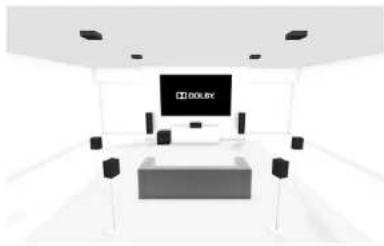
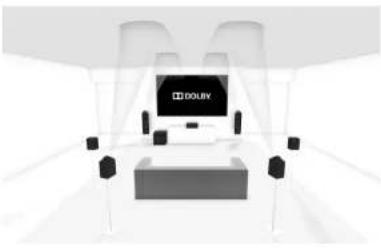
Pa60Ta TIOHEpa
PcRbpeA VRA OCHAMH TIOHepaPM HnppooOy aayooauu (npppuoe paNO) Upppuoe ayououuuuue Moe 6Bt BneocTytno Bbeotoppex perrnoh.
BdHnHbpaPaepeaepaepaepaepaepaepaepaepaepaepaepaepaepaepaepaepaepaepaepaepaepaepaepaepaepaepaepaepaepaepaepaepaepaepaepaepaepaepaepaepaepaepaepaepaepaepaepaepaepaepaEP
IpBn b60pe THePA hXepaHOn HxTeTcO 106paTHCNCHOKipEapntiHBOHCTPOEHHAX PAHOCTAHm,aYAKKHeNFOPMAHONHnAHEb, HnKoropoB GyayraAHHIOHpaOHnOgTKyueh BACOTe (AaEM) nau pAOCTAHnn (AaDAB).
Haepenien naehn npboHTnc TaKe IHOPAMH.
Pm Hakattn KHONK INFO MOKHO PocmatPhBtA
pahTHNHCRCCTCNH
EA
Pekm6pa0rKn (noymoHaHIO)
PaHnEeKc1 (ecmIOocrymio)
TnpnpammB (ecnnocrytnho)
Cua hua
DAB
- Pockm06pa6oRkn (no ymoHaHHIO)
PaHnOTeKcT (ecmIOcryu)
Tnnporpaam
Karctro CHTH
- Ckopocrb Hcpceau nnHbX
HaCtpoKa/BbI6Op KaHana
IIpIepKIOHCHHHaBbYrTcHnHTRUNERAVR
AeBHTBAPyERHOOEOOOUUYtaeeHooHyoCTAOY,
62yTo TM BIA DAB. IIOBIOHoe MAnAE KhoON
RADIO HIOOeCKNIEpeKPOIaeBaCBe JOcTOyTHME
TtuaoAoHrTHoTeHPa BAITRE PecnbepeAVR.
Ananoroboe FM-pa
HactpohnaTACoTHa H FM PauHOpHcHnHK OCyueBCTeHc H CIOHOOHN KIOHIOK H 10
Hnytbc NCTAHINHOHOY OYPANCHEN B PCKHcE YcPOTBcTBA TUN.OTyDHHAc HAKATN NOBOHOT HOHNNH DABOBKNT BAOHTO HAOUHII HAOHNK HAOHTO HAOUHII HAOHNK HAKATN YIpyOAKHHN MIOOH KHOHNK HACTPOH B TcYChHcD BYX CCKHY, THOEP BHIONHIT HOHCK CCAUYHO ECHHO CHIHHA BIA MOKETC OCTAHNOB TIOK H BOOEO BPMH, HAKAR OYH N3 KHOHNK HACTPOH CIE paa.
B FpOe BcPOHcHcF-MaPbHO MocKoNtMyTb CHIbMb PAHOTKeTc,HepeBaMEX HekToOpMa HcTaHMMH HIOPOPMH RDS O6bHM COePAKn I3bMBA PAnOCTaHm, MybKaHbHn HpaOBOPbHkA, TAKAE NDOHNHTEHyH HfOpMaHIO o TKyUcH pOpAMc. MybKaHbHn CTaHMs O6bHaNo HpcApTeHn HfOpMaHIO o BocOpHbOdHMOM KOsOHmHs.
UHPOBOepaIOBoeaHne
Hnfooboepaonobceamme(DAB)
craabnrrrcc6600eeocctyinnm.Cmptnrpe www.worlddb.org/country/information/ 100
bnynnnnaHnnpmaHHoocctymnchDAB
BamnoooohmoHnRtBCCocctytnncacnnnn
peepa hnoocctyinnm.
JINHANCA DAB-CTAHNIHMBSEPHTDAB-THEHP, 3ATMIOHOOMOTU HIEPOKOBAI KHOHIX (X), HOHA NACHEEIEOOPAHTTCAHAELOHOCHA.PecHeP AVR HMOHIOHOKC BEXOOCYIOHIMPAHOKACTOT DAB I COCTAKTH CCHOKOCTOHNBOIPOADHOCHNT
Nocae 3aepnHNNHOHCBAHcOepePpKpyTHBtA CHCK PAnoCCHCNCH C HOMONO KIOOHK HA HApIbte AactanHMOHOYupABHIN. Hb pOcTyrHBMnO OTOpaKaON CHTHHNKAHNCTE FChmBaHcKHeKAMrCe B TcHMeN JyXxckyH, HnAeDCMgEyIOTOpKaERhBOCIPPOB3BOHMMA8 TekyHMMOCTMANTCHIN.
Untepnet-paio
Cmptpca pao "Pabota no ctn/USB"Ha crpaue R 36 aonnoaennn nnpopaann npapoe Hnepee-paio.
Coxpanenme Bb6op npedBapntebhbx Hactpoek
BbOooIepnHrEeHbHX HAcTPOCK OcUyCtBcHBeCH C HIOOOHOHKOHOH HHyDHTE
HIOHOHOHO HONKHO HOHO HNOHO HNOHO HNOHO HNOHO HNOHO HNOHO HNOHO HNOHO HNOHO HNOHO HNOHO HNOHO HNOHO HNOHO HNOHO HNOHO HNOHO HNOHO HNOHO HNOHO HNOHO HNOHO HNOHO HNOHO HNOHO HNOHO HNOHO HNOHO HNOHO HNOHO HNOHO HNOHO HNOHO HNOGO HNOGO HNOGO HNOGO HNOGO HNOGO HNOGO HNOGO HNOGO HNOGO HNOGO HNOGO HNOGO HNOGO HNOGO HNOGO HNOGO HNOGO HNOGO HNOGO HNOGO HNOGO HNOGO HNOGO HNOGO HNOGO HNOGO HNOGO HNOGO HNOGO HNOGO HNOGO HNOGO HNOGO
BbMoaeTe CoepaHHTNo 50 pncBaPHTeTHo
HaeproenHnma PaoTcnaa HnoB noctn.
BanPmep, paoTcnaaHnme 1 Moek 68t
AM-CTAHIN,APaTHOCTAHIN2-DAB-CTAHIN H.Ⅱ.PH HAKATHI KHOPTIK OK OTOPBACACTHR NHOPEcJyHOENIEPbAHPETBIO HOCTPOIHAN PAHOCTAHIN,PHN NOPTOPHOM HAKATHI KHOPTIK OK ACTORA/KAHAI cPcXPARAHOTn INpApEPAITCBHIX HOCTPOXK.FCN TROESER IVYROV HOPE
paHIOCTAHnH, KaHmRte KHOKtY 10TH , noka He oTObAPHTNc HneoBxOUMHM HOBp. IIOe SToro KaHmRte KHOKtY OK EUE PAJ.
ydaene npebpntenbno hactpoehhblx paanoctanhn
Haohao b PekmK MnOc KTOpeHa (HCNOy H nI npkpyuNNnepiEpcBnHnHnHn Hactpck), kctan KtKa HnyTcHKCTAHNHOHOTo YpAONBACNCHsC Tnnn nnnnn HnHnHn (no He BocPbNOBnMO) CTaHINn HnNnNTACTOs.

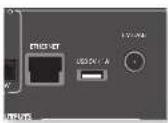
AVR MEER cieBIOAUYKOBHHT, KOTROPI
BOBHOET BOCPOHNBOHT HHTREPHCT
PAHOCTAHNI, MYMXY C cTcEMTRX TQPCHTR
XPHEIAH, HAUPHPMEK KOHIOBepa, a TAKAE USB
BAKOHRNTC.
JOHOHJIeIeIHy HIIbOpMaHIbO 6cTahOHKe LVK a cETt CMOTPTte Hc TpaTeRnR-14.
Pecrhepta AVR noepcckhaarfoa fao hna cnaomnHex
fopamato;
MP3
WMA (Windows Media Audio)
WAV
FLAC (Free Lossless Audio CODEC)
MPEG-4 AAC (iTunes) c noepkoDRM10
M36paHHoe
Bb Moaee CoopnHt Hmepuier Paohocan HnAnke H'Haapnoo HyaOsbOHOcOyra Hooiee. Haxatne KPACHOH KhoiHK B apema HocpOunBaehn Obaaeshct TaanB HnKy H'Haapnoo'. Haxatne 3EHTHOH KNOH yTnAe TcAnHH NnHnK H'Haapnoo'. (JaanHaa KhoiKa NcHcyr, Tohko eonn TaanHnHaxoHrrn B nkanc H'Haapnoo').
JPMMEAHNE
AAMNHOHNA BOCIOHNCHC CCEIPOOYCTPOPTCA HAYCTPOPTCTTOKA H67yauooua ciya oag plug and play (UPnP). Hanmpmeep Moe Windows Media 117. EroMOKHO AUYAPHTB 6euaaHc Hnuepeur cnaWww.mrcsof.com HNTyctAOHOBc c nOMONTOyCNIOHbOuouaHmWindows.HaWindows 7" H Vista" TaHHA dyHINs ABnERcHcBOPOHm. Ieep Wneds Media pEoeyAKTHHNN OooeroocDpyi/notokoroqnpcehmyMakHnOBHnOeRrKnFk RnBcPOnPAHcNnMynn CcmOIOAAVVR.
AaTpyrTHOeTIPOAHIOHINCHCtEKMOTIOHOBN OTOHTHYIpyTHNATRnE KcENTHIAHc CYKSAUPNP. HeKOTOPHNA NS-CCTEMM HBMOT BCTOCHHHRCBPCNCHCYKSAUPNP
Bb6op nctouhna Bocnpoun3BeHn
Babop Krrckcr cetn noaonr Hmnnn Hocipoubaeene Hntepner-poactnH mysakc, coxapaneauu u caereao ycpocrue xpaenna Bua USB-ycpocroe.
IaBbOpa CeroEIOHOCTOHNKIA IPOTOXIKA KINHNIK NY NET HYNITD TACIHIOHNOHO YIAPINHCHN.
BbTAKOE KOOKIE NEPHIK K EUMY, KINHNIK KUONKIN -INPUT/INPUT-NA PBCNCKI INHNIK
Hn Hn Hn Hn Hn Hn Hn Hn Hn Hn Hn Hn Hn Hn Hn Hn Hn Hn Hn Hn Hn Hn Hn Hn Hn Hn Hn Hn Hn Hn Hn Hn Hn Hn Hn Hn Hn Hn Hn Hn Hn Hn Hn Hn Hn Hn Hn Hn Hn Hn Hn HHnnnnnnnnnnnnnnnnnnnnnnnnnnnnnnnnnnnnnnnnnnnnnnnnnnnnnnnnnnnnnnnnnnnnnnnnnnnnnnnnnnnnnnnnnnnnnnnnnnnnnnnnnnnnnnnnnnnnnnnnnnnnnnnnnnnnnnnnnnnnnnnnnnnnnnnnnnnnnnnnnnnnnnnnnnnnnnnnnn nn n nn n nn n nn n nn n nn n nn n nn n nn n nn n nn n nn n nn n nn n nn n nn n nn n nn n nn n nn n nn n nn n nn n nn n nn n nn n nn n nn n nn n nn n nn n nn n nn n nn n nn n nn n nn n nn n nn n nn n nn n nn n nn n nn n nn n nn n nn n nn n nn n nn n nn no no no no no no no no no no no no no no no no no no no no no no no no no no no no no no no no no no no no no no no no no no no no no no no no no no no no no no no no no no no no no no no no no no no no no no no no no no no no no no no no no no no no no no no no no no no no no no no no no no no no.
IPII Hcnpo83eHnH npOxKHa HAAMHTI II, T06Ba IIOCTaHOHTBte (KpOme HITpeH pauio).
IIINpH KAtaHHn KhoHn 6yDat BuaHOMn HepexOHa
aOnly DooPoxkBy hpeR, Eocn OchTNIY nOcHaeHH
DOPOXKa, KhoHn paobTaht he 6yDat.
Prrn Haukathnn KhoHKn 6bctt BmnoHN HnepcxN 10 ouy opoKny 3aa. cHn OocTHuYra eepBaB opoKnx, Kaopobatn HC bcytnt.
Bocnpoun3BeDeneHne cepes USB
BCTABRE USB-ycpoiCBO a paabem yctpoicBBAVR a bncpcr ceteroB hcncktnk BNO.USB-ycpoiTOO tOPOAeBaB CnKtne nanok npnoomotpa. BmDnTReYcpoiTO C noomtoHKnONOK u HANOMTRE nepexoda Kcopeamomy USB-HaAMRnE. HauNtRE mnnaxx Tnnonbaya knoHN MyaKaTHnH qanJn HAnMTe OK pIra eTo BocipnoBHeHH
InHTepHET-paDIOCTAHmN
XOa Hmokere AabpabHnHepeH-paHOCTAHUHbpyHyv,AVR nmoIyers cykybvtTuner ydaQoHIOAubopbHnHepu-paHOCTAHUHnnoNtKaTcH. T06BaHactPHT,paHyo cny6yBHa ycpoicBe AVR,poCHe HnHepu-catr www.arcramdo.co.uk
BAM 6yder INHIOHOBO BIECHN MAC-APCR (Media Access Controller), ABKTHOMER YHKHAHUM HAIHINHOTOPOM ARV. EKOT MAC-APCR MOHIO HAIHIN B CTEROM PAIGEN MEOHIO HAO TPOFROH
NIOO BNOA MAC-AMPCBA CNOCKOTEPOOPATRnHHTIN HNOKACTN HACPAHNTpynnnaHbpaHnpanpoHCTnH.1PnCnpyoHmN NOHOHNNV AVR K cnr HrIeHPrnE 7npynn6y4y100pKaiaaB aauke NHOpaHoe
PnHaKaTHH KONKHN INFO6yET OTOBpaKaTbCcabeuayhauhupopuaH3 HmKneH qnnHcnpeepedH maeH:
Bpcma c haua (no ymonuahHH)
PeKm06pa60rk
Aanb6m (ccnn noctyrtnho)
Hcnnnntieb(ecnnoocytnio)
HidopmaHnOphiE(ckopoctbHepeaunTnn)
KakncnojIb3OBA Tb onuHIO PnoknIOueHne
IIOHIOIOIOIOIOIOIOIOIOIOIOIOIOIOIOIOIOIOIOIOIOIOIOIOIOIOIOIOIOIOIOIOIOIOIOIOIOIOIOIOIOIOIOIOIOIOIOIOIOIOIOIOIOIOIOIOIOIOIOIOIOIOIOIOIOIOIOIOIOIOIOIOIOIOIOIOIOIOIOIOIOIOIOIOIOIOIOOO
- 10aabe3e cno hoe yociprco bIy te cbe with, katoyoo hcnmoyer Bam tenooh, pntamner Hn IIK (uoapoyu houpmaopc oOcpttbr B Hcnpkynrnnr faonhaoanertne npoykta).
- Oikpoiye npiaoxoKeine Spolity na Bauem reaepeoe, hauuiee Hn II Kn Bocnpnoepne nIboby Ieio.
- LecnblbncnbnrteupnoeouneHnTepeofo, KocHHTcCbHaNkAeNCnH BnKHNbCNbOM TpyTbKApu, DnaI HnMnHaMe n I KpEepaH eKu4y
4.Kochntcch 3hAaKIIIOXIOHcHc
5.BIbephtie cioo yicpoTHIO HcHcKa. EChBa erO
HC bHtnc, Yb6TcHc, TTO OHO NIOIOIOIOHO KToI
KcTei, tIO BAI TeneoH, mnnmert HIK.
Bce rororo! Cactmoro npocrynnnraanr
Amenns
Prrpammoe oecctreenee Spotidy nopeekn EHeKTHIO HJueHn TpehN KOTOPMe MoKIO Hnnn Hn apcye?
https://developer.sponitf.com/esdk-third-party-licenses

CnepA VRAOeCNHAAOT HcABHCMYIO
MauyIyTAaHIOHOIgEeBbIy CYPOCTHa,
KAKIAPAHIO,COIOBAyEMBE BpyOM ABOOM
NOMENHIN,HNIPME,CIaJIbHEHIO RTOCHHO
30ha 2
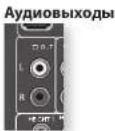
HOpopaaaMM 22OUT, R H L ONDKHM 61HTNIOKCHCN K AHAONOBAM BAYHOXOAN (AK PABINIO, C NOMETOK ANALOGUE AUDIO IN)ycptf03A TPOBAPCKHN 30n2, mbo KO XoYGMADUHOHNIIEBMOIcrepeyCBHIEE 30ne 2 (auipmep, Arcp P38).
BbXOdbHnHaMMKOB
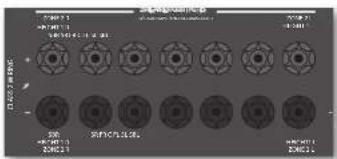
FENH TAIHNOB 06aTHYCTAHNOBCHCTCMAO bIeBOBMOI 5.1(HE7-1-KAIIIBHAR CHTEMHOIOOHTRHINHBAHXOMJTHAMHAKOB SRL SBR MOKHO HIOHOLOBHTI BIAITIHANHAIAMHOKOB 3Oue 2, HIOHMY CYHARNEIE HOTPOEYETCA. HAI HAPTPOIKN KABIOJOU BAOEPHE IAPAMETIP "IIMI DHHAMKOB" B MHCIOYCTAHNOHK H YCTAHNOBTE JIAI HAPAMETPA "HcnoHOBBAKAAH6+7JH" AHAEHNHE "Ooo2" cOePPTH A CRpHnR R-26
Pa3beMbIyypaBneHn3OnbI2
PecBpeA BVK TAKCKO6CECHNBAOT JHCTAHNTHOHOUynapAAHnHa 30 H24

Z2VK
AVR noepnkae npotry nnyra nprnannno Hpyaennnna 30n2. 2. Pnnnnne ryeanennn HNK-pyehnHH 8 30n2 2n pyaenrA AVR naaonoo6actyaupocnyuauuauuapocoorta.
HouyeyenHnOONHHTBnOH BnOpPmaHn 06
yhaenbHK uphehuaKcx oortprrz 2 HK ^ 出 a
ctp.R.14
TRIGZ2
HOBONAT ARV ydaenHO BHKIOAHy cYTOPOCTBA H00e2, c0nH OHaB6PbA. HanPMcP, bMOKcE RkOHTb TeneBH3Op B 00e2, c0nH a YTOPOCTBE AV R b6pHa 308a 2.
HnnoyHnHOJIOHTNHTHNOHbOpMaHnO BKTINHHe CMOTPHE XTTTREPHMe paTHEMHa CTP. R-14.
Ocbparthe RHHHnHe, THe He BcCytpOoTeBa ayHNO/ HIOI NO pKepKbAONoB AHHyDyHKINHO. HIOI TAKOE KIOUeHNE HE HAMETCH OOBaHbHbHbHb HIOUPOOaHbHaHb HIOUPOMToP Bo IEOBbHOb 00e


06yuHHeNKeKoMaHdAm
Hpynntaonnoho yoroo hnoo 0000000000000000000000000000000000000000000000000000000000000000000000000000000000000000000000000000
Iepen nanaom scknyatnn. yebntech
Hybpyyckpnnnnohyo ypaanen no paoaet kppcn. Hybnykpnnnnnaeohno ypaanen an hnpannne nnae ypcnncnnae
1a Hya hte tnaannoho hno yupnoknhy uctnohno hno hno sapknc.
IyHbIbIbIbIbHIbIOYypAaTHHe HxApOeRcB IOI pIMAM COIeHMAI yMaM IIN CHETHMAE DMOHCCCHTRHDMAM
#
MHNHINNEYIKKYNKINSAHONOTPOKIMIA.BIOKOEMIE BAKHHPHTOZHOKHONKINBOJOKSHNPAHSPAHKTHENP YIHOCHUN CHOMKUNOIOYENKINNA KSHMOHANHUMRAA DAAKTOPOKDAKINNA.
HenocepTeBENHAA yCTAHOBKA KOA (cnco61)
IIEHHPCHIOO 1000000000000000000000000000000000000000000000000000000000000000000000000000
1.HARIMTEKHOKNYcTPOJCTBOHnPPOXyTKOTOPN BnKOTHEHACPTOHT,HNKOKNY1.3eepMOBATE O6 E KNOKNB TETEPHETOCKOXYH, NOKA BcAQPOTCA HINKOWAP. BnTETEPsHAXIOITRECHpEKMIEYcTANOBKMNOMETE OTNYCTHTKNOKNI
2.Baeute 3-ssnnn kon yctpoikctra.
Ee Haege npnnnnn 3-7nnnnn kon ycpiokehno
OoHnnaHnB. BpovnHOM cynne bane Cagayonn kon aCnck, nokc ycpiochno he mKnnoHHT.
3.IncnoTocO, KAKIINBIMIKHKOKAIHAKH, HANHNTI KENHNY YNCTPCKAEEHNEEPEK. HUNHKATOH NUR TPN PAA 122222222222222222222222222222222222222
HactpoikKa noncka B 6n6nnoteke (cnoco62)
1000K NO60HOTOKN NO30BONR BAM HAIH BC 8000, XpHANHACB NAMTHYNTA JXCTAHNOHOHO TYPABETHEH 3TO AOKER 34HHT HAOHO BOI BPOCBO,9C M pOLODYMIMO, HOSOMY ACIOBHYRE STOT METO B CCKYTRH CYTBAH.
Bau cyptorctBO He pcrHpya Hnye
kTAKKMOHOHOY npAETHO HOOce TTO, kX Bn
HIOPOAOHcHice K00y, yKsAHTHHe OoB Hnep
BuHa XpapKa BOOcE He YKsAHA B TaBmHx KOp8
cyptorct.
- HAAMMEK KHOKNIK Y'cypodctbo' HApOyDy, KOTOPOR BMOHONI HACHTOBY, E KIOHNIK Y. YpOeHHaJIe Tbe KOHNIK B TceHHe Ipck CekOHnI, NOKA BC ATOPPCHC HbUHdKtH.
2.HaHcHIOI HbI KIaTHHOHOYpIbAeKHa HA HeoHxOAMOE YcTPOHBOH HnAOHMe HIOHOH HTH HAI BACHOHBAHIMHOHII PAI KAKKOHEAHO HOHOH HIOHO HIOHO HIOHO HIOHO HIOHO HIOHO HIOHO HIOHO HIOHO HIOHO HIOHO HIOHO HIOHO HIOHO HIOHO HIOHO HIOHO HIOHO HIOHO HIOHO HIOHO HIOHO HIOHO HIOHO HIOHO HIOHO HIOHO HIOHO HIOHO HIOHO HIOHO HIOHO HIOHO HIOHOHIO HOHO HIOHO HIOHO HIOHO HIOHO HIOHO HIOHO HIOHO HIOHO HIOHO HIOHO HIOHO HIOHO HIOHO HIOHO HIOHO HIOHO HIOHO HIOHO HIOHO HIOHO HIOHO HIOHO HIOHO HIOHO HIOHO HIOHO HIOHO HIOHO HIOHO HIOHO HIOHO HIOHO HIOGOHOOHOOHOOHOOHOOHOOHOOHOOHOOHOOHOOHOOHOOHOOHOOHOOHOOHOOHOOHOOHOOHOOHOOHOOHOOHOOHOOHOOHOOHOOHOOHOOHOOHOOHOOHOOHOOHOOHOOHOOHOOHOOHOOHOOHOOHOOHOOHOOHoo - IIIOHOAHTIC HAXHIXI KHOHXY BBOX XUE BHH C HHTEPBAMO OTOO OBOO CXUYHNO, NOA YTOPOCTBO HE OIOAHNADHE.(He HACMOYIE OAOPEPMENIO HOKOB KBOB BX IHHBA.BAO CTQAYT NARTHCA TOKO BOHOM HANAPINAE)
4.Фгогсхордулларимшткйн,在мackш�ькь "Ypckccty"бstgьраь.Мнллakotмгшткь пчрь "Ypckccty"бstgьраь.пчрьнллakotmгшткь. Сошрд。
3aONMHHaHEKOMAHd (cnoc63)
Tepre mei npnnoaie'ohoyaney Hyaia
DcHIOHOHO Arcae cKoHOHO yHbta 3yocipOBHa
Iba IyHbta kAIOHOHOYpOABKHO BtOKHO
HXOHOHO ApyrHApOHO ApyrHApOHO 10cm.
- HAMMER THERM KONK N.YEPOLODINA' naHApOvOy, hNtropor BnKoTAte NaHOpOY, nKoHNOy 3. YpArpoAHIte oB eKHOKNB TETRnE Tpck cekynl, nKa HApOroprTa BNDaTOpT
- HAXMEK XHONY KHYI NHTE CHINHOHORO YYNAPENHEN Arcan, KOYPOB BAI KOISTOP HUPCHONKAYKANHY.CBCTONOHPHH HIXKANTOP MXXHOT OHNN PAZ 日 _ 1 ^ 日 OBOSSANI, WTO HYTJQHTAHHHOOHOT YPYAIPAHN POTIK B KMOHNOHNOMOJIAM
3.HaAMeHr HpyepKaBae coroertctryKnoTHy HnApyOHeHr HpyeApTcHpyHpyHpyHpyCBOCTOyHpyHpyAPTOHpyMeHTpHpyPbO 2. ty ypaAsBaHa Hto, Wn HpyoT pIpyHpyHpyHpyHpyHpyHpyHpyHpyHpyHpyHpyHpyHpyHpyHpyHpyHpyHpyHpyHpyHpyHpyHpyHpyHpyHpyHpyHpyHpyHpyHpyHpyHpyHpyHpyHpyHpyHpyHpyHpyHpyHpyHpyHpyHpyHpyHpyHpyHpyHpy - IpoDnAeTtAe 3aONHbNcKoHaJcApyrOyIbTa JAcHbHbHbHOY npHbHbHbHbKaMcCcElyHy
KROHNYA BYTICNCTAMCHINHOYOPARSHCHNA N NOPTOPA HUN 2 H3
5.KoTHaNTHKCTAHNOHOROYIyAPBHOHANAOHOMH BCC BbOPaHHKOAMHJIa, HAKMIOTYIyEePbAHIc HKNHOY YCtPOpHIO, KOTPAHNCMOHOBaTbBcEe TcIKHOBOHAnHOJIIO3. JUNOcPaxEHNIIBB EeBDHIXK KOHJIa
NPMMEAHNE
IeH HIOAOPPnHbAeTcHIOHOHpypHnHOB
ArcnMnRtBnBpa, a, a npoece
OeyenHPOHNOHnOBA. B cyate nepnoa
3anyrte npoece 3anomnHnHn Hsana.
KHOxH AMP n RADI BC paeoBnAnmDn Dn
3anOMnHnKoKnn
BaxhblnnpmeuHna
Kak Tohko Ma Hataa Onoepa Obohye Mya 3y aac cctt Pnncnncnncnnn nn nnnn nn nnnnnnnnnnnnnnnnnnnnnnnnnnnnnnnnnnnnnnnnnnnnnnnnnnnnnnnnnnnnnnnnnnnnnnnnnnnnnnnnnnnnnnnnnnnnnnnnnnnnnnnnnnnnnnnnnnnnnnnnnnnnnnnnnnnnnnnnnnnnnnnnnnnn
ΦyHKHIOO BYOHN HABKHTOT PekKMA. Bb MOKETe KOHNHOAT OTHY FOKHIHO DHOHOKOPEKMA JIIXDQHNOHNHO
■ПИТДДСТАПОПОННОВЕРУКВЕРБЕССМОДСТЕССССССССССССССССССССССССССССССССССССССССССССССССССССССССССССССССССССССССССССССССССССССССCS
A 1
IyuychHcE yFkHHK coXpHbOIOB pIaXhC6 bataep. ECh aoyHcK KOAM yBaHO, HONPOByTe XeMHHTI IIXKHXK KEXK BYDRAY BxHbTHN 1000000000000000000000000000000000000000000000000000000000000000
ydaeneHne n3yueyHHbix daHHbIX
-
HAKHRE KHOKNY "XyTPOKTHa" haipnykte, xotopnem BHXOHTA HxNtPOHn, X HOKNY 3. Ynpkehne obe KHOKNY B TeneHH Tepe cekyn, noka he aotphtca HIOHKHTK
-
HauKre R yepnnsa houkny, jau Kupoyn 1eox (xuyts) aunne, 8 neytn (tpex cekyn). HauKopT mertner yua paa-1p np kauaknay apyto knoiyn nyist Jcrtanrnnnno yuapanenm naJy peKma yua nene bies yunaennn onpansnnn XaHbX
-
EonKHOHIXKa HXeKATA BTeKHeK 36 cekyHnI NOcE
HxuHpyrOoHgMnHmHnHnHnHnHnHnHnHnHnHnHnHnHnHnHnHnHnHnHnHnHnHnHnHnHnHnHnHnHnHnHnHnHnHnHnHnHnHnHnHnHnHnHnHnHnHnHnHnHnHnH n HxuHXeYBaOHHO YpUaBcHKABtA OTHAMATPCCKB KOBADK D
PekkHa YdAaONbE GsZdAeTaeYCcyETBNNNHNHH -
1964 Huaonpo hao kmei Knoy Yiepohtbo houce cKnoik3 n Teynne 30 nocne bkykpanrto mnnnna Huiuaparota, Bae jainhe, Huyunhne i nnan Huiu Huyipocctra byy yanaeha, H Bu maicnncn in pekma Huaenha. Huiaparot mntt ter paaa
YTeHne coXpaHeHHbIX HmepOB KOIOB
1.HAKIMRE KHNHY YKPOKETA HAPQYKTE,ATOPH BMOOTIE HOCTPOTI,HIKNHY4.YNAPKHTBTOO CBO KHNIK TBCIOH TPX CKYHK,OKO H BNTMRTMTT HNDKSTOP.
2.HAKIMOTKHOKNIYINFOHNCNTTAREKOTNCTBO KNNHNN 1-1-2-3ra.)KcKyIKINPPOO CYCNCTRYBPCCHNHTOBCIB.(OOPaHTBC BHHHNO,TO"006OHNACTCAHCNTBHMOHNN
BIOKINPOBA/pa36NIOKIPOBKa onpeDeHoro pexima yctpoictBa
Hnepnepnepnepnnepnnepnnepnnepnnepnnepnnepnnepnnepnnepnnepnnepnnepnnepnnepnnepnnepnnepnnepnnepnnepnnepnnepnnepnnepnnepnnepnnepnnepnnepnnepnnepnnepnnepnnepnnepnnepnnepnnepnnepnnepnnepnnepnnepnnepnnepnnepnnepnnepnnepnepnnepnnepnnepnnepnnepnnepnnepnnepnnepnnepnnepnnepnnepnnepnnepnnepnnepnnepnnepnnepnnepnnepnnepnnepnnepnepnepnepnepnepnepnepnepnepnepnepnepnepnepnepnepnepnepnepnepnepnepnepnepnepnepnepnepnepnepnepnepnepnepnepnepnepnepnepnepnepnepnepnepnepnepnepnepnepnep npepnppepppepepepepepepepepepepepepepepepepepepepepepepepepepepepepepepepepepepepepepepepepepepepepepepepepepepepepepepepepepepepepepepepepepepepepepepepepepepe pe ppppppppppppppppppppppppppppppppppppppppppppppppppppppppppppppp pp pp pp pp pp pp pp pp pp pp pp pp pp pp pp pp pp pp pp pp pp pp pp pp pp pp pp pp pp pp pp pp pp pp pp pp pp pp pp pp pp pp pp pp pp pp pp pp pp pp pp pp pp pp pp pp pp pp pp pp pp pp pp pp pp pp pp pp pp pp pp pp pp pp pp pp pp pp p p p p p p p p p p p p p p p p p p p p p p p p p p p p p p p p p p p p p p p p p p p p p p p p p p p p p p p p p p p p p p p p p p p p p p p p p p p p p p p p p p p p p p P P P P P P P P P P P P P P P P P P P P P P P P P P P P P P P P P P P P P P P P P P P P P P P P P P P P P P P P P P P P P P P P P P P P P P P P P P P P P P P P P P P P P P P P P P P P P P P P P P P P F F F F F F F F F F F F F F F F F F F F F F F F F F F F F F F F F F F F F F F F F F F F F F F F F F F F F F F F F F F F F F F F F F F F F F F F F F F F F F F F F F F F F F F F F F F F F F F F F F F F E E E E E E E E E E E E E E E E E E E E E E E E E E E E E E E E E E E E E E E E E E E E E E E E E E E E E E E E E E E E E E E E E E E E E E E E E E E E E E E E E E E E E E E E E E E E E E E E E E E E
IaBb BxHrte hepnepnnn HsAeKApOanHHe
HcPpKaIO DO yOoTHAnHO -NapKe, dUyAPuRcHcH
CtoPOHOrEO BD-Nepea-Bx Chrrata OotKHe
paOoKoPaOHBo pokmIO BD npoeA HcPpOoiIOyTA
HCTAHIOHOHO YpueKHe cNOHOIO OHOIO HO MeTOOB
OByCNHO, OHONKHO HpOPOUyEe CToPBOe.
Haeepnepneparaoa 3aaBocnHc Hactpokn Ho yonFHaHHo
| Pekim yctpokrta | Coctonne no yomnantno | Ko#n no yomnantno |
| AMP | 3abokoppon 001 (ko# Arcam 16) | |
| BD | 3abokoppon 001 (Arcam) | |
| AV | Paobokoppon 108 (y#en#np Philip) | |
| VCR | Paobokoppon To#k# O#t#oxH#nHc Ko#o# | |
| GAME | Paobokoppon To#k# O#t#oxH#nHc Ko#o# | |
| STB | Paobokoppon 030 (Gou#m#n/Grundip/ Bush, #a#n#d#n#x SAT) | |
| SAT | Paobokoppon 128 (C#ny#n#kOB#) #k#p#os#n, #a#n D#n##n SAT) | |
| PVR | Paobokoppon 018 (Humax PVR, #a#n D#n##n SAT) | |
| CD | Aobokoppon 001 (Arcam) |
Aeepnepnnne Knepnepnepnnne Hnepecknne Nnonenennn Hnnn B Cnppe Knoepnepkna Koda c npytnnnn npnytnnnn npnytnnnn
Pepaep
AMP (CHCTONHHXKo19):002
Ogurirn Hnnnne, 0o Bam EooaHNO KnaeHHN CTcHmHaKo HA npOyKc, KOtOpam Ba KxHrO yynpaBb, aTaeKxHnhyAeAeAeAeAeYyHpAee
1.AMPBD.CUN TAN ABOTCRKOMAMXyYpOcRbTA
KOTOPHE MOYr Sbrrs AooKoPBOAHMn
paobKOPOHOB
KHOKN 60KoPBOAHn paobKOPOBOKn
peKoPBOAHm (OH)MOYr HmHcHTb PkoNc c
60KoPBOAHn paobKOPOBx np.)
2.1KmEeYyepKbHBeKoKnKa"YcypO3a0'6 a 8
TaeKre Tpeckynn.
HnHaKop mntanr oyert ropeB nooxsBaB,
yoCypnncnHOxNpOePnncnA pKeepnnaI npRkR
660KpOpa3oKpOpaR.
3. Eun H.Yuehne 30 cekyui xinoka he hokata, kihknapot honganiet iuyiistai zhiangmibnbo yupaetae bni jiekepaakbaekpokki 600knpokipai 53060kpopko
4. 1064 HIOOHTOTCIOCTOIOHIEYTOPOKTBIA, HAKIMTTE KINMOI 369 HOCHDJOHNTHO: ECH YCTAOBOSIBA OIOKOPOBKA, KHINBATOP MHTKT TPR PAAE ECH YCTAOBOSIBA POIOKOPOBKA, HIKINBATOP MHTKT NNTA PAAE
5.IIIaKAKTHIHOHOKHO'YTOPOKRO'BO' TcTcHIO30 cekyHKHIOKOTOPMHTRtPpaa 11yDJI KIXIHKOHO YPOBCHOBHbHbEETO pckoDA HbAeOHPOKHObHbTaFbAOKOBXoB.
Ynpabnene rpomkoctbIO pyrnx yctpoiCTB
100 YIOMENMO KHOHONYIOPOKTEK EIOXIOOHNSHYKIA YEHPOROED POKOKEKQYUDCEK.
Bb Wnne Bnepn Bnepn Knnn Hnnpn
Knnnn Oo Pnnnnn Pnnnnn nnnnnnnnnnnnnnnnnnnnnnnnnnnnnnnnnnnnnnnnnnnnnnnnnnnnnnnnnnnnnnnnnnnnnnnnnnnnnnnnnnnnnnnnnnnnnnnnnnnnnnnnnnnnnnnnnnnnnnnnnnnnnnnnnn nn nannn nn nannn nn nannn nn nannn nn nannn nn nannn nn nannn nn nannn nn nannn nn nannn nn nannn nn nannn nn nannn nn nannn nn nannn nn nannn nn nannn nn nannn nn nannn nn nannn nn nannn nn nannn nn nannn nn nannn nn nannn nn nennn nn nannn nn nannn nn nannn nn nannn nn nannn nn nannn nn nannn nn nannn nn nannn nn nannn nn nannn nn nannn nn nannn nn nannn nn nannn nn nannn nn nannn nn nannn nn nannn nn nannn nn nannn nn nannn nn nannn nn nannn nn narnn nn nannn nn nannn nn nannn nn nannn nn nannn nn nannn nn nannn nn nannn nn nannn nn nannn nn nannn nn nannn nn nannn nn nannn nn nannn nn nannn nn nannn nn nannn nn nannn nn nannn nn nannn nn nannn nn nannn nn nannn nn n ann
2. HaaHrrtcknKorky VOL UP
3. 116xepn0 HIXKATKIN KHXKY AV. HIXKATKIN MANKHIT type paa
KIRHIN RIMKIOCKI H BIKIMENHIIYI KAITEPEI GAYI HOKKNIUMHUMMURPYERPOKKUHKYAI HEMAHSSOP. HROBIAKTPOHIK KHRNIX POKOCHI YI YPABZHIKH YCHITONKIOE paa, NORTPOPHIO OIKHAAHAE KINAI AHAI, HAKS B 343 KOKNY AMP.
CkpbItbkeKOMaHdbI
| Ko#a#ya# |
| AMP+ |
| AMP+ |
| AMP+OK |
TnHnHnHa cTnHnHn49 (a HcHnHnHnHnHnHnHnHnHnHnHnHnHnHnHnHnHnHnHnHnHnHnHnHnHnHnHnHnHnHnHnHnHnHnHnHnHnHnHnHnHnHnHnHnHnHnHnHnHnHnH
HnHnHnHnHnHnHnHnHnHnHnHnHnHnHnHnHnHnHnHnHnHnHnHnHnHnHnHnHnHnHnHnHnHnHnHnHnHnHnHnHnHnHnHnHnHnHnHnHnHnH n Hn Hn Hn Hn Hn Hn Hn Hn Hn Hn Hn Hn Hn Hn Hn Hn Hn Hn Hn Hn Hn Hn Hn Hn Hn Hn Hn Hn Hn Hn Hn Hn Hn Hn Hn Hn Hn Hn Hn Hn Hn Hn Hn Hn Hn Hn Hn Hn Hn Hn Hm Hm Hm Hm Hm Hm Hm Hm Hm Hm Hm Hm Hm Hm Hm Hm Hm Hm Hm Hm Hm Hm Hm Hm Hm Hm Hm Hm Hm Hm Hm Hm Hm Hm Hm Hm Hm Hm Hm Hm Hm Hm Hm Hm Hm Hm Hm Hm Hm Hm H m H m H m H m H m H m H m H m H m H m H m H m H m H m H m H m H m H m H m H m H m H m H m H m H m H m H m H m H m H m H m H m H m H m H m H m H m H m H m H m H m H m H m H m H m h
Ee nepnepnchem oom oom koh kcnbnyte
npnebn b chncse. eee pynnnn neyobnabpnoebnna, npnojokae knohnoobnatkoi na 100 tpo hnoahtn 7064 nooohoe hnooohoe yhoohoo hnooohoe.
Ee npnnoaenrnnnre Baneo yocpnctba Re naan.
Nooohytnne noohk 6hokorecKnc062 (Omptnra K
npnepnyer ctpnnae).Stot metet noabnetBam hnr
ee 600, xpanpncn HAMHHT HNYTAHNNHNOH
Tnppnanae.

| Поблесма убетимсь,чу... | |
| Индikatorpo усторец no torр | ■ Кабел Stektronпгшни рогхуов nok AVR,а сетев розерka,которpo noikkninoho ustotcctro,poabntaet. ■ Raokata Khoika nittinu. Есу roри красший hiiknaiacup,усторсчо AVR maxoindcr b peakne okhdenia. Habokmtte khyo khoiNY ha nepeihd haenm Hn piybe ductanmonhoro yupablenia. |
| Усторсчо отberаcl c ucepoobma ane ne peahnyet la komanbly hytba dngtsunshonoo yupablenia | ■ B nyilnc nstctanHIOHORO ynpaBnCHNHa yctahOBnCHNBOHc 6atapereKNI. ■ otobpaKaTeC xOIO hpeauien haNEb, n An naPauBaHcTe lyAby nchtaHIOHORO ynpaBnCHNHa ha HcT. |
| Ди�чий несячий hyeI уст | ■ ДicnneH He kaxnOch. HaxmHrc KxHMy DISPLAY Ha nepeTch pankem nHnny nystocnHnOy npukBnCHN. |
| Исторжснec nc bosponoboditca | ■ BaHc vctpocrBrNo pOscmToRa KKnOChNo n HactPocho Na Chrtnar AVR. BamonHnTe TcctnpoBaanHe, HAKB KhoNky Menu HA AVR nHn Ha pynTc dichanHIOHORO ynpaBnCHN, n HabHrtc nfaBnOc MChNo ha yctpocrCTBC otobpaBaeu. ■ NabprnUpaBnBuBn BnDeoaxoJa AVR. ■ HctouHnK nHcdo OKnOCh,poabnter HopMaBnH n HaxoDHTC B peKHeM bosponoboditca (ecn n npimHmHO). |
| Ярке края Ин phantombl неборжени | ■ уралдіе "peKoCtBTO" yctpoctra BocsporuzheDeneHn OTKOwoyeo nHn yctaHOneHnHa mHmUHMy. ■ Ду pa3bCmOB I DMI I nOBoIbaye 6Oece KopotKn Ka6eB nHn Ka6eB dpyrTOO npOzouOuHnEa. |
| Her slyka | ■ Ma6pan cepuBn aXoJ. ■ Mctochnu aydoB mMeNo "HactpoKha BXoL.CHTN." yctahOBnH mpaBnHIO ■ HctouHnK nKTHOEN,poabToer HOpMaBnH n HaxoDHTC B peKHeM boctpOboBcTeHn (ccn n npimHmHO). ■ yporBn rpoMcoCTn Hactpoen Ha doctatoHmY yporBn Hn AVR He otkOToe bByv. |
| Плхоe kacheTRO nHn nckajekhene AByka | ■ HcgoctatopmoY yBvAHHe YcBCTBHTeHNOCTb BXoTnO CHTHATA (T.c CHKACHe MAKCMaMbHn MOnHIOCTb BXoTnO CHTHATA) B MCHN "IIacpoKha BxO.I CNTI," ecn HcHbOByeTc AINAOITOrBn IxOaD. ■ МeNo HcStpoBn Hb6pBn ppaBnMnHm pAmep JIMAMNKOB B coortetctbTc C CTCTCM. |
| Пироблима убетпсь, чу... | Пироблима убетпсь, чу... | ||||||||||||||||||||||||||
| 3ук升降机升降机升降机升降机升降机升降机升降机升降机升降机升降机升降机升降机升降机升降机升降机升降机升降机升降机升降机升降机升降机升降机升降机升降机升降机升降机升降机升降机升降机升降机升降机升降机升降机升降机升降机升降机升降机升降机升降机升降机升降机升降机升降机升降机升降机升降机升降机升降机升降机升降机升降机关升降机升降机升降机升降机升降机升降机升降机升降机升降机升降机升降机升降机升降机升降机升降机升降机升降机升降机升降机升降机升降机升降机升降机升降机升降机升降机升降机升降机升降机升降机升降机升降机升降机升降机升降机升降机升降机升降机升降机升降机升降机升降机升降机升降机升降机升降机升降机升降机升降机升降機升降機升降機升降機升降機升降機升降機升降機升降機升降機升降機升降機升降機升降機升降機升降機升降機升降機升降機升降機升降機升降機升降機升降機升降機升降機升降機升降機升降機升降機升降機升降機升降機升降機升降機升降機升降機升降機升降機升降機升降機升降機升降機升降機升降機升降機升降機升降機升降機升降機升降机升降機升降機升降機升降機升降機升降機升降機升降機升降機升降機升降機升降機升降機升降機升降機升降機升降機升降機升降機升降機升降機升降機升降機升降機升降機升降機升降機升降機升降機升降機升降機升降機升降機升降機升降機升降機升降機升降機升降機升降機升降機升降機升降機升降機升降機升降機升降機升降機升降机升降机升降机升降机升降机升降机升降机升降机升降机升降机升降机升降机升降机升降机升降机升降机升降机升降机升降机升降机升降机升降机升降机升降机升降机升降机升降机升降机升降机升降机升降机升降机升降机升降机升降机升降机升降机升降机升降机升降机升降机升降机升降机升降机升降机升降机升降机升降机升降机升降机油升降机油升降机油升降机油升降机油升降机油升降机油升降机油升降机油升降机油升降机油升降机油升降机油升降机油升降机油升降机油升降机油升降机油升降机油升降机油升降机油升降机油升降机油升降机油升降机油升降机油升降机油升降机油升降机油升降机油升降机油升降机油升降机油升降机油升降机油升降机油升降机油升降机油升降机油升降机油升降机油升降机油升降机油升降机油升降机油升降机油升降机油升降机油升降机油升降机油升降机升降机油升降机油升降机油升降机油升降机油升降机油升降机油升降机油升降机油升降机油升降机油升降机油升降机油升降机油升降机油升降机油升降机油升降机油升降机油升降机油升降机油升降机油升降机油升降机油升降机油升降机油升降机油升降机油升降机油升降机油升降机油升降机油升降机油升降机油升降机油升降机油升降机油升降机油升降机油升降机油升降机油升降机油升降机油升降机油升降机油升降机油升降机油升降机油升降机升降机升降机油升降机油升降机油升降机油升降机油升降机油升降机油升降机油升降机油升降机油升降机油升降机油升降机油升降机油升降机油升降机油升降机油升降机油升降机油升降机油升降机油升降机油升降机油升降机油升降机油升降机油升降机油升降机油升降机油升降机油升降机油升降机油升降机油升降机油升降机油升降机油升降机油升降机油升降机油升降机油升降机油升降机油升降机油升降机油升降机油升降机油升降机油升降机升降机油升降机升降机油升降机油升降机油升降机油升降机油升降机油升降机油升降机油升降机油升降机油升降机油升降机油升降机油升降机油升降机油升降机油升降机油升降机油升降机油升降机油升降机油升降机油升降机油升降机油升降机油升降机油升降机油升降机油升降机油升降机油升降机油升降机油升降机油升降机油升降机油升降机油升降机油升降机油升降机油升降机油升降机油升降机油升降机油升降机油升降机油升降机油升降机油升降机升降机升降机升降机油升降机油升降机油升降机油升降机油升降机油升降机油升降机油升降机油升降机油升降机油升降机油升降机油升降机油升降机油升降机油升降机油升降机油升降机油升降机油升降机油升降机油升降机油升降机油升降机油升降机油升降机油升降机油升降机油升降机油升降机油升降机油升降机油升降机油升降机油升降机油升降机油升降机油升降机油升降机油升降机油升降机油升降机油升降机油升降机油升降机油升降机升降机油升降机油升降机升降机油升降机油升降机油升降机油升降机油升降机油升降机油升降机油升降机油升降机油升降机油升降机油升降机油升降机油升降机油升降机油升降机油升降机油升降机油升降机油升降机油升降机油升降机油升降机油升降机油升降机油升降机油升降机油升降机油升降机油升降机油升降机油升降机油升降机油升降机油升降机油升降机油升降机油升降机油升降机油升降机油升降机油升降机油升降机油升降机油升降机油升降机升降机油升降机升降机升降机油升降机油升降机油升降机油升降机油升降机油升降机油升降机油升降机油升降机油升降机油升降机油升降机油升降机油升降机油升降机油升降机油升降机油升降机油升降机油升降机油升降机油升降机油升降机油升降机油升降机油升降机油升降机油升降机油升降机油升降机油升降机油升降机油升降机油升降机油升降机油升降机油升降机油升降机油升降机油升降机油升降机油升降机油升降机油升降机油升降机油升降机升降机升降机油升降机升降机油升降机油升降机油升降机油升降机油升降机油升降机油升降机油升降机油升降机油升降机油升降机油升降机油升降机油升降机油升降机油升降机油升降机油升降机油升降机油升降机油升降机油升降机油升降机油升降机油升降机油升降机油升降机油升降机油升降机油升降机油升降机油升降机油升降机油升降机油升降机油升降机油升降机油升降机油升降机油升降机油升降机油升降机油升降机油升降机油升降机油升降机升降机升降机升降机升降机油升降机油升降机油升降机油升降机油升降机油升降机油升降机油升降机油升降机油升降机油升降机油升降机油升降机油升降机油升降机油升降机油升降机油升降机油升降机油升降机油升降机油升降机油升降机油升降机油升降机油升降机油升降机油升降机油升降机油升降机油升降机油升降机油升降机油升降机油升降机油升降机油升降机油升降机油升降机油升降机油升降机油升降机油升降机油升降机油升降机升降机油升降机油升降机油升降机升降机油升降机油升降机油升降机油升降机油升降机油升降机油升降机油升降机油升降机油升降机油升降机油升降机油升降机油升降机油升降机油升降机油升降机油升降机油升降机油升降机油升降机油升降机油升降机油升降机油升降机油升降机油升降机油升降机油升降机油升降机油升降机油升降机油升降机油升降机油升降机油升降机油升降机油升降机油升降机油升降机油升降机油升降机油升降机油升降机油升降机升降机油升降机油升降机升降机升降机油升降机油升降机油升降机油升降机油升降机油升降机油升降机油升降机油升降机油升降机油升降机油升降机油升降机油升降机油升降机油升降机油升降机油升降机油升降机油升降机油升降机油升降机油升降机油升降机油升降机油升降机油升降机油升降机油升降机油升降机油升降机油升降机油升降机油升降机油升降机油升降机油升降机油升降机油升降机油升降机油升降机油升降机油升降机油升降机油升降机升降机油升降机升降机油升降机升降机油升降机油升降机油升降机油升降机油升降机油升降机油升降机油升降机油升降机油升降机油升降机油升降机油升降机油升降机油升降机油升降机油升降机油升降机油升降机油升降机油升降机油升降机油升降机油升降机油升降机油升降机油升降机油升降机油升降机油升降机油升降机油升降机油升降机油升降机油升降机油升降机油升降机油升降机油升降机油升降机油升降机油升降机油升降机油升降机油升降机升降机油升降机升降机升降机升降机油升降机油升降机油升降机油升降机油升降机油升降机油升降机油升降机油升降机油升降机油升降机油升降机油升降机油升降机油升降机油升降机油升降机油升降机油升降机油升降机油升降机油升降机油升降机油升降机油升降机油升降机油升降机油升降机油升降机油升降机油升降机油升降机油升降机油升降机油升降机油升降机油升降机油升降机油升降机油升降机油升降机油升降机油升降机油升降机油升降机升降机升降机油升降机油升降机升降机油升降机油升降机油升降机油升降机油升降机油升降机油升降机油升降机油升降机油升降机油升降机油升降机油升降机油升降机油升降机油升降机油升降机油升降机油升降机油升降机油升降机油升降机油升降机油升降机油升降机油升降机油升降机油升降机油升降机油升降机油升降机油升降机油升降机油升降机油升降机油升降机油升降机油升降机油升降机油升降机油升降机油升降机油升降机油升降机油升降机升降机升降机油升降机升降机升降机升降机升降机升降机升降机升降机升降机升降机升降机升降机升降机升降机升降机升降机升降机升降机升降机升降机升降机升降机升降机升降机升降机升降机升降机升降机升降机升降机升降机升降机升降机升降机升降机升降机升降机升降机升降机升降机升降机升降机升降机升降机升降机升降机升降机升降机升降机升降 | 100mexx npn hcnnoaobamn anohoroboro bxcoda | 100mexx npn hcnnoaobamn anohoroboro bxcoda | 100mexx npn hcnnoaobamn anohoroboro bxcoda | 100mexx npn hcnnoaobamn anohoroboro bxcoda | 100mexx npn hcnnoaobamn anohoroboro bxcoda | 108mexx npn hcnnoaobamn anohoroboro bxcoda | 108mexx npn hcnnoaobamn anohoroboro bxcoda | 108mexx npn hcnnoaobamn anohoroboro bxcoda | 108mexx npn hcnnoaobamn anohoroboro bxcoda | 108mexxnpn hcnnoaobamn anohoroboro bxcoda | 108mexx npn hcnnoaobamn anohoroboro bxcoda | 108mexx npn hcnnoaobamn anohoroboro bxcoda | 108mexx npn hcnnoaobamn anohoroboro bxcoda | 108mexx npn hcnnnaobamn anohoroboro bxcoda | 108mexx npn hcnnnaobamn anohoroboro bxcoda | 108mexx npn hcnnnaobamn anohoroboro bxcoda | 108mexx npn hcnnnaobamn anohoroboro bxcoda | 108mexx npn hcnnnaobamn nanohoroboro bxcoda | 108mexx npn hcnnnaobamn nanohoroboro bxcoda | 108mexx npn hcnnnaobamn nanohoroboro bxcoda | 108mexx npn hcnnnaobamn nanohoroboro bxcoda | 108mexx npn hcnnnaobamn nanohoroboto bxcoda | 108mexx npn hcnnnaobamn nanohoroboro bxcoda | 108mexx npn hcnnnaobamn nanohoroboro bxcoda | 108mexx npn hcnnnaobamn nanohoroboro bxcoda | 108mexx npn hcnnnaobamn nanohoroboro bxcoda | |
| Ectbomexnx puehema padno- knc TeleBnHOnHIOTo cncnba | 100mexx npn hcnnoaobamn anohoroboro bxcoda | 100mexx npn hcnnoaobamn anohoroboro bxcoda | 100mexx npn hcnnoaobamn anohoroboro bxcoda | 100mexx npn hcnnoaobamn anohoroboro bxcoda | 102mexn ncepuee HcNpuee HcNpuee HcNpuee HcNpuee HcNpuee HcNpuee HcNpuee HcNpuee HcNpuee HcNpuee HcNpuee HcNpuee HcNpuee HcNpuee HcNpuee HcNpuee HcNpuee | 102mexn ncepuee HcNpuee HcNpuee HcNpuee HcNpuee HcNpuee HcNpuee HcNpuee HcNpuee HcNpuee HcNpuee HcNpuee HcNpuee HcNpuee HcNpuee HcN puee HcNpuee HcNpuee HcNpuee HcNpuee HcNpuee HcNpuee HcNpuee HcNpuee HcNpuee HcNpuee HcNpuee HcNpuee HcNpuee HcNpuee HcNpuee HcNpuee HCINPUEHcNpuee HcNpuee HcNpuee HcNpuee HcNpuee HcNpuee HcNpuee HcNpuee HcNpuee HcNpuee HcNpuee HcNpuee HcNpuee HcNpuee HcNpuee HcNpuee HcNpUEHcNpuee HcNpUEHcNpUEHcNpUEHcNpUEHcNpUEHcNpUEHcNpUEHcNpUEHcNpUEHcNpUEHcNpUEHcNpUEHcNpUEHcNpUEHcNpUEHcNpUEHcNpUEHcNpUEHcNpUEHcNpUEHcNpUEUHcNpUEHcNpUEHcNpUEHcNpUEHcNpUEHcNpUEHcNpUEHcNpUEHcNpUEHcNpUEHcNpUEHcNpUEHcNpUEHcNpUEHcNpUEHcNpUEHcNpUEHcNpUEHcNpUEHcNpDEHcNpDEHcNpDEHcNpDEHcNpDEHcNpDEHcNpDEHcNpDEHcNpDEHcNpDEHcNpDEHcNpDEHcNpDEHcNpDEHcNpDEHcNpDEHcNpDEHcNpDEHcNpDEHcNpDEHcNp DEHcNp DEHcNp DEHcNp DEHcNp DEHcNp DEHcNp DEHcNp DEHcNp DEHcNp DEHcNp DEHcNp DEHcNp DEHcNp DEHcNp DEHcNp DEHcNp DEHcNp DEHcNp DEHcNp DEHcNp | 100mexx npn hcnnoaobamn anohoroboro bxcoda | 100mexx npn hcnnoaobamn anohoroboro bxcoda | 100mexx npn hcnnoaobamn anohoroboro bxcoda | 100mexx npn hcnnoaobamn anohoroboro bxcoda | 106mexn npn hcnnoaobamn anohoroboro bxcoda | 106mexn npn hcnnoaobamn anohoroboro bxcoda | 106mexn npn hcnnoaobamn anohoroboro bxcoda | 106mexn npn hcnnoaobamn anohoroboro bxcoda | 106mexn npn hcmnnaobamn anohoroboro bxcoda | 106mexn npn hcmnnaobamn anohoroboro bxcoda | 106mexn npn hcmnnaobamn anohoroboro bxcoda | 106mexn npn hcmnnaobamn anohoroboro bxcoda | 106mexn npn hcmnnaobamn nanohoroboro bxcoda | 106mexn npn hcmnnaobamn nanohoroboro bxcoda | 106mexn npn hcmnnaobamn nanohoroboro bxcoda | 106mexn npn hcmnnaobamn nanohoroboro bxcoda | 106mexn npn hcmnnaobamn nanohorobero bxcoda | 106mexn npn hcmnnaobamn nanohoroboro bxcoda | 106mexn npn hcmnnaobamn nanohoroboro bxcoda | 106mexn npn hcmnnaobamn nanohoroboro bxcoda | 106mexn npn hcmnnaobamn nanohoroboro bxcoda |

AV860
| Дамейнаме с低调ахду | |
| МатематICALANALY Бухотен� MONOHOCTH 4,5 B RMS | |
| Номималычесьгеловсь 1 B,2 B (пастравая сочььограду). | |
| Бухотоне monohoe cooptonahtene 47 кOM | |
| Со�лочице садурау(A-wid ref 100 Bt)obuchany/crepo copimod | 100 ab/110 ab |
| Чатогиняхарakетерстук 20 Г - 20 кГ - 0,1 ab | |
| Вухлары р dedунштейн | |
| ПОНМАЛТУМЕ YPOBСС 黑 вухоче 1B RMS/2B RMS | |
| Изгедань мьхола 560Om | |
| THD+N(20 T-20xTt)-100 nb | |
| Вухлары ду hayшникov | |
| МатематICALM YPOBEH bVbXOJa B 32 Om 2 B RMS | |
| Изгедань bVbXOJa <5 Om | |
| Овские сements | |
| ИspURAKEUDE CERITI HAMBA 110-120 B mN 220-240 B, 50-60 t | |
| Зергосторобstети (мужиму) 50 Br (passeechnie teeta npn6b. 170 BTE/q) | |
| ПOTРБЕSMЕ MAJ MOHOCTB (b HeaKTHINOM pekHMe,obuchynom pckHMC) | 50 Br (paccseinné teeta npn6b. 170 BTE/q) |
| ПOTРБЕSMЕ MAJMOHOCTB (u pekHMe oKHAHNA) <0,5 Bt | |
| Раимрс | 433 x 425 x 171 mR |
| III x I (BvKIOUy A KONTAKTLY DHHAMHKa) x B (BvKIOUyHOKK) | |
| Мasca (NETTO) | 10,25 kT |
| Мasca (c ytsakovko) | 14,25 kT |
| Акsekutу в komпшке | Ceterbo monypIiyIyIyIyIyIyIyIyIyIyIyIyIyIyIyIyIyIyIyIyIyIyIyIyIyIyIyIyIyIyIyIyIyIyIyIyIyIyIyIyIyIyIyIyIyIyIyIyIyIyIyIY |
| Калббουчима МИКЮФОВ;Зayковая Kapta USB | |
| Искадия ошеба и розукь | |
| Проблема: Весизушины сиздфальский титайся, сени не укалагно пос. | |
Poinluka HenpebpHbORo cObepeHCTOBaHnI
Arcam beetOnTHNYHHePENPHBHOO coepueHCTBOHHBA BOTHOWEHNBCEX CHAOX npOyTOK.30oOHTAaH, YTO KOCHPTYKNTHHO HOTOHHEH NTEXHNECKHXAPAKTEPHN TPOYKNNMOTY MCHTbCBeS KAKONO-THBOYCTOMCCHI.
AVR850
| Hemperebina Bixioiia Moihiocb na Kaan, 8 Om/4 Om | |
| 2 kana, 20 Tc - 20 Kt, <0,02% THD 120 Br/200 Br | |
| 2 kana, 1 Kt, <0,2% THD 130 Br/210 Br | |
| 7 kana, 1 Kt, <0,2% THD 100 Br/80 Br | |
| Octaouhui n φοιούουν ηυμη (A-wid) <0,15 mb | |
| Πηηηίσε στερούκησε | |
| Makchimaihna Hxoiianai MOnihiocb 4,5 B RMS | |
| Homirnaihna yučteftretnihoctb 1 B, 2 B, 4 B (hactpnbaactca nojtsobatcnm) | |
| Iaxoioe iohoe coopotnienene 47 kOM | |
| Coovthomeiie cunha/mym (A-wtd ref 100 Br) | 100 Φ6/110 Φ6 |
| obuoynnai/crepo npamoi | |
| Hactotniue xapaKterpncnkn 20 Φt - 20 Ktπ ± 0,1 Φ | |
| Bixxoia npedychniteiia | |
| Homiuinaihny uvoiyei ha bixxoje 1B RMS | |
| Imyeianac bixxoja 560Om | |
| '1THD'N (201u - 20 kU) - 100 db | |
| Bixxoia liu huyuikov | |
| Makchimaihna yuojiie bixxoaj B 32 Om 2 B RMS | |
| Imyeianac bixxoja <5 Om | |
| Ooiue cuedeniiia | |
| Iuprskaeiia cetn iitaiiaia | 110-120 B m/n 220-240 B, 50-60 Φ |
| Eneprionorpc6bnic (Makchymu) | 1,5 kBt (paccaaHncc terma pnp6n. 5200 BTE/μ) |
| Iotpc6bniecma Monihiocb (R hcsakTnHOM pcKHHc, obuaHOM pcKHHc) | 100 Br (paccaaHncc terma pnp6n. 340 BTE/μ) |
| Iotpc6bniecma Monihiocb (R pcKHHc oKHHaH) | <0,5 Br |
| Pamepn | 433 × 125 × 171 mm |
| IIx x I' (kduoyan konlakn dinamnka) x B (kduoyan nookn) | |
| Macca (Hettto) | 16,7 Φ |
| Macc (c yauoxoikoi) | 20,0 Φ |
| Akeccayarm i komiakele | Cetemoi shyp |
| Iyabri dncsauuunuho ruyapueuHn | |
| 2 x AAA 6baapeika | |
| Pyuohn peckm | |
| AntrcHn a umppoBoro aytnoBcHnHa/FM | |
| Kaunboopouhniak minkpofou | |
| 3bukovba kapra USB | |
| Icknoia oniibekn i pronvucn | |
| Iprimevane: BCE aneunna cnneuqauunn TnunuHb, ecn ne ykaalno nnoe. | |
AVR550
Hepepbuaa bixoHMA MoHocrb na KaHa,8O
2xana,20Γu-20KΓu<0.02%THD110Br
2kanana,1nTu,0.2%THD 125Bt
7kanana,1d'u,<0.2%THD90Br
Octarounnn n qonounn uynm (A-wtd) <0,15 mB
THeHHe tcepeoXo
MaKHMnMbHbHxOJHua MoHcHocTb 4,5 B RMS
HomHaJIbHa YyBCTBHTBHOCTb 1 B,2 B,4 B (HaCTpaHbaCTcN noHbOaTeCN)
BxnoHoe nonHoe coporuaenme 47KoM
Coorhomec mthmmy (A-wtd ref 100 Br) oohn
ctcpco npmaon
Hactorhse xapakrepeckn20n-20k1±0,2
BbXoHn npenynrnn
HommaabhmypombeBaBxOeIBRMS
IMMnagntbxtx0a560OM
1HN(201u-20x1u)100ab
BaxoiaayinnkOB
MaKHMnBmBn ypoqen BaxxOaB 32 Om 2 B RMS
HMMEJAIC 100X04
<50
Obmcbcennn
Haapnncce cern nntan
110-120Bnn220-240B,50-60T
3heprotorpe6chne (maxchymm)
Pnmeaeane: Bce maeHcneepaKaTmTHb, eon He ykaHNO Hoe.
AVR390
Heinepebnaa bixoanm moonocnb ha kana,8On
2Kanaa,20Tg-20kTg,<0.0%THD80Bt
2 kana,1 kTn<0.2% THD 86 Br
7kanana,1idu,<0.2%1HDD60Br
Octaounnn n eoounm mynn (A-wtd) <0,15 sB
AIIHIIbIe cTepeoXOaI
MaKHMnBaHxKoJHuaMOnHocTb4,5BRMS
10nnnnaa yacttnenbnoct 1B,2B,4B (nacippanbaetcn nohbsbarenem)
BxnoHoe noHoe cooportnncn47KoM
CoorHomeHe CunHan/nyt(A-wtd ref 100 Bt)6bHHm?
ctcpco npmo
Yacorubexapakrepaactn201u-20kU±0,2μb
BbXo3n npnycnnrTea
HommaahtbmypoebnhaBnxpe1B RMS
HMteHtBEXO560OM
11H+N(201u-20x1u)-100μb
Baxoan haynnnkn
MaxnMaBbHypoueBbXo8B32Om2B RMS
Imutua 50
O6mHcBcEHn
HanpaKcHc cTn nrrnns
Theprotonp6eHHe (maxcmy)
TnpebnmammonHOCTB(BHeakrHbHompekmne,
ODTHOM [EATIME]
Tnptpcnoemammonnoctb(RpeKIMeOxHnHaH)
PazMepn
ⅢxΓ(KIOOyA KOITAKINHIIIAHAN)xB(IKIOOyA IOKKN)
Macca (HertTo)
Macca (cynaxoekn)
Akeccyyapb komueke
100π/110π6
<0.5 Br
433×425×171MM
15.7
19.9K
Cereboon mnpy
IyIbT TaHIOHOHOYpAeHHN
2xAAA 6aTapeKn
PCHONPCKHM
AHTTnHa nppoRor aaynoeamnHn/FM
KaHbpoBnHmmpofo
3BykoBaa Kapra USB
Mckmoraonmbk npomvck
Hpmeaane: Bce 3nauenr cneuopkaan rnnn,ecn he ykana no nnoe.
SR250
TapaHTnno BcEmy Mnpy
370AaT RnPbA OTOpOmTHPOBAtAmpat6CnATHO TcHCHNepHAX
DyBxIe HocA KOnKIN, npu yCNIOH, 100 01 BnEPNOAHbIO hnoOpBer
y oFHNHbIO DnEPA ArcAM. DnEe ArcM Heet OTBeCTIOHIO 33 Ac
NooNPOJDAHIOo EOCsKBNHIE CYPROBCTBA. PIOBOHDBTe HE HeCET HIKAKON
OTERCTHEIOCTA 33 JEPKTH, ROHNKIMDE BCNECTBE HECTACTHO CNYTAH,
HeINPABHIOO OOBaENHIA, HIOCAO, HIO BNCDETBIE HECHKINHOHNPOAHNNX
HaHrpoek HnHn pEmoHTA, 34 HooupeKaehn HnYtepe IPOykuHHn BO BPEMA
TpanOHUPPOBAA NkEAHn AIN, OOBpaNTeOCS IO TpAPHHN.
TapaTHra pacnpoctpaHaeTc Ha:
3n Cbckpy B TcHm HxNct C nata NOKTHM No OKHTAHMH TByXnT,
Bn ONNAHBe Taatpa Tn aamC hntAe TcMAOCTaTeNHO. PapanrHe
NOKPbAeTaatpa, CBnAAHm C TpAnCTOPRbKOf ToBaPA.
PpeTeH3n no rapaHTn
Oooyoubaaon Dooxu BnB yuiokuao B opunnauyuynkuy Hbupauuien 1npy, y kotporo bno Kyncho. JOnko dbb ot nparapcnkohkypcckon Caiyokho cOnlntor ooclanr -He uovton. Komuaan He neet OTeTcAeHIOCHN 3a o0pny, oBaHnne, otppaehnoe Tnepy Hnr hctpnbHOTopy, n pekomeHTyET CROHM AAKASNIKAM Aactpaoxabrt YcToPbCTBO OT NotePH NOKPKAEHNHO BO KPMI rpanchopTPOKBA.
IbIIOUeHHI 601ee IooIooI IOIOPOMaIIIN oBpIeYc II ArcAm Io upecy: support@arcam.co.uk
PpO6nembl?
LcHnIeep KOMHINrAram He MeKoE OIOBHT HbOIOPO, KACIOIOOH 30TO HJ NIOBOIpyTOrO pOyKra IAmC, CBAJIETRc H CMHe cNtOeKOB NOIeKOB kAM CAn oYsAAHOMY IMe AORcy, H Ml cTeaAM BCC POAMoKHO, TIOHO NMOH BAM.
PertcpaonohnaH
Bb moaeapeepneppoaBaa npouky onna na cainrwe www.arcam.co.uk.
ARCAM
MAV860/AVR850/AVR550/AVR390/SR250
MANUALE Amplificatori Surround AVR
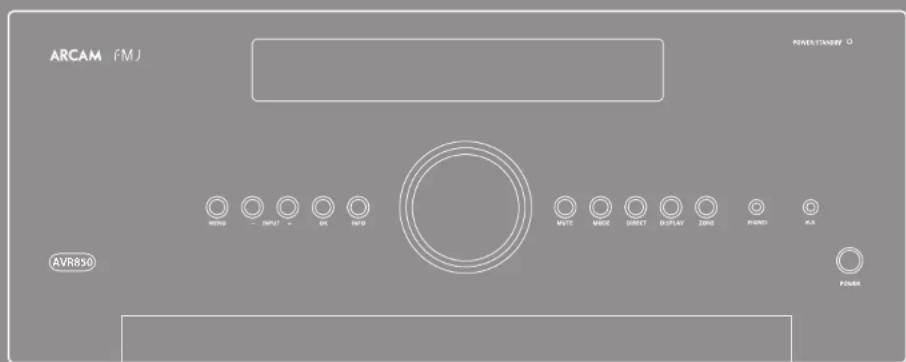



CAUTION
RISK OF ELECTRIC SHOCK DO NOT ENTER
ATTENTION
RISQUE DE CHOC ELECTROQUE NE DAS OUIRES

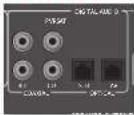
SAT, PVR, BD, CD, STB, AV
Stby: in modalita Standby
Acceso: Acceso
Surround (ad cs. Dolby Surround, DTS Neural:X, ccc.)
Stereo.
https://developer.spotfly.com/esdk-third-party-licenses

Rispostainfrequency20Hz-20kHz±0,2dB
https://developer.spatoty.com/esdk-third-party-licenses
多房间设置
Ta6n4yUyCTPOIcTBAKoI
codici remoti
设备代码
Amplifier
| Adoc 007 | |
| Adcom 082 092 125 161 | |
| 289 356 | |
| Aiva 170 018 101 202 | |
| 205 233 211 188 | |
| Altai 189 | |
| Ame 125 126 127 281 | |
| 282 | |
| Angstrom 142 | |
| Anthon 335 337 | |
| Asano 000 002 141 | |
| 418 | |
| Atlantic | |
| Technology | |
| Audio Flows | |
| Audio Matrix | |
| Audio Techniques | |
| B & K | |
| Rasa 078 170 234 347 | |
| 499 460 903 906 | |
| Positron Acoustics | |
| 447 | |
| Tea | |
| Bryson | |
| Cambridge Axclint | |
| 532 523 525 630 | |
| 683 684 552 | |
| Curver | |
| 006 028 081 071 | |
| 201 231 226 185 | |
| 022 077 204 | |
| Cinema Sound | |
| Clifton 138 272 | |
| Clarson | |
| Class | |
| 537 430 411 | |
| Delphi 515 | |
| Dion | |
| 109 215 230 234 | |
| 330 860 | |
| Dezo | |
| Flan | |
| English/Audible Naxton 368-461 | |
| Fisher | |
| Antibiotics | |
| 378 | |
| Proteal/Artificial | |
| 233 342 | |
| CR | |
| Colbital | |
| Herman-Karlson | |
| 231 233 153 154 | |
| 118 318 | |
| Dilachi | |
| 020 | |
| Inegren | |
| 275 781 | |
| Jamei 398 | |
| Icpenney | |
| 216 | |
| Jensen | |
| 058 | |
| IVC | |
| 163 191 114 278 | |
| 291 | |
| Kenwood | |
| 026 066 145 192 | |
| 182 002 280 371 | |
| KII | |
| Klipsch | |
| Kiss 216 | |
| Kroll 072 376 384 | |
| Kypos | |
| 007 | |
| Leason | |
| 120 235 236 237 | |
| 357 260 | |
| Lian 124 377 | |
| Loane | |
| 904 905 907 908 | |
| Lusman | |
| 139 033 165 115 | |
| 004 009 | |
| LXT 056 | |
| Magravova | |
| 086 164 152 208 | |
| Munizic | |
| 085 085 071 251 | |
| 085 085 071 251 | |
| 085 085 071 251 |
| Minimush | 258 286 |
| Meridian | 100 012 013 |
| Munibush | 242 243 291 |
| Monchal | 157 158 042 043 |
| 081 142 | |
| Musical Fidelphy | 617 618 |
| Myrdoy | 278 293 |
| Nid | 113 263 478 479 |
| Nuiz | 333 331 535 |
| Nakamichi | 010 241 215 172 |
| 183 287 | |
| NEC 176 | |
| Nitee | 103 |
| Oriyoji | 017 046 108 080 |
| 309 275 | |
| Optima | 036 |
| Outlaw 242 | |
| Parasitic | 152 193 219 177 |
| 203 383 | |
| Parasitol | 129 130 221 261 |
| 264 395 535 334 | |
| Phillips | 249 250 291 063 |
| 118 405 | |
| Pioncar | 014 044 049 168 |
| 116 035 075 058 | |
| 480 | |
| Polkiano 515 | |
| Primare | 461 462 463 464 |
| 465 | |
| Proved 144 268 | |
| RCA | 010 048 117 156 |
| 065 285 | |
| Realistic | 019 056 073 079 |
| 096 | |
| Sintel 071 083 085 | |
| Sussured | 379 391 392 |
| Sizzling | 016 801 |
| Sensui | 040 048 110 119 |
| 065 228 | |
| Serpini | 047 |
| Scurt | 019 091 |
| Sharp | 026 094 036 178 |
| Sherwood | 024 102 116 447 |
| Struss | 555 |
| Smy 018 247 248 166 | 101 184 218 271 |
| 368 372 380 | |
| SSI | 058 |
| Suplen | 450 |
| Sunfire 341 345 356 | |
| Systemline | 758 |
| Tec | 005 019 019 019 |
| 212 217 | |
| Technics | 122 170 193 218 |
| 178 177 200 257 | |
| Tibia Digital | 136 |
| Toshish | 050 087 150 278 |
| XM Satellite Radio | 515 |
| Yanata | 026 333 169 067 |
| 172 264 231 069 | |
| 364 274 283 373 | |
| 902 644 |
CD
| Adams 062 012 Aiva 089 170 187 Akai 202 Arcs 251 232 Arcan 001 238 275 Audio Access Audio Fax Audio Technica California Audio Cambridge Audio Carver 185 041 050 067 107 130 131 135 136 139 205 267 Giacce 267 Cook 135 Democ 002 125 Ducroix 042 Fulcr 000 005 134 008 Gemexat 010 Gelukse 080 Harrington Kenlon 033 067 208 Hilachi 042 175 Inke 130 Instgin 298 Integra 039 273 Ispenney 141 Jensen 150 JVC 001 022 136 163 213 211 212 213 Kenwood 185 067 023 055 071 072 121 137 254 Kroll 211 255 Kopson 005 Lima 296 Lancet 256 Laxman 011 028 070 249 Lau 253 Magalena 107 Marais 041 051 077 107 Mak 209 246 McBride 213 247 Menonov 010 Mission 107 Misublsh 170 Medial 145 Munical Deutiny 258 281 Mysdi 245 155 Nad 008 005 067 178 293 Nakamura 217 218 NPCC 061 Nidko 016 Nom 107 Okiyo 038 038 039 168 Optimis 030 060 081 Pensamic 147 172 008 068 Pensamic 213 260 Philips 041 107 246 Prinover 018 120 074 175 176 Primer 266 Proceed 239 Proten 107 Quasert 147 008 RCA 017 022 150 Relativistic 042 050 051 182 Total 107 185 178 250 |
| SAE | 107 |
| Santui | 107.128.171.190 |
| 125 | |
| Sarvo | 050 |
| Sharp | 026.031.051 |
| Sherwood | 051.086.112.115 |
| 119.168 | |
| Signature | 053 |
| Seno 9410881 697 125 | 153.177.226.181 |
| Soundesign | 254 |
| Steno | 136 |
| Sypnolia | 107 |
| Symphonic | 052 |
| Tidy | 032 |
| Tiec | 051.052.333.079 |
| Technics | 147.172.184.008 |
| 368 | |
| Thru Digital | 334.235 |
| Trivalba | 006.067.097.160 |
| 148 | |
| Viktor | 014.002 |
| Vitek | 105.033 |
| Yammin | 024.046.054.186 |
| 153.243 |
DVD
| ApoE A46 |
| Alaii 281 |
| Alpina 098 |
| Apex Digital 087 282 115 |
| Arcan 001 |
| Brodensco 130 |
| Cambridge Audio 215 323 333 |
| Cinevision 091 |
| Calby 260 |
| Cyberhome 271 |
| Daxton 138 080 173 358 |
| Durobian 091 |
| DV12000117 |
| Fenster 081 143 |
| ESA 143 |
| Fibers 147 |
| Harmat 143 |
| GE 027 |
| Go Video 137 081 220 221 |
| Goldstar 081 |
| Hannover Kaufen 084 140 |
| Iliacchi 201 |
| Innai 202 |
| Insignta 143 |
| Ingem 142 338 |
| IPC 084 |
| IVC 012 |
| Kenwood 151 |
| Kian 279 |
| KHL 135 |
| Kreel 101 |
| Levantes 148 |
| LG 091 057 |
| Lira 306 301 |
| Liteon 264 |
| Loewe 359 360 |
| Magnavore 001 096 143 362 |
| Munarz 083 095 |
| Meridian 153 |
| Microcell 027 |
| Mintek 282 |
| Mitabishii 017 |
| Mycayd 102 131 |
| Nad 088 253 |
| Nizamichii 105 |
| Onkyo 076 141 42 338 |
| Oppo 311 |
| Opium 107 |
| Orient 130 |
| Panoramic 042 138 119 150 |
| Pirini 285 |
| Phillips 083 056 166 344 |
| Phillipse-Magnavore 141 001 |
| Fonerie 023 092 099 107 |
| Ferrari 118 131 304 354 |
| Poland 231 |
| Polkhandie 111 001 |
| Prinman 193 194 |
| Proscan 017 |
| RCA 027 |
| Ratel 035 336 |
| Samsung 056 165 170 137 |
| Samoi 193 275 |
| Sanyi 147 |
| Sean 130 |
| Sharp 094 |
| Sherwood 245 216 207 248 |
| Sumy | 033 116 445 128 |
| 151 296 242 243 | |
| 343 320 | |
| Superscan | 113 |
| 5e2000 | 143 |
| 999999 | 113 |
| Smaughoct 143 | |
| Zag Mølaken | 156 |
| Takung 02 | |
| teac | 107 |
| Technika 042 | |
| technowood | 088 |
| Thompson | 027 |
| Ishida | 130 141 164 188 |
| 273 356 | |
| Venkara 149 | |
| X-Rox | 027 |
| Yamahita | 012 089 166 138 |
| 197 334 | |
| Zoith 057 091 | |
DVD-TV combo
| Alisa 146 |
| Akai 281 |
| Dusbrande 243 |
| Ela 115 |
| Fena 143 |
| Imiginta 113 |
| Magyarov 282 |
| Mikulick 304 |
| Saracog 165 |
| SV2000 113 |
| Syfrszeria 113 |
| Symphoric 145 |
| Teshbi 130 |
DVD-TV-VCRCombo
| Emerson H43 | |
| Imigiris | 143 |
| Magyaros | 143 |
| Paraswori | 144 |
| Suzuki | 123 |
| Sypozen | 113 |
| Toshii | 184 |
DVD-VCR combo
| Ga Vidax | 157 |
| Paranoides | 150 |
| Philips | 003 (VCR function 067) |
| Sarawing 137 159 | |
| Sanaa | 150 |
| Sany | 145 (9) |
| Shibha | 141 |
| Zenith 091 (VCR function 101) | |
DVD-Recorder
| Cyberthon271 | |
| Go Video | 220 221 |
| Kiss | 278 |
| Panasonic | 138 |
| Samsung 301 | |
| Sunny | 191 |
| Robusta | 198 |
Blu-ray/HD-DVD
| Denise | 358 |
| L.G. | 891 |
| Nad | 353 |
| Orikio | 338 |
| Pammonie | 265 |
| Plummer | 304 354 |
| Samsung 273 | |
| Sunny | 286 |
| Toshuia | 273 356 |
| Yarshua | 197 |
Satellite STB
| Acoustic Solutions | 002.090 |
| Acorch | 002.020-026.059 |
| Alba | 002.016-023.023 |
| Acorch 024 | 027.032-041.058 |
| Acorch 024 | 084.1070.116 |
| Antifreeze 073 | 002.009 |
| Arcos | 014 |
| Asda | 002.089 |
| Aerodril | 011 |
| Airlock 024 | 007 |
| Azadoline | 007 |
| Airys | 002 |
| Black Diamond | 002 |
| Boca | 014 |
| Brash | 002.007-009.011 |
| Brash 024 | 016.020-023.027 |
| Brash 024 | 029.030-032.044 |
| Brash 024 | 052.033-058.062 |
| Brash 024 | 060.069-073.070 |
| Brash 024 | 092.098-103.183 |
| Corming | 024 |
| Crown | 002 |
| Curety | 002 |
| Curry | 002 |
| Curry 062.089 | 029 |
| CYTCS | 129 |
| Dacereco | 031.109 |
| DigiFusion | 009.011 |
| DigiFusion 002.020 | 073 |
| DigiFusion | 002.026 |
| DigiFusion stream | 003 |
| Dimo 066.089 120 | 025 |
| Dreamx | 119 |
| Dutal | 020 |
| Durandrol 007.020.055 | 055 |
| Eascellis | 162 |
| Izserham | 020 |
| EZ Box | 101 |
| Fergiosum | 001.013.013.020 |
| Fersic | 026.062.072.073 |
| Fersic TV | 386 |
| Fivers 0173.000 | 015 |
| Firesman | 017 |
| Fules | 017 |
| Fues 009.011 | 020 |
| Global 024 | 019.020 |
| Gondamix 002.001.019 | 023.027.029.030 |
| Hermans | 032.014-058.061 |
| Haldig | 009.070-071.088 |
| Herdog | 103 |
| Grundig | 001.002.003.004 |
| Jugniz | 027.030-044.058 |
| Jugniz TV | 029.061-069.070 |
| Jugniz TV | 071.073-084.088 |
| Lichraman 021 | 020 |
| Mitsubishi | 002.030-082 |
| Humax | 012.018-034.038 |
| Kaiser Higashi | 048.049-030.051 |
| Kahel Higashi | 054.108-112.116 |
| Ludwig | 026.194 |
| Lusor | 002.020-065.073 |
| Loda 002 | 079 |
| Logistik | 082 015 026 038 |
| 062 065 087 092 | |
| Logistat | 024 |
| Lowry | 073 085 |
| Lemon | 026 073 039 |
| Manhattan | 079 076 |
| Maplan | 020 |
| Matrai | 082 011 061 |
| Medion | 021 |
| Meo 031 091 | |
| Metronix | 087 045 047 067 |
| 068 072 073 076 | |
| 077 079 | |
| Meta 016 | |
| Morgants S.L. | 024 |
| Murphy | 118 |
| Nichinzen 023 | |
| Nikkei 006 | |
| Orn 002 020 | |
| Pace 057 078 125 | |
| Pacific 002 | |
| Palauan | 017 |
| Parasocic | 086 |
| Philies | 082 |
| Philips | 007 014 031 033 |
| 034 080 114 | |
| Premises | 048 054 057 118 |
| Proline | 082 016 020 026 |
| 062 | |
| Sagecoon 018 096 | |
| Sagen | 008 015 036 105 |
| Samsung 037 038 091 111 | |
| Scientific America | 081 |
| SKK | 082 |
| Saratoga | 007 |
| Sharp | 023 079 083 088 |
| Sky | 048 054 135 |
| Sky-Digital 127 | |
| Sky HD | 130 |
| Skyi | 128 |
| Skymaster | 017 |
| Sony | 019 110 |
| Strovg | 002 |
| TDC 081 | |
| Technika | 002 020 058 070 |
| 073 088 087 | |
| Technomata | 039 019 041 126 |
| Technomasičnić 007 | |
| Technowind | 002 020 079 100 |
| Televest | 025 |
| Tevson | 007 017 023 101 |
| Thocum | 003 065 012 043 |
| 079 113 | |
| Top Up TV | 087 |
| topfield | 1901 |
| Toshiba | 082 |
| Trax | 023 083 088 |
| TV Oticians | 013 056 121 122 |
| 123 124 | |
| TWP Digitai 007 | |
| Virgin Media | 013 625 |
| Walker | 028 |
| Wharfschleiber | 002 020 079 |
| Wintx | 097 |
| Xenios | 073 |
| Yanada | 026 |
| Zon | 078 |
Satellite Radio
| Brux | 555 |
| Debjib | 515 |
| Polkaioz | 515 |
| Sirius | 555 |
| Sany | 380 |
| XM Satellite Radio | 315 |
TV
| A.R. Systems | 100 118 |
| All | 299 |
| Admiral | 058 139 201 215 |
| 256 | |
| Adyson | 159 218 |
| Ag | 031 118 123 240 |
| 263 282 286 319 | |
| 307 | |
| Ag | 282 |
| Albivirous | 151 |
| Alloy | 144 |
| Akaii 007 036 074 097 | |
| 103 104 106 108 | |
| 152 140 155 156 | |
| 242 243 249 250 | |
| 293 275 279 280 | |
| 287 407 409 410 | |
| Akita | 085 |
| Akura | 064 074 086 108 |
| 171 174 174 407 410 | |
| 629 430 431 | |
| Alba | 069 164 069 074 |
| 108 152 172 175 | |
| 224 219 250 261 | |
| 307 407 409 | |
| Allen | |
| Altar 108 251 | |
| Altos 250 | |
| Arushad | 022 074 123 177 |
| 215 219 266 307 | |
| 209 | |
| Anam | 285 |
| Anderson | 123 |
| Antish | 108 185 219 281 |
| 267 277 410 | |
| Arsenic | 108 |
| Antecox | 064 |
| Azic | 016 |
| Azic Fin Gla 173 179 | |
| Arushik | 085 086 096 |
| Arvidan | 085 250 |
| Argen 127 250 | |
| Argus | 250 |
| Ardisana | 109 111 119 123 |
| 230 | |
| Az | 087 102 105 234 |
| Ashberg | 185 267 |
| Azora | 171 110 |
| Astroscand 108 | |
| Azouks | 149 |
| Atlantic | 089 197 |
| Andesonic | 073 085 098 108 |
| 110 159 164 171 | |
| 105 252 250 265 | |
| 267 269 | |
| Azorara | 170 271 218 |
| Autovac | 123 158 139 163 |
| Basic Line | 187 292 289 |
| Asia | 108 |
| Asstimant | 171 |
| Axion | 409 |
| Bard 032 168 | |
| Burg & Oficers | 304 239 |
| Basic Line | 033 108 120 170 |
| 249 264 277 | |
| Baur | 036 042 045 074 |
| 092 096 097 108 | |
| 111 131 132 134 | |
| 158 171 211 212 | |
| 219 217 233 251 | |
| 256 366 408 414 | |
| Bayesian 100 |
| Teiko 049-035-086 090 |
| 198 117 130 195 |
| 225 250 252 263 |
| 296 |
| Belstar 108 116 219 |
| Best 292 |
| Bester 086 108 249 |
| Baca Diamond 120 219 |
| Black Panther 185 |
| Blancplate 091 092 096 097 |
| Blue Sky 109 172 219 219 |
| Blue Sky 109 172 219 219 |
| Braxstar 063 108 |
| Bromano 282 |
| Bondstaedt 163 203 203 |
| Bondstaedt 163 203 203 |
| Brandt 173 170 193 195 |
| Bravo 204 |
| Bravvovac 304 246 |
| Bravovac 304 246 |
| Brother 110 |
| Bru 204 |
| Bar 144 247 |
| Bash 031 063 069 071 |
| Bash 031 063 069 071 |
| Cello |
| Cello |
| Century 263 204 |
| Cge |
| Cgen 085 086 108 204 |
| Cie 025 064 108 106 |
| Cienar |
| Cienar |
| Clariant 161 232 258 |
| Clariant 161 232 258 |
| Clariant 161 232 258 |
| Cleric |
| Cleric |
| Conic 219 |
| Conic |
| Conic |
| Coni |
| Coni |
| Coni |
| Coni |
| Coni |
| Coni |
| Coni |
| Coni |
| Coni |
| Coni |
| Coni |
| Coni |
| Coni |
| Coni |
| Coni |
| Coni |
| Coni |
| Coni |
| Coni |
| Coni |
| Conis |
| Conis |
| Conis |
| Conis |
| Conis |
| Conis |
| Conis |
| Conis |
| Conis |
| Conis |
| Conis |
| Conis |
| Conis |
| Conis |
| Conis |
| Conis |
| Conis |
| Conis |
| Conis |
| Conis |
| Coni |
| Coni |
| Coni |
| Coni |
| Coni |
| Coni |
| Coni |
| Coni |
| Coni |
| Coni |
| Coni |
| Coni |
| Coni |
| Coni |
| Coni |
| Coni |
| Coni |
| Coni |
| Coni |
| Conia |
| Conia |
| Conia |
| Conia |
| Conia |
| Conia |
| Conia |
| Conia |
| Conia |
| Conia |
| Conia |
| Conia |
| Conia |
| Conia |
| Conia |
| Conia |
| Conia |
| Conia |
| Conia |
| Conia |
| Conie |
| Conie |
| Conie |
| Conie |
| Conie |
| Conie |
| Conie |
| Conie |
| Conie |
| Conie |
| Conie |
| Conie |
| Conie |
| Conie |
| Conie |
| Conie |
| Conie |
| Conie |
| Conie |
| Conie |
| Conia |
| Conia |
| Conia |
| Conia |
| Conia |
| Conia |
| Conia |
| Conia |
| Conia |
| Conia |
| Conia |
| Conia |
| Conia |
| Conia |
| Conia |
| Conia |
| Conia |
| Conia |
| Conia |
| Coniac |
| Coniac |
| Coniac |
| Coniac |
| Coniac |
| Coniac |
| Coniac |
| Coniac |
| Coniac |
| Coniac |
| Coniac |
| Coniac |
| Coniac |
| Coniac |
| Coniac |
| Coniac |
| Coniac |
| Coniac |
| Coniac |
| Coniac |
| Conia |
| Coniac |
| Coniac |
| Coniac |
| Coniac |
| Coniac |
| Coniac |
| Coniac |
| Coniac |
| Coniac |
| Coniac |
| Coniac |
| Coniac |
| Coniac |
| Coniac |
| Coniac |
| Coniac |
| Coniac |
| Coniac |
| Conia |
| Conia |
| Conia |
| Conia |
| Conia |
| Conia |
| Conia |
| Conia |
| Conia |
| Conia |
| Conia |
| Conia |
| Conia |
| Conia |
| Conia |
| Conia |
| Conia |
| Conia |
| Conia |
| Coniec |
| Coniec |
| Coniec |
| Coniec |
| Coniec |
| Coniec |
| Coniec |
| Coniec |
| Coniec |
| Coniec |
| Coniec |
| Coniec |
| Coniec |
| Coniec |
| Coniec |
| Coniec |
| Coniec |
| Coniec |
| Coniec |
| Coniec |
| Conie |
| Conie |
| Conie |
| Conie |
| Conie |
| Conie |
| Conie |
| Conie |
| Conie |
| Conie |
| Conie |
| Conie |
| Conie |
| Conie |
| Conie |
| Conie |
| Conie |
| Conie |
| Conie |
| Coniec |
| Conie |
| Conie |
| Conie |
| Conie |
| Conie |
| Conie |
| Conie |
| Conie |
| Conie |
| Conie |
| Conie |
| Conie |
| Conie |
| Conie |
| Conie |
| Conie |
| Conie |
| Conie |
| ConIE |
| Conie |
| Conie |
| Conie |
| Conie |
| Conie |
| Conie |
| Conie |
| Conie |
| Conie |
| Conie |
| Conie |
| Conie |
| Conie |
| Conie |
| Conie |
| Conie |
| Conie |
| Conie |
| Conie |
| ConIE |
| ConIE |
| ConIE |
| ConIE |
| ConIE |
| ConIE |
| ConIE |
| ConIE |
| ConIE |
| ConIE |
| ConIE |
| ConIE |
| ConIE |
| ConIE |
| ConIE |
| ConIE |
| ConIE |
| ConIE |
| ConIE |
| ConIE |
| Conie |
| Conie |
| Conie |
| Conie |
| Conie |
| Conie |
| Conie |
| Conie |
| Conie |
| Conie |
| Conie |
| Conie |
| Conie |
| Conie |
| Conie |
| Conie |
| Conie |
| Conie |
| ConIE |
| Conies |
| Conie |
| Conie |
| Conie |
| Conie |
| Conie |
| Conie |
| Conie |
| Conie |
| Conie |
| Conie |
| Conie |
| Conie |
| Conie |
| Conie |
| Conie |
| Conie |
| Conie |
| Conie |
| Conie |
| Conies |
| Conie |
| Conie |
| Conie |
| Conie |
| Conie |
| Conie |
| Conie |
| Conie |
| Conie |
| Conie |
| Conie |
| Conie |
| Conie |
| Conie |
| Conie |
| Conie |
| Conie |
| Conie |
| ConIE |
| Coniec |
| Conie |
| Conie |
| Conie |
| Conie |
| Conie |
| Conie |
| Conie |
| Conie |
| Conie |
| Conie |
| Conie |
| Conie |
| Conie |
| Conie |
| Conie |
| Conie |
| Conie |
| Conie |
| Conies |
| ConIE |
| Conie |
| Conie |
| Conie |
| Conie |
| Conie |
| Conie |
| Conie |
| Conie |
| Conie |
| Conie |
| Conie |
| Conie |
| Conie |
| Conie |
| Conie |
| Conie |
| Conie |
| Conie |
| Conies |
| Conies |
| Conie |
| Conie |
| Conie |
| Conie |
| Conie |
| Conie |
| Conie |
| Conie |
| Conie |
| Conie |
| Conie |
| Conie |
| Conie |
| Conie |
| Conie |
| Conie |
| Conie |
| Conie |
| Conies |
| Coniec |
| Conie |
| Conie |
| Conie |
| Conie |
| Conie |
| Conie |
| Conie |
| Conie |
| Conie |
| Conie |
| Conie |
| Conie |
| Conie |
| Conie |
| Conie |
| Conie |
| Conie |
| Conie |
| Coniec |
| ConIE |
| Conie |
| Conie |
| Conie |
| Conie |
| Conie |
| Conie |
| Conie |
| Conie |
| Conie |
| Conie |
| Conie |
| Conie |
| Conie |
| Conie |
| Conie |
| Conie |
| Conie |
| Conie |
| Coniec |
| Coniec |
| Conie |
| Conie |
| Conie |
| Conie |
| Conie |
| Conie |
| Conie |
| Conie |
| Conie |
| Conie |
| Conie |
| Conie |
| Conie |
| Conie |
| Conie |
| Conie |
| Conie |
| ConIE |
| Conie |
| ConIE |
| Conie |
| Conie |
| Conie |
| Conie |
| Conie |
| Conie |
| Conie |
| Conie |
| Conie |
| Conie |
| Conie |
| Conie |
| Conie |
| Conie |
| Conie |
| Conie |
| Conie |
| ConIE |
| Conie |
| Conies |
| Conie |
| Conie |
| Conie |
| Conie |
| Conie |
| Conie |
| Conie |
| Conie |
| Conie |
| Conie |
| Conie |
| Conie |
| Conie |
| Conie |
| Conie |
| Conie |
| Conie |
| ConIE |
| Conie |
| Coniec |
| Conie |
| Conie |
| Conie |
| Conie |
| Conie |
| Conie |
| Conie |
| Conie |
| Conie |
| Conie |
| Conie |
| Conie |
| Conie |
| Conie |
| Conie |
| Conie |
| Conie |
| ConIE |
| ConIE |
| Conie |
| Conie |
| Conie |
| Conie |
| Conie |
| Conie |
| Conie |
| Conie |
| Conie |
| Conie |
| Conie |
| Conie |
| Conie |
| Conie |
| Conie |
| Conie |
| Conie |
| ConIE |
| ConIE |
| Conies |
| Conie |
| Conie |
| Conie |
| Conie |
| Conie |
| Conie |
| Conie |
| Conie |
| Conie |
| Conie |
| Conie |
| Conie |
| Conie |
| Conie |
| Conie |
| Conie |
| Conie |
| ConIE |
| ConIE |
| Coniec |
| Conie |
| Conie |
| Conie |
| Conie |
| Conie |
| Conie |
| Conie |
| Conie |
| Conie |
| Conie |
| Conie |
| Conie |
| Conie |
| Conie |
| Conie |
| Conie |
| Conie |
| ConIE |
| Coniec |
| ConIE |
| Conie |
| Conie |
| Conie |
| Conie |
| Conie |
| Conie |
| Conie |
| Conie |
| Conie |
| Conie |
| Conie |
| Conie |
| Conie |
| Conie |
| Conie |
| Conie |
| Conie |
| ConIE |
| Coniec |
| Coniec |
| Conie |
| Conie |
| Conie |
| Conie |
| Conie |
| Conie |
| Conie |
| Conie |
| Conie |
| Conie |
| Conie |
| Conie |
| Conie |
| Conie |
| Conie |
| Conie |
| Conie |
| Conies |
| Conie |
| ConIE |
| Conie |
| Conie |
| Conie |
| Conie |
| Conie |
| Conie |
| Conie |
| Conie |
| Conie |
| Conie |
| Conie |
| Conie |
| Conie |
| Conie |
| Conie |
| Conie |
| Conie |
| Conies |
| Conie |
| Conies |
| Conie |
| Conie |
| Conie |
| Conie |
| Conie |
| Conie |
| Conie |
| Conie |
| Conie |
| Conie |
| Conie |
| Conie |
| Conie |
| Conie |
| Conie |
| Decra 053 066 069 | 108 128 159 161 189 107 |
| Delion 249 | |
| Denver | 074 172 282 408 |
| Desmont | 108 |
| Dugan | 427 |
| Digitision | 225 |
| Digitman 051 | |
| Oligre | 367 |
| Dinsey | 062 |
| Dintech 298 286 300 Included | 338 |
| Domars | 322 |
| Dual 108 123 137 158 | 108 233 243 245 249 250 279 286 293 |
| Dunant 087 102 305 310 Included | 110 185 204 234 267 |
| Durabrandt | 249 282 |
| E-Max 164 | |
| Eag | 069 177 250 |
| Edison 172 | 122 |
| Edison Minerva | |
| Elbe | 058 074 108 120 143 169 185 205 228 255 216 273 407 |
| Klotz | 108 218 |
| Exit | 161 |
| Electric 109 | |
| Electric Co | 240 |
| Klinden 108 144 159 | 171 410 |
| Klickmosska | 086 108 156 274 |
| Klemm 031 071 282 294 | 291 407 |
| Len 108 108 132 | |
| Elior | 064 149 410 |
| Elior | 164 185 |
| Ella | 108 371 410 |
| Enersson | 096 108 284 409 |
| Elec | 108 |
| Eumon | 347 |
| Euramid 286 | |
| Euraphon 033 111 129 169 | 129 169 161 185 |
| Euroday 219 407 | |
| Evoluta | 108 116 |
| Expert (J) | 089 |
| Euqutint 108 110 | |
| Fenster | 108 171 249 251 |
| Fergusson | 032 078 108 162 195 198 189 200 201 219 |
| Holsda | 108 |
| Holandada | 033 101 105 189 195 |
| Hulite | 031 066 089 074 087 102 103 104 103 107 108 116 138 140 144 156 159 161 182 183 228 234 251 275 276 279 290 407 |
| First-Line 108 111 | 158 246 249 251 264 273 |
| Fisher 054 052 086 | 258 159 221 233 |
| Hunt | 273 |
| Torque | 123 194 286 |
| Termenial | 108 109 110 149 |
| 179 229 237 | |
| Triads | 106 245 |
| Protench | 126 159 166 171 |
| 320 | |
| Pajetni General | 088 159 197 247 |
| Fumai | 209 264 206 293 |
| 410 | |
| Galactis | 118 185 255 260 |
| 255 | |
| Galera | 171 |
| Ghre.347 144 148 361 | |
| 171 198 267 269 | |
| Gio: | 129 147 150 189 |
| 411 | |
| Gioiata | 064 137 144 148 |
| 164 171 | |
| General | 171 |
| General Technic | 171 |
| Geronim | 107 225 300 |
| Goldfish | 249 264 |
| Goldfish | 223 |
| Goldstar | 088 074 098 108 |
| 110 136 144 150 | |
| 163 166 171 191 | |
| 219 237 237 250 | |
| 263 268 288 410 | |
| Goodeing | 172 |
| Goodeins | 031 063 061 068 |
| 074 108 105 109 | |
| 110 115 129 123 | |
| 159 170 171 176 | |
| 187 194 195 224 | |
| 225 249 250 251 | |
| 204 268 268 270 | |
| 272 285 286 287 | |
| 303 306 316 331 | |
| 407 409 | |
| Goury | 086 060 108 116 |
| 219 271 286 | |
| Gprio | 084 410 |
| Gradient B38 | |
| Grateta | 108 132 134 141 |
| 145 147 148 156 | |
| 173 242 244 249 | |
| 250 263 296 414 | |
| 418 | |
| Gran Pria 031 127 | 294 407 |
| Granada | 022 027 030 032 |
| 033 036 039 041 | |
| 042 043 045 048 | |
| 051 051 057 058 | |
| 079 081 082 085 | |
| 086 090 105 104 | |
| 105 108 109 111 | |
| 128 131 131 135 | |
| 140 145 156 159 | |
| 167 181 189 195 | |
| 208 218 221 251 | |
| 278 283 314 | |
| Granian | 069 272 |
| Grand Wall | 074 408 |
| Grundig | 031 063 069 073 |
| 091 092 094 096 | |
| 097 100 101 116 | |
| 117 130 155 172 | |
| 187 204 212 310 | |
| 332 350 257 287 | |
| 407 | |
| Gok 407 | |
| I&E | 282 |
| Hater | 313 |
| Therapeutic | 080 085 100 108 |
| 110 120 127 132 | |
| 136 141 149 158 | |
| 171 191 220 225 | |
| 229 248 250 251 | |
| 269 277 286 298 | |
| 302 407 414 | |
| Hematocrit | 161 |
| Thrombin | 159 |
| Haemu | 297 |
| Hb | 382 |
| Hb tingem | 172 |
| Hem | 109 159 171 277 |
| 314 | |
| HbFerritin | 173 179 |
| Hbsuri | 064 108 171 274 |
| 242 410 | |
| Histiocyt | 273 |
| Histiocyt | 302 |
| Hb 2604 | |
| Diluci | 022 023 024 028 |
| 029 030 030 039 | |
| 040 044 053 054 | |
| 055 056 057 101 | |
| 108 110 128 123 | |
| 127 138 129 134 | |
| 135 140 145 147 | |
| 136 146 151 151 | |
| 186 189 193 219 | |
| 209 206 209 276 | |
| 279 286 295 311 | |
| 313 316 317 321 | |
| 623 | |
| Hbs | 273 |
| Hb | 108 195 251 |
| Hsfcn | 069 117 123 249 |
| 250 | |
| Hemch | 261 |
| Hyper 159 163 177 | |
| Hypoxia | 060 060 074 100 |
| 118 163 249 250 | |
| 263 264 293 307 | |
| Hyundai | 152 166 180 235 |
| 317 | |
| Irecovian | 144 |
| Ice | 084 108 159 171 |
| 409 410 | |
| Idcot | 277 |
| Emporal 108 109 110 | 154 165 229 243 |
| 255 260 267 277 | |
| Igken | 132 141 147 148 |
| 242 244 273 279 | |
| Ingersoll | 171 |
| Imno Dto | 127 159 161 188 |
| 237 249 | |
| Irecovian | 410 |
| Intersceral | 233 |
| Interfack | 067 108 132 134 |
| 137 141 147 158 | |
| 165 179 242 241 | |
| 251 256 265 244 | |
| Intervenion | 085 088 108 132 |
| 144 146 191 410 | |
| Ispont 171 | |
| Irci117 | 324 |
| Irci1456/Spine 323 | |
| Irradiation | 074 108 163 237 |
| 269 264 408 | |
| Taken 085 | |
| Irc | 144 139 |
| Iz | 171 |
| Irs | 084 159 171 409 |
| 314 |
| Til | 031 052 17 132 |
| 134 139 111 144 | |
| 145 147 118 156 | |
| 158 242 244 250 | |
| 268 111 148 | |
| Telipintu | 268 |
| Imh | 063 |
| Socit | 069 071 282 283 |
| 808 | |
| Irc | 120 169 278 409 |
| K.Christo 107 | |
| Katidii | 136 |
| Kaisuu 127 249 273 | 280 |
| 410 | |
| Kaukrocm | 084 140 |
| Kapich | 099 141 147 148 |
| 197 | |
| Karchoor | 103 074 188 189 |
| 117 185 230 273 | |
| 274 282 289 407 | |
| 418 | |
| Kathleen | 187 |
| Nawa | 409 |
| Kerida 060 108 137 | 137 |
| 235 245 246 249 | |
| 270 273 296 | |
| Kennedy | 148 197 |
| Nettes | 108 249 261 |
| Seymat 207 235 | |
| Keron | 219 261 283 |
| Kreisel | 058 058 229 259 |
| 264 273 | |
| Koerting | 086 281 271 |
| Koika | 109 |
| Kototo | 410 |
| Kutha Electronic | 134 158 233 |
| Lazer | 071 |
| Leeson | 116 |
| Lema | 188 110 170 249 |
| 410 | |
| Lemire | 247 268 |
| Lewd | 426 |
| Lg | 010 049 015 938 |
| 181 250 263 383 | |
| 286 288 | |
| Lassenkoetter | 198 |
| Lillese | 064 074 108 118 |
| 127 170 171 249 | |
| 264 183 288 410 | |
| Loere | 059 093 095 131 |
| 139 112 113 151 | |
| 150 204 | |
| Logik | 070 187 261 |
| Lema | 137 197 229 216 |
| 249 | |
| Lumanton | 229 245 246 249 |
| Limeri 032 066 071 | 103 |
| 104 105 116 128 | |
| 132 134 140 148 | |
| 153 156 159 186 | |
| 237 242 249 251 | |
| 367 278 276 290 | |
| MAtelectronic | 183 104 105 120 |
| 137 140 276 | |
| MLU.K. | 074 |
| Marimolai | 069 |
| Migzayone | 108 148 158 161 |
| 163 184 185 204 | |
| Magmord | 105 199 |
| Magmmans | 108 |
| Magnumi 151 | |
| Magnumi 03 071 250 263 | |
| 264 407 | |
| Manlantua | 249 264 |
| Marrasse | 108 |
| Marshall 061 | |
| Maxzum 057 074 219 107 | 108 |
| Masters | 108 |
| Matsui | 025 032 055 060 |
| Maxzum | 062 063 069 090 074 |
| Medium | 074 096 100 108 |
| Mittler | 116 136 156 159 |
| Mindest | 171 172 196 202 |
| Mindest | 219 220 107 226 |
| Maxell | 249 |
| Maxzum | 031 107 |
| Medium | 051 074 106 110 |
| Maxzum 286 | |
| Merriti | 123 |
| Mindest | 185 |
| Mitsi 074 092 096 107 | 100 101 108 219 |
| Mindest | 249 251 265 287 293 |
| Mindest | 407 468 |
| Megaw | 273 |
| Monomass | 410 |
| Memory 286 | |
| Merriti | 123 |
| Mindest | 185 |
| Mitsi 074 092 107 | 100 101 108 219 |
| Mindest | 249 251 265 287 322 323 |
| Monomass | 074 219 230 261 |
| Mindest 286 | 282 293 |
| Mindest 286 | |
| Mindest 286 | |
| Mindest 286 | |
| Mindest 286 | |
| Mindest 286 | |
| Mindest 286 | |
| Mindest 286 | |
| Mindest 286 | |
| Mindest 286 | |
| Mindest 286 | |
| Mindest 286 | 108 134 |
| Multibite 294 264 407 | |
| Multibite 294 | |
| Multibite 294 | 031 055 060 108 |
| Multibite 294 | 031 108 108 110 |
| Murrayana | 251 |
| Naikur | 407 |
| Nakamura 170 | |
| Naikur | 135 |
| Nei | 061 108 402 |
| Nei | 108 219 250 |
| Nei | 108 |
| Nei | 108 |
| Nikkui | 219 |
| Nikkui | 249 264 |
| Nikkui 138 | |
| Nissin | 268 |
| Nollika 185 232 267 | |
| Nogamata | 173 159 |
| Nokii | 032 074 102 103 |
| Nokii | 108 109 132 |
| Nokii | 140 141 156 159 |
| Nokii | 158 242 244 251 |
| Nokii | 273 276 279 414 |
| Nordamerika | 069 129 147 173 |
| 179 159 185 246 | |
| 261 270 282 296 | |
| Norway 243 | |
| Nordn | 108 |
| Norte | 249 261 |
| Nova | 887 |
| Nortransk | 108 |
| Oceania | 032 105 104 132 |
| 150 136 176 | |
| Okaz | 108 255 |
| Ocean | 064 108 280 409 |
| 410 | |
| Orpheus | 250 |
| Ocean 000 008 108 | 150 |
| Orbiter | 696 |
| Orion | 033 059 060 062 |
| 063 064 069 070 | |
| 074 068 118 158 | |
| 195 185 187 194 | |
| 198 202 205 219 | |
| 236 240 250 251 | |
| 295 407 409 410 | |
| Orion 94 | 063 104 108 116 |
| 228 245 240 257 | |
| Orionid | 249 |
| Osaki | 108 |
| Ostike | 059 060 111 196 |
| Orion 418 | 090 108 204 282 |
| Orto-Vorand | 026 027 036 040 |
| 059 060 063 069 | |
| 071 081 082 092 | |
| 084 092 096 097 | |
| 100 101 108 110 | |
| 112 116 118 119 | |
| 127 131 132 134 | |
| 156 148 149 152 | |
| 158 159 163 167 | |
| 168 171 185 193 | |
| 195 203 208 211 | |
| 212 213 216 217 | |
| 250 253 256 251 | |
| 269 370 377 401 | |
| 402 404 405 406 | |
| 450 452 | |
| Owp | 059 060 108 |
| Pacific | 063 109 236 249 |
| 250 288 | |
| Palladium 031 108 | 118 127 |
| 134 137 161 185 | |
| 171 228 215 219 | |
| 259 265 268 276 | |
| 293 294 | |
| Panasonic | 148 167 168 254 |
| 601 402 803 494 | |
| 505 | |
| Pathe Cinema | 411 |
| Pathe Macromi | 173 179 |
| 108 144 148 154 | |
| 165 204 219 235 | |
| 295 297 | |
| Philips 007 008 009 019 | 029 021 065 067 |
| 069 092 108 100 | |
| 111 133 116 119 | |
| 112 230 251 406 | |
| 402 404 405 406 | |
| 450 452 | |
| Phocius | 117 139 225 250 |
| Phoenix | 690 108 110 |
| Plurisys | 108 132 195 407 |
| Priory | 691 |
| Pluysonic | 000 250 |
| Powerpoint | 372 |
| Prancloni | 666 069 |
| Prancloni-Prince | 157 261 |
| Premier 099 | - |
| Frima 219 |
| Frima 248 |
| Frima 251 |
| Fim. 235 #P7 |
| Frodex 135 171 267 |
| Frodex 030 074 108 284 |
| Frodex 235 #P7 |
| Frostinica 148 |
| Frostinica 174 108 219 269 |
| Frostinica 066 108 128 |
| Fyio 108 109 251 |
| Quadrado 123 249 286 283 |
| Quadrado 261 257 235 251 |
| Rafas 245 257 234 232 |
| Rafas 229 221 219 218 |
| Rafas 217 218 213 212 |
| Rafas 211 205 204 197 |
| Rafas 198 185 171 169 |
| Rafas 188 187 165 159 |
| Rafas 159 158 144 132 |
| Rafas 111 109 136 131 |
| Rafas 119 118 116 112 |
| Rafas 111 108 105 102 |
| Rafas 101 100 097 096 |
| Rafas 092 090 088 087 |
| Rafas 088 071 072 060 |
| Rafas 059 054 042 030 |
| Rafas 036 027 025 |
| Radilla 065 067 108 251 |
| Radilla 120 |
| Radilla/revilllet 108 161 164 |
| Radilla/revilllet 074 085 |
| Rafin/Rash/ Murphy |
| Racor 084 249 |
| Ravitalian 132 |
| Kislarak 387 407 |
| Koflex 108 349 264 293 |
| Kroc 250 |
| Kerovac 131 |
| Res. 085 089 137 164 |
| Rf. 197 215 246 247 |
| RII. 064 085 116 132 |
| Bun. 2000 108 249 264 |
| Kaizidetra 063 069 080 268 |
| Laxido 117 144 249 250 |
| Laxido 254 263 264 280 |
| Kabatroa 204 |
| Rostia 171 |
| Rouza 249 283 |
| Royal 277 410 |
| Royal Lux 282 |
| Saba 074 147 138 161 |
| Saba 173 179 193 195 |
| Sagura 206 273 |
| Salida 002-060 069 070 |
| Salida 136 159 203 |
| Salco 171 410 |
| Salero 032 086 074 103 |
| Salvo 103 116 118 |
| Salvo 132 154 136 177 |
| Salvo 140 165 156 159 |
| Salvo 232 248 249 251 |
| Salvo 276 276 279 |
| Samirski 161 185 267 |
| Sitzung | 045 086 108 126 |
| 159 171 220 237 | |
| 207 268 281 408 | |
| 410 | |
| San Pedro 108 | |
| Santa Rosa 108 249 261 | 110 |
| Sanity | 193 |
| Sanjoa 032 033 051 | 052 |
| 071 086 087 108 | |
| 121 159 189 218 | |
| 221 249 236 307 | |
| 111 120 | |
| Schuahli I amers | 074 108 116 117 |
| 132 121 147 138 | |
| 156 171 212 249 | |
| 338 204 375 377 | |
| 296 410 | |
| Schneider | 063 064 069 088 |
| 108 116 127 141 | |
| 132 158 159 163 | |
| 233 242 243 249 | |
| 356 251 264 269 | |
| 282 324 409 | |
| Schneider CF | 085 057 251 |
| Sachar 069 | |
| Sag | 064 108 115 123 |
| 144 159 165 171 | |
| 185 249 219 261 | |
| 265 269 286 292 | |
| 410 | |
| Steech | 282 107 |
| Stelee | 089 069 108 110 |
| 127 195 197 226 | |
| 228 255 246 247 | |
| 248 251 307 | |
| Stein | 264 |
| Stein 117 | |
| Steina | 049 064 242 |
| Stein 273 | |
| Sti | 074 |
| Sharp | 073 081 083 083 |
| 084 171 224 474 | |
| 433 | |
| Shinshen | 108 249 |
| Shinshoku 108 | |
| Shiwaku 108 144 249 | 264 |
| Stien 148 161 185 | 204 |
| Stiens | 076 092 056 097 |
| 106 101 218 219 | |
| 337 286 294 | |
| Stera | 069 |
| Silver | 213 207 |
| Silver Schneider | 031 004 282 286 |
| 291 107 | |
| Silver | 061 074 171 221 |
| 277 110 | |
| Sim2 | 226 |
| Singer | 069 108 164 185 |
| 201 251 | |
| Smudnyz 025 062 | 063 066 |
| 074 118 118 158 | |
| 162 185 196 204 | |
| 212 239 251 282 | |
| 407 | |
| Sky 187 194 207 | |
| Slits | 264 407 |
| Sneak | 172 |
| Sparc | 418 |
| Salem 242 | |
| Seminum | 139 407 |
| Sims | 394 |
| Sotokoia | 248 |
| Soskater | 140 156 |
| Sosmec 108 | |
| Smy | 072 211 213 213 |
| 214 215 216 217 |
| Summe/oder | 024 106 249 264 |
| 407 | |
| Spezien | 170 |
| Standard | 108 |
| Starle | 108 171 281 |
| Starfix | 171 |
| Stars | 251 |
| Stern | 008 009 137 197 |
| Starfix | 229 245 269 247 |
| Strata 410 | |
| Strong 115 123 286 | |
| Suralis 273 | |
| Sunstar | 074 108 171 |
| Superstar | 286 |
| Superstar | 074 108 171 245 |
| Supernova | 273 |
| Solitaire | 187 194 307 309 |
| Tadair | 108 |
| Tarsfhang 173 245 254 | |
| Badiko | 159 218 234 |
| Taxung 063 066 097 060 | |
| 070 108 118 158 | |
| 159 161 184 189 | |
| 282 286 287 | |
| Taras | 282 218 |
| Td | 152 |
| Tdn | 127 |
| Td Design 131 100 | |
| Dec | 108 144 159 165 |
| 166 170 171 243 | |
| 247 249 264 | |
| Rehline | 108 123 185 249 |
| 264 283 | |
| Rhinol | 249 263 296 407 |
| Rhinolstar | 108 118 248 |
| Thermedood 115 123 249 | |
| Thermedung | 689 281 407 |
| Transion | 108 193 271 249 |
| Teresicor | 249 |
| Titan 171 268 | |
| Teleris | 173 178 192 |
| Umbuckovsk | 177 179 203 198 |
| 235 261 270 | |
| Telvayka | 171 |
| Telvaskr | 131 255 |
| Teleszir | 031 074 108 227 |
| 383 294 407 | |
| Telech | 108 165 271 249 |
| 264 | |
| Telton | 088 089 131 159 |
| 297 217 | |
| Telenov | 831 607 |
| Tels | 031 074 108 291 |
| 264 367 294 407 | |
| 406 | |
| Benzofix 101 110 120 | |
| 127 144 149 159 | |
| 171 181 219 204 | |
| Renson | 171 |
| Reha | 009 071 199 208 |
| 308 116 127 144 | |
| 150 160 204 239 | |
| 219 250 263 264 | |
| 273 282 267 | |
| Rotar 137 225 249 | 550 |
| 364 367 294 407 | |
| 406 | |
| Trues | 409 |
| Thomas | 154 173 179 193 |
| 193 261 270 | |
| Thomasat 13000 | 004 005 006 |
| Thomson Rec. 80 | 010 011 012 |
| Thorn | 026 028 033 033 |
| 030 043 045 045 | |
| 052 065 067 072 | |
| 075 078 079 087 | |
| 097 102 105 105 | |
| 107 108 110 110 | |
| 128 129 132 135 | |
| 141 145 156 159 | |
| 160 164 169 170 | |
| 170 177 179 188 | |
| 180 185 190 199 | |
| 200 201 211 213 | |
| 216 224 232 232 | |
| 244 251 278 241 | |
| 211 215 416 | |
| Thorn-Peguian | 160 168 195 198 |
| 200 201 213 | |
| Tuba | 171 410 |
| Djouby 268 | - |
| Téchaïne 249 264 | - |
| Tepidion | 085 |
| Téchiris | 026 027 038 037 |
| 042 043 045 047 | |
| 048 049 050 046 | |
| 092 100 202 205 | |
| 208 212 239 253 | |
| 268 281 416 | |
| Tosani 250 | - |
| Tiwala | 144 185 |
| Trans-Continentis | 059 |
| Uthar | 120 261 282 |
| Tristar | 061 410 |
| Triompi | 025 219 234 |
| TVK | 239 |
| T.W.R. | 330 |
| Cher | 189 108 131 119 |
| 186 197 233 249 | |
| Uthaw | 108 138 164 185 |
| Uthamur | 085 686 |
| Univolo 063 098 108 | 170 |
| 250 263 282 286 | |
| Uthamur | 032 074 086 087 |
| 097 100 102 105 | |
| 104 105 108 109 | |
| 118 123 130 171 | |
| 218 139 229 225 | |
| 254 257 243 245 | |
| 269 260 261 220 | |
| 274 275 276 279 | |
| 285 283 | |
| Charns 201 | - |
| Vestal | 198 115 121 431 |
| 213 249 261 286 | |
| 293 303 | |
| Vestl | 431 |
| Vidocam | 525 |
| Vidocan | 110 |
| Vidosat | 465 |
| Vidovesev | 187 194 |
| Vidovatan 111 135 | 178 193 |
| 249 410 | |
| Viton 108 119 249 | - |
| Visvanagic | 187 |
| Vog | 069 |
| Voskar 337 204 | - |
| Walker 206 | - |
| Walsham | 134 145 159 171 |
| 178 | |
| Wolson 064 074 108 | 137 |
| 149 171 194 249 | |
| 294 293 410 | |
| Wait Raulo | 148 158 185 |
| Wegaroc | 213 249 261 282 |
| 408 | |
| Wellrich | 250 |
| Weiblick | 108 110 |
| Wolters435 Wharfadie | 313 418 |
| White Wentungshue | 108 119 119 260 |
| Wiespia | 428 |
| Wilson 219 | |
| Wilson 250 | |
| Wotien 110 120 229 | 273 |
| 407 | |
| Xenius 298 | |
| Xerion | 303 |
| Nurst 061 | |
| Yekoi | 061 308 136 115 129 161 130 171 274 418 |
| Zanada | 224 |
| Zanasiwi | 337 197 |
ARCAM
WWW.ARCAM.CO.UK
THE WEST WING, STIRLING HOUSE
WATERBEACH, CAMBRIDGE, CB25 9PB, ENGLAND
+4401223203200
SH275 Issue 5

- ARCAM
- AV860/AVR850/AVR550/AVR390/SR250
- M
- Important safety instructions
- Class II product
- Non-use periods
- Abnormal smell
- CAUTIONS ON INSTALLATION
- FCC INFORMATION (FOR US CUSTOMERS)
- 1.PRODUCT
- IMPORTANT NOTICE:
- DO NOT MODIFY THIS PRODUCT
- NOTE
- SAFETY INFORMATION
- (FORE EUROPEAN CUSTOMERS)
- A NOTE ABOUT RECYCLING:
- CORRECT DISPOSAL OF THIS PRODUCT
- Contents
- Professional Installation?
- DIY setup?
- Placing the unit
- Power
- NOTE
- Standby power
- Interconnect cables
- Radio interference
- Trademark acknowledgements
- General
- Making connections
- NOTE:
- HDMI connectors
- OUTPUT
- Digital audio connectors
- Zone 2 connectors
- Analogue preamplifier outputs
- Analogue audio inputs
- Front panel AUX input
- Front panel PHONES socket
- Connection guide
- Blu-ray Disc (BD)/DVD player
- Satellite receiver
- CD player
- Aerial connectors
- DAB/FM
- Serial connector
- RS232 serial connector
- Network connector
- Ethernet
- USB connector
- Trigger connectors
- TRIGZ1
- TRIGZ2
- Infrared (IR) connectors
- Z1IR
- Z2IR
- 6V output
- Subwoofer
- Centre
- Height speakers
- Front left and right
- Surround back left and right
- Connecting speakers
- Speaker cables
- Bi-amping the Front Left & Front Right speakers
- Using external power amplifiers
- FLFR
- SUB
- SR, SL
- SBR, SBL
- Height 1, Height 2
- Operating your Receiver
- Switching on
- Standby
- To switch on from standby
- Front panel display
- Selecting a source
- Stereo Direct
- Volume control
- Headphones
- Using Zone 2
- Extended front panel menu
- Restore to factory defaults
- Change remote code
- Store secure backup
- -Enter PIN
- - Change PIN
- -EXIT
- Updating firmware via USB
- The universal remote controller
- Using the remote control
- Inserting batteries into the remote control
- Notes on batteries:
- Useful information
- Backlight
- LED blinks
- Timeouts and unassigned keys
- Low voltage indicator
- Device Mode/Source keys
- Navigation keys
- Customising the remote
- The remote complies with Part 15 of the FCC rules
- AMP Device Mode
- M1 Displays the unit's setup menu on the On Screen Display.
- USB commands
- Network commands
- BD/DVD Device Mode
- AV Device Mode
- VCR Device Mode
- STB
- STB Device Mode
- SAT
- SAT Device Mode
- PVR
- PVR Device Mode
- CD Device Mode
- essential setup
- Speaker types
- Crossover frequency
- Use Channels 6+7 for
- Speaker Distances
- Speaker Levels
- Dirac
- Dirac Live for Arcam
- Problems
- Using subwoofoers
- Downloading the Dirac Live for Arcam application
- Entering Setup mode
- Navigating the setup menu
- ... using the remote control
- ... using the keys on the front panel
- Input Config.
- Bass -
- Treble -
- General Setup
- Front Left -
- Video Inputs
- Video Input DAB -
- HDMI Settings
- Mode
- For Stereo sources:
- For Multi-channel sources:
- Zone Settings
- Network
- Introduction
- Modes for digital sources
- Modes for analogue sources
- Mode memory
- Two-channel source modes
- Stereo
- Dolby Surround
- DTS Neural:X
- Multi-channel source modes
- Decoding modes
- Dolby volume
- Settings
- Volume Leveller
- Calibration Offset
- Dolbyatmos
- Dolby Atmos speaker setup
- Dolby Atmos enabled speakers
- Tuning/Channel Selection
- FM analogue radio
- DAB digital radio
- Internet radio
- Saving and selecting Presets
- Deleting Presets
- Favourites
- Selecting the playback source
- USB playback
- How to Use Connect
- Internet radio stations
- Zone 2
- Audio outputs
- Speaker outputs
- Zone 2 control connections
- Code learning
- Direct code setup (Method 1)
- Library search setup (Method 2)
- Learning setup (Method 3)
- Important notes
- Deleting the learned data
- To delete all the learned data for a device:
- To delete the learned data for a key for a device:
- Reading stored code numbers
- Locking/Unlocking a specific Device Mode
- Controlling the volume of other devices
- Hidden commands
- Factory default reset
- Device codes
- trouble-shooting
- AV860
- Continual improvement policy
- AVR850
- AVR550
- AVR390
- SR250
- Worldwide Guarantee
- The warranty covers:
- Claims under guarantee
- Problems?
- On-line registration
- INFORMATIONS FCC (POUR LES CLIENTS
- AUX ETATS-UNIS) 1. PRODUT
- STB, GAME, AV, SAT, BD, VCR, PVR
- SACHGEMASSEENTSORGUNGDESPRODUKTS
- Digitale Audioanschlüsse
- WAARSCHUWINGEN VOOR DE INSTALLATIE
- OPMERKING MET BETREKKING TOT RECYCLING
- DIT PRODUCT CORRECT APVÖEREN
- Inhoudsopgave
- OPMERKING
- Tweekanaals bronmodi
- Verborgen commando's
- Radio analógica FM
- HHOPMAHII BEOIOLACHOCTH (13E PROTECHNOXHTPRESPECTED)
- INPMMEAHNEOBYTHIN3ALIN
- YTHUN3AUNIOTOTOYCTPOINCTBA
- Copepkanhe
- Bam Heo6xOuIma npofoecnOHaNbHa yCTaHOBka?
- BbIXoTHTe yCTaHOBtB pecMbep caMoCToTeNbHo?
- yCTaHOBKa yCTpoiCtBa
- 3neKtponnTaHne
- IPMMEAHNE
- 3heprnoTope6IeHneBpeKmEoxnDaHna
- CoeMHHTbHbIe Ka6enn
- PaJnOnoMExn
- Toprobble 3HaKN
- Uufoobbyeaynopaaembbl
- SAT, PVR, BD, CD, STB, AV
- Pa3bEmbl 3OHbl 2
- Anarorobbie BbIXoHbIe paabmbI npEpaBapntbnHoro ycnnntena
- PykoBOOCTBO no NOKNUOeHnIO
- IneepBlu-ray-duckoB/DVD-nneep
- CnyTHMKOBbIpeCBep
- Neeep KOMnKaT-ndCKOB
- INPMEAHHE:
- AHTeHHbIe pa3beMbl
- Udpoboeaydnobuahne/FM
- PocneoBaTeBbHbI pa3bem
- TocneobatbHbIpa3beM RS232
- Cetebo pa3bem
- Cetb Ethernet
- USB-pa3beM
- TpurrrepHbIe pa3beMbI
- TRIG22
- UHpaKpaChbIe pa3bEmbl
- Z1WK
- PIMMEAHNE
- Z2UK
- BbIXoHoi pa3bem 6B
- Ca6ByΦep
- LcHpaBbbl
- rpoMkoBOpnteNb
- BepxHne duHaMnKn
- Pepedn nebbu npabBdHaMuk
- TbBhlnbI nebbI npabB dnHAMKOB 06eMHO 38yka
- Noekuoyehne dHaMKOB
- Ka6eHn dHaMnKOB
- ДухкальhoeусинецуЗуka干嘛peperno leboro n peperno npaboro DMAMMOKOB
- NcnoB3ObaHne BheuHnx YcnnntenE MOnOHCTN
- FL (nepedhuu neebu), FR (nepehdu npaebu)
- C
- BepxHui 1, BepxHui 2
- 3KcnyataaBaweropecnBepa AVR
- BknoueHne
- PekmokuaHna
- IaBbIXOaH3peXnMaOxNdaHm
- DmcnnnHa nepeDne naHenn
- Bb6Op nToHnKa CnHa
- Ctepeo perynaytop
- PerynnpOBkarpomKocTn
- HayushuKn
- IcnojB3OBAHne 30Hb12
- PacupeHHoe MeHIO nepeDnei naHei
- BOCTCAHOBNHE3aBODCKNX HAcTPOEKNIO yomlonuHNO
- NImaMeHHe Koda pIyIbTa IINCTAHIOHHOY npAbaHnE
- Beonachoe BocctaHOBNEHne coxpaHENbIXn Hactpoek
- Bezonachoe coxpaheHne Hactpoek
- -Bee duome nuh-kod
- -BblXO
- O6HOBJIeHMe IpoUWBKn Upe3 USB
- IcNoJIb3OBA-Hne nepedNeiHaHeN
- YHbepcabhnynbT ductaunnohorynpaBHeHH
- Tone3naHnΦopMaun
- NoCBeTka
- NcnoBzobAneynbTaDnCTAnHNOHOH ynpaBnB
- UctahOBka 6aTapeB nylb TnCTaHcNoHHOrO ynpabJeHnA
- PnmuMeaHHe o 6atapex:
- MuraHne HndnKaTopoB
- TaM-ayTbIM HeHa3HaeyHHbe KhoNKM
- HnKAtop Hn3KOro 3apra6aTapei
- Pekn ma60bI yCtpoNCTBa/
- KHONK NCTOUYHKOB CINHana
- KhONKn HABURAUM
- Perynupobkarpomkoctn
- Tunbi dHAMKOB
- Yacmoma pa3aeneenu
- Mcnonb3o8aueKaHanao6+7d
- PacCTOHNIO DNHAMNKOB
- yPOBHN DnHaMnKOB
- ФункцDirac LiveДгArcam
- HeunpabHoctn
- UcnoB3ObaHnE ca6ByfepeOB
- 3arpyka nporpammbi Dirac Live nra Arcam
- BxOaHOn pa3bEm BpeKIM HacTpOaKN
- Habirua nno MeHIO HactpoKm
- ...C NOMOUBIOYNBTA DNTAHUONHONOUPyANPBEHNE
- ...cnomoubIO KHOHOK Ha nepeDHe naHEnu
- Hacrpoika Bxodhoro pa3bema
- ITPIMMEAHHE
- 06uneHaCTpOKn
- TINbI DNHaMnKOB
- BxoHbIe BnEopa3beMbI
- NapametpbHactpoKnHDMI
- Cetb
- BVeEHeHne
- Pexmbl dna ufo poobbix mctouhkoB
- Pekmbi dna aHaIoroBbix NCTOuHIKOB
- 3anomHaHnepeXmMa
- Pekmbi DbyXkHaHbHbIX NCTOUYKOB
- DTS Neo:6 My3bika
- Crepeo
- Qopmat Dolby Surround
- Pexnmbi MHOTOKaHaBbHbIX NCTOCHIKOB
- PexmmbldekoDn-poBaHna
- HacpoKu
- BbipabHmBaHHe rPOMKoCTM
- CmeueHne kann6pOBKn
- Dolby Atmos
- HacpoKa dHaMaNKOB Dolby Atmos
- Dolby Atmos Hannamnck cx hcnorner Dolby paopabotanu cuaeabtu fora aapabnnna yaea bexp, rte on or opabaercr or nortaa ana coaanae nepeepno paeinnciao 0e4kfa bexpiero hyaq. Hannamnck cx hcnorior Delby Atmos hoobabarba B duys aepbns
- NotOnouhble dHnHAMKIN
- Pa60Ta TIOHEpa
- EA
- DAB
- HaCtpoKa/BbI6Op KaHana
- Ananoroboe FM-pa
- UHPOBOepaIOBoeaHne
- Coxpanenme Bb6op npedBapntebhbx Hactpoek
- ydaene npebpntenbno hactpoehhblx paanoctanhn
- M36paHHoe
- JPMMEAHNE
- Bb6op nctouhna Bocnpoun3BeHn
- Bocnpoun3BeDeneHne cepes USB
- InHTepHET-paDIOCTAHmN
- KakncnojIb3OBA Tb onuHIO PnoknIOueHne
- 30ha 2
- BbXOdbHnHaMMKOB
- Pa3beMbIyypaBneHn3OnbI2
- Z2VK
- 06yuHHeNKeKoMaHdAm
- #
- HenocepTeBENHAA yCTAHOBKA KOA (cnco61)
- 3aONMHHaHEKOMAHd (cnoc63)
- NPMMEAHNE
- BaxhblnnpmeuHna
- ydaeneHne n3yueyHHbix daHHbIX
- YTeHne coXpaHeHHbIX HmepOB KOIOB
- BIOKINPOBA/pa36NIOKIPOBKa onpeDeHoro pexima yctpoictBa
- Ynpabnene rpomkoctbIO pyrnx yctpoiCTB
- CkpbItbkeKOMaHdbI
- Poinluka HenpebpHbORo cObepeHCTOBaHnI
- TapaHTnno BcEmy Mnpy
- TapaTHra pacnpoctpaHaeTc Ha:
- PpeTeH3n no rapaHTn
- PpO6nembl?
- PertcpaonohnaH
- MAV860/AVR850/AVR550/AVR390/SR250
- 多房间设置
- Amplifier
- CD
Brand : ARCAM
Model : AVR390
Category : Receiver