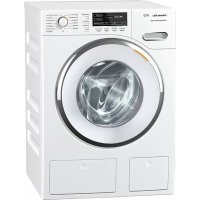
WMG823 WPS TDos Wifi - Washing machine MIELE - Free user manual and instructions
Find the device manual for free WMG823 WPS TDos Wifi MIELE in PDF.
Frequently Asked Questions - WMG823 WPS TDos Wifi MIELE
Download the instructions for your Washing machine in PDF format for free! Find your manual WMG823 WPS TDos Wifi - MIELE and take your electronic device back in hand. On this page are published all the documents necessary for the use of your device. WMG823 WPS TDos Wifi by MIELE.
USER MANUAL WMG823 WPS TDos Wifi MIELE
This WiFi module complies with current safety requirements. Inap- propriate use can, however, lead to personal injury and damage to property. To avoid the risk of accidents or damage to the module and Miele appliances it is essential to read these fitting and installation in- structions before installing the WiFi module. They contain import- ant information for the installation of the WiFi module. Keep these fitting and installation instructions in a safe place and pass them on to any future owner. These fitting and installation instructions describe the scope of function of the WiFi module. Correct application The WiFi module has the sole function of establishing a WiFi con- nection between a Miele domestic appliance and a WiFi network within a building. Availability Because WiFi technology, as supported by the WiFi module, can be intermittently or completely disrupted, it is not possible to guaran- tee constant availability of the stated functions. The range of the wireless connection can be increased by using a commercially avail- able WiFi repeater. For more information please consult your Miele dealer or Miele Service. EU conformity Miele hereby declares that the WiFi module complies with the fun- damental requirements and the other applicable regulations of Dir- ective 1999/5/EC. A complete declaration of conformity can be ob- tained from the address at the end of these instructions.en - Warning and Safety instructions
Technical safety Check the WiFi module for any visible damage before installation. Do not install or use a damaged WiFi module. Before connecting the WiFi module, ensure that the connection data on the data plate (fuse rating, voltage and frequency) match the mains electricity supply. If in any doubt, consult a qualified electri- cian. A faulty WiFi module must not be repaired. It may only be ex- changed for a genuine Miele replacement part. The WiFi module is only disconnected from the electrical mains supply if: – the washing machine has been switched off at the wall socket and the plug withdrawn, or – the mains fuse has been switched off, or – the screw out fuse has been completely withdrawn, or – the residual current breaker has been activated. Disconnect the Miele appliance from the mains power supply be- fore installing or removing the WiFi module.en - Caring for the environment
Disposal of the packing mater- ial The packaging is designed to protect the appliance from damage during transportation. The packaging materials used are selected from materials which are environmentally friendly for disposal and should be recycled. Recycling the packaging reduces the use of raw materials in the manufactur- ing process and also reduces the amount of waste in landfill sites. Disposing of your old appli- ance Electrical and electronic appliances of- ten contain valuable materials. They also contain specific materials, com- pounds and components, which were essential for their correct function and safety. These could be hazardous to hu- man health and to the environment if disposed of with your domestic waste or if handled incorrectly. Please do not, therefore, dispose of your old appliance with your household waste. Please dispose of it at your local com- munity waste collection / recycling centre for electrical and electronic ap- pliances, or contact your dealer or Miele for advice. You are also respons- ible (by law, depending on country) for deleting any personal data that may be stored on the appliance being disposed of. Please ensure that your old appli- ance poses no risk to children while be- ing stored prior to disposal.en - Module description and installation
Button This button has two functions. – WPS Push button A brief press starts the WPS log in procedure. – Reset button A longer press (min.10seconds) resets the WiFi module to the fact- ory default settings.
LED Flashes to show the various operat- ing states of the WiFi module. – Yellow constant, green off WiFi module is ready for use / no connection established with WiFi network. – Yellow off, green flashing Normal operation / connection es- tablished with network and data transmission in progress. – Yellow/green/red flashing al- ternately WPS log in is in progress. Fitting the WiFi module in Miele domestic appliances The WiFi module can only be used in the following Miele domestic appli- ances: – Ovens and Microwave combina- tion ovens from H6XXX (B, BP, BM, BPX, BMX) – Steam ovens, Steam ovens with microwave and Steam combina- tion ovens from DG 6XXX, DGM6XXX and DGC6XXX – Coffee machines from CVA6XXX – Dishwashers from G6XXX – Tumble dryers from T1 – Washing machines from W1 – Washer-dryers from WT 1 Disconnect the Miele appliance from the mains electrical supply before fit- ting the WiFi module.en - Module description and installation
The module slot must be freely access- ible. Built-in appliances must be re- moved again in order to access the slot. Observe the appliance operating or in- stallation instructions. Remove the sticker from the module slot (if present). Push the WiFi module into the mod- ule slot as far as it will go until you hear an audible click. If you want to connect the appliance with WPS log in to the WiFi router, the button on the WiFi module will need to remain accessible. Replace the appliance. Connect the Miele appliance to the mains electrical supply. The WiFi module will be active after ap- prox. one minute. Location of module slot: Ovens Microwave combination ovens Steam ovensen - Module description and installation
Dishwashers Coffee machines Tumble dryers Washing machines and washer-dry- ersen - Connecting to a WiFi
After installing the WiFi module in the Miele appliance, the Miele appliance must be logged in to a local WiFi net- work. There are two ways of doing this:
1. Logging in by app
Download the Miele@mobile app The operating system of your mobile device (smartphone / tablet) needs to be at least iOS version 8
or An- droid 4.4™. You can get the appropriate "Miele@mobile" app for the WiFi mod- ule for free from the respective app stores. Search in App Store
or Google Play™ for the Miele@mobile app. Download the app to your mobile device. To log in using the app you will need:
1. A mobile device with the
Miele@mobile app installed on it
2. The name of your local WiFi network
and the password for it
3. The serial number of your Miele do-
mestic appliance (this can be found on the data plate; see the operating instructions for the appliance) Switch the Miele appliance on. Start the Miele@mobile app. Select add Miele appliance. Follow the further instructions given by the app.
2. Logging in by WPS
A WiFi router is required with WPS sup- port. Switch the Miele appliance on. Briefly press the button on the WiFi module. The LED will begin to flash red / yel- low / green. Activate the WPS function on your WiFi router within two minutes. The LED will light up green if the WPS log in is successful. Tip: For some appliances the WPS function can be activated via the Miele@home setting. For more informa- tion see the appliance operating in- structions. Please note that the WPS log in is only active for 2minutes.es - Contenido
ManualGo.com