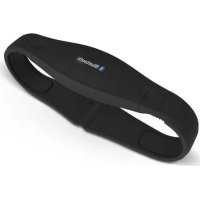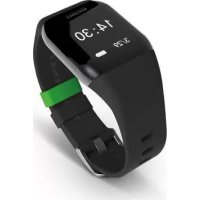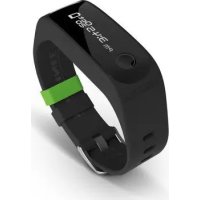
Fit Connect 100 - Smartwatch SOEHNLE - Free user manual and instructions
Find the device manual for free Fit Connect 100 SOEHNLE in PDF.



| Product Type | Fitness Tracker / Smartwatch |
| Brand | Soehnle |
| Model | Fit Connect 100 |
| Screen Dimensions | 40.5 x 11.5 mm |
| Screen Type | OLED |
| Protection Rating | IPx4 (protected against water splashes) |
| Power Supply | Rechargeable lithium-polymer battery via USB |
| Standby Time | Approximately 14 days |
| Data Storage | Approximately 14 days |
| Connectivity | Bluetooth 4.0 |
| Compatibility | Android 4.4.4+, iOS 9.0+ |
| Main Functions | Step counter, distance, calories, activity duration, daily goal, alarm, missed calls, messages, sleep mode, movement reminder |
| Cleaning | Soft damp cloth, do not immerse |
| Safety | Do not disassemble, do not throw into fire, keep out of reach of children |
| Consumer Service | Hotline 00 800 538 38 383, website soehnle.com |
Frequently Asked Questions - Fit Connect 100 SOEHNLE
User questions about Fit Connect 100 SOEHNLE
0 question about this device. Answer the ones you know or ask your own.
Ask a new question about this device
Download the instructions for your Smartwatch in PDF format for free! Find your manual Fit Connect 100 - SOEHNLE and take your electronic device back in hand. On this page are published all the documents necessary for the use of your device. Fit Connect 100 by SOEHNLE.
USER MANUAL Fit Connect 100 SOEHNLE
natural_image
Close-up of a black smartwatch with white display screen and silver strap (no readable text or symbols)
Bluetooth®
natural_image
Line drawing of a hand holding a smartphone with a finger pointing to the screen (no text or symbols)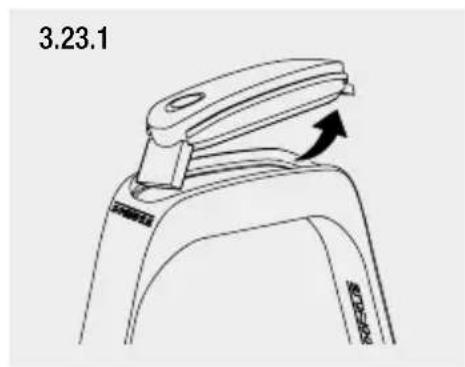
text_image
3.23.1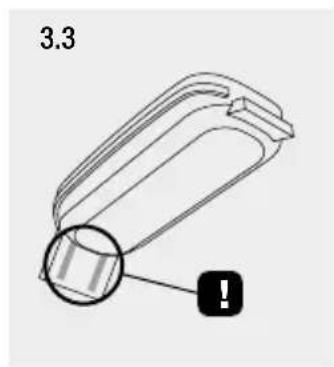
text_image
3.3
text_image
4.1 11:25 NDU 4.3 60 4.5 2:40 4.7 14:30 4.9 4.2 1215 4.4 0.95 4.6 60% 50% 4.8 0 4.10 5:20 PM 12:15 AM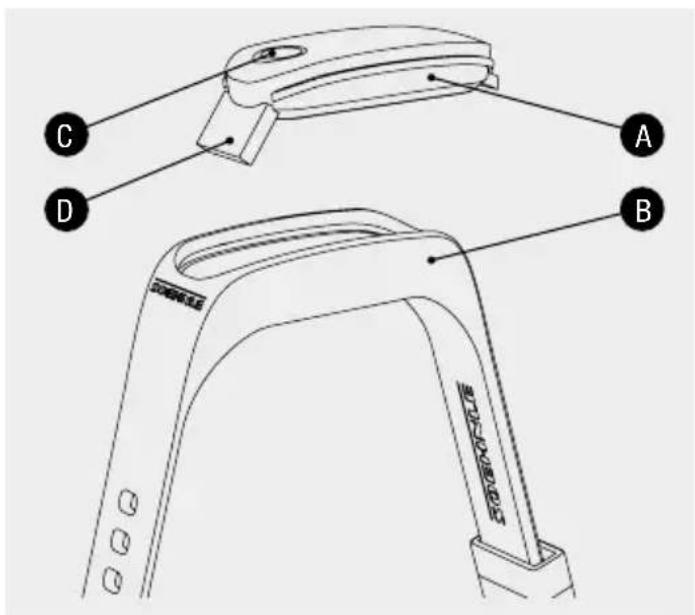
text_image
A B C DYour personal Soehnle Fit Connect 100 fitness tracker records your daily activities, such as number of steps, distance covered, activity period, calorie consumption and achievement of your daily movement target to help you in matters of fitness and health. Sleep mode is used to record sleep duration as well as sleep phases. Using Bluetooth ^® , the data is transferred to your Soehnle Connect app where it can be analysed.
FR
text_image
GET IT ON Google Play Download on the App StoreApple, iOS, Apple Health and the Apple logo are trademarks of Apple Inc., registered in the U.S. and other countries. App Store is a service mark of Apple Inc., registered in the U.S. and other countries.
Android, Google Fit, Google Play and the Google Play logo are trademarks of Google Inc.
The Bluetooth ^® word mark and logos are registered trademarks owned by Bluetooth SIG, Inc.
Table of contents
EN
- Scope of delivery
- Notes
- Initial operation
- Device and how to use it
- Cleaning and care
- Consumer service
- Further information
- Technical data
- Legal information
1. Scope of delivery
1x Soehnle Fit Connect 100 (fitness tracker with removable display module)
1x operating manual
2. Notes
Read through the instructions for use and the following notes carefully before using the device and keep these instructions for use.
WARNING! Risk of swallowing by small children! Children may not play with the device. Keep it away from children.
WARNING! Risk of fire/explosion or chemical burns! The product contains a rechargeable lithium polymer battery. This may not be removed, taken apart, thrown into fire or short-circuited.
ATTENTION! Possible material damage! The device is splash proof but not waterproof. Do not hold the device under water.
ATTENTION! Possible material damage! Do not drop the device and protect it against impacts. Do not expose the device to extreme temperatures or high temperature fluctuations. Also protect the device against direct sunshine and dust. Do not use any strong chemicals, aggressive or abrasive detergents for cleaning purposes. Protect the display from hard and scratching objects.
NOTE! Intended use: the product is designed for personal, non-commercial household use. It is not a medical device.
NOTE! If you do not use the device for an extended period, charge the battery completely once every 3-6 months nevertheless in order to ensure the functionality of the rechargeable battery.
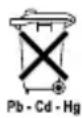
Battery disposal, EC Directive 2008/12/EC
Standard and rechargeable batteries must not be disposed of with household waste.
You must take your old standard and
rechargeable batteries to the public collection points in your local authority or wherever batteries of the relevant type are sold.
Waste disposal of electric and electronic equipment, EC Directive 2002/96/EC
This product is not to be treated as normal household waste, but must be taken to a collection point for the recycling of electric
and electronic equipment. You can get further information from your local authority, the local waste disposal companies or the shop where you bought the product.

Soehnle hereby declares that this device complies with the basic requirements and the other relevant provisions of Directive
2014/53/EU. You can find the EU Declaration of Conformity at www.soehnle.com.
3. Initial operation
Charging the battery
Charge the fitness tracker completely before using it for the first time. To do so, undo the display module (A) from the wrist strap (B) by pushing the wrist strap inwards on the right hand side (3.1) until the display module is released. Pull the display module out of the wrist strap (3.2). Plug the USB connector for the display module (D) into a standard, active USB port. Make sure that the contacts on the module (3.3) are touching the contacts on the USB port, otherwise the device will not charge.
The battery's charging status is shown on the display (4.1) (☐ = completely charged / ☐ = battery empty).
Soehnle Connect app
For full functionality, install the free Soehnle Connect app on your smartphone or tablet. Scan the QR code to take you to the app. Alternatively you will find the app for your Android™ device on Google Play or for your Apple® device in the App Store.
text_image
SCANAndroid™ 4.4.4 and higher, iOS® 9.0 and higher, Bluetooth® 4.0 and higher
text_image
GET IT ON Google Play Download on the App StoreActivate Bluetooth® on your smartphone or tablet and start the Soehnle Connect app. When you start the app for the first time, you will be automatically guided through the process for connecting a Soehnle appliance. Make sure that the fitness tracker's display is switched on.
If you have already used the Soehnle Connect app, to connect go to the "Main menu" in the Soehnle Connect app and press "my devices" and then "Add device".
Compatibility
The Soehnle Connect app is compatible with Google Fit® and Apple Health®".
4. Device and how to use it
| Fig. Mode | |
| 4.1 | Time, date, battery status |
| 4.2 | Step counter* |
| 4.3 | Calorie consumption* |
| 4.4 | Distance covered* |
| 4.5 | Activity period in hours and mins.* |
| 4.6 | Daily target* set in % (display variants) |
| 4.7 | Alarm clock |
| 4.8 | Missed calls and messages |
| 4.9 | Sleep mode: movement activity whilst sleeping, sleep duration, sleep phases |
| 4.10 | Movement reminder |
* Day-related data is automatically reset to zero at midnight each day
Various data can be recorded and displayed with the fitness tracker. Touching the sensor button starts the display in time mode (4.1). By touching the sensor button again, the different functions can be scrolled through (4.2–4.9). Via the Soehnle Connect app you can use additional functions and collate and manage your recorded data.
Note: You can find further information about the Soehnle Fit Connect 100 fitness tracker under manual.soehnle.com/68100
Setting your fitness tracker
Set your fitness tracker conveniently using the Soehnle Connect app's user interface. Time and date are set automatically after connecting according to the system time on the smartphone or tablet. You also set e.g. daily targets, alarm clock or movement reminders here and you can use the device settings in the app to define which values and functions your device displays.
Activating sleep mode
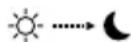
First switch to displaying sleep mode (4.9) by touching the sensor button. Now hold the sensor button down for approx. 5 seconds. Sleep mode is activated.
Deactivating sleep mode

Touch the sensor button to activate the display. Touch the sensor button again and hold this down for approx. 5 seconds. Sleep mode is now deactivated.
Data transmission to smartphone / tablet
Start the Soehnle Connect app. Drag the app down in the main screen (dashboard). The data saved from your tracker will then be automatically transferred to the app via Bluetooth®. Make sure that Bluetooth® is activated on your appliance.
5. Cleaning and care
EN
Cleaning the fitness tracker
Clean the display with a soft, damp cloth. Leave the device to air dry completely before putting it on or putting it away again. Handling the device incorrectly can lead to damage. Do not use any aggressive detergents, brushes with hard bristles, or sharp objects. These can damage the surfaces. Do not immerse the display in water or other liquids.
6. Consumer service
Our consumer service is at your disposal for questions and suggestions:
Hotline: 00 800 538 38 383 (free of charge) Mon – Fri, 8:00 – 18:00
Internet: soehnle.com
7. Further information
For further information visit our website www.soehnle.de.
8. Technical data
Product number: 68100
Bluetooth® Version: 4.0
USB port: 2.0 type A
Frequency band: 2.4 GHz
Max. Transmission power: 1 mW
Battery type: Lithium polymer
Display type: OLED
Display dimensions: 40.5 x 11.5 mm
Protection category: IPx4
Data memory: approx. 14 days
Battery life (standby): approx. 14 days
9. Legal information
Apple, iOS, Apple Health and the Apple logo are trademarks of Apple Inc., registered in the U.S. and other countries. App Store is a service mark of Apple Inc., registered in the U.S. and other countries.
Android, Google Fit, Google Play and the Google Play logo are trademarks of Google Inc.
The Bluetooth ^® word mark and logos are registered trademarks owned by Bluetooth SIG, Inc.
Table des matières
FR
Application Soehnle Connect
text_image
GET IT ON Google Play Download on the App Storetext_image
GET IT ON Google Play Download on the App Storetext_image
GET IT ON Google Play Download on the App Storemeasure, collect, analyse, advise
Quality & Design by
LEIFHEIT AG
Leifheitstraße 1
56377 Nassau/Germany
www.soehnle.com