BT150 - Earphones ISOUND - Free user manual and instructions
Find the device manual for free BT150 ISOUND in PDF.


Frequently Asked Questions - BT150 ISOUND
User questions about BT150 ISOUND
0 question about this device. Answer the ones you know or ask your own.
Ask a new question about this device
Download the instructions for your Earphones in PDF format for free! Find your manual BT150 - ISOUND and take your electronic device back in hand. On this page are published all the documents necessary for the use of your device. BT150 by ISOUND.
USER MANUAL BT150 ISOUND
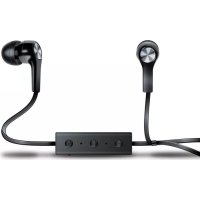
BT-150, charge cable, extra headset tips, adjustment clip and user guide
Please read this user guide thoroughly before using the BT-150.
Specifications
Frequency response: 20 ~Hz - 20 kHz
Driver size: 10mm
Battery: 80mAh
Bluetooth v2.1 + EDR
Up to 30 foot transmission range
Play time: Up to 6 hours based on usage
Charge time: 1 hour
Button functions
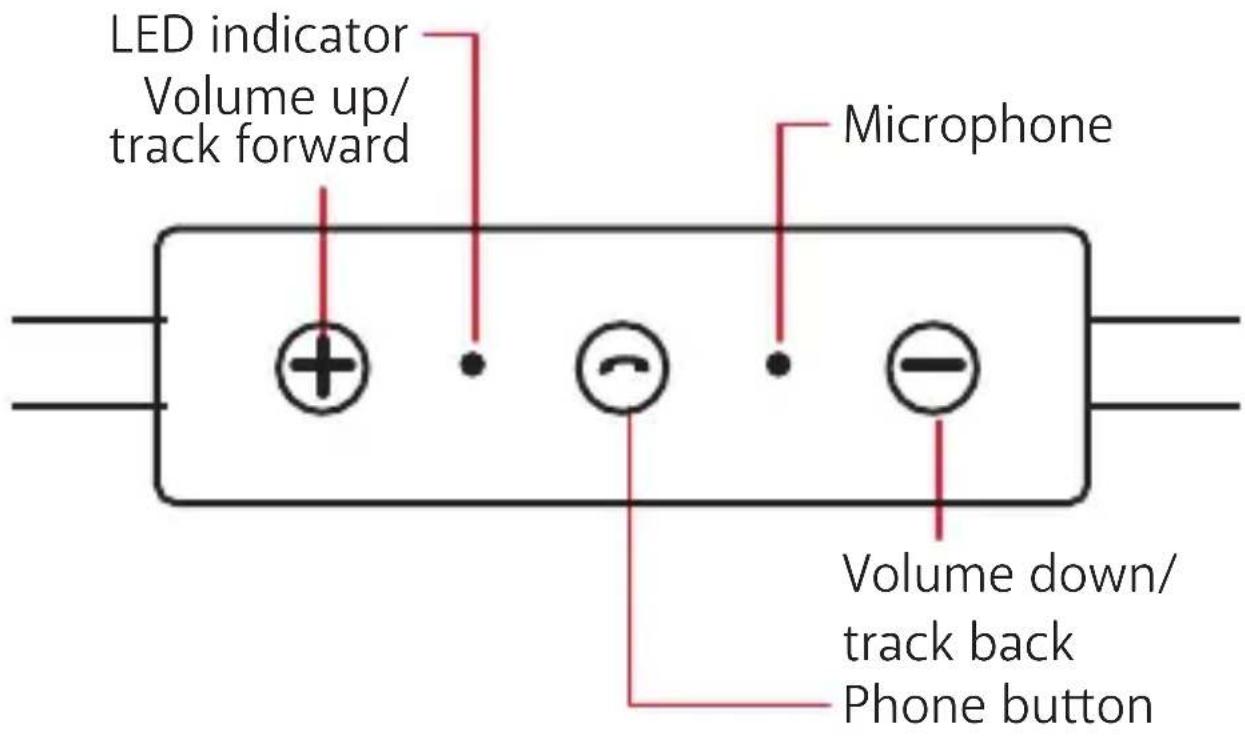
Phone button
- When playing music, press and release to pause music; press and release again to play music.
- When receiving an incoming call, press and release to answer; press and release again to end the call.
- Press twice quickly to call last number dialed.
NOTE: When playing music and a call comes in, the music will pause and you will hear a ringtone. The music will resume when the call is ended. Device's ringtone may vary.
Volume up/track forward
- Press to play next track.
- Press and hold to raise volume.
Volume down/track back
- Press to play previous track.
- Press and hold to lower volume.
NOTE: The button functions may vary per device.
Charging your BT-150
NOTE: Make sure your BT-150 is fully charged before using it the first time.
-
Gently plug the Micro-USB end of the included charge cable into the charge port of the control box.
-
Plug the USB A end of the cable into a powered USB port, such as a computer, laptop, or USB AC adapter (not included).
- The LED indicator located on the control box will glow red. Once the headset is fully charged, the LED power indicator will turn off.
NOTES:
- The LED indicator will light up red while charging even if the BT-150 is off.
- You cannot charge your BT-150 while listening to music.
Connecting via Bluetooth (first time set-up)
NOTE: Adjust the volume of your device and the BT-150 to a comfortable volume before use.
- Move the power switch on the side of the BT-150 to the "ON" position. The LED indicator light on the control box will flash blue.
- Open the settings on your Bluetooth device (Bluetooth must be enabled).
- Select "BT-150" from the list of Bluetooth devices.
- Once paired, the LED indicator light will flash blue slowly.
- To turn off the BT-150, move the power switch on the side to the "OFF" position.
NOTES:
- Your device will automatically find and pair with the BT-150 after the initial pairing. If your device does not automatically pair, turn off the headset and repeat steps 1-4.
- The BT-150 will automatically pair to the last device connected.
- You must unpair the first device to allow another user to connect to the BT-150.
Troubleshooting
Issue: My BT-150 doesn't turn on.
Solution: Make sure the BT-150 is charged.
Issue: My BT-150 is not charging.
Solution: Try the following:
- Make sure the charge cable is fully inserted in the BT-150.
- Make sure that the charge port on the headset is free from dust and debris.
- Make sure that you are using the charge cable that came with your BT-150.
- Make sure there is power coming from the power source.
Issue: My BT-150 isn't syncing to Bluetooth.
Solution: Try the following:
- Make sure that the Bluetooth setting is turned ON on your device.
- Check to see if another user is connected to
the BT-150.
- Refer to the user guide of your device for Bluetooth synchroning instructions.
Issue: My BT-150 volume is turned all the way up, but the volume is still very low.
Solution: Try the following:
- Make sure your BT-150 and audio device are charged.
- Make sure the volume is turned up on your device and the BT-150.
Issue: The person on the other line cannot hear me very well.
Solution: Try the following:
- Make sure your BT-150 and phone are charged.
- Make sure you have service with your phone provider.
Safety warning
- Do not listen at a high volume level. Extended high volume levels can lead to permanent hearing loss.
- Start with setting the volume level at the lowest volume and adjust until you reach a comfortable volume level.
- Tampering or removing the battery can result in damage to your product, void of warranty, and could cause injuries.
-
Do not use when a failure to hear your surroundings could be dangerous, such as while driving, or when biking, walking or jogging where traffic is present and accidents may occur.
-
Do not use while sleeping, as accidents may occur.
- If you experience any ringing in your ears, try lowering the volume. If the ringing persists, visit your physician.
Important safety precautions
- Incorrect use or incompatibility with your device may result in reduced battery performance or damage to your device.
- Do not attempt to disassemble product.
- Tampering or removing the battery can result in damage to your product, void of warranty, and could cause injuries.
- Store and operate between 32^ - 113^ .
- Do not allow this product to come in contact with liquids.
- Do not place this product near a heat source or flame.
- Do not throw or shake.
- Do not operate if it has been subjected to shock or damage.
- Do not crush or puncture the battery.
- Recharge the battery every 3 months when not in use to keep battery in best condition.
- Use soft cloth to clean the exterior. Do not use harsh chemicals or strong cleaning solvents.
- The internal battery must be recycled or disposed of properly. Contact your local waste management office for information on the proper disposal or recycling.
FCC information
This equipment has been tested and found to comply with the limits for a Class B Digital Device, pursuant to Part 15 of the FCC Rules. These limits are designed to provide reasonable protection against harmful interference in a residential installation. This equipment generates, uses, and can radiate radio frequency energy and, if not installed and used in accordance with the instructions, may cause harmful interference to radio communications. However, there is no guarantee that interference will not occur in a particular installation.
If this equipment does cause harmful interference to radio or television reception, which can be determined by turning the equipment off and on, the user is encouraged to try to correct the interference by one or more of the following measures:
- Reorient or relocate the receiving antenna.
- Increase the distance between the equipment and receiver.
- Connect the equipment to an outlet on a circuit different from that to which the receiver is connected.
- Consult the dealer or an experienced radio/TV technician for help.
This equipment complies with Part 15 of the FCC Rules. Operation is subject to the following two conditions:
- This equipment may not cause harmful interference.
- This equipment must accept any interference received, including interference that may cause undesired operation.
Modifications not authorized by the manufacturer may void the user's authority to operate this device. This equipment complies with FCC RF radiation exposure limits set forth for an uncontrolled environment. This transmitter must not be co-located or operating in conjunction with any other antenna or transmitter.
Warranty information
All dreamGEAR/i.Sound products come with a limited warranty and have been subjected to a thorough series of tests to ensure the highest level of dependability and compatibility. It is unlikely that you will experience any problem, but if a defect should become apparent during the use of this product, dreamGEAR warrants to the original consumer purchaser that this product will be free from defects in material and workmanship for a period of 120 days from the date of your original purchase. If a defect covered by this warranty occurs, dreamGEAR, at its option, will repair or replace the product purchased at no charge or refund the original purchase price. If a replacement is necessary and your product is no longer available, a
comparable product may be substituted at the sole discretion of dreamGEAR.
This warranty does not cover normal wear and tear, abusive use or misuse, modification, tampering or by any other cause not related to either materials or workmanship. This warranty does not apply to products used for any industrial, professional or commercial purposes.
Service information
For service on any defective product under the 120-day warranty policy, please contact Consumer Support to obtain a Return Authorization Number. dreamGEAR reserves the right to require the return of the defective product and proof of purchase. NOTE: dreamGEAR will not process any defective claims without a Return Authorization Number.
Consumer support hotline
877-999-DREAM (3732) (U.S. and Canada only)
or 310-222-1045 (International)
Consumer support email
support@isound.com
Websites
www.isound.com | www.dreamgear.com |
www(signalusa.com
Save a tree, register online
dreamGEAR/i.Sound is making the eco-friendly choice to have all products registered online. This saves the printing of physical paper registration cards. All the information you need to register your recent dreamGEAR/i.Sound purchase is available at: www.dreamgear.com/product-registration
FRANÇAIS
Inclus
www.isound.com | www.dreamgear.com | www(signalusa.com
www.dreamgear.com/product-registration
ESPAÑOL
Incluye
www.isound.com | www.dreamgear.com | www(signalusa.com
Salve un árbol, registrese en ligne
iSound: The New Sound
www.isound.com
CDE-01 020219