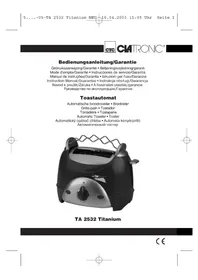
TA 2532 Titanium - Toaster CLATRONIC - Free user manual and instructions
Find the device manual for free TA 2532 Titanium CLATRONIC in PDF.



Frequently Asked Questions - TA 2532 Titanium CLATRONIC
User questions about TA 2532 Titanium CLATRONIC
0 question about this device. Answer the ones you know or ask your own.
Ask a new question about this device
Download the instructions for your Toaster in PDF format for free! Find your manual TA 2532 Titanium - CLATRONIC and take your electronic device back in hand. On this page are published all the documents necessary for the use of your device. TA 2532 Titanium by CLATRONIC.
USER MANUAL TA 2532 Titanium CLATRONIC
natural_image
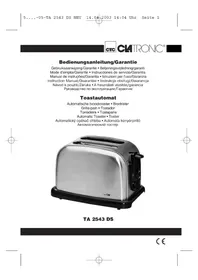
Black and silver CMTRONC titanium toaster with a wavy handle (no visible text or symbols on body)TA 2532 Titanium
Inhalt
Inhoud • Inhold • Sommaire • Indice • Índice • Indice
Contents • Spis treści • Obsah • Tartalom • Содержание
D Übersicht Bedienelemente . . . . . . . . . . . . . . . . . . . . . . . . . . . . . . . . . . . . . . . . . . . . . . . . . . . . . . . . . . . . . . . . . . . . . . . . . . . . . . . .
General safety instructions
GB
- Before commissioning this device please read the instruction manual carefully.
- Please keep these instructions, the guaranty certificate, the sales receipt and, if possible, the carton with the inner packaging!
- The device is intended exclusively for private and not for commercial use!
- Always remove the plug from the socket whenever the device is not in use, when attaching accessory parts, cleaning the device or whenever a disturbance occurs. Switch off the device beforehand. Pull on the plug, not on the cable.
- In order to protect children from the dangers of electrical appliances, never leave them unsupervised with the device. Consequently, when selecting the location for your device, do so in such a way that children do not have access to the device. Take care to ensure that the cable does not hang down.
- Test the device and the cable regularly for damage. If there is damage of any kind, the device should not be used.
- Do not repair the device yourself, but rather consult an authorised expert.
- For safety reasons a broken or damaged mains lead may only be replaced by an equivalent lead from the manufacturer, our customer service department or a similar qualified person.
- Keep the device and the cable away from heat, direct sunlight, moisture, sharp edges and suchlike.
- Never use the device unsupervised! Switch off the device whenever you are not using it, even if this is only for a moment.
- Use only original accessories.
- Do not use the device outdoors.
- Under no circumstances must the device be placed in water or other liquid, or come into contact with such. Do not use the device with wet or moist hands.
- Should the device become moist or wet, remove the mains plug from the socket immediately. Do not reach into the water.
- Use the device only for the intended purpose.
Special safety information for this unit
- Always watch the unit while it is being used! (Very dry bread can start to burn when being toasted!)
- The metal parts get hot. DANGER OF BURNS! Only hold it by the handles.
- Do not poke into the grilling area with knives or forks, etc.
- Do not set up the unit next to inflammable objects (e.g. curtains, wood, etc.)
- Do not place the food to be roasted directly on the toaster, but always use the roasting attachment for roasting.
GB
Before Initial Use
In order to remove the protective layer on the heating coil you should operate the machine approximately three times when it is empty. Please select the maximum level of browning. Any smoke or smells produced during this procedure are normal. Please ensure sufficient ventilation.
Operation
Illustration of the controls
1 Toasting top 5 Slide lever
2 Toasting slot 6 Control lamp
3 Browning control 7 Defrost button
4 Stop button 8 Crumb drawer
(on the back of the machine)
- Only connect the unit to a properly installed and earthed power socket (230 volts, 50 Hz).
- Set the desired level of toasting with the selector (3). In case of doubt, choose another setting and repeat the procedure.
- Insert 1 slice of bread per toasting slot and push down the slide with the lever (5) until it clicks into place.
- The unit starts to toast and switches off automatically at the end. The slide pops up automatically.
- In order to interrupt the toasting in advance, press the button (4).
- Let the appliance cool down before putting it away or cleaning it.
Roasting Attachment:
For roasting rolls, for example, use the roasting attachment (1). Do not place the food to be roasted directly on the toast slit!
Defrost Button:
In order to defrost frozen slices of bread press the button (7). The control lamp (6) lights up. Defrosting finishes automatically.
Cleaning
- Pull the mains plug out of the mains socket before you clean the unit and allow the unit to cool down.
- Only use a slightly damp cloth to clean the outside of the unit.
- Do not use abrasive or aggressive cleaners.
- Pull the crumb tray (on the back of the machine) out, remove any bits of bread and put the tray back in.
This appliance conforms with the CE directives for radio interference suppression and low-voltage safety and has been built to meet current safety requirements. Subject to technical changes without prior notice!
GB
Warranty
We undertake to guarantee the appliance sold by our company for 24 months as of the date of purchase (cash receipt).
During the life of the warranty we shall provide for the repair or replacement of the appliance owing to material or manufacturing defects absolutely free of charge.
Proof for the warranty is provided by the purchase document. The replacement and repair will not be performed free of charge without this proof of purchase.
Should the warranty be valid, please consign the complete appliance in its original packing together with the cash receipt to your local dealer.
You are not entitled to the replacement of the appliance owing to broken glass parts and faulty accessories. However, said parts will be replaced free of charge. In this case only the faulty accessory needs to be ordered without sending back the whole appliance!
The cleaning, servicing and replacement of wear parts are not covered by this warranty and hence are to be paid for.
The warranty is terminated in case of handling on the part of Third parties.
After the warranty
Once the warranty has expired, repairs can be carried out by specialized technicians or repair services against the payment of the service.
PL
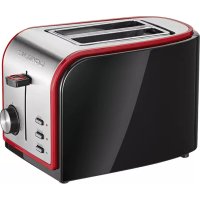
Brand : CLATRONIC
Model : TA 2532 Titanium
Category : Toaster