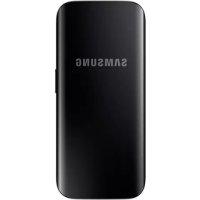
EBPJ200 - Power bank SAMSUNG - Free user manual and instructions
Find the device manual for free EBPJ200 SAMSUNG in PDF.



| Product type | External battery (power bank) |
| Capacity | 20000 mAh (estimated) |
| Charging input | USB-C / Micro USB |
| Charging output | USB-A (2 ports) |
| Weight | Approximately 340 g |
| Dimensions | Approximately 160 x 80 x 22 mm |
| Material | Flame-retardant plastic |
| Protection | Overvoltage, overcurrent, short-circuit, overheating |
| Compatibility | Smartphones, tablets, USB devices |
| Charge indicator | Battery level LED |
| Fast charging | Fast charging support (estimated) |
| Operating temperature | 0°C to 35°C |
| Storage temperature | -20°C to 50°C |
| Maintenance | Clean with a soft, dry cloth |
| Recycling | Do not dispose of with household waste |
Frequently Asked Questions - EBPJ200 SAMSUNG
User questions about EBPJ200 SAMSUNG
0 question about this device. Answer the ones you know or ask your own.
Ask a new question about this device
Download the instructions for your Power bank in PDF format for free! Find your manual EBPJ200 - SAMSUNG and take your electronic device back in hand. On this page are published all the documents necessary for the use of your device. EBPJ200 by SAMSUNG.
USER MANUAL EBPJ200 SAMSUNG
English (US) ......17
العربية 31
Български .....45
繁體中文(香港) ……60
简体中文 ……71
繁體中文(台灣) .....94
Hrvatski ......106
Čeština ......120
Dansk 133
Nederlands .....147
Eesti....162
فارسی 175
Suomi ......191
Français ......204
Français (Canada) ....218
Deutsch ......233
Ελληνικά ......247
Magyar ......263
Italiano 278
Қазақ тілі .....293
한국어 309
Latviešu ....321
Please read this important safety information before you use the device. It contains general safety information for devices and may include content that does not apply to your device. Follow the warning and caution information to prevent injury to yourself or others and to prevent damage to your device.

The term ‘device’ refers to the product and its battery, headset, speaker, charger, the items supplied with the product, and any Samsung-approved accessories used with the product.
Warning
Failure to comply with safety warnings and regulations can cause serious injury or death
Do not use damaged power cords or plugs, or loose electrical sockets
Unsecured connections can cause electric shock or fire.
Do not touch the device, power cords, plugs, or the electric socket with wet hands or other wet body parts
Doing so may cause electric shock.
Do not pull the power cord excessively when disconnecting it
Doing so may cause electric shock or fire.
Do not bend or damage the power cord
Doing so may cause electric shock or fire.
Do not use the device with wet hands while the device is charging
Doing so may cause electric shock.
Do not directly connect together the charger's positive and negative terminals
Doing so may cause fire or serious injury.
Do not use your device outdoor during a thunderstorm
Doing so may result in electric shock or device malfunction.
Use manufacturer-approved batteries, chargers, accessories, and supplies
- Using generic batteries or chargers may shorten the life of your device or cause the device to malfunction. They may also cause a fire or cause the battery to explode.
- Use only Samsung-approved battery and charger specifically designed for your device. Incompatible battery and charger can cause serious injuries or damage to your device.
Samsung cannot be responsible for the user's safety when using accessories or supplies that are not approved by Samsung.
Do not carry your device in your back pockets or on your waist
- The device may be damaged, explode, or result in a fire if too much pressure is applied to it.
• You may be injured if you are bumped or fall.
Do not drop or cause an impact to the charger or the device
Handle and dispose of the device and charger with care
- Never dispose of the battery or device in a fire. Never place the battery or device on or in heating devices, such as microwave ovens, stoves, or radiators. The device may explode when overheated. Follow all local regulations when disposing of used battery or device.
• Never crush or puncture the device.
- Avoid exposing the device to high external pressure, which can lead to an internal short circuit and overheating.
Protect the device, battery and charger from damage
- Avoid exposing your device and battery to very cold or very hot temperatures.
- Extreme temperatures can damage the device and reduce the charging capacity and life of your device and battery.
- Do not directly connect together the battery's positive and negative terminals and prevent them from coming into contact with metal objects. Doing so may cause the battery to malfunction.
• Never use a damaged charger or battery.
Do not store your device near or in heaters, microwaves, hot cooking equipment, or high pressure containers
• The battery may leak.
- Your device may overheat and cause a fire.
Do not use or store your device in areas with high concentrations of dust or airborne materials
Dust or foreign materials can cause your device to malfunction and may result in fire or electric shock.
Prevent the multipurpose jack and the small end of the charger from contact with conductive materials, such as liquids, dust, metal powders, and pencil leads
Conductive materials may cause a short circuit or corrosion of the terminals, which may result in an explosion or fire.
Do not bite or suck the device or the battery
- Doing so may damage the device or result in an explosion or fire.
• Children or animals can choke on small parts. - If children use the device, make sure that they use the device properly.
Do not insert the device or supplied accessories into the eyes, ears, or mouth
Doing so may cause suffocation or serious injuries.
Do not handle a damaged or leaking Lithium Ion (Li-Ion) battery
For safe disposal of your Li-Ion battery, contact your nearest authorised service centre.
The device contains magnets. The American Heart Association (US) and the Medicines and Healthcare Products Regulatory Agency (UK) both warn that magnets can affect the operation of implanted pacemakers, cardioverters, defibrillators, insulin pumps or other electro medical devices (collectively, “Medical Device”) within the range of 15 cm (6 inches). If you are a user of any of these Medical Devices, DO NOT USE THIS DEVICE UNLESS YOU HAVE CONSULTED WITH YOUR PHYSICIAN.
Caution
Failure to comply with safety cautions and regulations can cause injury or property damage
Do not use your device near other electronic devices
- Most electronic devices use radio frequency signals. Your device may interfere with other electronic devices.
• Devices with speakers are especially susceptible to interference.
Do not use your device in a hospital, on an aircraft, or in an automotive equipment that can be interfered with by radio frequency
- Avoid using your device within a 15 cm range of a pacemaker, if possible, as your device can interfere with the pacemaker.
- To minimise possible interference with a pacemaker, use your device only on the side of your body that is opposite the pacemaker.
- If you use medical equipment, contact the equipment manufacturer before using your device to determine whether or not the equipment will be affected by radio frequencies emitted by the device.
- On an aircraft, using electronic devices can interfere with the aircraft's electronic navigational instruments. Make sure the device is turned off during takeoff and landing.
- Electronic devices in your car may malfunction, due to radio interference from your device. Contact the manufacturer for more information.
Do not expose the device to heavy smoke or fumes
Doing so may damage the outside of the device or cause it to malfunction.
If you use a hearing aid, contact the manufacturer for information about radio interference
The radio frequency emitted by your device may interfere with some hearing aids. Before using your device, contact the manufacturer to determine whether or not your hearing aid will be affected by radio frequencies emitted by the device.
Do not use your device near devices or apparatuses that emit radio frequencies, such as sound systems or radio towers
Radio frequencies may cause your device to malfunction.
Turn off the device in potentially explosive environments
- Turn off your device in potentially explosive environments instead of removing the battery.
• Always comply with regulations, instructions and signs in potentially explosive environments. - Do not use your device at refuelling points (petrol stations), near fuels or chemicals, or in blasting areas.
- Do not store or carry flammable liquids, gases, or explosive materials in the same compartment as the device, its parts, or accessories.
If you notice strange smells or sounds coming from your device or the battery, or if you see smoke or liquids leaking from the device or battery, stop using the device immediately and take it to a Samsung Service Centre
Failure to do so may result in fire or explosion.
Comply with all safety warnings and regulations regarding mobile device usage while operating a vehicle
While driving, safely operating the vehicle is your first responsibility. Never use your mobile device while driving, if it is prohibited by law. For your safety and the safety of others, use your common sense and remember the following tips:
- Position your device within easy reach. Make sure you can access your wireless device without taking your eyes off the road. If you receive an incoming call at an inconvenient time, let your voicemail answer it for you.
- Suspend calls in heavy traffic or hazardous weather conditions. Rain, sleet, snow, ice, and heavy traffic can be hazardous.
- Dial sensibly and assess the traffic. Place calls when you are not moving or before pulling into traffic. Try to plan calls when your car will be stationary.
- Do not engage in stressful or emotional conversations that may be distracting. Make the person you are talking to aware that you are driving and suspend conversations that could potentially divert your attention from the road.
Care and use your device properly
Keep your device dry
• Humidity and liquids may damage the parts or electronic circuits in your device.
- Do not turn on your device if it is wet. If your device is already on, turn it off and remove the battery immediately (if the device will not turn off or you cannot remove the battery, leave it as-is). Then, dry the device with a towel and take it to a service centre.
- This device has internal liquid indicators fitted. Water damage to your device may void the manufacturer's warranty.
Store your device only on flat surfaces
If your device falls, it may be damaged.
The device can be used in locations with an ambient temperature of 0^ C to 35^ C. You can store the device at an ambient temperature of -20^ C to 50^ C. Using or storing the device outside of the recommended temperature ranges may damage to the device or reduce the battery's lifespan
- Do not store your device in very hot areas such as inside a car in the summertime. Doing so may cause the screen to malfunction, result in damage to the device, or cause the battery to explode.
- Do not expose your device to direct sunlight for extended periods of time (on the dashboard of a car, for example).
- The battery can be stored separately in locations with an ambient temperature of 0^ C to 45^ C.
Do not store your device with metal objects, such as coins, keys, and necklaces
- Your device may be scratched or may malfunction.
- If the battery terminals come into contact with metal objects, this may cause a fire.
Do not store your device near magnetic fields
- Your device may malfunction or the battery may discharge from exposure to magnetic fields.
- Magnetic stripe cards, including credit cards, phone cards, passbooks, and boarding passes, may be damaged by magnetic fields.
Prolonged exposure of your skin to an overheated device may cause low temperature burn symptoms, such as red spots and pigmentation
Do not use your device with the back cover removed
The battery may fall out of the device, which may result in damage or malfunction.
If your device has a camera flash or light, do not use it close to the eyes of people or pets
Using a flash close to the eyes may cause temporary loss of vision or damage to the eyes.
Use caution when exposed to flashing lights
- While using your device, leave some lights on in the room and do not hold the screen too close to your eyes.
- Seizures or blackouts can occur when you are exposed to flashing lights while watching videos or playing Flash-based games for extended periods. If you feel any discomfort, stop using the device immediately.
- If anyone related to you has experienced seizures or blackouts while using a similar device, consult a physician before using the device.
• If you feel discomfort, such as a muscle spasm, or disoriented, stop using the device immediately and consult a physician.
- To prevent eye strain, take frequent breaks while using the device.
Reduce the risk of repetitive motion injuries
When you repetitively perform actions, such as pressing keys or playing games, you may experience occasional discomfort in your hands, neck, shoulders, or other parts of your body. When using your device for extended periods, hold the device with a relaxed grip, press the keys lightly, and take frequent breaks. If you continue to have discomfort during or after such use, stop using the device and consult a physician.
Protect your hearing and ears when using a headset
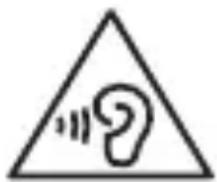
- Excessive exposure to loud sounds can cause hearing damage.
- Exposure to loud sounds while walking may distract your attention and cause an accident.
• Always turn the volume down before plugging the earphones into an audio source and use only the minimum volume setting necessary to hear your conversation or music.
- In dry environments, static electricity can build up in the headset. Avoid using headsets in dry environments or touch a metal object to discharge static electricity before connecting a headset to the device.
- Do not use a headset while driving or riding. Doing so may distract your attention and cause an accident, or may be illegal depending on your region.
Use caution when using the device while walking or moving
• Always be aware of your surroundings to avoid injury to yourself or others.
• Make sure the headset cable does not become entangled in your arms or on nearby objects.
Do not paint or put stickers on your device
- Paint and stickers can clog moving parts and prevent proper operation.
- If you are allergic to paint or metal parts of the device, you may experience itching, eczema, or swelling of the skin. When this happens, stop using the device and consult your physician.
Do not use the device if it is cracked or broken
Broken glass or acrylic could cause injury to your hands and face. Take the device to a Samsung Service Centre to have it repaired.
Install mobile devices and equipment with caution
- Ensure that any mobile devices or related equipment installed in your vehicle are securely mounted.
- Avoid placing your device and accessories near or in an airbag deployment area. Improperly installed wireless equipment can cause serious injury when airbags inflate rapidly.
Do not drop your device or cause impacts to your device
- Your device may be damaged or may malfunction.
- If bent or deformed, your device may be damaged or parts may malfunction.
Ensure maximum battery and charger life
- Batteries may malfunction if they are not used for extended periods.
• Over time, unused device will discharge and must be recharged before use. - Disconnect the charger from power sources when not in use.
• Use the battery only for their intended purposes. - Follow all instructions in this manual to ensure the longest lifespan of your device and battery. Damages or poor performance caused by failure to follow warnings and instructions can void your manufacturer's warranty.
- Your device may wear out over time. Some parts and repairs are covered by the warranty within the validity period, but damages or deterioration caused by using unapproved accessories are not.
Do not disassemble, modify, or repair your device
- Any changes or modifications to your device can void your manufacturer's warranty. If your device needs servicing, take your device to a Samsung Service Centre.
- Do not disassemble or puncture the battery, as this can cause explosion or fire.
- Turn off the device before removing the battery. If you remove the battery with the device turned on, it may cause the device to malfunction.
When cleaning your device, mind the following
• Wipe your device or charger with a towel or an eraser.
- Clean the battery terminals with a cotton ball or a towel.
- Do not use chemicals or detergents. Doing so may discolour or corrode the outside the device or may result in electric shock or fire.
Do not use the device for anything other than its intended use
Your device may malfunction.
Avoid disturbing others when using the device in public
Allow only qualified personnel to service your device
Allowing unqualified personnel to service your device may result in damage to your device and will void your manufacturer's warranty.
Do not distribute copyright-protected material
Do not distribute copyright-protected material without the permission of the content owners. Doing this may violate copyright laws. The manufacturer is not liable for any legal issues caused by the user's illegal use of copyrighted material.
Correct disposal of this product
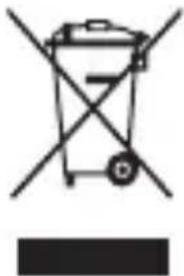
natural_image
Symbol of a trash bin crossed with no text or labels, accompanied by a black rectangular block at the bottom (no text or symbols present)(Waste Electrical & Electronic Equipment)
(Applicable in countries with separate collection systems)
This marking on the product, accessories or literature indicates that the product and its electronic accessories (e.g. charger, headset, USB cable) should not be
disposed of with other household waste.
To prevent possible harm to the environment or human health from uncontrolled waste disposal, please separate these items from other types of waste and recycle them responsibly to promote the sustainable reuse of material resources.
Household users should contact either the retailer where they purchased this product, or their local government office, for details of where and how they can take these items for environmentally safe recycling.
Business users should contact their supplier and check the terms and conditions of the purchase contract. This product and its electronic accessories should not be mixed with other commercial wastes for disposal.
This product is RoHS compliant.
Correct disposal of batteries in this product
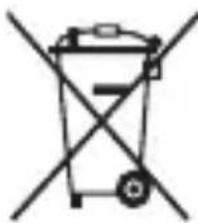
natural_image
Symbol of a trash bin crossed with no text or labels(Applicable in countries with separate collection systems)
The marking on the battery, manual or packaging indicates that the battery in this product should not be disposed of with other household waste. Where marked, the chemical symbols Hg, Cd or Pb indicate that the battery contains mercury, cadmium or lead above the reference levels in EC Directive 2006/66.
The battery incorporated in this product is not user replaceable. For information on its replacement, please contact your service provider. Do not attempt to remove the battery or dispose it in a fire. Do not disassemble, crush, or puncture the battery. If you intend to discard the product, the waste collection site will take the appropriate measures for the recycling and treatment of the product, including the battery.
Disclaimer
Some content and services accessible through this device belong to third parties and are protected by copyright, patent, trademark and/or other intellectual property laws. Such content and services are provided solely for your personal non-commercial use.
You may not use any content or services in a manner that has not been authorised by the content owner or service provider.
Without limiting the foregoing, unless expressly authorised by the applicable content owner or service provider, you may not modify, copy, republish, upload, post, transmit, translate, sell, create derivative works, exploit, or distribute in any manner or medium any content or services displayed through this device.
"THIRD PARTY CONTENT AND SERVICES ARE PROVIDED "AS IS." SAMSUNG DOES NOT WARRANT CONTENT OR SERVICES SO PROVIDED, EITHER EXPRESSLY OR IMPLIEDLY, FOR ANY PURPOSE. SAMSUNG EXPRESSLY DISCLAIMS ANY IMPLIED WARRANTIES, INCLUDING BUT NOT LIMITED TO, WARRANTIES OF MERCHANTABILITY OR FITNESS FOR A PARTICULAR PURPOSE. SAMSUNG DOES NOT GUARANTEE THE ACCURACY, VALIDITY, TIMELINESS, LEGALITY, OR COMPLETENESS OF ANY CONTENT OR SERVICE MADE AVAILABLE THROUGH THIS DEVICE AND UNDER NO CIRCUMSTANCES, INCLUDING NEGLIGENCE, SHALL SAMSUNG BE LIABLE, WHETHER IN CONTRACT OR TORT, FOR ANY DIRECT, INDIRECT, INCIDENTAL, SPECIAL OR CONSEQUENTIAL DAMAGES, ATTORNEY FEES, EXPENSES, OR ANY OTHER DAMAGES ARISING OUT OF, OR IN CONNECTION WITH, ANY INFORMATION CONTAINED IN, OR AS A RESULT OF THE USE OF ANY CONTENT OR SERVICE BY YOU OR ANY THIRD PARTY, EVEN IF ADVISED OF THE POSSIBILITY OF SUCH DAMAGES."
Third party services may be terminated or interrupted at any time, and Samsung makes no representation or warranty that any content or service will remain available for any period of time. Content and services are transmitted by third parties by means of networks and transmission facilities over which Samsung has no control. Without limiting the generality of this disclaimer, Samsung expressly disclaims any responsibility or liability for any interruption or suspension of any content or service made available through this device.
Samsung is neither responsible nor liable for customer service related to the content and services. Any question or request for service relating to the content or services should be made directly to the respective content and service providers.
Safety information
Please read this important safety information before you use the device. It contains general safety information for devices and may include content that does not apply to your device. Follow the warning and caution information to prevent injury to yourself or others and to prevent damage to your device.

The term ‘device’ refers to the product and its battery, headset, speaker, charger, the items supplied with the product, and any Samsung-approved accessories used with the product.
Warning
Failure to comply with safety warnings and regulations can cause serious injury or death
Do not use damaged power cords or plugs, or loose electrical sockets
Unsecured connections can cause electric shock or fire.
Do not touch the device, power cords, plugs, or the electric socket with wet hands or other wet body parts
Doing so may cause electric shock.
Do not pull the power cord excessively when disconnecting it
Doing so may cause electric shock or fire.
Do not bend or damage the power cord
Doing so may cause electric shock or fire.
Do not use the device with wet hands while the device is charging
Doing so may cause electric shock.
Do not directly connect together the charger's positive and negative terminals
Doing so may cause fire or serious injury.
Do not use your device outdoor during a thunderstorm
Doing so may result in electric shock or device malfunction.
Use manufacturer-approved batteries, chargers, accessories, and supplies
- Using generic batteries or chargers may shorten the life of your device or cause the device to malfunction. They may also cause a fire or cause the battery to explode.
- Use only Samsung-approved battery and charger specifically designed for your device. Incompatible battery and charger can cause serious injuries or damage to your device.
Samsung cannot be responsible for the user's safety when using accessories or supplies that are not approved by Samsung.
Do not carry your device in your back pockets or on your waist
- The device may be damaged, explode, or result in a fire if too much pressure is applied to it.
• You may be injured if you are bumped or fall.
Do not drop or cause an impact to the charger or the device
Handle and dispose of the device and charger with care
- Never dispose of the battery or device in a fire. Never place the battery or device on or in heating devices, such as microwave ovens, stoves, or radiators. The device may explode when overheated. Follow all local regulations when disposing of used battery or device.
• Never crush or puncture the device.
- Avoid exposing the device to high external pressure, which can lead to an internal short circuit and overheating.
Protect the device, battery and charger from damage
- Avoid exposing your device and battery to very cold or very hot temperatures.
- Extreme temperatures can damage the device and reduce the charging capacity and life of your device and battery.
- Do not directly connect together the battery's positive and negative terminals and prevent them from coming into contact with metal objects. Doing so may cause the battery to malfunction.
• Never use a damaged charger or battery.
Do not store your device near or in heaters, microwaves, hot cooking equipment, or high pressure containers
• The battery may leak.
- Your device may overheat and cause a fire.
Do not use or store your device in areas with high concentrations of dust or airborne materials
Dust or foreign materials can cause your device to malfunction and may result in fire or electric shock.
Prevent the multipurpose jack and the small end of the charger from contact with conductive materials, such as liquids, dust, metal powders, and pencil leads
Conductive materials may cause a short circuit or corrosion of the terminals, which may result in an explosion or fire.
Do not bite or suck the device or the battery
- Doing so may damage the device or result in an explosion or fire.
• Children or animals can choke on small parts. - If children use the device, make sure that they use the device properly.
Do not insert the device or supplied accessories into the eyes, ears, or mouth
Doing so may cause suffocation or serious injuries.
Do not handle a damaged or leaking Lithium Ion (Li-Ion) battery
For safe disposal of your Li-lon battery, contact your nearest authorized service center.
The device contains magnets. The American Heart Association (US) and the Medicines and Healthcare Products Regulatory Agency (UK) both warn that magnets can affect the operation of implanted pacemakers, cardioverters, defibrillators, insulin pumps or other electro medical devices (collectively, “Medical Device”) within the range of 15 cm (6 inches). If you are a user of any of these Medical Devices, DO NOT USE THIS DEVICE UNLESS YOU HAVE CONSULTED WITH YOUR PHYSICIAN.
Caution
Failure to comply with safety cautions and regulations can cause injury or property damage
Do not use your device near other electronic devices
- Most electronic devices use radio frequency signals. Your device may interfere with other electronic devices.
• Devices with speakers are especially susceptible to interference.
Do not use your device in a hospital, on an aircraft, or in an automotive equipment that can be interfered with by radio frequency
- Avoid using your device within a 15 cm range of a pacemaker, if possible, as your device can interfere with the pacemaker.
- To minimize possible interference with a pacemaker, use your device only on the side of your body that is opposite the pacemaker.
- If you use medical equipment, contact the equipment manufacturer before using your device to determine whether or not the equipment will be affected by radio frequencies emitted by the device.
- On an aircraft, using electronic devices can interfere with the aircraft's electronic navigational instruments. Make sure the device is turned off during takeoff and landing.
- Electronic devices in your car may malfunction, due to radio interference from your device. Contact the manufacturer for more information.
Do not expose the device to heavy smoke or fumes
Doing so may damage the outside of the device or cause it to malfunction.
If you use a hearing aid, contact the manufacturer for information about radio interference
The radio frequency emitted by your device may interfere with some hearing aids. Before using your device, contact the manufacturer to determine whether or not your hearing aid will be affected by radio frequencies emitted by the device.
Do not use your device near devices or apparatuses that emit radio frequencies, such as sound systems or radio towers
Radio frequencies may cause your device to malfunction.
Turn off the device in potentially explosive environments
- Turn off your device in potentially explosive environments instead of removing the battery.
• Always comply with regulations, instructions and signs in potentially explosive environments. - Do not use your device at refuelling points (petrol stations), near fuels or chemicals, or in blasting areas.
- Do not store or carry flammable liquids, gases, or explosive materials in the same compartment as the device, its parts, or accessories.
If you notice strange smells or sounds coming from your device or the battery, or if you see smoke or liquids leaking from the device or battery, stop using the device immediately and take it to a Samsung Service Center
Failure to do so may result in fire or explosion.
Comply with all safety warnings and regulations regarding mobile device usage while operating a vehicle
While driving, safely operating the vehicle is your first responsibility. Never use your mobile device while driving, if it is prohibited by law. For your safety and the safety of others, use your common sense and remember the following tips:
- Position your device within easy reach. Make sure you can access your wireless device without taking your eyes off the road. If you receive an incoming call at an inconvenient time, let your voicemail answer it for you.
- Suspend calls in heavy traffic or hazardous weather conditions. Rain, sleet, snow, ice, and heavy traffic can be hazardous.
- Dial sensibly and assess the traffic. Place calls when you are not moving or before pulling into traffic. Try to plan calls when your car will be stationary.
- Do not engage in stressful or emotional conversations that may be distracting. Make the person you are talking to aware that you are driving and suspend conversations that could potentially divert your attention from the road.
Care and use your device properly
Keep your device dry
• Humidity and liquids may damage the parts or electronic circuits in your device.
- Do not turn on your device if it is wet. If your device is already on, turn it off and remove the battery immediately (if the device will not turn off or you cannot remove the battery, leave it as-is). Then, dry the device with a towel and take it to a service center.
- This device has internal liquid indicators fitted. Water damage to your device may void the manufacturer's warranty.
Store your device only on flat surfaces
If your device falls, it may be damaged.
The device can be used in locations with an ambient temperature of 0^ C to 35^ C. You can store the device at an ambient temperature of -20^ C to 50^ C. Using or storing the device outside of the recommended temperature ranges may damage to the device or reduce the battery's lifespan
- Do not store your device in very hot areas such as inside a car in the summertime. Doing so may cause the screen to malfunction, result in damage to the device, or cause the battery to explode.
- Do not expose your device to direct sunlight for extended periods of time (on the dashboard of a car, for example).
- The battery can be stored separately in locations with an ambient temperature of 0^ C to 45^ C.
Do not store your device with metal objects, such as coins, keys, and necklaces
- Your device may be scratched or may malfunction.
- If the battery terminals come into contact with metal objects, this may cause a fire.
Do not store your device near magnetic fields
- Your device may malfunction or the battery may discharge from exposure to magnetic fields.
- Magnetic stripe cards, including credit cards, phone cards, passbooks, and boarding passes, may be damaged by magnetic fields.
Prolonged exposure of your skin to an overheated device may cause low temperature burn symptoms, such as red spots and pigmentation
Do not use your device with the back cover removed
The battery may fall out of the device, which may result in damage or malfunction.
If your device has a camera flash or light, do not use it close to the eyes of people or pets
Using a flash close to the eyes may cause temporary loss of vision or damage to the eyes.
Use caution when exposed to flashing lights
- While using your device, leave some lights on in the room and do not hold the screen too close to your eyes.
- Seizures or blackouts can occur when you are exposed to flashing lights while watching videos or playing Flash-based games for extended periods. If you feel any discomfort, stop using the device immediately.
- If anyone related to you has experienced seizures or blackouts while using a similar device, consult a physician before using the device.
• If you feel discomfort, such as a muscle spasm, or disoriented, stop using the device immediately and consult a physician.
- To prevent eye strain, take frequent breaks while using the device.
Reduce the risk of repetitive motion injuries
When you repetitively perform actions, such as pressing keys or playing games, you may experience occasional discomfort in your hands, neck, shoulders, or other parts of your body. When using your device for extended periods, hold the device with a relaxed grip, press the keys lightly, and take frequent breaks. If you continue to have discomfort during or after such use, stop using the device and consult a physician.
Protect your hearing and ears when using a headset
• Excessive exposure to loud sounds can cause hearing damage.
- Exposure to loud sounds while walking may distract your attention and cause an accident.
• Always turn the volume down before plugging the earphones into an audio source and use only the minimum volume setting necessary to hear your conversation or music.
- In dry environments, static electricity can build up in the headset. Avoid using headsets in dry environments or touch a metal object to discharge static electricity before connecting a headset to the device.
- Do not use a headset while driving or riding. Doing so may distract your attention and cause an accident, or may be illegal depending on your region.
Use caution when using the device while walking or moving
• Always be aware of your surroundings to avoid injury to yourself or others.
• Make sure the headset cable does not become entangled in your arms or on nearby objects.
Do not paint or put stickers on your device
- Paint and stickers can clog moving parts and prevent proper operation.
- If you are allergic to paint or metal parts of the device, you may experience itching, eczema, or swelling of the skin. When this happens, stop using the device and consult your physician.
Do not use the device if it is cracked or broken
Broken glass or acrylic could cause injury to your hands and face. Take the device to a Samsung Service Center to have it repaired.
Install mobile devices and equipment with caution
- Ensure that any mobile devices or related equipment installed in your vehicle are securely mounted.
- Avoid placing your device and accessories near or in an airbag deployment area. Improperly installed wireless equipment can cause serious injury when airbags inflate rapidly.
Do not drop your device or cause impacts to your device
- Your device may be damaged or may malfunction.
- If bent or deformed, your device may be damaged or parts may malfunction.
Ensure maximum battery and charger life
- Batteries may malfunction if they are not used for extended periods.
• Over time, unused device will discharge and must be recharged before use. - Disconnect the charger from power sources when not in use.
• Use the battery only for their intended purposes. - Follow all instructions in this manual to ensure the longest lifespan of your device and battery. Damages or poor performance caused by failure to follow warnings and instructions can void your manufacturer's warranty.
- Your device may wear out over time. Some parts and repairs are covered by the warranty within the validity period, but damages or deterioration caused by using unapproved accessories are not.
Do not disassemble, modify, or repair your device
- Any changes or modifications to your device can void your manufacturer's warranty. If your device needs servicing, take your device to a Samsung Service Center.
- Do not disassemble or puncture the battery, as this can cause explosion or fire.
- Turn off the device before removing the battery. If you remove the battery with the device turned on, it may cause the device to malfunction.
When cleaning your device, mind the following
• Wipe your device or charger with a towel or an eraser.
- Clean the battery terminals with a cotton ball or a towel.
- Do not use chemicals or detergents. Doing so may discolor or corrode the outside the device or may result in electric shock or fire.
Do not use the device for anything other than its intended use
Your device may malfunction.
Avoid disturbing others when using the device in public
Allow only qualified personnel to service your device
Allowing unqualified personnel to service your device may result in damage to your device and will void your manufacturer's warranty.
Do not distribute copyright-protected material
Do not distribute copyright-protected material without the permission of the content owners. Doing this may violate copyright laws. The manufacturer is not liable for any legal issues caused by the user's illegal use of copyrighted material.
This product contains chemicals known to the State of California to cause cancer, birth defects, or other reproductive harm. For more information, please call 1 800 SAMSUNG (726 7864)
Disclaimer
Some content and services accessible through this device belong to third parties and are protected by copyright, patent, trademark and/or other intellectual property laws. Such content and services are provided solely for your personal non-commercial use.
You may not use any content or services in a manner that has not been authorized by the content owner or service provider.
Without limiting the foregoing, unless expressly authorized by the applicable content owner or service provider, you may not modify, copy, republish, upload, post, transmit, translate, sell, create derivative works, exploit, or distribute in any manner or medium any content or services displayed through this device.
"THIRD PARTY CONTENT AND SERVICES ARE PROVIDED "AS IS." SAMSUNG DOES NOT WARRANT CONTENT OR SERVICES SO PROVIDED, EITHER EXPRESSLY OR IMPLIEDLY, FOR ANY PURPOSE. SAMSUNG EXPRESSLY DISCLAIMS ANY IMPLIED WARRANTIES, INCLUDING BUT NOT LIMITED TO, WARRANTIES OF MERCHANTABILITY OR FITNESS FOR A PARTICULAR PURPOSE. SAMSUNG DOES NOT GUARANTEE THE ACCURACY, VALIDITY, TIMELINESS, LEGALITY, OR COMPLETENESS OF ANY CONTENT OR SERVICE MADE AVAILABLE THROUGH THIS DEVICE AND UNDER NO CIRCUMSTANCES, INCLUDING NEGLIGENCE, SHALL SAMSUNG BE LIABLE, WHETHER IN CONTRACT OR TORT, FOR ANY DIRECT, INDIRECT, INCIDENTAL, SPECIAL OR CONSEQUENTIAL DAMAGES, ATTORNEY FEES, EXPENSES, OR ANY OTHER DAMAGES ARISING OUT OF, OR IN CONNECTION WITH, ANY INFORMATION CONTAINED IN, OR AS A RESULT OF THE USE OF ANY CONTENT OR SERVICE BY YOU OR ANY THIRD PARTY, EVEN IF ADVISED OF THE POSSIBILITY OF SUCH DAMAGES."
Third party services may be terminated or interrupted at any time, and Samsung makes no representation or warranty that any content or service will remain available for any period of time. Content and services are transmitted by third parties by means of networks and transmission facilities over which Samsung has no control. Without limiting the generality of this disclaimer, Samsung expressly disclaims any responsibility or liability for any interruption or suspension of any content or service made available through this device.
Samsung is neither responsible nor liable for customer service related to the content and services. Any question or request for service relating to the content or services should be made directly to the respective content and service providers.
معلومات الأمن
(NFAYIATL AJHEZRE KHERBAYE WEALAKTROYNE)
natural_image
Symbol of a trash bin crossed out by a diagonal line, representing no waste or elimination (no text or labels)natural_image
Symbol of a trash bin with crossed lines indicating no waste or restriction, and a solid black rectangle below (no text or symbols)natural_image
Symbol of a trash bin crossed with a diagonal line, no text or labels presentnatural_image
Symbol of a trash bin crossed with a diagonal line, representing waste sorting or disposal (no text or labels)(適用於具有獨立收集系統的國家/地區)
natural_image
Symbol of a trash bin with crossed lines indicating no waste or restriction, and a solid black rectangle below (no text or symbols)(Električni i elektronički otpad)
natural_image
Symbol of a trash bin crossed out by two diagonal lines, representing no waste or discharge (no text or labels)Výstraha
Upozornění
natural_image
Symbol of a trash bin crossed with no text or numbers, representing waste sorting or disposal (no text present)natural_image
Simple line drawing of a trash bin with no text or symbolsnatural_image
Symbol of a trash bin with crossed lines indicating no waste or restriction, and a solid black rectangle below (no text or symbols)natural_image
Symbol of a trash bin crossed with no text or labels(Kan anvendes i lande med specificerede opsamlingssystemer for affald)
natural_image
Symbol of a trash bin with crossed lines indicating no waste or discharge (no text or labels)(Elektrische & elektronische afvalapparatuur)
natural_image
Symbol of a trash bin crossed with no text or labelsnatural_image
Symbol of a trash bin crossed with a diagonal line, no text or numbers presentnatural_image
Symbol of a trash bin crossed with no text or labelsolerance about the desired thought, but only a few questions.
natural_image
Symbol of a trash bin crossed with a diagonal line, no text or numbers presentnatural_image
Symbol of a trash bin crossed with a diagonal line, representing no waste or elimination (no text or numbers present)olerance Between the two points, where a few points are not only.
natural_image
Symbol of a trash bin crossed with no text or numbers, representing waste sorting or disposal (no text present)natural_image
Symbol of a trash bin crossed out by two crossed lines (no text or numbers present)natural_image
Symbol of a trash bin with crossed lines indicating no waste or restriction, and a solid black rectangle below (no text or symbols)natural_image
Simple line drawing of a trash bin with two crossed x-axes (no text or symbols)natural_image
Symbol of a trash bin with crossed lines indicating no waste or restriction, and a solid black rectangle below (no text or symbols)natural_image
Symbol of a trash bin crossed with no text or labelsnatural_image
Symbol of a trash bin crossed with no text or numbers, representing waste sorting or disposal (no text present)(Elektroschrott)
natural_image
Simple line drawing of a trash bin with crossed lines indicating no waste or restriction (no text or symbols)natural_image
Symbol of a trash bin crossed with no text or numbers, representing waste sorting or disposal (no text present)natural_image
Symbol of a trash bin crossed with no text or labelsnatural_image
Symbol of a trash bin crossed with no text or numbers, representing waste sorting or disposal (no text present)natural_image
Symbol of a trash bin crossed with a diagonal line, representing waste or disposal (no text or labels)natural_image
Symbol of a trash bin with crossed lines indicating no waste or discharge (no text or labels)natural_image
Symbol of a trash bin crossed with diagonal lines, representing waste or discharge (no text or labels)natural_image
Symbol of a trash bin crossed with no text or symbols, representing waste sorting or disposal (no text present)natural_image
Symbol of a trash bin crossed with a diagonal line, representing waste or discharge (no text or labels)natural_image
Symbol of a trash bin with crossed lines indicating no waste or restriction, and a solid black rectangle below (no text or labels)natural_image
Symbol of a trash bin crossed with no text or labelsnatural_image
Symbol of a trash bin with crossed lines indicating no waste or discharge (no text or labels)natural_image
Symbol of a trash bin crossed with no text or labelsnatural_image
Symbol of a trash bin crossed with no text or numbers, representing waste sorting or disposal (no text present)natural_image
Symbol of a trash bin crossed out by two diagonal lines (no text or numbers present)(Gjelder i land med avfallssortering)
natural_image
Symbol of a trash bin with crossed lines indicating no waste or restriction, accompanied by a solid black rectangle below (no text or symbols)natural_image
Symbol of a trash bin crossed with a diagonal line, representing no waste or discharge (no text or labels)natural_image
Symbol of a trash bin with no text or numbers presentnatural_image
Symbol of a trash bin crossed with no text or labelsnatural_image
Symbol of a trash bin crossed with a diagonal line, no text or numbers presentnatural_image
Symbol of a trash bin crossed with a diagonal line, representing waste sorting or restriction (no text present)natural_image
Symbol of a trash bin with crossed lines indicating no waste or restriction, and a solid black rectangle below (no text or symbols)natural_image
Symbol of a trash bin crossed with a diagonal line, representing waste sorting or disposal (no text or labels)natural_image
Symbol of a trash bin crossed with a diagonal line and a horizontal bar below (no text or labels)natural_image
Symbol of a trash bin crossed with no text or labelsnatural_image
Symbol of a trash bin crossed with no text or labelsnatural_image
Symbol of a trash bin crossed with no text or labels(Primenljivo u zemljama sa posebnim sistemima za sakupljanje otpada)
natural_image
Symbol of a trash bin crossed with no text or numbers, representing waste sorting or disposal (no text present)(Odpadna električna in elektronska oprema)
(Velja za države z ločenimi sistemi zbiranja)
natural_image
Symbol of a trash bin crossed with a diagonal line, representing no waste or discharge (no text or labels)(Velja za države z ločenimi sistemi zbiranja)
Če je na bateriji, priročniku ali embalaži navedena oznaka, to pomeni, da baterije v tem izdelku ne smete odložiti skupaj z ostalimi odpadki v gospodinjstvu. Oznake za kemijske elemente Hg, Cd ali Pb pomenijo, da baterija
natural_image
Warning symbol with a triangle and a stylized 'e' inside, no text or numbers present.natural_image
Symbol of a trash bin crossed with no text or labelsnatural_image
Symbol of a trash bin crossed with no text or labelsnatural_image
Symbol of a trash bin crossed with a diagonal line, no text or numbers presentnatural_image
Simple line drawing of a trash bin with no text or symbolsnatural_image
Symbol of a trash bin crossed with no text or labels, accompanied by a black rectangular block below (no readable text or symbols)natural_image
Symbol of a trash bin crossed with no text or labelsnatural_image
Warning symbol with a triangle and a stylized 'e' inside, no text or numbers present.natural_image
Symbol of a trash bin with crossed lines indicating no waste or restriction, and a solid black rectangle below (no text or labels)natural_image
Symbol of a trash bin crossed with no text or labelsnatural_image
Symbol of a trash bin crossed with no text or symbols, representing waste sorting or disposal (no text present)natural_image
Symbol of a trash bin crossed with no text or labels
- Warning
- Do not use the device with wet hands while the device is charging
- Do not directly connect together the charger's positive and negative terminals
- Do not use your device outdoor during a thunderstorm
- Use manufacturer-approved batteries, chargers, accessories, and supplies
- Do not carry your device in your back pockets or on your waist
- Do not drop or cause an impact to the charger or the device
- Handle and dispose of the device and charger with care
- Protect the device, battery and charger from damage
- Do not store your device near or in heaters, microwaves, hot cooking equipment, or high pressure containers
- Do not use or store your device in areas with high concentrations of dust or airborne materials
- Prevent the multipurpose jack and the small end of the charger from contact with conductive materials, such as liquids, dust, metal powders, and pencil leads
- Do not bite or suck the device or the battery
- Do not handle a damaged or leaking Lithium Ion (Li-Ion) battery
- Caution
- Failure to comply with safety cautions and regulations can cause injury or property damage
- Do not use your device in a hospital, on an aircraft, or in an automotive equipment that can be interfered with by radio frequency
- Do not expose the device to heavy smoke or fumes
- If you use a hearing aid, contact the manufacturer for information about radio interference
- Do not use your device near devices or apparatuses that emit radio frequencies, such as sound systems or radio towers
- Turn off the device in potentially explosive environments
- If you notice strange smells or sounds coming from your device or the battery, or if you see smoke or liquids leaking from the device or battery, stop using the device immediately and take it to a Samsung Service Centre
- Comply with all safety warnings and regulations regarding mobile device usage while operating a vehicle
- Care and use your device properly
- Keep your device dry
- Store your device only on flat surfaces
- The device can be used in locations with an ambient temperature of 0° C to 35° C. You can store the device at an ambient temperature of -20° C to 50° C. Using or storing the device outside of the recommended temperature ranges may damage to the device or reduce the battery's lifespan
- Do not store your device with metal objects, such as coins, keys, and necklaces
- Do not store your device near magnetic fields
- Prolonged exposure of your skin to an overheated device may cause low temperature burn symptoms, such as red spots and pigmentation
- Do not use your device with the back cover removed
- If your device has a camera flash or light, do not use it close to the eyes of people or pets
- Use caution when exposed to flashing lights
- Reduce the risk of repetitive motion injuries
- Protect your hearing and ears when using a headset
- Use caution when using the device while walking or moving
- Do not paint or put stickers on your device
- Do not use the device if it is cracked or broken
- Install mobile devices and equipment with caution
- Do not drop your device or cause impacts to your device
- Ensure maximum battery and charger life
- Do not disassemble, modify, or repair your device
- When cleaning your device, mind the following
- Do not use the device for anything other than its intended use
- Avoid disturbing others when using the device in public
- Allow only qualified personnel to service your device
- Do not distribute copyright-protected material
- Correct disposal of this product
- Correct disposal of batteries in this product
- Disclaimer
- Safety information
- If you notice strange smells or sounds coming from your device or the battery, or if you see smoke or liquids leaking from the device or battery, stop using the device immediately and take it to a Samsung Service Center
- معلومات الأمن
- Výstraha
- Upozornění
Brand : SAMSUNG
Model : EBPJ200
Category : Power bank