8 NX785QC8G - Graphic tablet Nextbook - Free user manual and instructions

Find the device manual for free 8 NX785QC8G Nextbook in PDF.

📄 56 pages English EN Download 💬 AI Question ⚙️ Specs
Notice Nextbook 8 NX785QC8G - page 1
View the manual : Français FR English EN
SKIP

Frequently Asked Questions - 8 NX785QC8G Nextbook

User questions about 8 NX785QC8G Nextbook

0 question about this device. Answer the ones you know or ask your own.

Ask a new question about this device

L'email reste privé : il sert seulement à vous prévenir si quelqu'un répond à votre question.

No questions yet. Be the first to ask one.

Download the instructions for your Graphic tablet in PDF format for free! Find your manual 8 NX785QC8G - Nextbook and take your electronic device back in hand. On this page are published all the documents necessary for the use of your device. 8 NX785QC8G by Nextbook.

USER MANUAL 8 NX785QC8G Nextbook

  • Do not subject the device to severe impact or drop it from heights.
  • Do not use the device in extreme hot or cold, dusty or damp conditions. Do not expose it to direct sunlight.
  • Avoid using the device near strong magnetic fields.
  • Normal functioning of the product may be disturbed by ESD. If so, simply reset and restart the device following the instruction manual. During file transmission, please handle with care and operate in a static-free environment.
  • Keep the device away from water and other liquids. In the event that water or other liquids enter the device, power off the product immediately and clean the device.
  • Do not use chemicals to clean the device in order to avoid corrosion. Clean it with a dry cloth.
  • Do not install this equipment in a confined space such as a book case or similar unit. The ventilation should not be impeded by covering the ventilation openings with items such as newspaper, table-cloths, curtains etc.
  • No naked flame sources, such as lighted candles, should be placed on the apparatus.
  • Attention should be drawn to environmental aspects of battery disposal.
  • Use the apparatus in moderate climates.
  • We are not responsible for damage or lost data caused by malfunction, misuse, modification of the device or battery replacement.
  • Do not attempt to disassemble, repair or modify the product. This will invalidate the warranty.
  • If the device will not be used for an extended period of time, please charge the battery at least once per month to maintain battery life.
  • Charge the battery if:
    a) The battery level icon displays (An empty battery)
    b) The device powers off automatically when restarted.
    c) There is no response when pressing keys with keys unlocked and battery full.
  • Do not interrupt the connection when the device is being formatted or transferring files. Otherwise, data may be corrupted or lost.
  • When the device is used as a portable HD, please use only per the instructions. Otherwise, permanent data loss could occur.
  • Please use and install data using the attachments/accessories provided and only according to the manufacturer's instruction.
  • Please refer to the information on the bottom of the device for electrical and safety information before installing data or operating the device.
  • To reduce the risk of fire or electric shock, do not expose this device to rain or moisture. The device should not be exposed to dripping or splashing. Never place objects filled with liquids, such as vases, on the device.
  • There is danger of explosion if the battery is replaced incorrectly. Replace only with the same or equivalent type.

  • The battery (battery or batteries or battery pack) should not be exposed to excessive heat such as sunlight, fire or the like.

  • Please follow responsible procedures for battery disposal.
  • If the power adaptor disconnected from the device, the device will remain operable as long as the battery has sufficient charge.
  • The power adaptor is a CLASS II apparatus with double insulation, and no external ground is provided.
    ● Safety symbol explanation:
Nextbook 8 NX785QC8G - 1

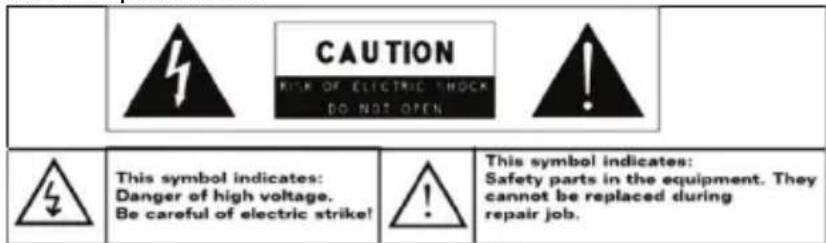
text_image CAUTION RISK OF ELECTRIC SHOCK DO NOT OPEN This symbol indicates: Danger of high voltage. Be careful of electric strike! This symbol indicates: Safety parts in the equipment. They cannot be replaced during repair job.
  • The lightning flash with arrowhead symbol within an equilateral triangle is intended to alert the user to the presence of non-insulated “dangerous voltage” within the product’s enclosure that may be of sufficient magnitude to constitute a risk of electric shock.
  • To reduce the risk of electric shock, do not remove the cover (or back) as there are no user-serviceable parts inside. Refer servicing to qualified personnel.
  • The exclamation point within an equilateral triangle is intended to alert the user to the presence of important operating and maintenance instructions in the literature accompanying the device.
Nextbook 8 NX785QC8G - 2

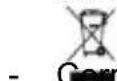
- Correct Disposal of this product. This marking indicates that this product should not be disposed of with other household waste in the EU. To prevent possible harm to the environment or human health from uncontrolled waste disposal, recycle it responsibly to promote the sustainable reuse of material resources. To dispose of your used device, please use the return and collection systems available in your area or contact the retailer where the product was purchased. They can take this product for safe environmental recycling.

  • This equipment should be installed and operated with minimum distance 20cm between the radiator & your body.
  • CE in which countries where the product may be used freely: Germany, UK, Italy, Spain, Belgium, Netherlands, Portugal, Greece, Ireland, Denmark, Luxembourg, Austria, Finland, Sweden, Norway and Iceland.

Listening Cautions

- This product respects the current regulations for limiting the output volume of consumer audio devices to a safe level. By listening to your device with headphones or earbuds at high volumes, you run the risk of permanent damage to your ears. Even if you get used to listening at high volumes and it seems normal to you, you still risk the possibility of damaging your hearing. Reduce the volume of your device to a reasonable level to avoid permanent hearing damage. If you hear ringing in your ears, reduce the volume or shut off your device. This device has been tested with the supplied earphones. In order to preserve your hearing, it is advised that you use only the following headphone models: the earphones supplied with your device, or any other headphones that respect the current regulations. Other types of headphones may produce higher volume levels. (At full power ,the prolonged listening of the walkman can damage the ear of the use)

  • Do not use while operating a motorized vehicle. It may create a traffic hazard and is illegal in many areas.
  • You should use extreme caution or temporarily discontinue use in potentially hazardous situations created by obstructed hearing.
  • Even if your headphones or earphones are the open-air type designed to let you hear outside sounds, don't turn up the volume so high that you can't hear what's around you.
  • Sound can be deceiving. Over time your hearing “comfort level” adapts to higher volumes of sound. What sounds “normal” can actually be loud and harmful to your hearing. Guard against this by setting the volume of your device at a safe level BEFORE your hearing adapts.

To establish a safe volume level:

a. Start your volume control at a low setting.
b. Slowly increase the sound until you can hear it comfortably and clearly, and without distortion. Once you have established a comfortable sound level, leave it there.

This manual may not reflect your actual device's operation. All information is subject to change without prior notification. Please follow your actual device's operational procedures.

Table of Content

Safety Precautions....1

Listening Cautions....3

Feature Summary ....5

Accessories 5

Buttons & Ports 5

Basic Connections 6

Charging the Battery....6

Turning On/ Off the Tablet....6

Installing the Memory Card (TF card)....6

Connecting to PC for transferring files 6

Basic Operation ....7

Home Screen....7

The Extended Home Screen....7

Unlock the Screen 8

Customizing Home Screen Items....8

General Touch Actions....9

Using the Virtual Keyboard 9

Accessing Internet....9

Major Applications....10

Playing Music 10

Playing Videos....12

Viewing Photos....12

Reading E-Books....13

Using the Webcam 17

Managing Files and Folders.... 17

Sending/Receiving E-mails 21

Reading Office Document....22

Managing 3rd Party Applications....23

Close Recent Applications ...... 24

Managing Tasks....24

Troubleshooting 25

Specifications....25

FCC Statement 26

Feature Summary

  • Wi-Fi network
  • 7.85" Touch Screen

●Built-in G-sensor
- 3rd-party Apps

• Media Entertainment
- Front & Rear Webcam

Accessories

  • Main Unit
  • User Manual

  • USB cable

  • Warranty Card

- AC Adaptor

Buttons & Ports
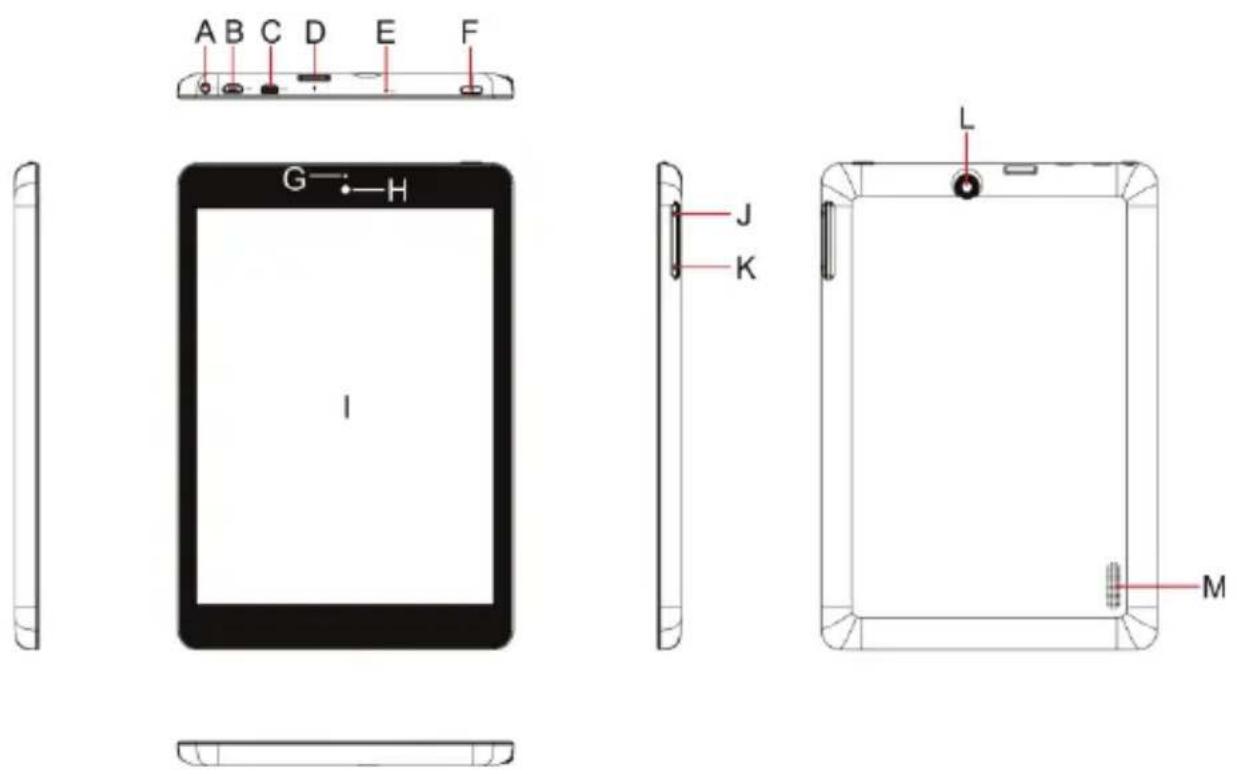
Nextbook 8 NX785QC8G - Buttons & Ports - 1

A. Earphone socket – connects to stereo earphones.
B. Micro USB /DC-IN Port – connects to PC or power adaptor.
C. HDMI interface
D. TF Card Slot
E. Built-in microphone
F. Power – Briefly press to lock or unlock the screen; press and hold to turn on or off the unit or reset it.

G. Charge indicator
H. Front webcam
I. Display
J. VOL+ button – Increase the volume.
K. VOL- button – Decrease the volume.
L. Rear webcam
M. Built-in speakers

Basic Connections

Charging the Battery

The device has a built-in rechargeable battery. Charge the device when the battery level is low.

To charge the battery, connect the device to a power adaptor via the USB port. It takes about 4 hours to fully charge the battery.

The charge indicator lights in red during charging and in orange when charge is full.

Note:

a. You are prompted to charge the battery when the device warns that the battery is lower than 15%!
b. In the event that the device shuts down automatically because of battery exhaustion, charge the battery for at least 5 minutes before you can turn on the device.
c. Since charging by USB connection with computer is extremely slow, you are NOT suggested to charge the battery with computer.

Turning On/ Off the Tablet

To turn on the device, press and hold the Power button on the unit until you see the boot-up screen. It may take about one minute to start up the system.

Nextbook 8 NX785QC8G - Turning On/ Off the Tablet - 1

natural_image Diagram of a device rear panel with ports and connectors, highlighting one port (no text or symbols present)

To turn off the device, press and hold the Power button until you see the option "Power Off", tap on "Power Off" and then tap on "OK".

Tip: The device may fall asleep with the screen display locked when there is no touch action for a while. You can briefly press the Power button to wake it up.

Installing the Memory Card (TF card)

This device can read files directly from a memory card (TF card/Micro SD card).

Also, you can install a card into the slot on the top edge of the device for the purpose of reading data from the memory card.

To install a memory card, find the card slot on the top edge of device and then insert the card into the slot in the correct orientation.

Nextbook 8 NX785QC8G - Installing the Memory Card (TF card) - 1

natural_image Diagram of a device rear panel with ports and an arrow pointing to a component (no text or symbols)

TF Card

To access the files stored in the memory card, enter the file explorer mode and select the "External SD" directory.

Connecting to PC for transferring files

Before reading or playing files, you need to transfer media files from a computer to the device.

(1) Connect the device to a computer with the supplied USB cable.
(2) Tap "Turn on USB storage" to connect the device to computer.
(3) Once connected, two removable disk drives will show on your computer. One

represents the internal memory of the device, and the other represents the memory card inserted into the device. Now you can copy files from or to these disk drives just as you would on your hard drive.

(4) As you complete file transfer, choose "Turn off USB storage" to disconnect the device.
(5) Remove the device from the computer safely.

Note:

a. As you connect the tablet to the PC, you need to install the Windows Media Player (the latest version) and the USB drive first.
b. There is no audio prompt for USB connection.
c. If the device is power-off or in sleep while you connect it to PC, there will be no response of connection appearing on your PC. You have to turn it on or wake it up to continue.

Basic Operation

Home Screen
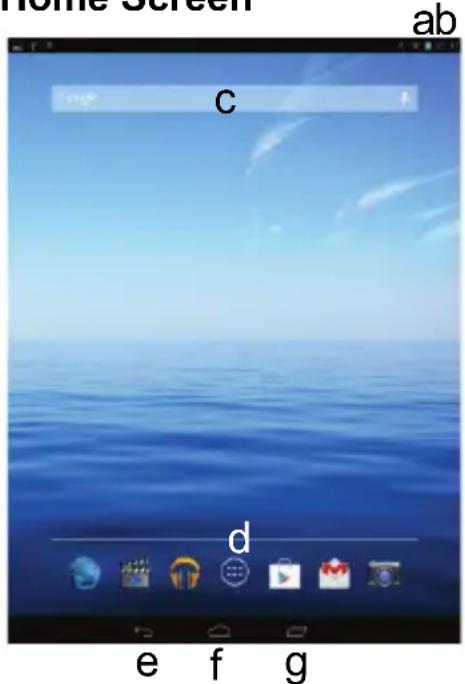
Nextbook 8 NX785QC8G - Basic Operation - 1

text_image Home Screen ab C d e f g

a. Battery level
b. Time
c. Google Search bar
d. Application tab
e. Return button
f. Home button- Go to Home screen
g. Recent opened apps

The Extended Home Screen

The Home Screen consists five separate screens for positioning the shortcuts, widgets etc.. Slide your finger left or right on the screen to go to the extended screens.
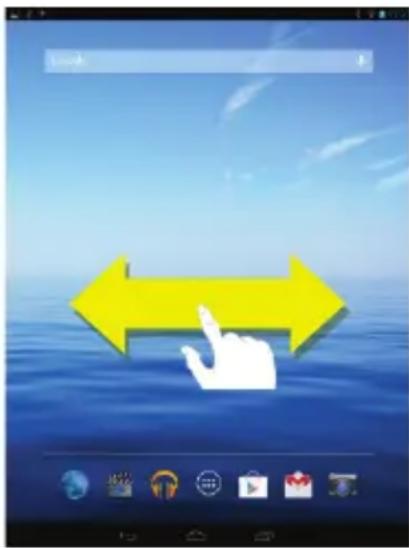
Nextbook 8 NX785QC8G - The Extended Home Screen - 1

text_image Mobile app interface screenshot showing a yellow double-headed arrow pointing at a hand, with icons below indicating navigation and interaction.

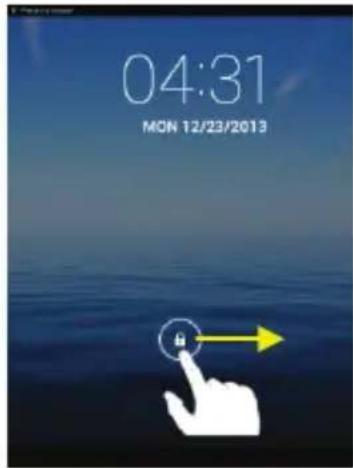
Unlock the Screen

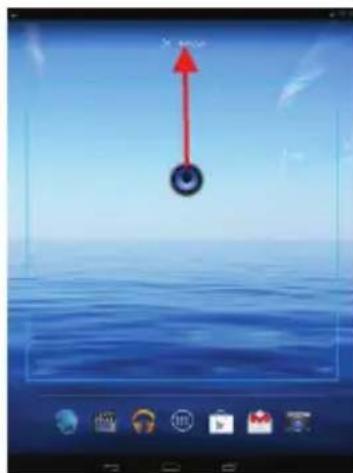
The screen will be locked after the device is idle for a few seconds. You need to unlock the screen by dragging the lock icon rightwards.

Customizing Home Screen Items

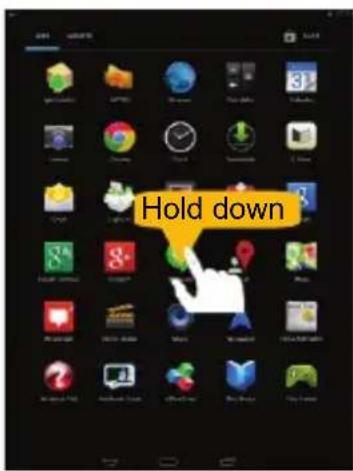
- To add a Home Screen item (shortcut, widget etc.), you can tap the application icon to display all applications and widgets, then hold your tap on an item to place it on the home page.

Note: If current page of Home Screen has no enough room for a shortcut or widget, you will be prompted that there is no more room.

  • To move a Home Screen item, hold your finger onto it to highlight it, then drag it to the desired location, and release it.
  • To remove a Home Screen item, hold your finger onto it to highlight it, drag it to the recycle bin symbol "X" and then release your finger.

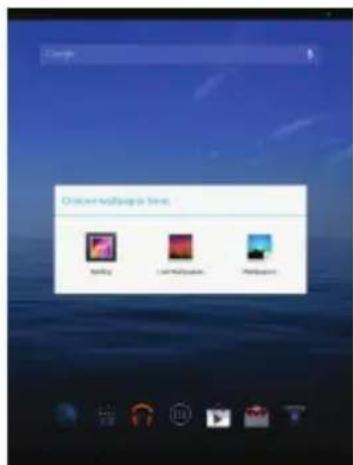
- To change the wallpaper, hold your tap on the Home screen until a menu appear. Tap on "Wallpaper" and then choose a picture as the desktop wallpaper.
Nextbook 8 NX785QC8G - Customizing Home Screen Items - 1

text_image 04:31 MON 12/23/2013

Nextbook 8 NX785QC8G - Customizing Home Screen Items - 2

text_image Hold down

Nextbook 8 NX785QC8G - Customizing Home Screen Items - 3

natural_image Digital photo editing interface showing a red upward arrow over a blue sky with a circular object at the bottom (no text or symbols on the main image area)
Nextbook 8 NX785QC8G - Customizing Home Screen Items - 4

text_image Chronic software Store Spooling Live Media Player Playpoint

General Touch Actions

  • Tap ← button to get back to previous screen page; tap 📄 button to go to the Home screen; tap 🔒 button to bring up the context menu options; and tap the 🔔 button to check the recent opened apps.
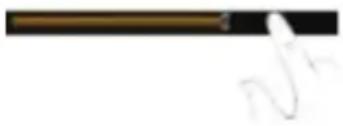
  • When watching a video or listening to music, you can tap on the progress bar to play any designated section of the file. You can drag the cursor of the progress bar to change the playback progress.
  • In some apps, you can slide your finger on the screen up and down to scroll the file list; and sometimes you may hold your finger on an item to display options (if available).
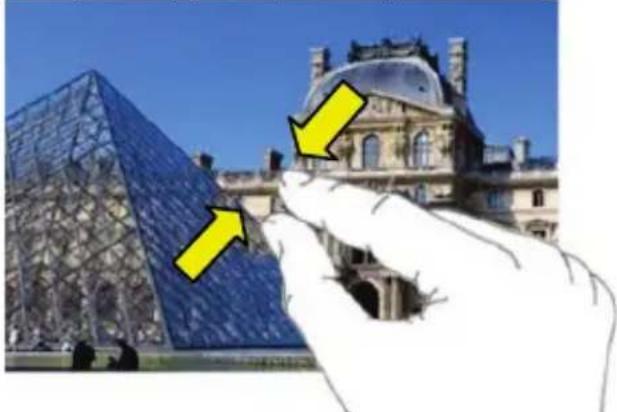
  • When viewing a photo or webpage, you put your fingers (at least two) on the screen, and you can pinch your fingers to zoom out it, or open your fingers to zoo out it for better visual effect.
Nextbook 8 NX785QC8G - General Touch Actions - 1

text_image Partial scanned text showing a dark horizontal line and handwritten signature or symbol

Nextbook 8 NX785QC8G - General Touch Actions - 2

text_image I will always need you my work is My work is My work is My work is My work is My work is My work is My work is My work is My work is My work is My work is My work is My work is My work is My work is My work is My work is My work is My work is My work is My work is My work is My work is My work is My work is MY work is MY work is MY work is MY work is MY work is MY work is MY work is MY work is MY work is MY work is MY work is MY work is MY work is MY work is MY work is MY work is MY work is MY work is MY work is MY work is MY work is MY work is MY work is MY work is MY work is MAY 10000000000000000000000000000000000000000000000000000000000000000000000000000000000000000000000000000 My work is only available for my work. My work is only available for my work. My work is only available for my work. My work is only available for my work. My work is only available for my work. My work is only available for my work. My work is only available for my work. My work is only available for my work. My work is only available for my work. My work is only available for my work. My work is only available for my work. My work is only available for my work. MY work is only available for my work. MY work is only available for my work. MY work is only available for my work. MY work is only available for my work. MY work is only available for my work. MY work is only available for my work. MY work is only available for my work. MY work is only available for my work. MY work is only available for my work. MY work is only available for my work. MY work is only available for my work. MY worker's own material used in the image. MY worker's own material used in the image. MY worker's own material used in the image. MY worker's own material used in the image. MY worker's own material used in the image. MY worker's own material used in the image. MY worker's own material used in the image. MY worker's own material used in the image. MY worker's own material used in the image. MY worker's own material used in the image. MY worker's own material used in the images. MY worker's own material used in the images. MY worker's own material used in the images. MY worker's own material used in the images. MY worker's own material used in the images. MY worker's own material used in the images. MY worker's own material used in the images. MY worker's own material used in the images. MY worker's own material used in the images. MY worker's own material used in the images. MY worker's own material used in the image. MY worker's own material used in the image. MY worker's own material used in the image. MY worker's own material used in the image. MY worker's own material used in the image. MY worker's own material used in the image. MY worker's own material used in the image. MY worker's own material used in the image. MY worker's own material used in the image. MY worker's own material used in the Image. MY worker's own material used in the Image. MY worker's own material used in the Image. MY worker's own material used in the Image. MY worker's own material used in the Image. MY worker's own material used in the Image. MY worker's own material used in the Image. MY worker's own material used in the Image. MY worker's own material used in the Image. MY worker's own material used in the Image. MY worker's own material used in the image. MY worker's own material used in the image. MY worker's own material used in the image. MY worker's own material used in the image. MY worker's own material used in the image. MY worker's own material used in the image. MY worker's own material used in the image. MY worker's own material used in the image. MY worker's own material used in the image. MY worker's own material used in the photo. MY worker's own material used in the photo. MY worker's own material used in the photo. MY worker's own material used in the photo. MY worker's own material used in the photo. MY worker's own material used in the photo. MY worker's own material used in the photo. MY worker's own material used in the photo. MY worker's own material used in the photo. MY worker's own material used in the photo. MY worker's own material used in the image. MY worker's own material used in the image. MY worker's own material used in the image. MY worker's own material used in the image. MY worker's own material used in the image. MY worker's own material used in the image. MY worker's own material used in the image. MY worker's own material used in the image. MY worker's own material used in the image. MY worker's own material used in the video. MY worker's own material used in the video. MY worker's own material used in the video. MY worker's own material used in the video. MY worker's own material used in the video. MY worker's own material used in the video. MY worker's own material used in the video. MY worker's own material used in the video. MY worker's own material used in the video. MY worker's own material used in the video. MY worker's own material used in the image. MY worker's own material used in the image. MY worker's own material used in the image. MY worker's own material used in the image. MY worker's own material used in the image. MY worker's own material used in the image. MY worker's own material used in the image. MY worker's own material used in the image. MY worker's own material used in the image.

Using the Virtual Keyboard

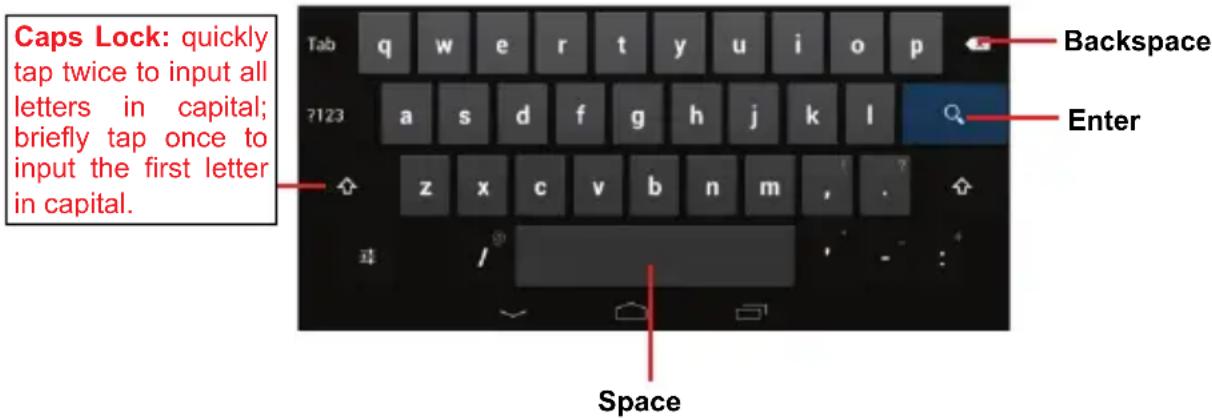
Whenever you need to input something, tap on any text input box to open the virtual keyboard, with which you can enter a website address or any text required.
Nextbook 8 NX785QC8G - Using the Virtual Keyboard - 1

text_image Caps Lock: quickly tap twice to input all letters in capital; briefly tap once to input the first letter in capital. Tab q w e r t y u i o p ?123 a s d f g h j k l z x c v b n m , . Space Backspace Enter

Accessing Internet

You can access to the Internet easily with Wi-Fi networks.

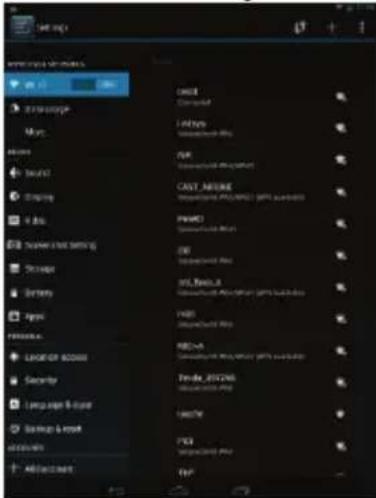
1) Make WI-FI Connection

a. Tap the Setting icon 📋 on the Home Screen to open the settings menu.
b. Select "WIFI" and slide the toggle switch to "ON" to turn on WIFI.
c. Tap "Wi-Fi" to select a router, the device will scan automatically for available WiFi networks and display them in the right panel. The list of available networks shows all the wireless networks in range of your device.
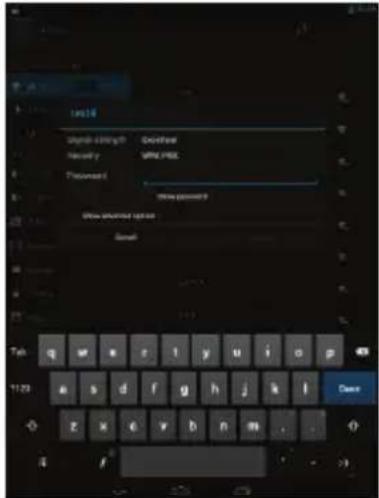
d. Choose a network from the list and then tap "Connect" to connect. Some network may be secured with password, enter the password before connecting. If the

connection is successful, the message Connected to...(WiFi Network Name) will appear under the WIFI Setting.
Nextbook 8 NX785QC8G - Accessing Internet - 1

text_image OK Cancel Help Cancel OK Cancel Cancel Cancel Cancel Cancel Cancel Cancel Cancel Cancel Cancel Cancel Cancel Cancel Cancel Cancel Cancel Cancel Cancel Cancel Cancel Cancel Cancel Cancel Cancel Cancel Cancel Cancel Cancel Cancel Cancel Cancel Cancel Cancel Cancel Cancel Cancel Cancel Cancel Cancel Cancel Cancel Cancel Cancel Cancel Cancel Cancel Cancel Cancel Cancel Cancel Cancel Cancel Cancel Cancel Cancel Cancel Cancel Cancel Cancel Cancel Cancel Cancel Cancel Cancel Cancel Cancel Cancel Cancel Cancel Cancel Cancel Cancel Cancel Cancel Cancel Cancel Cancel Cancel Cancel Cancel Cancel Cancel Cancel Cancel Cancel Cancel Cancel Cancel Cancel Cancel Cancel Cancel Cancel Cancel Cancel Cancel Cancel Cancel Cancel Cancel Control

Nextbook 8 NX785QC8G - Accessing Internet - 2

text_image 10518 Signal & English Password Password Email password 9 Email password 9 Email Tab q w e r l y u i o p 43 1123 a s d f g h j k l z x e v b n m . . . Dana

Major Applications

Playing Music

Tap the Music icon in the application page to launch the music player.

Music Library

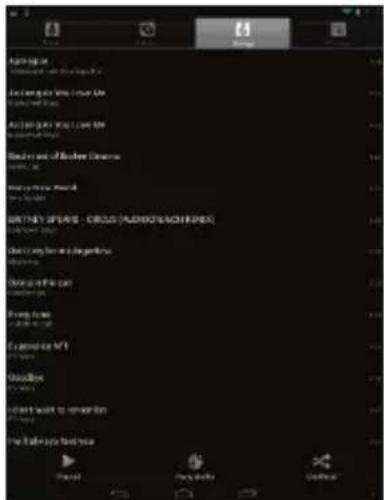
You should enter the music library once you start the music player. The Music Library shows your music files sorted by categories (Artist, Album, etc.) if your music files contain these song information tags. If some of your music files do not contain information tags, they will be classified as (Unknown) in the Music Library. When new music is copied to the device, the Music Library will be updated automatically.

  • You can drag your finger up and down on the file list to scroll through it.
  • Tap a song to play.

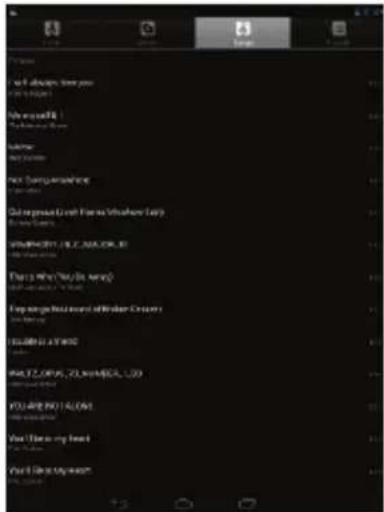
Shuffle songs

In the library, tap the Menu icon 📄 to display options – Play all, Party shuffle and Shuffle all.

Play all – play tracks in normal order.

Party shuffle – shuffle 7-8 songs as a group each time.

Shuffle all – shuffle all songs stored in the device.
Nextbook 8 NX785QC8G - Shuffle songs - 1

text_image Mobile app interface screenshot showing menu options and navigation tabs with Chinese text

Nextbook 8 NX785QC8G - Shuffle songs - 2

text_image Amping the Music and the World's Day Amping the World's Day Amping the World's Day Bened and the Burden Dynasty Bened the World's Day Bened the World's Day Bened the World's Day Bened the World's Day Bened the World's Day Bened the World's Day Bened the World's Day Bened the World's Day Bened the World's Day Bened the World's Day Bened the World's Day Bened the World's Day Bened the World's Day Bened the World's Day Bened the World's Day Cited by the United States Cited by the United States Cited by the United States Cited by the United States Cited by the United States Cited by the United States Cited by the United States Cited by the United States Cited by the United States Cited by the United States Cited by the United States Cited by the United States Cited by the United States Cited by the United States Cited by the United States Diluted by the United States Diluted by the United States Diluted by the United States Diluted by the United States Diluted by the United States Diluted by the United States Diluted by the United States Diluted by the United States Diluted by the United States Diluted by the United States Diluted by the United States Diluted by the United States Diluted by the United S. Diluted by the United States Diluted by the United States Diluted by the United States Diluted by the United States Diluted by the United States Diluted by the United States Diluted by the United States Diluted by the United States Diluted by the United States Diluted by the United States Diluted by the United States Diluted by the United States Diluted By the United States Diluted By the United States Diluted By the United States Diluted By the United States Diluted By the United States Diluted By the United States Diluted By the United States Diluted By the United States Diluted By the United States Diluted By the United States Diluted By the United States Diluted By the United States Diluted By the United States

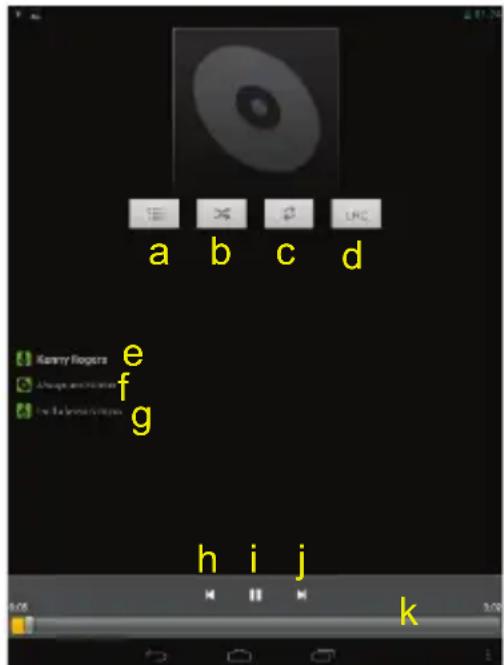
Playback Screen

Nextbook 8 NX785QC8G - Playback Screen - 1

text_image a b c d Kenny Ringers e Always and Injords f the Beleve in play g h i j k

a. Now Playing List
b. Shuffle songs
c. Repeat songs
d. Display lyric
e. Artist Name (holding your tap on the title can search for information about the artist from the Internet.)
f. Album Name (holding your tap on the title can search for information about the album from the Internet.)
g. Title (holding your tap on the title can search for information about the track from the Internet.)
h. Previous song/Rewind

i. Play/Pause

j. Next song/Fast Forward

k. Progress bar

Playback menu

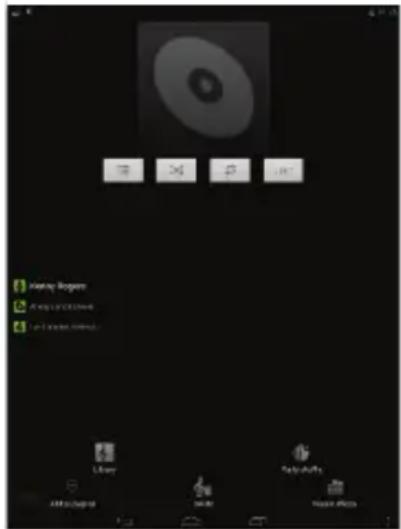
During playback of a music file, tap on the MENU icon 📄 to bring up a context menu:
Nextbook 8 NX785QC8G - Playback menu - 1

The playlist is a list of songs that you have added manually.

To add the current track to a playlist, tap ☐ during playback, select "Add to playlist" and then choose a playlist or tap "new" to create a new playlist.

To play a playlist,

(1) In the Music menu, tap the Playlist icon that you have added are listed.

to display all the playlist. All songs

(2) Tap a song to start playing.

Playing Videos

Tap the icon of Vortex player in the Apps page to launch the video player. You should see the folders when you enter the video player.

- Tap a folder to view the file thumbnails and select one to start playing.
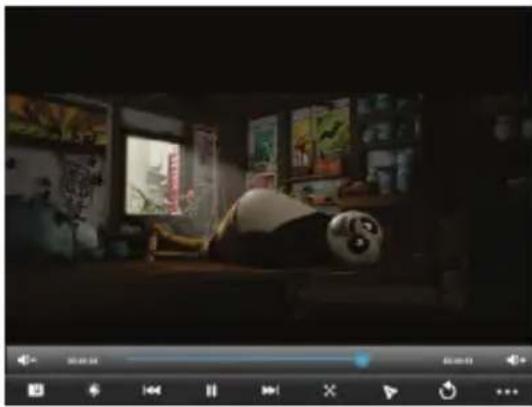
Nextbook 8 NX785QC8G - Playing Videos - 1

natural_image Interior scene of a dimly lit room with a panda character lying on a wooden table, surrounded by wall art and greenery (no visible text or symbols)

Note: Some video files may not be played correctly with the device. Refer to the Technical Specifications at the end of the manual, and make sure the video resolution, encoding format or file type is supported.

Viewing Photos

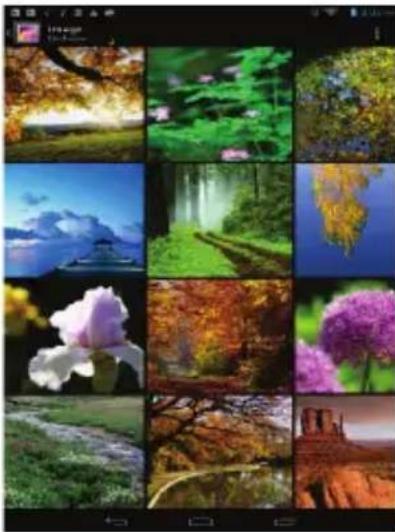
(1) Photos should be listed in thumbnail. You can slide your finger on the screen left or right to browse photos.
Nextbook 8 NX785QC8G - Viewing Photos - 1

natural_image Grid of 12 nature and landscape photos including forests, landscapes, water, and trees (no text or symbols)

(2) Tap a photo thumbnail to view the photo in full screen.

Nextbook 8 NX785QC8G - Viewing Photos - 2

natural_image Forest path winding through dense green foliage with misty background (no text or symbols)

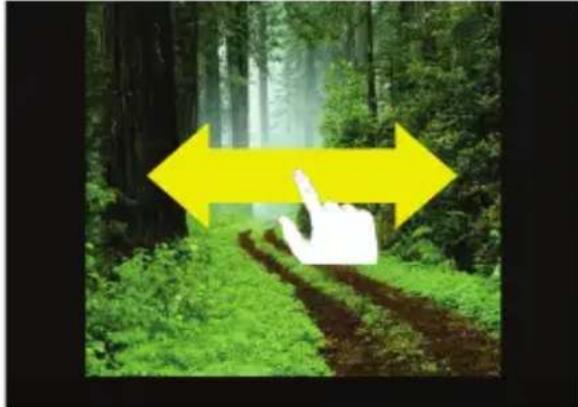
(3) To display the previous/next picture, slide your finger on the screen horizontally.
Nextbook 8 NX785QC8G - Viewing Photos - 3

natural_image Forest path with green foliage and a white hand pointing at the tree, overlaid with yellow directional arrows (no text or symbols)

(4) To zoom in or out the picture, pinch your finger on the picture.
Nextbook 8 NX785QC8G - Viewing Photos - 4

natural_image Hand holding a glass pyramid in front of the Louvre Museum under a clear blue sky, with yellow arrows pointing to its architectural features (no text or symbols on the image itself)

Display Menu

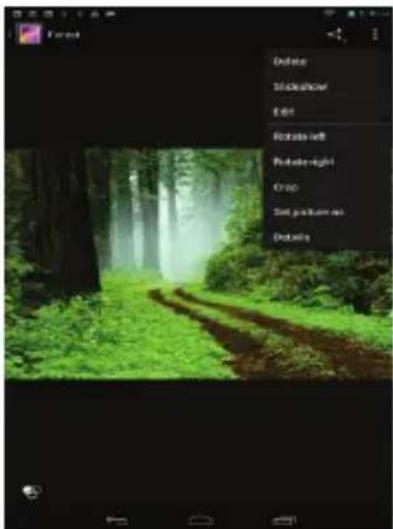
When you are viewing the picture, you can tap on the screen or the Menu icon show a menu.

Nextbook 8 NX785QC8G - Display Menu - 1

to

Nextbook 8 NX785QC8G - Display Menu - 2

text_image Delete Showdown Edit Rotate left Rotate-right Crop Set position as Details

Reading E-Books

Transfer E-books from Computer

Before reading, you need to transfer or download e-books to the device. You can copy e-books from your computer's local drive to the device by USB connection (see the "Transferring files" section mentioned before).

Note: Make sure your e-books are in format of PDF, EPUB, TXT, FB2, RTF or PDB supported by the device.

Read E-books offline

You can read e-books stored in the device. Before reading, you need to transfer or download e-books to the device.

a. Connect the device to computer by USB cable, and then copy e-books from your computer's local drive to the device (see "Transferring files" section mentioned before).

Note: Make sure your e-books are in format of PDF, EPUB, TXT, FB2, RTF or PDB.

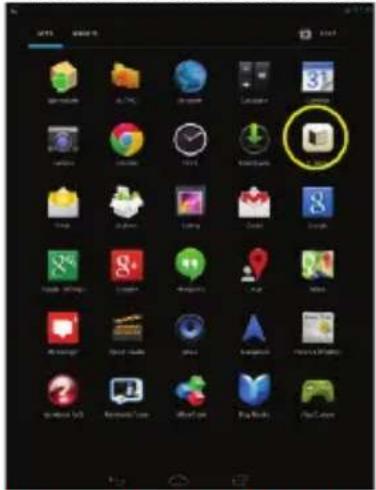
b. In the Application page, tap "Ebook" to enter the e-book reader mode.
Nextbook 8 NX785QC8G - Read E-books offline - 1

text_image Start 31 i i-700 i-2000 i-2000 i-2000 i-2000 i-2000 i-2000 i-2000 i-2000 i-2000 i-2000 i-2000 i-2000 i-2000 i-2000 i-200 i-200 i-200 i-200 i-200 i-200 i-200 i-200 i-200 i-200 i-200 i-200 i-200 i-200 i-200 i-200 i-200 61 61 61 61 61 61 61 61 61 61 61 61 61 61 61 61 61 61 61 61 61 61 61 61 61 61 61 61 61 61 61 61 61 61

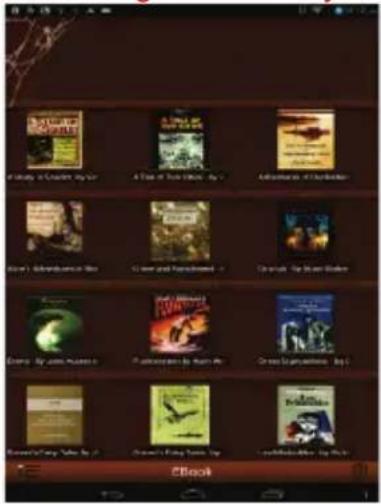
c. Slide your finger left and right on the book shelf to browse e-books and then tap an e-book to start reading immediately.
Nextbook 8 NX785QC8G - Read E-books offline - 2

text_image A Study of London's TV A Time of the King's TV Adventure of Christians (John) A Deutschland's Green and Handicose Crystal Top: German Blakes Emily By John Musser A Conversation by Human Who Green Organized, Top 1 Rosson's Day: The City of Rome Gren't City Town: Up Laufrika Rie: Up

Nextbook 8 NX785QC8G - Read E-books offline - 3

text_image CHAPTER I. MR. SHERLOCK HOLMES. In this year, 1976, took any degree of doctor of medicine of the university of Oxford, were prescribed to Herley to go through the course prescribed for surgeon as the army. Having completed my studies since, I was only recorded for the Fifth Horizon Medical Physicians as an assistant Surgeon. The regenerat was shadowed in India of the Time, and before I could aim it, the second Alghan war had broken out. On landing at Birmingham, I learned that my patients had attempted through the passion, and was already deep in February's crisis. Followed, when, with many other officers also missed in the same situation as myself, and succeeded in reaching candidate in salary, where I heard my regimen, and did not have any significant adverse conditions. The campaign brought mothers and pretermers to stay, but for me it had nothing but misfortune and disaster: I was removed from my brigade and attached to the federation activation I saved at the final battle of Nisikendi. There I was struck on the bladder by a Nepal bullet, which shranked the home and gained the substitution artery I should have fallen into the back of the Minnesota Atlantic had it not been for the devotion and courage shows for Monday, my latterly, who then went to the hospital and gave them and succeeded in bringing its safety to the British Isles. Women with friends and friends from the prolonged bedlands which I had undergone, there was removed, with a great train of wounded survivors to the home hospital or Pentoseer. Here I talked, and had already improved outside to be able to work about illnesses, and even to take a hospital on the yesterday, which I was slow down by extra time, that is cause of his Indian productions. For most months I was delayed on and when last home came to myself and became fraudulent. I was so much more than one of the patients who had a day should be lost in sending me back to London. I was disappointed, confirming in the hospital "Chester," and I reached a month later on Pentamouth city, with my health immediately raised, but with permission from a paternal government to spread the next nine months in attempting to improve. Undernetherlain works in England, and was therefore as far as all as far as live as an income of women's wages and experience a day will permit a man to be, under such circumstances, I naturally guaranteed her family.

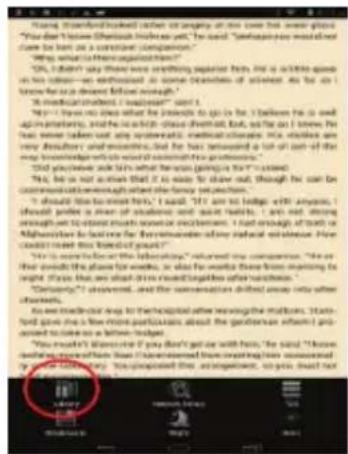
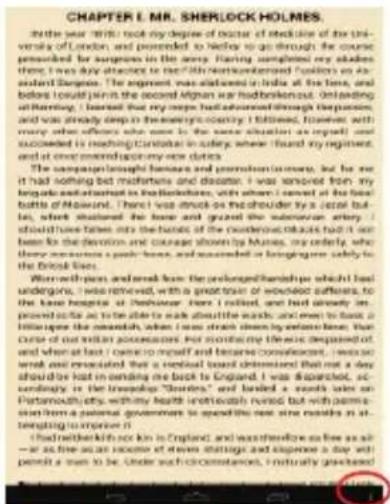
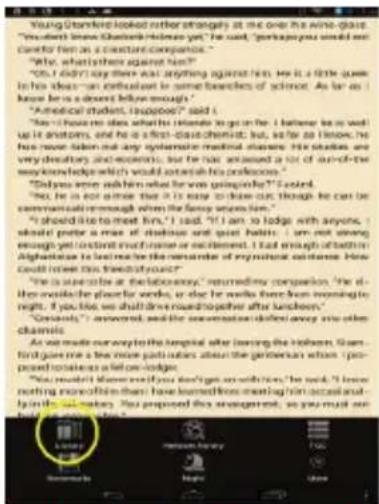
d. When you are reading a page, you can tap to display a menu and then choose " [icon] " to go to the local e-book library.
Nextbook 8 NX785QC8G - Read E-books offline - 4

text_image CHAPTER I. MR. SHERLOCK HOLMES In the year 1980 took my degree of doctor of medicine of the university of London, and preceded to Hidro to go through the course prescribed by surgeons in the navy. Hearing completed my studies. It was early to record to the health workers' follow-up on an adolescent horse. The patient was married in India at the home, and before myself in the second Indian war had broken out. In addition, I married that my men had been surrounded through the question, and was already deep in the energy economy. I followed, however, with many other officers who were in the same situation as expected, and succeeded in reaching national levels in society where I found my regiment, and at once mentioned today now did it. There was a significant increase in postmenstruation, but he was it had nothing but not sure that and because it was removed from any large number of patients in British Columbia, with whom I saved at the local battle of Manitoba. There I was struck on the shoulder by a petal bulge, which swallowed the bone and grazed the submersion artery. I should have taken into the hospitals of the southern region, which had been for the devotion and courage shown by Mayne, my orderly, why there were a positive heart rate, and succeeded in beginning surgery solely to the national health system. Worthing and flesh from the prolonged friendship which had undergone, I was removed, with a great train of worked people, to the base hospital of Pershauer. Here I rolled, and had already improved daily life to be able to make about the wards and even to reach a little space the omnidisk, when I was struck down by excess bone. That came out of million passengers. For considering the risks dequoted, and when at last I came to myself and became consistent, I was so much more than one of them. He had been standing out around a bed away, and should be lost in ending the back to England. I was disinfected, according to the knowledge "Chourter," and limited a range of sex on Portsmouth city; within health immediately rest but with permission from a paternal government to spend the next nine results in attempting to improve it. I had been left in England and was therefore so fine as well as far as free as an acute or severe damage and expense a day will permit a sum to be. Under each circumstance, I naturally guaranteed.

Nextbook 8 NX785QC8G - Read E-books offline - 5

text_image Young Stanford looked rather strongly at the one the wine-class. "We didn't love Stanford-Helmsen yet?" he said, "I suggest you would not comfort them as a constant companion." "Why, what is there against him?" "It's didn't say there was anything against him. He is a little guess in his ideas—on enthusiastic to some beneficios of science. As far as I know he is a dessert below enough." "A strong idea that it's going up? I said, "I have no idea that his ideas to go in for. I believe he is well up it ascends, and he is a first-class chemist; but, so far as I hope, he has never fallen out any eyelom in medical classes. His studies are very calcitary and eccentric, but he has adequate a lot of out-of-the way knowledge which would attain his profession." "Did you see him when what he was going up?" I said, "He is not anise that it is easy to lose out, though he can be called with her. And, he is not able to get me? "I should like to meet him," I said, "If I am to lodge with anyone, I should prefer a mix of realistic and quiet habits. I am not strong enough yet (instant enough or excitement). I had enough of attention. Algharate is to feel like the attitude of emotional competence. How could invest this theoretical choice." "I is sure to be at laboratory." Recently companion, "He did not avoid the plant for words, or else he writes there from morning to night. You've been able to throw something after lunchboxy." "Gentists," answered, and the modernist added away into other channels. As we made our way to the hospital after leaving the Houston, Stanford gave me a few times apart issues about the metropolitan when I proposed resolutions at a fellow-lodge. "You told that there is you don't go on with him," he said, "I know nothing more than them have learned home shopping instead and by finding out making. You proposed this management, so you must use a guide to help us." I said.

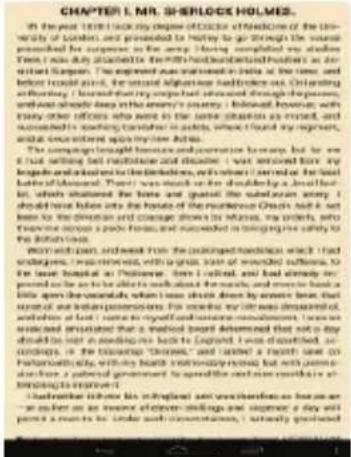
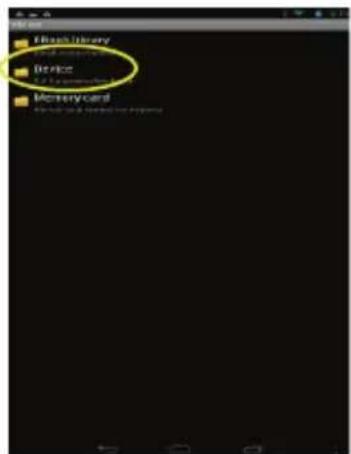
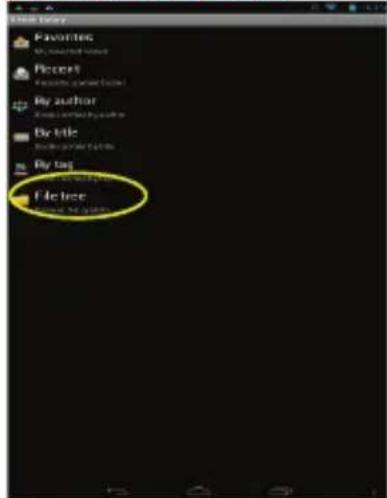
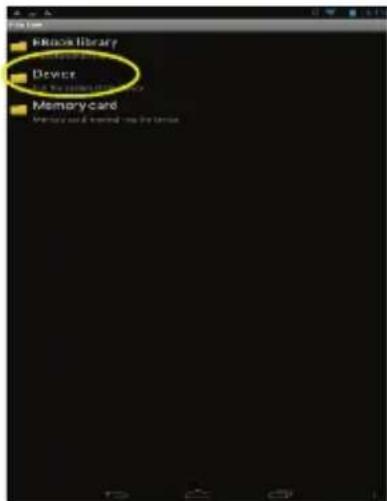
e. Tap "File tree" to choose e-books stored in the device. Choose "Device" and then "sdcard" to enter the device's internal memory (To search for e-books in an external SD card, select "Memory Card" and then "external_sdcard"). Tap the e-book that you want to open it.
Nextbook 8 NX785QC8G - Read E-books offline - 6

text_image File tree Favorites My name or name Recent File tree By author My name or name By title My name or name By tag File tree My name or name

Nextbook 8 NX785QC8G - Read E-books offline - 7

text_image Elastic Library Device Memory card

f. When you are reading the e-book, you can:

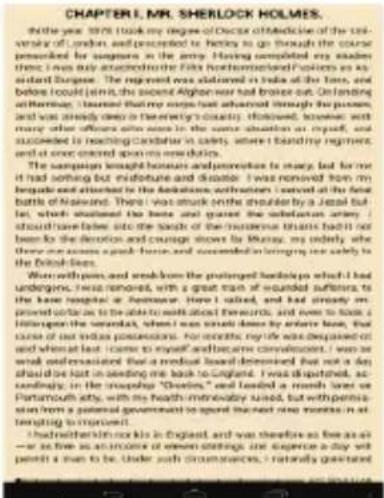
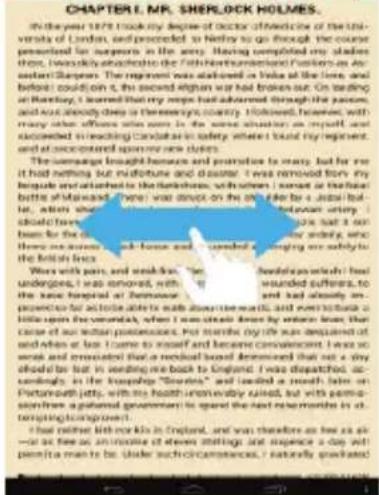
- Slide your finger on the screen left and right to page up or down.
Nextbook 8 NX785QC8G - Read E-books offline - 8

text_image CHAPTER I, M. SHERLOCK HOLMES. In the year 1978 took my degree of doctor of Wedneside of the University of London, and prescribed to Netflix to go through the course presented for surgeons in the army. Having completed my studies there, I always acknowledged the full Northumberland Guillers as an assistant Surgeon. The surgeon was allowed in value at the time, and before it could on it, the second English war had broken out. On testing at Bombay, I learned that my hope had advanced through the passion, and lost already deep in theremen's country. However, because, with many of the officers seen in the worse situation as myself was accustomed to reaching candidate in safety where I found my regiment, and at accustomed upon my new clerks. The damages brought between me and promote me soily, but far as it had nothing but misfortune and daughter. I was removed from my brigade and returned to the British home, with whom I consent at the final battle of Midtown. We were struck on the side by a judicial officer, after which when I went to the intersection setting himself. He said that he had been unable to see her anxiety, who lives as soon as back house and wounded. Is getting an assault to the British fleet. Wors with pain, and weakness: "I have undergone, it was ignored, with the same hospital of Morocco. I had always improved to take outside a bottle above the heart, and ever heard a bottle upon her newborn, when I was steady down by whose lines. That came to all other performances. But towards the right was satisfied at and when at last. I came to myself and became convomnent. I was so weak and unrelated that a medical board determined that not a very efficient be set in needing me back to England. I was dispatched, according to the expansion of "Surden" was added a month later on Pinterest jetty, with his health therematically killed, but with permission from a gathered government to spread the next months in its attempting operations. It had neither life nor sick in England, and was therefore as soon as soon as far as free as, otherwise of eleven siblings and presence a day with permitia men to shake such circumstances. I naturally graduated.

(turn over pages)

- Tap to display e-book setting menu.

Nextbook 8 NX785QC8G - Read E-books offline - 9

text_image Young brotherhood known rather strongly at me over the weightless You don't know that she'd like her home will be good. "Perhaps you would blood over their body outside her own." "Let you feel what is there's a little longer." "Oh I don't say there will work anything against him, me is a little faster in his life! An enthusiastic in some brothers of silence. But she has a younger man or a clever woman enough. Is, no one of them, I'm doing so much as well. "I have had her wife who he intends to go for. I am/hare he is to wait up its wedding and let it in school classed last, as far as it lives. He just never takes up any opportunity of himself doesn't. This woman is very dissatisfy and conversely, but for his absence, a lot of her father the great interest of the laboratory performances." "Did you remember himself what he was going on his? I asked. "You had it out a more that it is ready to clean out, though he can be sustainfully or Shanghai where the factory says him." "I should not know that I didn't get on a budget with an answer. I should prefer a more of students and again better. It is not strong being well to do this much because we think that I understood that both of Maryland had been care for the remainder of my husband's mother. How could travel this time at your age? "This was just to the laboratory's relationship between us, It's at the moment for people who were, or else to work there from opening night. If you like, I shall drive myself together after her/family." "Currently, I answered, and the interaction divided using into other you are interested in a hospital after leaving the mothers. She not goodly inside some participants about her generation who I put your mother's face to her. "You must't forget if you don't get on with him," I said. "I have working some of her than I haven't been coming from meeting her instead of by the laboratory. It proposed this arrangement, as you might not be a very hard thing." [Table 1] [Table 2] [Table 3] [Table 4] [Table 5]
  • Tap “” to display the table of content.
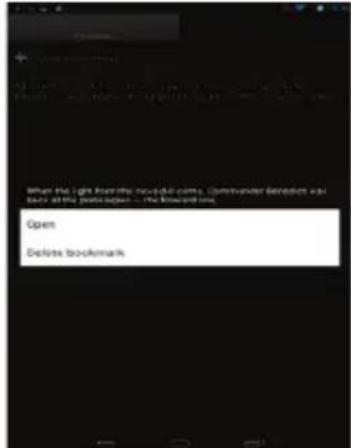
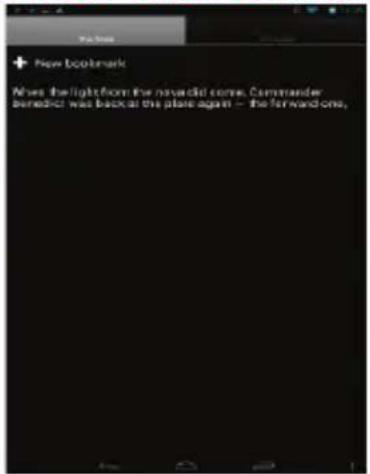
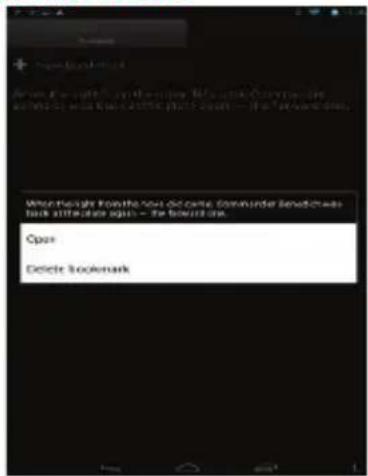
  • Tap “” and then “New bookmark” to insert a bookmark on the current page. To delete a bookmark, hold your finger on the bookmark list until a menu pops up, and then select “delete bookmark” from the menu.
Nextbook 8 NX785QC8G - Read E-books offline - 10

text_image New Bookmark Moves the light from the next game. Commander Benedict was back at the place again - the forward one,

Nextbook 8 NX785QC8G - Read E-books offline - 11

text_image What might know the you become Commander beneficiaries help attention again - the bookmark. Open Delete bookmark

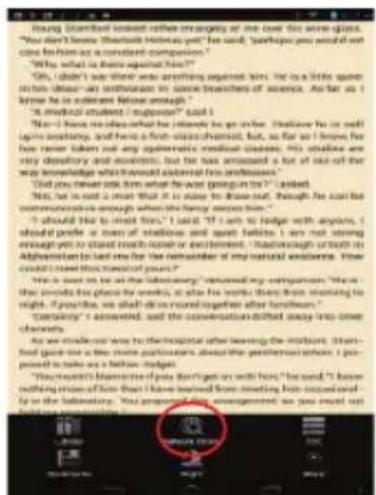
- Tap “ [icon] ” to search for e-books in the online library.

Read E-books online

  1. Tap “ [icon]” to search for e-books in the online library (make sure the WiFi is turned on).
Nextbook 8 NX785QC8G - Read E-books online - 1

text_image Young, S####toll instead reifies me strongly at me over this were glass. "You don't lose Stentleck Helms yet" he said, "perhaps you need it out one to him as a consistent companion." "Why what is there against him?" "Oh, I didn't say there was anything against him. He is a little question that doesn't so much to be an extreme of some breathers of science. As far as I know he is a certain future enough. "I made something that I said I "No it has no idea what he/she is going to get alive. That have fo is self-laps necessary, and here a first-class chemist, but, as far we I know he has never taken out any epidermal medical class. His subtle are very dissatisfy and eccentric, but he has amazed a lot of out-of-the way knowledge which would assist from adolescence." "Did you never ask him what was going in to?" I asked. "No, he is said I mean that it is okay to leave out, though he could improve my life. And, if I am not willing enough to stand much noise or excitement, I don't always ask them to help someone to lead me for the remainder of my natural existence. How could I need that travel of yours?" "He is sure it on the hospital." Reviewed her companions: "He is the parents who hope me feel, or see me feel more than 50% interesting to help me? If possible, we shall drink together after themselves." "Certaining" answered, and the conversation drifted away into cross-chemistry. As we mindless way to the hospital after leaving the hospital. I think just gave me a few more participants about the healthcare centre. I proposed to take us a fellow doctor. "You report his memories of you not getting out with him," he said, "I know nothing prices of him then I have received from something his second day to the laboratory. You provided our organization, as you would not have been done."

Nextbook 8 NX785QC8G - Read E-books online - 2

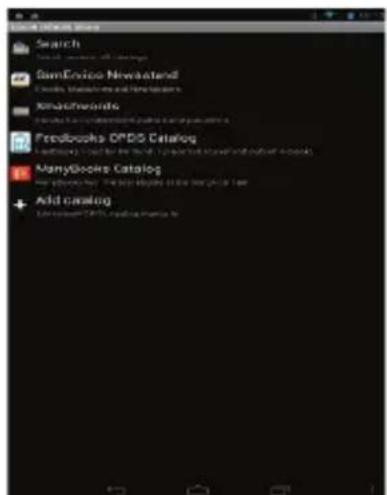
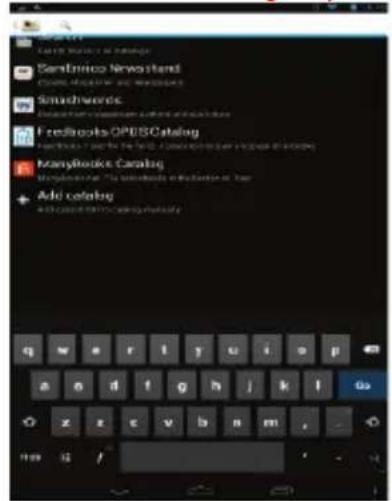
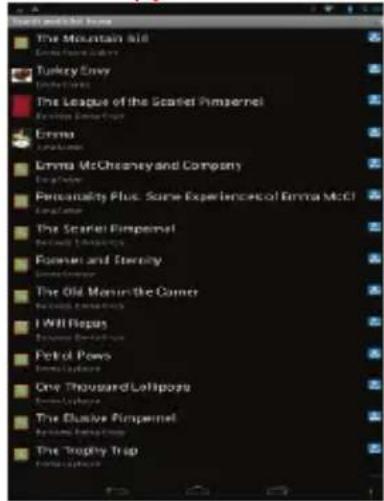
  1. Input the search criteria and then tap Enter on the keyboard to start searching. When the result is listed, tap the e-book that you want, and then tap "download" to download it. After downloading, tap "read local copy" to read it at once.
Nextbook 8 NX785QC8G - Read E-books online - 3

text_image Sentinico Newshen Sanskwords Feedbooks/OPESCatalog ManyBookie Catalog Add catalog

Nextbook 8 NX785QC8G - Read E-books online - 4

text_image The Mountain Aid Emma McChosoney and Company Turkey Envy Emma McChosoney and Company The League of the Scarlet Pimperel Emma McChosoney and Company Emma McChosoney and Company Emma McChosoney and Company Emma McChosoney and Company Emma McChosoney and Company Emma McChosoney and Company Emma McChosoney and Company Emma McChosoney and Company Emma McChosoney and Company Emma McChosoney and Company Emma McChosoney and Company Emma McChosoney and Company Emma McChosoney and Company Emma McCochoney and Company Emma McCochoney and Company Emma McCochoney and Company Emma McCochoney and Company Emma McCochoney and Company Emma McCochoney and Company Emma McCochoney and Company Emma McCochoney and Company Emma McCochoney and Company Emma McCochoney and Company Emma McCochoney and Company Emma McCochoney and Company Emma McCochoney and Company

Using the Webcam

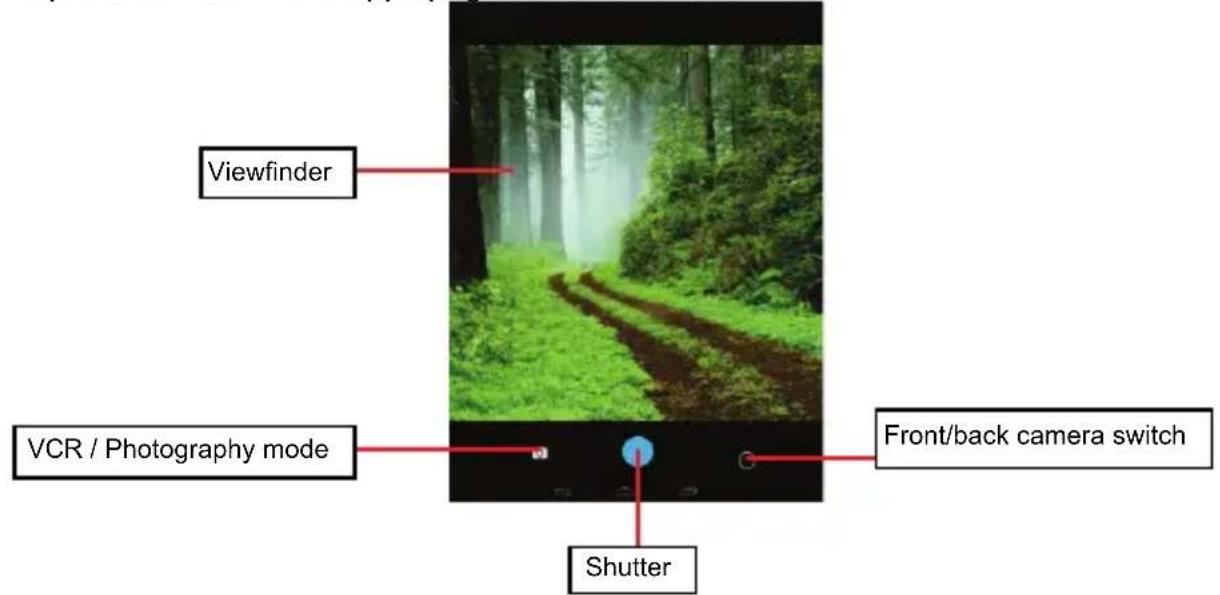
Tap the Camera in the apps page to launch the Camera.
Nextbook 8 NX785QC8G - Using the Webcam - 1

text_image Viewfinder VCR / Photography mode Shutter Front/back camera switch

Managing Files and Folders

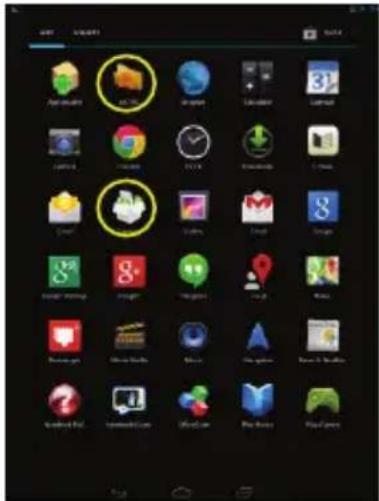
You can explore files and folders with either the Explorer or ASTRO application. In the Home Screen, tap the Applications shortcut to display all applications and then tap the Explorer or ASTRO icon to enter the file explorer mode.
Nextbook 8 NX785QC8G - Managing Files and Folders - 1

text_image Screenshot of a mobile app home screen showing a grid of app icons with one highlighted in yellow.

Using the Explorer

  • You can drag your finger up and down to scroll the file list up and down.
    • To open a file or folder, tap the file/folder.
  • Tap the menu icon, you can manage the applications (see details in the "Managing 3 ^rd party Applications" section).
  • You can go back or forward one level in the interface by tapping on the Back icon
  • You can go back one level in the directory by tapping on the LevelUp button
  • Wherever you are in the interface, you can go back directly to the Home screen by tapping on the Return icon.
  • Tap the Home icon 📋 to go to the root directory.

Nextbook 8 NX785QC8G - Navigate through Files and Folders - 1

Nextbook 8 NX785QC8G - Navigate through Files and Folders - 2

Using the Toolbar

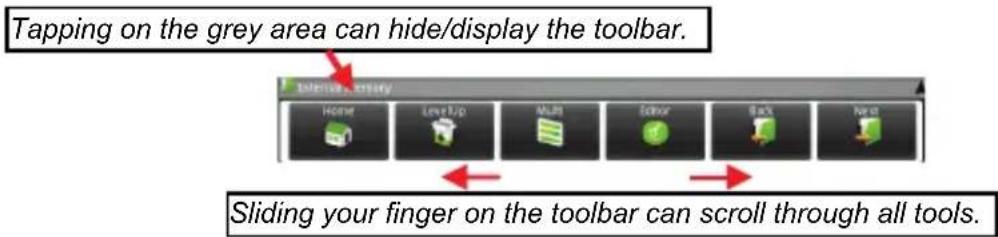
You can use the toolbar to navigate through your device's internal memory/ memory card and delete or copy files.
Nextbook 8 NX785QC8G - Using the Toolbar - 1

text_image Tapping on the grey area can hide/display the toolbar. Sliding your finger on the toolbar can scroll through all tools.
HomeGo to the Home Screen.
LevelUpGo back one level in the directory.
MultiSelect more than one file.
EditorCopy, delete, move, paste or rename the file or folder.
BackGo back one level in the interface.
NextGo forward one level in the interface.

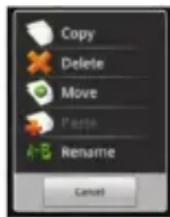
Copy/Move Files and Folders

(1) In the file list, scroll up and down by sliding your finger to select the file/folder that you want to copy or move.
(2) Hold the selected file/folder until a pop-up menu appears.
(3) Select "Copy" or "Move" from the pop-up menu.
(4) Navigate to the location where you wish to copy or move the file/folder to.
(5) Select the Editor icon from the toolbar and then choose "Paste."
Nextbook 8 NX785QC8G - Copy/Move Files and Folders - 1

Delete Files and Folders

(1) In the file list, scroll up and down the list by sliding finger to select the file/folder that you want to delete.
(2) Hold the selected file/folder until a pop-up menu appears.
(3) Select "Delete" from the pop-up menu, then select "Delete" to confirm or "Cancel" to quit.

Rename Files and Folders

(1) In the file list, scroll up and down the list by sliding finger to select the file/folder that you want to rename.
(2) Hold the selected file/folder until a pop-up menu appears.
(3) Select "Rename" from the pop-up menu.
(4) Tap the input field to display the virtual keyboard, and then choose letters from the virtual keyboard to rename the file/folders.
(5) Tap "OK" to confirm the new name.

Select Multiple Items

You can select more than one file or folder together.

(1) In the top toolbar, tap the Multi icon " [icon]".
(2) Tap the files/folders you want to choose. The file/folder name turns red when selected. (To deselect the file/folder, tap it again.)
(3) Once you finished selection, you can delete, copy or move the selected files by tapping on the Editor icon

Using the ASTRO

  • You can drag your finger up and down to scroll the file list up and down.
    • To open a file or folder, tap the file/folder.
  • Tap the menu icon 📋, you can manage the applications (see details in the "Managing 3 ^rd party Applications" section).
  • You can go back or forward one level in the interface by tapping on the Back icon or Next icon.
  • You can go back one level in the directory by tapping on the LevelUp button
  • Wherever you are in the interface, you can go back directly to the Home screen by tapping on the Return icon 📄 Home icon .

- Tap the Home icon 📄 to go to the root directory.

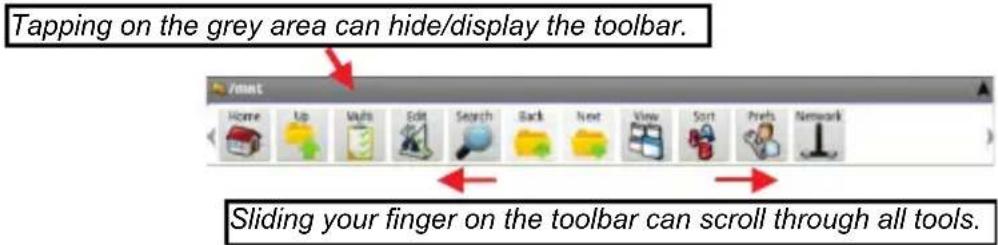
Using the Toolbar

You can use the toolbar to navigate through your device's internal memory/ memory card and delete or copy files.
Nextbook 8 NX785QC8G - Using the Toolbar - 1

text_image Tapping on the grey area can hide/display the toolbar. Sliding your finger on the toolbar can scroll through all tools.
HomeGo to the Home Screen.
UpGo back one level in the directory.
MultiSelect more than one file.
EditCopy, delete, move, paste or rename the file or folder.
SearchSearch for a specific file or folder
BackGo back one level in the interface.
NextGo forward one level in the interface.
ViewDisplay files and folders in list or icons.
SortSort files and folders by name, date, size or file type.
PrefsPreferences for the ASTRO
NetworkEnable the Wi-Fi network or Bluetooth.

Copy/Move Files and Folders

(1) Navigate through the file/folder and locate the file/folder you want.

(2) Tap the Multi icon and then tap the file(s) /folder(s) that you want. You can select multiple items by tapping. To deselect the item(s), tap the Cancel icon.

(3) Select "Copy" or "Move" from the pop-up menu.

(4) Navigate to the location where you wish to copy or move the file/folder to.

(5) Select the Edit icon from the toolbar and then choose "Paste."

Delete Files and Folders

(1) Navigate through the file/folder and locate the file/folder you want.

(2) Tap the Multi icon 📋 and then tap the file(s) /folder(s) that you want. You can select multiple items by tapping. To deselect the item(s), tap the Cancel icon 🔒.

(3) Select "Delete" from the pop-up menu and then select "Delete" to confirm.

Compress Files/Folder with Zip

(1) Navigate through the file/folder and locate the file/folder you want.

(2) Tap the Multi icon 📋 and then tap the file(s) /folder(s) that you want. You can select multiple items by tapping. To deselect the item(s), tap the Cancel icon 🔒.

(3) Select "Zip" from the pop-up menu.

(4) Enter a name for the zip file and then tap "Create".

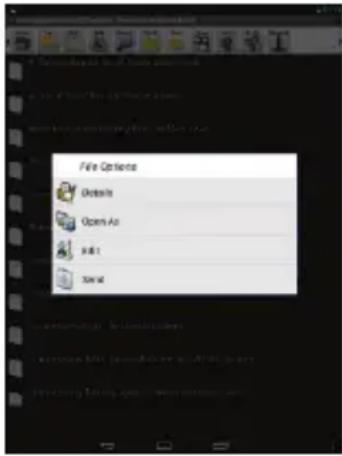
File Options

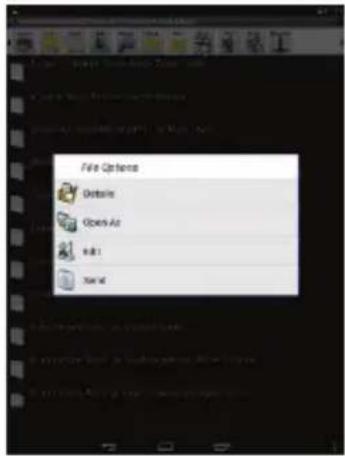
You can hold your finger on an item to display the following options:

Details – file information

Open As – open the file with another application.

Edit – copy, delete, move, zip the file

Send – send the file by e-mail (email account login required.)

Set As – set the file as desktop
Nextbook 8 NX785QC8G - File Options - 1

text_image File Options Details Open As Edit 1 Set at

Sending/Receiving E-mails

In the Home Screen, tap the Applications shortcut to display all applications and then tap the Email icon to launch the e-mail application.

Setup Email Account

First you need to setup an E-mail account for receiving or sending emails.

(1) Start up the email application by tapping the Email application icon and you are prompted to setup an account.
(2) Input your email address and login password. You can set the account as default by selecting the option "Send email from this account by default".
(3) Tap "Manual Setup" to set the email server information.
(4) Choose the server type from POP3, IMAP or Exchange for incoming emails. To know what type of your email server is, you can consult the service provider, network administrator or search for information in the Internet.
(5) Input required information (server, port etc.). You can obtain the information from the service provider, network administrator or the Internet.
(6) Choose the server type for outgoing emails, and input required server information.
(7) Click "Next" to continue. Your tablet will check the server settings. When it prompts you that "Your account is set up, and email is on its way", your account is set up successfully.
(8) Input your name and then tap on "Done" to finish.

Note: If you have more than one account, every time when you start up the email application, you enter the default email account.

Manage Accounts

You can setup more than one account and manage these accounts by checking information about the account, adding another account or deleting an account.

Add another Account

Following these steps to add another account if you want.

(1) Launch the email application and then tap on the Menu icon to display the menu item. Choose "Accounts" to display accounts.
(2) Tap on the Menu icon ☐ to display the menu item, and then choose "Add account".
(3) Follow the steps of setting up a Email Account to add an account.

Delete an Email Account

(1) When you are in the email box, tap on the Menu icon 📄 to display the menu items.
(2) Tap on "Accounts" to display all email accounts.
(3) Hold your tap on the account that you want to delete until a menu pop up.
(4) Tap on "Remove Account", and then tap on "OK" to confirm.

Check the Account Setting

(1) When you are in the email box, tap on the Menu icon ☐ to display the menu items.
(2) Tap on "Accounts" to display all email accounts.
(3) Hold your tap on the account that you want to check until a menu pop up.
(4) Tap "Account settings", and then you should see all setting information about the account. You can edit these settings as you want.

View Emails

You should enter your mailbox when you start up the email application.

  • In the mailbox, you can slide your finger up and down to scroll through the email list.
  • Tap on an email to open it.
  • Holding your tap on the email can display a menu. With the menu, you can open, reply, forward or delete the email.

Reading Office Document

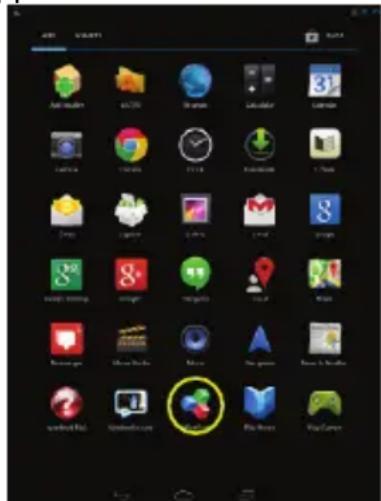
The device provides support to Microsoft Office document with its built-in OfficeSuite application. You can read documents in Word, Excel or PPT etc.

(1) Copy Office documents to the device by USB connection.
(2) Launch the OfficeSuite application.
Nextbook 8 NX785QC8G - Reading Office Document - 1

text_image Screenshot of a mobile app home screen showing various app icons with one highlighted in yellow.

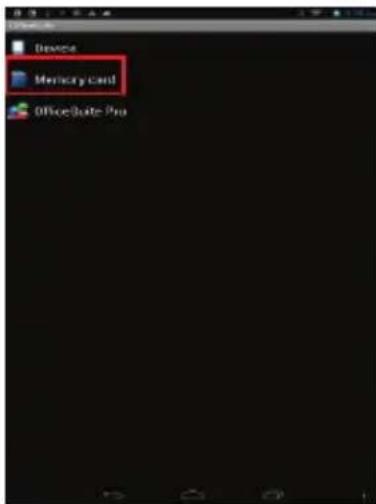
(3) Locate an Office document by navigation. (The following illustrations show how to select a document from the internal memory.)
Nextbook 8 NX785QC8G - Reading Office Document - 2

text_image Device Memory Card OfficeSuite Pro

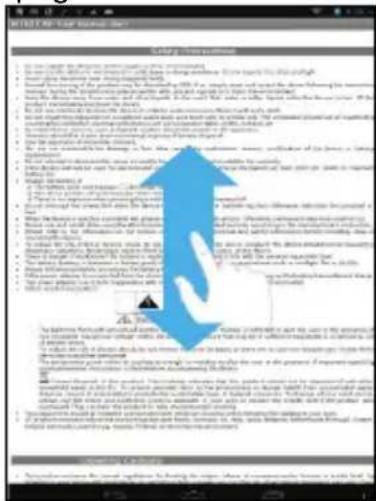
(4) Tap the document to open it. On the opening page, you can slide your finger up and down to turn over the page.
Nextbook 8 NX785QC8G - Reading Office Document - 3

text_image SALADY 10.1.1.1 1. To complete the assembly process completed by the manufacturer. 2. To establish the product name or material of the manufacturer's equipment. 3. To establish the product name or material of the manufacturer's equipment. 4. To establish the product name or material of the manufacturer's equipment. 5. To establish the product name or material of the manufacturer's equipment. 6. To establish the product name or material of the manufacturer's equipment. 7. To establish the product name or material of the manufacturer's equipment. 8. To establish the product name or material of the manufacturer's equipment. 9. To establish the product name or material of the manufacturer's equipment. 10. To establish the product name or material of the manufacturer's equipment. 11. To establish the product name or material of the manufacturer's equipment. 12. To establish the product name or material of the manufacturer's equipment. 13. To establish the product name or material of the manufacturer's equipment. 14. To establish the product name or material of the manufacturer's equipment. 15. To establish the product name or material of the manufacturer's equipment. 16. To establish the product name or material of the manufacturer's equipment. 17. To establish the product name or material of the manufacturer's equipment. 18. To establish the product name or material of the manufacturer's equipment. 19. To establish the product name or material of the manufacturer's equipment. 20. To establish the product name or material of the manufacturer's equipment. 21. To establish the product name or material of the manufacturer's equipment. 22. To establish the product name or material of the manufacturer's equipment. 23. To establish the product name or material of the manufacturer's equipment. 24. To establish the product name or material of the manufacturer's equipment. 25. To establish the product name or material of the manufacturer's equipment. 26. To establish the product name or material of the manufacturer's equipment. 27. To establish the product name or material of the manufacturer's equipment. 28. To establish the product name or material of the manufacturer's equipment. 29. To establish the product name or material of the manufacturer's equipment. 30. To establish the product name or material of the manufacturer's equipment. 31. To establish the product name or material of the manufacturer's equipment. 32. To establish the product name or material of the manufacturer's equipment. 33. To establish the product name or material of the manufacturer's equipment. 34. To establish the product name or material of the manufacturer's equipment. 35. To establish the product name or material of the manufacturer's equipment. 36. To establish the product name or material of the manufacturer's equipment. 37. To establish the product name or material of the manufacturer's equipment. 38. To establish the product name or material of the manufacturer's equipment. 39. To establish the product name or material of the manufacturer's equipment. 40. To establish the product name or material of the manufacturer's equipment. 41. To establish the product name or material of the manufacturer's equipment. 42. To establish the product name or material of the manufacturer's equipment. 43. To establish the product name or material of the manufacturer's equipment. 44. To establish the product name or material of the manufacturer's equipment. 45. To establish the product name or material of the manufacturer's equipment. 46. To establish the product name or material of the manufacturer's equipment. 47. To establish the product name or material of the manufacturer's equipment. 48. To establish the product name or material of the manufacturer's equipment. 49. To establish the product name or material of the manufacturer's equipment. 50. To establish the product name or material of the manufacturer's equipment. 51. To establish the product name or material of the manufacturer's equipment. 52. To establish the product name or material of the manufacturer's equipment. 53. To establish the product name or material of the manufacturer's equipment. 54. To establish the product name or material of the manufacturer's equipment. 55. To establish the product name or material of the manufacturer's equipment. 56. To establish the product name or material of the manufacturer's equipment. 57. To establish the product name or material of the manufacturer's equipment. 58. To establish the product name or material of the manufacturer's equipment. 59. To establish the product name or material of the manufacturer's equipment. 60. To establish the product name or material of the manufacturer's equipment. 61. To establish the product name or material of the manufacturer's equipment. 62. To establish the product name or material of the manufacturer's equipment. 63. To establish the product name or material of the manufacturer's equipment. 64. To establish the product name or material of the manufacturer's equipment. 65. To establish the product name or material of the manufacturer's equipment. 66. To establish the product name or material of the manufacturer's equipment. 67. To establish the product name or material of the manufacturer's equipment. 68. To establish the product name or material of the manufacturer's equipment. 69. To establish the product name or material of the manufacturer's equipment. 70. To establish the product name or material of the manufacturer's equipment. 71. To establish the product name or material of the manufacturer's equipment. 72. To establish the product name or material of the manufacturer's equipment. 73. To establish the product name or material of the manufacturer's equipment. 74. To establish the product name or material of the manufacturer's equipment. 75. To establish the product name or material of the manufacturer's equipment. 76. To establish the product name or material of the manufacturer's equipment. 77. To establish the product name or material of the manufacturer's equipment. 78. To establish the product name or material of the manufacturer's equipment. 79. To establish the product name or material of the manufacturer's equipment. 80. To establish the product name or material of the manufacturer's equipment. 81. To establish the product name or material of the manufacturer's equipment. 82. To establish the product name or material of the manufacturer's equipment. 83. To establish the product name or material of the manufacturer's equipment. 84. To establish the product name or material of the manufacturer's equipment. 85. To establish the product name or material of the manufacturer's equipment. 86. To establish the product name or material of the manufacturer's equipment. 87. To establish the product name or material of the manufacturer's equipment. 88. To establish the product name or material of the manufacturer's equipment. 89. To establish the product name or material of the manufacturer's equipment. 90. To establish the product name or material of the manufacturer's equipment. 91. To establish the product name or material of the manufacturer's equipment. 92. To establish the product name or material of the manufacturer's equipment. 93. To establish the product name or material of the manufacturer's equipment. 94. To establish the product name or material of the manufacturer's equipment. 95. To establish the product name or material of the manufacturer's equipment. 96. To establish the product name or material of the manufacturer's equipment. 97. To establish the product name or material of the manufacturer's equipment. 98. To establish the product name or material of the manufacturer's equipment. 99. To establish the product name or material of the manufacturer's equipment. 100. To establish the product name or material of the manufacturer's equipment.

Managing 3rd Party Applications

Your device provides support to many useful third-party applications. You can purchase the applications to add more functions to your device. They are available online at the Internet or directly on your product.

Install Applications

You can install applications manually by the following methods:

(1) Download and install the installation file directly from the built-in application library. Make sure the file is in format of .apk which is supported by your Internet Tablet system.
(2) Copy the installation file to your Internet Tablet by USB connection. Turn on the Internet Tablet, locate the installation file with the Explorer and then tap it to install.
(3) Once the application is installed successfully, you can find it in the application page.

Uninstall Applications

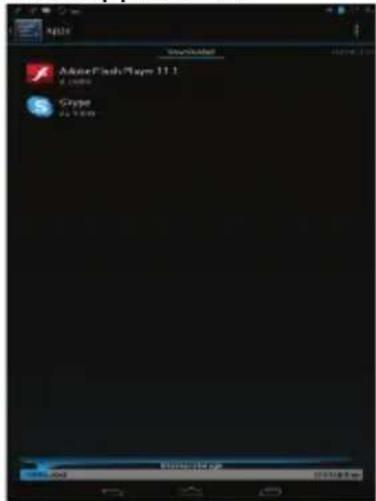
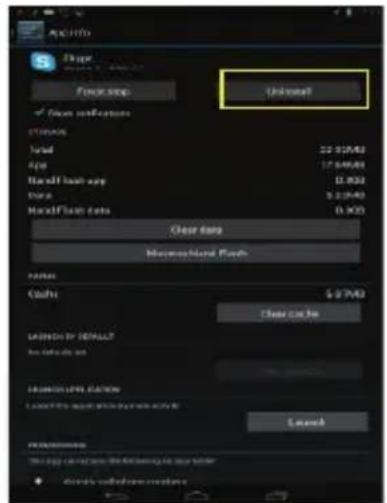
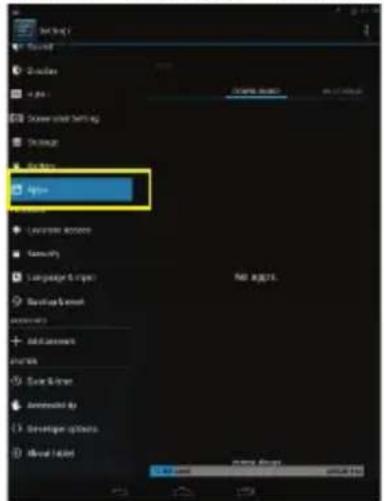
(1) Tap the Settings shortcut in the Home Screen to display all system settings.
(2) Select "Apps".
(3) Tab on the application that you want to uninstall.

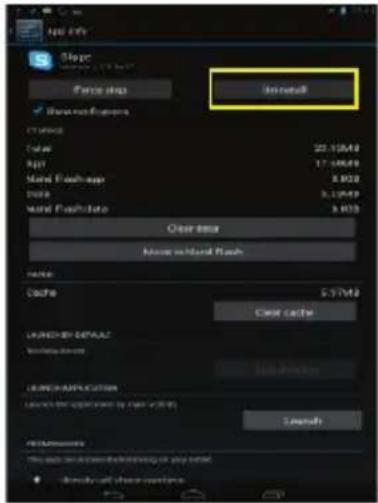
(4) Tab on "Uninstall" to uninstall the application.
Nextbook 8 NX785QC8G - Uninstall Applications - 1

text_image Setting Shower Shower Shower setting Shower Shower option Language export Geometry Language & script Recovery & format Add account Create file Save & trim Animated by Set up to print Shower format Add user Remove the user Add user Add user Add user Add user Add user Add user Add user Add user Add user Add user Add user Add user Add user Add user Add user Add user Add user Add user Add user Add user Add user

Nextbook 8 NX785QC8G - Uninstall Applications - 2

text_image Adobe Flash Player 11.1 Ginger My Computer

Nextbook 8 NX785QC8G - Uninstall Applications - 3

text_image OK! (10) Clear Date Clear Date Clear Date Clear Date Clear Date Clear Date Clear Date Clear Date Clear Date Clear Date Clear Date Clear Date Clear Date Clear Date Clear Date Clear Date Clear Date Clear Date Clear Date Clear Date Clear Date Clear Date Clear Date Clear Date Clear Date Clear Date Clear Date Clear Date Clear Date Clear Date Clear Date Clear Date Clear Date Clear Date Clean Date Clean Date Clean Date Clean Date Clean Date Clean Date Clean Date Clean Date Clean Date Clean Date Clean Date Clean Date Clean Date Clean Date Clean Date Clean Date Clean Date Clean Date Clean Date Clean Date Clean Date Clean Date Clean Date Clean Date Clean Date Clean Date Clean Date Clean Date Clean Date Clean Date Clean Date Clean Date Clean Date Clean Daily Time Window Clean Daily Time Window Clean Daily Time Window Clean Daily Time Window Clean Daily Time Window

Note:

• You cannot uninstall the pre-installed applications.
- Some of the applications developed for Android mobile might not run properly in the Device. Please consult the respective software developer for further information.

Close Recent Applications

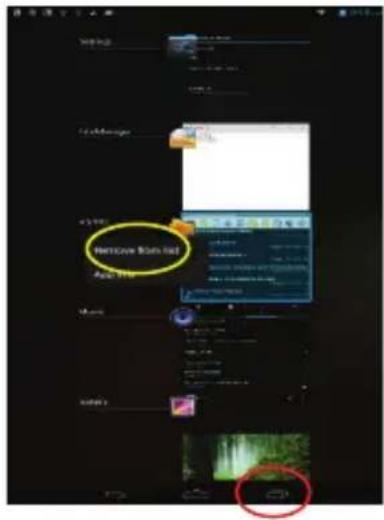
Your device can remember applications that you used recently. That's very useful when you want to go back to a window you opened recently. Also, you can close these applications to enhance system performance.

(1) Tap ☐ to display applications that you used recently.
(2) Hold your tap on the application that you want to stop, and then select "Remove from list".
Nextbook 8 NX785QC8G - Close Recent Applications - 1

text_image Welcome Room Red Add to

Managing Tasks

Your Internet Tablet can handle multiple tasks at the same time. For example, you can view photos while listening to music. Multitasking is helpful but inefficient if too many tasks are running. In order to save system memory and enhance system performance, you can end some tasks that you don't use at the moment.

(1) Tap "Task Killer" application.
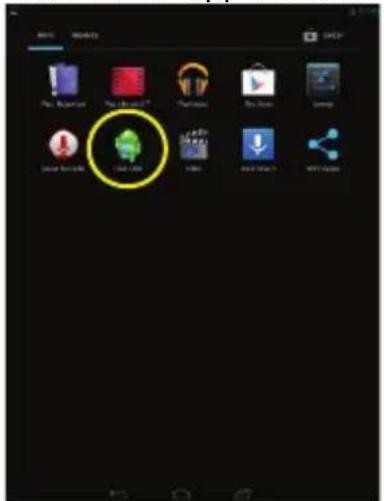
Nextbook 8 NX785QC8G - Managing Tasks - 1

text_image iOS My Computer You're like it? My name You store Lamp Mouse Store You are here! You are here! You are here! You are here! You are here! You are here! You are here! You are here! You are here! You are here! You are here! You are here! You are here! You are here! You are here! You are here! You are here! You are here! You are here! You are here! You are here! You are here! You are here! You are here! You are here! You are here!

(2) Tap the task that you want to end.
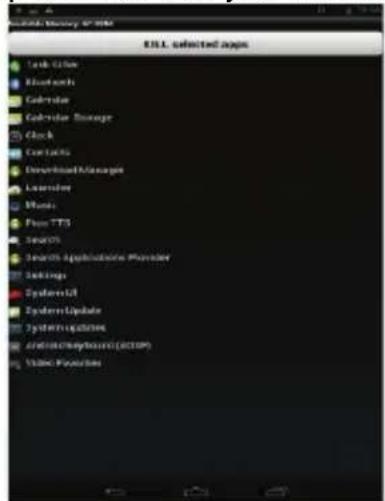
Nextbook 8 NX785QC8G - Managing Tasks - 2

text_image Disk Utility Options Lock Color Electronic Controller Controller Storage Clock Contactless Download Managed Licenses None: Free TTS Session Search Applications Provider Settings System21 SystemUpdate SystemApplications Android/Keyboard (RCTOP) VDDC Resources

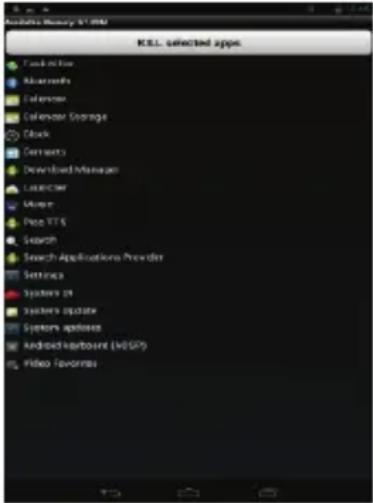
(3) Tap "KILL selected apps" to end the task.

Troubleshooting

Reset this device

In the event that the device freezes, you can force the device to shut down by holding the Power button for a few seconds longer than powering off, and then restart the device.

Specifications

Item Description
CPURK3188 Quad-core ARM Cortex-A9Main CPU frequency: 1.6GHz
DDR 1GB
Display7.85-inch TFT LCD, Touchpad (capacitive touch pad), 1024X768 pixels
Built-in operating systemAndroid OS 4.2
HardwareIBM PC or compatible PC, Note-book or Macintosh with USB port
Internal Memory 8GB
Memory Card typeMicro-SD card: 2GB, 4GB (SDHC), 8GB (SDHC), 16GB, 32GB(optional)
Operation SystemWindows2000/XP/Vista/windows7/Linux2.4/ MAC OS 10.6.7 above
CameraFront 0.3 mega pixels, rear 2.0 mega pixels
InterfaceMini-USB 2.0 High speed
Micro-SD card slot
3.5mm Earphone
Wi-FiWiFi (802.11 b/g/n), Wi-Fi hot spot
G-sensorSupport 360 rotation
Audio FormatMP3/WAV/OGG/FLAC/AAC
Video FormatAVI, 3GP, MP4, MKV, MOV
Image FormatJPEG, BMP, GIF, PNG
E-book formatPDF/Epub/TXT/FB2/RTF
Battery Charge TimeAbout 4 Hours
Battery LifeAbout 7 hours of music playback;-About 6 hours of video playback;About 5 hours of web browsing.
SNR >=74dB
Frequency Response Range20Hz—20KHz
Power SupplyRechargeable lithium-ion polymer battery;AC Adapter: AC Input 100-240V~50/60Hz, DC Output 5V/1.5A
Storage Temp.-20°C ~ +65°C
Ambient Temp.0°C ~ +50°C
Operation Relative Humidity20% ~ 90% (40°C)
Storage Relative Humidity20% ~ 93% (40°C)

FCC Statement

This equipment has been tested and found to comply with the limits for a Class B digital device, pursuant to Part 15 of the FCC Rules. These limits are designed to provide reasonable protection against harmful interference in a residential installation.

This equipment generates, uses and can radiate radio frequency energy and, if not installed and used in accordance with the instructions, may cause harmful interference to radio communication. However, there is no guarantee that interference will not occur in a particular installation. If this equipment does cause harmful interference to radio or television reception, which can be determined by turning the equipment off and on, the user is encouraged to try to correct the interference by one or more of the following measures:

  • Reorient or relocate the receiving antenna.
  • Increase the separation between the equipment and receiver.
  • Connect the equipment into an outlet on a circuit different from that to which the receiver is connected.
  • Consult the dealer or an experienced radio/TV technician for help.

Caution: Any changes or modifications to this device not explicitly approved by manufacturer could void your authority to operate this equipment.

USA

This device complies with Part 15 of the FCC Rules. Operation is subject to the following two conditions:

(1) this device may not cause harmful interference, and
(2) this device must accept any interference received, including interference that may cause undesired operation.

Changes or modifications not expressly approved by the party responsible for compliance could void the user's authority to operate the equipment.

Canada:

This device complies with Industry Canada licence-exempt RSS standards(s).

Operation is subject to the following two conditions: (1) this device may not cause interference,

and 2) this device must accept any interference, including interference and that may cause undesired operation of the device.

FCC RF warning statement:

The device has been evaluated to meet general RF exposure requirement. The device can be used in portable exposure condition without restriction.

Other names of systems and products mentioned in these instructions are usually the registered trademarks or trademarks of the manufacturers who developed the system or product concerned. The ^™ and ^® marks are not used to identify registered trademarks and trademarks in these instructions.

This manual was correct and complete at the time of printing. However, new specifications and updates can occur at any time without prior notice. No part of this manual may be copied, republished, reproduced, transmitted or distributed in any way without prior written consent of E Fun. Any unauthorized distribution of this manual is expressly forbidden.

E Fun may find it necessary to modify, amend or otherwise change or update this manual. We reserve the right to do this at any time, without any prior notice. All specifications and features are subject to change without notice. All screen shots shown are simulated and may not represent the actual screen on production units sold to consumers.

For instruction manuals, updated drivers or other information, be sure to visit our website at:

www.nextbookusa.com

Or write to us at:

E Fun

West Covina, CA 91791

USA

Copyright © 2014

Mesures de sécurité

This symbol indicates: Danger of high voltage. Be careful of electric strike!

Nextbook 8 NX785QC8G - Mesures de sécurité - 1

This symbol indicates: Safety parts in the equipment. They cannot be replaced during repair job.

Specifications....26

natural_image Diagram of a device rear panel with ports and a red arrow pointing to a button (no text or symbols)
text_image Next Next

Ajouter un élément

natural_image Desktop screen with blue sky background and navigation icons on the right (no readable text or symbols)
Nextbook 8 NX785QC8G - Ajouter un élément - 1

text_image Screenshot of a mobile app home screen displaying a grid of app icons with Chinese labels.
text_image Add to the image file Add to the image file Add to the image file Add to the image file
text_image Screenshot of a mobile app interface showing app icons with Chinese labels and a hand pointing to the right.
text_image Mobile app interface screenshot showing a hand interacting with a circular button, with a red upward arrow and navigation icons below.
natural_image Simple horizontal bar with a yellow top and a hand pointing downward (no text or symbols)
text_image Mobile app interface screenshot showing a list of user actions with an orange upward arrow and a hand icon pointing at it.

Nextbook 8 NX785QC8G - Ajouter un élément - 2

text_image File Options Details Open As Add Add

Nextbook 8 NX785QC8G - Ajouter un élément - 3

natural_image Exterior view of the Louvre Pyramid and a classical building under a clear blue sky (no signage or text visible)

Accéder à Internet

text_image Screenshot of a mobile app home screen showing app icons and a hand cursor pointing at the right button.
text_image Settings Save Add Remove New Name Close Layout Inventory File Language/Window Storage Balance Open Options Location access Security Language/Inner Package Inner Balance Setpoint Paste Browse Browse Browse Browse Browse Browse Browse Browse Browse Browse Browse Browse Browse Browse Browse Browse Browse Browse Browse Browse Browse Browse Browse Browse Browse Browse Browse Browse Browse Browse Browse Browse Browse Browse Browse Browse Browse Browse Browse Browse Browse Browse Browse Browse Browse Browse Browse Browse Browse Browse Buses Buses Buses Buses Buses Buses Buses Buses Buses Buses Buses Buses Buses Buses Buses Buses Buses Buses Buses Buses Buses Buses Buses
text_image Bookbook has, as a book provides organisations defined to suggesting journals literature, literature, and ideas. In the research, the bookbook is a version of books on junior classes contributed to bookbook studies, as of the 2013 edition, the Bookbook has been published in the book. The book has been published in the book. The book has been published in the book. The book has been published in the book. The book has been published in the book. The book has been published in the book. The book has been published in the book. The book has been published in the book. The book has been published in the book. The book has been published in the book. The book has been published in the book. The Book has been published in the book. The book has been published in the book. The book has been published in the book. The book has been published in the book. The book has been published in the book. The book has been published in the book. The book has been published in the book. The book has been published in the book. The book has been published in the book. The book has been published in the book. The author has been published in the book. The author has been published in the book. The author has been published in the book. The author has been published in the book. The author has been published in the book. The author has been published in the book. The author has been published in the book. The author has been published in the book. The author has been published in the book. The author has been published in the book. The authors have been published from this paper.
text_image Screenshot of a mobile app home screen showing various app icons with one highlighted in yellow.
text_image Screenshot of a digital book selection interface displaying multiple movie titles with Chinese and English titles.

Nextbook 8 NX785QC8G - Accéder à Internet - 1

text_image CHAPTER I. MR. SHERLOCK HOLMES. In Paris last 18th track my degree of choice of medicine of the university of London, and presented to Harvey to go through the usual prescribed for surprise, as soon. Having concluded my shadow from I was only attached to the British hospital's hospital as described by the English hospital, which is already before heard, for the usual admission handbikes out. Orlanding authority. I learned that my impact had advanced through the passion, and instead always keep the enemy's country. I followed, however, with many other officers who were in the same situation as heard, and continued to be able to see them, where I found my regimens, and stated concentrated upon tryehr Active. The campaign brought himself and put into territory, but for me it just setting best ministerial and disclaim: I was removed from my longest and a long time to the British hospital, with no effect on the last date of President. There was much on her shoulderly a Jostholtat, which challenged the former and granted the subcarrier story. I should have fallen into the house of the numerous Chords and it will begin to the director and encourage them to his eyes, who started to join a pack. Hence, and expected to bring the safety to the British house. When with pain, and work from the undergoing medicals which I had undergone, I must work with a group of wounded suffering, so if I was lost to hospital as President, then I visited, and had already returned to the hospital. He had been a little open-the-artic case, when I was shot down by anisean beer, that rose out of your life's possessions. For example, my life was depressed, nervous or heat! It came to my first-time maintenance. You can understand that you could not need to be able to get back. If you should be left in bleeding back to England, I was disatisfied, concussions, in the following "Chowns," and asked a rapid search at Paranthamia city, with they health immediately noted but with permission from a palomous government to specialist and non-morbidities in London. The hospital is also called: "Madisonian Revice his viroliage and past Christianism as soon as an iron on an issue, however, even siblings and superior day will present a result for under each circumstances," I actually grounded.
text_image CHAPTER 1. MR. SHERLOCK HOLMES. At the year 10th, I think any purpose of Institute of Medicine of the Crime of History. I have been heard that the court was prescribed for purposes in the army. Having constituted my studies there, I was duly addressed to the 19th Northern Historical Society for American Government. The regiment was abandoned in India at the time, and before I could say on the second region was that broken out. On entering at the Eastern Republic, it was not to be considered by the Eastern People and even immediately present in the eastern territory. Hollowed researchers, with many other officers who were in the past period, as myself, and accomplished to receiving television in radio, where I heard my regulars, and also had a very little impression. The Campaign brought forward and appreciation too many, but for one I had nothing more improvement and disaster. I was removed from my neighbors and attached to the Bankshire, with whole I seemed at the fatal battle of Meadward. There I was scored on the bridge by a usual list. I didn't know what I could have been a perfect answer. I would have fallen into the hands of the ordinary towns had it not been, for the descent and courage showed by Mathematics its ability, when those are suffering from noise, and subsequently bringing me safely to freedom. With some sale, and even from the passengers' buildings which had undergone, I was remained with a guarantee of wounded difficulties, to the home decorated at Meadware here. I told that only easily implemented as to play to walk all these things, and even to book a book that is made up to the house. It was not a good view of the room at the bottom of the house. Furthermore my life was depressed of, although if I came to myself and became consciousness, I can so made preintended that a medical board deemed that not in the disturbance itself is coming into the back to England. I was dispositions and holdings in the trapeps "Benedes," and loaded a number less than November's little, with Pennsylvania justly, with his health condition making them, but with permission from a premier government to spend their most interesting it is well understood in our country. Used for more thousands known in England, and now therefore as far as an —or as far as an increase of fewer holidays, and absence in day with permission in a town. Under such circumstances, I naturally given them.

Nextbook 8 NX785QC8G - Accéder à Internet - 2

text_image Having breastford's cooked liver or angina, at his own liver, seven legs. "You don't like breastford's heart yet," he said. "I am happy, I'm not sure that you have been a constant companion." He was an emergency department. "Oh, I didn't say it's going to me, I'm everything popular him, but is quite good on his stomach—en enthoused as some branches of stomach. As for do I know her so deep followed enough." It is medical treatment? I suggest it. "I think my heart is something easier than you can do it. But I don't tell me and I'll get up to be. I don't tell me and I'll get up to me, and the lack of chest—sheed well, but, see far as I believe. He has never taken out any systematic medical schedule. His studies are very laboratory meetings, but he has attempted a lot of each of the map knowledge with a record outcome in this profession." "This might leave me all what we need (passing it)?" I asked. "This, he is not at school that it is easy to draw out, though he could be commensated enough to show the fashion experiences. "I should like for me here," I said. "I am not agree with anyone, if I'm doing it, I don't know what she's really feels, I am not strong enough to put enough much more or even more. I don't enough at both of Maharashtra but now for the remuneration of any natural existence. How could need this kind of your people." "And, I'm doing it, I'm looking away." I returned the companion. "Are their views the place for weeks, or also her works there from meaning to night hours, but are short from used cigarettes after watching." "Certainly, I answered, and the conversation differed away into other channels. An example of our way to be anticipated over leaving the mountains. That's told given me a few more participants about the gentlemen who had proposed to leave me a better bridge." "You thought it's another if you don't get me with him," he said. "I know whether they have seen. When I answered from meeting home assessment of the people?" You answered that an arrangement, no ties, would not."
text_image File True File True File True

Nextbook 8 NX785QC8G - Accéder à Internet - 3

text_image File3 Library Device MemoryCard
text_image CHAPTER 1. MR. SCHOLOK Holmes (2016) Year 1918: Think my degree of proper professional literature. and also, with London, and proposed to keep us to go through the above described for targets in the age. Having completed its studies pre-study, I was divided into three first-half years (first half of the year). As an the following study was made: and then, I had been behind that it is the most important research and as well as an important research and as well as an important research and as well as an important research and as well as an important research and as well as an important research and as well as an important research and as well as an important research and as well as an important research and as well as an important research and as well as an important research and as well as an important research and as well as an important research and as well as an important research and as well as an important research and as well as an important research and as well as an important research and as well as an important research and as well as an important research and as well as an important research and as well as an important research and as well as an important research and as well as an important research and as well as an important research and as well as an important research and as well as an important research and as well as an important research and as well the same which we have been done in the past two years. As we have been done in the past two years. As we have been done in the past two years. As we have been done in the past two years. As we have been done in the past two years. As we have been done in the past two years. As we have been done in the past two years. As we have been done in the past two years. As we have been done in the past two years. As we have been done in the past two years. Aswe have been done in the past two years. As we have been done in the past two years. As we have been done in the past two years. As we have been done in the past two years. As we have been done in the past two years. As we have been done in the past two years. As we have been done in the past two years. As we have been done in the past two years. As we have been done in the past two years. As we had been done in the past two years. As we had been done in the past two years. As we had been done in the past two years. As we had been done in the past two years. As we had been done in the past two years. As we had been done in the past two years. As we had been done in the past two years. As we had been done in the past two years. As we had been done in the past two years. As we had being done in the past two years. As we had been done in the past two years. As we had been done in the past two years. As we had been done in the past two years. As we had been done in the past two years. As we had been done in the past two years. As we had been done in the past two years. As we had been done in the past two years. As we had been done in the past two years. As we had been taken out of our own investigation of this work in particular, I was not only one of those who were not in any way, I was not only one of those who were not in any way, I was not only one of those who were not in any way, I was not only one of those who were not in any way, I was not only one of those who were not in any way, I was not only one of those who were not in any way, I was not only one of those who were not in any way, I was not only one of those who are not in any way, I was not only one of those who are not in any way, I was not only one of those who are not in any way, I was not only one of those who are not in any way, I was not only one of those who are not in any way, I was not only one of those who are not in any way, I was not only one of those who are not in any way, I was not by some other person who has been used to make a complete examination of this work. In particular, I was not only one of those who were not in any way, I was not only one of those who are not in any way, I was not only one of those who are not in any way, I was not only one of those who are not in any way, I was not only one of those who are not in any way, I was not only one of those who are not in any way, I was not only one of those who is not in any way, I was not only one of those who are not in any way, I was not only one of those who are not in any way, I was not only one of those who are not in any way, I was not only one of those who are not in any way, I was not only one of those who are not in any way, I was not only one of those who are not in any way, I was not all one of those who are not in any way, I was not all one of those who are not in any way, I was not all one of those who are not in any way, I was not all one of those who are not in any way, I was not all one of those who are not in any way, I was not all one of those who are not in any way, I was not all one of those who are not in any day, I was not all one of those who are not in any day, I was not all one of those who are not in any day, I was not all one of those who are not in any day, I was not all one of those who are not in any day, I was not all one of those who are not in any day, I was not all one of those who are not in any day, I was not all one of those who is not in any day, I was not all one of those who are not in any day, I was not all one of those who are not in any day, I was not all one of those who are not in any day, I was not all one of those who are not in any day, I was not all one of those who are not in any day, I was not all one of those who are not in any day, I was not at all one of these people's rights and insuance to their will with personal rights and insuance to their right under the same conditions, is currently guaranteed.
text_image Having British booklet rather strongly on this over two words: "I don't know. The British booklet got it. I said, 'perhaps you would check care for them as is a convenient companion.' What was so that the English one had been "19," I didn't say there's an anything against him. He is to a little speed (in low-kappa) or even thousands of thousands. But far so, I knew he is a sufficient more walkable. "Is intellectual students, I happened." I said: "I have been a very strong and strong man to get in for. I believe he is well up in looking, and he is to first class of myself. But, so far so I believe, he has never talked, but any mysterious chemical classes. His children are not ordinary and resentitious, but her first, promised a fall of out of the most knowledge of which we could be seen in his own experience." "That you've heard a bit of adolescence going to me!" I wrote: "No, he is not ill, in whom that it is easy to draw out though, though he can be prescribed out enough when I'm being returned back." "I should like to invest him," I said: "It is not to lodge with anyone, I should like to make a move of things that will happen? It is not to show something yet to go to me! I think more close or excitement. I had enough of birth in 'Alghemian' and one for the remissure of any parabial excellence. How could let us feel, I friend of paper." "I don't know, I'm looking away? I discussed my companions, "I see the native disclosure for animals; or allow her work there from meaning to night. If you're, she and what differentiates after saturation." "Don't worry! I answered, and the conversation differed me into other instruments. So, I am able to pay up to the hospital after her using the medicines, 'It's kindly given me. They love our participants' about the gentlemen who! I proposed to talk as if they need to change. "You understand the English one of you don't yet get at attention," I said: "I know something more than 500 times. She has little before those standing from someone else in the laboratory." You proposed that it ends together. We would need it.
text_image New bookmark When the fight from the now did come Commander remarch had back at the place again - the forward one.

Nextbook 8 NX785QC8G - Accéder à Internet - 4

text_image When the light screen the new call comes, Commander Benedict and face at the post suggest - the forwarding. Open Delete Bookmark
text_image The Mountain Dog Turkey Erzy The League of the Scarlet Pimporel Erzy Erzy McGhoney and Gomom Erzy Perceability Plus: Zone Experiences of Erzy MoD Erzy The Scarlet Pimporel Forever and Eternity Everly The Old Man in the Game Everly I Will Repay Everly Edited Deya One Thousand LoRops Everly The Dushy Pimporel Everly The Trophy Trap
text_image I will always enter you My own or her My own or her My own or her My own or her My own or her My own or her My own or her My own or her My own or her My own or her My own or her My own or her My own or her My own or her My own or her My own or her My own or her My own or her My own or her My own or her My own or his My own or his My own or his My own or his My own or his My own or his My own or his My own or his My own or his My own or his My own or his My own or his My own or his My own or his My own or his My own or his My own or his My own or his My own or his My own or his My own or its My own or his My own or his My own or his My own or his My own or his My own or his My own or his My own or his My own or his My own or his My own or his My own or his My own or his My own or his My own or his My own or his My own or his My own or his My own or his My own or my My own or my My own or my My own or my My own or my My own or my My own or my My own or my My own or my My own or my My own or my My own or my My own or my My own or my My own or my My own or my My own or my My own or my My own or my My own or my My own or our My own or my My own or my My own or my My own or my My own or my My own or my My own or my My own or my My own or my My own or my My own or my My own or my My own or my My own or my My own or my My own or my My own or my My own or my My own or my My own or My My own or my My own or my My own or my My own or my My own or my My own or my My own or my My own or my My own or my My own or my My own or my My own or my My own or my My own or my My own or my My own or my My own or my My own or my My own or my My own ormy
natural_image Interior scene of a dimly lit room with a panda character lying on a bed, surrounded by wall posters and TV screens (no readable text or symbols)
natural_image Grid of 12 nature and landscape photos including forests, landscapes, mountains, water, autumn foliage, and red rock formations (no text or symbols)
natural_image Misty forest path winding through lush green grass under a tall tree, no text or symbols visible
natural_image Wooden pier extending into turquoise water with a yellow directional arrow and a white hand icon pointing at the shore (no text or symbols)
natural_image Hand holding a glass pyramid in front of the Louvre Museum under a clear blue sky (no text or symbols visible)

Affichage du menu

text_image Delete BlotUpdown Paste PhotoLeft PictureRight Drop Set Absture 10 Details
text_image Screenshot of a mobile app home screen showing app icons with highlighted circular highlights in Chinese.
text_image Adder Adder Digital: 001983 Adder Delete Adder Adder Adder Adder Adder Adder Adder Adder Adder Adder Adder Adder Adder Adder Adder Adder Adder Adder Adder Adder Adder Adder Adder Adder Adder Adder Adder Adder Adder Adder Adder Adder Adder Adder
text_image File Options Details Open As Edit 3.1
text_image Johlar Flash Players 1.1 Stripe 12:00:00 Flash Player 8:30:30:00

Nextbook 8 NX785QC8G - Affichage du menu - 1

text_image Open Force Drop Close Share configurations C:\Users\Control\WorkSet\WorkSet\Lock\Lock\Lock\Lock\Lock\Lock\Lock\Lock\Lock\Lock\Lock\Lock\Lock\Lock\Lock\Lock\Lock\Lock\Lock\Lock\Lock\Lock\Lock\Lock\Lock\Lock\Lock\Lock\Lock\Lock\Lock\Lock\Lock\Lock\Lock\Lock\Lock\Lock\Lock\Lock\Lock\Lock\Lock\Lock\Lock\Lock\Lock\Lock\Lock\Lock\Loose Total 22.10M App 17.48M Mail Flash-app 3.900 Dute 3.10M Mail Flash-date 3.900 Clear time Close without flash Name: Code 5.97M Case cache LAUNDED DATA Launched Launch Date Launch Date: 2023-06-23 Launch Date: 2023-06-23 Launch Date: 2023-06-23 Launch Date: 2023-06-23 Launch Date: 2023-06-23 Launch Date: 2023-06-23 Launch Date: 2023-06-23 Launch Date: 2023/06/23 Launch Date: 2023/06/23 Launch Date: 2023/06/23 Launch Date: 2023/06/23 Launch Date: 2023/06/23 Launch Date: 2023/06/23 Launch Date: 2023/06/23 Launch Date: 2019/06/23 Launch Date: 2019/06/23 Launch Date: 2019/06/23 Launch Date: 2019/06/23 Launch Date: 2019/06/23 Launch Date: 2019/06/23 Launch Date: 2019/06/23 Launch Date: • Launch cell share settings

Remarque :

text_image ARTS IMPORTS HELP File Edit View Help Tools Help Tools Help Tools Help Tools Help Tools Help Tools Help Tools Help Tools Help Tools Help Tools Help Tools Help Tools Help Tools Help Tools Help Tools Help Tools Help Tools Help Tools Help Tools Help Tools Help Tools Help Tools Help Tools Help Tools Help Tools Help Tools Help Tools Help Tools Help Tools Help Tools Help Tools Help Tools Help Tools Help Tools Help Tools Help Tools Help Tools Help Tools Help Tools Help Tools Help Tools Help Tools Help Tools Help Tools Help Tools Help Tools Help Tools Help Tools Help Tools Help Tools Help Taxis Help Tools Help Tools Help Tools Help Tools Help Tools Help Tools Help Tools Help Tools Help Tools Help Tools Help Tools Help Tools Help Tools Help Tools Help Tools Help Tools Help Tools Help Tools Help Tools Help Tools Help Tools Help Tools Help Tools Help Tools Help Tools Help Tools Help Tools Help Tools Help Tools Help Tools Help Tools Help Tools Help Tools Help Tools Help Tools Help Tools Help Tools Help Tools Help Tools Help Tools Help Tools Help Tools Help Tools Help Tools Help Tools Help Tools Help Tools Help Tools Help Tools Help Units Help Units Help Units Help Units Help Units Help Units Help Units Help Units Help Units Help Units Help Units Help Units Help Units Help Units Help Units Help Units Help Units Help Units Help Units Help Units Help Units Help Units Help Units Help Units Help Units Help Units Help Units Help Units Help Units Help Units Help Units Help Units Help Units Help Units Help Units Help Units Help Units Help Units Help Units Help Units Help Units Help Units Help Units Help Units Help Units Help Units Help Units Help Units Help Units Help Units Help Users Help Users Help Users Help Users Help Users Help Users Help Users Help Users Help Users Help Users Help Users Help Users Help Users Help Users Help Users Help Users Help Users Help Users Help Users Help Users Help Users Help Users Help Users Help Users Help Users Help Users Help Users Help Users Help Users Help Users Help Users Help Users Help Users Help Users HelpUsers

Nextbook 8 NX785QC8G - Remarque : - 1

text_image KELI selected apps Microsoft Calendar Storage Clock Details Download Manager Lucator Music Pies VTS Search Search Applications Provider Settings Systems 24 Systems Update Systems updates Android Harbound (HDGP) Video Favorites

Dépannage

Réinitialiser cet appareil

Manual assistant
Powered by Anthropic
Waiting for your message
Product information

Brand : Nextbook

Model : 8 NX785QC8G

Category : Graphic tablet