HAGB19 - Smartwatch HUAWEI - Free user manual and instructions
Find the device manual for free HAGB19 HUAWEI in PDF.



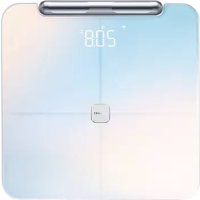
| Product Type | Connected Body Fat Scale |
| Brand | Huawei |
| Model | HAGB19 |
| Approximate Dimensions | 30 x 30 x 4 cm |
| Approximate Weight | 2 kg |
| Power Supply | 4 AAA batteries (non-rechargeable) |
| Connectivity | Bluetooth 4.2, Wi-Fi 2.4 GHz |
| Main Functions | Weight measurement, body fat percentage, heart rate, impedance |
| Associated App | Huawei Health |
| Maximum Capacity | 180 kg |
| Accuracy | 0.1 kg (weight) |
| Material | Tempered glass, stainless steel electrodes |
| Care and Cleaning | Clean with a soft, damp cloth; do not immerse in water |
| Safety | Do not use for persons with a pacemaker or implant; not recommended for pregnant women |
| Spare Parts and Repairability | User-replaceable batteries; no spare parts available separately |
| General Information | Manufacturer: Huawei Technologies Co., Ltd.; Publication date: 2021 |
Frequently Asked Questions - HAGB19 HUAWEI
User questions about HAGB19 HUAWEI
0 question about this device. Answer the ones you know or ask your own.
Ask a new question about this device
Download the instructions for your Smartwatch in PDF format for free! Find your manual HAGB19 - HUAWEI and take your electronic device back in hand. On this page are published all the documents necessary for the use of your device. HAGB19 by HUAWEI.
USER MANUAL HAGB19 HUAWEI
Quick Start Guide....1
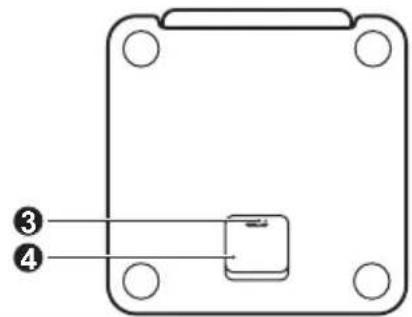
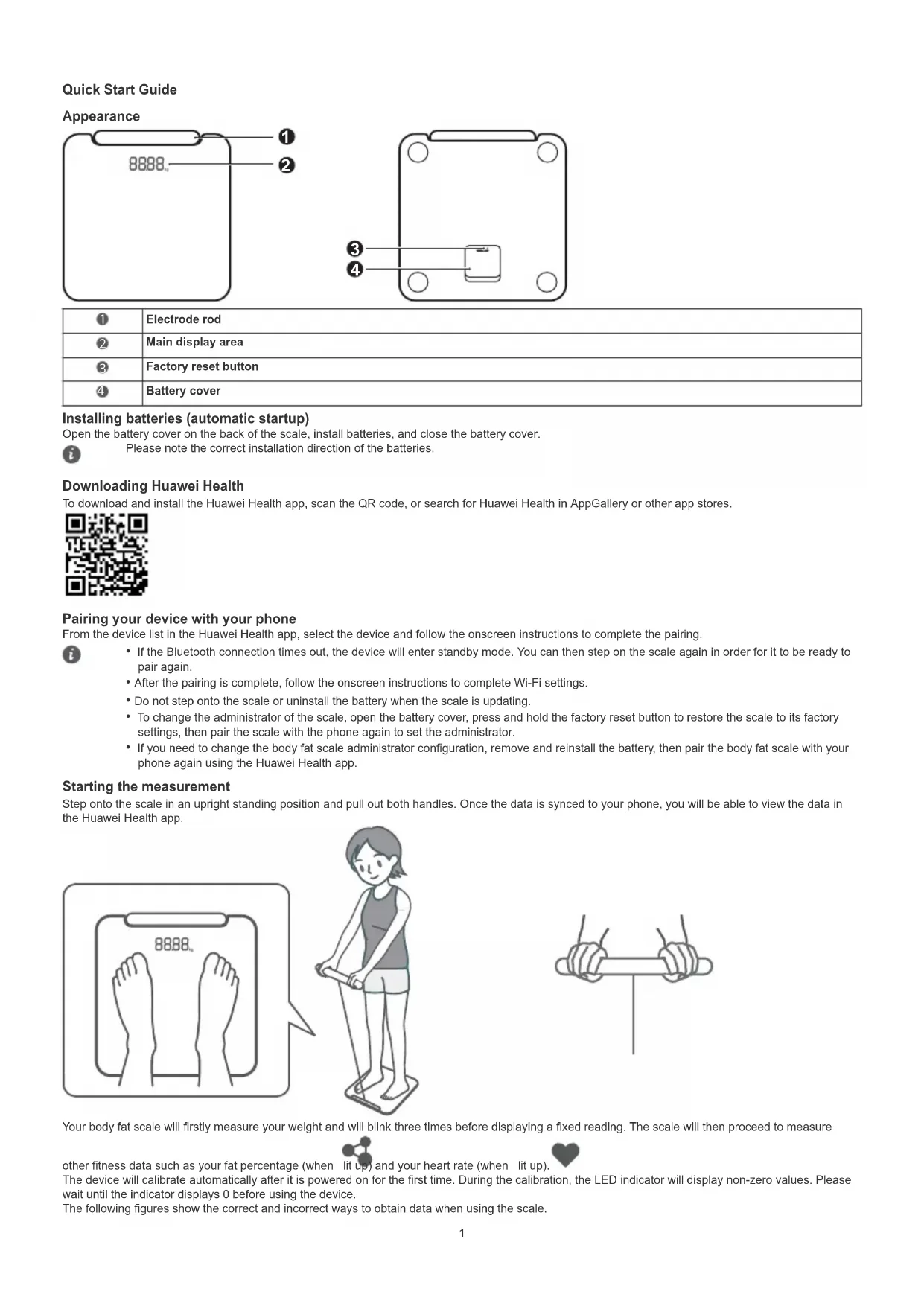
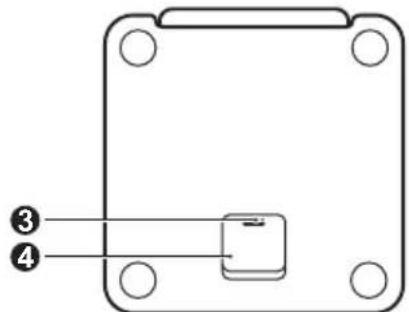
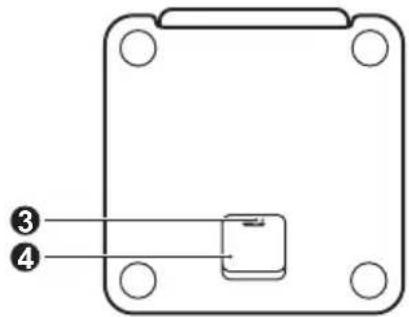
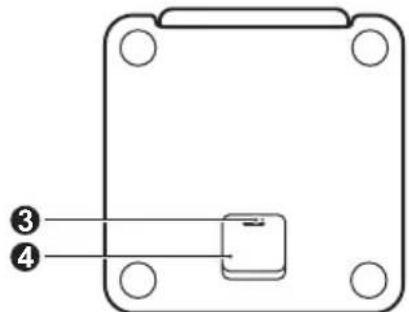
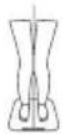
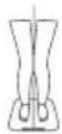
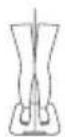
| 1 | Electrode rod |
| 2 | Main display area |
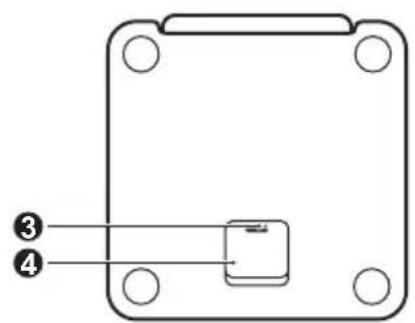
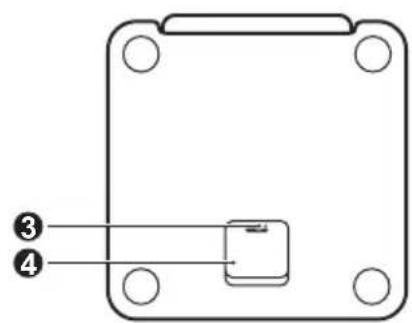
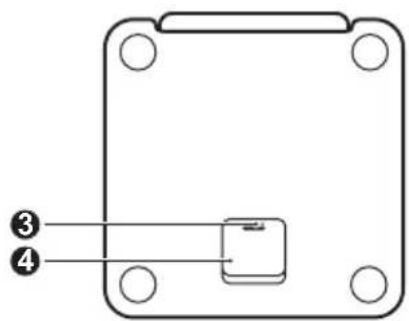
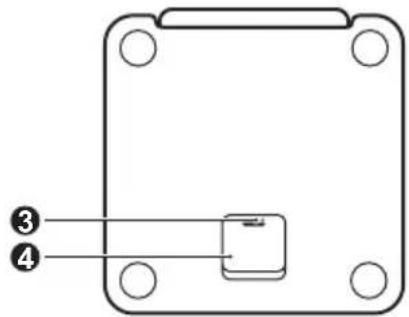
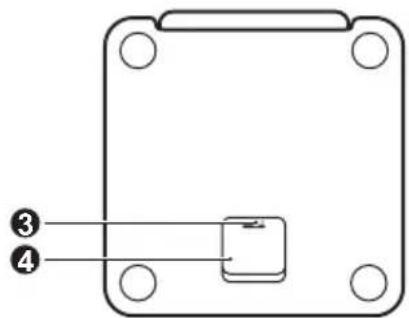
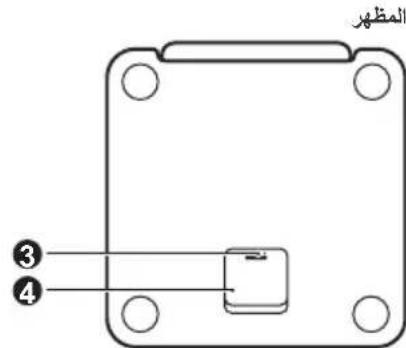
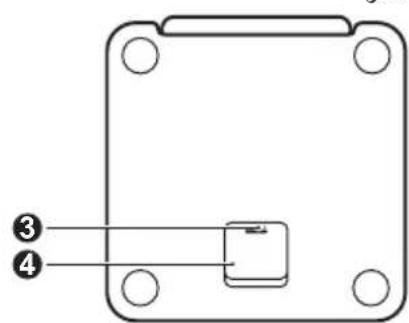
| 3 | Factory reset button |
| 4 | Battery cover |
Installing batteries (automatic startup)
Open the battery cover on the back of the scale, install batteries, and close the battery cover.

Please note the correct installation direction of the batteries.
Downloading Huawei Health
To download and install the Huawei Health app, scan the QR code, or search for Huawei Health in AppGallery or other app stores.

Pairing your device with your phone
From the device list in the Huawei Health app, select the device and follow the onscreen instructions to complete the pairing.

- If the Bluetooth connection times out, the device will enter standby mode. You can then step on the scale again in order for it to be ready to pair again.
• After the pairing is complete, follow the onscreen instructions to complete Wi-Fi settings. - Do not step onto the scale or uninstall the battery when the scale is updating.
- To change the administrator of the scale, open the battery cover, press and hold the factory reset button to restore the scale to its factory settings, then pair the scale with the phone again to set the administrator.
- If you need to change the body fat scale administrator configuration, remove and reinstall the battery, then pair the body fat scale with your phone again using the Huawei Health app.
Starting the measurement
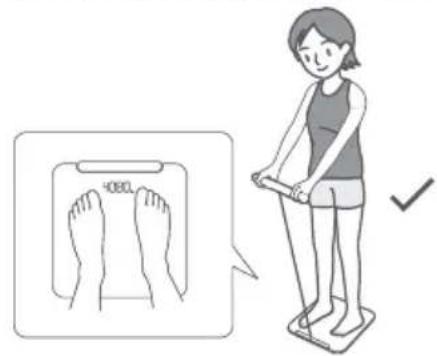
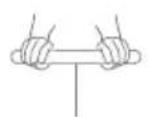
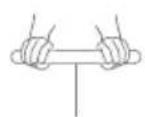
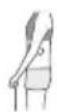
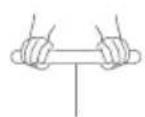
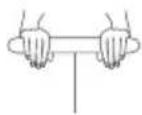
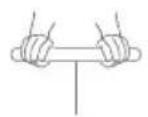
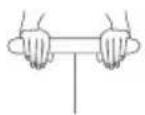
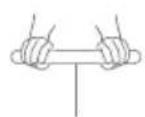
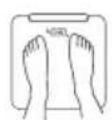
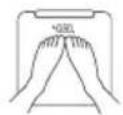
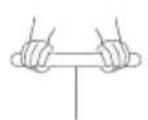
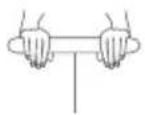
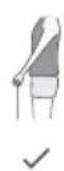
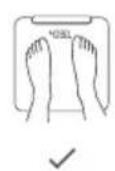
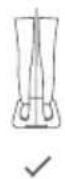
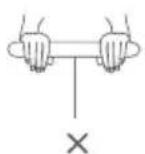
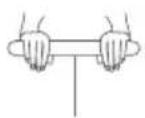
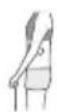
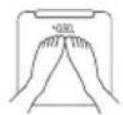
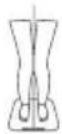
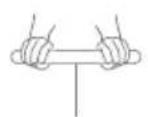
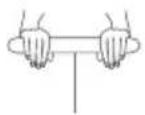
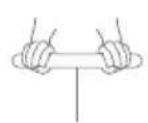
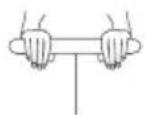
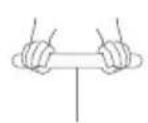
Step onto the scale in an upright standing position and pull out both handles. Once the data is synced to your phone, you will be able to view the data in the Huawei Health app.
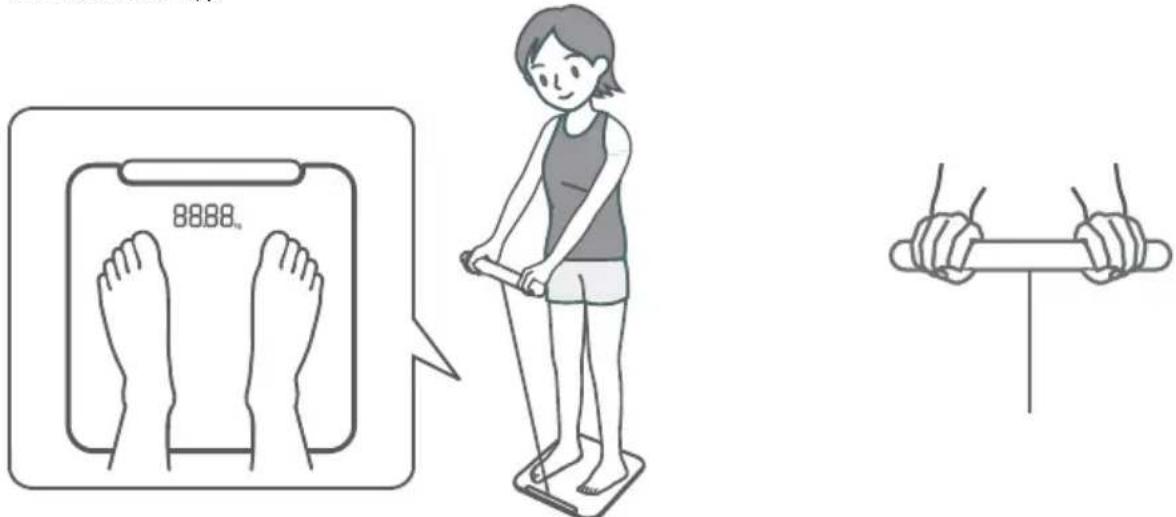
Your body fat scale will firstly measure your weight and will blink three times before displaying a fixed reading. The scale will then proceed to measure


other fitness data such as your fat percentage (when lit up) and your heart rate (when lit up).
The device will calibrate automatically after it is powered on for the first time. During the calibration, the LED indicator will display non-zero values. Please wait until the indicator displays 0 before using the device.
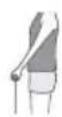
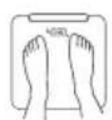
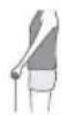
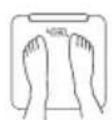
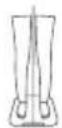
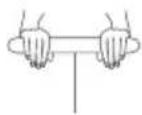
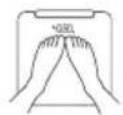
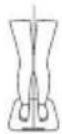
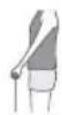
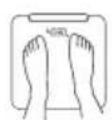
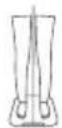
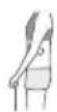
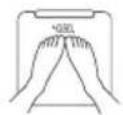
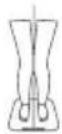
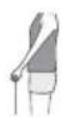
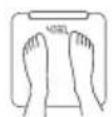
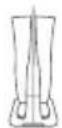
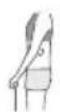
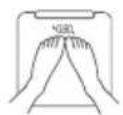
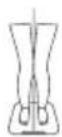
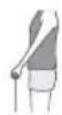
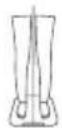
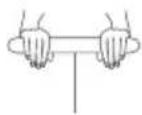
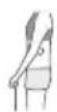
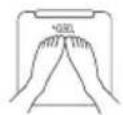
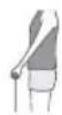
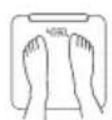
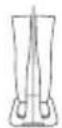
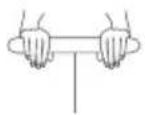
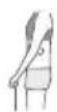
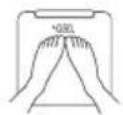
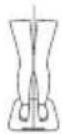
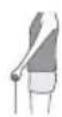
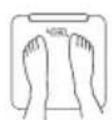
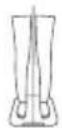
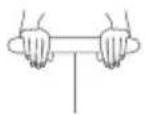
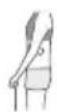
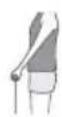
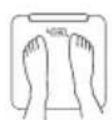
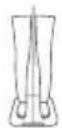
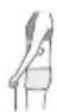
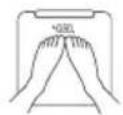
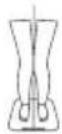
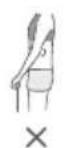
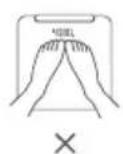
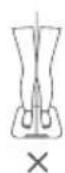
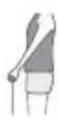
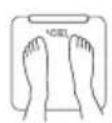
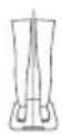
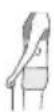
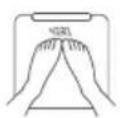
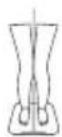
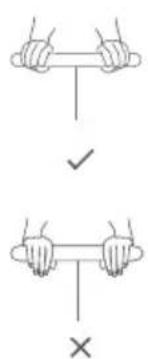
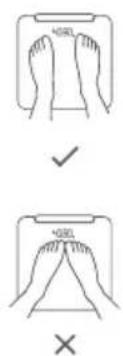
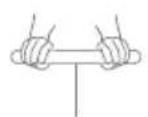
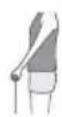
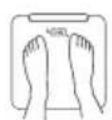
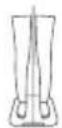
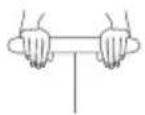
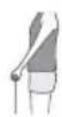
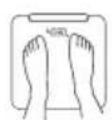
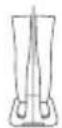
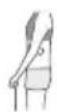
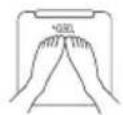
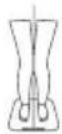
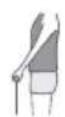
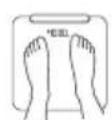
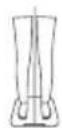
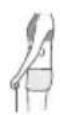
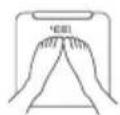
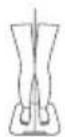
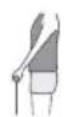
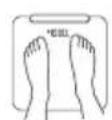
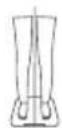
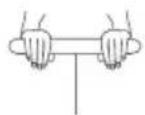
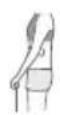
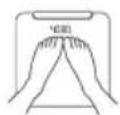
The following figures show the correct and incorrect ways to obtain data when using the scale.
√
√
√
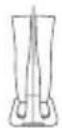
√
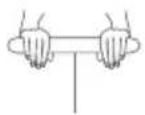
×
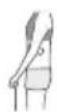
×
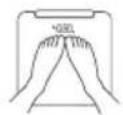
×
×
1 Handle is not held firmly
2 Elbows are not separated from the body
3 Feet are not separated
4 Knees are not separated
- When measuring your heart rate, please do so while you are resting.
- Place the scale on a solid flat surface. To ensure the accuracy of the measurement, avoid placing the scale on soft or uneven surfaces (such as on mats or carpets).
- When measuring, please wear light clothing and stand on the scale bare-footed.
- If possible, try to measure around the same time and under the same circumstances every day.
- This device is forbidden for individuals with an implanted medical device, such as a pacemaker or cochlear implant, and is not suitable for pregnant women.
- Ignore the first measurement result when you use the scale for the first time or after you have just moved the scale.
 | This is the Wi-Fi icon. When the scale is connected properly, this icon will display in white. When it is not connected properly, this icon will display in orange. |
 | This is the weight-measurement icon. It displays during weight measurements. |
 | This is the body fat icon. It displays during body fat measurements. |
 | This is the heart rate icon. It displays during heart rate measurements. |
 | The abnormal hand impedance icon will turn orange when the body fat and heart rate can't be measured due to the handle not being pulled up or held incorrectly. |
 | This icon indicates foot impedance fault. If your feet are not in full contact with the electrodes on the scale, this icon will be displayed in orange indicating that body fat and heart rate cannot be measured. |
 | This is the Bluetooth icon. It displays when Bluetooth is enabled. |
| Error description:Err: Firmware is unable to update.Lo: Low battery leveloL: Overweight | |
Getting help
View the online help in the Huawei Health app for more information about connection and functions, as well as usage tips.
Copyright © Huawei 2021. All rights reserved.
THIS DOCUMENT IS FOR INFORMATION PURPOSE ONLY, AND DOES NOT CONSTITUTE ANY KIND OF WARRANTIES.
Trademarks and Permissions
The Bluetooth® word mark and logos are registered trademarks owned by Bluetooth SIG, Inc. and any use of such marks by Huawei Technologies Co., Ltd. is under license. Huawei Device Co., Ltd. is an affiliate of Huawei Technologies Co., Ltd.
Wi-Fi ^® , the Wi-Fi CERTIFIED logo, and the Wi-Fi logo are trademarks of Wi-Fi Alliance.
Other trademarks, product, service and company names mentioned may be the property of their respective owners.
Privacy Policy
To better understand how we protect your personal information, please see the privacy policy at https://consumer.huawei.com/privacy-policy.
Operation and safety
• Using an unapproved or incompatible power adapter, charger or battery may cause fire, explosion or other hazards.
- Ideal temperatures are 5^ to 40^ .
- Keep the device and the battery away from excessive heat and direct sunlight. Do not place them on or in heating devices, such as microwave ovens, stoves, or radiators. Do not disassemble, modify, throw, or squeeze it. Do not insert foreign objects into it, submerge it in liquids, or expose it to external force or pressure, as this may cause it to leak, overheat, catch fire, or even explode.
- Please consult your doctor and the device manufacturer to determine if operation of your device may interfere with the operation of your medical device.
- This product is not designed to be a medical device, and is not intended to diagnose, treat, cure or prevent any disease. All data and measurements should be used for personal reference only.
- The product is suitable for daily use, especially for people who would like to understand more about their weight, body shape, body fat, and muscle mass. The data it provides is for personal reference only, and is not intended for medical treatment or as a basis for medical diagnosis, and should not be used in clinics or other medical institutions such as hospitals.
- This device can be used by children aged 8 years old and above. For those under 8 years old or people with reduced physical, sensory, or mental capabilities, or with a lack of experience and knowledge of this device, use this device under guidance based on a clear understanding of the hazards that may be involved.
- Children must not play with the device, clean the device, or try to fix the device.
- Cleaning and user maintenance shall not be made by children without supervision.
- Adult supervision is advised if children are to use or come into contact with this product.
- Switch off your wireless device when requested to do so in hospitals, clinics or health care facilities. These requests are designed to prevent possible interference with sensitive medical equipment.
- Some wireless devices may affect the performance of hearing aids or pacemakers. Consult your service provider for more information.
- Pacemaker manufacturers recommend that a minimum distance of 15cm be maintained between a device and a pacemaker to prevent potential interference with the pacemaker.
- Observe local laws and regulations while using the device. To reduce the risk of accidents, do not use your wireless device while driving.
• To prevent damage to your device's parts or internal circuits, do not use it in dusty, smoky, damp or dirty environments or near magnetic fields.
- Do not use, store or transport the device where flammables or explosives are stored (in a gas station, oil depot, or chemical plant, for example). Using your device in these environments increases the risk of explosion or fire.
- Dispose of this device, the battery, and accessories according to local regulations. They should not be disposed of in normal household waste. Improper battery use may lead to fire, explosion, or other hazards.
- If the battery leaks, ensure that the electrolyte does not make direct contact with your skin or eyes. If the electrolyte touches your skin or splashes into your eyes, immediately flush with clean water and consult a doctor.
• Non-rechargeable batteries are not to be charged.
- Rechargeable batteries are to be removed from the device before being charged.
- Different types of batteries or new and used batteries are not allowed to be used together.
- Batteries are to be installed with the correct polarity.
- Exhausted batteries are to be removed from the device and safely disposed of.
- Remove the batteries if the device will not be used for a long period.
- Be aware of any short-circuited power supply.
- Wireless devices may interfere with the airplane's flight system. Do not use your device where wireless devices are not allowed according to the airplane company's regulations.
- Switch off your wireless device whenever you are instructed to do so by airport or airline staff. Consult the airline staff about the use of wireless devices on board the aircraft, if your device offers a 'flight mode' this must be enabled prior to boarding an aircraft.
Disposal and recycling information

The crossed-out wheeled-bin symbol on your product, battery, literature or packaging reminds you that all electronic products and batteries must be taken to separate waste collection points at the end of their working lives; they must not be disposed of in the normal waste stream with household garbage. It is the responsibility of the user to dispose of the equipment using a designated collection point or service for separate recycling of waste electrical and electronic equipment (WEEE) and batteries according to local laws.
Proper collection and recycling of your equipment helps ensure electrical and electronic equipment (EEE) waste is recycled in a manner that conserves valuable materials and protects human health and the environment, improper handling, accidental breakage, damage, and/or improper recycling at the end of its life may be harmful for health and environment. For more information about where and how to drop off your EEE waste, please contact your local authorities, retailer or household waste disposal service or visit the website https://consumer.huawei.com/en/.
Reduction of hazardous substances
This device and its electrical accessories comply with local applicable rules on the restriction of the use of certain hazardous substances in electrical and electronic equipment, such as EU REACH regulation, RoHS and Batteries (where included) directive. For declarations of conformity about REACH and RoHS, please visit the website https://consumer.huawei.com/certification.
EU regulatory conformance
RF exposure requirements
As recommended by international guidelines, the device is designed not to exceed the limits established by the European Commission for exposure to radio waves.
For the countries that adopt the SAR limit of 4.0 W/kg over 10 grams of tissue. The device complies with RF specifications when someone is standing on the device.
Statement
Hereby, Huawei Technologies Co., Ltd. declares that this device is in compliance with the essential requirements and other relevant provisions of Directive 2014/53/EU.
The most recent and valid version of the DoC (Declaration of Conformity) can be viewed at https://consumer.huawei.com/certification.
This device may be operated in all member states of the EU.
Observe national and local regulations where the device is used.
This device may be restricted for use, depending on the local network.
Frequency bands and power
(a) Frequency bands in which the radio equipment operates: Some bands may not be available in all countries or all areas. Please contact the local carrier for more details.
(b) Maximum radio-frequency power transmitted in the frequency bands in which the radio equipment operates: The maximum power for all bands is less than the highest limit value specified in the related Harmonized Standard.
The frequency bands and transmitting power (radiated and/or conducted) nominal limits applicable to this radio equipment are as follows: Bluetooth:10 dBm, Wi-Fi:20 dBm.
Accessories and Software Information
It is recommended that the following accessories should be used:
The product software version is 1.0.0
Software updates will be released by the manufacturer to fix bugs or enhance functions after the product has been released. All software versions released by the manufacturer have been verified and are still compliant with the related rules.
All RF parameters (for example, frequency range and output power) are not accessible to the user, and cannot be changed by the user.
For the most recent information about accessories and software, please see the DoC (Declaration of Conformity) at https://consumer.huawei.com/certification.
Please visit https://consumer.huawei.com/en/support/hotline for recently updated hotline and email address in your country or region.
natural_image
Simple line drawing of two hands holding a cylindrical object with a vertical line below (no text or symbols)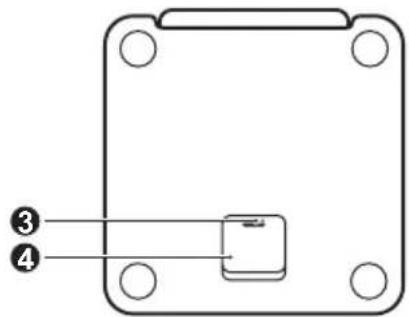
Transferir a Huawei Health
√
√
√
√
×
×
×
×
https://consumer.huawei.com/certification.
√
√
√
√
×
×
×
×
√
√
√
√
×
×
×
×
| 1 | Batang elektrode |
| 2 | Area tampilan utama |
| 3 | Tombol Pengaturan ulang pabrik |
| 4 | Penutup baterai |
Memasang baterai (pengaktifan otomatis)
√
√
√
√
×
×
×
×
natural_image
Simple line drawing of two hands holding a cylindrical object with a vertical line below (no text or symbols)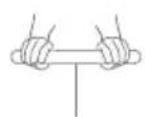
√
√
√
√
×
×
×
×
Copyright © Huawei 2021. All rights reserved.
natural_image
Simple line drawing of two hands holding a cylindrical object with a vertical line below (no text or symbols)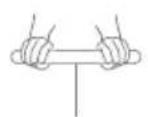
√
√
√
√
×
×
×
×
Copyright © Huawei 2021. All rights reserved.
√
√
√
√
×
×
×
×
natural_image
Simple line drawing of two hands holding a cylindrical object with a vertical line below (no text or symbols)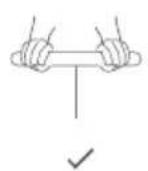
https://consumer.huawei.com/certification
| 1 | ### |
| 2 | ### |
| 3 | ### |
| 4 | ### |
(excess clohexene): c:conoc:chlohex
Huawei Health 031c:0030000c:
natural_image
Simple line drawing of two hands holding a cylindrical object with a vertical line below (no text or symbols)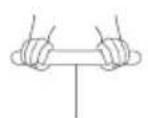
√
√
√
√
×
×
×
×
10000000 [6][400 mce000:3c:
2000000000000000000000000000000000000
© Huawei 2021 © Huawei 2021 © Huawei 2021 © Huawei 2021 © Huawei 2021 © Huawei 2021 © Huawei 2021 © Huawei 2021 © Huawei 2021 © Huawei 2021 © Huawei 2021 © Huawei 2021 © Huawei 2021 © Huawei 2021 © Huawei 2021 © Huawei
EU REACH 02:03: RoHS & co-moqep: (02:03:00:01m) accp 02:04:00:00:00:00& aomooqep 00:00:00:00:00:00:00:00:00:00:00:00:00:00:00:00:00:00:00:00:00:00:00:00:00:00:00:00:00:00:00:00:REACH & RoHS & co-moqep 02:03:00:01m) accp 02:04:00:01m) accp 02:04:01m) accp 02:04:11m)
EU ①:②:③:④:⑤:⑥:
:Deluxeance close degree RF
العربية الحرفية وَلَّةٍ مُسْرَّهِمُ عَلَّةٍ مُسْرَّهِمُ عَلَّةٍ مُسْرَّهِمُ عَلَّةٍ مُسْرَّهِمُ عَلَّةٍ مُسْرَّهِمُ عَلَّةٍ مُسْرَّهِمُ عَلَّتَةٍ مُسْرَّهِمُ عَلَّتَةٍ مُسْرَّهِمُ عَلَّتَةٍ مُسْرَّهِمُ عَلَّتَةٍ مُسْرَّهِمُ عَلَّتَةٍ مُسْرَّهِمُ عُلَّتَةٍ مُسْرَّهِمُ عَلَّتَةٍ مُسْرَّهِمُ عَلَّتَةٍ مُسْرَّهِمُ عَلَّتَةٍ مُسْرَّهِمُ عَلَّتَةٍ مُسْرَّةٍ مُسْرَّةٍ مُسْرَّةٍ مُسْرَّةٍ مُسْرَّةٍ مُسْرَّةٍ مُسْرَّةٍ مُسْرَّةٍ مُسْرَّةٍ مُسْرَّةٍ مُسْرَ’
10 000000 SAR 4.0 W/kg 00000000000000000000000000000000000000000000000000000000
యుర్ష్తికున
2014/53/EU 2014:2014:2014:2014:2014:2014:2014:2014:2014:2014:2014:2014:2014:2014:2014:2014:2014:2014:2014:2014:2014


√
√
√
√
×
×
×
×
√
√
√
√
×
×
×
×
https://consumer.huawei.com/by/

√
√
√
√
×
×
×
×
natural_image
Simple line drawing of two hands holding a cylindrical object on a vertical stand (no text or symbols)
√
√
√
√
×
×
×
×
| الكترود ميلة | |
| ناحية | |
| ديكمه بازنشاني تنظیمات کارخانه | |
| درپوش |
natural_image
Simple line drawing of two hands holding a cylindrical object with a vertical rod (no text or symbols)
- Installing batteries (automatic startup)
- Downloading Huawei Health
- Pairing your device with your phone
- Starting the measurement
- Getting help
- Copyright © Huawei 2021. All rights reserved.
- Trademarks and Permissions
- Privacy Policy
- Operation and safety
- Disposal and recycling information
- Reduction of hazardous substances
- EU regulatory conformance
- RF exposure requirements
- Statement
- Frequency bands and power
- Accessories and Software Information
- Transferir a Huawei Health
- Memasang baterai (pengaktifan otomatis)
- © Huawei 2021 © Huawei 2021 © Huawei 2021 © Huawei 2021 © Huawei 2021 © Huawei 2021 © Huawei 2021 © Huawei 2021 © Huawei 2021 © Huawei 2021 © Huawei 2021 © Huawei 2021 © Huawei 2021 © Huawei 2021 © Huawei 2021 © Huawei
- EU ①:②:③:④:⑤:⑥:
- :Deluxeance close degree RF
- యుర్ష్తికున
Brand : HUAWEI
Model : HAGB19
Category : Smartwatch