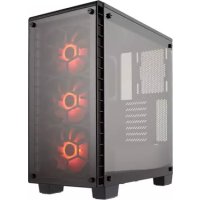
Crystal 460X RGB - Desktop Computer CORSAIR - Free user manual and instructions
Find the device manual for free Crystal 460X RGB CORSAIR in PDF.



| Product Type | ATX Mid-Tower PC Case |
| Brand | CORSAIR |
| Model | Crystal 460X RGB |
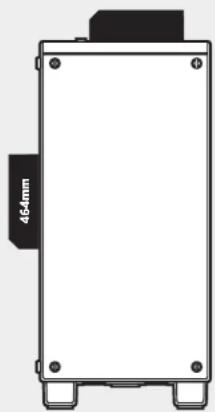
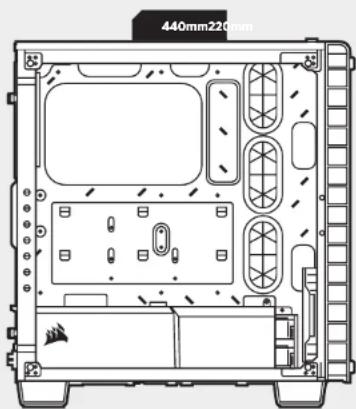
| Dimensions (L x W x H) | 440 x 220 x 464 mm |
| Material | Tempered glass front and side panels, steel |
| Color | Black |
| Compatible Motherboard Form Factor | ATX, Micro-ATX, Mini-ITX |
| Maximum GPU Length | 370 mm |
| Maximum CPU Cooler Height | 170 mm |
| Maximum PSU Length | 200 mm |
| Number of Included Fans | 5 (3x SP120 RGB, 1x AF140L, 1x AF120L) |
| Fan Mounts | Front: 3x120/2x140 mm, Top: 2x120/140 mm, Rear: 1x120 mm |
| Radiator Compatibility | Front: 280/360 mm, Top: 240 mm, Rear: 120 mm |
| Storage Bays | 2x 3.5" internal, 2x 2.5" internal |
| Front Panel Connectors | 2x USB 3.0, headphone jack, microphone jack |
| Expansion Slots | 7 |
| Special Features | Tempered glass panels, modular PSU cover, dust filters, RGB controller included |
| Maintenance | Regular cleaning of dust filters with a soft cloth |
| Safety | Handle glass panels with care, wear gloves if necessary |
| Repairability | Spare parts available at corsair.com |
Frequently Asked Questions - Crystal 460X RGB CORSAIR
User questions about Crystal 460X RGB CORSAIR
0 question about this device. Answer the ones you know or ask your own.
Ask a new question about this device
Download the instructions for your Desktop Computer in PDF format for free! Find your manual Crystal 460X RGB - CORSAIR and take your electronic device back in hand. On this page are published all the documents necessary for the use of your device. Crystal 460X RGB by CORSAIR.
USER MANUAL Crystal 460X RGB CORSAIR
© 2016 Corsair Components, Inc.
All rights reserved. Coisair and the sails logo are registered
trademarks of Consair in the United States and/or other countries.
counthes. All other trademarks are the property of their noncontrolling owners. Product rights cannot be copied or copied
Respective Owners: PricewaterhouseCoopers LLP
PN:49-001509 rev AA


INSTALLATION GUIDEGUIDED INSTALLATION
Table of Contents Case Specifications
Congratulations: 5
Case specifications: 6
Accessory kit contents: 7
Case features: 8
Removing the Side Panels: 9
Instaing the Motherboard: 9
Installing HDDs: 10
Installing SSDs: 10
Installing the Power Supply: 11
Installing PCI-E/PCI Card(s): 11
Removing the Front Fascia: 12
Installing the Front I/O Connectors: 12
Using RGB Fan Controller (460X - RGB) 13
Frequently Asked Questions: 14
Congratulations!
Thank you for purchasing the Crystal Series 460X Tempered Glass, Compact-ATX Mid-Tower PC Case.
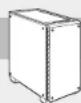
With its tempered glass front and side panel, the Corsair Crystal Series 460X is a compact and gorgeous ATX case with great cooling potential. Wires and drives are stowed away under a removable two-piece PSU and HDD cover. The Direct Airflow Path design ensures that fans don't have to work to get air through unused drive cages, but can gently direct air to your hottest components and keep things quiet and still cool.
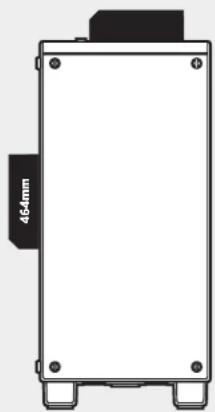
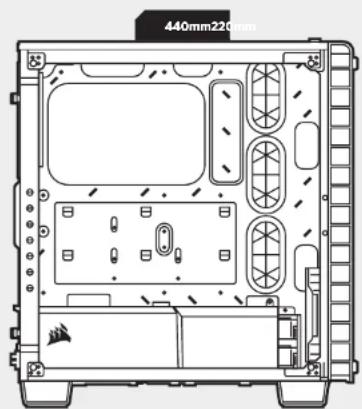
Length: 440mm
Width: 220mm
Height: 464mm
Maximum GPU length: 370mm
Maximum CPU cooler height: 170mm
Maximum PSU length: 200mm
Fan locations:
Front: 2x140/3x120mm
Top: 2x140/120mm
Radiator compatbilty:
Front: 280mm/360mm
Top: 240mm
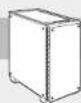
CRYSTAL SERIES 460X
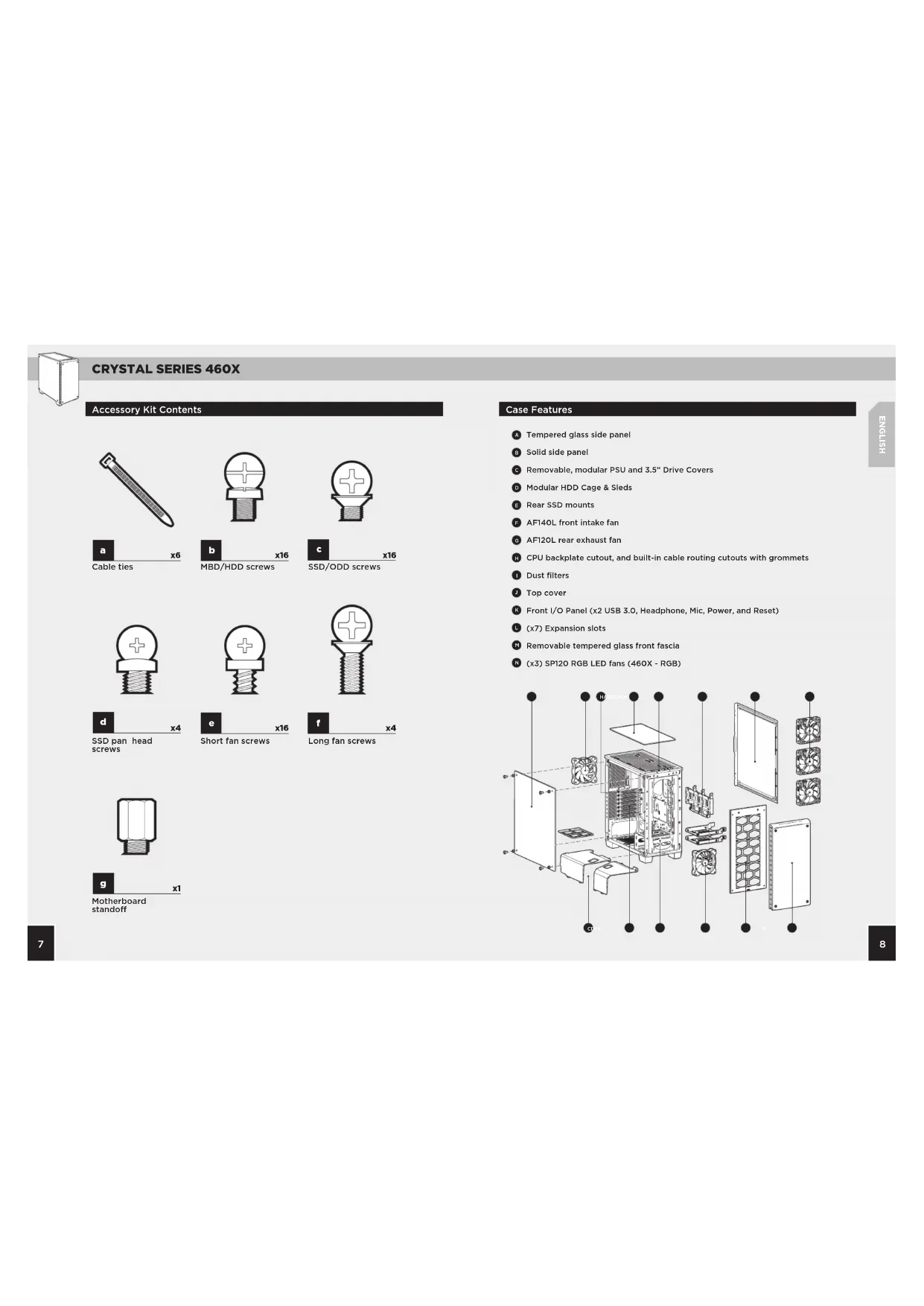
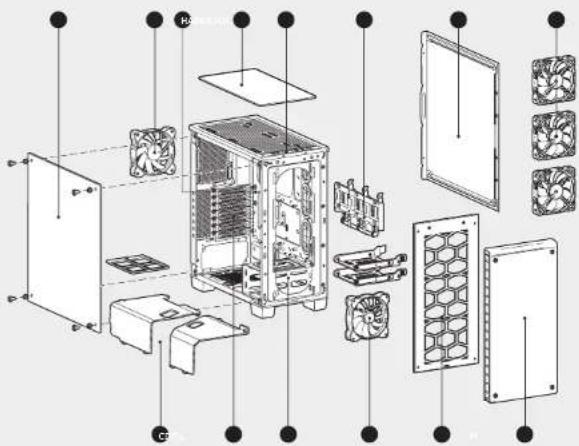
Accessory Kit Contents
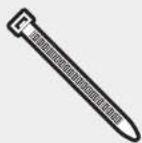

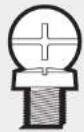
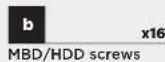

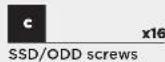

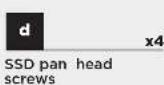

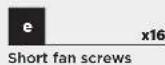
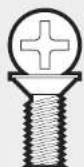
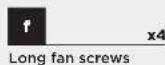
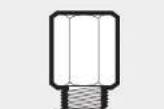
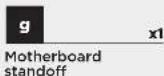
Case Features
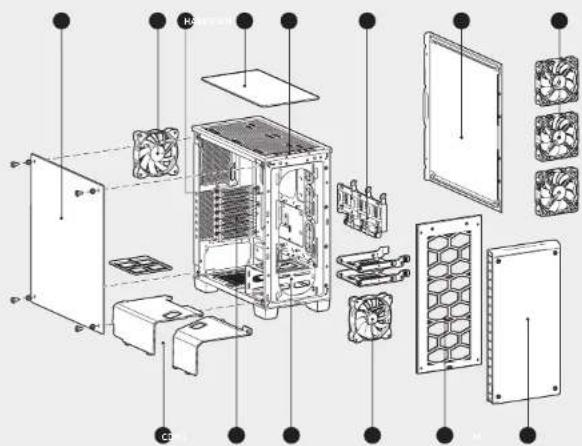
Tempered glass side panel
Solid side panel
Removable, modular PSU and 3.5^ Drive Covers
Modular HDD Cage & Sleds
Rear SSD mounts
AF140L front intake fan
6 AF12OL rear exhaust fan
CPU backplate cutout, and built-in cable routing cutouts with grommets
Dust filters
Top cover
Front I/O Panel (x2 USB 3.0, Headphone, Mic, Power, and Reset)
( x7 ) Expansion slots
Removable tempered glass front fascia
(x3) SP120 RGB LED fans (460X - RGB)
CRYSTAL SERIES 460X
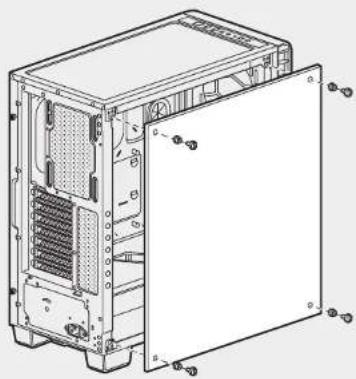
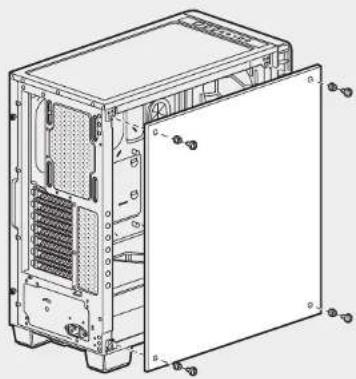
1. Removing the Side Panels
Remove the thumb screws and pull the side panel off.
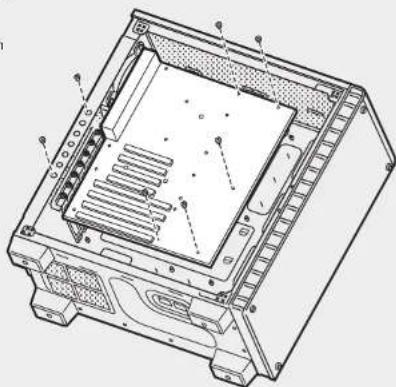
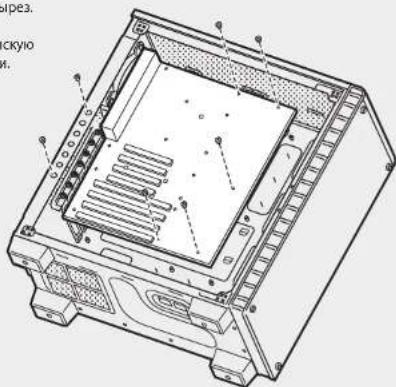
2. Installing the Motherboard
Snap your motherboard's I/O shield into the cutout.
Align the motherboard with the standoffs in the case.
Secure with the included screws.
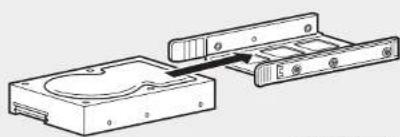
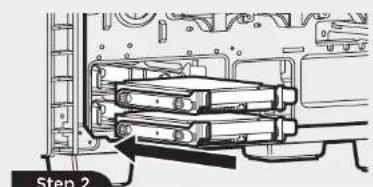
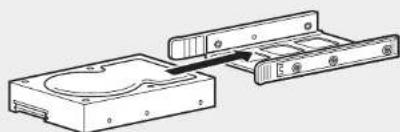
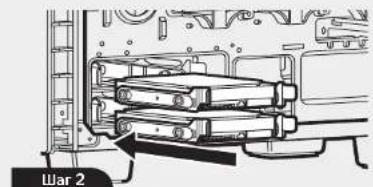
3. Installing HDDs
Step 1 - Place the drive into the 3.5'' drive tray.
Step 2 - Slide the drive and rail assembly into the HDD cage from behind the motherboard as shown.
Step1
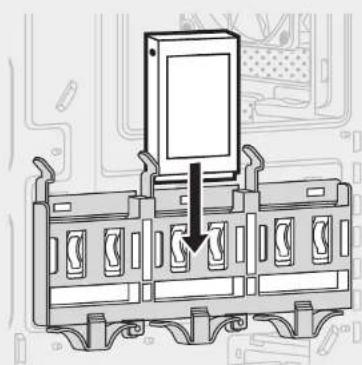
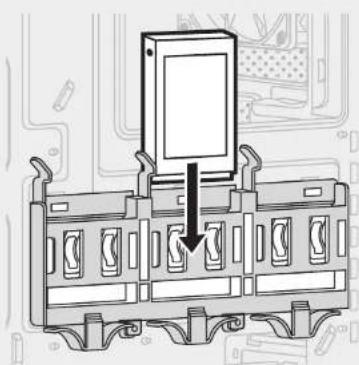
4.Installing SSDs
Slide the 2.5" drive into the tray until it snaps into place.
CRYSTAL SERIES 460X
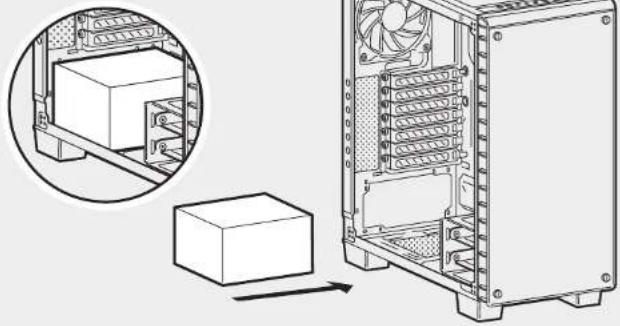
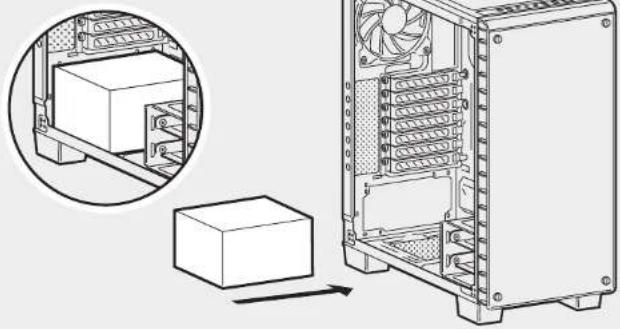
5. Installing the Power Supply
Install the PSU into the lower chamber of the case, and secure with four screws from behind.
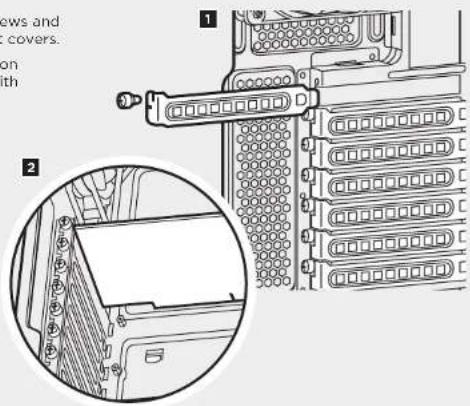
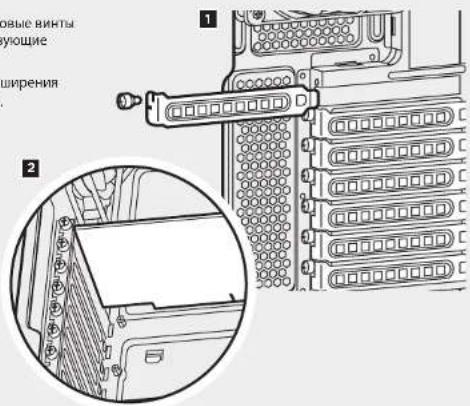
6. Installing PCI-E/PCI Card(s)
- Remove thumbs and corresponding slot covers.
- Install the expansion card and secure with thumbscrews.
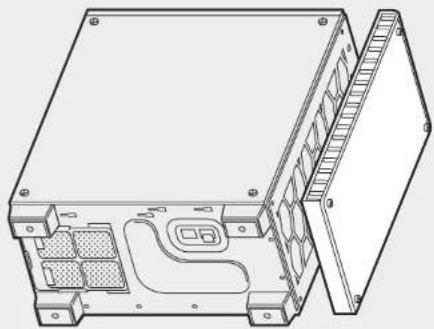
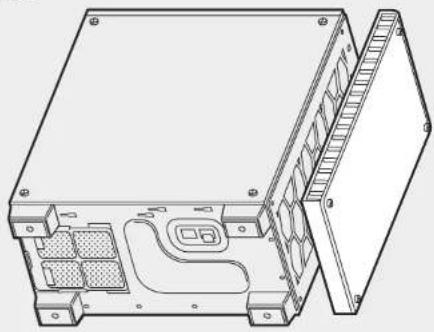
7. Removing the Front Fascia
Unscrew the front panel, then gently but firmly pull away from the chassis.
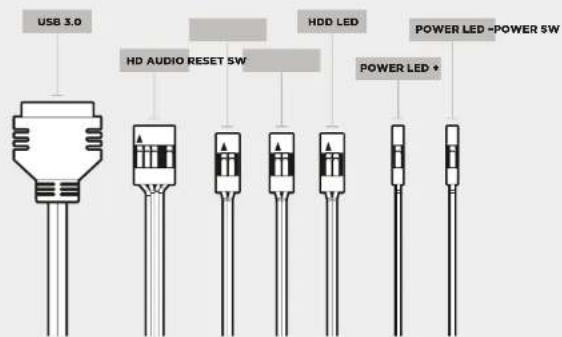
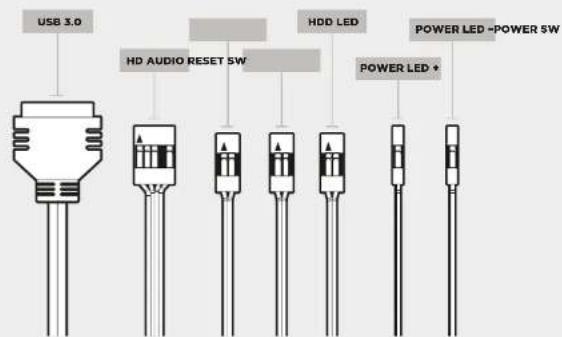
8. Installing the Front I/O Connectors
See your motherboard's manual for front panel header locations and pin-outs.
CRYSTAL SERIES 460X
See included RGB Fan controller
Quick Start Guide for detailed instructions.
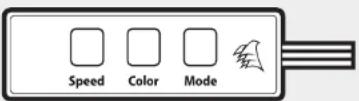
Frequently Asked Questions9. Using RGB Fan Controller (460X - RGB)
- Does the polarity matter with the I/O panel's power and reset header?
No, only the LED headers.
- Who should I contact if I received my case damaged or one of the fans is no longer working?
Please go to corsair.force.com and request an RMA so that we can replace the damaged part(s).
- Where can I mount a fan?
| Fan Mount Locations | |
| Front 3x120mm, 2x140mm | |
| Top 2x140mm/120mm | |
| Rear 120mm | |
| Bottom x | |
| Side x | |
| Mid x | |
To learn more about this case visit the product page atcorsair.com
CRYSTAL SERIES 460X
CuepeH 2x140/3x120mm
Cnpy: 2x140/120mm
Cobmectmmocb padnatopob:
Cnepean 280mm/360mm
Cmpy 240mm
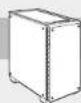
CRYSTAL SERIES 460X
Copepxnmoe komnlekta akceccyap08
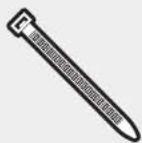
a X6 Kaebnhie cTAAKK

b X16 Bnntn narnnnncn nnnn nnne nnnnnnnnnnnnnnnnnnnnnnnnnnnnnnnnnnnnnnnnnnnnnnnnnnnnnnnnnnnnnnnnnnnnnnnnnnnnnnnnnnnnnnnnnnnnnnnnnnnnnnnnnnnnnnnnnnnnnnnn

C X16 BnntbIraTBePDoTeBbIX HAKONITeNEI INI ONTIeCKNX DOKCO

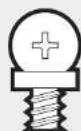

HnHHbte BHTbl dnnBENTNATOPa
d BInbIcOKpyrnenHHoR rONOBKOJ dra TBeDpOTeJIbHx HAKONPEN
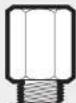
g 1x1 Nizovnyuokne BVHTb dNIMATEPHKCHKOPIATB
Oco6eHHocTN Kopnyca
6okobara naenb n3aakaneHHoro cekna
CunbHaB6oKOBa naHemb
CbeMHbMoDyBbHbKpbIkw6noka nTuHaHm 3,5-duMOBOrO dNcKa
MoodybHbe depKaTeHH cana3Kn dNn JnckKn dnKOB
3aHnKpennnnnna TnBepnoTeNbHex HakonnteNe
P NepeHn npTuOHHb BeHTNtApT AP14OL
3aDHH BbTAAHHOBENTNAIOT AP12OL
BvBe3bHa coeMnHtBnHnIaee TaepalbHoro npOeecoppa HcTpoehnHe Bbe3b cOePTerNpIbnPknOpaKnDk KaeneB
1 PnBneBbEePnBtpb
BepxHnKpki
Pepednna Panaenb Bnoa-bnBoda (x2 paaema USB 3.0, paBtne noid hauynHk, paBtne noid mKnpOofoe, nepeknoVtne nTnAHTu nepe3arpSyts)
(x7)cnotobpaunipneHH
CbeMHnpeHnnahenb 3aKaaneHHoro cTeKna
N BeHTnAToptb SP120 RGB LED (46OX-RGB) (3 uT.)
CRYSTAL SERIES 460X
1.CHTNE6OKOBbIXnaHEn
Ocna6bte HCHMMATE BHHITC pHnHIOH TOnOBKO, noce 9ero CdHnBte 60KBOYo NaHEI.
2.YctaHOBKa MATEPNHCKO nntbI
BCTabBe 3aayuNky NpOToBbD0a-B bBbDa MATEPHKCNH PnBb B pBbe3.
B Kopyne ybivbHIORE MaTePHHHCKOy mnya C hONNPOYIOHN BHAMTN.
3Zapirene pniynty BXOJUAMM B KOMNIKNT BHNTMK.
3.YctaHOBKa JecTmX DnCKOB
War1-NOCTHTe DnBCK BTOCEK 23.5-DNBOMBTbXDNCBOK
HAR2-3aBnHbTe Dnck H6nok
HapraBnHbOuN KJepAeTbnFbHJn
KcKTOFO NCKa 3a MaTePnHckOo
PiTaoT, KAK NOK2aHaHO Na PmCYHK.
War1
4.YctAHOBKa TBepDoTeNbHbX HAKONWTeNei
3a7a8rae2.5-0j0m0bMn DACKBOTcEKDQoFHKCaUHMaCeT
CRYSTAL SERIES 460X
5.YCTAHOBKa 6NoKa NnTaHn
YCTAHOBITE BOK NITAHINB HIXKHEI KAMEPe KOPNYCA INAKPENEITC HIN3Y CHTHIPNBI BINTAHNT.
6. YctahOBKa KapT PCI-E/PCI
- ORePbHMe DapaKOBuBHe BHKTn HCHMNTe COOTBeTcTByOuWNe KpblkUpaBemOR.
2.YCTAHOBATNEHNTAYPACUNPEHNAJAKPENITEeBEBHTAMIN.
7. ChTne nepedne nanei
Oncabfe Tn CHNMTTE BNTBt nepehdien naneHn, noce YeTo OTOpOKHO, No C yueHNm CnBHTbe c KOPNYCA.
8.YCTAHOBKa nepeDHnx pa3beMOB BBOda-BbIBOda
Pacnonokhenpa3abemovnKohtakotnDnnpednehnaenmCBpyko0dctneMoatepncknoNnTae
CRYSTAL SERIES 460X
9.Испьзobahнe KOHTponllepa BeHTnIITopaRGB (460X-RGB)

- Table of Contents Case Specifications
- Congratulations!
- Thank you for purchasing the Crystal Series 460X Tempered Glass, Compact-ATX Mid-Tower PC Case.
- CRYSTAL SERIES 460X
- Accessory Kit Contents
- Case Features
- Removing the Side Panels
- Installing the Motherboard
- Installing HDDs
- 4.Installing SSDs
- Installing the Power Supply
- Installing PCI-E/PCI Card(s)
- Removing the Front Fascia
- Installing the Front I/O Connectors
- Frequently Asked Questions9. Using RGB Fan Controller (460X - RGB)
- Copepxnmoe komnlekta akceccyap08
- Oco6eHHocTN Kopnyca
- 1.CHTNE6OKOBbIXnaHEn
- 2.YctaHOBKa MATEPNHCKO nntbI
- 3.YctaHOBKa JecTmX DnCKOB
- 4.YctAHOBKa TBepDoTeNbHbX HAKONWTeNei
- 5.YCTAHOBKa 6NoKa NnTaHn
- YctahOBKa KapT PCI-E/PCI
- ChTne nepedne nanei
- 8.YCTAHOBKa nepeDHnx pa3beMOB BBOda-BbIBOda
- 9.Испьзobahнe KOHTponllepa BeHTnIITopaRGB (460X-RGB)
Brand : CORSAIR
Model : Crystal 460X RGB
Category : Desktop Computer