Pulse Sub - Speaker Bluesound - Free user manual and instructions
Find the device manual for free Pulse Sub Bluesound in PDF.


| Brand | Bluesound |
| Model | Pulse Sub |
| Category | Wireless Active Subwoofer |
| Use | With existing Bluesound system |
| Mounting options | Floor (with rubber pads) or wall (bracket included, hardware not included) |
| Power supply | 100-240 V AC, 50/60 Hz (detachable power cord) |
| Wireless connection | Direct to Pulse Soundbar or other Bluesound product via wireless adapter (sold separately) |
| Wired connection | Line level input (RCA) for subwoofer cable (not included) |
| Compatibility | Pulse Soundbar and other Bluesound products |
| Required software | BluOS Controller app (iOS, Android, Kindle Fire, Windows, Mac) |
| LED indicator | Blue steady on power-up, turns off after about 10 seconds |
| Pairing button | On the rear I/O panel |
| Care and cleaning | Clean with a soft, dry cloth; do not use abrasive products |
| Safety | Do not force the power plug; use an adapter if necessary; for wall mounting, ensure the installation is secure |
| Spare parts and repairability | Contact Bluesound support for spare parts; no repairability information provided |
| General information | Visit www.bluesound.com/setup for tips and tricks |
Frequently Asked Questions - Pulse Sub Bluesound
User questions about Pulse Sub Bluesound
0 question about this device. Answer the ones you know or ask your own.
Ask a new question about this device
Download the instructions for your Speaker in PDF format for free! Find your manual Pulse Sub - Bluesound and take your electronic device back in hand. On this page are published all the documents necessary for the use of your device. Pulse Sub by Bluesound.
USER MANUAL Pulse Sub Bluesound
Included Accessories

120V AC Power Cord

230V AC Power Cord


Two Rubber Feet

Wall Mount Bracket

Cloth GrillTwo Shorting Plugs
PULSE SUB
Wireless Powered Subwoofer
English 4
Français 10
Español 11
Italiano 12
Português 13
Deutsch 14
Nederlands 15
Svenska 16
Русский 17
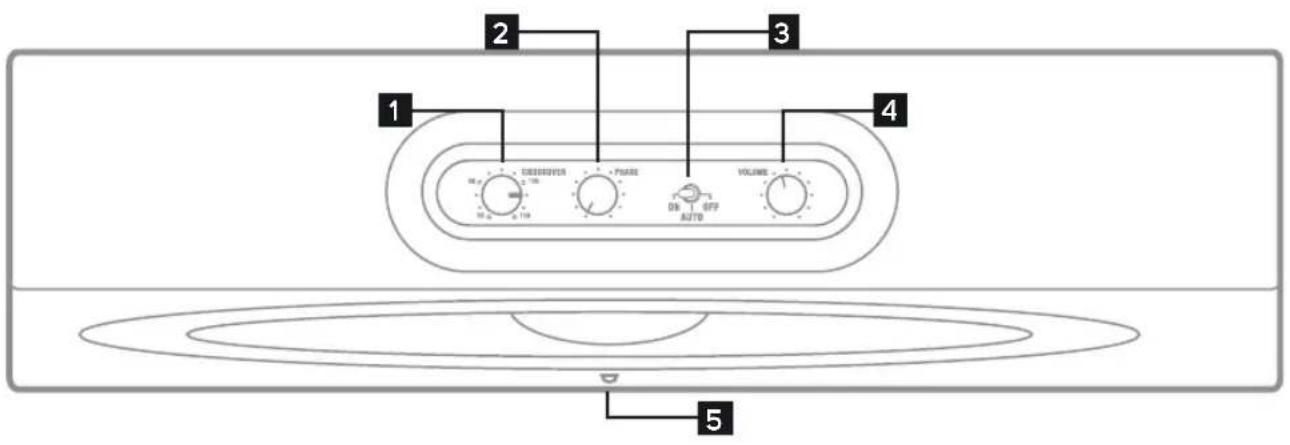
text_image
1 2 3 4 51 CROSSOVER FREQUENCY CONTROL
2 PHASE CONTROL
3 POWER MODE SWITCH
4 VOLUME CONTROL
5 INDICATOR LIGHT
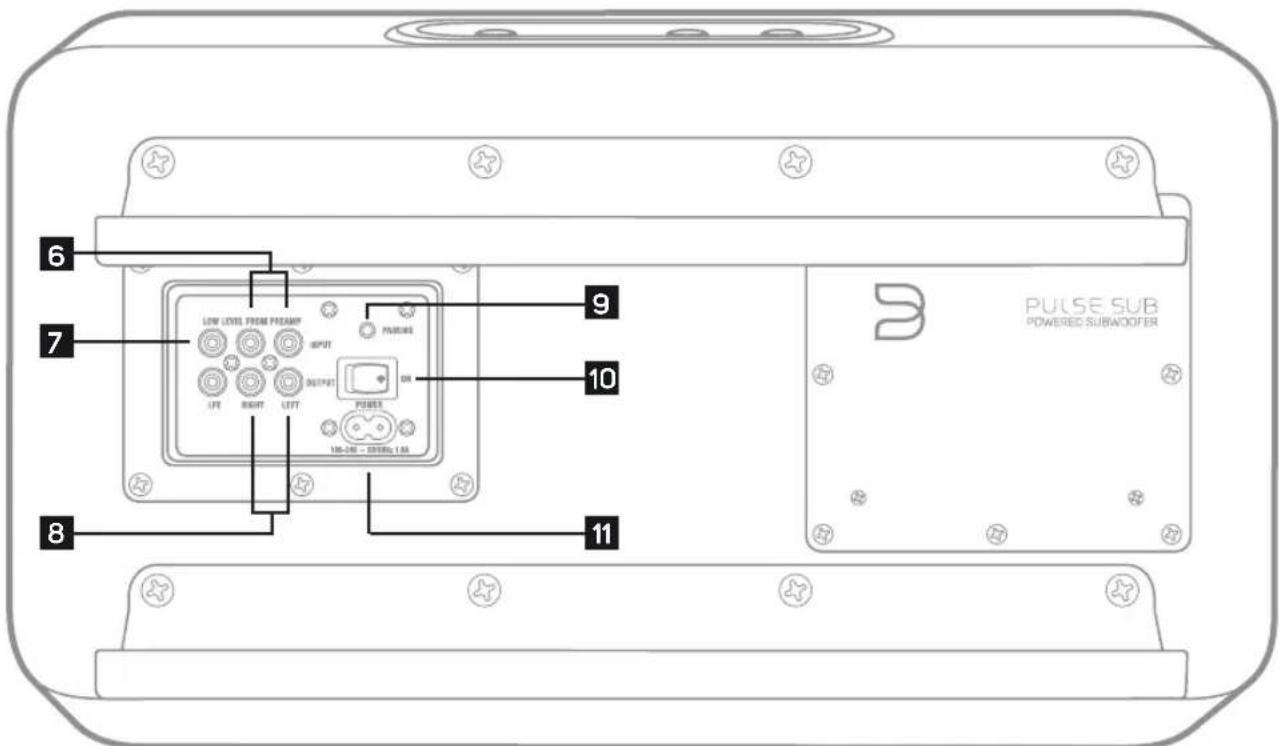
text_image
6 7 8 9 10 11 PULSE SUB POWERED SUBAODER6 LOW/LINE LEVEL INPUT
7 LFE
8 LOW/LINE LEVEL OUTPUT
9 PAIRING BUTTON
10 POWER SWITCH
11 AC MAINS INPUT
natural_image
Pure diagram of rectangular blocks with no text, numbers, or symbols
natural_image
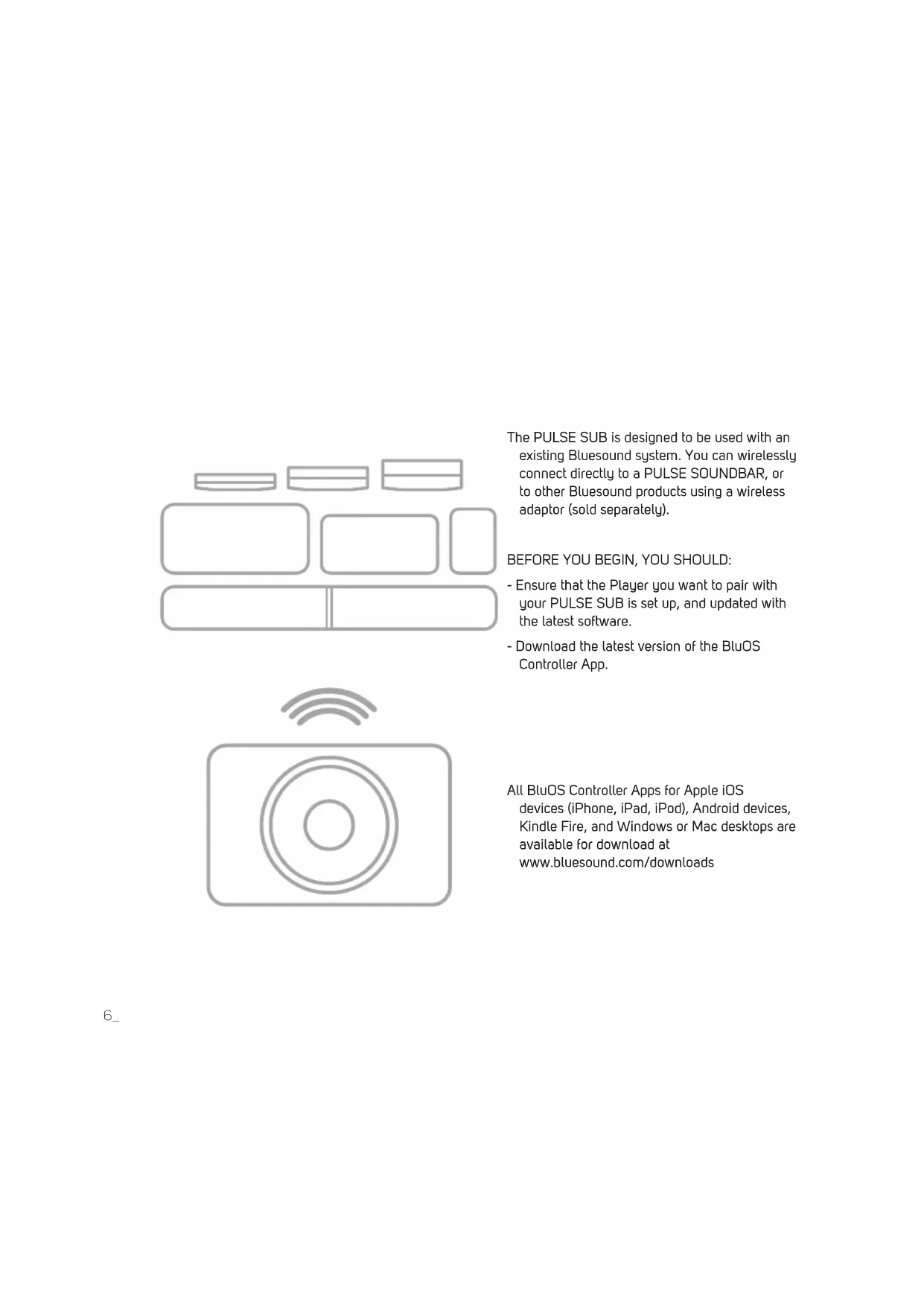
Simple line drawing of a camera with concentric circles and signal waves above (no text or symbols)The PULSE SUB is designed to be used with an existing Bluesound system. You can wirelessly connect directly to a PULSE SOUNDBAR, or to other Bluesound products using a wireless adaptor (sold separately).
- Ensure that the Player you want to pair with your PULSE SUB is set up, and updated with the latest software.
- Download the latest version of the BluOS Controller App.
All BluOS Controller Apps for Apple iOS devices (iPhone, iPad, iPod), Android devices, Kindle Fire, and Windows or Mac desktops are available for download at www.bluesound.com/downloads
1
CHOOSE PLACEMENT
natural_image
Two simple line drawings of rectangular objects, one tilted and one upright, with no text or symbols present.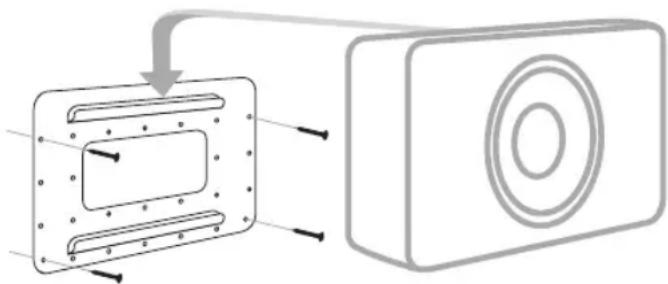
natural_image
Diagram showing a device with a rectangular panel and a circular button, connected by an arrow (no text or symbols present)A ON THE FLOOR
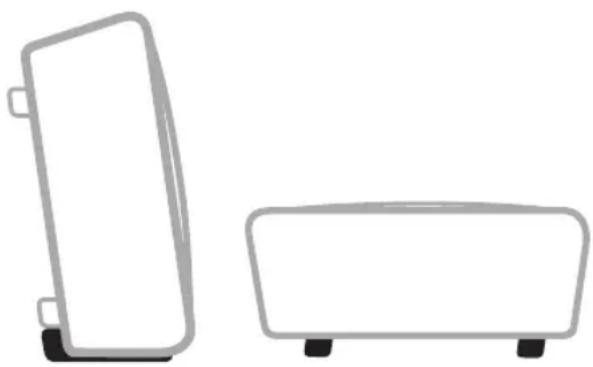
Place the PULSE SUB standing upright, on its back, behind or underneath your furniture or couch – really anywhere you want in the room. If you are placing the PULSE SUB upright, be sure to attach the rubber feet included in the box for added stability.
B ON THE WALL
i. Locate your desired PULSE SUB wall placement noting the required clearances.
ii. Mount the bracket to the wall. Hardware is not included, but using at least six flathead screws is recommended. Please note the hole size on the wall bracket when choosing hardware.
iii. Refer to step 2 'CONNECT TO POWER' and step 3 'CONNECT TO PLAYER' to connect the PULSE SUB before placing it on the wall.
iv. Attach the PULSE SUB to the bracket. Angle the grooves on the back of the PULSE SUB onto the curved edge of the bracket.
v. Carefully load test the mounted PULSE SUB to ensure that it is safely and securely installed. Note: The installer is responsible for a safe and secure installation.
2
CONNECT TO POWER
natural_image
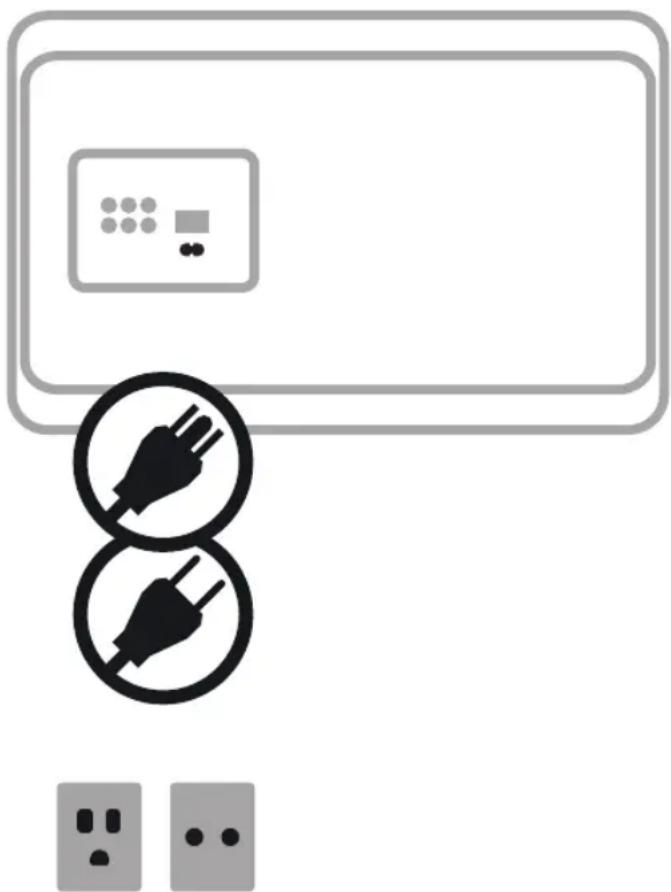
Illustration of a wall-mounted air conditioner unit with two black electrical plug icons and two socket outlets below (no text or symbols)A Ensure the power switch on the back of the PULSE SUB is in the 'ON' position.
B Select the AC Power Cord appropriate for your region and plug it into the PULSE SUB, and then into your wall outlet.
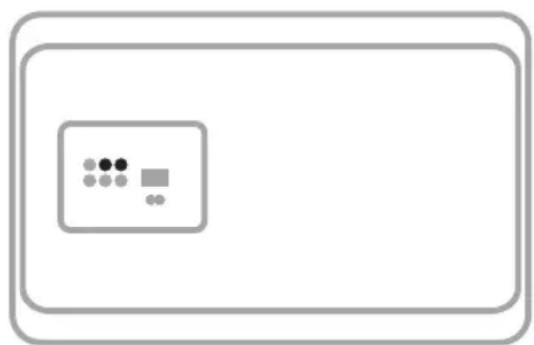
C After 5-10 seconds, the LED on the front of the PULSE SUB will turn Solid Blue, indicating the subwoofer is receiving power. The LED will turn off again after approximately 10 more seconds.
Never force a power cord into a wall outlet. An adaptor may be necessary in certain regions.
3
CONNECT TO PLAYER
text_image
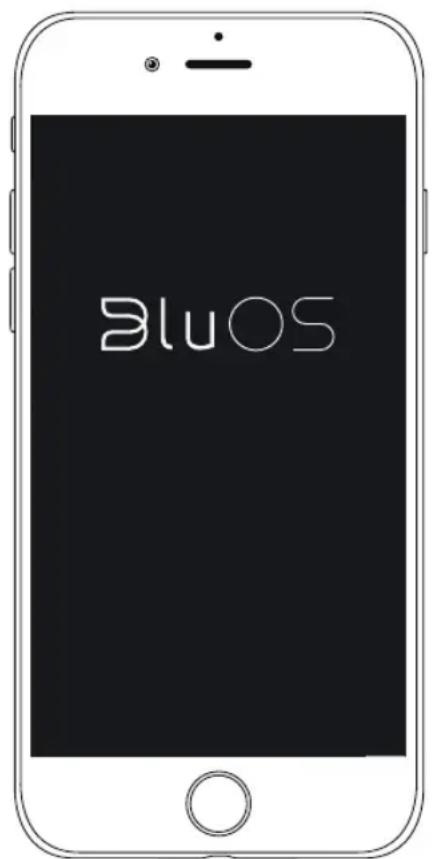
BluOSA. In the BluOS App, go to the 'Add A Player' menu and select PULSE SUB.
B. Follow the on-screen prompts to finish setting up your subwoofer. You will be prompted to begin the pairing process by pressing the 'Pairing' button on the PULSE SUB. It is located on the subwoofer's back in/out panel.
Optional
Using a subwoofer cable (not supplied) plug one end into either of the Low Level Inputs of the PULSE SUB. Plug the other end of the subwoofer cable into the subwoofer output of the PULSE SOUNDBAR.
natural_image
Simple diagram with a rectangular frame containing a central box containing three dots and one square, no text or symbols present.Visit www.bluesound.com/setup for helpful tips and tricks
Français
© Bluesound International. Bluesound, the stylized wordmark and "B" logotype, the phrase "HiFi for a wireless generation", PULSE SUB and all other Bluesound product names and taglines are trademarks or registered trademarks of Bluesound International, a division of Lenbrook Industries Limited. All other logos and services are trademarks or service marks of their respective owners.
16-063 06/02/2017