Pendant - Headphones Bluesound - Free user manual and instructions
Find the device manual for free Pendant Bluesound in PDF.


User questions about Pendant Bluesound
0 question about this device. Answer the ones you know or ask your own.
Ask a new question about this device
Download the instructions for your Headphones in PDF format for free! Find your manual Pendant - Bluesound and take your electronic device back in hand. On this page are published all the documents necessary for the use of your device. Pendant by Bluesound.
USER MANUAL Pendant Bluesound
natural_image
Line drawings of four household items: a dome-shaped container, a tiered sink, a gear with a handle, and a mesh fan (no text or symbols)IMPORTANT!
- Pendant WH (White Pendant accessory kit) does not include BCS Round Grille White. Use BCS Round Grille White that is supplied with BCS250 or BCS300.
- Pendant Blk (Black Pendant accessory kit) includes BCS Round Grille Black.



https://www.bluesoundprofessional.com/product/pendant-kit
https://support.bluesoundprofessional.com
INSTALL
1 Remove connector not applicable

text_image
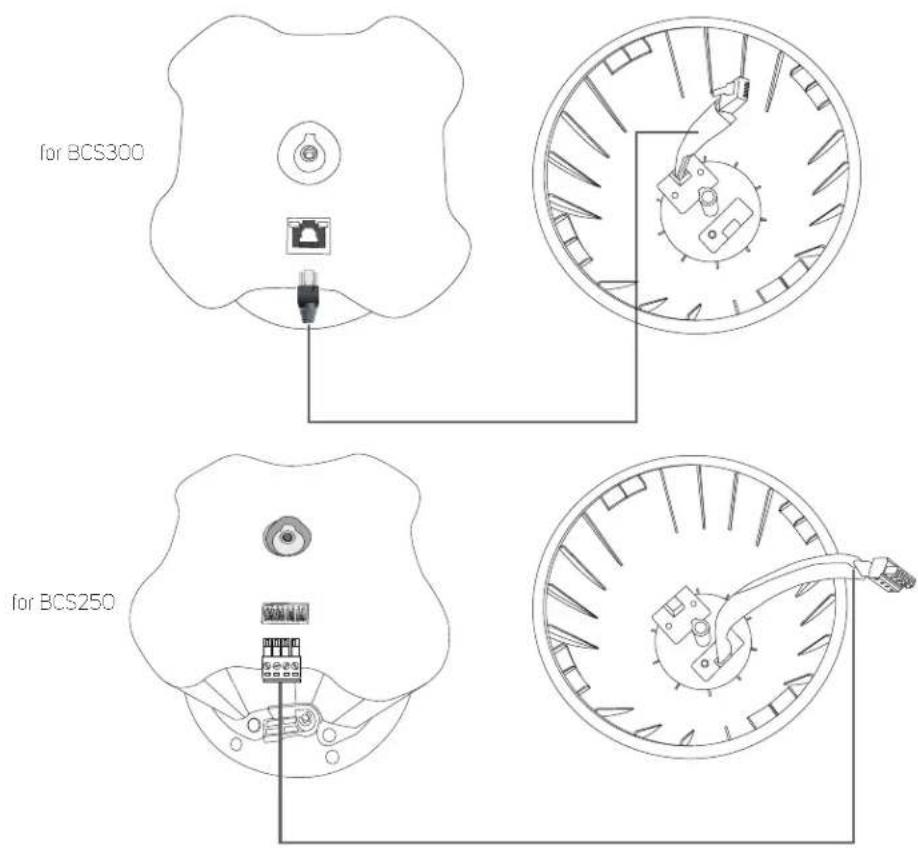
Dogleg for BCS300 for BCS2502 Connect applicable connector to corresponding port in the backcan
text_image
for BCS300 for BCS2503 Align tab from the pendant to corresponding slot in the backcan

natural_image
Technical line drawings of a mechanical component with exploded and assembled views (no text or symbols)Install and fix hook screw with lock washer

natural_image
Diagram showing a lampshade being placed on its side of a larger lampshade, with no text or symbols present.5
a Loosen dogleg to unlock. Slowly untighten until it stops.

text_image
counterclockwiseb Rotate clockwise to position or swivel dogleg to the right.

text_image
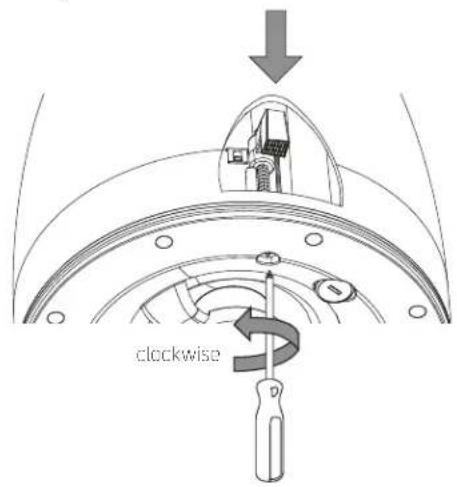
clockwisec Tighten dogleg. Be sure not to tighten too fast or too tight.
text_image
clockwise
text_image
Locked and tightenedd Repeat Step 5a to 5c for the three other doglegs.
e Connect applicable connector from compatible device and then install cap
Wire gauge: 14-18 AWG
For further wiring information, please refer to BCS250 QSG and BCS300 QSG.
