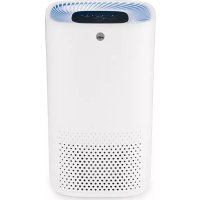
Fresh AP100CW - Air purifier WILFA - Free user manual and instructions
Find the device manual for free Fresh AP100CW WILFA in PDF.



Frequently Asked Questions - Fresh AP100CW WILFA
User questions about Fresh AP100CW WILFA
0 question about this device. Answer the ones you know or ask your own.
Ask a new question about this device
Download the instructions for your Air purifier in PDF format for free! Find your manual Fresh AP100CW - WILFA and take your electronic device back in hand. On this page are published all the documents necessary for the use of your device. Fresh AP100CW by WILFA.
USER MANUAL Fresh AP100CW WILFA
IPEEDNcNoJIb3OBAHnEM IPOQTNTE BCE INHCTPyKlUN
EN
NO
SE
DK
FI
DE
NL
PL
FR
IT
ES
RU
EN
INSTRUCTION MANUAL·FRESH
CONTENTS
4 IMPORTANT SAFETY INSTRUCTIONS
6 PRODUCT OVERVIEW
7 FUNCTIONS
7 BEFORE USE
7 USE
8 INSTALLING AND REMOVING FILTERS
9 CLEANING & MAINTENANCE
10 GUARANTEE
11 PRODUCT SPECIFICATIONS
11 SUPPORT AND SPARE PARTS
11 RECYCLABILITY
EN
IMPORTANT SAFETY INSTRUCTIONS
- Read this manual thoroughly before using and save it for future reference.
- The appliance must not be immersed in water or other liquids.
- This appliance can be used by children aged from 8 years and above and persons with reduced physical, sensory or mental capabilities or lack of experience and knowledge if they have been given supervision or instruction concerning use of the appliance in a safe way and understand the hazards involved.
Children shall not play with the appliance. - Cleaning and user maintenance shall not be made by children without supervision.
- Ensure that the cord does not hang over the edge of the table.
-
Do not place the appliance near a heat source. Do not subject the power cord to direct heat (such as a heated hotplate, open flames, hot iron sole plates or heaters for example).
-
If the supply cord is damaged, it must be replaced by the manufacturer, the manufacturer's service agent or similarly qualified persons in order to avoid a hazard.
- This product is intended for indoor, non-industrial, non-commercial, household use only
- Do not use the item outdoors or for any other purpose.
- If the appliance is used for other purposes than intended, or if it is not handled in accordance with the instruction manual, full responsibility for any consequences rests with the user and any damage sustained to the product or other items is not covered by the warranty.
EN
PRODUCT OVERVIEW
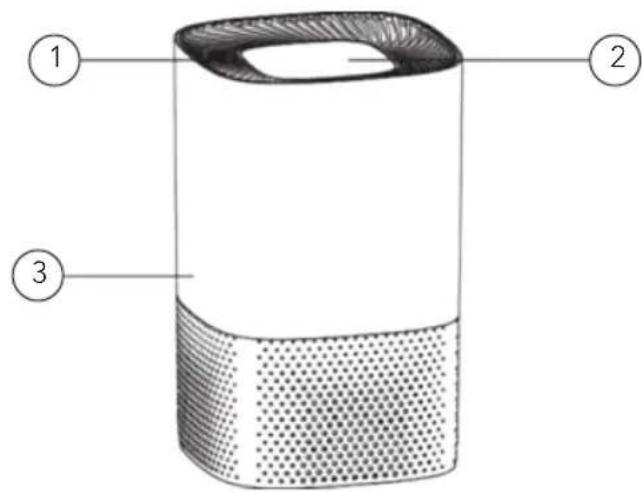
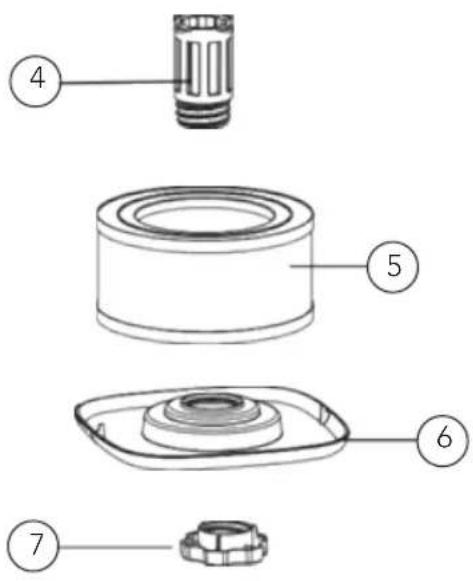
-
Air outlet
-
Filter
-
Touch panel
-
Base
-
Main unit
-
Screw
-
UVC-lamp
FUNCTIONS
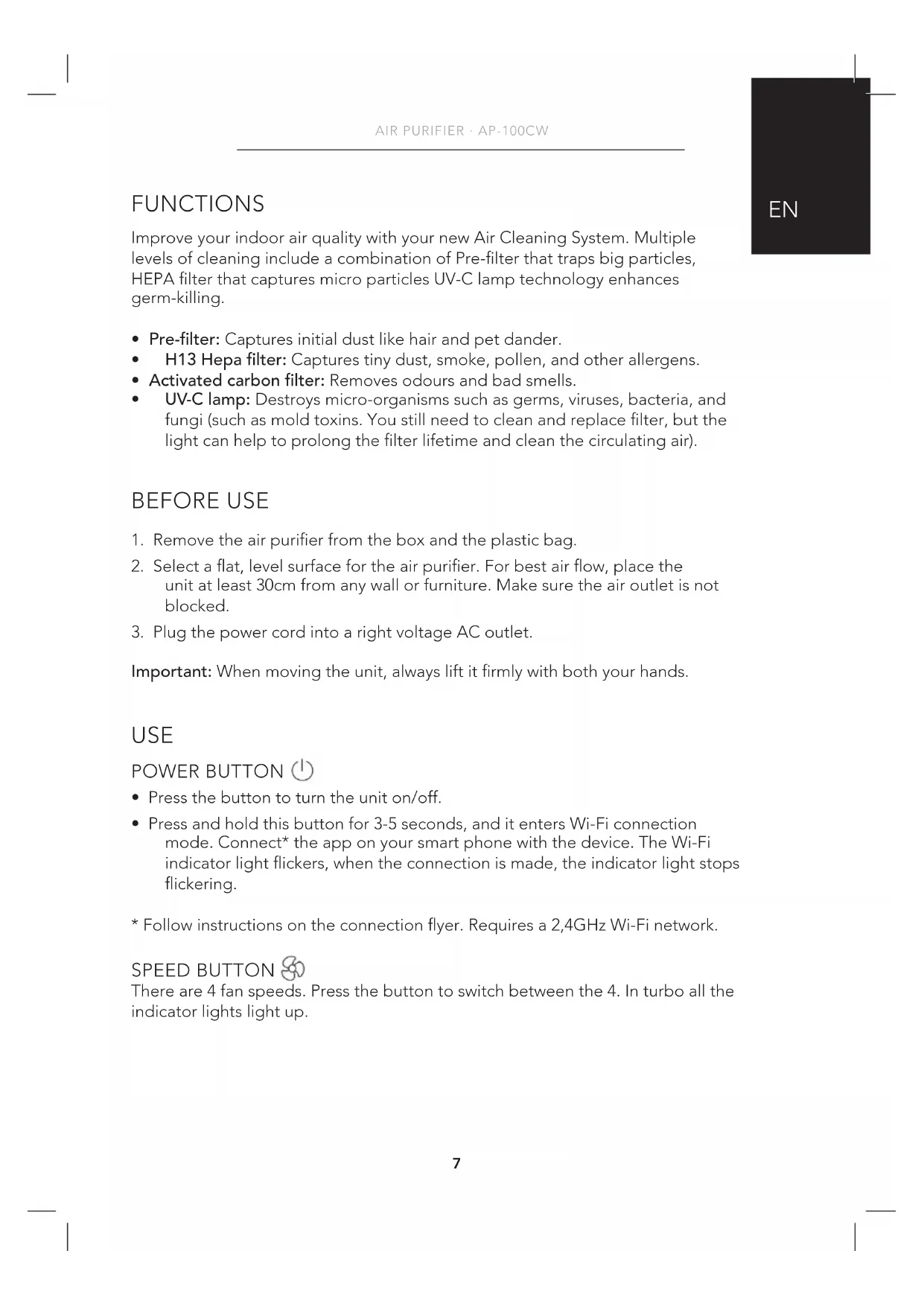
Improve your indoor air quality with your new Air Cleaning System. Multiple levels of cleaning include a combination of Pre-filter that traps big particles, HEPA filter that captures micro particles UV-C lamp technology enhances germ-killing.
- Pre-filter: Captures initial dust like hair and pet dander.
H13 Hepa filter: Captures tiny dust, smoke, pollen, and other allergens. - Activated carbon filter: Removes odours and bad smells.
UV-C lamp: Destroys micro-organisms such as germs, viruses, bacteria, and fungi (such as mold toxins. You still need to clean and replace filter, but the light can help to prolong the filter lifetime and clean the circulating air).
BEFORE USE
- Remove the air purifier from the box and the plastic bag.
- Select a flat, level surface for the air purifier. For best air flow, place the unit at least 30cm from any wall or furniture. Make sure the air outlet is not blocked.
- Plug the power cord into a right voltage AC outlet.
Important: When moving the unit, always lift it firmly with both your hands.
USE
POWER BUTTON
- Press the button to turn the unit on/off.
- Press and hold this button for 3-5 seconds, and it enters Wi-Fi connection mode. Connect* the app on your smart phone with the device. The Wi-Fi indicator light flickers, when the connection is made, the indicator light stops flickering.
- Follow instructions on the connection flyer. Requires a 2,4GHz Wi-Fi network.
SPEED BUTTON
There are 4 fan speeds. Press the button to switch between the 4. In turbo all the indicator lights light up.
EN
UV-C/AUTO BUTTON

- Press the button to turn on the UV light.
- Press the button one more time to turn on the AUTO mode. The air purifier automatically changes the speed according to the air quality detected by the dust sensor.
- Press a third time to turn off the UV light.
- Press a fourth time to turn off the AUTO mode.
- Press and hold this button for 3-5 seconds to enter night mode. In night mode all indicator lights switch off, and the speed is on the lowest setting.
- Press any button to end night mode.
TIMER BUTTON L

Press this button to set a timer. Choose between 2, 4 or 8 hours. When the time is up, it stops automatically.
INSTALLING AND REMOVING FILTERS
FILTER REPLACE INDICATOR
When the filter replace indicator light lights up, it is time to replace the filter. Replace the filter according to the directions below. Then press and hold the POWER button for 3-5 seconds to restart the system, and the filter replace indicator light will turn off.
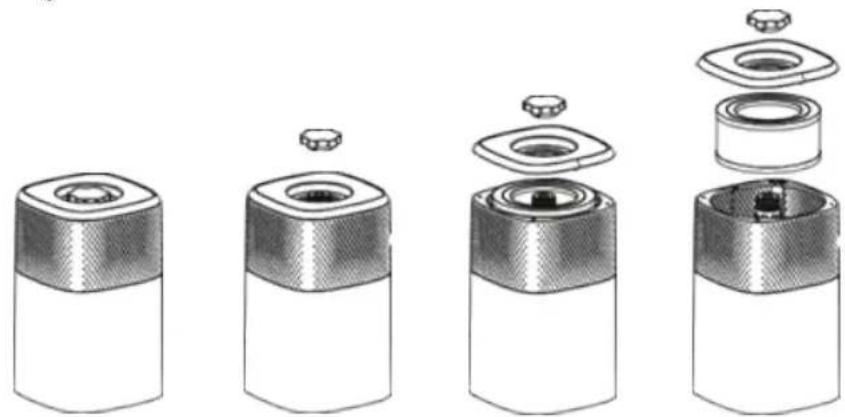
- Turn the unit upside down.
- Screw out the screw on the bottom.
- Remove the base cover.
- Remove the filter and replace it with a new filter.
- Place the base cover and insert the screw before you turn the unit.
Note: The combination filter will last approximately 6 months.
CLEANING & MAINTENANCE
The air purifier should be cleaned at least once a month. Use a clean and dry soft cloth. More frequent cleaning may be required depending on environmental conditions.
Note:
- Do NOT stick any foreign objects or your fingers into the unit.
- Do NOT use gasoline, benzine, thinner, harsh cleaners, etc. on and/or in the unit while cleaning as they will damage the product.
NEVER use alcohol or other solvents.
FILTERS
The filter should be replaced about every 6 months. This is dependent of the filtered air and time in use.
UV LAMP
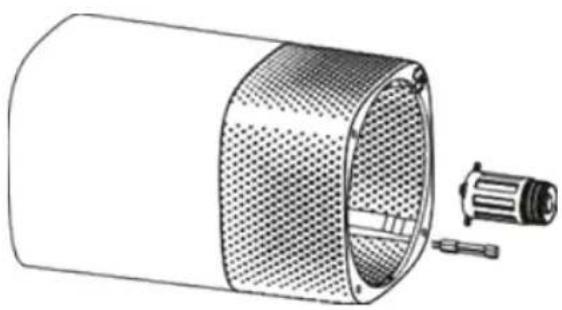
Replacing the UV lamp:
- Unscrew the UV lamp holder.
- Take out the connecting rod carefully and fetch the UV lamp.
- Insert a new UV bulb and screw the rod back into place.
EN

GUARANTEE
Wilfa issues a 5 year guarantee on this product from the day of purchase is done. The guarantee covers production failure or defects that arise during the guarantee period. Your purchase receipt works as proof towards retailer if claiming your guarantee.
The guarantee is valid only for products that are bought and used in private households. The guarantee is not valid if the product is used commercially. The guarantee is not valid if the product is misused, used by negligence, if not following instructions given by Wilfa, if modified or if unauthorized reparation is done. The guarantee is also not valid for normal wear of the product, misuse, lack of maintenance, use of wrong electrical voltage or:
Overloading of product
- Parts which are normally worn down
- Parts you can expect being replaced regularly (e.g. filter, battery etc.)
PRODUCT SPECIFICATIONS
220V~240V~50Hz
SUPPORT AND SPARE PARTS
For support please visit us at wilfa.com, and see our customer service/support page. Here you will find frequently asked questions, spare parts, tips and tricks and all our contact information.
RECYCLABILITY
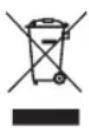
This marking indicates that this product should not be disposed with other household wastes throughout the EU. To prevent possible harm to the environment or human health from uncontrolled waste disposal, recycle it responsibly to promote the sustainable reuse of material resources. To return your used device, please use the return and on systems or contact the retailer where the product was purchased.
They can take this product for environmentally safe recycling free of charge.
NO
NO
INNHOLD
14 VIKTIGE SIKKERHETSANVISNINGER
16 PRODUKTOVERSIKT
17 FUNKSJONER
17 FØR BRUK
17 BRUK
18 INSTALLERE OG FJERNE Filtre
19 RENGJØRING OG VEDLIKEHOLD
20 GARANTI
21 PRODUKTSPESIFIKASJONER
21 SUPPORT OG RESERVEDELER
21 GJENVINNING
VIKTIGE SIKKERHETSANVISNINGER
RENGJØRING OG VEDLIKEHOLD
Luftreseren skal rengjores minst en gang i maneden. Bruk en ren, torr og myk klut. Hyppigere rengjoring kan vare nodvendig, avhengig av miljoforholdene.
OBS!
CARACTERISTIQUES DU PRODUIT
220V~240V~50Hz