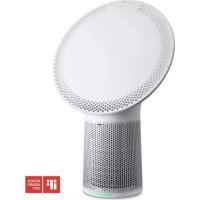
Solair - Air purifier DUUX - Free user manual and instructions
Find the device manual for free Solair DUUX in PDF.



| Product type | Air purifier |
| Brand | Duux |
| Model | Solair |
| Power supply | Mains (13-54 W) |
| Power consumption | 13-54 W |
| Noise level | 40-62 dBa |
| CADR (Clean Air Delivery Rate) | 270 m³/h (160 CFM) |
| Recommended coverage area | Up to 40 m² (based on 3.5 ACH) |
| Filtration rate | Up to 99.97% |
| Filter type | Metal pre-filter, HEPA filter, activated carbon filter |
| Sensors | PM2.5 and VOCs |
| Ambient light colors | 16.7 million colors |
| Functions | Eco, PowerClean, Auto modes; Timer (1, 2, 5 h); Remote control; Air quality indicator |
| Weight | 7.5 kg |
| Maintenance | Clean with soft cloth, replace filter every 4-6 months |
| Safety | Filter cover sensor |
| Spare parts | Replacement filter, remote control battery CR2032 |
| Repairability | Contact the point of sale for parts and accessories |
Frequently Asked Questions - Solair DUUX
User questions about Solair DUUX
0 question about this device. Answer the ones you know or ask your own.
Ask a new question about this device
Download the instructions for your Air purifier in PDF format for free! Find your manual Solair - DUUX and take your electronic device back in hand. On this page are published all the documents necessary for the use of your device. Solair by DUUX.
USER MANUAL Solair DUUX
Thank you for choosing Duux.
Were so glad you decided to read the Instructions to your new Duox a partier! Many users casualty dismiss instructions and seek to figure it out on their own. But studies show that people who read instructions will get up to speed more quickly and efficiently than those who poke around with trial and error.
As Dux we believe in the Importance of a comfortable and healthy living environment . Emphasing your well-being by designing appealing , functional and effective products is the passion that drives us every day . Withour range of innovative air treatment products we aim to provide you the best possible indoor air quality .
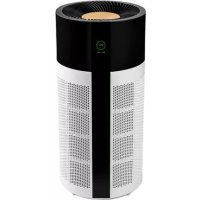
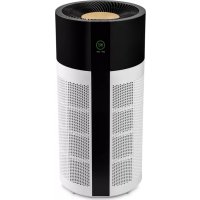
With Solair we have re-defined the shape of an air purifier. This multi-purpose air purifier not only provides you with clean and dustified air, but also doubles as a multi color ambient light emitting these functions will save valuable space, which is an important asset in many living rooms. Lequipped with all the modern day features, this air purifier is a piece of art in your living room that needs no hiding. Solair can be controlled in style with intuitive touch keys and a sleek, ergonomics remote control. The triple layer filter removes 99.67% of all airborne pollutants such as dust, pollen, PM2.5, smoke and chemicals up to 0.3 m tons in silve.
Read this manat carefully to get the most out of year Solair air purifier.
Table of contents
- Product overview 4
2 installation & use 5 - Functions 6
- Maintenance 9
- Technical specifications 12
- FAQ 14
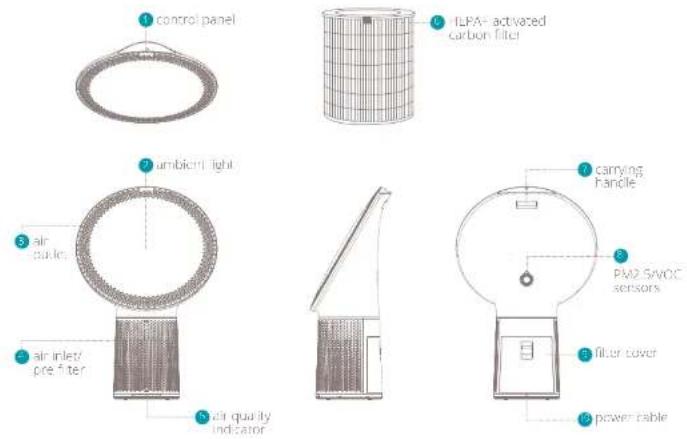
1. Product overview 2. Installation and use
Placing the unit
Make sure that the device is placed on a flat or stable surface to prevent tumbling.
Keep at least 30cm space around the unit for efficient operation
Do not place the unit outdoor
Installation
1 Plug the power cable in a power outlet.
2 The power icon on the control panel will turn red.
Press the power icon to turn on the device.
Control panel and remote control
3. Functions
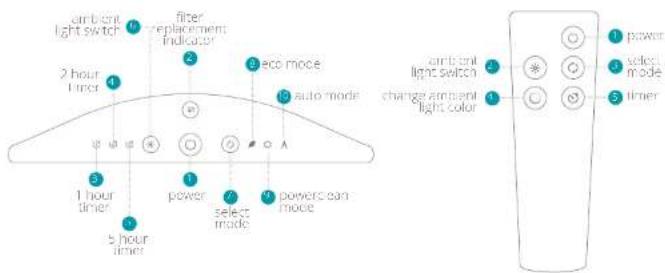
Control panel
Power Press to switch on the air purifier (status red: power off; status blue: power on)
Mode Press to select air purifying mode (status blue-eco, powerclean or auto)
Ambient light Press to activate ambient light / press and hold to change light intensity (status blue=ambient light on)
Filter replacement indicator - Press and
host 5 seconds to rose, filter (status title=
100-50% filter life remaining, status
cycle=60-20% filter life remaining, status
red=20-0% filter life remaining, status
(flush)=<10-0%
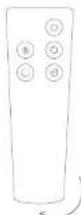
Remote control
Power - Press to switch on the air purifier (see control panel for indicator status).
Mode Press to select air purifying mode (see control panel for indicator status)
Ambient light Press to activate ambient light Press and hold to change light intensity (see control panel for indicator status)
Change ambient light color - press to rotate pre-set colors / holo to browse colors / release to set color
A. Note: The button is only enabled when current light is turned on
Timer Press to set timer (status blue 1,2 or 5 hours)
Air quality Indication
Note: The air quality indicator 1-FO strip only activates when AUTO mode is selected as purifying mode. Speed value is adjusted according to the air quality flow, medium, high.
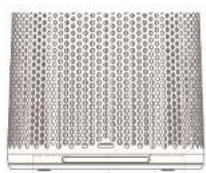
5.1.16
g200
excellent air quality
s
bad air quality
Filter
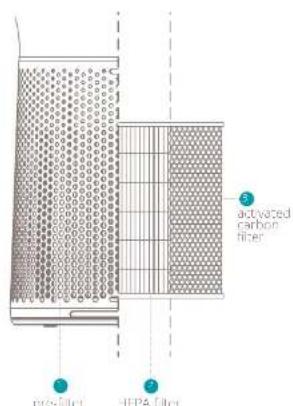
The Solar PV purifier comes with a one installed HEPA ^+ activated carbon filter behind the metal one filter.
The pre filter removes large particles.


1. 实验原理
The HEPA filter cleans the air from smaller particles.

P25


1
The activated carbon filter removes harmful gases and toxins such as smoke, chemicals, VOCs and bacteria.


(1) Important: only use genuine Linux replacement filters for optimal efficiency, proper functioning and full warranty coverage
A unique piece of effective art.
4. Maintenance
- Important: Always disconnect the device before cleaning, filter replacement and/or maintenance.
Cleaning
Only clean the device with a dirty or damaged cloth, go not use chemical cleaners.
Carefully vacuum around the front of the pre filter with a soft dust attachment.
- Value sure the device is dry before reconteming the power plug.
Filter replacement
Depending on the usage and air quality we would advise to change the filter every 4 to 6 months. By opening the filter cover, the device will automatically turn off.
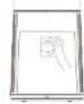
Open the filter cover on the back side of the device by pressing down the handle:
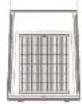
Take out the filter by pulling the attached label at the top.
Carefully vacuum the inside of the unit with a soft brush attachment.
Place the replacement filter back in the unit.
CocscFieorco
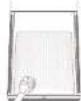
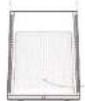


Press and hold the filter replacement icon for 5 seconds to reset the filter (see section 3. Functions).
Important: do not wash or vacuum the filter as this will destroy the fibers.
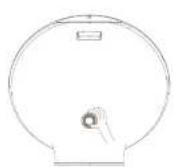
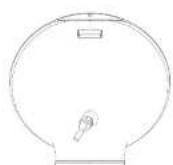
Sensor cover
Unlock the sensor cover by using the opening on the top of the cover.
Carefully vacuum the inside surface with a soft brush attachment.
Race back the sensor cover:


Replace remote control battery
Open the battery cover by twisting the bottom lid to the left:
Replace theithium cell battery (type CR2032V)
Close the battery cover by twisting the bottom lid to the right.
Spare parts
Spare parts and accessories can be requested at the point of purchase or local distributor.


5. Technical specifications
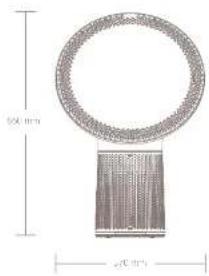
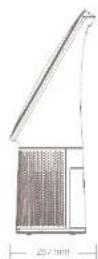

Weight:
7.5kg

Power consumption
13-54w

Noise level
40-62dBa

CADR
270m³/hr

Effective area
up to 40m2

Air flow:
160 CFM

Eration rate
up to 99,97%

Filter
Pre-, HEPA and activated carbon

Air quality sensors
PM2.5 and VOC

Ambient light colors
16.7 million
The CADR indicates how much filtered air is delivered (air flow) by the air purifier operating at the highest acting, and how we the system removes tobacco smoke, dust and pollen pollutants from the air (efficiency). CADR is expressed in the amount of cubic meters cleaned per hour while CPM is measured in cubic meters of air cleaned per minute.
The effective area is determined based on B 5 ACH (air changes per hour)
6. FAQ
Q. The device is plugged in but the display doesn't light up. What can I do?
A. Please check if the filter cover is closed properly. There is a safety sensor inside the cover that doesn't allow the device to run when the cover is open.
Q. The device is on but the air quality indication bar is not showing any color. What can I do?
A. Please switch inside to Auto in order to activate the air quality indicator bar.
Q. I'm not able to activate the time from the control panel. What can I do?
A. The timer icons on the control panel are only indicators, not touch buttons. Please activate the timer by using the remote control.
Q. Am I able to wash and reuse the filter?
A: LPA filters are made out of closey and randomly interlaced fibers that are not built to stand up to any stress. Washing a filter will destroy it in most cases. Even when the filter seems to still be intact to the naked eye, its structure has been rendered useless.
Q. Can I use this air purifier in a room beyond the effective area?
A. In theory this purifier can clean up to approx 112m^3 . However, this is based on a single can change per hour (ACH). For indoor incinerations, the recommended amount of ACH is 3 to 5 times
Q. What is the effective area per ACH?
A:1ACH112m²2ACH53mm³ACH88m²4 ACH=28m²;ACH=38m²
Q. Why is the device not responding to the remote control?
The remanence is designed to cover a distance of 5 meters. Please mail closer to the device. If you remain, please replace the battery or contact your point of purchase.
Q. Does this air purifier has a built-in ionizer?
A: Yes. It releases negative ions into outgoing filtered air, tons of tiny particles that carry a positive or negative charge. These ions exist naturally around us, in the air, water and ground. Both positive and negative ions are colorless, odorless and harmless. Negative ions help the air purification process by attaching
themselves so very small airborne particles in the room.
Q. How long should I run the air purifier?
A: in general it is recommended that you run your air purifier when you are at home to clean the air. The unit may be run 24/7 if preferred. This air purifier will be more effective when windows and doors are closed.
Q. What does PM2.5 mean?
A. PM 2.5 is a microscopic solid particle with a diameter of less than 2.5 micrometer. Presence of these particles in large numbers is a serious concern for people's health. These particles are so tiny that they can directly invade into the lungs and cause cancer.
Q. What does HEPA stand for?
A: HPA is an acronym of high efficient particulate Air. To qualify as true HPA by government standards, an air filter must cover 99.67% of all particles greater than 0.3 micrometer from the air that passes through. (Particles smaller than 0.3 microns are still trapped by HPA filters but effectiveness is reduced to less than 99.87% .
Q. What does HEPA stand for?
Designed in The Netherlands by Duux International BV. Made in P.R.C. Duux International BV, P.O. Box 145, 5400 AC Uden Netherlands, www.duux.com
2018 Duux. All rights reserved. DUUX® is a trademark of Duux International BV, registered in the EU and other countries.
The brand cited belongs exclusively to the respective owners.
Specifications are subject to modification without notice.
- Thank you for choosing Duux.
- Table of contents
- Product overview 2. Installation and use
- Placing the unit
- Installation
- Functions
- Control panel
- Remote control
- Air quality Indication
- Filter
- A unique piece of effective art.
- Maintenance
- Cleaning
- Filter replacement
- Sensor cover
- Replace remote control battery
- Spare parts
- Technical specifications
- FAQ
- What does HEPA stand for?
Brand : DUUX
Model : Solair
Category : Air purifier