
M720 - Mouse LOGITECH - Free user manual and instructions
Find the device manual for free M720 LOGITECH in PDF.
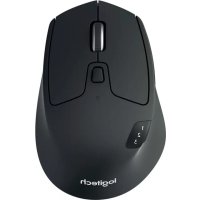



| Product Type | Wireless Mouse |
| Brand | Logitech |
| Model | M720 Triathlon |
| Connectivity | Bluetooth Smart and Unifying receiver (RF 2.4 GHz) |
| Number of Channels | 3 (Easy Switch) |
| Programmable Buttons | 8 (including left/right click, scroll wheel, thumb button, forward/back buttons, Easy Switch) |
| Scroll Wheel | Ultra-fast with free-spin and click-to-click modes |
| Power | 1 AA battery (included) |
| Battery Life | Up to 24 months |
| Wireless Range | Up to 10 meters |
| Customization Software | Logitech Options (Windows, Mac) |
| Supported Operating Systems | Windows 7+, Mac OS X 10.10+, Chrome OS, Android 5.0+ (Bluetooth) |
| Dimensions (L x W x H) | 115 x 74 x 45 mm |
| Weight | 135 g (with battery) |
| Included Accessories | Unifying receiver, AA battery, documentation |
| Care and Cleaning | Clean with a soft, dry cloth. Do not use abrasive products. |
| Safety | Follow usage recommendations, do not expose to moisture. |
| Repairability | Spare parts not specified, contact Logitech support. |
Frequently Asked Questions - M720 LOGITECH
User questions about M720 LOGITECH
0 question about this device. Answer the ones you know or ask your own.
Ask a new question about this device
Download the instructions for your Mouse in PDF format for free! Find your manual M720 - LOGITECH and take your electronic device back in hand. On this page are published all the documents necessary for the use of your device. M720 by LOGITECH.
USER MANUAL M720 LOGITECH
logitech®
M720 Triathlon Mouse
LANGUAGES
English 3
Deutsch 8
Français 13
Italiano....18
Español 23
Português 28
Nederlands 33
Svenska 38
Dansk 43
Norsk. 48
Suomi 53
Ελληνικά 58
In Russian. 63
In Polish. 68
Hungarian. 73
Czech version 78
Slovak 83
Ukrainian 88
Estonian 93
In Latvian. 98
In Lithuanian. 103
Bulgarian....108
Croatian 113
Serbian. 118
Slovenian 123
Romanian 128
Turkish 133
138
143.
M720 Triathlon Mouse
PRODUCT FEATURES
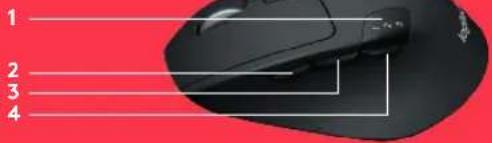
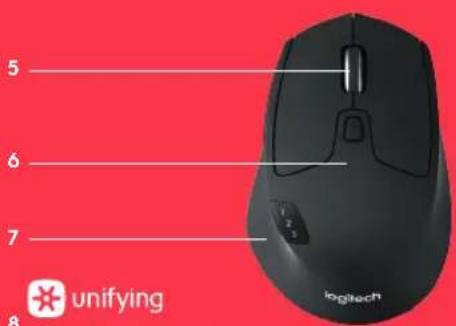
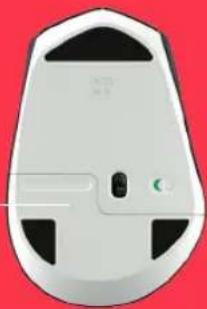
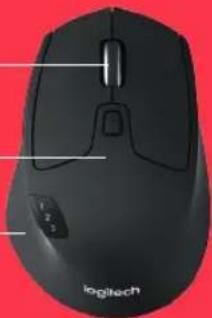
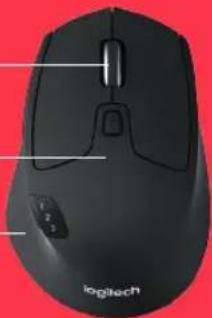
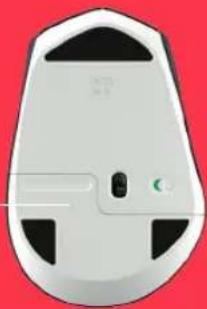
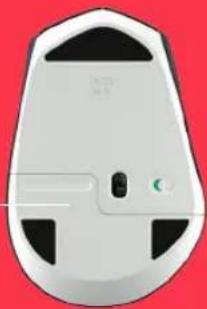
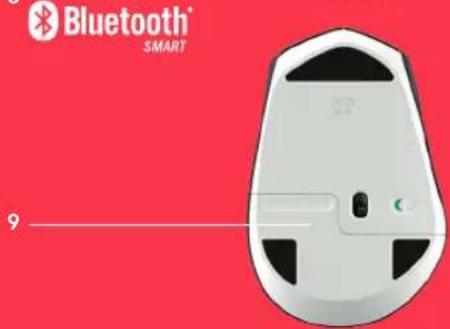
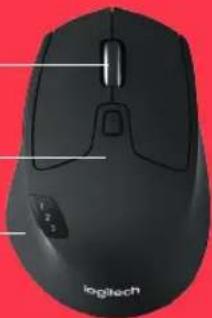
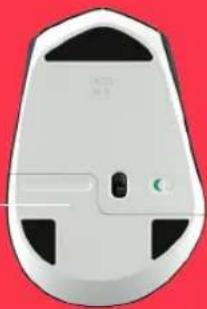
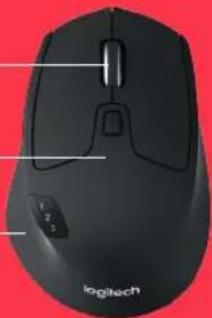
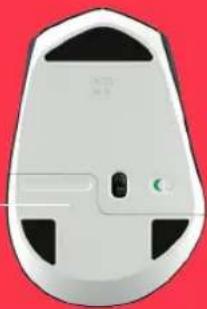
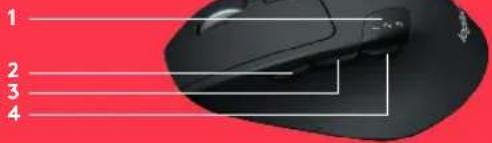
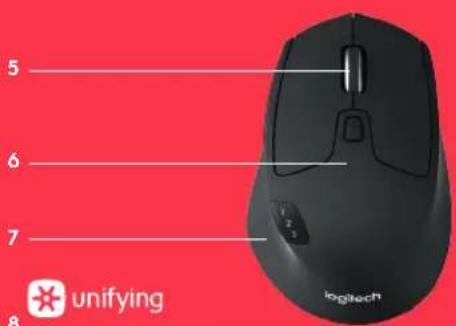
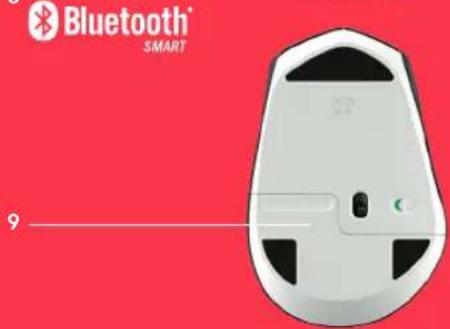
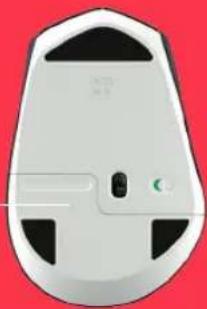
1 Easy-switch 2 Forward button 3 Back button 4 Toggle & connect button 5 Hyper-fast scroll-wheel 6 Battery LED 7 Thumb button 8 Dual Connectivity 9 Battery & Receiver storage
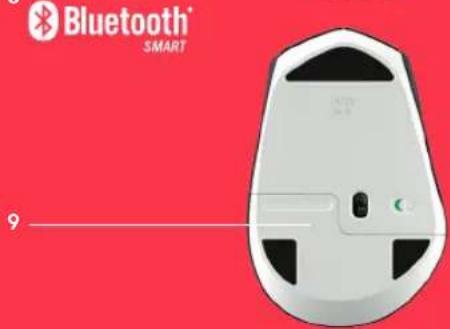
M720 Triathlon Mouse
GET STARTED
1 Remove pull tab
2 Select channel
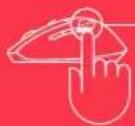
3 Long press to pair
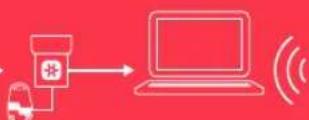
4 Plug receiver or open Bluetooth settings







Bluetooth SMART
0:03 Sec.

www.logitech.com/m720

www.logitech.com/downloads Logitech Options
M720 Triathlon Mouse
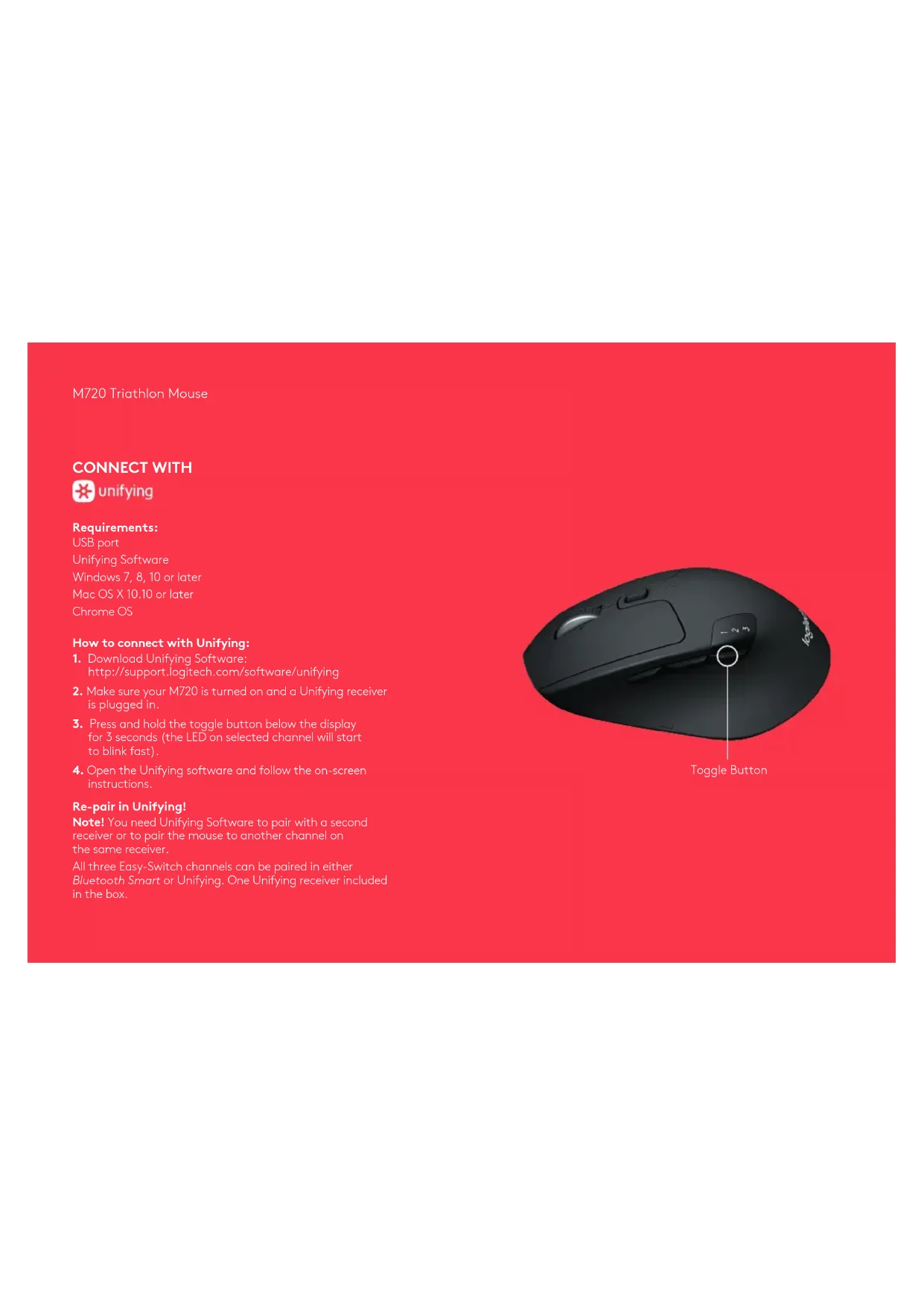
CONNECT WITH

unifying
Requirements:
USB port
Unifying Software
Windows 7, 8, 10 or later
Mac OS X 10.10 or later
Chrome OS
How to connect with Unifying:
- Download Unifying Software: http://support.logitech.com/software/unifying
- Make sure your M720 is turned on and a Unifying receiver is plugged in.
- Press and hold the toggle button below the display for 3 seconds (the LED on selected channel will start to blink fast).
- Open the Unifying software and follow the on-screen instructions.
Re-pair in Unifying!
Note! You need Unifying Software to pair with a second receiver or to pair the mouse to another channel on the same receiver.
All three Easy-Switch channels can be paired in either Bluetooth Smart or Unifying. One Unifying receiver included in the box.
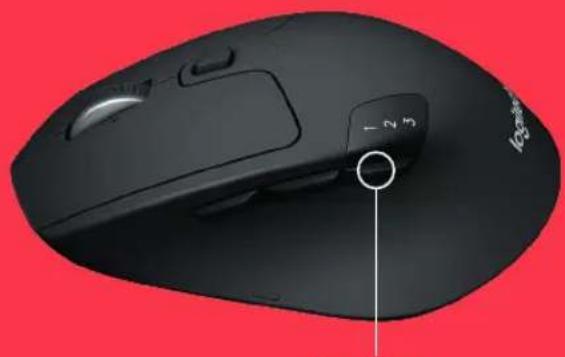
Toggle Button
M720 Triathlon Mouse
CONNECT WITH

Requirements:
Your device has to support Bluetooth Smart
- Windows 8 or later
- Mac OS X 10.10 or later
- Android 5.0 or later
How to pair a Bluetooth device:
- Make sure your M720 is turned on
- Press and hold the toggle button below the display for 3 seconds (the LED on selected channel will start to blink fast)
- Open Bluetooth settings or Bluetooth device manager on your device and pair with "M720 Triathlon Mouse"
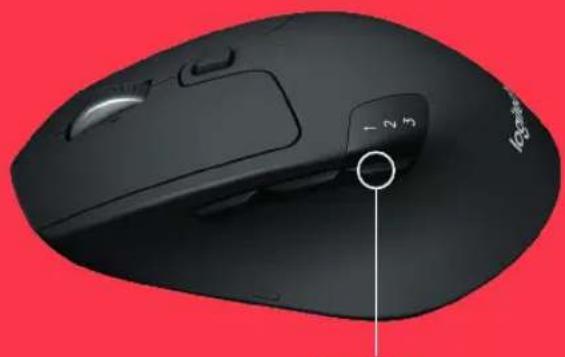
Toggle Button
M720 Triathlon Mouse
LOGITECH OPTIONS
Unlock the full potential of your M720 by installing Logitech Options software. In addition to optimizing the mouse for your operating system, the software lets you customize buttons and actions to fit your needs.
Logitech Options software also enables gestures for managing media, panning, zoom, and rotation, plus custom tasks.
Mac | Windows

www.logitech.com/downloads
M720 Triathlon Mouse
PRODUCT FEATURES
M720 Triathlon Mouse
GET STARTED
Mode button
M720 Triathlon Mouse
CONNECT WITH

Bluetooth
SMART
Requirements:
Mode button
M720 Triathlon Mouse
LOGITECH OPTIONS
www.logitech.com/downloads
M720 Triathlon Mouse
PRODUCT FEATURES
5 6 7
8

unifying

Bluetooth
SMART
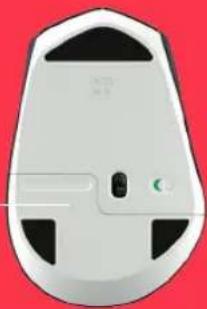
9
M720 Triathlon Mouse
GET STARTED TODAY![graph LR A["1 Retirer la languette"] --> B["2 Sélectionner la chaîne Appuyer longuement pour procéder au couplage"] B --> C["3"] C --> D["4 Connecter le récepteur ou ouvrir les paramètres Bluetooth"] D --> E["5"] E --> F["6"] F --> G["7"] G --> H["8"] H --> I["9"] I --> J["10"] J --> K["11"] K --> L…](/content/2026/02/418457/images/dfcb4ae58de68228dd0cf15004b05ff1171a6ba4fc6a215e3a1afe0352673457.jpg)
www.logitech.com/m720
www.logitech.com/downloads
Logitech Options
M720 Triathlon Mouse
CONNECT WITH

unifying
Conditions:
USB port
Unifying software
Switch
M720 Triathlon Mouse
CONNECT WITH

Conditions:
Switch
M720 Triathlon Mouse
LOGITECH OPTIONS
www.logitech.com/downloads
M720 Triathlon Mouse
FEATURES
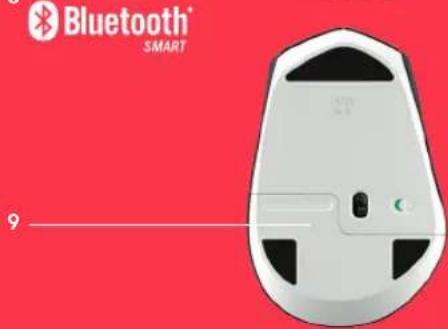
M720 Triathlon Mouse
TO START
1 Remove the tab

www.logitech.com/m720

www.logitech.com/downloads Logitech Options
M720 Triathlon Mouse
CONNECT WITH

unifying
Requirements:
USB port
Unifying software
Windows 7, 8, 10 or later
www.logitech.com/downloads
M720 Triathlon Mouse
PRODUCT FEATURES
5 6 7
8

unifying

Bluetooth
SMART
9
M720 Triathlon Mouse
START
Alternate button
M720 Triathlon Mouse
CONNECT VIA

Requirements:
Alternating button
M720 Triathlon Mouse
LOGITECH OPTIONS
www.logitech.com/downloads
M720 Triathlon Mouse
M720 Triathlon Mouse
INTRODUCTION
Change button
M720 Triathlon Mouse
CONNECT WITH

Bluetooth
SMART
Requirements:
Your device must support Bluetooth Smart technology - Windows 8 or later - Mac OS X 10.10 or higher - Android 5.0 or later
How to pair a Bluetooth device:
Switch button
M720 Triathlon Mouse
LOGITECH OPTIONS
www.logitech.com/downloads
M720 Triathlon Mouse
PRODUCT FEATURES
M720 Triathlon Mouse
GETTING STARTED
Windows 7, 8, 10 or later
Mac OS X 10.10 or later
Chrome OS
Switch button
M720 Triathlon Mouse
CONNECT TO

Requirements:
- Windows 8 or later
- Mac OS X 10.10 or later
- Android 5.0 or later
Toggle switch
M720 Triathlon Mouse
LOGITECH OPTIONS
www.logitech.com/downloads
M720 Triathlon Mouse
PRODUCT FEATURES
5 6 7
8

unifying

Bluetooth
SMART
9
M720 Triathlon Mouse
GETTING STARTED
1 Remove the tab
2 Select channel



Bluetooth SMART

www.logitech.com/m720

www.logitech.com/downloads Logitech Options
M720 Triathlon Mouse
CONNECT WITH

unifying
Requirements:
USB port
Unifying software
Windows 7, 8, 10 or later
Mac OS X 10.10 or later
Chrome OS
Switch button
M720 Triathlon Mouse
CONNECT WITH

Bluetooth
SMART
Requirements:
Switch button
M720 Triathlon Mouse
LOGITECH OPTIONS
www.logitech.com/downloads
M720 Triathlon Mouse
FEATURES
5 6 7
8

unifying

Bluetooth
SMART
9
M720 Triathlon Mouse
GET STARTED
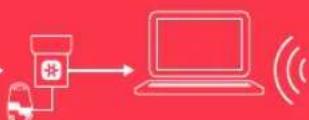
1 Remove the strip
2 Select channel
3 Hold down to pair


Bluetooth SMART

www.logitech.com/m720

www.logitech.com/downloads Logitech 2 Options
M720 Triathlon Mouse
CONNECT VIA

unifying
Requirements:
USB port
Unifying software
Windows 7, 8, 10 or newer
Re-pair in Unifying.
Switch button
M720 Triathlon Mouse
CONNECT VIA

Requirements:
Switch button
M720 Triathlon Mouse
LOGITECH OPTIONS
www.logitech.com/downloads
M720 Triathlon Mouse
PRODUCT FEATURES
1 Easy-switch 2 Forward button 3 Back button 4 Toggle and connect button 5 Super-fast scroll wheel 6 Battery light 7 Thumb button 8 Dual connectivity 9 Battery and receiver compartment
M720 Triathlon Mouse
GETTING STARTED
4 Bluetooth settings
![graph LR A["User with mouse"] --> B["Pusher press"] B --> C["Timer 1/2/3"] C --> D["Pusher press"] D --> E["Timer 1/2/7"] E --> F["Device icon with plus sign"] F --> G["Laptop"] G --> H["Bluetooth SMART"]](/content/2026/02/418457/images/64f4f59f356cd2d63dc822f889446d562ea71016e5609e591c8a5db0a0525a15.jpg)

www.logitech.com/m720

www.logitech.com/downloads Logitech 2 Options
M720 Triathlon Mouse
CONNECT WITH

unifying
Requirements:
USB port
Unifying software
Windows 7, 8, 10 or later
Mac OS X 10.10 or later
Chrome OS
Toggle button
M720 Triathlon Mouse
CONNECT WITH

Requirements:
Toggle button
M720 Triathlon Mouse
LOGITECH OPTIONS
www.logitech.com/downloads
M720 Triathlon Mouse
PRODUCT FEATURES


Brand : LOGITECH
Model : M720
Category : Mouse