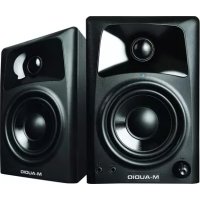
AV32 - Loudspeaker M-AUDIO - Free user manual and instructions
Find the device manual for free AV32 M-AUDIO in PDF.



| Product type | Active desktop monitoring speaker with built-in amplifier |
| Brand | M-Audio |
| Model | AV32 |
| Approximate dimensions (H x W x D) | 240 mm x 150 mm x 180 mm (per speaker) |
| Approximate weight | 2.5 kg per speaker |
| Power supply | 100-240 V AC, 50/60 Hz via IEC cable |
| Amplifier power | 20 W per channel (estimated) |
| Woofer | 3 inches (7.62 cm) with polypropylene-treated paper cone and high-temperature voice coil |
| Tweeter | 1 inch (2.54 cm) polycarbonate dome with built-in damping |
| Speaker type | Bass-reflex (rear port) |
| Cabinet material | MDF (medium-density fiberboard) with internal bracing |
| Audio inputs | 2x RCA (rear), 1x 3.5 mm stereo Aux (front) |
| Audio output | 1x 3.5 mm stereo headphone (front) |
| Speaker connection | Spring terminals (red/black) for included speaker cable |
| Control | Rotary volume (front) with on/off switch |
| Included accessories | Anti-slip acoustic pads, power cable, 3.5 mm stereo cable, 3.5 mm to RCA cable, speaker cable, user guide |
| Care and cleaning | Unplug before cleaning; use a soft, dry cloth. Avoid liquids and aerosols. |
| Safety | Do not block the rear port; do not expose to moisture; use the supplied power cable. |
| Spare parts and repairability | Contact M-Audio support for repairs; no spare parts available at retail. |
Frequently Asked Questions - AV32 M-AUDIO
User questions about AV32 M-AUDIO
0 question about this device. Answer the ones you know or ask your own.
Ask a new question about this device
Download the instructions for your Loudspeaker in PDF format for free! Find your manual AV32 - M-AUDIO and take your electronic device back in hand. On this page are published all the documents necessary for the use of your device. AV32 by M-AUDIO.
USER MANUAL AV32 M-AUDIO
User Guide (English)
Introduction
Thank you for choosing the AV32 professional desktop multimedia audio monitors. Recording engineers and producers in studios from all around the world rely on M-Audio monitors. Now, with the AV32 monitors, you can enjoy the same professional standard of audio quality right on your desktop.
The AV32 has been designed and tested by veteran audio engineers to meet your needs in a desktop audio monitoring environment. Custom-tuned cabinets, optimized speaker design, and advanced crossover technology deliver the best sound you can get in monitors this size. AV32 delivers great audio experiences from your music and multimedia applications. The AV32 monitor is self-powered, directly accepting a line-level signal from a variety of sources.
Box Contents
(2) AV32 Monitors
- Acoustic/Traction Pads
Power Cable (standard IEC)
- Stereo 1/8" cable
1/8" to stereo RCA cable
- Speaker Wire
- User Guide
- Safety & Warranty Manual
Support
For the latest information about this product (system requirements, compatibility information, etc.) and product registration, visit m-audio.com.
For additional product support, visit m-audio.com/support.
Features
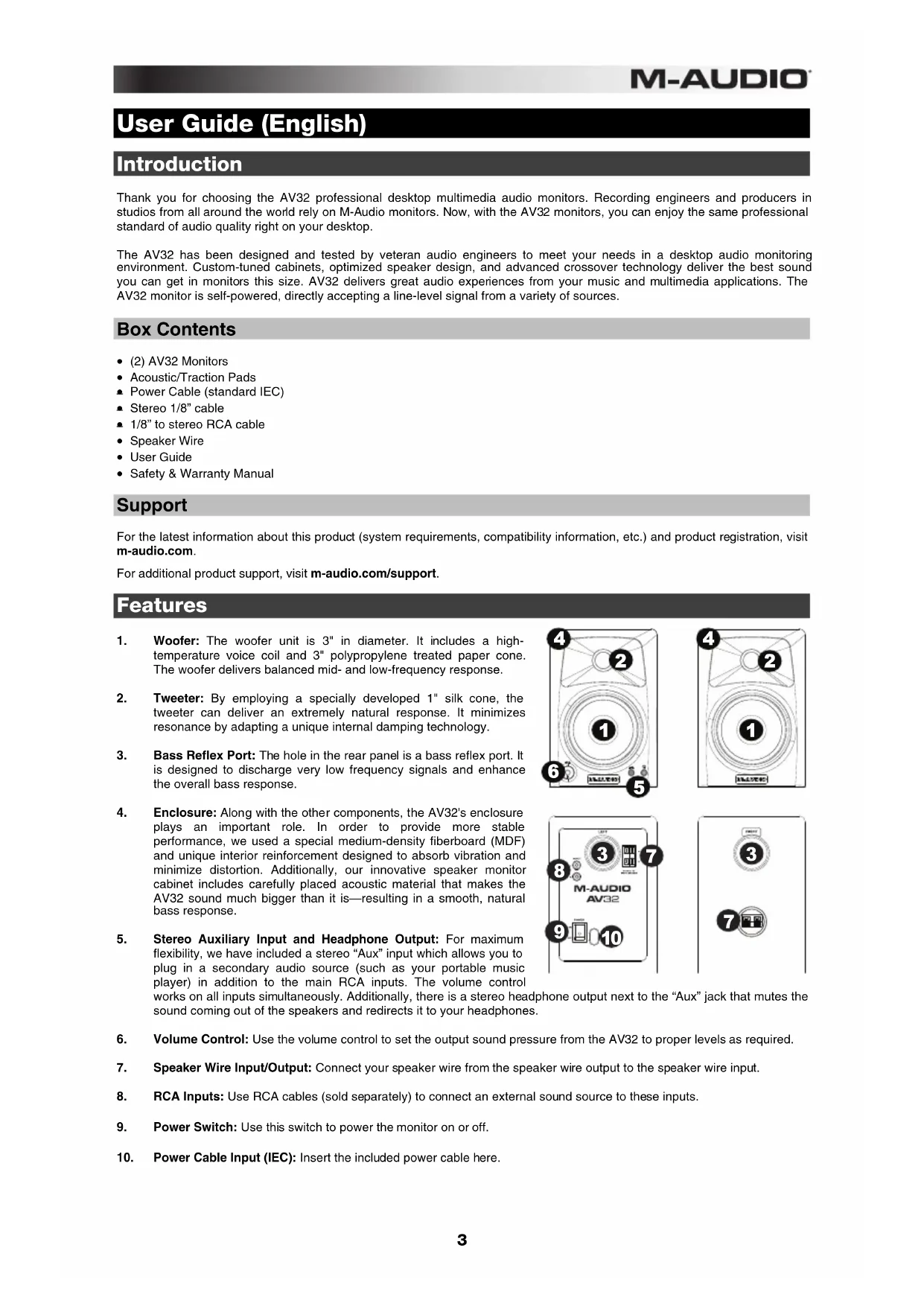
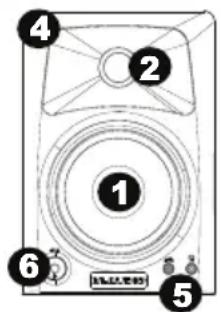
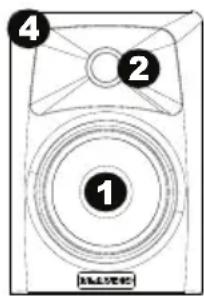
- Woofer: The woofer unit is 3^ in diameter. It includes a high-temperature voice coil and 3^ polypropylene treated paper cone. The woofer delivers balanced mid- and low-frequency response.
- Tweeter: By employing a specially developed 1" silk cone, the tweeter can deliver an extremely natural response. It minimizes resonance by adapting a unique internal damping technology.
- Bass Reflex Port: The hole in the rear panel is a bass reflex port. It is designed to discharge very low frequency signals and enhance the overall bass response.
- Enclosure: Along with the other components, the AV32's enclosure plays an important role. In order to provide more stable performance, we used a special medium-density fiberboard (MDF) and unique interior reinforcement designed to absorb vibration and minimize distortion. Additionally, our innovative speaker monitor cabinet includes carefully placed acoustic material that makes the AV32 sound much bigger than it is—resulting in a smooth, natural bass response.
- Stereo Auxiliary Input and Headphone Output: For maximum flexibility, we have included a stereo "Aux" input which allows you to plug in a secondary audio source (such as your portable music player) in addition to the main RCA inputs. The volume control works on all inputs simultaneously. Additionally, there is a stereo head sound coming out of the speakers and redirects it to your headphone
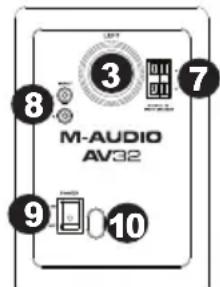
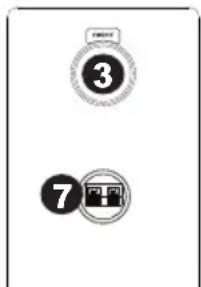
- Volume Control: Use the volume control to set the output sound pressure from the AV32 to proper levels as required.
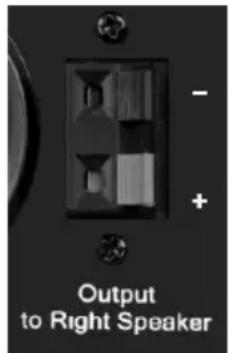
- Speaker Wire Input/Output: Connect your speaker wire from the speaker wire output to the speaker wire input.
- RCA Inputs: Use RCA cables (sold separately) to connect an external sound source to these inputs.
- Power Switch: Use this switch to power the monitor on or off.
- Power Cable Input (IEC): Insert the included power cable here.
Setup
The configuration and placement of your AV32 monitors on speaker stands or your desktop workstation may affect the performance of the speakers. Use the following tips to achieve the best performance out of your AV32 monitors.
Tip: If possible, place your AV32 monitors on speaker stands instead of your desktop. Desks tend to resonate sympathetically at low frequencies and may adversely affect the bass response of your monitors. If speaker stands are not possible due to space restrictions and you notice a buildup in bass, try placing the monitors on isolation pads (included) to acoustically de-couple the monitors from the desk.
Precautions
- Connections: Your AV32 monitors have a variety of inputs for use with a multitude of devices. Soundcards or other devices with RCA line outputs can be connected to the RCA inputs on your left speaker's back panel. If your soundcard or portable music player has an 1/8 output, you can connect it to the front panel aux input, using the provided 1/8 to 1/8 cable.
- Correct Power Operation: Since the AV32 contains amplifiers, it must be connected to a power outlet. Before connecting power, please make sure that the On/Off switch on the back of the AV32 is set to the off position.
- Acoustic/Traction Pads: In order to minimize vibrations and maximize physical stability, we recommend you use the provided acoustic/traction pads on the bottoms of the AV32 monitors.
- Speaker Wire Connections: Use the red and black cable included in the AV32 package to connect the Left and Right speakers via the red /black spring-clip terminals on the back of each speaker.
- Connecting to a Computer Sound Card or Other Audio Output Device: Before connecting the AV32 monitors, make sure the power from the computer or other output device has been turned off and the AV32 system is also turned off. Connect the RCA input jacks to the corresponding output connectors of a computer sound card, portable music player, etc. You can also use the 1/8" stereo mini cable to connect a secondary audio device to the "Aux" input on the front of the AV32.
Placement
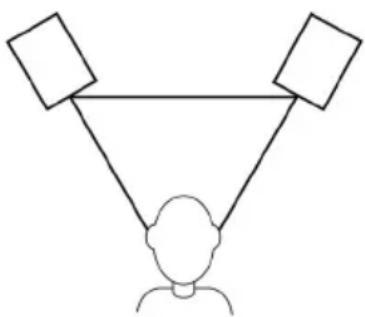
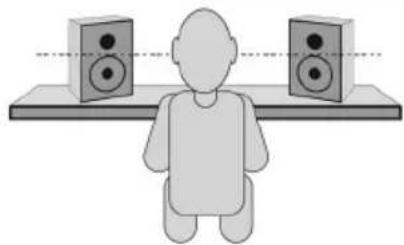
Place your monitors 3-5 feet (1-1.5 meters) apart from each other and from you so that they form an equilateral triangle with your position when viewed from above. Angle them slightly inward so that the drivers face you.
In general, we recommend placing them at least 3 feet (approximately 1 meter) away from the nearest wall and other flat surfaces.
Tips:
Make sure your studio and monitors are equidistant from the walls on either side of it. This helps ensure proper symmetry of your stereo signal.
If possible, set up your studio and monitors in the "front" third of the room. This helps prevent the reflections of peak frequencies from building up.
If possible, place your monitors on speaker stands instead of directly on your desk. Desks tend to resonate sympathetically at low frequencies and may adversely affect the monitors' bass response. If you cannot use speaker stands, try placing the monitors on isolation pads to acoustically "de-couple" the monitors from the desk.
Use other sound-absorbent materials (carpeting, foam, etc.) to prevent reflections in the room.
Height
Position the monitors so that they are parallel to the ground and that your ears are between the midpoint of the woofer and the tweeter.
Orientation
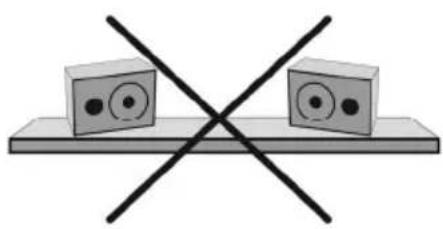
If possible, place the monitors in their upright position; avoid laying them on their sides. The woofer and tweeter are vertically aligned and will provide the best performance when the monitors are upright. Placing them on their sides may create strong reflections from nearby surfaces resulting in spectrally unbalanced sound.
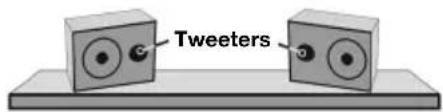
If your monitors must be oriented horizontally due to space or line-of-sight considerations, place them so that their tweeters are on the "inside" to improve imaging.
Technical Specifications
| Type: Two-way desktop reference speaker | |
| Low-frequency driver: | 3" (76 mm) diameter, polypropylene-coated, high-temperature voice coil |
| High-frequency driver: 1" (25 mm) diameter, silk cone tweeter | |
| Power requirements: 100-120V, 50/60 Hz; 220-240V, 50/60 Hz | |
| Cabinet: | Vinyl-laminated MDF |
| Dimensions: (Height x Width x Depth) | 7.5" x 5.1" x 6.1" 19 cm x 13 cm x 15.6 cm |
| Weight (for speaker pair): | 5.6 lbs. 2.55 kg |
Specifications are subject to change without notice.
California Proposition 65 Warning
WARNING: This product contains chemicals known to the State of California to cause cancer and birth defects or other reproductive harm. (California law requires this warning to be given to customers in the State of California.)
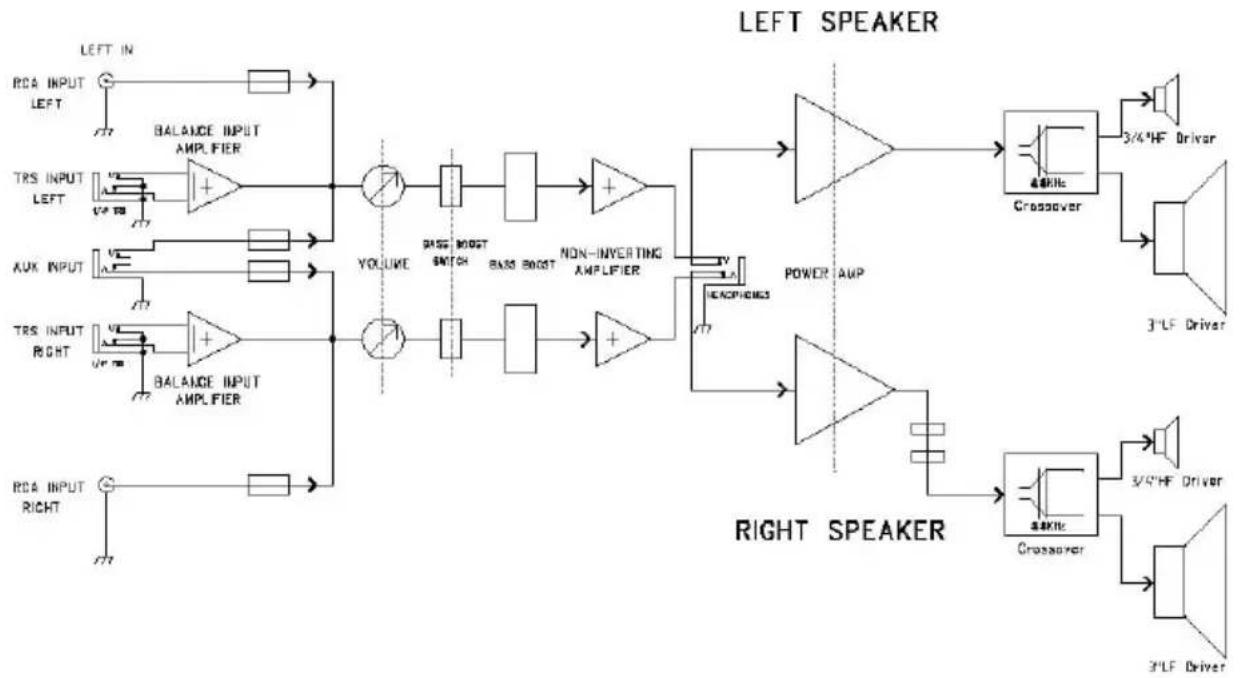
Appendix B: Block Diagram
Trademarks and Licenses
All other product or company names are trademarks or registered trademarks of their respective owners.
m-audio.com



Brand : M-AUDIO
Model : AV32
Category : Loudspeaker