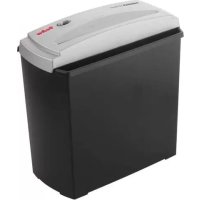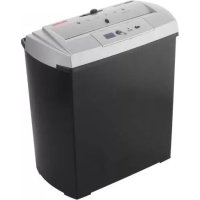
Home & Office X7 CD - Shredder GEHA - Free user manual and instructions
Find the device manual for free Home & Office X7 CD GEHA in PDF.



| Product type | Cross-cut paper shredder |
| Brand | GEHA |
| Model | Home & Office X7 CD |
| Cut type | Particles 4 x 40 mm (paper) |
| Paper shredding capacity | Up to 7 sheets DIN A4 (70 g/m²) |
| CD/DVD shredding capacity | 1 CD/DVD or credit card (cut into 4 pieces) |
| Paper entry width | 220 mm |
| CD/DVD entry width | 120 mm |
| Basket volume | 18 L |
| Power supply | 220-240 V ~ 50 Hz, 0.8 A |
| Max continuous running time | 2 minutes |
| Cooling cycle after overload | At least 60 minutes |
| Overload protection | Yes, with automatic motor stop |
| Automatic start/stop function | Yes (AUTO position) |
| Reverse function (REV) | For paper jam or CD/DVD shredding |
| Separate slot for CD/DVD | Yes, with dedicated recovery bin |
| Switch | 3 positions: OFF, AUTO, REV |
| Maintenance | Empty the basket regularly; clean the exterior with a soft cloth |
| Safety | Do not insert fingers, do not open the housing, unplug before cleaning |
| Warranty | 24 months |
| Dimensions (W x D x H) | 330 x 200 x 430 mm |
Frequently Asked Questions - Home & Office X7 CD GEHA
User questions about Home & Office X7 CD GEHA
0 question about this device. Answer the ones you know or ask your own.
Ask a new question about this device
Download the instructions for your Shredder in PDF format for free! Find your manual Home & Office X7 CD - GEHA and take your electronic device back in hand. On this page are published all the documents necessary for the use of your device. Home & Office X7 CD by GEHA.
USER MANUAL Home & Office X7 CD GEHA
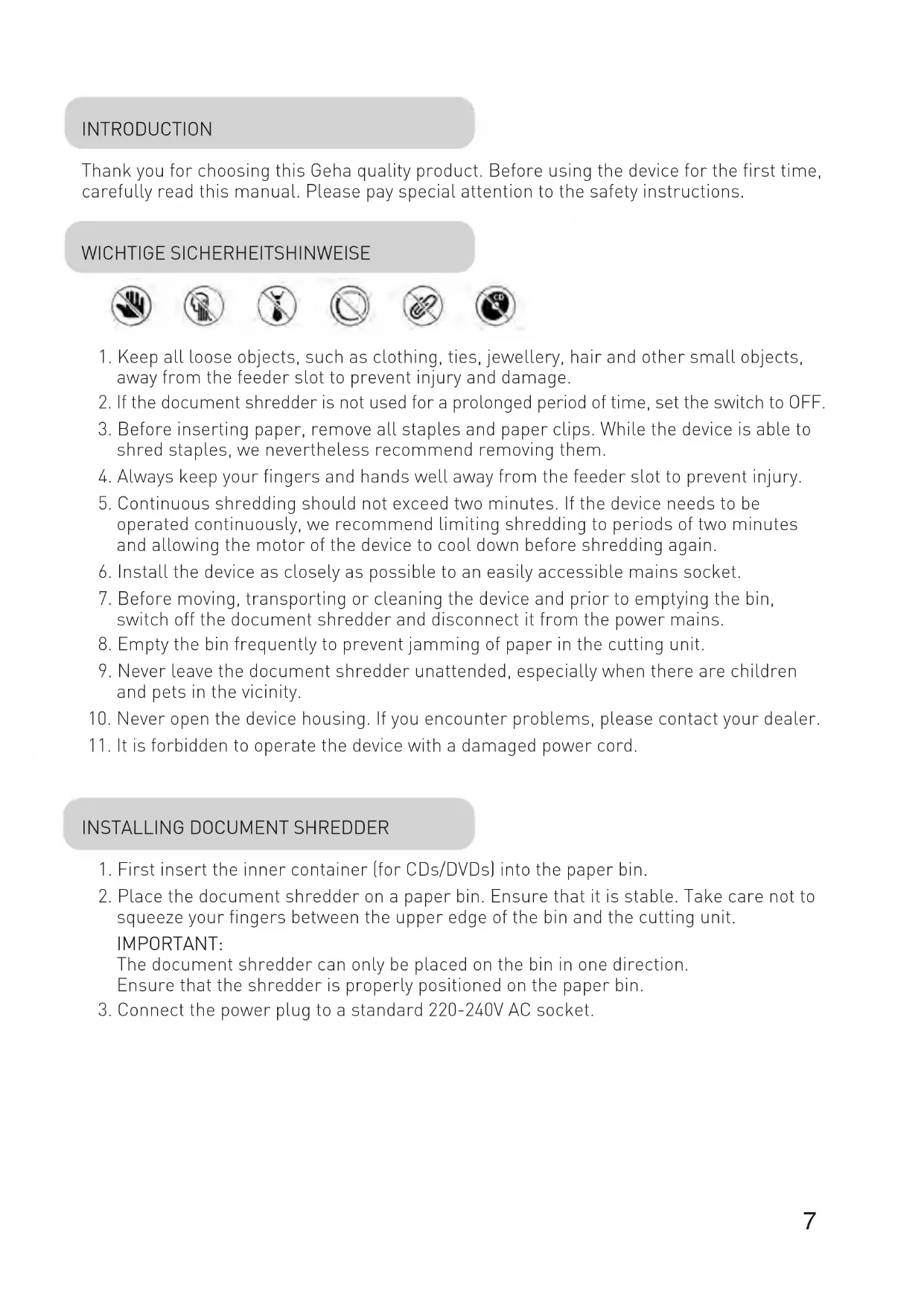
Thank you for choosing this Geha quality product. Before using the device for the first time, carefully read this manual. Please pay special attention to the safety instructions.
- Keep all loose objects, such as clothing, ties, jewellery, hair and other small objects, away from the feeder slot to prevent injury and damage.
- If the document shredder is not used for a prolonged period of time, set the switch to OFF.
- Before inserting paper, remove all staples and paper clips. While the device is able to shred staples, we nevertheless recommend removing them.
- Always keep your fingers and hands well away from the feeder slot to prevent injury.
- Continuous shredding should not exceed two minutes. If the device needs to be operated continuously, we recommend limiting shredding to periods of two minutes and allowing the motor of the device to cool down before shredding again.
- Install the device as closely as possible to an easily accessible mains socket.
- Before moving, transporting or cleaning the device and prior to emptying the bin, switch off the document shredder and disconnect it from the power mains.
- Empty the bin frequently to prevent jamming of paper in the cutting unit.
- Never leave the document shredder unattended, especially when there are children and pets in the vicinity.
- Never open the device housing. If you encounter problems, please contact your dealer.
- It is forbidden to operate the device with a damaged power cord.
INSTALLING DOCUMENT SHREDDER
- First insert the inner container (for CDs/DVDs) into the paper bin.
- Place the document shredder on a paper bin. Ensure that it is stable. Take care not to squeeze your fingers between the upper edge of the bin and the cutting unit.
IMPORTANT:
The document shredder can only be placed on the bin in one direction.
Ensure that the shredder is properly positioned on the paper bin.
- Connect the power plug to a standard 220-240V AC socket.
STARTING DOCUMENT SHREDDER
The sliding switch at the top of the device can be set to three (3) positions.
- AUTO: The shredding process is started automatically as soon as the paper to be shredded is inserted into the feeder slot. After shredding is completed, the device is automatically switched off.
- REV is used for two purposes:
a) Eliminating paper jams. Before the shredding cycle is completed, the cutting unit is set to reverse mode to free the shredder blades. If you become aware that too much paper has been fed into the shredder so that the shredding process is slowed down, immediately set the switch to REV position. Also do this, if you have inadvertently inserted paper that is not to be shredded.
b) Shredding CDs/DVDs and credit cards: Insert CDs/DVDs or credit cards individually into the feeder slot provided
- To empty the bin or to switch off the device as it will not be used for a prolonged period of time, set the switch to OFF and disconnect the shredder from the power socket.
The device is exclusively designed for use in enclosed rooms and for short-time operation not exceeding two minutes. Do not operate the document shredder outdoors.
SHREDDER CAPACITY
The X7 CD cuts up to seven sheets of paper (DIN A4, 70g/m²) at a time.
The maximum permissible paper width is 22cm . To cut small pieces of paper such as envelopes and credit card receipts, insert them at the centre of the feeder slot.
Please ensure that the permissible number of sheets to be processed at any time by the cutting unit is not exceeded, as the device might otherwise be damaged.
SEPARATE CUTTING UNIT FOR CDs AND CREDIT CARDS
Your document shredder is equipped with a separate cutting unit for CDs/DVDs and credit cards. CDs/DVDs are cut into four pieces. As the material tends to shatter, keep your face away from the slot when inserting CDs/DVDs. The destroyed CDs/DVDs and credit cards are collected in a separate container for environmentally friendly disposal!
PREVENTING PAPER JAMS AND OVERLOADING
The X7 CD is equipped with a motor overload circuit breaker. A normal operating cycle for shredding at maximum load takes two minutes, which must be followed by a break in operation. The power supply to the shredder motor is automatically interrupted in the following cases:
- Continuous operation of the document shredder at maximum capacity over a prolonged period of time, i.e. for more than two minutes without interruption.
- Simultaneous insertion of more than seven sheets of paper (DIN A4, 70g / m^2 ) or feeding of paper in a direction other than longitudinal.
Under the above conditions, the automatic overload circuit breaker of the motor is triggered, interrupting the power supply to the device. If this occurs, proceed as follows:
- Disconnect the power plug from the mains socket and wait for a minimum of 60 minutes until the overload circuit breaker is automatically reset. Remove the paper by pulling it upwards out of the cutting unit and tear off any excess paper.
- Reconnect the power plug to the mains socket and set the sliding switch to REV. Remove the remaining paper from the shredder blades. Set the sliding switch to AUTO. If necessary, repeat this procedure.
- When the feeder slot is again unblocked, continue shredding by setting the sliding switch to AUTO.
TECHNICAL DATA
Model: Shredder X7 CD
Cutting type: Cross-cutting
Cutting performance: 4 × 40 ~mm (paper), 4 pieces [CDs/DVDs and credit cards]
Shredding capacity: 7 sheets (A4, 70g / m^2 ), 1 CD/DVD or credit card
Feed width: 220mm
Feed width for CDs/DVDs: 120mm
Rated voltage: 220-240VAC/50Hz, 0.8 A
Dimensions: 330 × 200 × 430 ~mm
Paper bin: 18 litres
Short time operation: 2 minutes
DISPOSAL
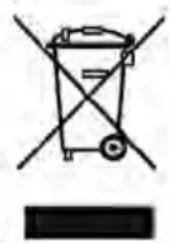
The waste bin symbol indicates that electrical devices must not be disposed of with normal household waste. Please take your device to a collection centre for electrical appliances for recycling and proper disposal.

WARRANTY
The warranty period for your device is 24 months.
For warranty claims, you need your sales receipt. Please also keep the original packaging.
If you encounter any problems with your document shredder, please contact your dealer.
INTRODUZIONE

m = 311 ;
24
y 1 y
j 1
BBEDEHNE
Blaorapm Bac 3a nokynky 3Toro kayecTBehHoro n3dennn MapKn Geha. Npeed BBOOM B DeiCTBne ChauJa BHNMaTeIbHO npouHTae HactoJee pyKOBoDcTBO. Oco6oe BHImaHne o6paTnte Ha yka3aHn no TexHnke 6e30nacHocTn.
BAKHbIe YKA3AHnI NO TEXHnke BE3ONACHOCTN


1.Bo n36eKaHne TpaBmnpoBaHn Heo6xOAnMo Bcerda DepeKaTb BCE He3aKpePnIeHHbIe PpeDMeTbI, TaKne KaK PpeDMeTbI ODeXDbI, RaIcTyKn, YkpaSeHn, BOIocbl IJIpyrHe MeJkne PpeDMeTbI NODaJIbWe OT OTBepCTnI DJI BBODa.
2. YcTaHOBtB nepeKlHouaTeIb B nOToXeHne BblKJI, KOrDa MaShHa dJa yHnTuToXeHnA DeIOBbIX 6yMar He NcNoJb3YeTCa DnTHeBHOe BpeMra.
3. Ipeed BbOdom 6yMaHn Heo6xOaMo ydaIITb BCE KaHcJIepCKne cKpeKN. XOTy yCTpO'CTBO MOKeT N3MeIbYaTb cKpeKN, HO 3TOrO DeJaTb He peKOMeHdyetc.
4.Bo n36eXaHHe cepbe3HbIX TpaBM Bcerda Iepxnte naIbUbi npKn noaIbWe OT OTBepCTnA DnBbOda.
5. HenpepbHbI npoecp pe3aHn He oJxHe npOdoJXaTbcA doJbwe 2 MNHyT. B cnyuae eCn yCTpoiCTBO DOJXHO 3KcNlyaTnpOBaTbcH HenpepbIBHO, peKomeHdyETcOrpaHnUbaTb cNKJI pe3aHn 2 MNHyTaMn, daBaJ DnRaTeJIIO yCTPOICTBa OXlaIDNTbcR B nay3e.
6. YcTpoIcTBO DOJIxHO yCTaHaBnBaTbcra KaK MoXHO 6JIxKe K IerKo DoCTyHNO HAcTeHHo WTeNceJbHO p03eTke.
7.пелпелемшим,TрансортуваимичNTКоMaшиныдлуУнчToxeHЯДeLObIx6ByMarИПпелрOnopoЖehnemпрнemHOro KOHTeHepaMaSHHy Heo6xOДМО Bcerga BblKIOUaTb C pa3beDNHeHEmOT элктprueckoCetN.
8. Heo6xOdmo qacto onopoxHrtb npneMhBIOKHTeINHeP dIy6ymar. Ihaue moKeT 3acOpntbcpejxuMexaHN3M.
9. He octabnIte MaunHy IyHnTuKeHn IeNoBbIX 6ymar 6e3 HaD3opa, HanpImep KOrda B6n3n HaxOaTcra DeTn nn DomaHHe JKNBOThble.
10. Hnkorda He otKpbBaIte Kopnyc, npn npo6IeMax obaaiaTecb K Toprobomy areHTy, y KoTOporo Bbl Kynnn DaHHyo MaunHy.
11. C NOBpeKdEHHbIM TOKOOnoBODaIaM Ka6eIeM 3KcNpyaTnpOBaTb MaunHy HeJIb3r.
YCTAHOBKA MAUINHbI DJIa YHNUTOXEHnA DEJIOBbIX bUMa
- Chauana BCTabTe B KOHTeHep Дя 6yMaRn BHyTpEHHN npneMHbI KOHTeHep (ДЯ La3epHbIX DnCKOB/цнфpoBbIX BnDEODnCKOB).
- HadejHo yctaHOBnte MaunHy dny UHNTOKeHn deIOBbIX 6yMar CBepxu Ha npneMhbl KOHTeHep dny 6yMaRn. Pnp 3tOM cIeNTe 3a TeM, uTObI He 3aUeMtB NaIbCbl MExdy BepXHM Kpaem npneMHOrO KOHTeHepa dny 6yMaRn n peKyuIm MexaHn3MOM.
Baxhoe yka3aHne:
MaunHa IyHnTuXeHnI DeIOBbIX 6ymar MoKeY yCTaHaBnBaTbCra TOnbKO Ha OndHO CTOpOHe npEmHO KOHTeHepa. CneINTb 3a TeM, YTo6bl MaunHa 6bla npabNtbo NOOrHaHa K npEmHomy KOHTeHepy.
- BCTaBbTe CeTeBOJ WTeNCeJI B O6bIHyIO WTeNCeJIbHyIO PO3eTKy CeTn nepemehHoro ToKa 220-240 B.
BBOJ MAUNHbI DJIY HNUHTOKeHnA DEIOBbIX BymAR B DEICTBNE
ДВИЖКOBБИ BBIKHQUaTeIb HaxOДNTcR BBepy MaUHbI N MOKeT 6bITb yCTaHOBJIeH B TprN (3) NOLOXKeHn.
- Побъедине AUTO:
PPOeCC pe3aHn 3anyckaeTcA BATOMaTnueckn, KaK ToIbKO
yHnTuToXaEma 6ymara BBOUNTCB OKHO IJI BBODa.
Iocne npoecca n3MeIbueHn yCTpoIcTBO aBTOMaTnueCKN BblKIOUaETcra.
- Pekm REV (OBPAT. XOD) nMeet cneDyUoune DBe cyHKn:
a) UcTaPaHHe 3aTopa npn noDaue 6yMaRn. 3decb nepeD OKOHuaHne mpaBoUeTo uKkla HnPaBLeHne XoJa nPoUecca pe3aHnra MeHReTcHa npOTuBONoJIOxHoe C TeM, yTObI OCBO6OAnTb peKyuSNe NOBepXHOCTN. EcIn Bbl yCTaHOBnTe, yTO BBeDeHo Ype3MePHOe KOJIueCTBO 6yMaRn, n IpOuceC N3MeJbUeHn OUsYtMo 3aMeJINCSr, TO Heo6XoIMo cpa3y nepeBecTI nepeKIIouaTeIb B 3TO NoIooKeHne, TaKxe N B TOM CnyAae, KOrda 6ymara 6bla BBeDeHa nO owN6Ke.
b)Измельецни КOMпаKT-ДИСКOB,ЦПОВБIX BИDEODNCKOBи KpeДNTHых KapTOueK:ВБeДITE OTДЕЛБНI KOMпaKT-ДИСК /ЦПОВОВ BИDEODNCK IIN KpeДNTHyIO KapTOUkyВ ПpeДуСМOTpeHHyIO BNYCKHYIO IeJIb peЖушero МexaHN3Ma.
- Дя onopokненя npneMHoro KOHTeHepa dЯ 6yMaRn, nIe cIy yCTpoiCTBOДNTeJIbHOE BpeM He NCNoJb3yeTcra, nepeKIOUaTeIb DOJxeh 6bITb pepeBeDeH B noJoxHe OFF (BblKI), a yCTpoiCTBO pa3beDInHeHO OT 3JIeKTPoCeTn.
KoHCTpyKcIy DaHHoro yCtpoNCTBa paCCuNTaHa Ha npIMHeHne TOnbKO B 3aKpbITbIX NOMeUeHNx N pa6Ory B KpaTKOBpeMeHHOM peXmE B TeueHne 2 MnHyT. He nCNoJIb3yIte MaunHy dIy YHNUTOKeHn IeJIOBbIX 6yMar NOd OTKpbITbIM He6OM.
IapaHTnHbI cPOK Ha BaWe yCTpOyCTBO COCTaBJaTe 24 Mecra.
O6aTeIbHcOxpaHnTe KBrTaHcHIO O NOKyNke uynakOBky 3aBOda-n3rOToBnTeJI.
Pnp npo6nemax c yctpOINCTBOM o6paauTecb K CBOeMy TOPROBOMy aReHTy.
INLEDNING
1 CD/DVD sau card de credit
Latime alimentare: 220mm