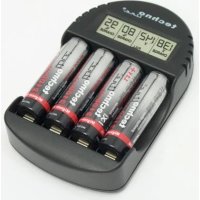
BC 250 - Battery charger TECHNOLINE - Free user manual and instructions
Find the device manual for free BC 250 TECHNOLINE in PDF.



| Product type | Battery charger |
| Brand | TECHNOLINE |
| Model | BC 250 |
| Compatible batteries | NiCd and NiMH, sizes AA/LR6 and AAA/LR3 |
| Number of compartments | 4 (independent) |
| Charge current | Approximately 250 mA per battery |
| Display | LCD: voltage, percentage, charge and fault indicators |
| End-of-charge detection | Negative delta voltage (-dV) |
| Defective battery detection | Yes, displays « DEF » |
| Trickle charge | Yes, automatic after full charge |
| Safety timer | 18 hours maximum |
| Power supply | Mains adapter 230 V AC, 50 Hz |
| Dimensions (L x H x D) | 66 x 109.8 x 22.3 mm |
| Maintenance and cleaning | Soft damp cloth, avoid solvents |
| Safety | Dry indoor use, NiCd/NiMH batteries only |
| Repairability | Do not open, return to seller |
Frequently Asked Questions - BC 250 TECHNOLINE
User questions about BC 250 TECHNOLINE
0 question about this device. Answer the ones you know or ask your own.
Ask a new question about this device
Download the instructions for your Battery charger in PDF format for free! Find your manual BC 250 - TECHNOLINE and take your electronic device back in hand. On this page are published all the documents necessary for the use of your device. BC 250 by TECHNOLINE.
USER MANUAL BC 250 TECHNOLINE
BEFORE USING OUR BATTERY CHARGER, READ IN DETAILS ALL INSTRUCTIONS CONTAINED IN THIS MANUAL. KEEP THIS MANUAL IN A SAFE PLACE AS YOU MAY NEED TO USE IT LATER.
We draw the attention of all users of this device: please follow the safety and maintenance instructions which are part of this manual. Also read the caution markings on the charger, the manual, and the gift box.

INTRODUCTION:
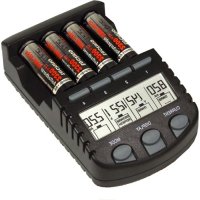
Congratulations on purchasing this intelligent charging unit which enables definitely quick and optimum charging to "AA" and "AAA" rechargeable batteries. With charging functions as well as individual LCD displays for the charging compartments, this charging unit is reliable, user-friendly and ideal for use in the home, office or on journey.
The Charging unit
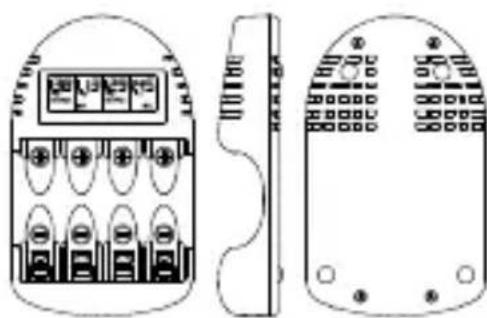
CAUTIONS:
-
The charger is restricted to charging NiCd and NiMH rechargeable batteries only. Never adopt this charger to other types of batteries, such as alkaline, lithium, carbon zinc battery or other types of battery that is not specified.
-
The charging unit shall only be used at normal indoor room conditions.
- Always follow the charging instructions for the rechargeable battery. Observe the recommended charging current of the rechargeable batteries.
- Never use other kinds of the power cable and transformer apart from those originally supplied with the charging unit.
- The rechargeable battery may become hot during charging. User should take extra care when taking out the battery after charging.
- Unplug the charging unit from the power source when it is not in use.
FEATURES:
The Charging unit
- Charging the rechargeable battery in around 250mA charging current
- Individual LCD display for different compartments
- Charging both "AA" and "AAA" rechargeable batteries simultaneously
- Minus delta voltage (-dV) detection for charge termination
Defect batteries detection - The charging function can be launched independently and
simultaneously to each rechargeable battery in the compartments
The display of terminal voltage (in V) and percentage (in %) will alternate during charging
- Trickle charging is available after the rechargeable battery is fully charged
- To prevent overcharge, charger timer is available to limit the charging time to 18 hours for each newly installed battery
INVENTORY OF CONTENTS
- Charging unit
- Transformer
- Instruction Manual
The charge stage and the trickle charging are the only two operating stages of this charging unit.
CHARGE STAGE
The unit can charge up the rechargeable battery. It will automatically switch to trickle charging after the rechargeable battery is fully charged.
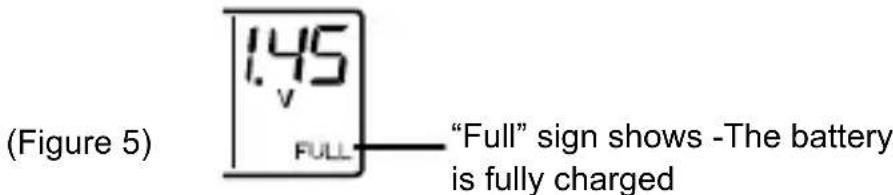
During the process of charging, the display of voltage and percentage will alternate on the LCD. The item of percentage will show the percentage of the battery charged while the item of voltage will show the voltage of battery. Once the battery is full, the voltage will display permanently with the "Full" sign. The trickle charging will start shortly afterwards.
Charging current that is around 250mA is the only default value in the charging process.
The estimated charging time of different battery size is tabulated in Table 1.
| Table 1. Charging Time with Two Types of Battery Size | |||
| Size of battery | Battery Capacity | Charging current (mA) | Estimated charging time |
| AA 2600mAh | around 250mA | 12 hrs | |
| AAA 1000mAh | 6 hrs | ||
Note:
- It may be necessary to charge and discharge the new rechargeable batteries for several times in the beginning in order to obtain the optimum capacity of the rechargeable batteries. However, this charger does not provide the discharge function. Users may need to discharge the new rechargeable batteries themselves.
- When the transformer has been plugged to the power source, the version number of the charger (for example "14") will display after all the segments light up momentarily. The "--" sign (figure 1) will show before the batteries are placed. If the defect batteries are placed to the charging unit, the "DEF" sign (figure 2) will show on the LCD of charger.
- The "DEF" sign will flash for a while on the LCD when the charger detects the battery condition. When the defective condition of the battery is confirmed, the "DEF" sign will turn on permanently.
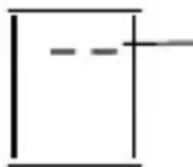
"--" displays - No battery is placed to the charging unit (figure 1)
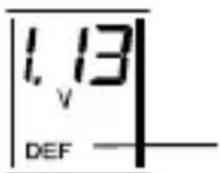
"DEF" displays - A defect battery is placed into the charging unit (figure 2)
- If attempting to recharge the alkaline or carbon batteries, it may cause rupture, explosion or the leakage of hazardous liquids.
- During the charging process, the "Charge" sign will show if any rechargeable batteries are placed into the unit. Users should make sure that the charged batteries are either NiCd or NiMH type and should not use the alkaline or carbon batteries.
- Carbon or Alkaline batteries may be the cause of the defect. Those types of batteries are NOT suitable for this charger. Another defect cause may come from the rechargeable batteries which voltage is too low.
TRICKLE CHARGING
After the rechargeable battery is fully charged, the charger will give a small amount of current to the rechargeable batteries to maintain the fully charged level. This stage is automatically launched after rechargeable batteries are fully charged and kept at the charging unit. The "Full" sign will display on the LCD.
START CHARGING THE RECHARGEABLE BATTERIES
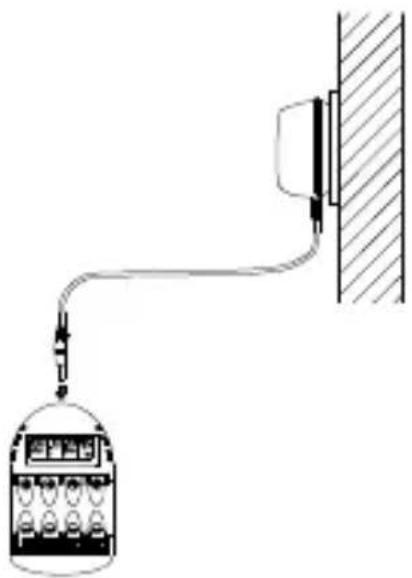
After the transformer has been plugged to the power source, user should insert a rechargeable battery into the charging unit and plug the DC jack into the battery charger. Shortly afterwards, the battery voltage (for example, "1.38V") will display. Then the "Charge" sign will show on LCD within 5 seconds, indicating that the charging process with around 250mA is going to start.
During charging, terminal voltage (in V) (figure 3) and percentage (in %) (figure 4) are the two items that will alternate to show on the LCD.
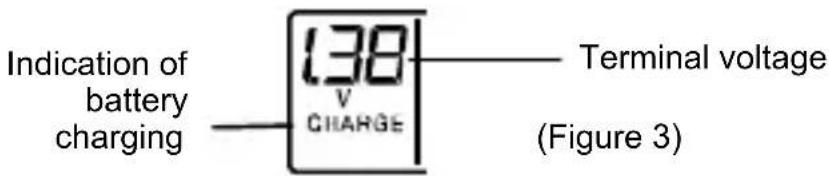
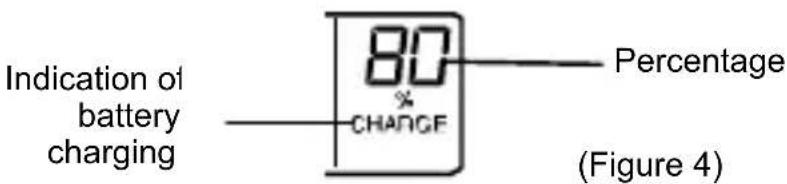
After the rechargeable battery is fully charged, "Full" sign (figure 5) will show on the display and the user may take them out at this time. Or if the rechargeable batteries are kept placing at the compartments, trickle charging will start. The trickle charging current is around 10% duty cycle of the charging current to keep the rechargeable batteries full.
Note :
- The charging current of the rechargeable batteries depends on battery condition. It cannot be selected by the user.
-
In case the power source terminates, the charger will reset. Once the power source is back to normal, the batteries will be taken as newly installed batteries in the charger.
-
For proper reset, unplug the DC jack and wait for 5 seconds before plugging it into the charger.
CARE AND MAINTENANCE:
- Extreme temperatures, vibration and shock should be avoided as these may cause the damage to the unit
- When cleaning the displays and casings, use a soft damp cloth only. Do not wet the exposed metal part of the charging unit. Do not use solvents or scouring agents as they may mark the LCD and casing.
- Do not spill water to the charging unit.
- Do not make any repair attempt to the units. Take it back to its original point of purchase for repair by a qualified engineer. Opening and tampering with the units may invalidate its guarantee.
- Do not expose the unit to extreme and sudden temperature changes. This may lead to the damage to the electronic parts of the unit.
SPECIFICATIONS:
Input voltage for AC/DC adapter : 230V AC 50Hz Charging current : around 250mA (for each battery)
Max charging capacity
(capacity of rechargeable batteries): 2600mAh
- The manufacturer and supplier will not accept any responsibility on the improper or incorrect use that makes any consequence occur.
- Any performance of repairs or alternations by any person other than the original supplier will invalidate the warranty.
- This product is designed to be used only by people who have read and understood this instruction manual.
- The specifications of this product may be subject to change without any prior notice.
This product is not a toy. Keep the children from it. - User cannot reproduce any part of this manual without the written consent of the manufacturer.
CAUTION - SAFETY INSTRUCTIONS :
Attention of users should be drawn to the following important safety instructions:
- As stated in the manual above, only use NiCd or NiMH rechargeable batteries.
- The unit is for indoor use only. Do not expose it to humidity. Do not place it in water or submit it to rain and/or snow. Do not store or use it near an extreme heat. Keep batteries away from the fire.
- Do not use any accessory not supplied with the charger. The user should never use any power cable and transformer other than those originally supplied with the charging unit.
- Disconnect the AC/DC adapter when the unit is not in use.
- Do not operate the charger if it has received a blow or has been subject to any damage.
- Do not use the Battery charger for other purposes than the Only one originally forecasted.
- Do not open or/and disassemble the charger: such handling may result in the risk of electric shock or fire.
- User can reset the function of the product that is subject to the electrostatic discharge disturbance and surge. Please follow the instruction described in this manual to reset the function for normal operation.
Use the product only for its intended purpose!
CHARGEUR


Brand : TECHNOLINE
Model : BC 250
Category : Battery charger