
EXP311 - Portable CD player PHILIPS - Free user manual and instructions
Find the device manual for free EXP311 PHILIPS in PDF.


User questions about EXP311 PHILIPS
0 question about this device. Answer the ones you know or ask your own.
Ask a new question about this device
Download the instructions for your Portable CD player in PDF format for free! Find your manual EXP311 - PHILIPS and take your electronic device back in hand. On this page are published all the documents necessary for the use of your device. EXP311 by PHILIPS.
USER MANUAL EXP311 PHILIPS
Environmental information 9
MP3 music files 10-11
Power supply
Batteries 12
Mains adapter 13
Headphones 13
Basic functions
Playing a disc 14
Pause 15
Volume and sound 15
Selecting and searching on all discs 16
Selecting albums and tracks on MP3-CDs 17
Features
Track and album information 18
Beep 18
Programming track numbers 19
Clearing the programme 19
Playing tracks repeatedly or in random order - MODE 20
Storing the last position played - RESUME 21
Locking all buttons - HOLD 21
ESP and powersaving 22
Accessories
Belt clip 22
In-car connections (supplied or optionally available) 23
Troubleshooting 24-25
1□
2
3
4 HOLD OFF
5 PLAY II
6 VOL
!!
This set complies with the radio interference requirements of the European Community.
① OPEN
opens the CD lid
② VOL
adjusts the volume
③
switches the set on, starts playback and interrupts playback
④ ESP
Electronic Skip Protection prevents music interruptions caused by shocks or vibrations
⑤ DBB
Dynamical Bass Boost, selects the bass enhancement
(6)
skips forward and searches forward
⑦ +
MP3-CD only: selects the next album or skips forward
⑧ DISPLAY
selects the track and album information for MP3-CDs
⑨ display
10
MP3-CD only: selects the previous album or skips backward
11
skips backward and searches backward
⑫ OFF·RESUME·HOLD
OFF switches RESUME and HOLD off
RESUME stores the last position played
HOLD locks all buttons
13
stops playback, clears a programme and switches the set off
14 PROGRAM
programs tracks and lets youreview the programme
15 MODE
selects playback options such as SHUFFLE and REPEAT
LINEOUT/
3.5 mm line out socket to connect
the headphones
- this set to the audio input of your stereo equipment
⑦ 4.5VD C
to connect the mains adapter (supplied or optionally available)
18 battery compartment
19 type plate
② belt clip hole
CAUTION
Use of controls or adjustments or performance of procedures other than herein may result in hazardous radiation exposure or other unsafe operation.
Maintenance
Do not touch the lens of the set.
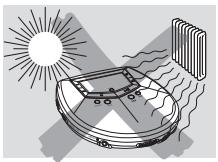
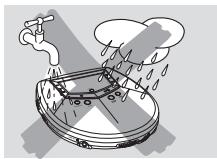
Do not expose the set, batteries or discs to humidity, rain, sand or excessive heat (caused by heating equipment or direct sunlight).
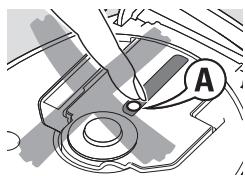
The lens may cloud over when the set is suddenly moved from cold to warm
surroundings. Playing is not possible then. Leave the set in a warm environment until the moisture evaporates.
Active mobile phones in the vicinity of this set may cause malfunctions.
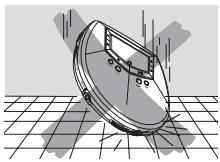
Avoid dropping the set; this may cause damage.
Clean the set with a soft, slightly dampened lint-free cloth. Do not use any cleaning agents; they may have a corrosive effect.
To clean a disc, wipe it in a straight line from the centre towards the edge using a soft, lint-free cloth. Cleaning agents may damage the disc.
Environmental information
All redundant packing material has been omitted. We have done our utmost to make the packaging easily separable into three mono materials: cardboard (box), polystyrene foam (buffer) and polyethylene (bags, protective foam sheet).
Your set consists of materials which can be recycled if disassembled by a specialized company. Please observe the local regulations regarding the disposal of packing materials, exhausted batteries and old equipment.
MP3 music files
The music compression technology MP3 (MPEG 1 Audio Layer 3) reduces the digital data of an audio CD significantly while maintaining CD-like sound quality. With MP3 you can record up to 10 hours of CD-like music on a single CD-ROM.
How to get music files
Either download legal music files from the internet to your computer hard disc or create them from your own audio CDs. For this, insert an audio CD into your computer's CD-ROM drive and convert the music using an appropriate encoder software. To achieve a good sound quality, a bit rate of 128 kbps or higher is recommended for MP3 music files.
How to organize music files
In order to easily handle the large number of music files on a CD-ROM, you can organize them in folders ("albums").
The tracks of an album will be played in alphabetical order. If you want to arrange them in a certain order, let the file names start with numbers. For example:
001-ONEWORLD.MP3
002-FIRESTARTER.MP3
003-DEEP.MP3
Albums will be arranged in alphabetical order, but sub folders (albums within another album) will be played immediately after the album in which they are located. Albums without MP3 files will be skipped.
If there are MP3 files which you did not put into an album, you will find them in the album VARIUS with album number 0. VARIUS is the first album that will be played.
When playing a disc with CD Audio tracks and MP3 files, the CD Audio tracks will be played first.
How to make a CD-ROM with MP3 files
Use your computer's CD burner to record ("burn") the music files from your hard disc on a CD-ROM. Use either ISO 9660 disc format or UDF. Some CD burner software like e.g. "DirectCD" support the UDF format.
Make sure that the file names of the MP3 files end with .mp3.
Supported formats
This set supports:
- Disc format: ISO 9660, Joliet, Multisession, UDF, Enhanced Music CD, Mixed Mode CD
- MP3 bit rate: 32-320 kbps and variable bit rate
Total number of music files and albums: around 350 (with a typical file name length of 20 characters)
Note:The number of music files that can be played depends on the length of the file names. With short file names more files will be supported.
All trademarks used are owned by their respective owners.
Batteries (supplied or optionally available)
Inserting batteries
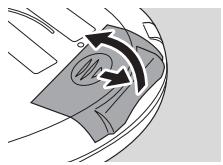
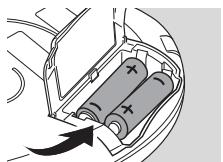
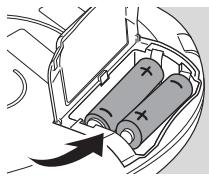
Open the battery compartment and insert 2 alkaline batteries of type AA (LR6, UM3).
Do not mix old and new or different types of batteries.
Indication of empty batteries
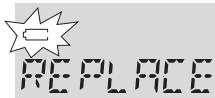
- Replace the batteries or connect the mains adapter as soon as blinks and REPLACE BATTERIES is scrolled.
Remove batteries if they are empty or if the set will not be used for a long time.
Batteries contain chemical substances, so they should be disposed of properly.
Average playing time of 2 alkaline batteries under normal conditions:
| Audio disc | MP3-CD | |
| ESP on | 11 hours | 11 hours |
| ESP and powersaving on | 15 hours | 23 hours |
Mains adapter (supplied or optionally available)
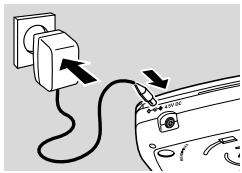
Use only the AY 3170 mains adapter (4.5 V/300 mA direct current, positive pole to the centre pin). Any other product may damage the set.
1 Make sure the local voltage corresponds to the adapter's voltage.
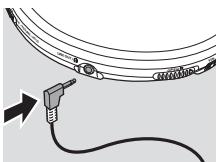
2 Connect the mains adapter to 4.5V DC on the set and to the wall socket.
Note: Always disconnect the adapter if you are not using it.
Headphones (SBC HE 205)
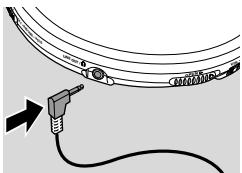
- Connect the supplied headphones to LINE OUT/Ω.
Note: LINE OUT/ can also be used for connecting this set to your HiFi system. Set VOL on this set to position 8 and adjust volume and sound with your HiFi system.
Use your head when using headphones
Hearing safety
Do not play your headphones at a high volume. Hearing experts advise that continuous use at high volume can permanently damage your hearing.
Traffic safety
Do not use headphones while driving a vehicle. It may create a hazard and it is illegal in many countries. Even if your headphones are an open-air type designed to let you hear outside sounds, do not turn up the volume so high that you cannot hear what is going on around you.
Playing a disc
With this set you can play
audio discs (pre-recorded audio CDs, finalized audio CDRs and CDRWs)
- MP3-CDs (CD-ROMs with MP3 files)
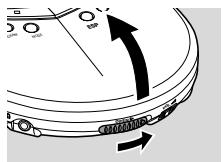
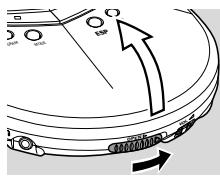
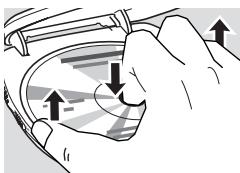
1 Push the OPEN▶ slider to open the CD lid.
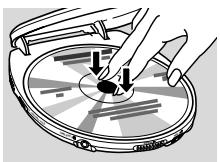
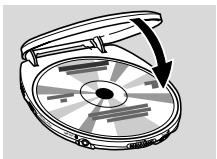
2 Insert a disc, printed side up, by pressing gently on the disc's centre so that it fits onto the hub. Close the lid by pressing it down.
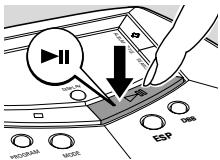
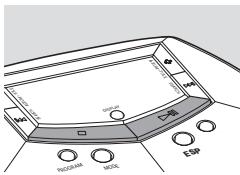
3 Press to start playback.
RERI [ ] is displayed. Playback starts.
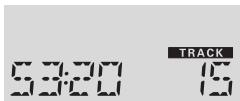
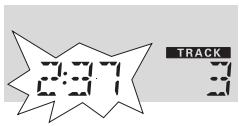
Audio disc:The current track number and the elapsed playing time are displayed.
MP3-CD:The filename is scrolled once.
4 To stop playback, press ■.
Audio disc:The number of tracks and the total playing time of the disc are displayed.
MP3-CD:The number of albums and the number of tracks are displayed.
5 To remove the disc, hold it by its edge and press the hub gently while lifting the disc.
Notes:
After pressing it may take some time until the first MP3 track is played.
The display switches off 20 seconds after pressing. After 90 seconds the set switches off automatically.
Pause
1 Press to interrupt playback.
The elapsed playing time blinks.
2 To resume playback press II again.
Volume and sound
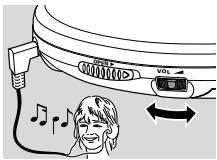
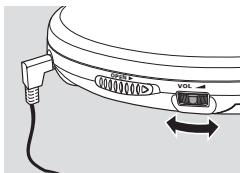
Volume adjustment
Adjust the volume by using VOL
Sound adjustment
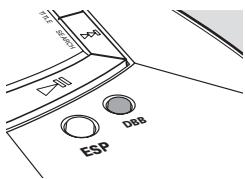
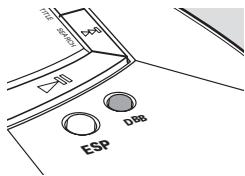
1 Press DBB for a moderate bass enhancement.
DBB appears and 1 is displayed.
2 Press DBB again for a strong bass
enhancement.
DBB appears and 2 is displayed.
3 Press DBB again to switch the bass
enhancement off.
DBB disappears and DBB DFF is displayed.
DBB
133
Selecting and searching on all discs
Selecting a track during playback
- Briefly press or once or several times to skip to the beginning of the current, previous or subsequent track.
Playback continues with the selected track.
Searching for a passage during playback
1 Keep or pressed to find a particular passage in backward or forward direction.
Searching starts and playback continues at a low volume.
2 Release the button at the desired passage.
Normal playback continues.
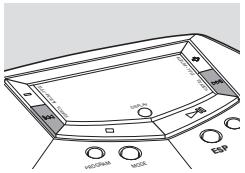
Note: During SHUFFLE ALBUM, SHUFFLE ALL, REPEAT SHUFFLE ALBUM, REPEAT SHUFFLE ALL, REPEAT, REPEAT ALBUM or while playing a programme, searching is only possible within the current track.
Selecting albums and tracks on MP3-CDs
Selecting an album during playback
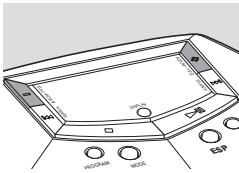
- Briefly press - or + once or several times to skip to the first track of the current, previous or subsequent album.
The first track of the selected album is played.
Selecting a track during playback
1 Keep - or + pressed to skip quickly to previous or subsequent MP3 tracks.
Skipping starts and speeds up after 5 seconds.
2 Release the button at the desired track.
Playback continues with the selected track.
Note: To skip from track to track at low speed, use or
Track and album information (for MP3 tracks only)
-
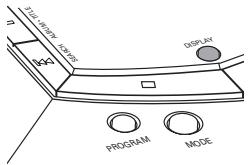
Press DISPLAY repeatedly during playback to select the following track information:
-
the track number and the elapsed playing time,
- ALBUM: the album's folder name,
- ARTIST: the artist's name (if this ID3 tag information is available),
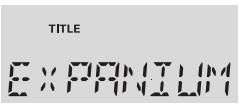
- TITLE: the track's title (if this ID3 tag information is available),
- FILENAME: the track's file name.
Note: The ID3 tag is part of an MP3 file and contains various track information such as the track's title or the artist's name. Complete the ID3 tag information with your MP3 encoder software before burning the MP3-CD.
Beep
A beep confirms that you have pressed a button or that the batteries are empty.
- Keep DBB pressed for 2 seconds to switch beep either on or off:
BEEP is displayed: Beep is switched on.
NO BEEP is displayed: Beep is switched off.
NEE
Programming track numbers
You can select up to 50 tracks and store them in the memory in a desired sequence. You can store any track more than once.
1 Select a track with i- or +.
2 Press PROGRAM to store the track.
PROGRAM appears and with the number of stored tracks is displayed.
3 Select and store all desired tracks in this way.
4 If necessary press to stop normal playback. Press to start playback of the programme.
To add additional tracks to the programme, stop playback of the programme by pressing and continue with step 1.
To review the programme, keep PROGRAM pressed for more than 3 seconds.
All stored tracks are displayed in sequence.
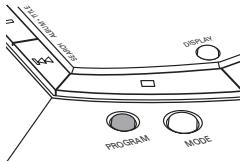

PROGRAM

TRACK
Clearing the programme
1 If necessary press to stop playback.
2 Press to clear the programme.
→PROGRAM [CLEAR] is scrolled, PROGRAM
disappears and the programme is cleared.
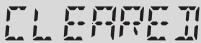
PROGRAM
Notes:
The programme will also be cleared if you interrupt the power supply or open the CD lid or if the set switches off automatically.
After storing 50 tracks, PROGRAM FULL is scrolled.
Playing tracks repeatedly or in random order - MODE
1 Press MODE repeatedly during playback to select either:
- SHUFFLE ALBUM (with MP3-CDs only): All tracks of the current album are played in random order once.
- SHUFFLE ALL: All tracks of the disc are played in random order once.
- REPEAT SHUFFLE ALBUM (with MP3-CDs only): All tracks of the current album are played repeatedly in random order.
- REPEAT SHUFFLE ALL: All tracks of the disc are played repeatedly in random order.
- REPEAT:The current track is played repeatedly.
- REPEAT ALBUM (with MP3-CDs only): All tracks of the current album are played repeatedly.
- REPEAT ALL: The entire disc is played repeatedly.
Playback starts in the selected mode after 2 seconds.
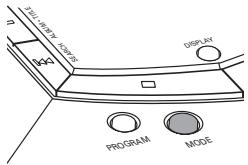
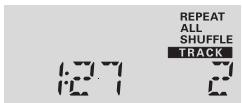
2 To return to normal playback, press MODE repeatedly until REPEAT and SHUFFLE disappear.
Note: While playing a programme, you can select either SHUFFLE PROGRAM, SHUFFLE REPEAT PROGRAM or REPEAT PROGRAM.
Storing the last position played - RESUME
You can store the last position played. When restarting, playback will continue from where you have stopped.
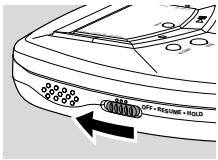
1 Switch the slider to RESUME during playback to activate RESUME.
RESUME appears.
2 Press whenever you want to stop playback.
3 Press to resume playback.
Playback continues from where you have stopped.
To deactivate RESUME, switch the slider to OFF.
RESUME disappears.
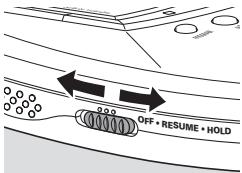

RESUME
Locking all buttons - HOLD
You can lock all buttons of the set. When you press any key, no action will take place.
- Switch the slider to HOLD to activate HOLD.
RESUME appears and HOL is displayed. All buttons are locked. When pressing any key, HOL is displayed.
To deactivate HOLD, switch the slider to OFF.
RESUME disappears.
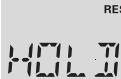
ESP and powersaving
With a conventional portable disc player the music may skip or stop if the player is shaken or jarred. The Electronic Skip Protection protects this set against loss of sound caused by light vibrations or shocks. Continuous playback is ensured. ESP does not protect the set against damage caused by dropping! Powersaving increases the battery playing time.
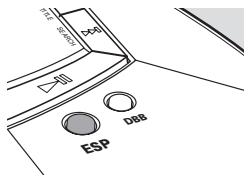
- Press ESP repeatedly during playback to switch ESP and powersaving on or off:
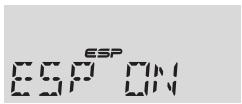
ESP ON: ESP appears and ESP is switched on.
ESP OFF: ESP disappears. ESP is switched off to achieve the highest sound quality for CD Audio tracks.
POWERSAVING: ESP+LP appears. ESP and powersaving are switched on. The battery playing time is increased and the skip protection time slightly decreased.
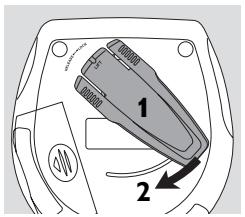
Belt clip
1 Align the belt clip as indicated in the illustration and press on the clip to insert its shaped pin into the hole in the set.
2 Turn the clip clockwise as indicated to lock the belt clip to the set.
To detach, gently lift the belt clip where LIFT is indicated and turn it counter-clockwise.
In-car connections (supplied or optionally available)
Use only the AY 3545 or AY 3548 car voltage converter (4.5 V DC, positive pole to the centre pin) and the AY 3501 car adapter cassette. Any other product may damage the set.
1 Put the set on a horizontal, vibration-free and stable surface. Make sure it is in a safe place, where the set is neither a danger nor an obstacle to the driver and the passengers.
2 Plug the voltage converter into the cigarette lighter socket (only for a 12V car battery, negative grounding), then connect the wired end with the 4.5V DC input socket on the set.
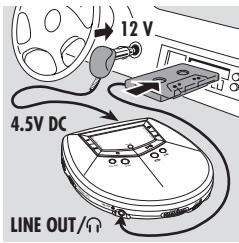
3 If necessary, clean the cigarette lighter socket to obtain a good electrical contact.
4 Turn down the volume and connect the adapter cassette plug to LINE OUT/ on the set.
5 Carefully insert the adapter cassette into the car radio's cassette compartment.
6 Make sure the cord does not hinder your driving.
7 Set VOL on the set to position 8. Start playback on the set and adjust the sound with the car radio controls.
Always remove the voltage converter from the cigarette lighter socket when the set is not in use.
Note: If your car radio has a LINE IN socket, it is better to connect the set to this socket instead of using the adapter cassette. Connect LINE OUT/Ω of the set with the LINE IN socket of your car radio with an appropriate cable.
WARNING
Under no circumstances should you try to repair the set yourself as this will invalidate the guarantee.
If a fault occurs, first check the points listed, before taking the set for repair. If you are unable to solve a problem by following these hints, consult your dealer or service centre.
| Problem | Solution |
| No power, playback does not start | - Insert the batteries correctly. - Replace the batteries. - Connect the mains adapter securely. |
| HOLD indication and/or no reaction to controls | - Deactivate HOLD. - Disconnect the set from the power supply or take out the batteries for a few seconds. |
| No sound or bad sound quality | - Press▶II to resume playback. - Adjust the volume. - Check and clean the connections. - Keep this set away from active mobile phones or strong magnetic fields. |
| INSERT CD or NO AUDIO FILE indication | - Insert a disc, label upwards. - Clean or replace the disc. - Wait until the steamed up lens has cleared. - Make sure you have inserted an audio disc or an MP3-CD. |
| UNFINALIZED CD indication | - Make sure the inserted CDR or CDRW is finalized. |
| Music file is not played | - Make sure that the file names of the MP3 files end with .mp3 |
| Missing directories on MP3-CD | - Make sure the total number of files and albums on your MP3-CD does not exceed 350. - Only albums with MP3 files are shown. |
| The disc skips tracks | - Clean or replace the disc. - Make sure REPEAT, SHUFFLE and PROGRAM are not selected. |
| Music skips or popping sound when playing an MP3 file | - Play the music file on your computer. If the problem persists, encode the audio track again and make a new CD-ROM. |
| Music is interrupted and DFP5 indication | - Switch ESP on. |
| In-car use: No power, playback does not start | - Clean the cigarette lighter socket. - Switch on the ignition of your car. |
| In-car use: No sound or bad sound quality | - Insert the adapter cassette correctly. - Change the autoreverse direction of your car cassette player. - Let the set adjust to the temperature in the car. |
Table des matieres
Mise en service rapide 27
Commandes 28
Informations generales
Entretien 29
CLASS 1 LASER PRODUCT
3103 306 1885.1

VieChr0216