HS7334 - Mp3 player Hipstreet - Free user manual and instructions
Find the device manual for free HS7334 Hipstreet in PDF.


Frequently Asked Questions - HS7334 Hipstreet
User questions about HS7334 Hipstreet
0 question about this device. Answer the ones you know or ask your own.
Ask a new question about this device
Download the instructions for your Mp3 player in PDF format for free! Find your manual HS7334 - Hipstreet and take your electronic device back in hand. On this page are published all the documents necessary for the use of your device. HS7334 by Hipstreet.
USER MANUAL HS7334 Hipstreet
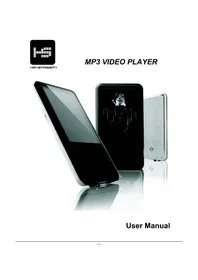
Thank you for purchasing the Hip Street MP3 Video Player and we hope you enjoy using it.
Please visit our website at www. hipstreetonline.com . We have a Frequently Asked Questions (FAQ) section where you will find answers to most of your questions. If you do not find an answer there, please use the option to contact our technical support department or kindly send us an email detailing your question and we will get back to you promptly.
Note:
The display screen pictures contained in this Guide are used only for indication purpose. Actual display pictures may vary.
Preface
Kindly read and retain all the operating instructions before operating the unit. We cannot assume any liability that may arise out of improper operation or incidental/accidental damages.
The contents of this user manual are subject to change based on newer developments.
Note:
1.Do not use the unit in places that are extremely hot, cold, dusty, or humid.
-
The battery life will differ with different usage conditions and modes.
-
Please charge the unit when any of the following cases occur.
A. The battery indicator informs of a low battery.
B. The player turns off automatically, and turns off again after rebooting.
C. The keys become inactive.
- Do not disconnect the player while it is formatting or uploading/downloading. This may lead to errors.
- The player is charged while connected with PC via USB / AC adaptor, regardless if it is powered on or not.
- Do not disassemble. Please contact our support center if you need service.
- Specifications are subject to change and improvement without notice.
- Avoid water or foreign objects falling on this player.
IMPORTANT:
If you need basic help with this product to load songs/photos onto this player, please visit our website at www. hipstreetonline.com or review the Interactive Product Tutorial (IPT) located on the CD that accompanied this product.
You must have songs in .mp3 or .wma file format on your computer to be able to load them onto this player.
You must have photos in .jpg or .bmp file format on your computer to be able to load them onto this player.
For Video files and e-book function, please read through this manual and it will itemize a step by step process on how this is done. Again, for all help please refer to either the Interactive Product Tutorial (IPT) or contact us at support@hipstreetonline.com.
CONTENT
CHAPTER 1 (UNP INTRODUCTION)
CHAPTER 2CHPANNNNNSDELAY.MUSIC. 6
CHAPTER BAPPIBARY VASEO FILESILES 9
CHAPTER 4CHRIOOBBOWSSRR 10
CHAPTER 5CHABOK5. 11
CHAPTER 6CHANGHONGCHONG
CHAPTER 7CH8H2.7. 15
CHAPTER 8CHURBBERBEFORE
1.TROUBLE-SHOOTING. 17
2. SPECIFICATIONS. 18
Chapter Chapter
Unit IntroductionUnit Introduction
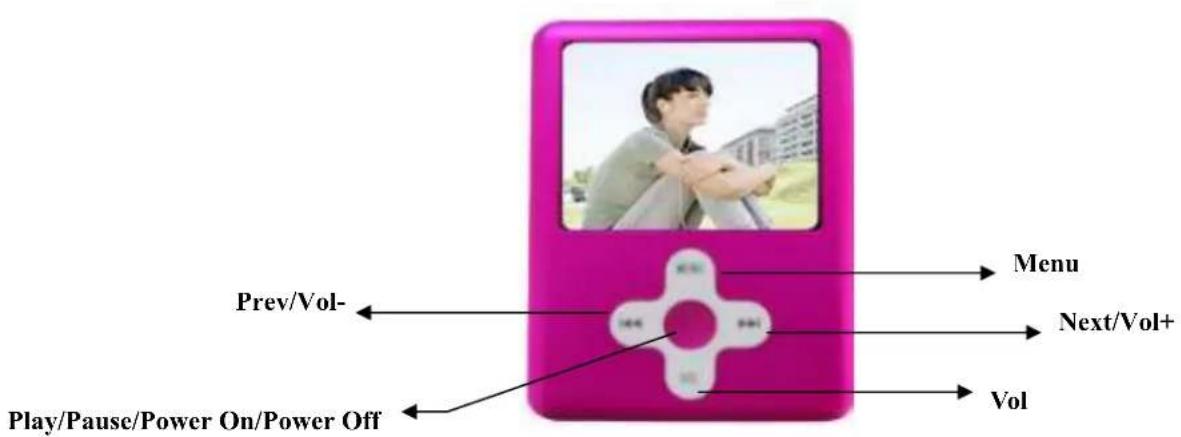
When the battery is fully charged, slide the master power switch to the "ON" position located on the bottom of the unit and the player will be turned on automatically. Press [ ] / [ ] button to choose the previous or next menu option Press the Menu button to enter the selected function mode.
Note: Once the master power switch is turned on, you can press and hold the power button in the middle of the control to turn on and off the unit.
Chapter 2 Chapter 2
Play MusicPlay Music
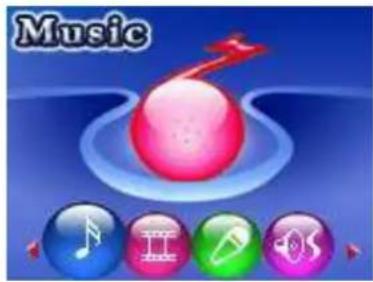
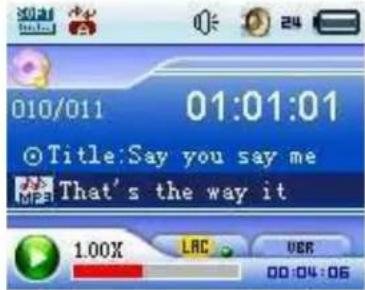
Select the "Music" mode from the main menu, then press the [MENU] button access to the relative playback interface. To return to the main menu, press and hold the [MENU] button and it will return to the main menu.
Previous/ Next
When music is in play, press [ ]/ [ ] button moves to the previous/ next song.
Play/Pause
When music is in play, press [▶] button to pause music, press it again to continue playing.
Volume control
When music in play, press the [VOL] button and the volume icon [ ] will turn to red. Press [ ] [ ] [ ] button to turn the volume up and down.
Lyric Synchronization
This player supports **.LRC" files and synchronizes lyrics on the display. Make sure to keep the lyric file name the same as the song name, and save both lyric file and music file under the same directory.
Fast-forward / Rewind
When the music in play, press and hold the [ ] / [ ] button for fast-forward and rewind.
Playback setting submenu
When the music in play, press the [MENU] button to enter the playback setting submenu. After setting, press the [MENU] button to confirm, and short press [▶] button goes to the upward menu.
1. Repeat mode
In the playback setting submenu, press the [ ] button to choose the "Repeat" mode and press the [MENU] button. Here, 7 repeat modes are available for your choice: Normal, Repeat one,
Repeat all , Random all Folder , Repeat folder , Random in folder . Press the [ ]
button to select your desired setting.
2. EQ (Equalizer)
In the playback setting submenu, press the [ ] button to choose the "EQ" mode and press the [MENU] button. Here you can choose your favorite equalizer options from: Normal, Pop, Rock, Classical, Jazz, and Bass. Press the [ ] button to select your desired setting.
3. Play Rate
In the playback setting submenu, press the [ ] button to choose the "Play Rate" mode and
you can select the desired play rate (1.00×, 1.14×, 1.33×, 0.67×, 0.80×).Press the [▶II] button to select
your desired setting. There will be a corresponding icon displayed on the interface, for example: 1.00X.
4. File Browser
In the playback setting submenu, press the [1] / [2] button to choose the "File" mode and you can browse all audio files. Once a song is selected from the audio file list, press the [MENU] button to start playing desired song or press the button to return to the upward directory. When in the audio file browser mode, press the [VOL] button to enter the "Add to list"/ "Delete" interface. If you choose "Add to list", it will add this song to My list. Select "Delete" and it will delete the selected song.
5. Classification Browsing
You can also select files according to the classification: Gene, artist, album, and title. As above, press the [I] button to enter this mode and make your selection by pressing the [MENU] button.
6. Playlist Browser
User can set the playlist browser as you like. This player supports: My List, M3U, WPL and PLA.
Chapter Chapter
Play Video Files Play Video Files
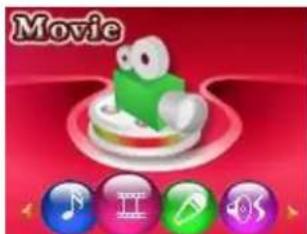
Select the "Video" option from the main menu, press [MENU] button to display the video list, press the [▶] button and it will exit from the current interface.
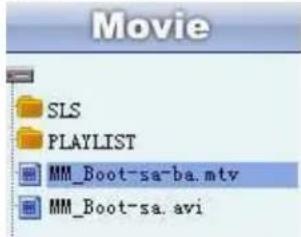
In the video list, press the [MENU] button and it will play the selected video file.
Fast-forward/ Rewind: Press and hold the [ ]/ button for fast-forward or rewind, press the [ ]/ button to move to the previous or next video.
Play/ Pause: Press the [▶II] button to start playing the selected video file.
Volume control: Press the [VOL] button, then press the [I] button to turn the volume up and down.
While playing video files, press the [Menu] button to set the repeat mode.
In the video playing list, press the [ ] button to return to the main menu.
Note: Please use the conversion software provided on the Driver CD to convert your video files to the .mtv format. This player will only play videos in this format.
When converting, the recommended resolution is 160 × 128 . This can be set via the Advanced Settings tab in the conversion software provided.
Chapter 4 Chapter
From the main menu, select the "Photo" mode from the main menu and press the [MENU] button.
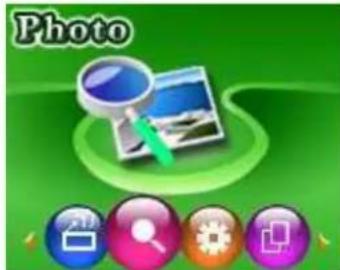
In the thumbnail screen, press the [MENU] button to view the photo. Press the / button for the previous or next photo. In the thumbnail screen, press the [ ] button to exit the photo mode. While in photo playback, press the [ ] button to return to the thumbnail screen. Press and hold the [Menu] button to return to the main menu interface.
Chapter 6 chapter
e-Book Book

In the main menu, select the "e-Book" mode by pressing the [MENU] button. When an e-Book file is selected, press the [MENU] button to start eBook reading. Press the [I] / [B] button to scroll up and down. Press the [B] button to return to the eBook list interface. Press and hold the [Menu] button and it will return to the main menu.
Chapter 6 chapter
Voice RecorderVoice Recorder
Record
In the main menu, select the "Record" mode by pressing the [MENU] button.
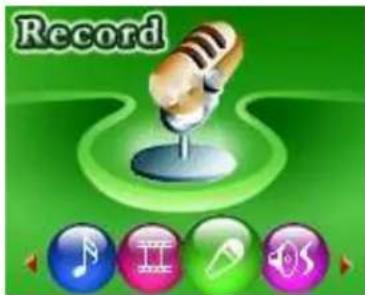
Press the [MENU] button again to start voice recording in WAV format (as shown in below image). Press the [▶II] button to pause the recording. Press and hold the [Menu] button to save the recorded file and return to the recording interface.

During the process of recording, short press [button will pause/ start recording, long press [Menu] button to save the recorded file and return to the playing interface.
-Playback
In the main menu, select the "Playback" mode by pressing the [MENU] button.
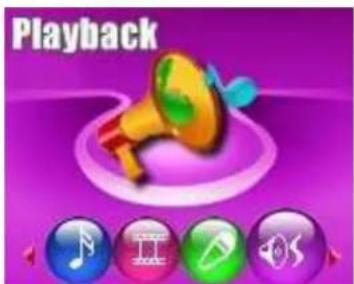
In playback mode interface, press the [▶] button to start playing the voice recorded files. Press the [Menu] button to display the submenu. Press and hold the [Menu] button to return to the main menu.
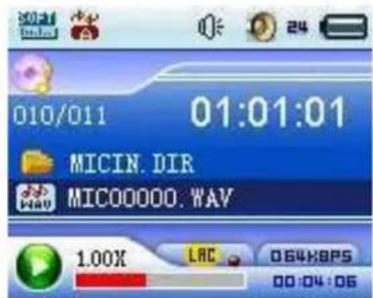
Previous/Next Recording
In the playback interface, press the [ ] / [ ] button to select the previous/ next recording.
Volume control
In the playback interface, press the [VOL] button and the volume icon [ ] will turn to red. Press the [ ] [ ] button to turn the volume up and down.
Fast-forward/ Rewind
In the playback interface, press and hold [ ] / [ ] button to fast-forward or rewind.
Playback Setting Submenu
When the recording is in play, press the [MENU] button to enter the playing setting submenu, after finish setting, press [MENU] button to confirm, and short press [▶] button goes to the upward menu.
1. Repeat mode
In the playback setting submenu, press the [ ] / [ ] button to choose the "Repeat" mode and press the [MENU] button. Here, 7 repeat modes are available for your choice: Normal, Repeat one,
Repeat all , Random all Folder , Repeat folder , Random in folder . Press the [] button to select your desired setting.
2. EQ (Equalizer)
In the playback setting submenu, press the [ ] button to choose the "EQ" mode and press the [MENU] button. Here you can choose your favorite equalizer options from: Natural, Pop, Rock, Classical, Jazz, and Bass. Press the [ ] button to select your desired setting.
3. File Browser
In the playback setting submenu, press the [I] button to choose the "File" mode and you can browse all audio files. Once a recording is selected from the audio file list, press the [MENU] button to start playing desired song or press the button to return to the upward directory.
Chapter 7Chapter 7
Setup Setup
In the main menu, select the "Setup" mode by pressing the [MENU] button.
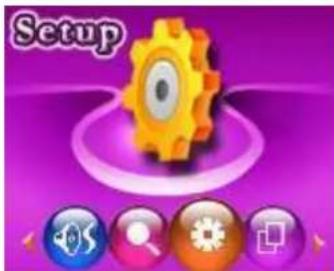
In the Setup mode, select the option desired by pressing the [MENU] button.
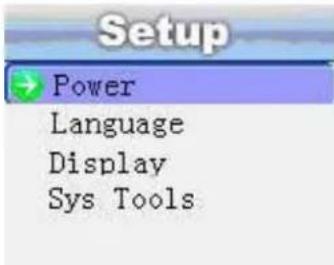
- Power: You can set the length of inactivity time in minutes before the player automatically turns off. In the state of play, it can be set at 15 minutes, 30 minutes, 60 minutes, 90 minutes and 120 minutes, or you can choose "Disable". Choosing "Disable" will not automatically turn off, however, in standby mode, the player will
turn off automatically after 120 minutes of inactivity time.
- Language: You can set the language to your preference. Currently the player supports 10 languages, which includes: English, French, German, Italian, Spanish, Portuguese, Polish, Russian, Simplified Chinese, and Traditional Chinese.
- Display: Set the screen brightness and the delay the time of backlight is on.
- Sys Tools: (System Tools) Under this submenu, you can format, reset, and view the system Info. If you choose "System Info", you can see the player's memory size and firmware version.
Chapter 6 chapter
UserReferenceReference
1. Trouble-shooting
| The player will not start | Please make sure the master power switch is turned on. |
| No sound heard from theearphone | Please make sure the volume is not set at 0 andearphone connection is securely in place.Ensure the earphone plug is clean Check whether the music file is corrupted or not, sincocorrupted music files will not be able to play properly.Ensure the music files are in the correct format. |
| Unrecognizable codes onthe display screen | Make sure you choose the right language. |
| Cannot download files | Check whether the USB cable is damaged, and securethe connection between the player and PC.Check whether the driver is installed properly.Ensure there is sufficient memory space. |
| The player's real capacityis less than the labeledcapacity | This is due to the player's internal software whichoccupies a little memory space on the player. |
2. Specifications
| Display screen 1.8" (128 x160) color display screen | ||
| USB specification USB2.0 | ||
| Memory Flash: 2GB~4GB (Depending on model) | ||
| Power Source | Approximate length: Music 8 hours , Movies 4 hours | |
| Record | Sampling rate 8KHz | |
| Record format WAV | ||
| MP3, WMA | Headphone maximum output (L) 10mW + (R) 10mW (32Ohm) | |
| MP3 bit rate 8K bps - 320K bps | ||
| WMA bit rate 64Kbps-384Kbps bps | ||
| Frequency response 20Hz | ||
| SNR 60dB | ||
| Distortion rate | <0.1%> | |
| Music format MP3, WAV | ||
| Video format | MTV | |
| Support E-BOOK format | TXT | |
| Image format | JPEG/BMP | |
| Language | English, French, German, Italian, Spanish, Portuguese, Polish, Russian, Simplified Chinese, and Traditional Chinese | |
| Support operating system | Windows98SE/ME/2000/XP/Vista MAC10.x | |

HIP STREET®