KeyCover K39785 - Keyboard KENSINGTON - Free user manual and instructions

Find the device manual for free KeyCover K39785 KENSINGTON in PDF.

📄 79 pages English EN 💬 AI Question ⚙️ Specs
Notice KENSINGTON KeyCover K39785 - page 3
SKIP

Frequently Asked Questions - KeyCover K39785 KENSINGTON

User questions about KeyCover K39785 KENSINGTON

0 question about this device. Answer the ones you know or ask your own.

Ask a new question about this device

L'email reste privé : il sert seulement à vous prévenir si quelqu'un répond à votre question.

No questions yet. Be the first to ask one.

Download the instructions for your Keyboard in PDF format for free! Find your manual KeyCover K39785 - KENSINGTON and take your electronic device back in hand. On this page are published all the documents necessary for the use of your device. KeyCover K39785 by KENSINGTON.

USER MANUAL KeyCover K39785 KENSINGTON

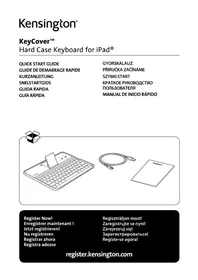
Hard Case Keyboard for iPad®

QUICK START GUIDE

GUIDE DE DEMARRAGE RAPIDE

KURZANLEITUNG

SNELSTARTGIDS

GUIDA RAPIDA

GUIA RAPIDA

GYORSKALAUZ

PRÍRUČKA ZACÍNÁME

SZYBKI START

KPATKOEPYKOBOIDCTBO

ПОЛьЗOBATEЛЯ

MANUAL DE INICIO RAPIDO

KENSINGTON KeyCover K39785 - 1

KENSINGTON KeyCover K39785 - 2

KENSINGTON KeyCover K39785 - 3

Register Now!

Enregisterr maintainant!

A KeyCover™ Hard Case Keyboard for iPad®
B Charging Cable
C Warranty Card
D Stand Release Switch
E Stand
F Bluetooth® Connection Button
G Status Indicator Light
H Charging Indicator Light
I On/Off Switch
J MicroUSB Charging Connector

Connect the Keyboard to Your iPad

1 Push the Stand Release Switch up to pop up the stand.

KENSINGTON KeyCover K39785 - Connect the Keyboard to Your iPad - 1

2 Place the iPad in the groove on the keyboard.

KENSINGTON KeyCover K39785 - Connect the Keyboard to Your iPad - 2

KENSINGTON KeyCover K39785 - Connect the Keyboard to Your iPad - 3

3 Turn the On/Off Switch on. The Status Indicator Light glows for 5 seconds.

KENSINGTON KeyCover K39785 - Connect the Keyboard to Your iPad - 4

4 On the Keyboard, press the Connect Button. The Status Indicator Light starts blinking.

KENSINGTON KeyCover K39785 - Connect the Keyboard to Your iPad - 5

5 On your iPad, tap Settings.

KENSINGTON KeyCover K39785 - Connect the Keyboard to Your iPad - 6

6 Open Bluetooth and make sure Bluetooth is on.

KENSINGTON KeyCover K39785 - Connect the Keyboard to Your iPad - 7

7 The Keyboard now appears on your iPad screen. Tap Bluetooth Wireless Keyboard.

KENSINGTON KeyCover K39785 - Connect the Keyboard to Your iPad - 8

8 Your iPad screen displays a passkey. Enter the passkey on the Keyboard, and press Enter.
9 Your iPad screen shows the Keyboard as Connected. On the Keyboard, the Status Indicator Light turns off. You can now use your Keyboard to type in any app.

KENSINGTON KeyCover K39785 - Connect the Keyboard to Your iPad - 9

NOTE: The Keyboard will go into sleep mode if left idle for 10 minutes. To wake up the Keyboard, press any key to resume the connection.

To extend battery life, turn off the keyboard when not in use.

Charging

StatusBlinking Battery needs charging
Glowing red Charging in progress
Turns off Battery is fully charged

KENSINGTON KeyCover K39785 - Charging - 1

Store the Keyboard

KENSINGTON KeyCover K39785 - Store the Keyboard - 1

KENSINGTON KeyCover K39785 - Store the Keyboard - 2

Troubleshooting

I can't connect the Keyboard to my iPad.

Try the following in sequence. You can stop when the problem is fixed.

1 Make sure you have installed and set up Bluetooth correctly on your iPad. Check the documentation that came with your iPad for instructions.
2 Make sure that the Keyboard is within range of your iPad. Maximum Bluetooth range is about 10 meters/33 feet.
3 If your iPad is connected to other Bluetooth devices, you may need to disconnect some devices before you can connect to the Keyboard.
4 If you changed any Bluetooth settings on your iPad, try connecting the Keyboard to your iPad again.
5 Make sure that both your iPad battery and the Keyboard battery are sufficiently charged.

Technical Support

Technical support is available to all registered users of Kensington products. Technical Support contact information can be found on the back page of this manual.

Web Support

You may find the answer to your problem in the Frequently Asked Questions (FAQ) section

of the Support area on the Kensington Website: www.support.kensington.com.

Telephone Support

There is no charge for technical support except long-distance charges where applicable. Please visit www.kensington.com for telephone support hours. In Europe, technical support is available by telephone Monday to Friday 09:00 to 18:00 (Central European time).

Please note the following when calling support:

  • Call from a phone where you have access to your device.
  • Be prepared to provide the following information:

  • Name, address, and telephone number
    Name of the Kensington product

  • Make and model of your computer
  • System software and version
  • Symptoms of the problem and what led to them

KENSINGTON KeyCover K39785 - Telephone Support - 1

WARNING! IMPORTANT SAFETY INSTRUCTIONS

Failure to read and follow these safety instructions could result in fire, explosion, electrical shock or other hazard, causing serious and/or fatal injury and/or property damage.

  • Do not modify, disassemble, open, drop, crush, puncture, or shred the KeyCover.
  • The KeyCover contains a lithium-polymer battery, which is flammable. Keep away from open flame.
  • To prevent short circuit or other potential hazards, prevent metal objects such as coins or keys from coming into contact with the KeyCover, and do not insert foreign objects into the KeyCover or its ports.
  • Keep your KeyCover dry, and do not use with wet hands. Moisture in or on the KeyCover may lead to electrical shock. If exposed to moisture during use, unplug the KeyCover immediately. If your KeyCover gets wet, have a qualified technician evaluate the product's safety before resuming use.
  • Your KeyCover may become warm during operation. This is normal. However, to prevent overheating, keep area around KeyCover ventilated and do not place anything on or around KeyCover during operation. Do not operate your KeyCover near a heat source, heat vent, or in direct sunlight. Your KeyCover should be used in temperatures between 50 - 80^ (10-27°C).
  • If the KeyCover begins to swell or expand, emits a strong odor, or becomes hot to the touch, discontinue use of the KeyCover, and have the product examined by a qualified electronic technician.
  • Inspect your KeyCover and cables for damage before use. Have any damaged part repaired or replaced before use.
  • Your KeyCover is not user serviceable. Do not attempt to open, modify, or repair.
  • If the battery inside the KeyCover leaks for any reason, discontinue use, and do not allow the KeyCover's contents to contact your skin or eyes. In the event of accidental contact wash the affected area with large amounts of water and seek medical attention immediately.
  • Your KeyCover is not a toy. Keep them away from children. Insure that all persons who use this product read and follow these warnings and instructions.
  • Do not leave the KeyCover on prolonged charge when not in use.

Enhancing Performance by Proper Care and Storage of your KeyCover

  • Do not store your KeyCover either fully charged or discharged. It is best to store your KeyCover with at least 30% charge remaining. To check the charge level of your KeyCover press the battery indicator button.
  • Avoid frequent full discharges because this puts additional strain on the battery in the KeyCover. Charge your KeyCover between uses even if it is not fully discharged. The lithium-polymer battery used in this product has no "memory effect." Therefore, several partial discharges with frequent

recharges are better than one full discharge, and will help prolong the life of your KeyCover. Short battery life in laptops is mainly caused by heat, rather than charge/discharge patterns.

  • Do not store your KeyCover at elevated temperatures (such as in your car) or in high humidity.

Disposing of your KeyCover

  • Do not incinerate or dispose of your KeyCover in a fire or microwave.
  • Do not dispose of your KeyCover as ordinary refuse, as it contains a lithium-polymer battery. Consult your local municipal or civil authority for instructions on correctly disposing of a lithium-polymer battery.
  • In the USA and Canada: This mark indicates your KeyCover can be recycled by the Rechargeable Battery Recovery Corporation ("RBRC"). When you are ready to dispose of the KeyCover, please contact the RBRC at 1-800-8-BATTERY or www.rbrc.org.

FEDERAL COMMUNICATIONS COMMISSION RADIO FREQUENCY INTERFERENCE STATEMENT

This device has been tested and found to comply with the limits for a Class B digital device, pursuant to Part 15 of the FCC Rules. These limits are designed to provide reasonable protection against harmful interference in a residential installation. This equipment generates, uses, and can radiate radio frequency energy and, if not installed and used in accordance with the instructions, may cause harmful interference to radio communications.

However, there is no guarantee that interference will not occur in a particular installation. If this equipment causes harmful interference to radio or television reception, which can be determined by turning the equipment off and on, the user is encouraged to try to correct the interference by one or more of the following measures:

  • Reorient or relocate the receiving antenna.
  • Increase the separation between the equipment and receiver.
  • Connect the equipment into an outlet on a circuit different from that to which the receiver is connected.
  • Consult the dealer or an experienced radio/TV technician for help.

MODIFICATIONS: Modifications not expressly approved by Kensington may void the user's authority to operate the device under FCC regulations and must not be made.

SHIELDED CABLES: In order to meet FCC requirements, all connections to equipment using a Kensington input device should be made using only the shielded cables.

FCC DECLARATION OF CONFORMITY COMPLIANCE STATEMENT

This product complies with Part 15 of the FCC rules. Operation is subject to the following two conditions: (1) This device may not cause harmful interference, and (2) This device must accept any interference received, including interference that may cause undesired operation. As defined in Section 2.909 of the FCC Rules, the responsible party for this device is Kensington Computer Product Group, 333 Twin Dolphin Drive, Redwood Shores, CA 94065, USA.

INDUSTRY CANADA CONFORMITY

This device has been tested and found to comply with the limits specified in RSS-210. Operation is subject to the following two conditions: (1) This device may not cause interference, and (2) This device must accept any interference, including interference that may cause undesired operation of the device.

This Class [B] digital apparatus complies with Canadian ICES-003.

CE DECLARATION OF CONFORMITY

Kensington declares that this wireless product model is in compliance with the essential requirements and other relevant provisions of R&TTE directive (1995/5/EC) and other applicable EC directives. For Europe, a copy of the Declaration of Conformity for this product may be obtained by clicking on the Compliance Documentation link at www.support.kensington.com.

INFORMATION FOR EU MEMBER-STATES ONLY

KENSINGTON KeyCover K39785 - INFORMATION FOR EU MEMBER-STATES ONLY - 1

The use of the symbol indicates that this product may not be treated as household waste. By ensuring this product is disposed of correctly, you will help prevent potential negative consequences for the environment and human health, which could otherwise be caused by inappropriate waste handling of this product. For more detailed information about recycling of this product, please contact your local city office, your household waste disposal service, or the shop where you purchased the product.

Kensington and the ACCO name and design are registered trademarks of ACCO Brands. The Kensington Promise is a service mark of ACCO Brands. KeyCover is a trade mark of ACCO Brands. iPad is a registered trademark of Apple Inc., registered in the U.S. and other countries. Bluetooth is a registered trademark owned by Bluetooth SIG. All other registered and unregistered trademarks are the property of their respective owners.

© 2014 Kensington Computer Products Group, a division of ACCO Brands USA LLC. Any unauthorized copying, duplicating, or other reproduction of the contents hereof is prohibited without written consent from Kensington Computer Products Group. All rights reserved. 01/14

Contenu

KENSINGTON KeyCover K39785 - Contenu - 1
B

KENSINGTON KeyCover K39785 - Contenu - 2

Composants

KENSINGTON KeyCover K39785 - Composants - 1

Assistance technique

INDUSTRY CANADA-KONFORMITÄT

www.support.kensington.com.

Telefonische ondersteuning

WAARSCHUWING! BELANGRIJKE VEILIGHEIDSVOORSCHRIFTEN

CONFORMITEIT MET INDUSTRY CANADA

Note: Anything that appears in the text is an approximation to the actual content.

ACCO Brands Iberia, S.L.

C/Corazon de Maria, 6 6o Of 4 28002, Madrid

Espana

Tartalom

KENSINGTON KeyCover K39785 - Tartalom - 1
B

KENSINGTON KeyCover K39785 - Tartalom - 2

Alkatrészek

KENSINGTON KeyCover K39785 - Alkatrészek - 1

DEKLARACJA ZGODNOSCI WE

YcTpaHHe HeNCnPaBHOCTeI

He ydaemcnaodkIouumb klabuamypy Kycmpoucmby iPad. Ymo denamb?

BbInonHnTe yka3aHHbIe HnXe DeiCTBn. Ecn ydaIOcb ycTpaHnTb HenCnpaBHOCTb, To daJIbHeNlne DeiCTBn YBnIOTc HEO63aTeNbHbIMN.

1 Y6eI NTecb B TOM, yTO TexHONrna Bluetooth docTynHa n npaBnIbHo HaCTpoeHa Ha yCTpoiCTBe iPad. CoOTBeTcByIOUne INHCTpyKuIN cM. B DOkymeHTaUN K yCTpoiCTBy iPad.
2 Y6eNTecb B TOM,чTO KlaBnAtya HaxOHTcB 30He DeiCTBna yCTpoiCTBa iPad. MaKcImaJIbHbI paAnyc DeiCTBna Bluetooth coCTaBnE rnpimepHo 10 MeTPOB.
3 Ecnn yctpoiCTBO iPad noKIOUeHO K npyrmu yctpoiCTBam Bluetooth, otKnIOHTe HeKOTOpblc yctpoiCTBa nepei noKIOUeHnem KlaBnAtypbl.
4 B cnyuae n3meHnna HacTpoek Bluetooth ha yctpoiCTBe iPad, BbIOnHnTe nobTophoe nodkloueHne KlaBnAtypbl K iPad.

5 Y6eINTeCb B TOM,чTo 6aTapeu yCTpoiCTBa iPad u KlaBnaTypbl 3apJxKeHbl.

Ecn He ydaocb peuHb npo6nemy camocToaTeNbHO, o6paTntecb B CnyK6y nopeckn Kensington Ha caTe www.kensington.com.

Texnueckajnopejka

TexHnuecka NOdepKka DOCTyHa IINBCEX 3apernctpnpoBaHHbIX NOpIb3OBaTeJe N3deJIi KOMnAHn Kensington. KoHTaKTTha INphiOpMaun O TexHnuecko NODepKke IMeETcRa Ha 6bpaTHoI CTOpOHe 06NoKk DaHHoro pyKOBOdCTBa.

Be6-noepkka

Manual assistant
Powered by Anthropic
Waiting for your message
Product information

Brand : KENSINGTON

Model : KeyCover K39785

Category : Keyboard