
ONstep 200 - Pedometer GEONAUTE - Free user manual and instructions
Find the device manual for free ONstep 200 GEONAUTE in PDF.



| Product type | Pedometer |
| Brand | Geonaute |
| Model | ONstep 200 |
| Power supply | Battery (included) |
| Battery life | Several months depending on use |
| Screen | Digital display |
| Main functions | Step counting, distance, walking time, active walking time, calories, weekly distance |
| Accuracy | ~10% on average, may vary depending on position and terrain |
| Adjustment | Weight, height (for active walking threshold) |
| Activation | Automatic from the first steps |
| Display modes | 6 modes: distance, steps, active time, total time, calories, weekly distance |
| Reset | Automatic every day at midnight, manual (long press), factory reset |
| Standby | After 5 minutes of inactivity |
| Battery indicator | Yes, displayed on screen |
| Warranty | 2 years |
| Compliance | EMC Directive 2004/108/EC |
| Estimated weight | ~30 g |
| Estimated dimensions | 70 x 30 x 15 mm |
Frequently Asked Questions - ONstep 200 GEONAUTE
User questions about ONstep 200 GEONAUTE
0 question about this device. Answer the ones you know or ask your own.
Ask a new question about this device
Download the instructions for your Pedometer in PDF format for free! Find your manual ONstep 200 - GEONAUTE and take your electronic device back in hand. On this page are published all the documents necessary for the use of your device. ONstep 200 by GEONAUTE.
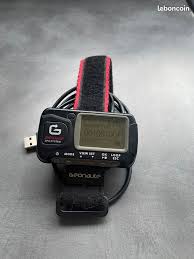
USER MANUAL ONstep 200 GEONAUTE
Please follow this quick start guide to quickly learn about your product and use it properly. You can find more information on the use of altimeter on the website www.geonaute.com in the forum section.

This product measures distance travelled, walking time and active walking time, as well as calories burned. The major advantage of this product is the facility of its settings and use, as well as the measurement of active walking time (concept explained on page 7).
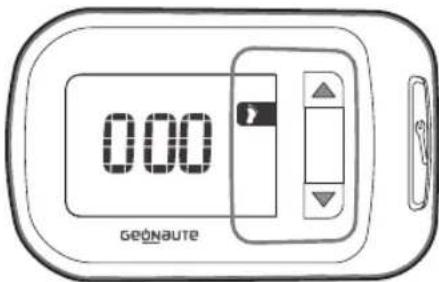
- Device diagram and navigation

Product comes with battery included

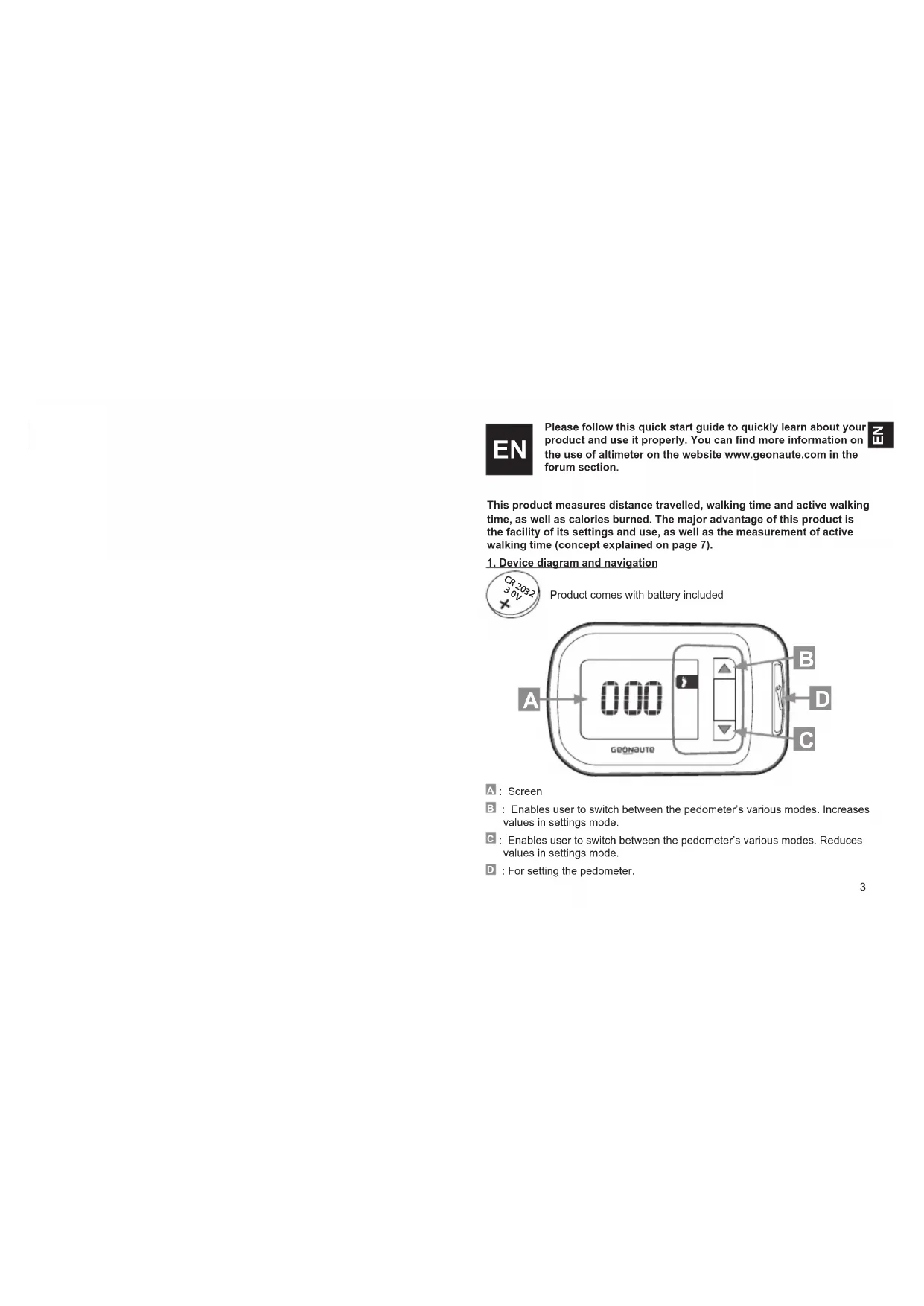
A:Screen
E:Enables user to switch between the pedometer's various modes.Increases values in settings mode.
C: Enables user to switch between the pedometer's various modes. Reduces values in settings mode.
D:For setting the pedometer.

2. Setting the pedometer
Press for 3 seconds on

and adjust the following settings:

Confirm setting.

Change value
If the product isn't used for 30 seconds, you exit settings mode. To return to settings mode, press the button for 3 seconds.


3. Precision
Pedometer precision varies according to how you walk. Average variation is around 10% .
However it may deteriorate according to product position, walking environment or usage.
This product is not designed for walking races or hiking on hilly or bumpy terrain as the measurement would be very imprecise (no recording of changes in altitude/incline). In addition, walking on loose or muddy soil provokes around 5% imprecision.

4.Use
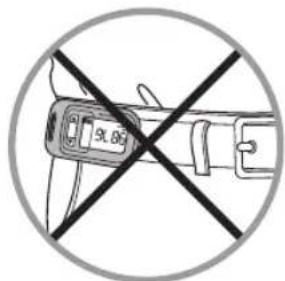

This pedometer is designed to measure the different parameters of your steps on flat ground. Technically, these measurements are taken by recording shock waves caused when your foot makes contact with the ground; this requires the product to be attached somewhere around the hip (trouser or shorts belt).
5. Active minutes
Your pedometer measures and differentiates between walking and active walking in order to motivate you to walk more, and at an increased pace, on a daily basis.

What is Active Walking?
This concept is related to the World Health Organisation's (W.H.O.) recommendation to walk for 30 minutes a day at a steady pace. Active
walking is walking at a steady pace, which is more beneficial to your health (helping to prevent obesity, cardiovascular illnesses, anxiety, etc.) according to the W.H.O.
How does it work, from a technical point of view?
A patented algorithm was designed by the Oxylane Research and Development departments, and uses your weight and height as a basis to define the threshold for active walking. Above this threshold (step frequency, etc.) you are actively walking, which is more beneficial for your health.
Brisk walking trigger point according to your height:
| SIZE (cm) Number of steps / minute |
| 120 149 |
| ...... |
| 150-151 132 |
| 152-153 131 |
| 154-155 130 |
| 156-158 129 |
| 159-160 128 |
| 161-162 127 |
| 163-165 126 |
| 166-167 125 |
| 168-170 124 |
| 171-172 123 | |
| 173-175 122 | |
| 176-178 121 | |
| 179-181 120 | |
| 182-184 119 | |
| 185-186 118 | |
| 187-190 117 | |
| 191-193 116 | |
| 194-196 115 | |
| 197-199 114 | |
| ... | ... |
| 220 | 108 |

6. General operation This device has 6 different modes:


Distance: Calculate walking distance during your walk.

Number of steps during the walk.

Active walking time.

Total walking time over the session.

Calories burned during the session.

Total distance walked over the week.
Specific points
The product starts measuring automatically.
The stopwatches (for total walking and active walking) only start when you are walking.

7. Resetting to 0
Manually resetting the pedometer to zero.
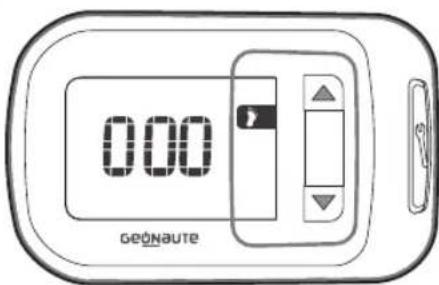
3 possible ways of resetting to zero:
Automatic resetting to zero every day at midnight.
- Manually resetting the measurements to zero and 3 seconds.
This process does not mean recorded settings are reset to zero.
- Restoring factory settings:
press simultaneously on

and and

seconds.
8. Product standby mode
If the pedometer is not used for 5 minutes, standby mode is activated. All you have to do is start walking again or press on any button to turn it back on.
9. Battery information
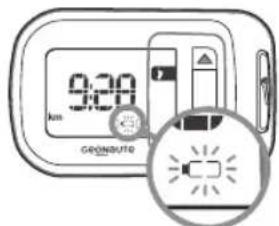
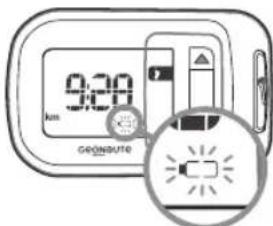
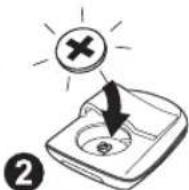
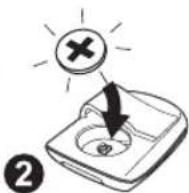
Make sure you change your product's batteries when the battery warning light is displayed.


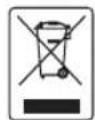
Take batteries and unusable electronic products to an authorised collection area for recycling.

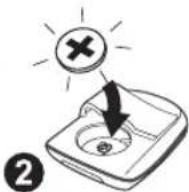
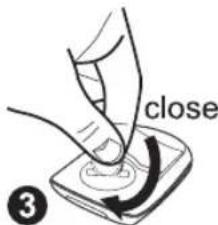

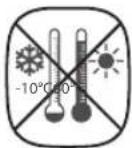
10. User restrictions



Display resolution

Distance: 10 m.

1 step.

Active walking time: 1 minute.

Total walking time over the session: 1 minute.

Calories burned during the session: 1 kcal.
12
11. Limited Warranty
OXYLANE guarantees the initial buyer of this product that the product is free of defects related to the hardware or manufacturing. This product is guaranteed for two years from the date of purchase. Please keep your receipt as proof of purchase.
The warranty does not cover:
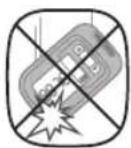
- Damage due to misuse, failure to adhere to the precautions of use or accident, nor to incorrect maintenance or use of the product for commercial purposes.
- Damage caused by repairs carried out by individuals not authorised by OXYLANE.
- Batteries, casing that is cracked or smashed or that shows traces of impact.
- During the warranty period, the item will either be repaired free of charge by an authorised repair service or replaced free of charge (depending on the distributor).
- OXYLANE hereby declares that the DISTA 200 device is compliant with the essential standards and other relevant provisions of the 2004/108/CE (CEM) directive.
12. Contact us
We are here to listen to any feedback or information you may have concerning the quality, functioning or use of our products: www.geonaute.com
We shall reply as soon as possible.
FR
OTeIbOxylane no NccneoBnM Pa3pa6Otke pa3pa6otaJI
3anaTeHTOBaHHb aIropTM, onpeDenHouu npor nepexoDa obkHOBeHHo
XoDb6bI B aKTHBHyIO, HAOCHOBAHIN BaWero BeCa n poCTa. Bblwe 3TOrO
nopora (yactotbl waroB...) Baasa Xob6a cHTaTcra AKTNBHOH, HANBOonee
3ΦΦeKTHBHOI DnI NOIDepKaHnBaWero 3DopOBb.
Bot nopor, paccntbBaemn no Baawemy pocty, nocne kotoporo xob6a
CHNTaETcRAKTNBHOI:
| POCT (cm) | KoIJIYeCTBO ⅢaRoB / MIn |
| 120 | 149 |
| ... | ... |
| 150-151 | 132 |
| 152-153 | 131 |
| 154-155 | 130 |
| 156-158 | 129 |
| 159-160 | 128 |
| 161-162 | 127 |
| 163-165 | 126 |
| 166-167 | 125 |
| 168-170 | 124 |
| 171-172 | 123 |
| 173-175 | 122 |
| 176-178 | 121 |
| 179-181 | 120 |
| 182-184 | 119 |
| 185-186 | 118 |
| 187-190 | 117 |
| 191-193 | 116 |
| 194-196 | 115 |
| 197-199 | 114 |
| ... | ... |
| 220 | 108 |
6.06ue onncanHe 3Kcnnyatau nn DaHHOe yctpoiCtBO MOKeT paOToTb B 6 pexkmax:

116

PacctoHHe: Pndcet pacctoHn, npoiDeHHoro 3a ceaHC.

KoJIueCTBO WArOB 3a CeAHC.

BpemrakTNBHOXOdbb.

06uee Bpemx xoDb6bl 3a ceccnIO.

3atpaehHHbe 3a ceccnKanOpnn.

06uee pacctoHnne, npoienHoe 3a HepeJIO.

Cneunphueckne oc6eHHoCTn
YcTpoCTBO HauHHaet N3MepeHHe aBTOMaTHeCKn.
CekyHdomepb(oBseero BpemeHH XOdbbHaKTHBHOXOdbb)BKIOUaIOTc, TOnbKO eCNB bI HTe.
7.06hnyenne
PyHcH c6poc npaMeTpOB waromepa.
Bo3MOxH0 3 BapnaHTa c6pocnnapaMeTpoB:
- ABTomatneckoe 06HyneHne 3aNcaHHbIX daHHbIX exeKeDHeBHO B NOHooB.
-PyHc6poc 3aIINcaHHbIX daHHbIX:OHDOpMeHHo ydepxnBaTbB TeueHne 3 cekyHd.
YcTaHOBJIeHHbIe HAcTPOIKN NocJe 3ToI OpeaUN He ydaJIOTcR.
BocctahOBHeHne3aBOcknNnapameTpOB
ODHOBpeMeHNO yepKINBaTb 4 BteHeHne 3 cekyHd.
8. NepexoYcTpoNCTBaBpeKIM OXnHaHn
Ecnn B TeueHne 5 MMHT WArOmepe He IcNoIb3yETcH, OH nepeXoHnB P pexim OxuaHn. HTo6b CHOBa BKIOuHTb ero, DoCTaTOH NoHaTaB XoJb6y nn Haxatb HaIo6yo KhoNkY.
9.нфорmaцьозардбатер
Ecnna H3kpahe OTO6pkaeTcraHnDikatop 6aTapea, cneyET 3ameHntb 6aTaepKINB BAAWEM YCTPOINCTBE.

No OKOHann cpoka
KCNpyataun 3neMeHTOB
NITAHIN N3NEKTPOHHORO
N3DEHNI PEKOMEHyETcR
OTBO3NTb INB CNEUaJIbHO
PpeHa3HaueHHe DnA 3ToI
ZeHN MeTO C6OpA.


10. OrpaHueHne npu nCnoB3OBaHn


MHHMaHbHa rpaDauu


PacctorHHe:10M.

1 war.

BpemakTNBHOxOdb6b1:1MnHyTa.

06uee BpemxoDb6b3a ceccu:1 MmHyTa.

Kanopn, 3aTpaehHbIe 3a ceccnIO: 1 Kkan.
120
11. OrpaHnueHHra rapaHTna
OXYLANE rapaHTnpyET HauJIbHOMy NOKyNaTeJIO daHHoro yCTpoCTBa OTCYCTBNE DepeKTOB MATEpHnOB INIROTOBHeHn. Ha 3o yCTpoCTBO DeNCTByET rapaHTnB TEeHHe N BYX JET CO DnE ERO NOKyKN CoXpaHnTEeK, TAK KAK OH ABJIReT DOKa3aTeNbCTBOM NOKyKN. DeNCTBne rapaHTnHE pACNPocTPaHReTcHa:
IoppeKdEHH, BO3HMKUe B pe3yIbTaTE HnpeAunBHO rONB3OBAHIN, Heco6IIODeHn MEp IpeoCTOpOKHoCTN INn HecacthBix CnyaaeB, a TaKke B pe3yIbTaTe HnpeAunBHO yXoDa INN KOMMepCeCKOr IOcNoJIb3OBAHNJDENN.
Поврждени,ВОЗнше B pe3yntaTe peMOHTa,OCUSECTBNEHHORIлцamH,He yONHOMOeHHbIMN OXYLANE.
- 3JIeMeHTbI NITaHnI, TpeUINHbI, NIOLOMKN KOpNyCa, a TaKKe CNeBbI yDapHbIX BO3DeEChTBn.
B nepHNOIpaHTMHORO cpoKa KOMNAHIN O6yETc 6ecnNtHO oTpeMOHTPOBaTB N3dEeN B aBTOpN3OBaHHOM cepBCHOM CEHTpe Hn3AeHHeTb ERO Ha 3KBNBANEHTOH (no YCMOTpeHIO DCTPNbKbTOPA).
HactoMOM OXYLANDEknappyET,TO annapat DISTA 200 COOTBETCTBye OCHOBHbIM Tpe6oBaHnM IN DpyHM NpImeHmblIM NOIOXeHnM DnpEKTMB2 2004/108/CE (CEM).
12. KaCBA3aTbCc HAMN
MbBcERdaPdblBbClyuWbTaBbAaNpEeNoKHeHn3aMeUaHnOTHOCHTeBHO KaueCTBa, npakTuHocTn Hn HcNoIb3oBaHn HaJe pOdykUn: www geonaute.com
MblOTBETNBM B KpaTuaHne cpoKn.
RO
Bb3MOxHn ca 3 HauHn Ha HynpaHe:
- ABTomaTuHHO EKeDHeBHO HynpaHc Ha daHHnTe B NOJyHoU.
PbHNO HnnpaHe Ha 3MepeHHTe CTOnHOCTn: HATNCHETe eHOBpEmEH0 3a 3 cekyHn n 3aHncaHnTe HAcTpoKn He ce Hynpat npn Ta3M MaHnpyaJa. - PpeHCTanmpaHe Ha fa6pnHnTe napaMeTpN: HATncHEte eHOBpEmHo 3a
3cekyHn

8. NocTaBHe Ha yCTpoiCtBOTo B pexm stand by
Korato ypeDbT He ce nIINON3Ba B npOdbJxKHeHne Ha 5 MNH. ToI npEminHaba B pexnM stand by. DocTaBTHo e Ia NoDHOBtE XoJeHTo INI da HaTHcHTe HAKO ST ByTOHNTe, Da FO BKIOHOTTE OTHBO.
9.NHΦopMaun3a6aTepeyra

He 3a6pabraIte da 3apeDInTe 6atepeNITE ha BaWteO yCTpoIcTB,OKATO nAMnNkATo 《6aTePn》3anOhy da CBeNT.

N3xBbPnIte HeoDnHTe 6BATEPN ENEKTPOHNTe npOykTN B ONpeJeHnTE 3a TOBA MCTA, 3a MoRAT da 6bDat peuKnnpaHn.



10. OrpaHueHn 3a noJ3BaHe



Pe3oiuzaHa ekpaHa

Pa3ToHHe:10M.

1KpaKa.

BpeMe Ha aKTHBHO XOHe: 1 MNHyTa.

O6uBpeme Ha XoJeHe No Bpeme Ha cecyTa: 1 MNHyTa.

I3pa3xOdbAHn KaOpn no BpeMe Ha cecraTa: 1 kcal.
168
11.OrpaHnueHa rapaHnua
OXYLANE rapaHTnpa Ha haayanHna KnyBaHa To3n npOyKT IINca Ha depeKTN NO OTHoUHeHne Ha HnON3BAHn MaTePnAn Hn HA npa60Tkata. To3n npOyKT NMa DE roDmHr paHnA, CHTaHO OT DaTAta Ha NOKynkata. Na3eTe DoBpe pKaTpyTa, KOTo e BaWeto DOKa3aTeNCTBO 3a HnPaBeHATA NOKynka. FapAHnTa He NOKpBa:
IeTInTe,dbIkaaunCeHaHnepaBnHnYnOTpe6a,Hecn3BaHe Ha npEtna3HInTe MEKpNpN0N3BaHe HINnHnUeHTn,KaKTOn Hn HeNoDoppaNoDpBxKa INn INnNtOJ3BaHe HAnP0dyKaTa 3bTpbOckn ceNN.
- UeHTte, npuHHeB pe3ynta Ha pEmoHT Ha npOyKta, n3BbPweH OT HeOpunpaHn ot OXYLANE nua.
HanykaHn nn noBpeHn 6aTePNn Kyttn, no KOnTo nMa cJeDn ot ydap.
- P0 Bpeme Ha rapaHIOOHnC pOk, ypeBt ce peMOHTnpa 6e3nnAHOOT OToPn3mpan cepBn3, nIe Ce 3aMeHa 6e3nnAHO (no ppeHcKa Ha nDCTPNbTyopa).
- OXYLANE DeKnapnpa, ye yCtpoiCTBTO DISTA 200 cBoTBeTcTBa Ha oChOBHnTe mNCKBaHn Ha pa3nopeD6n Ha dIpeKTHBa 2004/108/CE (CEM).
12. CbpxKeTc c hac
Hne ce INTepecyBame OT BCaKa BaJa INHΦopMaJn OTHoCHO KaHeCTo,ФункцIOHpaHTo ИИ N3NOr3BaHTo Ha HauITE npOdyKTIn: www.geonaute.com
LcBnOTROBOpM Hn-KpaTbK cpoK.

169
TR
1: jaiill jaiill jaj

1: 1

1 1

#
jiall jaiil-11
OXYLANE" jaii 100000000000000000000000000000000000000000000
:Jaiyjai Jaiinai
J Jnnnll jybnl jne nnnnll jn nn nnnnll 1 1 1 1 1 1 1 1 1 1 1 1 1 1 1 1 1 1 1
"OXYLANE"
clll jll jll jssall jssall lall, jlll - aill jsljal jay jay jay jay jay jay jay jay jay jay jay jay jay jay jay jay jay jay jay jay jay jay jay jay jay jay jay jay jay jay jay jay jay jay jay jay jay jay jay jay jay jay jay jay jay jay jay jay jay jay j

- SETTING THE PEDOMETER
- PRECISION
- ACTIVE MINUTES
- WHAT IS ACTIVE WALKING
- HOW DOES IT WORK, FROM A TECHNICAL POINT OF VIEW
- SPECIFIC POINTS
- RESETTING TO 0
- PRODUCT STANDBY MODE
- BATTERY INFORMATION
- USER RESTRICTIONS
- DISPLAY RESOLUTION
- LIMITED WARRANTY
- CONTACT US
- FR
- CNEUNPHUECKNE OC6EHHOCTN
- 7.06HNYENNE
- NEPEXOYCTPONCTBABPEKIM OXNHAHN
- 9.НФОРMAЦЬОЗАРДБАТЕР
- ORPAHUEHNE NPU NCNOB3OBAHN
- MHHMAHBHA RPADAUU
- ORPAHNUEHHRA RAPAHTNA
- KACBA3ATBCC HAMN
- RO
- NOCTABHE HA YCTPOICTBOTO B PEXM STAND BY
- 9.NHΦOPMAUN3A6ATEPEYRA
- ORPAHUEHN 3A NOJ3BAHE
- PE3OIUZAHA EKPAHA
- 11.ORPAHNUEHA RAPAHNUA
- CBPXKETC C HAC
- TR
Brand : GEONAUTE
Model : ONstep 200
Category : Pedometer