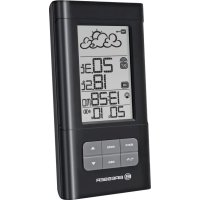
TemeoTrend LB - Weather Station BRESSER - Free user manual and instructions
Find the device manual for free TemeoTrend LB BRESSER in PDF.



| Product Type | Weather station with forecasts, indoor/outdoor thermometer and radio-controlled clock |
| Brand | Bresser |
| Model | TemeoTrend LB |
| Dimensions (receiving unit) | 86 x 165 x 28 mm |
| Dimensions (outdoor sensor) | 37.5 x 110 x 23 mm |
| Weight (receiving unit) | 154 g (without batteries) |
| Weight (outdoor sensor) | 43 g (without batteries) |
| Power supply (receiving unit) | 2 AA batteries (1.5 V) |
| Power supply (outdoor sensor) | 2 AAA batteries (1.5 V) |
| Indoor temperature | 0 °C to +50 °C (resolution 0.1 °C) |
| Outdoor temperature | -20 °C to +60 °C (resolution 0.1 °C) |
| Transmission frequency | 433 MHz |
| Maximum range | 30 meters (free field) |
| Sensor measurement cycle | Approximately 45 seconds |
| Main functions | Weather forecast (12-24 h), indoor/outdoor thermometer, radio-controlled clock, alarm (weekly/single), date display, min/max temperature memory, barometric trend indicator |
| Maintenance and cleaning | Clean with a soft, dry cloth; do not use cleaning liquids. Remove batteries before cleaning. |
| Safety | Do not expose to high temperatures. Use only recommended batteries. Do not short-circuit. Keep out of reach of children (choking hazard from packaging). |
| Spare parts and repairability | No spare parts provided. In case of defect, contact the retailer. Do not disassemble the device. |
| General information | 2-year warranty (extension possible via registration at www.bresser.de/warranty_terms). CE declaration of conformity. |
Frequently Asked Questions - TemeoTrend LB BRESSER
User questions about TemeoTrend LB BRESSER
0 question about this device. Answer the ones you know or ask your own.
Ask a new question about this device
Download the instructions for your Weather Station in PDF format for free! Find your manual TemeoTrend LB - BRESSER and take your electronic device back in hand. On this page are published all the documents necessary for the use of your device. TemeoTrend LB by BRESSER.
USER MANUAL TemeoTrend LB BRESSER
For first time operation and battery replacement: First insert batteries for main unit and then insert batteries for remote sensor.
Attention!
About this Instruction Manual
Please read the safety instructions in this manual carefully. To avoid damage to the unit and the risk of injury, only use this product as described in the manual.
Keep the instruction manual handy so that you can easily look up information on all the functions.

DANGER!
You will find this symbol in front of every section of text which deals with the risk of severe injury or even death in the event of improper use.

CAREFUL!
You will find this symbol before every section of text that deals with the risk of minor to severe injuries resulting from improper use.

NOTE!
You will find this symbol in front of every section of text which deals with the risk of damage to property or the environment.
Intended Use
This product is intended only for private use. It was developed as an electronic medium for the use of multimedia services.
General Warning

DANGER!
This device contains electronic components which operate via a power source (power supply and/or batteries). Do not leave children unattended when using the device. Only use the device as described in the manual, otherwise you run the RISK of an ELECTRIC SHOCK.
Children should only use the device under adult supervision. Keep packaging material (plastic bags, rubber bands, etc.) out of the reach of children! There is a RISK OF CHOKING!
Keep batteries out of the reach of children! Make sure you insert the batteries correctly. Empty or damaged batteries could cause burns if they come into contact with the skin. If necessary, wear adequate gloves for protection.

DANGER!
Do not expose the device to high temperatures. Use only the recommended batteries. Do not short circuit the device or batteries, or throw them into a fire. Excessive heat or improper handling could trigger a short circuit, fires or even explosions!

NOTE!
Do not disassemble the device. In the event of a defect, please contact your dealer. He will contact the Service Centre and can send the device in to be repaired, if necessary.
Use only the recommended batteries. Always replace weak or empty batteries with a new, complete set of batteries at full capacity. Do not use batteries from different brands or with different capacities. The batteries should be removed from the unit if it has not been used for a long time.
Notes on cleaning
Separate the device from the power supply before cleaning (remove batteries)!

NOTE!
Only use a dry cloth to clean the exterior of the device. Do not use any cleaning fluid to avoid damaging the electronics.
EC Declaration of Conformity

Bresser GmbH has issued a Declaration of Conformity in accordance with applicable guidelines and corresponding standards. This can be viewed any time upon request.
Disposal

Dispose of the packaging materials properly, according to their type
(paper, cardboard, etc). Contact your local waste disposal service or environmental authority for information on the proper disposal.
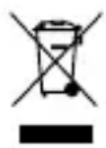
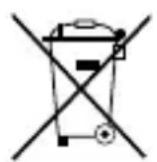
Do not dispose of electronic devices in the household garbage!
As per the Directive 2002/96/EC of the European Parliament on waste electrical and electronic equipment and its adaptation into
German law, used electronic devices must be collected separately and recycled in an environmentally friendly manner.
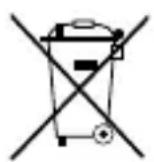
In accordance with the regulations concerning batteries and rechargeable batteries, disposing of them in the normal household waste is explicitly forbidden. Please pay attention to dispose of your used batteries as required by law - at a local collection point or in the retail market (a disposal in domestic waste violates the Battery Directive).
Batteries that contain toxins are marked with a sign and a chemical symbol. Cd^+ = cadmium, Hg^+ = mercury, Pb^+ = lead.

1
Pb3
1 battery contains cadmium
^2 battery contains mercury
3 battery contains lead
INTRODUCTION
The basic package comes with a main unit, which is the weather forecast station and, a remote unit, the thermo sensor.
The main unit is capable of keeping track of the maximum and minimum temperature of different sites.
No wire installation is required, the weather station operates at 433Mhz.
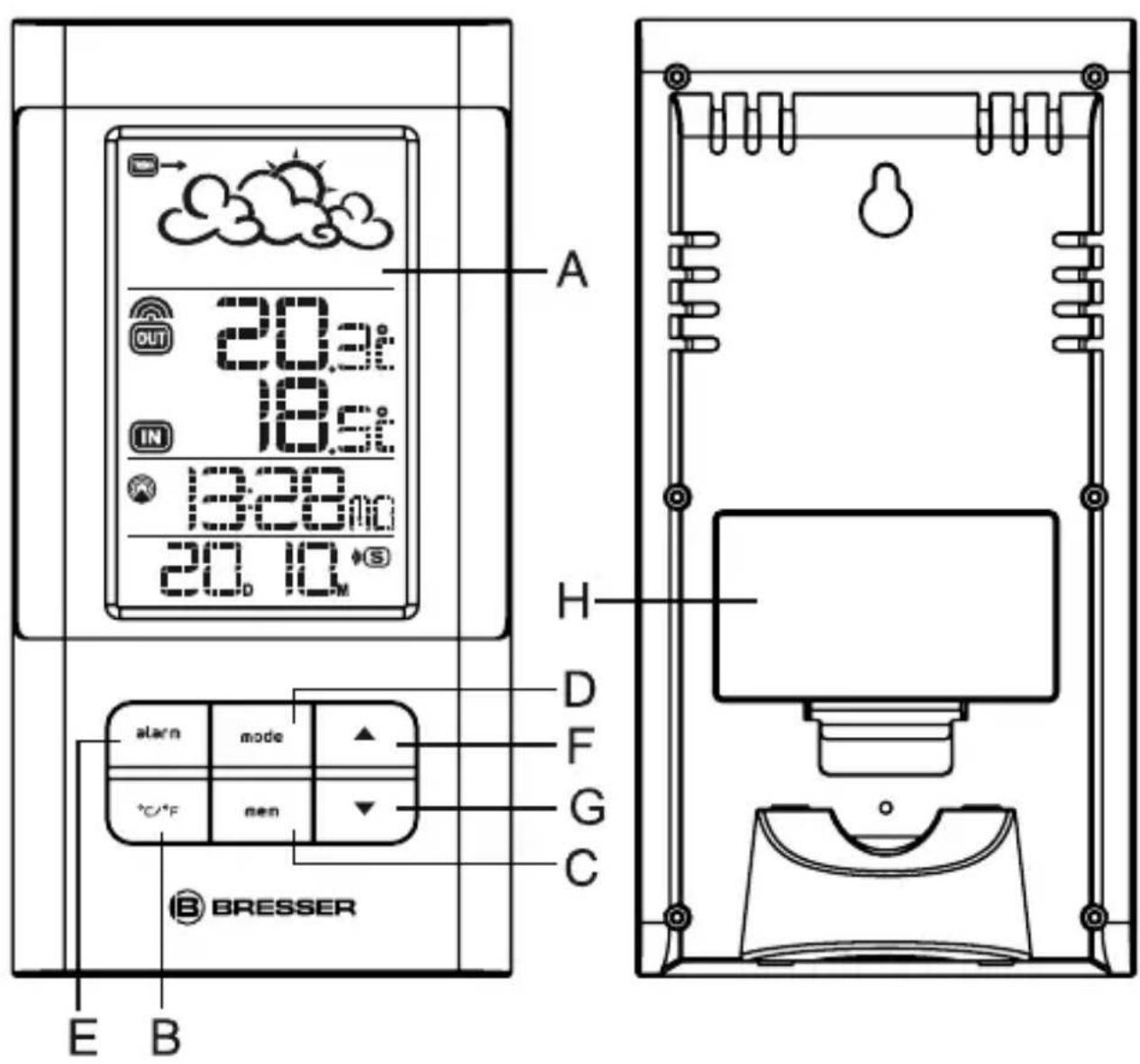
MAIN FEATURES: MAIN UNIT
A. DISPLAY
- Facilitates easy reading of remote and indoors temperatures and calendar clock
B. ^ C / ^ F BUTTON
- Toggle for setting temperature display unit ^ C or ^ F
C. MEMORY [MEM] BUTTON
- Recalls the maximum or minimum temperature of main and remote unit
D. MODE BUTTON
- Toggles the display modes and confirm rms entry while setting the values for display
E. ALARM BUTTON
- Displays the alarm time or sets the alarm status
F. UP (▲) BUTTON
- Advances the value of a setting
G. DOWN (▼) BUTTON
- Decreases the value of a setting
H. BATTERY COMPARTMENTS
- Accommodates two UM3- or „AA“ size 1.5V batteries
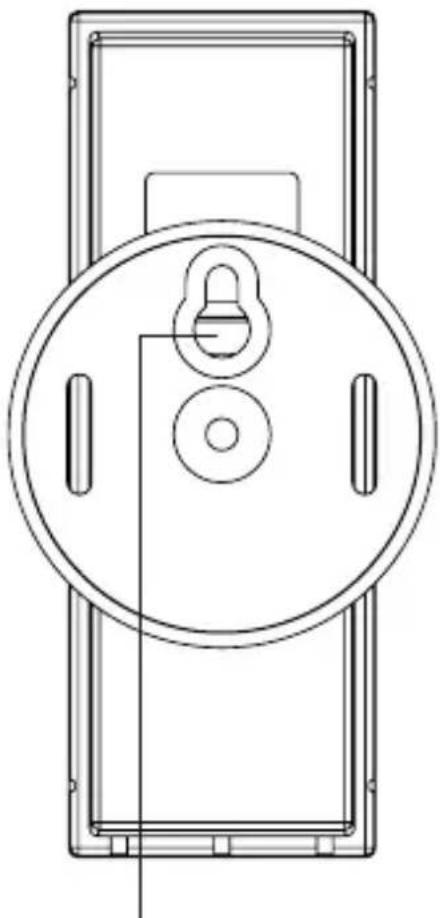
MAIN FEATURES: REMOTE UNIT
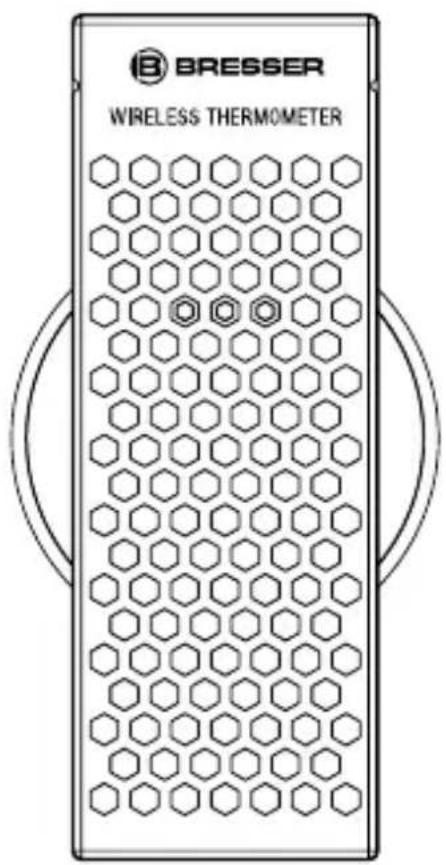
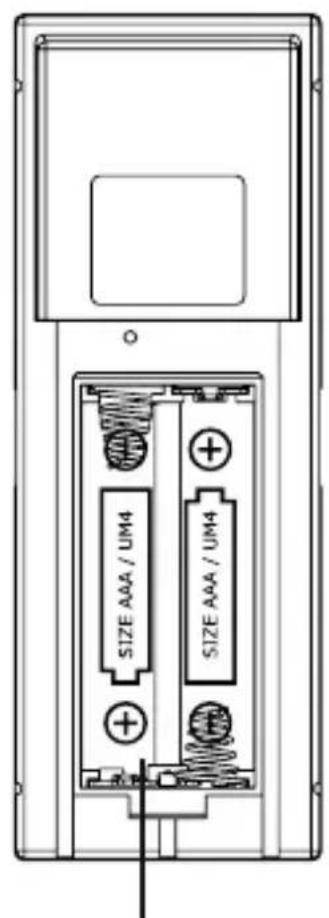
A
B
A. BATTERY COMPARTMENT
- Accommodates two AAA-size batteries
B.WALL-MOUNT RECESSED HOLE
Supports the remote unit in wall-mounting
2. GETTING STARTED
- Insert batteries for remote units before doing so for the main unit.
- Position the remote unit and main unit within effective transmission range, which, in usual circumstances, is 20 to 30 meters.
Note that the effective range is vastly affected by the building materials and where the main and remote unit is positioned.
Try various set-ups for best result.
Though the remote unit is weather proof, they should be placed away from direct sunlight, rain or snow.
2b) BATTERY INSTALLATION: REMOTE UNIT
- Remove the screws on the battery compartment
- Install 2 batteries (UM-4 or „AAA“ size 1.5V) strictly according to the polarities shown.
- Replace the battery compartment door and secure its screws.
2c) BATTERY INSTALLATION: MAIN UNIT
- Open the battery compartment door.
- Install 2 batteries (UM-3 or ,AA" size 1.5V) strictly
according to the polarities shown.
3. Replace the battery compartment door.
2d) LOW BATTERY WARNING: MAIN UNIT
When it is time to replace batteries, the respective low-battery indicator
[ ] next to the time with seconds will be shown on the main unit's display.
2e) GETTING STARTED
Once batteries are in place for the remote unit, they will start transmitting temperature readings at around 45 second intervals. The main unit will also start searching for signals for about two minutes once batteries are installed. Upon successful reception, the outdoors temperatures will be displayed. The main unit will automatically update its readings at about 45-second intervals. If no signals are received, blanks, will be displayed. Hold [▼] for 2 seconds to enforce another search for about 2 minutes. This is useful in synchronizing the transmission and reception of the remote and main unit. Repeat this step whenever you find discrepancies between the reading shown on the main unit and that on the remote unit.
3. WEATHER FORECAST
3a) WEATHER FORECAST
The unit is capable of detecting atmospheric pressure changes. Based on collected data, it can predict the weather for the forthcoming 12 to 24 hours.
| Indicator displays on the unit | |||||
| Forecast Sunny | Slightly Cloudy | Cloudy Rainy Snowy | |||
NOTE:
-
It is not necessary and not possible to adjust the altitude of the weather station. After the initial start-up of the weather station, a first forecast will be made within the first 24 hours of operation.
-
In periods of long stable weather conditions, it becomes difficult to make a reliable forecast.
-
The weather forecast is solely calculated on the basis of barometric air pressure changes.
- The probability of a correct weather forecast is approximately 70% and is valid for an area of approx. 20-30 km around the location of the weather station.
- The forecast „Sunny“ means at night „cloudless weather“.
Fog is not indicated by the weather station as this can occur with different weather conditions.
- If you travel with the weather station, a reliable weather forecast will become impossible due to 24 hour so that the weather station can calculate a new forecast based on the conditions at the new location.
3a) ATMOSPHERIC PRESSURE
The atmospheric pressure indicator, in the weather forecast window, uses arrows to indicate if the atmospheric pressure is increasing, remaining stable, or decreasing.
| Arrow indicator | TREND | TREND | TREND |
| Pressure Trend | Rising Steady | Falling |
4. THERMOMETER
4a) HOW TO CHECK REMOTE AND INDOOR TEMPERATURES
The wave display on the outdoors temperature indicates the reception of the remote unit is in good order.
If no readings are received from the remote unit for more than two minutes, blanks „ will be displayed until further readings are successfully searched. Check the remote unit is sound and secure. You can wait for a little while or hold [▼] for 2 seconds to enforce an immediate
search. If the temperature goes above or below than the temperature measuring range of the main unit or the remote unit (stated in specific cation), the display will show , . . .
4b) HOW TO READ THE KINETIC WAVE DISPLAY
The kinetic wave display shows the signal receiving status of the main unit. There are three possible forms:
| The unit is in searching mode. | |
| Temperature readings are securely registered. | |
| No signals. |
4c) MAXIMUM AND MINIMUM TEMPERATURES
The maximum and minimum recorded indoor temperature, outdoor temperatures will be automatically stored in memory.
To display them, Press [MEM] once to display the maximum readings. The respective indicators,
[MAX] or [MIN] will be displayed.
To clear the memory, hold down [MEM] for two seconds.
The maximum and minimum readings will be erased.
If you press [MEM] now, the maximum and minimum readings will have the same values as the current ones until different readings are recorded.
4d) DISCONNECTED SIGNALS
If without obvious reasons the display of the outdoor temperature goes blank, hold [] for two seconds to enforce an immediate search.
If that fails, check:
- The remote unit is still in place.
- The batteries of both the remote unit and main unit. Replace as necessary.
Note: When the temperature falls below freezing point, the batteries of the outdoor unit will freeze, lowering their voltage supply and the effective range.
- The transmission is within range and path is clear of obstacles and interference. Shorten the distance when necessary.
Signals from other household devices, such as door bells, home security systems and entry controls, may interfere with those of this product and cause temporarily reception failure.
This is normal and does not affect the general performance of the product. The transmission and reception of temperature readings will resume once the interference recedes.
5. RADIO CONTROLLED CLOCK DCF-77
5a) HOW TO SET THE RADIO CONTROLLED CLOCK
- After the batteries are installed. The clock will automatically search the radio signal. It takes about 3-5 minutes to finish this process.
- If the radio signal is received, the date & time will be set automatically with radio control signal icon [ ] turned on.
- If the clock fails to receive the time signal, it will be with the [ ]icon turned off. Then user can set the time manually.
- Radio-controlled signal will be scheduled to receive every hour.
| Receiving | Strong No signal | No symbol | Signal reception disabled |
5b) HOW TO SET THE CLOCK MANUALLY
To set the clock manually, hold [MODE] for two seconds it will show the year. Use [] or [] to change it.
Press [MODE] to confirm. Repeat the same procedure to set the
month, date, date-month format, 12/24, hour, minute, display language, zone time offset.
During the setting, press and hold [] or [] will increase or decrease the value rapidly.
For display language, you can choose among English (EN), German (DE), French (FR), Italian (IT), Spanish (SP), Dutch(DU) and Swedish(SW) - in that order.
If there is an item you do not wish to change, simply press [MODE] to bypass the item.
When you completed the change, press [MODE] to exit.
The display will return to the clock mode.
5c)CALENDAR CLOCK DISPLAY MODES
The time is displayed in hour-minute format. The calendar is displayed in a day-month format.
Each press on the [MODE] button will change the display between clock with seconds, clock with day of week, zone time with day of week and zone time with seconds.
To set the zone time,
- Press [MODE] until at zone time display mode,
- Hold [MODE] for two seconds, the zone time offset will be displayed.
- Enter the offset using [] or [] .
- Press [MODE] to exit.
The alarm "W" "S" icons will be displayed indicating which alarm is armed. You can also arm or disarm an alarm by pressing the [] , [] button at alarm display mode.
Press [MODE] to return to clock display mode.
6. BELL / ALARM
6a) HOW TO SET AND ARM THE ALARM
To set an alarm,
- Press [ALARM] once to display alarm time. If the alarm is disarmed, the time will be displayed as "OFF".
- Hold [ALARM] for two seconds, The hour digits will blink.
- Enter the hour using [] or [] .
- Press [ALARM]. The minute digits will blink.
- Enter the minutes using [] or [] .
- Press [ALARM] to exit.
- Repeat the same procedure to set single alarm.
6b) ALARM FEATURE
- Weekday Alarm
The alarm sound will be activated and the icon will flash on weekday when it is armed and the alarm time is reached.
- Single Alarm
The alarm sound will be activated and the icon will flash once when it is armed and the alarm time is reached.
Once finished, it will be disabled automatically.
6c) HOW TO STOP AN ALARM
Press [ALARM] on the unit to stop an alarm.
7. SPECIFICATIONS
Temperature Measurement
Main unit
Indoor Temperature measurement
Proposed operating range : 0^ to +50^
Temperature resolution : 0.1^
0.2°F
Remote unit
Proposed operating range : -20°C to + 60°C
Temperature resolution : 0.1^
0.2°F
RF Transmission Frequency : 433 MHz
RF Transmission Range : Maximum 30 meters (open area)
Temperature sensing cycle : around 43~47 seconds
Power
Main unit : use 2 pcs. UM-3 or
"AA" 1.5V battery
Remote sensing unit : use 2 pcs. UM-4 or
"AAA" 1.5V battery
Weight
Main unit : 154g (without battery)
Remote sensing unit : 43g (without battery)
Dimensions
Main unit : 86 × 165 × 28 ~mm
Remote sensing unit : 37.5 × 110 × 23 ~mm
PRECAUTIONS
This product is engineered to give you years of satisfactory service if you handle it carefully. Here are a few precautions:
- Do not immerse the unit in water.
- Do not clean the unit with abrasive or corrosive materials.
They may scratch the plastic parts and corrode the electronic circuit.
- Do not subject the unit to excessive force, shock, dust, temperature or humidity, which may result in malfunction, shorter electronic life span, damaged battery and distorted parts.
- Do not tamper with the unit's internal components. Doing so will invalidate the warranty on the unit and may cause unnecessary damage. The unit contains no user-serviceable parts.
- Only use fresh batteries as specified in the user's manual.
Do not mix new and old batteries as the old ones may leak.
- Always read the user's manual thoroughly before operating the unit.
Informations generales
FAIBLE: Station principale
INDICATIONS D'ENTRETIEN
The regular guarantee period is 2 years and begins on the day of purchase. To benefit from an extended voluntary guarantee period as stated on the gift box, registration on our website is required. You can consult the full guarantee terms as well as information on extending the guarantee period and details of our services at www.bresser.de/warranty Terms.
Would you like detailed instructions for this product in a particular language? Then visit our website via the link below (QR code) for available versions. Alternatively you can also send an email to manuals@bresser.de or leave a message on +49 (0) 28 72 - 80 74-220*.
Please always state your name, precise address, a valid phone number and email address, as well as the article number and name.
*Number charged at local rates in Germany (the amount you will be charged per phone call will depend on the tariff of your phone provider); calls from abroad will involve higher costs.
FR GARANTIE ET SERVICE

- Attention!
- About this Instruction Manual
- DANGER!
- CAREFUL!
- NOTE!
- Intended Use
- General Warning
- Notes on cleaning
- EC Declaration of Conformity
- Disposal
- INTRODUCTION
- MAIN FEATURES: MAIN UNIT
- DISPLAY
- ° C / ° F BUTTON
- MEMORY [MEM] BUTTON
- MODE BUTTON
- ALARM BUTTON
- UP (▲) BUTTON
- DOWN (▼) BUTTON
- BATTERY COMPARTMENTS
- MAIN FEATURES: REMOTE UNIT
- BATTERY COMPARTMENT
- B.WALL-MOUNT RECESSED HOLE
- GETTING STARTED
- 2b) BATTERY INSTALLATION: REMOTE UNIT
- 2c) BATTERY INSTALLATION: MAIN UNIT
- 2d) LOW BATTERY WARNING: MAIN UNIT
- 2e) GETTING STARTED
- WEATHER FORECAST
- 3a) WEATHER FORECAST
- NOTE:
- 3a) ATMOSPHERIC PRESSURE
- THERMOMETER
- 4a) HOW TO CHECK REMOTE AND INDOOR TEMPERATURES
- 4b) HOW TO READ THE KINETIC WAVE DISPLAY
- 4c) MAXIMUM AND MINIMUM TEMPERATURES
- 4d) DISCONNECTED SIGNALS
- RADIO CONTROLLED CLOCK DCF-77
- 5a) HOW TO SET THE RADIO CONTROLLED CLOCK
- 5b) HOW TO SET THE CLOCK MANUALLY
- 5c)CALENDAR CLOCK DISPLAY MODES
- BELL / ALARM
- 6a) HOW TO SET AND ARM THE ALARM
- 6b) ALARM FEATURE
- 6c) HOW TO STOP AN ALARM
- SPECIFICATIONS
- PRECAUTIONS
- Informations generales
- INDICATIONS D'ENTRETIEN
- FR GARANTIE ET SERVICE
Brand : BRESSER
Model : TemeoTrend LB
Category : Weather Station