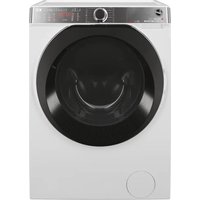
DYH 9913NA1XS - Washing machine HOOVER - Free user manual and instructions
Find the device manual for free DYH 9913NA1XS HOOVER in PDF.



| Product type | Condenser tumble dryer |
| Brand | Hoover |
| Model | DYH 9913NA1XS |
| Maximum load capacity | 9 kg (cotton) |
| Drum volume | 115 liters |
| Dimensions (H x W x D) | 85 x 60 x 60 cm |
| Power supply | 220-240 V, 50 Hz, 6 A minimum |
| Energy class | A+ |
| Drying programs | Cotton (Dry, Ready to Store, Ready to Iron), Synthetics, Mix & Dry, Shirts, Quick 40 min, Wool, Duvet, Relax 12 min, Time (30-180 min) |
| Options | Delayed start (1-24 h), Anti-crease, Acrylics/Synthetics (low temperature), Memory |
| Drying type | Moisture sensor (automatic) and manual timer |
| Lint filter | Yes, to be cleaned after each cycle |
| Condenser | Yes, to be cleaned regularly |
| Condensation water tank | Yes, capacity approx. 6 kg (to be emptied after each cycle) |
| Permanent drainage kit | Optional, available as accessory |
| Door opening | Porthole with handle |
| Indicator lights | Filter maintenance, tank emptying, ventilation, cycle end |
| Safety | Automatic shut-off in case of overheating, child lock (not explicitly mentioned but standard safety) |
| Maintenance | Clean filter, condenser, tank; wipe interior and door seal |
| Weight (approx.) | Approx. 40 kg |
Frequently Asked Questions - DYH 9913NA1XS HOOVER
User questions about DYH 9913NA1XS HOOVER
0 question about this device. Answer the ones you know or ask your own.
Ask a new question about this device
Download the instructions for your Washing machine in PDF format for free! Find your manual DYH 9913NA1XS - HOOVER and take your electronic device back in hand. On this page are published all the documents necessary for the use of your device. DYH 9913NA1XS by HOOVER.
USER MANUAL DYH 9913NA1XS HOOVER
Heat Pump Tumble Dryer

text_image
AQUA VISION
text_image
DYNAMIC DRY
text_image
A+ ENERGY
text_image
9KG| English | 2 |
| Suomi | 16 |
| Dansk | 30 |
| Norsk | 44 |
| Svenska | 58 |
| Français | 72 |
| Deutsch | 86 |
| Slovensko | 100 |
| Dutch | 114 |
| Italiano | 128 |
| Porteguese | 142 |
| Türkçe | 155 |
Introduction 3
Delivery Information 3
Safety Reminders 3
Use 4
Installation 5
The Laundry 5
Ventilation 6
Environmental Issues 7
Gias Service 7
Electrical Requirements 7
Adjusting the Feet 7
Drain Hose Kit: Fitting Instructions 8
Preparing the Load 9
Clothes Preparation 9
Do Not Tumble Dry 9
Energy Saving 9
Sorting the Load 9
Drying Guide 9
Controls and Indicators 10
Selecting the Programme 11
Door and Filter 12
Opening the Door 12
Filter 12
Filter Care Indicator 12
Water Container 13
To Remove the Container 13
Condenser 13
To Remove the Condenser 13
Operation 13
Delay Start Function 14
Cancelling and Resetting the Programme 14
Cleaning and Routine Maintenance 14
Cleaning the Dryer 14
Technical Specifications 14
Troubleshooting 15
Customer Service 15
Spares 15
Gias Service 15
INTRODUCTION
Please read and follow these instructions carefully and operate the machine accordingly. This booklet provides important guidelines for safe use, installation, maintenance and some useful advice for best results when using your machine.
Keep all documentation in a safe place for future reference or for any future owners.
Delivery Information
Please check that the following items are delivered with the appliance:
- Instruction manual
• Guarantee card - Energy label
⚠️ Check that no damage has occurred to the machine during transit. If it has, call for service by GIAS.
Failure to comply with the above can compromise the safety of the appliance. You may be charged for a service call if a problem with your machine is caused by misuse.
SAFETY REMINDERS
Use
- This appliance can be used by children aged from 8 years and above and persons with reduced physical, sensory or mental capabilities or lack of experience and knowledge if they have been given supervision or instruction concerning use of the appliance in a safe way and understand the hazards involved. Children shall not play with the appliance. Cleaning and user maintenance shall not be made by children without supervision. Children of less than 3 years should be kept away unless continuously supervised.
- WARNING Misuse of a tumble dryer may create a fire hazard.
INTRODUCTION
SAFETY REMINDERS
Use
- This machine should only be used for its intended purpose as described in this manual. Ensure that the instructions for installation and use are fully understood before operating the appliance.
- Do not touch the appliance when hands or feet are damp or wet.
- Do not lean on the door when loading the machine or use the door to lift or move the machine.
- Do not allow children to play with the machine or its controls.
- WARNING Do not use the product if the fluff filter is not in position or is damaged; fluff could be ignited.
- WARNING Where the hot surface symbol is located the temperature rise during operation of the tumble dryer may be in excess of 60 degrees C.
- Remove the plug from the electricity supply. Always remove the plug before cleaning the appliance.
- Do not continue to use this machine if it appears to be faulty.
- Lint and fluff must not be allowed to collect on the floor around the outside of the machine.
INTRODUCTION
SAFETY REMINDERS
Installation
- Check that the product has no visible signs of damage before use. If damaged do not use and please call GIAS Service.
- Do not use adapters, multiple connectors and/or extensions.
- Never install the dryer against curtains and be sure to prevent items from falling or collecting behind the dryer.
- The appliance must not be installed behind a lockable door, a sliding door or a door with a hinge on the opposite side to that of the tumble dryer.
The Laundry
- Do not dry unwashed items in the tumble dryer.
- Clothes should be spin dried or thoroughly wrung before they are put into the tumble dryer. Clothes that are dripping wet should not be put into the dryer.
- Lighters and matches must not be left in pockets and NEVER use flammable liquids near the machine.
- Glass fibre curtains should NEVER be put in this machine. Skin irritation may occur if other garments are contaminated with the glass fibres.
- Items that have been soiled with substances such as cooking oil, acetone, alcohol, petrol, kerosene, spot removers, turpentine, waxes and wax removers should be
INTRODUCTION
SAFETY REMINDERS
Ventilation
- Adequate ventilation must be provided in the room where the tumble dryer is located to prevent gases from appliances burning other fuels, including open fires, being drawn into the room during operation of the tumble dryer.
• Installing the rear of the appliance close to a wall or vertical surface. - There should be a gap of at least 12 mm between the machine and any obstructions. The inlet and outlet should be kept clear of obstruction. To ensure adequate ventilation the space between the bottom of the machine and the floor must not be obstructed.
- Check regularly that the air flowing through the dryer is not restricted.
- Check frequently the fluff filter after use, and clean, if necessary.
- Prevent items from falling or collecting behind the driver as these
The instructions for installation and any fixing attachments, are provided with the staking kit.
text_image
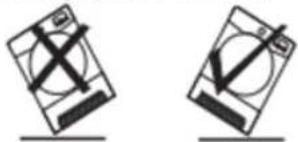
Air Outlets in the BaseImportant: During transport ensure that the dryer is in an upright position, if it's necessary you can only flip in the side shown;
natural_image
Two identical diagrams showing a device with cross and checkmark indicators, mounted on a base (no text or symbols)SAFETY REMINDERS
Environmental Issues
- All packaging materials used are environmentally-friendly and recyclable. Please help dispose of the packaging via environmentally-friendly means. Your local council will be able to give you details of current means of disposal.
- To ensure safety when disposing of an old tumble dryer disconnect the mains plug from the socket, cut the mains power cable and destroy this together with the plug. To prevent children shutting themselves in the machine break the door hinges or the door lock.
European Directive 2002/96/EC
This appliance is marked according to the European directive 2002/96/EC on Waste Electrical and Electronic Equipment (WEEE).
By ensuring this product is disposed of correctly, you will help prevent potential negative consequences for the environment and human health, which could otherwise be caused by inappropriate waste handling of this product. The symbol on the product indicates that this product may not be treated as household waste. Instead it shall be handed over to the applicable collection point for the recycling of electrical and
Electrical Requirements
Tumble dryers are supplied to operate at a voltage of 220-240V, 50 Hz single phase. Check that the supply circuit is rated to atleast 6A.
Electricity can be extremely dangerous.
This appliance must be earthed.
The socket outlet and the plug on the appliance must be of the same type.
Do not use multiple adapters and/or extension leads. The plug should be accessible for disconnection after the appliance has been installed.
CE Appliance complies with European Directive 2004/108/EC, 2006/95/EC and subsequent amendments.
You may be charged for a service call if a problem with your machine is caused by incorrect installation.
If the main need on this appliance is
DRAIN HOSE KIT: FITTING INSTRUCTIONS
Do not install the product in a low temperature room or in a room where there is a risk of frost occurring. At temperature around freezing point the product may not be able to operate properly: there is a risk of damage if the water is allowed to freeze in the hydraulic circuit (valves, hoses, pumps). For a better product performance the ambient room temperature must be between +2°C and +35°C. Please note that operating in cold condition (between +2 and +15°C) might imply some water condensation and water drops on floor.
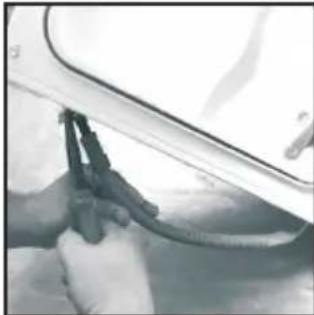
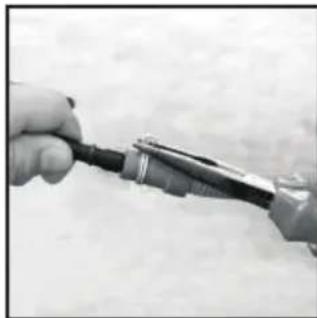
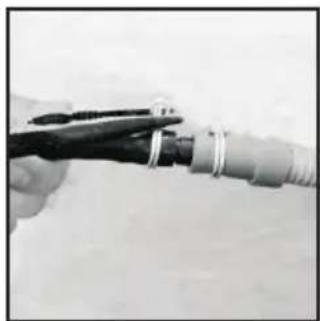
- Attach the black hose from the kit, (using the connector and pipe clips supplied), to the hose removed from the bridge connection.
natural_image
Close-up of hands using a tool to clean or repair a car (no visible text or symbols)DRAIN HOSE : FITTING INSTRUCTIONS
To avoid emptying the water container after each drying cycle, the water can be discharged directly to a waste water drain pipe (the same drainage system as household sinks). Water Bye-Laws prohibit connection to a surface water drain. The waste water drain pipe should be located adjacent to the tumble dryer.
The kit consists of:1 hose and 1 tap.
WARNING! Switch off and remove the tumble dryer plug from the electricity supply before carrying out any work.
Fit the Hose as Follows:
-
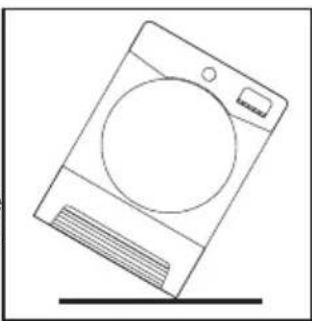
Flip the machine slowly to the right side.
-
The waste water pipe is situated at the right-hand side of the machine (see the picture). A grey hose connects to the bridge at the left hand side of the machine. Using pliers, remove the pipe retaining clip from the bridge.
-
Pull the hose off the bridge connection.
natural_image
Line drawing of a washing machine with a circular vent and side grille (no text or symbols)-
Once the machine is in place, check the bottom to ensure that the new hose does not kink when pushing the tumble dryer into position.
-
Connect the new drain hose to the waste Water pipe.
-
Connect to the mains electricit supply.
Caution: If the product is in different side, wait at least 4 hours before switching on so that the oil can flow back into the compressor. Failure to do this could result in damage to the compressor.
natural_image
Close-up of hands holding a small electronic device with wires (no visible text or symbols)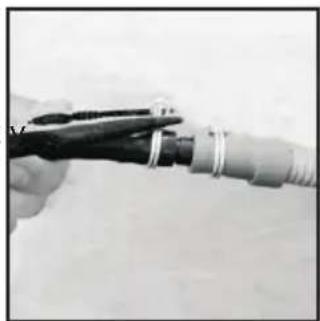
natural_image
Close-up of hands holding a cable with metal clamps (no visible text or symbols)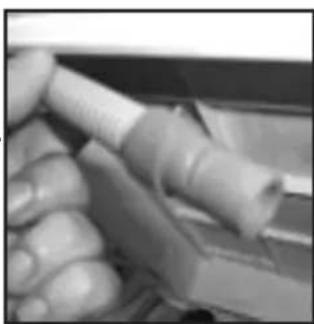
natural_image
Close-up of a hand holding a cylindrical object with a white handle, possibly part of a mechanical or electronic component (no visible text or symbols)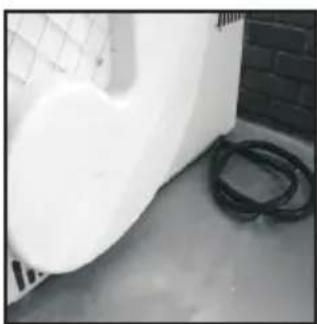
natural_image
Exterior view of a white wall with a mesh fence and black hoses on the floor (no text or symbols visible)PREPARING THE LOAD
Before using the tumble dryer for the first time:
- Please read this instruction book thoroughly.
- Remove all items packed inside drum.
- Wipe the inside of the drum and door with a damp cloth to remove any dust which may have settled in transit.
Clothes Preparation
Make sure that the laundry you are going to dry is suitable for drying in a tumble dryer, as shown by the care symbols on each item.
Check that all fastenings are closed and that pockets are empty. Turn the articles inside out. Place clothes loosely in the drum to make sure that they don't get tangled.
Do Not Tumble Dry:
Woolens, silk, delicate fabrics, nylon stockings, delicate embroidery, fabrics with metallic decorations, garments with PVC or leather trimmings, training shoes, bulky items such as sleeping bags, etc.
IMPORTANT: Do not dry articles which have been treated with a dry cleaning fluid or rubber clothes (danger of fire or explosion).
During the last 15 minutes (roughly) the load is always tumbled in cool air
Do not overload the drum, large items when wet can exceed the maximum admissible clothes
Maximum Drying Weight
• Cottons Max. 9 kg
• Synthetics Max. 4kg
Sort the Load as Follows
- By care symbols
These can be found on the collar or inside seam:
Suitable for tumble drying.
Tumble drying at high temperature.
Tumble drying at low temperature only.
Do not tumble dry.
If the item does not have a care label it must be assumed that it is not suitable for tumble drying.
- By amount and thickness
Whenever the load is bigger than the dryer capacity, separate clothes according to thickness (e.g. towels from thin underwear).
- By type of fabric
Cottons/linen: Towels, cotton jersey, bed and table linen.
Synthetics: Blouses, shirts, overalls, etc. made of polyester or polyamid, as well as for cotton/synthetic mixes.
- By driving level
CONTROLS AND INDICATORS
flowchart
graph TD
    A["Programme Selector"] --> B["Empty Water Indicator"]
    B --> C["Filter Care Indicator"]
    C --> D["Program Display"]
    D --> E["Start/Pause Button"]
    F["Relax 12 Min"] --> G["Time Selection Button"]
    F --> H["Delay Start Button"]
    F --> I["Acrylic Synthetic Button"]
    F --> J["Anti-Crease Button"]
    K["VISIONDYNAMIC"] --> L["Alarm TIME SENSOR Control"]
Control Panel and Indicator Lights
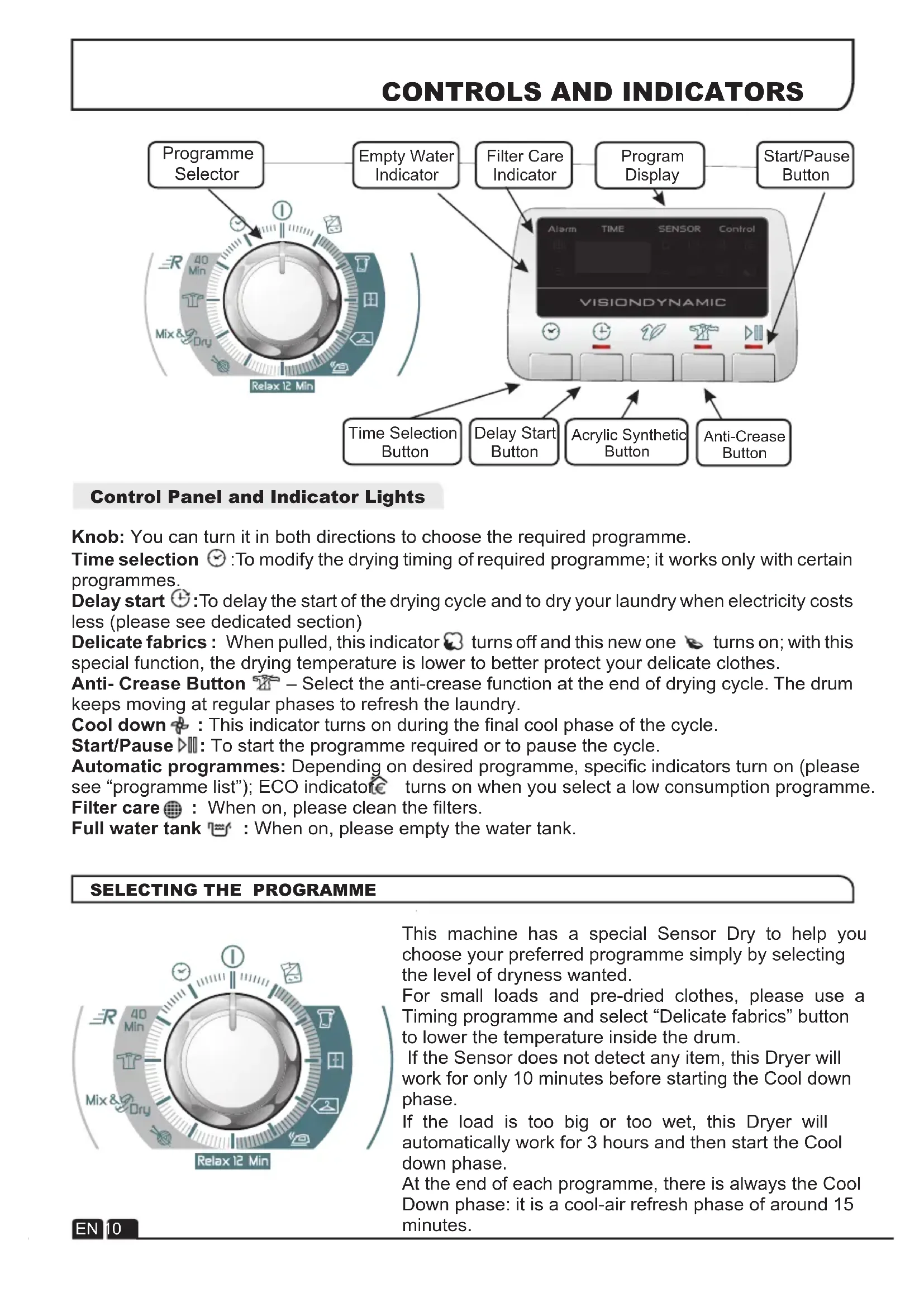
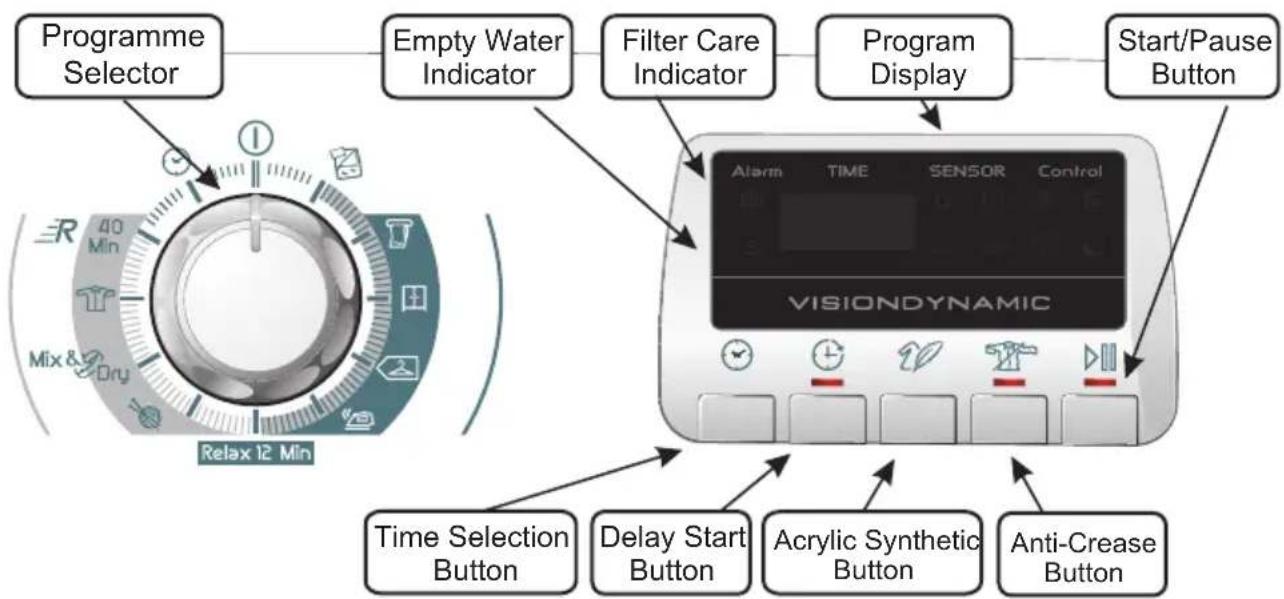
Knob: You can turn it in both directions to choose the required programme.
Time selection ☑: To modify the drying timing of required programme; it works only with certain programmes.
Delay start ⏻: To delay the start of the drying cycle and to dry your laundry when electricity costs less (please see dedicated section)
Delicate fabrics: When pulled, this indicator 📋 turns off and this new one 🌐 turns on; with this special function, the drying temperature is lower to better protect your delicate clothes.
Anti-Crease Button ☑ – Select the anti-crease function at the end of drying cycle. The drum keeps moving at regular phases to refresh the laundry.
Cool down ✦ : This indicator turns on during the final cool phase of the cycle.
Start/Pause ▷: To start the programme required or to pause the cycle.
Automatic programmes: Depending on desired programme, specific indicators turn on (please see "programme list"); ECO indicator turns on when you select a low consumption programme.
Filter care : When on, please clean the filters.
Full water tank 📋 : When on, please empty the water tank.
SELECTING THE PROGRAMME
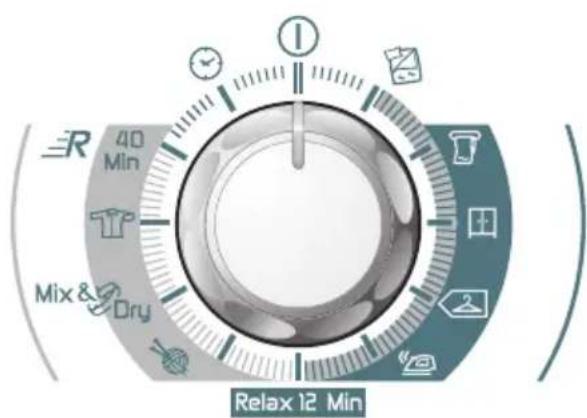
text_image
40 Min Mix & Dry Relax 12 MinThis machine has a special Sensor Dry to help you choose your preferred programme simply by selecting the level of dryness wanted.
For small loads and pre-dried clothes, please use a Timing programme and select "Delicate fabrics" button to lower the temperature inside the drum.
If the Sensor does not detect any item, this Dryer will work for only 10 minutes before starting the Cool down phase.
If the load is too big or too wet, this Dryer will automatically work for 3 hours and then start the Cool down phase.
At the end of each programme, there is always the Cool Down phase: it is a cool-air refresh phase of around 15 minutes.
SELECTING THE PROGRAMME
| PROGRAMME | IDEAL FOR |
| All Towels | Clothes you want completely dried, e.g. towels, bathrobes, table clothes or sheet. Time: around 3h. |
| Store Dry | Clothes you want to fold and store without ironing, e.g. shirts in mixed fabrics, socks, baby clothes. Time: around 2h and 45 min. |
| Hang Dry | Clothes you don't need to iron, but just hang after the drying cycle. Time: around 2h and 30 min. |
| Iron Dry | Leave clothes slightly damp to allow easier ironing. Time: around 1h and 50 min. |
| Relax 12 Min. | Clothes you just need to refresh. Good for items of clothing which have been left prior to ironing or if they have been dried outside or on radiators. This programme has a specific Anti-Crease function that relaxes fibres and makes easier ironing. Time: 9 min + 3 min cool down. |
| Wool | To soften your woollen clothes or to simply refresh them after a long time in the wardrobe. Time: 12 min. |
| Mix & Dry | To dry mixed cotton and synthetic clothes: save time and no need to separate the washing and dry them in different cycles. Time: around 2h (max 4 kg). |
| Shirts | To dry shirts both cotton and synthetic fabrics. Time: 1h for 2kg of synthetic shirts (around 10 shirts); 1h and 20 min for 3 kg of cotton shirts (around 10 shirts). |
| Rapid 40 Min. | For dry, refreshed and ready to dress clothes in onyl 40 minutes. Sensor system keeps under control the temperature to have always the best result. Max 2 kg. |
| Time | If you want to choose drying times, from 30 to 180 minutes. By selecting “20 min” you choose a “cool programme”, ideal to refresh clothes and to remove eventual smells. |
| Duvet | For single duvet or quilted jackets; please do not dry double or bigger duvet. Please do not dry damaged items as filling may block filters and air duct. This programme works for around 2h, but time can change according to dimensions, density of load or washing spin speed. At the end of the cycle, the duvet is ready for use; if some parts are slightly wet, please shake the load and re-start the programme for few minutes. If you need to dry a duvet filled with synthetic fabrics, please push “Delicate fabrics” button. |
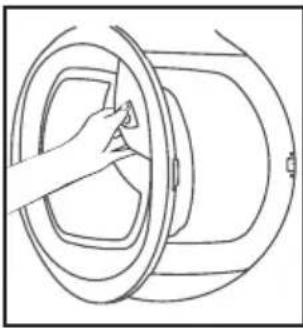
Opening the Door
natural_image
Line drawing of a hand adjusting a circular component with a handle (no text or symbols)Pull on handle to open the door.
To restart the dryer, close the door and press ▷III.
WARNING! When the tumble dryer is in use the drum and door may be VERY HOT. Never stop a tumble dryer before the end of the drying cycle unless all items are quickly removed and spread out so that the heat is dissipated.
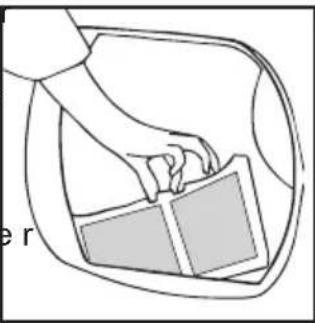
Filter
IMPORTANT: To maintain the efficiency of the dryer check that the fluff filter is clean before each drying cycle.
Do not operate the dryer without the filters. Clogged filters can increase the drying time and cause damage which may result in expensive repair costs.
-
Pull the filte upwards.
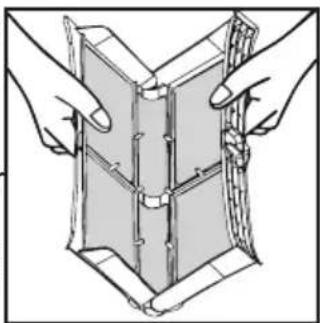
-
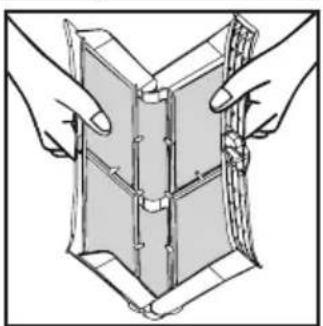
Open filter as shown.
-
Gently remove lint using a soft brush or your fingertips.
-
Snap the filter together and push back into place.
natural_image
Line drawing of a hand holding a rectangular object inside a car (no text or symbols)Filter Care Indicator
● Lights when the filter needs cleaning.
Check and clean the main filter in the door and the condenser filters allocated in the bottom of the dryer, If the laundry is not drying check that the filter is not clogged.
natural_image
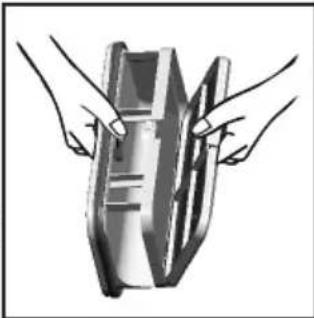
Illustration of two hands holding a folded or layered object, no text or symbols presentTo Clean the Condenser Filter
-
Remove the kickplate.
-
Turn the two locking levers anti-clockwise and pull out the front cover.
-
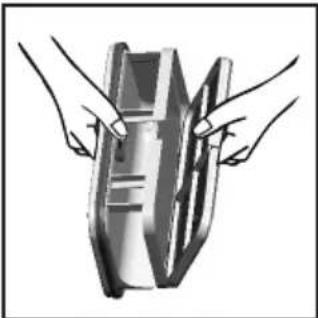
Gently remove the filter frame and clean any dust or fluff with a cloth from the filter. Do not use water to clean the filter.
-
Remove the sponge gently from its place and then wash the sponge by holding it under a running tap turning it so to remove any dust or fluff.
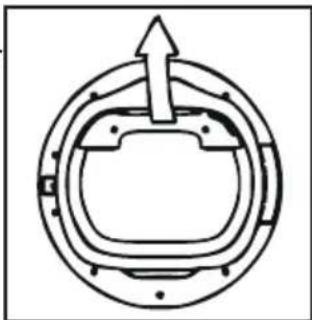
-
Refit the front cover ensuring it is in the correct way (as indicated by the arrow) and pushed firmly into place. Lock the two levers by turning them clockwise.
-
Refit the kickplate.
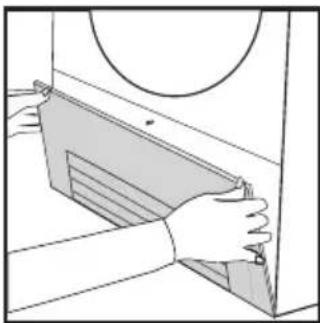
natural_image
Illustration of hands installing or adjusting a mechanical component with a circular inset (no text or symbols)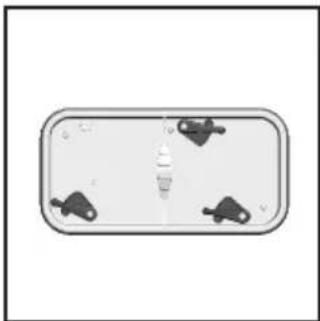
natural_image
Top-down view of a rectangular device with four small black connectors on one side (no text or symbols visible)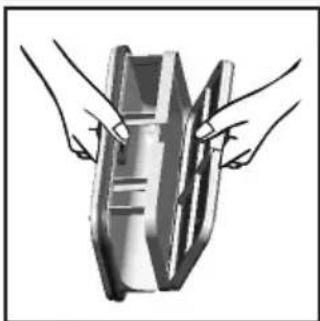
natural_image
Illustration of two hands holding a rectangular object with internal lines (no text or symbols)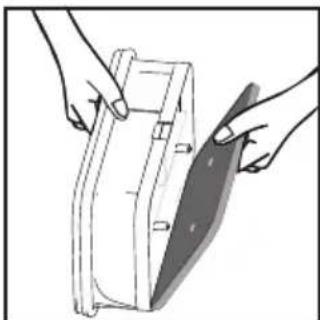
natural_image
Illustration of hands holding a rectangular device with a blade, no text or symbols present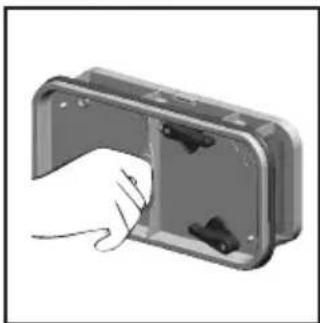
natural_image
Hand inserting a component into an open metal enclosure (no text or symbols visible)DO NOT USE WATER TO CLEAN THE FILTER.
WATER CONTAINER
The water removed from the laundry during the drying cycle is collected in a container inside the door of the dryer. When the container is full the 📋 indicator on the control panel will light, and the container MUST be emptied. However, we recommend that the container is emptied after each drying cycle.
NOTE: Very little water will collect during the first few cycles of a new machine as an internal reservoir is filled first.
To Remove the Container
- Gently pull out the water container holding the handle.
When it is full the water container will weigh about 6 kg.
- Tilt the water container to empty the water out through the spout.
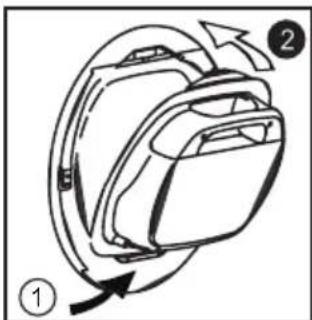
When empty, replace the water container back as shown; first insert the base of the container into position as shown then gentle push the top into position.
- Press ▷Button to restart the cycle.
natural_image
Pure mechanical cross-section diagram without any text, numbers, or symbols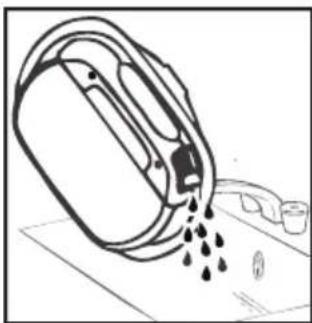
natural_image
Line drawing of a mechanical device pouring liquid into a container (no text or symbols)NOTE: If you have the option of drainage near to the dryer you can use the discharge kit to provide a permanent drainage for the water collected in the container of the dryer. This means that you don't have to employ the water container.
natural_image
Diagram of a backpack with directional arrows indicating movement or rotation (no text or symbols)WARNING! If you open the door mid cycle, before the cool-down cycle has completed, the handle may be hot. Please use extreme caution when attempting to empty the water reservoir during the cycle.
OPERATION
-
Open the door and load the drum with laundry. Ensure that garments do not hinder closure of the door.
-
Gently close the door pushing it slowly until you hear the door 'click' shut.
-
Turn the Programme Selector dial to select the required drying programme (see Programme Guide).
-
If drying synthetics, acrylics or delicate items, press the ☐ button to reduce the heat level. The indicator will light up when the machine is in low heat setting. To deselect in the first few minutes of the programme, press the ☐ button, after this time reset the machine to change the setting.
-
Press the ▷■ button. The dryer will start automatically and the indicator above the button will be continuously lit.
-
If the door is opened during the programme to check the laundry, it is necessary to press to recommence drying after the door has been closed.
-
When the cycle is nearing completion the machine will enter the cool down phase, the clothes will be tumbled in cool air allowing the load to cool down.
-
Following the completion of the cycle the drum will rotate intermittently to minimize creasing. This will continue until the machine is switched OFF or the door is opened.
Do not open the door during the automatic programs in order to obtain a proper drying.
Delay Start Function
The Delay Start Function ⏻ allows the user to delay the start of the drying cycle by 1 to 24 hours.
When the function is first selected the display will show a delay of 1 hour, subsequent presses of the button will increase the delay with 1 hour steps.
To commence the programme press ▷Ⅲ and the appliance will complete the drying cycle at the end of this time. The indicator light will flash to indicate that the start delay is in progress.
Cancelling and Resetting the Programme
To cancel a programme press the ▷■ button for 3 seconds. In the TIME CONTROL display 0:00 Light will flash to indicate that it has been reset.
CLEANING AND ROUTINE MAINTENANCE
Cleaning the Dryer
- Clean the filter and empty the water container after every drying cycle.
• Regularly clean the filters. - After each period of use, wipe the inside of the drum and leave the door open for a while to allow circulation of air to dry it.
- Wipe the outside of the machine and the door with a soft cloth.
- DO NOT use abrasive pads or cleaning agents.
- To prevent the door sticking or the build up of fluff clean the inner door and gasket with a damp cloth after every drying cycle.

WARNING! The Drum, door and load may very hot.
Technical Specifications
| Drum capacity | 115 litres |
| Maximum load | 9 kg |
| Height | 85 cm |
| Width | 60 cm |
| Depth | 60 cm |
| Energy Label Band | A + |
Information for Test Laboratory
| EN 61121 Programme | Programme To Use |
| -DRY COTTON | -HANG DRY |
| -IRON DRY COTTON | -IRON DRY |
| -EASY-CARE TEXTILE | -HANG DRY + SYNTHETIC |

IMPORTANT Always switch off and ove the plug from the electricity supply are cleaning this appliance.

For electrical data refer to the rating label the front of the dryer cabinet (with the door en).
TROUBLESHOOTING
What Might be the Cause of...
Defects you can remedy yourself
Before calling GIAS Service for technical advice please run through the following checklist. A charge will be made if the machine is found to be working or has been installed incorrectly or used incorrectly.
If the problem persists after completing the recommended checks, please call GIAS Service, they may be able to assist you over the telephone.
Time display to end could change during drying cycle. The time to end is continuously checked during the drying cycle and the time is adjusted to give the best estimation time. The displayed time may increase or decrease during the cycle and this is normal.
Drying time is too long/clothes are not dry enough...
- Have you selected the correct drying time/programme?
- Were the clothes too wet? Were the clothes thoroughly wrung or spindried?
- Does the filter need cleaning?
• Is the dryer overloaded? - Has the option been selected from a previous cycle?
The dryer is noisy...
- Switch off the dryer and contact GIAS Service for advice.
The Indicatorison...
- Does the filter need cleaning?
The Indicatorison...
- Does the water container need emptying?
CUSTOMER SERVICE
Should there still be a problem with your dryer after completing all the recommended checks, please call GIAS Service for advice.
They may be able to assist you over the telephone or arrange for a suitable appointment for an engineer to call under the terms of your guarantee. However, a charge may be made if any of the following applies to your machine:
• Is found to be in working order.
- Has not been installed in accordance with the installation instructions.
- Has been used incorrectly.
Johdanto 17
Pakkaustiedot 17
natural_image
Close-up of hands cleaning a car window with a tool (no visible text or symbols)natural_image
Close-up of a hand holding a soldering iron plug (no text or symbols visible)natural_image
Line drawing of a washing machine with a circular vent and side button (no text or symbols)natural_image
Close-up of a hand holding a tool with a coiled cable or wire, no visible text or symbolsnatural_image
Close-up of hands holding a white cylindrical object with a strap (no visible text or symbols)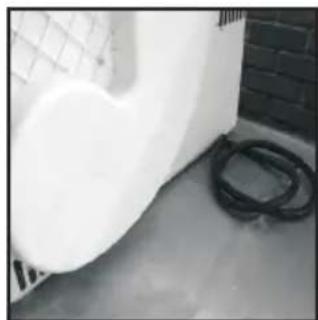
natural_image
Exterior view of a white industrial pipe with mesh structure and black hoses, next to a brick wall (no visible text or symbols)natural_image
Line drawing of a hand adjusting a circular component with a handle (no text or symbols)natural_image
Line drawing of a hand holding a rectangular object inside a car (no text or symbols)natural_image
Illustration of two hands holding a folded or layered object, no text or symbols presentnatural_image
Illustration of hands installing or removing a mechanical component into a cabinet (no text or symbols visible)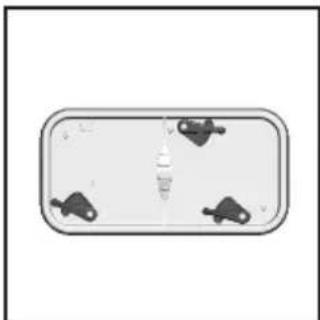
natural_image
Simple diagram of a rectangular panel with four small black connectors at the bottom (no text or symbols)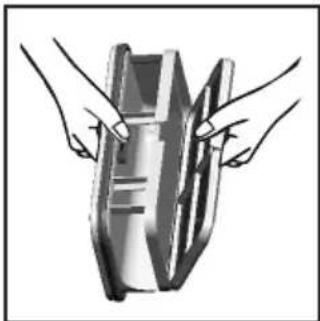
natural_image
Illustration of two hands holding a metallic object (no text or symbols visible)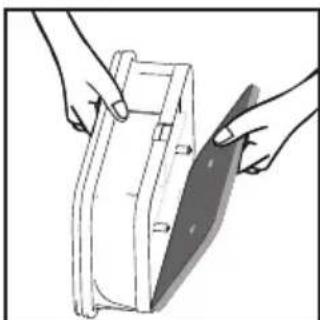
natural_image
Illustration of hands holding a mechanical component with a shaded blade (no text or symbols)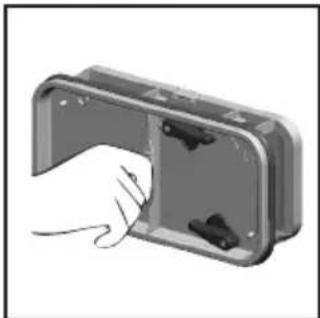
natural_image
Hand inserting a component into a metal enclosure (no text or symbols visible)ÄLÄ PUHDISTA SUODATINTA VEDELLÄ.
VESISÄILIÖ
natural_image
Pure mechanical component diagram without any text, numbers, or symbols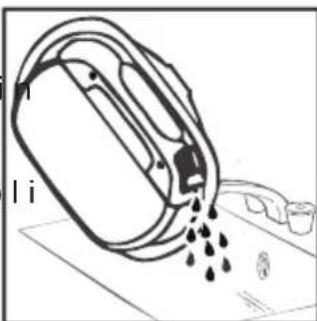
natural_image
Diagram of a mechanical device with liquid droplets and a label 'I i' (no readable text or symbols)natural_image
Line drawing of a washing machine with a circular vent and control panel (no text or symbols)natural_image
Close-up of hands cleaning a car window with a tool (no visible text or symbols)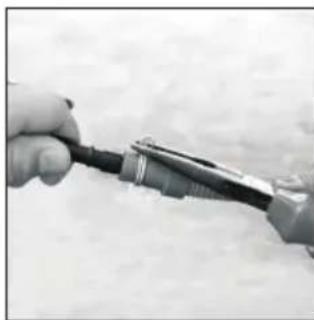
natural_image
Close-up of hands using a power tool to apply electrical probes (no visible text or symbols)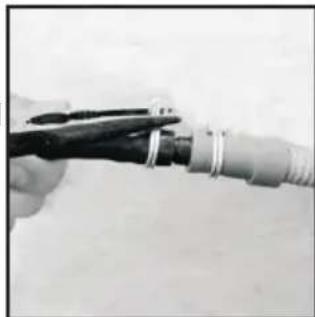
natural_image
Close-up of a hand holding a black tool with coiled wires, no visible text or symbols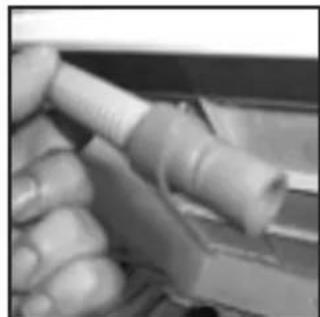
natural_image
Close-up of hands holding a white cylindrical object with a metallic handle (no visible text or symbols)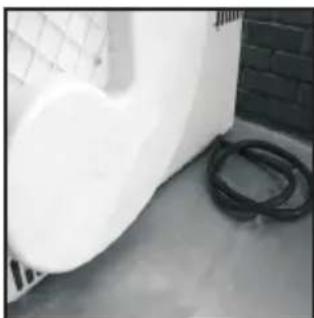
natural_image
Exterior view of a white industrial pipe or tank with black hoses, next to a brick wall (no visible text or symbols)FORBEREDELSE AF ILÆGNING AF T∅J
natural_image
Line drawing of a hand adjusting a circular component with a handle (no text or symbols)natural_image
Illustration of hands holding a folded or layered object with no visible text or symbolsBRUG IKKE VAND TIL RENG∅RING AF FILTERET
natural_image
Illustration of hands installing or adjusting a mechanical component with a circular inset (no text or symbols)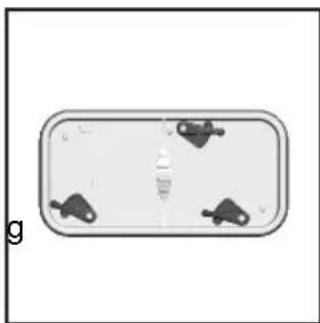
natural_image
Top-down view of a rectangular object with four small dark shapes on its surface, no visible text or symbols.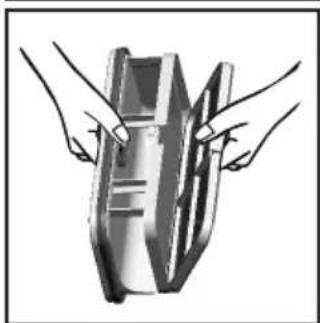
natural_image
Illustration of two hands holding a metallic object with a striped pattern (no text or symbols)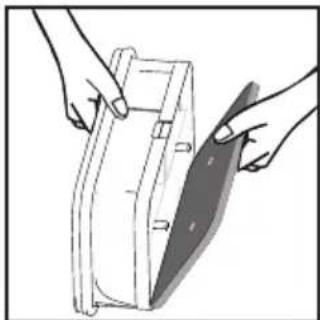
natural_image
Illustration of hands holding a rectangular object with a shaded blade, no text or symbols present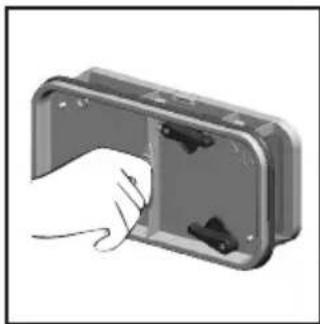
natural_image
Hand inserting a component into a plastic housing (no text or symbols visible)IKKE BRUK VANN FOR Å RENGJ∅RE FILTERET.
VANDBEHOLDER
natural_image
Pure mechanical component diagram without any text, numbers, or symbols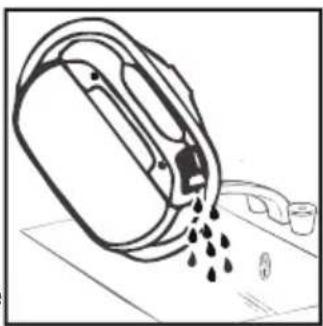
natural_image
Simple line drawing of a container pouring liquid into a container with a small container nearby (no text or symbols)natural_image
Diagram of a backpack with directional arrows indicating movement, no text or symbols presentBETJENING
SIKKERHETSPÄMINNELSER
Bruk
SIKKERHETSPÄMINNELSER
Installasjon
SIKKERHETSPÄMINNELSER
VENTILASJON
natural_image
Simple line drawing of a mechanical or architectural component with no visible text, numbers, or symbols.SIKKERHETSPÄMINNELSER
Miljømessige hensyn
natural_image
Close-up of hands using a tool to clean or lubricate a car (no visible text or symbols)natural_image
Close-up of hands holding a small mechanical component with a tool (no visible text or symbols)natural_image
Line drawing of a washing machine with a circular vent and side button (no text or symbols)natural_image
Close-up of a hand holding a black cable with metal clamps, no visible text or symbolsnatural_image
Close-up of a hand holding a white cylindrical object, possibly a tool or component (no visible text or symbols)natural_image
Exterior view of a white wall with a mesh fence and black hoses on the floor (no text or symbols visible)GJ∅RE KLART T∅YET
natural_image
Line drawing of a hand adjusting a circular component with a handle (no text or symbols)natural_image
Line drawing of a hand holding a rectangular object inside a car (no text or symbols)Indikator For Filtervedlikehold
Lyser när filteret trenger rengjøring.
natural_image
Illustration of two hands assembling or folding a rectangular object (no text or symbols visible)natural_image
Illustration of hands installing or adjusting a mechanical component with a circular inset (no text or symbols)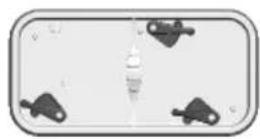
natural_image
Illustration of two hands holding a metallic object with internal components (no text or symbols visible)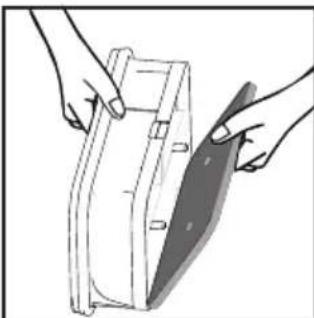
natural_image
Illustration of hands holding a medical device with a shaded band (no text or symbols visible)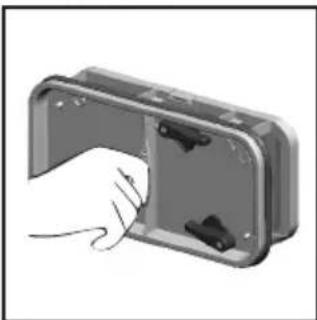
natural_image
Illustration of a hand inserting a component into a device housing (no text or symbols visible)
IKKE BRUK VANN FOR Å RENGJ∅RE FILTERET.
VANNBEHOLDER
natural_image
Pure mechanical cross-section diagram without any text, numbers, or symbols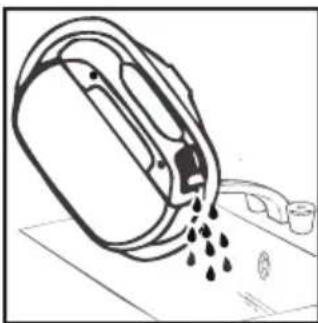
natural_image
Simple line drawing of a container pouring liquid into a container with a lid, placed on a surface (no text or symbols)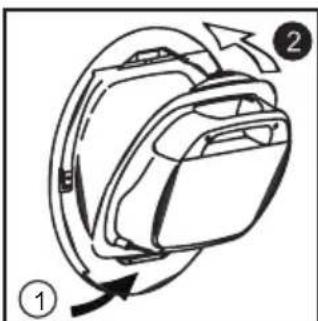
natural_image
Diagram of a backpack with directional arrows indicating movement or rotation (no text or symbols)natural_image
Line drawing of a washing machine with a circular vent and side button (no text or symbols)natural_image
Close-up of hands using a tool to clean or repair a car window (no visible text or symbols)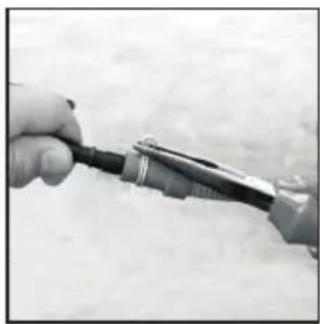
natural_image
Close-up of a hand holding a small electrical plug (no visible text or symbols)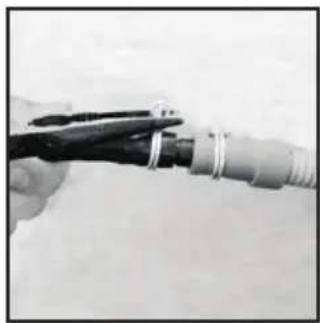
natural_image
Close-up of a hand holding a black tool with metal rings, next to a coiled cable or connector (no visible text or symbols)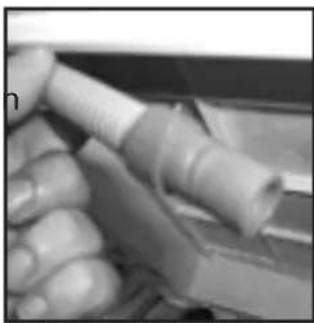
natural_image
Close-up of hands holding a white cylindrical object, possibly a connector or tool (no visible text or symbols)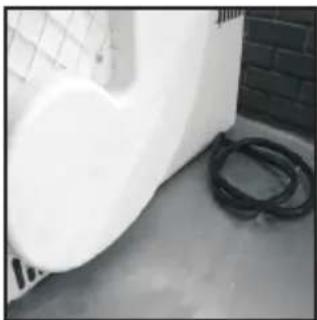
natural_image
Exterior view of a white wall and a black hose on a concrete floor (no text or symbols visible)FÖRBEREDA LASTEN
natural_image
Line drawing of a hand adjusting a circular component (no text or symbols)natural_image
Line drawing of a hand opening a car door with a closed lid (no text or symbols)Filterindikator
natural_image
Illustration of two hands holding a folded or layered object, no text or symbols presentnatural_image
Illustration of hands installing or adjusting a cabinet panel (no text or symbols visible)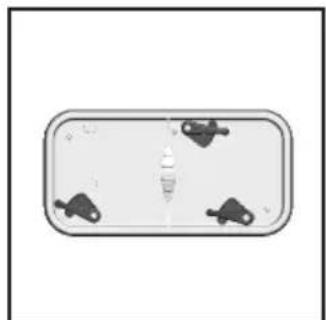
natural_image
Top-down view of a rectangular device with four small black icons on its sides (no text or symbols visible)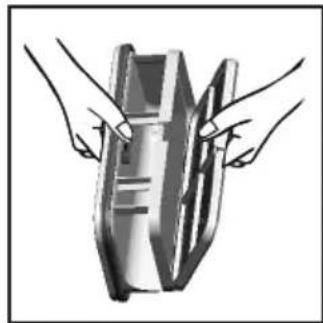
natural_image
Illustration of two hands holding a rectangular object with internal structure (no text or symbols)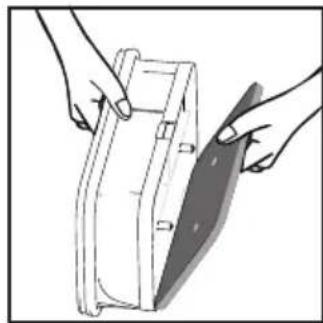
natural_image
Illustration of hands holding a medical device with a shaded blade (no text or symbols)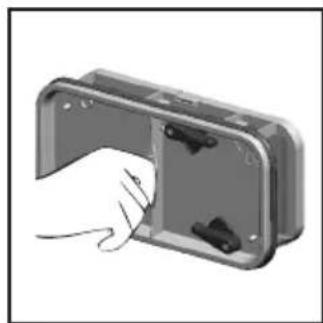
natural_image
Hand inserting a component into a rectangular housing (no text or symbols visible)⚠️ RENGÖR INTE FILTRET MED VATTEN.
VATTENBEHÅLLARE
natural_image
Pure mechanical cross-section diagram without any text, numbers, or symbols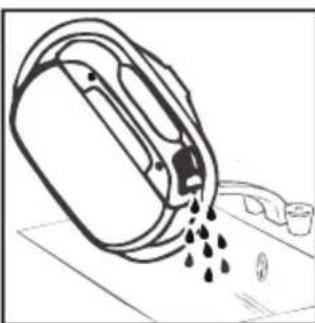
natural_image
Line drawing of a water dispenser pouring liquid into a container (no text or symbols)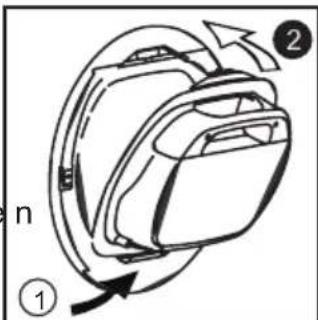
text_image
n ① ②natural_image
Line drawing of a washing machine with a circular vent and ventilation slots (no text or symbols)natural_image
Close-up of hands cleaning a car window with a tool (no visible text or symbols)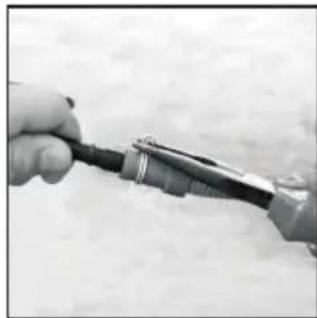
natural_image
Close-up of hands holding a small electronic device with wires, no visible text or symbols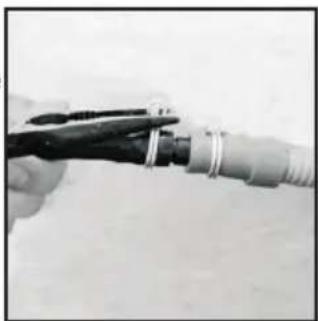
natural_image
Close-up of a hand holding a tool with a coiled cable or connector (no visible text or symbols)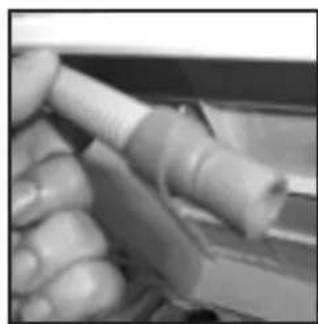
natural_image
Close-up of a hand holding a white cylindrical object, possibly a tool or device (no visible text or symbols)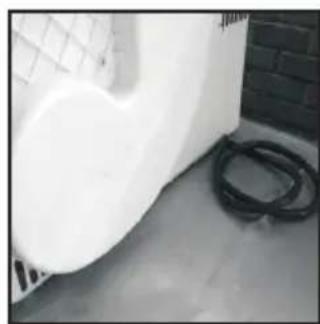
natural_image
Exterior view of a white industrial chimney next to a black hose and brick wall (no visible text or symbols)PRÉPARATION DE LA CHARGE
natural_image
Line drawing of a hand adjusting a circular component with a handle (no text or symbols)natural_image
Line drawing of a person opening a car door with a closed lid (no text or symbols)natural_image
Illustration of hands holding a folded or layered object with no visible text or symbolsnatural_image
Illustration of hands installing or adjusting a wall-mounted panel, no text or symbols present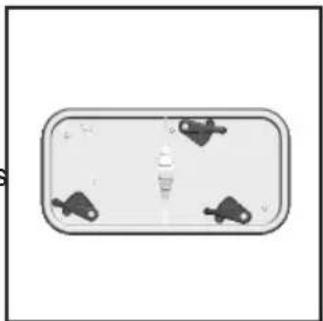
natural_image
Top-down view of a rectangular device with four small black icons on its sides (no text or symbols visible)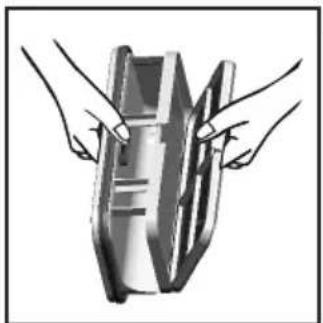
natural_image
Illustration of two hands holding a rectangular object with internal markings (no text or symbols)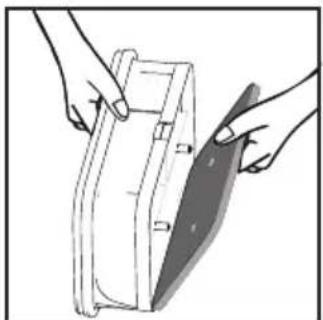
natural_image
Illustration of hands holding a rectangular object with a shaded blade, no text or symbols present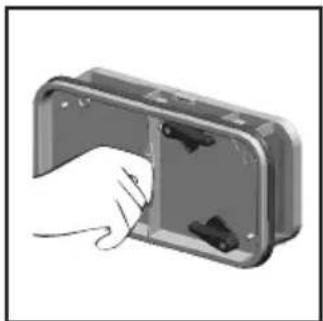
natural_image
Hand inserting a component into a plastic housing (no text or symbols visible)natural_image
Pure mechanical component diagram without any text, numbers, or symbols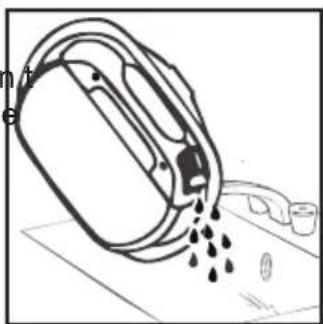
natural_image
Diagram of a mechanical device pouring liquid into a container (no text or symbols)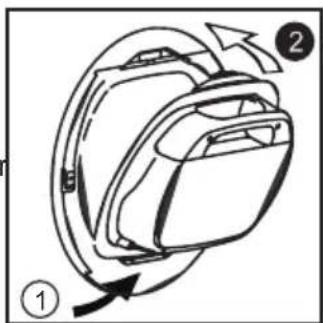
text_image
Diagram of a device with labeled parts and directional arrows indicating motion or movementnatural_image
Line drawing of a washing machine with a circular vent and ventilation grille (no text or symbols)natural_image
Close-up of hands using a tool to clean or repair a car (no visible text or symbols)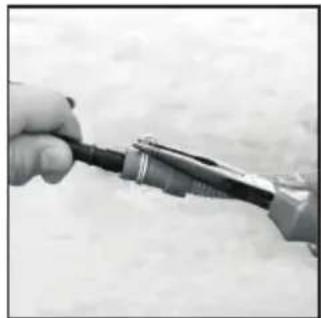
natural_image
Close-up of hands using a power tool to apply electrical probes (no visible text or symbols)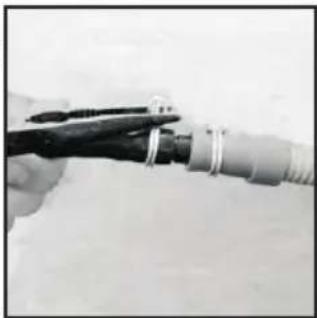
natural_image
Close-up of a hand holding a tool with metal clamps, partially connected to a cylindrical pipe (no visible text or symbols)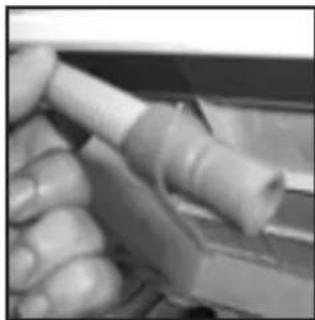
natural_image
Close-up of a hand holding a white cylindrical object, possibly a tool or component (no visible text or symbols)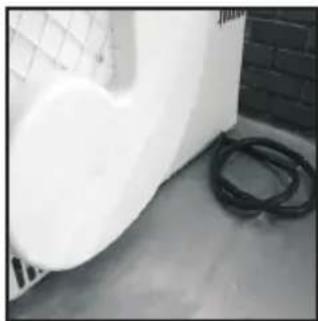
natural_image
Exterior view of a white industrial pipe with coiled black hoses, next to a brick wall (no visible text or symbols)natural_image
Line drawing of a hand adjusting a circular component with a handle (no text or symbols)natural_image
Line drawing of a hand opening a car door with a closed door (no text or symbols)Flusensieb-Anzeige
natural_image
Illustration of two hands folding a folded paper or panel structure (no text or symbols visible)natural_image
Illustration of hands installing or adjusting a cabinet panel with a circular component above (no text or symbols)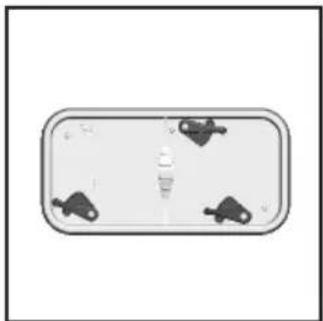
natural_image
Top-down view of a rectangular device with four small black connectors on its sides (no text or symbols visible)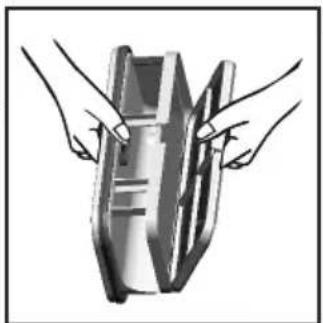
natural_image
Illustration of two hands holding a rectangular object with internal markings (no text or symbols)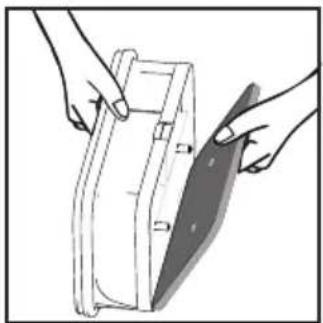
natural_image
Illustration of hands holding a rectangular object with a diagonal blade, no text or symbols present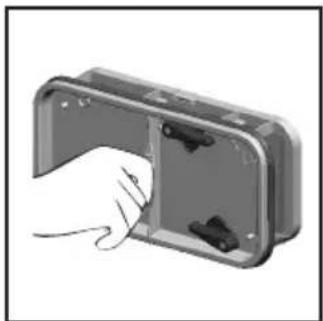
natural_image
Hand inserting a component into a metal housing (no text or symbols visible)
natural_image
Diagram of a mechanical component with an arrow indicating upward motion, labeled 'm' and 's' (no text or symbols on the diagram itself)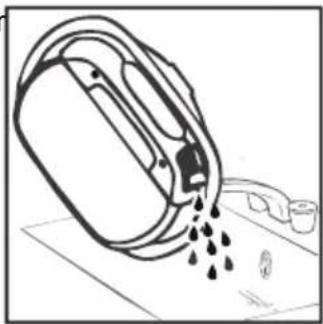
natural_image
Simple line drawing of a container pouring liquid into a container with a lid, placed on a surface (no text or symbols)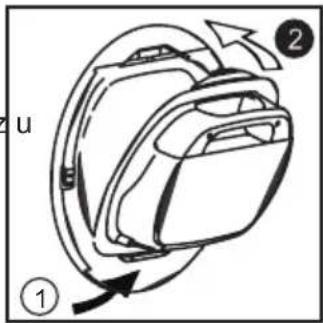
text_image
2 u ①European Directive 2002/96/EC
natural_image
Close-up of hands holding a tool near a vehicle window (no visible text or symbols)natural_image
Close-up of hands holding a small electronic device with wires (no visible text or symbols)- Priključite novo cev na odtok.
natural_image
Close-up of hands using pliers to connect a cable or wire (no visible text or symbols)natural_image
Line drawing of a washing machine with a circular vent and side panel (no text or symbols)natural_image
Close-up of a hand holding a cylindrical object, possibly a tool or device (no visible text or symbols)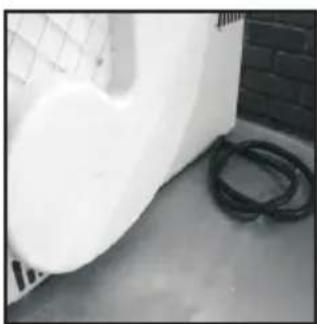
natural_image
Exterior view of a white wall with a mesh fence and black hoses on the ground (no text or symbols visible)PRIPRAVA NA POLNJENJE STROJA
natural_image
Line drawing of a hand adjusting a circular component with a handle (no text or symbols)natural_image
Illustration of hands installing or adjusting a wall-mounted panel, no text or symbols presentnatural_image
Line drawing of a hand holding a rectangular object inside a car (no text or symbols)natural_image
Top-down view of a rectangular device with four small accessories on either side (no text or symbols visible)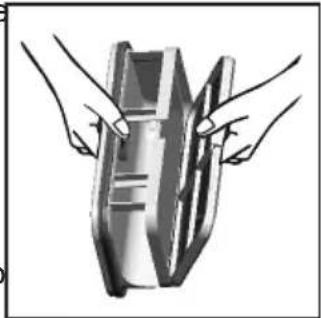
natural_image
Illustration of two hands holding a metallic object with internal channels (no text or symbols)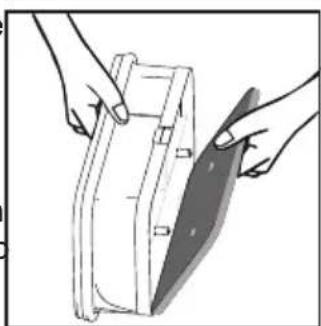
natural_image
Illustration of hands holding a device with a blade, no text or symbols present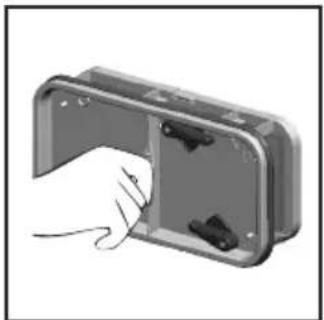
natural_image
Hand inserting a component into a metal enclosure (no text or symbols visible)Signalna Lučka za Stanje Filtra
se prižge, ko je treba filter očistiti.
Če se perilo ne suši pravilno, preverite, da ni filter Zamašen.
natural_image
Illustration of two hands holding a folded or folded object, no text or symbols presentnatural_image
Pure mechanical cross-section diagram without any text, numbers, or symbols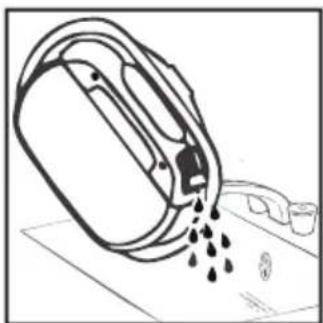
natural_image
Diagram of a mechanical device pouring liquid into a container (no text or symbols)text_image
Diagram of a device with labeled parts and directional arrows indicating motion or movementUPORABA SUŠILNEGA STROJA
-
Odprite vrata in vložite perilo v boben. Pazite, da perilo ne ovira zapiranje vrat.
-
Nežno zaprite vrata – potisnite jih proti stroju, dokler se slišno ne zaprejo.
-
Obrnite gumb za izbiranje programov na ustrezen program (gl. razpredelnico programov).
Information for Test Laboratory
ODPRAVLJANJE NAPAK
natural_image
Close-up of hands cleaning a car window with a tool (no visible text or symbols)natural_image
Line drawing of a washing machine with a circular vent and control panel (no text or symbols)natural_image
Close-up of hands holding a small electronic device with wires (no visible text or symbols)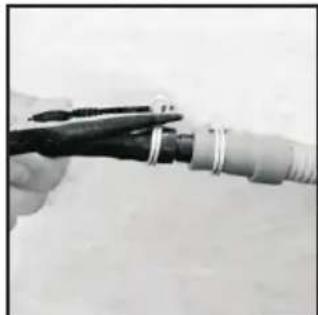
natural_image
Close-up of a hand holding a tool with metal clamps, partially connected to a cable or wire (no visible text or symbols)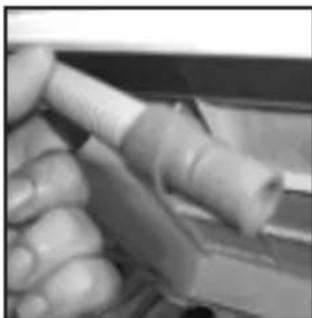
natural_image
Close-up of hands holding a white cylindrical object with a blue handle, possibly a tool or device (no visible text or symbols)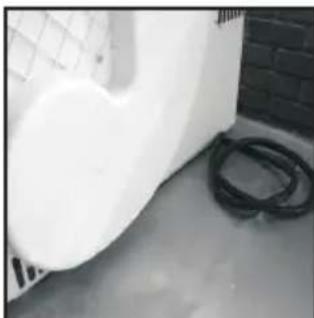
natural_image
Exterior view of a white wall corner with a black hose and brick wall in the background (no visible text or symbols)HET WASGOED VOORBEREIDEN
natural_image
Line drawing of a hand adjusting a circular component with a handle (no text or symbols)natural_image
Line drawing of a hand holding a rectangular object inside a car (no text or symbols)natural_image
Illustration of two hands holding a folded or folded object with internal components (no text or symbols)
natural_image
Illustration of hands installing or removing a mechanical component into a cabinet (no text or symbols visible)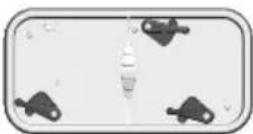
natural_image
Illustration of two hands holding a metallic object with a grid pattern (no text or symbols)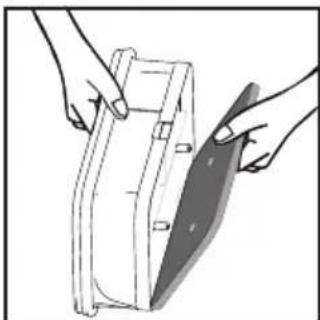
natural_image
Illustration of hands holding a medical device with a shaded blade (no text or symbols)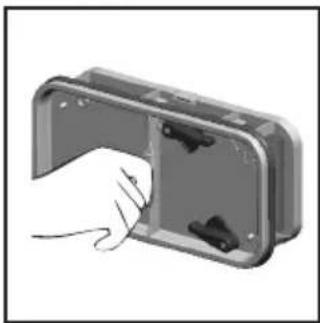
natural_image
Hand inserting a component into a metal enclosure (no text or symbols visible)CONDENSATOR
natural_image
Pure mechanical cross-section diagram without any text, numbers, or symbols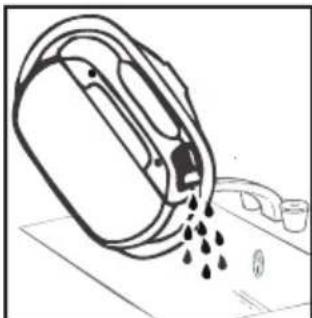
natural_image
Simple line drawing of a mechanical component pouring liquid into a container (no text or symbols)WARNING! If you open the door mid cycle, before the cool-down cycle has completed, the handle may be hot. Please use extreme caution when attempting to empty the water reservoir during the cycle.
BEDIENING
natural_image
Line drawing of a washing machine with a circular vent and side button (no text or symbols)natural_image
Close-up of hands cleaning a car window with a tool (no visible text or symbols)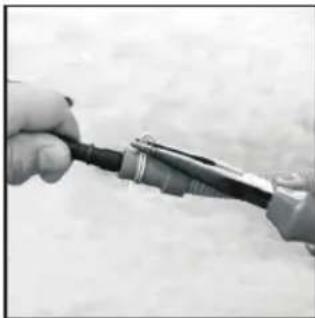
natural_image
Close-up of a hand holding a small mechanical component (no visible text or symbols)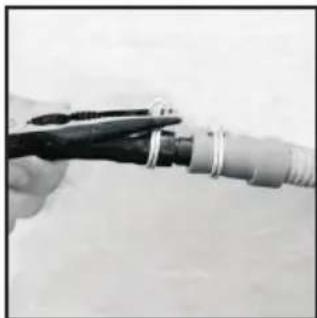
natural_image
Close-up of a hand holding a black tool with white clamps, partially connected to a coiled cable or wire (no visible text or symbols)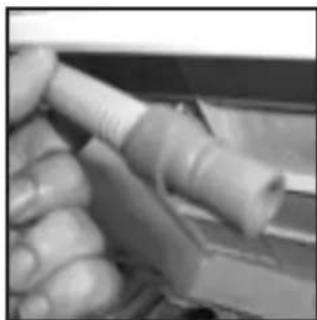
natural_image
Close-up of hands holding a flexible cable or wire component (no visible text or symbols)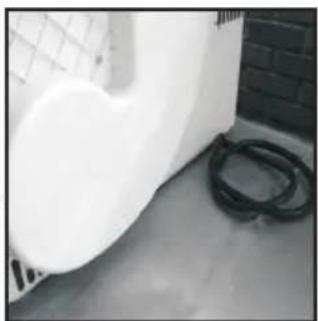
natural_image
Exterior view of a white wall with a coiled hose and brick wall (no text or symbols visible)natural_image
Line drawing of a hand adjusting a circular component with a handle (no text or symbols)natural_image
Line drawing of a hand holding a rectangular object inside a car (no text or symbols)natural_image
Illustration of two hands holding a folded or layered object, no text or symbols present
NON USARE ACQUA PER PULIRE IL FILTRO
Pulizia Filtro
natural_image
Illustration of hands installing or removing a mechanical component into a cabinet (no text or symbols visible)
natural_image
Top-down view of a rectangular electronic component with four small black connectors on its sides (no text or symbols visible)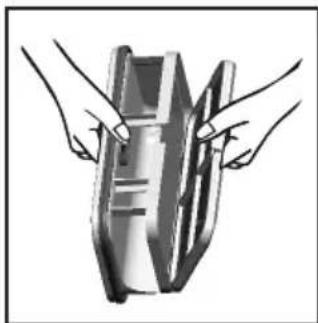
natural_image
Illustration of two hands holding a rectangular object with internal lines (no text or symbols)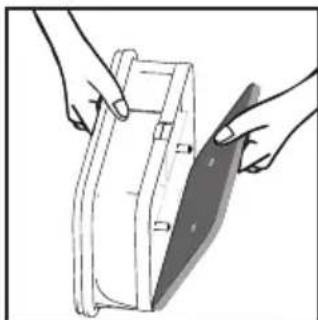
natural_image
Illustration of hands holding a rectangular object with a curved handle, no text or symbols present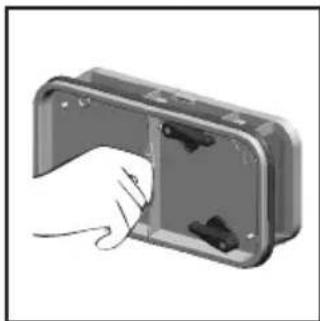
natural_image
Hand inserting a component into a device housing (no text or symbols visible)natural_image
Pure mechanical component diagram without any text, numbers, or symbols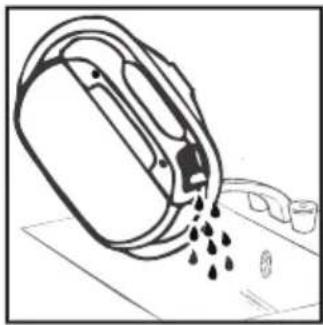
natural_image
Simple line drawing of a container pouring liquid into a container with a handle (no text or symbols)text_image
Diagram of a backpack with directional arrows indicating movement or rotation, labeled with numbers ① and ②.natural_image
Line drawing of a washing machine with a circular vent and base, no text or symbols presentnatural_image
Close-up of a hand holding a tool near a car window (no visible text or symbols)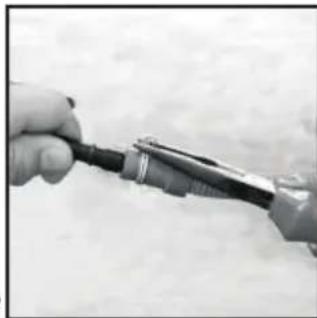
natural_image
Close-up of a hand holding a small electronic device with wires (no visible text or symbols)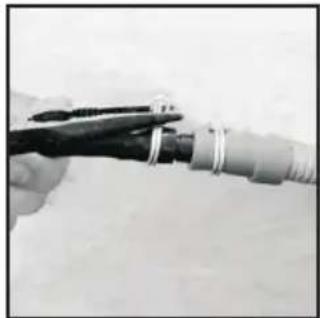
natural_image
Close-up of a hand holding a pliers next to a coiled cable or wire (no text or symbols visible)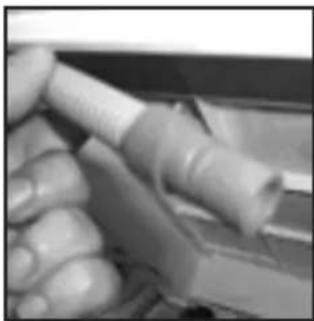
natural_image
Close-up of hands holding a cylindrical object, possibly a tool or device (no visible text or symbols)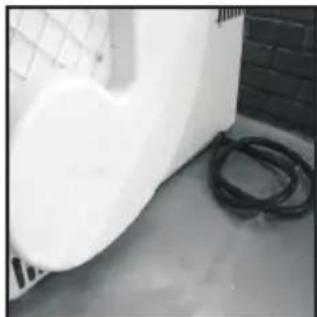
natural_image
Exterior view of a white industrial container with coiled black hoses on the floor, next to a brick wall (no visible text or symbols)PREPARAÇÃO DA CARGA
natural_image
Line drawing of a hand adjusting a circular component with a handle (no text or symbols)natural_image
Line drawing of a hand holding a rectangular object inside a car (no text or symbols)Indicador de Controlo do Estado do Filtro
natural_image
Illustration of two hands holding a folded or layered object, no text or symbols presentnatural_image
Illustration of hands installing or adjusting a wall-mounted panel, no text or symbols present
natural_image
Top-down view of a rectangular device with four small black connectors on its sides (no text or symbols visible)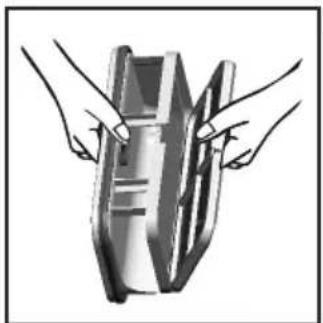
natural_image
Illustration of two hands holding a rectangular object with internal markings (no text or symbols)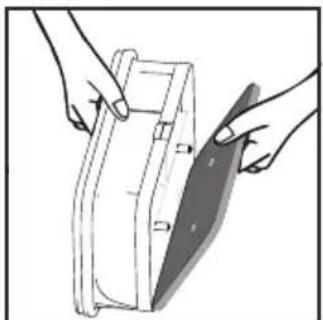
natural_image
Illustration of hands holding a rectangular object with a diagonal blade, no text or symbols present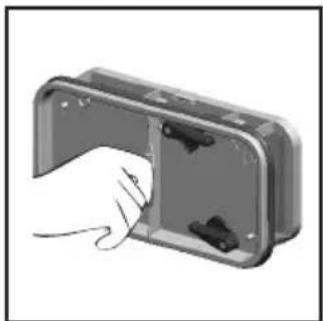
natural_image
Hand inserting a component into a rectangular housing (no text or symbols visible)
natural_image
Pure mechanical cross-section diagram without any text, numbers, or symbols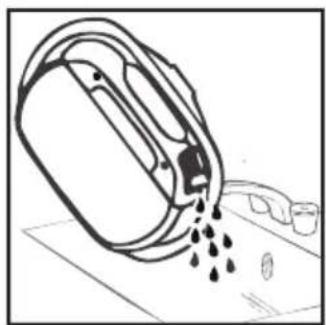
natural_image
Diagram of a mechanical device pouring liquid into a container (no text or symbols)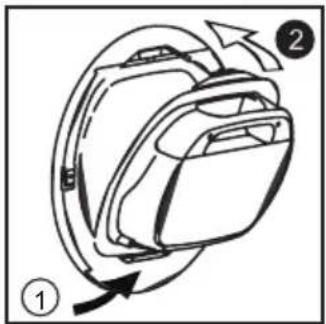
text_image
Diagram showing a device with labeled parts and directional arrows, likely illustrating a motion or assembly process.natural_image
Simple line drawing of a washing machine with a checkmark and base (no text or symbols)natural_image
Illustration of a person using a tool to lift a head, with arrows indicating motion (no text or symbols)TAHLİYE HORTUMU SETİ: MONTAJ TALİMATLARI
natural_image
Line drawing of a washing machine with a circular vent and ventilation slots (no text or symbols)natural_image
Close-up of hands using a tool to clean or repair a car (no visible text or symbols)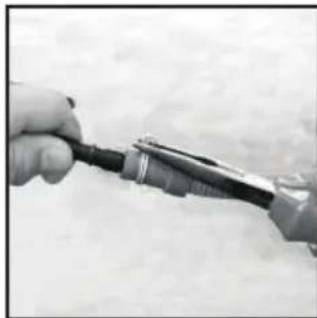
natural_image
Close-up of hands holding a small electronic device with wires (no visible text or symbols)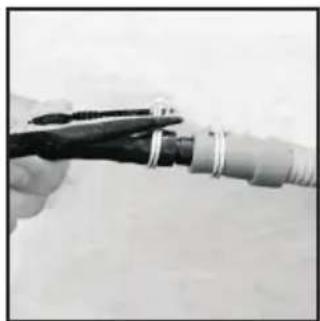
natural_image
Close-up of hands using pliers to connect a cable or wire (no visible text or symbols)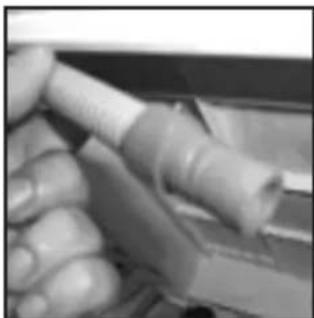
natural_image
Close-up of hands holding a cylindrical tool or tool, no visible text or symbols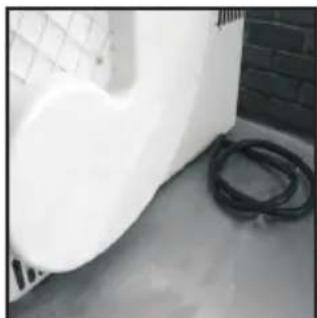
natural_image
Exterior view of a white industrial or construction space with a coiled black pipe and grid-patterned wall (no visible text or symbols)YÜKÜN HAZIRLANMASI
natural_image
Simple line drawing of a mechanical component with no text or symbolsnatural_image
Illustration of a hand opening a door with a circular window on top (no text or symbols)
SU HAZNESI
natural_image
Pure mechanical component diagram without any text, numbers, or symbols