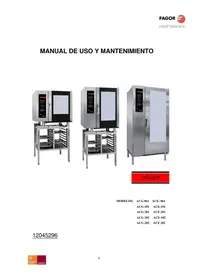
ACE201 - Electric oven FAGOR - Free user manual and instructions
Find the device manual for free ACE201 FAGOR in PDF.



| Product type | Professional electric oven |
| Brand | Fagor |
| Model | ACE201 |
| Usage | Professional |
| Cooking modes | Convection, Steam, Combi, Regeneration |
| Convection temperature range | 20 °C to 300 °C |
| Combi temperature range | 20 °C to 250 °C |
| Steam temperature | 99 °C |
| Maximum cooking time | 300 minutes |
| Core probe function | Yes |
| Delta function | Optional |
| Rapid cooling (Cool down) | Yes |
| Humidifier | Yes |
| Self-diagnostic system | Yes |
| Digital display | Yes |
| Glass inner door | Yes |
| Chamber material | Stainless steel |
| Recommended cleaning | Daily with degreasing products and steam cycle |
| Included accessories | Core probe, rinse spray gun (optional) |
| Safety | Burner lock (gas models), audible/visual alarms |
| Indicators | Mode, actual/set temperature, remaining time, power/speed |
Frequently Asked Questions - ACE201 FAGOR
User questions about ACE201 FAGOR
0 question about this device. Answer the ones you know or ask your own.
Ask a new question about this device
Download the instructions for your Electric oven in PDF format for free! Find your manual ACE201 - FAGOR and take your electronic device back in hand. On this page are published all the documents necessary for the use of your device. ACE201 by FAGOR.
USER MANUAL ACE201 FAGOR
20560 Onati (Gipuzkoa/Spain)
INDICE
INDICE 3
ELEMENTOS DE MANDO 4
ELEMENTOS DE MANDO CONCEPT GAS 4
ELEMENTOS DE MANDO CONCEPT ELECTRICO 5
SELECTION DE MODOS DE COCCION CONCEPT (MODELOS ELECTRICOS) 6
FUNCION PINCHO SONDA NUCLEO: 8
FUNCION DELTA: 9
COOL DOWN 10
21-Pulsador / indicator Cool down.
FUNCION PINCHO SONDA NUCLEO:
We would like to thank you for the confidence you have shown in our product on purchasing a professional appliance. We are totally convinced that in time you will be completely satisfied with your purchase.
Take a few minutes of your time and get to know the appliance with this instructions manual and "down to work": the easy to understand graphical information replaces pages full of writing.
Nevertheless, we recommend you thoroughly read this manual compiled by FAGOR's kitchen supervisors, in order to benefit to the maximum from the multiple possibilities and advantages this appliance offers you.
Keep this manual near to the appliance and at all times in an accessible place.
Lastly, we wish you success and hope that you will be fully satisfied with your new oven.
FAGOR

FAGOR INDUSTRIAL S. COOP.
B\ Santxolopetegi 22 aptdo 17
20560 Onati (Gipuzkoa/Spain)
CONTENTS
CONTENTS. 19
CONTROLS 20
CONCEPT GAS COOKING MODES 20
CONCEPT ELECTRIC COOKING MODES 21
SELECTION OF CONCEPT COOKING MODES 22
TEMPERATURE SELECTION 22
TIME SELECTION 23
POWER / SPEED SELECTION 23
AUXILIARY FUNCTIONS 23
CORE PROBE SPIKE (OPTIONAL): 24
DELTA FUNCTION 25
COOL DOWN 26
HUMIDIFIER BUTTON 26
LOCK INDICATOR BURNER (GAS MODELS) 26
START/STOP 27
The oven is switched on/off with the main ON/OFF switch. Each time that the oven is switched on, the last-used values are displayed. If this is the first time the oven is switched on, the defect values are displayed.

SELECTION OF CONCEPT COOKING MODES
Use the mode 3 selector button.
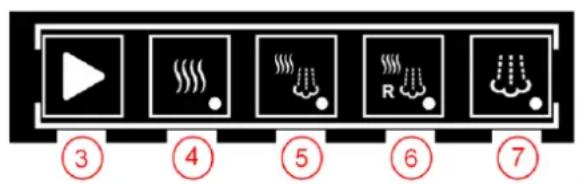
- Mode selector.
- Convection mode indicator.
- Mixed-mode indicator.
- Regeneration mode indicator
-
Indicator steam mode.
-
CONVECTION: The oven is only heated with hot air (dry heat).
- STEAM: The oven is heated using steam from the injection of water at 99^ at atmospheric pressure.
- MIXED: The oven is heated using a combination of hot air and steam.
- REGENERATION: The heating by hot air and steam at a time, but at higher power to steam.
The fluepipe opens automatically in convection mode. In all other modes it remains closed.
TEMPERATURE SELECTION
Use the temperature selection button (control 10) to select the required temperature in the oven interior. This is displayed in window 9 (chamber temperature setting).
Window 8 shows the true value of the temperature in the chamber.
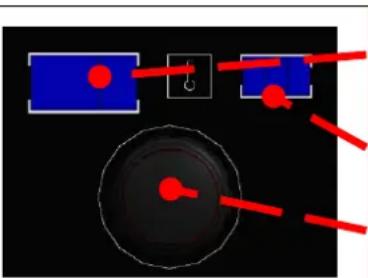
REAL VALUE CAMERA TEMPERATURE
CHAMBER TEMPERATURE SETPOINT VALUE
TEMPERATURE SELECTOR
The temperature range and defect values for each operating mode are listed below:
- Convection: Range [20..300].
- Mixed: Range [20.0.250].
- Steam: Range [99].
TIME SELECTION
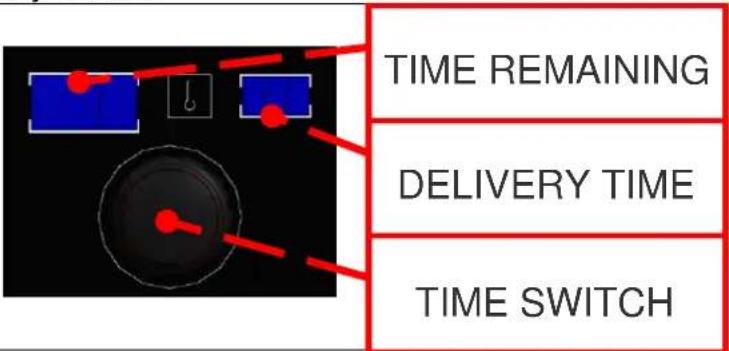
Remaining time: Numerical value which shows the time remaining until the selected cooking mode is completed.
When the time reaches 0, the number starts to flash, the horn is heard and the light flashes in time with the horn until the door is opened or for a maximum of 30 seconds. If the door is not opened, the acoustic/visual warning is repeated for 30 seconds every 3 minutes.
Time setting: Time setting selected by the user. The maximum possible time is 300 minutes. When the operating mode is changed, the last-used value in this mode is automatically loaded.
POWER / SPEED SELECTION

14- Power / speed selector button.
15- Maximum power / maximum speed display.
16-Average power / maximum speed display.
17-Average power / average speed display.
AUXILIARY FUNCTIONS
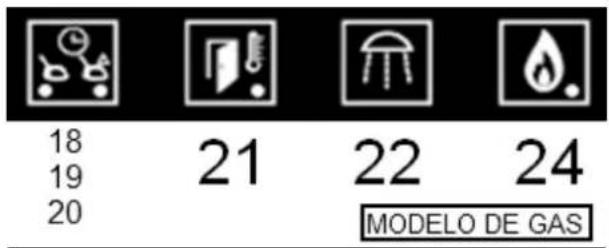
18-.19-20-Temperature/spike/delta (optional) selector button.
21-Button /Cool down display.
22-Humidifier button.
24-Lock burner
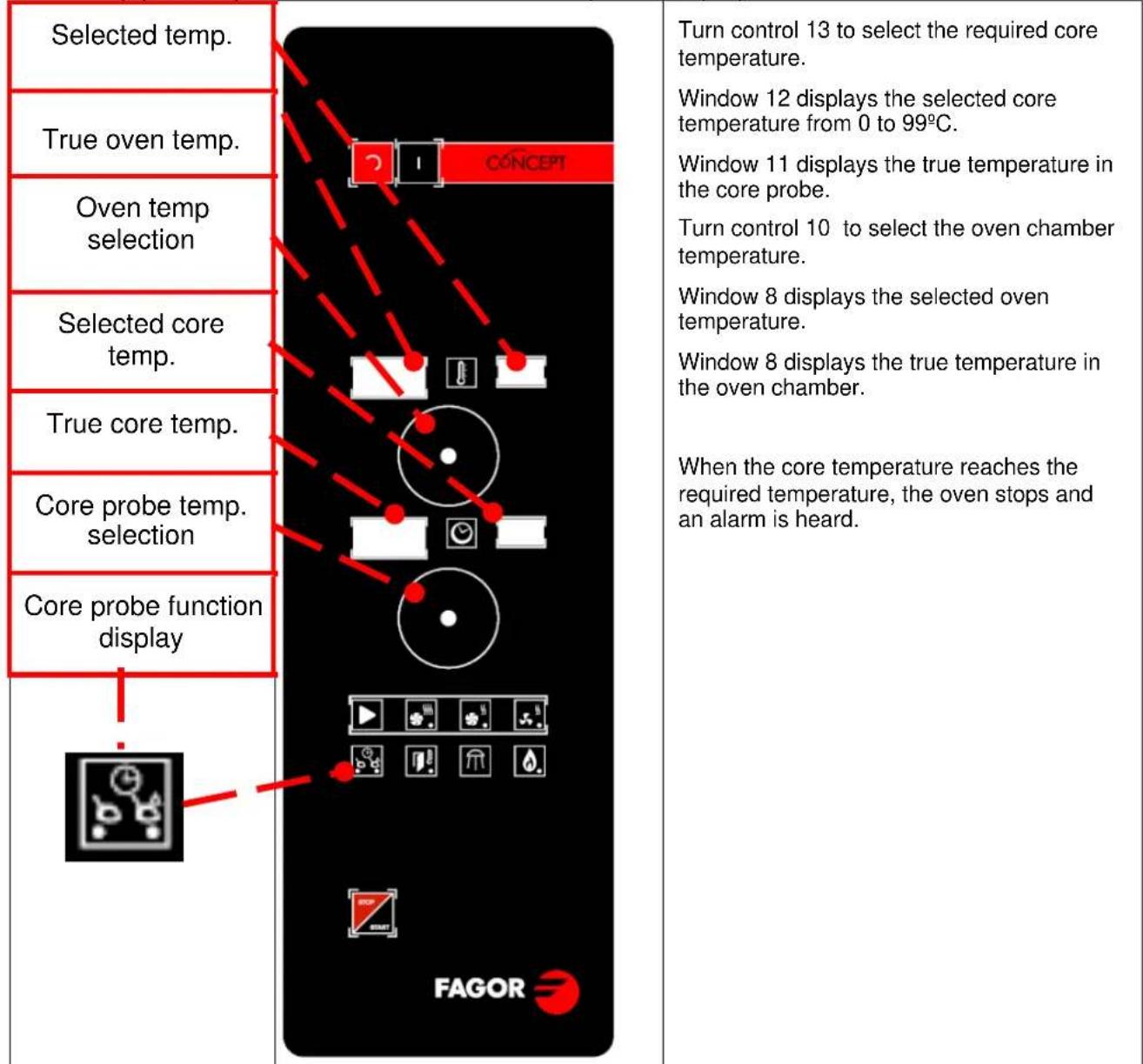
CORE PROBE SPIKE (OPTIONAL):
Select by pressing button 17 and with the core probe display lit.
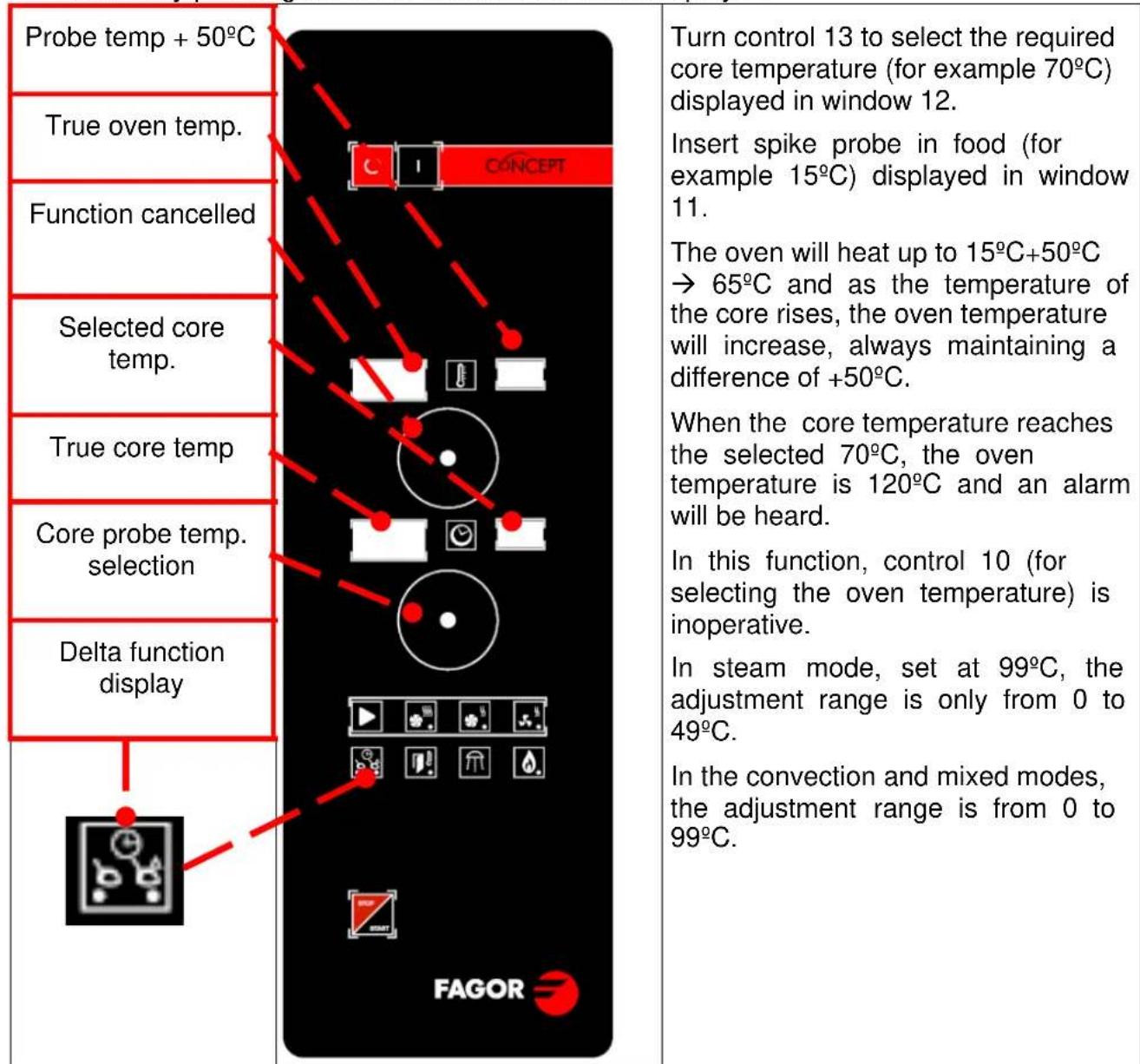
DELTA FUNCTION
Difference between the core temperature and the oven temperature.
The oven temperature is always 50^ higher than the temperature recorded by the core probe.
Select by pressing button 17 and with the delta display lit.
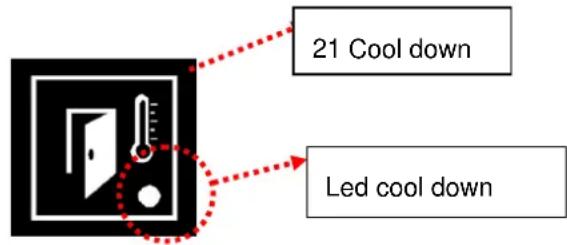
COOL DOWN
To cool the cooking chamber, proceed as follows:
Close the door and press button 21 (COOL DOWN). Next open the door.
The fan starts and the cool down LED indicator light, number 21, lights up. When the chamber temperature reaches 45^ , the fan stops automatically.
The cooling cycle can be stopped by pressing button 20 again or by closing the door, and the cool down indicator will go out.
Warning: Do not cool the oven by directly applying cold water in the tub.
SAFETY MEASURES: The fan cover and the tray guides must be correctly fastened in place during this cycle.
The cooking chamber must not be cooled with cold water.
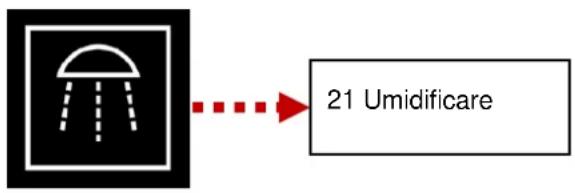
HUMIDIFIER BUTTON
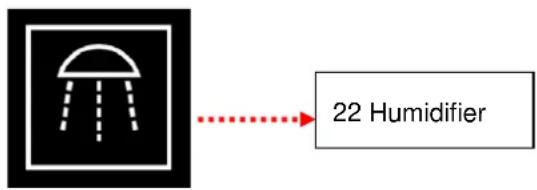
The moisture inlet only operates when button 21 is pressed in Start mode (in Stop mode the signal is ignored).
Bakery products rise very well using this function thanks to the rapid entrance of moisture.
Soft shine to baked products.
It should be used for short periods of time.
LOCK INDICATOR BURNER (GAS MODELS)
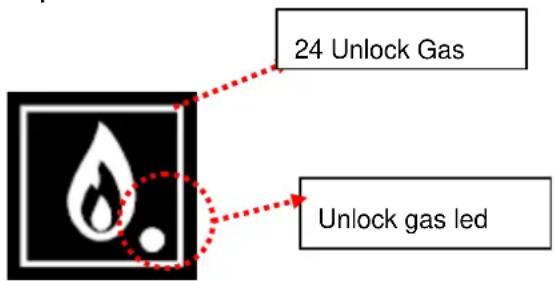
The gas burners can be blocked for different reasons. In this situation the burner lock indicator is activated and warns that it is necessary to unlock.
To unlock, press the reset key 24 gas, and press START / STOP to resume
operation of the furnace.
START/STOP
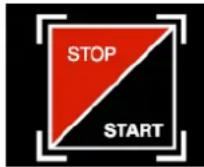
The oven starts to operate with the settings entered in cooking, temperature and time mode when the START/STOP button is pressed once.
If the button is pressed again, the operation is stopped and the oven is in pause mode.
If a set time has been selected, pressing the START/STOP button a second time implies that the cooking time is interrupted and the time is reset to the previously selected value.
Procedure to start a FAGOR CONCEPT oven.
- Press the ON button (1).
- Select cooking mode (3).
- Select time (9).
- Select temperature (12).
- Select time/spike/delta function (17) (optional).
- Press START/STOP (22).
MAINTENANCE
MANUAL CLEANING
The appliance should be cleaned every day.
The appliance must always be switched off for cleaning.
For the correct working and maintenance of the appliance, it should be cleaned every day using degreasing products specifically designed for this.
VERY IMPORTANT: Sand-based or abrasive products must not be used. Nor should a hose be used to clean the outside of the appliance as this could affect the internal components.
The appliance must always be switched off for Manual Cleaning.
The procedure for Manual Cleaning is as follows:
1 Cool the oven to 60^ , (use the oven cooling function), and then remove all solid waste.
2 Spray the inside of the chamber evenly with the detergent.
3 Close the door and allow the detergent to operate for 5 or 10 minutes (depending on the type of dirt).
4 Continue with a steam cycle for 5 to 10 minutes, then stop the oven and carefully open the door.
WARNING: The detergents are highly active and therefore extreme caution should be taken as they could cause irritation to the skin or eyes. The manufacturer's instructions must be strictly observed.
6 Rinse with plenty of water. The shower supplied with the appliance (optional in all versions) may be used.
Note: The appliance has been designed to permit water to be sprayed all over the cooking chamber without any risk of damage, to allow thorough cleaning and the perfect rinse.
7 Dry the oven, using the convection mode for 5 minutes. Next, disconnect the power supply, close the water cut-off taps and leave the door ajar to ensure that the air inside the oven remains fresh.
If the oven is cleaned everyday, the operation can be completed within 15 minutes, giving an appliance in perfect condition ad ready for work the next day.
As the door reverse is made of glass, it is very easy to clean, using the same products used to clean vitroceramic hobs.
1 Use the scraper to remove any grease incrusted on the glass.
2 Spray the product on the glass.
3 Wipe the glass clean with a cloth.
Note: Do not use products or tools which may scratch the glass.
PROBLEMS
In the event of a fault or the incorrect operation of the appliance, before calling the technical assistance service, please check that:
the fuses are correct.
the voltage is correct
the mains water pressure is correct.
- if steam comes out through the door, the door seal may be dirty. If this is the case, it should be cleaned.
- If water is observed dripping on the floor, the drainage may be blocked. In this case, clean through the plug in the lower part of the appliance.
This model has a self-diagnosis programme. In the event of a fault the appliance is blocked and an error message is displayed on the digital displays.
This appliance is only for professional use and must be used qualified personnel.
TYPES OF FAULT
When an error occurs:
The bell rings intermittently.
- The code and error identification are displayed in the oven windows.
- If the START/STOP button is pressed, the error message continues to be displayed but the bell stops ringing.
- When the fault causing the error is removed, the outputs return to normal operation.
The errors which may occur in the oven are listed below, together with the message displayed and the impact on the operation of the oven.
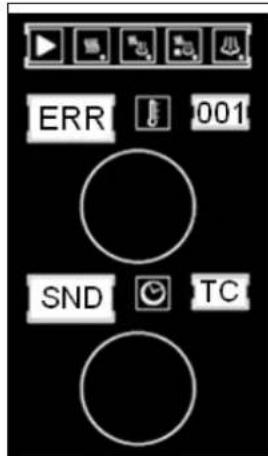
ERROR 001
DESCRIPTION
Camera probe broken. TC out of range.
CONSEQUENCE
The oven is completely disabled

ERROR 003
DESCRIPTION
Steam outlet temperature probe (TV) faulty. TV out of range [-5..330]
CONSEQUENCE
It is only possible to operate in Convection mode, omitting water condensation.

ERROR 002
DESCRIPTION
Core probe (TN) faulty. TN out of range [-10..330]
CONSEQUENCE
The spike and delta function is disabled
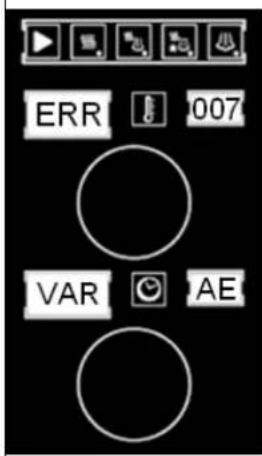
ERROR 007
DESCRIPTION
There is no communication with the speed variator.
If the motor does not start within 10 seconds of a start request.
If a speed of 500 rpm is not exceeded within 20 seconds of a start request.
CONSEQUENCE
The oven is completely
| ERROR 010 DESCRIPTION If the VHM outlet is activated and TV does not rise 3 or more degrees in 2 minutes, if TV<=75. CONSEQUENCE It is only possible to operate in Convection mode | ERROR 023 DESCRIPTION Fluepipe motor faulty CONSEQUENCE The oven is completely disabled |
| ERROR 011 DESCRIPTION The CC output operates for 12 minutes and TC does not rise 3 or more degrees. CONSEQUENCE The oven is completely disabled. | ERROR 024 DESCRIPTION Communication error. The chamber card does not respond. CONSEQUENCE The oven is completely disabled |
| ERROR 012 DESCRIPTION The controller NTC reaches 60°C, but does not exceed 70°C. CONSEQUENCE The oven operates normally and the bell is not heard. This message should be displayed every 3 minutes for 30 seconds. | ERROR 025 DESCRIPTION Communication error. The control holder card does not respond. CONSEQUENCE The oven is completely disabled |
| ERROR 022 DESCRIPTION The controller NTC exceeds 70°C. CONSEQUENCE The oven is completely disabled. |
ENVIRONMENTAL PROTECTION RECOMMENDATION
On ending its useful life, this product must not be thrown away in a standard rubbish bin, but must be left in an electrical waste and electronic equipment collection point for recycling.
This is confirmed by the symbol on the product, user manual, or packaging.
Depending on the symbol, the materials can be recycled. By recycling and other ways of processing electrical waste and electronic equipment, you can significantly contribute to protecting the environment.
Contact your local authorities for more information of the nearest collection point.
To preserve the environment at the end of the useful life of your product, leave it in the appropriate places in accordance with the current legislation.
NOTE: THE FINAL USER OF THE PACKAGING WASTE IS RESPONSIBLE FOR ITS DISPOSAL.

20560 Onati (Gipuzkoa/Spain)
INHALTSVERZEICHNIS
15-INDICATOR Pot max / vel max
16-Geschwindigkeit
20560 Onati (Gipuzkoa/Spain)
TABLE DES MATIÈRES
TABLE DES MATIÈRES 51
FONCTIONNEMENT FOUR CONCEPT
20560 Onati (Gipuzkoa/Spain)
INDICE
INDICE 67
ELEMENTI DI COMANDO 68
ELEMENTI DI COMANDO COMCEPT GAS 68
ELEMENTI DI COMANDO COMCEPT ELECTTRICA 69
Con这对于 the production of a new product, it is important to understand that the product has been produced in the same way as the other products. In this case, the product has been produced in the same way as the other products.
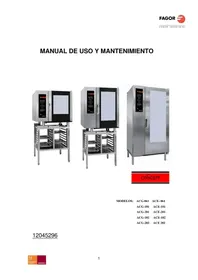
- INDICE
- FUNCION PINCHO SONDA NUCLEO:
- FAGOR
- CONTENTS
- CONTENTS. 19
- CONTROLS 20
- SELECTION OF CONCEPT COOKING MODES
- TEMPERATURE SELECTION
- TIME SELECTION
- POWER / SPEED SELECTION
- AUXILIARY FUNCTIONS
- CORE PROBE SPIKE (OPTIONAL):
- DELTA FUNCTION
- COOL DOWN
- HUMIDIFIER BUTTON
- LOCK INDICATOR BURNER (GAS MODELS)
- START/STOP
- MAINTENANCE
- MANUAL CLEANING
- PROBLEMS
- TYPES OF FAULT
- ERROR 001
- DESCRIPTION
- CONSEQUENCE
- ERROR 003
- ERROR 002
- ERROR 007
- ENVIRONMENTAL PROTECTION RECOMMENDATION
- INHALTSVERZEICHNIS
- TABLE DES MATIÈRES
- TABLE DES MATIÈRES 51
- FONCTIONNEMENT FOUR CONCEPT
Brand : FAGOR
Model : ACE201
Category : Electric oven