Biggest Loser 1037BL - Kitchen scales Taylor - Free user manual and instructions
Find the device manual for free Biggest Loser 1037BL Taylor in PDF.


| Product Type | Kitchen Scale |
| Brand | Taylor |
| Model | Biggest Loser 1037BL |
| Power Supply | 2 AAA batteries (1.5 V) |
| Maximum Capacity | 5 kg / 11 lb |
| Measurement Units | Metric (g, kg) and imperial (lb, fl oz, ml) – selection via UNIT button |
| Tare Function | Yes, via ON/ZERO button |
| Auto-off | Yes: after 1 min if display is zero, after 3 min after weighing |
| Warning Indicators | Low battery, overload (Err), negative load |
| Cleaning and Maintenance | Soft cloth slightly dampened and mild soap; do not immerse |
| Safety | Do not exceed 5 kg; do not immerse; remove batteries if not using for extended period |
| Warranty | 1 year limited (parts and labor) |
| Spare parts and repairability | Not user-serviceable; no spare parts available |
| Intended Use | Residential only (not commercial or medical) |
Frequently Asked Questions - Biggest Loser 1037BL Taylor
User questions about Biggest Loser 1037BL Taylor
0 question about this device. Answer the ones you know or ask your own.
Ask a new question about this device
Download the instructions for your Kitchen scales in PDF format for free! Find your manual Biggest Loser 1037BL - Taylor and take your electronic device back in hand. On this page are published all the documents necessary for the use of your device. Biggest Loser 1037BL by Taylor.
USER MANUAL Biggest Loser 1037BL Taylor
Leading the Way in Accuracy®
Instruction Manual Manuel d'instructions Manual de instrucciones
Thank you for purchasing a Taylor® Kitchen Scale. Your Taylor® scale is an example of superior design and craftsmanship. Please read this instruction manual carefully before use. Keep these instructions handy for future reference.
For more information on NBC's The Biggest Loser, or to join The Biggest Loser Club, please visit the official Biggest Loser website at www.nbc.com/The_Biggest_Loser.com or www.biggestloserclub.com. Get a free diet profile at www.biggestloserclub.com.
2 × AAA (1.5v). Ensure + / - terminals are the correct way round.
TO SWITCH ON
1) If using, place bowl on scale before switching on.
2) Touch ON/ZERO until 8888 appears on display.
3) Wait until display shows 0.
TO MEASURE LIQUIDS AND SOLIDS
To switch between units press UNIT to scroll through until the desired unit is reached.
The liquid measure feature is suitable for all water based liquids, including wine, milk, stock, cream etc.
Note: Oils have a lower specific gravity, which will result in a volume reading of approx +10%.
If measuring oils by volume on this scale, please adjust for this accordingly.
TO ADD AND WEIGH
To weigh several different ingredients in one bowl, touch ON/ZERO to reset the display between each ingredient.
AUTO SWITCH OFF
Auto switch-off occurs if display shows 0 for 1 minute or shows the same weight reading for 3 minutes.
MANUAL SWITCH OFF
To maximize battery life press ON/ZERO for two seconds after use to switch off.
WARNING INDICATORS
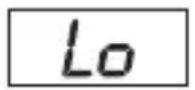
Replace batteries
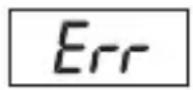
Weight Overload
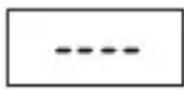
Negative Load.
Press ON/ZERO to
return display to zero.
CLEANING AND CARE
- Clean exposed parts with a soft, slightly damp cloth. To remove stains, use a mild soap. Never use detergents, excess water, treated cloths, harsh cleaning agents, or sprays. Avoid contact with acids, such as citrus juices.
- Do not tamper with the scale's internal components. Doing so will invalidate the warranty on this unit and may cause damage. The scale contains no user-serviceable parts.
- Although your scale is designed to be maintenance-free, it contains sensitive electronic parts. Avoid rough treatment. Treat it with care to ensure the best performance.
- This scale is intended for home/consumer use only. It is not intended for commercial or medical use.
- This scale is designed to read weights up to 11 lbs/5 kgs. To prevent damage, do not place more than 11 lbs/5 kgs on it.
-
Do not store scale where you store cleaning chemicals. The vapors from some household products may affect the electronic components of your scale. Do not store scale on its side.
-
This scale is an extremely sensitive weighing device. In order to prevent run down of the battery, do not store anything on the scale.
- Do not dispose of batteries in fire. Batteries may explode or leak. Do not mix old and new batteries. Do not mix Alkaline, carbon-zinc (standard) or Nickel-Cadmium (rechargeable) batteries. Remove the batteries if the scale will not be used for a long period of time.
- Should "Err" appear on the display during a weighing, this indicates that the maximum weighing capacity of the scale has been exceeded. Remove the weight immediately; otherwise, permanent damage could occur.
BATERías
One Year Limited Warranty
Taylor® warrants this product to be free from defects in material or workmanship for one (1) year for the original purchaser from date of original purchase. It does not cover damages or wear resulting from accident, misuse, abuse, commercial use, or unauthorized adjustment and/or repair. If service is required, do not return to retailer. Should this product require service (or replacement at our option), please pack the item carefully and return it prepaid, along with store receipt showing the date of purchase and a note explaining reason for return to:
There are no expressed warranties except as listed above. This warranty gives you specific legal rights, and you may have other rights which vary from state to state.
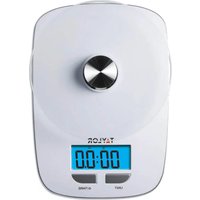
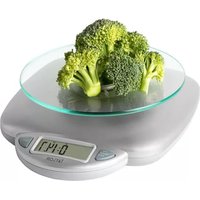
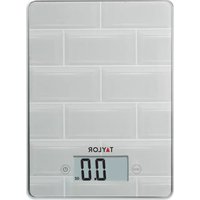

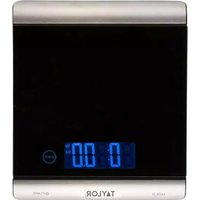
Brand : Taylor
Model : Biggest Loser 1037BL
Category : Kitchen scales