S04 - Coffee machine Caffitaly - Free user manual and instructions
Find the device manual for free S04 Caffitaly in PDF.



Frequently Asked Questions - S04 Caffitaly
User questions about S04 Caffitaly
0 question about this device. Answer the ones you know or ask your own.
Ask a new question about this device
Download the instructions for your Coffee machine in PDF format for free! Find your manual S04 - Caffitaly and take your electronic device back in hand. On this page are published all the documents necessary for the use of your device. S04 by Caffitaly.
USER MANUAL S04 Caffitaly
PROBLEMA CAUSA SOLUZIONE
-Non esce caffe
Instructions for use and disposal 5
Description of machine components 6
Installation
First use or after a long period of disuse 7
Turning on the appliance 8
General operating indications 9
Adjusting the cup/mug height 11
Dispensing the product
Dispensing coffee 12
Dispensing other beverages 13
Programming the quantity of coffee in a cup 14
Cleaning and Maintenance
Daily maintenance 15
9 Descaling 16
Miscellaneous
10 Troubleshooting 20
Technical data 20
Dear Customer,
Thank you for having chosen our product and for your confidence in our company.
You can savour your favourite hot beverages at any time of the day with our appliance by choosing one of the capsules that Caffitaly offers you. For example: An espresso, a cocoa-flavoured beverage or a tea will be ready in just a few seconds.
Intended use
This appliance is intended to be used in domestic and similar applications such as, for example:
- staff cooking areas in shops, offices and other work environments;
- holiday farms;
- by guests staying at hotels, motels and other residential facilities;
- facilities like bed and breakfasts.
Use only Caffi ta System capsules. Use of the appliance in any manner other than as directed herein could cause harm to persons and void the guarantee.
The manufacturer will not be responsible for injury or damage resulting from improper use of the appliance.
Warning symbols
CAUTION
This is the safety warning symbol. It is used to call your attention to possible risks of personal injury. Abide by the safety messages provided in order to avoid possible injury or death.

NOTE
symbol used to highlight some actions that will optimise use of the appliance.
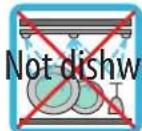
her safe
ice tips

This symbol is used to highlight a WHITE light indication.

This symbol is used to highlight a RED light indication.

This symbol is used to highlight an ORANGE light indication.
Your Caffitaly System contact
info@caffita.com
Safety warnings
Carefully read the following instructions! In this way you will avoid the risk of personal injury and damage to the appliance.
- After removing the packaging, make sure that the appliance is intact. If it is damaged, or at the first sign of faulty operation (unusual noises or odours), or if any problem arises inside the appliance, do not use it. Contact an Authorised Service Centre.
- The packaging elements (plastic bags, etc.) must not be left within reach of children as they are potential sources of danger.
- Only use the appliance if the power cord is intact. If the cord is damaged, it should be replaced: contact an Authorised Service Centre. Lethal danger of electric shocks.
- Only use and store the appliance indoors. Make sure the electrical elements, plug and cord are dry. Never submerge the appliance in water. Protect the appliance from sprays and drips. Water and electricity together constitute a risk of electrocution.
- Only connect the appliance to power outlets complying with the requirements of the law. Make sure that the power supply voltage matches the rating shown on the data plate on the bottom of the appliance.
- The surface on which the machine is installed must be level, solid, stable and heat-resistant; a maximum incline of 2^ is permitted for the surface on which the appliance is placed.
- Do not allow the appliance to be used by children or persons with impaired mental, physical or sensory faculties or insufficient experience and/or skills, unless they are under the careful supervision and guidance of a person responsible for their safety. Children must be kept under supervision to prevent them from playing with the appliance.
- Do not leave the power cord near hot surfaces, sharp edges or other sharp objects.
- Never place your hands inside the capsule compartment. Danger of injury
- Always close the lever. Never open the lever while the appliance is operating.
- Never remove parts of the appliance. Do not insert objects into the openings. This could cause electric shocks! Any operation that is not described in this instruction manual should only be performed by an Authorised Service Centre!
-
Do not pull on the power cord to disconnect it. Remove the plug to avoid damage to the outlet.
-
Descale the appliance regularly, following the instructions provided. If you do not, the appliance may be damaged and may become harmful to your health.
- Clean the appliance carefully and regularly. If it is not cleaned, the build-up that forms may be hazardous to your health. Unplug the appliance and allow it to cool before cleaning.
- If you do not expect to use the appliance for a long period of time (leaving on vacation, etc.), unplug it.
Instructions for use and disposal

The appliance has been manufactured using high quality materials that can be reused or recycled. Dispose of the appliance in a suitable waste collection centre.

To rule out any abuse and dangers involved, ensure that the machine cannot be plugged into the mains before delivering it to the scrapping service.
To achieve this, unplug the appliance from the outlet and cut the power cord as close as possible to the machine.
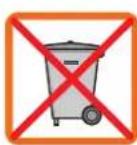
Directions for correct disposal of the product according to European Directive 2002/96/EC and Italian Legislative Decree no. 151 dated 25 July 2005. At the end of its useful life, the product should not be disposed of with unsorted household waste. It should be taken to a suitable selective waste collection centre set up by the local authorities or returned to a retailer who provides this service. Separate collection of an electric household appliance avoids a possible negative impact on the environment and health arising from improper disposal and enables the materials it is made of to be recovered so as to achieve signifi cant savings of energy and resources. The crossed-out wheelie bin symbol applied on the product highlights the need to dispose of electric appliances separately. Improper disposal of the product by the user shall be subject to specific administrative sanctions as provided for under current regulations. The packaging is made from recyclable materials. Contact the competent authorities for information regarding local legislation.
Description of machine components
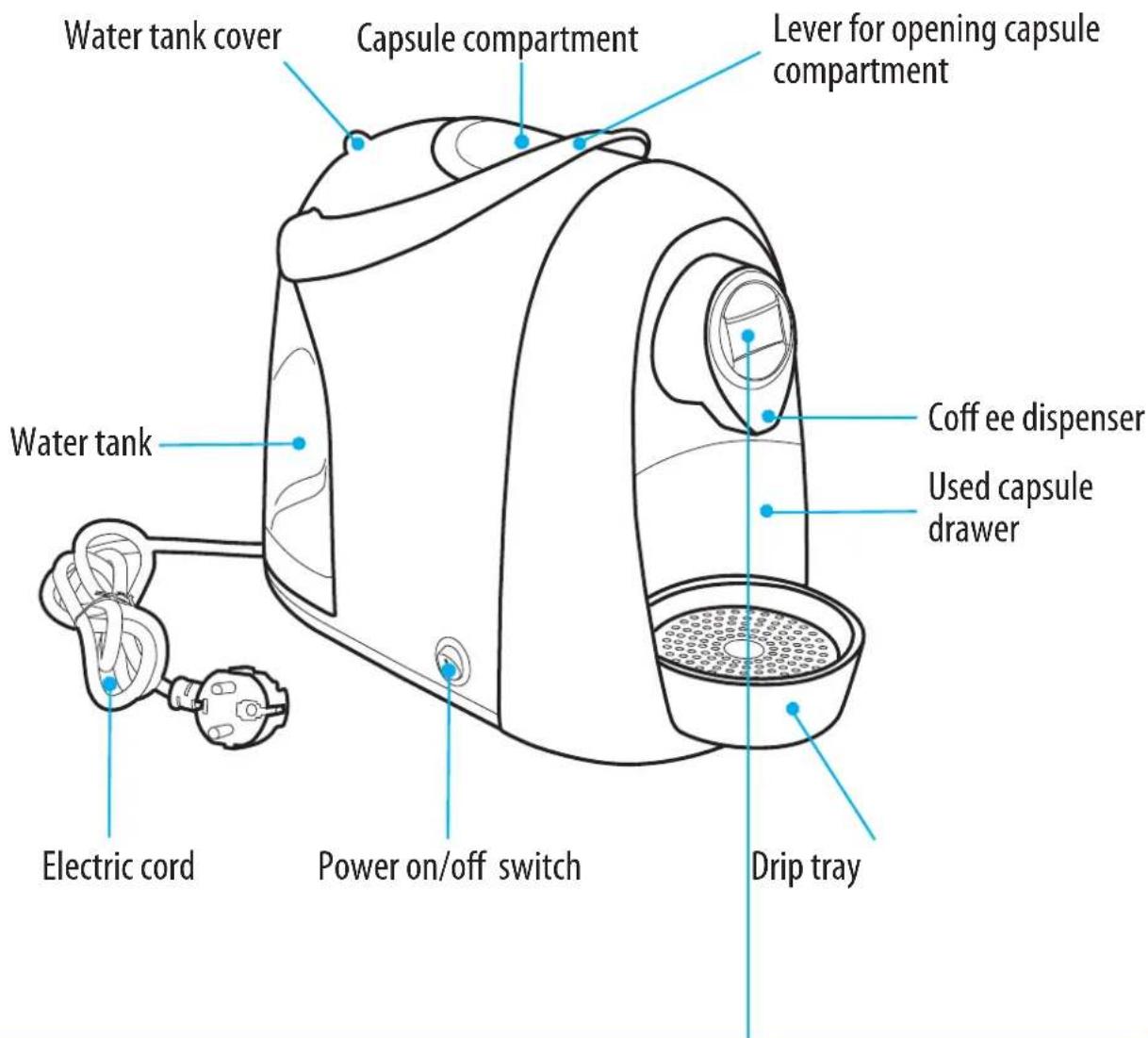
"Espresso" dispensing button
"Descending indicator light
"Filter coff ee dispensing button
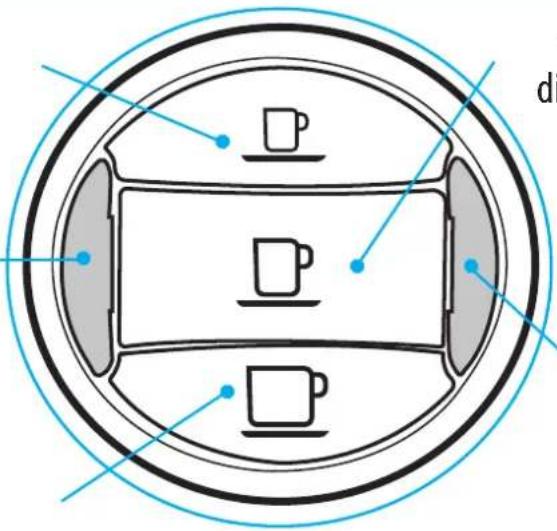
"Long coffee" dispensing button
"Multifunction indicator light
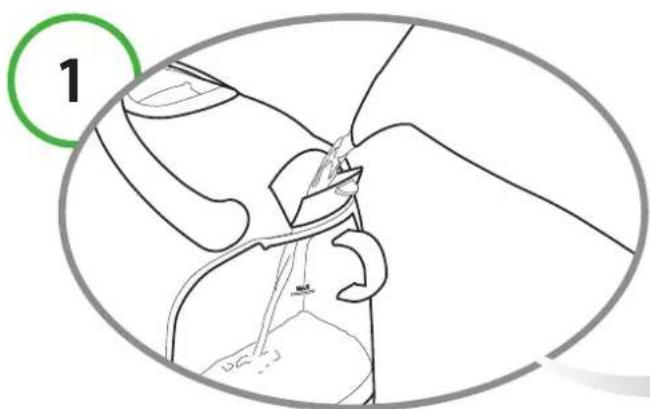
Fill the tank with fresh, still water.
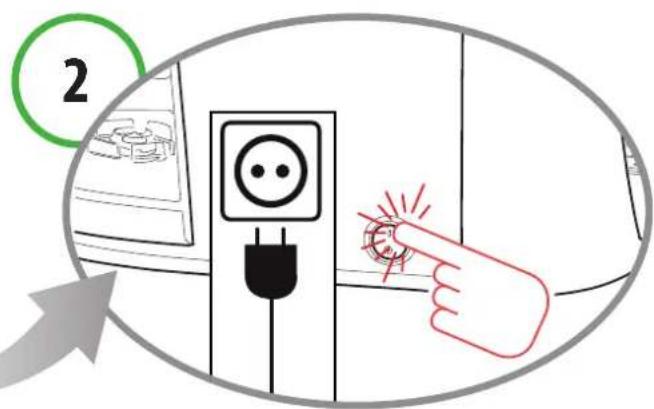
Plug in the appliance and turn it on.
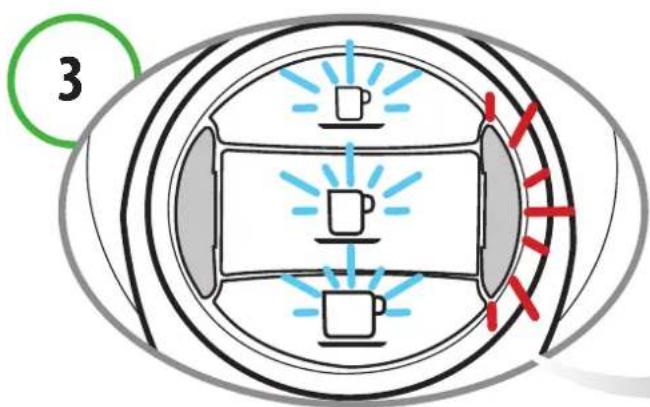
The buttons (espresso, long coffee and filter coff ee) and the multifunction indicator light blink at the same time.
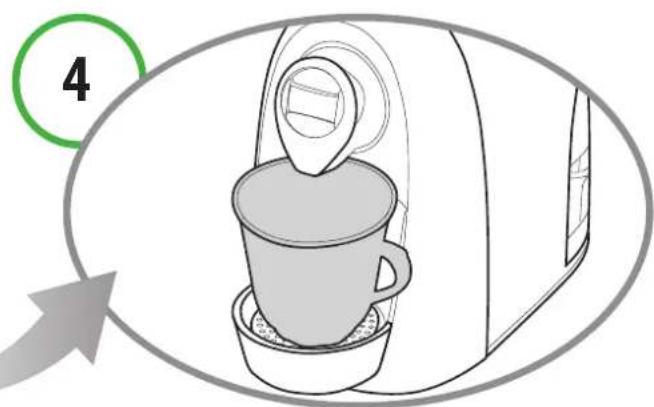
Place a large container under the dispensing spout.
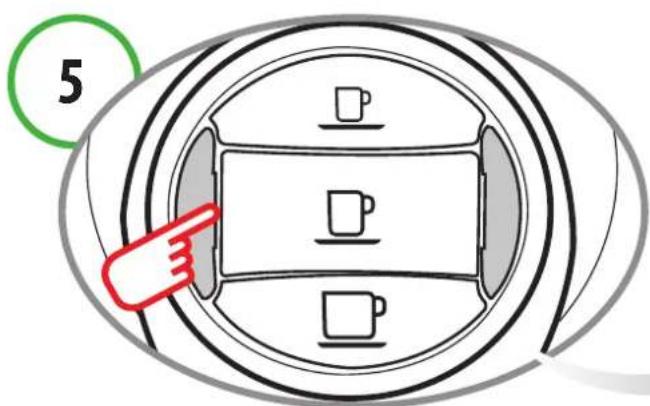
Press one of the coff ee buttons (espresso, long coff ee or filter coff ee). Wait for the machine to complete the priming cycle and fi II with water. The multifunction indicator light switches off.
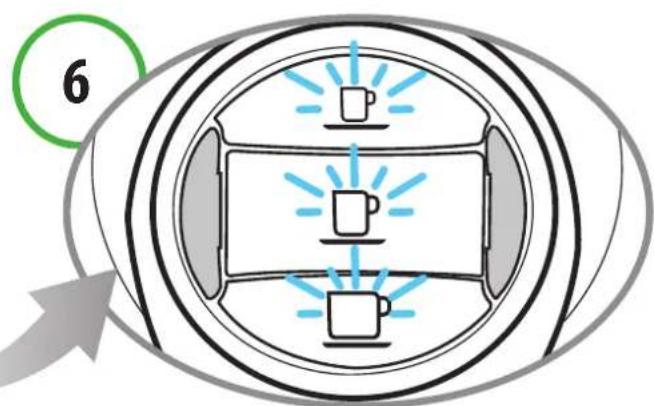
The buttons (espresso, long coffee and filter coff ee) blink at the same time; the machine is warming up.
NOTE:
If the coffee buttons and the multifunction indicator light continue to blink after the filling procedure has ended, repeat the steps in point 5.
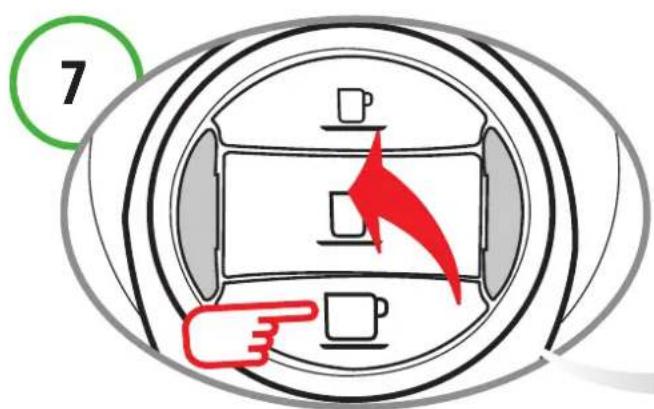
When the buttons (espresso, long coff ee, filter coff ee) turn on and remain steadily lit, rinse twice by pressing the filter coff ee button.
Wait for the machine to complete the rinse cycle.
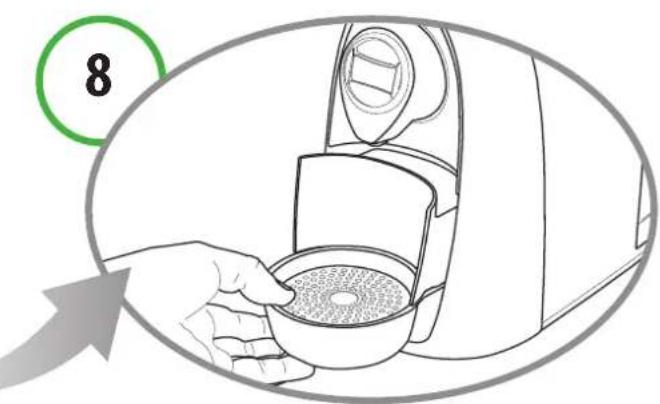
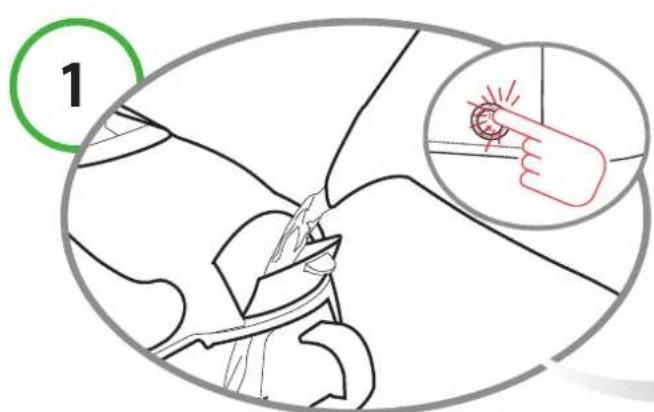
At the end of this operation, empty out the water from the used capsule drawer.
2 Turning on the appliance
Fill the tank with fresh, still water. Turning on the appliance
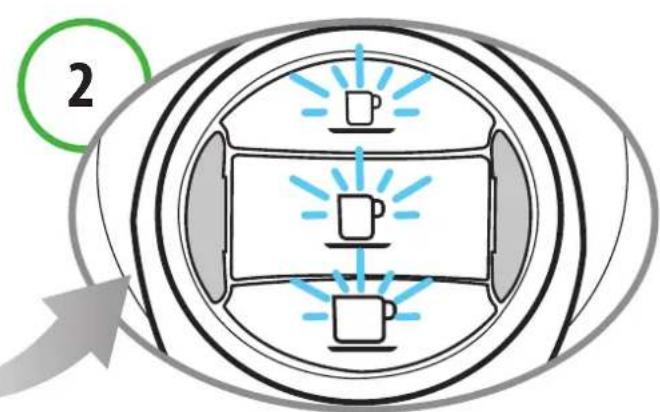
The buttons (espresso, long coffee and filter coff ee) blink at the same time; the machine is warming up. When the buttons remain steadily lit, the appliance is ready for operation.
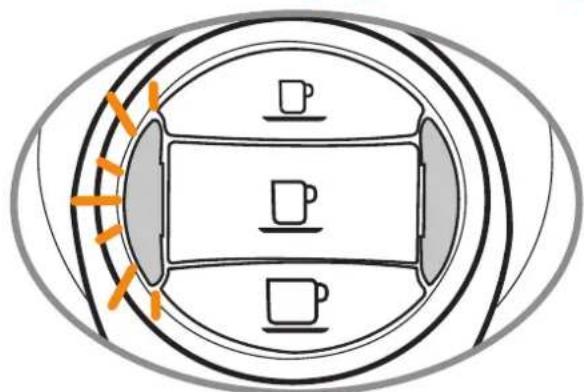
Dscaling signal Heating
When the descending indicator light blinks ORANGE and the machine emits 3 beeps, it is recommended to perform the descending cycle (see Ch. 9).
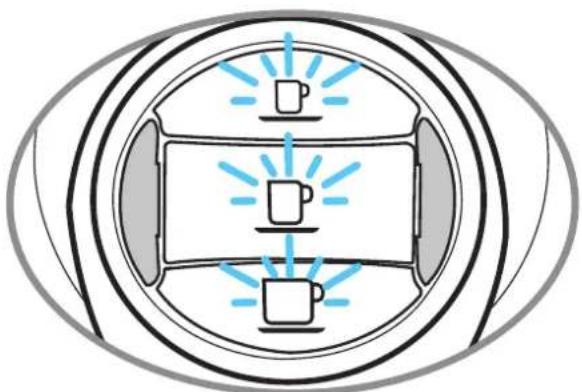
The buttons (espresso, long coffee and filter coff ee) blink at the same time.
When the water runs out during operation
1
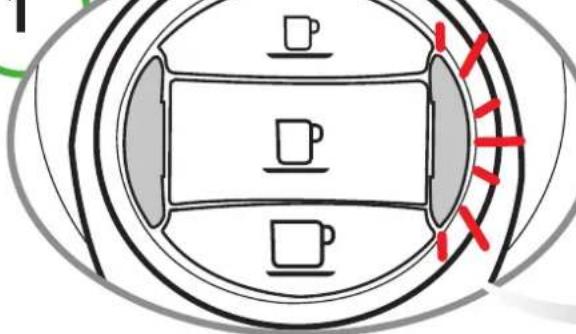
The water tank is empty when the multifunction indicator light blinks in RED and the appliance emits 3 beeps followed by a single intermittent beep.
2
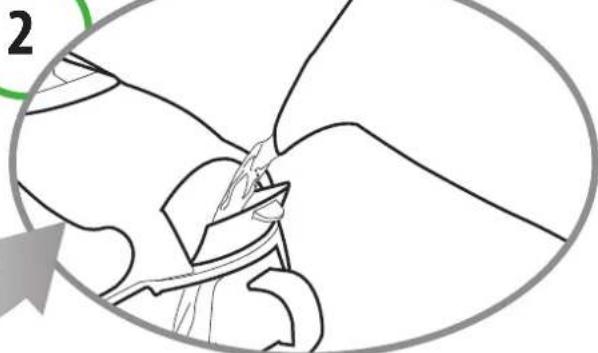
Fill the tank with fresh, still water.
3
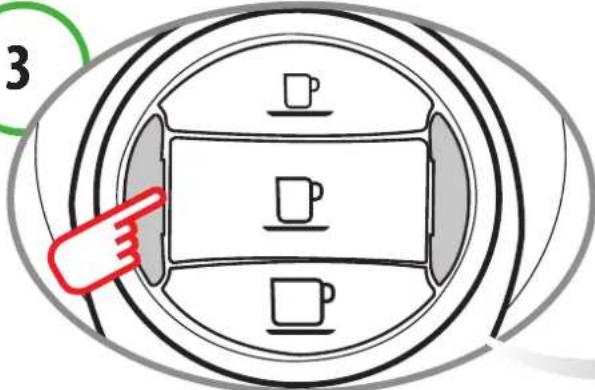
Press one of the coff ee buttons (espresso, long coff ee or filter coff ee). Wait for the machine to complete the priming cycle and fi II with water.
4
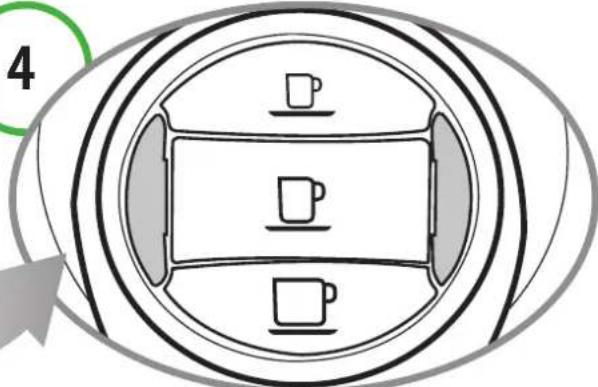
When the buttons remain steadily lit, the appliance is ready for operation.
If the lever is raised

CAUTION!
Raising the lever incorrectly while dispensing a product may cause brief splashes of hot water.
Danger of scalding!
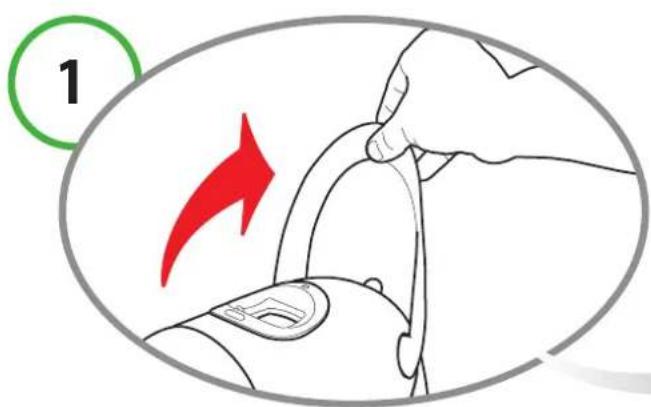
If the lever is raised while a product is being dispensed.
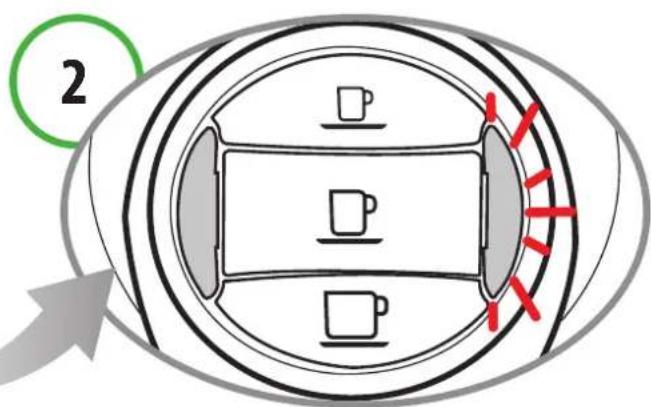
The multifunction indicator light blinks in RED and an intermittent beep sounds. The appliance will immediately stop dispensing.
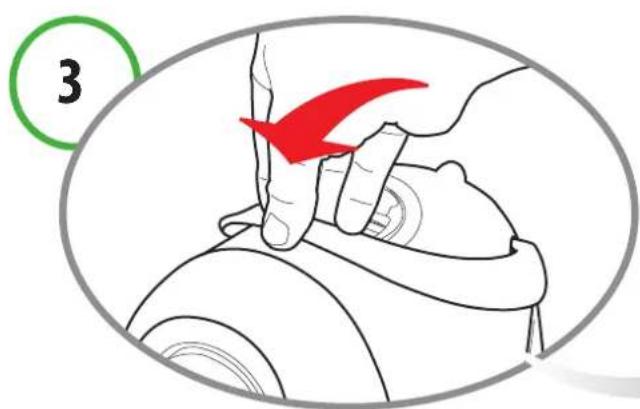
Close the lever. Press a button to reset the alarm.
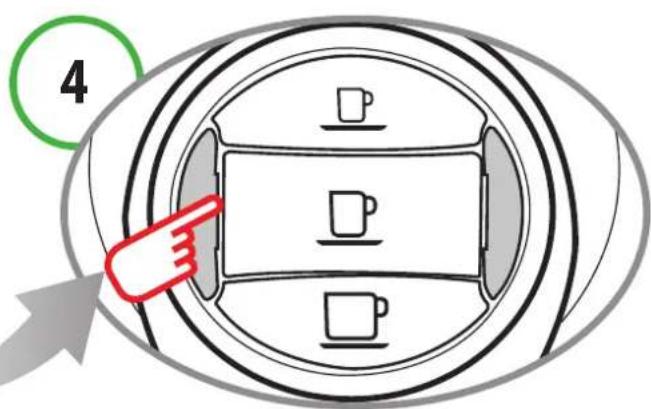
The appliance is ready for use.
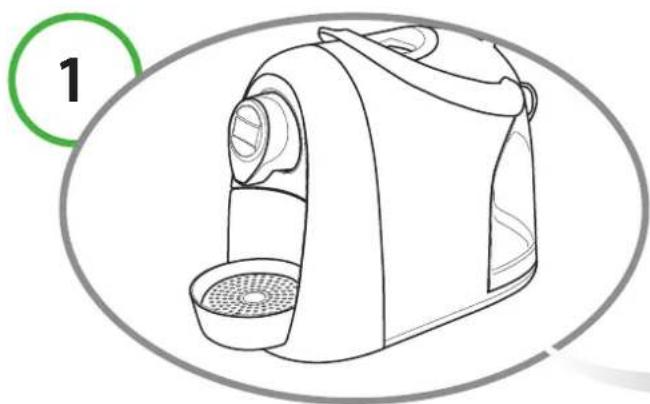
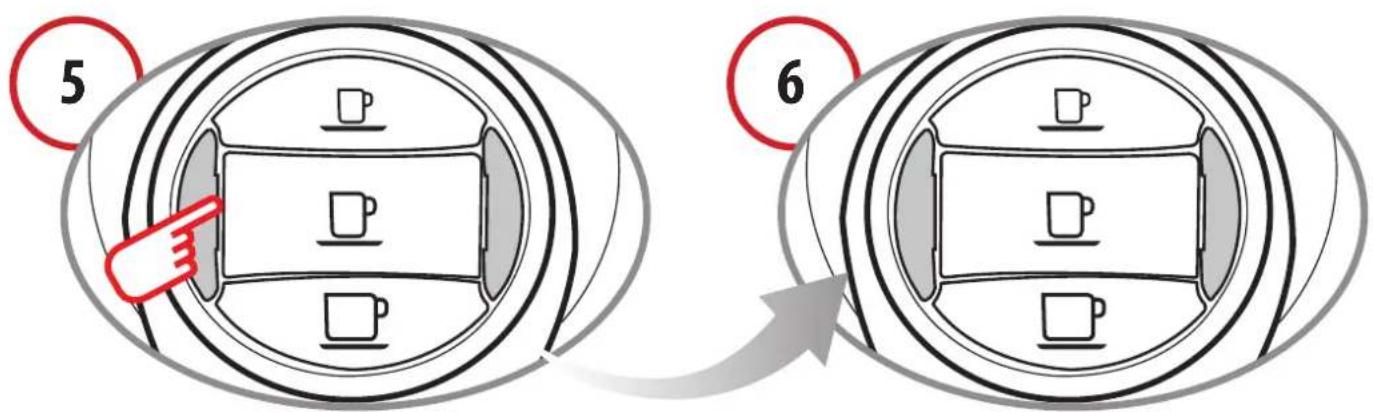
The appliance can be adjusted for the use of mugs or espresso cups.
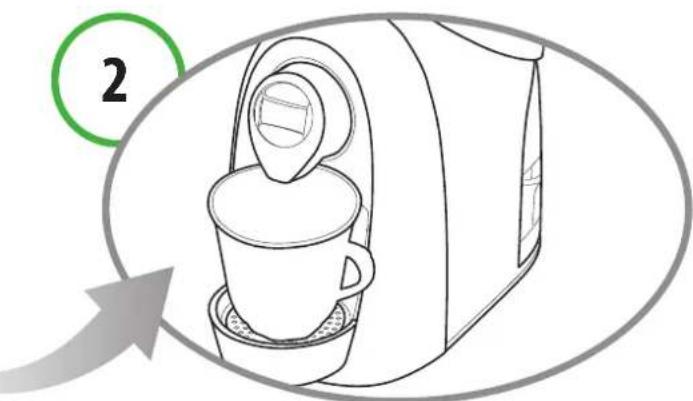
The appliance is initially set for the use of large cups or mugs.
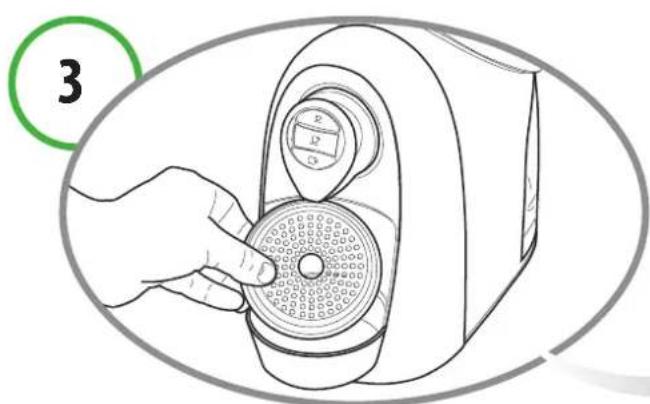
In order to use espresso cups, you must lift and turn the grid on top of the drip tray.
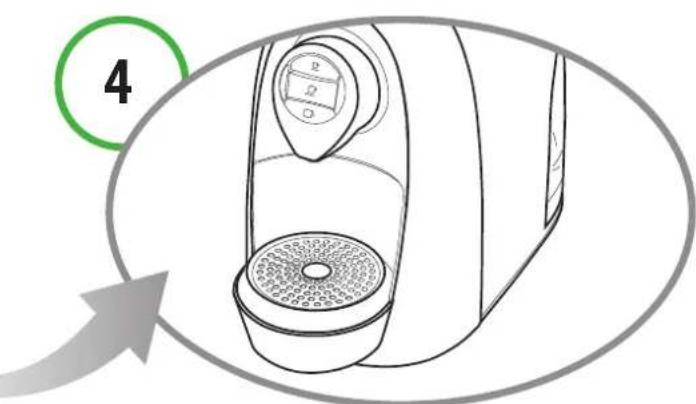
The grid must be positioned over the turned drip tray.
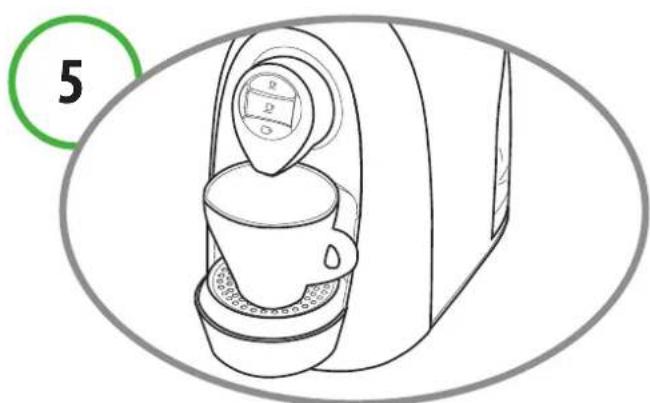
In this way you can obtain the best results when using small espresso cups.
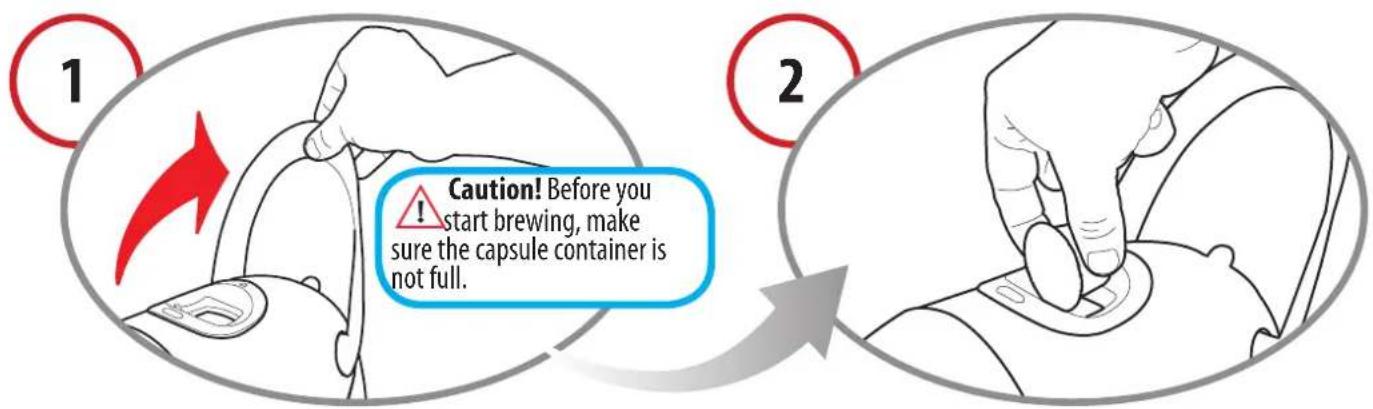
Raise the lever to open the capsule compla sert the capsule, pressing it gently into p ment.
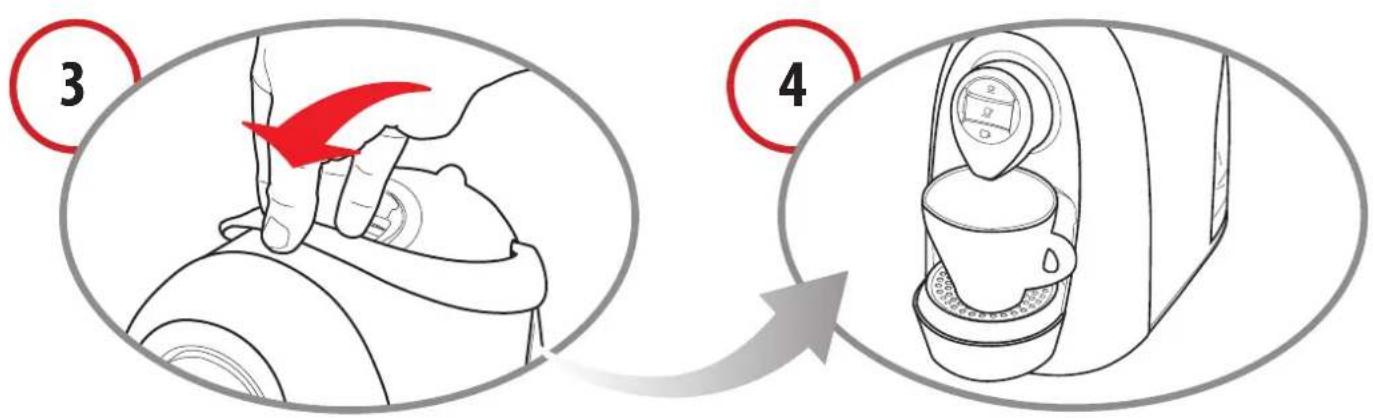
Close the lever firmly.
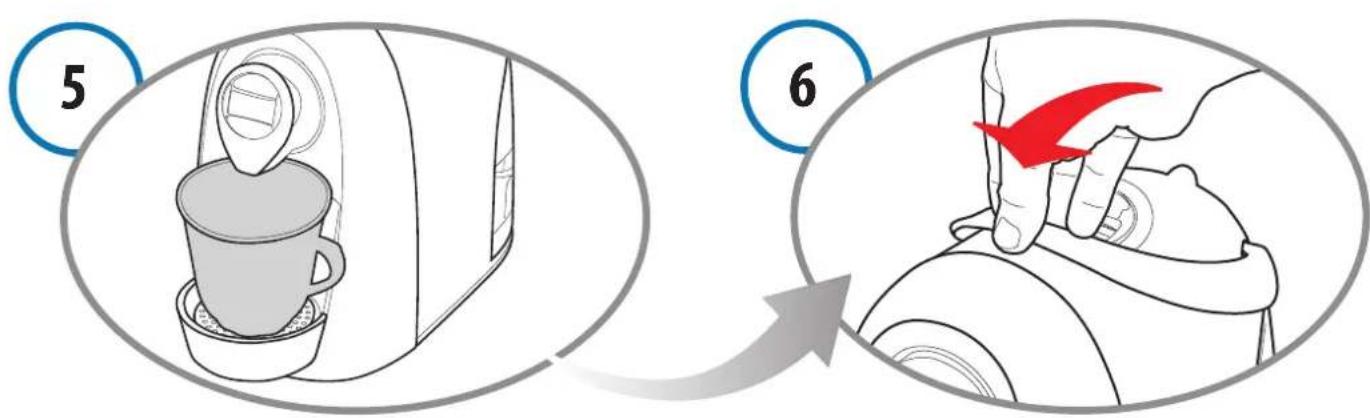
Place a cup or mug under the coffe dispensing spout.
Press the desired coffe button only once.
The selected coff ee button will blink. The appliance will stop dispensing on reaching the programmed quantity and emit a beep.
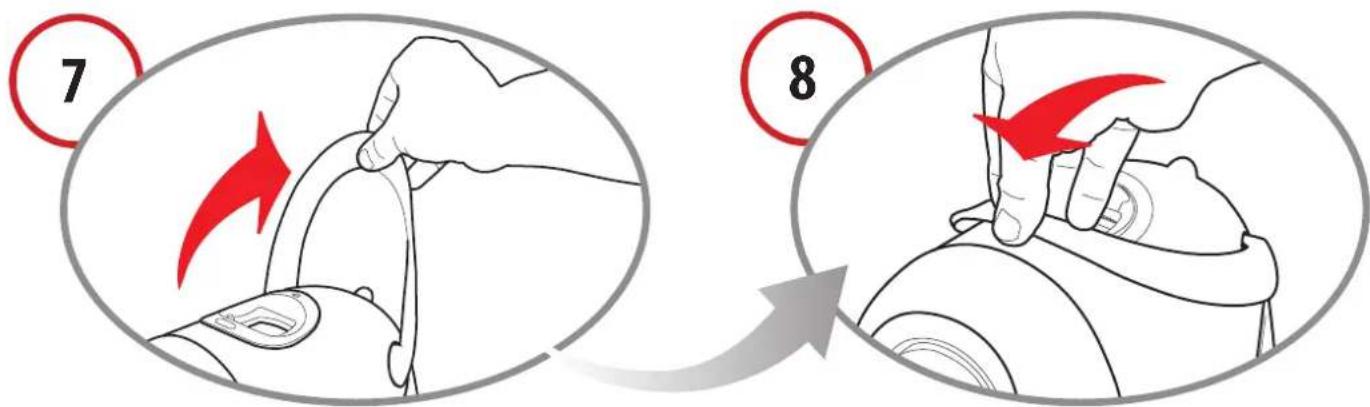
Raise the lever to eject the used capsule into the drawer.
Close the lever.
NOTE:
The quantity of coffe dispensed can be reprogrammed according to personal taste, and in accordance with the size of the cup or mug used. Please refer to chapter 7 for reprogramming instructions.
Dispensing other beverages
Capsules for preparing beverages such as tea, chamomile tea, fi tter coff ee, etc. are available. For their use, proceed as directed in the previous chapter; on reaching step 5, press "Filter coffee".
To prepare beverages using barley capsules, cocoa drinks, etc., proceed as directed in the previous chapter; on reaching step 5 press the "Espresso" or "Long coffee" button, depending on the desired quantity.
NOTE:
Traces of product just dispensed may remain in the circuit of the machine. When switching from one product to another, in order to fully enjoy the flavour of the beverage we suggest rinsing the machine by pressing the coff ee button as if to dispense a coff ee without inserting a capsule.
7 Programming the quantity of coffee in a cup
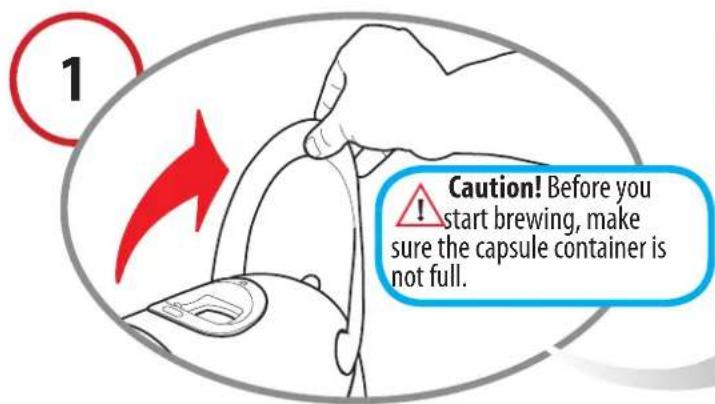
Raise the lever to open the capsule compartment.
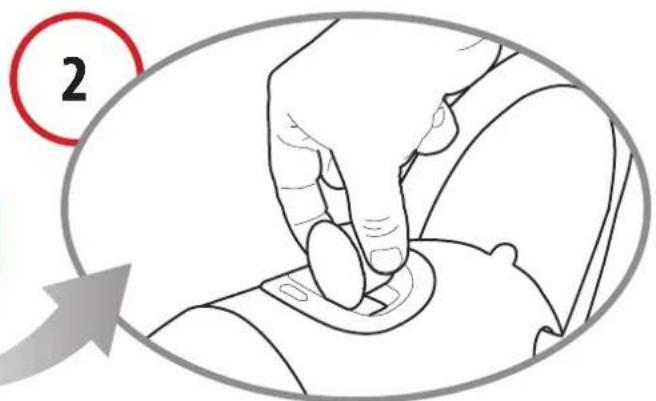
Insert the capsule, pressing it gently into place.
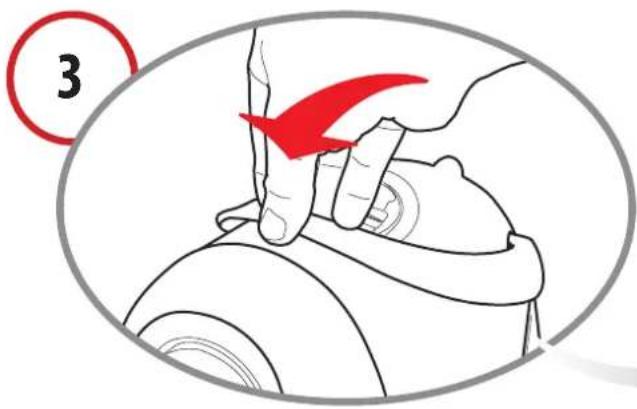
Close the lever firmly.
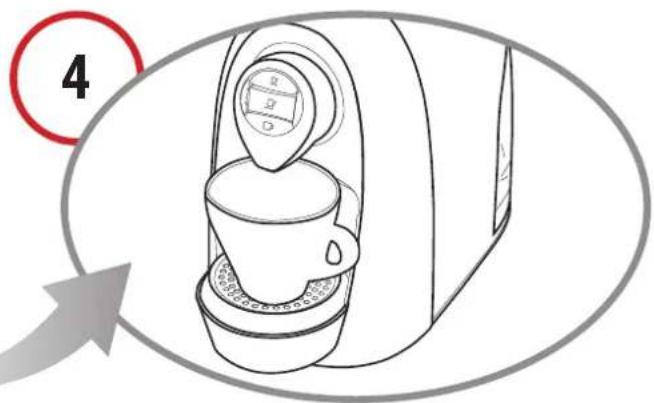
Place a cup or mug under the coffe dispensing spout.
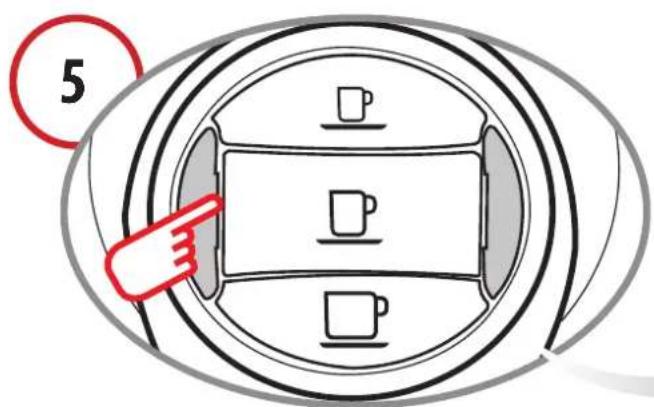
Press the desired coffe button and keep it pressed down.
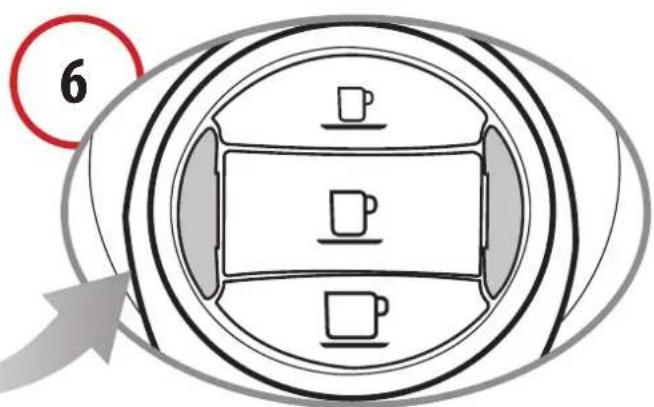
On reaching the desired amount of coffee in a cup, release the button. Now the button is programmed. To reprogram the button or program another button repeat the above steps.
The quantity of coff ee dispensed can be programmed up to a maximum of 250ml
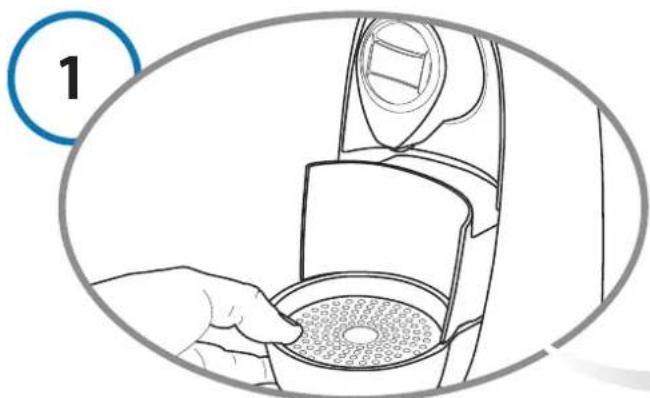
Remove the drip tray and used capsule drawer.
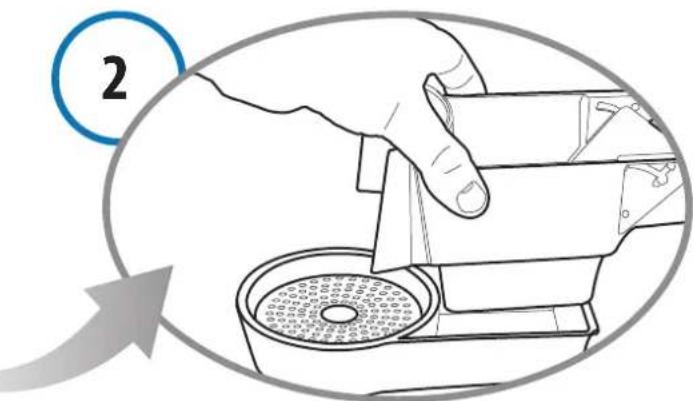
Lift the capsule drawer; empty and rinse it.
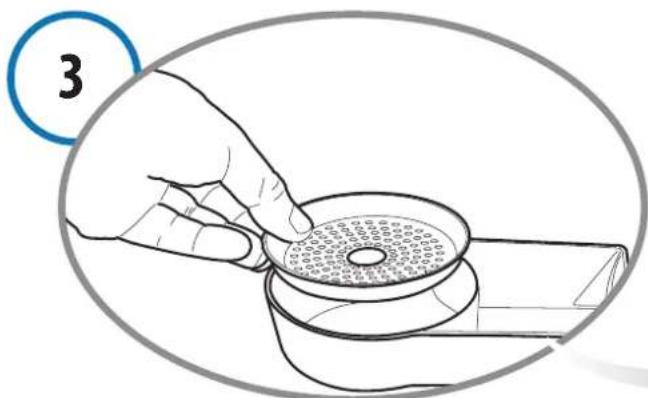
Remove the grid. Empty the drip tray and rinse it out with fresh water.
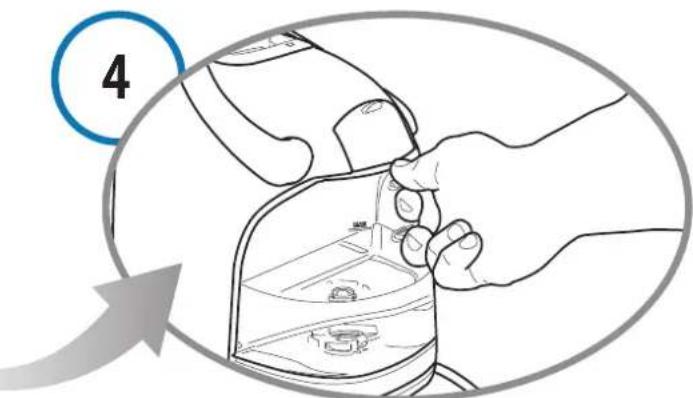
Remove the water tank. Empty and rinse out the tank. The water tank is NOT dishwasher safe.
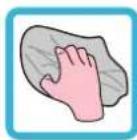
Use a soft cloth and a neutral detergent to clean the surfaces of the appliance.
Do not spray the appliance with jets of water when cleaning.
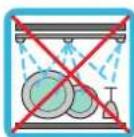
The plastic parts of the appliance are not dishwasher safe.
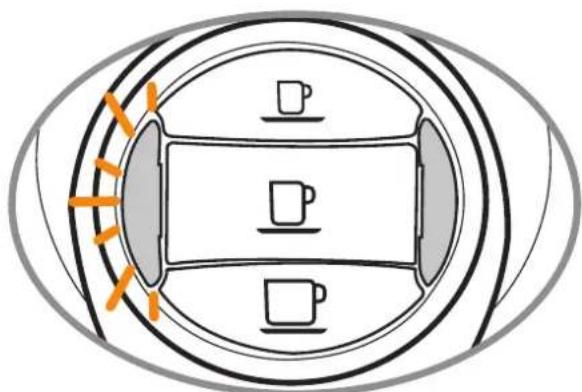
When the descending indicator light blinks ORANGE and the machine emits 3 beeps, it is recommended to perform the descending cycle (see Ch.9).
The machine features an advanced program that monitors how much water is used to dispense beverages. This measurement provides the user with indications as to when the machine needs to be descaled. Specific indications are given in chapter 3.

CAREFULLY read the directions for use on the package of the descending agent. Avoid contact with eyes, skin and machine surfaces. Switch the appliance off during descending, and do not lift the lever.
A person must be present during the operation. Do not use vinegar: it could damage your appliance!
It is advisable to use the Caffi ta System descending agent. It has been studied to comply with the technical characteristics of the appliance, in full observance of consumer safety. The descending agent must be disposed of in compliance with manufacturer instructions and/or with current regulations in force in the country where the appliance is used.
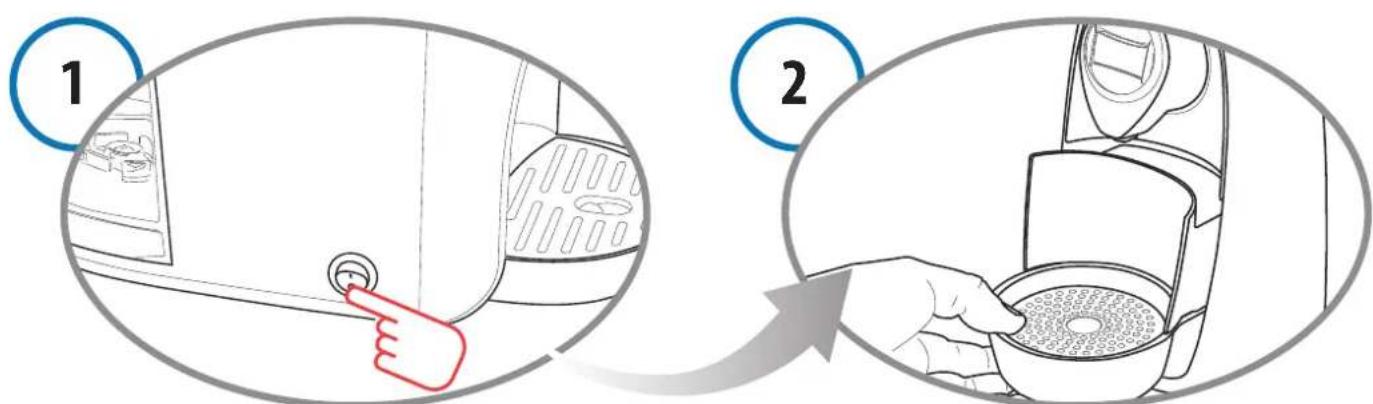
Turn off the machine. Empty and rinse out the used capsule drawer and drip tray.
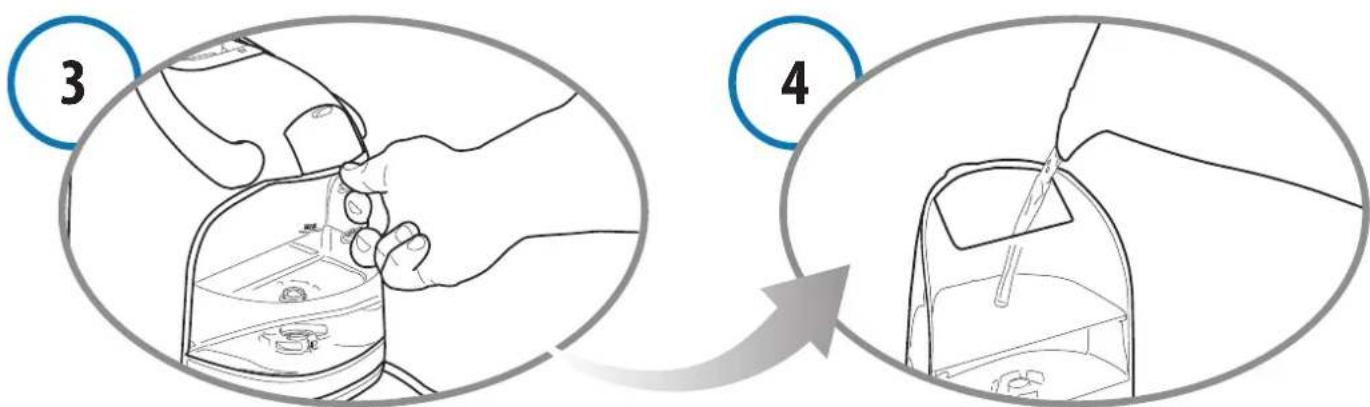
Remove and empty the water tank. Mix the descaling agent with water as instructed on the package and pour the solution into the tank.
Place a container (at least 250ml ) under the coffe dispensing spout.
Make sure the lever is lowered.
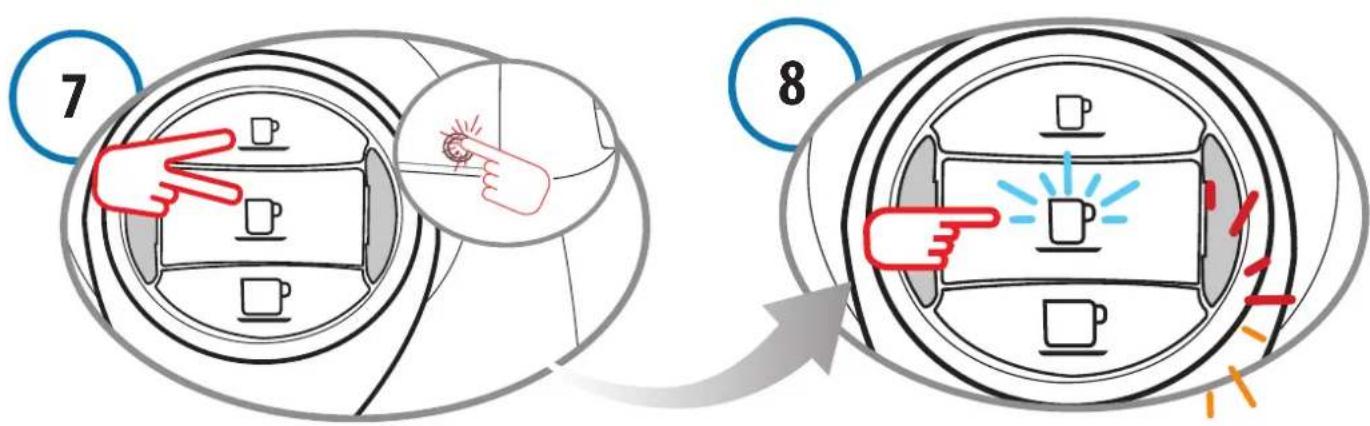
Keep the buttons pressed down (espresso and long coff ee) and at the same time turn on the machine by pressing the power on/off switch.
As well as the long coffe button, the multifunction indicator light also blinks alternately (RED and ORANGE). Press the long coffe button to start the descaling cycle.
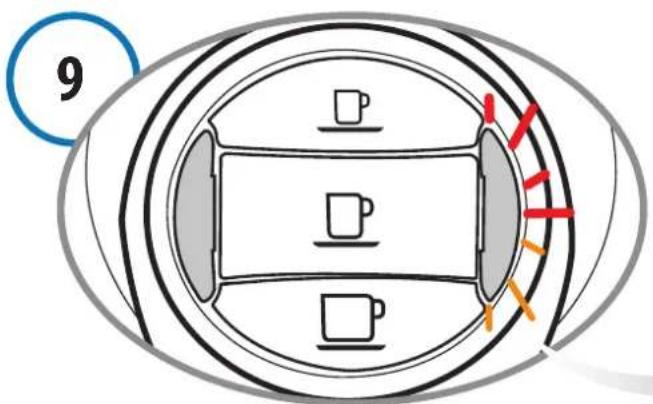
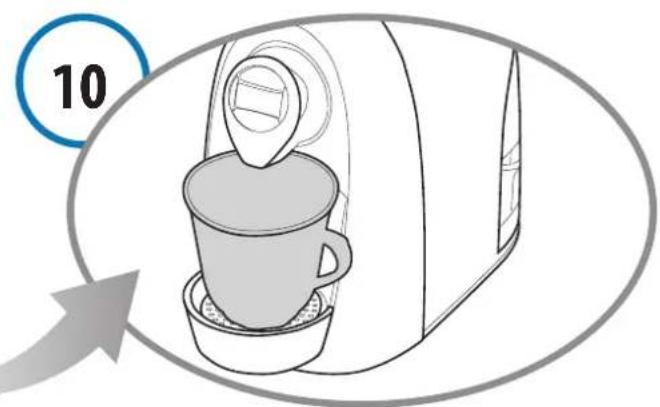
The appliance dispenses the descending solution at intervals (5 doses with a 10 minute pause between each one, for a total duration of about 45 minutes). During this step, when the buttons must not be pressed, the multifunction indicator light blinks alternately (RED and ORANGE).
If the container fills up, empty it out.
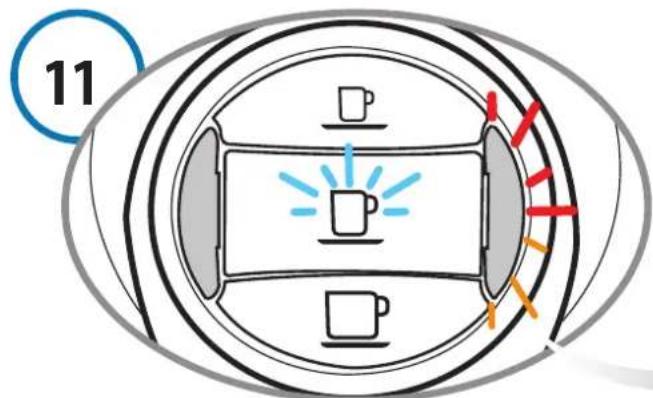
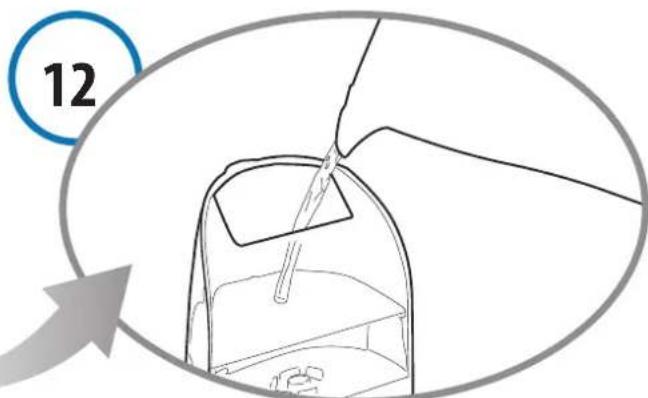
When the cycle is complete, as well as the long coff ed button, the multifunction indicator light also blinks alternately (RED and ORANGE).
Carefully rinse out the water tank and fill it with fresh drinking water.
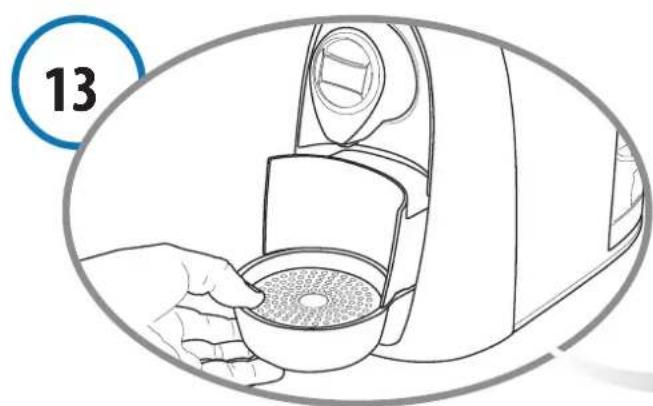
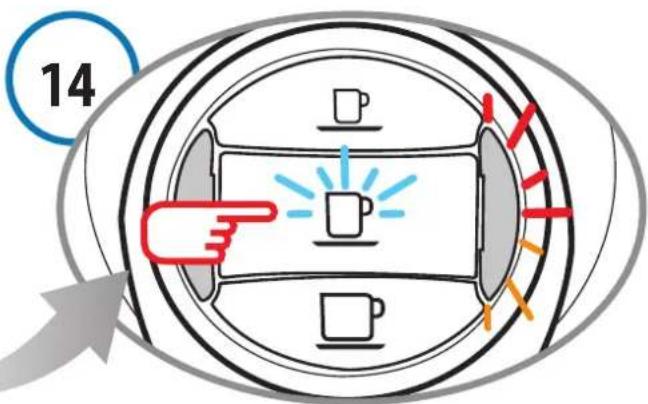
Empty and rinse out the used capsule drawer and drip tray.
As well as the long coff ee button, the multifunction indicator light also blinks alternately (RED and ORANGE). Press the long coff ee button to start the rinse cycle.
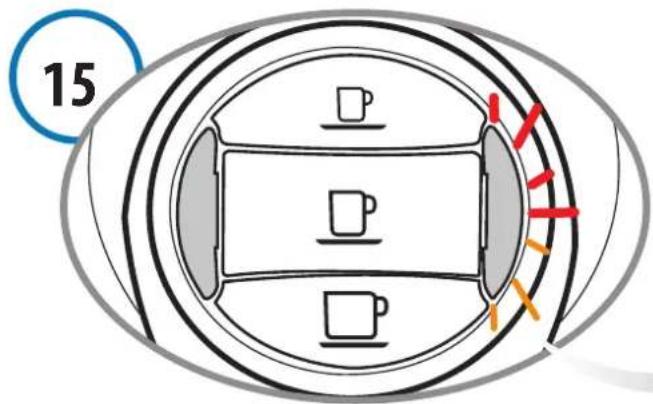
Rinse water will be run through the machine. During this step the multifunction indicator light blinks alternately (ORANGE and RED twice in a row).
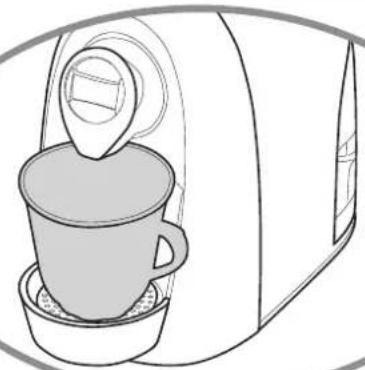
(16
If the container fills up, empty it out.
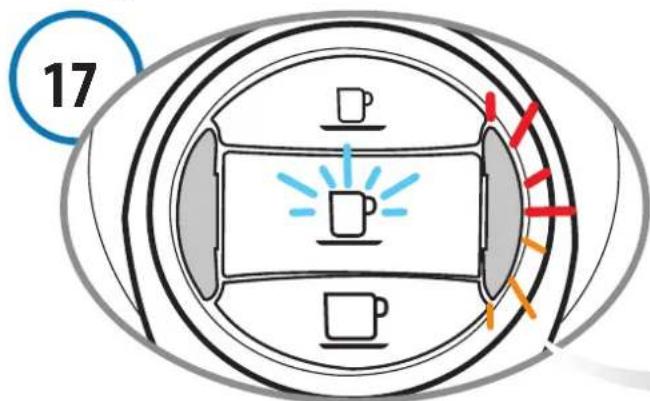
When the rinse cycle is complete, in addition to the long coff ee button, the multifunction indicator light also blinks alternately (RED and ORANGE). The machine will emit a beep.
(18)
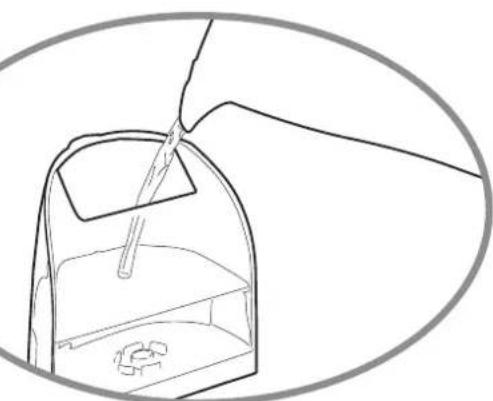
Carefully rinse out the water tank and fill it with fresh drinking water.
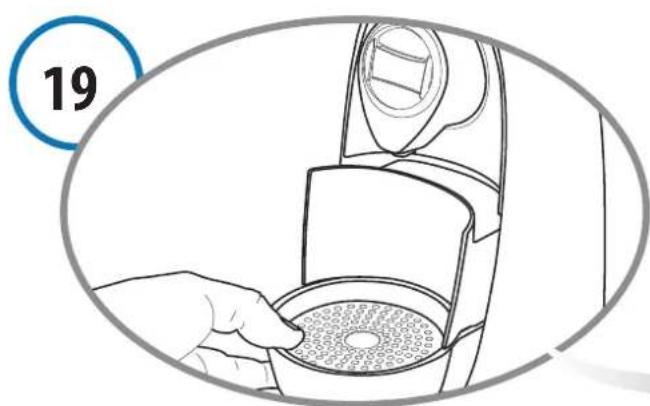
Empty and rinse out the used capsule drawer and drip tray.
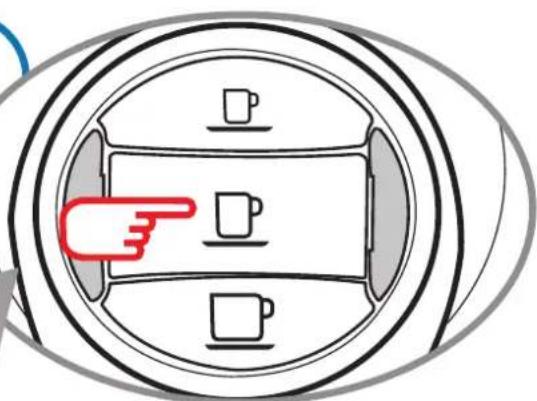
(20
Press the long coffee button to quit the cycle.
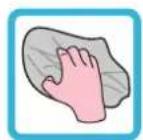
Use a soft cloth and a neutral detergent to clean the surfaces of the appliance.
PROBLEM CAUSE SOLUTION
| - No coff ee is brewed. - | The water tank is empty, the multifunction indicator light is lit in RED. | - Fill the tank with fresh water. Press one of the coff ee buttons to fi ll the circuit. |
| - The coff ee is not hot enough. | - Cold cups / mugs. - Scale build-up in machine. | - Preheat cup / mug. - Descale. |
| - The lever cannot be lowered. | - The used capsule drawer is full. - Capsule stuck inside the machine. | - Empty out the used capsule drawer. - Remove the used capsule. |
11 Technical data
| See the data plate on the bottom of the machine |
| Max. 15 bar |
| <70dB A |
| about 4 kg |
| 1,2 litres |
| ambient temperature: 10°C ÷ 40°C |
| 170 mm 260 mm 320 mm |
The materials and objects in contact with food products comply with the requirements of European Regulation 1935/2004.