LCD−212 - Calculator UNITED OFFICE - Free user manual and instructions
Find the device manual for free LCD−212 UNITED OFFICE in PDF.



User questions about LCD−212 UNITED OFFICE
0 question about this device. Answer the ones you know or ask your own.
Ask a new question about this device
Download the instructions for your Calculator in PDF format for free! Find your manual LCD−212 - UNITED OFFICE and take your electronic device back in hand. On this page are published all the documents necessary for the use of your device. LCD−212 by UNITED OFFICE.
USER MANUAL LCD−212 UNITED OFFICE
Operation and Safety Notes
DE AT CH
Tischrechner
GB/MT Operation and Safety Notes Page 19
text_image
Technical diagram showing a mechanical assembly with labeled components and an inset close-up of a tool interacting with a component.A
3

ES
KEEP INSTRUCTIONS IN A SAFE PLACE!
THIS PRODUCT IS NOT A TOY!
KEEP AWAY FROM CHILDREN.
Read the operating instructions carefully and use the product as described in the instructions to avoid injury and damage.
We accept no responsibility for damage resulting from failure to comply with the safety instructions

The word DANGER warns of possible risks of severe or fatal injury.
The word CAUTION warns of possible risks of minor injury or damage.

Correct use
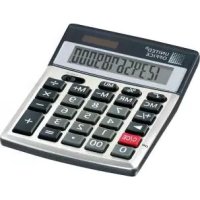
Calculator for mathematical functions, e.g.: +, -, x, ÷, √%, including sum memory.
This calculator has solar cells. If insufficient light is available, it switches automatically to battery operation.
Safety note
DANGER for children
- Swallowing batteries could be fatal. Batteries must be stored out of reach of small children.
- Swallowing a coin cell can lead to choking. Consult a doctor immediately.
CALCULATOR FUNCTIONS
| Type of Calculation | Example Key combination Display | ||
| Addition and Subtraction | 123 + 456 - 789 123 + 789 = 456 - 789 = -210 | ||
| Multiplication | 45.6 x 7.89 45.6 x 7.89 = 359.784 | ||
| Division 3 ÷ 4 | 3 ÷ 4 = 0.75 | ||
| Calculating with a constant | 1) 12 x 912 x 8 | 12 x 9 = 1088 = 96 | |
| 2) 32 ÷ 228 ÷ 2 | 32 ÷ 2 = 1628 = 14 | ||
| 3) 2 + 96 + 9 | 2 + 9 = 116 = 15 | ||
| 4) 8 - 37 - 3 | 8 - 3 = 57 = 4 | ||
| Percentages | 1) 20 % of 150 150 x 20 % 30 | ||
| 2) 9 = ? % x 36 9 ÷ 36 % 25 | |||
| 3) 200 + 10 % 200 + 10 % 220 | |||
| 4) 500 - 20 % 500 - 20 % 400 | |||
| Square/Cube calculations | 1) 2 3 | 2 x = = 8 | |
| 2) (4 3) 2 | 4 x = = x = 4096 | ||
| Chains 1) (-2) | 5 x 40) + 100/9 x 1/2 x 1/2 | 25 +/- x 40 + 100÷ 9 ÷ 2 = -50 | |
| 2) (7 + 9) x 12 - 8 | 7 + 9 x 12- 8 = 184 | ||


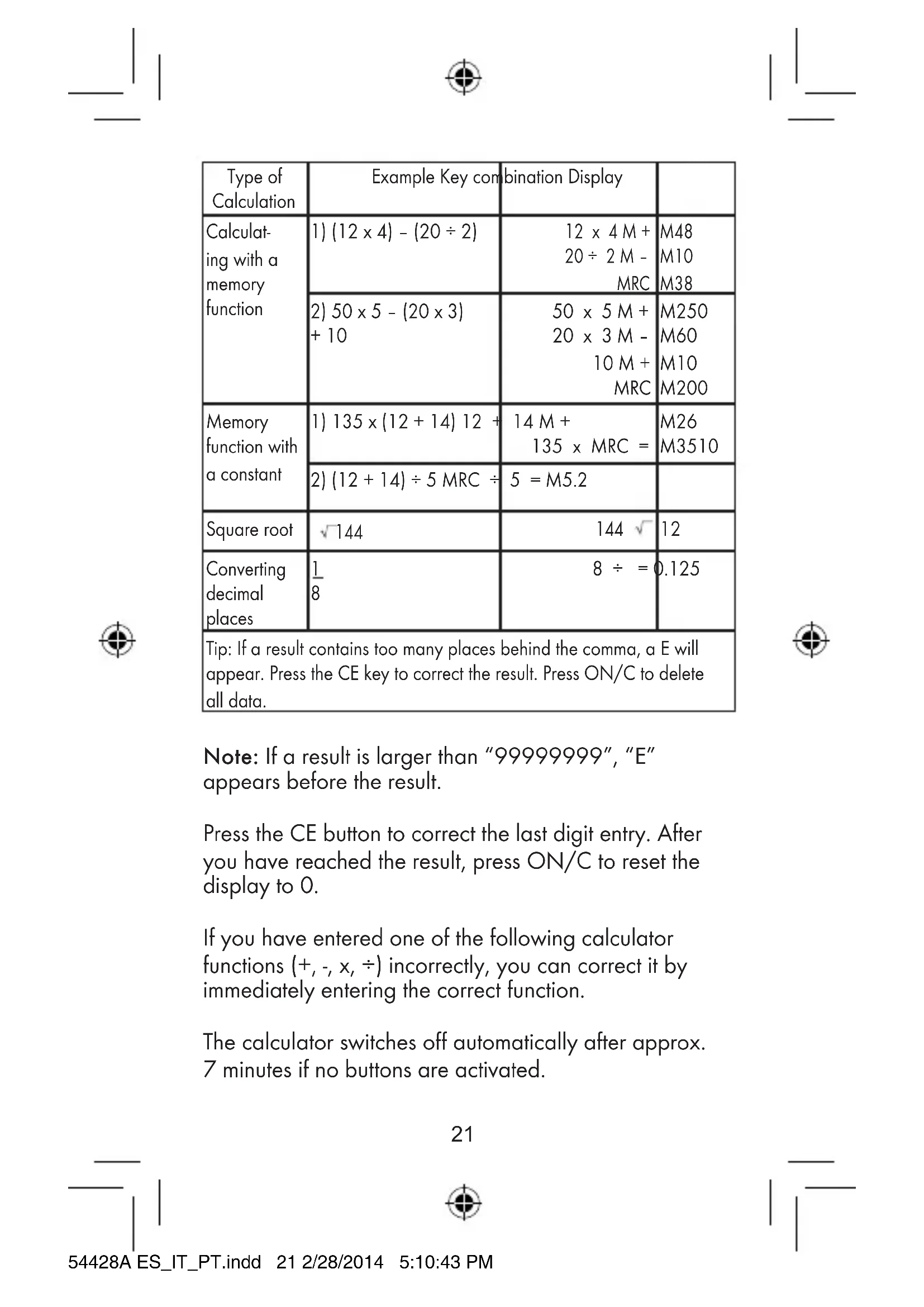
| Type of Calculation | Example Key combination Display | ||
| Calculating with a memory function | 1) (12 x 4) - (20 ÷ 2) | 12 x 4 M +20 ÷ 2 M -MRC | M48M10M38 |
| 2) 50 x 5 - (20 x 3)+ 10 | 50 x 5 M +20 x 3 M -10 M +MRC | M250M60M10M200 | |
| Memory function with a constant | 1) 135 x (12 + 14) 12 + | 14 M +135 x MRC = | M26M3510 |
| 2) (12 + 14) ÷ 5 MRC ÷ | 5 = M5.2 | ||
| Square root | √144 | 144 √ | 12 |
| Converting decimal places | 18 | 8 ÷ = 0.125 | |
| Tip: If a result contains too many places behind the comma, a E will appear. Press the CE key to correct the result. Press ON/C to delete all data. | |||
Note: If a result is larger than "99999999", "E" appears before the result.
Press the CE button to correct the last digit entry. After you have reached the result, press ON/C to reset the display to 0.
If you have entered one of the following calculator functions (+, -, x, ÷) incorrectly, you can correct it by immediately entering the correct function.
The calculator switches off automatically after approx. 7 minutes if no buttons are activated.
Troubleshooting
This appliance has delicate electronic components. This means that if it is placed near an object that transmits radio signals, it could cause interference. If interference occurs, move such objects away from it.
Cleaning and storage
Only use a dry and fluff-free cloth for cleaning.
Disposal
Disposing of the device
Never dispose of the device in normal household waste.
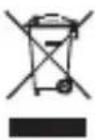
The device should be disposed of via an authorized waste disposal company or your local waste disposal organization. The valid regulations must be complied with. If in doubt,
contact your waste disposal organization.

Disposing of the battery
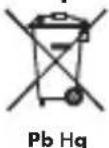
Dispose of the battery before disposing of the device.
Old batteries must not be disposed of in household waste. Return your used batteries to
your dealer or the designated returns point (see fig. A).
Disposing of the packaging

Dispose of all packaging components in an environmentally friendly manner.
Warranty
The device has been manufactured to strict quality guidelines and meticulously examined before delivery. In the event of product defects you have legal rights against the retailer of this product. Your legal rights are not limited in any way by our warranty detailed below.
The warranty for this device is 3 years from the date of purchase. Should this device show any fault in materials or manufacture within three years from the date of purchase, we will repair or replace it - at our choice - free of charge to you.
The warranty period begins on the date of purchase. Please keep the original sales receipt in a safe location. This document is required as your proof of purchase. This warranty becomes void if the device has been damaged or improperly used or maintained.
The warranty applies to faults in material or manufacture. This warranty does not cover product parts subject to normal wear, thus possibly considered consumables (e.g. batteries) or for damage to fragile parts, e.g. switches, rechargeable batteries or glass parts.


CE
DE AT CH
Tischrechner
BEDIENUNGSANLEITUNG
ACHTUNG!
natural_image
Abstract geometric shape with intersecting lines and a shaded rectangle (no text or symbols)OWIM GmbH & Co. KG
Stiftsbergstraße 1
D-74167 Neckarsulm
Model No.: Z32070A
Version: 03/2014
IAN 54428
5