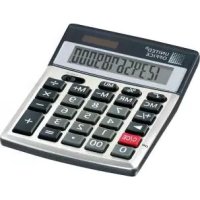
LCD−212 - Calculatrice UNITED OFFICE - Notice d'utilisation et mode d'emploi gratuit
Retrouvez gratuitement la notice de l'appareil LCD−212 UNITED OFFICE au format PDF.

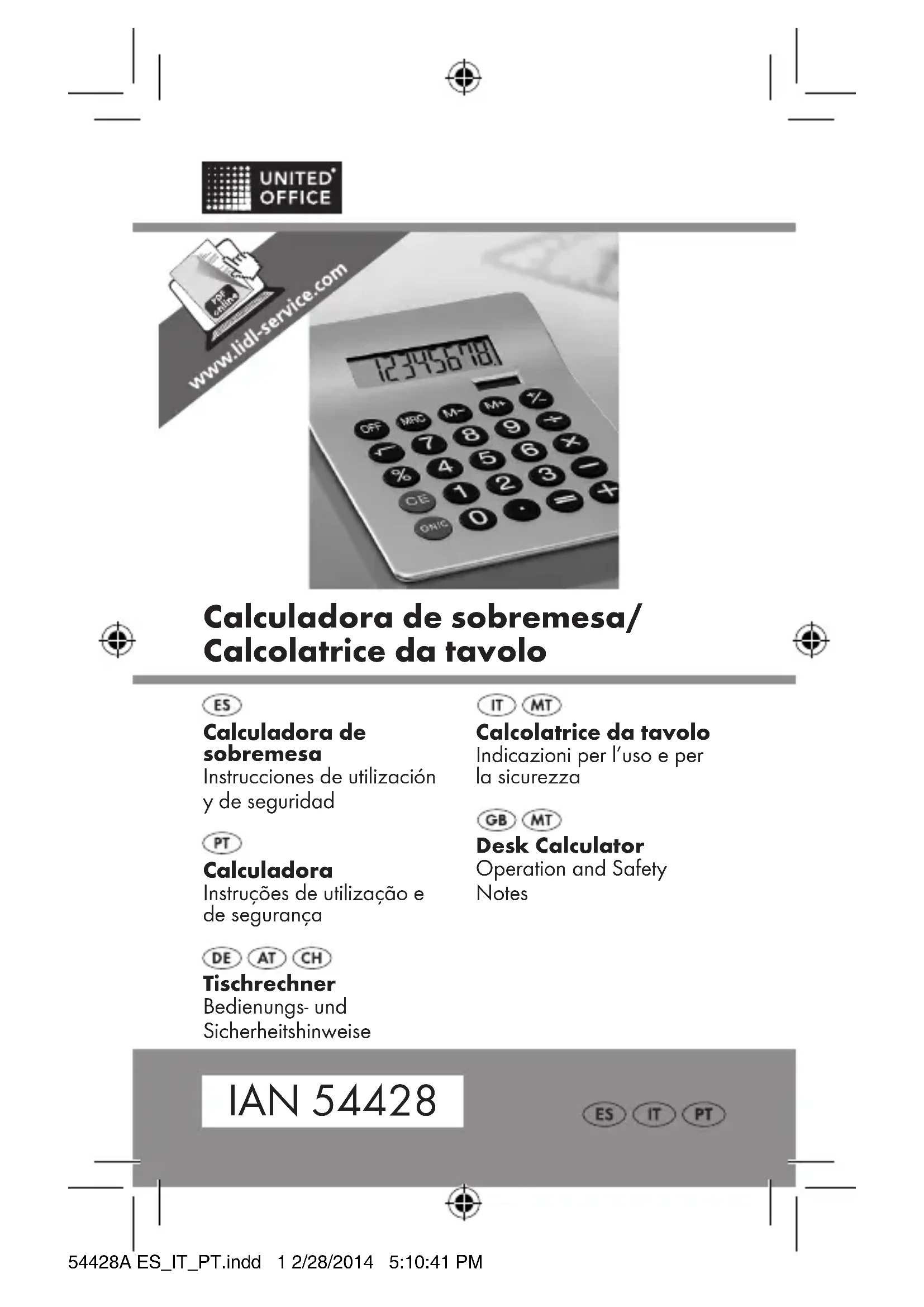


| Caractéristiques techniques | Affichage LCD, 12 chiffres, fonction de calcul avancée |
|---|---|
| Utilisation | Idéale pour les calculs financiers et commerciaux, utilisation simple avec des touches bien définies |
| Maintenance et réparation | Remplacement de la batterie nécessaire lorsque l'affichage devient faible, nettoyage régulier recommandé |
| Sécurité | Utiliser sur une surface plane, éviter l'exposition à l'humidité et à la chaleur excessive |
| Informations générales | Compacte et légère, idéale pour le bureau ou à emporter, garantie de 2 ans |
FOIRE AUX QUESTIONS - LCD−212 UNITED OFFICE
Questions des utilisateurs sur LCD−212 UNITED OFFICE
0 question sur cet appareil. Repondez a celles que vous connaissez ou posez la votre.
Poser une nouvelle question sur cet appareil
Téléchargez la notice de votre Calculatrice au format PDF gratuitement ! Retrouvez votre notice LCD−212 - UNITED OFFICE et reprennez votre appareil électronique en main. Sur cette page sont publiés tous les documents nécessaires à l'utilisation de votre appareil LCD−212 de la marque UNITED OFFICE.
MODE D'EMPLOI LCD−212 UNITED OFFICE

UNITED ^ OFFICE

text_image
www.lidl-service.com 123456781Calculadora de sobremesa/ Calcolatrice da tavolo


ES
Calculadora de sobremesa
Instrucciones de utilización y de seguridad
PT
Calculadora
Instruções de utilização e de segurança
IT MT
Calcolatrice da tavolo
Indicazioni per l'uso e per la sicurezza
GB MT
Desk Calculator
Operation and Safety Notes
DE AT CH
Tischrechner
Bedienungs- und Sicherheitshinweise
IAN 54428
ES IT PT


ES Instrucciones de utilización y de seguridad Página 4
IT/MT Indicazioni per l'uso e per la Sicurezza Pagina 9
PT Instruções de utilização e de segurança Página 14
GB/MT Operation and Safety Notes Page 19
DE/AT/CH Bedienungs- und Sicherheitshinweise Seite 24
text_image
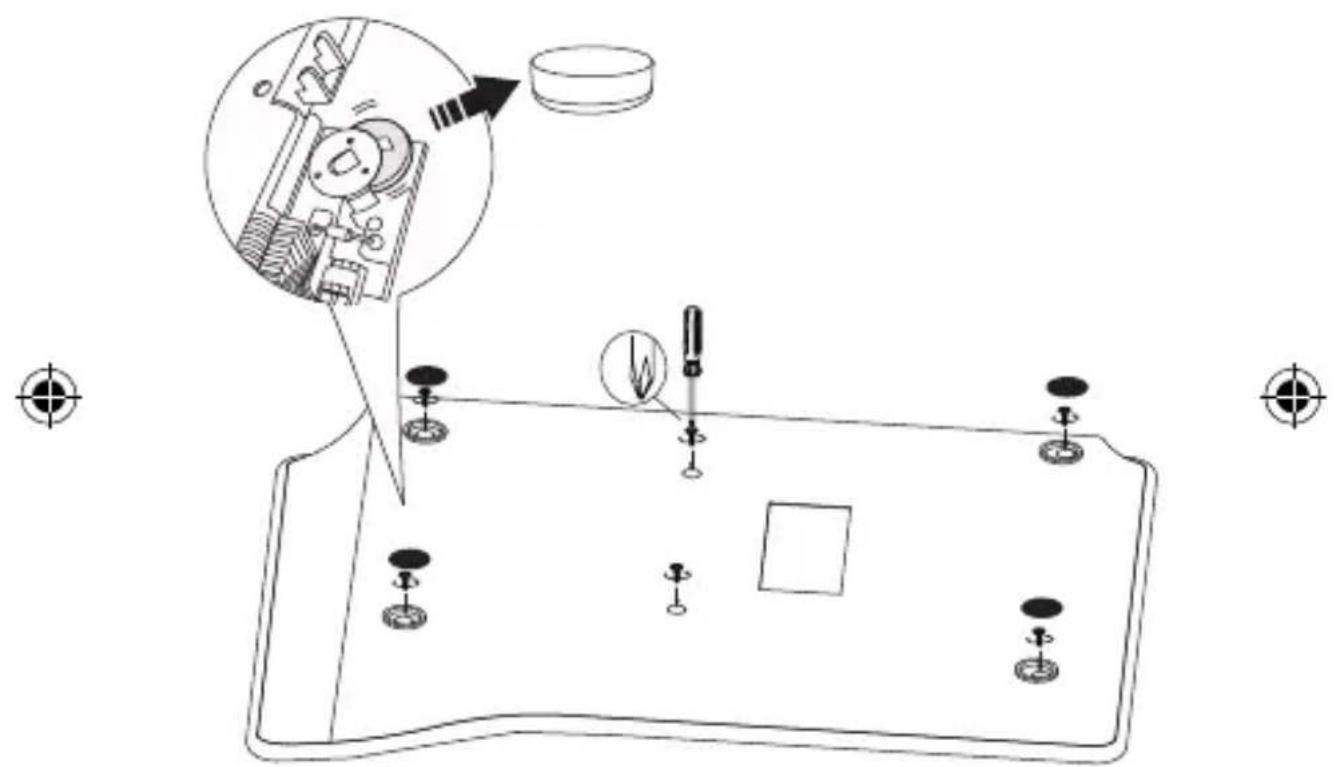
Technical diagram showing a mechanical assembly with labeled components and an inset close-up of a tool interacting with a component.A
3

ES
Calculadora de sobremesa
INSTRUCCIONES DE FUNCIONAMIENTO
¡ATENCIÓN!
¡ANTES DE UTILIZAR EL PRODUCTO LEER
DETENIDAMENTE LAS INSTRUCCIONES DE USO!
¡SE RUEGA, GUARDAR LAS INSTRUCCIONES DE USO
CUIDADOSAMENTE! ¡ESTE ARTÍCULO NO ES NINGÚN JUGUETE!
MANTÉNGASE FUERA DEL ALCANCE DE LOS NIÑOS.
Lea atentamente las instrucciones de uso y emplee el artículo únicamente del modo indicado en el manual para evitar posibles lesiones y daños.
No se asume responsabilidad alguna por los daños causados por un manejo inadecuado o por la no observancia de las instrucciones de seguridad.
La palabra PELIGRO le advierte de la posibilidad de que se produzcan lesiones graves o la muerte.
La palabra PRECAUCIÓN le advierte de la posibilidad de que se produzcan lesiones o daños leves.
Utilización conforme a lo prescrito
Calculadora para funciones matemáticas, p. ej.: +, -, x, ÷, √, %, incluye memoria de totales.
Esta calculadora dispone de células solares. Si la cantidad de luz no es suficiente, pasa automáticamente a funcionar con pilas.
Advertencias de seguridad
PELIGRO para los niños
- La ingestión de pilas puede resultar mortal. Las pilas deben guardarse fuera del alcance de los niños pequeños.
- La ingestión de una pila de botón puede implicar riesgo de asfixia. Debe acudir inmediatamente a un médico.
FUNCIONES DE LA CALCULADORA
| Cálculo Ejemplo Combinación | de teclas | Resultado | |
| Suma y resta | 123 + 456 - 789 123 + 456 - 789 = | 456 - 789 = | -210 |
| Multipli-cación | 45,6 x 7,89 45.6 x 7.89 = 359.784 | ||
| División | 3 ÷ 4 3 ÷ 4 = 0.75 | ||
| Cálculo con una constante | 1) 12 x 9 12 x 8 | 12 x 9 = 8 = | 108 96 |
| 2) 32 ÷ 2 28 ÷ 2 | 32 ÷ 2 = 28 = | 16 14 | |
| 3) 2 + 9 6 + 9 | 2 + 9 = 6 = | 11 15 | |
| 4) 8 - 3 7 - 3 | 8 - 3 = 7 = | 5 4 | |
| Porcentaje | 1) 20 % de 150 150 x | 20 % 30 | |
| 2) 9 = ? % x 36 9 ÷ 36 | % 25 | ||
| 3) 200 + 10 % 200 + 10 % 220 | |||
| 4) 500 - 20 % 500 - 20 % 400 | |||
| Potencias | 1) 2 3 | 2 x = = 3 | |
| 2) (4 3)2 | 4 x = = x = | 4096 | |
| Regla conjunta | 1) (-25 x 40) + 100 x 1/9 2 | 25 +/- x 40 + 100 ÷ 9 ÷ 2 = | -50 |
| 2) (7 + 9) x 12 - 8 7 + | 9 x 12 - 8 = | 184 | |


| Cálculo Ejemplo Combinación | de teclas | Resultado | |
| Cálculo con la función de memoria | 1) (12 x 4) - (20 ÷ 2) | 12 x 4 M +20 ÷ 2 M -MRC | M48M10M38 |
| 2) 50 x 5 - (20 x3) + 10 | 50 x 5 M +20 x 3 M -10 M +MRC | M250M60M10M200 | |
| Función de memoria con una constante | 1) 135 x (12 + 14) 12 + | 14 M +135 x MRC = | M26M3510 |
| 2) (12 + 14) ÷ 5 MRC ÷ | 5 = M5.2 | ||
| Raíz cuad-rada | √144 | 144 √ | 12 |
| Convertir una fracción en un número decimal | 18 | 8 ÷ = | 0.125 |
| Consejo: Si un resultado tiene demasiados dígitos después de la coma, aparecerá una E delante. Para corregir el resultado, presione la tecla CE. Presione el botón ON/C para borrar todos los datos. | |||
Nota: si un resultado es mayor que "99999999", antes del resultado aparece una "E".
Pulse el botón CE para corregir la última cifra introducida. Tras obtener un resultado, pulse ON/C para poner el resultado y la pantalla a 0.
Si ha introducido incorrectamente una de las siguientes funciones de cálculo (+, -, x, ÷), puede corregirlo introduciendo directamente la función de cálculo correcta.
Si pasan unos 7 minutos sin que se pulse ninguna tecla, la calculadora se apaga automáticamente.
Solución de problemas
El aparato contiene componentes electrónicos sensibles. Por ello es posible que sufra perturbaciones debido a otros equipos de transmisión por radio que se encuentren en las proximidades. Si se producen interferencias, aparte dichos aparatos del entorno del producto.
Limpieza y conservación
Para su limpieza utilice sólo un trapo seco y sin pelusa.
Eliminación
Eliminar el aparato o artículo
En ningún caso debe eliminar el aparato o artículo tirándolo a la basura doméstica normal.


Eliminar el aparato o artículo a través de una empresa autorizada para la eliminación de residuos, o a través de su centro de recogida municipal.
Observe la normativa vigente. En caso de duda, póngase en contacto con su centro de recogida de residuos.
Eliminación de las pilas
Pb Hg
Elimine las pilas antes de eliminar el aparato. Las pilas no deben tirarse a la basura doméstica. Para eliminar las pilas gastadas, entréguelas en su comercio o en un puesto de recogida previsto para este fin (véase fig. A).
Eliminación del envase

Elimine todo el material del envase respetando el


medio ambiente.
Garantía
El aparato ha sido fabricado cuidadosamente siguiendo exigentes normas de calidad y ha sido probado antes de su entrega. En caso de defecto del producto, usted tiene derechos legales frente al vendedor del mismo. Nuestra garantía (abajo indicada) no supone una restricción de dichos derechos legales.
Este aparato tiene una garantía de 3 años a partir de la fecha de compra. El plazo de garantía comienza a partir de la fecha de compra. Por favor, conserve adecuadamente el justificante de compra original. Este documento se requerirá como prueba de que se realizó la compra.

Si en el plazo de tres años a partir de la fecha de compra se produce un fallo de material o fabricación en este producto, repararemos el producto o lo sustituiremos gratuitamente por un producto nuevo (según nuestra elección). La garantía quedará anulada si el producto resulta dañado o es utilizado o mantenido de forma inadecuada.
La garantía cubre defectos de materiales o de fabricación. Esta garantía no cubre aquellos componentes del producto sometidos a un desgaste normal y que, por ello, puedan considerarse piezas de desgaste (por ej. las pilas). Tampoco cubre daños de componentes frágiles como, por ejemplo, los interruptores, baterías y piezas de cristal.
CE
IT MT
Calcolatrice da tavolo
ISTRUZIONI PER L'USO
ATTENZIONE!
LEGGERE LE ISTRUZIONI PRIMA DELL'UTILIZZO!
CONSERVARE ACCURATAMENTE LE ISTRUZIONI D'USO!
QUESTO ARTICOLO NON È UN GIOCATTOLO!
TENERE FUORI DALLA PORTATA DEI BAMBINI.
Leggere attentamente le indicazioni di sicurezza e utilizzare l'articolo solo come descritto nelle istruzioni per evitare ferimenti e danni.
Non si assume nessuna responsabilità per danni dovuti ad un utilizzo errato e all'inosservanza delle indicazioni di sicurezza.

La parola PERICOLO avverte di possibili ferimenti e del pericolo di morte.
La parola ATTENZIONE avverte di possibili ferimenti o danni di piccola entità.
Utilizzo conforme
Calcolatrice con funzioni matematiche, ad es.: +, -, x, ÷, √, %, con memoria totali.
Questa calcolatrice è dotata di celle solari. In caso di luce insufficiente, commuta automaticamente nell'alimentazione a batteria.
Indicazioni di sicurezza
PERICOLO per i bambini
• L'ingestione delle batterie può mettere in pericolo di vita. Le batterie devono essere tenute lontano dalla portata dei bambini.
• L'ingestione di una batteria a bottone può causare il soffocamento. Consultare immediatamente un medico.
FUNZIONI DI CALCOLO
| Tipo di calcolo | Esempio Combinazione tasti Display | ||
| Addizione e sottrazione | 123 + 456 - 789 123 + | 456 - 789 = -210 | |
| Moltiplicazione | 45,6 x 7,89 45.6 x 7.89 | = 359.784 | |
| Divisione 3 ÷ 4 | 3 ÷ 4 = 0.75 | ||
| Calcolo con una costante | 1) 12 x 912 x 8 | 12 x 9 = 8 = | 10896 |
| 2) 32 ÷ 228 ÷ 2 | 32 ÷ 2 = 28 = | 1614 | |
| 3) 2 + 96 + 9 | 2 + 9 = 6 = | 1115 | |
| 4) 8 - 37 - 3 | 8 - 3 = 7 = | 54 | |
| Calcolo di percentuale | 1) 20 % di 150 150 x 2 | 0 % 30 | |
| 2) 9 = ? % x 36 9 ÷ 36 | % 25 | ||
| 3) 200 + 10 % 200 + 1 | 0 % 220 | ||
| 4) 500 - 20 % 500 - 20 | % 400 | ||
| Elevazione a potenza | 1) 2 3 | 2 x = = 3 | |
| 2) (4 3)2 | 4 x = = x = | ||
| Calcolo della catena | 1) (-25 x 40) + 100 x 1/9 2 | 25 +/- x 40 + 100 ÷ 9 ÷ 2 = | |
| 2) (7 + 9) x 12 - 8 7 + | 9 x 12 - 8 = 184 | ||


| Tipo di calcolo | Esempio Combinazione tasti Display | ||
| Calcolare con la funzione memoria | 1) (12 x 4) - (20 ÷ 2) | 12 x 4 M +20 ÷ 2 M -MRC | M48M10M38 |
| 2) 50 x 5 - (20 x3) + 10 | 50 x 5 M +20 x 3 M -10 M +MRC | M250M60M10M200 | |
| Funzione memoria con una costante | 1) 135 x (12 + 14) 12 + | 14 M +135 x MRC = | M26M3510 |
| 2) (12 + 14) ÷ 5 MRC ÷ | 5 = M5.2 | ||
| Radice quadrata | √ 144 | 144 √ | 12 |
| Trasformazi- one di frazioni in numeri decimali | 18 | 8 ÷ = | 0.125 |
| Nota: Se un risultato parziale contiene troppe cifre dopo la virgola, prima di esso compare una E. Premere il tasto CE per correggere il risultato. Premere ON/C per spegnere la calcolatrice. | |||


Nota: se un risultato è maggiore di "99999999" viene visualizzata una "E" prima del risultato.
Premere il tasto CE, per correggere le ultime cifre inserite. Una volta calcolato un risultato premere il tasto ON/C per riportare il risultato e il display a "0".
Nel caso sia stata erroneamente digitata una delle seguenti funzioni di calcolo (+, -, x, ÷), è possibile correggerla digitando immediatamente la funzione di calcolo corretta.
Se non si utilizzano più i tasti, la calcolatrice tascabile si
spegne automaticamente dopo ca. 7 minuti.
Eliminazione dei guasti
L'apparecchio contiene componenti elettronici sensibili.
È dunque possibile che il suo funzionamento venga disturbato dalla presenza di radiotrasmettitori nelle vicinanze.
Qualora si manifestassero dei disturbi, rimuovere tali apparecchi dalle immediate vicinanze del prodotto.
Pulizia e conservazione
Utilizzare per la pulizia solamente un panno asciutto che non lasci pelucchi.
Smaltimento
Smaltimento dell'apparecchio
Non smaltire assolutamente l'apparecchio insieme ai normali rifiuti domestici.


Smaltire l'apparecchio tramite un ente di smaltimento autorizzato o l'azienda di smaltimento comunale.
Rispettare le norme attualmente in vigore.
In caso di dubbi mettersi in contatto con l'ente di smaltimento competente.
Smaltimento della batteria

Smaltire la batteria prima di smaltire l'apparecchio.
Le batterie usate non possono essere smaltite insieme ai rifiuti domestici. Riconsegnare le
batterie usate per lo smaltimento al proprio rivenditore o a un apposito centro di raccolta. (vedi fig. A)
Smaltimento dell'imballaggio

Smaltire tutti i materiali dell'imballaggio in modo ecologicamente conforme.
Garanzia
L'apparecchio è stato prodotto secondo severe direttive di qualità e controllato con premura prima della consegna. In caso di difetti del prodotto, l'acquirente può far valere i propri diritti legali nei confronti del venditore. Questi diritti legali non vengono limitati in alcun modo dalla garanzia di seguito riportata.
Se entro tre anni dalla data di acquisto di questo prodotto si rileva un difetto di materiale o di fabbricazione, il prodotto verrà riparato o sostituito gratuitamente, a nostra discrezione. Il termine di garanzia ha inizio a partire dalla data di acquisto. Conservare lo scontrino di acquisto originale in buone condizioni. Questo documento servirà a documentare l'avvenuto acquisto.
l'apparecchio da Lei acquistato dà diritto ad una garanzia di 3 anni a partire dalla data di acquisto. La presente garanzia decade nel caso di danneggiamento del prodotto, di utilizzo o di manutenzione inadeguati.
La prestazione di garanzia vale sia per difetti di materiale che per difetti di fabbricazione. La presente garanzia non si estende a parti del prodotto soggette a normale usura e che possono essere identificate, pertanto, come parti soggette a usura (p. es., le batterie), né a danni su parti staccabili, come interruttore, batterie o simili, realizzate in vetro.
CE
PT
Calculadora
MODO DE UTILIZAÇÃO
ATENÇÃO! ANTES DE UTILIZAR LER EM PRIMEIRO LUGAR O LIVRO DE INSTRUÇÕES! CONSERVAR CUIDADOSAMENTE AS INSTRUÇÕES DE UTILIZAÇÃO! ESTE ARTIGO NÃO É UM BRINQUEDO! NÃO DEIXAR AO ALCANCE DAS CRIANÇAS.
Leia as indicações de segurança com cuidado e utilize o artigo apenas do modo descrito nas instruções para evitar ferimentos e danos.
Não nos responsabilizamos por danos causados pelo manuseamento indevido e pela inobservância das indicações de segurança.
A palavra PERIGO avisa-o quanto a possíveis ferimentos graves e quanto a perigo de vida.
A palavra CUIDADO avisa-o quanto a possíveis ferimentos ligeiros ou danos.
Utilização de acordo com as especificações
Calculadora para funções matemáticas, como p. ex.: +, -, x, ÷, √, %, incluíndo memória de somas.
Esta calculadora dispõe de células solares. Se a incidência de luz for insuficiente, a calculadora comuta automaticamente para o modo de pilhas.
Indicações de segurança
PERIGO para crianças
- As pilhas podem representar perigo de vida se forem ingeridas. As pilhas devem ser guardadas fora do alcance das crianças.


- Se a criança engolir uma pilha tipo botão pode ocorrer perigo de asfixia. Neste caso dirija-se imediatamente a um médico.
FUNÇÕES DA CALCULADORA
| Modo aritmético | Exemplo Combinação de teclas | Informação | |
| Adição e subtracção | 123 + 456 - 789 123 + | 456 - 789 = | -210 |
| Multipli-cação | 45,6 x 7,89 45.6 x 7.89 | = 359.784 | |
| Divisão | 3 ÷ 4 3 ÷ 4 = 0.75 | ||
| Calcular com uma constante | 1) 12 x 9 12 x 8 | 12 x 9 = 8 = | 108 96 |
| 2) 32 ÷ 2 28 ÷ 2 | 32 ÷ 2 = 28 = | 16 14 | |
| 3) 2 + 9 6 + 9 | 2 + 9 = 6 = | 11 15 | |
| 4) 8 - 3 7 - 3 | 8 - 3 = 7 = | 5 4 | |
| Calcular percenta-gem | 1) 20 % de 150 150 x 2 | 0 % 30 | |
| 2) 9 = ? % x 36 9 ÷ 36 | % 25 | ||
| 3) 200 + 10 % 200 + 10 | 0 % 220 | ||
| 4) 500 - 20 % 500 - 20 | % 400 | ||
| Cálculo de potências | 1) 2 3 | 2 x = = 8 | |
| 2) (4 3)2 | 4 x = = x = | ||
| Cálculo em cadeia | 1) (-25 x 40) +100 x 1/9 2 | 25 +/- x 40 + 100 ÷ 9 ÷ 2 = | |
| 2) (7 + 9) x 12 - 8 7 + | 9 x 12 - 8 = | ||
| Calcular com a função memória | 1) (12 x 4) - (20 ÷ 2) | 12 x 4 M +20 ÷ 2 M -MRC | M48M10M38 |
| 2) 50 x 5 - (20 x 3)+ 10 | 50 x 5 M +20 x 3 M -10 M +MRC | M250M60M10M200 | |
| Função memória com uma constante | 1) 135 x (12 + 14) 12 + | 14 M +135 x MRC = | M26M3510 |
| 2) (12 + 14) ÷ 5 MRC ÷ | 5 = M5.2 | ||
| Raiz quadrada | √144 | 144 √ | 12 |
| Converter fracção em números decimais | 18 | 8 ÷ = 0.125 | |
| Observação: Se um resultado analítico tiver demasiadas casas decimais atrás da vírgula, antes da vírgula encontrar-se-á um E. Carregue agora na tecla CE para corrigir o resultado. Para apagar uma introdução totalmente prima a tecla ON/C. | |||
Nota: se um resultado for superior a "99999999" é indicado um "E" antes do resultado.
Prima a tecla CE para corrigir o último dígito introduzido. Depois de ter determinado um resultado prima ON/C para repor o resultado e o visor a 0.
Se introduziu uma das seguintes funções de cálculo (+, -, x, ÷) mal, pode corrigi-la introduzindo imediatamente a função de cálculo correcta.
Se não premir nenhuma tecla, a calculadora desliga-se


automaticamente após aprox. 7 minutos.
Eliminação de erros
O aparelho contém componentes electrónicos sensíveis. Por isso, é possível que aparelhos com radiotransmissão na proximidade imediata deste interfiram com o seu funcionamento. Se ocorrerem interferências, remova aparelhos deste tipo da proximidade do produto.
Limpeza e armazenamento
Utilize um pano sem pêlos ligeiramente humedecido para a limpeza.
Eliminar
Eliminar o aparelho
Nunca elimine o aparelho junto com o lixo doméstico comum.


Elimine o aparelho através de um centro de reciclagem autorizado ou do seu ecocentro local.
Respeite as disposições legais em vigor. Em caso de dúvida, entre em contacto com o ecocentro local.
Eliminar a pilha
Elimine primeiro a pilha e só depois o aparelho.
As pilhas antigas não podem ser eliminadas junto
com o lixo doméstico. Entregue as pilhas antigas a eliminar ao seu fornecedor ou coloque-as no pilhão (ver fig. A).
Eliminar a embalagem

Elimine todos os materiais da embalagem de modo ecológico.

Garantia
O aparelho foi cuidadosamente fabricado segundo rigorosas directivas de qualidade e meticulosamente testado antes da sua distribuição. Em caso de falhas deste aparelho, possui direitos legais relativamente ao vendedor do aparelho. Os seus direitos legais não estão limitados pela garantia representada de seguida.
Tem sobre este aparelho 3 anos de garantia a partir da data de compra. A validade da garantia inicia-se com a data de compra. Guarde o talão da caixa como comprovativo da compra. Esse documento é necessário para comprovar a compra.
Caso num espaço de tempo de 3 anos a partir da data da compra deste aparelho surja um erro de material ou de fabrico, o aparelho será reparado ou substituído por nós – segundo a nossa escolha – e sem qualquer custo. Esta garantia expira se o aparelho estiver danificado, se não for devidamente utilizado ou se não for efectuada a devida manutenção.
A garantia é válida em caso de defeitos de material ou de fabrico. Esta garantia não é extensível a componentes do produto que se desgastam com o uso e que, por isso, podem ser consideradas peças de desgaste (por ex.º pilhas) ou a danos em peças frágeis, por ex.º interruptores, baterias ou peças de vidro.
CE
GB MT
Desk Calculator
INSTRUCTIONS
ATTENTION!
PLEASE READ INSTRUCTIONS BEFORE USE!
KEEP INSTRUCTIONS IN A SAFE PLACE!
THIS PRODUCT IS NOT A TOY!
KEEP AWAY FROM CHILDREN.
Read the operating instructions carefully and use the product as described in the instructions to avoid injury and damage.
We accept no responsibility for damage resulting from failure to comply with the safety instructions

The word DANGER warns of possible risks of severe or fatal injury.
The word CAUTION warns of possible risks of minor injury or damage.

Correct use
Calculator for mathematical functions, e.g.: +, -, x, ÷, √%, including sum memory.
This calculator has solar cells. If insufficient light is available, it switches automatically to battery operation.
Safety note
DANGER for children
- Swallowing batteries could be fatal. Batteries must be stored out of reach of small children.
- Swallowing a coin cell can lead to choking. Consult a doctor immediately.
CALCULATOR FUNCTIONS
| Type of Calculation | Example Key combination Display | ||
| Addition and Subtraction | 123 + 456 - 789 123 + 789 = 456 - 789 = -210 | ||
| Multiplication | 45.6 x 7.89 45.6 x 7.89 = 359.784 | ||
| Division 3 ÷ 4 | 3 ÷ 4 = 0.75 | ||
| Calculating with a constant | 1) 12 x 912 x 8 | 12 x 9 = 1088 = 96 | |
| 2) 32 ÷ 228 ÷ 2 | 32 ÷ 2 = 1628 = 14 | ||
| 3) 2 + 96 + 9 | 2 + 9 = 116 = 15 | ||
| 4) 8 - 37 - 3 | 8 - 3 = 57 = 4 | ||
| Percentages | 1) 20 % of 150 150 x 20 % 30 | ||
| 2) 9 = ? % x 36 9 ÷ 36 % 25 | |||
| 3) 200 + 10 % 200 + 10 % 220 | |||
| 4) 500 - 20 % 500 - 20 % 400 | |||
| Square/Cube calculations | 1) 2 3 | 2 x = = 8 | |
| 2) (4 3) 2 | 4 x = = x = 4096 | ||
| Chains 1) (-2) | 5 x 40) + 100/9 x 1/2 x 1/2 | 25 +/- x 40 + 100÷ 9 ÷ 2 = -50 | |
| 2) (7 + 9) x 12 - 8 | 7 + 9 x 12- 8 = 184 | ||


| Type of Calculation | Example Key combination Display | ||
| Calculating with a memory function | 1) (12 x 4) - (20 ÷ 2) | 12 x 4 M +20 ÷ 2 M -MRC | M48M10M38 |
| 2) 50 x 5 - (20 x 3)+ 10 | 50 x 5 M +20 x 3 M -10 M +MRC | M250M60M10M200 | |
| Memory function with a constant | 1) 135 x (12 + 14) 12 + | 14 M +135 x MRC = | M26M3510 |
| 2) (12 + 14) ÷ 5 MRC ÷ | 5 = M5.2 | ||
| Square root | √144 | 144 √ | 12 |
| Converting decimal places | 18 | 8 ÷ = 0.125 | |
| Tip: If a result contains too many places behind the comma, a E will appear. Press the CE key to correct the result. Press ON/C to delete all data. | |||
Note: If a result is larger than "99999999", "E" appears before the result.
Press the CE button to correct the last digit entry. After you have reached the result, press ON/C to reset the display to 0.
If you have entered one of the following calculator functions (+, -, x, ÷) incorrectly, you can correct it by immediately entering the correct function.
The calculator switches off automatically after approx. 7 minutes if no buttons are activated.
Troubleshooting
This appliance has delicate electronic components. This means that if it is placed near an object that transmits radio signals, it could cause interference. If interference occurs, move such objects away from it.
Cleaning and storage
Only use a dry and fluff-free cloth for cleaning.
Disposal
Disposing of the device
Never dispose of the device in normal household waste.
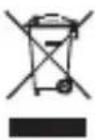
The device should be disposed of via an authorized waste disposal company or your local waste disposal organization. The valid regulations must be complied with. If in doubt,
contact your waste disposal organization.

Disposing of the battery
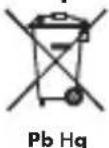
Dispose of the battery before disposing of the device.
Old batteries must not be disposed of in household waste. Return your used batteries to
your dealer or the designated returns point (see fig. A).
Disposing of the packaging

Dispose of all packaging components in an environmentally friendly manner.
Warranty
The device has been manufactured to strict quality guidelines and meticulously examined before delivery. In the event of product defects you have legal rights against the retailer of this product. Your legal rights are not limited in any way by our warranty detailed below.
The warranty for this device is 3 years from the date of purchase. Should this device show any fault in materials or manufacture within three years from the date of purchase, we will repair or replace it - at our choice - free of charge to you.
The warranty period begins on the date of purchase. Please keep the original sales receipt in a safe location. This document is required as your proof of purchase. This warranty becomes void if the device has been damaged or improperly used or maintained.
The warranty applies to faults in material or manufacture. This warranty does not cover product parts subject to normal wear, thus possibly considered consumables (e.g. batteries) or for damage to fragile parts, e.g. switches, rechargeable batteries or glass parts.


CE
DE AT CH
Tischrechner
BEDIENUNGSANLEITUNG
ACHTUNG!
VOR GEBRAUCH DIE BEDIENUNGSANLEITUNG
LESEN!
BEDIENUNGSANLEITUNG SORGFÄLTIG
AUFBEWAHREN!
DIESER ARTIKEL IST KEIN SPIELZEUG!
NICHT IN DIE HÄNDE VON KINDERN KOMMEN LASSEN.
Lesen Sie die Sicherheitshinweise sorgfältig durch und verwenden Sie den Artikel nur wie in der Anleitung beschrieben, um Verletzungen und Schäden zu vermeiden.
Für Schäden durch unsachgemäße Handhabung und Nichtbeachtung der Sicherheitshinweise wird keine Verantwortung übernommen.
Das Wort GEFAHR warnt Sie vor möglichen schweren Verletzungen und Lebensgefahr.
Das Wort VORSICHT warnt Sie vor möglichen leichten Verletzungen oder Beschädigungen.
Bestimmungsgemäße Verwendung
Rechner für mathematische Funktionen z.B.: +, -, x, ÷, √%, inklusive Summenspeicher.
Dieser Rechner verfügt über Solarzellen.
Bei unzureichendem Lichteinfall schaltet er automatisch auf Batteriebetrieb um.
Sicherheitshinweise
GEFAHR für Kinder
- Das Verschlucken von Batterien ist lebensgefährlich. Batterien müssen außer Reichweite von Kleinkindern aufbewahrt werden.
- Das Verschlucken einer Knopfzelle kann zu Erstickungsgefahr führen. Es muss umgehend ein Arzt aufgesucht werden.
RECHNERFUNKTIONEN
| Rechenart Be | spiel Tastenkombination Anzeige | ||
| Addition und Substraktion | 123 + 456 - 789 123 + 789 = | -210 | |
| Multiplikation 45,6 x 7,89 45.6 x 7.89 = | 359.784 | ||
| Division 3 ÷ 4 3 ÷ 4 = 0.75 | |||
| Rechnen mit einer Konstante | 1) 12 x 912 x 8 | 12 x 9 = 8 = | 10896 |
| 2) 32 ÷ 228 ÷ 2 | 32 ÷ 2 = 28 = | 1614 | |
| 3) 2 + 96 + 9 | 2 + 9 = 6 = | 1115 | |
| 4) 8 - 37 - 3 | 8 - 3 = 7 = | 54 | |
| Prozentrechnen | 1) 20 % von 150 150 x | 20 % 30 | |
| 2) 9 = ? % x 36 9 ÷ 36 | % 25 | ||
| 3) 200 + 10 % | 200 + 10 % | 220 | |
| 4) 500 - 20 % | 500 - 20 % | 400 | |
| Potenzrechnen | 1) 2 3 | 2 x = = 3 | |
| 2) (4 3)2 | 4 x = = x = | 4096 | |
| Kettenrechnung | 1) (-25 x 40) + 100 x 1/9 2 | 25 +/- x 40 + 100 ÷ 9 ÷ 2 | -50 |
| 2) (7 + 9) x 12 - 8 | 7 + 9 x 12 - 8 = | 184 | |


| Rechenart Beispiel Tastenkombination Anzeige | |||
| Rechnen mit der Speicherfunktion | 1) (12 x 4) - (20 ÷ 2) | 12 x 4 M +20 ÷ 2 M -MRC | M48M10M38 |
| 2) 50 x 5 - (20 x 3) + 10 | 50 x 5 M +20 x 3 M -10 M +MRC | M250M60M10M200 | |
| Speicherfunktion mit einer Konstanten | 1) 135 x (12 + 14) 12 + 135 x MRC = | 14 M + | M26M3510 |
| 2) (12 + 14) ÷ 5 MRC ÷ | 5 = M5.2 | ||
| Quadratwurzel | √144 | 144 √ | 12 |
| Bruch in Dezimalzahlen umwandeln | 18 | 8 ÷ = | 0.125 |
| Hinweis: Wenn ein Teilergebnis zu viele Stellen hinter dem Komma enthält, steht vor diesem ein E.Drücken Sie nun die Taste CE, um das Ergebnis zu korrigieren.Drücken Sie ON/C, um sämtliche Eingaben zu löschen. | |||
Hinweis: Ist ein Ergebnis größer als „99999999“, wird vor dem Ergebnis ein „E“ angezeigt.
Drücken Sie die Taste CE, um die letzte Zifferneingabe zu korrigieren.
Nachdem Sie ein Ergebnis ermittelt haben, drücken Sie ON/C, um das Ergebnis und das Display auf 0 zu setzen.
Haben Sie eine der folgenden Rechenfunktionen (+, -, x, ÷) falsch eingegeben, können Sie diese korrigieren, indem Sie direkt im Anschluss die richtige Rechenfunktion eingeben.
Wenn Sie die Tasten nicht mehr betätigen, schaltet sich der Taschenrechner nach ca. 7 Minuten automatisch aus.
Fehlerbehebung
Das Gerät enthält empfindliche elektronische Bauteile. Daher ist es möglich, dass es durch Funkübertragungsgeräte in unmittelbarer Nähe gestört wird. Treten Störungen auf, entfernen Sie solche Geräte aus der Umgebung des Produkts.
Reinigen und Pflegen
Verwenden Sie zur Reinigung nur ein trockenes fusselfreies Tuch.
Entsorgen
Gerät entsorgen
Entsorgen Sie das Gerät keinesfalls in den normalen Hausmüll.

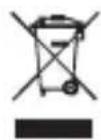
Das Gerät über einen zugelassenen Entsorgungsbetrieb oder über Ihre kommunale Entsorgungseinrichtung entsorgen. Beachten Sie
die gültigen Vorschriften. Setzen Sie sich im Zweifelsfall mit Ihrer Entsorgungseinrichtung in Verbindung.
Batterie entsorgen

Pb Hg
Entsorgen Sie zuerst die Batterie, bevor Sie das Gerät entsorgen. Alte Batterien dürfen nicht im Hausmüll entsorgt werden. Geben Sie alte Batterien an Ihren Händler oder eine
dafür vorgesehene Rücknahmestelle zur Entsorgung zurück. (siehe Abb. A)
Verpackung entsorgen

Führen Sie alle Verpackungsmaterialien einer


umweltgerechten Entsorgung zu.
Garantie
Das Produkt wurde nach strengen Qualitätsrichtlinien sorgfältig produziert und vor Anlieferung gewissenhaft geprüft. Im Falle von Mängeln dieses Produkts stehen Ihnen gegen den Verkäufer des Produkts gesetzliche Rechte zu. Diese gesetzlichen Rechte werden durch unsere im Folgenden dargestellte Garantie nicht eingeschränkt.
Sie erhalten auf dieses Gerät 3 Jahre Garantie ab Kaufdatum. Die Garantiefrist beginnt mit dem Kaufdatum. Bitte bewahren Sie den Original Kassenbon gut auf. Diese Unterlage wird als Nachweis für den Kauf benötigt.

Tritt innerhalb von drei Jahren ab dem Kaufdatum dieses Produkts ein Material- oder Fabrikationsfehler auf, wird das Produkt von uns – nach unserer Wahl – für Sie kostenlos repariert oder ersetzt. Diese Garantie verfällt, wenn das Produkt beschädigt, nicht sachgemäß benutzt oder gewartet wurde.
Die Garantieleistung gilt für Material- oder Fabrikationsfehler. Diese Garantie erstreckt sich nicht auf Produkteile, die normaler Abnutzung ausgesetzt sind (z. B. Batterien) und daher als Verschleißteile angesehen werden können oder für Beschädigungen an zerbrechlichen Teilen, z. B. Schalter, Akkus oder die aus Glas gefertigt sind.
CE


natural_image
Abstract geometric shape with intersecting lines and a shaded rectangle (no text or symbols)OWIM GmbH & Co. KG
Stiftsbergstraße 1
D-74167 Neckarsulm
Model No.: Z32070A
Version: 03/2014
IAN 54428
5