PW 2981 - Scale CLATRONIC - Free user manual and instructions
Find the device manual for free PW 2981 CLATRONIC in PDF.



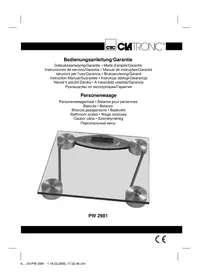
| Brand | Clatronic |
| Model | PW 2981 |
| Product type | Electronic personal scale |
| Category | Bathroom scale |
| Maximum capacity | 150 kg |
| Precision | 100 g (rounded up or down to nearest 100 g) |
| Display | Digital LCD screen |
| Power supply | 2 lithium CR2032 batteries (included) |
| Power on | Light pressure with foot on glass surface |
| Auto-off | After about 6 seconds of inactivity |
| Material | Tempered glass (platform) |
| Dimensions (estimated) | 30 x 30 x 2 cm |
| Weight (estimated) | 1.5 kg |
| Main functions | Weighing, start-up test, low battery indicator (LO), overload indicator (ERR) |
| Low battery indicator | Display "LO" |
| Overload indicator | Display "ERR" (weight > 150 kg) |
| Safety | Do not immerse, avoid carpet, flat surface, do not jump |
| Cleaning | Damp cloth, no abrasive or corrosive products |
| Warranty | 24 months from date of purchase |
| Included accessories | 2 CR2032 batteries (with protective plastic film) |
Frequently Asked Questions - PW 2981 CLATRONIC
User questions about PW 2981 CLATRONIC
0 question about this device. Answer the ones you know or ask your own.
Ask a new question about this device
Download the instructions for your Scale in PDF format for free! Find your manual PW 2981 - CLATRONIC and take your electronic device back in hand. On this page are published all the documents necessary for the use of your device. PW 2981 by CLATRONIC.
USER MANUAL PW 2981 CLATRONIC
General Safety Instructions
GB
- Read the operating instructions carefully before putting the appliance into operation and keep the instructions including the warranty, the receipt and, if possible, the box with the internal packing.
- The appliance is designed exclusively for private use and for the envisaged purpose. This appliance is not fit for commercial use. Do not use it outdoors (except if it is designed to be used outdoors). Keep it away from sources of heat, direct sunlight, humidity (never dip it into any liquid) and sharp edges. Do not use the appliance with wet hands. If the appliance is humid or wet, unplug it immediately. Do not put it in water.
- When cleaning or putting it away, switch off the appliance and always pull out the plug from the socket (pull on the plug, not the cable) if the appliance is not being used and remove the attached accessories.
- Do not operate the machine without supervision. If you should leave the workplace, always switch the machine off or remove the plug from the socket (pull the plug itself, not the lead).
- To protect children from the dangers posed by electrical appliances, make sure that the cable is hanging low and that children do not have access to the appliance.
- Check the appliance and the cable for damage on a regular basis. Do not use the appliance if it is damaged.
- Do not try to repair the appliance on your own. Always contact an authorized technician. To avoid the exposure to danger, always have a faulty cable be replaced only by the manufacturer, by our customer service or by a qualified person and with a cable of the same type.
- Use only original spare parts.
- Pay careful attention to the following "Special Safety Instructions".
Special Safety Instructions for this Machine
- Please do not immerse your scales in water.
The scales are designed for a maximum weight of 150kg
First Use of the Machine
Battery Compartment (on the back of the scales)
The two batteries in the battery compartment were secured in place for transport with a foil. This prolongs the life of the batteries. Please remove this foil to prepare the scales for initial use.
GB
Use
- The balance was designed to indicate precisely the increase in or the loss of weight.
- Position the balance on a hard, fl at surface (avoid carpets). Uneven floors lead to imprecise readings.
- Switch on the scales by pressing lightly with your foot or toes on the glass surface.
- The scales and the display perform a self-test. Shortly afterwards the value "0.0" (kg) appears.
- Step on the balance. Distribute your weight equally on the balance and wait for the balance to calculate your weight. Your exact weight will then be displayed.
- When you have got down from the scales they switch off automatically after 6 seconds in order to prolong battery life.
Batteries
The batteries are two long-life lithium cells. If the letters "LO" appear in the display this means that the batteries need replacing as follows:
- Open the battery compartment on the back of the scales.
- Replace the batteries with two cells of type "CR 2032". Please ensure the correct polarity (see fl oor of battery compartment or printed symbol on the exterior).
- Close the lid of the battery compartment.
Note: Do not dispose of batteries in the domestic waste. Please return used batteries to the relevant collection points or the shop where they were bought.
Never throw batteries into a fire.
Usage and care tips
- Weigh yourself without any clothes or shoes on before meals and always at the same hour of the day. The best time to weigh yourself is when you wake up in the morning.
- The balance rounds off weight to the closest 100g .
- If you weigh yourself twice and two different values are given, it means that your weight is comprised between both values.
- Do not immerse the balance in water: the electronic components can be damaged.
- Remove the batterie if the balance is not to be used for a long period of time.
- Handle the balance with care, as it is a precise measuring instrument. Do not drop it or jump on it.
- Absolutely no need for maintenance.
- If the display shows "LO", change the batteries.
- Do not load the appliance with more than 150kg to avoid damaging the device.
- If the letters „ERR“ (error) appear, the weight is above 150kg .
Cleaning
- Only use a slightly damp cloth to clean the outside of the unit.
- Do not use abrasive or aggressive cleaners.
This device has been tested according to all relevant current CE guidelines, such as electromagnetic compatibility and low voltage directives, and has been constructed in accordance with the latest safety regulations.
Subject to technical changes without prior notice!
Guarantee
The device supplied by our Company is covered by a 24 month guarantee starting on the date of purchase (receipt).
During the life of the guarantee any fault of the device or its accessories *) ascribable to material or manufacturing defects will be eliminated free of charge by repairing or, at our discretion, by replacing it. The guarantee services do not entail an extension of the life of the guarantee nor do they give rise to any right to a new guarantee!
Proof of the guarantee is provided by the proof of purchase. Without proof of purchase no free replacement or repair will be carried out.
If you wish to make a claim under the guarantee please return the entire machine in the original packaging to your dealer together with the receipt.
*) Damage to accessories does not mean automatic free replacement of the whole machine. In such cases please contact our hotline. Broken glass or breakage of plastic parts are always subject to a charge.
Defects to consumables or parts subject to wearing (e.g. motor pistons, kneading blades, drive shafts, spare remote control, spare toothbrushes, saw blades, etc.) as well as cleaning, maintenance or the replacement of said parts are not covered by the guarantee and hence are to be paid!
The guarantee lapses in case of unauthorized tampering.
After the expiry of the guarantee
After the expiry of the guarantee repairs can be carried by the competent dealer or repair service against the payment of the ensuing costs.
PL
TapaHTnHoe 6aTeJIbCTBO
TapaHTnHbI cPOK Ha TeppHTOpN PocChiCKo Φeepaun yCTaHaBnBaETcnoHOMOHyIMn IpeDCTaBnTeJIaMn.
KaccobbyuekraBnErcraPaHTnHbIM TaHOHOM.Be3 Hero HeBO3MOKeH 6ecnNaTHbI pEmoHT nnn 3ameHa n3dennr.
B clyuae BO3HKnHOBxHHn npTeH3n NO rapaHTn, npeDbBNTe H3DeJIne B noJHOKOMNKeKTAcnn, C opnHaJIbHO ynaKOBKO n KaCCOBbIM YekOM ToproBOI TOUKe, npOdaBwe 3TO n3dJIne.
*)DepeKtI npHaJIeJxHcTeI He CnyKaT npuHHoI JIa ABToMaTHueCKO 3aMeHb BCero n3dEINB. B 3tOM cnyae no3BOHnTe Ham, noKaIyNCTa, no rOpRyE JInHn! Pa3bTbIe cTeKJIHHbIe I NOLOMaHbIe INaCTMaCCOBbIe DeTaJIb BO3MeUaOTcra ToIbKO 3a DOnONHHTeJIbHyIO ONlAty!
DeΦeKtBi n3HaUHbAembIX npHnAdJIeKHOCTe NII TpyUHXcA DeTalei (HaNPmep KOHTaKTbIe 5eTKM MOTOPOB, CMEcHTeBHBie KpIOKN, PnIBoDhble peMHN, 3aNaCHbIe NylbTBI ynpabLeHH, 3aNaChbIe 3y6HbIe 5eTKN, NIIbHbIe NOJOTHa I.T.D.), a TaKHe YnCTKa, TexO6CnyKbAHne NII 3aMeHa TpyUHXc A DeTalei He INonaDAOT IOd rapaHTHIO, I No3TOMy pnoBOJrTc3a OTdeJIbHyO ONlAty!
TapaHTn TepaTeTc npBCKpbITn n3dJIeNn NOCTOPOHHmN Iuamn.
Pocne rapaHTn
Pocne OKOHuaHn Cpoka rapaHTnn, peMOHT n3deIIN npOn3BOaNTc 3a Onilaty, COOTBETCTByOuIMM MaCTepCKmN nn nyHKtaM cepBnCHOrO o6CnyKbAHn.
RUS
Technische Daten
Modell: PW 2981