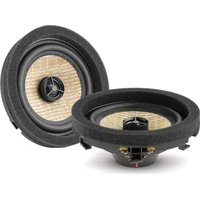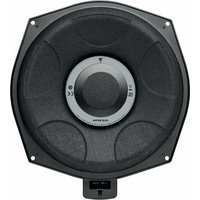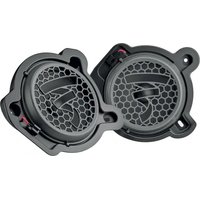
Universal ISN 130 - Car speaker FOCAL - Free user manual and instructions
Find the device manual for free Universal ISN 130 FOCAL in PDF.


| Product type | 2-way component car audio kit |
| Brand | Focal |
| Model | Universal ISN 130 |
| Woofer diameter | 130 mm (5.25 inches) |
| Tweeter diameter | 25 mm (1 inch) |
| RMS power handling | 50 W |
| Maximum power | 100 W |
| Sensitivity | 90 dB |
| Impedance | 4 Ω |
| Frequency response | 60 Hz – 20 kHz |
| Built-in crossover | Yes, compatible with ISO connector |
| Included accessories | Adjustable tweeter mounts, fixing clips, cables, removable motor cover, Focal signature |
| Installation | Flush-mount in original or custom location |
| Hearing safety | Prolonged listening >110 dB can damage hearing; >130 dB irreversible damage |
| Maintenance | Clean the area before installation, avoid metal shavings and dust |
| Warranty | 2 years (France), conditions vary by country |
Frequently Asked Questions - Universal ISN 130 FOCAL
User questions about Universal ISN 130 FOCAL
0 question about this device. Answer the ones you know or ask your own.
Ask a new question about this device
Download the instructions for your Car speaker in PDF format for free! Find your manual Universal ISN 130 - FOCAL and take your electronic device back in hand. On this page are published all the documents necessary for the use of your device. Universal ISN 130 by FOCAL.
USER MANUAL Universal ISN 130 FOCAL
natural_image
Line drawing of a speaker with open lid and fan base (no text or symbols)English page 3 Français page 10
Thank you for choosing Focal and for sharing our passion for the “Spirit of Sound”. Designed using the latest technology, these speakers integrate Focal’s perfectionist believes, developing products with high power handling, and unrivalled sound quality. To obtain the best results from this product, we recommend that you follow carefully all the information contained in this user’s manual. If not correctly followed, any fault observed may not be covered by the guarantee.
Warning
Continuous listening at high sound level (above 110dB) can durably damage your hearing. Listening above 130dB can damage your hearing permanently.
The Focal guarantee only applies if the enclosed guarantee card is returned to us within 10 days of purchase.
Important recommendations
Before attempting any installation work, it is very important to check how much space is available to fit the speakers into the vehicle.
Key points:
- Ensure the speaker is clean from debris and metallic particles that maybe attached (especially after drilling).
- Clean before mounting the speakers.
UNIVERSAL ISN
User manual
Tweeter
1/ Tweeter accessories (tilted and flush mounting)
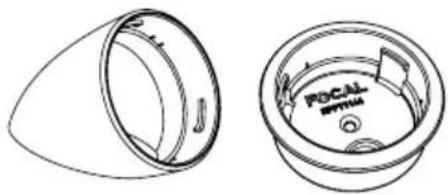
natural_image
Technical line drawing of a circular mechanical component with internal features, shown from two views (top and side), no text or symbols present.2/ Assembling the tweeters to the mounts
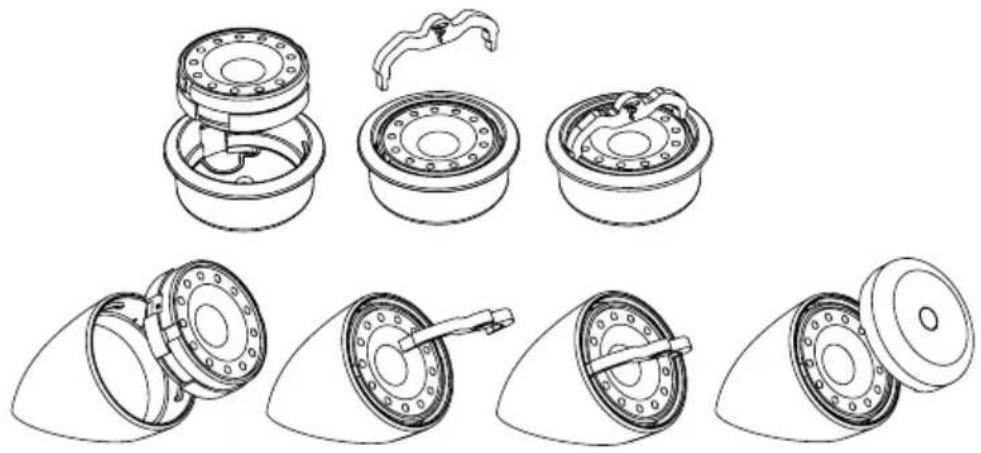
natural_image
Technical line drawings of mechanical components, showing exploded and assembled views (no text or symbols)3/ Connecting the tweeters
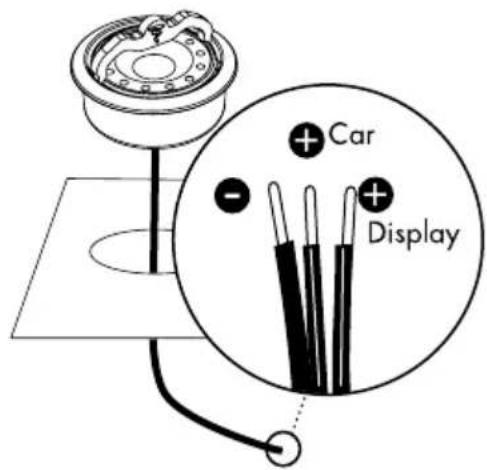
text_image
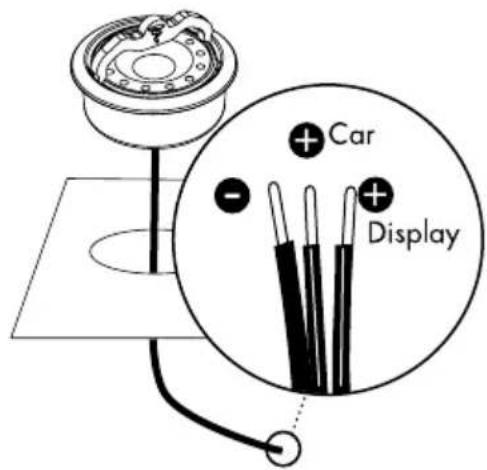
Car DisplayWhen installing on a demonstration display, connect the "display" wire.
When installing in a vehicle: connect the "car" wire.
The unmarked wire is the earth wire with both connection options.
UNIVERSAL ISN
User manual
4
4/ Accessories to facilitate installation of the tweeters in their original location
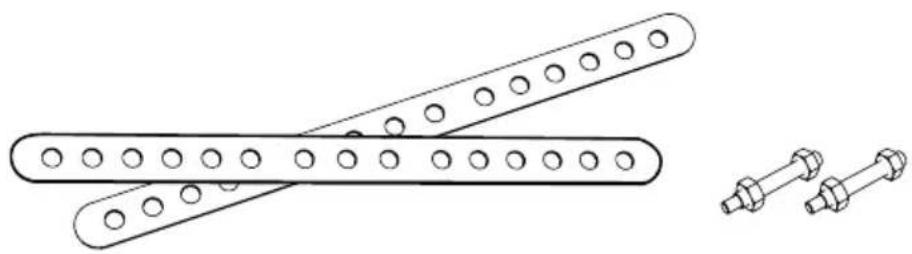
natural_image
Technical line drawing of two mechanical fasteners with circular holes, alongside a separate arrangement of bolts (no text or symbols)Woofer ISN 100/130/165
1/ Mounting the woofer into place (without grill)
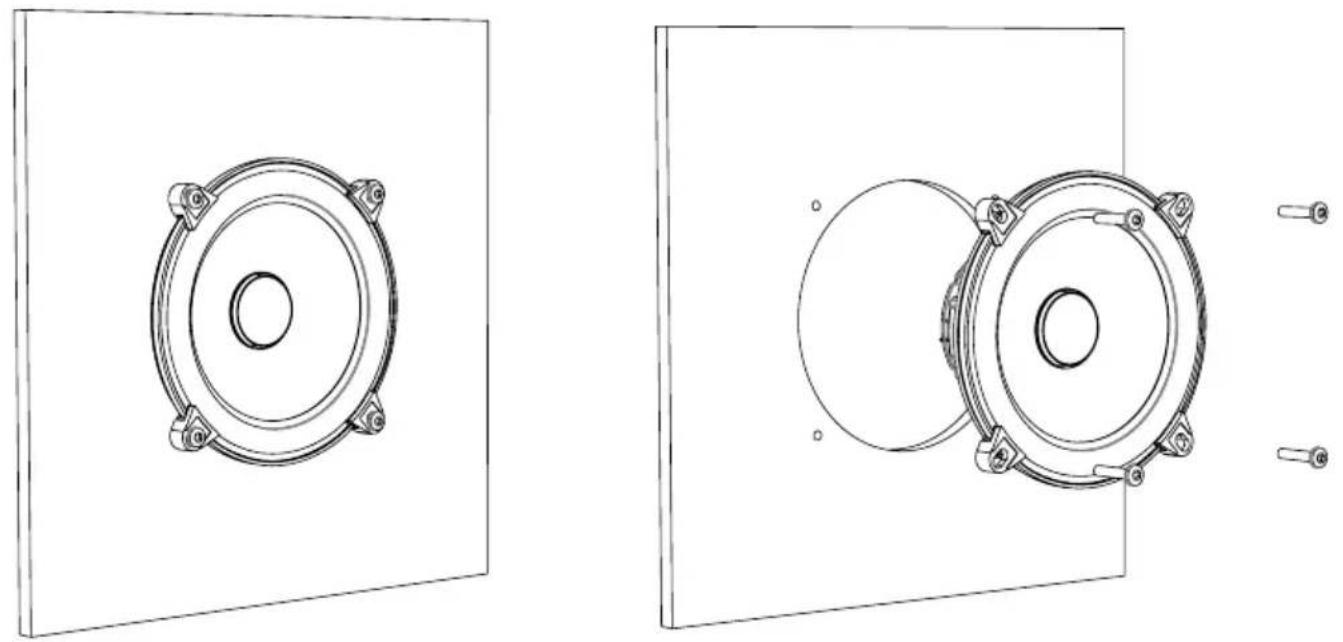
natural_image
Technical line drawings of two speaker components mounted on a panel, with mounting screws and a separate view showing a circular component (no text or symbols present)UNIVERSAL ISN
User manual
5
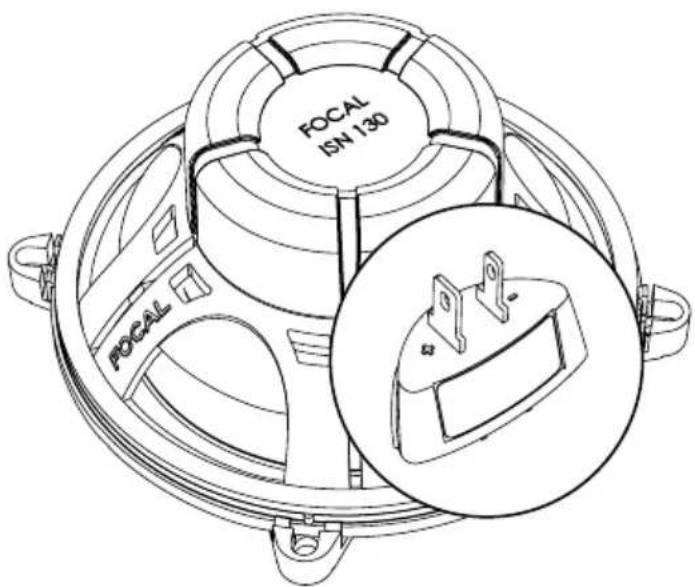
2/ Rear view of the terminal block (marked "+" and "-" )
3/ Mounting the woofer + wire / crossover: 2 mounting options
Option 1 (woofer + cable).
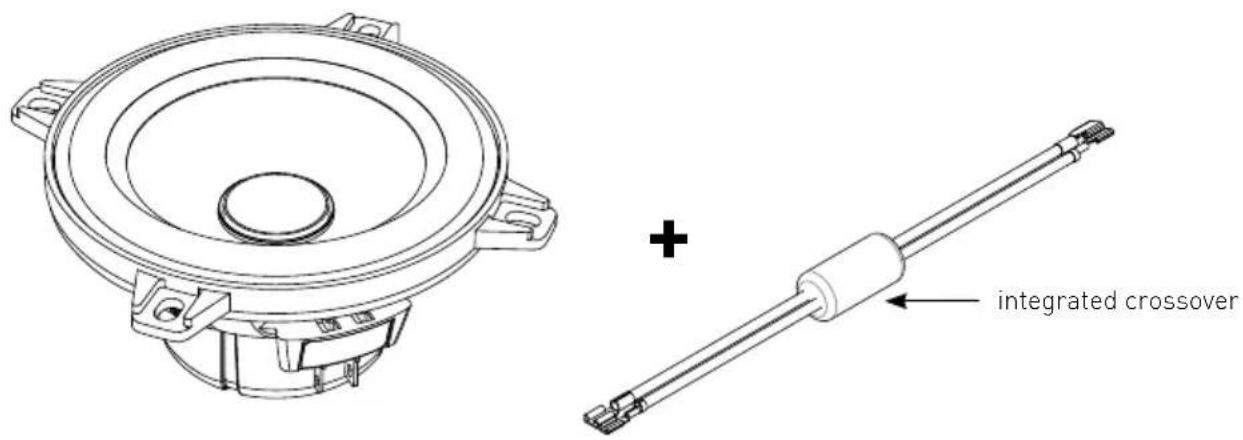
text_image
+ integrated crossoverUNIVERSAL ISN
User manual
6
Option 2 (woofer + cable + ISO connector to ensure compatibility with certain brands of vehicles)
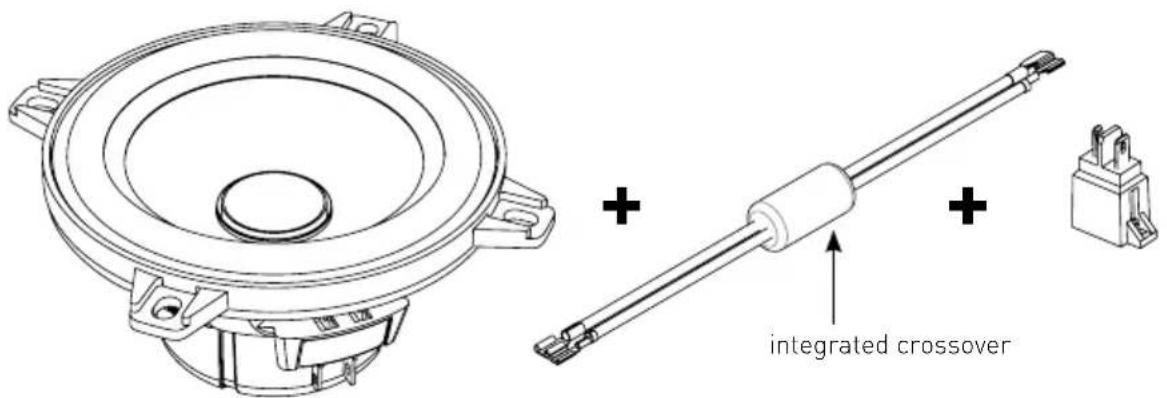
text_image
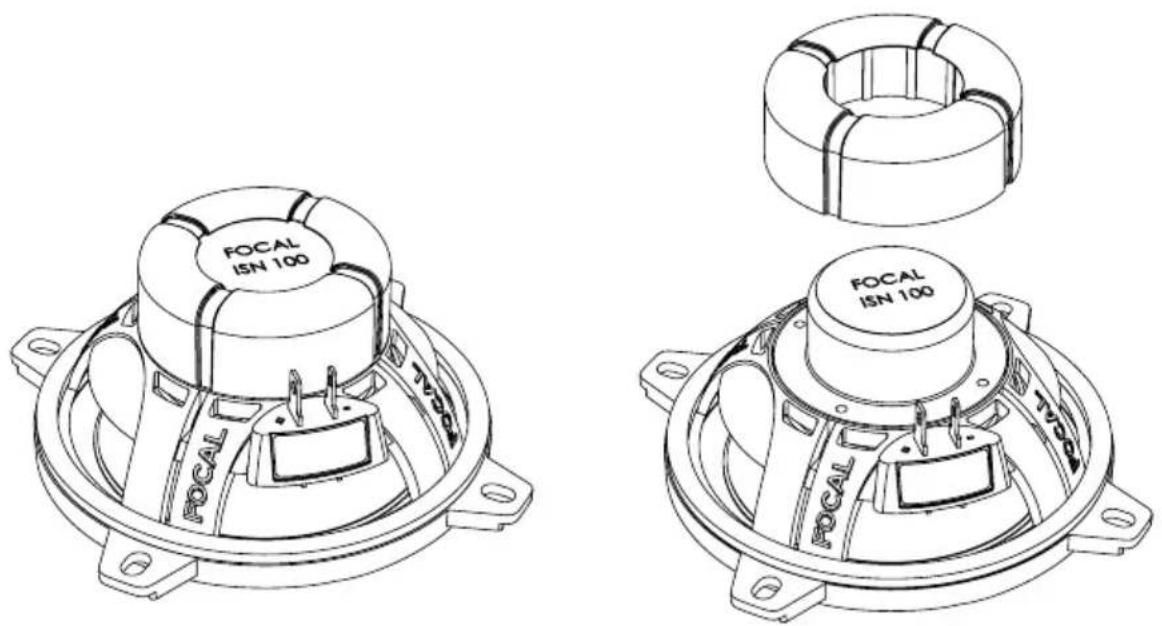
integrated crossover4/ Rear view of the driver with and without rubber cover
If mounting in very confined spaces, you can remove the molded rubber surround suspension in order to obtain the best fit for the woofer in the original place.
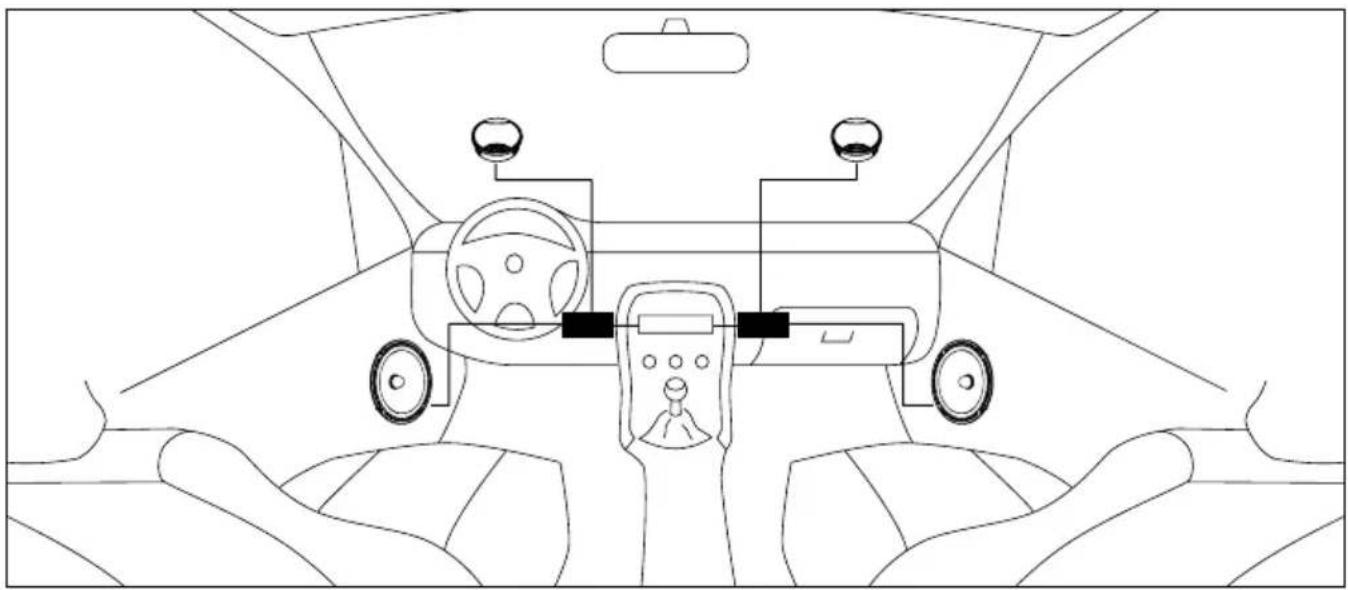
5/ View of the full installation in the vehicle
natural_image
Top-down line drawing of a car interior showing steering wheel, dashboard, and driver's seat (no text or symbols)UNIVERSAL ISN
User manual
Installing the ISN 130
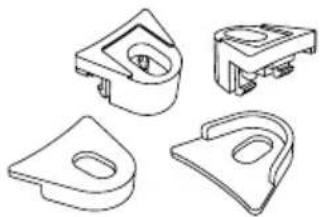
1/ Fixing clips
natural_image
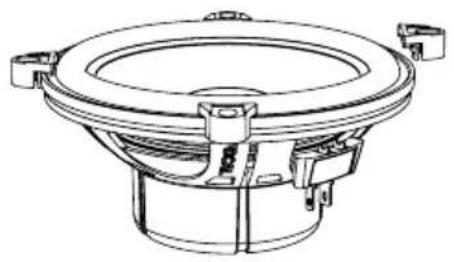
Four technical line drawings of mechanical components, no text or symbols present2/ Mounting fixing clips
natural_image
Technical line drawing of a speaker or speaker component (no text or symbols)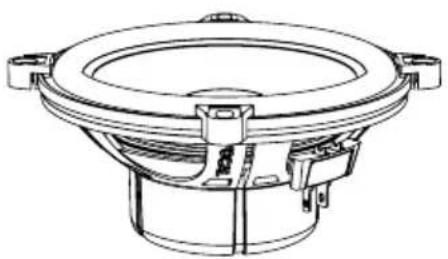
natural_image
Technical line drawing of a speaker component (no text or symbols)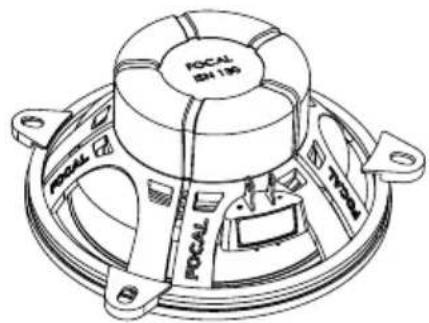
text_image
FOCAL ID 195 FOCAL 710- 200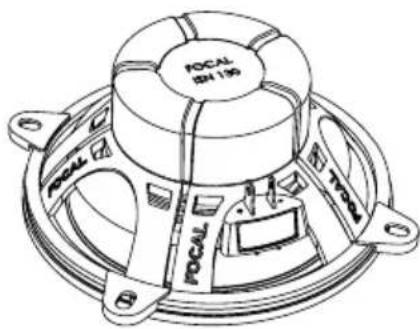
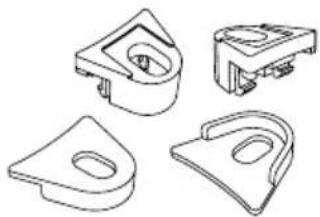
The ISN 130 woofer comes with clips for front or rear mounting. It some cases 2/3 fixing clips can be used (for example 2 clips at 180° on Renault® vehicles).
3/ Accessories
These kits are made to fit into the original locations more easily and are sold without grills (mounting n the door).
A Focal signature is included in each kit (diamond-cut aluminum support + adhesive). This signature can be fixed inside the door of your vehicle for example.

text_image
3F FOCALUNIVERSAL ISN
User manual
9
Conditions de garantie
All Focal loudspeakers are covered by guarantee drawn up by the official Focal distributor in your country. Your distributor can provide all details concerning the conditions of guarantee. Guarantee cover extends at least to that granted by the legal guarantee in force in the country where the original purchase invoice was issued.
natural_image
Technical line drawing of a mechanical component with two views (top and side), no text or symbols present.natural_image
Technical line drawings of mechanical components, showing exploded and assembled views (no text or symbols)3/ Connection tweeter
text_image
Car Displaynatural_image
Technical line drawing of two mechanical fasteners with circular holes, alongside a separate assembly of bolts (no text or symbols)Woofer ISN 100/130/165
natural_image
Technical line drawings of two speaker components mounted on a panel, with mounting screws and a separate view showing a circular component (no text or symbols present)UNIVERSAL ISN
natural_image
Top-down line drawing of a car interior showing steering wheel, dashboard, and steering wheel (no text or symbols)UNIVERSAL ISN
Installation ISN 130
1/ Clips de fixation
natural_image
Four technical line drawings of mechanical components, no text or symbols presentnatural_image
Technical line drawing of a speaker or speaker component (no text or symbols)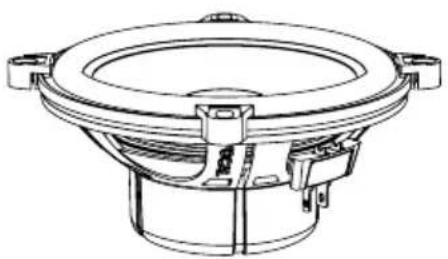
natural_image
Technical line drawing of a speaker component (no text or symbols)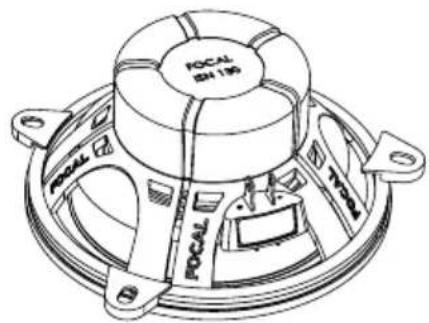
text_image
FOCAL ID 195 FOCAL 710- 200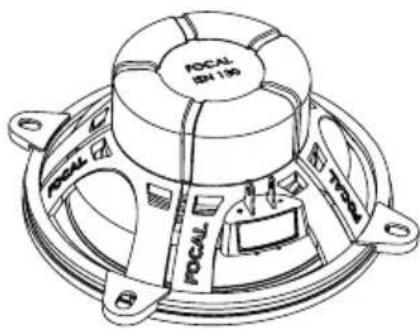
International guarantee
For the validation of the Focal guarantee, send back this sheet within 10 days to the following address
Now it's possible to register on line : www.focal.com/warranty
About yourself:
Your name: ____ Your age: ____ Your job: ____
Your full address:
Your e-mail address: ____
Your hobbies:
At home, do you own Hi-Fi loudspeakers? □ - Yes - No □
If yes, specify the brand: ____
Do you read the press? □ - Yes - No □
If yes, which magazine(s)?
Your audio/video equipment (brands and models) before the acquisition of Focal products:
CD player/tuner: Multimedia player:
Navigation system:Amplifier:
Speakers: ____ Enclosure/subwoofer: ____
Other elements:
Your choice for the purchase of this Focal model was made according to:
□ - Dealer's advice - Friend's or family's advice
□ - Visiting an exhibition/a show - Quality-price ratio □
□ - Sound quality/listening room - Already own Focal products
□ - Reliability/manufacturing quality - Catalogues □
□ - Design/Finish - French product
□- Article in the press (if yes, specify the title of the magazine) □- Other :
Your Focal product:
Model: Serial number:
Dealer's name: City:
Date of your purchase:Price of your purchase:
Did you leave the product installation to your dealer's care? □ - Yes - No □
If not, why?
This information is necessary to our company to deal with your request. It is registered in our customer file and can give you the right to have access to and correct the information that concerns you through our customer service (+33 477 435 700).
If you do not wish to have your data used by our partners on commercial purpose, tick this box. □ If you do not wish to receive commercial propositions from our partners by e-mail, please tick this box. □
You may receive commercial offers from our company for products similar to those you have bought.
If you do not wish to, tick that box. □ The information given on this page will remain confidential.