GXV3601 - Surveillance Camera GRANDSTREAM - Free user manual and instructions
Find the device manual for free GXV3601 GRANDSTREAM in PDF.


| Product Type | IP Surveillance Camera |
| Brand | Grandstream |
| Model | GXV3601 |
| Dimensions (Diameter x Length1 x Length2) | 36 x 52 x 52 mm |
| Weight | 95 g |
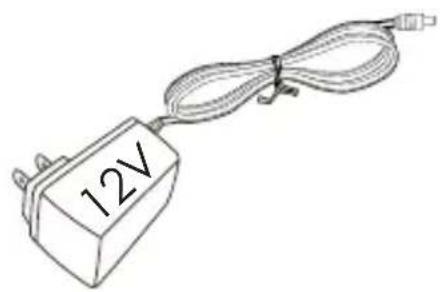
| Power Supply | DC 12V (via included power adapter) or PoE IEEE 802.3af |
| Lens Type | CS Mount, 1/3" Format |
| Focal Length | 3.5 to 8 mm (varifocal) |
| Aperture | F1.4 |
| Horizontal View Angle | 81° |
| Minimum Object Distance | 0.20 m |
| Storage | SD Card, USB Key |
| Inputs/Outputs | Alarm Input, Alarm Output, PTZ RS485 |
| Audio | Built-in Microphone, Speaker |
| Network Connectivity | RJ45 10/100 Ethernet Port, PoE |
| Supported Protocols | TCP/IP, HTTP, DHCP, etc. (web interface) |
| Operating Temperature | -10°C to +55°C |
| Operating Humidity | 10% to 90% RH (non-condensing) |
| Package Contents | Power adapter, cable connector, quick installation guide |
| Default Configuration | IP Address: 192.168.1.168, credentials: admin / admin |
| Maintenance | Clean the lens with a soft, dry cloth. Avoid moisture and extreme temperatures. |
| Safety | Do not open the housing. Use only the provided power supply. |
Frequently Asked Questions - GXV3601 GRANDSTREAM
User questions about GXV3601 GRANDSTREAM
0 question about this device. Answer the ones you know or ask your own.
Ask a new question about this device
Download the instructions for your Surveillance Camera in PDF format for free! Find your manual GXV3601 - GRANDSTREAM and take your electronic device back in hand. On this page are published all the documents necessary for the use of your device. GXV3601 by GRANDSTREAM.
USER MANUAL GXV3601 GRANDSTREAM
natural_image
Technical line drawing of a cylindrical mechanical component with flanges and housing (no text or symbols)QuickStart
Guide

PRECAUTIONS
- Do not attempt to open, disassemble, or modify the device
- Do not use a third party power adapter
- Do not expose this device to temperatures outside the range of -10^ C to +55^ C
- Do not expose the GXV3601 to environments outside of the following humidity range: 10-90% RH (non-condensing)
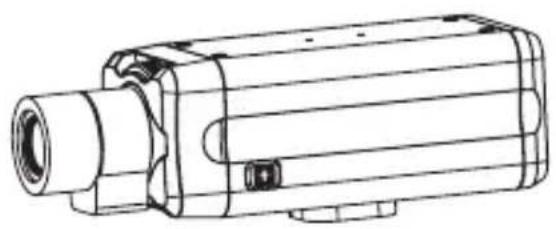
PACKAGE CONTENTS
natural_image
Technical line drawing of a mechanical device with cylindrical body and flanged ends (no text or symbols)GXV3601
natural_image
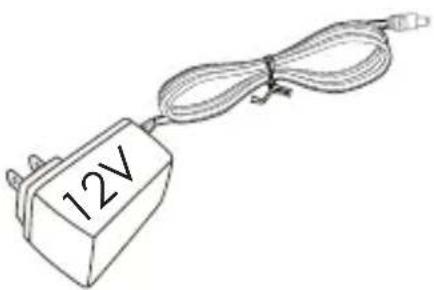
Simple line drawing of a 12V power supply connected to a cable (no text or symbols)Power Adapter
natural_image
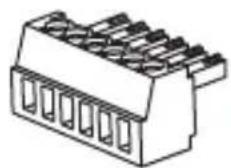
Technical line drawing of a 3-pin electrical connector (no text or symbols)Green Wire Cramper

natural_image
Blank white rectangular object with a slightly curled edge, no visible text or symbols.QUICKSTART GUIDE
CONNECTING THE GXV3601
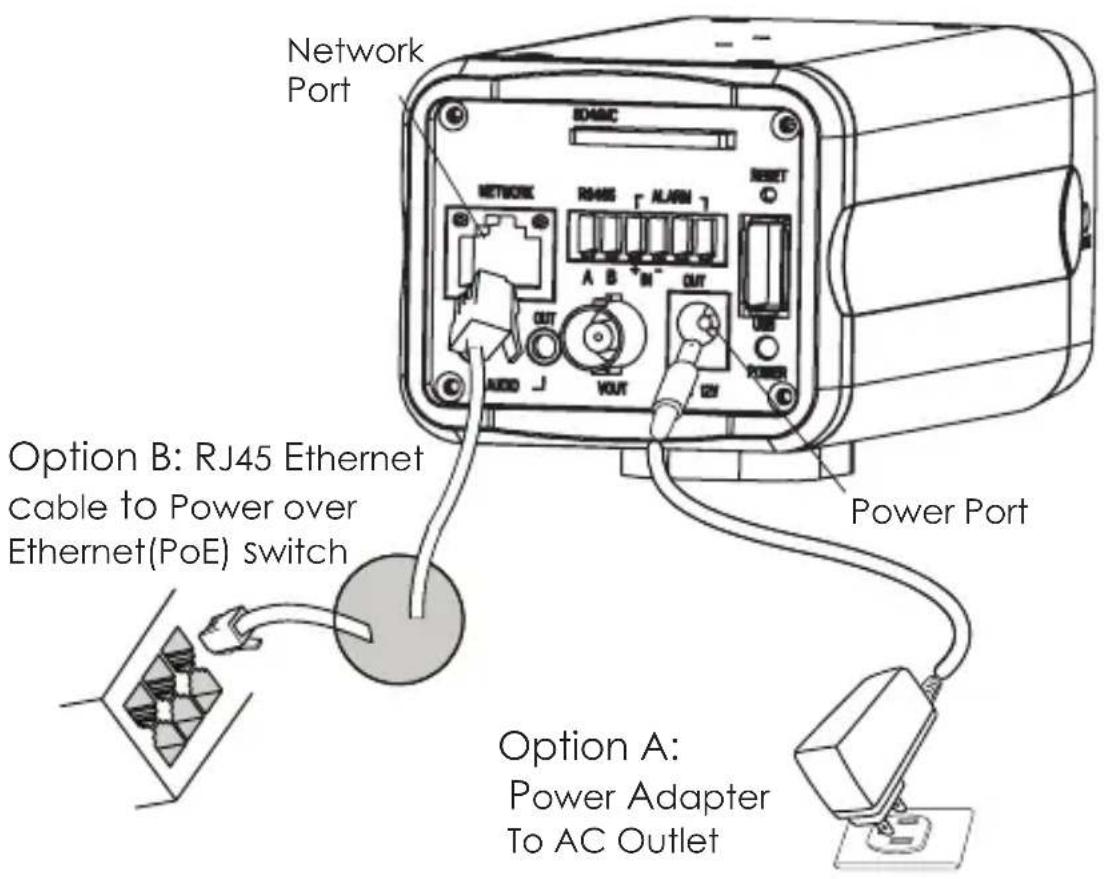
Refer to the illustration below when following the instructions on the next page.
text_image
Network Port SDABC NETWORK R445 ALARM RESET A B M OUT OUT VOUT Power Port Option B: RJ45 Ethernet cable to Power over Ethernet(PoE) switch Option A: Power Adapter To AC OutletNOTE: Choose Option A if using the power supply. Or choose Option B if using a Power over Ethernet (PoE) switch.
Option A
Step 1: Insert the power adapter into the 12V DC port on the GXV3601. Plug the other end of the adapter into an AC power outlet.
Step 2: Plug an RJ45 Ethernet cable into the network port. Plug the other into a hub, switch or router.
Option B
Step 1: Plug an RJ45 Ethernet cable into the network port. Plug the other end into a Power over Ethernet (PoE) switch.
Gxv3601 CONFIGURATION
Configuring the GXV3601 using Microsoft Internet Explorer
Step 1: Connect your PC and the GXV3601 to the same network.
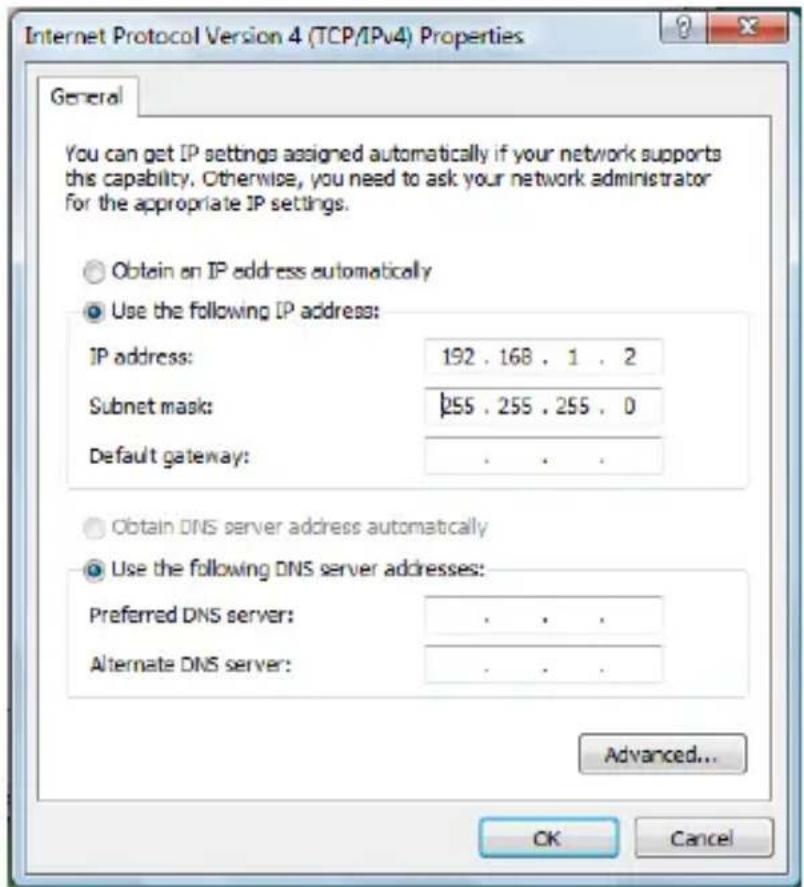
Step 2: Set the IP address of your PC to 192.168.1.X. Set the Default Gateway of your PC to 255.255.255.0.
text_image
Internet Protocol Version 4 (TCP/IPv4) Properties General You can get IP settings assigned automatically if your network supports this capability. Otherwise, you need to ask your network administrator for the appropriate IP settings. Obtain an IP address automatically Use the following IP address: IP address: 192 . 168 . 1 . 2 Subnet mask: 255 . 255 . 255 . 0 Default gateway: . Obtain DNS server address automatically Use the following DNS server addresses: Preferred DNS server: . Alternate DNS server: . Advanced... OK CancelStep 3: Open Microsoft Internet Explorer on your PC. Type 192.168.1.168 in the address bar.
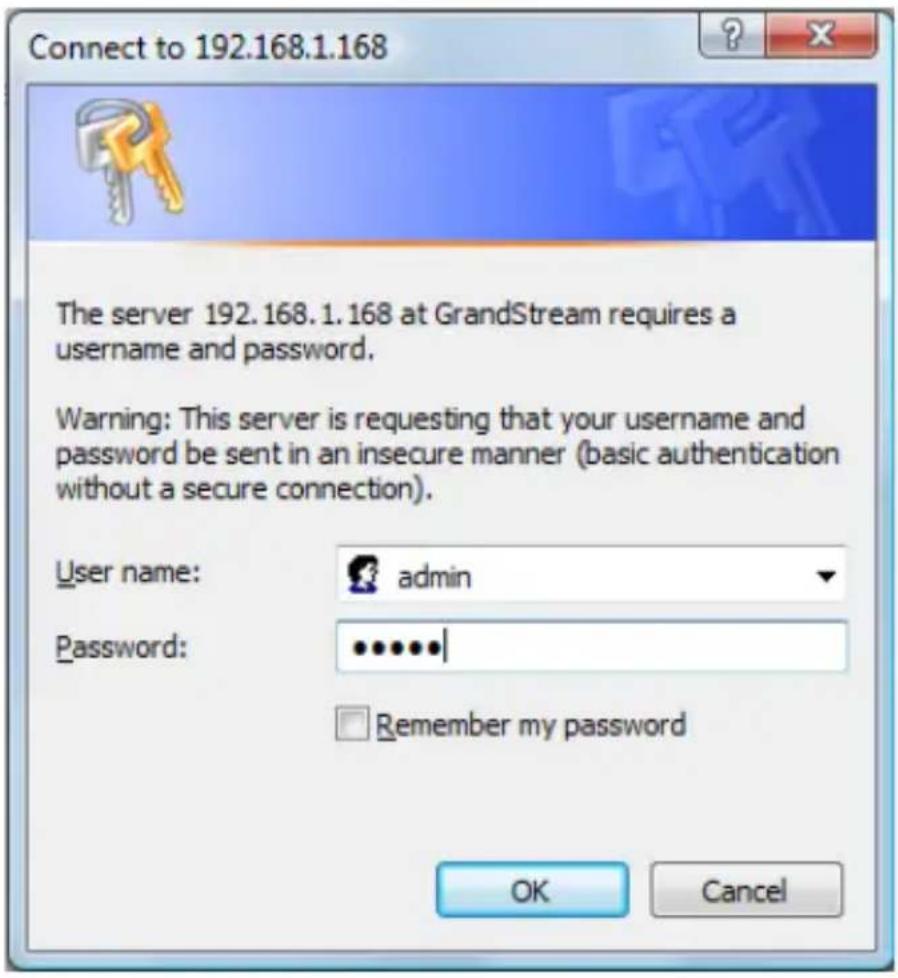
Step 4: A pop-up window will appear with prompts for a user name and password. The default administrator user name and password are both set to “admin” at the default factory configuration.
text_image
Connect to 192.168.1.168 The server 192.168.1.168 at GrandStream requires a username and password. Warning: This server is requesting that your username and password be sent in an insecure manner (basic authentication without a secure connection). User name: admin Password: ******** Remember my password OK CancelStep 5: Once you log into the GXV3601's web interface Internet Explorer will indicate that "This website wants to install to following add-on: 'GSViewer.cab' from Grandstream Networks, Inc." Install this add-on by following the instructions.

text_image
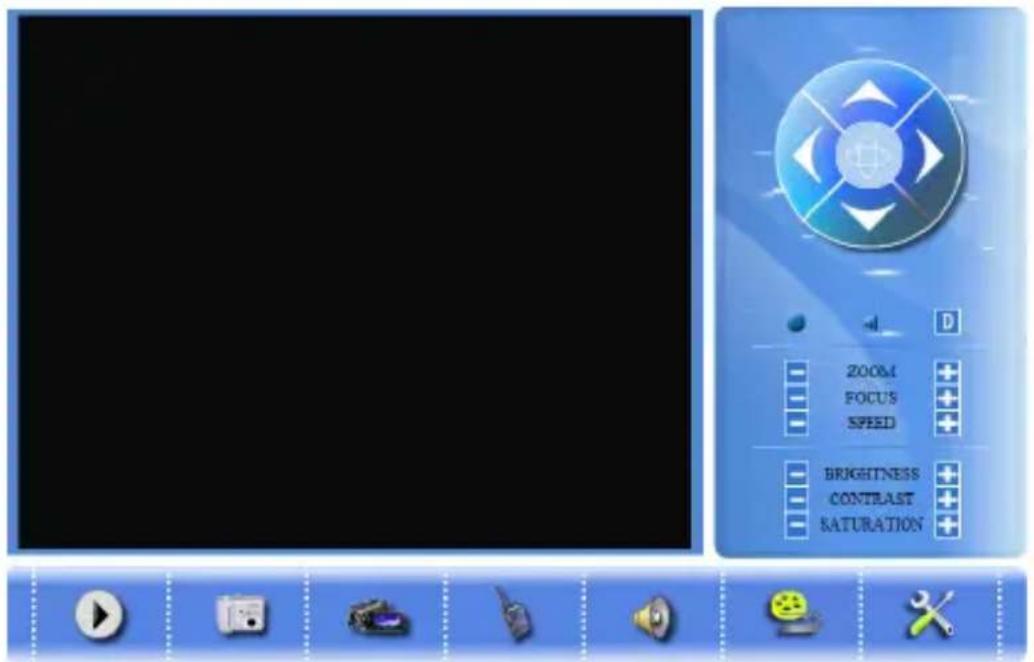
Click here to install the following ActiveX control: 'GSViewerX.cab' from 'Grandstream Networks Inc'... Install ActiveX Control... What's the Risk?Step 6: Once the installation of GSViewX.cab completes you will see the web page shown in the screenshot on the next page. Click the play button to view the video feed.
text_image
Game interface screenshot showing a CD player with playback controls and action buttons like zoom, focus, speed, brightness, contrast, saturation.Step 7: Click through the menu on the left hand side of the web UI for more advanced configuration parameters.
Please download the user manual and FAQ for more detailed configuration instructions: http://www.grandstream.com/support/gxv_series_surveillance/gxv3601/documents/gxv3601_usermanual_english.pdf
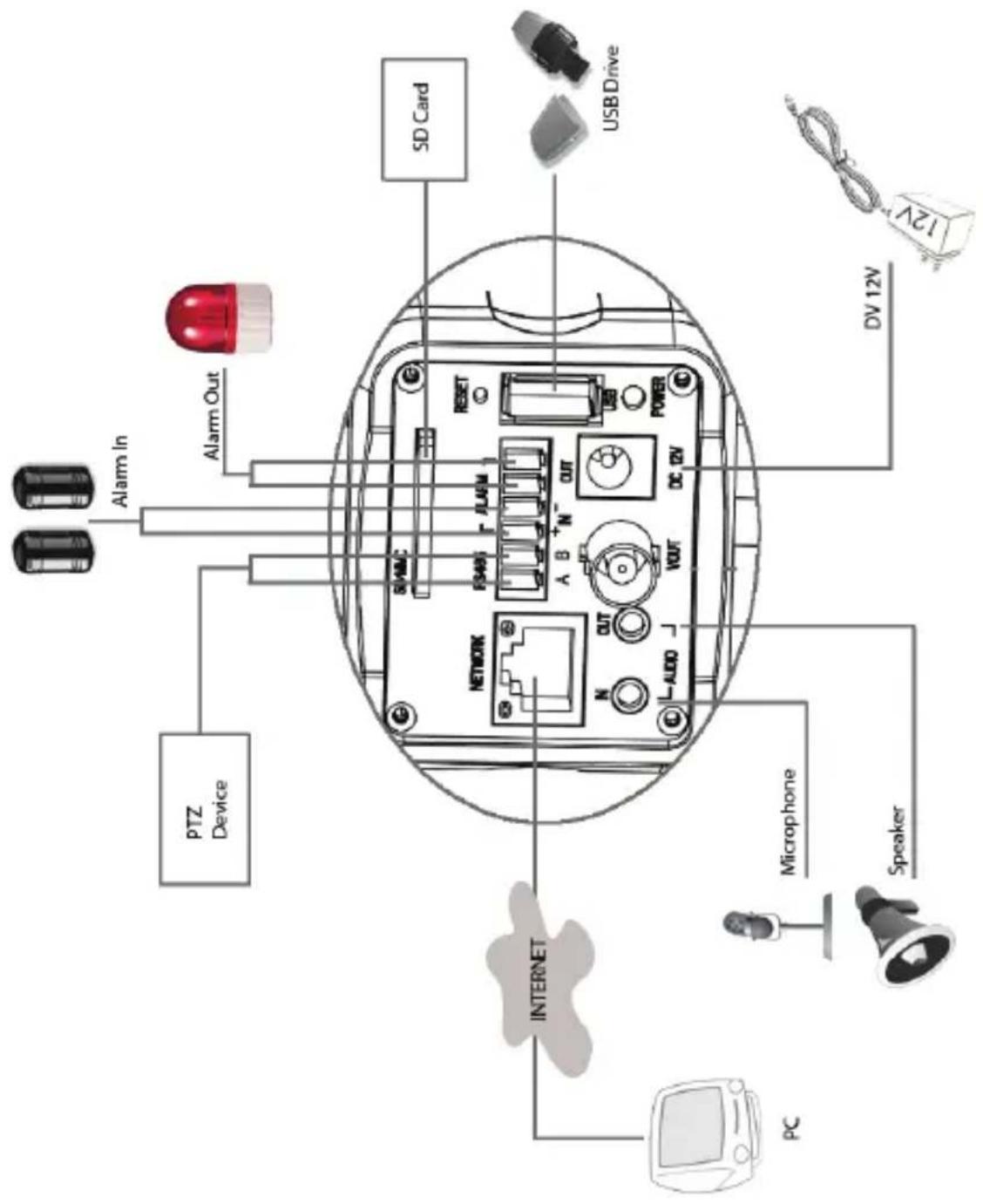
GXV3601 SAMPLE CONNECTION DIAGRAM
text_image
SD Card USBDrive 12V DV 12V Alarm In Alarm Out PTZ Device NETWORK A B N OUT DC DV Microphone Speaker INTERNET PCGXV3601 LENS SPECIFICATIONS
Lens Specifications
| Lens Mount CS | |
| Lens Format (Image Sensor Area) | 1/3" |
| Focal Length Variable forcus | 3.5 to 8 mm |
| Aperture (D/f') 1/1.4 | |
| View Angle 81 (Horizontal) | ° |
| IRIS DC | |
| Minimum Object Distance | 0.20 m (0.65 ft) |
| Size (Diameter X Length1 X Length2) | 36 X 52 X 52 mm (1.42 X 2.05 X 2.05 in) |
| Operation Focus (w/lock) | |
| Zoom (w/lock) | |
| Weight 95 g (3.35 oz) |
E

Precauciones
natural_image
Technical line drawing of a mechanical device with cylindrical body and mounting bracket (no text or symbols)GXV3601

natural_image
Simple line drawing of a 12V power connector with coiled cable (no text or symbols)natural_image
Isometric line drawing of a 16-pin connector with multiple slots (no text or symbols)Conector verde del cable

natural_image
Blank white rectangular object with a slightly rounded edge, resembling a flat sheet or panel (no text or symbols visible)text_image
Internet Protocol Version 4 (TCP/IPv4) Properties General You can get IP settings assigned automatically if your network supports this capability. Otherwise, you need to ask your network administrator for the appropriate IP settings. Obtain an IP address automatically Use the following IP address: IP address: 192 . 168 . 1 . 2 Subnet mask: p55 . 255 . 255 . 0 Default gateway: . Obtain DNS server address automatically Use the following DNS server addresses: Preferred DNS server: . Alternate DNS server: . Advanced... OK Canceltext_image
Connect to 192.168.1.168 The server 192.168.1.168 at GrandStream requires a username and password. Warning: This server is requesting that your username and password be sent in an insecure manner (basic authentication without a secure connection). User name: admin Password: ••••••| Remember my password OK Canceltext_image
Click here to install the following ActiveX control: 'GSViewerX.cab' from 'Grandstream Networks Inc'... Install ActiveX Control... What's the Risk?natural_image
Technical line drawing of a mechanical device with cylindrical body and mounting bracket (no text or symbols)GXV3601