DS300HD - Satellite receiver Denson - Free user manual and instructions
Find the device manual for free DS300HD Denson in PDF.


| Product Type | Digital satellite receiver |
| Brand / Model | Denson DS300HD |
| Dimensions (LxDxH) | 340 x 255 x 60 mm |
| Net weight | 1.8 kg |
| Power supply | 100-250 V ~ 50/60 Hz, switching |
| Input frequency range | 950 to 2150 MHz |
| Demodulation | DVB-S QPSK, DVB-S2 QPSK/8PSK |
| Symbol rate | 2 to 45 Msps |
| Video standards | MPEG-2 MP@HL, MPEG-4 H.264 |
| Video resolutions | 1080i, 720p, 576i, 576p, 480i, 480p |
| Video outputs | HDMI, SCART TV/VCR, YPbPr, Composite |
| Audio outputs | Stereo RCA, digital coaxial S/PDIF |
| Communication interfaces | USB 2.0 host, RS232, 2 CI slots (CI model) |
| Programming capacity | Up to 6000 channels, 64 satellites |
| Main features | EPG, teletext, parental control, DiSEqC 1.2/1.3, USALS, PVR (USB recording), Time Shift |
| Supplied accessories | Remote control, 2 AAA batteries, HDMI cable, SCART cable, user manual |
| Care and cleaning | Unplug before cleaning; use a damp cloth; do not use liquid or aerosol cleaners |
| Safety | Do not expose to water or moisture; keep power plug accessible; do not block ventilation |
| Operating temperature | 0°C to +45°C |
| Storage temperature | -10°C to +70°C |
Frequently Asked Questions - DS300HD Denson
User questions about DS300HD Denson
0 question about this device. Answer the ones you know or ask your own.
Ask a new question about this device
Download the instructions for your Satellite receiver in PDF format for free! Find your manual DS300HD - Denson and take your electronic device back in hand. On this page are published all the documents necessary for the use of your device. DS300HD by Denson.
USER MANUAL DS300HD Denson
High Definition Digital Satellite Receiver PVR READY
DENS
DS300-HD
High Definition Digital Satellite Receiver
PVR Ready
All the safety and operating instructions should be read before operating this product. The safety and operating instructions should be retained for future reference. All warnings on the product and in the operating instructions should be adhered to. All operating and usage instructions should be followed. Unplug this product from the wall outlet before cleaning.
-Do not use liquid or aerosol cleaners. Use a damp cloth for cleaning and place the receiver in well ventilated and no-heat environment.
-Do not use attachments not recommended by the product manufacturer as they may cause hazards.
-Do not use this product near water for example, near a bath tub, wash bowl, kitchen sink or laundry tub, in a wet basement, or near swimming pool, and the like.
-Do not place this product on an unstable cart, stand, tripod, bracket, or table. The product may fall, causing serious injury to a child or an adult and serious damage to the product.
-Use only with a cart, stand tripod, bracket, or table recommended by the manufacturer or sold with the product.
-Any mounting of the product should follow the manufacture's instructions, and should use a mounting accessory recommended by the manufacturer.
- This apparatus shall not be exposed to dripping or splashing and that no object filled with liquids, such as vases, shall be placed on the apparatus.
- The main plug is used as the disconnect device. The disconnect device shall remain operable.
Instruction about the 'WEEE' Symbol
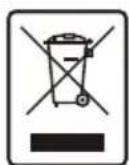
Disposal of Old Electrical & Electronic Equipment (Applicable in the European Union and other European countries with separate collection systems)
This symbol on the product or on its packaging indicates that this product shall not be treated as household waste. Instead it shall be handed over to the applicable collection point for the recycling of electrical and electronic equipment. By ensuring this product is disposed of correctly, you will help prevent potential negative consequences for the environment and human health, which could otherwise be caused by inappropriate waste handling of this product. The recycling of materials will help to conserve natural resources. For more detailed information about recycling of this product, please contact your local city office, your household waste disposal service or the shop where you purchased the product.
1. Introduction
1-1 Main Features
1-2 Accessories
2. Controls & Features
2-1 Front Panel
2-2 Rear Panel
2-3 Remote Control Unit(RCU)
3. Connection Diagram of the Receiver
3-1 Connecting to the antenna
3-2 Connecting to TV and VCR
3-3 Connecting to HiFi system
3-4 Connecting to TV with VCR and Motorized System (DiSEqC 1.2 / USALS)
4. Function Guide
4-1 Channel Information
4-2 Changing Channels
4-3 Volume Control
4-4 Channel List for TV/Radio/Favorite
4-5 Program Guide
4-6 Teletext
4-7 Subtitles
4-8 A/V Selection
5. Main Menu
5-1 Installation
5-2 System Setting
5-3 User Preference
5-4 Common Interface
5-5 USB Manager
6. PVR Ready
6-1. Recommended Device
6-2. Recording function
7. Troubleshooting
8. Technical Specifications
1-1 Main Features
64 programmable satellites / 6,000 programmable channels
950~2150 Mhz IF range
2 Slot Common Interface
DVB-S/DVB-S2 Compliant (EN 300307)
MPEG2 MP@HL, MPEG4 Part10/H.264
1 LNB input, IF loop through for 2nd receiver
Variable input symbol rate 1 ~ 45Msps
Easy auto satellite program searching
Multi language menu
Electronic Program Guide
8 favorite channel group selection / parental lock
Auto NTSC / PAL switching
Teletext supported by OSD and VBI
USB / RS 232 downloading
Data transfer / PC-to-receiver
DiSEqC version 1.0/1.1/1.2/1.3 supported
USB 2.0 Master
HDMI
Video Resolution 1080i, 720p, 576i, 576p, 480i, 480p
1-2 Accessories
User's manual : 1
Remote control unit : 1
To show TV/Radio channel list and to select a program.
2 slots Common Interface
USB Port
Connect to the USB memory or external HDD
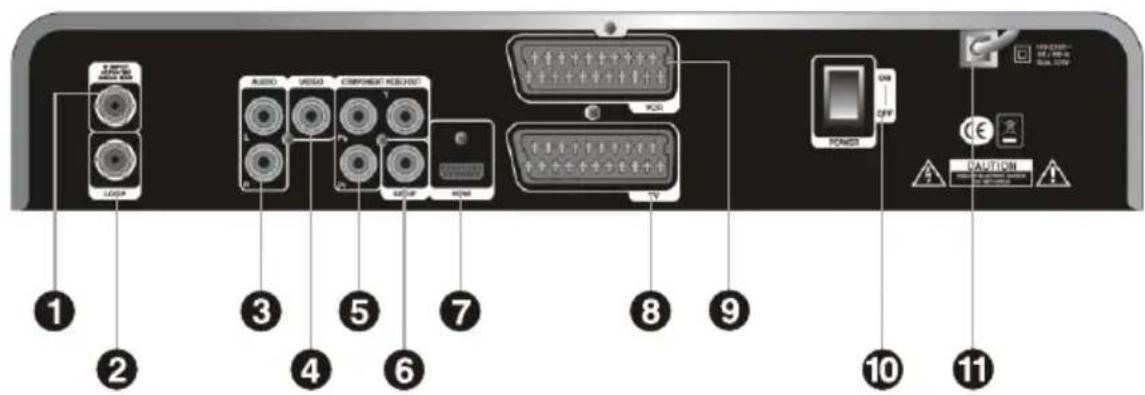
2-2 Rear Panel
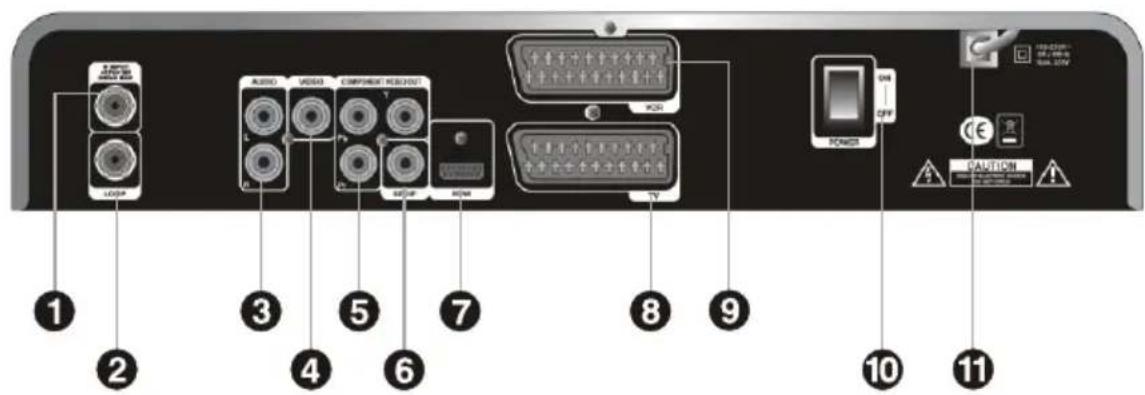
1IFINPUT:
Satellite broadcasting signal input socket.
② LOOP :
IF loop-through output to second receiver
3 AUDIO L/R :
Stereo audio output socket for the television set or the audio system. (White/red)
4 Video RCA Connector :
Composite Video Output
5 COMPONENT:
For Connection to LCD or PLASMA TV
6 S/PDIF:
Dolby Digital output socket for the audio system.
HDMI:
Audio and video output socket for the high definition television set.
8 TV (SCART) :
Audio and video output socket for the television set.
VCR(SCART):
Audio and video output socket for the VCR set.
10 Power On/OFF Switch
11 Mains Lead :
100-250V~50/60Hz Max.35W
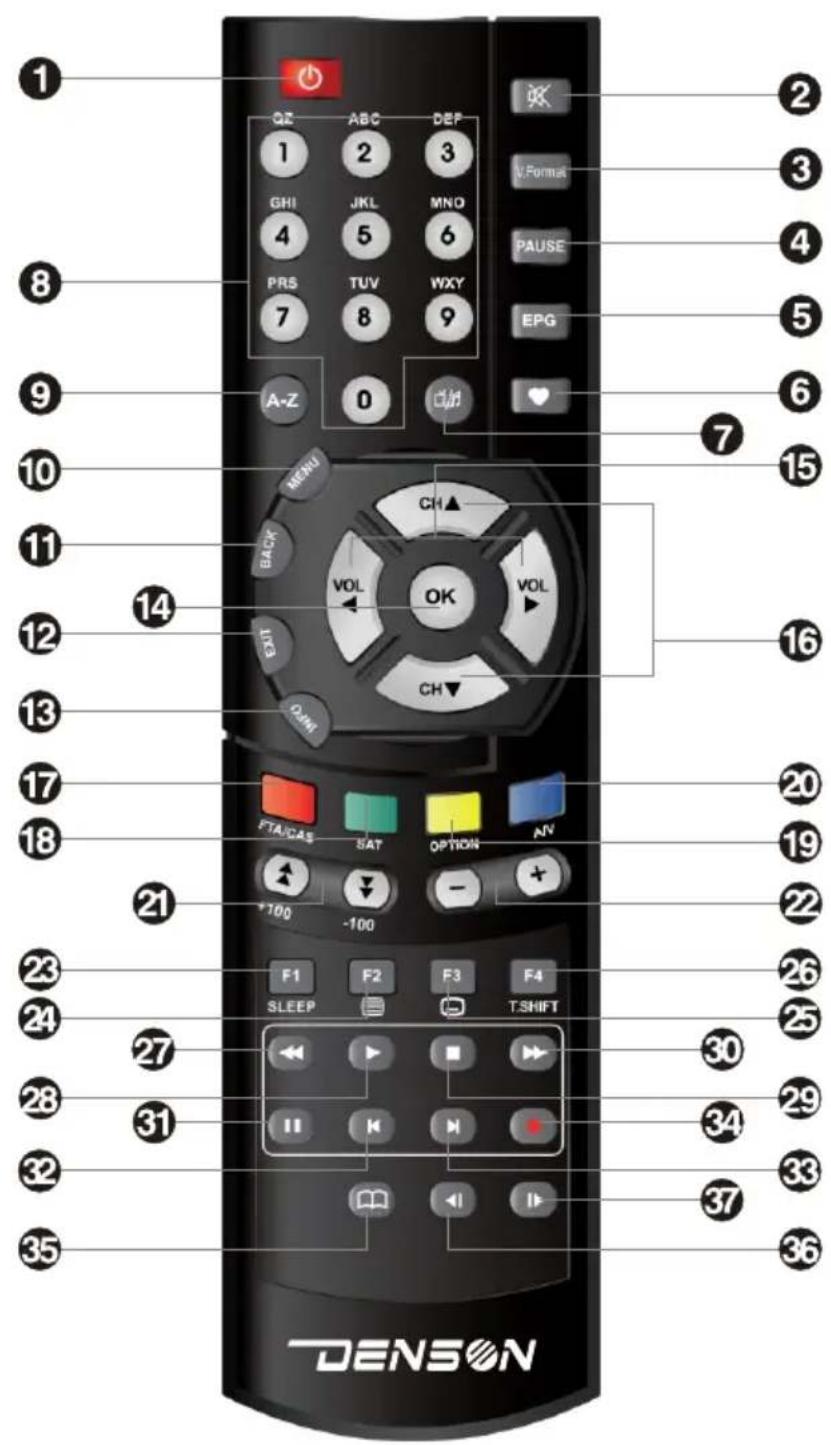
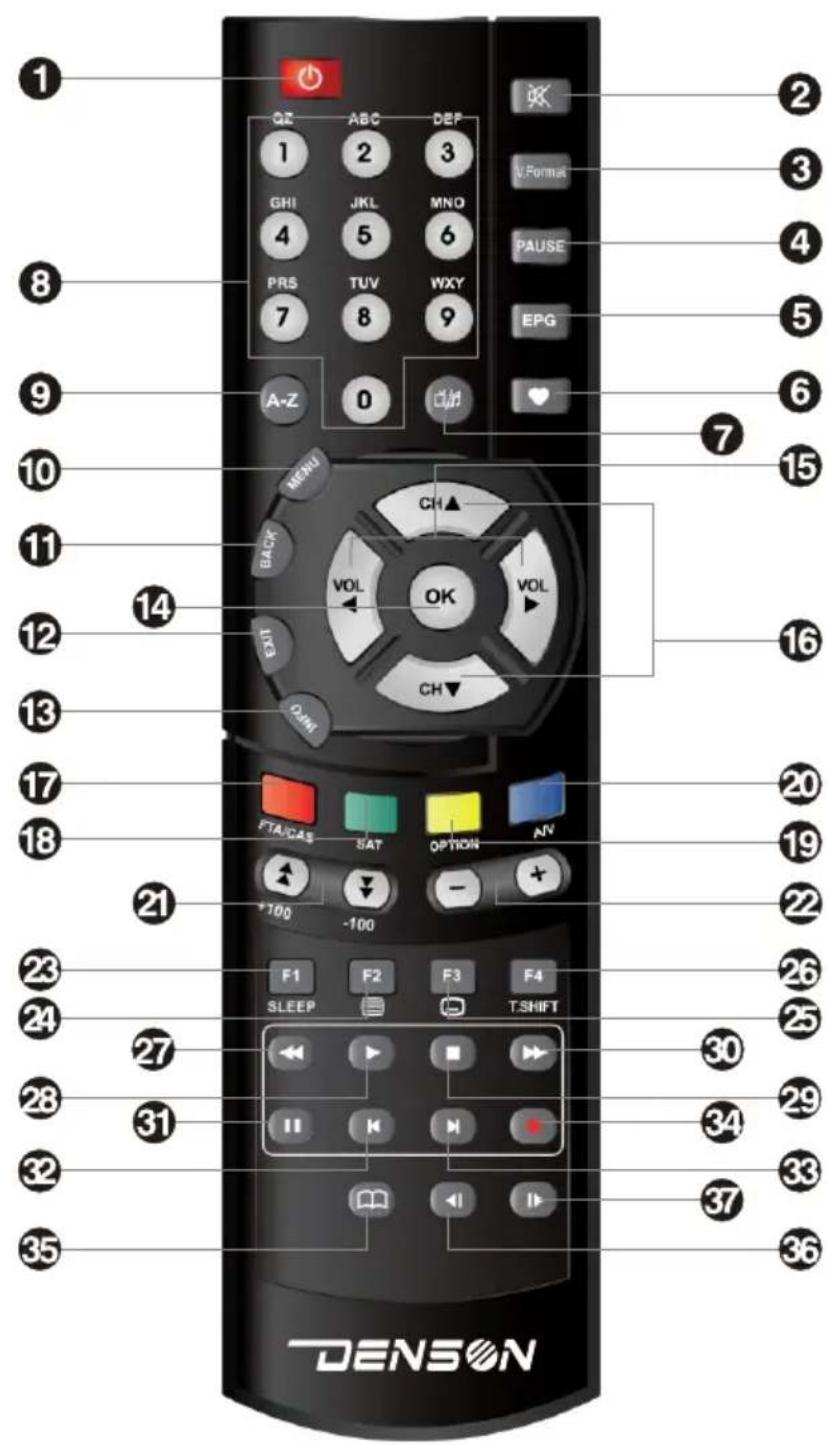
2-3 Remote Control Unit (RCU)
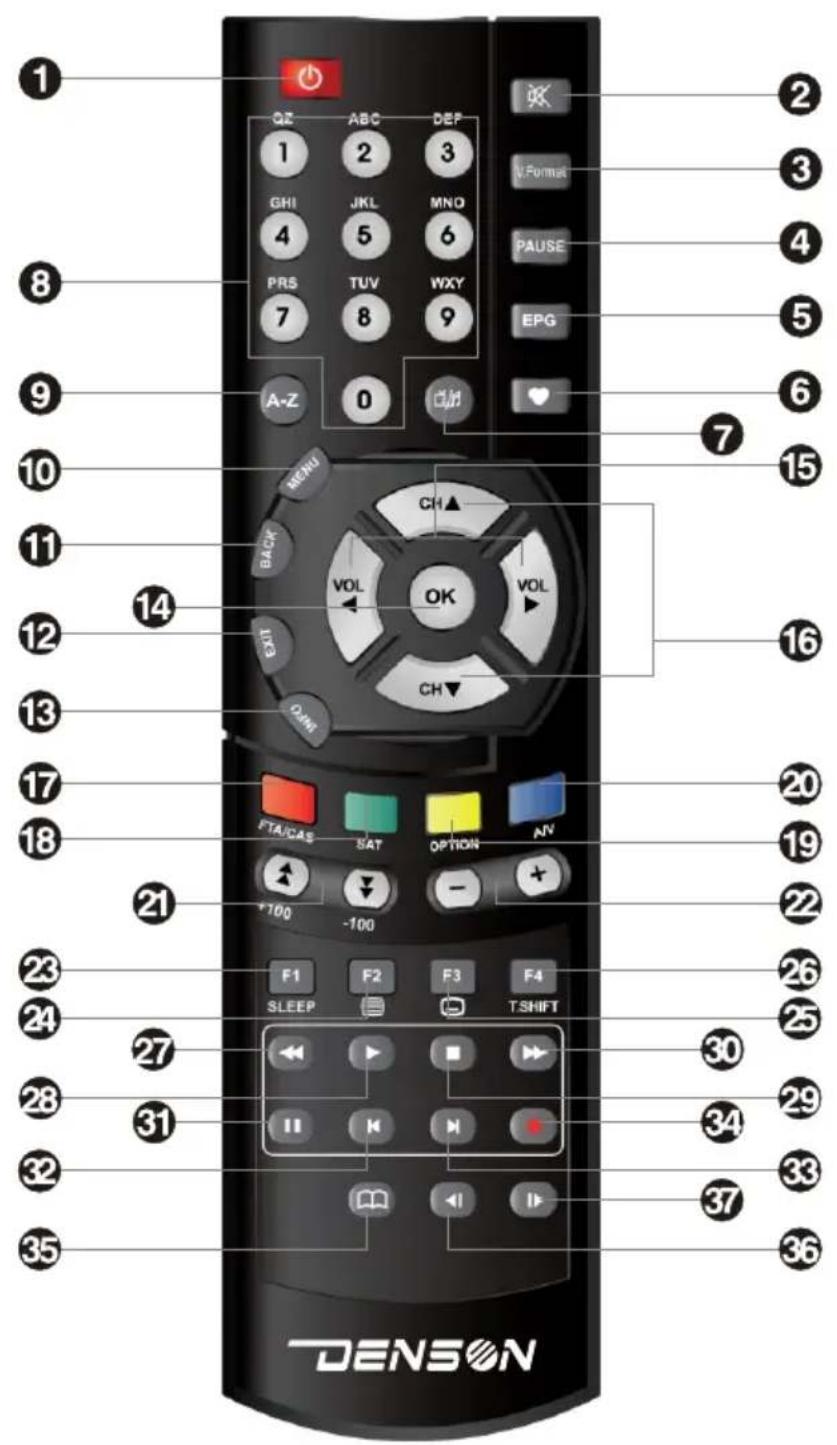
2-3 Remote Control Unit (RCU)
1 (POWER) : turns the receiver on and off.
2 (MUTE) : switches the sound on and off.
3 V.Format : changes the video format.
4 Pause : pauses the screen while viewing but audio remains active.
5 EPG : shows program information about the selected channel.
6 FAV: opens Filter box for favorite channel.
⑦: selects TV mode or Radio mode.
8 Numeric (0 9) : enables to select channel directly.
9 A-Z: used for channel sorting.
10 MENU : displays the main menu
11 BACK:returns to the previous mode or menu.
12 EXIT:returns to the viewing mode from any menu mode.
13 INFO : displays channel information.
14 OK : selects a program, the highlighted line or parameter value or shows the TV/radio channel list while watching TV or listening to the radio.
15 VOL. : moves the highlighted line or changes volume up/down.
CH.▲▼: moves the highlighted line or changes channel up/down.
17 FTA/CAS: opens Filter box for FTA/CAS.
SAT: opens Filter box for satellites.
19 OPTION : displays Multifeed box.
20 A/V : displays the audio and video configuration.
21 ± (+100), (-100) (Page up/down button)s : moves the highlighted line to the next page or changes the channel up/down by 100 channels.
+ , - : Used to move the highlight bar, change parameters, and volume up/down.
F1(SLEEP) : Sleep function in the viewing mode.
24 : displays teletext available.
25 : displays subtitle available.
26 T.SHIFT: setup Time-Shift function On/Off
27 (Rewind) : Rewind video play speed to 2X4X8
28 (Play) : playing files.
29 (Stop) : stop playing files.
(30) (Fast Forward): fast forward Play speed by 2X4X8
31 (Pause) : pause playing file.
32 : jumps backward.
33 : jumps forward.
(34) (Record): starts recording
35 (Bookmark) : Bookmark function under view mode Go to the bookmarked position.
36 : play slow backward playing file
37 | (Slow) : play slow forward playing file
RED, GREEN, YELLOW, BLUE : These color buttons are used to select functions such as Delete, Move, Rename, Sort.
3. Connection Diagram of the Receiver
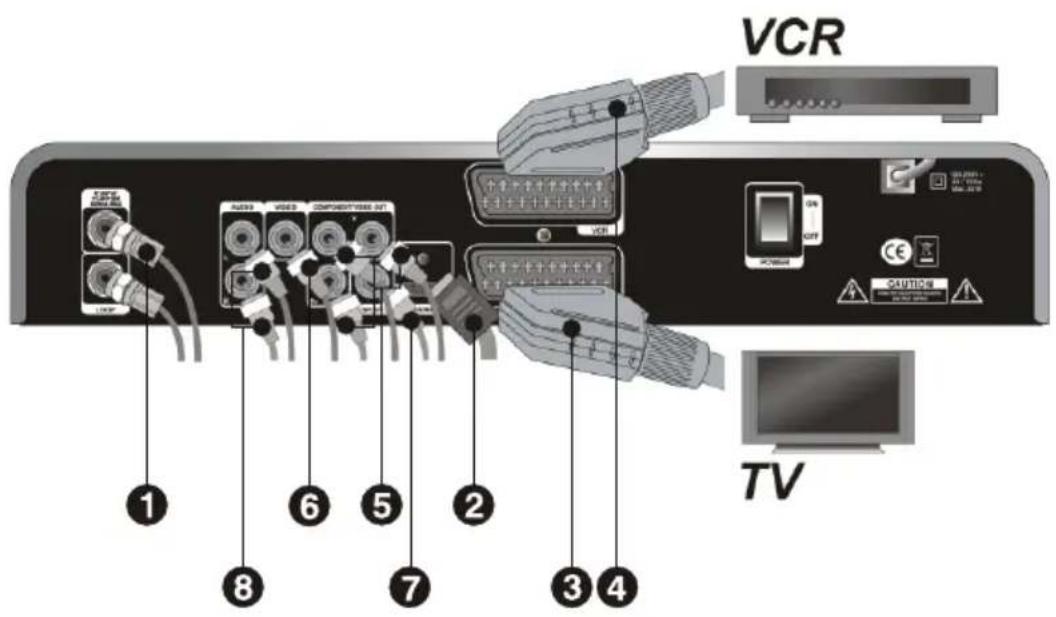
3-1 Connecting the antenna
Connect the antenna cable to the IF INPUT connector. If you have another digital receiver, link it to the LOOP THROUGH connector.
3-2 Connecting to a TV
HDMI: Plug one side of the HDMI cable into the HDMI socket on the digital receiver and the other side of it into the matching socket on TV.
If you have a high definition TV set, HDMI gives the best results. In addition, you don't have to make audio connections because the HDMI connector can output stereo audio or Dolby digital audio.
SCART (TV): Plug side end of the SCART cable into the TV socket on the digital receiver, and the other side of it into the matching socket on TV.
You do not have to make audio connections unless you use a conversion cable, such as SCART-to-Component. If not, you have to make audio connections.
SCART (VCR): Plug side end of the SCART cable into the VCR socket on the digital receiver, and the other side of it into the matching socket on VCR.

You do not have to make audio connections unless you use a conversion cable, such as SCART-to-Component. If not, you make audio connections.
Component connector (YPbPr) : Plug each side of the RCA cables into the matching color sockets (BLUE, GREEN and RED) on the digital receiver, and the other side into the matching color sockets on TV.

You have to make audio connections.
VIDEO : Plug one side of the RCA cable into theVIDEO(yellow) socket on the digital receiver and the other side into the matching socket on your TV.

You cannot view high definition video with the composite connector. In addition, you have to make audio connections.
3-3 Connecting to HiFi System
You can enjoy Dolby digital audio by connecting S/PDIF cable to your digital audio systems. In this case TV or audio system must be able to decode Dolby digital audio.
In order to get stereo sound, you need to connect RCA cable from the AUDIO L/R sockets on the receiver to the LINE, AUX, SPACE or EXTRA input sockets on your HiFi system.
3-4 Connecting to Motorized System (DiSEqC / USALS)
Connect a coaxial cable to the IF input connector on the receiver and the other to the REC or receiver connector on the DiSEqC / USALS motor.

Please refer to DiSEqC / USALS connection.
4-1 Channel Information
Every time you change channels, program information will be displayed for a few seconds.
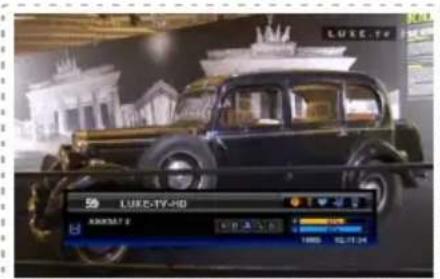
The information may include :
1)Current time
2)Current channel number & name, satellite name & TP information
3)Symbol for CAS, Teletext, Alternate Audio, EPG, Parental lock information
4) Signal meter(Power, Quality)
5)Program information : Whenever you press the INFO button, the program information window will appear.
6)Resolution of the screen (1080i, 720p, 576i, 576p, 480i, 480p)
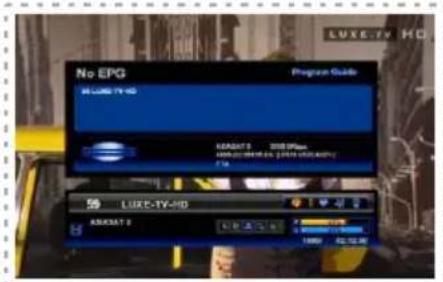
4-2 Changing Channels
You may change the channel by simply entering the channel number using your RCU 0~9 buttons. Alternately, you may use the , buttons on the RCU and/or the front panel of the receiver.
4-3 Volume Control
Press<,> buttons on the RCU to control the volume. The volume indicator will show whenever you control the volume on the screen for a few seconds and disappear automatically.
4-4 Channel List for TV/Radio/Favorite
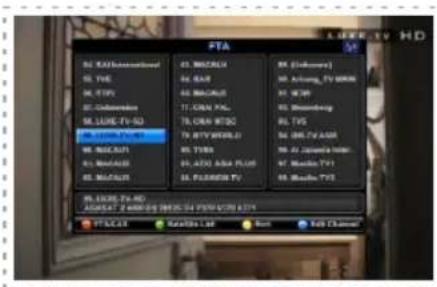
Press OK to display the channel list on the screen. Select channel you want by moving the highlighted line using , , , and press OK. Press to open the favorite filter list and select one. (Refer to the Favorite channel menu in page 17 to set favorite channel.)
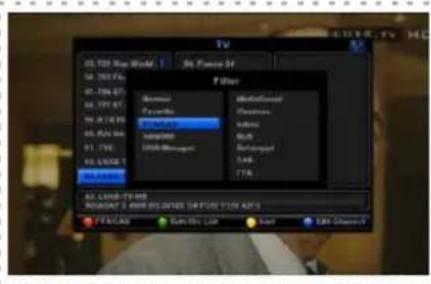
Whenever you press the button, Filter Box for favorite channel is opened automatically.
You can select a favorite channel on Filter box using , , . (Refer to Edit Channel menu in page 16)
[Color Keys]
![Denson DS300HD - [Color Keys] - 1](/content/2026/02/396349/images/4833d33c23f5c05b4594d5d1b7c009dc2aa0dfbfd9ed0bea051fcee906eae029.jpg)
1)RED(FTA/CAS): Press RED button to open Filter box for FTA/CAS and select one using , , and press OK
2)GREEN(Satellite List): Press GREEN button to open Filter box for Satellite and select one using , , and press OK.
3)YELLOW(Sort): Press Yellow button to open sort box and select one (Normal/Alphabetical) using and press OK. -In case of selection of "Normal", you can sort channel using by numeric key on RCU. -In case of selection of "Alphabetical", you can sort channel using by alphabetical key on RCU.
4-5 Program Guide
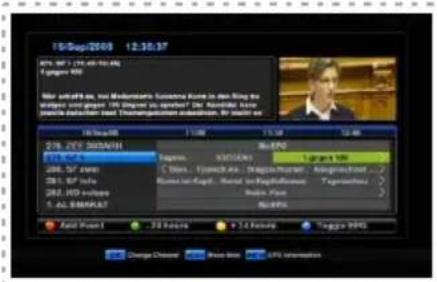
Program Guide shows the current and scheduled programs that are or will be available on each channel with a short summary for each program. Press EPG button, EPG box will be displayed on the screen. Press , buttons to check the information of other programs and channels. You can reserve the time of watching a TV program you want.
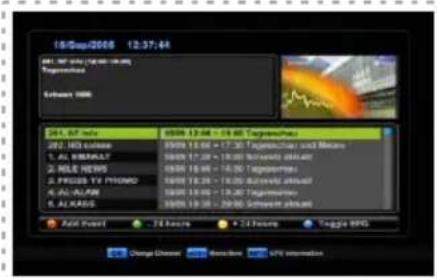
Select the program you want using , Press RED button to ADD Event of reserving program for watching, program name would be changed to RED color after adding event of program. Press RED button again to cancel the Event. (Refer to Event Timer in page20 for detail Event setting.)
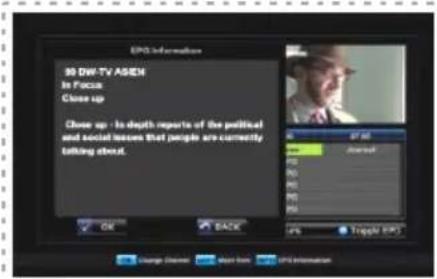
Press Green button to move -24hours of EPG. Press Yellow button to move +24hours of EPG.
4-6 Teletext
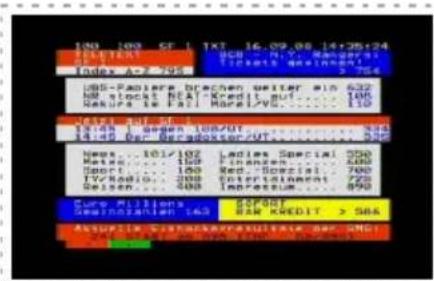
The display of Teletext is based on the transmitted data using the EBU teletext specification and DVB Bitmap. It is available only when the current channel carries teletext service data. VBI insertion mode and OSD(On Screen Display) mode are supported. In the VBI insertion mode, which is always on, can only be viewed on TV which supports teletext using your TV's RCU.
In the OSD mode, you can view teletext even though your TV does not support teletext. To watch teletext in OSD mode, press button on the RCU.
0 ~ 9 : Press page number.
, :Pageupanddown.
:Pageleftandrightlist.
A, : Page number increase and decrease by 1.
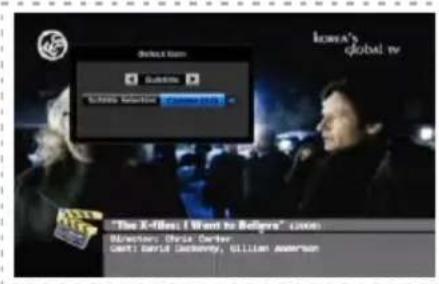
4-7 Subtitles
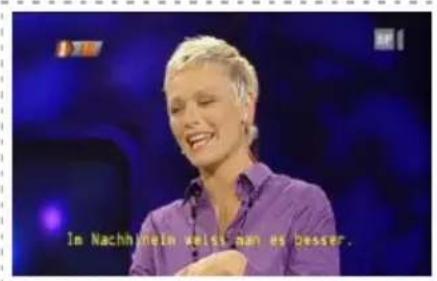
You can see the symbol active when the current channel provides subtitle service.
Press button and select language you want in the language selection menu.
Press OK button to display subtitle on the screen in the language you select.
Press button again to cancel.
4-8 A/V Selection
Quick adjustment for setting Audio / Video can be done by pressing Blue button in the viewing mode. You can use, <buttons to change the setting modes of audio or video.
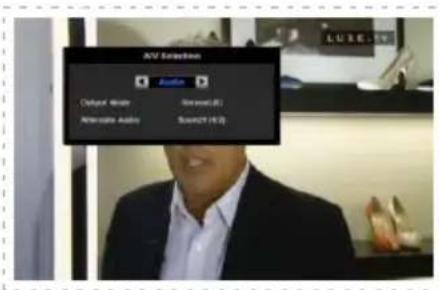
Output Mode: select the audio output mode among stereo(LR), Mono(LL) and Mono(RR)
Alternate Audio : select the audio channel in case that several audio channels input.
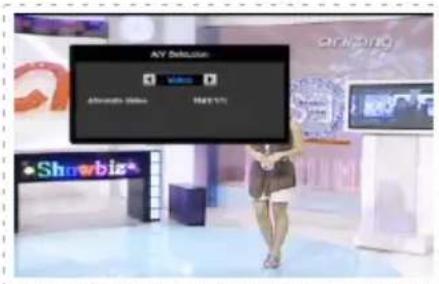
Alternate Video : select the video channel in case that several video channels input.
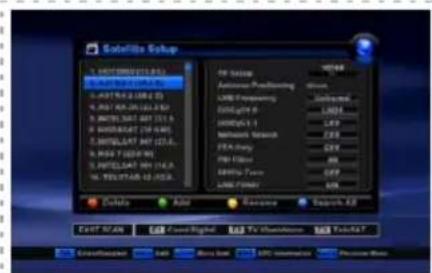
5-1 Installation
You can install the TP Setup, Antenna positioning and the other related to Satellite Setup in this section.
Press RED button to delete the highlighted SAT.
Press GREEN button to add the SAT.
Press YELLOW button to rename the highlighted SAT.
Press BLUE button to search all TP in the highlighted SAT. Move to LNB Frequency,
DiSEqC, Network Search, FTA only, PID Filter, 22KHz Tone, LNB Power using , and adjust the types of them using .
FAST SCAN
There are 3 groups of channels you might be interested in. Press F1, F2 or F3 button to select a group you want. The channels in the group you select will be searched and saved in channel list. Only the channels in the group you select will remain in channel list after FAST SCAN.
5-1-1 TP Setup
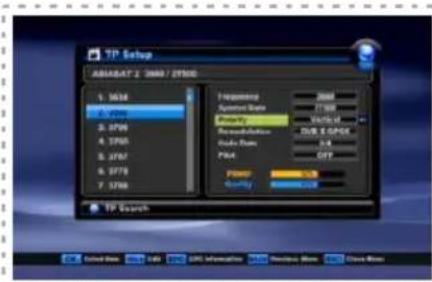
Select TP Setup using , , and press OK.
TP Setup box will show up on the screen.
Select Frequency, Symbol Rate, Polarity,
Demodulation, Code, Pilot using , and adjust
the types of them using , .
Press RED button to delete the highlighted TP.
Press GREEN button to add TP.
Press YELLOW button to edit PID.
Press BLUE button to search all channels.
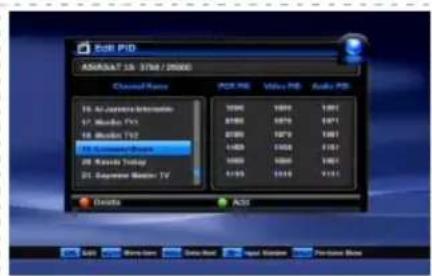
5-1-2 Edit PID (Yellow button in TP Setup)
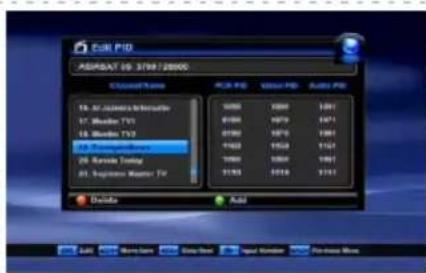
Use this in case of a specific Transponder which has non-DVB standard channels and which only can be found when you have entered the necessary settings.
You can also add or delete channels from a specific TP.
PCR PID: Enter PID (Packet Identifier) for the PCR (Program clock Reference).
Video PID : Enter PID for the video signal.
Audio PID : Enter PID for the audio signal.
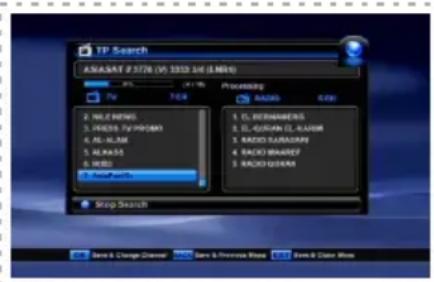
5-1-3 Search All (Blue key in TP Setup)/TP Search
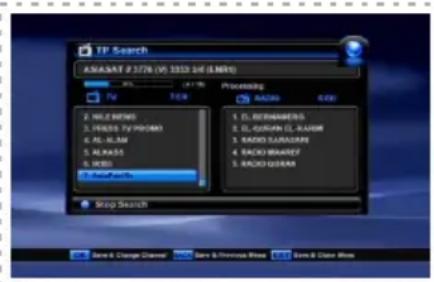
By pressing BLUE button in the TP Setup, this mode will search all channel of the satellite without regarding the frequency. By pressing Right ) button and adjusting the frequency or leave as it is, you can search the specific channel regarding the frequency you choose.
5-1-4 Antenna Positioning
Select Antenna Positioning using▲,▼ button and press OK. Antenna Positioning box will Show up on the screen.
DiSEqC
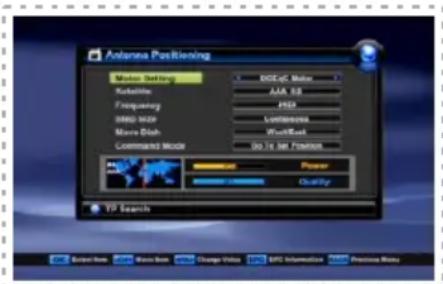
Select DiSEqC Motor in Motor Setting box. Select appropriate Satellite, Frequency, and Step size (1,2,3,4STEP / Continuous) Select Move Dish menu and press ,buttons to move West or East. Antenna will move to the direction you press (West, East) as per the Step Size you select in Step Size menu. Select appropriate option in Command Mode(Save, Reset, Go To Sat Position, Go To Position 0, Set East Limit, Set West Limit, Disable Limits, Enable Limits, Recalculate).
USALS
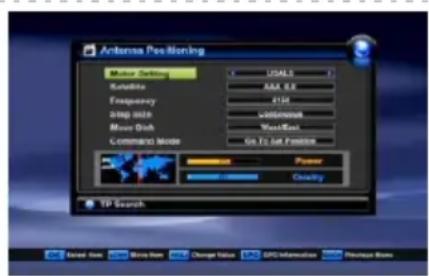
Select USALS in Motor Setting box.
Move to Satellite and press OK to select Satellite. Press RED button to change the satellite position (My Longitude and My Latitude).
Select Go To Position 0 in Command Mode for "Position 0" which is the imaginary point on the geostationary orbit of the satellite and press OK. Select Go To Sat Position in Command Mode for "Sat Position" which is calculated from the "Position 0" and press OK. Use the Step Size and Move Dish commands to move the antenna if you want to manually control the antenna position. *Unicable setting -You can use "Unicable" using by , key in M Setting box. In this case, you can set frequency using by , key in SCR ID box and can set frequency using by numeric key, in detail.
5-2 System Setting
5-2-1 Edit Channel
The factory set password is 0000.
You can edit channel lists in this section.
Press RED button to delete the selected channel.
WARNING box will display on the screen, select the type of deletion you want using ,
( Selected Channel : deletes only the selected channel / Selected TP Channel : deletes all channels in the same TP / Selected Sat. Channel : deletes all channels in the same satellite / All channels : deletes all channels)
Press OK to delete. Press BACK to cancel of deletion.
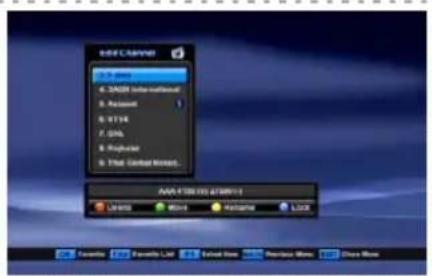
Move Channels
Select the channel you want to move to other position in the channel box using ,
Press GREEN button to move the channel you want.
Move the selected channel to where you want using

Press OK to confirm the position.
*Move Channel Group
-You can move channel group. Select channels, you want to move, using by F1 key and press GREEN key in where you want to locate.
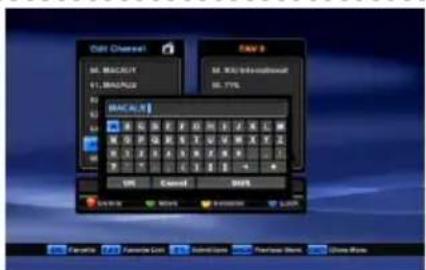
Rename Channels
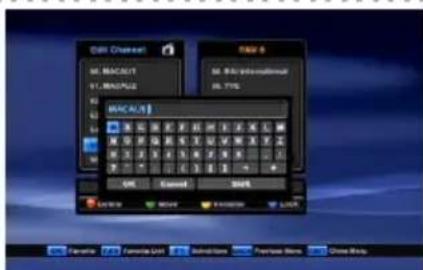
Select the channel you want to rename using▲,▼. Press YELLOW button. Keypad will display on the screen.
Select the characters(A...Z, 0...9) using▲▼,▲▶. Press OK for typing.
Select OK on the Keypad and press OK to save.
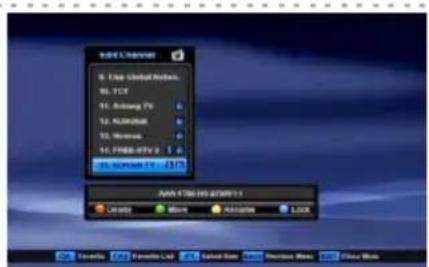
Channel Lock
Select the channel you want to lock using , Press BLUE button to lock the channel. will show up at the end of the channel name
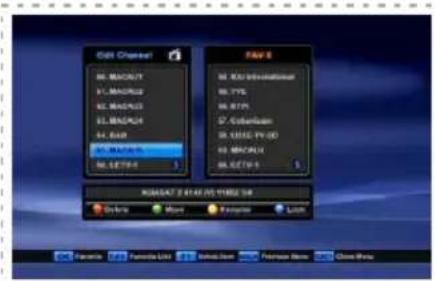
Favorite channel
Press to create and change the number of the favorite channel lists up to 8.
The favorite channel box will display on the screen and the number of favorite channel box will be changed as you repeat to press.
Select the channel you want to add using and press OK.
The channel name you selected will display in the FAV box.
The information will be saved automatically as you go to other menu.
5-2-2 Parental Control
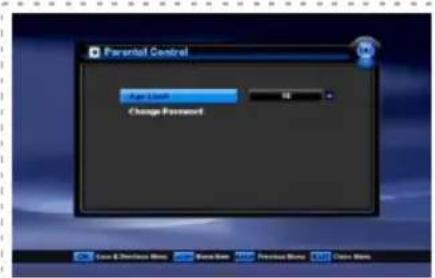
Parental Control
You can set the censorship classification or change the password.
Select the type of limitation using
(7/12/15/18/Lock All/View All)
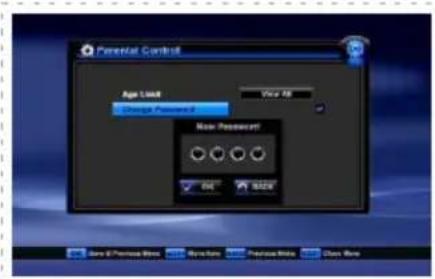
Change Password
Select Change Password and press OK.
New Password box will display. Enter the password and press OK.
Verify Password will display. Enter the same password as the new password.
Press OK to save.
5-2-3 Time Adjustment
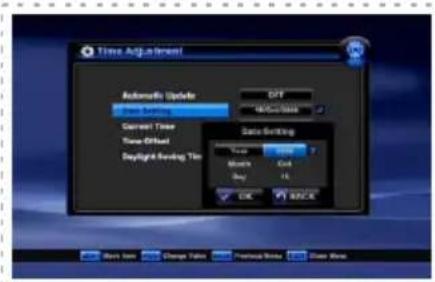
The time set will be used as the standardized time for TV Guide, Wake up / Sleep time.
The current time is based on the TDT(time description table) in the stream of the current program(Automatic Update should be ON)
-Automatic Update ON : Set Time Offset with GMT and Daylight Saving Time.
-Automatic Update OFF: Select Date Setting / Current Time / Time Offset using ,
Press OK and numeric button for time, date, year or , for Month.
5-2-4 Default Setting
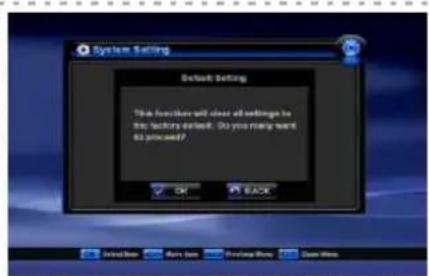
This function will clear all settings to the factory default.
All satellite and transponder lists will be set to the factory default.
Press OK to execute the default Setting.
Press BACK to cancel and return to System Installation Menu.
5-2-5 System Information
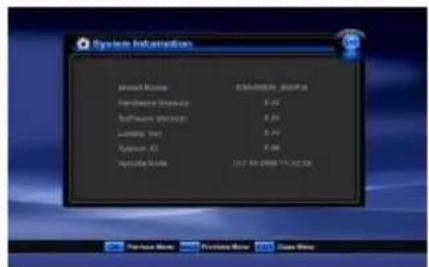
This section displays the information of current hardware and software version, loader version, ID and update date. Manufacturer
5-2-6 Event Timer
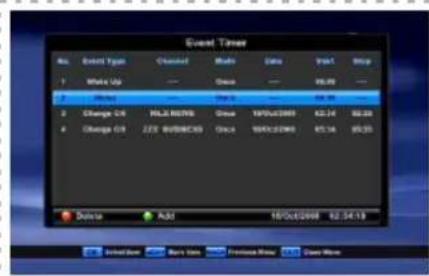
There is four kinds of event type (Change CH/ Sleep / Record CH)
Press Green(Add) button to add event.
Select Event Type using utton among Change CH, Wake Up, Sleep and Record CH.
Select Channel using OK button.
Select Mode using utton among Once, Daily and Weekly.
Select Date using OK or button, press button to input Day, Month and Year.
Select Start Time using OK or button, press , , , button to input time.
Select Duration using or numeric buttons.
Select Stop Time using OK or button, press , , button to input time.
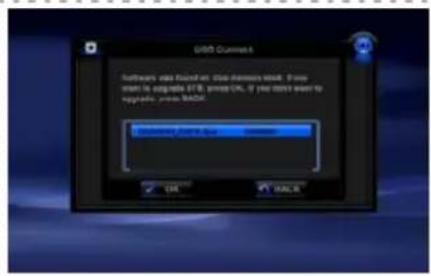
5-2-7 Software Upgrade by USB
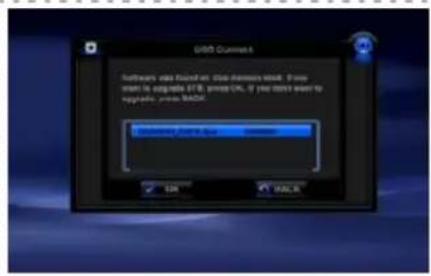
(1)Copy the latest firmware upgrade file to a USB flash drive.
(2)Connect the USB flash drive to the USB port in receiver, and a window will be appeared in the TV Monitor.
(3)Select the firmware upgrade file and press OK key on your RCU, and then the selected data are transferred to the receiver and upgrade
gets started. When the upgrade is completed, the receiver will be automatically rebooted. If you do not press any key on RCU for 5 seconds, the upgrade will automatically started with the presently selected firmware.
(4)The upgradeable firmware is Program file and Channel data file
5-3 User Preference
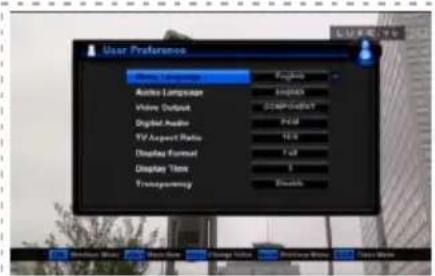
Select appropriate settings by pressing Left/Right) buttons at each menu.
All the settings will be automatically applied by going back to the Main Menu.
- Menu Language: English / Arabic / Persian / Turkish / German / French / Spanish / Russian / Polish / Czech / Greek / Dutch / Portuguese / Hungarian / Italian / Slovak / Swedish / Slovenian / Bulgarian
- Audio Language: English / French / German / Italian / Russian / Turkish / Czech / Danish / Hungarian / Portuguese / Spanish / Swedish / Polish / Arabic / Persian / Finnish / Dutch / Rumanian
- Video Output : CVBS / RGB / COMPONENT
- Digital Audio : PCM / Dolby Digital
- TV Aspect Ratio : 4:3 / 16:9
- Display Format : Letterbox / Center / Full
- Display Time : 1~20 / Enable / Disable
- Transparency : 25% / 50% / 75% / Disable
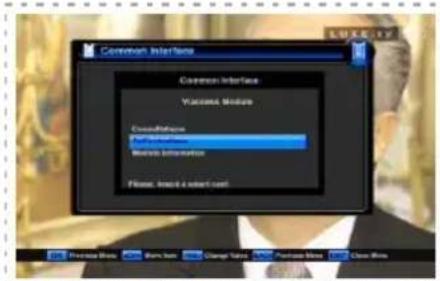
5-4 Common Interface
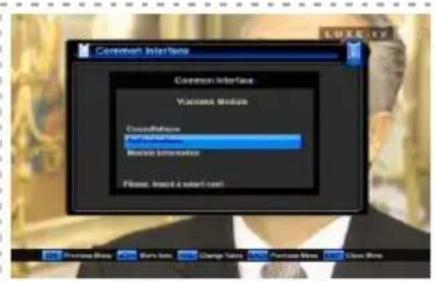
You can see the information of CAM in common interface of the receiver. Select the common interface you want and press OK. The information of CAM in common interface will displays on the screen.
5-5 USB Manager
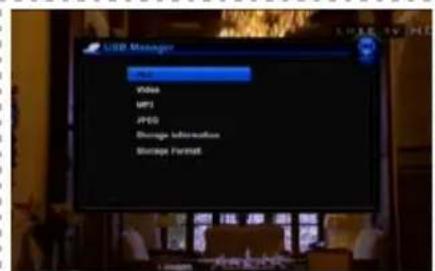
There are four types of list for different kinds of media files in USB storage device(ALL, Video, MP3, JPEG). You can check Storage Information and Storage Format in this menu. You can select appropriate menu by pressing OK button.
6-1. Recommended Device
-External USB Hard Disk Drive. (Recommended HDD : 7200RPM)
-USB Flash memory stick.
-Format Type : FAT16/FAT32 (The System does not support NTFS and other file system)
6-2. Recording fuction
6-2-1. Recording
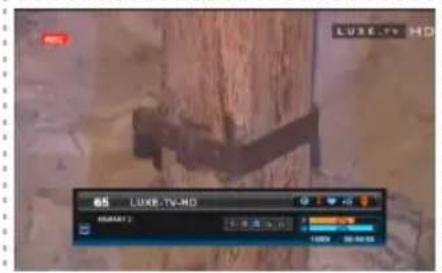
Press button to start recording a program.
6-2-2. Stop recording
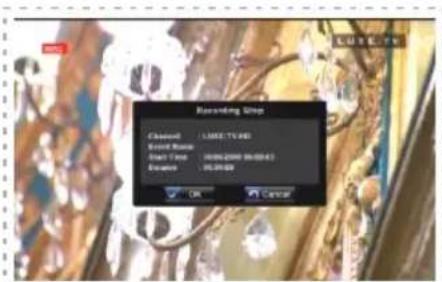
Press button or button to stop recording. After then, it shows a message to ask whether you want to stop or not. Use OK button to stop recording and use Back button to continue recording.
6-2-3. Play mode
Recorded files(*.ts), MP3 and JPEG files can played with external USB memory (HDD).
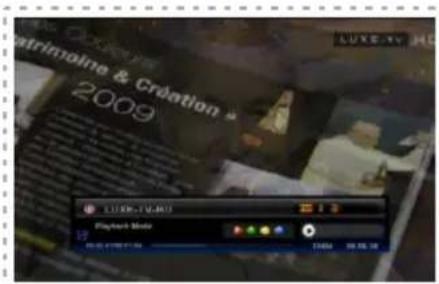
File List Press button to show file list.
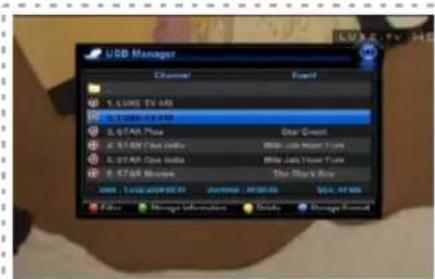
Select a file
Use the , button to select the file you want to watch and press OK button.
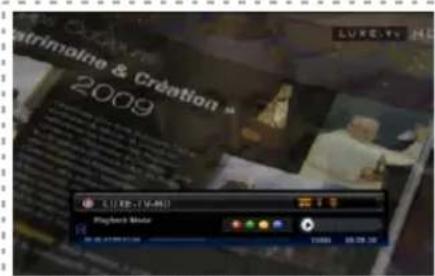
INFO window
During playing of recorded file, if you want to check file name, play time, total recorded time, press INFO button.
Stop playing
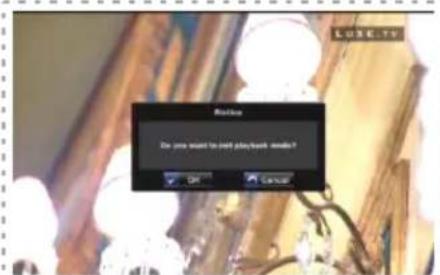
Press button to stop playing.If you press BACK or EXIT button, then you can stop recording after selection of "OK" in the message window.
Change playing mode
Press Green button repeatedly to change playing mode in MP3 as Repeat once, Repeat all, Repeat once within folder, Repeat all within folder.
(Press Green button to start and stop Slideshow within folder during JPEG file playback.)
6-2-4. Trick Play Function
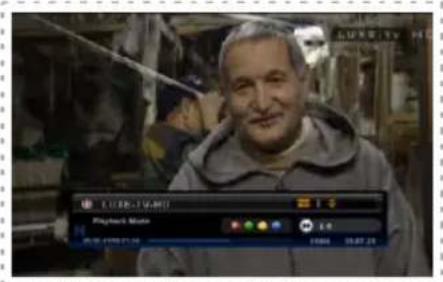
Fast toward
Press button during playing of recorded file, the file will be played at 2X speed maximum up to 32X.
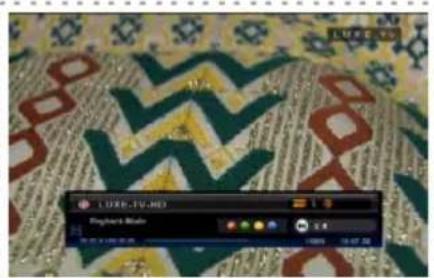
Rewind
Press button during playing of recorded file, the file will be rewind at 1X speed maximum down to 32X.
Skip forward
Press button during playing of recorded file, the file will be forwarded at 5% from current point.
Skip backward
Press H button during playing of recorded file, the file will be back-warded at 5% from current point.
6-2-5. Function in List
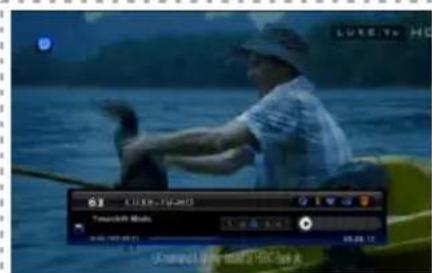
Filter
In the file list, press RED button to show Filter window. You can select different media type for list as below.
- All: Show all supported file in folder.
- Video: Show all recorded files in PVR folder.
- MP3: Show all MP3 files in current folder.
- JPEG: Show all JPEG files in current folder.
Storage information
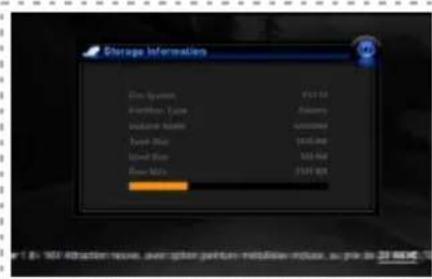
In the file list,press GREEN button to show storage information. You can check total size, occupied size and empty size etc.
*. You can see file list using by button while recording a program.
Delete
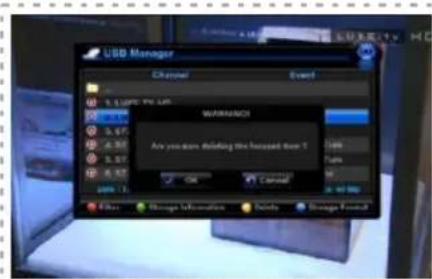
In the file list, press YELLOW button to delete file or folder. If you delete some folder, files in the folder will be deleted accordingly.
Format(Only HDD)
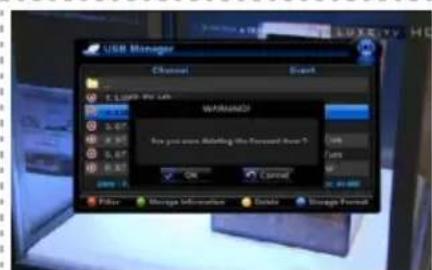
In the file list, press BLUE button to format HDD. This function is concerned only related to HDD.
6-2-6. Time Shift Recording function
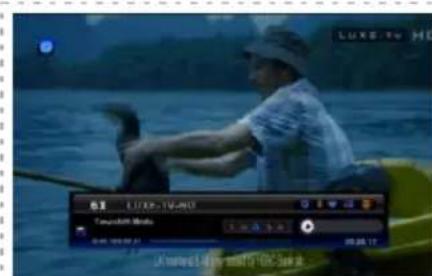
You can perform Time Shift Recording function with using the trick play buttons while playing a program.
Press T.SHIFT button to start and stop Time Shift recording function.
Trick Play functions can perform in limited condition depends on the size of Time Shift Recording file.
7. Troubleshooting
There may be various reasons for abnormal operation of the unit. Therefore, if the unit dies not work properly, check the unit according to the procedures shown in the table below.
| Problem | Possible causes | What to do |
| *The display on the front panel does not light up. | *Main cable is not connected | *Check that the main cable is plugged into the power socket |
| *No sound or picture. | *Wrong connection of the video/audio output to the TV input terminal. *Wrong connection of satellite antenna cable. *Wrong direction of satellite antenna. | *Connect two terminals correctly with a SCART cable or RCA or RF cable. *Connect the antenna cable correctly. *Adjust the direction of antenna. |
| *Black-and-White screen or V-Hold problem | *No signal or weak signal. *Wrong setting of channel information in System Installation Menu. *Your TV mode is different from satellite broadcasting mode. | *Check the cable connections LNB and other equipment connected between the LNB and the receiver or adjust the antenna. *Type the setting value correctly. *Use TV of same mode. Use a NTSC/PAL converter connected to the receiver TV. |
| *The RCU is not working | *Battery exhausted. *Fluorescent light interfering with the remote controller. *RCU is incorrectly aimed | *Change the batteries. *Switch off the light. *Aim the RCU at the receiver. |
8. Technical Specifications
Tuner & Channel
Input Connector : F-type, IEC 169-24, Female
Frequency Range : 950MHz to 2150Mhz
Input Impedance : 75ohm or 75 . Unbalanced
Signal Level : -25 to -65dBm
LNB Power & Polarization : Vertical - +13V / Horizontal - +18V
Current : 500mA Max overload Protection
22KHz Tone : Frequency - 22KHz ± 4KHz
Amplitude: 0.65V ± 0.2V
DiSEqC Control : Version 1.0/1.1/1.2/1.3 compatible
Demodulation : DVBS-QPSK, DVBS2-QPSK, DVBS2-8PSK
Input Symbol Rate : DVBS 1-45 Ms/s
DVBS2-QPSK 20 - 45MSPS
DVBS2-8PSK 10 - 45MSPS
FEC Decoder : DVBS Code Rate 1/2, 2/3, 3/4, 5/6, 7/8 and Auto
DVBS2 Code Rate 1/2, 2/3, 3/4, 3/5, 4/5, 5/6, 8/9, 8/10 (QPSK)
DVBS2 Code Rate 2/3, 3/4, 3/5, 5/6, 8/9, 9/10 (8PSK)
MPEG Transport Stream A/V Decoding
Transport Stream : MPEG-2 ISO/IEC 13818
Transport Stream : Specification
Profile Level : MPEG-2 MP@HL, MPEG-4 part 10 H.264
Input Rate: 160 Mbit/s Max
Audio Decoding : MPEG / MusiCam Layer | & |
Audio Mode : Single channel / Dual channel joint stereo / Stereo
Sampling:32,44.1 and 48KHz
Memory
Main Processor: STi 7100 SH4 core(350MIPS)
Flash Memory : 8 MByte
Program DRAM : 192 Mbyte
Common Interface
2 full independent module capability common interface standard compliant
DVB_CI (CENELEC EN-50221)
Up to 20Mbits/s on Common Interface
Up to 100Mbits/s on Transport Stream
MPEG II Transfer Stream compliant
3.3V or 5V I/O buffer for direct interface with FEC and DEMUX Ics
8. Technical Specifications
A/V & Data In / Out
TV SCART : Output (CVBS, RGB, Audio L/R)
VCR SCART : In / Output (CVBS, Audio L/R)
VIDEO OUT : 1 X RCA Cinch
AUDIO OUT : 2 X RCA Cinch
S/PDIF : COAXIAL Digital Audio Output
COMPONENT OUT(YPbPr) : 3 X RCA Cinch
USB 2.0 Master
HDMI
Power Supply
Input Voltage: 100 - 250V 50 / 60Hz
Type: SMPS
Power consumption: Max. 35W
Protection : Use Internal Fuse and Electric Shock Protection
Physical Specification
Size (WxDxH) : 340 x 255 x 60mm
Weight (Net) : Approximately 1.8 Kg,
Operating Temp: 0^ to +40^
Storage Temp: -10°C to +70°C
Storage Humidity: 5% 95% RH (Non-Condensing)
MEMO
DENSON
DS300-HD
DENS
DS300-HD
High Definition (HD) Digitale Satellietontvanger PVR READY
6. Personal Video Recorder (PVR Ready)
2 Slot Common Interface
DVB-S/DVB-S2 Compatiblebel (EN 300307)
MPEG2 MP@HL, MPEG4 Part10/H.264
USB / RS 232 software downloading
10 Power On/OFF Switch
11 Mains Lead :
100-250V~50/60Hz Max.35W
2-3 Afstandsbediening
2-3 Afstandsbediening
*Unicable instilling
5-2-7 Software Upgrade via USB.
5-4 Common Interface
Input Connector : F-type, IEC 169-24, Female
Frequentiebereik : 950MHz to 2150Mhz
Audio Mode : Single channel / Dual channel joint stereo / Stereo
Sampling:32,44.1 and 48KHz
Geheugen (Memory)
Hoofd Processor: STi 7100 SH4 core(350MIPS)
Flash Memory : 8 MByte
Program DRAM : 192 MByte
Common Interface
Voeding ( Power Supply )
Ingangspanning:100-250V\~50/60Hz
Type: SMPS
Verbruik: Max. 35W
High Definition Digital Satellite Receiver
PVR Ready
Instructions concerning le symbole "WEEE"

To show TV/Radio channel list and to select a program.
Connect to the USB memory or external HDD
2-2 Face arrière
① EntreIF(IFINPUT):
Audio and video output socket for the VCR set.
10 Power On/OFF Switch
11 Mains Lead :
100-250V~50/60Hz Max.35W
2-3 Telecommande
2-3 Telecommande
SCART (VCR): Plug side end of the SCART cable into the VCR socket on the digital receiver, and the other side of it into the matching socket on VCR.

You do not have to make audio connections unless you use a conversion cable, such as SCART-to-Component. If not, you make audio connections.
Alternate Video : select the video channel in case that several video channels input.
5-1 Installation
5-1-2 Edit PID (Yellow button in TP Setup)
Use this in case of a specific Transponder which has non-DVB standard channels and which only can be found when you have entered the necessary settings.
You can also add or delete channels from a specific TP.
PCR PID: Enter PID (Packet Identifier) for the PCR (Program clock Reference).
Video PID : Enter PID for the video signal.
Audio PID : Enter PID for the audio signal.
5-1-3 Search All (Blue key in TP Setup)/TP Search
By pressing BLUE button in the TP Setup, this mode will search all channel of the satellite without regarding the frequency. By pressing Right ) button and adjusting the frequency or leave as it is, you can search the specific channel regarding the frequency you choose.
-You can use "Unicable" using by , key in Motor Setting box. In this case, you can set frequency using by , key in SCR ID box and can set frequency using by numeric key, in detail.
-You can move channel group. Select channels, you want to move, using by F1 key and press GREEN key in where you want to locate.
There is four kinds of event type (Change CH/ Sleep / Record CH)
Press Green(Add) button to add event.
Select Event Type using utton among Change CH, Wake Up, Sleep and Record CH.
Select Channel using OK button.
Select Mode using utton among Once, Daily and Weekly.
Select Date using OK or button, press button to input Day, Month and Year.
Select Start Time using OK or button, press , , , button to input time.
Select Duration using or numeric buttons.
Select Stop Time using OK or button, press , , button to input time.
There are four types of list for different kinds of media files in USB storage device(ALL, Video, MP3, JPEG). You can check Storage Information and Storage Format in this menu. You can select appropriate menu by pressing OK button.
6-1. Recommended Device
-External USB Hard Disk Drive. (Recommended HDD : 7200RPM)
-USB Flash memory stick.
-Format Type : FAT16/FAT32 (The System does not support NTFS and other file system)
6-2. Recording fuction
6-2-1. Recording
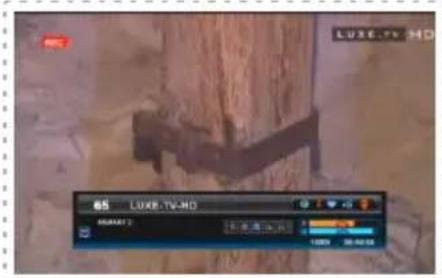
Press button to start recording a program.
6-2-2. Stop recording
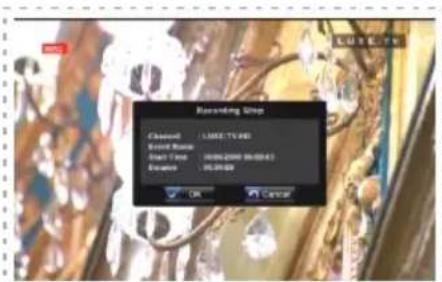
Press button or button to stop recording. After then, it shows a message to ask whether you want to stop or not. Use OK button to stop recording and use Back button to continue recording.
6-2-3. Play mode
Recorded files(*.ts), MP3 and JPEG files can played with external USB memory (HDD).
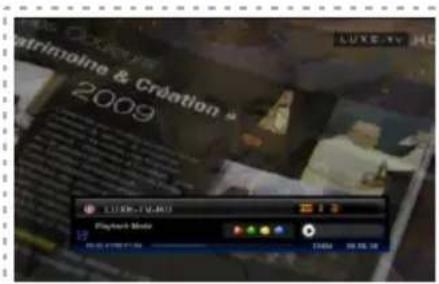
File List Press button to show file list.
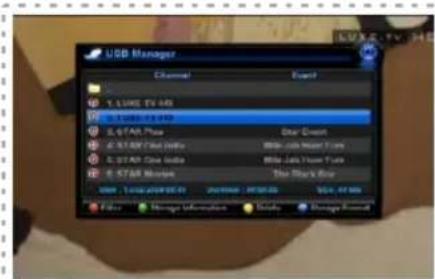
Select a file
Use the , button to select the file you want to watch and press OK button.
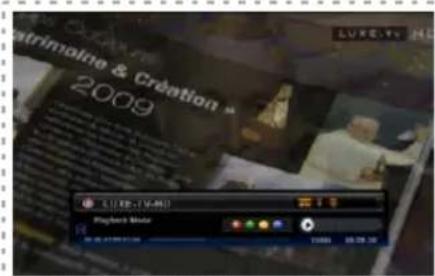
INFO window
During playing of recorded file, if you want to check file name, play time, total recorded time, press INFO button.
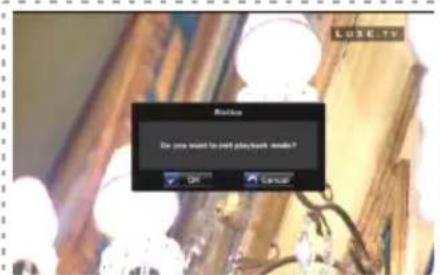
Stop playing
Press button to stop playing.If you press BACK or EXIT button, then you can stop recording after selection of "OK" in the message window.
Change playing mode
Press Green button repeatedly to change playing mode in MP3 as Repeat once, Repeat all, Repeat once within folder, Repeat all within folder.
(Press Green button to start and stop Slideshow within folder during JPEG file playback.)
6-2-4. Trick Play Function
Fast toward
Press button during playing of recorded file, the file will be played at 2X speed maximum up to 32X.
Rewind
Press button during playing of recorded file, the file will be rewind at 1X speed maximum down to 32X.
Skip forward
Press button during playing of recorded file, the file will be forwarded at 5% from current point.
Skip backward
Press H button during playing of recorded file, the file will be back-warded at 5% from current point.
6-2-5. Function in List
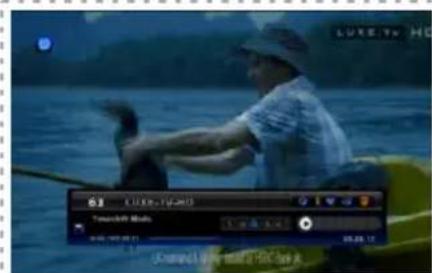
Filter
In the file list, press RED button to show Filter window. You can select different media type for list as below.
- All: Show all supported file in folder.
- Video: Show all recorded files in PVR folder.
- MP3: Show all MP3 files in current folder.
- JPEG: Show all JPEG files in current folder.
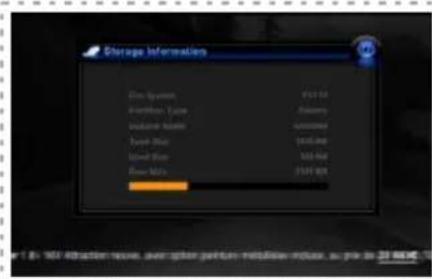
Storage information
In the file list,press GREEN button to show storage information. You can check total size, occupied size and empty size etc.
*. You can see file list using by button while recording a program.
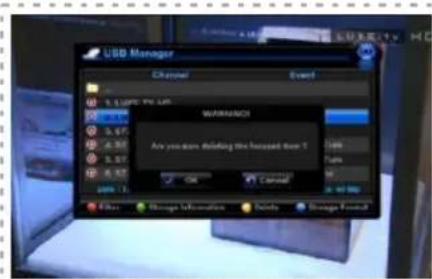
Delete
In the file list, press YELLOW button to delete file or folder. If you delete some folder, files in the folder will be deleted accordingly.
Format(Only HDD)
In the file list, press BLUE button to format HDD. This function is concerned only related to HDD.
6-2-6. Time Shift Recording function
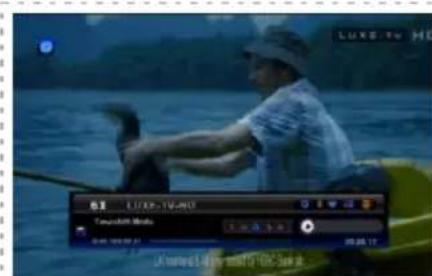
You can perform Time Shift Recording function with using the trick play buttons while playing a program.
Press T.SHIFT button to start and stop Time Shift recording function.
Trick Play functions can perform in limited condition depends on the size of Time Shift Recording file.
Courant: Protection anti-surcharge 500 mA max.
Consommation electrode: Max. 35 W