Mobilsat1 - Satellite receiver Reflexion - Free user manual and instructions
Find the device manual for free Mobilsat1 Reflexion in PDF.


| Product type | Satellite receiver with motorized antenna |
| Brand | Reflexion |
| Model | Mobilsat1 |
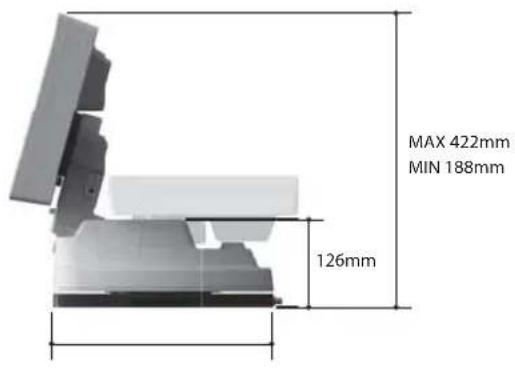
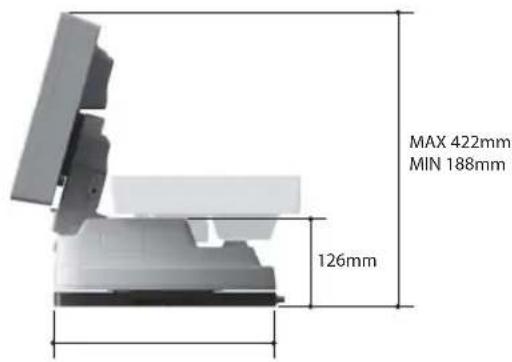
| Dimensions (L x W x H) | 454 x 316 x 188 mm |
| Weight (main unit) | 10 kg |
| Weight (base package) | 15.6 kg |
| Power supply | DC 12 ~ 24 V |
| Power consumption | 30 W (in motion) |
| Operating temperature | -30°C ~ +60°C |
| Antenna gain | 33.7 dBi @ 12.7 GHz |
| Polarization | Linear (horizontal / vertical) |
| LNB input frequency | 10.7 ~ 12.75 GHz |
| LNB output frequency | 950 ~ 2,150 MHz |
| Max search time | 180 seconds |
| Preset satellites | 10 (Turksat, Thor, Astra 2, AtlanticBird 3, Astra 3, Hispasat, Astra 1, HotBird, Astra 4, and 3 user-defined) |
| Main functions | Automatic alignment, satellite reception, integrated GPS, USB update, satellite selection |
| Maintenance | No regular maintenance required; do not open the casing; exterior cleaning only |
| Safety | Antenna retracts automatically on contact; do not use while moving (max 130 km/h when stowed) |
| Spare parts / repairability | Contact a qualified specialist; use only original components |
| General information | Portable use or vehicle mounting; requires clear view of the south |
Frequently Asked Questions - Mobilsat1 Reflexion
User questions about Mobilsat1 Reflexion
0 question about this device. Answer the ones you know or ask your own.
Ask a new question about this device
Download the instructions for your Satellite receiver in PDF format for free! Find your manual Mobilsat1 - Reflexion and take your electronic device back in hand. On this page are published all the documents necessary for the use of your device. Mobilsat1 by Reflexion.
USER MANUAL Mobilsat1 Reflexion
MOBILSAT-1 Flat Satellite A smallest home and
MOBILS Automatic Flat Satellite Antenna World smallest home and portable antenna
User's manual
Bedienungsanleitung
Manual utilisateur
Manuale utente
natural_image
White REFLEXION satellite or radar device with black base and white body (no visible text or symbols on the device itself)Contents
1. General Information
1-1. Introduction 2
1-2. Proper use and operation 3
1-3. Safety Notes 4
2. Contents
2-1. Accessory Include 5
2-2. Name of parts 6
3. Operating Instruction
3-1. Connection Diagram 7
3-2. Functional Description 8
3-3. Quick Reference 10
4. Program update
4-1. Connection Diagram for updating 11
4-2. Update Process 12
5. Trouble Shooting
5-1. Trouble Shooting 14
6. Specifications
6-1. Dimension 15
6-2. Specifications 15
1. General Information
1-1. Introduction
These instructions describe the functions and operation of the MOBILSAT-1 auto skew satellite system.
Correct and safe operation of the system can only be ensured by following these instructions.
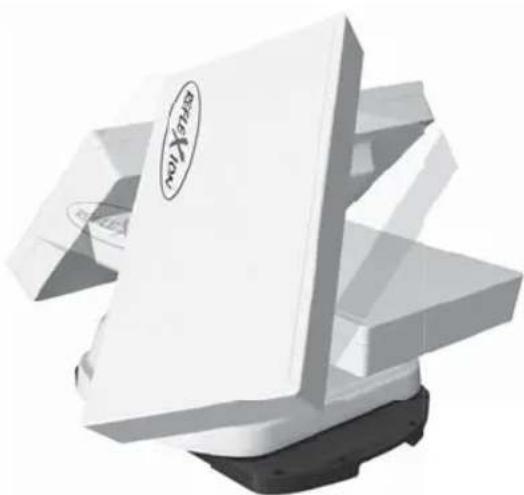
Your MOBILSAT-1 is an intelligent satellite TV reception antenna system which can align itself towards a preset satellite automatically as long as the system is located within the footprint of this satellite.
The MOBILSAT-1 only occupies requisite space while it performs the necessary adjustments with the slim and agile antenna body.
For general operation, please ensure that the system always has a clear view to the sky. If the satellite's signal beam is interrupted by obstacles such as mountains, buildings or trees, the unit will not function and no TV signal will be received
The first few pages of these instructions contain information about using the general functions of your MOBILSAT-1, followed by an explanation of all the adjustment options. The last pages of the instructions cover various technical aspects of the MOBILSAT-1.
natural_image
3D rendered image of a white electronic device with a black base and logo, no visible text or symbols on the device itself.1-2. Proper use and operation
This product has been designed for portable use and fixed installation on vehicles with maximum speeds of 130 km/h. It is designed to automatically aim an antenna at geostationary television satellites.
The power to the system is supplied by a standard vehicle electrical system with a rated voltage of 12 or 24 Volts DC. For installations where a main connection is provided, a suitable 230 Volt AC to 12 DC Volt power adaptor must be used.
Use of the equipment for any other purpose to the one specified is not permitted.
Please also note the following instructions from the manufacturer :
- It is not permitted to change the overall device by removing or adding individual components.
- The use of any other components to those originally installed is not permissible.
- Installation must only be performed by sufficiently qualified personnel. All instructions in the supplied Installation Instructions, which is separately provided, must be carefully followed.
- The product does not require any regular maintenance. Housings and enclosures must not be opened. Checks and maintenance work should always be carried out by a qualified specialist.
- For car mounting system, all of the relevant and approved guidelines of the automotive industry must be observed and complied with
- The equipment must only be installed/operated on hard vehicle roofs/ground which are sufficiently strong and inherently stable.
- Avoid to clean your vehicle with the mounted satellite system in a single-bay or drive-through car wash or with a high-pressure cleaner..
1-3. Safety Notes

In order to ensure that your MOBILSAT-1 works properly you must ensure that it is correctly used and connected follow the Operating Instructions in this manual.
When it is correctly installed, the antenna automatically assumes the rest position when the ignition is switched on and locks itself there. If the system cannot fully retract or cannot retract at all due to a fault, then it is your responsibility to check that the antenna is safely and properly stowed.
Please note also that different legal requirements apply to the operation of electrical and electronic equipment in different countries. As the user of this equipment, you yourself are responsible for ensuring compliance with the relevant laws and regulations.
The manufacturer accepts no liability for direct or indirect damage or for consequential damage to the system itself, motor vehicles or other equipment or goods resulting from the connection of unsuitable battery systems or installation/wiring errors.
2. Contents
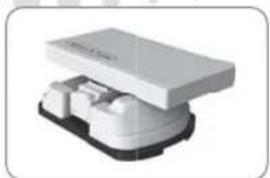
2-1. Accessory Include
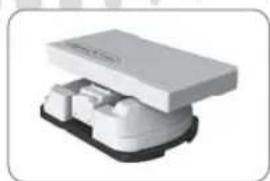
natural_image
3D rendered image of a white electronic device with black base (no visible text or symbols)Main unit
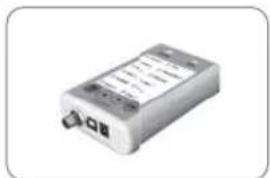
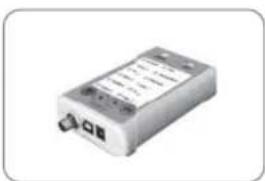
natural_image
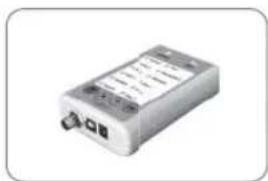
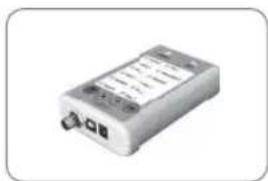
Exterior view of a rectangular electronic device with ports and display (no visible text or symbols)Controller
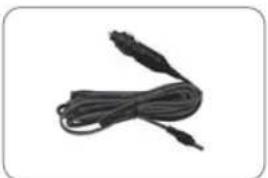
natural_image
Close-up of a black cable with two connectors, no text or symbols visibleCigarette lighter adaptor
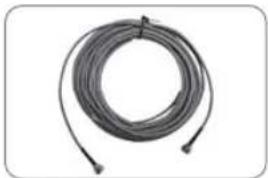
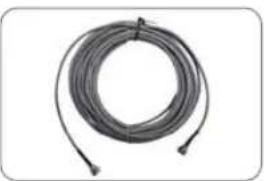
natural_image
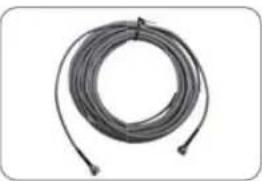
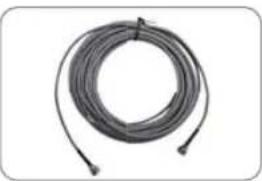
Coiled black cable or wire with two connectors at ends (no text or symbols visible)Receiver cable (12m - Grey color)
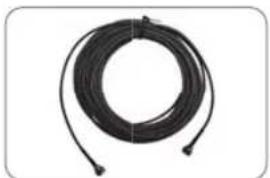
natural_image
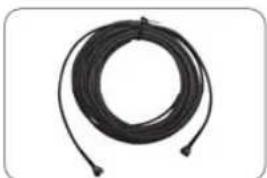
Coiled black cable or wire with two connectors, no visible text or symbolsController cable (12m - Black color)
User manual
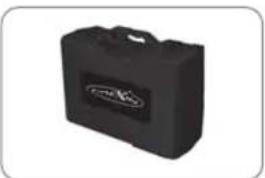
natural_image
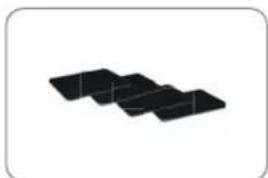
Black rectangular electronic device with a logo (no visible text or symbols on body)Carrying case Base Pads
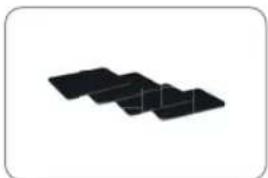
natural_image
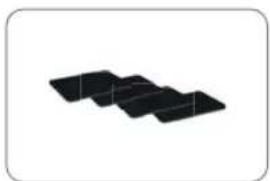
Three black rectangular blocks arranged diagonally on a white background (no text or symbols)Option
Please check your purchasing package. These option parts are not included in the basic package. (Please contact your local dealer/shop for more information on option package)
Option 1: Car mounting plate accessories
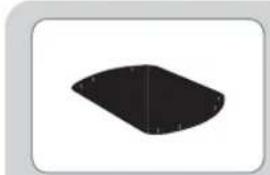
natural_image
Simple black geometric shape with rounded edges on white background (no text or symbols)Mounting plate
natural_image
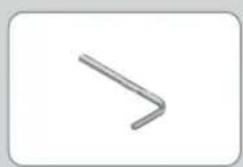
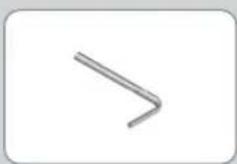
Simple geometric shape resembling a bent arrow or bracket, no text or symbols presentAllen wrench
natural_image
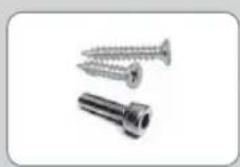
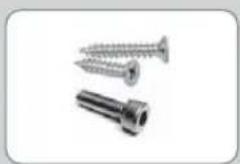
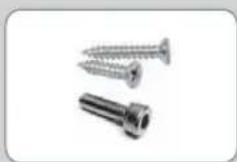
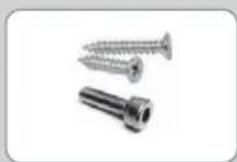
Three metal screw and nut components (no text or symbols visible)M6 × 15, M4 × 16, M4 × 20
natural_image
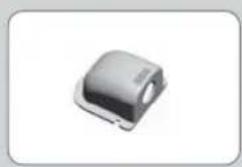
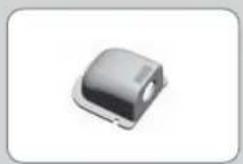
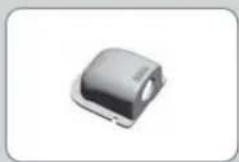
Close-up of a small electronic component with a rounded top and mounting base (no visible text or symbols)Cable holder
natural_image
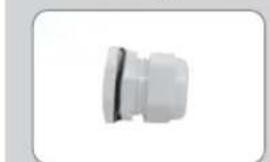
Close-up of a white plastic connector or fitting (no text or symbols visible)Cable gland
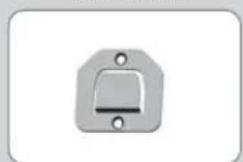
natural_image
Simple metallic switch or bracket component with mounting holes (no text or symbols)Controller bracket
Car mounting plate installation manual
Option 2: Home power adaptor
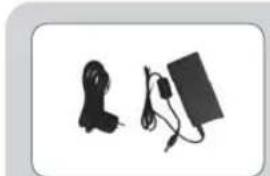
natural_image
Two electronic devices: a cord with cable and a rectangular device with cables (no text or symbols visible)Adaptor
2-2. Name of parts
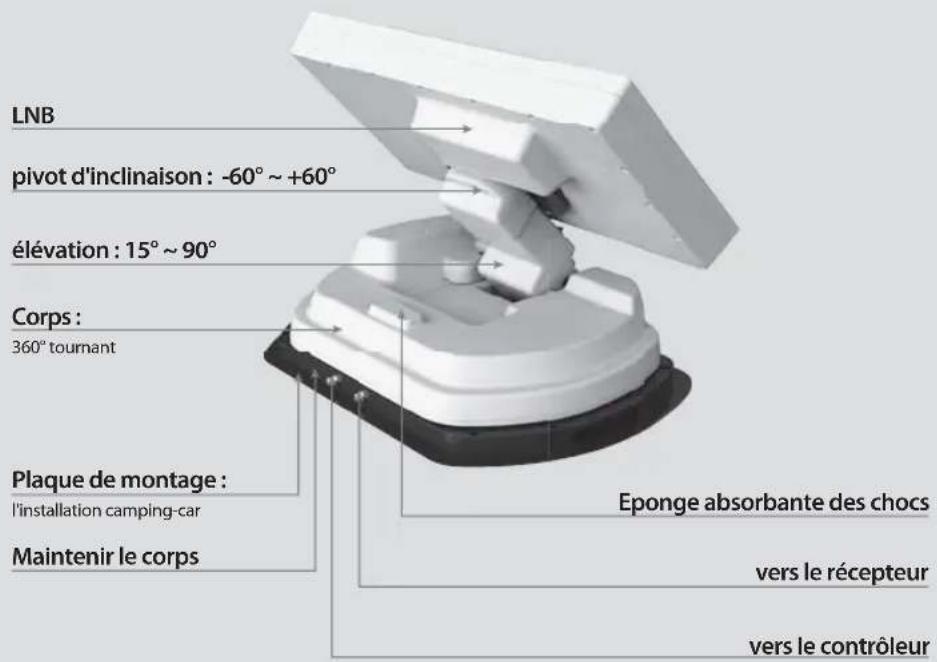
Main unit
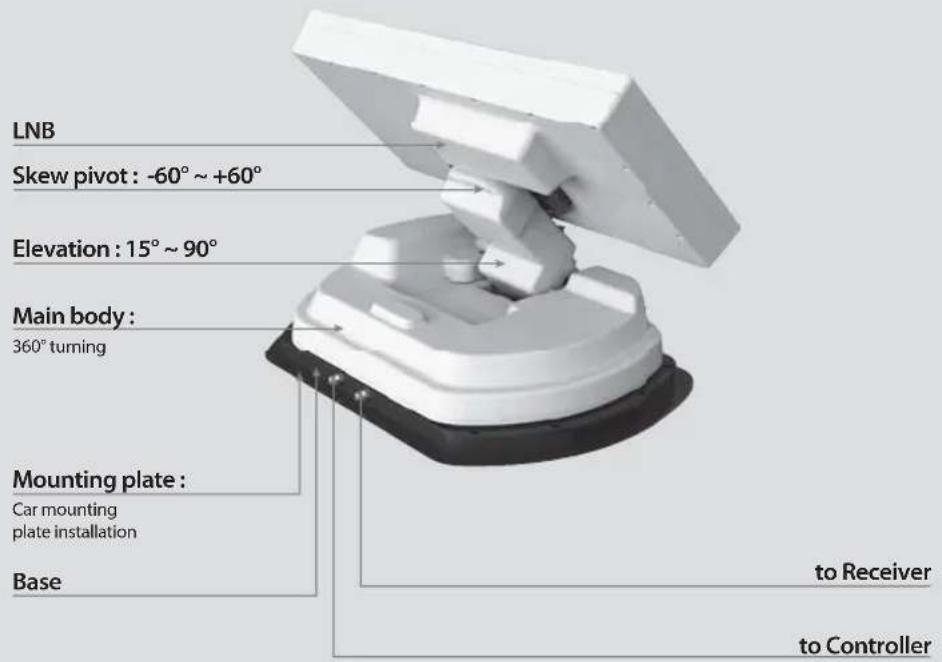
Controller
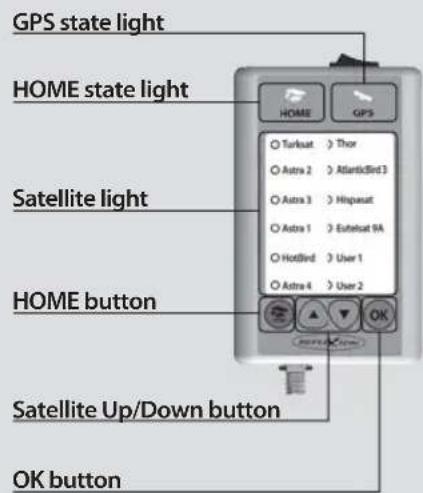
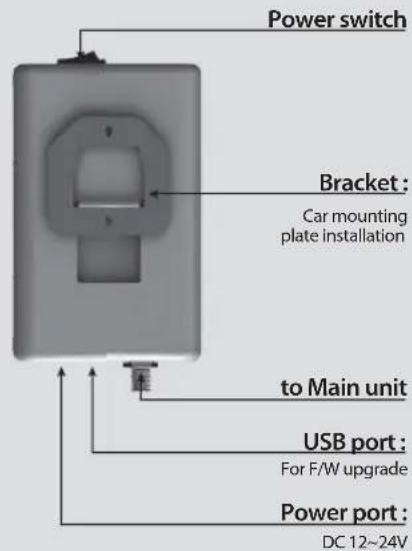
3. Operating Instruction
3-1. Connection Diagram
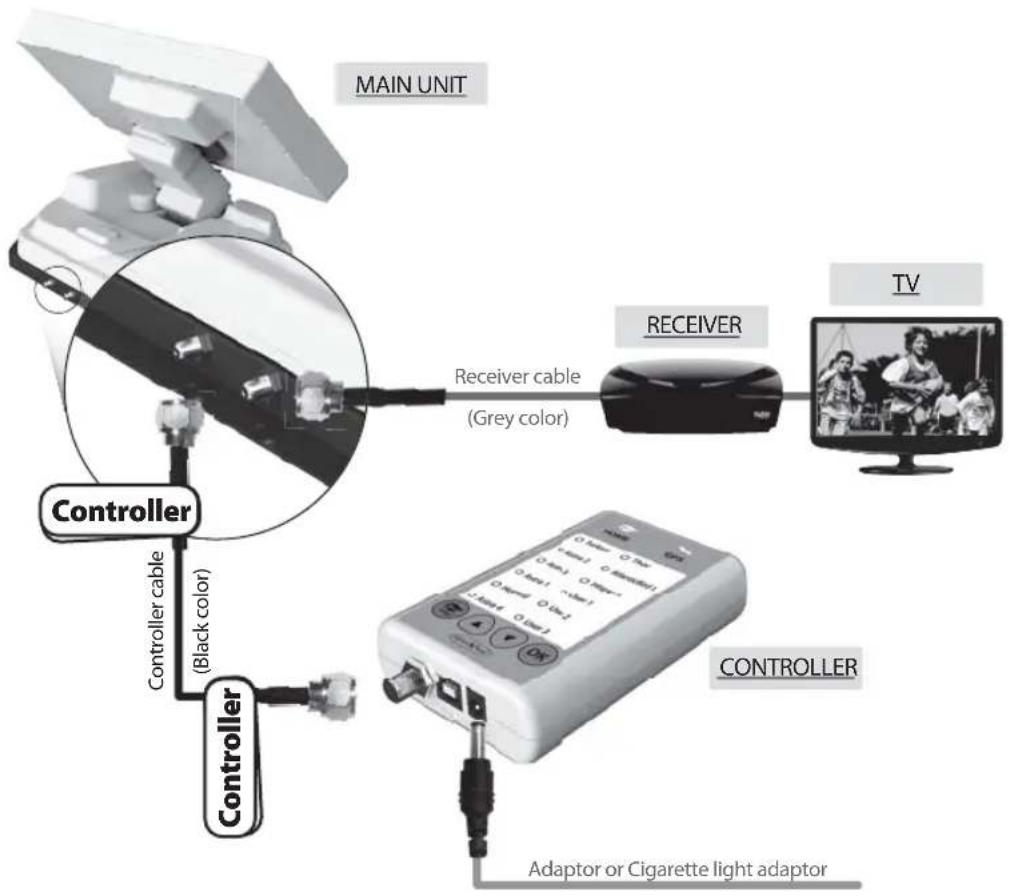
Use the black color controller cable to connect between the controller and antenna.
The controller cable looks similar to the antenna cable but you can distinguish them by the color and labeling.
natural_image
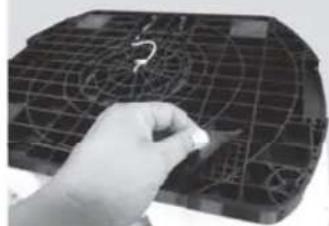
Hand holding a pen over a grid-patterned surface with a question mark symbol (no readable text or labels)Portable use
Attach 4 Base Pads to the bottom plate
3-2. Functional Description
A. Power On
| Function Description | Operation | |
 | “Power” Switch | i. When the all cable connections are completed, switch on with the “Power Switch” button on the top of the controller. |
 HOME HOME | “Home State”Light Solid ON | ii. If the position of antenna was in home position, “Home state light” will be solid on to show it is ready to use. |
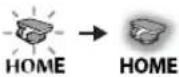 |    | iii. If the position of antenna was not in the home position, “Home state light” will flash, and the antenna will return to the home position within a maximum 2 minutes. Then “Home state light” will be solid on. |
◆ The "Home position" means antenna folded completely to the body part which is the basic position for carrying in hard case.
B. Selecting the satellite
| Function Description Operation | |
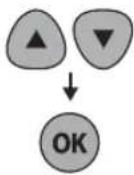 | "Satellite Up / Down button" Light↓"OK" Button |
| i. Once antenna and controller are connected, you can select & change the satellite as you require. | |
| ii. Select the desired satellite using the "Up/Down" buttons, then press the "OK" button to accept the setting. | |
| iii. If you select the wrong satellite, you can re-search target satellite using the "Up/Down" button, then press the "OK" button to accept the new setting. |
C. Searching the satellite
| Function Description | Operation |
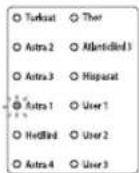 | “Satellite” light |
| ii. Once selected satellite has been found, the LED light of the satellite will become solid. |
D. Changing the satellite
| Function Description Operation | ||
 | "Satellite Up / Down button" Light ↓ "OK" Button | i. If you want to change desired satellite, you can change the target satellite using the "Up/Down" buttons, then press the "OK" button to select the new satellite. |
E. Back to Home position
| Function Description Operation | ||
 | "HOME" Button | i. Whenever you wish to return the antenna back to the Home position, press and hold the"Home" button for a few seconds. |
F. GPS LED light
| Function Description | Operation | |
 | “GPS” light | i. GPS LED confirms the current location from 24 GPS satellites in the world. |
| ii. When your MOBILSAT-1 identifies a GPS signal, GPS LED light will remain on, regardless if the antenna is pausing or moving.GPS can help to search for the satellite faster & catch the optimum satellite signal, and assist MOBILSAT-1 to achieve the best elevation & skew angle. | ||
| iii. Also, while program updating, the GPS LED light will flash to show the update procedure is processing. During this time, GPS LED light on doesn’t mean the unit is communicating with GPS satellite. | ||
3-3. Quick Reference
| Classification | Description |
| Setting & Connecting | Take out the antenna from carrying case, and place it on the flat ground (or mount it on the top of the camper) facing South & no obstacle.Connect the left port of the antenna, which located at the rear of the main unit, to the controller using controller cable.One end of the controller cable connect to "controller" port of the main unit of the antenna.The other end of the controller cable connect to the port of the controller.Connect the power cable to controller .3.If you use the power source from a car or caravan etc, use the cigarette lighter adaptor to connect the power to controller.Otherwise use a suitable 12 Volt DC adaptor to connect the power to controller.Connect between the right port of the antenna, which located at the rear of the main unit, to the receiver using receiver cable. |
| Operating (Searching the satellite) | Switch on with the "Power switch" button on the top of the controller.Upon power on, all LED will flash twice.Wait until "HOME State" light & one "Satellite LED" light, which you set previously or the first satellite in the controller (Turksat), remain solid on.Select the desired satellite using the "UP/DOWN" buttons, then press the "OK" button to select.The satellite LED light will start to flash, wait until it stays solid on.When the satellite LED light stays solid on, the selected satellite has been located and a signal can be seen on the satellite TV. |

WARNING
When you move MOBILSAT-1, the flat dish of the antenna must be in the Home position.
NOTE
- Car / Caravan assembly instructions are described in detail and illustrated, is attached separately.
- MOBILSAT-1 system automatically returns to the HOME position when the vehicle is moving faster than 10 km/h.
The prerequisite is that the GPS receiver is stable.
To be safe, you should always bring the plant to the HOME position before starting their vehicle. - Purchase Power Adapter separately from us, or if you purchase it on your own, purchase ONLY 18V / 3.3A which is certified.
4. Program update
4-1. Connection Diagram for updating
"USB port is used for firmware upgrade only"
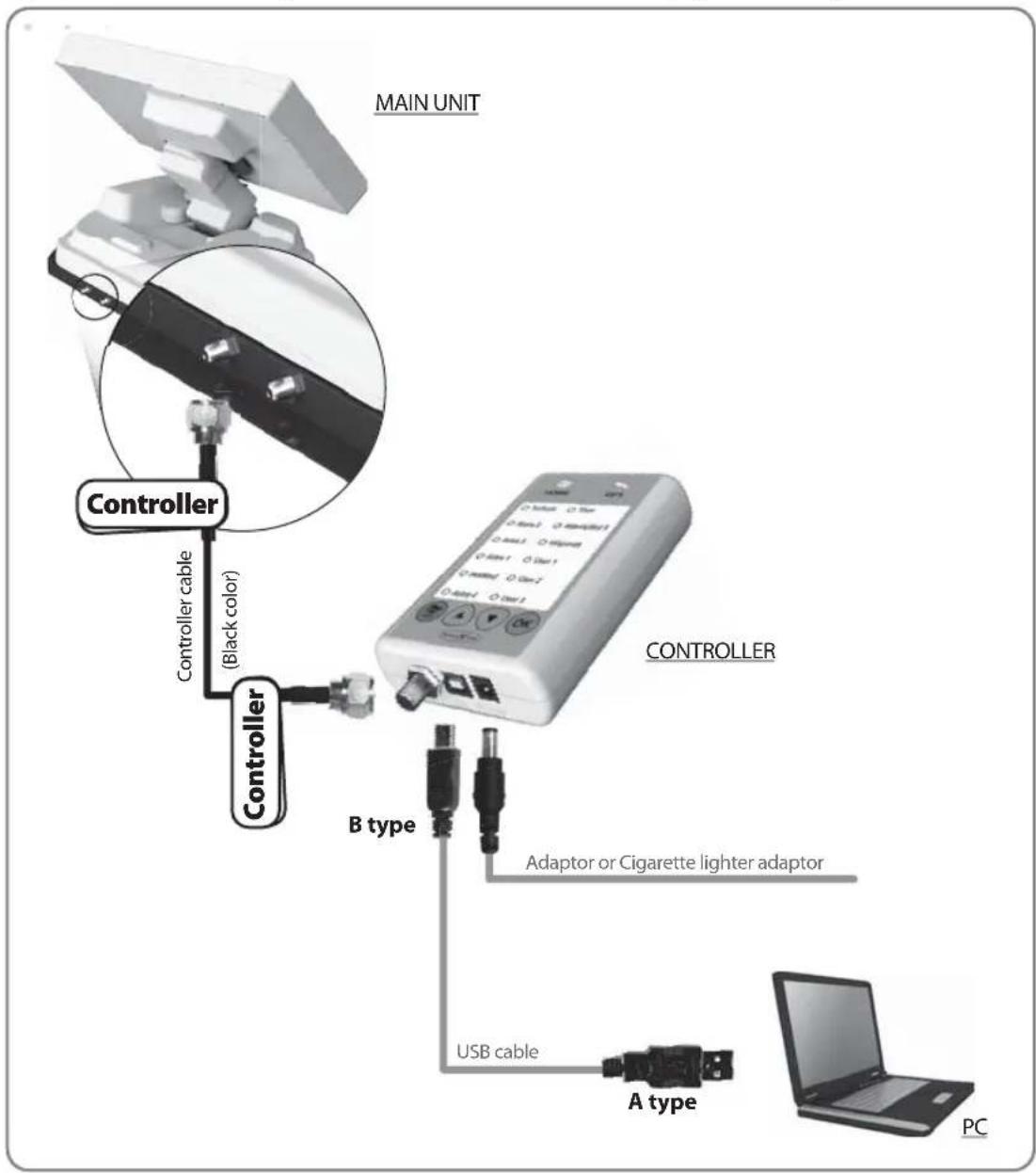
Simply connect the Controller to PC using USB cable. USB cable is not included in the package.
4-2. Update Process
Using MOBILMOBILSAT-1 Update Program, refresh the satellite data of your MOBILSAT-1.
i. Update Program download
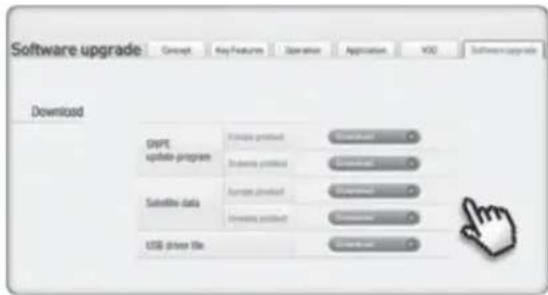
① Download the MOBILSAT-1 Update Program to your PC from our homepage (www.self-sat.com). ※ Download driver file, if your OS does not support it.
② Download the newest satellite data to your PC from our homepage. ※ Be sure your product location and download correct location file.
③ Connect the controller to your PC using USB cable, then install the MOBILSAT-1 Update Program you downloaded.
ii. Update the 10 satellites which are pre-stored
④ Run the MOBILSAT-1 update program.
⑤ Click "file" on left-upper side on program, and click "open" to select folder which contains downloaded satellite data.
⑥ Select folder and click the "OK" button.
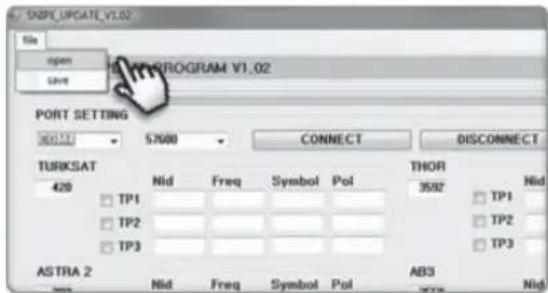
⑦ When folder is opened, select file and click the "Open" button.
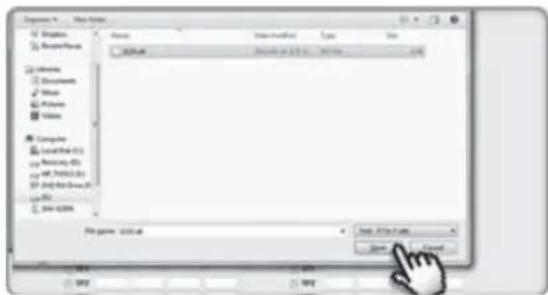
⑧ The data of 10 satellites are shown to you, but they are not modifiable by yourself.
⑨ Check the Port Setting, then click the "CONNECT" button.
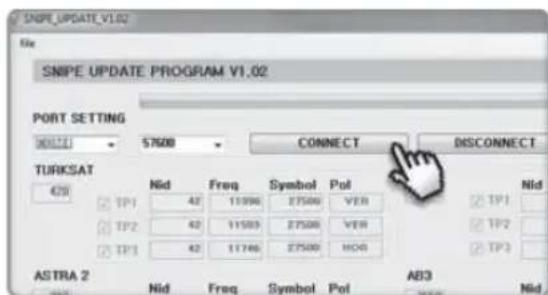
⑩ Once "SEND_DATA" button is activated, click the "SEND_DATA" button.
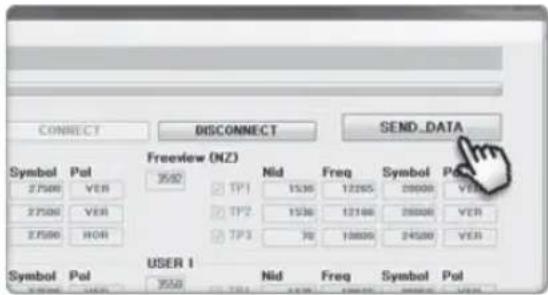
⑪ Wait until green bar reaches to the end and "Send OK" message box is popping up.
⑫ Once "Send OK" message box is shown, update is completed.
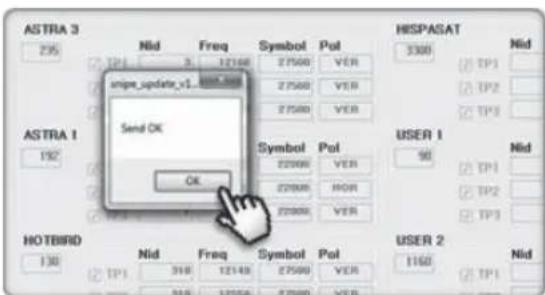
iii. Update USER 1\~2
- USER 1\~2 are for extra addition of your desired satellites which are not pre-stored.
• After download the MOBILMOBILSAT-1 update program, start it.
Then tick the box on USER 1\~2 which you wish to update, and write the satellite data in the box by yourself.
Then follow the procedure from ⑨ as above.
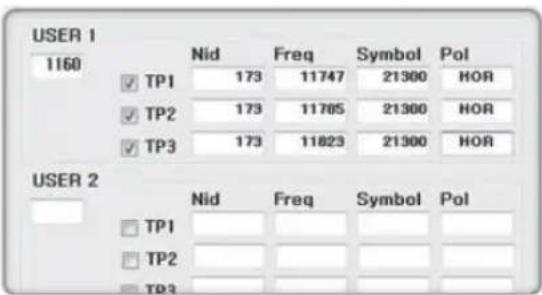
• To get detailed information of satellite data, please contact your local distributor.

NOTE
Do not turn off the power or disconnect the cable before update procedure finished.
How to update satellite information can be changed by reflecting the newest satellite information.
Please make sure to get how to update the product through our web site (www.self-sat.com)
5. Trouble shooting
There are a number of common issues that can affect the signal reception quality or the operation of the MOBILSAT-1. The following sections address these issues and potential solutions.
A. No function when you power on the Controller
i. Check again all the cable connections have been made correctly.
√ Connection between the power and controller
√ Connection between the controller and the antenna. Make sure that the left port of the antenna should be connected to the controller.
Check if the cigarette lighter adaptor or adaptor has been damaged.ii.
B. Fail to search the selected satellite
i. Satellite signals can be blocked or degraded by buildings, trees. Make sure there are no obstructions in a southward direction.
ii. Check your program of Controller often, and get the latest updates for your MOBILSAT-1
C. Mechanical problems
i. If the antenna does not move into desired position.
√ Try to power OFF/ON again.
ii. If the antenna makes a noise whilst remaining static.
√ Try to power OFF/ON again. If problem persists, please contact your local distributor for assistance.
D. Other issues
i. If the system has been improperly wired, it will not operate properly. Contact your local distributor for assistance of cable damage.
6. Specifications
6-1. Dimension
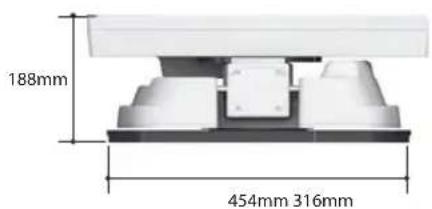
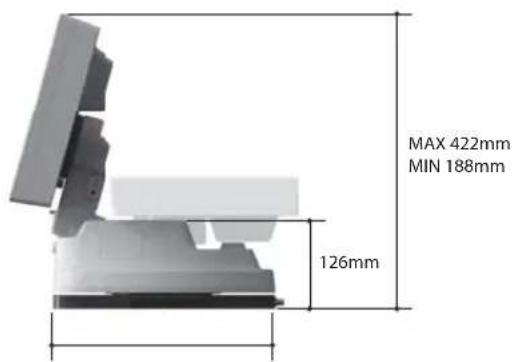
6-2. Specification
| Dimensions | 454 x 316 x 188 mm | |
| Weight | Main Unit / Basic Package / Full Package (with optional parts) | 10.1Kg / 15.6Kg / 19.1Kg |
| Work Condition | Stationary | |
| Antenna Gain | 33.7 dBi @ 12.7GHz | |
| Min EIRP | 50 dBw | |
| Polarization | Linear (Horizontal / Vertical) | |
| LNB Output | 1 output(optional 2 output) | |
| LNB Input Frequency | 10.7 ~ 12.75 GHz | |
| LNB Output Frequency | 950 ~ 2,150 MHz | |
| Angle Range | 15° ~ 90° / 360° / -60° ~ +60° | |
| Search Speed | Elevation / Azimuth / Skew | 6°/s / 12°/s / 15°/s |
| Satellite Searching Time | 180 seconds (max.) | |
| Power Requirement | DC 12~24V | |
| Power Consumption | 30W (in searching) | |
| Operating Temperature | -30°C ~ +60°C |
Inhalt
natural_image
3D rendered image of a white electronic device with a logo, showing its base and top panel (no readable text or symbols)2-1. Accessory Include
natural_image
White electronic device with a black base and top panel, no visible text or symbolsHaupteinheit
natural_image
Exterior view of a rectangular electronic device with ports and a label (no readable text or symbols)natural_image
Close-up of a black cable with two connectors, no text or symbols visible
natural_image
Coiled black cable or wire with two connectors at ends (no text or symbols visible)natural_image
Coiled black cable or wire with two ends, no visible text or symbolsnatural_image
Black rectangular electronic device with a logo on its side (no visible text or symbols)Transportkoffer Basispolster
natural_image
Three black rectangular blocks arranged diagonally on a white background (no text or symbols)Option
natural_image
Simple black rounded rectangular shape on white background (no text or symbols)Befestigungsplatte
natural_image
Simple geometric arrow symbol pointing right, enclosed in a rounded rectangle (no text or labels)Inbusschlüssel
natural_image
Three metallic screw and nut components (no text or symbols visible)M6 × 15, M4 × 16, M4 × 20
natural_image
Close-up of a small electronic component with a rounded top and side gap (no visible text or symbols)Kabelhalter
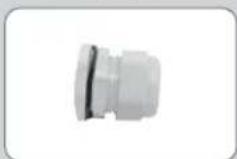
Kabelverschraubung
natural_image
Two electronic devices: a cordless cable and a rectangular charging plug, both with cables (no visible text or symbols)Adapter
natural_image
Hand holding a white object over a wireframe grid on a dark surface (no text or symbols visible)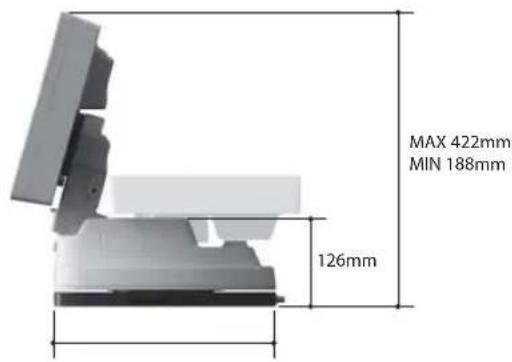
natural_image
3D rendered image of a white electronic device with a circular logo and black base, no visible text or symbols.natural_image
White electronic device with black base and top panel, no visible text or symbolsUnité principale
natural_image
Exterior view of a white electronic device with ports and indicator lights (no visible text or symbols)natural_image
Coiled black cable with two connectors, no text or symbols visible
natural_image
Coiled black cable or wire with two connectors at ends, no visible text or symbolsnatural_image
Coiled black cable or wire with two ends, no visible text or symbolsnatural_image
Black rectangular electronic device with a logo on its side (no visible text or symbols)Mallette de transport
natural_image
Three black rectangular panels arranged diagonally on a white background (no text or symbols)Base Pads
Option
natural_image
Simple right-pointing arrow symbol (no text or labels)Clé de montage
M6 × 15, M4 × 16, M4 × 20
natural_image
Close-up of a metallic electronic component with rounded edges and a small protrusion (no visible text or symbols)Support de câble
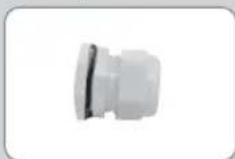
Presse-étoupe
natural_image
Three electronic devices: a cord, a flat panel, and a plug (no visible text or symbols)Adaptateur
2-2. Nom des pièces
unité principale
natural_image
Hand holding a white object over a grid-patterned surface (no text or symbols visible)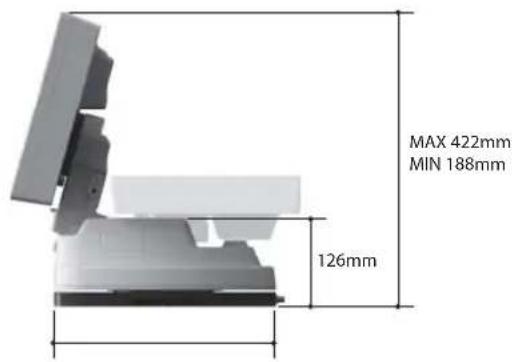
6-2. Spécifications
natural_image
3D rendered image of a white electronic device with a circular logo and black base, no visible text or symbols.natural_image
3D rendered image of a white electronic device with a black base (no visible text or symbols)Unidad principal
natural_image
Exterior view of a white electronic device with ports and display (no visible text or symbols)natural_image
A black cable with two connectors, isolated on white background (no text or symbols)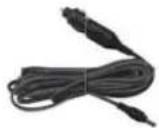
natural_image
Coiled black cable or wire with two connectors at ends, no visible text or symbolsCable receptor (12m - Color gris)
natural_image
Coiled black cable or wire with two ends, no visible text or symbolsCabo de controlador (12m - Color negro)
natural_image
Black rectangular electronic device with a logo on its side (no visible text or symbols)Caja de transporte
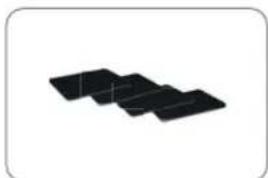
natural_image
Three black rectangular blocks arranged diagonally on a white background (no text or symbols)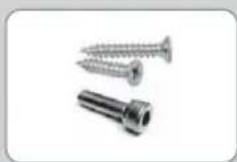
M6 × 15, M4 × 16, M4 × 20
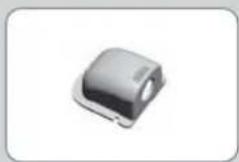
Portacables
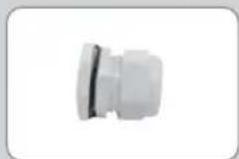
Prensaestopas
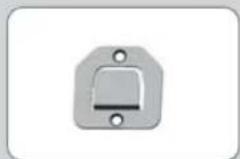
Controlador soporte
natural_image
Three electronic devices: a black cable, a black rectangular device with power cord, and a white rectangular panel (no text or symbols visible)Adaptador
natural_image
Hand holding a white object over a dark curved surface with grid lines (no text or symbols visible)Uso portátil
6-2. Especificación
natural_image
3D rendered image of a white electronic device with a circular logo on its side, partially overlapping its surface (no readable text or symbols)1-2. Correct gebruik en bediening
natural_image
White electronic device with black base and top panel, no visible text or symbolsAntenne
natural_image
Exterior view of a white electronic device with ports and display (no visible text or symbols)Bediening Bediening beugel
natural_image
Coiled black cable with two connectors, no text or symbols visible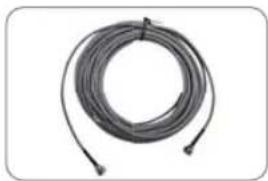
natural_image
Coiled black cable or wire with two connectors, no visible text or symbolsnatural_image
Coiled black cable or wire with two ends, no visible text or symbolsAntennekabel (12m - zwart)
natural_image
Black rectangular electronic device with a logo on its side (no visible text or symbols)natural_image
Three black rectangular blocks arranged in a row on a white background (no text or symbols)Optie
natural_image
Simple black rounded rectangular shape on white background (no text or symbols)Montageplaat
natural_image
Simple right-pointing arrow symbol on white background (no text or labels)Inbussleutel
M6 × 15, M4 × 16, M4 × 20
natural_image
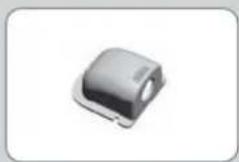
Close-up of a metallic electronic component with rounded edges and a small protrusion (no visible text or symbols)kabelhouder
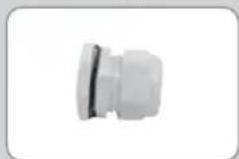
Kabelwartel
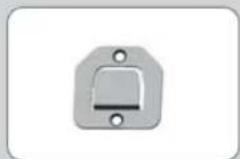
Controller bracket
natural_image
Two electronic devices: a black cable and a rectangular device with a power plug, both without any visible text or symbols.Adaptor
natural_image
Hand holding a small object over a grid-patterned surface (no visible text or symbols)portable gebruik