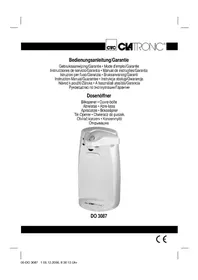
DO 3087 - Can opener CLATRONIC - Free user manual and instructions
Find the device manual for free DO 3087 CLATRONIC in PDF.


| Type of device | Electric can opener |
| Brand | Clatronic |
| Model | DO 3087 |
| Power supply | 230 V, 50 Hz |
| Power consumption | 78 W |
| Protection class | II |
| Main function | Automatic opening of cans |
| Additional functions | Integrated knife and scissors sharpener |
| Lid retention system | Magnet |
| Lever | With removable blade |
| Recommended maximum capacity | Approx. 1000 g (above that, support the can) |
| Dimensions (approx.) | Approx. 20 x 10 x 10 cm |
| Weight (approx.) | Approx. 0.5 kg |
| Cable length (approx.) | Approx. 80 cm |
| Cable compartment | Yes, on the back of the device |
| Exterior material | Plastic |
| Maintenance | Clean with a damp cloth; lever can be disassembled for cleaning |
| Safety | Do not immerse; disconnect before cleaning; use with 230 V outlet |
| Warranty | 24 months from date of purchase |
| Wear parts | Blade and magnet (not covered by warranty) |
| Repairability | After warranty, contact customer service or a specialized retailer |
Frequently Asked Questions - DO 3087 CLATRONIC
User questions about DO 3087 CLATRONIC
0 question about this device. Answer the ones you know or ask your own.
Ask a new question about this device
Download the instructions for your Can opener in PDF format for free! Find your manual DO 3087 - CLATRONIC and take your electronic device back in hand. On this page are published all the documents necessary for the use of your device. DO 3087 by CLATRONIC.
USER MANUAL DO 3087 CLATRONIC
DO 3087
| Inhalt | D Seite | Innhold | N Side |
| Übersicht der Bedienelemente | 3 | Oversikt over betjeningselementene | 3 |
| Bedienungsanleitung | 4 | Bruksanvisning | 34 |
| Technische Daten | 7 | Tekniske data | 36 |
| Garantie | 7 | Garanti | 37 |
| Inhoud | NL Pagina | Contents | GB Page |
| Overzicht van de bedieningselementen | 3 | Overview of the Components | 3 |
| Gebruiksaanwijzing | 9 | Instruction Manual | 38 |
| Technische gegevens | 11 | Technical Data | 41 |
| Garantie | 12 | Guarantee | 41 |
| Sommaire | F Page | Spis treści | PL Strona |
| Liste des différents éléments de commande | 3 | Przegląd elementów obsugi | 3 |
| Mode d'emploi | 14 | Instrukcja obsługi | 43 |
| Données techniques | 16 | Dane techniczne | 45 |
| Garantie | 17 | Gwarancja | 46 |
| Indice | E Página | Obsah | CZ Strana |
| Indicación de los elementos de manejo | 3 | Přehled ovládacích prvků | 3 |
| Instrucciones de servicio | 19 | Návod k použití | 48 |
| Datos técnicos | 21 | Technické údaje | 50 |
| Garantia | 22 | Záruka | 51 |
| Índice | P Página | Tartalom | H Oldal |
| Descrição dos elementos | 3 | A kezelő elemek áttekintéseé | 3 |
| Manual de instruções | 24 | A hasznalati utasítás | 52 |
| Características técnicas | 27 | Műszaki adatok | 54 |
| Garantía | 27 | Garancia | 55 |
| Indice | I Pagina | Содержание | RUS стр. |
| Elementi di comando | 3 | Обзор деталей прибора | 3 |
| Istruzioni per l'uso | 29 | Руководство по эксплуатации | 56 |
| Dati tecnici | 31 | Технические данные | 58 |
| Garanzia | 32 | Гарантия | 59 |
D
NL
F
E
P
1
N
GB
PL
CZ
H
RUS
D
D-47906 Kempen/Germany
General Safety Instructions
Read the operating instructions carefully before putting the appliance into operation and keep the instructions including the warranty, the receipt and, if possible, the box with the internal packing. If you give this device to other people, please also pass on the operating instructions.
- The appliance is designed exclusively for private use and for the envisaged purpose. This appliance is not fi t for commercial use. Do not use it outdoors (except if it is designed to be used outdoors). Keep it away from sources of heat, direct sunlight, humidity (never dip it into any liquid) and sharp edges. Do not use the appliance with wet hands. If the appliance is humid or wet, unplug it immediately. Do not put it in water.
- When cleaning or putting it away, switch off the appliance and always pull out the plug from the socket (pull on the plug, not the cable) if the appliance is not being used and remove the attached accessories.
- Do not operate the machine without supervision. If you should leave the workplace, always switch the machine off or remove the plug from the socket (pull the plug itself, not the lead).
- Check the appliance and the cable for damage on a regular basis. Do not use the appliance if it is damaged.
- Do not try to repair the appliance on your own. Always contact an authorized technician. To avoid the exposure to danger, always have a faulty cable be replaced only by the manufacturer, by our customer service or by a qualified person and with a cable of the same type.
- Use only original spare parts.
- Pay careful attention to the following "Special Safety Instructions".
GB
Children
- In order to ensure your children's safety, please keep all packaging (plastic bags, boxes, polystyrene etc.) out of their reach.
Caution! Do not allow small children to play with the foil as there is a danger of suffocation!
- To protect children from the dangers posed by electrical appliances, make sure that the cable is hanging low and that children do not have access to the appliance.
Overview of the Components
| 1 Knife, scissor sharpener | ||
| 2 Housing | ||
| 3 Cable compartment/Connection cable with mains plug | ||
| 4 Cutting | lever | |
| 5 Adhesive | magnet | |
| 6 Cutting | blade | |
| 7 Transport | wheel | |
| 8 Pushbutton | ||
Initial Operation
Connection
- The mains voltage must correspond to the voltage stated on the type plate of the tin opener.
- Pull the mains lead on the rear out of the cable compartment (3).
- Connect the device to a correctly installed 230 V, 50 Hz shockproof socket.
Before Initial Use
- Clean the tin opener (see "Cleaning and Care").
- When the tin opener is switched on a clicking noise may be heard. This noise does not affect the function of the tin opener.
- Tins weighing more than approximately 1000 g have to be guided by hand during the cutting operation.
- Tins that have a damaged edge may have to be placed on the tin opener more than once.
- Tins that are soldered or should normally be opened with a key have to be opened on the bottom if a suitable edge is present.
Operation
- It is possible that during initial operation of the tin opener it only functions perfectly after the cutting lever has been operated a few times (due to the protective grease).
- Lift the cutting lever (4) with your right hand.
- Now place the tin which is to be opened on the side of the cutting mechanism with your left hand so that the lower side of the cutting edge is located on the toothed transport wheel (7).
-
Press the cutting lever (4) downwards until the cutting blade (6) touches the surface of the tin lid. Bring the magnet (5) into position by pressing down over the lid of the tin.
-
When the cutting lever (4) is pushed down further the pushbutton (8) is operated and the tin opener switches on. The cutting blade (6) is automatically pulled into the tin lid and cuts it open.
- The opening procedure is automatically stopped when the lid has been completely opened.
- Note: In order to stop the opening procedure before it reaches the end, simply lift the cutting lever.
- Once the tin has been opened, hold it firmly with your left hand and lift up the cutting lever (4) with your right hand.
- The lid of the tin which has now been cut off is held by the adhesive magnet (5) and can be removed by hand.
- Please be careful when removing the lid of the tin from the adhesive magnet (5). Thin tin sheet can easily cause injuries.
- Wind the mains lead up in the cable compartment (3) in the form of a spiral.
Knife/Scissor Sharpener
- Open the blades of the scissors completely.
- Insert the knife blade or a blade of the scissors into the knife/scissor sharpener (1) and pull the knife / the scissors at a constant speed towards you. Sharpen the blade 4 to 5 times.
Cleaning and Care
- The housing of the tin opener can be cleaned externally with a slightly moist cloth.
- Do not use any acidic or abrasive detergents.
- The cutting lever (4) with the magnetic holder (5) and blade (6) can be removed from the housing (2) for cleaning. To do so, fold up the cutting lever (4) as far as it will go and pull it out to the side. Reassembly is carried out in the reverse order.
- For reasons of electrical safety the tin opener must not be treated with liquids or immersed in them.
Noise development
The sound pressure level in the ear of an operator (LpA) was measured according to DIN EN ISO 3744.
Sound pressure level detected: 75.0 dB(A) (no limit)
Technical Data
Model: DO 3087
Power supply: 230 V, 50 Hz
Power consumption:....78 W
Protection class:....II
This device has been tested according to all relevant current CE guidelines, such as electromagnetic compatibility and low voltage directives, and has been constructed in accordance with the latest safety regulations.
Subject to technical changes without prior notice!
Guarantee
The device supplied by our Company is covered by a 24 month guarantee starting on the date of purchase (receipt).
During the life of the guarantee any fault of the device or its accessories ascribable to material or manufacturing defects will be eliminated free of charge by repairing or, at our discretion, by replacing it. The guarantee services do not entail an extension of the life of the guarantee nor do they give rise to any right to a new guarantee!
Proof of the guarantee is provided by the proof of purchase. Without proof of purchase no free replacement or repair will be carried out.
If you wish to make a claim under the guarantee please return the entire machine in the original packaging to your dealer together with the receipt.
Defects to consumables or parts subject to wearing as well as cleaning, maintenance or the replacement of said parts are not covered by the guarantee and hence are to be paid!
The guarantee lapses in case of unauthorized tampering.
After the expiry of the guarantee
After the expiry of the guarantee repairs can be carried by the competent dealer or repair service against the payment of the ensuing costs.
Meaning of the "Dustbin" Symbol
Protect our environment: do not dispose of electrical equipment in the domestic waste.
Please return any electrical equipment that you will no longer use to the collection points provided for their disposal.
This helps avoid the potential effects of incorrect disposal on the environment and human health.
This will contribute to the recycling and other forms of reutilisation of electrical and electronic equipment.
Information concerning where the equipment can be disposed of can be obtained from your local authority.


Brand : CLATRONIC
Model : DO 3087
Category : Can opener