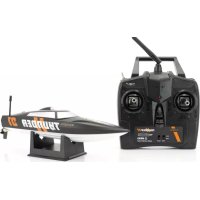
Zoopa Thunder #01 - Remote control toy Acme Made - Free user manual and instructions
Find the device manual for free Zoopa Thunder #01 Acme Made in PDF.



| Product type | Ready-to-run (RTR) radio-controlled boat |
| Brand | Acme Made |
| Model | Zoopa Thunder #01 |
| Dimensions (L x W x H) | 27.65 x 7.25 x 6.5 cm |
| Recommended age | 8 years and up |
| Model battery | Li-Ion 7.4 V (included) |
| Remote control | 2.4 GHz, requires 4 AA 1.5 V batteries (not included) |
| Operating area | Pools and outdoor bodies of water (freshwater) |
| Main functions | Forward, steering (left/right), brake; no reverse |
| Available adjustments | Steering reverse (ST.REV), steering travel (Dual Rate), steering and throttle trims |
| Box contents | 1 boat, 1 remote control, 1 Li-Ion battery, 1 USB charging cable, 1 spare propeller, 1 stand, 1 manual |
| Run time | Varies by use; full charge indicated by LED (red → off) |
| Battery charging | Via USB port (cable included); optional mains adapter (ref. FCHD43); do not charge damaged battery |
| Maintenance and cleaning | Dry the hull after use; clean the cooling system if obstructed; no internal components requiring maintenance |
| Safety | Not suitable for children under 3 years (choking hazard); do not use in the presence of swimmers, aquatic plants, marine animals, strong waves, rain, or adverse conditions |
| Available spare parts | Battery (ZA0100-A), propeller (ZA0100-B), USB charging cable (ZA0100-C), mains adapter (FCHD43) |
| Warranty | 24 months on manufacturing defects (3 months on wear parts); return at customer's expense to ACME the game company GmbH |
| Service & Support | ACME the game company GmbH, Boikweg 24, 33129 Delbrück, Germany; phone +49 2944 973830; email service@ACME-online.de; website www.ACME-online.de |
Frequently Asked Questions - Zoopa Thunder #01 Acme Made
User questions about Zoopa Thunder #01 Acme Made
0 question about this device. Answer the ones you know or ask your own.
Ask a new question about this device
Download the instructions for your Remote control toy in PDF format for free! Find your manual Zoopa Thunder #01 - Acme Made and take your electronic device back in hand. On this page are published all the documents necessary for the use of your device. Zoopa Thunder #01 by Acme Made.
USER MANUAL Zoopa Thunder #01 Acme Made
Manual Please read before using the product!
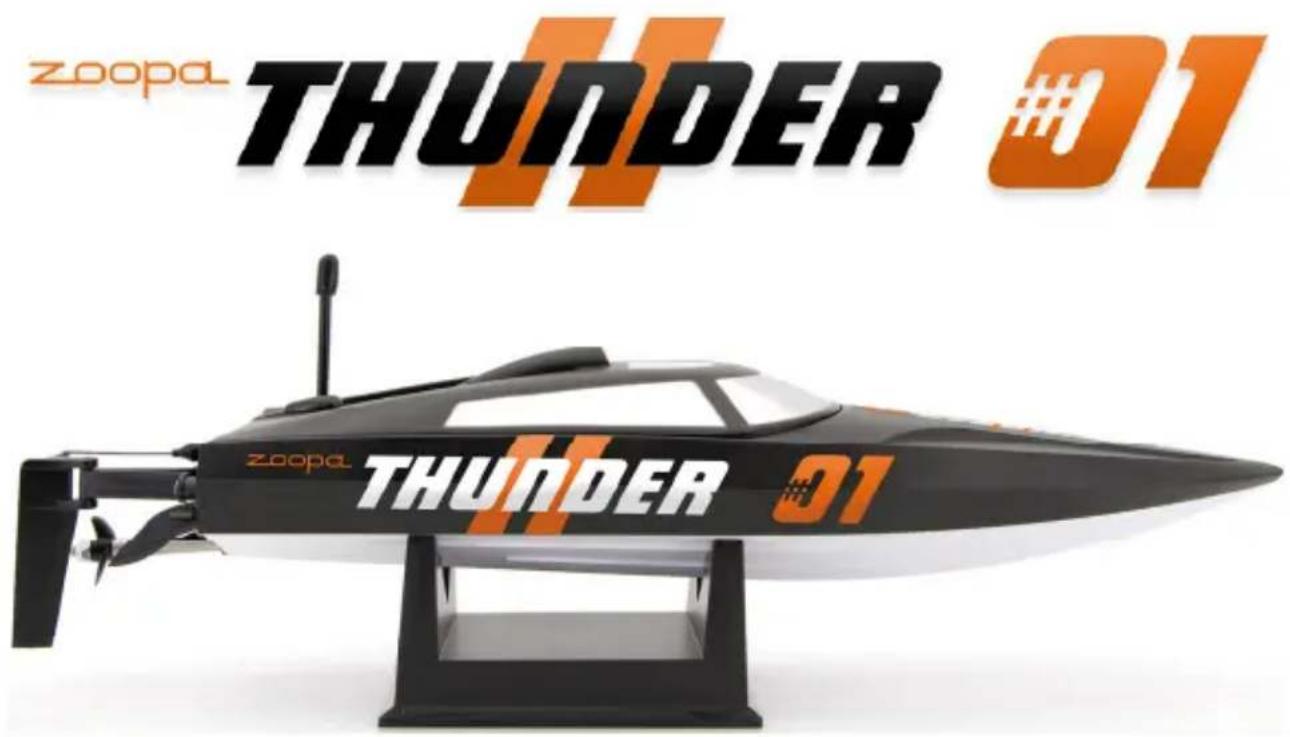
Anleitung Manual Manuel d'utilisation
Technical Data
Size:
Weight:
Recommended age:
Field of use:
Battery:
Controller:
27,65 x 7,25 x 6,5cm
ca.
Pool and Outdoor (freshwater)
7.4V
Li-lon
2.4
GHz
Vers.: 2.1
Copyright 2016 ACME the game company GmbH
Safety advice
WARNING:
Follow these instruction to prevent damage of the unit:
DO NOT USE UNPROTECTED IF RAIN OR WATER. PREVENT CONTACT WITH ANY KIND OF LIQUIDS
- USE RECOMMENDED ACCESSORIES ONLY
DO NOT DISASSEMBLE
- THERE ARE NO PARTS AT THE INSIDE THAT NEED TO ME MAINTAINED REPAIRS SHOULD BE MADE BY QUALIFIED PERSONNEL ONLY
SERVICE & SUPPORT
ACME the game company GmbH Boikweg 24
33129 Delbruck Germany
Tel: +49 2944 973830
service@ACME-online.de or
http://www.ACME-online.de
WARNING BATTERY
Mishandling the battery may occur explosion, fire and smoke including damage of health or goods. It will also reduce battery performance. Never charge a damaged Lilon battery pack. Stop charging if the Lilon battery pack is getting deformed (blown up).
Charge and store the Lilon battery pack at a temperature of 0^ to 40^ - avoid a temperature higher than 50^ when discharging. Do not shortcut - Risk of explosion and fire! Li-Ion battery < 50^
CE Declaration
Herewith we declare that this item is in accordance with the essential requirements and other relevant regulations of the directive 1999/5/EC. A copy of the original declaration of conformity can be obtained at the address above.

This product uses Lilon batteries. Lilon batteries are recyclable, and a valuable resource. To dispose of the battery, remove it and take it to a resource recovery facility.
WEEE Reg. Nr.: DE64989527
Information for disposal of crossed Bin marked products
This symbol is marked on a product or packaging, it means that the product including the batteries must not be disposed of with your general household waste. Only discard electrical/electronic items in separate collection schemes, which cater for the recovery and recycling of materials contained within. Your co-operation is vital to ensure the success of these schemes and for the protection of the environment.
ATTENTION! Choking hazard - Not for children under 3 years!!!
Content of the box
Please check the completeness before you use the product!
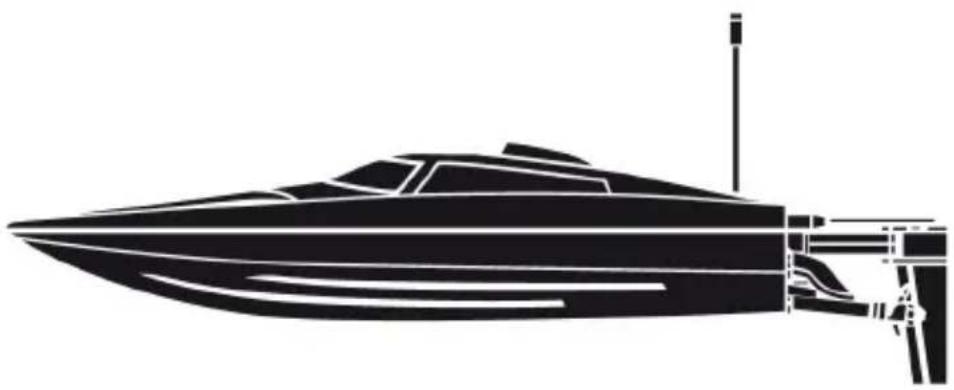
1x zoopa Thunder #01 Speedboat
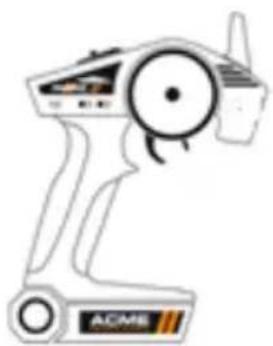
1x 2.4GHz Controller
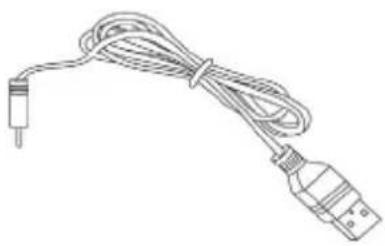
1x USB- Charging Cable

1x Spare Propeller
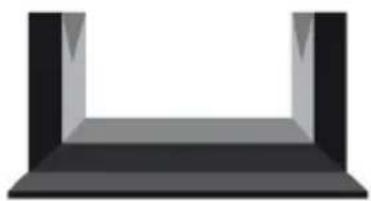
1x Stand
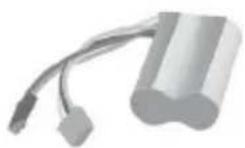
1x Li-Ion Battery
1x Manual
You will need 4pcs. 1.5V batteries for the controller
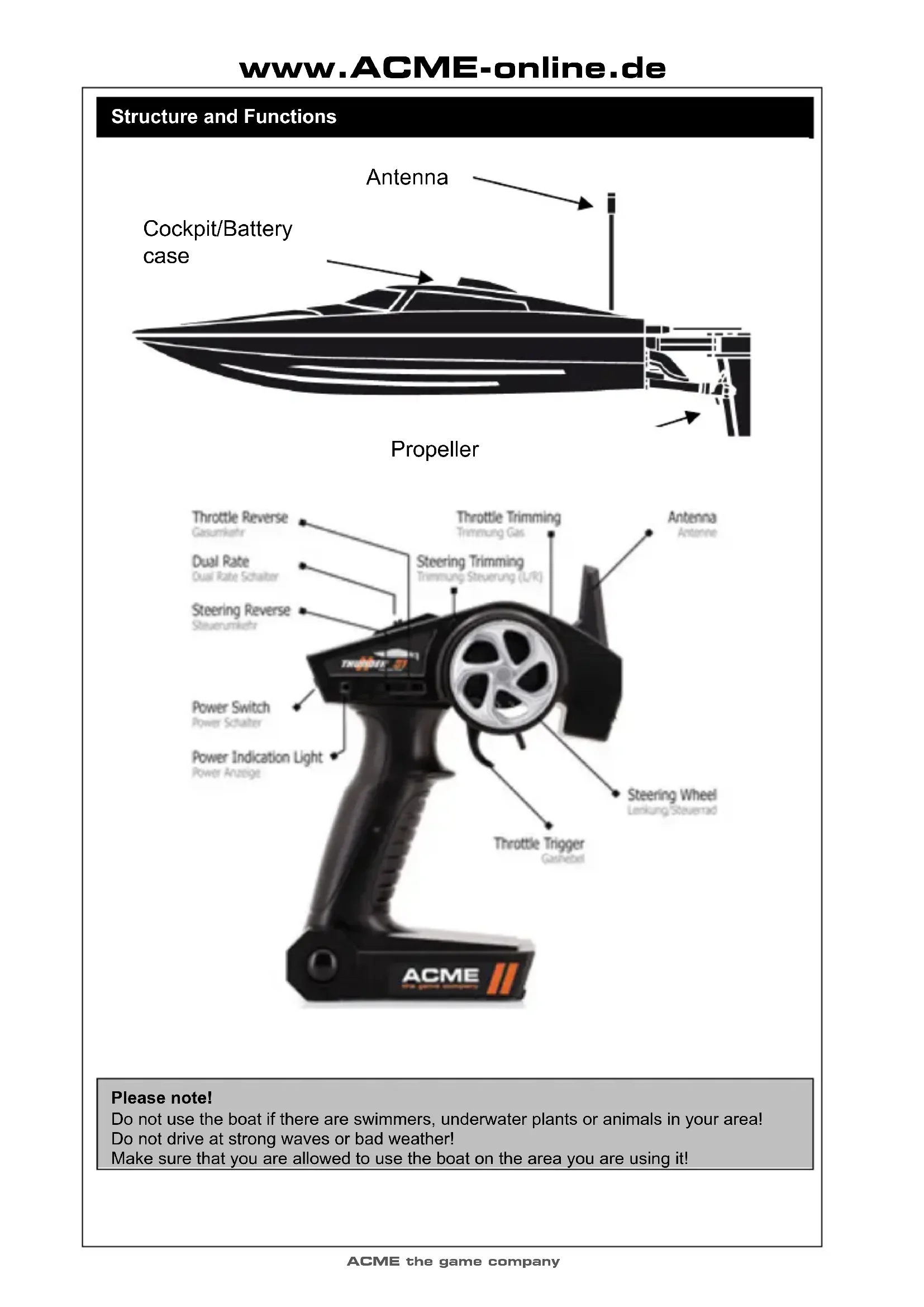
Structure and Functions
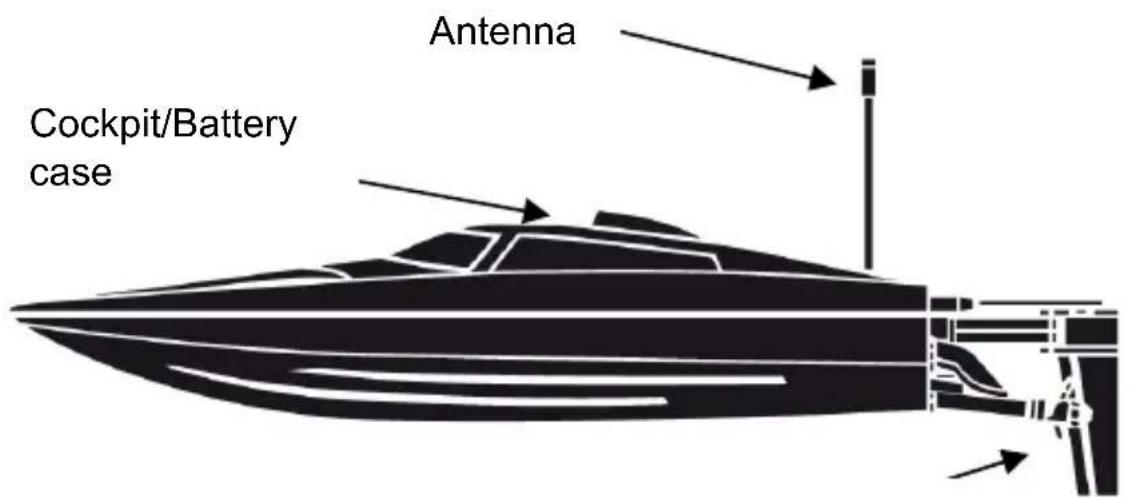
Propeller
Please note!
Do not use the boat if there are swimmers, underwater plants or animals in your area!
Do not drive at strong waves or bad weather!
Make sure that you are allowed to use the boat on the area you are using it!
First steps and information
The zoopa Thunder #01 Speedboat is delivered with a matching stand. We recommend to place the boat on this stand as long as you are not using it to avoid damages.
The zoopa Thunder #01 Speedboat is a RTR (Ready-to-Race) Model. To start it, all you need are 4 pieces of 1.5V AA batteries for the RC controller.
Please note that there are privately owned waters. Make sure that you have the permission of the owner before you start the boat. ACME the game company GmbH assumes no liability for privacy violations and damage to private property caused by the user of the model. Please follow the instructions in this guide carefully step by step, to ensure proper handling. We wish you much fun with the zoopa Thunder #01 Speedboat.
Mounting the antenna
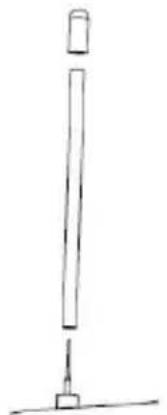
The zoopa Thunder #01 Speedboot is completely assembled out of the box. All that needs to be done is to mount the antenna.
To do this, lead the antenna wire through the tube.
Make sure that it is inserted completely.
Finally put on the rubber cap.
Charging the battery
The supplied Li-1on battery will be charged through the contained USB- Cable. Always charge the battery outside the hull.
The battery is charged through the wide, white balancer plug. The matching socket is located at the other end of the USB-Cable. Connect the battery with the USB-Cable.
Now connect the cable with an USB- power source, for example your computer.
Alternatively, it can be powered through an USB power adaptor (Art. No. FCHD43).
When connected, the USB plug lights up in Red. As soon as the LED switches off, the charging process is finished and you can connect the battery to the model.
Opening the battery case and inserting the battery
To get access on the battery case, please perform the following steps:
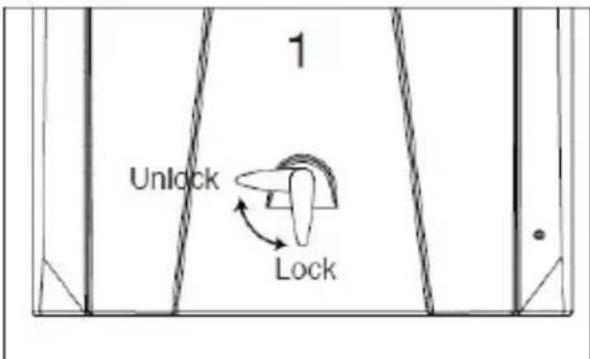
1) Slide the safety locker from „Lock“ to „Unlock“.
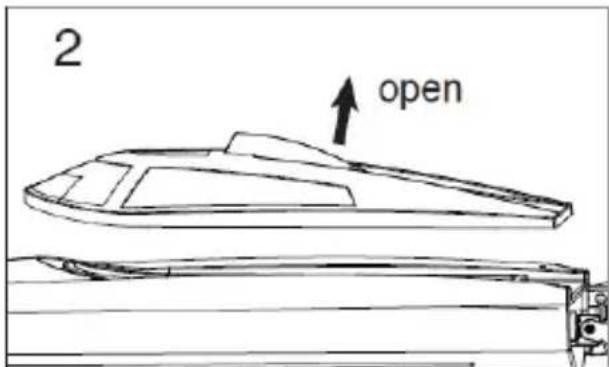
2) Remove the Cockpit.
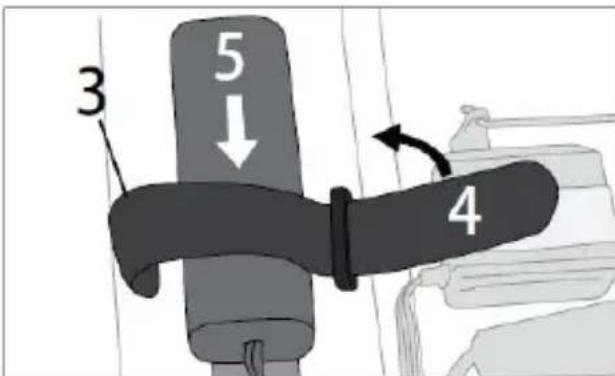
3) Secure the battery by using the provided Velcro tape. Make sure that the position of the battery is fine.
Do not connect the battery to the model yet. The zoopa Thunder #01 Boat does not have an On/Off switch. The boat is ready for start as soon as the battery is connected. Always disconnect the battery after use to avoid a deep discharge. Exhausted batteries are not covered under warranty.
Lock the cockpit before every start, make sure that it is fixed firmly. NO WATER SHOULD GET INSIDE!
Connecting the remote control to the boat
Insert the 4 required 1.5V AA Mignon into the controller.
To perform this, open the battery case on the bottom of the controller and insert the batteries in the order as shown below. Then close the case.
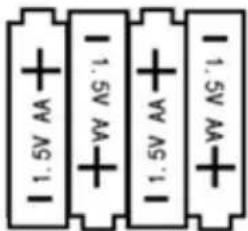
Important : Always switch on the controller at first!
Out of the box, model and controller are already paired. If this is not the case or the connection is lost, please perform the following steps:
- Connect the battery to the model.
- Keep pressed the button on the models receiver (marked) until the receiver starts blinking.
3.Keep pressed the binding button on the controller while you switch it on. - Release the button. The controller indicates a beep sound until pairing is successful.
First attempts and driving advice
Place the boat on the water surface carefully. Start at lower engine speed and drive slowly. Do not drive too far away from the shore, so you can reach the model by hand if any insecurities should occur.
As soon as you feel safe, you can start to drive with full performance.
If you notice a lower engine speed, you should return the model to the shore because the battery is empty. Never drive the boat until the battery is completely discharged. This leads to a deep discharge and the battery is exhausted.
After you have returned the boat safely, disconnect the battery from the model. Then switch off the controller. Make sure that no water got inside the body, if needed you can dry it off.
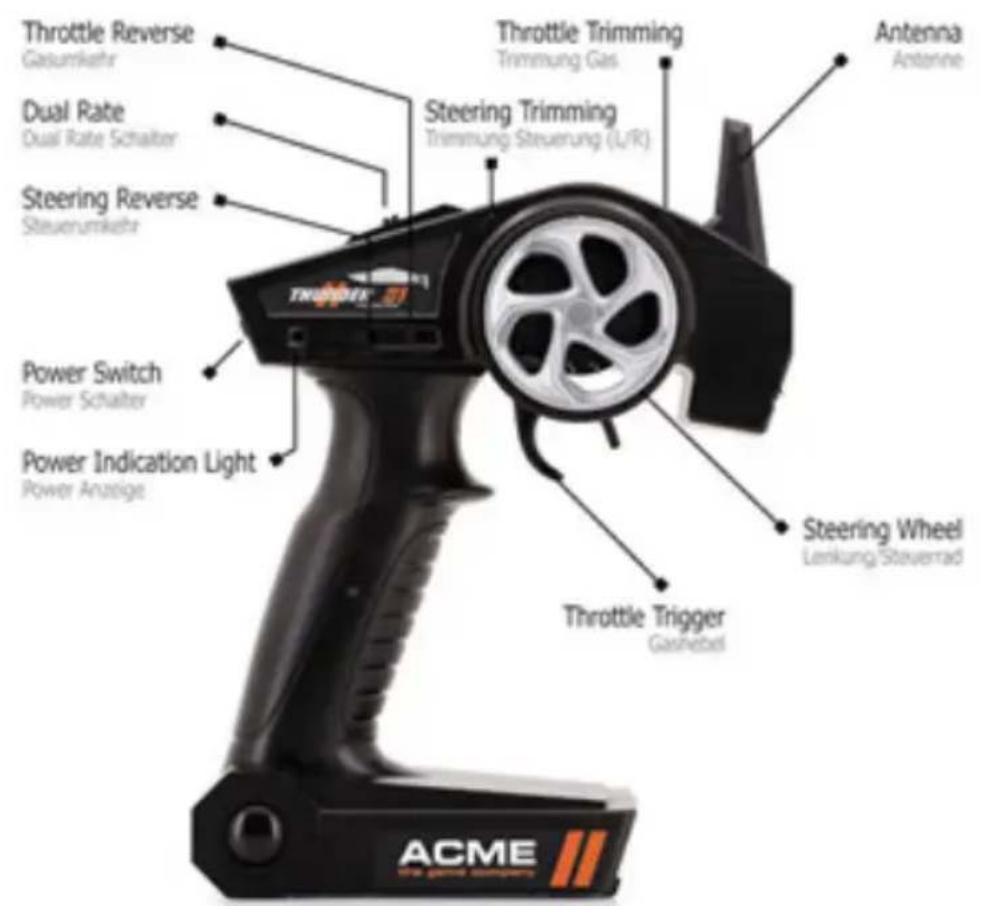
Steering
Acceleration
To drive forward, pull the trigger/gas lever into your direction. The stronger you pull, the faster it runs. The model has no reverse gear!
Directions
To drive to the right, turn the wheel forward (clockwise).
To drive left, turn the wheel backwards (counterclockwise).
Break
Stop the boat by pushing the trigger forwards.
Alternate control
If you prefer an alternate control of the direction commands, you can use the switch ST.REV.
The function of the wheel is then reversed, meaning the boat is driving to the left when moving the wheel forwards and driving to the right when moving the wheel backwards.
Rudder deflection
If you like to modify the rudder deflection, you can use the Dual rate switch that is located on the upper Side. Please note: The lower the deflection is, the lower the boats latitude will be. As a beginner, you can reduce the rate to slowly test the boat. You can higher the rate by turning the switch to front (7:3).
Direction- and gas trims
To fine- adjust the L/R- movements, put the wheel into neutral position and push ST.TRIM. Pushing it down modifies the left- movements, pushing it up adjusts the right- movements. You can set the gas trims with TH.TRIM. Put the trigger into neutral position and use the TH.TRIM switch accordingly.
Trouble shooting and Solution
| Error | Source | Solution |
| The boat does not react on commands by the controller | Batteries are not inserted correctly. | Check the battery case |
| Batteries are empty | Replace these | |
| The battery of the model is empty | Recharge the battery | |
| The boat makes strange sounds | The propeller is damaged Check if the propeller is fixed firmly | |
| The controller has no connection to the boat | Weak battery | Recharge it |
| Controller batteries are empty | Replace these | |
| Battery is defective | Replace the boat battery | |
| The model is out of range | Remove it from the water and restart it | |
| The boat seems to be sinking/ sucks water | The cockpit does not fit correctly/is not secured correctly | Reclose the cockpit |
| The battery is placed too far at the front | Correct the battery position inside the boat | |
| The motor overheats The cooling system is blocked Clean the cooling system | ||
| The motor does not run The motor is wasted The motor needs to be replaced | ||
You can contact us if you have any further problems! Our details are quoted on the next page below "Service & Support".
Spares and Accessories
| ZA0100-A zoppa Thunder #01 Battery 7.4V |
| ZA0100-B zoppa Thunder #01 Spare Propeller |
| ZA0100-C zoppa Thunder #01 USB-Charging Cable |
| FCHD43 USB Power Adaptor |
Warranty
The consumer is without prejudice to any claim against the seller granted a guarantee to the following conditions:
» New devices and their components exhibiting defects within 24 months from the purchase due to manufacturing and / or material faults, are ACME the game company at its option, reflecting the current state of the art
Exchanged or repaired free device. For wear parts (eg batteries, motors, etc.), this warranty is valid for 3 months from purchase.
This warranty does not apply if the device defect is due to improper treatment and / or failure to comply with these instructions.
"This warranty does not extend to self- paid by the customer services.
» Warranty claims are to make immediate payment of the Guarantee case.
" Ownership of devices or components that are returned to ACME the game company as part of the exchange, shall become the property of ACME the game company.
» By services rendered under warranty, the warranty period is not extended.
"So far there is no warranty case to ACME the game company reserves the right to charge the customer for replacement, repair, or shipping costs. The customer will be informed in advance.
Damages resulting from mechanical influences are not covered under warranty.
Service & Support
ACME the game company GmbH
Boikweg 24
33129 Delbruck
Germany
Copyright 2016 ACME the game company GmbH
Conseil de sécurité
Avertissements:
ACME the game company GmbH
Boikweg 24
33129 Delbruck
Germany