7064 - Dehumidifier BONECO - Free user manual and instructions
Find the device manual for free 7064 BONECO in PDF.
| Product type | Dehumidifier |
| Brand | BONECO |
| Model | 7064 |
| Dimensions (W x D x H) | 310 x 230 x 535 mm |
| Weight | 11.6 kg |
| Power supply | 220-240 V / 50 Hz |
| Power consumption | 360 W |
| Dehumidification capacity | 18 L/day (at 30°C, 80% RH) |
| Water tank | 2.7 L |
| Refrigerant | R134A (160 g) |
| Air filter | Washable |
| Main functions | 24h timer, humidity setting 40-80%, 2 fan speeds, automatic defrost |
| Continuous drainage | Possible with hose (outer diam. 14 mm, inner 10 mm) |
| Safety | Automatic shut-off when tank full, temperature protection 5-35°C |
| Maintenance and cleaning | Clean the filter with warm water, do not use solvents |
| Storage | Empty the tank, clean the filter, store in a cool, dry place |
Frequently Asked Questions - 7064 BONECO
User questions about 7064 BONECO
0 question about this device. Answer the ones you know or ask your own.
Ask a new question about this device
Download the instructions for your Dehumidifier in PDF format for free! Find your manual 7064 - BONECO and take your electronic device back in hand. On this page are published all the documents necessary for the use of your device. 7064 by BONECO.
USER MANUAL 7064 BONECO

natural_image
Line drawing of a portable air purifier unit (no text or symbols)
text_image
BONECOBONECO D7064
| This product contains fluorinated gases covered by the Kyoto Protocol |
| Chemical Name of the Gas R134A |
| Global Warming Potential (GWP) of the Gas 1300 |
Instructions for use (13 - 20)
natural_image
Line drawing of a basin with a water-filled container and a handle, no text or symbols present
text_image
7
text_image
2
natural_image
Diagram of a device with scissors and a tool, no text or symbols present
natural_image
Diagram showing a portable air purifier connected to a door with a cross mark, no text or symbols present
text_image
3
natural_image
Diagram of a device with a cross mark and a label '6' (no text or symbols on the device itself)
natural_image
Line drawing of a rectangular electronic device with a cross mark symbol overlay (no text or symbols present)Aufstellung
text_image
Diagram showing a hand cleaning a chemical reactor with an AC acid container, indicating chemical protection or disinfection.11

natural_image
Line drawing of a washing machine with a vertical panel and upward arrow indicating motion (no text or symbols)12

natural_image
Line drawing of a washing machine with a downward arrow indicating a drop (no text or symbols present)natural_image
Line drawing of a portable air conditioner unit with cooling fan and door (no text or symbols)14

natural_image
Technical line drawing of a mechanical component with motion lines indicating movement (no text or symbols)15

natural_image
Technical line drawing of a device with a magnified inset showing internal components (no text or symbols)Instructions for use
en
Preface
We would like to congratulate you on your decision to purchase a BONECO D7064 dehumidifier. If the relative humidity is too high, the air in a room cannot absorb the moisture in it. The result is that it condenses on cold surfaces (windows, badly insulated walls) or household objects.
The consequences are:
- Mildew/fungi
- Stains
- Corrosion
- Polluted air
The possible effects of fungi on health vary from problems with breathing, allergy reactions and irritated eyes to stomach complaints.
Tips for your health
The use of a dehumidifier does not replace the need to air a room regularly. The dehumidifier may absorb the excess moisture but it cannot remove harmful substances. If you think that your health complaints are connected with influences in living or working areas, you should undergo a full health examination and have yourself specially tested for the presence of harmful substances in your body. Depending on the diagnosis, it is advisable to have a biological test carried out on the areas.
Important safety directions
- Carefully read the safety directions before using and maintaining your product.
- Remove all packaging material from the appliance. Ensure that it does not come into the vicinity of babies or small children, thus preventing the danger of suffocation.
- Before you connect the appliance to the power supply, you should check whether the voltage is within the limits indicated on the type plate.
- The dehumidifier may only be used for the ends for which it was developed. PLASTON is not liable for damage arising from inappropriate use.
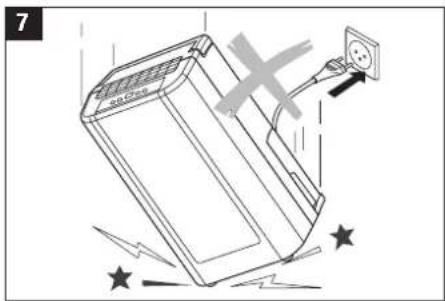
- The dehumidifier is a safe appliance. But you should, in common with other electrical appliances, always use it with care.
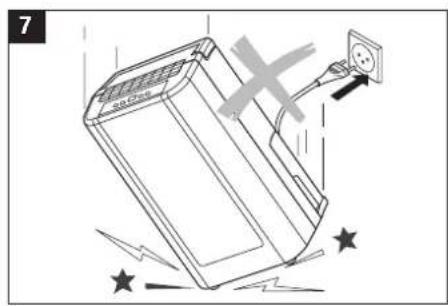
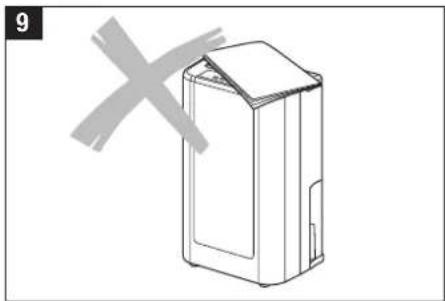
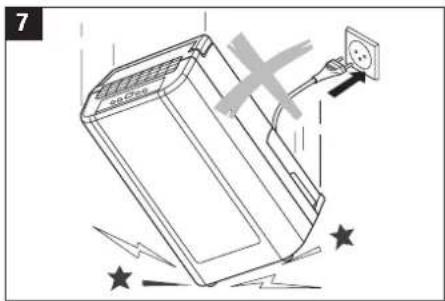
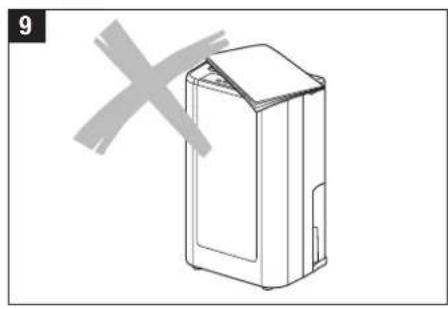
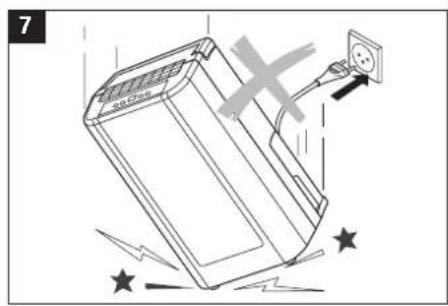
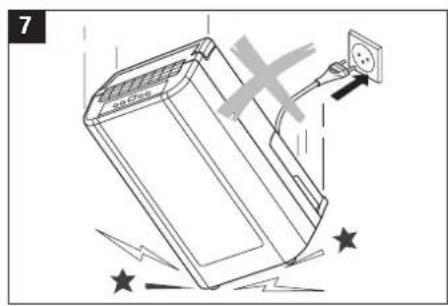
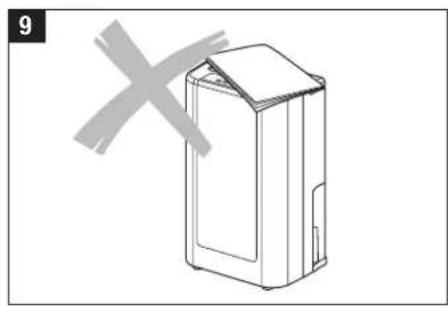
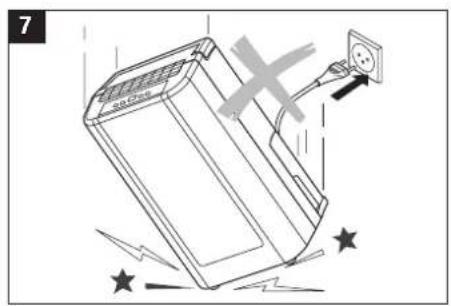
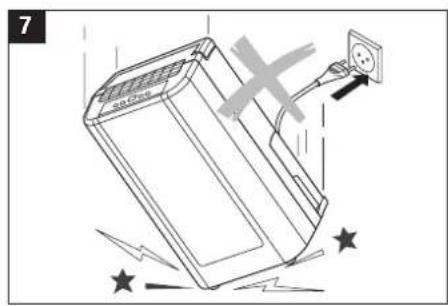
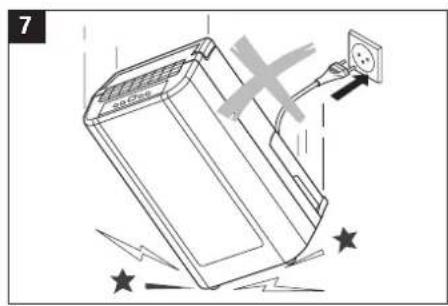
- Before turning on the appliance for the first time, you should ensure that it has been upright for at least 2 hours prior to operation.

This appliance may not be used in temperatures lower than 5 °C.
Important!
- The appliance has been designed for indoor use.
- Voltage: This appliance must be connected to an earthed socket with 220 – 240 V / 50Hz.
- The use of the appliance must meet the directives of the country in which it is used. If you are not sure whether the power socket is suitable, have it checked and, where necessary, adapted by a certified electrician.
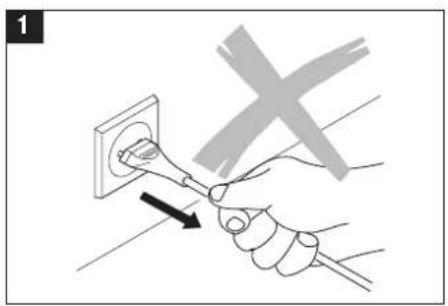
- Remove the plug from the socket when the appliance is not in use. Never remove the plug by pulling on the lead (1).
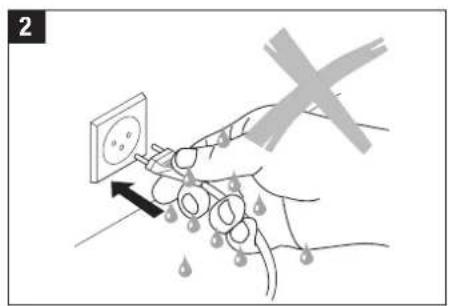
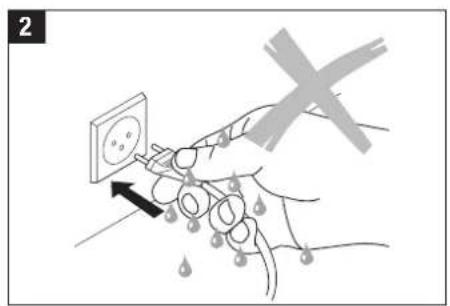
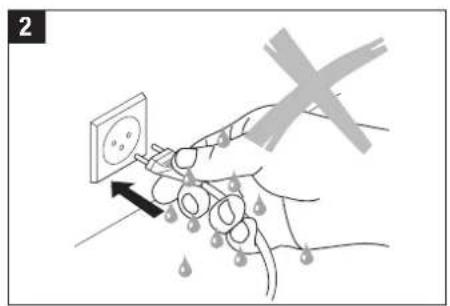
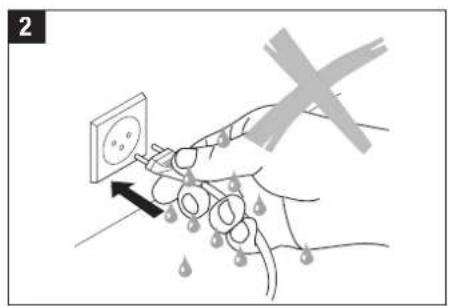
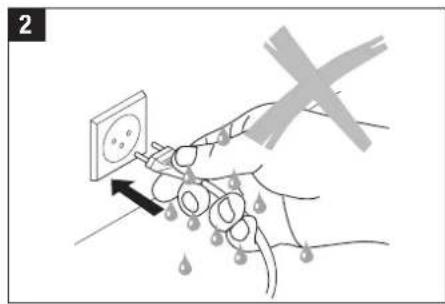
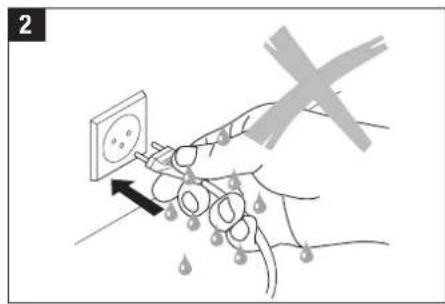
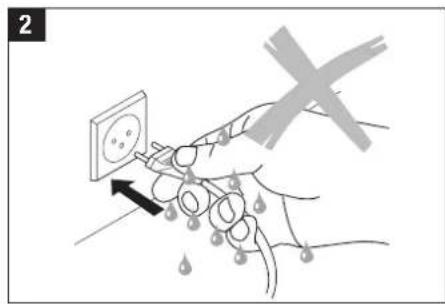
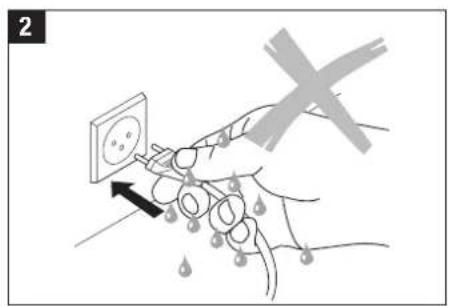
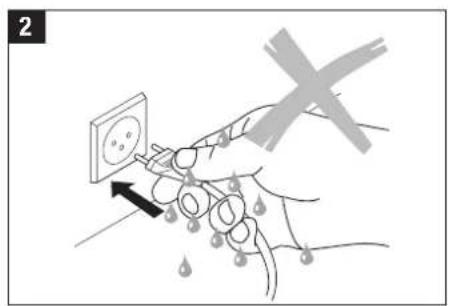
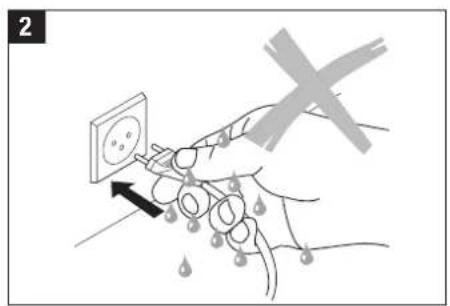
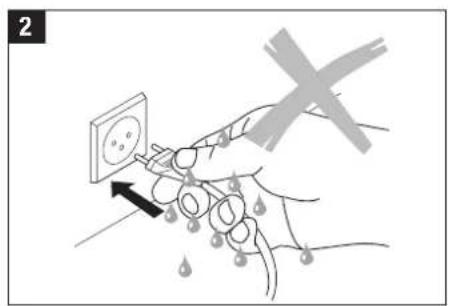
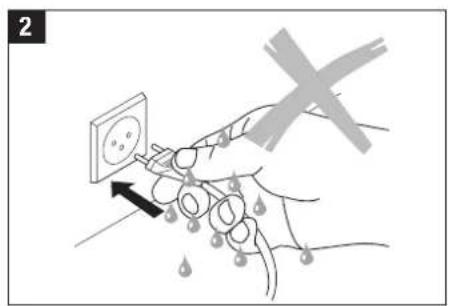
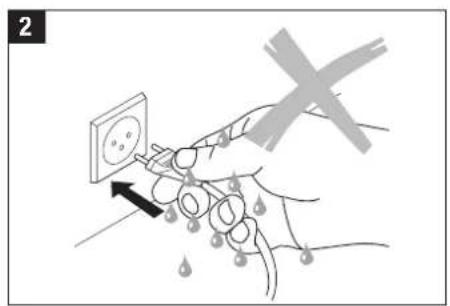
- Do not operate the appliance with wet hands (2).
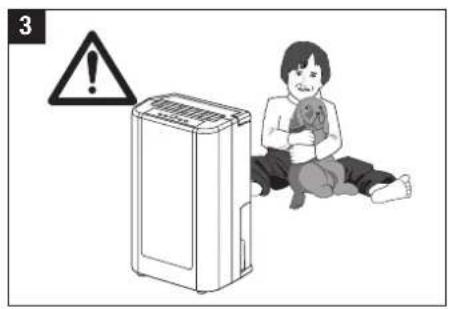
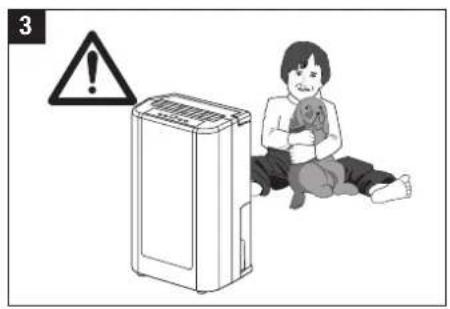
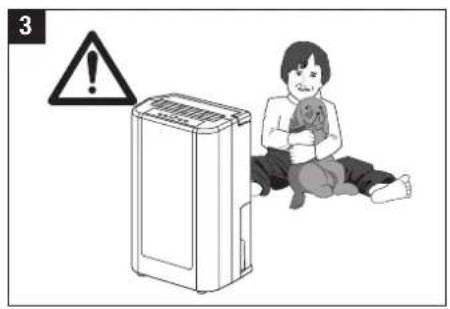
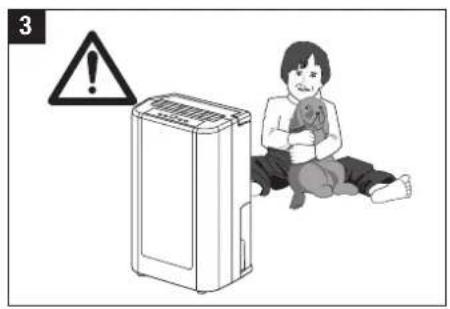
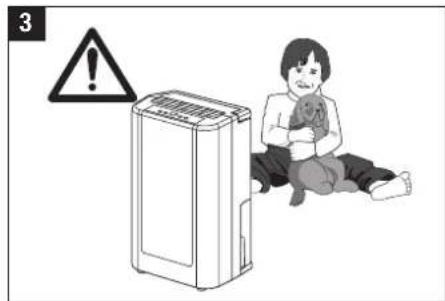
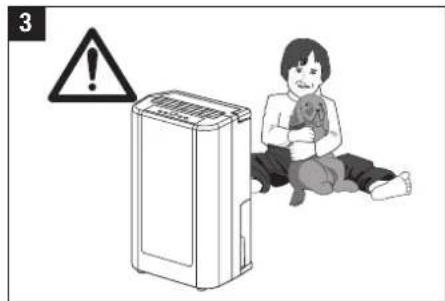
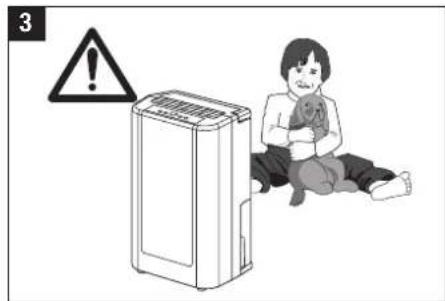
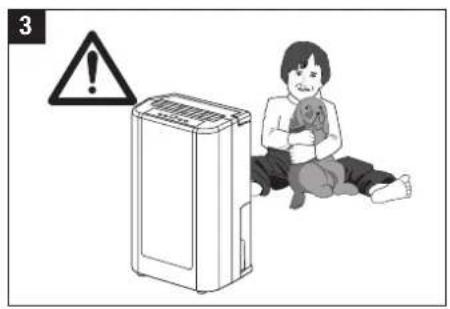
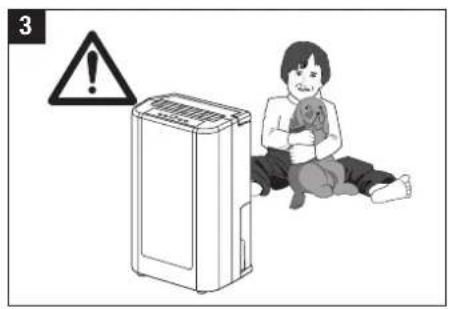
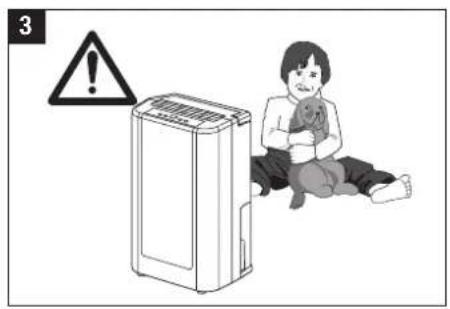
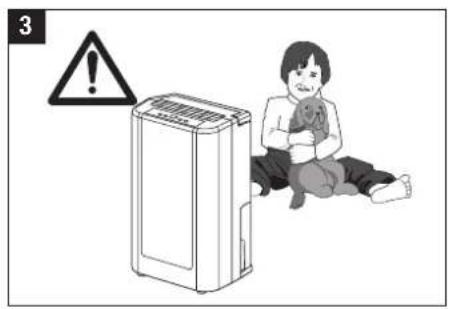
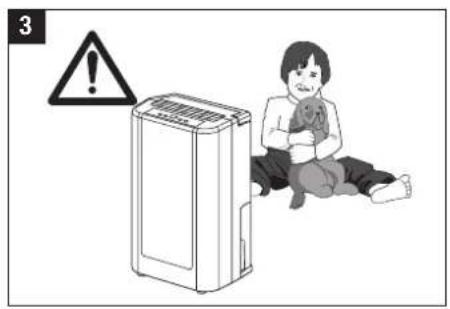
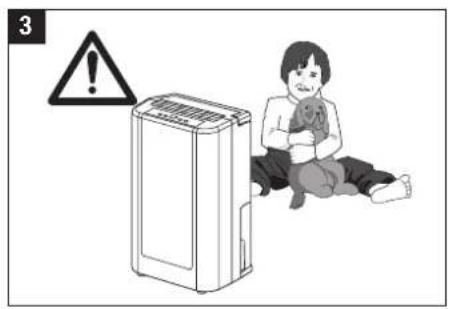
- Do not allow children in the vicinity of the appliance (3).
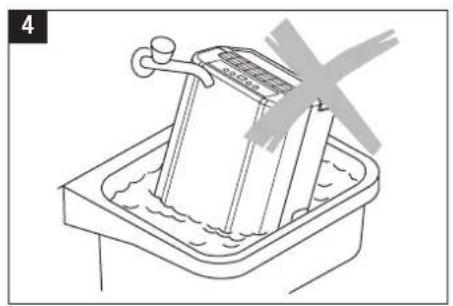
- Do not clean the appliance with water nor immerse it in water (4).
- Remove the plug from the socket before cleaning the appliance or parts of the appliance.
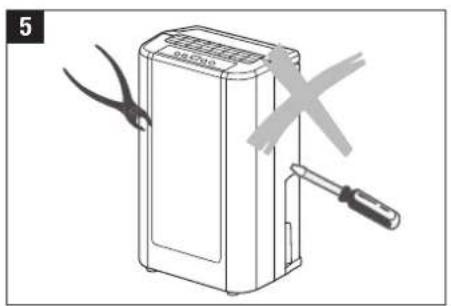
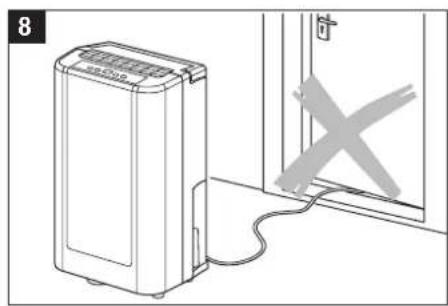
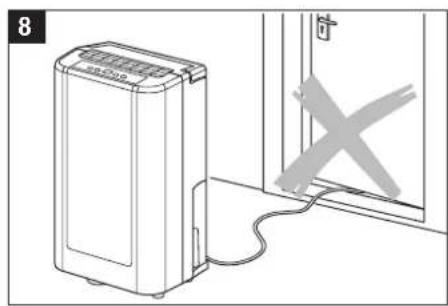
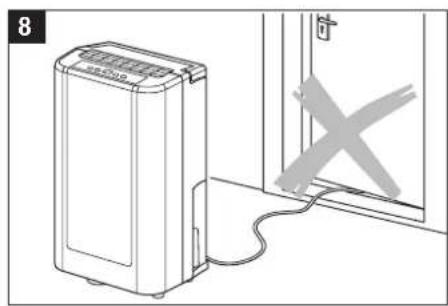
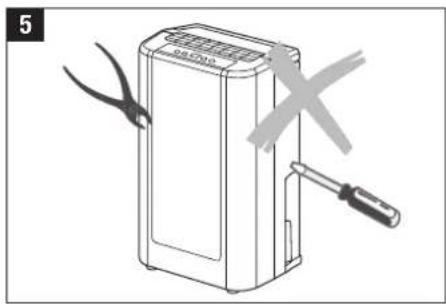
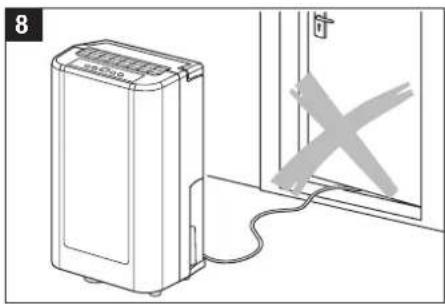
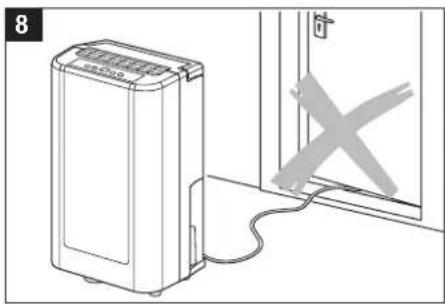
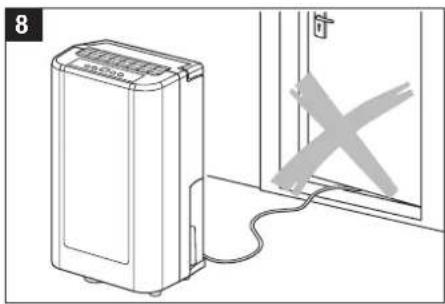
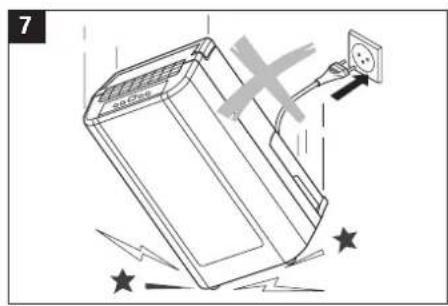
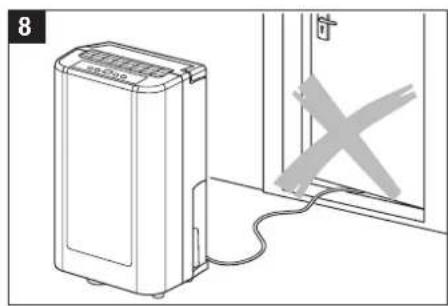
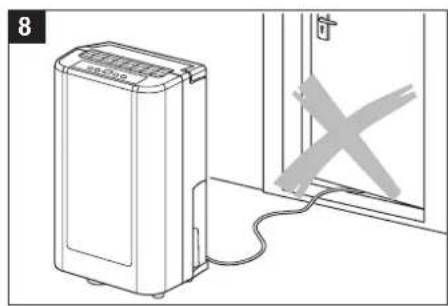
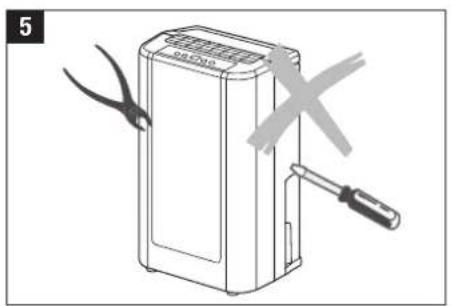
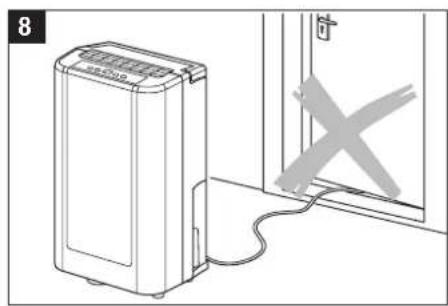
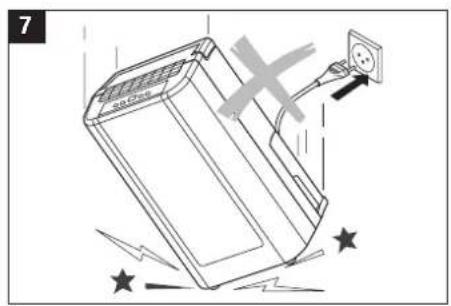
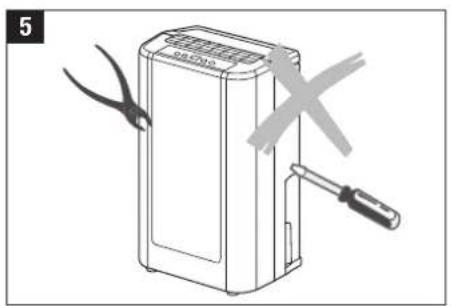
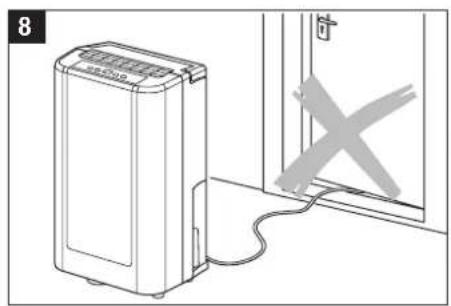
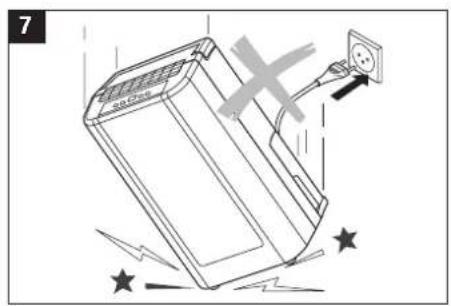
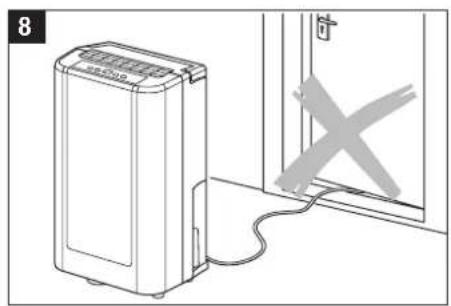
- Do not connect the appliance with an extension cable. If there is no socket in the vicinity, you should have a new socket installed by a qualified electrician. If the electrical lead is damaged, you should have this replaced by a recognised representative of customer service or a person similarly qualified, in order to prevent the chance of injury.

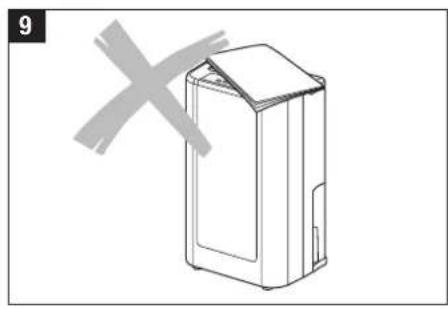
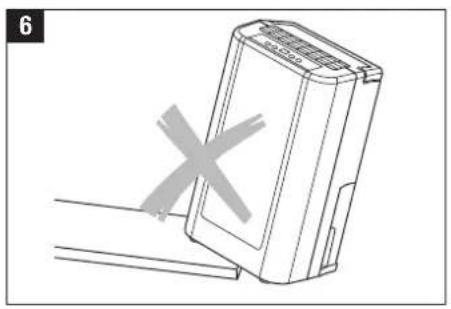
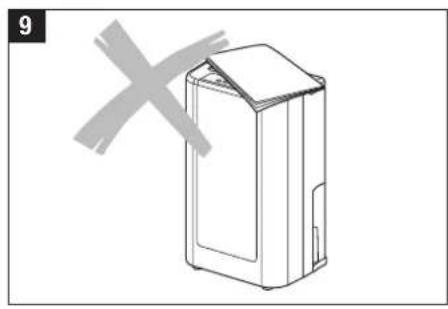
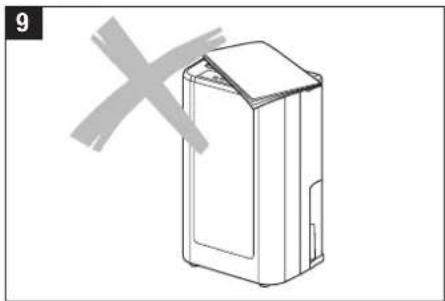
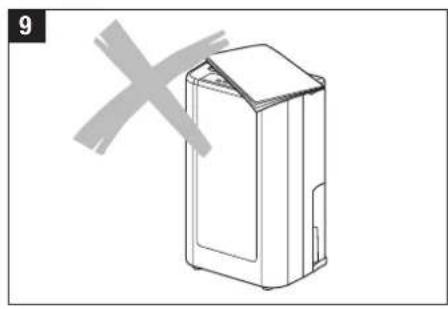
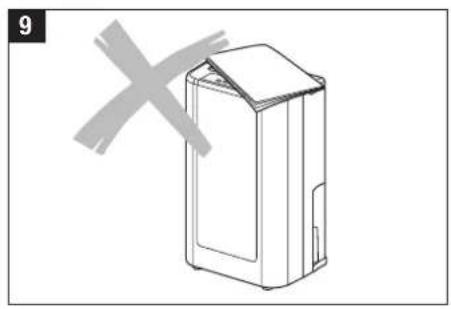
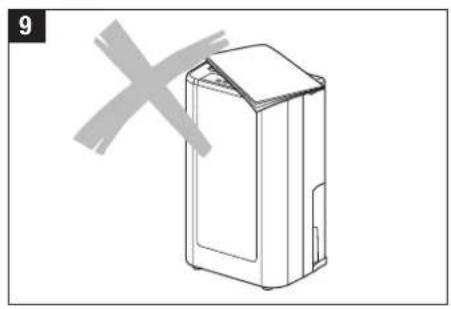
Do not use the dehumidifier in the following circumstances:
text_image
1
natural_image
Line drawing of a basin with a water-filled basin and a handle, no text or symbols present
text_image
7
text_image
2
natural_image
Illustration of a device with scissors and a tool, no text or symbols present
natural_image
Diagram showing a device connected to a door with a crossed-out X mark (no text or symbols present)
text_image
3
natural_image
Diagram of a device with a cross mark and a label '6' (no text or symbols on the device itself)
natural_image
Line drawing of a rectangular electronic device with a cross mark symbol on the left side (no text or labels)Installation
- Once you have switched on your appliance, the BONECO dehumidifier protects your home from the damaging effects of high humidity.
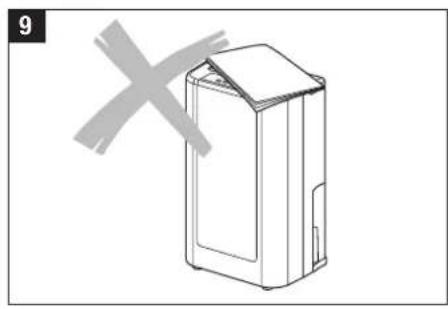
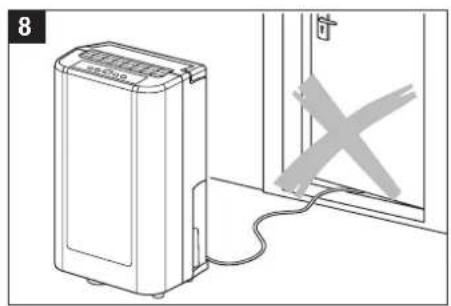
- Surplus moisture spreads through your house in the same way as cooking smells. For this reason, the dehumidifier should be place in a central and easily accessible position, so that it can remove the moist air from all areas within the house. A heated hall or landing is an ideal place for the dehumidifier. If possible, the doors inside the house should be left open to allow air circulation.
- If you have a special moisture problem in a particular room, you can first place the dehumidifier there and later place it in a more central position.
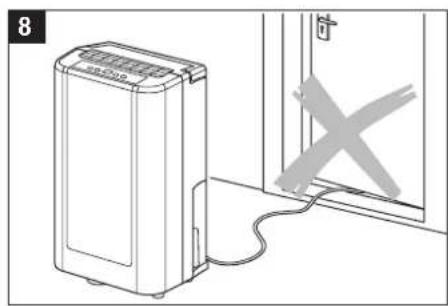
- When the dehumidifier is operating, outside doors and windows should be kept closed so that the appliance can operate effectively. Make sure that the appliance is not situated directly next to a radiator or other source of heat.
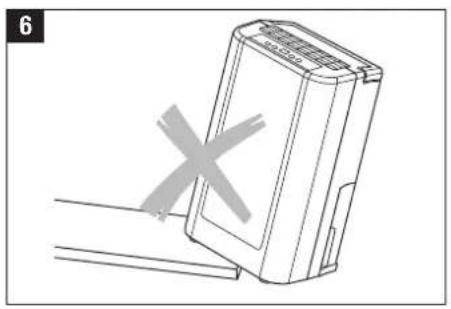
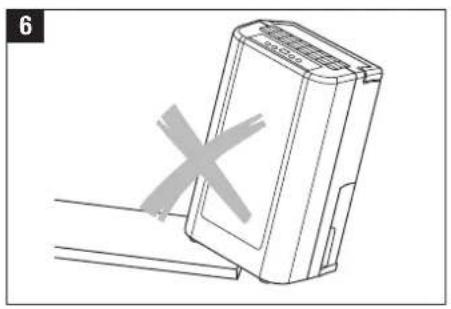
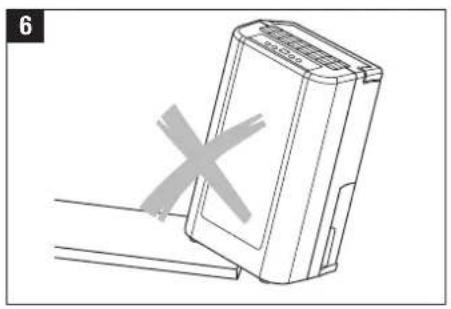
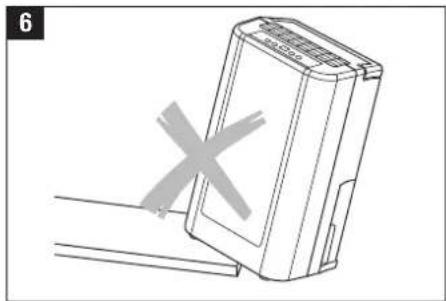
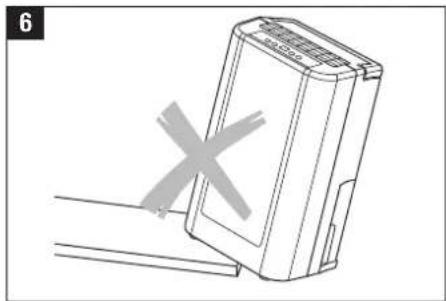
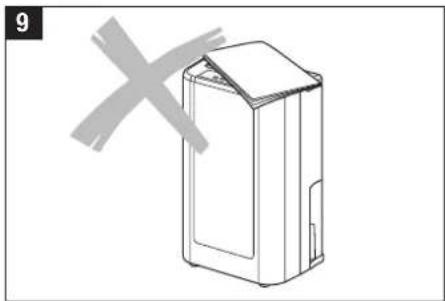
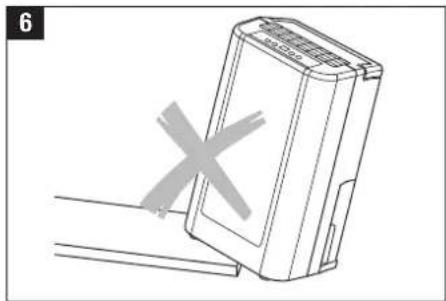
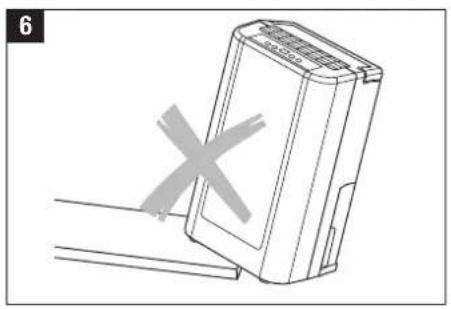
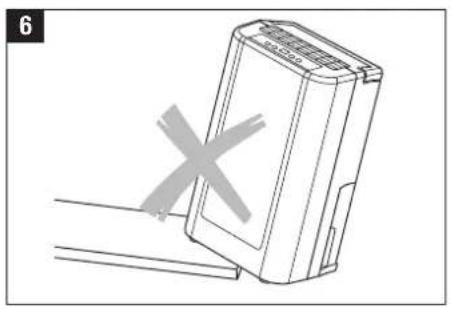
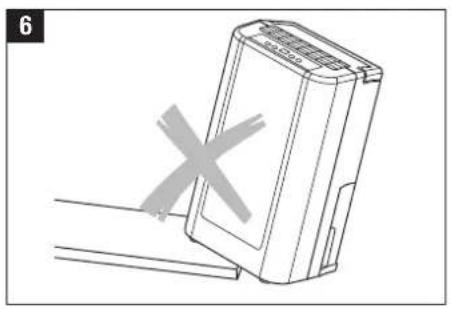
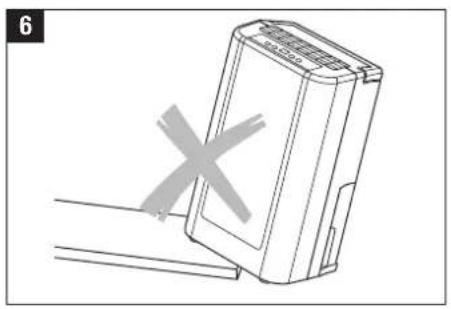
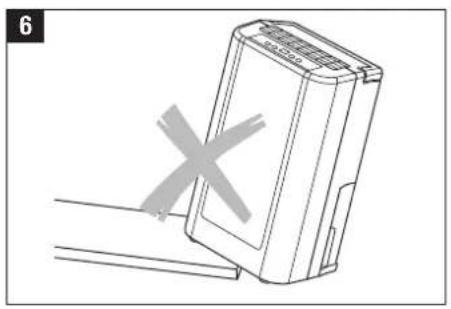
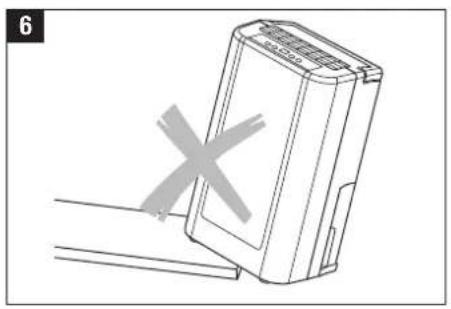
- When situating the BONECO dehumidifier, make sure that the place chosen is level and that it is sufficiently far from interior objects to allow air to circulate freely.
- Before moving the appliance, it should be switched off and the water reservoir should be emptied.

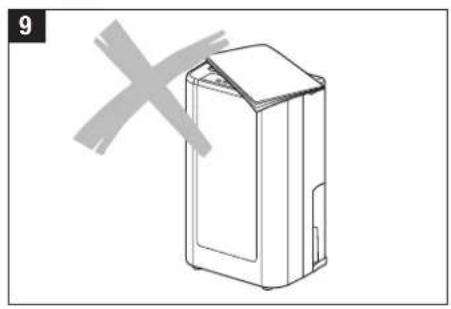
Make sure that there is a distance of 0.2 metres between the appliance and all flammable materials.
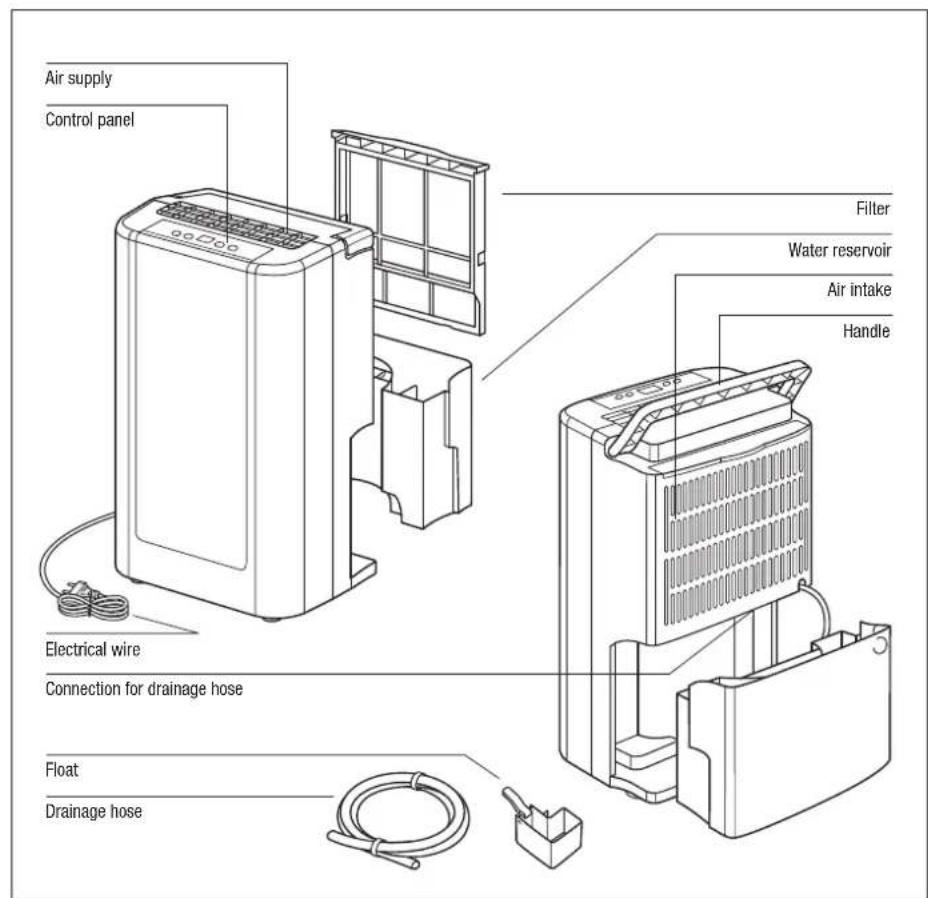
Description of the appliance
text_image
Air supply Control panel Electrical wire Connection for drainage hose Float Drainage hose Filter Water reservoir Air intake HandleOperation
Switching the appliance on and off (ON/OFF)
When the appliance is connected to the power supply, a signal is heard and the display indicates the current level of humidity in the area. Press the ON/OFF switch (A) once to turn the appliance on. It operates with the preset humidity level of 60% and with a low fan speed; LEDs [2] and [6] will light up. If the switch is pressed again, the appliance is switched off.
Setting the timer switch (TIMER)
The timer switch (B) turns the appliance automatically on and off in a period of 24 hours. If the timer is activated, LED [3] will light up.
Setting the timer to switch the appliance on – appliance is switched off
With the appliance connected to the power supply, but not switched on, press the TIMER switch (B) several times until the time [4] is indicated when the appliance must be switched on.
Setting the timer to switch the appliance off – appliance is operating
With the appliance operating, press the TIMER switch (B) several times until the time is indicated when the appliance must switch off.
Deleting the settings of the timer
To delete the settings of the timer, keep the TIMER switch (B) depressed until the timer indicates 00. LED [3] will go out.
Setting the humidity
In this appliance, the humidity can be set between 40% and 80%. Press the humidity switch (C) several times until the desired humidity level is shown (the humidity can be set in steps of 5%). The display shows the various stages of humidity in the following sequence: 60, 65...80, 40, 45...60. LED [5] will light up during adjustment. When the dehumidifier is operating, LED [2] will light up. If the humidity in the area is lower than the set humidity, the appliance will automatically switch off the humidity function. In that case, only the fan will operate.
Press the switch for fan speed (D) to set the fan speed. LED [6] lights up at low speed and LED [7] at high fan speed.
Automatic defrosting
If the ambient temperature is between 5 °C and 12 °C, the appliance will automatically switch off every 30 minutes to defrost; between 12 °C and 20 °C, the appliance switches off every 45 minutes.

flowchart
graph TD
A["7"] --> B["6"]
B --> C["5"]
C --> D["8.8"]
D --> E["34"]
E --> F[" "]
F --> G[" "]
G --> H[" "]
H --> I[" "]
I --> J[" "]
J --> K[" "]
K --> L[" "]
L --> M[" "]
M --> N[" "]
N --> O[" "]
O --> P[" "]
P --> Q[" "]
Q --> R[" "]
R --> S[" "]
S --> T[" "]
T --> U[" "]
U --> V[" "]
V --> W[" "]
W --> X[" "]
X --> Y[" "]
Y --> Z[" "]
Maintenance

Before undertaking maintenance and cleaning, always remove the plug from the socket.
Cleaning the appliance
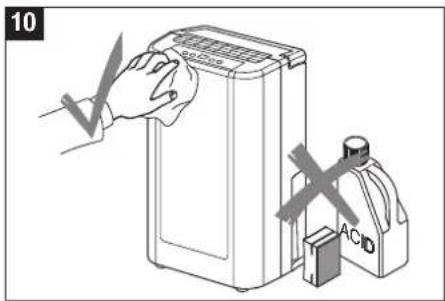
Use a soft cloth to clean the appliance. Do not use any chemical sprays, petrol, solvents, chemically treated cloths or other damaging cleaning product. These could damage the casing of the appliance.
Cleaning the washable filter
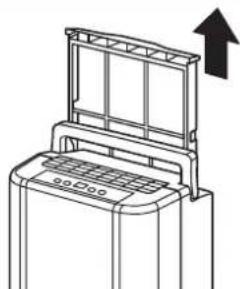
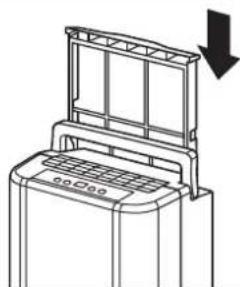
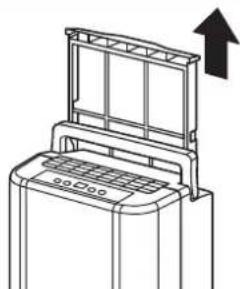
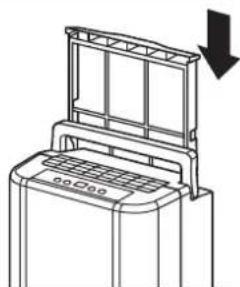
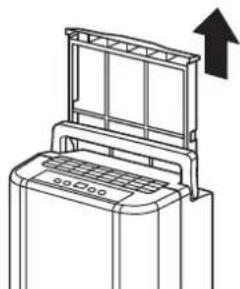
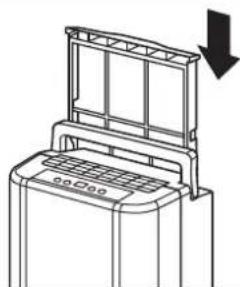
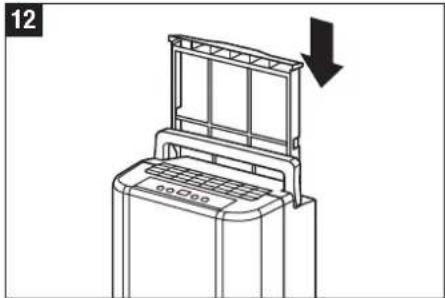
This dehumidifier is fitted with a washable filter. The filter cleans the air of most pollutants and thus ensures a less oppressive living environment. We advise you to check the filter regularly (at least once a month and after storing the appliance) and if necessary to clean it as follows:
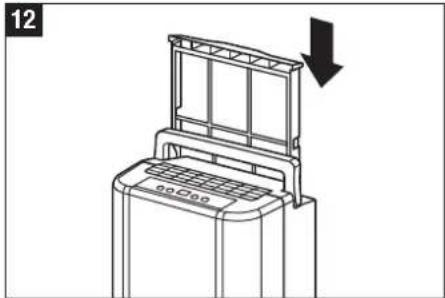
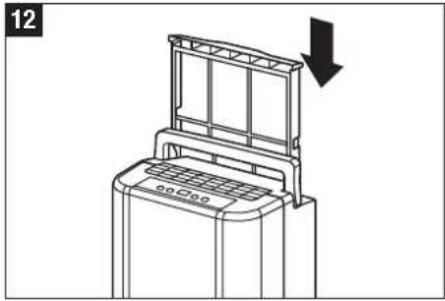
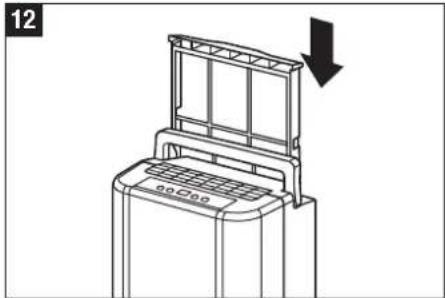
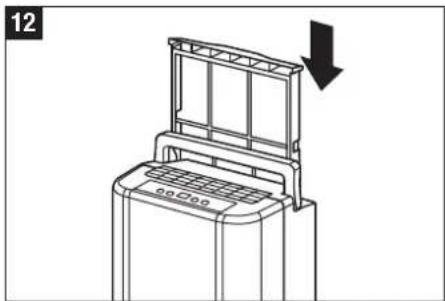
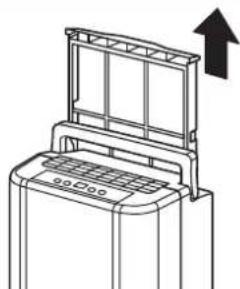
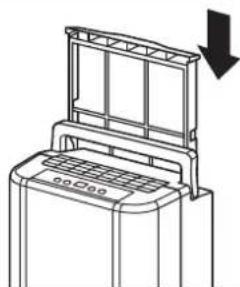
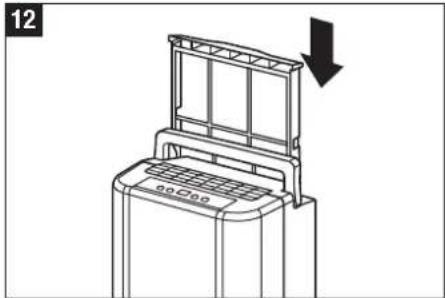
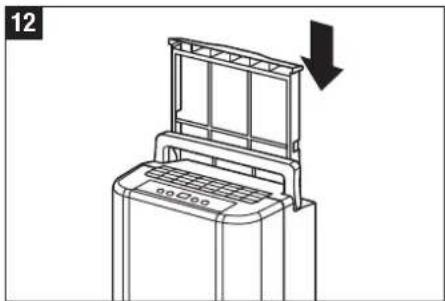
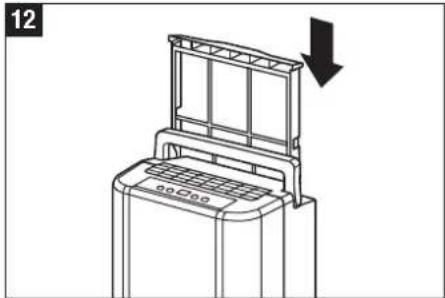
- Pull out the filter holder
- Use a vacuum cleaner or carefully wash the filter.
If the filter is partially polluted, use warm water and a mildly aggressive cleaning product. Rinse out the filter under running cold water. Make sure the filter is completely dry before replacing it. Never expose the filter to sunlight or other direct heat sources. This could result in the filter and frame buckling.
Storage

If you do not intend to use the appliance for a lengthy period and wish to store it, you should take the following precautions:
- Completely empty the water reservoir.
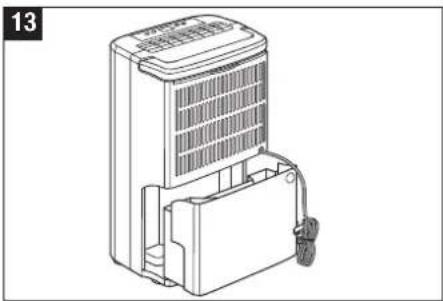
- Roll up the electrical wire and place it in the water reservoir.
- Clean the air filter.
- Store the appliance in a dry, cool place.
text_image
10 ACO₄
natural_image
Line drawing of a washing machine with an upward arrow indicating motion (no text or symbols)
natural_image
Line drawing of a mechanical device with a downward arrow indicating motion (no text or symbols)Emptying the water reservoir
When the water reservoir is full, the appliance automatically switches itself off and a signal is sounded, consisting of 15 tones. LED [1] lights up and signals that the water reservoir is full. The water reservoir should be emptied as follows:
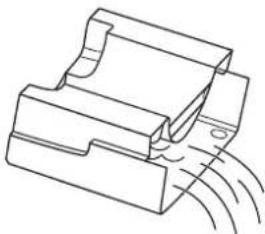
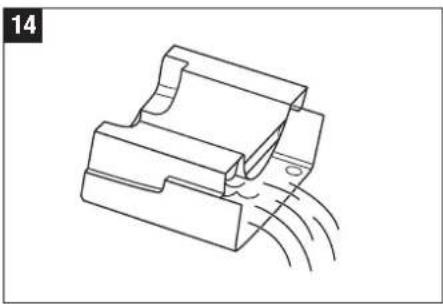
- Using both hands, push gently against the sides of the reservoir and carefully pull it out.
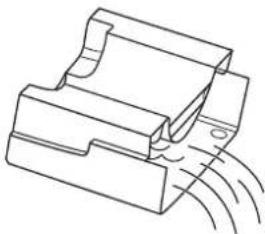
- Pour away the water and carefully replace the reservoir. The LED goes out.
Directions:
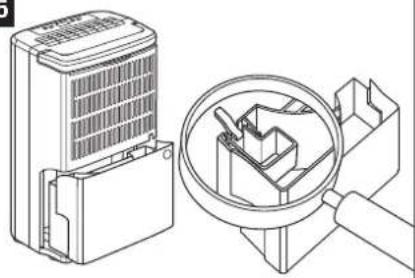
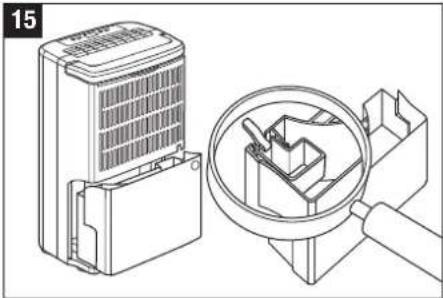
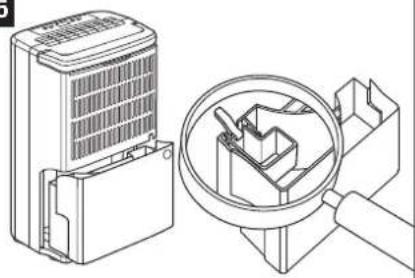
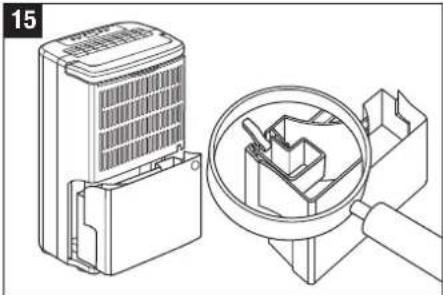
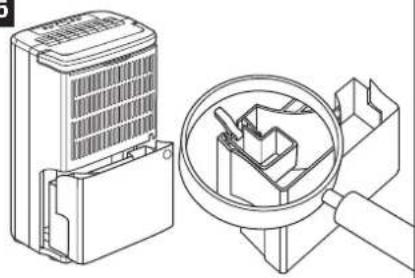
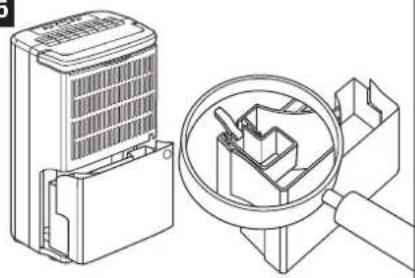
- Do not remove the float from the water reservoir. The sensor that measures the water level in the reservoir will not work correctly without float. If that happens, the reservoir could leak water.
- If the water reservoir becomes dirty, you can clean it with cold or lukewarm water. Do not use cleaning or scouring products, chemically treated cloths, petrol, thinner or other solvents, as these can scratch or damage the reservoir which can lead to it leaking water.
- When replacing the water reservoir, push it firmly using both hands into the correct position. If the reservoir is not replaced correctly, the sensor will continue to show «RESERVOIR FULL» and the dehumidifier cannot be turned on.
natural_image
Line drawing of a portable air purifier unit with cooling fan and wheels (no text or symbols)
natural_image
Technical line drawing of a mechanical component with motion lines indicating movement (no text or symbols)
natural_image
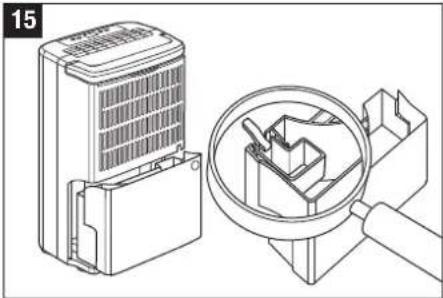
Technical illustration of a device with a magnified inset showing internal components (no text or symbols)Permanent water drainage
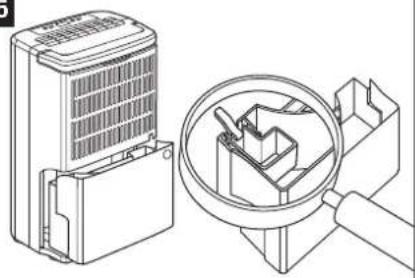
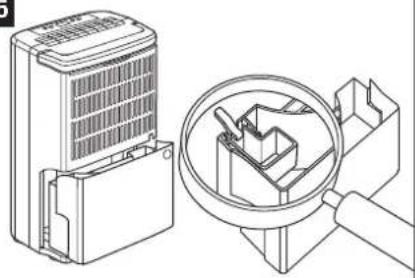
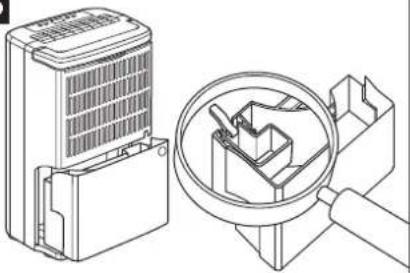
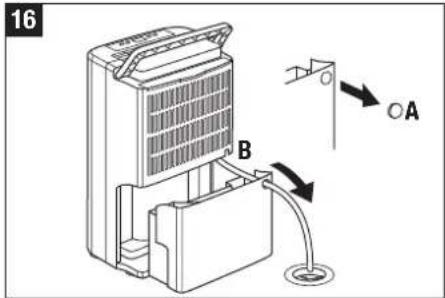
To allow the dehumidifier to operate with continuous water drainage, the following measures should be taken (see illustration):
- Turn off the appliance and remove the plug from the socket.
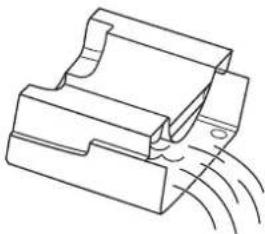
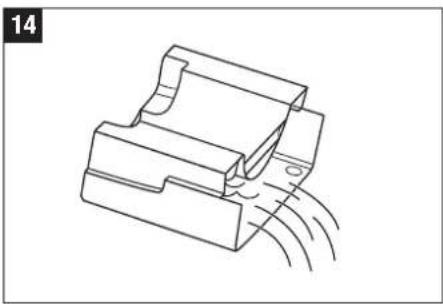
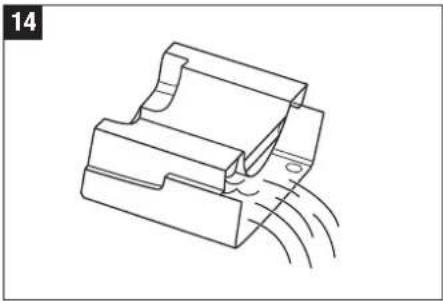
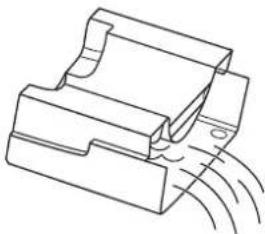
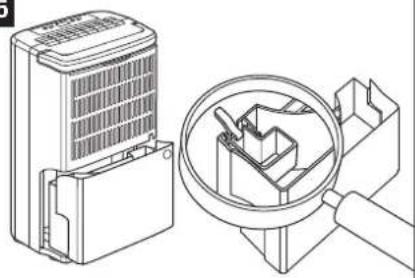
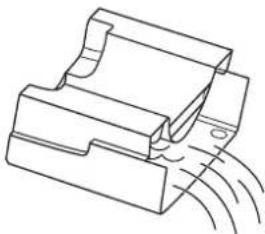
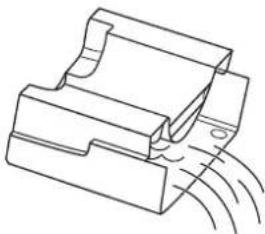
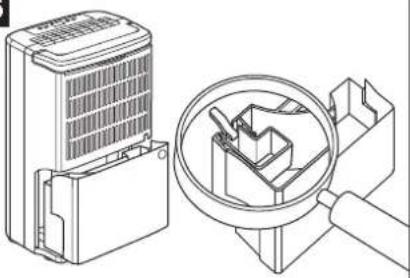
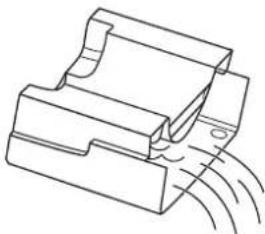
- Open the hole for the water drainage pipe in the water reservoir (by removing part A).
- Push a water hose (outer diameter 14 mm, inner diameter 10 mm) through the hole and connect the hose to the water draining connection (part B).
- Place the end of the hose in the drain. Make sure the hose is not folded and is laying straight.

When using permanent drainage, the water reservoir must remain in place.
text_image
16 B ○ATechnical data
| Voltage supply | 220 - 240 V / 50 Hz |
| Power consumption | 360 W |
| Dehumidifying power (at 30 °C, 80% RH) | 18 lit/day |
| Water reservoir | 2.7 l |
| Coolant | R134A |
| Coolant amount | 160 g |
| Dimensions (l x w x h) | 310 x 230 x 535 mm |
| Weight | 11.6 kg |
Don't forget
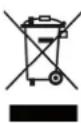
Discarded electrical appliances may never be placed with normal household refuse. Bring this product to the local refuse collection place, so that it can be disposed in a proper manner.
Trouble shooting
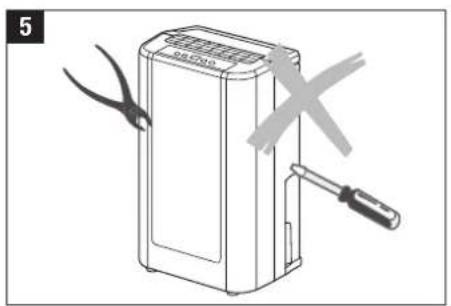
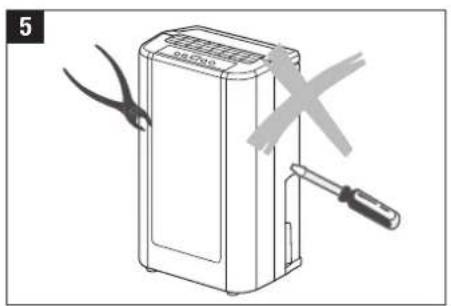
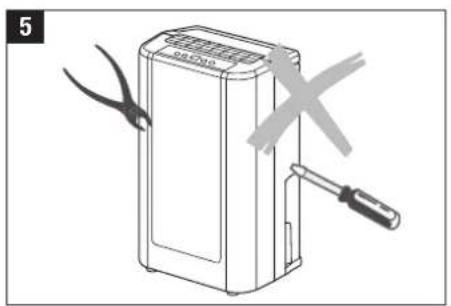
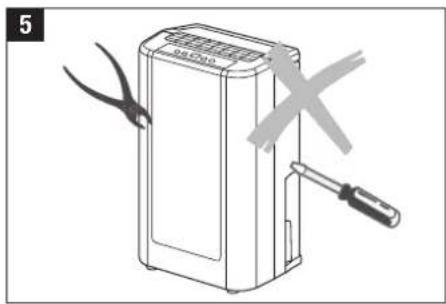
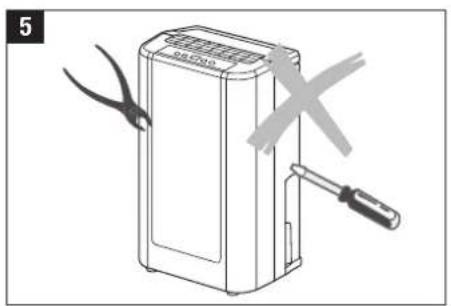
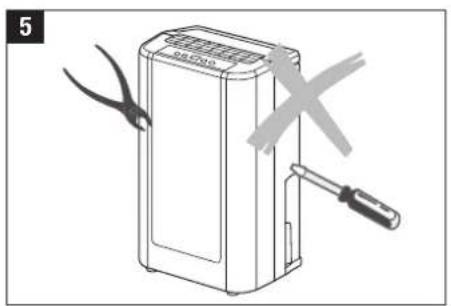
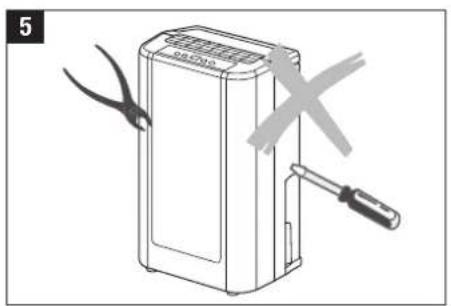
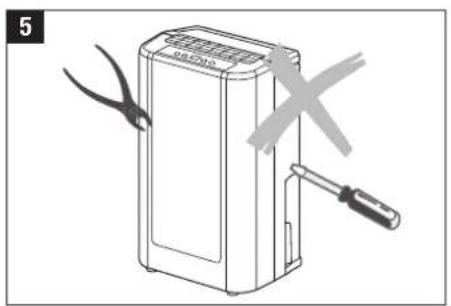
Do not try to repair or dismantle the appliance yourself. Before calling in a repairman, check the following points:
| Problem Possible cause Solution |
| The appliance isn't working. The plug is not in the power socket. Plug in the appliance to the power socket. |
| The warning lamp that indicates that the water Empty the water reservoir and replace it.reservoir is full is flashing. |
| The ambient temperature is above 35 °C or The fuse has been activated and this ensuresbelow 5 °C. that the appliance cannot be started. |
| The dehumidifying does not work. The air filter is blocked. Clean the air filter as directed under«Maintenance». |
| The air intake or outlet is blocked. Remove the blockage in the air intake oroutlet. |
| No air is being circulated. The air filter is blocked. Clean the air filter as directed under«Maintenance». |
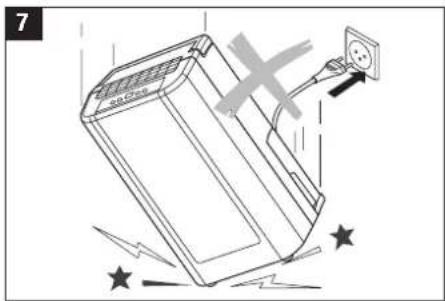
| The appliance is making a noise. The appliance is in an unsafe place or is Place the appliance in a firm, safe place.unstable. |
| The air filter is blocked. Clean the air filter as directed under«Maintenance». |
natural_image
Line drawing of a water basin with a valve and a cross mark, no text or symbols present
text_image
7
text_image
2
natural_image
Diagram of a device with scissors and a tool, no text or symbols present
natural_image
Diagram showing a device connected to a door with a warning symbol (no text or labels present)
text_image
3
natural_image
Diagram of a device with a cross mark and a label '6' (no text or symbols on the device itself)
natural_image
Line drawing of a rectangular electronic device with a cross mark symbol overlay (no text or symbols present)Installation
natural_image
Line drawing of a washing machine with an upward arrow indicating motion (no text or symbols)
natural_image
Line drawing of a mechanical device with a downward arrow indicating motion (no text or symbols)natural_image
Line drawing of a water basin with a container and pipe, no text or symbols present
text_image
7
text_image
2
natural_image
Diagram of a device with scissors and a tool, no text or symbols present
natural_image
Diagram showing a portable air purifier connected to a door with a cross mark (no text or symbols)
text_image
3
natural_image
Diagram of a device with a cross mark and a label '6' (no text or symbols on the device itself)
natural_image
Line drawing of a rectangular electronic device with a cross mark symbol overlay (no text or symbols present)Posizionamento
natural_image
Line drawing of a mechanical device with an upward arrow indicating motion (no text or symbols)
natural_image
Line drawing of a mechanical device with a downward arrow indicating motion (no text or symbols)natural_image
Line drawing of a portable air purifier unit with cooling fins and a door handle (no text or symbols)14

natural_image
Technical line drawing of a mechanical component with motion arrows indicating movement (no text or symbols)15

natural_image
Technical line drawing of a device with a magnified inset showing internal components (no text or symbols)text_image
Diagram of a device with labeled components A and B, showing airflow direction and connection pointsDati tecnici
natural_image
Line drawing of a mechanical device with a handle and central shaft, partially submerged in water (no text or symbols)
text_image
7
text_image
2
natural_image
Illustration of a portable electronic device with scissors and a screwdriver, no text or symbols present
natural_image
Diagram showing a device connected to a door with a crossed-out X mark (no text or symbols present)
text_image
3
natural_image
Line drawing of a device with a cross mark and a label '6' (no text or symbols on the device itself)
natural_image
Line drawing of a rectangular electronic device with a cross mark overlay (no text or symbols)Installatie
natural_image
Line drawing of a portable air conditioner unit with an upward arrow indicating motion (no text or symbols)
natural_image
Line drawing of a mechanical device with a downward arrow indicating motion (no text or symbols)natural_image
Line drawing of a portable air conditioner unit with cooling fan and wheels (no text or symbols)
natural_image
Technical line drawing of a mechanical component with motion lines indicating movement (no text or symbols)
natural_image
Technical illustration of a device with a magnified inset showing internal components (no text or symbols)Permanente waterafvoer
natural_image
Line drawing of a mechanical device with a handle and central shaft, partially submerged in water (no text or symbols)
text_image
7
text_image
2
natural_image
Illustration of a portable electronic device with scissors and a screwdriver, no text or symbols present
natural_image
Diagram showing a device connected to a door with a crossed-out X mark (no text or symbols present)
text_image
3
natural_image
Line drawing of a device with a cross mark and a label '6' (no text or symbols on the device itself)
natural_image
Line drawing of a rectangular electronic device with a cross mark overlay (no text or symbols)Instalación
natural_image
Line drawing of a washing machine with an upward arrow indicating motion (no text or symbols)
natural_image
Line drawing of a mechanical device with a downward arrow indicating motion (no text or symbols)natural_image
Line drawing of a portable air purifier unit with cooling fan and wheels (no text or symbols)
natural_image
Technical line drawing of a mechanical component with motion lines indicating movement (no text or symbols)
natural_image
Technical illustration of a device with a magnified inset showing internal components (no text or symbols)Drenaje constante
natural_image
Line drawing of a mechanical device with a handle and central shaft, partially submerged in water (no text or symbols)
text_image
7
text_image
2
natural_image
Diagram of a portable electronic device with scissors and screwdriver, no text or symbols present
natural_image
Diagram showing a device connected to a door with a warning symbol (no text or labels present)
text_image
3
natural_image
Line drawing of a device with a cross mark and a label '6' (no text or symbols on the device itself)
natural_image
Line drawing of a rectangular electronic device with a cross mark overlay (no text or symbols)Felállítás
text_image
Diagram showing a hand using a chemical filter to clean an AC acid container, with a crossed-out X symbol indicating the chemical process.11

natural_image
Line drawing of a washing machine with a vertical panel and upward arrow indicating motion (no text or symbols)12

natural_image
Line drawing of a washing machine with a downward arrow indicating a drop (no text or symbols present)natural_image
Line drawing of a portable air purifier unit with cooling fins and a door handle (no text or symbols)14

natural_image
Technical line drawing of a mechanical component with motion lines indicating movement (no text or symbols)15

natural_image
Technical line drawing of a device with a magnified inset showing internal components (no text or symbols)Vízelvezetés
natural_image
Line drawing of a water basin with a valve and a cross mark, no text or symbols present
text_image
7
text_image
2
text_image
5
natural_image
Diagram showing a device connected to a door with a crossed-out X mark (no text or symbols present)
text_image
3
natural_image
Diagram of a device with a cross mark and a label '6' (no text or symbols on the device itself)
natural_image
Line drawing of a rectangular electronic device with a cross mark symbol on the left (no text or labels)Ustawienie
text_image
Diagram showing a hand using a washing machine to clean an AC acid container, with a crossed-out X symbol indicating the chemical process.11

natural_image
Line drawing of a washing machine with a vertical panel and upward arrow indicating motion (no text or symbols)12

natural_image
Line drawing of a washing machine with a downward arrow indicating compression or clearance (no text or symbols)natural_image
Line drawing of a portable air purifier unit with cooling fins and a handle (no text or symbols)14

natural_image
Technical line drawing of a mechanical component with motion lines indicating movement (no text or symbols)15

natural_image
Technical line drawing of a device with a magnified inset showing internal components (no text or symbols)State odwadnianie
text_image
Diagram of a refrigerant unit with labeled components A and B, showing airflow direction indicated by arrows.Dane techniczne
natural_image
Line drawing of a water basin with a valve and a cross mark, no text or symbols present
text_image
7
text_image
2
natural_image
Illustration of a device with scissors and a tool, no text or symbols present
natural_image
Diagram showing a device connected to a door with a warning symbol (no text or labels present)
text_image
3
natural_image
Diagram of a device with a cross mark and a label '6' (no text or symbols on the device itself)
natural_image
Line drawing of a rectangular electronic device with a cross mark overlay (no text or symbols)Установка
text_image
Diagram showing a hand cleaning a washing machine with a hazardous waste container labeled 'ACID' and a crossed-out mark.11

natural_image
Line drawing of a washing machine with a vertical panel and upward arrow (no text or symbols)12

natural_image
Line drawing of a washing machine with a downward arrow indicating compression or cooling (no text or symbols)natural_image
Line drawing of a portable air conditioner unit with ventilation grilles and a handle (no text or symbols)14

natural_image
Technical line drawing of a mechanical component with motion arrows indicating movement (no text or symbols)15

natural_image
Technical line drawing of a mechanical device with a magnified inset showing internal components (no text or symbols)text_image
Diagram of a device with labeled components A and B, showing airflow direction and connection pointsТехническе данные
natural_image
Line drawing of a water basin with a container and pipe, no text or symbols present
text_image
7
text_image
2
natural_image
Diagram of a device with scissors and a tool, no text or symbols present
natural_image
Diagram showing a portable air purifier connected to a door with a cross mark (no text or symbols)
text_image
3
natural_image
Diagram of a device with a cross symbol indicating a warning or hazard, no text or labels present
natural_image
Line drawing of a rectangular electronic device with a cross mark symbol overlay (no text or symbols present)Installation
natural_image
Line drawing of a mechanical device with an upward arrow indicating motion (no text or symbols)
natural_image
Line drawing of a mechanical device with a downward arrow indicating motion (no text or symbols)natural_image
Line drawing of a portable air conditioner unit with ventilation grilles and a door handle (no text or symbols)14

natural_image
Technical line drawing of a mechanical component with motion lines indicating movement (no text or symbols)15

natural_image
Technical line drawing of a device with a magnified inset showing internal components (no text or symbols)Konstant dränering
text_image
Diagram of a refrigerant system with labeled component B and directional arrows indicating flow or movementTeknisk specifikation
natural_image
Line drawing of a water basin with a container and pipe, no text or symbols present
text_image
7
text_image
2
natural_image
Diagram of a device with scissors and screwdriver, no text or symbols present
natural_image
Diagram showing a device connected to a door with a cross mark, no text or symbols present
text_image
3
natural_image
Diagram of a device with a cross mark and a label '6' (no text or symbols on the device itself)
natural_image
Line drawing of a rectangular electronic device with a cross mark overlay (no text or symbols)Laitteen asennus
natural_image
Line drawing of a portable air conditioner unit with an upward arrow indicating motion (no text or symbols)
natural_image
Line drawing of a mechanical device with a downward arrow indicating motion (no text or symbols)natural_image
Line drawing of a portable air purifier unit with cooling fins and a door handle (no text or symbols)14

natural_image
Technical line drawing of a mechanical component with motion arrows indicating movement (no text or symbols)15

natural_image
Technical line drawing of a device with a magnified inset showing internal components (no text or symbols)Jatkuva vedenpoisto
text_image
Diagram of a refrigerant system with labeled components A and B, showing airflow direction arrowsTekniset tiedot
natural_image
Line drawing of a water basin with a container and pipe, no text or symbols present
natural_image
Diagram of a device with an electrical outlet and star symbols indicating shock or damage (no text or labels)
text_image
2
natural_image
Diagram of a device with scissors and screwdriver, no text or symbols present
natural_image
Diagram showing a device connected to a door with a cross mark, no text or symbols present
text_image
3
natural_image
Diagram of a device with a cross mark and a label '6' (no text or symbols on the device itself)
natural_image
Line drawing of a rectangular electronic device with a cross mark overlay (no text or symbols)Optstilling
natural_image
Line drawing of a portable air conditioner unit with an upward arrow indicating motion (no text or symbols)
natural_image
Line drawing of a mechanical device with a downward arrow indicating motion (no text or symbols)natural_image
Line drawing of a portable air purifier unit with cooling fins and a door handle (no text or symbols)14

natural_image
Technical line drawing of a mechanical component with motion lines indicating movement (no text or symbols)15

natural_image
Technical line drawing of a device with a magnified inset showing internal components (no text or symbols)Konstant afvanding
text_image
Diagram of a device with labeled components A and B, showing airflow direction and connection pointsTekniske data
natural_image
Line drawing of a water basin with a container and pipe, no text or symbols present
text_image
7
text_image
2
natural_image
Diagram of a device with scissors and screwdriver, no text or symbols present
natural_image
Diagram showing a device connected to a door with a cross mark, no text or symbols present
text_image
3
natural_image
Diagram of a device with a cross mark and a label '6' (no text or symbols on the device itself)
natural_image
Line drawing of a rectangular electronic device with a cross mark overlay (no text or symbols)Plassering
natural_image
Line drawing of a portable air conditioner unit with an upward arrow indicating motion (no text or symbols)
natural_image
Line drawing of a mechanical device with a downward arrow indicating motion (no text or symbols)natural_image
Line drawing of a portable air purifier unit with cooling fins and a door handle (no text or symbols)14

natural_image
Technical line drawing of a mechanical component with motion arrows indicating movement (no text or symbols)15

natural_image
Technical line drawing of a device with a magnified inset showing internal components (no text or symbols)text_image
Diagram of a device with labeled components A and B, showing airflow direction and connection pointsTekniske angivelser
| Strømforbindelse | 220 – 240 V / 50 Hz |
| Strømforbruk | 360 W |
| Tørkeeffekt (ved 30 °C, 80 % RH) | 18 l/dag |
| Vannbeholder | 2,7 liter |
| Kjølemiddel | R134A |
| Kjølemiddelmengde | 160 g |
| Størrelser (B x L x H) | 310 x 230 x 535 mm |
| Vekt | 11,6 kg |
Glem ikke
Utbrukte elektriske apparater må ikke kastes med det vanlige husholdningsavfallet. Bring dette produktet til et resirkuleringssted, slik at det kan avfallsbehandles på faglig korrekt måte.
BONECO is a brand name of PLASTON AG, Switzerland.