EasyManual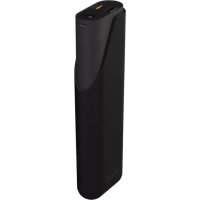
Power Amp 12 - Power bank Zagg - Free user manual and instructions
Find the device manual for free Power Amp 12 Zagg in PDF.


User questions about Power Amp 12 Zagg
0 question about this device. Answer the ones you know or ask your own.
Ask a new question about this device
Download the instructions for your Power bank in PDF format for free! Find your manual Power Amp 12 - Zagg and take your electronic device back in hand. On this page are published all the documents necessary for the use of your device. Power Amp 12 by Zagg.
USER MANUAL Power Amp 12 Zagg
12 comes with a one-year manufacturer’s warranty. In order to activate the warranty, you must register your Power Amp 12 as well as keep your purchase receipt. If you purchased your Power Amp 12 from Zagg.com, Zagg has already registered it and has a copy of your proof of purchase. NEED MORE HELP? PLEASE SEE OUR FAQ SECTION AT: www.zagg.com/faqINTRODUCTION With your new Power Amp 12, you’ll never have to miss out again because of a dead battery. Just read and follow these instructions, keep your Power Amp 12 by your side on all your adventures, and never let your battery die again.
CHARGING YOUR DEVICES
Your Power Amp 12 carries enough power to charge your phone up to four times*. Plus, it features two charging outlets that allow for pass-through charging, so you can charge two devices at once — even with your Power Amp plugged in! To keep your devices charged:
1. Connect the USB end of your charging cable to the outlet on the
2. Connect the other end of your charging cable to the device you want to
the Power Amp 12 will automatically begin charging it.
3. Continue on your activity until your device is charged to your liking and
then disconnect the charging cable.
4. Recharge your Power Amp 12.
*Up to four charges based on a 1800mAh battery.
CHARGING YOUR POWER AMP 12
Your Power Amp 12 comes charged and ready to go; but here’s how to recharge it when you need to:
1. Connect the included micro USB charging cable to the micro USB
port on your Power Amp 12.
2. Connect the USB end of the included cable to your preferred 5V USB
outlet. Note: Do not leave your Power Amp 12 plugged into a wall charger for extended periods of time. Doing so will diminish its long-term performance.
3. The LED under the USB outlets will light and flash according to its
current battery level. This indicates your Power Amp 12 is charging.
4. Wait for the battery indicator lights to turn off, indicating your Power
Amp 12 is fully charged.
5. Disconnect the charging cable and enjoy 12000mAh of simple,
portable power. 2 USB Ports Micro USB charging port LED FlashlightUSING THE FLASHLIGHT Your Power Amp 12 has a bright LED flashlight that’s ideal for lighting any situation. To enjoy the flashlight feature:
1. Press the flashlight button to turn the flashlight on.
2. Press the flashlight button again to turn the flashlight off.
Note: The LED flashlight will automatically turn off after 10 minutes. Using the flashlight does not significantly decrease the Power Amp 12’s stored power.
CHECKING THE BATTERY LEVEL
Your Power Amp 12 carries 12000mAh of power to help make sure your battery never dies again. To check how much power it still carries:
1. Press the battery button. The LEDs under the USB outlets will light one
of four ways: a. Four lights indicate 75% power or more remaining. b. Three lights indicate between 50-74% power remaining. c. Two lights indicate between 25-49% power remaining. d. One light indicates less than 24% power remaining.
2. Recharge your Power Amp 12 whenever you wish.
Don’t leave your charging cable plugged in to your Power Amp for extended periods of time. Remove your cable when you’re done charging to preserve more portable battery power. For more help, please see our FAQ at: www.zagg.com/faq To reach a trained customer service representative, please use one of the following: zagg.com/support/contact.php questions@zagg.com
ZAGG and Power Amp are registered trademarks of ZAGG Intellectual Property Holding Co., Inc. Changes or modifications not expressly approved by the party responsible for compliance could void the user’s authority to operate the equipment. This equipment has been tested and found to comply with the limits for a Class B digital device, pursuant to Part 15 of the FCC Rules. These limits are designed to provide reasonable protection against harmful interference in a residential installation. This equipment generates, uses and can radiate radio frequency energy and, if not installed and used in accordance with the instructions, may cause harmful interference to radio communications. However, there is no guarantee that interference will not occur in a particular installation. If this equipment does cause harmful interference to radio or television reception, which can be determined by turning the equipment off and on, the user is encouraged to try to correct the interference by one or more of the following measures:
- Reorient or relocate the receiving antenna.
- Increase the separation between the equipment and receiver.
- Connect the equipment into an outlet on a circuit different from that to which the receiver is connected.
- Consult the dealer or an experienced radio/TV technician for help.Power Amp