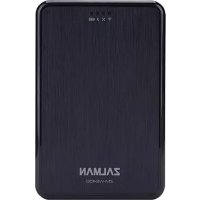
ZMWE450 - Power bank ZALMAN - Free user manual and instructions
Find the device manual for free ZMWE450 ZALMAN in PDF.



| Product Type | Portable Battery / External Wi-Fi HDD/SSD Enclosure |
| Brand | Zalman |
| Model | ZM-WE450 |
| Battery Capacity | 5,200 mAh |
| Battery Type | Lithium-polymer |
| Wireless Interface | Wi-Fi 802.11 b/g/n |
| Wired Interface | USB 3.0 (Micro-B) and USB 2.0 (charging port) |
| Maximum Wi-Fi Speed | 150 Mbps |
| Maximum USB 3.0 Speed | 5 Gbps |
| Maximum USB 2.0 Speed | 480 Mbps |
| Supported Disk Formats | 2.5-inch HDD/SSD (max height 9.5 mm) |
| Supported Operating Systems (WiFi) | iOS 5.0+, Android 4.0+ |
| Supported Operating Systems (USB) | Windows XP/Vista/7/8 (32/64-bit), Mac OS X 10.x |
| Dimensions | 135 x 88 x 23.7 mm |
| Charging Time | Approximately 5.5 hours |
| LED Indicators | WiFi, Internet Bridge, HDD, Battery (green/yellow/red) |
| Main Functions | Wi-Fi storage server, Power bank, External USB drive |
| Care and Cleaning | Wipe with a soft dry cloth. Avoid moisture and extreme temperatures. |
| Safety | Do not disassemble, avoid shocks and electrostatic discharges. Do not touch the USB port with wet hands. |
Frequently Asked Questions - ZMWE450 ZALMAN
User questions about ZMWE450 ZALMAN
0 question about this device. Answer the ones you know or ask your own.
Ask a new question about this device
Download the instructions for your Power bank in PDF format for free! Find your manual ZMWE450 - ZALMAN and take your electronic device back in hand. On this page are published all the documents necessary for the use of your device. ZMWE450 by ZALMAN.
USER MANUAL ZMWE450 ZALMAN
This equipment has been tested and found to comply with the limits for a Class B digital device, pursuant to Part 15 of the FCC Rules.
These limits are designed to provide reasonable protection against harmful interference in a residential installation. This equipment generates, uses and can radiate radio frequency energy and, if not installed and used in accordance with the instructions, may cause harmful interference to radio communications. However, there is no guarantee that interference will not occur in a particular installation.
If this equipment does cause harmful interference to radio or television reception, which can be determined by turning the equipment off and on, the user is encouraged to try to correct the interference by one of the following measures:
- Reorient or relocate the receiving antenna.
- Increase the separation between the equipment and receiver.
- Connect the equipment into an outlet on a circuit different from that to which the receiver is connected.
- Consult the dealer or an experienced radio/TV technician for help.
FCC Caution
Warning : Changes or modifications to this unit not expressly approved by the party responsible for compliance could void the user authority to operate the equipment.
Important Note : FCC Radiation Exposure Statement
For body worn operation, this device has been tested and meets FCC RF Exposure guidelines that position the EUT a minimum of 5 mm from the body. SAR information: 0.406 W/kg (1g)
European Unio Regulatory Notice
This device bearing the CE marking is in compliance with the essential requirements and other relevant provisions of Directive 1999/5/EC. This device complies with the following harmonized European standards.
Health : EN62311:2008
Safety : EN60950-1:2006 + A1:2010 + A11:2009 + A12:2011
EMC : EN301 489-1 V1.9.2:2011, EN301 489-17 V2.2.1:2012
Radio : EN300 328 V1.7.1:2006
- The following CE marking is valid for EU harmonized telecommunications products.
CE 0560

1. Caution
※ Please read manual before using the ZM-WE450
※ Risk of explosion if battery is replaced by incorrect type. Dispose of used batteries according to the instructions.
1) The external HDD manufacturer is not responsible for any data stored in the external HDD nor liable for any emotional or physical damages caused due to data loss.
2) Please charge battery till green light ON when first time to use. Do not use long-term under low battery stage.
3) If you disassemble the product or remove/damage the stickers and/or labels attached on the product, you cannot receive the warranty service.
4) Do NOT touch the circuit with bare hands. The chip controlling wifi external hdd case is a electrostatic sensitive part. It may not operate properly if the circuit is damaged by the electrostatic discharge.
5) Visit homepage (www.zalman.com) to download firmware upgrades and user guide. Product design and specifications may be revised to improve quality and performance.

2. Contents
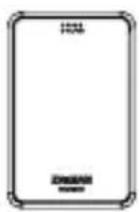
ZM-WE450
natural_image
Simple line drawing of a folded paper or scroll (no text or symbols)Pouch
User guide
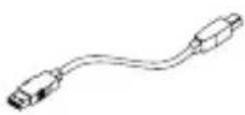
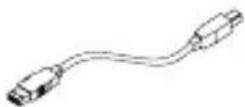
USB 3.0 Cable
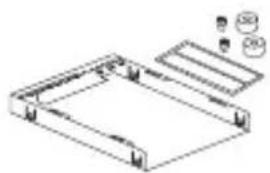
natural_image
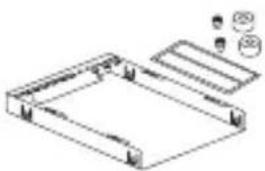
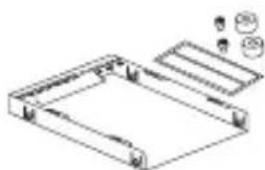
Technical line drawing of a mechanical housing or frame assembly with mounting holes and internal components (no text or symbols)Shield Case & bolts 2pcs & Bolt cover 2pcs & EMI Shielding Tape
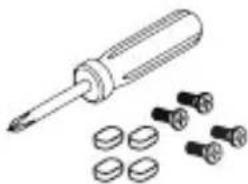
natural_image
Illustration of a screwdriver with multiple screw holes (no text or symbols)Screw driver & bolts 4pcs & Rubber foot 4pcs

3. Specifications
| Model Spec. | ZM-WE450 |
| HDD Support 2.5” HDD/SSD (Hight 9.5mm) | |
| Interface USB3.0 / USB2.0, IEEE 802.11 b/g/n | |
| Data transfer rate Wifi : Up to 150Mbps / USB3.0 : Max 5Gbps / USB2.0 : Max 480Mbps | |
| Battery Type Lithium Polymer Battery | |
| Battery Size | 5,200mAh |
| Client OS (Wifi) | IOS 5.0, Android 4.0 and above |
| OS Support(USB) | Window XP / Vista / 7 / 8(32/64bit), Mac OS X 10x |
| I/O | Power Button, USB3.0 Micro B Type |
| LED Indicator | Wifi, Internet Bridge, HDD, Battery LED |
| Dimension | 135 x 88 x 23.7mm |
※ System minimum requirement : Intel Pentium 350MHz or higher PC / Memory 60MB or higher

3. Name of Parts
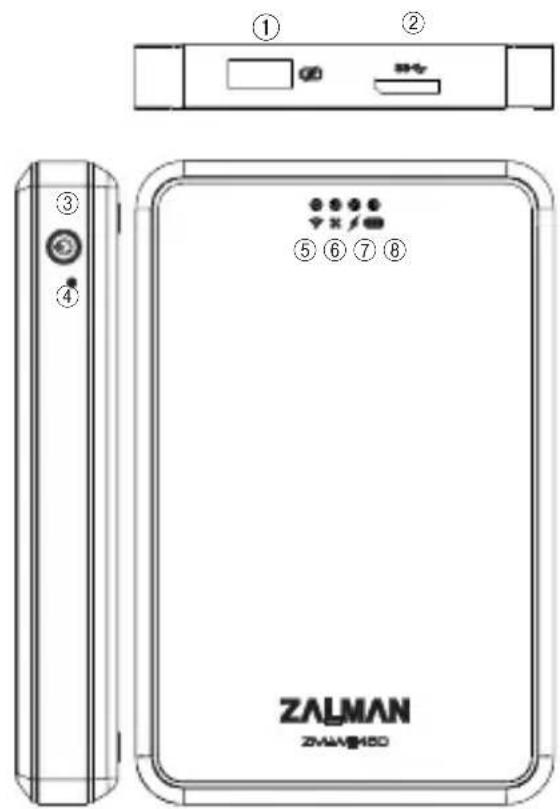
| No. | Parts |
| 1 | USB 2.0 Port : Power bank |
| 2 | micro-B USB Port : USB 3.0 Cable |
| 3 | Power button* Long press more than 2sec: Power On / Off*Short press less than 2sec: Display the battery capacity |
| 4 | Reset button holeLong press button(15sec) : Restore Factory Settings |
| 5 | WiFi indicator |
| 6 | Bridge mode indicator |
| 7 | External HDD indicator |
| 8 | Power / Charger indicator1) Power Level 50 ~ 100% : Green LED2) Power Level 25 ~ 49% : Yellow LED3) Power Level 0 ~ 24% : Red LED4) Unit charging : Flashing Green LED |

4. Assembly Product
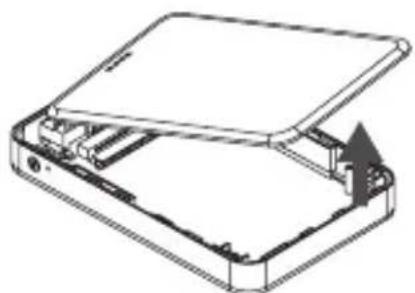
natural_image
Diagram of a device with an open lid and internal components, showing a curved arrow indicating rotation (no text or symbols present)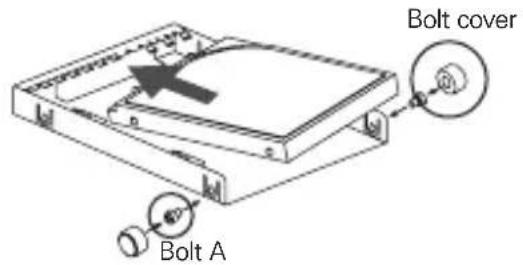
① Remove the top cover and HDD into Shielding and fixed by 2 bolt A and Bolt cover.
② HDD set into PCBA and close top cover (Apply EMI Shielding tape)
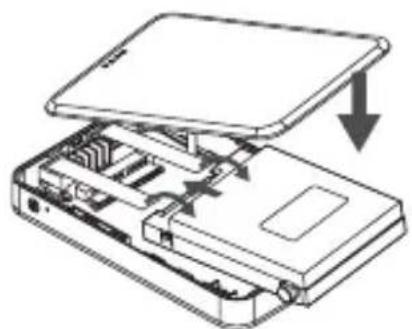
natural_image
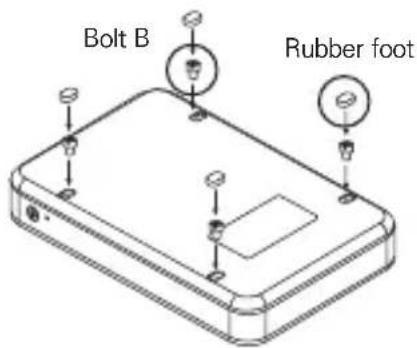
Diagram of an open electronic device showing internal components and a downward arrow indicating a process (no text or symbols present)③ Bolt B from bottom and add rubber foot

5. How to use
① Charging the ZM-WE450
: Use the micro USB cable to connect a charger to the ZM-WE450 micro USB port in order to charge. A full charge takes about 5.5 hours to complete.
② Setting
: Go to the Apple App Store / Google Play Site, then download and install the free application Z-Drive Air.
③ Using as an External HDD
: Turn off the power, and connect the ZM-WE450 to a computer using the micro USB cable to transfer data.
④ Phone or Tablet USB
Open the network settings page of the computer and find the wireless network named Z-Drive Air-XXX. Click to join this network, and then enter the network security key: 12345678 (default password) to connect. Then execute application Z-Drive Air to transfer data.
⑤ PC or Laptop Wireless hotspot use
: Connet to the ZM-WE450 with your computer. Open a web browser and enter the URL: 192.168.99.1 and enter the following settings page.
⑥ Setting Page
: Enter your user name and password (default values are "admin"). Click the "Internet Access" option, and select the desired network hotspot. This will share the Internet access with multiple users.
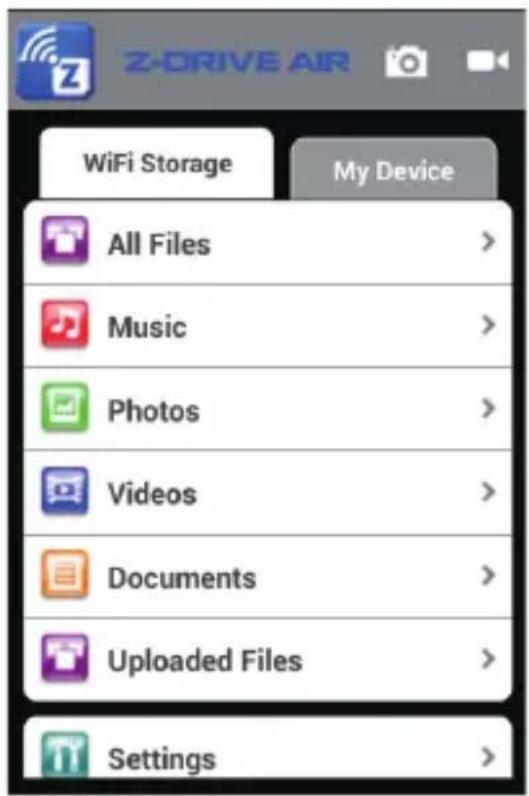
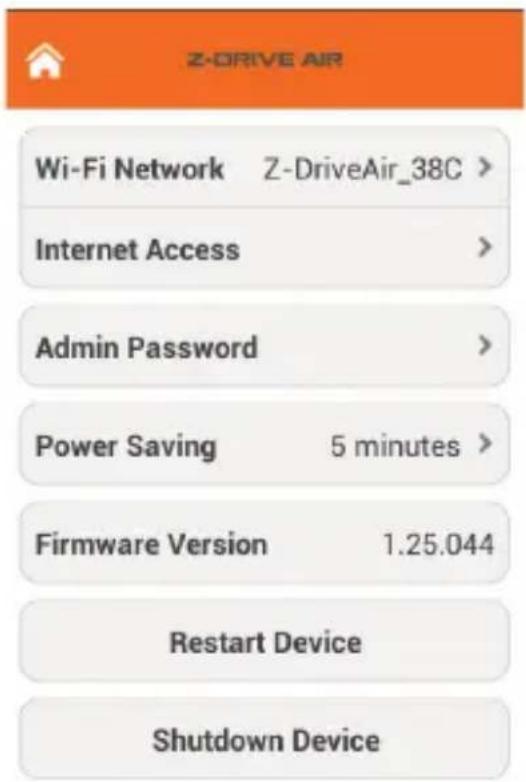
※ Phone or Tablet Wireless hotspot : Connect mobile device to ZM-WE450 and start Z-Drive Air program
※ PC or Notebook Wireless hotspot : Connect the computer to ZM-WE450 and enter 192.168.99.1 in the URL web browser
⑦ Using the ZM-WE450 as Power bank
: With the power on/off, use a USB cable to connect the mobile device to be charged to the ZM-WE450 Power bank slot.
1. 주의사항
natural_image
Simple line drawing of a folded paper or scroll (no text or symbols)파우치
매뉴얼
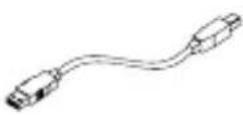
USB 3.0 케이블
natural_image
Technical line drawing of a rectangular frame with mounting holes and a small inset showing circular features (no text or symbols)natural_image
Illustration of a screwdriver with multiple screw holes (no text or symbols)natural_image
Technical line drawing of a device with an open lid and internal components (no text or symbols)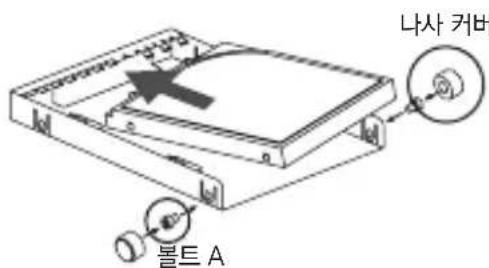
natural_image
Diagram of an open electronic device showing internal components and a downward arrow indicating a process (no text or symbols present)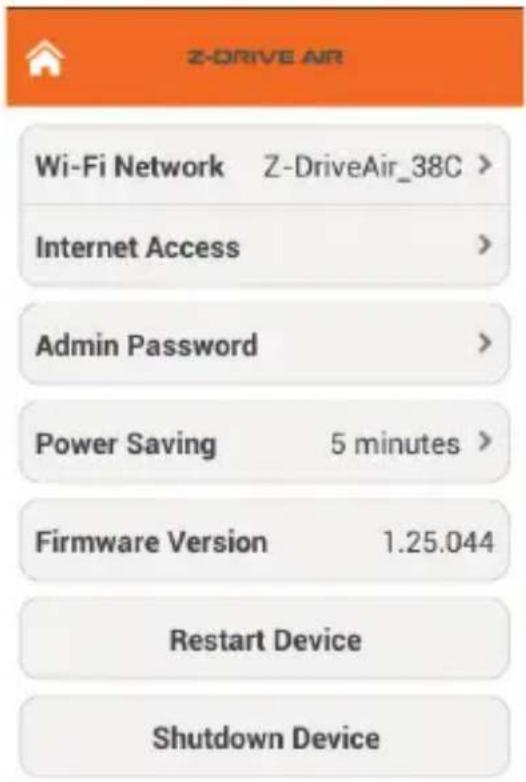
※ 휴대폰 또는 태블릿 무선 핫스/
제조자:GOOD MAN CORPORATION
제조날짜:별도 표기
인증번호:MSIP-CMI-ZMT-ZM-WE450
natural_image
Simple line drawing of a folded paper or scroll (no text or symbols)Sac
manuel
câble d'USB 3.0
natural_image
Technical line drawing of a rectangular frame with mounting holes and a separate inset showing circular components (no text or symbols)natural_image
Illustration of a screwdriver with multiple screw holes and a pencil, no text or symbols present.Tournevis & 4 boulons B & 4 pieds en caoutchouc
natural_image
Technical line drawing of a device with an open lid and internal components (no text or symbols)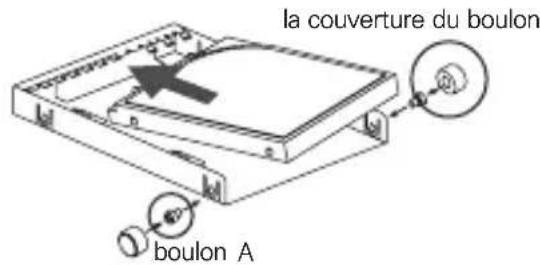
natural_image
Diagram of a computer case with an open lid and internal components, showing a downward arrow indicating a process (no text or symbols present)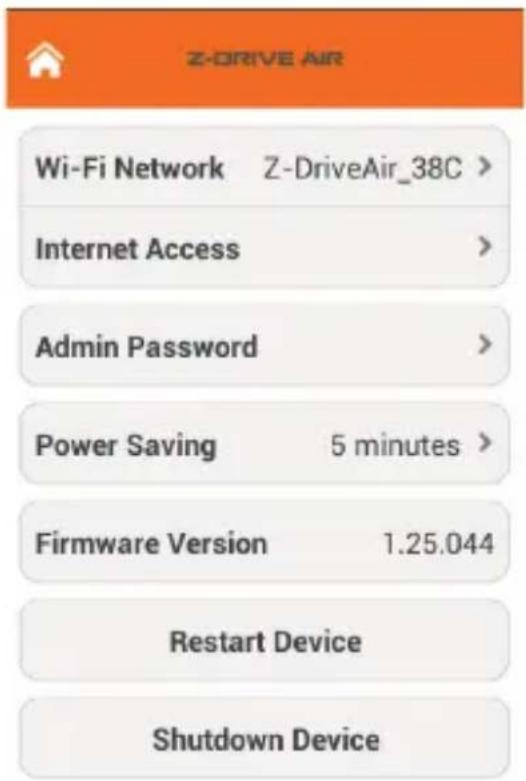
natural_image
Simple line drawing of a waving flag (no text or symbols)Чехол
natural_image
Technical line drawing of a rectangular frame with mounting holes and internal components (no text or symbols)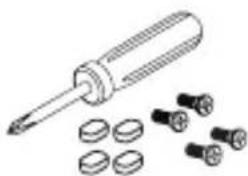
natural_image
Illustration of a screwdriver with multiple screws and plastic components (no text or symbols)4 резиновые ножки
natural_image
Technical line drawing of a device with an open lid and internal components (no text or symbols)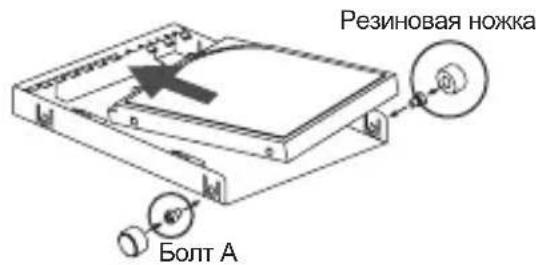
natural_image
Diagram of an open hard disk with internal circuitry and a downward arrow indicating compression (no text or symbols present)
- FCC Caution
- Important Note : FCC Radiation Exposure Statement
- European Unio Regulatory Notice
- Caution
- Contents
- Specifications
- Name of Parts
- Assembly Product
- How to use
- ① Charging the ZM-WE450
- ② Setting
- ③ Using as an External HDD
- ④ Phone or Tablet USB
- ⑤ PC or Laptop Wireless hotspot use
- ⑥ Setting Page
- ⑦ Using the ZM-WE450 as Power bank
- 주의사항
Brand : ZALMAN
Model : ZMWE450
Category : Power bank