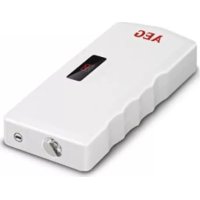
MultiPowerpack 97217 - Battery charger AEG - Free user manual and instructions
Find the device manual for free MultiPowerpack 97217 AEG in PDF.



| Product Type | Portable battery charger / Powerbank / Jump starter |
| Brand | AEG |
| Model | MultiPowerpack 97217 |
| Dimensions (L x W x H) | 17.7 x 7.6 x 2.9 cm |
| Weight | 430 g |
| Battery Type | Lithium-ion, capacity 12 Ah |
| Input Voltage (mains charger) | 230-240 V AC / 50 Hz |
| Input Voltage (vehicle cable) | 12 V DC / 1 A |
| Output Voltages | USB 5 V DC / 2 A ; 19 V DC / 3.5 A ; 12 V DC / 2 A |
| Max. Starting Current | 200 A (peak 400 A) |
| Charging Time | Approximately 5 hours |
| Operating Temperature Range | -15 to +60 °C |
| Main Functions | Emergency power for mobiles; motorcycle/car jump start; LED lamp (steady, flashing, SOS); emergency hammer |
| Package Contents | Multi-Powerpack, 16 adapters, cables (5V, 12V, cigarette lighter, mains, jump start), storage bag, sticker, manual |
| Cleaning and Maintenance | Soft dry cloth; clean clamps after use; recharge every 3 months |
| Safety | Protection against short circuits, overheating; do not expose to water or extreme heat |
| Spare Parts and Repairability | Not user repairable; contact a specialist |
| General Information | Manual available in multiple languages at notice-facile.com |
Frequently Asked Questions - MultiPowerpack 97217 AEG
User questions about MultiPowerpack 97217 AEG
0 question about this device. Answer the ones you know or ask your own.
Ask a new question about this device
Download the instructions for your Battery charger in PDF format for free! Find your manual MultiPowerpack 97217 - AEG and take your electronic device back in hand. On this page are published all the documents necessary for the use of your device. MultiPowerpack 97217 by AEG.
USER MANUAL MultiPowerpack 97217 AEG
Read these instructions before using the charger. Follow all instructions and recommendations.
FR - Page 27
Information about use. 22
Multi Power Pack charging process 22
Mobile device charging process 23
Switching the light on/off 23
Motorcycle and car jump starting. 24
Disconnecting 24
Cleaning, care and maintenance 25
Service....25
Disposal.... 25
INTRODUCTION
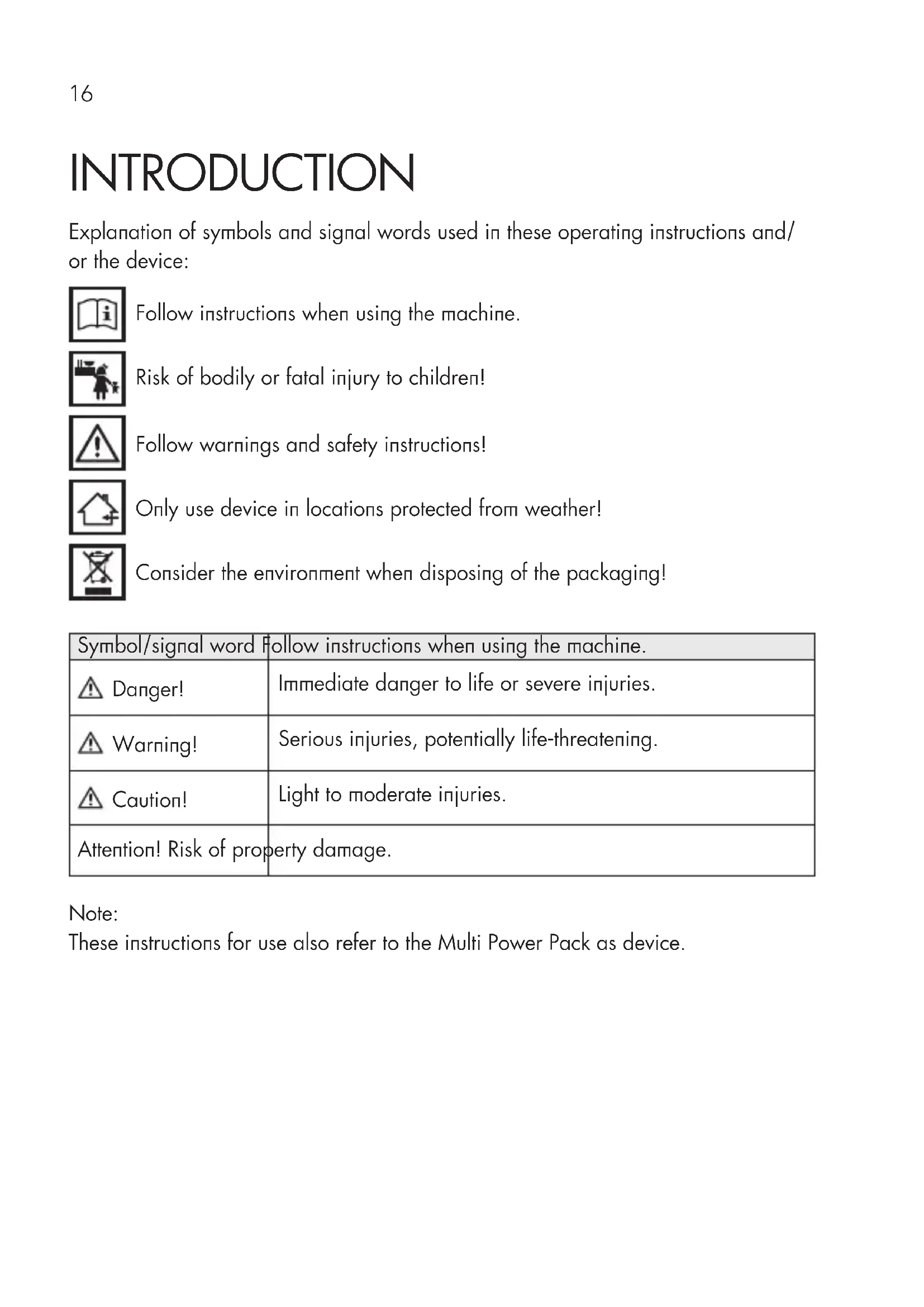
Explanation of symbols and signal words used in these operating instructions and/or the device:

Follow instructions when using the machine.

Risk of bodily or fatal injury to children!

Follow warnings and safety instructions!

Only use device in locations protected from weather!

Consider the environment when disposing of the packaging!
| Symbol/signal word | Follow instructions when using the machine. |
| Danger! | Immediate danger to life or severe injuries. |
| Warning! | Serious injuries, potentially life-threatening. |
| Caution! | Light to moderate injuries. |
| Attention! Risk of property damage. | |
Note:
These instructions for use also refer to the Multi Power Pack as device.
Normal use
The Multi Power Pack is suitable as a universal heavy duty power supply for smartphone, tablet-PC and mobile devices, and to jump start a motorcycle or car.
This device is not intended for use by children or persons with limited mental capacity or lacking experience and/or lacking expertise. Children should be supervised to ensure they do not play with the device.
This device is not intended for commercial use.
Any other use or modification of the device is considered improper and involves significant risks. The manufacturer assumes no liability for damages due to improper use.
Contents
Be sure to verify contents immediately upon opening the product. Check the product and all parts for damage. Do not use a defective product or parts.
Multi Power Pack
16 Adapters for mobile devices
USB patch cable (5 V)
12 V patch cable
■Connecting cable with 12 V car plug
■Connecting cable with 230 V mains plug
Jumper leads
Storage bag with zip
Decal
operating instruction
Please include all relevant documentation to other users!
Technical data
| Dimensions 17.7 x 7.6 x 2 | .9 cm |
| Weight 430 g | |
| Input voltage 230 V mains | charging adapter:230-240 V AC / 50 Hz12 V car charging cable 12 V DC/1 A |
| Output voltage USB: 5 V DC | C/2 A19 V DC/3,5 A12 V DC/2 AJumper leads: 12 V DC/200 A (max. 400 A) |
| Power supply Rechargeable | Li-ion battery (12 Ah capacity) |
| Charging time approx. 5 hours | |
| Ambient temperature -15 | °C to +60 °C |
SAFETY
Read all safety guidelines and instructions. Non-compliance with safety guidelines and instructions can cause electric shock, fire and / or serious injury. Keep all safety guidelines and instructions for future reference.

Warning!

Risk of bodily or fatal injury to children! Risk of suffocation or strangulation! Keep the machine out of the reach of children. Children are unable to assess the risks associated with use of this product!

Danger! Damaged leads may cause fatal electric shock. Discontinue use if leads are damaged.
The manufacturer is not responsible for damages caused by:
Improper connection and/or operation.
External forces, damage to the device and/or damage to parts of the device due to mechanical impacts or overload.
Any type of modifications to the device.
Using the device for purposes not described in this operating manual.
Subsequent damages from improper and/or incorrect use and/or defective batteries.
Moisture and/or inadequate ventilation.
Unauthorised opening of the device. This will void the warranty.


Explosion and fire hazard!
Keep sources of ignition (e.g. lit cigarettes) away from battery.
The Multi Power Pack and the drained battery must have the same voltage (V) (see specifications on the battery).
Never use the jumper leads in explosion-prone surroundings.
Thaw frozen batteries before starting.
Verify the on-board voltage matches the input voltage specified on the device to prevent damage to the device.
Immediately stop using the device if you notice smoke or an unusual odour.
Never expose the device to direct sunlight.
Batteries can burst or explode when thrown into fire or exposed to extreme heat.
Do not expose the device to extreme heat.

Risk of chemical burns!
Risk of injury to the eye. Wear protective eyewear and do not lean over the battery. The electrolyte inside the drained starter battery remains liquid even at low temperatures.
Risk of electrical shock!
Do not allow the clamps involved to touch.
Never allow the contacts of the lead connected to the battery's positive terminal to come into contact with electrically conductive vehicle parts.
Avoid pouring or dripping water or other liquids over it. If water penetrates electrical devices, the risk of electric shock increases.
Ensure that all plugs and cables are free of moisture. Never connect the device to the mains with wet or moist hands.
Do not use device if damaged. Damage to the power cable, the device or the charging cable increase the risk of electrical shock.
Do not attempt to disassemble or repair the device. Immediately have a defective device or damaged power cable repaired or replaced by a speciality shop.
▲Always unplug device by the plug. The cable may be damaged.
Never use the cable to carry or pull the device.
Never operate the device if it has been dropped or damaged in any other way. For inspection and repair, take it to a qualified electrician.

Risk of injury!
Do not modify or manipulate the product as this will increase the risk of injury.
When transporting the device in a vehicle, keep it in the boot or on a suitable shelf so that it cannot move in the event of sudden vehicle movements.
ProDuct oVerView
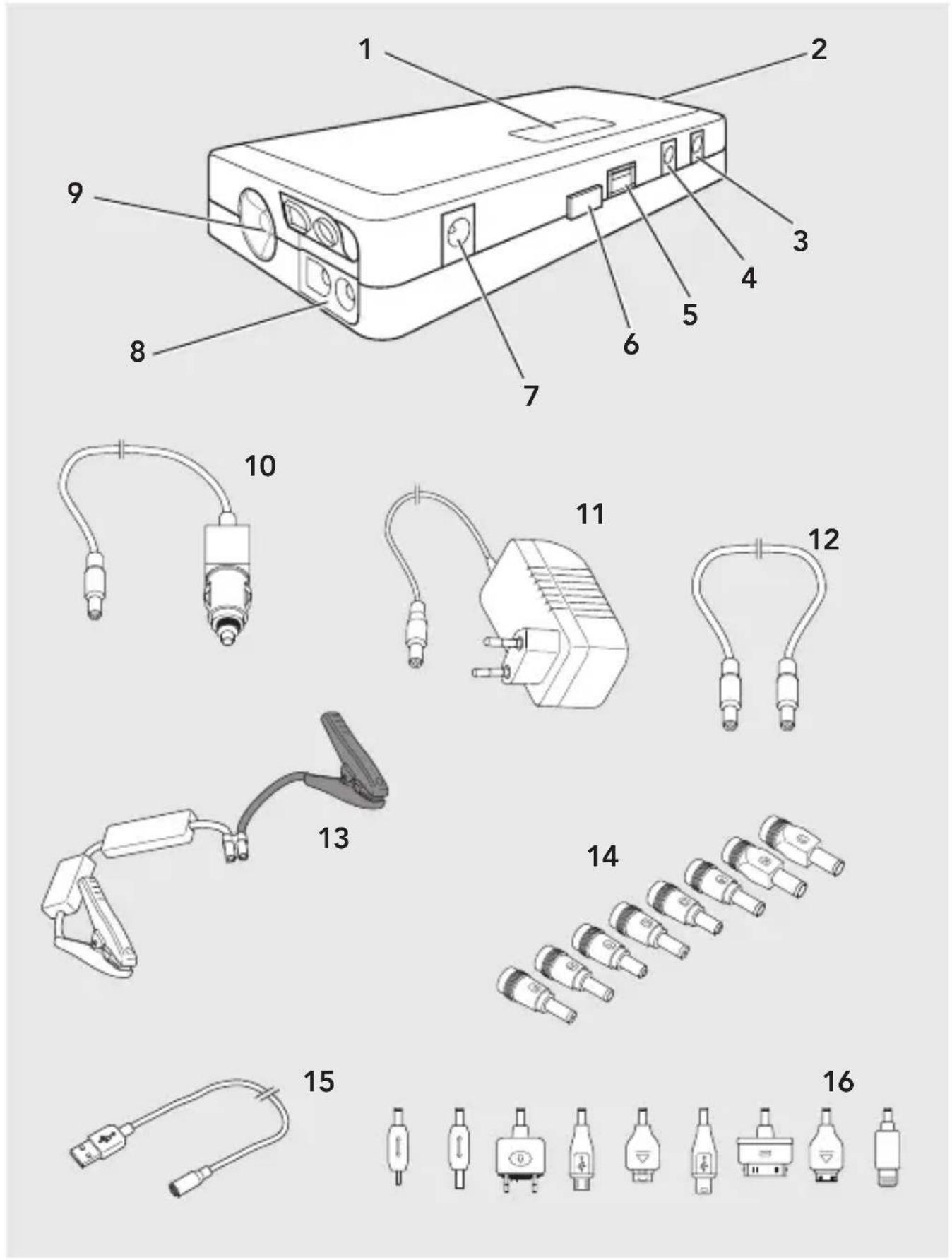
- Display
- Emergency hammer
- 13 V input (1 A)
- 12 V output (2 A)
- USB-Anschluss (5 V)
- Activation button
- 19 V output (3.5 A)
- Jumper leads connection
- LED light
- 12 V car charging cable
- 230 V mains adapter
- Adapter connecting cable
- Jumper leads
- Adapters for mobile devices
- Adapter connecting cable
- Adapters for mobile devices
USE
Information about use
Some car outlets will only become active once the ignition is turned on. Please refer to your vehicle's operating manual or contact your specialised garage if you are unsure.
Do not cover the device during use and ensure proper ventilation.
Multi Power Pack charging process
Attention!
Remember the vehicle's battery will be discharged when the vehicle is not running.
Regularly check the battery capacity of the Multi Power Pack whilst stored by pressing the power button (6). Fully charge the Multi Power Pack every approx. 3 months. A deep discharge could damage the device. If the battery capacity is too low, it is unable to display. The Multi Power Pack must then be charged.
- Plug the respective connecting cable into the Multi Power Pack jack.
230 V: Insert the plug (11) into the 12 V jack (3) on the device.
12 V: Insert the plug (10) into the 12 V jack (3) on the device. - Plug the 230 V power plug (11) into a mains socket or the car plug (10) into a 12 V car outlet.
- Charging will start. The display will show the battery capacity in percent (50 = 50% battery capacity charged).
-
Charging is complete, the display will show „99“.
-
Unplug the 230 V mains plug (11) from the mains socket or the car plug (10) from the 12 V car outlet and roll up the cable neatly.
Mobile device charging process
Verify the Multi Power Pack is fully charged.
The Multi Power Pack will automatically switch off after 20 seconds when not in use. The display will turn off.
- Select an adapter (14, 16) to fit your mobile device and plug it into the connecting cable (12 or 15).
- Connect the Multi Power Pack to the devices to be charged using the connecting cable
- Press the activation button (6). Charging will start. The display shows the battery capacity of the Multi Power Pack in percent.
Note: Recharge the Multi Power Pack (see "Multi Power Pack charging process"), once the information disappears from the display (1).
- Disconnect the Multi Power Pack from the device after charging (note display on the connected device).
Switching the light on/off
The Multi Power Pack features an LED light (9) with various lighting options.
Warning!
Risk of injury! Do not look directly into the light or shine into others' eyes as this may damage the retina.
Switching on/off: Press the activation button for approx. 2 seconds (6). The LED will light steady.
Flashing light: Pressing the activation button again once switched on.
SOS: Press the activation button 2x once switched on.
Switching off: Press the activation button (6) for approx. 2 seconds or press the activation button 3x once switched on.
The light may also be used whilst charging a mobile device.
Motorcycle and car jump starting
Preparations
- Be sure to follow the indications on jumpstarting inside the vehicles' operator's manuals.
- Set the parking brake on both vehicles.
- Set gearstick to neutral, for automatic transmissions to P.
- Switch off ignition on both vehicles and all devices.
- Do not disconnect the drained battery from the vehicle's electrical system.
Connecting
Connect the terminal clamps of the leads in the following order:
- Positive lead (red) to positive terminal of drained battery.
- Negative lead (black) to the negative pole on the drained battery, or to a suitable mass (e.g. engine block) on the vehicle.
- Open the jack cover (8) and connect the jumper leads (13) to the Multi Power Pack.
Starting
Start the engine of the vehicle with the drained battery (starting attempt max. 15 seconds - wait at least one minute between additional attempts to start).
Disconnecting
Caution!
When disconnecting the jumper cables, be careful they do not come into contact with the moving parts of the engine.
Attention! Risk of damage from electrical surge!
Disconnect the Multi Power Pack from the vehicle's battery within 30 seconds after the vehicle is started to prevent damaging the device.
Disconnect the terminal posts of the cables in the following order:
- Negative cable (black) from the vehicle's mass point.
- Positive cable (red).
- Jumper leads (13) from the Multi Power Pack.
- Close the jack (8) with the cover.
After jumpstarting drive the broken-down vehicle for a longer distance to charge the battery. You may also recharge the battery with a charger.
Fully recharge the Multi Power Pack after using the Multi Power Pack for jump starting (see "Multi Power Pack charging process").
CLEANING, CARE AND MAINTENANCE
☑ clean clamps after every charging. To prevent corrosion, wipe off any battery fluid which may have come into contact with the clamps.
Carefully wind the cable when storing the device. This will help prevent accidental damage to the cable and the device.
☑ clean the product with a soft, dry cloth.
Store the machine in a clean, dry place.
Service
Should you have any questions regarding commissioning or operating in spite of studying these operating instructions, or if a problem should occur against all expectations, please get in contact with your specialist supplier.
Disposal
The packaging consists of non-contaminating materials that you can dispose of at your local recycling point.

Do not throw electrical appliances in with domestic waste!
In accordance with European Directive 2002 / 96 / EC for waste
electrical and electronic equipment (WEEE) and conversion to national law, used electrical appliances must be collected separately and taken to a recycling point. For ways to dispose of old electrical appliances please contact your community or city administration.
Illustrations may vary slightly from the product itself. We reserve the right to modify the product in accordance with technical advances. Decoration not included.
TABLE DES MATIÈRES
Introduction 28
www.aeg-automotive.com
AEG is a registered trademark used under license from AB Electrolux (publ)

- FR - Page 27
- INTRODUCTION
- Note:
- Normal use
- Contents
- SAFETY
- Warning!
- Explosion and fire hazard!
- Risk of chemical burns!
- Risk of electrical shock!
- Risk of injury!
- ProDuct oVerView
- USE
- Information about use
- Multi Power Pack charging process
- Mobile device charging process
- Switching the light on/off
- Motorcycle and car jump starting
- Preparations
- Connecting
- Starting
- Disconnecting
- Caution!
- CLEANING, CARE AND MAINTENANCE
- Service
- Disposal
- TABLE DES MATIÈRES
Brand : AEG
Model : MultiPowerpack 97217
Category : Battery charger