FP 655.3 - Oven SCHOLTES - Free user manual and instructions
Find the device manual for free FP 655.3 SCHOLTES in PDF.


| Product type | Built-in oven |
| Brand | Scholtès |
| Model | FP 655.3 |
| Number of cooking modes | 9 |
| Cooking modes | Defrost, Steaming, Bread, Pastry, Forced air, Conventional, Roasting, Rotisserie, Barbecue |
| Programmer | Electronic with digital display |
| Programmer functions | Timer, delayed start, programmable cooking duration and end time |
| Cleaning | Self-cleaning by catalysis (catalytic enamel) |
| Safety | Cool door, control lock |
| Included accessories | 1 enamelled tray, 2 grids, 1 rotisserie set |
| Interior lighting | Yes |
| Power supply | 230 V / 50 Hz |
| Power | 2500 W |
| Dimensions (W x H x D) | 595 x 595 x 550 mm |
| Weight | 30 kg |
| Maximum temperature | 250 °C |
| Capacity | 70 L |
| Repairability | Spare parts available; removable catalytic panels |
Frequently Asked Questions - FP 655.3 SCHOLTES
User questions about FP 655.3 SCHOLTES
0 question about this device. Answer the ones you know or ask your own.
Ask a new question about this device
Download the instructions for your Oven in PDF format for free! Find your manual FP 655.3 - SCHOLTES and take your electronic device back in hand. On this page are published all the documents necessary for the use of your device. FP 655.3 by SCHOLTES.
USER MANUAL FP 655.3 SCHOLTES
Instruction for use the programmer 4
COOKING MODES 5
Defrosting 6
Prove function 6
Baking 7
Pastry Baking 8
Forced Air Cooking 9
Traditional Cooking 10
Roasting 11
Spit-roasting 12
Barbecue Cooking 13
SELF-DECREASING BY CATALYSIS 14
TIPS AND RECOMMENDATIONS 14
SCHOLTES OVENS Design & Durability
For more than 80 years, Scholtès has been designing electrical appliances.
As the leader of built-in appliances, Scholtès offers well-designed, high quality products. Its creative approach and high standards have made Scholtès the foremost manufacturer of built-in appliances.
Scholtès actively guarantees your safety while using your oven (cool door, interlocking controls, etc.). In cooperation with a cookery consultant, Scholtès has developed 11 cooking methods that optimise all the parameters for each type of dish: moisture level, still or circulating air, heat distribution, etc.
Please read this booklet carefully. It explains how to take full advantage of the many features that your appliance offers.
You will find all the answers to questions you may have on technical terms, cooking procedures, functions, accessories, etc.
FP 655 Description
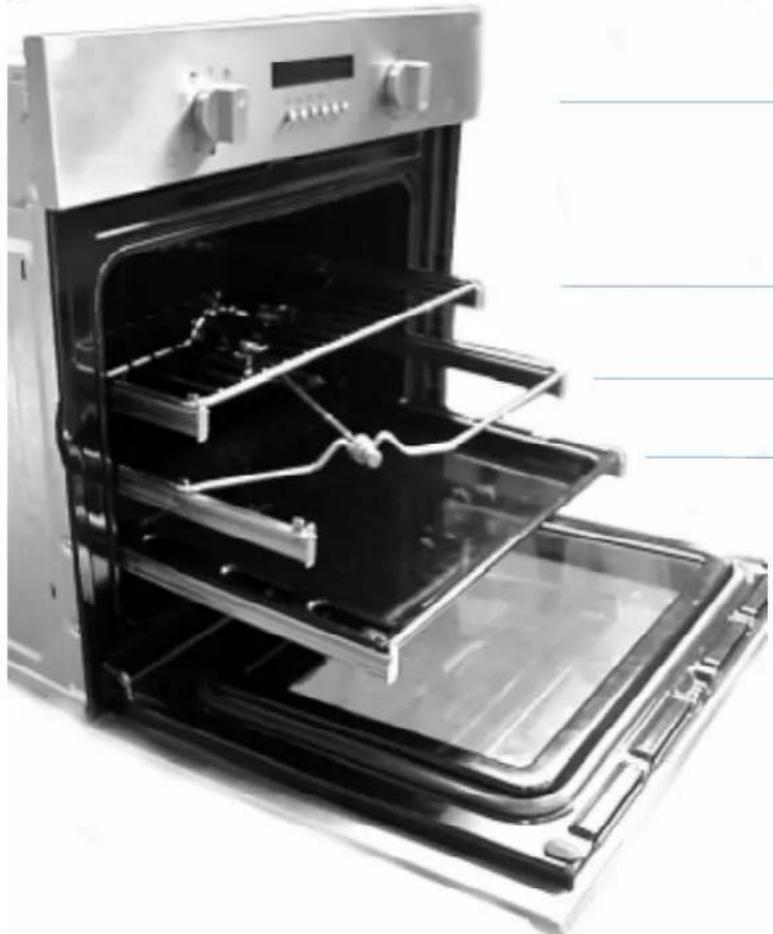
Control Panel
Rack
Spit Unit
Enamelled Tray
Door
Accessories
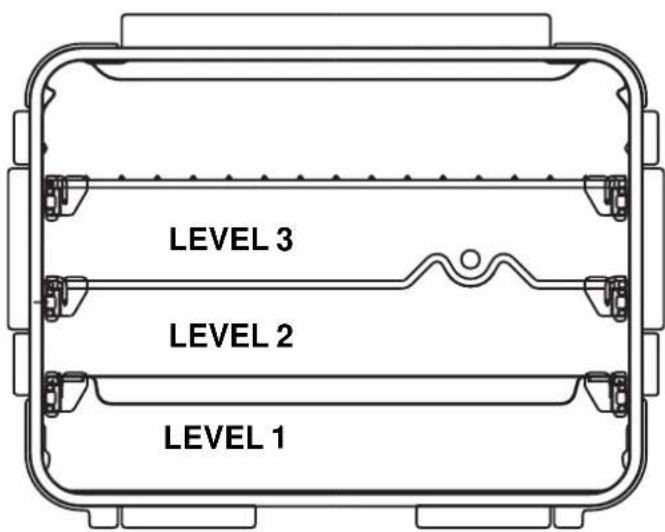
Your oven comes supplied with:
- 1 enamelled trays recommended for all types of cooking.
- 2 racks recommended for cooking on 3 levels and for cooking meat in combination with an enamelled tray.
- 1 spit unit (see spit-roasting methods, pages 12).
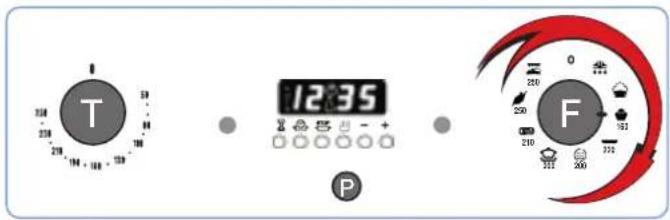
Oven control panel
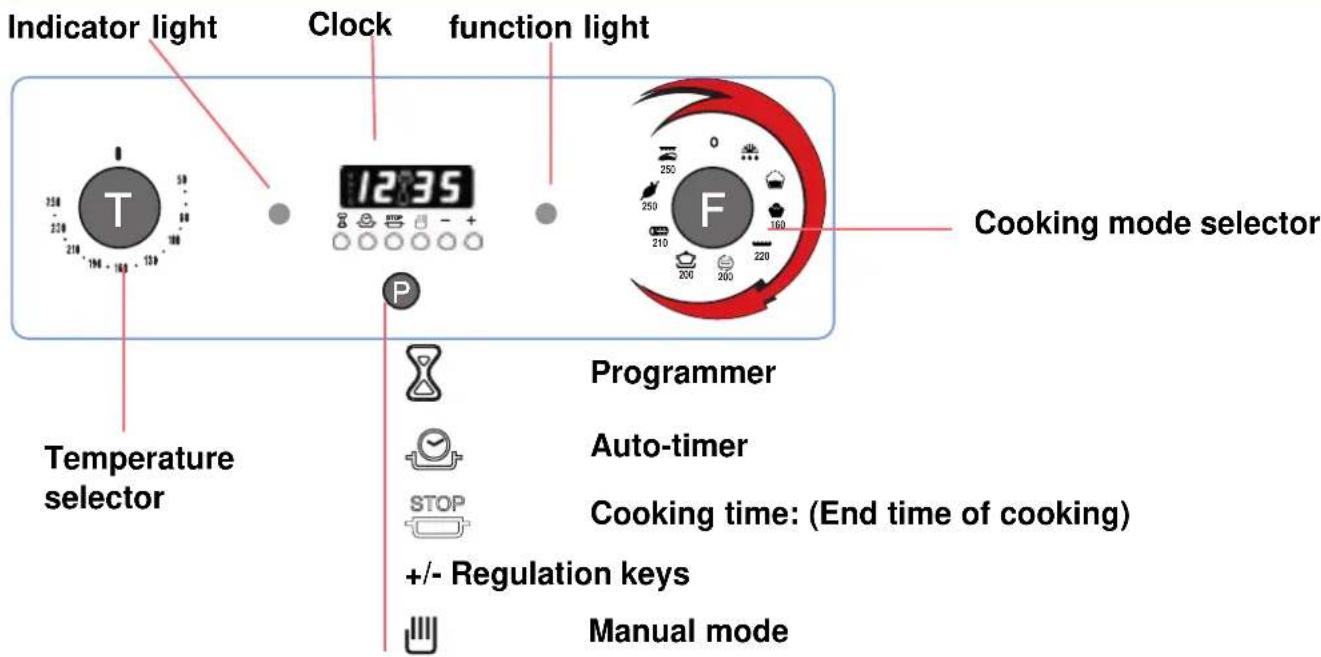
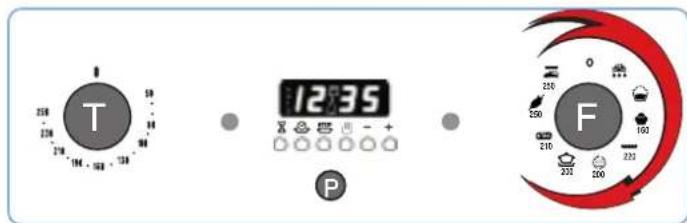
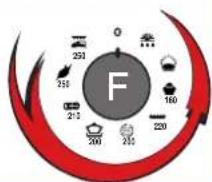
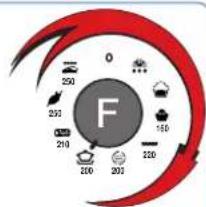
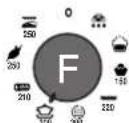
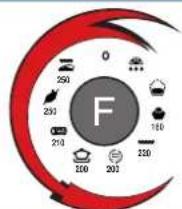
Knob «F» is used to select the cooking mode
Nota
The oven will begin to heat up as soon as the temperature is selected.
Turn knob F to select the cooking mode.
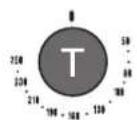
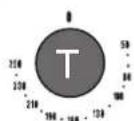
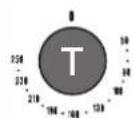
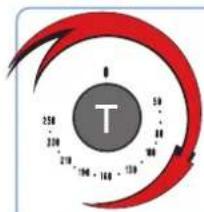
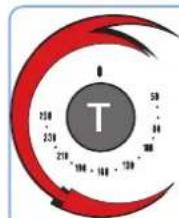
Knob «T» selects the temperature
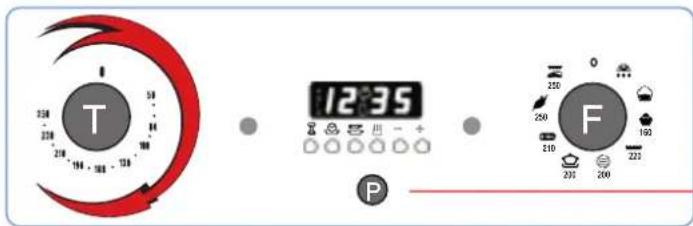
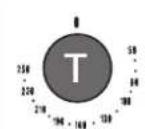
Turn knob «T» to select the temperature required.
Indicator light

The indicator light comes on when you have selected the temperature. It indicates that the oven is heating up. When the light goes out, the required temperature has been reached inside the oven. When the light alternately comes on and goes out, it means that the thermostat is working properly to maintain the oven temperature.
Switching off the oven
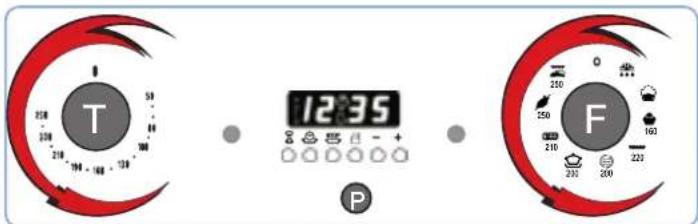
Return knobs «T» e «F» to position «0» to switch off the oven.
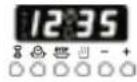
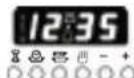
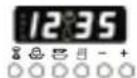
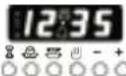
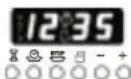
The electronic programmer has the function of automatically switching on the oven (at the required time) and switching it off at the end of the set cooking time. The 4 figure luminous display showing the actual time and the programming times, also shows the current state of the oven by means of the following symbols:
Oven on

Minute minder

Automatic programme AUTO
Point - (this divides the hour from the minutes on the display). All the functions may be programmed for a total of 23h and 59min . Maximum cooking time is 10 hours.
Adjusting the clock
(At installation, after power failures, clock in advance or behind). Select manual mode by pressing key adjust the hour and minutes using the - and +. keys.
Manual oven mode (Programming excluded)
Press the key and the oven is switched on, the AUTO symbol goes out and the oven on) symbol comes on.
This operation erases any set programme.
Semi-automatic oven mode
1st example: start in manual cooking mode - programmed cooking time.
- Put the food to be cooked in the oven.
- Press the key (duration) and adjust the cooking time using the - and + keys: the oven switches on, the AUTO and Oven on) symbols light up.
- Turn the selector and the thermostat knobs onto the required function and temperature respectively.
- At the end of the set cooking time, the oven is automatically switched off, the symboloven on) goes out and the AUTO symbol blinks; an acoustic signal sounds.
2nd example: start with manual cooking mode - end with programmed cooking mode.
- Put the food to be cooked in the oven.
- Press the key (end of cooking) and adjust the end of cooking time using the - and + keys: the oven switches on, the AUTO and symbols light up.
- Turn the selector and the thermostat knobs onto the required function and temperature respectively.
- At the end of cooking, the oven is automatically switched off, the symbol (oven on) goes out and the AUTO symbol blinks; an acoustic signal sounds.







Automatic oven mode (programmed cooking duration and end)
-
Put the food to be cooked in the oven.
-
Press the key (Duration) and adjust the cooking time using the - and + keys: the AUTO and (oven on) symbols light up (the oven switches on).
- Press the key (end of cooking) and adjust the end of cooking time using the - and + keys: the symbol goes out (the oven switches off).
- Turn the selector and the thermostat knobs onto the required function and temperature respectively.
- The programmer automatically sets the start of cooking time, which is shown by the symbol woven on) coming on. When the cooking time has elapsed, the oven is automatically switched off, the woven on) symbol goes out and the AUTO symbol blinks; an acoustic signal sounds.
Minute minder
Press the key (minute minder) and set the time required using the - and + keys. An acoustic signal sounds at the end of the programme.
Buzzer
The buzzer emits a sound for 7 minutes after the end of the selected programme; it may be stopped by pressing any function key. It is possible to choose 3 different types of acoustic signal. By pressing the - key the actual signal tone appears. Now, within 7 seconds, every further press of the - key changes the signal tone.
Program control
Press the key for the remaining time to be displayed, and the key to check the end of cooking time.
Erasing programs
Once a program has been carried out, it is automatically erased; it can also be cancelled by pressing the key (manual).
Comments from our cookery consultant

Your oven's various cooking modes were devised in consultation with the Scholtes cookery consultant. He is a professional chef and is an integral member of Scholtes' research and development team.
The cooking modes, temperatures and oven shelf levels reflect our expert's own experience in the kitchen, and will allow you to achieve the best cooking results with a variety of dishes.
Recommendation:
- Take care not to touch the heating elements inside the oven during use, as they become very hot.
Do not place dishes or aluminium foil on the interior base of the oven, as you will cause permanent damage to the enamel surface.
Cooking modes
Scholtès ovens use various methods for producing, diffusing and conserving heat.
Your oven has 9 cooking functions, suited to various types of dishes.
Easy-to-recognise symbols help you select the appropriate function for the food you want to cook.

Defrosting

Proving to gently raise dough

Baking for bread, cakes and pizza

Pastries for baking tarts and pastries

Forced Air for cooking on several levels

Traditional for conventional cooking

Roasting for meat, poultry and au gratin dishes

Spit-roasting for roasting on the spit, oven door closed

Barbecue for grills and au gratin dishes, door partly open
Defrosting
Certain precautions should be taken when defrosting so that the outer parts of the food, which are defrosted first, are not contaminated by the rapid proliferation of microbes. Usually defrosting is done in the refrigerator (slow defrosting). You can defrost faster (in half the time) in the oven.
This function is best for:
-
food to be eaten raw (strawberries, etc.),
-
food to be cooked: a chicken defrosts twice as quickly using this function.
We recommend that all defrosted food be eaten soon afterwards.

Place the items to be defrosted on the enamelled tray at level No. 2.
1

P
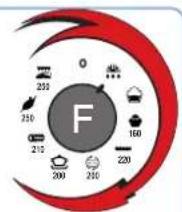
Turn F to select the symbol
2

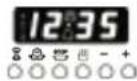

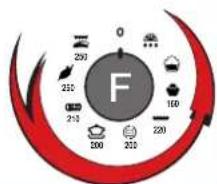
When defrosting is finished, turn F to 0 to turn the oven off.
The Prove function


This function is essential for making yeast dough rise properly before it is cooked. It provides a constant temperature of 40^ for the dough used in bread, brioche, pizza, etc.
The settings programmed for this function create and maintain an ideal atmosphere for helping dough rise.
To get a brioche to rise, place your preparation at level No. 2 on the enamelled tray.
1


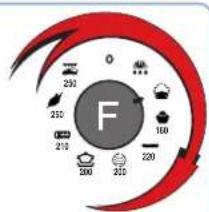
Turn «F» and select the symbol

2


Once the dough has risen, turn «F» to «0» to turn the oven off.
This cooking mode is ideal for cakes (prepared using baking powder). This process avoids the dough drying out pastry and favours rising before the surface turns a crispy golden-brown.

We recommend that you preheat the oven.
Place your dish on the enamelled tray at level No. 2.
1
Turn knob F to select the symbol
2
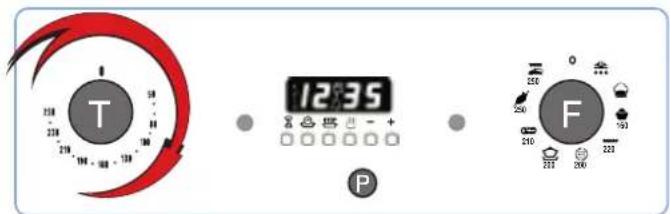
Turn «T» to select the baking temperature.
Recommended temperature: 220^

Wait until the oven has heated before putting your dish in the oven.
3
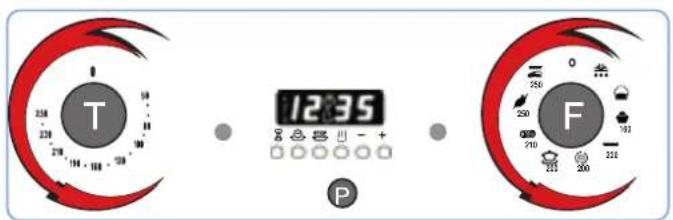
At the end of the cooking cycle, turn «F» and «T» to «0» to turn the oven off.

If you wish to set a delayed start time for cooking or programme a cooking time, see page 4
This mode is ideal for tarts, quiches, etc.
The bottom crust is perfectly cooked, while the filling stays soft.

Use an enamelled tray at level No. 2.
For manual cooking, preheating the oven is recommended.
1
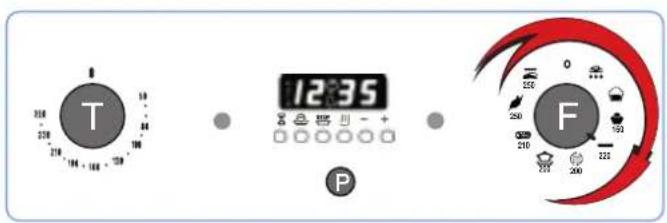
Turn knob F to select the symbol
2
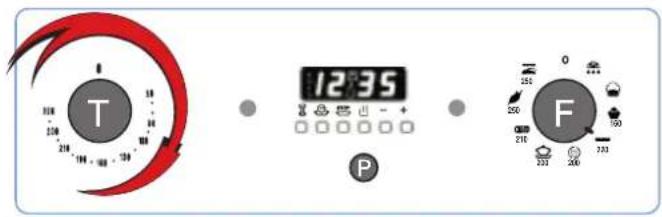
Turn «T» to select the baking temperature.
Recommended temperature: 220^

Wait until the oven has pre-heated before putting your dish in the oven.
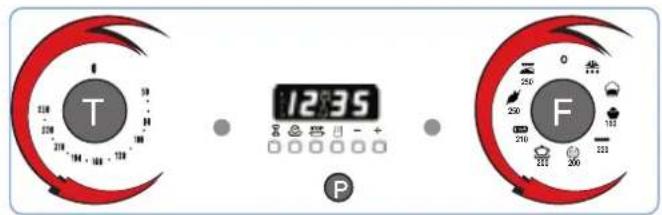
At the end of the cooking cycle, turn «T» and «F» to «O» to turn the oven off.

If you wish to set a delayed start time for cooking or programme a cooking time, see page 4.
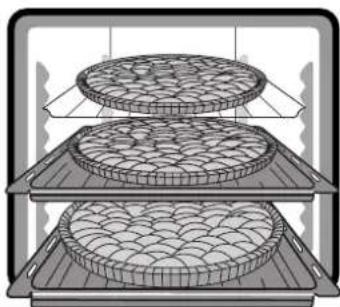
This mode is ideal for cooking identical or different dishes placed on several levels. Cooking several different types of dishes at once does not affect their respective flavours. This mode requires that all the dishes being cooked can be cooked at the same temperature.

We recommend that you preheat the oven.
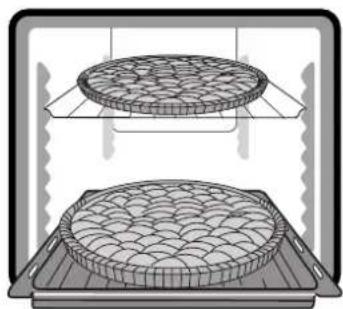
Cooking on 2 levels Cooking on 3 levels Levels No.1 and 3Levels No.1,2and 3
1
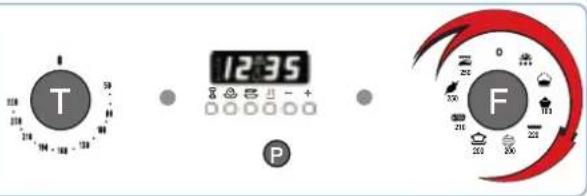
Turn knob F to select the symbol

2
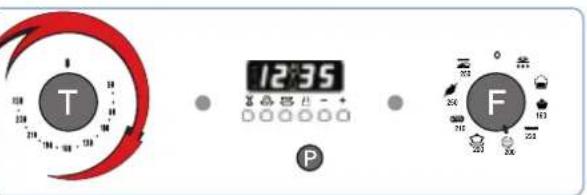
Turn to select the cooking temperature. Recommended temperature: 200^
Wait until the oven has preheated before placing your dishes in the oven.
3
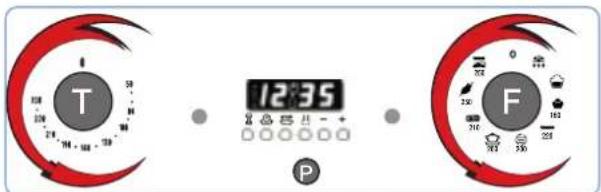
At the end of the cooking cycle, turn «F» and «T» to «0» to turn off the oven.
Nota

Nota
If you wish to set a delayed start time for cooking or programme a cooking time, see page 4.
This cooking method is particularly recommended for dishes cooked at lower temperatures (casseroles, stews, etc.) or for 'bain marie' cooking.

Use an enamelled tray on level No. 2.
We recommend that you preheat the oven.
1
Turn knob «F» to select the symbol

2
P
Turn T to select the cooking temperature. Recommended temperature: 190^
Nota
Wait until the oven has preheated before putting your dish in the oven.
3

At the end of the cooking cycle, turn «F» and «T» to «0» to turn the oven off.
Nota
If you wish to set a delayed start time for cooking or programme a cooking time, see page 7.
This method of cooking is particularly recommended for red and white meats, and au gratin dishes.

Use an enamelled tray on level No. 1 and place the meat to roast on a rack on level No. 2. We recommend that you do not preheat the oven.
1
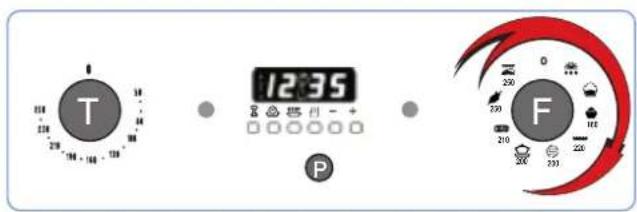
Turn knob «F» to select the symbol
2
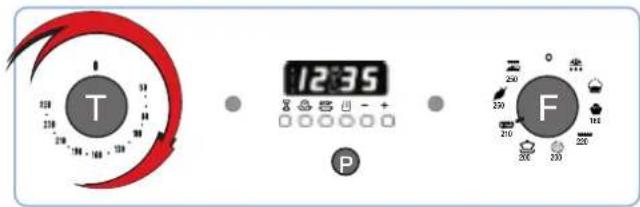
Turn T to select the roasting temperature. Recommended temperature: 210^ Put your dish in the oven.
3
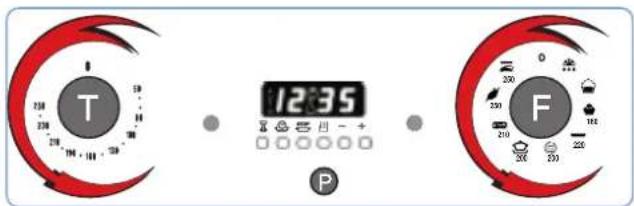
At the end of the cooking cycle, turn «F» and «T» to «0» to turn the oven off.

If you wish to set a delayed start time for cooking or to programme a cooking time, see page 4.
The spit supplied with your oven comprises:
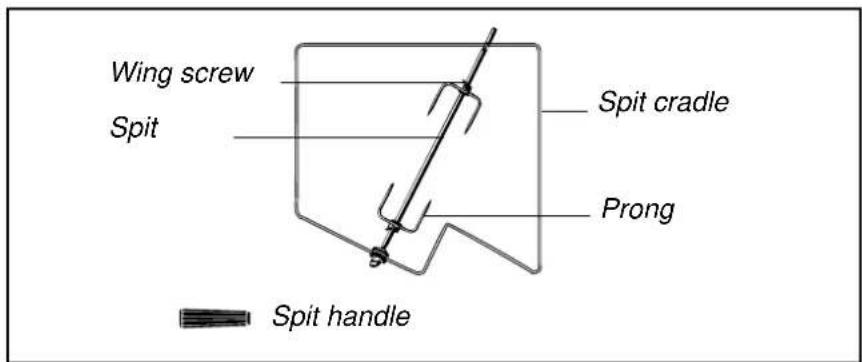
- A cradle that is placed on level No. 2^ so that the spit assembly fits into the hollow motor shaft located in the back of the oven cavity, behind the perforated panel.
- A spit that pierces the meat to be roasted. The meat is held in place at both ends by two sliding forks that are held onto the shaft with wing nuts.
Important: When assembling the unit, make sure that the spit is properly inserted into the hollow drive shaft of the motor.
Check that:
- the spit passes through the centre of the meat to be roasted
-the meat is equidistant from the ends of the spit. - A removable handle made of insulating material and that screws onto the spit shaft. The user is protected from being burned when taking the roast out at the end of the cooking cycle. Screw the handle on tight before removing the spit.
Spit timer
Scholtes ovens are equipped with a timer device for the spit. At the end of the cooking cycle, the motor continues to turn the spit and only stops when the temperature has dropped sufficiently. This eliminates any risk of burning the meat by residual heat. In order to use the spit timer, you must first programme the spit roasting time (see page 7).
This function is especially recommended for cooking on the spit with the oven door closed. The meat turns slowly and browns evenly until it is done. Use an enamelled tray at level No. 1 for recovering the juices, and place the spit cradle at level No. 3.

We recommend that you do not preheat the oven.
1
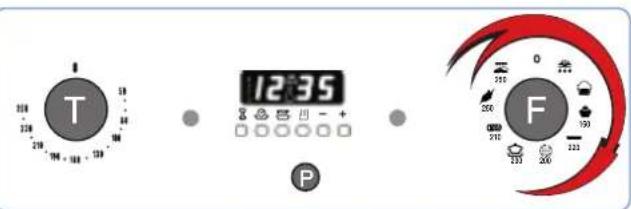
Turn knob «F» to select the symbol
2
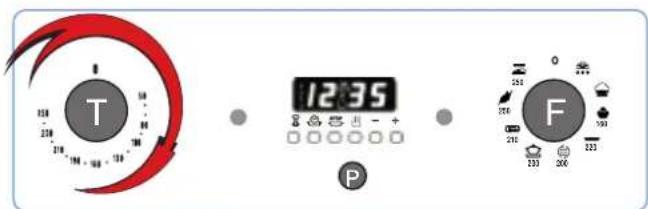
Turn T to select the cooking temperature.
Recommended temperature: 250^
Place the meat and spit in the oven.
3
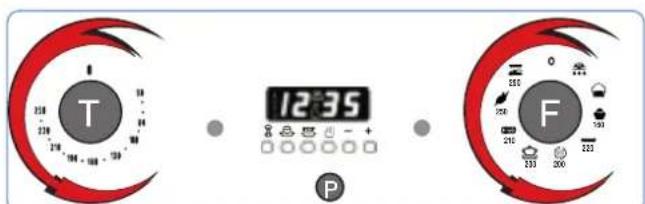
At the end of the cooking cycle, turn «F» and «T» to «0» to turn the oven off.
Nota
If you wish to set a delayed start time for cooking or programme a cooking time, see pages 4.

With the barbecue cooking mode, the accessible oven parts may be hot.
Keep young children away.
This function is especially recommended for cooking ribs of beef, grills, au gratin dishes on plates, with the door partially open (a notch in the hinge is provided for this purpose).
We recommend that you do not preheat the oven.
Use an enamelled tray at level No. 1 for recovering the juices.
Place the meat on a rack and choose a level according to the thickness of the cut.
1
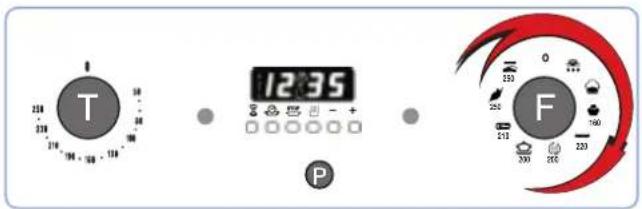
Turn knob F to select the symbol
2
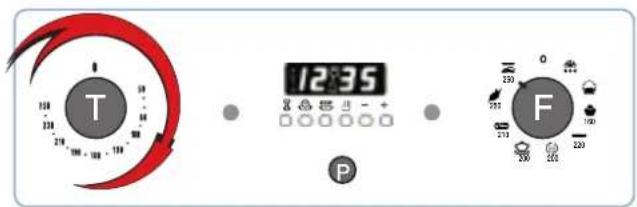
Turn T to select the cooking temperature. Recommended temperature: 250^ Put your dish in the oven.
3
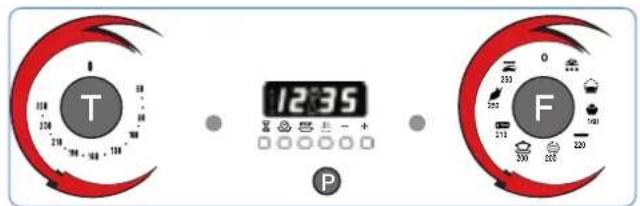
At the end of the cooking cycle, turn «F» and «T» to «0» to turn the oven off.
Nota
If you wish to set a delayed start time for cooking or programme a cooking time, see page 4.
Self-decreasing by catalysis
In this process, the interior walls of the oven are coated with a self-degreasing catalytic enamel. This enamel oxydizes and destroys all grease particles which splash on to the oven walls. The temperature of the walls must be over 170^ for oxydization to occur. The porosity of the catalytic enamel increases the surface exchange required for oxydizing the grease particles by catalysis.
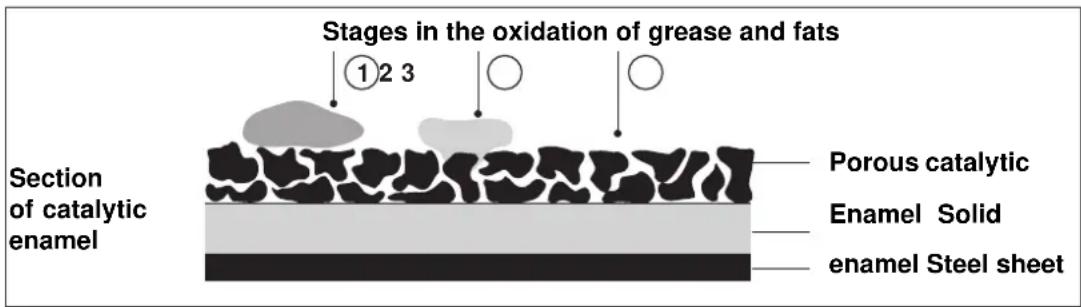
Towards the end of the cooking period, if there are still traces of grease particles, leave the empty oven turned on with the door closed, set the temperature selector to maximum, the function selection control to for 60 to 90 minutes according to the amount of grease residue. Hot water and a soft brush can also help remove spatterings of grease.
Important: The Scholtes catalytic enamel is very resistant. However, scraping the enamel with sharp objects (a knife for example) or cleaning with detergents and abrasives should be avoided as this may cause irreversible damage to the self-degreasing agents in the enamel. The enamel is very resistant, and enables easy sliding action of the various accessories (main rack, drip-pan, spit) without risk of damage to the enamel. Fine white dust may appear where the surfaces make contact, however this is no cause for concern.
Observations:
- If the walls need to be replaced, they are removable. Your local Scholtes distributor will supply you with a new set.
- The grill element and roof are self-cleaning by the automatic destruction of residues due to the heat emitted from the element itself.
- Other parts inside the oven such as the floor, the door the light fixture, can be cleaned with a soapy sponge. Rinse well and dry.
The accessories are produced from quality materials for easy cleaning, like everyday tableware, in a dish-washer.
Tips and recommendations

First use:
- Before using your oven for the first time, heat it once while empty, in a well-ventilated room. We recommend that you use the "Forced air" mode at 250^ for 1 hour.
If your oven gives off a lot of smoke:
- Check that you have selected the appropriate function for the dish, that you are using the right accessories and cooking at the recommended level.
- Also check the displayed temperature: it is probably too high for the dish in question.
- Check whether the oven needs cleaning. Smoke and acrid odours are often the result of charred deposits stuck to the enamel.
If the fan continues to operate after the cooking ends:
- Do not be surprised if the fan continues to function even if you have turned the oven off. It will stop automatically once the oven has cooled sufficiently.
If the oven does not heat up:
Check:
- that the electrical fuses have not blown,
- that the circuit breaker has not been triggered,
- that there is no mains power supply failure.
If the problem persists, contact your Distributor or After-Sales Service representative.
LES FOURSHCHOLTES 1
Description. 2
Les accessoires 2
The indicator light comes on when you have selected the temperature. It indicates that the oven is heating up. When the light goes out, the required temperature has been reached inside the oven. When the light alternately comes on and goes out, it means that the thermostat is working properly to maintain the oven temperature. Tournez la manette «T» pour désirir la température de cuisson désirée.



- COOKING MODES 5
- SELF-DECREASING BY CATALYSIS 14
- TIPS AND RECOMMENDATIONS 14
- SCHOLTES OVENS Design & Durability
- FP 655 Description
- Accessories
- Oven control panel
- Knob «F» is used to select the cooking mode
- Nota
- Knob «T» selects the temperature
- Switching off the oven
- Automatic programme AUTO
- Adjusting the clock
- Manual oven mode (Programming excluded)
- Semi-automatic oven mode
- Minute minder
- Buzzer
- Program control
- Erasing programs
- Comments from our cookery consultant
- Recommendation:
- Cooking modes
- Defrosting
- 1
- 2
- The Prove function
- 3
- Spit timer
- Self-decreasing by catalysis
- Observations:
- Tips and recommendations
- First use:
- If your oven gives off a lot of smoke:
- If the fan continues to operate after the cooking ends:
- If the oven does not heat up:
- LES FOURSHCHOLTES 1
Brand : SCHOLTES
Model : FP 655.3
Category : Oven