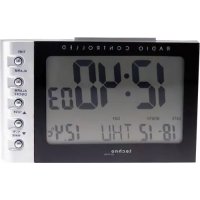
WT 514 - Alarm bell TECHNOLINE - Free user manual and instructions
Find the device manual for free WT 514 TECHNOLINE in PDF.



| Product Type | Projection alarm clock |
| Brand | TECHNOLINE |
| Model | WT 514 |
| Dimensions | 116 x 65 x 142 mm |
| Power Supply | 5V mains adapter (included) or 2 AAA batteries (not included) |
| Time Display | 12/24 h format, quartz clock |
| Calendar | Years 2001 to 2099 with day and date display |
| Indoor Temperature | Range 0°C to +50°C (32°F to 122°F), display in °C or °F |
| Indoor Humidity | Range 20% to 99% RH |
| Comfort Indicator | Smiley based on temperature and humidity |
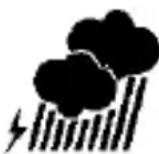
| Weather Forecast | 12-hour forecast with icons: sunny, slightly cloudy, cloudy, rainy |
| Alarm | Ringing with snooze function |
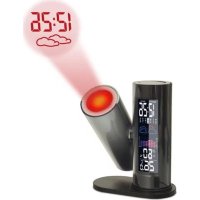
| Projection | Projects time and weather forecast onto wall/ceiling, adjustable direction and focus |
| Backlight | Can be turned on for 5 seconds (LIGHT button), permanent if powered by adapter |
| MIN/MAX Memory | Maximum/minimum temperature and humidity |
| Maintenance and Cleaning | Clean with a soft, dry cloth. Do not use solvents. Remove batteries if not used for a long time. |
| Safety | Do not expose to water, fire, extreme temperatures, or open the case. Use only non-rechargeable alkaline batteries. |
| Spare Parts | Not supplied. In case of failure, contact customer service. |
| General Information | Compliant with directives 2014/53/EU and ROHS 2011/65/EC. Declaration of conformity available at www.technoline.de/doc/4029665005140 |
Frequently Asked Questions - WT 514 TECHNOLINE
User questions about WT 514 TECHNOLINE
0 question about this device. Answer the ones you know or ask your own.
Ask a new question about this device
Download the instructions for your Alarm bell in PDF format for free! Find your manual WT 514 - TECHNOLINE and take your electronic device back in hand. On this page are published all the documents necessary for the use of your device. WT 514 by TECHNOLINE.
USER MANUAL WT 514 TECHNOLINE
natural_image
Simple black-and-white illustration of a sun and clouds (no text or symbols)



BEDIENUNG
(inklusive) und/oder 2 x AAA Micro
LR03, 1.5V (nicht inklusive)
Vorsichtsmaßnahmen
- Quartz clock
• 12/24 h time display - Date and weekday display
- Indoor temperature display in °C/°F
- Indoor humidity display
- MIN/MAX recording
• 12 h temperature history
• Feel-good indicator (Smiley)
• Forecast of weather situations - Alarm with snooze function
- Projection of the time and weather forecast
- Projection with adjustable projection direction
Getting started
- Connect the included power adapter HX075-0500600-AG-001 to a household socket and to the back of the clock.
- Alternatively, you can use batteries. To do this, open the cover of the battery compartment.
- Insert 2 x AAA batteries, observing the correct polarity ["+" and "-" markings]. Close the battery compartment cover again.
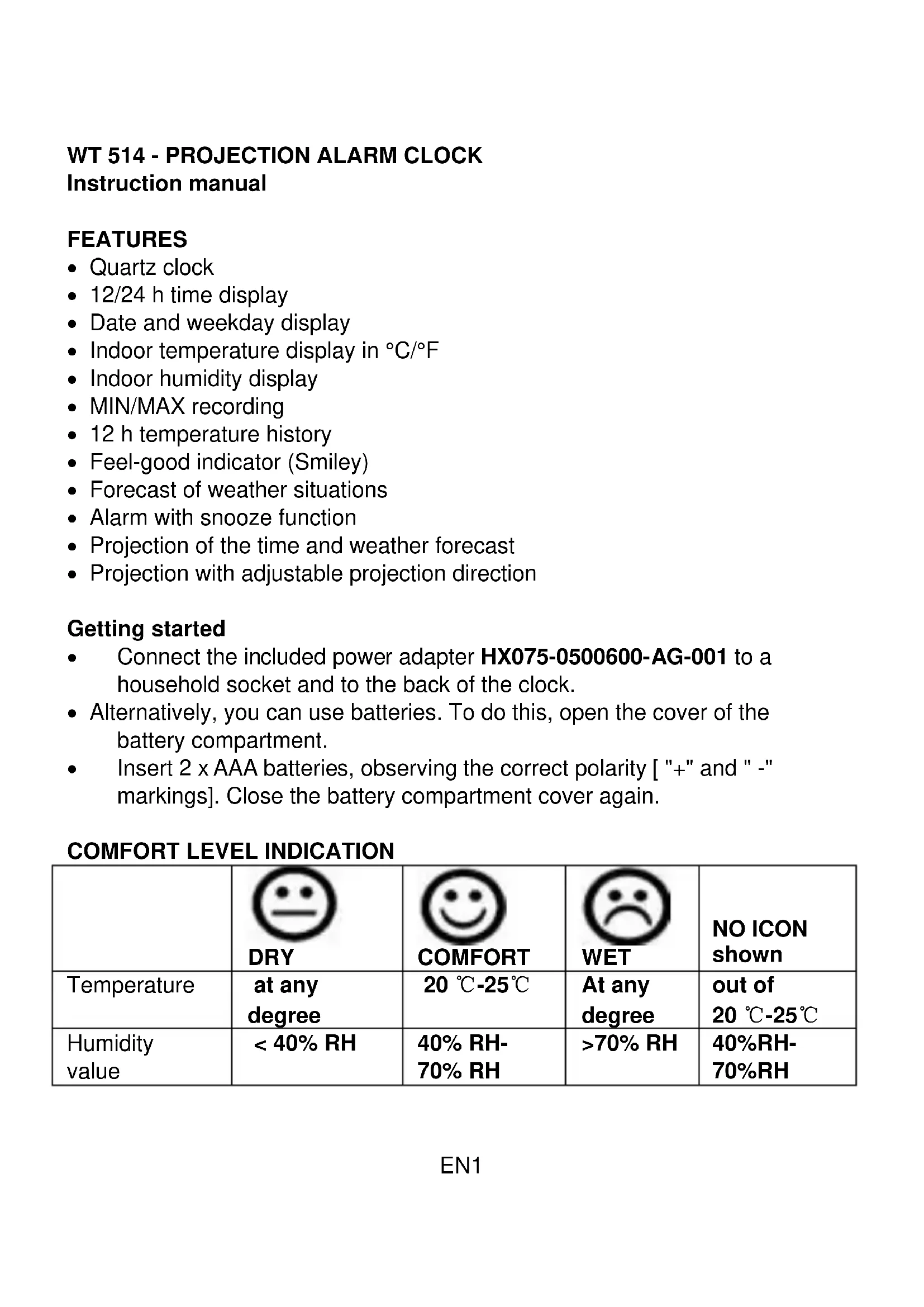
COMFORT LEVEL INDICATION
 DRY DRY |  COMFORT COMFORT |  WET WET | NO ICON shown | |
| Temperature | at any degree | 20 °C-25°C | At any degree | out of 20 °C-25°C |
| Humidity value | < 40% RH | 40% RH-70% RH | >70% RH | 40%RH-70%RH |
WEATHER FORECAST
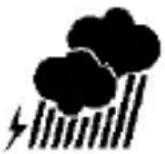
The weather is based on the temperature and humidity chart to create the next 12-hour weather forecasts. This is meant as a fun addition to the clock as the reading is affected by indoor conditions such as air conditioning and central heating which will affect the accuracy.
They are 4 possible weather symbols shown below:

OPERATION
Press MODE one time to view the alarm time.
Press MODE one more time to the view calendar.
SETTING THE TIME
- Press and hold MODE for 3 seconds to enter the time setting mode.
- The hour digits are blinking and can be set by pressing UP or DOWN.
- Press MODE again.
- The minute digits are blinking and can be set by pressing UP or DOWN.
SETTING THE ALARM
- Press MODE for 2 times to view the alarm time.
- Press MODE hold for 3 seconds to enter the alarm setting mode.
- The hour digits are blinking and can be set by pressing UP or DOWN.
- Press MODE again.
- The minute digits are blinking and can be set by pressing UP or DOWN.
SETTING THE CALENDAR
- Press MODE to the view calendar.
- Press MODE hold for 3 seconds to enter the calendar setting mode.
- The year digits are blinking and can be set by pressing UP or DOWN.
-
Press MODE again.
-
The month digits are blinking and can be set by pressing UP or DOWN.
- Press MODE again.
- The day digits are blinking and can be set by pressing UP or DOWN.
ALARM ON/OFF
Press UP to turn alarm on/off.
12/24 FORMAT HOUR
At the time mode, Press UP for 3 seconds to switch 12 or 24 format hour time display.
TEMPERATURE DISPLAY FORMAT
Press DOWN to switch °C/°F display.
MAX/MIN
Press MAX/MIN to view MAX temperature and humidity record.
Press MAX/MIN again to view MIN temperature and humidity record.
SNOOZE/LIGHT/PROJECTOR
During the alarm press SNZ for snooze mode.
Press LIGHT to turn on backlight for 5 seconds, and the projector will display the real time and weather icon on the opposite wall in dark room at the same time.
When clock is powered by power adaptor the projector is always working.
Use the adjustable projection arm to display onto appropriate wall or ceiling.
Use the focus key to adjust the focus of he projected display.
Hereby, Technotrade declares that this product WT 514 is in compliance with the essential requirements and other relevant provisions of Directive 2014/53/EU and ROHS 2011/65/EC. The original EU declaration of conformity may be found at: www.technoline.de/doc/4029665005140
SPECIFICATIONS
Temperature measuring range: 0°C to +50°C (32°F to 122°F)
Humidity measuring range: 20% to 99%
Resolution: 0.1^/0.1^
Calendar: Year 2001 -2099
Dimensions: 116 x 65 x 142 mm
Power requirements: 5V adaptor HX075-0500600-AG-001
(included) and/ or 2 x AAA Micro LR03,
1.5V (not included)
Precautions
- This main unit is intended to be used only indoors.
- Do not subject the unit to excessive force or shock.
- Do not expose the unit to extreme temperatures, direct sunlight, dust or humidity.
- Do not immerse in water.
- Avoid contact with any corrosive materials.
- Do not dispose this unit in a fire as it may explode.
- Do not open the inner back case or tamper with any components of this unit.
Batteries safety warnings
- Use only alkaline batteries, not rechargeable batteries.
• Install batteries correctly by matching the polarities (+/-).
• Always replace a complete set of batteries. - Never mix used and new batteries.
- Remove exhausted batteries immediately.
- Remove batteries when not in use.
- Do not recharge and do not dispose of batteries in fire as the batteries may explode.
- Ensure batteries are stored away from metal objects as contact may cause a short circuit.
- Avoid exposing batteries to extreme temperature or humidity or direct sunlight.
- Keep all batteries out of reach from children. They are a choking hazard.
Use the product only for its intended purpose!
Consideration of duty according to the battery law
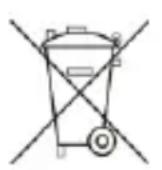
Old batteries do not belong to domestic waste because they could cause damages of health and environment. You can return used batteries free of charge to your dealer and collection points. As end-user you are committed by law to bring back needed
batteries to distributors and other collecting points!
Consideration of duty according to the law of electrical devices
This symbol means that you must dispose of electrical devices separated from the General household waste when it reaches the end of its useful life. Take your unit to your local waste collection point or recycling centre. This applies to all countries of the European Union, and to other European countries with a
separate waste collection system.
natural_image
Simple black-and-white illustration of a sun and clouds (no text or symbols)



FONCTIONNEMENT
Résolution: 0.1°C/0.1°F
HX075-0500600-AG-001
(inclus) et/ ou 2 x AAA Micro LR03,
1.5V (non inclus)
Précautions
natural_image
Abstract black-and-white icon depicting a person moving with arrows, enclosed in a circular frame (no text or symbols)natural_image
Simple black-and-white weather icons: sun, clouds, rain, and lightning (no text or symbols)FUNCIONAMIENTO
natural_image
Simple black-and-white illustration of a sun and two clouds (no text or symbols)bewolkt

regenachtig


BEDIENING
Voeding: 5 V adapter HX075-0500600-AG-001
natural_image
Simple black-and-white weather icons: sun, cloud, rain, and lightning (no text or symbols)UTILIZZO
HX075-0500600-AG-001
natural_image
Simple black-and-white illustration of a sun and clouds (no text or symbols)Zataženo


Prší


PROVOZ
natural_image
Simple black-and-white icon of a sun above clouds (no text or symbols)