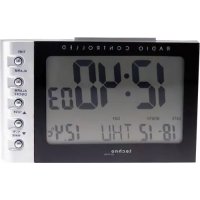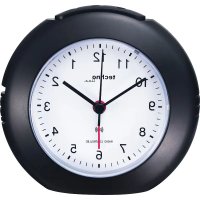
WT 757 - Alarm bell TECHNOLINE - Free user manual and instructions
Find the device manual for free WT 757 TECHNOLINE in PDF.



| Product Type | Alarm clock / Radio-controlled clock |
| Brand | TECHNOLINE |
| Model | WT 757 |
| Power supply | 1 AA 1.5V battery (LR6) |
| Battery type | Alkaline |
| Display | Digital with backlight |
| Time setting | Automatic (DCF-77 radio signal) and manual |
| Radio signal | DCF-77 (77.5 kHz) |
| Reception range | Up to 1500 km from transmitter (estimate) |
| Main functions | Alarm, Snooze (5 min repeat), Backlight, Time display |
| Buttons | Snooze (top), Reset (side), M. Set (manual setting) |
| Switch | Slide switch ON/OFF for alarm |
| Dimensions (approx.) | 120 x 70 x 55 mm |
| Weight (approx.) | 150 g |
| Material | ABS plastic |
| Usage | Indoors only |
| Precautions | Do not immerse, avoid shocks and extreme temperatures |
| Battery safety | Use alkaline batteries, observe polarity, remove if unused for a long time |
| Compliance | Directive 2014/53/EU and ROHS 2011/65/EC |
| Cleaning | Soft dry cloth |
Frequently Asked Questions - WT 757 TECHNOLINE
User questions about WT 757 TECHNOLINE
0 question about this device. Answer the ones you know or ask your own.
Ask a new question about this device
Download the instructions for your Alarm bell in PDF format for free! Find your manual WT 757 - TECHNOLINE and take your electronic device back in hand. On this page are published all the documents necessary for the use of your device. WT 757 by TECHNOLINE.
USER MANUAL WT 757 TECHNOLINE
Pull down the lid of the battery compartment (at the bottom of the case). Insert a new battery (AA type, LR6, 1,5 V), observing correct polarity as indicated in the battery compartment. Put lid back again.
Setting the clock automatically
The clock starts automatically receiving the DCF signal and displays after 2 - 5 minutes the correct time. If the clock still has not set itself after 10 minutes, reception is faulty or not possible at the chosen location. Interferences could be electronically devices like TV or PC. The disturbance range can be a circuit of up to 2 meter. Press RESET button on the backside and repeat setting at a different location.
Manual setting
Press and hold the M.Set button to manually set the time.
Restart
Press the RESET button to restart the clock.
Switch on alarm
Push the alarm ON/OFF button upwards. The alarm sounds at the set alarm time.
Interrupt alarm (snoopze)
Press SNOOZE button on top of the alarm clock. The alarm is interrupted and the backlight is activated. The alarm sounds again after 5 minutes.
Switch off alarm
To switch off the alarm, push the alarm ON/OFF - button down.
Backlight
To activate backlight, press SNOOZE button on top of the clock.
Hereby, Technotrade declares that this product WT757 is in compliance with the essential requirements and other relevant provisions of Directive
Environmental reception effects
The clock obtains the accurate time with wireless technology. Same as all wireless devices, the reception is maybe affected by the following circumstances:
- long transmitting distance
- nearby mountains and valleys
- near freeway, railway, airports, high voltage cable etc.
- near construction site
among tall buildings - inside concrete buildings
- near electrical appliances (computers, TV's, etc) and metallic structures
- inside moving vehicles
Place the clock at a location with optimal signal, i.e. close to a window and away from metal surfaces or electrical appliances.
Precautions
- This main unit is intended to be used only indoors.
- Do not subject the unit to excessive force or shock.
- Do not expose the unit to extreme temperatures, direct sunlight, dust or humidity.
- Do not immerse in water.
- Avoid contact with any corrosive materials.
- Do not dispose this unit in a fire as it may explode.
- Do not open the inner back case or tamper with any components of this unit.
Batteries safety warnings
- Use only alkaline batteries, not rechargeable batteries.
- Install batteries correctly by matching the polarities (+/-) .
- Always replace a complete set of batteries.
- Never mix used and new batteries.
- Remove exhausted batteries immediately.
- Remove batteries when not in use.
- Do not recharge and do not dispose of batteries in fire as the batteries may explode.
- Ensure batteries are stored away from metal objects as contact may
cause a short circuit.
- Avoid exposing batteries to extreme temperature or humidity or direct sunlight.
- Keep all batteries out of reach from children. They are a choking hazard.
Use the product only for its intended purpose!
Consideration of duty according to the battery law
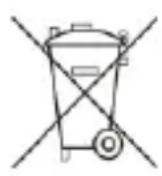
Old batteries do not belong to domestic waste because they could cause damages of health and environment. You can return used batteries free of charge to your dealer and collection points. As end-user you are committed by law to
bring back needed batteries to distributors and other collecting points!
Consideration of duty according to the law of electrical devices
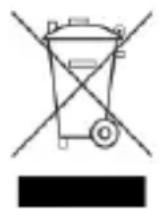
This symbol means that you must dispose of electrical devices separated from the General household waste when it reaches the end of its useful life. Take your unit to your local waste collection point or recycling centre. This applies to all countries of the European Union, and to other European
countries with a separate waste collection system.