Car HD 72 - Dashcam CamOne - Free user manual and instructions
Find the device manual for free Car HD 72 CamOne in PDF.


| Product type | Dashcam |
| Brand | CamOne |
| Model | Car HD 72 |
| Video resolution | HD 1280 x 720p (HD Ready) |
| Viewing angle | Standard (optional interchangeable lenses 133° and 170°) |
| Screen | Built-in (icon and menu display) |
| Power supply | 5V USB / 12-24V cigarette lighter / LiPo battery 3.7V 600 mAh |
| Battery | Rechargeable LiPo 600 mAh (ref. Art-FCHD17) |
| Estimated battery life | About 1 hour |
| Memory | Micro SDHC card class 4 or higher, 8 to 32 GB |
| Loop recording | Yes, 15-minute segments |
| Automatic trigger | Yes, via cigarette lighter adapter (engine detection) |
| Image rotation | 180° (mirror mode) |
| Digital zoom | Yes, 10 levels |
| Photo mode | Yes, with adjustable interval (1s to 60 min) |
| Timelapse | Yes, adjustable up to 1 image per minute |
| Connectors | Mini USB 2.0, 10-pin port (AV out, 5V in, trigger signal) |
| Video output | AV (RCA cable) |
| Included mount | Windshield suction cup |
| Operating temperature | -10°C to 60°C |
| Firmware update | Yes (via www.CamOneTec.com) |
| Included accessories | USB cable, AV cable, user manual |
Frequently Asked Questions - Car HD 72 CamOne
User questions about Car HD 72 CamOne
0 question about this device. Answer the ones you know or ask your own.
Ask a new question about this device
Download the instructions for your Dashcam in PDF format for free! Find your manual Car HD 72 - CamOne and take your electronic device back in hand. On this page are published all the documents necessary for the use of your device. Car HD 72 by CamOne.
USER MANUAL Car HD 72 CamOne
CarcamOne high definition
Manual Download as PDF www.camonetec.com
natural_image
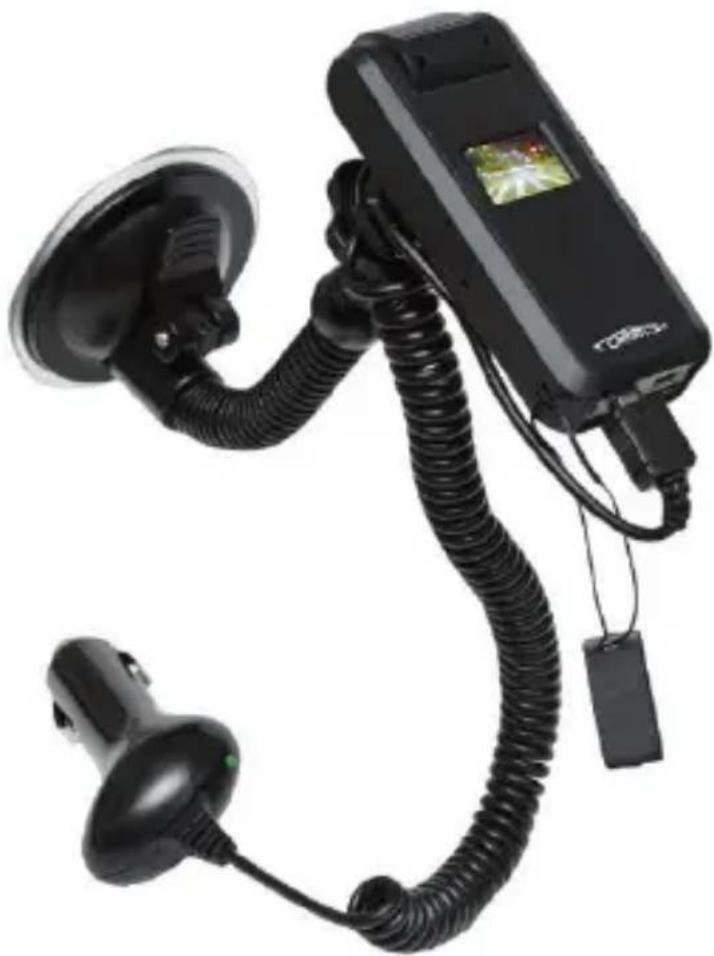
Black handheld device with coiled cable and attached sensor, no visible text or symbolsCamOne, FlyCamOne, CarCamOne and the CarCamOne Logo are registered Trademarks of ACME the game company, Germany ©copyright 2013 by ACME the game company GmbH
Contenu de la boite
natural_image
Line drawing of a rectangular electronic device casing with internal components and a central slot (no text or symbols)CarCamOne High Definition 720p Camera
natural_image
Simple line drawing of a coiled cable or wire with a rectangular connector (no text or symbols)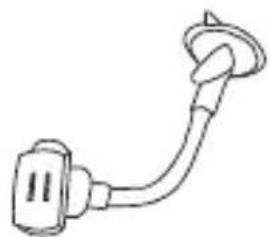
natural_image
Simple line drawing of a connector or cable with a looped end (no text or symbols)
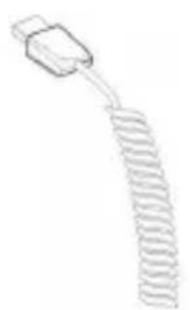
CarCamOne Câble Base de fi xation ventouse Cordelette
Content of the box 2
Preparation 4
Battery charging 4
Exchange the battery 4
Compatible memory cards 6
How to insert SD card 6
The panel 6
Start the camera 6
Permanent recording inside a car 7
Playback of video and photos 9
Setup 10
Playback at the computer (MS Windows) 11
Using the camera as a webcam 11
Different type of mount 12
Connecting the optional screen 13
Exchange the lens 13
Tighten / Untighten the head 13
Firmware update 14
Technical data 14
Troubleshooting 15
CarCamOne HD Accessoires 16
Safety advice 18
Service & Support 19
Préparation
natural_image
Line drawing of a rectangular electronic device casing with ports and a handle (no text or symbols)Témoin de charge [Charge]
natural_image
Technical line drawing of a mechanical component with internal features and a close-up view (no text or symbols)natural_image
Line drawing of a device casing with connectors and ports (no text or symbols)Tête pivotante à180°
Ecran 1"/ 25,4mm
Zoom
natural_image
Technical line drawing of a device casing with internal components and connectors (no text or symbols)Bouton On-/Off
natural_image
Pure electrical circuit lines without any symbolsZoom +
Zoom -
Vers le haut
Marche / Arrêt / OK
natural_image
Line drawing of a remote control device with buttons and dials (no text or symbols)Remaining capacity as bargraph [6]
[1] At the top on the right, the tripartite battery status is indicated. If this status is marked red, the internal battery needs to be charged! [2] The box besides it shows the activated timestamp. [3] Next to the „A“ for automatic exposure the chosen preset is displayed here. [4] The red spot indicates the recording. [5] Leftmost you can check the selected mode. The camera symbol for photo mode (followed by a „S“ for serial pictures) – the video camera for video mode (followed by an „E“ for external mode). [6] Below the capacity is indicated in form of a bargraph. Red is the used memory, green shows the remaining capacity.
Sélection du mode
natural_image
Pure technical line drawing of mechanical components without any text, numbers, or symbolsBouton d'activation
natural_image
Pure mechanical assembly diagram showing clamping components without any text or symbolsZoom in Zoom out
Please note that some menu items may not appear before a fi rmware-/software update.
Check „SoftwareUpdate (Firmware Update)”.
! Supports only Windows 32 bit systems.
natural_image
Technical line drawing of a mechanical device with mounting bracket and side panel (no text or symbols)natural_image
Technical line drawing of a mechanical component with no visible text or symbolsPendulum mount
natural_image
Simple line drawing of a mechanical component with a circular top and rectangular base (no text or symbols)Universal mount
Fast replaceable lenses for the right fi eld of view. Attention: The 96° and 133° lenses are not suitable for the DiveBox use!
natural_image
Line drawing of a two-tiered rectangular device with a label on the front panel (no text or symbols on the device itself)Docking station
For battery charging, data transfer on the PC or mounting the camera on the dashboard of your car.
(Art.-Nr.: FCHD13)
natural_image
Line drawing of two electronic devices connected by a cable (no text or symbols)natural_image
Technical line drawing of a mechanical component with mounting holes and internal compartments (no text or symbols)
natural_image
Technical line drawing of a mechanical housing or enclosure with mounting holes and internal components (no text or symbols)Please Note!
The opened camera head and connectors can be damaged easily. Handle the change carefully and take your time!
To replace the sensor unit, turn the camera head until you can see the screws. Remove the four screws with a Phillips screwdriver. Carefully remove the plug at the rear of the board. Make sure that the opening of the new board looks in the direction of the broadband cable. Now insert the new sensor unit with the lens on the built-in camera connector.
Fix the new lens carefully with the new, enclosed screws!
natural_image
Technical line drawing of a mechanical device with a handle and housing (no text or symbols)To make the best out of your camera, make sure your fi rmware is up to date, which is displayed by pressing the M button for several seconds.
Compare your firmware version with the currently listed version on our website.
Website: www.CamOneTec.com
When needed, the most recent fi rmware version can be downloaded here.
To update the camera software (fi rmware update), copy the needed file from our website in the root of your memory card.
Go to the main camera menu (Setup) and select the step „Update”.
Then confirm your choice by clicking „Start“.
The update process takes about 1 minute. The status is indicated on the display.
Do not switch off the camera while updating!
Make sure that the battery is fully charged
Size: 95 x 52 x 21mm
Weight: 53g incl. battery
Battery: 3,7V 600mAh LiPo
Format: MPeg
Sensor: 5MPix CMOS
Lens: 55° (exchangeable)
Zoom: 4times digital
Screen: 1" / 2,54mm OLED
Microphone: yes
AV-Out: yes
USB: Hi-Speed USB (2.0)
Operation temperature: 0°C to 60°C
Humidity 10% to 80% (non-condensing)
Micro SD/SDHC-Card: Micro SD <= 32GB - Class 4 or higher
Make sure that the board plug provides voltage on position!
Please note that permanent improvements of the fi rmware cause adjustments on this manual. On our website www.CamOneTec.com the latest version is available. Please pay attention on the version.
natural_image
Line drawing of a two-tiered device with no visible text or symbolsSpace for your notes
Read the manual before using the product.
When a battery is incorrectly replaced, there is danger of explosion. Replace the battery only by a battery that is recommended by the manufacturer of the same or equivalent type. Dispose used batteries according to the manufacturer's instructions- Risk of fire, explosions and burns. Do not disassemble the battery. Do not heat the batteries above the following temperatures or incinerate them.
LiPo-Battery < 60^ C

This product contains a LiPo battery. Dispose this batteries at a designated collection place only.
We hereby declare that this model meets the essential requirements and other relevant provisions of Directive 2004/108/EC. A copy of the Declaration of Conformity can be obtained from the address (p. 19).
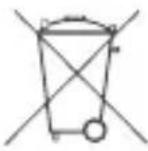
Information for Users on Disposal of electrical and electronic equipment.
According to the company principles of CamOneTec / ACME the game company GmbH quality reusable components have been installed in this product. This symbol on the products and / or accompanying documents means that the product must be disposed at the end of the general household waste.
DE6989527
Dispose these products, the battery as well, at an environment- friendly collecting point (or recycling yard)
Guarantee & warranty
The consumer is granted without prejudice to any claim against the seller a manufacturer's Guarantee under the following conditions:
» New devices and their components, resulting from manufacturing and / or material faults within 24 months from purchase, will be replaced by CamOneTec at its discretion charge against a state-the-art equipment or repaired for consumables (eg batteries, covers, etc.), this warranty is valid for 3 months from purchase.
» This warranty does not apply if the defect is due to improper handling and / or not following the instructions.
» This warranty does not extend to the customer themselves (eg installation, software downloads).
» Warranty claims are to be asserted immediately after the Guarantee default.
» Devices or components that are returned as part of the exchange to CamOneTec, become the property of CamOneTec.
» By services rendered under warranty does not extend the warranty period.
» Insofar as no Guarantee default exists, reserves CamOneTec, charge the customer for the replacement, repair or the shipping costs. The customer will be informed in advance.
Service & Support
CamOneTec by ACME the game company
Boikweg 24
33129 Delbrück
Germany
Telefon: +49 2944 97 383 0
E-Mail: service@camonetec.com
http://www.camonetec.com
A list of our world-wide service points is available here:
http://www.camonetec.com/service

CamOneTec.com