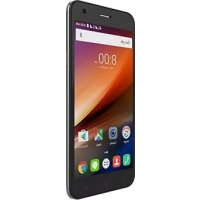
HaierPhone G55 - Smartphone HAIER - Free user manual and instructions
Find the device manual for free HaierPhone G55 HAIER in PDF.



| Product Type | Smartphone |
| Brand | Haier |
| Model | HaierPhone G55 |
| Dimensions (approx.) | 140 x 70 x 8 mm |
| Weight (approx.) | 150 g |
| Display | Capacitive touchscreen |
| Rear Camera | Camera with LED flash |
| Front Camera | Front camera for selfies |
| Connectivity | Wi-Fi, Bluetooth, 3G/4G (depending on version), GPS |
| Ports | Micro-USB port, 3.5 mm headphone jack, T-Flash slot |
| SIM Cards | Dual Micro SIM |
| Battery | Rechargeable lithium-ion (removable?) |
| Power Supply | Mains charger via micro-USB port |
| Keys and Buttons | Volume +/-, power button, Menu key, Home key, Back key |
| Speaker | Built-in speaker |
| Main Functions | Calls, messaging, internet browsing, camera, media player |
| Care and Cleaning | Avoid water and humidity; clean with a soft dry cloth |
| Safety | Do not disassemble; use original accessories; follow guidelines on flights, hospitals, gas stations |
| Operating Temperature | 0°C to 40°C |
| Spare Parts and Repairability | Use only Haier-approved parts; repair by professional |
| General Information | Compliant with European directives; max SAR: 2 W/kg (at ear and body at 0.5 cm) |
Frequently Asked Questions - HaierPhone G55 HAIER
User questions about HaierPhone G55 HAIER
0 question about this device. Answer the ones you know or ask your own.
Ask a new question about this device
Download the instructions for your Smartphone in PDF format for free! Find your manual HaierPhone G55 - HAIER and take your electronic device back in hand. On this page are published all the documents necessary for the use of your device. HaierPhone G55 by HAIER.
USER MANUAL HaierPhone G55 HAIER
natural_image
Solid blue geometric shape resembling a house or triangular prism (no text or symbols)- Please read the instructions carefully before use
- Haser reserves the right to explain the instructions
• The pictures are for reference only
Content:
- English....1
- Français....8
- Deutsch 15
- Español 22
- Português 29
- Italiano....36
- Nederlands....43
- Police....50
- Magyarország....67
Thank you for choosing Haier Phone G55
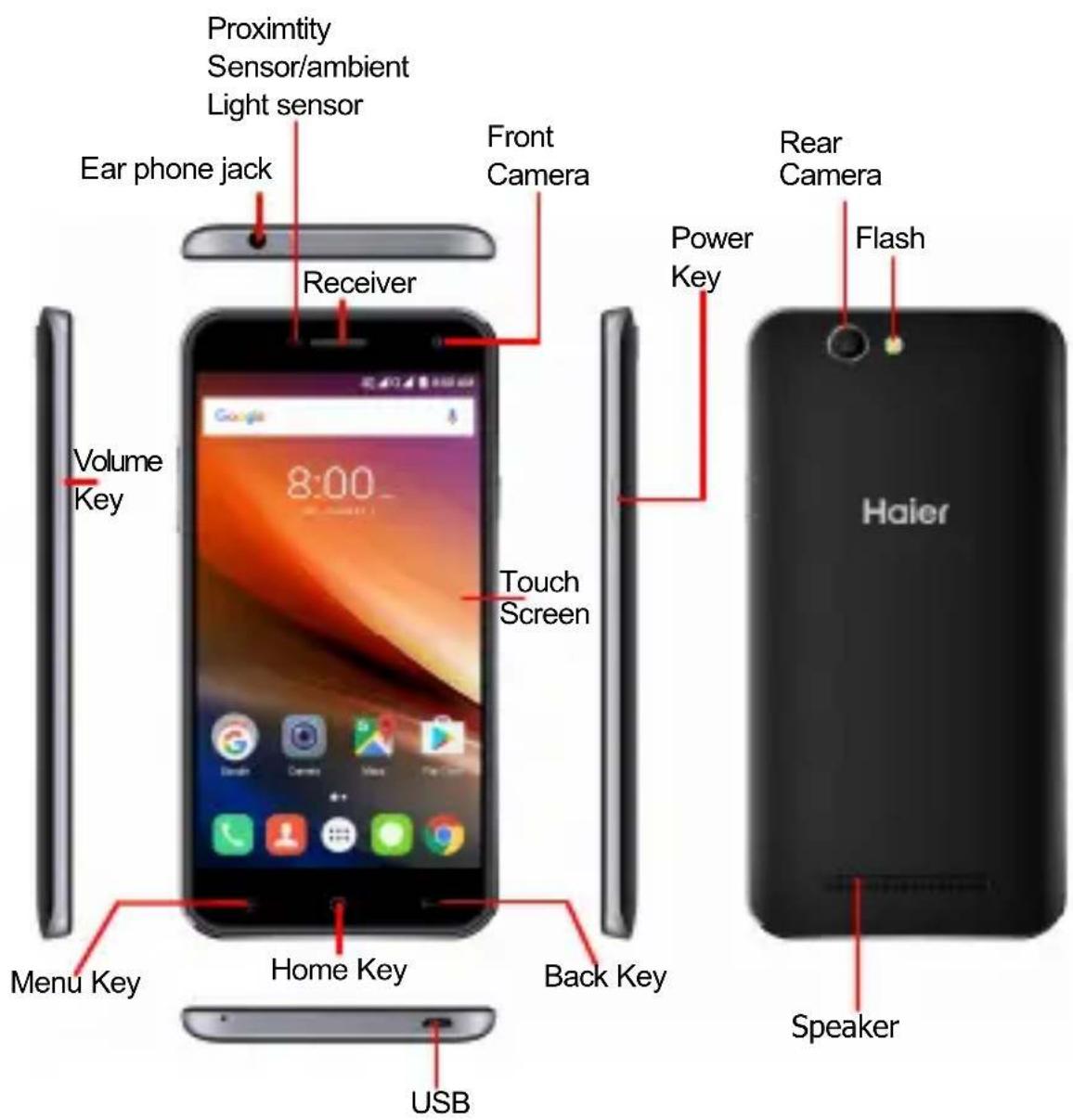
Your phone at a glance.
text_image
Proximity Sensor/ambient Light sensor Ear phone jack Receiver Front Camera Power Key Rear Camera Flash Volume Key Touch Screen Home Key Back Key Haier USB Menu KeyGetting started
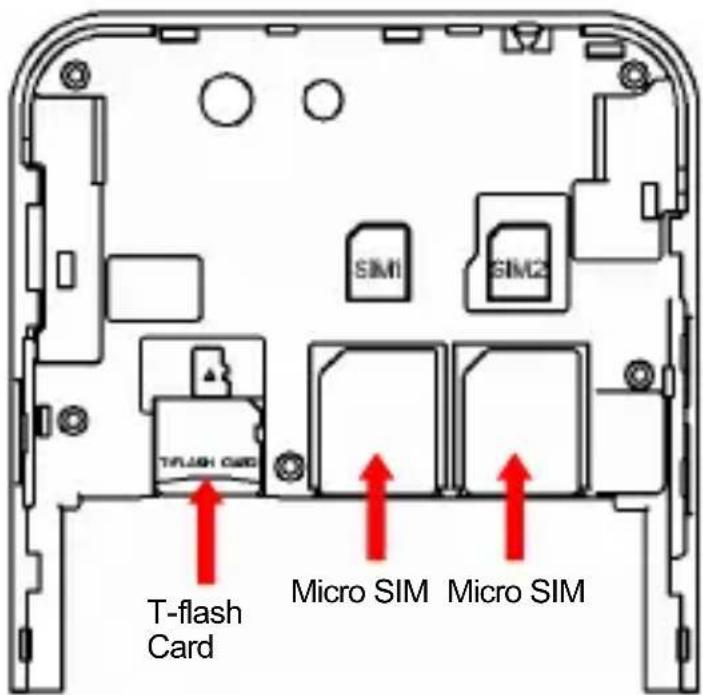
Please insert the SIM card by following below instructions. Then press and hold the power button to turn your phone on or off.
text_image
T-FLASH CARD Micro SIM Micro SIMPlease visit www.haier.com to get full user guide.
Legal Notice
This document, whether in part or whole, shall not be reproduced or transmitted in any way, shape, or form without the prior written consent of Haier.
Haier is a trademark of Haier Telecom Co., Ltd.
Haier reserves the right to modify the information contained in this guide at any time.
Disclaimer
THIRD PARTY SERVICES AND CONTENT ARE DELIVERED «AS IS». HAIER DOES NOT GUARANTEE THE CONTENT AND SERVICES SO DELIVERED, EITHER EXPRESS LY OR IMPLICITLY, FOR ANY PURPOSE WHATSOEVER AS WELL AS WARRANTIES OF MERCHANTABILITY AND FITNESS FOR A PARTICULAR PURPOSE. HAIER DOES NOT GUARANTEE THE ACCURACY, VALIDITY, LEGALITY OR EXHAUSTIVENESS OF THE CONTENT OR SERVICES PROVIDED BY THIS DEVICE. HAIER SHALL NOT BE LIABLE FOR NEGLIGENCE, WHETHER IN CONTRACT OR IN TORT, FOR ANY DIRECT, INDIRECT, INCIDENTAL OR SPECIAL DAMAGES, LEGAL FEES, EXPENSES OR ANY OTHER DAMAGE ARISING FROM USE OF THE CONTENT OR SERVICES BY YOURSELF OR BY A THIRD PARTY EVEN IF HAIER HAS BEEN ADVISED OF THE POSS IBILITY OF SUCH INCONVENIENCES. AS SOME COUNTRIES DO NOT ALLOW THE EXCLUSION OF IMPLIED WARRANTY OR LIMITATIONS ON THE LEGAL RIGHTS OF CONSUMERS, IT IS POSSIBLE THAT THESE EXCLUSIONS AND LIMITATIONS MAY NOT APPLY TO YOU.
Safety Cautions
Please read this safety information carefully to ensure safe and proper use.
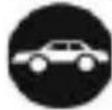
Driving
Using a mobile phone can distract the user and result in an accident. You must fully comply with the local regulations and laws regarding the use of cell phones whilst driving.
Near Sensitive Electronics
Don't use your phone near sensitive electronic equipment – particularly medical devices such as pacemakers and electronic implants, as it could cause them to malfunction. Your phone may cause interference with TV, radio, fire detectors, and other automatic-control equipment.
For more information about how your phone affects pacemakers or other electronic equipment, please contact the manufacturer or your local distributor.

Flying
Your phone can cause interference with aircraft equipment. So please turn your phone off when flying.

Hospitals
Your phone may interfere with the operation of medical equipment.
You must observe and follow any instructions or warnings in hospitals and treatment centers.
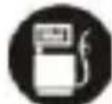
At Petrol Stations
Don't use your phone in petrol stations. In fact, it's suggested to be switched off near any fuels, chemicals or explosives.
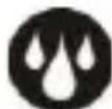
Contact with liquid
Keep your phone away from water (or any other liquid). Any damage caused by liquid may be irreparable.
Making Repairs
Never take your phone apart. Please handle the repairs with the professionals. Any unauthorized repairs would break warranty terms.

Broken Antenna
Don't use your phone if the antenna is damaged, as it could cause injury.

Around Children
Keep your mobile out of children's reach. It should never be used as a toy and it might not be good for their health.
Original Accessories
Only use the original accessories supplied with your phone or those approved by the manufacturer. The use of unauthorized accessories may damage your phone or cause a safety risk.
Near Explosives and Fire hazard
Turn off your phone in or near explosive materials or heat sources such as radiators or cookers. Always obey local regulations and laws. Turn off your phone when requested.
Emergency Calls
To make an emergency call your phone must be turned on and in an area where there's network coverage. Dial the national emergency number and press 'send'. Explain exactly where you are and don't hang up until help has arrived.
Working Temperature
The working temperature for the phone is between 0 Degree and 40 Degree Celsius. Please don't use the phone outside the range. Using the phone under too high or too low temperature might cause malfunction.
Backup
Always make a backup or keep a written record of all important data in your mobile phone.
Attention:
- Use cell phone when the signal is good. Keep your calls short, use headset or send a text message. This advice applies especially to children, adolescents and pregnant women.
- If you are using a Bluetooth headset device, please make sure it has a low power emitter.
● Caution: risk of explosion if battery is replaced by an incorrect type.
- Dispose of used batteries according to the instructions.
- For pluggable equipment, the socket-outlet shall be installed near the equipment and shall be easily accessible.
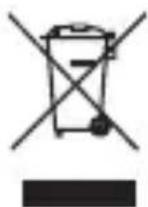
Information about the meaning of Logo WEEE (Waste Electrical and Electronic Equipment):
The WEEE logo on the product or on its box indicates that this product must not be disposed of or dumped with your other household waste. You are liable to dispose of all your electronic or electrical waste equipment by relocating over to the specified
collection point for recycling of such hazardous waste. Isolated collection and proper recovery of your electronic and electrical waste equipment at the time of disposal will allow us to help conserving natural resources. Moreover, proper recycling of the electronic and electrical waste equipment will ensure safety of human health and environment.
Radio Frequency Exposure:
THIS DEVICE MEETS INTERNATIONAL GUIDELINES FOR EXPOSURE TO RADIO WAVES.
Proof of compliance with international standards (ICNIRP) or with European Directive 1999/5/EC (R&TTE) is required of all mobile phone models before they can be put on the market. The protection of the health and safety for the user and any other person is an essential requirement of these standards or this directive. Your mobile device is a radio transmitter and receiver. It is designed not to exceed the limits for exposure to radio waves (radio frequency electromagnetic fields) recommended by international guidelines. The guidelines were developed by an independent scientific organization (ICNIRP) and include a substantial safety margin designed to assure the safety of all persons.
The radio wave exposure guidelines use a unit of measurement known as the Specific Absorption Rate, or SAR. The SAR limit for mobile devices is 2 W/kg. Tests for SAR are conducted using standard operating positions with the device
transmitting at its highest certified power level in all tested frequency bands. The maximum SAR values tested on this device when used in its normal position at the ear and when used close to the body (at a minimum distance of 0.5 ~cm ) are:
| Head | 0.374W/kg |
| Body | 1.730W/kg |
During use, the actual SAR values for this device are usually well below the values stated above. This is because, for purposes of system efficiency and to minimize interference on the network, the operating power of your mobile device is automatically decreased when full power is not needed for the call. The lower the power output of the device, the lower its SAR value.
If you are not using an approved accessory ensure that whatever product is used is free of any metal and that it positions the phone the indicated distance away from the body. Please use the device at a distance of 0.5cm from your body.
Organizations such as the World Health Organization has stated that if people are concerned and want to reduce their exposure they could use a hands-free device to keep the phone away from the head and body during phone calls, or reduce the amount of time spent on the phone.
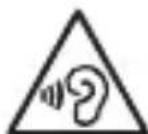
To prevent possible hearing damage, do not listen at high volume levels iods.
Haier Telecom Co., Ltd hereby declares that this device complies with the essential requirements and other relevant provisions of Directive 1999/5/EC and Directive 2011/65/EU
This device is not to be used with re-establishment timers T314 and T315 (or equivalents thereof) which are greater than zero and different from each other.
| Tête 0.374W/kg |
| Corps 1.730W/kg |
text_image
T-FLASH Card Micro SIM Micro SIMtext_image
T-FLASH Card Micro SIM Micro SIMVisite www.haier.com para obter o guia do utilizador completo.
Aviso Legal:
text_image
T-FLASH Card Micro SIM Micro SIMDECLARATION OF CONFORMITY
Haier Europe Trading SRL
Description: Telephone
Model Name :HM-I558-FL, G55
Application of Council Directive(s):
(€0890
Radio & Telecommunications Terminal Equipment Directive (1999/5/EC)
Standard(s) to which Conformity is Declared:
Radio :
EN 300 328 V1.9.1 (2012-06)
EN 301 511 V9.0.2 (2003-03)
EN 301 908-2 V6.2.1 (2013-10)
EN 301 908-1 V7.1.1 (2015-03)
EN 301 908-13 V6.2.1 (2013-04)
EN 300 440-1 V1.6.1 (2010-08)
EN 300 440-2 V1.4.1 (2010-08)
EMC:
EN 301 489-1 V1.9.2 (2011-09)
EN301 489-3 V1.6.1 (2013-08)
EN 301 489-7 V1.3.1 (2005-11)
EN 301 489-17 V2.2.1 (2012-09)
EN 301 489-24 V1.5.1 (2010-10)
Safety :
EN 60950-1:2006+A11:2009+A1:2010+A12:2011+A2:2013
Health :
EN 50360:2001/A1:2012
Authorized signature: Yannick FIERLING
Title: CEO Haier Europe
text_image
yuan yesHazardous Substances/Elements
| Identification Table of Names and Contents of Hazardous Substances/Elements in Products | ||||||
| This product meets the requirements of SJ/T 11363_2006 Directive or RohS Directive of EU(including the Exemption Clause of EU RohS Directive) | ||||||
| Parts | Toxic or hazardous substances/elements | |||||
| Lead (Pb) | Mercury (Hg) | Cadmium(Cd) Chromium(Cr6+) | Hexavalent Chromium (Cr6+) (PBB) | Polybrominated Biphenyls(PBB) | Polybrominated diphenyl ether(PBDE) | |
| Cabinets and mechanical parts | × | ○ | ○ | ○ | ○ | ○ |
| PCBA and processor | × | ○ | ○ | ○ | ○ | ○ |
| LCD Display × | ○ | ○ | ○ | ○ | ○ | |
| Battery × | ○ | ○ | ○ | ○ | ○ | |
| Power adaptor × | ○ | ○ | ○ | ○ | ○ | |
| USB cable × | ○ | ○ | ○ | ○ | ○ | |
| Earphone(optional) | × | ○ | ○ | ○ | ○ | ○ |
| ○:shows that the contents of hazardous substances contained in all homogeneous materials of current part meet the limit requirements defined in the SJ/T 11363-2006 Standard (contents Limit Requirements for Hazardous Substances/Elements in Electronic and IT Product).▲: shows that the contents of hazardous substances contained in at least one homogeneous material current part exceeds the limit requirements defined in the SJ/T 11363-2006 Standard (contents Limit Requirements for Hazardous Substances/Elements in Electronic and IT Product), but meet therequirements of Exemption Clauses of EU RohS Directive.×: shows that the content of hazardous substances contained in at least one homogeneous material of current part exceeds the limit requirements defined in the SJ/T 1136-2006 Standard (contents Limit Requirements for Hazardous Substances/Elements in Electronic and IT Product), and also fails to meet the requirements of Exemption Clauses of EU RohS Directive. | ||||||

natural_image
Solid blue geometric shape resembling a house or triangle (no text or symbols)Qingdao Haler Telecom Co., Ltd
Haier Hi-tech Zone No.1 Haier Road Qingdao
http://www.haier.com
Postcode:266101
Revision:PJV01
