
L50 - Smartphone HAIER - Free user manual and instructions
Find the device manual for free L50 HAIER in PDF.


| Product Type | Smartphone |
| Brand | Haier |
| Model | L50 |
| Operating System | Android (based on interface) |
| Network Technology | WCDMA/GSM Dual-Mode |
| SIM Card Type | Standard SIM |
| Memory Card Support | microSD |
| Battery Type | Removable Lithium-ion |
| Charging Connector | Micro USB |
| Audio Jack | 3.5mm |
| Camera | Back camera |
| Connectivity | WLAN (Wi-Fi), Bluetooth |
| Sensors | Not specified; likely proximity, accelerometer (typical) |
| Audio Enhancement | DTS Sound |
| Included Accessories | Charger, Data Cable, Battery, Earphone, Quick User Guide, Warranty Card, Protection Film |
| Safety Features | Turn off in hospitals, airplanes, gasoline stations, and explosive areas; safe power on |
| Maintenance | Keep clean; avoid exposure to liquids; use dry cloth for cleaning (general advice) |
| Spare Parts and Repairability | Only qualified technician should repair; use authorized accessories and batteries |
| Manufacturer | Qingdao Haier Telecom Co., Ltd. |
| Country of Origin | China |
Frequently Asked Questions - L50 HAIER
User questions about L50 HAIER
0 question about this device. Answer the ones you know or ask your own.
Ask a new question about this device
Download the instructions for your Smartphone in PDF format for free! Find your manual L50 - HAIER and take your electronic device back in hand. On this page are published all the documents necessary for the use of your device. L50 by HAIER.
USER MANUAL L50 HAIER
Haier
Operating Instructions
Precautions
Inserting the battery
SIM card & MicroSD
Inserting the SIM card
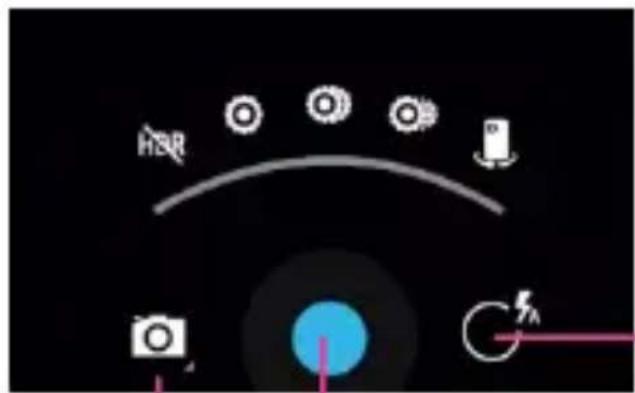
Options
Shutter
Address: No1 Haier Road, Hi-tech Zone, Qingdao 266101, PR. China
www.haier.com
 | Please carefully read and observe the terms below: Safe power on Do not use your mobile phone where it is forbidden to use or you might cause a disturbance or danger. |
 | Safe transportation first Please observe all related local laws and regulations. Do not use your mobile phone while driving. Safe transportation should be considered first when driving. |
 | Turn off when in the hospital Please follow related limitations. Please switch your mobile phone off when near a medical instrument. |
 | Turn off on an airplane Please follow related limitations. Do not use your mobile phone on an airplane. |
 | Turn off when at a gasoline station Do not use your mobile phone at a filling station or around fuels or chemicals. |
 | Turn off around exposure Area Please observe related limitations and do not use your mobile phone near an area where explosions can occur. |
 | Backup Remember to make a backup or keep a written record of all important information saved in your mobile phone. |
 | Use qualified after sales service Only a qualified technician can install or repair your mobile phone. Please contact the authorized service center in case of phone failure. |
 | Accessories and batteries Only use the authorized accessories and batteries and do not connect to incompatible manufacturers or products. |
Your phone
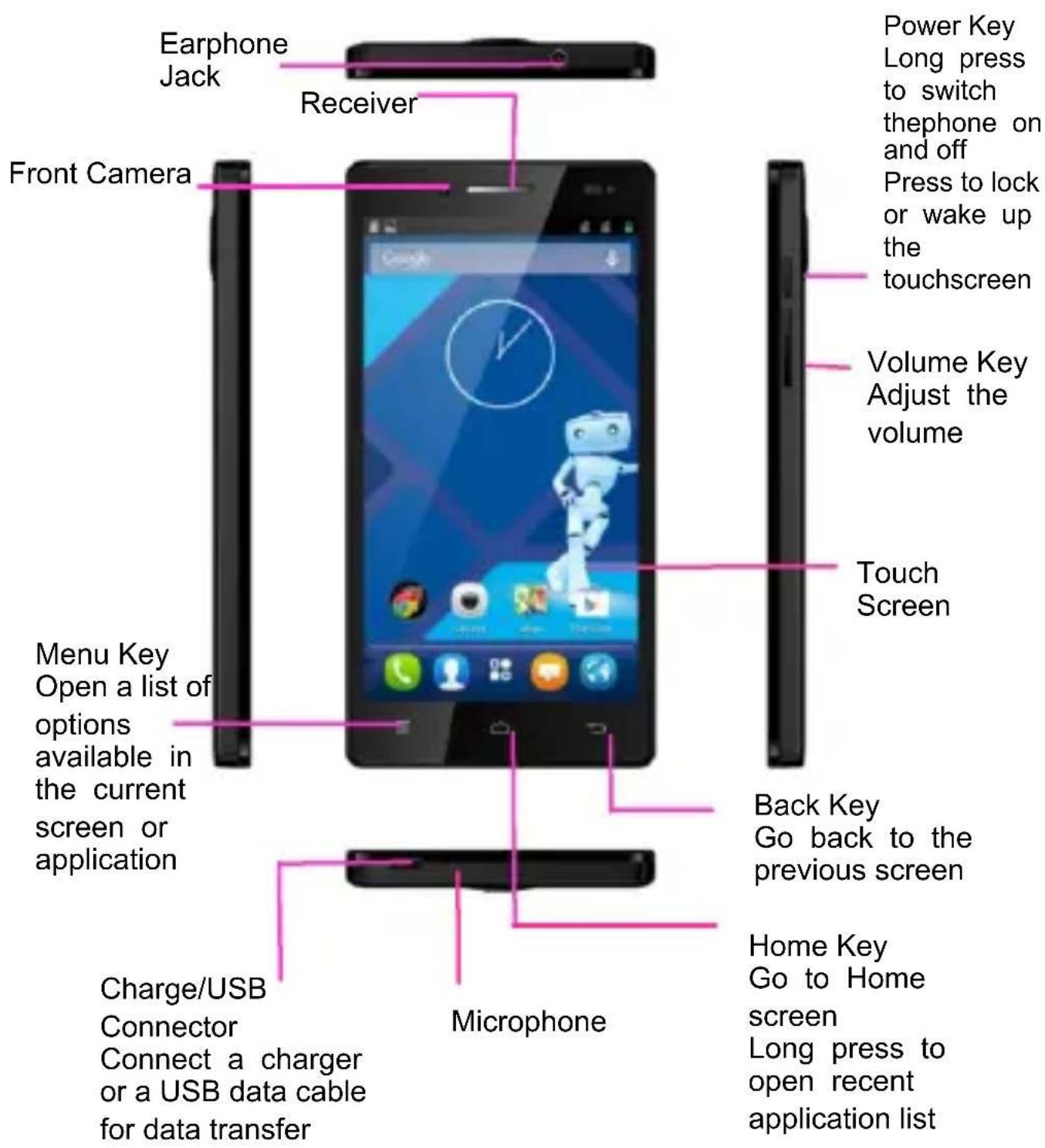
Your phone
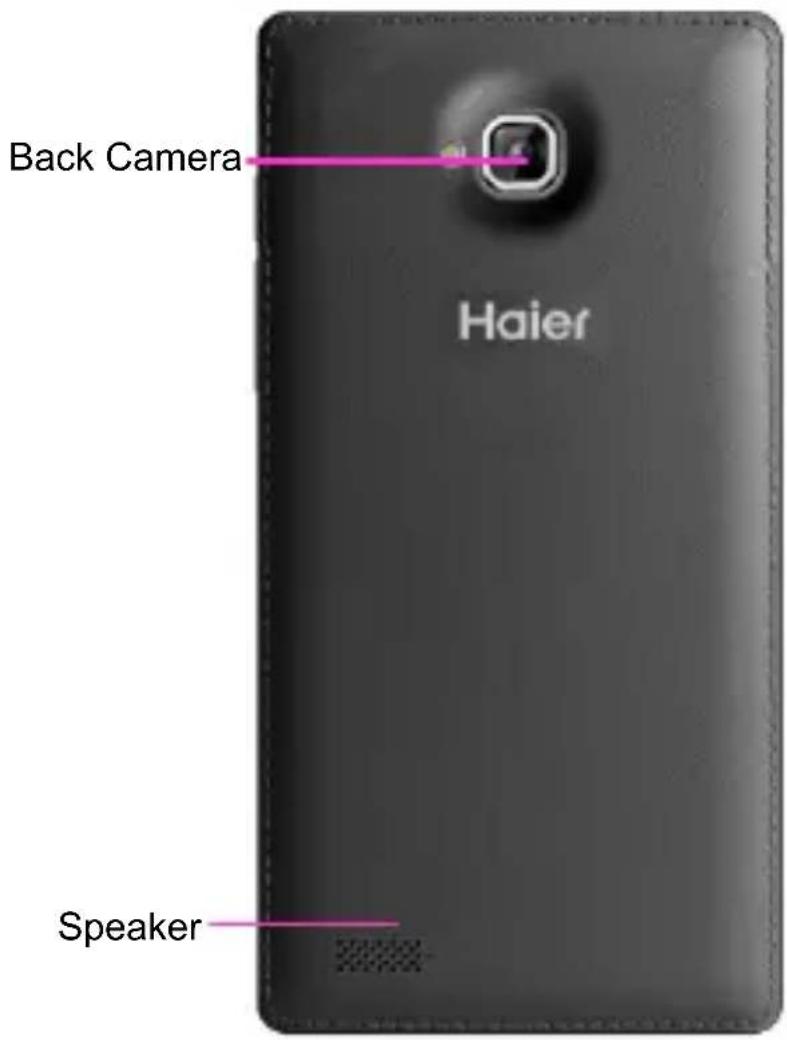
Battery cover & battery
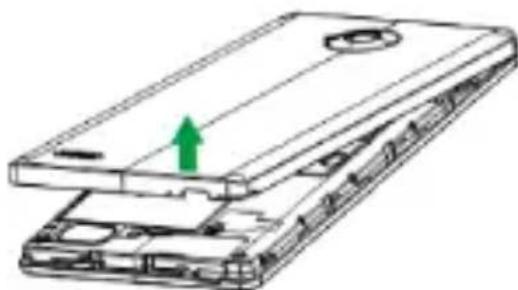
Removing the battery cover
- Hold the device firmly and locate the cover release latch.
- Place your fingernail in the opening and remove the cover according to the arrow direction.
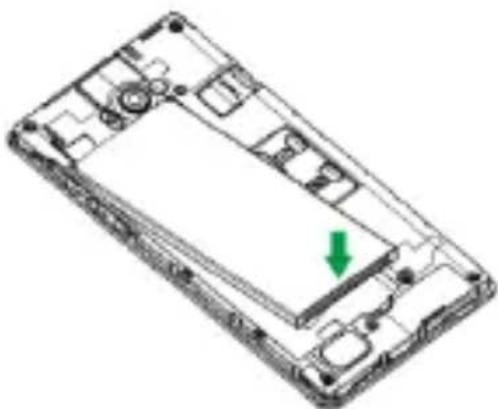
Installing the Battery
- With the metallic contacts of the battery facing the metallic contacts in the battery slot, press the battery down until it locks into place.
- Ensure the battery is inserted in the phone. To charge the battery, plug in the charger connector at your phone (USB interface) and then plug the other end into an AC power socket.
The battery symbol indicates the charging status. While charging, the charge indicators will scroll. When all the scroll bars are steady, the battery is fully charged. Disconnect the charger from the phone. Disconnect the charger from the AC power socket.
Note: If the battery is powerless, the battery icon will reappear after a few minutes of charging.
SIM Card & microSD
Installing the SIM Card
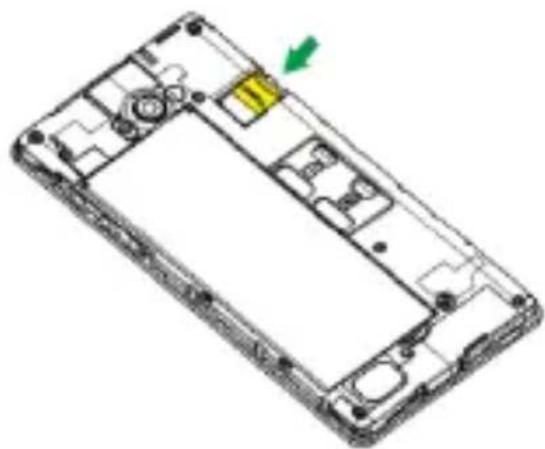
Make sure that the clipped corner of the SIM card is facing the correct direction and the metallic contacts are facing the correct direction. Slide the SIM card into the card slot until it stops.
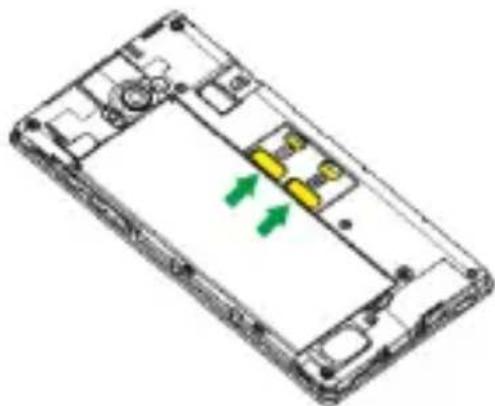
Installing the microSD Memory Card
Slide the microSD card into the SD card slot with the metallic pins facing downwards. Push the card until it locks into place.
Lock & Unlock Screen
Locking the Screen
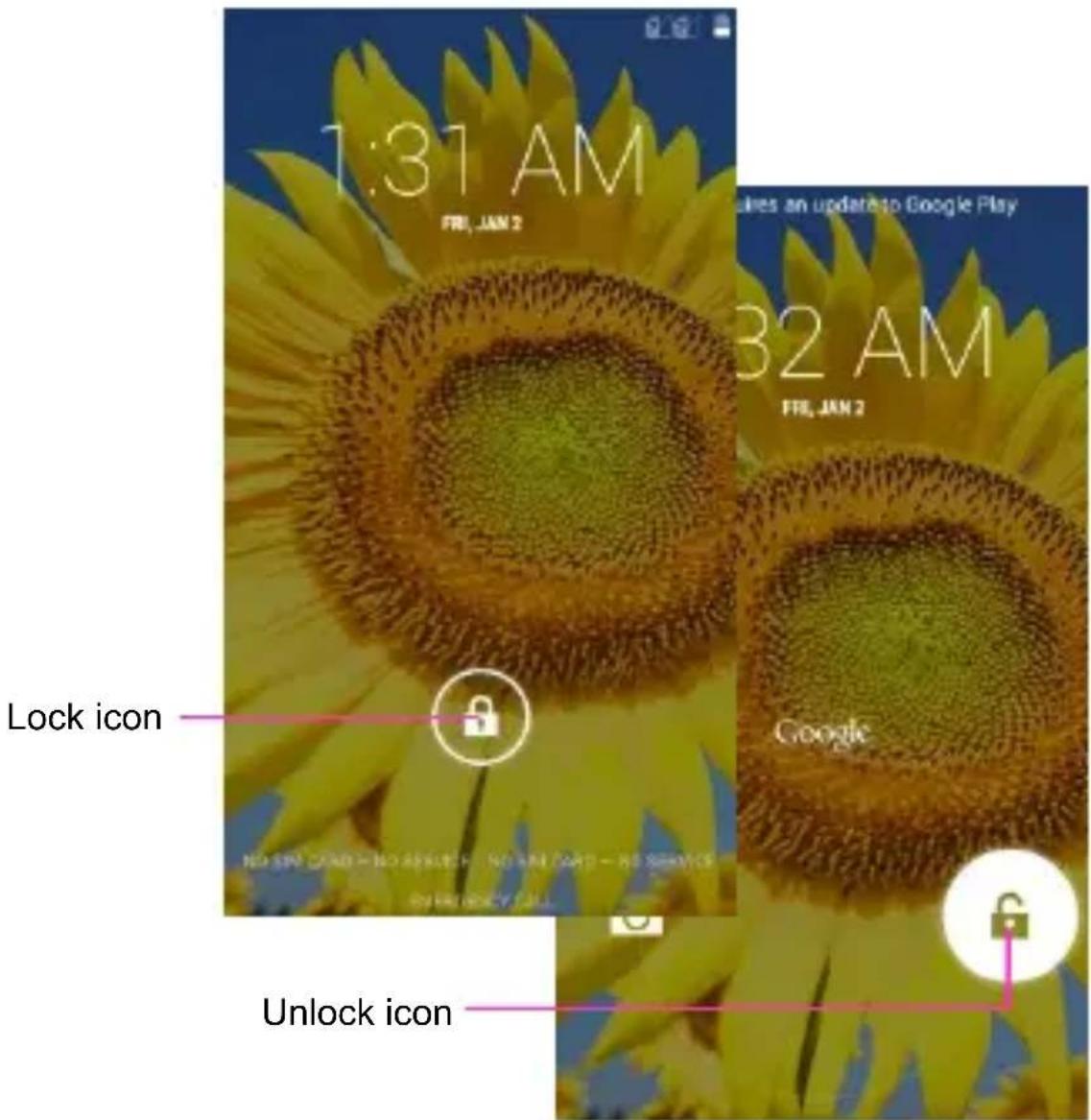
To save your battery, prevent accidental touches or when you want to wipe smudges off your touchscreen, put the touchscreen to sleep by pressing the Power Key.
Unlocking the Screen
To wake up the touchscreen, just press the Power Key again, and then drag the lock icon to the right on the screen to unlock according to the clue on the screen.
Home Screen
Status Bar and Notifications
The status bar at the top of the screen contains icons that tell you about messages and phone status and shows what's going on in your phone. You can drag down the status bar to open the Notification panel and get more information.
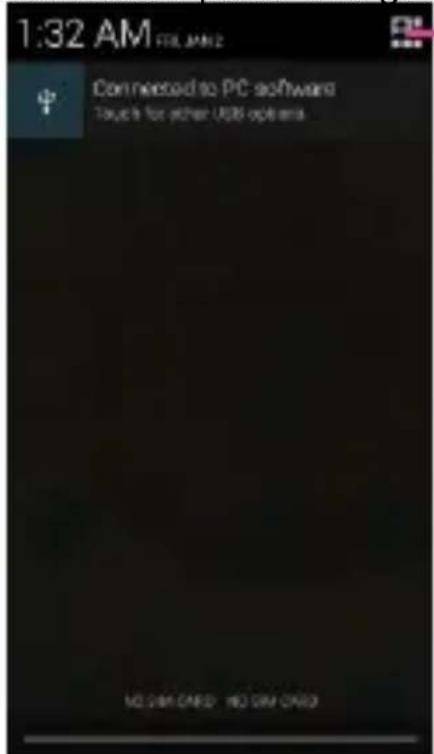
Touch to open the toolkits panel
Toolkits
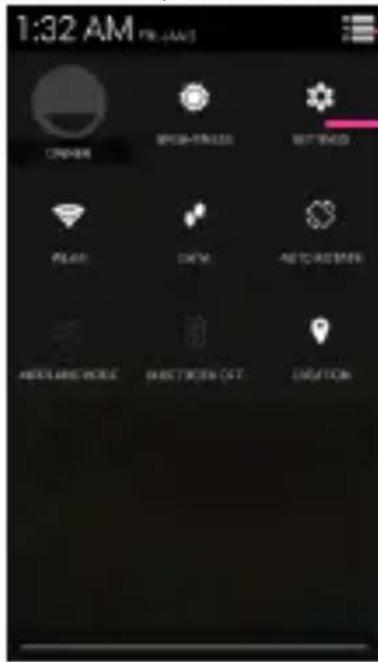
In the toolkits you can quickly start the common applications such as Bluetooth, WLAN and so on.
Touch to open the Notification panel
Touch to open the system settings
Home Screen
The Home screen is your gateway to the main features in your phone.
Notifications
Drag down to open the Notification panel
Status bar
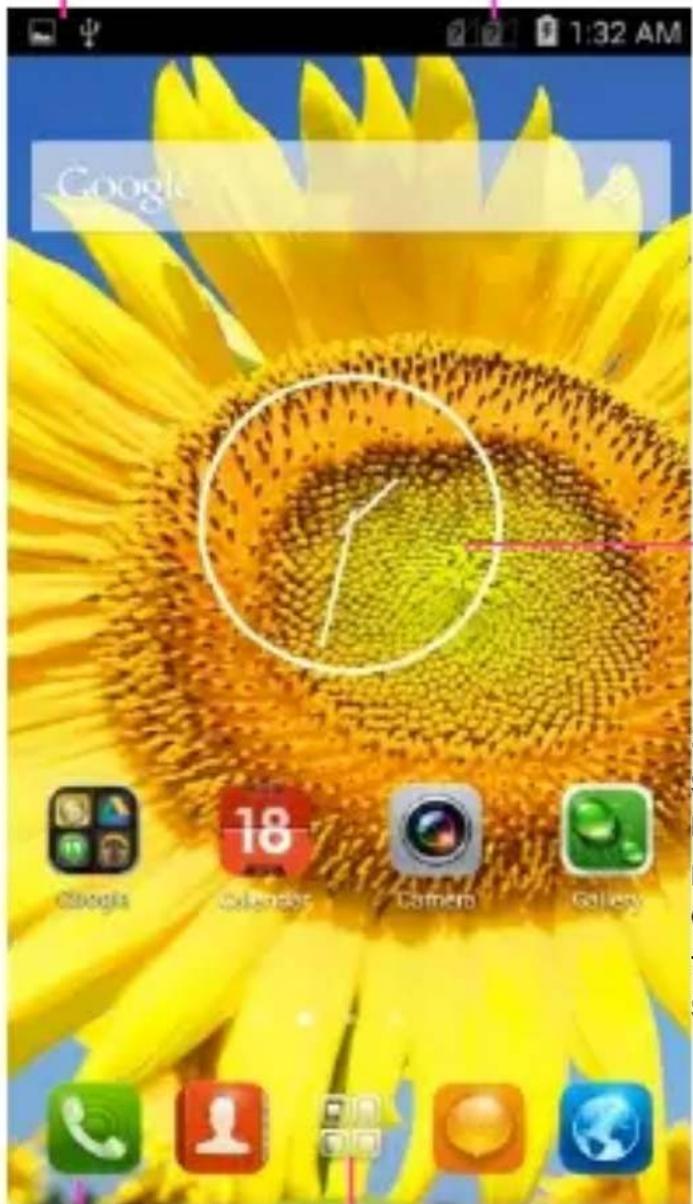
Slide the Home screen left or right to view more content in other panels on the Home screen
The favorite tray
Touch the applications in the tray to enter applications
Touch and hold the applications to drag them in or out from the tray
Launcher
Touch to enter Main menu Browse all the installed applications
Customizing
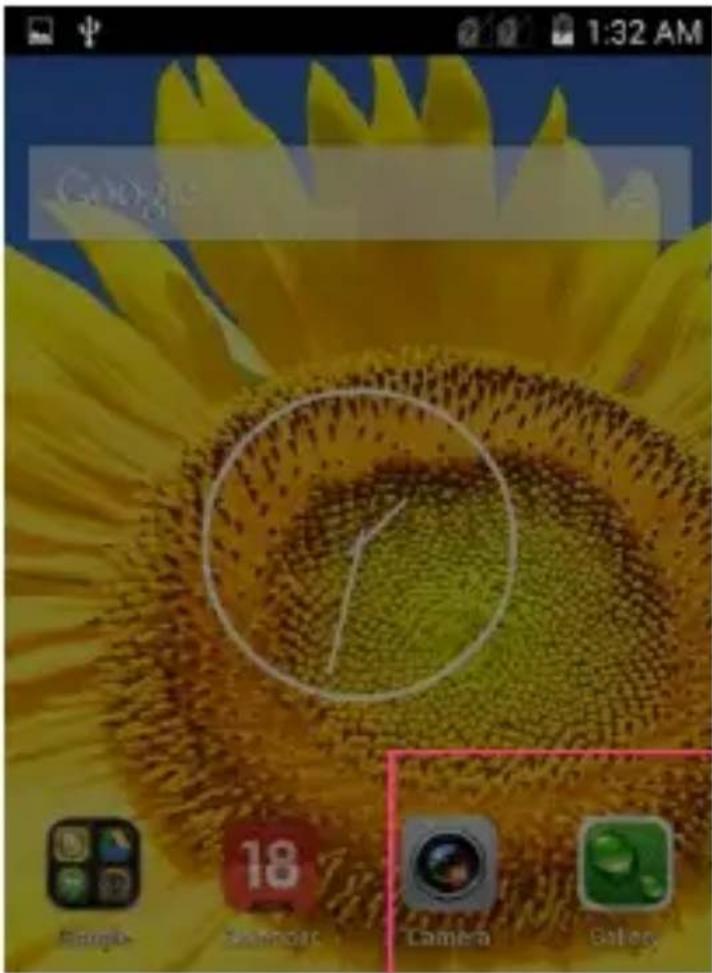
The phone provides you with Options menus.
Touch the Menu Key to enter customizing:
Touch to select a wallpaper, and set it as the wallpaper of Home screen;
Touch to enter the Settings, and choose the widget;
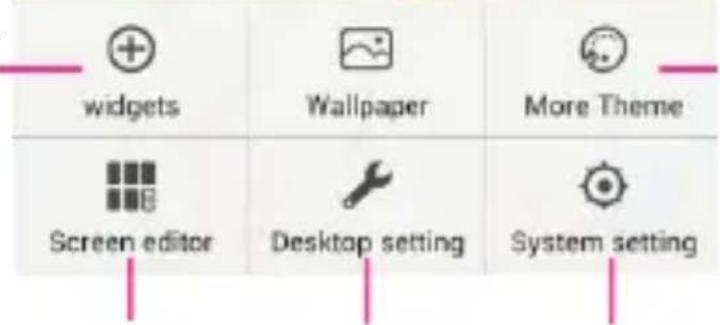
Touch to enter the Settings, and choose more themes;
Touch to enter the Settings, and Edit the screens;
Touch to enter the Settings, and set the desktop;
Touch to enter the Settings, and set the system preferences;
Phone Function
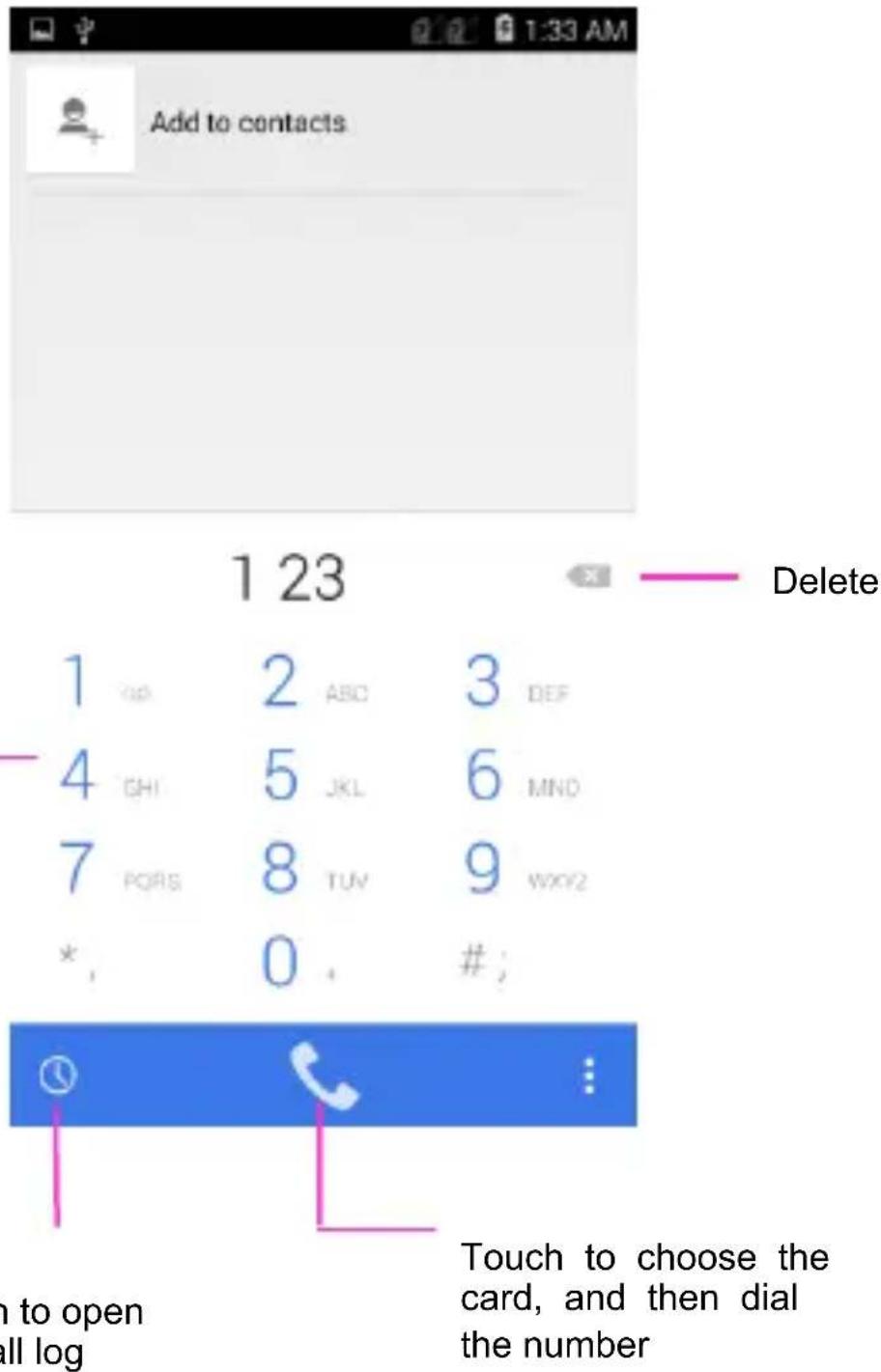
Making a Call

Touch to enter the Dial pad.
The phone offers you several ways of making a call.
You can make a call through the Phone, People, Messaging and Call log.
Connecting to WLAN
Connecting to WLAN
- You can connect to the WLAN, and use it to surf the Internet at high speed and download.
Touch Launcher → Settings → WLAN.
- Turn on the switch to activate WLAN.
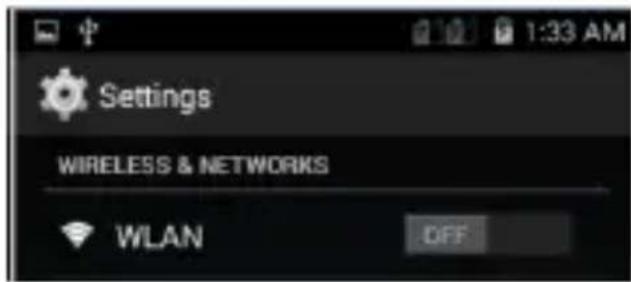
- Touch WLAN.
- Choose an available WLAN network to connect
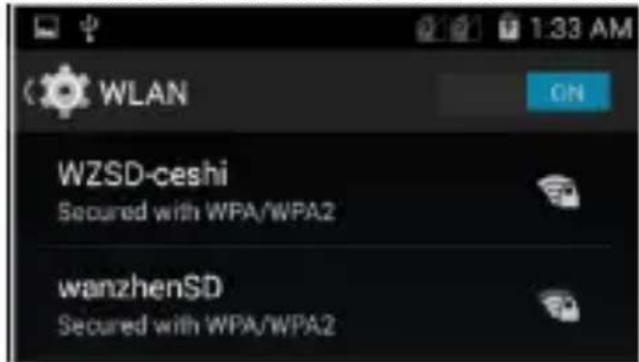
- Secured networks are indicated with a Lock icon. If the network is secured, you are prompted to enter a password or other credentials (Ask your network administrator for details)
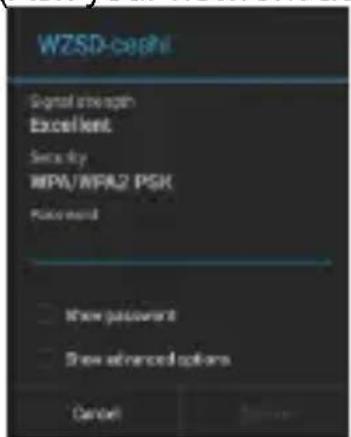
- Touch "Connect".
Accessing the Internet
Using the Browser
Touch to enter the Browser.
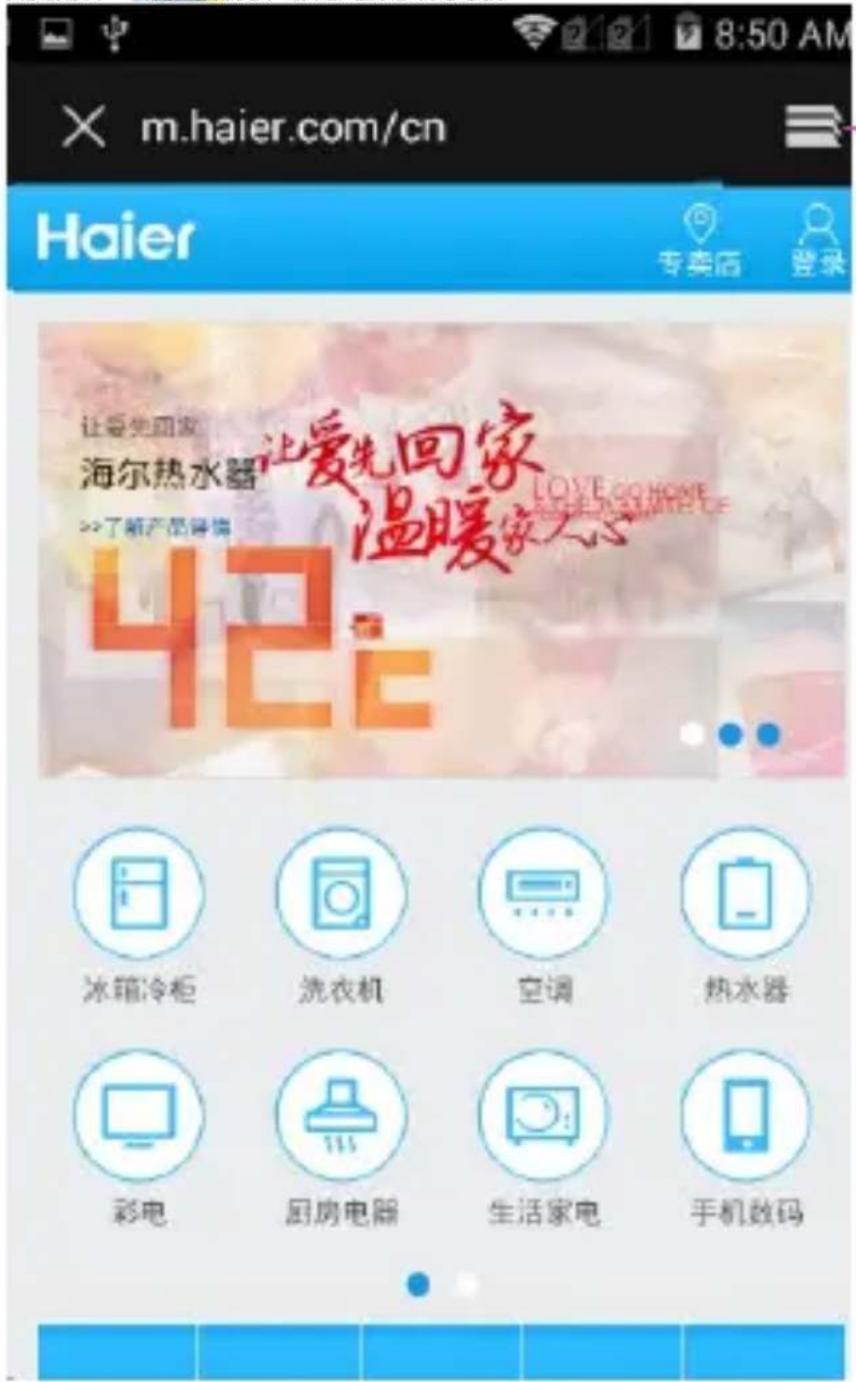
Touch to look through the thumbnails of all web page windows, and switch the web pages
Accessing the Internet
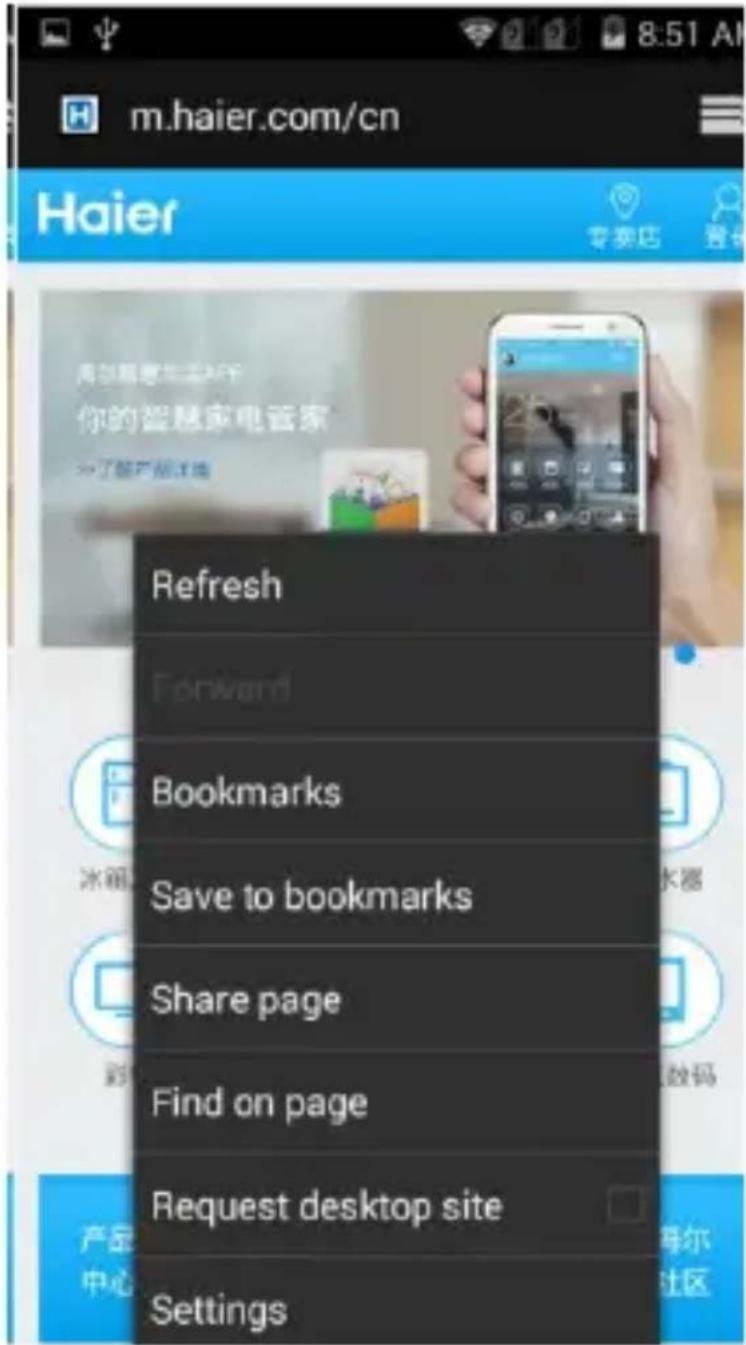
When you are viewing the web page, touch the Menu Key, the following options are available to you:
Taking Pictures/Videos
Taking pictures and videos

Touch to enter the Camera.
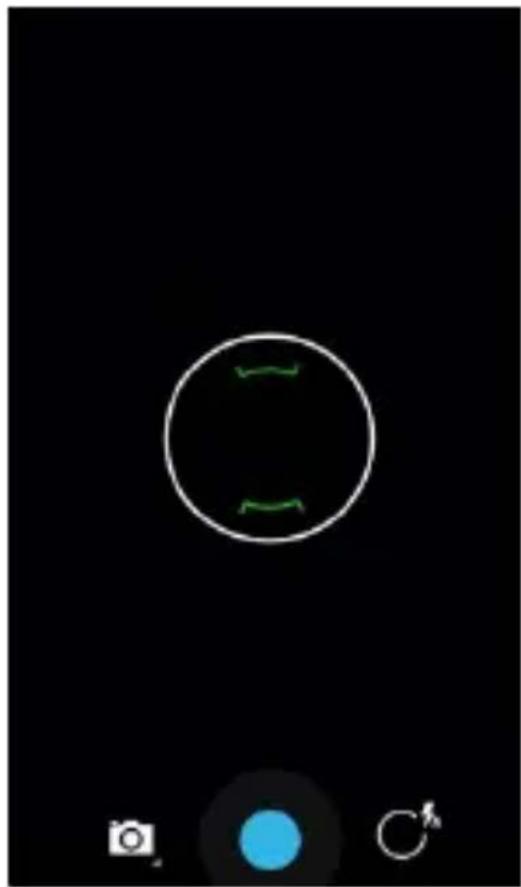
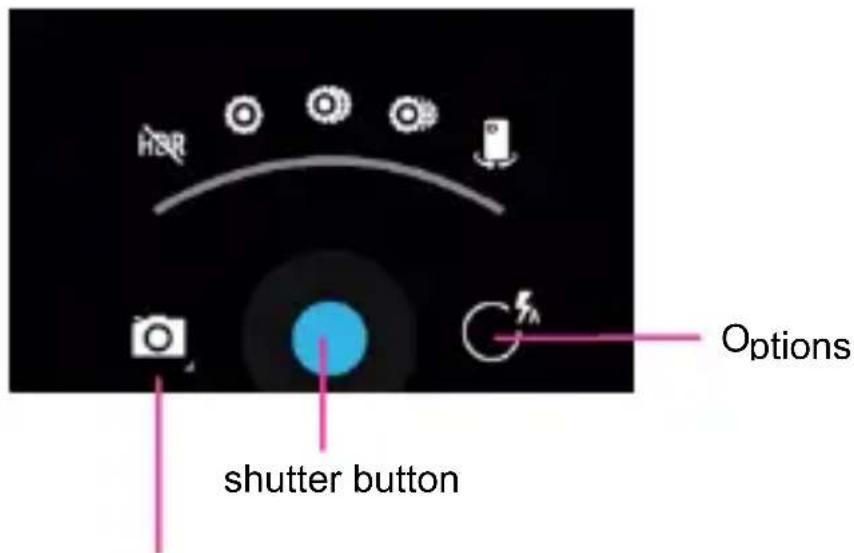
Choose to take pictures or record videos
Playing Music
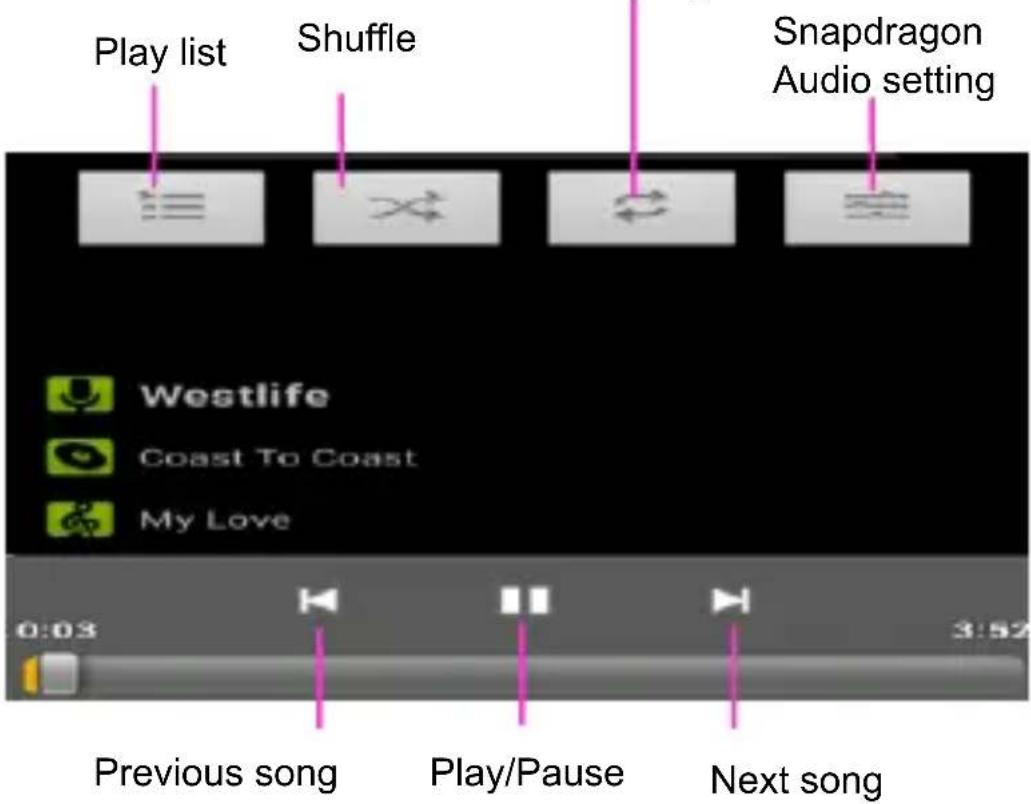
Music Player

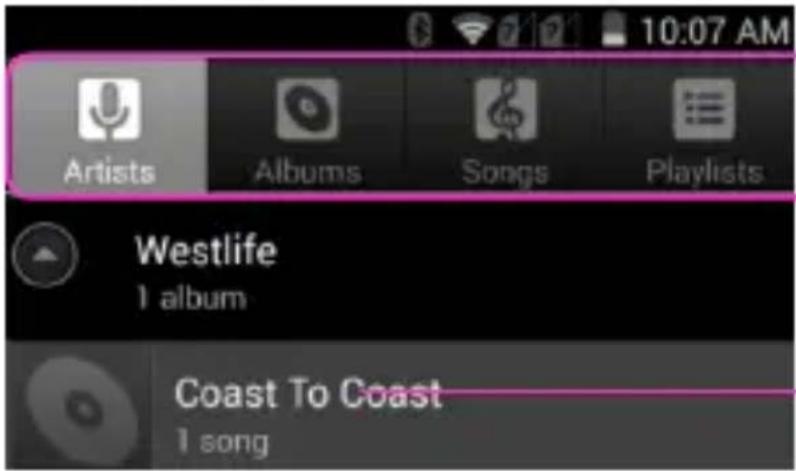
Categories Select Genres, Artists, Albums, and Songs
Touch to open the album, songs or playlist
Repeat: Touch to repeat the all songs; touch again to repeat the current song
Troubleshooting
| Frequently Asked Questions | Cause and Solution |
| Fail to turn on | Press the Power Key for over 1 second.Check if the battery is properly connected.Please remove and install it again, retry to turn it on;Check if battery is appropriately charged. |
| Fail to connect network | Weak signal. Please try and move to a location with strong signal and try connecting to the network again;Please ensure that you are not beyond the network coverage of service providers;Please ensure you have a valid SIM card.Please contact your network provider for further information; |
| Poor quality of calling | Please check if the sound volume is tuned improperlyIn an area with poor receiving condition, example: basement, the signal might be weak.Try searching a location with stronger signal reception and call again.While using the mobile phone in the peak period of communication, like commute time, you may be unable to call because of line congestion. |
| SIM Card Error | Dirt on the metal surface of an SIM card. Use clean cloth to wipe the metal touch point on an SIM card.The SIM card is not installed.The SIM card is damaged. Please contact your network service provider. |
| Callers cannot contact you | Please check if the mobile phone is on and connected with the network.Please check if the Call barring or call divert is activated.Please check if the SIM card is valid. |
| Fail to set some functions | Wrong operation.The network provider does not support the function, or you have not applied for it. |
For DTS patents, see http://patents.dts.com. Manufactured under license from DTS Licensing Limited. DTS, the Symbol, & DTS and Symbol together are registered trademarks, and DTS Sound is a trademark of DTS, Inc. © DTS, Inc. All Rights Reserved.

Haier Packing List
Dear Customer,
Thanks for purchasing Haier product.
Be sure to check whether the following accessories are enclosed within the packet:
★ Main Unit ★ Charger ★ Data Cable ★ Battery ★ Earphone ★ Quick User Guide ★ Warranty Card ★ Protection film
Qingdao Haier Telecom Co, Ltd.
Address: No1 Haier Road, Hi-tech Zone, Qingdao 266101, PR. China www.haier.com
| Identification Table of Names and Contents of Hazardous Substances/Elements in Products | ||||||
| This product meets the requirements of SJ/T 11363_2006 Directive or Roh Directive of EU(including the Exemption Clause of EU RohS Directive) | ||||||
| Parts | Toxic or hazardous substances/elements | |||||
| Lead (Pb) | Mercury (Hg) | Cadmium (Cd) | Hexavalent Chromium (Cr6+) | Polybrominated Biphenyls (PBB) | Polybrominated diphenyl ether (PBDE) | |
| Cabinets and mechanical parts | × | ○○ | ○○○ | |||
| PCBA and processor | × | ○○ | ○○○ | |||
| LCD Display | × | ○○ | ○○○ | |||
| Battery | × | ○○ | ○○○ | |||
| Power adaptor | × | ○○ | ○○○ | |||
| USB cable | × | ○○ | ○○○ | |||
| Earphone(optional) | × | ○○ | ○○○ | |||
| ○:shows that the contents of hazardous substances contained in all homogeneous materials of current part meet the limit requirements defined the SJ/T 11363-2006 Standard (contents Limit Requirements for Haza Substances/Elements in Electronic and IT Product).▲: shows that the contents of hazardous substances contained in at least one homogeneous material current part exceeds the limit requirements defined the SJ/T 11363-2006 Standard (contents Limit Requirements for Haza Substances/Elements in Electronic and IT Product), but meet the requirements of Exemption Clauses of EU RohS Directive.×: shows that the content of hazardous substances contained in at least one homogeneous material of current part exceeds the limit requirements defined in the SJ/T 1136-2006 Standard (contents Limit Requirements for Haza Substances/Elements in Electronic and IT Product), and also fails to meet the requirements of Exemption Clauses of EU RohS Directive. | ||||||
Declaration of Conformity
Application of Council Directive
Radio & Telecommunications Terminal Equipment Directive (1999/5/EC)
Standard(s) to which Conformity is Declared:
EN 50360: 2001/AC:2006
EN 62479: 2010
EN 50566: 2013
EN 62209-1: 2006
EN 62209-2: 2010
EN 60950-1:2006+A11:2009+A1:2010+A12:2011
ETSI EN301 489-1 V1.9.2
ETSI EN301 489-3 V1.6.1
ETSI EN301 489-7 V1.3.1
ETSI EN301 489-17 V2.2.1
ETSI EN 301 489-24 V1.5.1
ETSI EN 300 440-1 V1.6.1
ETSI EN 300 440-2 V1.4.1
ETSI EN300 328 V1.7.1
ETSI EN301 511 V9.0.2
EN301 908-1 V5.2.1
EN301 908-2 V5.2.1
Manufacturer's Name: Qingdao Haier Telecom Co., Ltd.
Manufacturer's Address: No.1 Haier Road, Hi-tech Zone, Qingdao, P.R. China
Type of Equipment: WCDMA/GSM Dual-Mode Digital Mobile Phone
Model No.: L50
Year of Manufacturing: 2015
I, the undersigned, hereby declare that the equipment specified above conforms to the above Directive(s) and Standard(s).
Place: Haier

(Signature)
Date: 2015/3/28
ZhuZhicheng
(Full Name)
PM
)noi@



- PRECAUTIONS
- INSERTING THE BATTERY
- SIM CARD & MICROSD
- INSERTING THE SIM CARD
- YOUR PHONE
- BATTERY COVER & BATTERY
- REMOVING THE BATTERY COVER
- INSTALLING THE BATTERY
- INSTALLING THE SIM CARD
- INSTALLING THE MICROSD MEMORY CARD
- LOCK & UNLOCK SCREEN
- LOCKING THE SCREEN
- UNLOCKING THE SCREEN
- HOME SCREEN
- STATUS BAR AND NOTIFICATIONS
- TOOLKITS
- CUSTOMIZING
- PHONE FUNCTION
- MAKING A CALL
- CONNECTING TO WLAN
- ACCESSING THE INTERNET
- TAKING PICTURES/VIDEOS
- PLAYING MUSIC
- MUSIC PLAYER
- TROUBLESHOOTING
- HAIER PACKING LIST
- QINGDAO HAIER TELECOM CO, LTD
- DECLARATION OF CONFORMITY
Brand : HAIER
Model : L50
Category : Smartphone