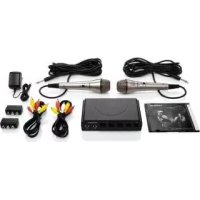
SKES 2 A1 - Karaoke SILVERCREST - Free user manual and instructions
Find the device manual for free SKES 2 A1 SILVERCREST in PDF.



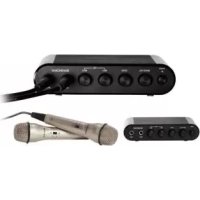
| Product type | Karaoke mixer with two dynamic microphones |
| Brand | SilverCrest |
| Model | SKES 2 A1 |
| Dimensions (W x D x H) | approx. 17 x 11.5 x 4.2 cm |
| Weight | approx. 230 g |
| Power supply | Power adapter HS03-0900100EU, input 100-240 V ~ 50/60 Hz, output 9 V / 100 mA |
| Power consumption | max. 100 mA |
| Audio inputs | 2 x microphone inputs (MIC1/MIC2), 2 x line audio inputs (L/R) for accompaniment music |
| Audio outputs | 2 x line audio outputs (L/R) for mixed signal |
| Video inputs/outputs | 1 x video input, 1 x video output |
| Supplied connectors | 2 audio/video cables, 2 SCART/RCA adapters (IN and OUT) |
| Main functions | Microphone and audio mixing, independent volume controls (MUSIC VOL, MIC1, MIC2), adjustable echo effect (ECHO), automatic shut-off after 2 hours of inactivity |
| Included accessories | 2 dynamic microphones, karaoke DVD, power adapter, cables and adapters |
| Operating temperature | +15 to +40 °C |
| Permissible humidity | 5 to 75% (non-condensing) |
| Care and cleaning | Clean the housing with a soft, dry cloth; do not use abrasive products or solvents |
| Safety | Automatic shut-off in standby, complete power disconnection by unplugging; do not open the housing |
| Warranty | 3 years from date of purchase (private use) |
| After-sales service France | Tel. 0800 919270, email kompernass@lidl.fr |
| After-sales service Switzerland | Tel. 0842 665566 (0.08 CHF/min), email kompernass@lidl.ch |
| Importer | Kompernass |
Frequently Asked Questions - SKES 2 A1 SILVERCREST
User questions about SKES 2 A1 SILVERCREST
0 question about this device. Answer the ones you know or ask your own.
Ask a new question about this device
Download the instructions for your Karaoke in PDF format for free! Find your manual SKES 2 A1 - SILVERCREST and take your electronic device back in hand. On this page are published all the documents necessary for the use of your device. SKES 2 A1 by SILVERCREST.
USER MANUAL SKES 2 A1 SILVERCREST
Operating instructions
IAN 114092
DE AT CH
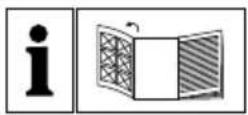
Before reading, unfold the page containing the illustrations and familiarise yourself with all functions of the device.
KOMPERNASS HANDELS GMBH
BURGSTRASSE 21
44867 BOCHUM
GERMANY
www.kompernass.com
Table des matieres
Introduction 18
Installation et raccordement

DANGER
Raccord audio / video
REMARQUE
KOMPERNASS HANDELS GMBH
BURGSTRASSE 21
44867 BOCHUM
GERMANY
www.kompernass.com
Indice
Introduzione 34
KOMPERNASS HANDELS GMBH
BURGSTRASSE 21
44867 BOCHUM
GERMANY
www.kompernass.com
Table of Contents
Introduction 50
Information concerning these operating instructions 50
Copyright 50
Intended use 50
Warnings 51
Safety 52
Risks from electric current 52
Basic safety instructions 52
Controls. 54
Setting up and connecting 55
Unpacking 55
Items supplied and transport inspection 55
Disposal of packaging 56
Requirements for the set-up location 56
Audio/video connection 56
Electrical connection 57
Handling and use 58
Switching on and off 58
Initial operation 58
Cleaning 59
Cleaning the housing 59
Troubleshooting 60
Fault causes and rectification 60
Storage/Disposal 61
Storage 61
Disposal of the device 61
Appendix 61
Notes on the Declaration of Conformity 61
Technical details 62
Warranty 63
Service 63
Importer 63
Introduction
Information concerning these operating instructions
Congratulations on the purchase of your new device.
You have selected a high-quality product. The operating instructions are part of this product. They contain important information on safety, use and disposal. Before using the product, familiarise yourself with all operating and safety instructions. Use this product only as described and only for the specified areas of application. Please also pass these operating instructions on to any future owner(s).
Copyright
This documentation is subject to copyright protection.
Any copying or reproduction, including extracts thereof, and the reproduction of images (even in a modified state), is only permitted with the written authorisation of the manufacturer.
Intended use
This device is a consumer electronics device and is intended exclusively for mixing microphone signals with audio signals from an external device in enclosed spaces. The device is intended for freestanding installation. It is not intended for any other use or for uses extending beyond those stated. This device is not intended for use in commercial or industrial environments.
The manufacturer accepts no responsibility for damage caused by failure to observe these instructions, improper use, incompetent repairs, making unauthorized modifications or for using unapproved replacement parts. The operator alone bears liability.
GB
Warnings
The following warnings are used in these operating instructions:

DANGER
A warning at this risk level indicates an imminently hazardous situation.
If the hazardous situation is not avoided, it could lead to death or serious physical injury.
- Follow the instructions in this warning to avoid a fatality or serious personal injury.

WARNING
A warning of this risk level indicates a potentially hazardous situation.
Failure to avoid this hazardous situation could result in physical injury.
Follow the instructions in this warning to prevent physical injury.
CAUTION
A warning of this risk level indicates potential damage to property.
Failure to avoid this situation could result in damage to property.
Follow the instructions in this warning to prevent damage to property.
NOTE
A note indicates additional information that will assist you in handling the device.
Safety
This section provides you with important safety information regarding handling of the device.
The device complies with the statutory safety regulations. Incorrect usage can lead to personal injury and property damage.
Risks from electric current
GB
DANGER
Danger to life due to electric current!
Contact with live cables or components can result in fatal injury!
Observe the following safety instructions to avoid risks from electrical current:
- Do not use the device if the mains power adapter or the connection cable are damaged.
The mains adapter and the welded connection cable may not be repaired. In the event of a defect, the entire mains adapter must be replaced with another of identical design.
Under no circumstances should you open the device housing. There is a risk of electric shock if live connections are touched or the electrical and/or the mechanical construction is changed.
Basic safety instructions
For safe handling of the device, follow the safety information below:
Before use, check the device for visible external damage. Do not use a device that has been damaged or dropped.
If the cables or connections are damaged, have them replaced by an authorised specialist or customer service.
This appliance may be used by children aged 8 over and by persons with reduced physical, sensory or mental capabilities or lack of experience and knowledge, provided that they are under supervision or have been told how to use of the appliance safely and are aware of the potential risks. Children must not play with the appliance. Cleaning and user maintenance tasks must not be carried out by children unless they are supervised.
All repairs must be carried out by authorised specialist companies or the Customer Service department. Failure to make proper repairs can put the user at risk. Warranty claims also become void.
Repairs to the device during the warranty period may only be carried out by a customer service department authorised by the manufacturer. Otherwise no additional warranty claims can be considered for subsequent damage.
Defective components must always be replaced with original replacement parts. Compliance with safety requirements can only be guaranteed if original replacement parts are used.
- Protect the device against drip and spray water. Never submerge the device in water, do not set up the device in the vicinity of water and do not place any object filled with liquid (i.e. vases) on the device.
Do not place any objects on the device.
- Do not operate or place the device close to an open flame (e.g. candles).
- Do not place any lit candles on the product.
Avoid exposing the device to direct sunlight.
Operate the device only with the supplied power adapter.
To avoid damage caused by improper warming, do not cover the mains power adapter.
The POWER button on this device does not completely disconnect the device from the mains power supply. In addition, the mains adapter consumes power as long as it is connected to the power socket (standby mode). To completely disconnect the device from the power supply, the plug must be removed from the mains power socket.
To disconnect the mains adapter, always pull only on the plug itself, not on the power cable.
The mains power socket must be easily accessible so that the mains adapter can be easily disconnected in an emergency.
In the case of a malfunction occurring or a thunderstorm, disconnect the mains adapter from the power socket.
DANGER! Do not allow children to play with the packaging material! Keep all packaging materials out of the reach of children. Risk of suffocation!
Controls
(For illustrations see the fold-out page)
Operation LED
POWER button
3 Volume control for the audio signals connected to the INPUT (9) (MUSIC VOL)
4 Intensity control for the echo effect (ECHO)
Volume control for the microphone signal connected to the input MIC1 (7)
Volume control for the microphone signal connected to the input MIC2 (8
7/8 inputs for connecting the supplied microphones (MIC1/MIC2)
Audio input (left channel) for the accompanying music
10 Audio input (right channel) for the accompanying music
Video input
Audio output (left channel) for accompanying music mixed with microphone signal
Audio output (right channel) for accompanying music mixed with microphone signal
Video output
15 Connection for power supply from the supplied mains adapter
16 Dynamic microphone 2
On/off switch for microphone signal
18 Audio/video connection cable × 2
19 SCART/cinch adapter "IN"
20 SCART/cinch adapter "OUT"
21 Mains adapter
22 Karaoke DVD
Setting up and connecting

DANGER
During the initial setting up of the device, personal injury and property damage can occur!
To avoid personal injury and property damage, observe the information regarding the requirements for the set-up location as well as the device's electrical connection.
Unpacking
Remove all parts of the device and the operating instructions from the box.
Remove all packing material.
Items supplied and transport inspection (see fold-out page)
This device is supplied with the following components as standard:
Karaoke mixer SKES 2 A1
- Mains adapter HS03-0900100EU
SCART/cinch adapter "IN"
SCART/cinch adapter "OUT"
- 2× dynamic microphones
- 2x audio/video connection cables
Karaoke DVD
- Operating instructions
NOTE
Check the delivery for completeness and for signs of visible damage.
If the delivery is incomplete, or is damaged due to defective packaging or through transportation, contact the Service Hotline (see chapter Service).
Disposal of packaging
The packaging protects the device from transport damage. The packaging materials have been selected in accordance with their environmental friendliness and disposal attributes, and are therefore recyclable.

Returning the packaging to the material cycle conserves raw materials and reduces the amount of waste that is generated. Dispose of packaging material that is no longer needed in accordance with applicable local regulations.
NOTE
If possible, keep the device's original packaging during the warranty period so that the device can be packed properly for returning in the event of a warranty claim.
Requirements for the set-up location
For safe and trouble-free operation of the device, the set-up location must fulfil the following requirements:
■ When setting it up, place the device on a firm, flat and horizontal surface.
- Do not place the device in a hot, wet or extremely damp environment or in the vicinity of flammable materials.
Only operate the device in locations with adequate ventilation.
The surfaces of furniture may possibly contain components that could affect the device's rubber pads and soften them. If necessary place a cover under the device's pads.
Audio/video connection
NOTE
The device can be operated with one or two microphones.
- When connecting additional devices (DVD player, TV, etc.) please follow the instructions in the respective operating instructions.
Connect the audio signal for the accompanying music source (e.g. a DVD player) using one of the supplied audio/video connection cables to the AUDIO INPUT sockets (L = left channel 9, R = right channel 10) . If the accompanying music source only has a SCART output, you can use the supplied SCART/cinch adapter "OUT" 20 Use the coloured markings on the adapter and cable connections as an orientation aid.
Connect the video signal of the accompanying music source to theVIDEO INPUT socket 10. The video signal is used to display the song lyrics.
Connect the VIDEO OUTPUT socket to the video input of a television to allow the singer(s) to read the song lyrics.
Connect the AUDIO OUTPUT sockets of the device (L = left channel 12, R = right channel 13) either to the audio input of the television or a special amplifier system (Hi-Fi system, PA, or similar). Using an amplifier system is sure to produce a better sound quality. If the television only has a SCART input, you can use the supplied SCART/cinch adapter "IN" 19. Use the coloured markings on the adapter and cable connections as an orientation aid.
Connect the supplied microphones to the inputs MIC1 nd MIC2 . 8 Their signals correspond to the left 12 and right 3 audio outputs.
Electrical connection
Before you connect the device, compare the connection data (voltage and frequency) on the mains adapter 21 amplate with that of the intended power source. This data must agree in order to avoid damaging the product.
Make sure that the mains adapter connection cable is not damaged and is not routed over hot surfaces and/or sharp edges.
Insert the connection cable plug into the power supply at the rear of the device. Ensure that the power cable is not stretched tightly or kinked.
Do not allow the cable to dangle over edges (trip wire effect).
- Do not place the device, furniture or any other objects on the cable. Do not kink the cable or knot it and do not connect it to other cables. Never wrap the cable tightly around other objects otherwise the conductors inside the cable could break and cause a malfunction.
Handling and use
This section provides you with important information on handling and using the device.
Switching on and off
After connecting the device to the power supply, press the POWER button 2b switch on the device. The operation LED above the button lights up. Press the button again to switch off the device. The LED indicator goes out. To preserve the environment and for reasons of safety, you should disconnect the mains adapter 21 when the device is not in use.
If the device does not register any microphone signal for two hours, it will automatically switch into standby mode. Any microphone signal after this will not reactivate the device. To switch the device back on, press the POWER button twice. In standby mode, there will be no output of the connected audio signal from the accompanying music source.
When the device is switched off, the connected audio signal from the accompanying music source will continue to be transmitted to the output of the connected device.
Initial operation
Set the volume control for the accompanying music MUSIC VOLo the middle setting - you will notice a click.
Switch on the television and any connected amplification device and set these to a moderate overall volume level.
Turn the microphone controllers MIC1 and MIC2 and also the ECHO control anti-clockwise as far as they will go.
Insert the supplied karaoke DVD and start playback.
Switch the on/off switch for the microphone signal 1 for the microphone being used to the ON position and start singing. Turn the corresponding microphone control nd/or sly to the right until you are happy with the volume ratio between the accompanying music and your singing. To adjust this ratio, you can also use the volume control for the accompanying music MUSIC VOL 3. Turn this dial clockwise to increase the volume of the accompanying music. Turn the dial anticlockwise to decrease the volume.
Set the desired volume on the television or amplifier.
If required, you can now also turn the ECHO controller 4 clockwise to add an echo effect to your singing.
Some digital televisions add a slight delay to the sound signal which can be distracting for the singer. If this happens, either use a different television or use a hi-fi system to output the sound.
Cleaning

DANGER
Danger to life due to electric current!
- Remove the mains adaptefrom the power socket before starting to clean the device.
CAUTION
Damage to the device!
To avoid irreparable damage, ensure that no moisture penetrates into the device whilst it is being cleaned.
- Do not use caustic, abrasive or solvent-based cleaning materials. These can damage the surfaces of the appliance.
Cleaning the housing
Clean the surfaces of the device with a soft, dry cloth. For stubborn dirt, use a slightly damp cloth with a little mild detergent.
Troubleshooting
This section contains important information on fault localisation and rectification. Follow the instructions to avert hazards and damage.
Fault causes and rectification
The following table will help with localising and remedying minor malfunctions:
| Defect Possible cause Remedy | ||
| You hear no sound. | The mains adapter 21 is not connected. | Connect the mains adapter 21 to the power socket. |
| The socket is not supplying any power. | Check the house fuses. | |
| The volume control is set to minimum. | Increase the playback volume. | |
| Other connected devices are switched off or their volume controls are set to minimum. | Switch on all involved devices and check their volume controls. | |
| The device has switched off after not being used for two hours. | Press the POWER button 2 twice to switch it back on. | |
| You can here the karaoke music but no singing. | The volume controls MIC1 5 and/or MIC2 6 re set fully to the left. | Turn the control(s) clockwise. |
| The switch 7n the microphone is set to the OFF position. | Move the switch 7 to the ON position. | |
| No picture/sound on the television when using the SCART/ cinch adapter. | You have connected the adapt-ers the wrong way round. | The SCART adapter labelled "IN" 19 must be used for the television and the adapter labelled "OUT" 20br the karaoke source. |
| Delayed sound and/or picture playback. | With some televisions there is a delay in the signal pro-cessing. This is not a fault with the karaoke set. | Use a different television or use a hi-fi system to output the sound. |
NOTE
If you cannot solve the problem using any of the aforementioned methods, please contact the Customer Service department.
Storage/Disposal
Storage
Should you decide not to use the device for a long period, disconnect it from the mains power supply and store it in a clean, dry place away from direct sunlight.
Disposal of the device
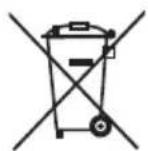
Never dispose of the device in the normal domestic waste. This product is subject to the provisions of European Directive 2012/19/EU WEEE (Waste Electrical and Electronic Equipment).
Dispose of the device through an approved disposal centre or at your community waste facility. Please observe the currently applicable regulations. Please contact your waste disposal centre if you are in any doubt.
Appendix
Notes on the Declaration of Conformity
In regard to compliance with essential requirements and other relevant provisions, this device complies with the European Electromagnetic Compatibility Directive 2004/108/EC, the Low Voltage Directive 2006/95/EC and the Ecodesign Directive 2009/125/EC (Ordinance 1275/2008 Annex II, No. 1) as well as RoHS directive 2011/65/EU.
The full original Declaration of Conformity is available from the importer.
Technical details
| Mains adapter HS03-0900100EU | |
| Manufacturer | Zhongshan Xiao Lan Hui Yang Electric Appliance Factory |
| Input voltage 100 - 240 V | ~ 50/60 Hz |
| Current consumption max. 0.1 A | |
| Output voltage 9 V | == |
| Output current 100 mA | |
| Protection class | II/ ☑ |
| Operating temperature +15 to +40 °C | |
| Humidity (no condensation) 5 to 75 % | |
| Karaoke mixer | |
| Operating voltage 9 V | --- |
| Current consumption 100 mA | |
| Input sensitivity | 1 V (audio input R/L) 10 mV (per microphone input) |
| Output voltage 2 V | |
| Operating temperature +15 to +40 °C | |
| Humidity (no condensation) 5 to 75 % | |
| Dimensions (W x H x D) approx. 17 x 11.5 x 4,2 cm | |
| Weight approx. 230 g | |
Warranty
The warranty for this appliance is for 3 years from the date of purchase. The appliance has been manufactured with care and meticulously examined before delivery.
Please retain your receipt as proof of purchase. In the case of a warranty claim, please make contact by telephone with our Customer Service Department. Only in this way can a post-free despatch for your goods be assured.
NOTICE
- The warranty covers only claims for material and manufacturing defects, but not for transport damage, wearing parts or for damage to fragile components, e.g. buttons or batteries.
This product is for domestic use only and is not intended for commercial use. The warranty is void in the case of abusive and improper handling, use of force and internal tampering not carried out by our authorised service branch.
Your statutory rights are not restricted in any way by this warranty. The warranty period is not extended by repairs made under the warranty. This applies also to replaced and repaired parts.
Damages and defects extant at the time of purchase must be reported immediately after unpacking, resp. no later than two days after the date of purchase.
Repairs made after the lapse of the warranty period are subject to charge.
Service
GB Service Great Britain
Tel.: 0871 5000 720 (£ 0.10/Min.)
E-Mail: kompernass@lidl.co.uk
IAN 114092
Hotline availability: Monday to Friday 08:00 - 20:00 (CET)
Importer
KOMPERNASS HANDELS GMBH
BURGSTRASSE 21
44867 BOCHUM
GERMANY
www.kompernass.com
KOMPERNASS HANDELS GMBH
BURGSTRASSE 21
44867 BOCHUM
DEUTSCHLAND/GERMANY
www.kompernass.com


- DE AT CH
- Table des matieres
- Introduction 18
- Installation et raccordement
- DANGER
- Raccord audio / video
- REMARQUE
- Indice
- Introduzione 34
- Table of Contents
- Introduction 50
- Controls. 54
- Setting up and connecting 55
- Handling and use 58
- Cleaning 59
- Troubleshooting 60
- Storage/Disposal 61
- Appendix 61
- Introduction
- Information concerning these operating instructions
- Copyright
- Intended use
- Warnings
- A warning at this risk level indicates an imminently hazardous situation.
- WARNING
- A warning of this risk level indicates a potentially hazardous situation.
- CAUTION
- A warning of this risk level indicates potential damage to property.
- NOTE
- Safety
- Risks from electric current
- Danger to life due to electric current!
- Contact with live cables or components can result in fatal injury!
- Basic safety instructions
- Controls
- (For illustrations see the fold-out page)
- Setting up and connecting
- During the initial setting up of the device, personal injury and property damage can occur!
- Unpacking
- Items supplied and transport inspection (see fold-out page)
- Disposal of packaging
- Requirements for the set-up location
- Audio/video connection
- Electrical connection
- Handling and use
- Switching on and off
- Initial operation
- Cleaning
- Damage to the device!
- Cleaning the housing
- Troubleshooting
- Fault causes and rectification
- Storage/Disposal
- Storage
- Disposal of the device
- Never dispose of the device in the normal domestic waste. This product is subject to the provisions of European Directive 2012/19/EU WEEE (Waste Electrical and Electronic Equipment).
- Appendix
- Notes on the Declaration of Conformity
- Technical details
- Warranty
- NOTICE
- Service
- Importer
Brand : SILVERCREST
Model : SKES 2 A1
Category : Karaoke