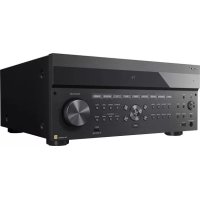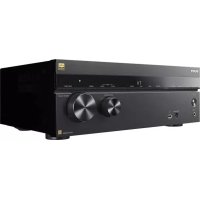
BDVN9200WL - Home Theater System SONY - Free user manual and instructions
Find the device manual for free BDVN9200WL SONY in PDF.



User questions about BDVN9200WL SONY
0 question about this device. Answer the ones you know or ask your own.
Ask a new question about this device
Download the instructions for your Home Theater System in PDF format for free! Find your manual BDVN9200WL - SONY and take your electronic device back in hand. On this page are published all the documents necessary for the use of your device. BDVN9200WL by SONY.
USER MANUAL BDVN9200WL SONY
Blu-ray Disc™/DVD Home Theatre System
Reference Guide GB
Do not install the appliance in a confined space, such as a bookcase or built-in cabinet.
To reduce the risk of fire, do not cover the ventilation opening of the appliance with newspapers, tablecloths, curtains, etc.
Do not expose the appliance to naked flame sources (for example, lighted candles).
To reduce the risk of fire or electric shock, do not expose this appliance to dripping or splashing, and do not place objects filled with liquids, such as vases, on the appliance.
Do not expose batteries or appliances with battery-installed to excessive heat, such as sunshine and fire.
To prevent injury, this apparatus must be securely attached to the floor/wall in accordance with the installation instructions.
Indoor use only.
This equipment has been tested and found to comply with the limits set out in the EMC Directive using a connection cable shorter than 3 meters.
5.15 GHz - 5.35 GHz band is restricted to indoor operations only.
On power sources
The unit is not disconnected from the mains as long as it is connected to the AC outlet, even if the unit itself has been turned off.
- As the main plug is used to disconnect the unit from the mains, connect the unit to an easily accessible AC outlet. Should you notice an abnormality in the unit, disconnect the main plug from the AC outlet immediately.
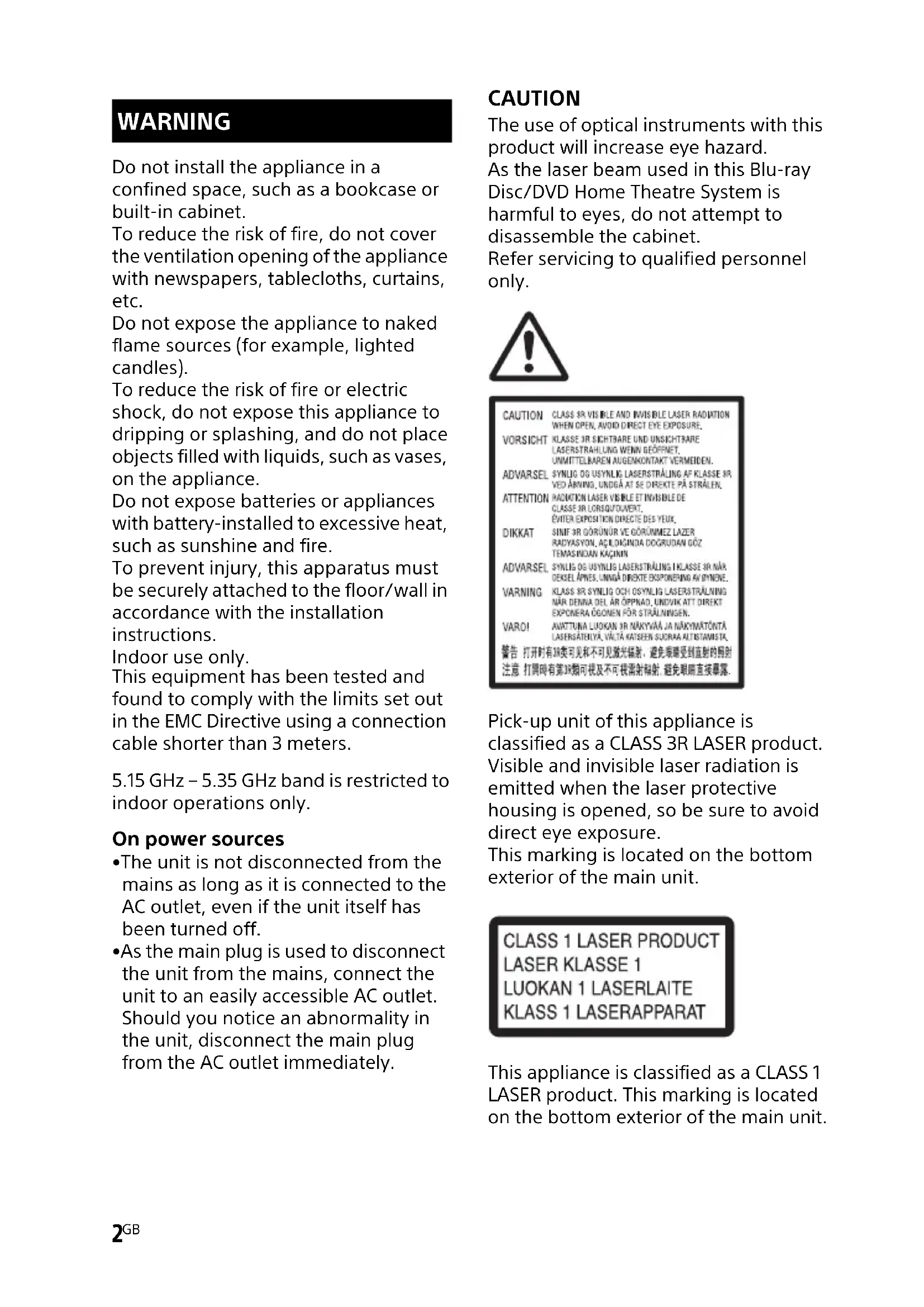
CAUTION
The use of optical instruments with this product will increase eye hazard.
As the laser beam used in this Blu-ray Disc/DVD Home Theatre System is harmful to eyes, do not attempt to disassemble the cabinet.
Refer servicing to qualified personnel only.

| CAUTION | CLASS 3R VISIBLE AND INVisible LASER RADIATION WHEN OPEN, ANID DIRECT EYE EXPOSURE. |
| VORSICHT | KLASSE 3R SICHTBARE UND UNSICHTBARE LASERSTRAHUNG WENN GEOFPNET. UNMITTELBAREN AUGENONTAKT VERMEIDEN. |
| ADVARSEL | SYNLIG OG USYNLIG LASERSTRALING AF KLASSE 3R VED ABNING, UNDOA AT SE DREKTTE PA STRALEN. |
| ATTENTION | RADUCTION LASER VISIBLE ET INVAIBLE DE CLASSE 3R LORSQUIDERT. EVITER EXPRESSION DIRETE DES YEUX. |
| DIKKAT | SINIF 3R GORUNUR VE GORUNIMEZ LAZER RADYASYON, AGLDKINDA DOGRUDAN GOZ TEMASINIAN KAGININ |
| ADVARSEL | SYNLIG OG USYNLIG LASERSTRALING I KLASSE 3R NAR DEKSEL APRES, UNVIQ DIRETE EXPONENTING AVIYNE. |
| VARNING | KLASSE 3R SYNLIG OCH USYNLIG LASERSTRALING NAR DENNA DEL AR OPPNAD, UNIVIK ATT DREKT EXPONERA OGGOMEN FOR STRALINGEN. |
| VAROI | AWATTUNA LUOKAN 3R NAKYVAA JA NAKYMATONTA LASERSATHIYA, VAJA KATSEN SUCRAA ALISTAMSTA. |
| 警告 打开时有3R类可见和不可见激光辐射,避免触受到直射的照射 注意 打開時有第3R類可視及不可視輻射辐射,避免眼睛直接暴露. | |
Pick-up unit of this appliance is classified as a CLASS 3R LASER product. Visible and invisible laser radiation is emitted when the laser protective housing is opened, so be sure to avoid direct eye exposure.
This marking is located on the bottom exterior of the main unit.
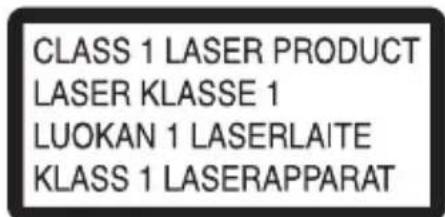
This appliance is classified as a CLASS 1 LASER product. This marking is located on the bottom exterior of the main unit.
For the main unit and surround amplifier
The nameplate is located on the bottom exterior.
Recommended cables
Properly shielded and grounded cables and connectors must be used for connection to host computers and/or peripherals.

Disposal of waste batteries and electrical and electronic equipment (applicable in the European Union and other European countries with separate collection systems)
This symbol on the product, the battery or on the packaging indicates that the product and the battery shall not be treated as household waste. On certain batteries this symbol might be used in combination with a chemical symbol. The chemical symbols for mercury (Hg) or lead (Pb) are added if the battery contains more than 0.0005% mercury or 0.004% lead. By ensuring these products and batteries are disposed of correctly, you will help prevent potentially negative consequences for the environment and human health which could otherwise be caused by inappropriate waste handling. The recycling of the materials will help to conserve natural resources. In case of products that for safety, performance or data integrity reasons require a permanent connection with an incorporated battery, this battery should be replaced by qualified service staff only. To ensure that the battery and the electrical and electronic equipment will be treated properly, hand over these products at end-of-life to the applicable collection point for the recycling of electrical and electronic equipment. For all other batteries, please view the section on how to
remove the battery from the product safely. Hand the battery over to the applicable collection point for the recycling of waste batteries. For more detailed information about recycling of this product or battery, please contact your local Civic Office, your household waste disposal service or the shop where you purchased the product or battery.
Notice for customers: the following information is only applicable to equipment sold in countries applying EU directives.
This product has been manufactured by or on behalf of Sony Corporation, 1-7-1 Konan Minato-ku Tokyo, 108-0075 Japan. Inquiries related to product compliance based on European Union legislation shall be addressed to the authorized representative, Sony Belgium, bijkantoor van Sony Europe Limited, Da Vincilaan 7-D1, 1935 Zaventem, Belgium. For any service or guarantee matters, please refer to the addresses provided in the separate service or guarantee documents.
Hereby, Sony Corp., declares that BDV-N9200W/BDV-N9200WL/
BDV-N7200W/BDV-N7200WL/
BDV-N5200W/BDV-NF7220/
TA-SA700WR/TA-SA600WR/
TA-SA500WR are in compliance with the essential requirements and other relevant provisions of Directive 1999/5/ EC.
For details, please access the following URL: http://www.compliance.sony.de/
CE
This product is intended to be used in the following countries.
AT, BE, BG, HR, CY, CZ, DK, EE, FI, FR, DE, GR, HU, IS, IE, IT, LV, LI, LT, LU, MT, NL, NO, PL, PT, RO, SK, SI, ES, SE, CH, GB, AL, BA, MK, MD, RS, ME, TR, Kosovo
This Blu-ray Disc/DVD Home Theatre System is intended for sound and video playback of discs or USB devices, music streaming from an NFC-compatible smartphone or a BLUETOOTH device, and FM tuner. This system also supports network streaming and Screen mirroring.
For BDV-N9200W/ BDV-N9200WL/BDV-N7200W/ BDV-N7200WL/BDV-N5200W only


ATTENTION RISQUE DE CHOC ELECTRIQUE NE PAS DUVRIR
PRECAUCION
RIESGO DE CHOQUE ELECTRICO NO ABRIR
CUIDADO
RISCO DE CHOQUE ELETRICO, NAO ABRA
警告
机内高压、非专业人员请勿拆卸
DIKKAT
ELEKTRIK CARPMASI RISK AGMAYIN
This marking is intended to alert the user to the risk of electric shock to persons, so be sure do not open the appliance. This marking is located on the rear exterior of the surround amplifier.
On watching 3D video images
Some people may experience discomfort (such as eye strain, fatigue, or nausea) while watching 3D video images. Sony recommends that all viewers take regular breaks while watching 3D video images. The length and frequency of necessary breaks will vary from person to person. You must decide what works best. If you experience any discomfort, you should
stop watching the 3D video images until the discomfort ends; consult a doctor if you believe necessary. You should also review (i) the instruction manual and/or the caution message of any other device used with, or Blu-ray Disc contents played with this product and (ii) our website
(http://esupport.sony.com/) for the latest information. The vision of young children (especially those under six years old) is still under development.
Consult your doctor (such as a pediatrician or eye doctor) before allowing young children to watch 3D video images.
Adults should supervise young children to ensure they follow the recommendations listed above.
Copy Protection
- Please be advised of the advanced content protection systems used in both Blu-ray Disc and DVD media. These systems, called AACs (Advanced Access Content System) and CSS (Content Scramble System), may contain some restrictions on playback, analog output, and other similar features. The operation of this product and the restrictions placed may vary depending on the date of purchase, as the governing board of the AACS may adopt or change its restriction rules after the time of purchase.
Cinavia Notice
This product uses Cinavia technology to limit the use of unauthorized copies of some commercially-produced film and videos and their soundtracks. When a prohibited use of an unauthorized copy is detected, a message will be displayed and playback or copying will be interrupted.
More information about Cinavia technology is provided at the Cinavia Online Consumer Information Center at http://www.cinavia.com. To
request additional information about Cinavia by mail, send a postcard with your mailing address to: Cinavia Consumer Information Center, P.O. Box 86851, San Diego, CA, 92138, USA.
Copyrights and Trademarks
(BDV-N9200W/BDV-N9200WL/ BDV-N7200W/BDV-N7200WL/ BDV-N5200W only)
This system incorporates with Dolby Digital and Dolby Pro Logic adaptive matrix surround decoder and the DTS* Digital Surround System.
- Manufactured under license from Dolby Laboratories. Dolby, Pro Logic, and the double-D symbol are trademarks of Dolby Laboratories.
** For DTS patents, see http://patents.dts.com.
Manufactured under license from DTS Licensing Limited. DTS, DTS-HD, the Symbol, & DTS and the Symbol together are registered trademarks of DTS, Inc. © DTS, Inc. All Rights Reserved.
(BDV-NF7220 only)
This system incorporates with Dolby Digital and the DTS* Digital Surround System.
- Manufactured under license from Dolby Laboratories. Dolby and the double-D symbol are trademarks of Dolby Laboratories.
** For DTS patents, see http://patents.dts.com. Manufactured under license from DTS Licensing Limited. DTS, DTS-HD, the Symbol, & DTS and the Symbol together are registered trademarks of DTS, Inc. © DTS, Inc. All Rights Reserved.
This system incorporates High-Definition Multimedia Interface (HDMI™) technology. The terms HDMI and HDMI High-Definition Multimedia Interface, and the HDMI Logo are trademarks or registered trademarks of HDMI Licensing LLC in the United States and other countries.
- Java is a trademark of Oracle and/or its affiliates.
DVD Logo is a trademark of DVD Format/Logo Licensing Corporation.
- "Blu-ray Disc", "Blu-ray", "Blu-ray 3D", "BD-LIVE", "BONUSVIEW", and logos are trademarks of the Blu-ray Disc Association.
"Blu-ray Disc", "DVD+RW", "DVD-RW", "DVD+R", "DVD-R", "DVDVIDEO", and "CD" logos are trademarks.
"Super Audio CD" is a trademark.
App Store is a service mark of Apple Inc.
"BRAVIA" is a trademark of Sony Corporation.
- "AVCHD 3D/Progressive" and the "AVCHD 3D/Progressive" logo are trademarks of Panasonic Corporation and Sony Corporation.
XMB", and "xross media bar" are trademarks of Sony Corporation and Sony Computer Entertainment Inc.
- "PlayStation" is a registered trademark of Sony Computer Entertainment Inc.
- "Sony Entertainment Network" logo and "Sony Entertainment Network" are trademarks of Sony Corporation.
- Wi-Fi®, Wi-Fi Protected Access® and Wi-Fi Alliance® are registered trademarks of Wi-Fi Alliance.
- Wi-Fi CERTIFIED™, WPA™, WPA2™, Wi-Fi Protected Setup™, Miracast™ and Wi-Fi CERTIFIED Miracast™ are trademarks of Wi-Fi Alliance.
The N Mark is a trademark or registered trademark of NFC Forum, Inc. in the United States and in other countries.
-Android™ is a trademark of Google Inc. - Google Play™ is a trademark of Google Inc.
- "Xperia" is a trademark of Sony Mobile Communications AB.
- The Bluetooth® word mark and logos are registered trademarks owned by Bluetooth SIG, Inc. and any use of such marks by Sony Corporation is under license. Other trademarks and trade names are those of their respective owners.
MPEG Layer-3 audio coding technology and patents licensed from Fraunhofer IIS and Thomson. - This product incorporates proprietary technology under license from Verance Corporation and is protected by U.S. Patent 7,369,677 and other U.S. and worldwide patents issued and pending as well as copyright and trade secret protection for certain aspects of such technology. Cinavia is a trademark of Verance Corporation. Copyright 2004-2010 Verance Corporation. All rights reserved by Verance. Reverse engineering or disassembly is prohibited.
- Windows Media is either a registered trademark or trademark of Microsoft Corporation in the United States and/or other countries. This product is protected by certain intellectual property rights of Microsoft Corporation. Use or distribution of such technology outside of this product is prohibited without a license from Microsoft or an authorized Microsoft subsidiary.
Content owners use Microsoft PlayReady™ content access technology to protect their intellectual property, including copyrighted content. This device uses PlayReady technology to access PlayReady-protected content and/or WMDRM-protected content. If the device fails to properly enforce restrictions on content usage, content owners may require Microsoft to revoke the device's ability to consume PlayReady-protected content. Revocation should not affect unprotected content or content protected by other content access technologies. Content owners may require you to upgrade PlayReady to access their content. If you decline an upgrade, you will not be able to access content that requires the upgrade.
DLNA™, the DLNA Logo and DLNA CERTIFIED™ are trademarks, service marks, or certification marks of the Digital Living Network Alliance.
- Opera Devices SDK from Opera Software ASA. Copyright 1995-2013 Opera Software ASA. All rights reserved.

POWERED BY OPERA®
- All other trademarks are trademarks of their respective owners.
- Other system and product names are generally trademarks or registered trademarks of the manufacturers. ^TM and ® marks are not indicated in this document.
Additional Information
Precautions
On safety
- Should any solid object or liquid fall into the cabinet, unplug the system and have it checked by qualified personnel before operating it any further.
- Do not touch the AC power cord (mains lead) with wet hands. Doing so may cause an electric shock.
On power sources
If you are not going to use the system for a long time, be sure to disconnect the system from the wall outlet. To disconnect the AC power cord (mains lead), grasp the plug itself; never pull the cord.
On placement
- Place the system in a location with adequate ventilation to prevent heat build-up in the system.
- Although the system heats up during operation, this is not a malfunction. If you continuously use this system at a large volume, the cabinet temperature of the top, side and bottom rises considerably. To avoid burning yourself, do not touch the cabinet.
- Do not place the system on a soft surface (rugs, blankets, etc.) that might block the ventilation holes.
- Do not install the system near heat sources such as radiators, air ducts, or in a place subject to direct sunlight, excessive dust, mechanical vibration, or shock.
-
Do not install the system in an inclined position. It is designed to be operated in a horizontal position only.
-
Keep the system and discs away from components with strong magnets, such as microwave ovens, or large loudspeakers.
- Do not place heavy objects on the system.
- Do not place metal objects in front of the front panel. It may limit reception of radio waves.
- Do not place the system in a place where medical equipment is in use. It may cause a malfunction of medical equipment.
- If you use a pacemaker or other medical device, consult your physician or the manufacturer of your medical device before using the wireless LAN function.
On operation
If the system is brought directly from a cold to a warm location, or is placed in a very damp room, moisture may condense on the lenses inside the main unit. Should this occur, the system may not operate properly. In this case, remove the disc and leave the system turned on for about half an hour until the moisture evaporates.
On adjusting volume
Do not turn up the volume while listening to a section with very low level inputs or no audio signals. If you do, the speakers may be damaged when a peak level section is suddenly played.
On cleaning
Clean the cabinet, panel, and controls with a soft cloth slightly moistened with a mild detergent solution. Do not use any type of abrasive pad, scouring powder or solvent such as alcohol or benzine.
On cleaning discs, disc/lens cleaners
Do not use cleaning discs or disc/lens cleaners (including wet or spray types). These may cause the apparatus to malfunction.
On replacement of parts
In the events that this system is repaired, repaired parts may be retained for reuse or recycling purposes.
On your TV's color
If the speakers cause the color irregularity on your TV screen, turn off the TV then turn it on after 15 to 30 minutes. If color irregularity persist, place the speakers further away from the TV set.
IMPORTANT NOTICE
Caution: This system is capable of holding a still video image or on-screen display image on your TV screen indefinitely. If you leave the still video image or on-screen display image displayed on your TV for an extended period of time, you risk permanent damage to your TV screen. Plasma display panel televisions and projection televisions are susceptible to this.
On moving the system
Before moving the system, make sure that there is no disc inserted, and disconnect the AC power cord (mains lead) from the wall outlet (mains).
On BLUETOOTH communication
-
BLUETOOTH devices should be used within approximately 10 meters (unobstructed distance) of each other. The effective communication range may become shorter under the following conditions.
-
When a person, metal object, wall or other obstruction is between the devices with a BLUETOOTH connection
- Locations where a wireless LAN is installed
- Around microwave ovens that are in use
-
Locations where other electromagnetic waves occur
-
BLUETOOTH devices and wireless LAN (IEEE 802.11b/g) use the same frequency band (2.4 GHz). When using your BLUETOOTH device near a device with wireless LAN capability, electromagnetic interference may occur. This could result in lower data transfer rates, noise, or inability to connect. If this happens, try the following remedies:
-
Use this main unit at least 10 meters away from the wireless LAN device.
- Turn off the power to the wireless LAN equipment when using your BLUETOOTH device within 10 meters.
-
Install this main unit and BLUETOOTH device as closer to each other as possible.
-
The radio waves broadcast by this main unit may interfere with the operation of some medical devices. Since this interference may result in malfunction, always turn off the power on this main unit and BLUETOOTH device in the following locations:
-In hospitals, on trains, in airplanes, at gas stations, and any place where flammable gasses may be present
- Near automatic doors or fire alarms
- This main unit supports security functions that comply with the BLUETOOTH specification to ensure secure connection during communication using BLUETOOTH technology. However, this security may be insufficient depending on the setting contents and other factors, so always be careful when performing communication using BLUETOOTH technology.
- Sony cannot be held liable in any way for damages or other loss resulting from information leaks during communication using BLUETOOTH technology.
- BLUETOOTH communication is not necessarily guaranteed with all BLUETOOTH devices that have the same profile as this main unit.
- BLUETOOTH devices connected with this main unit must comply with the BLUETOOTH specification prescribed by the Bluetooth SIG, Inc., and must be certified to comply. However, even when a device complies with the BLUETOOTH specification, there may be cases where the characteristics or specifications of the BLUETOOTH device make it impossible to connect, or may result in different control methods, display or operation.
- Noise may occur or the audio may cut off depending on the BLUETOOTH device connected with this main unit, the communications environment, or surrounding conditions.
If you have any questions or problems concerning your system, please consult your nearest Sony dealer.
Notes about Discs
On handling discs
- To keep the disc clean, handle the disc by its edge. Do not touch the surface.
- Do not stick paper or tape on the disc.
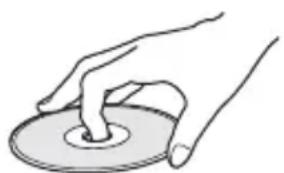

- Do not expose the disc to direct sunlight or heat sources such as hot air ducts, or leave it in a car parked in direct sunlight as the temperature may rise considerably inside the car.
After playing, store the disc in its case.
On cleaning
- Before playing, clean the disc with a cleaning cloth.
Wipe the disc from the center out.
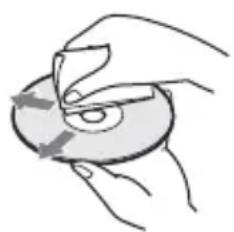
- Do not use solvents such as benzine, thinner, commercially available cleaners, or anti-static spray intended for vinyl LPs.
This system can only play a standard circular disc. Using neither standard nor circular discs (e.g., card, heart, or star shape) may cause a malfunction.
Do not use a disc that has a commercially available accessory attached, such as a label or ring.
Specifications
Amplifier Section
BDV-N9200W/BDV-N9200WL/
BDV-N7200W/BDV-N7200WL/
BDV-N5200W
POWER OUTPUT (rated)
Front L/Flont R:
125 W + 125 W (at 6 ohms, 1 kHz, 1% THD)
POWER OUTPUT (reference)
Front L/Front R:
200 W (per channel at 6 ohms, 1 kHz)
Center:
200 W (at 6 ohms, 1 kHz)
Subwoofer:
200 W (at 6 ohms, 80 Hz)
Inputs (Analog)
AUDIO IN
Sensitivity: 2V / 700mV
Inputs (Digital)
TV (Audio Return Channel/OPTICAL)
Supported formats: LPCM 2CH
(up to 48kHz ), Dolby Digital, DTS
HDMI (IN 1)/HDMI (IN 2)
Supported formats: LPCM 5.1CH
(up to 48 kHz), LPCM 2CH (up to
96 kHz), Dolby Digital, DTS
BDV-NF7220
POWER OUTPUT (rated)
Front L/Front R:
125 W + 125 W (at 6 ohms, 1 kHz, 1% THD)
POWER OUTPUT (reference)
Front L/Front R:
200 W (per channel at 6 ohms, 1 kHz)
Subwoofer:
200 W (at 6 ohms, 80 Hz)
Inputs (Analog)
AUDIO IN
Sensitivity: 2V / 700mV
Inputs (Digital)
TV (Audio Return Channel/OPTICAL)
Supported formats: LPCM 2CH (up to
48 kHz), Dolby Digital, DTS
HDMI (IN 1)/HDMI (IN 2)
Supported formats: LPCM 5.1CH
(up to 48 kHz), LPCM 2CH (up to
96 kHz), Dolby Digital, DTS
HDMI Section
Connector
Type A (19pin)
BD/DVD/Super Audio CD/CD System
Signal format system
NTSC/PAL
USB Section
(USB) port:
Type A (For connecting USB memory, memory card reader, digital still camera, and digital video camera)
LAN Section
LAN (100) terminal
100BASE-TX Terminal
Wireless LAN Section
Standards Compliance
IEEE 802.11 a/b/g/n
Frequency band
2.4 GHz, 5 GHz
BLUETOOTH Section
Communication system
BLUETOOTH Specification version 3.0
Output
BLUETOOTH Specification Power
Class 2
Maximum communication range
Line of sight approx. 10m^1)
Frequency band
2.4 GHz
Modulation method
FHSS (Freq Hopping Spread Spectrum)
Compatible BLUETOOTH profiles2)
A2DP 1.2 (Advanced Audio Distribution Profile)
AVRCP 1.3 (Audio Video Remote
Control Profile)
Supported Codes3)
SBC4), AAC
Transmission range (A2DP)
20 Hz - 20,000 Hz (Sampling
frequency 44.1 kHz, 48 kHz)
1) The actual range will vary depending on factors such as obstacles between devices, magnetic fields around a microwave oven, static electricity, cordless phone, reception sensitivity, antenna's performance, operating system, software application, etc.
2)BLUETOOTH standard profiles indicate the purpose of BLUETOOTH communication between devices.
3)Codec: Audio signal compression and conversion format
4)Subband Codec
FM Tuner Section
System
PLL quartz-locked digital synthesizer
Tuning range
87.5 MHz - 108.0 MHz (50 kHz step)
Antenna (aerial)
FM wire antenna (aerial)
Antenna (aerial) terminals
75 ohms, unbalanced
Speakers
Front (SS-TSB133)/Surround
(SS-TSB138) for BDV-N9200W
Front (SS-TSB134)/Surround
(SS-TSB139) for BDV-N9200WL
Dimensions (w/h/d) (approx.)
102mm× 705mm× 71mm
(wall-mounted part)
270mm× 1,200mm× 270mm
(whole speaker)
Mass (approx.)
SS-TSB133/SS-TSB138:
1.9 kg (wall-mounted part)
4.2 kg (whole speaker)
SS-TSB134/SS-TSB139:
2.0kg (wall-mounted part with speaker cord)
4.4 kg (whole speaker)
Front (SS-TSB135) for BDV-N7200W/ BDV-NF7220
Surround (SS-TSB140) for BDV-N7200W
Front (SS-TSB136)/Surround (SS-TSB141) for BDV-N7200WL
Dimensions (w/h/d) (approx.)
100 mm × 450 mm × 57 mm (without stand)
147 mm × 455 mm × 147 mm (with stand)
Mass (approx.) SS-TSB135/SS-TSB140: 1.1 kg (without stand) 1.2 kg (with stand) SS-TSB136/SS-TSB141: 1.2 kg (without stand, with speaker cord) 1.3 kg (with stand)
Front (SS-TSB137) for BDV-N5200W
Dimensions (w/h/d) (approx.)
91 mm × 275 mm × 96 mm
Mass (approx.)
0.71 kg (with speaker cord)
Surround (SS-TSB142) for BDV-N5200W
Dimensions (w/h/d) (approx.) 90 mm × 205 mm × 91 mm Mass (approx.) 0.58 kg (with speaker cord
Center (SS-CTB125) for BDV-N9200W/ BDV-N7200W
Center (SS-CTB126) for BDV-N9200WL/BDV-N7200WL
Dimensions (w/h/d) (approx.) 365 mm × 73 mm × 77 mm Mass (approx.) 1.1 kg
Center (SS-CTB127) for BDV-N5200W
Dimensions (w/h/d) (approx.) 240 mm × 90 mm × 85 mm
Mass (approx.) 0.58 kg (with speaker cord)
Subwoofer (SS-WSB126) for BDV-N9200W/BDV-N7200W/ BDV-NF7220
Subwoofer (SS-WSB127) for BDV-N9200WL/BDV-N7200WL
Dimensions (w/h/d) (approx.) SS-WSB126: 265mm× 430mm× 265mm SS-WSB127: 265mm× 425mm× 265mm
Mass (approx.) SS-WSB126: 6.3 kg SS-WSB127: 6.2 kg
Subwoofer (SS-WSB128) for BDV-N5200W
Dimensions (w/h/d) (approx.) 225mm× 365mm× 345mm Mass (approx.) 5.8kg with speaker cord
General
Main unit
Power requirements 220 V - 240 V AC, 50/60 Hz
Power consumption
On: 95 W (HBD-N9200W/HBD-N7200W/HBD-N5200W)
105 W (HBD-N9200WL/HBD-N7200WL)
85 W (HBD-NF7220)
Standby:
0.3 W (At power saving. For details on the setting, refer to the Operating Instructions on the following website: http://support.sony-europe.com/) 1.7 W (When [Remote Start], [NFC], and [Bluetooth Power Setting] are set to [On], and [Quick Start Mode] is set to [Off].)
Dimensions (w/h/d) (approx.)
480 mm × 78 mm × 212.5 mm incl. projecting parts
Mass (approx.)
3.1 kg
Surround amplifier (TA-SA500WR) for BDV-N9200W/BDV-N7200W
Surround amplifier (TA-SA600WR) for BDV-N9200WL/BDV-N7200WL
Surround amplifier (TA-SA700WR) for BDV-N5200W
Amplifier Section
TA-SA500WR/TA-SA600WR:
POWER OUTPUT (reference)
Surround L/Surround R: 200 W (per channel at 6 ohms, 1 kHz)
TA-SA700WR:
POWER OUTPUT (reference)
Surround L/Surround R: 100 W (per channel at 6 ohms, 1 kHz)
Rated impedance 6Ω
Communication system Wireless sound Specification version 3.0
Frequency band 5.2 GHz, 5.8 GHz
Modulation method DSSS
Power requirements 220 V - 240 V AC, 50/60 Hz
Power consumption On:55 W (TA-SA500WR) 70 W (TA-SA600WR) 45 W (TA-SA700WR)
Standby power consumption 0.5 W (standby mode) 0.3 W (turned off)
Dimensions (w / h / d) approx.) 200mm× 64mm× 211.5mm Mass (approx.) 1.3 kg
Design and specifications are subject to change without notice.
AVERTISSEMENT
TV (Audio Return Channel/OPTICAL)
HDMI (IN 1)/HDMI (IN 2)
Formats pris en charge : LPCM 5.1CH
TV (Audio Return Channel/OPTICAL)
HDMI (IN 1)/HDMI (IN 2)
Formats pris en charge : LPCM 5.1CH
Specification BLUETOOTH version 3.0
Sortie
FHSS (Freq Hopping Spread Spectrum)
Profils compatibles BLUETOOTH2)
A2DP1.2 (Advanced Audio Distribution
Profile)
AVRCP 1.3 (Audio Video Remote
Control Profile)
saillantes comprises
Poids (environ)
3,1 kg
Amplificateur surround
TA-SA500WR/TA-SA600WR:
Surround G/ Surround D :
Surround G/Surround D :
125 W + 125 W (a 6 ohm, 1 kHz, THD 1%)
200 W (a 6 ohm, 1 kHz)
Altavoz de graves:
200 W (a 6 ohm, 80 Hz)
Entradas (Analogica)
AUDIO IN
HDMI (IN 1)/HDMI (IN 2)
125 W + 125 W (a 6 ohm, 1 kHz, THD 1%)
200 W (a 6 ohm, 80 Hz)
Entradas (Analogica)
AUDIO IN
HDMI (IN 1)/HDMI (IN 2)
TA-SA500WR/TA-SA600WR:
TA-SA500WR/TA-SA600WR:
Surround-L/Surround-R:
Surround-L/Surround-R:
AT, BE, BG, HR, CY, CZ, DK, EE, FI, FR, DE, GR, HU, IS, IE, IT, LV, LI, LT, LU, MT, NL, NO, PL, PT, RO, SK, SI, ES, SE, CH, GB, AL, BA, MK, MD, RS, ME, TR, Kosovo
UITGANGSVERMOGEN (nominal)
HDMI (IN 1)/HDMI (IN 2)
FHSS (Freq Hopping Spread Spectrum)
Compatible BLUETOOTH-profilen2)
A2DP1.2 (Advanced Audio Distribution Profile)
AVRCP 1.3 (Audio Video Remote
Control Profile)
Ondersteunde codecst3)
SBC4), AAC
Zendbereik (A2DP)
20 Hz - 20.000 Hz
(bemonsteringsfrequentie 44,1 kHz, 48 kHz)
87,5 MHz - 108,0 MHz (50 kHz-stap)
Antenne
FM-draadantenne
Surroundversterker (TA-SA500WR)
Surroundversterker (TA-SA600WR)
Surroundversterker (TA-SA700WR)
voor BDV-N5200W
Versterkergedeelte
TA-SA500WR/TA-SA600WR:
UITGANGSVERMOGEN (referentie)
Surround L/Surround R:
Surround L/Surround R:
AT, BE, BG, HR, CY, CZ, DK, EE, FI, FR, DE, GR, HU, IS, IE, IT, LV, LI, LT, LU, MT, NL, NO, PL, PT, RO, SK, SI, ES, SE, CH, GB, AL, BA, MK, MD, RS, ME, TR, Kosovo
TA-SA500WR/TA-SA600WR:
Consumo energetico in standby
0,5 W (modality standby)
0,3 W (spento)
Dimensioni (I/a/p) (circa)
200mm× 64mm× 211,5mm
Peso (circa)
1,3 kg
TA-SA500WR/TA-SA600WR: